Cheap Acer T.00305.001 Li-ion Battery, T.00305.001 Replacement Battery for Acer 3000WTCi 3000WTMi 3001ENWTNi
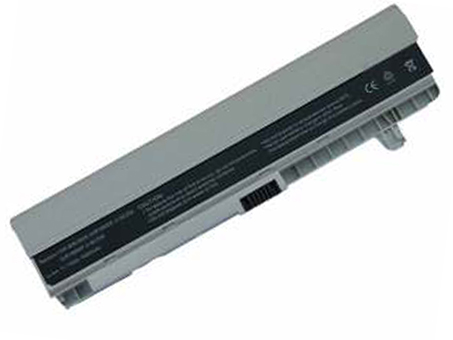 Specifications:
- Brand:acer
- Capacity :4800mAh
- Voltage :11.1V
- Type :Li-ion
- Battery quality: Grade A
- Guarantee: Replacement Battery - 1 Year Warranty
- Description: New brand,1 year warranty!30 days refund!Fast shipping!
When it comes to replacing the battery for your Acer 3000WTCi 3000WTMi 3001ENWTNi, selecting the correct component is essential. The appropriate model is the Acer T.00305.001. We strongly advise carefully reviewing the product information and compatible device list we provide before making a purchase. Please ensure you select this specific model to avoid any incompatibility issues. If you have any doubts, feel free to reach out to us via email for confirmation.
It is important to note that this device features a non-removable internal battery. Replacing it requires the use of specific tools and a good level of DIY experience. If you are unfamiliar with this type of procedure, we highly recommend seeking assistance from a professional technician to prevent any potential damage to your device.
The Acer T.00305.001 is a Li-ion rechargeable battery and is not compatible with other battery technologies, such as Ni-MH or Ni-Cd. The battery offered by batteryforpc.co.uk is a rechargeable battery pack designed with built-in protection against overcharging. It is engineered to perform optimally and reliably for the Acer 3000WTCi 3000WTMi 3001ENWTNi.
Please be aware that devices within the same series may have different versions or names across various regions. Therefore, it is crucial to verify your device’s exact model number and the specifications of its original battery, including its capacity, before ordering.
If the appearance or the rated capacity of the Acer T.00305.001 battery does not match your original battery, please promptly visit our website for further assistance and contact us via our customer support mailbox.
Compatible Part Number:
3UR18650F-2-QC252
3UR18650F-2-QC175
3UR18650F-2-QC259
3UR18650H-QC174
BT.00303.002
BT.00303.005
BT.00303.006
BT.00305.001
BT.00305.002
BT.00305.003
BT.00603.003
BT.00603.022
BT.00603.023
BT.00605.001
BT.00605.010
CGR-B/350AW
CGR-B/350CW
CGR-B/6G8AW
LC.BTP01.025
LC.BTP03.010
ZH1
ZH2
ZH3
ZH5
Compatible Model Number:
Acer Ferrari 1000, 1003, 1005 Serie
1000-5123, 1000- 5612, 1000WTMi,
1003WTMi, 1005WLMi, 1005WTMi
Acer TravelMate 3000, 3001, 3002,
3003, 3004, 3010, 3020, 3030, 3040 Serie
3000WTCi, 3000WTMi, 3001ENWTNi,
3001NWTNi, 3001WTCi, 3001WTMi,
3002ENWTNi, 3002LC, 3002NWTNi,
3002WTCi, 3002WTMi, 3002XCi,
3002XMi, 3003WTCi, 3003WTMi,
3004WTCi, 3004WTMi
How Much Do You Know About Extending the Battery Life of Your Acer T.00305.001?
To maximize the lifespan and performance of your Acer T.00305.001 battery, it’s important to follow some practical maintenance guidelines. Here are several effective methods to help you protect and extend your battery life:
First, make sure to charge or replace the battery once it runs low. Using the official Acer T.00305.001 Li-ion battery is recommended, as it typically offers longer performance and better reliability compared to non-lithium-ion alternatives.
After the battery is fully charged, remember to unplug the charger. Keeping the battery at full charge for extended periods or maintaining a high charge status continuously can accelerate aging. It is also advised to avoid charging in extreme temperatures—both very hot and very cold environments can harm battery health.
When the battery is not in use, store it in a dry and cool place. If you plan to idle the device for a while, try to keep the charge level between 20% and 80%. Additionally, avoid deep discharge—charge the battery promptly when it is running low to prevent damage.
Finally, performing a full cycle charge on a regular basis helps maintain battery calibration. By following these tips, you can significantly prolong the usability and efficiency of your Acer T.00305.001 battery.