The fastest way to force restart your Mac if it freezes

 If your MacBook, MacBook Air, or MacBook Pro freezes completely and you don’t know what to do next, you might consider force restarting your Apple laptop. Often used as a last resort, a force restart is probably the fastest (and only) option to get your Mac up and running again. Let’s take a look below!

How to quickly force restart your Mac

Before taking this extreme, try restarting your Mac the classic way: click the Apple symbol in the upper-left corner of the screen and select Restart. If necessary, you can also force shut down your Mac by holding down the power button until your Mac shuts down.

If these methods don’t work for you, or your screen and cursor are stuck and you can’t select anything, try the force restart options below.

1. Press and hold the Command and Control keys with the power button.

The power button is also a Touch ID‌ / eject button, depending on the Mac model.

2. Your Mac screen should dim and your Mac should restart.

3. Log in to your computer and continue using it normally.

Note: On the 2018 MacBook Air and the new 14-inch and 16-inch MacBook Pros, the power button doubles as the Touch ID button in the upper right corner of the keyboard. On any MacBook Pro with a Touch Bar, it’s the “Touch ID” surface to the right of the Touch Bar.

What happens when you force restart?

Force restart is a quick solution to get your computer back to normal. Before you force restart your MacBook, rest assured that this process won’t wipe your computer’s data. It just restarts your device. However, when you force restart, you may lose unsaved changes in open documents, as your Mac will shut down completely. The screen will go black and when the machine restarts you will have to log back into your account.

How to Force Quit Apps on Mac

If an application you’re using freezes and your Mac is otherwise fine, try force-quitting the application instead of your laptop. You can hold down the Option (⌥) key, then right-click the problematic application icon in the Dock and select Force Quit. Or you can press all three keys at the same time: Option, Command, and Escape. The Force Quit window will open. Select the app you want to quit, then click Force Quit. You can also access the Force Quit panel from the Apple menu in the corner of the screen.

>>>>>>>>>>>Mac battery

Hope it helps you!

Friendly reminder: If you need to replace the battery of your device, this battery store will be a good choice: www.batteryforpc.co.uk

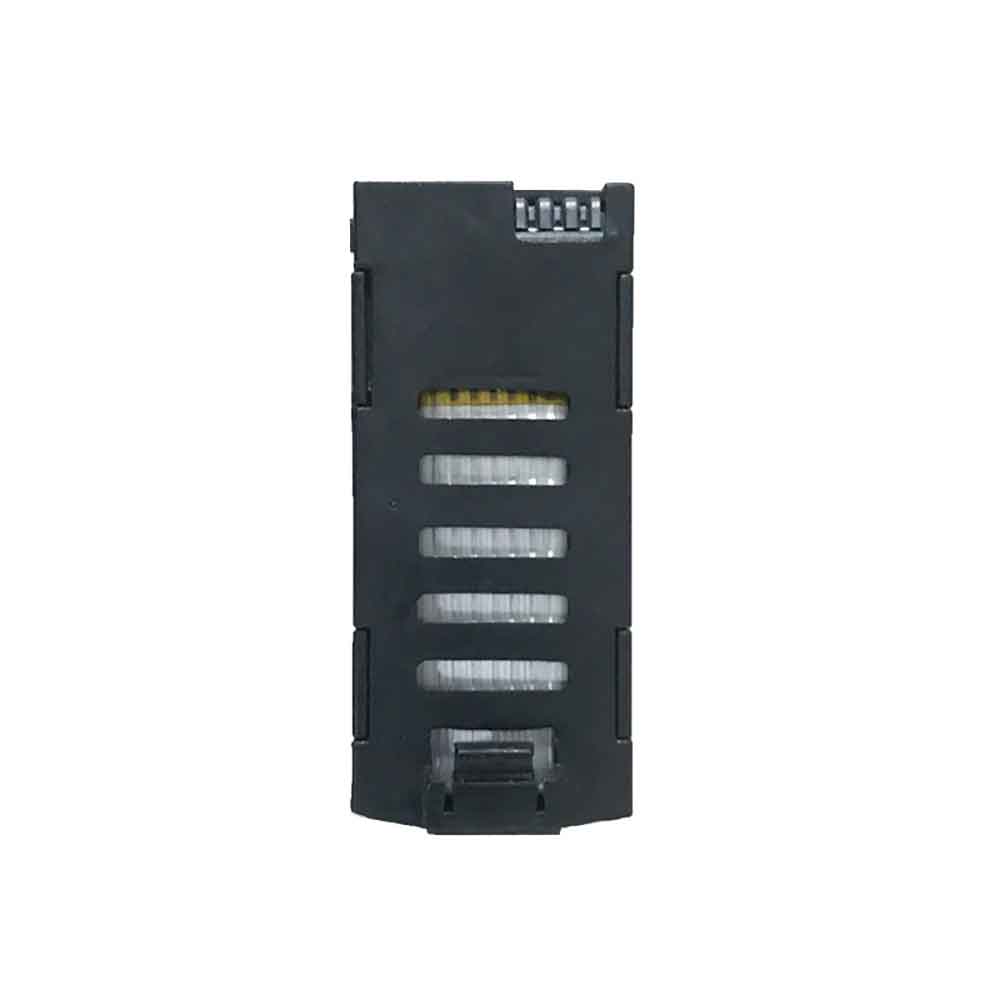
2200mAh 7.4V Sendu KF102 Li-ion Battery for Sendu KF102 Drone

2200mAh 7.4V Sendu KF102 Batteries for Sendu KF102 Drone, Sendu KF102 Other battery is a brand new,100% Compatible original and replacement battery,Purchase wholesale and retail KF102 with high quality and low price!

Find ou your original model number or part number(P/N), and move your eyes on the tag of battery

KF102

Specifications

  • Brand:Sendu
  • Capacity :2200mAh
  • Voltage :7.4V
  • Type :Li-ion
  • Battery Cell Quality: Grade A
  • Descriptive: Replacement Battery – 1 Year Warranty
  • Description: Brand New, 1 Year Warranty! 30-Days Money Back! Fast Shipping!

How we test this Sendu KF102 Battery
Step 1: Make sure customer bought the correct battery.
Step 2: Check battery’s appearance and interface.
Step 3: Test battery charger and recharger function.
Step 4: Charger the battery to 100% and recharger to 0% to get real battery capacity
Step 5: Use Ev2300 to check the voltage difference of each goroup cells.
Step 6: Charger battery power more than 30%.
Step 7: Package battery carefully and send out

Compatible Part Numbers:
KF102

Compatible Model Numbers:
Sendu KF102 Drone

How much do you know about how to run laptop well as any place? The follow Tips cut way back on protecting battery life.


1). Please recharge or change your Other battery when battery power low.
2). Using Li-Ion Replacement Sendu KF102 Other Battery for your notebook which can work longer time than Non Li-ion one.
3). It is better to defragmentation regularly for your Other battery life.
4). In order to reduce the laptop power consumpition, you can use some optical drive spin-down and hard drive in your Other .
5). Please keep your laptop in sleep or standby model without long time using, which both save the Replacement Sendu KF102 Other Battery power and extend battery using life.
6). Leave your battery in a dry and cool condition when without using.
7). When you rarely or generally plugged in fixed power using, Please take down your battery to avoid hurting battery life.

Hot Products

3450mAh/13.1WH LG BL-T43 for LG G8S ThinQ LM-G8106600mAh/68WH APPLE A1189 for Apple MacBook Pro 17 17-inch2600mAh/9.88WH OUKITEL S68 for OukiTel C16 Pro2200mAh YAESU SBR-14Li for Yaesu Radio VX-8R VX-8DR VX-8G5500mAh CONQUEST 846370 for CONQUEST S8 phone232mAh/0.9WH LG BL-S8 for LG Watch Style W2704680mAh 18.018WH BLACKVIEW DK017 for Blackview A80 Pro4550mAh 51.28Wh THUNDEROBOT SQU-1711 for Thunderobot 911AIR 911ME 911S255mAh GARMIN 361-00097-00 for Garmin Fenix 5 5X4650mAh/17.7WH HUAWEI HB3080G1EBC for Huawei Mediapad T3 10

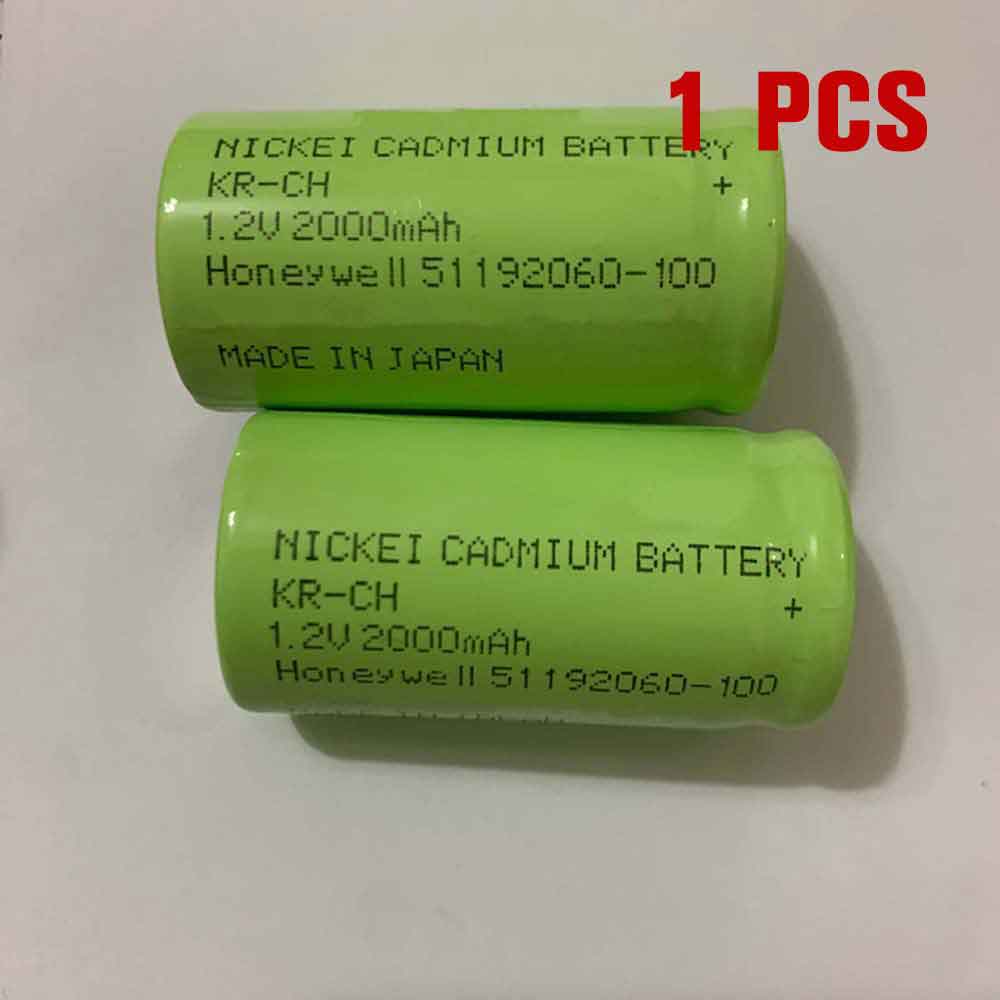
2000mAh 1.2V Honeywell KR-CH Li-ion Battery for Honeywell 51192060-100

2000mAh 1.2V Honeywell KR-CH Batteries for Honeywell 51192060-100, Honeywell KR-CH Other battery is a brand new,100% Compatible original and replacement battery,Purchase wholesale and retail KR-CH with high quality and low price!

Find ou your original model number or part number(P/N), and move your eyes on the tag of battery

KR-CH

Specifications

  • Brand:Honeywell
  • Capacity :2000mAh
  • Voltage :1.2V
  • Type :Li-ion
  • Battery Cell Quality: Grade A
  • Descriptive: Replacement Battery – 1 Year Warranty
  • Description: Brand New, 1 Year Warranty! 30-Days Money Back! Fast Shipping!

How we test this Honeywell KR-CH Battery
Step 1: Make sure customer bought the correct battery.
Step 2: Check battery’s appearance and interface.
Step 3: Test battery charger and recharger function.
Step 4: Charger the battery to 100% and recharger to 0% to get real battery capacity
Step 5: Use Ev2300 to check the voltage difference of each goroup cells.
Step 6: Charger battery power more than 30%.
Step 7: Package battery carefully and send out

Compatible Part Numbers:
KR-CH

Compatible Model Numbers:
Honeywell 51192060-100

How much do you know about how to run laptop well as any place? The follow Tips cut way back on protecting battery life.


1). Please recharge or change your Other battery when battery power low.
2). Using Li-Ion Replacement Honeywell KR-CH Other Battery for your notebook which can work longer time than Non Li-ion one.
3). It is better to defragmentation regularly for your Other battery life.
4). In order to reduce the laptop power consumpition, you can use some optical drive spin-down and hard drive in your Other .
5). Please keep your laptop in sleep or standby model without long time using, which both save the Replacement Honeywell KR-CH Other Battery power and extend battery using life.
6). Leave your battery in a dry and cool condition when without using.
7). When you rarely or generally plugged in fixed power using, Please take down your battery to avoid hurting battery life.

Hot Products

3450mAh/13.1WH LG BL-T43 for LG G8S ThinQ LM-G8106600mAh/68WH APPLE A1189 for Apple MacBook Pro 17 17-inch2600mAh/9.88WH OUKITEL S68 for OukiTel C16 Pro2200mAh YAESU SBR-14Li for Yaesu Radio VX-8R VX-8DR VX-8G5500mAh CONQUEST 846370 for CONQUEST S8 phone232mAh/0.9WH LG BL-S8 for LG Watch Style W2704680mAh 18.018WH BLACKVIEW DK017 for Blackview A80 Pro4550mAh 51.28Wh THUNDEROBOT SQU-1711 for Thunderobot 911AIR 911ME 911S255mAh GARMIN 361-00097-00 for Garmin Fenix 5 5X4650mAh/17.7WH HUAWEI HB3080G1EBC for Huawei Mediapad T3 10

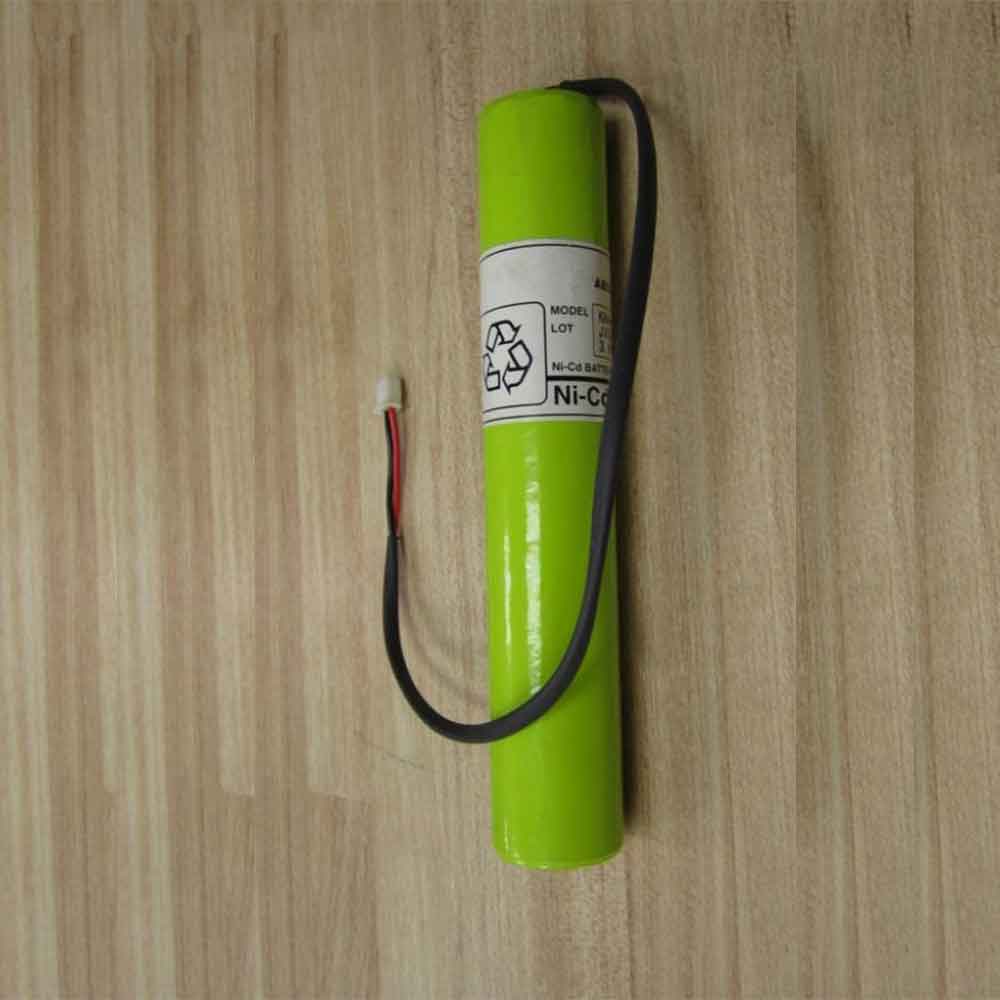
2000mAh 3.6V Yamaha KR4-M4251-000 Li-ion Battery for Yamaha KR4-M4251-000

2000mAh 3.6V Yamaha KR4-M4251-000 Batteries for Yamaha KR4-M4251-000, Yamaha KR4-M4251-000 Other battery is a brand new,100% Compatible original and replacement battery,Purchase wholesale and retail KR4-M4251-000 with high quality and low price!

Find ou your original model number or part number(P/N), and move your eyes on the tag of battery

KR4-M4251-000

Specifications

  • Brand:Yamaha
  • Capacity :2000mAh
  • Voltage :3.6V
  • Type :Ni-Cd
  • Battery Cell Quality: Grade A
  • Descriptive: Replacement Battery – 1 Year Warranty
  • Description: Brand New, 1 Year Warranty! 30-Days Money Back! Fast Shipping!

How we test this Yamaha KR4-M4251-000 Battery
Step 1: Make sure customer bought the correct battery.
Step 2: Check battery’s appearance and interface.
Step 3: Test battery charger and recharger function.
Step 4: Charger the battery to 100% and recharger to 0% to get real battery capacity
Step 5: Use Ev2300 to check the voltage difference of each goroup cells.
Step 6: Charger battery power more than 30%.
Step 7: Package battery carefully and send out

Compatible Part Numbers:
KR4-M4251-000

Compatible Model Numbers:
Yamaha KR4-M4251-000

How much do you know about how to run laptop well as any place? The follow Tips cut way back on protecting battery life.


1). Please recharge or change your Other battery when battery power low.
2). Using Li-Ion Replacement Yamaha KR4-M4251-000 Other Battery for your notebook which can work longer time than Non Li-ion one.
3). It is better to defragmentation regularly for your Other battery life.
4). In order to reduce the laptop power consumpition, you can use some optical drive spin-down and hard drive in your Other .
5). Please keep your laptop in sleep or standby model without long time using, which both save the Replacement Yamaha KR4-M4251-000 Other Battery power and extend battery using life.
6). Leave your battery in a dry and cool condition when without using.
7). When you rarely or generally plugged in fixed power using, Please take down your battery to avoid hurting battery life.

Hot Products

3450mAh/13.1WH LG BL-T43 for LG G8S ThinQ LM-G8106600mAh/68WH APPLE A1189 for Apple MacBook Pro 17 17-inch2600mAh/9.88WH OUKITEL S68 for OukiTel C16 Pro2200mAh YAESU SBR-14Li for Yaesu Radio VX-8R VX-8DR VX-8G5500mAh CONQUEST 846370 for CONQUEST S8 phone232mAh/0.9WH LG BL-S8 for LG Watch Style W2704680mAh 18.018WH BLACKVIEW DK017 for Blackview A80 Pro4550mAh 51.28Wh THUNDEROBOT SQU-1711 for Thunderobot 911AIR 911ME 911S255mAh GARMIN 361-00097-00 for Garmin Fenix 5 5X4650mAh/17.7WH HUAWEI HB3080G1EBC for Huawei Mediapad T3 10

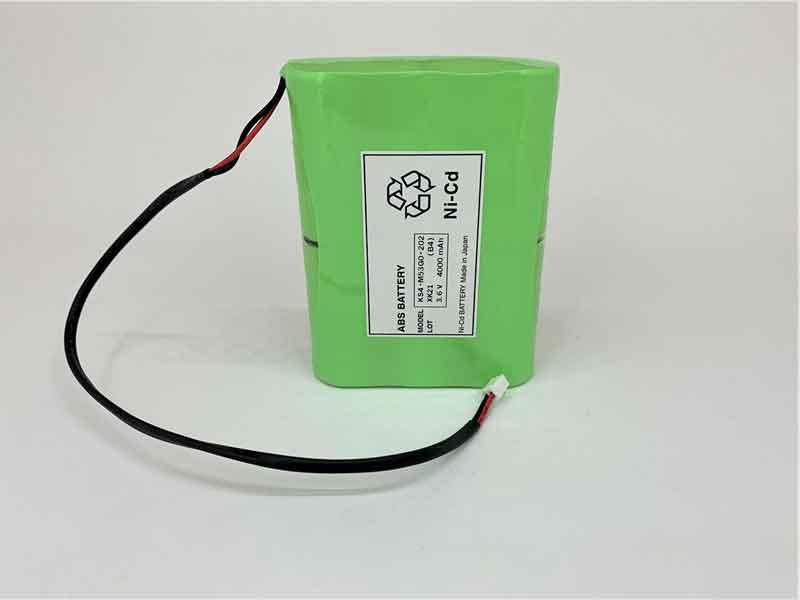
4000mAh 3.6V Yamaha KS4-M53G0-202 Li-ion Battery for Yamaha ERCD ERCX RDX TRCX RCX143 RCX144

4000mAh 3.6V Yamaha KS4-M53G0-202 Batteries for Yamaha ERCD ERCX RDX TRCX RCX143 RCX144, Yamaha KS4-M53G0-202 Other battery is a brand new,100% Compatible original and replacement battery,Purchase wholesale and retail KS4-M53G0-202 with high quality and low price!

Find ou your original model number or part number(P/N), and move your eyes on the tag of battery

KS4-M53G0-202

Specifications

  • Brand:Yamaha
  • Capacity :4000mAh
  • Voltage :3.6V
  • Type :Ni-Cd
  • Battery Cell Quality: Grade A
  • Descriptive: Replacement Battery – 1 Year Warranty
  • Description: Brand New, 1 Year Warranty! 30-Days Money Back! Fast Shipping!

How we test this Yamaha KS4-M53G0-202 Battery
Step 1: Make sure customer bought the correct battery.
Step 2: Check battery’s appearance and interface.
Step 3: Test battery charger and recharger function.
Step 4: Charger the battery to 100% and recharger to 0% to get real battery capacity
Step 5: Use Ev2300 to check the voltage difference of each goroup cells.
Step 6: Charger battery power more than 30%.
Step 7: Package battery carefully and send out

Compatible Part Numbers:
KS4-M53G0-202

Compatible Model Numbers:
Yamaha ERCD ERCX RDX TRCX RCX143 RCX144

How much do you know about how to run laptop well as any place? The follow Tips cut way back on protecting battery life.


1). Please recharge or change your Other battery when battery power low.
2). Using Li-Ion Replacement Yamaha KS4-M53G0-202 Other Battery for your notebook which can work longer time than Non Li-ion one.
3). It is better to defragmentation regularly for your Other battery life.
4). In order to reduce the laptop power consumpition, you can use some optical drive spin-down and hard drive in your Other .
5). Please keep your laptop in sleep or standby model without long time using, which both save the Replacement Yamaha KS4-M53G0-202 Other Battery power and extend battery using life.
6). Leave your battery in a dry and cool condition when without using.
7). When you rarely or generally plugged in fixed power using, Please take down your battery to avoid hurting battery life.

Hot Products

3450mAh/13.1WH LG BL-T43 for LG G8S ThinQ LM-G8106600mAh/68WH APPLE A1189 for Apple MacBook Pro 17 17-inch2600mAh/9.88WH OUKITEL S68 for OukiTel C16 Pro2200mAh YAESU SBR-14Li for Yaesu Radio VX-8R VX-8DR VX-8G5500mAh CONQUEST 846370 for CONQUEST S8 phone232mAh/0.9WH LG BL-S8 for LG Watch Style W2704680mAh 18.018WH BLACKVIEW DK017 for Blackview A80 Pro4550mAh 51.28Wh THUNDEROBOT SQU-1711 for Thunderobot 911AIR 911ME 911S255mAh GARMIN 361-00097-00 for Garmin Fenix 5 5X4650mAh/17.7WH HUAWEI HB3080G1EBC for Huawei Mediapad T3 10

Honor Magic Vs: what we know so far

 The Honor Magic Vs, the successor to the Honor Magic V foldable phone, is about to land; leaks suggest it could make the Samsung Galaxy Z Fold 4 really worth the money.

Honor itself has revealed some images of the Magic Vs, and in addition to that, a few other details have been leaked. Below you’ll find everything we’ve seen so far, including a confirmed release date for the Honor Magic Vs.

Honor Magic Vs release date and price

The Honor Magic Vs will be unveiled on November 23, so it’s fast. It will be in Chinese, but there will be “simultaneous interpretation in English”, a spokesman said. The launch event will begin on November 22 at 10:30 PM PT or on November 23 at 1:30 AM ET / 6:30 AM GMT / 5:30 PM AEDT.

The launch was for China only, but speaking to tech advisors, an Honor spokesperson confirmed that the Magic Vs will launch globally in the first quarter of 2023 — that is, sometime between early January and the end of March. That said, while the company has previously said the phone will be coming to Europe, they haven’t specified which European countries it’ll be available in — nor whether it’ll be available in the US or Australia. Although a US launch is unlikely.

There’s no word on how much it might cost, but the original Honor Magic V – which didn’t go global, was priced at 9,999 yen, so the Honor Magic Vs could have a similar price, although the conversion is unlikely to be accurate in any case.

Honor Magic with news and leaks

From here you can tell it looks a lot like the Honor Magic V or the Samsung Galaxy Z Fold 4, with a large foldable display that opens up like a tablet as wide, or folds up to let you have more Smartphone-sized device. You can see a hole-punch camera on the foldable display, as well as a gold frame that may be made of metal. However, other colors may also be available.

When the phone is closed, you have access to a large secondary screen, as well as what looks like a triple-lens camera. As you can see below, the Honor Magic Vs is “ultra-thin”. The source also said that this will be the lightest foldable phone with this design.

In addition to that, we can see in the sketches a triple-lens camera on the back and a secondary screen with a hole-punch camera, when the main display is folded closed, like we’ve seen further in the official images The place. The sketch also mentions a 5,000mAh battery, which is quite a size for a foldable phone — 600mAh more than the Galaxy Z Fold 4, and the Magic Vs will break the battery life record for such a foldable phone. The same sketch was also shared on Chinese social network Weibo by a leaker dubbed Panda Bald, who also claimed that the Honor Magic Vs offers 66W charging and weighs 261g.

That’s all we’ve heard so far, but we can speculate that the Honor Magic Vs will be powered by the Snapdragon 8 Plus Gen 1 chipset, since the Magic V is powered by the Snapdragon 8 Gen 1.

Given how similar the upcoming phone is to the older phone in the official image above, some other specs may be similar as well. So, we’re likely to get a roughly 7.9-inch OLED main display with a 90Hz refresh rate, a roughly 6.45-inch OLED secondary display with a 120Hz refresh rate, and three 50MP cameras on the back. However, this is just speculation for now.

>>>>>>>>>>>>>Honor battery

Your Samsung Galaxy S22 just got a cool new gesture — here’s how to use it

  If you’re confused as to why you don’t know how to use the back key on your Samsung Galaxy phone, that’s okay. It’s not actually a standard feature, but it’s easy to download via the Samsung app and set up to your liking.

The back gesture has been around for a while on other phones like the iPhone and Google Pixel, but Samsung just got into the action with the help of its Good Lock app. It works similar to what iOS offers, letting you set up two different commands depending on whether you double-tap or triple-tap the back of the best Samsung phones. Follow the instructions below and you’ll be setting up double-tap and triple-tap functionality on your Galaxy in no time.

You’ll need a Samsung phone running One UI 5, the company’s version of Android 13. Currently only available on all Galaxy S22 models.

It may also work on Galaxy S21 series, Galaxy S20 series, Galaxy Note 20 series, Galaxy A53, A33 and A73 models depending on your location and/or mobile provider. Samsung should be rolling out One UI 5 to more phones in the coming months, so if you can’t enable back tap yet, check out this how-to.

You’ll also need Good Lock, an app from the Galaxy Store. You may already have this app installed, but if you don’t already, we’ll start our steps by installing this app on your phone.

1. Install Good Lock from the Galaxy Store app. This is a Samsung-made app with many optional software features that you can enable and disable as separate modules. If you’re interested in adding more to your Galaxy, it’s worth diving into it.

2. Open Good Lock after installation and select the Life Up header from the bottom. Then scroll down to find the RegiStar module and click the download button on the right.

3. Click the blue install button to install it on your phone. Give it a few seconds to download.

4. Now that RegiStar is installed, open it from the Good Lock screen where you found it. You’ll see this menu where you now need to press Back-Tap.

5. Now it’s time to set the post-tap! First, use the switch at the top to turn it on.

6. Next, tap a double tap or triple tap to set one of the preset commands.

7. Select any command from this list that you think might be useful. For example, I set a double-click to open the recently used application interface, which is convenient for switching tasks.

8. Before leaving this menu, decide if you want to enable event detection notifications.

When you use back, this displays a small popup (close-up below) at the bottom center of the display, which helps remind you if you accidentally double-tap or triple-tap and the phone starts doing an unexpected action when the feature is active .

9. Now you can try the feature yourself. As you can see in the GIF below, by double-tapping the back of the phone, I can toggle the recent apps screen on and off without touching the screen. Of course, you may get different results depending on the function you selected in step 5.

>>>>>>>>>>>>>Samsung battery

500mAh 3.7V Qiangge SG800 Li-ion Battery for Qiangge SG800 LF606 D2 S606 Drone

500mAh 3.7V Qiangge SG800 Batteries for Qiangge SG800 LF606 D2 S606 Drone, Qiangge SG800 Other battery is a brand new,100% Compatible original and replacement battery,Purchase wholesale and retail SG800 with high quality and low price!

Find ou your original model number or part number(P/N), and move your eyes on the tag of battery

SG800

Specifications

  • Brand:Qiangge
  • Capacity :500mAh
  • Voltage :3.7V
  • Type :Li-Po
  • Battery Cell Quality: Grade A
  • Descriptive: Replacement Battery – 1 Year Warranty
  • Description: Brand New, 1 Year Warranty! 30-Days Money Back! Fast Shipping!

How we test this Qiangge SG800 Battery
Step 1: Make sure customer bought the correct battery.
Step 2: Check battery’s appearance and interface.
Step 3: Test battery charger and recharger function.
Step 4: Charger the battery to 100% and recharger to 0% to get real battery capacity
Step 5: Use Ev2300 to check the voltage difference of each goroup cells.
Step 6: Charger battery power more than 30%.
Step 7: Package battery carefully and send out

Compatible Part Numbers:
SG800

Compatible Model Numbers:
Qiangge SG800 LF606 D2 S606 Drone

How much do you know about how to run laptop well as any place? The follow Tips cut way back on protecting battery life.


1). Please recharge or change your Other battery when battery power low.
2). Using Li-Ion Replacement Qiangge SG800 Other Battery for your notebook which can work longer time than Non Li-ion one.
3). It is better to defragmentation regularly for your Other battery life.
4). In order to reduce the laptop power consumpition, you can use some optical drive spin-down and hard drive in your Other .
5). Please keep your laptop in sleep or standby model without long time using, which both save the Replacement Qiangge SG800 Other Battery power and extend battery using life.
6). Leave your battery in a dry and cool condition when without using.
7). When you rarely or generally plugged in fixed power using, Please take down your battery to avoid hurting battery life.

Hot Products

2600mAh/9.88WH OUKITEL S68 for OukiTel C16 Pro2200mAh YAESU SBR-14Li for Yaesu Radio VX-8R VX-8DR VX-8G5500mAh CONQUEST 846370 for CONQUEST S8 phone232mAh/0.9WH LG BL-S8 for LG Watch Style W2704680mAh 18.018WH BLACKVIEW DK017 for Blackview A80 Pro4550mAh 51.28Wh THUNDEROBOT SQU-1711 for Thunderobot 911AIR 911ME 911S255mAh GARMIN 361-00097-00 for Garmin Fenix 5 5X4650mAh/17.7WH HUAWEI HB3080G1EBC for Huawei Mediapad T3 106700MAH/50WH APPLE A1405 for Apple Macbook Air 13″ A1369 2045Wh/4000mAh LENOVO L14M3P24 for Lenovo Ideapad 700 Y700-14isk

4500mAh 3.87V Oppo BLP865 Li-ion Battery for OPPO K9 Pro

4500mAh 3.87V Oppo BLP865 Batteries for OPPO K9 Pro, Oppo BLP865 Cell Phone battery is a brand new,100% Compatible original and replacement Phone battery,Purchase wholesale and retail BLP865 with high quality and low price!

Find ou your original model number or part number(P/N), and move your eyes on the tag of battery

BLP865

Specifications

  • Brand:OPPO
  • Capacity :4500mAh
  • Voltage :3.87V
  • Type :Li-ion Polymer
  • Battery Cell Quality: Grade A
  • Descriptive: Replacement Battery – 1 Year Warranty
  • Description: Brand New, 1 Year Warranty! 30-Days Money Back! Fast Shipping!

How we test this Oppo BLP865 Battery
Step 1: Make sure customer bought the correct battery.
Step 2: Check battery’s appearance and interface.
Step 3: Test battery charger and recharger function.
Step 4: Charger the battery to 100% and recharger to 0% to get real battery capacity
Step 5: Use Ev2300 to check the voltage difference of each goroup cells.
Step 6: Charger battery power more than 30%.
Step 7: Package battery carefully and send out

Compatible Part Numbers:
BLP865

Compatible Model Numbers:
OPPO K9 Pro

How much do you know about how to run laptop well as any place? The follow Tips cut way back on protecting battery life.


1). Please recharge or change your Cell Phone battery when battery power low.
2). Using Li-Ion Replacement Oppo BLP865 Cell Phone Battery for your notebook which can work longer time than Non Li-ion one.
3). It is better to defragmentation regularly for your Cell Phone battery life.
4). In order to reduce the laptop power consumpition, you can use some optical drive spin-down and hard drive in your Cell Phone .
5). Please keep your laptop in sleep or standby model without long time using, which both save the Replacement Oppo BLP865 Cell Phone Battery power and extend battery using life.
6). Leave your battery in a dry and cool condition when without using.
7). When you rarely or generally plugged in fixed power using, Please take down your battery to avoid hurting battery life.

Hot Products

2600mAh/9.88WH OUKITEL S68 for OukiTel C16 Pro2200mAh YAESU SBR-14Li for Yaesu Radio VX-8R VX-8DR VX-8G5500mAh CONQUEST 846370 for CONQUEST S8 phone232mAh/0.9WH LG BL-S8 for LG Watch Style W2704680mAh 18.018WH BLACKVIEW DK017 for Blackview A80 Pro4550mAh 51.28Wh THUNDEROBOT SQU-1711 for Thunderobot 911AIR 911ME 911S255mAh GARMIN 361-00097-00 for Garmin Fenix 5 5X4650mAh/17.7WH HUAWEI HB3080G1EBC for Huawei Mediapad T3 106700MAH/50WH APPLE A1405 for Apple Macbook Air 13″ A1369 2045Wh/4000mAh LENOVO L14M3P24 for Lenovo Ideapad 700 Y700-14isk

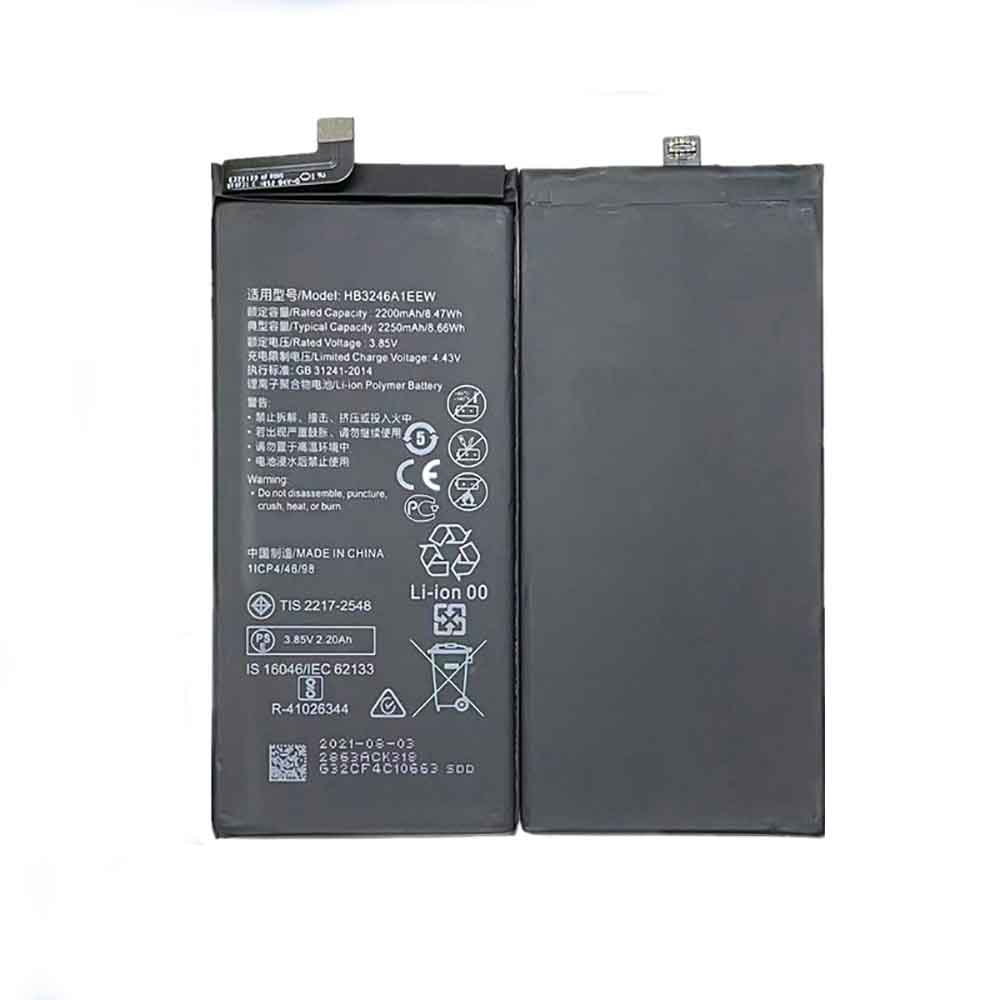
2250mAh 3.85V Huawei HB3246A1EEW Li-ion Battery for Huawei Mate Xs

2250mAh 3.85V Huawei HB3246A1EEW Batteries for Huawei Mate Xs, Huawei HB3246A1EEW Cell Phone battery is a brand new,100% Compatible original and replacement Phone battery,Purchase wholesale and retail HB3246A1EEW with high quality and low price!

Find ou your original model number or part number(P/N), and move your eyes on the tag of battery

HB3246A1EEW

Specifications

  • Brand:Huawei
  • Capacity :2250mAh
  • Voltage :3.85V
  • Type :Li-Po
  • Battery Cell Quality: Grade A
  • Descriptive: Replacement Battery – 1 Year Warranty
  • Description: Brand New, 1 Year Warranty! 30-Days Money Back! Fast Shipping!

How we test this Huawei HB3246A1EEW Battery
Step 1: Make sure customer bought the correct battery.
Step 2: Check battery’s appearance and interface.
Step 3: Test battery charger and recharger function.
Step 4: Charger the battery to 100% and recharger to 0% to get real battery capacity
Step 5: Use Ev2300 to check the voltage difference of each goroup cells.
Step 6: Charger battery power more than 30%.
Step 7: Package battery carefully and send out

Compatible Part Numbers:
HB3246A1EEW

Compatible Model Numbers:
Huawei Mate Xs
Huawei Mate X 5G

How much do you know about how to run laptop well as any place? The follow Tips cut way back on protecting battery life.


1). Please recharge or change your Cell Phone battery when battery power low.
2). Using Li-Ion Replacement Huawei HB3246A1EEW Cell Phone Battery for your notebook which can work longer time than Non Li-ion one.
3). It is better to defragmentation regularly for your Cell Phone battery life.
4). In order to reduce the laptop power consumpition, you can use some optical drive spin-down and hard drive in your Cell Phone .
5). Please keep your laptop in sleep or standby model without long time using, which both save the Replacement Huawei HB3246A1EEW Cell Phone Battery power and extend battery using life.
6). Leave your battery in a dry and cool condition when without using.
7). When you rarely or generally plugged in fixed power using, Please take down your battery to avoid hurting battery life.

Hot Products

2600mAh/9.88WH OUKITEL S68 for OukiTel C16 Pro2200mAh YAESU SBR-14Li for Yaesu Radio VX-8R VX-8DR VX-8G5500mAh CONQUEST 846370 for CONQUEST S8 phone232mAh/0.9WH LG BL-S8 for LG Watch Style W2704680mAh 18.018WH BLACKVIEW DK017 for Blackview A80 Pro4550mAh 51.28Wh THUNDEROBOT SQU-1711 for Thunderobot 911AIR 911ME 911S255mAh GARMIN 361-00097-00 for Garmin Fenix 5 5X4650mAh/17.7WH HUAWEI HB3080G1EBC for Huawei Mediapad T3 106700MAH/50WH APPLE A1405 for Apple Macbook Air 13″ A1369 2045Wh/4000mAh LENOVO L14M3P24 for Lenovo Ideapad 700 Y700-14isk