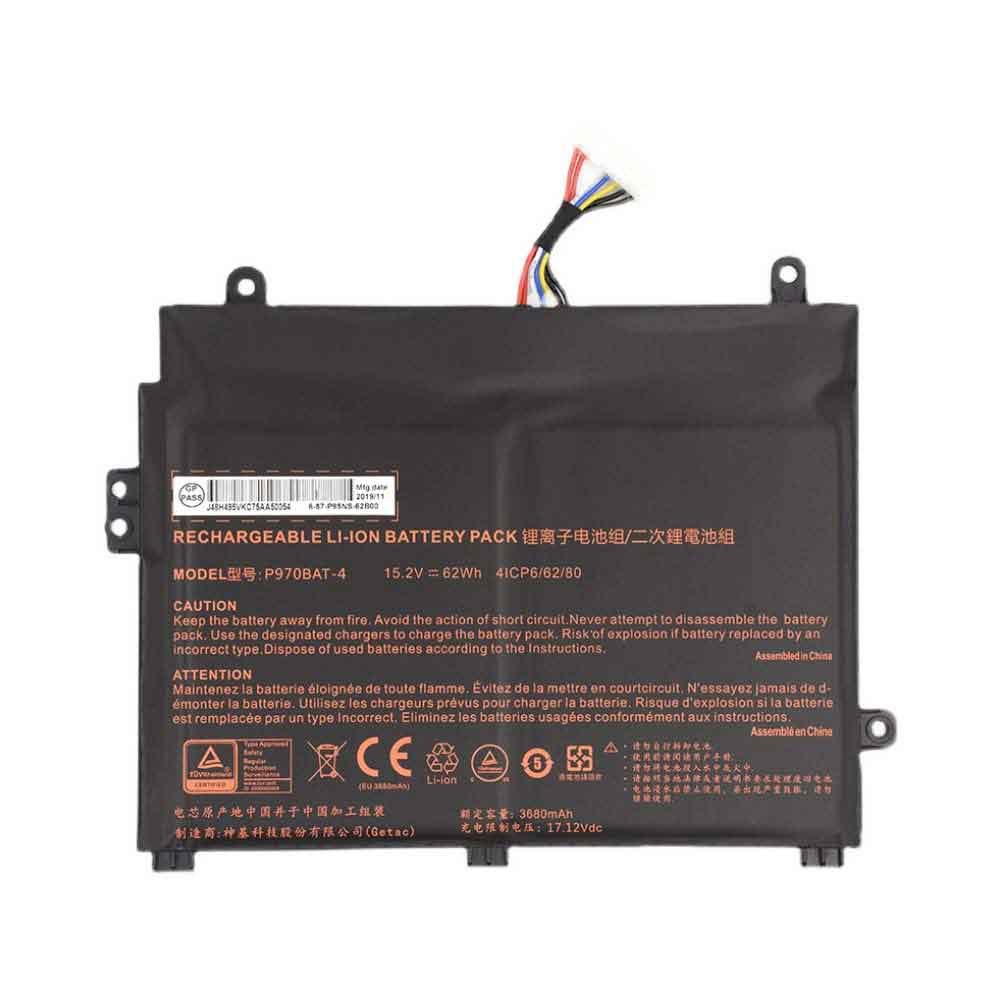
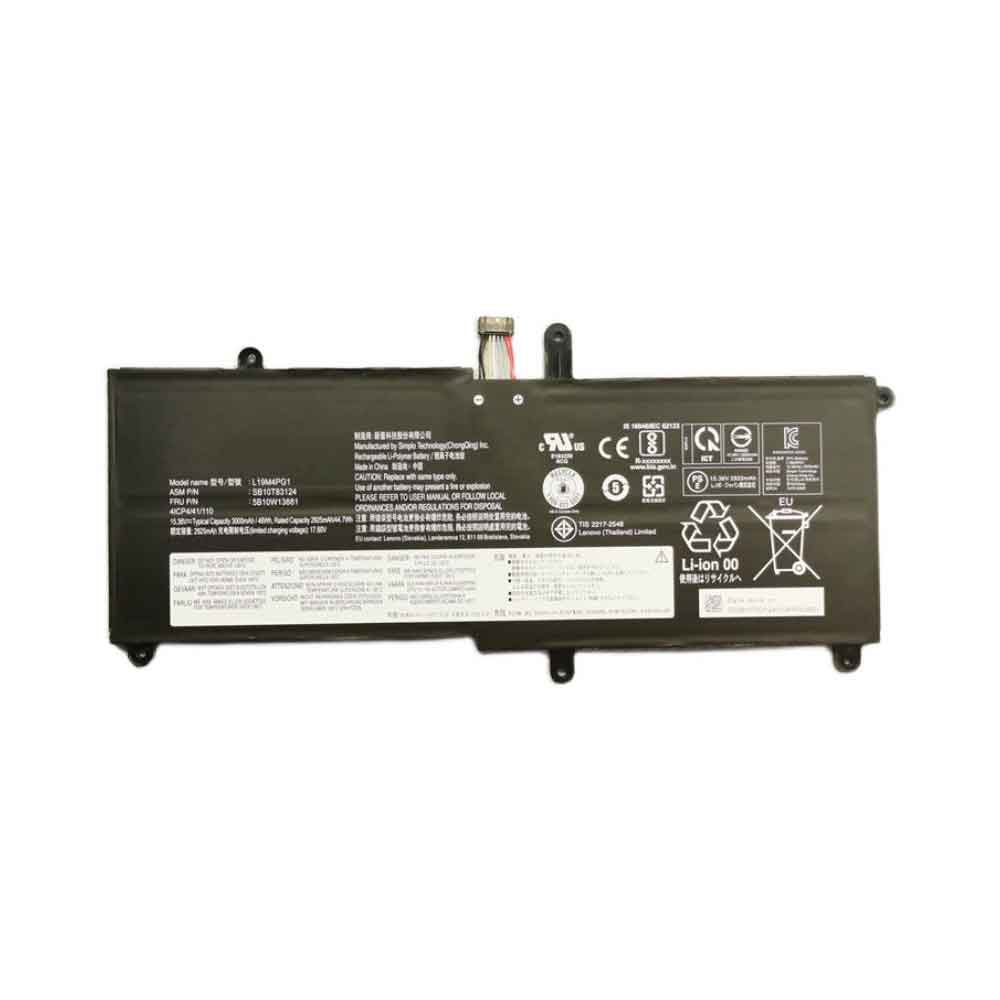
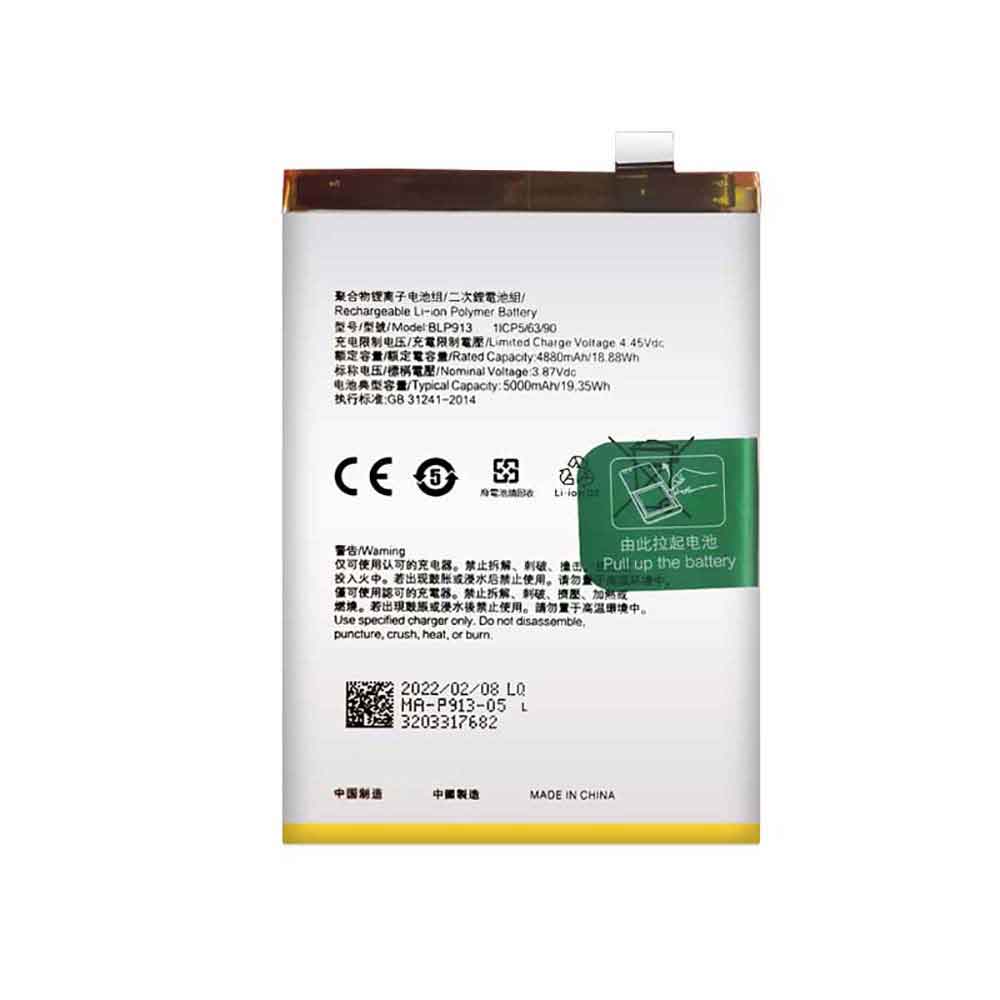
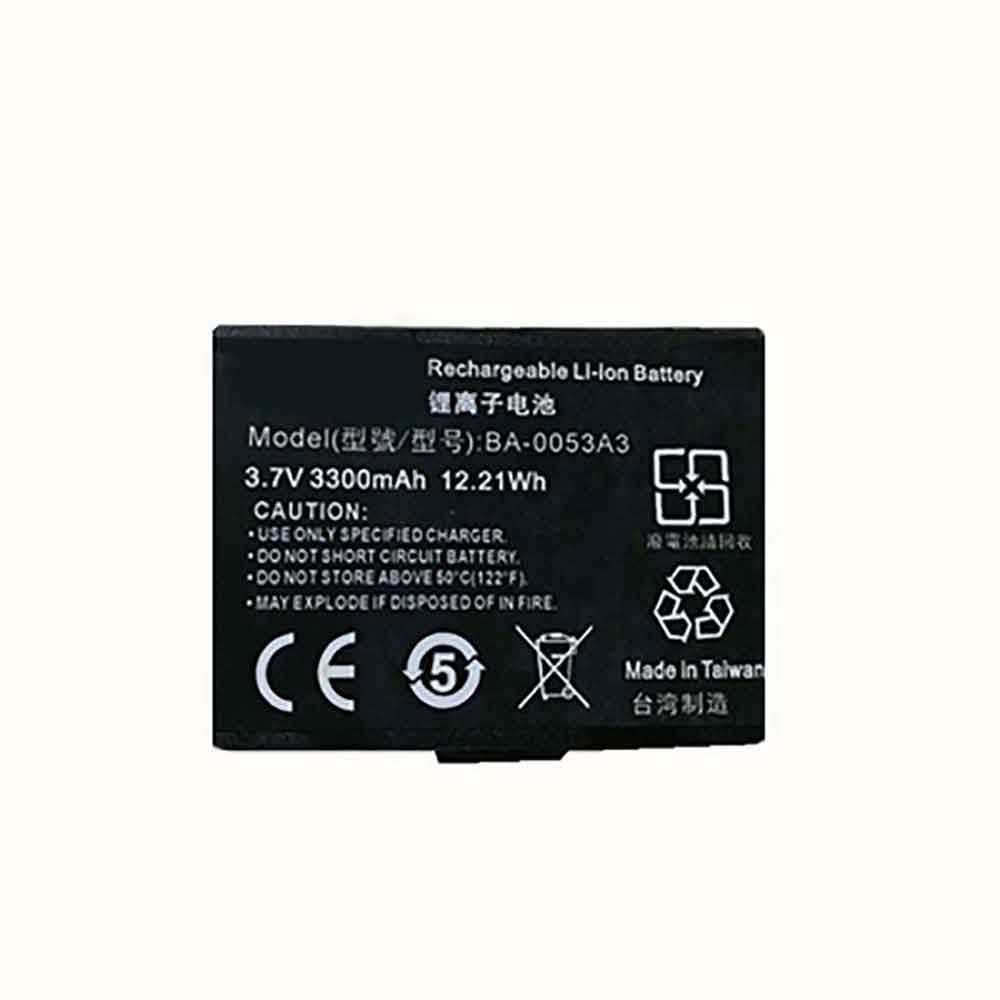
5000mAh 3.87V Vivo B-T7 Li-ion Battery for Vivo Y32 Y21E

5000mAh 3.87V Vivo B-T7 Batteries for Vivo Y32 Y21E, Vivo B-T7 Cell Phone battery is a brand new,100% Compatible original and replacement Phone battery,Purchase wholesale and retail B-T7 with high quality and low price!

Find ou your original model number or part number(P/N), and move your eyes on the tag of battery
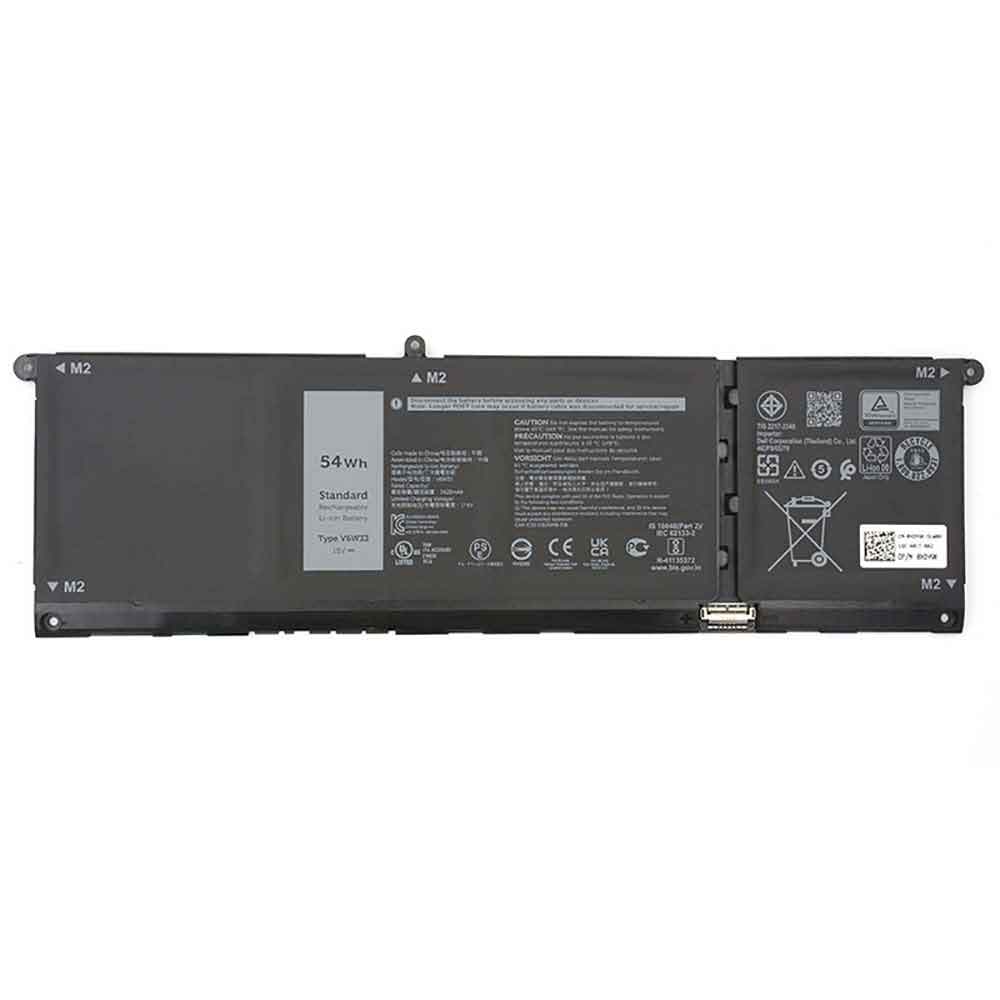
B-T7

Specifications

  • Brand:Vivo
  • Capacity :5000mAh
  • Voltage :3.87V
  • Type :Li-ion Polymer
  • Battery Cell Quality: Grade A
  • Descriptive: Replacement Battery – 1 Year Warranty
  • Description: Brand New, 1 Year Warranty! 30-Days Money Back! Fast Shipping!

How we test this Vivo B-T7 Battery
Step 1: Make sure customer bought the correct battery.
Step 2: Check battery’s appearance and interface.
Step 3: Test battery charger and recharger function.
Step 4: Charger the battery to 100% and recharger to 0% to get real battery capacity
Step 5: Use Ev2300 to check the voltage difference of each goroup cells.
Step 6: Charger battery power more than 30%.
Step 7: Package battery carefully and send out

Compatible Part Numbers:
B-T7

Compatible Model Numbers:
Vivo Y32 Y21E

How much do you know about how to run laptop well as any place? The follow Tips cut way back on protecting battery life.


1). Please recharge or change your Cell Phone battery when battery power low.
2). Using Li-Ion Replacement Vivo B-T7 Cell Phone Battery for your notebook which can work longer time than Non Li-ion one.
3). It is better to defragmentation regularly for your Cell Phone battery life.
4). In order to reduce the laptop power consumpition, you can use some optical drive spin-down and hard drive in your Cell Phone .
5). Please keep your laptop in sleep or standby model without long time using, which both save the Replacement Vivo B-T7 Cell Phone Battery power and extend battery using life.
6). Leave your battery in a dry and cool condition when without using.
7). When you rarely or generally plugged in fixed power using, Please take down your battery to avoid hurting battery life.

Hot Products

2000mAh ALCATEL TLi019D7 for ALCATEL 1 (2018) 5033 5033D 5062.2Wh/5473mah MICROSOFT G3HTA040H for Microsoft Surface Book 2 15 174850mAh 18.43WH AMAZON 58-000313 for Amazon 26S10214720mAh/18.2WH XIAOMI BM4W for Xiaomi Mi 10T Lite 5G2000mAh ALCATEL TLi019D7 for ALCATEL 1 (2018) 5033 5033D 501400mAh YAESU FNB-V57 for YAESU VX-110 VX-127 VX-1606005mAh/45WH ASUS C22N1623 for Asus ZenBook Deluxe UX490 UX492000mAh MITSUBISHI ER6VC119A for Mitsubishi M70 System 3pcs71Wh ASUS C42N1846 for Asus ZenBook Pro Duo UX581GV U3310mAh/50WH FUJITSU FPB0338S for Fujitsu Lifebook E548 E558 T93

8650mAh 11.1V Siemens SP304 Li-ion Battery for Siemens Simatic Field PG M4

8650mAh 11.1V Siemens SP304 Batteries for Siemens Simatic Field PG M4, Siemens SP304 Laptop battery is a brand new,100% Compatible original and replacement Laptop battery,Purchase wholesale and retail SP304 with high quality and low price!

Find ou your original model number or part number(P/N), and move your eyes on the tag of battery

SP304

Specifications

  • Brand:Siemens
  • Capacity :8650mAh
  • Voltage :11.1V
  • Type :Li-ion
  • Battery Cell Quality: Grade A
  • Descriptive: Replacement Battery – 1 Year Warranty
  • Description: Brand New, 1 Year Warranty! 30-Days Money Back! Fast Shipping!

How we test this Siemens SP304 Battery
Step 1: Make sure customer bought the correct battery.
Step 2: Check battery’s appearance and interface.
Step 3: Test battery charger and recharger function.
Step 4: Charger the battery to 100% and recharger to 0% to get real battery capacity
Step 5: Use Ev2300 to check the voltage difference of each goroup cells.
Step 6: Charger battery power more than 30%.
Step 7: Package battery carefully and send out

Compatible Part Numbers:
SP304

Compatible Model Numbers:
Siemens Simatic Field PG M4

How much do you know about how to run laptop well as any place? The follow Tips cut way back on protecting battery life.


1). Please recharge or change your Laptop battery when battery power low.
2). Using Li-Ion Replacement Siemens SP304 Laptop Battery for your notebook which can work longer time than Non Li-ion one.
3). It is better to defragmentation regularly for your Laptop battery life.
4). In order to reduce the laptop power consumpition, you can use some optical drive spin-down and hard drive in your Laptop .
5). Please keep your laptop in sleep or standby model without long time using, which both save the Replacement Siemens SP304 Laptop Battery power and extend battery using life.
6). Leave your battery in a dry and cool condition when without using.
7). When you rarely or generally plugged in fixed power using, Please take down your battery to avoid hurting battery life.

Hot Products

62.2Wh/5473mah MICROSOFT G3HTA040H for Microsoft Surface Book 2 15 174850mAh 18.43WH AMAZON 58-000313 for Amazon 26S10214720mAh/18.2WH XIAOMI BM4W for Xiaomi Mi 10T Lite 5G2000mAh ALCATEL TLi019D7 for ALCATEL 1 (2018) 5033 5033D 501400mAh YAESU FNB-V57 for YAESU VX-110 VX-127 VX-1606005mAh/45WH ASUS C22N1623 for Asus ZenBook Deluxe UX490 UX492000mAh MITSUBISHI ER6VC119A for Mitsubishi M70 System 3pcs71Wh ASUS C42N1846 for Asus ZenBook Pro Duo UX581GV U3310mAh/50WH FUJITSU FPB0338S for Fujitsu Lifebook E548 E558 T932330Mah/17Wh BOSE 088772 for BOSE Soundlink Mini 2

2500mAh 7.74V Realme BLP887 Li-ion Battery for Realme GT Neo2T

2500mAh 7.74V Realme BLP887 Batteries for Realme GT Neo2T, Realme BLP887 Cell Phone battery is a brand new,100% Compatible original and replacement Phone battery,Purchase wholesale and retail BLP887 with high quality and low price!

Find ou your original model number or part number(P/N), and move your eyes on the tag of battery

BLP887

Specifications

  • Brand:Realme
  • Capacity :2500mAh
  • Voltage :7.74V
  • Type :Li-ion Polymer
  • Battery Cell Quality: Grade A
  • Descriptive: Replacement Battery – 1 Year Warranty
  • Description: Brand New, 1 Year Warranty! 30-Days Money Back! Fast Shipping!

How we test this Realme BLP887 Battery
Step 1: Make sure customer bought the correct battery.
Step 2: Check battery’s appearance and interface.
Step 3: Test battery charger and recharger function.
Step 4: Charger the battery to 100% and recharger to 0% to get real battery capacity
Step 5: Use Ev2300 to check the voltage difference of each goroup cells.
Step 6: Charger battery power more than 30%.
Step 7: Package battery carefully and send out

Compatible Part Numbers:
BLP887

Compatible Model Numbers:
Realme GT Neo2T

How much do you know about how to run laptop well as any place? The follow Tips cut way back on protecting battery life.


1). Please recharge or change your Cell Phone battery when battery power low.
2). Using Li-Ion Replacement Realme BLP887 Cell Phone Battery for your notebook which can work longer time than Non Li-ion one.
3). It is better to defragmentation regularly for your Cell Phone battery life.
4). In order to reduce the laptop power consumpition, you can use some optical drive spin-down and hard drive in your Cell Phone .
5). Please keep your laptop in sleep or standby model without long time using, which both save the Replacement Realme BLP887 Cell Phone Battery power and extend battery using life.
6). Leave your battery in a dry and cool condition when without using.
7). When you rarely or generally plugged in fixed power using, Please take down your battery to avoid hurting battery life.

Hot Products

62.2Wh/5473mah MICROSOFT G3HTA040H for Microsoft Surface Book 2 15 174850mAh 18.43WH AMAZON 58-000313 for Amazon 26S10214720mAh/18.2WH XIAOMI BM4W for Xiaomi Mi 10T Lite 5G2000mAh ALCATEL TLi019D7 for ALCATEL 1 (2018) 5033 5033D 501400mAh YAESU FNB-V57 for YAESU VX-110 VX-127 VX-1606005mAh/45WH ASUS C22N1623 for Asus ZenBook Deluxe UX490 UX492000mAh MITSUBISHI ER6VC119A for Mitsubishi M70 System 3pcs71Wh ASUS C42N1846 for Asus ZenBook Pro Duo UX581GV U3310mAh/50WH FUJITSU FPB0338S for Fujitsu Lifebook E548 E558 T932330Mah/17Wh BOSE 088772 for BOSE Soundlink Mini 2

2 new iOS 16 features that will literally just drain your iPhone battery

 If your iPhone keeps freezing, it’s time to make some changes. Maybe you need to charge it differently with the proper cable, or invest in a decent power bank that allows you to charge your iPhone from anywhere without relying on a wall outlet. You can also turn on Low Power Mode permanently or put iPhone in Airplane Mode to help preserve the small battery you have.

Not all battery-saving tips are obvious, though, and if you’re running iOS 16, there are some new ways to help you extend the life of your iPhone’s battery. Below, we’ll cover two new features in iOS 16 that both drain your iPhone’s battery to varying degrees, and how to turn them off to improve battery life.

Remove widgets from lock screen

All widgets on the lock screen force your app to run automatically in the background, constantly fetching data to update the information the widget displays, such as sports scores or the weather. And because of your widgets, these apps are constantly running in the background, which means they’re constantly draining battery power.

If you want to help save some battery on iOS 16, your best bet is to avoid widgets on the lock screen. The easiest way is to switch to another lock screen profile – press your finger on the existing lock screen and swipe around to select a lock screen profile without any widgets. However, if you just want to remove widgets from an existing lock screen, press on the lock screen, tap Customize, select the lock screen option, tap the widget box, and then tap the “-” button on each widget to delete them.

Keep haptic keyboard feedback off

Surprisingly, the keyboard on the iPhone has never had the ability to vibrate as you type, something recently added on iOS 16 called haptic feedback. Rather than just hearing a click, haptic feedback provides vibrations to each keystroke, providing a more immersive experience as you type. However, according to Apple, the same feature may also affect battery life.

According to this Apple support page about the keyboard, haptic feedback “may affect iPhone battery life.” There’s no specifics on how much battery life the keyboard feature consumes, but it’s best to disable this feature if you want to save battery.

Fortunately, it’s not turned on by default. If you enabled it yourself, go to Settings > Sounds & Haptics > Keyboard Feedback and turn off Haptics to turn off haptic feedback for the keyboard.

Although they haven’t been released yet, Live Activity and iCloud Shared Photo Library are two iOS 16 features that can also drain your battery, so keep an eye out for updates to this story on how to disable them.

>>>>>>>>>>>>>iPhone battery

iOS 16.1: Update your iPhone now to get these new features

 Apple is releasing iOS 16.1, the next iPhone software update, with a host of new features and some bug fixes. This includes a new way to charge your iPhone, using subscription-based Apple Fitness+ without the need for an Apple Watch, updating Dynamic Island for the iPhone 14 Pro, and more.

iOS 16.1, confirmed to launch on October 24, will also be released alongside other software updates, including iPadOS 16.1 and macOS Ventura.

So how to update to iOS 16.1?

To update, your iPhone may have an “Available Software Updates” option at the top of the settings for easy download. If not, you need to go to Settings > General > Software Update.

While iOS 16.1 fixes some bugs, this update includes some more interesting features – especially for those interested in Apple Fitness+, reducing carbon footprints, and live events. Let’s take a look below!

Apple Fitness+ is available to iPhone users

Starting October 24th, Apple Fitness+ will be available to iPhone users to subscribe, even if they don’t have an Apple Watch. It will be fully integrated with the Fitness app. Users without an Apple Watch won’t be able to see metrics like their heart rate and calories on the screen during a workout, but will still be able to follow up.

Clean and energy efficient

A new battery charging feature will be available on iPhone called Clean Energy. Available in Settings and currently only in the US, the feature will “attempt to reduce the iPhone’s carbon footprint by selectively charging low-carbon electricity when electricity is available.” This may result in slower charging, but is designed to reduce your carbon footprint.

Real-time activity of third-party applications

Want to check your sports scores or see your riding distance at a glance? iOS 16.1 brings live events to third-party apps, which allows iPhone users to watch live events directly on their lock screen and, for those with an iPhone 14 Pro or 14 Pro Max, on Dynamic Island.

Live activity will appear at the bottom of the lock screen on iPhone 14 and 14 Max models and earlier, while iPhone 14 Pro models will feature a feature set at the top of the screen to work with the new Dynamic Island.

iCloud Shared Photo Library

iOS 16.1 makes it easy for users to share photos and videos with up to five people with the iCloud Shared Photo Library feature. By setting up a shared gallery, users can allow photos taken by themselves to be sent directly to the gallery, and allow users in groups to add, edit, favorite, caption, and delete photos.

Enter the Home app

Matter, the new smart home connectivity standard, will now be supported in the Home app. This allows a wider selection of smart home accessories to work together, whether it’s Google Home, Amazon Alexa, and of course Apple’s Homekit.

Dynamic Island Reachability Support

For those with an iPhone 14 Pro or 14 Pro Max, iOS 16.1 will bring Reachability support to make one-handed access easier. It lowers the top of the iPhone‘s display by swiping down on the bottom of the screen. This is an optional feature that can be turned on through accessibility settings.

Key Sharing in Apple Wallet

iPhone users will be able to share their car, hotel room and other keys through iOS 16.1’s key sharing feature. This can be shared via messaging apps, including Messages and WhatsApp. What’s more, Apple Card customers will have access to a savings account that will automatically deposit “Daily Cash” cash back rewards into a high-yield savings account.

>>>>>>>>>>>Apple battery

3600mAh 3.7V Ies ID1058 Li-ion Battery for IES ID1058

3600mAh 3.7V Ies ID1058 Batteries for IES ID1058, Ies ID1058 Other battery is a brand new,100% Compatible original and replacement battery,Purchase wholesale and retail ID1058 with high quality and low price!

Find ou your original model number or part number(P/N), and move your eyes on the tag of battery

ID1058

Specifications

  • Brand:IES
  • Capacity :3600mAh
  • Voltage :3.7V
  • Type :Li-ion
  • Battery Cell Quality: Grade A
  • Descriptive: Replacement Battery – 1 Year Warranty
  • Description: Brand New, 1 Year Warranty! 30-Days Money Back! Fast Shipping!

How we test this Ies ID1058 Battery
Step 1: Make sure customer bought the correct battery.
Step 2: Check battery’s appearance and interface.
Step 3: Test battery charger and recharger function.
Step 4: Charger the battery to 100% and recharger to 0% to get real battery capacity
Step 5: Use Ev2300 to check the voltage difference of each goroup cells.
Step 6: Charger battery power more than 30%.
Step 7: Package battery carefully and send out

Compatible Part Numbers:
ID1058

Compatible Model Numbers:
IES ID1058

How much do you know about how to run laptop well as any place? The follow Tips cut way back on protecting battery life.


1). Please recharge or change your Other battery when battery power low.
2). Using Li-Ion Replacement Ies ID1058 Other Battery for your notebook which can work longer time than Non Li-ion one.
3). It is better to defragmentation regularly for your Other battery life.
4). In order to reduce the laptop power consumpition, you can use some optical drive spin-down and hard drive in your Other .
5). Please keep your laptop in sleep or standby model without long time using, which both save the Replacement Ies ID1058 Other Battery power and extend battery using life.
6). Leave your battery in a dry and cool condition when without using.
7). When you rarely or generally plugged in fixed power using, Please take down your battery to avoid hurting battery life.

Hot Products

2850mAh/44WH HP RA04 for HP ProBook 430 430 G1 430 G24900mAh SAMSUNG EB-BT705FBC for GALAXY Tab S 8.4 T700 T705 EB-2000MAH TYT MD380 for TYT Ham DMR MD-380 MD380 Digit3200 mAh SONY Lip1654ERPC for Sony 1309-2675 Xperia XA2 /L2180mAh GARMIN 361-00086-00 for Garmin Forerunner 225 235 6304440MAH/16.43WH AMAZON 26S1005 for Amazon Kindle Fire HD 7″ P48WV3040mAh ESSENTIAL HE323 for Essential Phone PH-1 A11 & Fre2.1Wh/580mAh BMW MKD35UP for BMW AG MKD35UP D-80788 530le 76580mAh 25.33Wh BLACKVIEW DK014 for Blackview BV9800 / BV9800 Pro6300mAh/23.94Wh AMAZON 2955C7 for Amazon Kindle Fire HD 10.1 7th

4958mAh 11.52V Lenovo L20D3PD4 Li-ion Battery for Lenovo ThinkPad E14 E15 Gen2 Gen3 2021

4958mAh 11.52V Lenovo L20D3PD4 Batteries for Lenovo ThinkPad E14 E15 Gen2 Gen3 2021, Lenovo L20D3PD4 Laptop battery is a brand new,100% Compatible original and replacement Laptop battery,Purchase wholesale and retail L20D3PD4 with high quality and low price!

Find ou your original model number or part number(P/N), and move your eyes on the tag of battery

L20D3PD4

Specifications

  • Brand:Lenovo
  • Capacity :4958mAh
  • Voltage :11.52V
  • Type :Li-ion
  • Battery Cell Quality: Grade A
  • Descriptive: Replacement Battery – 1 Year Warranty
  • Description: Brand New, 1 Year Warranty! 30-Days Money Back! Fast Shipping!

How we test this Lenovo L20D3PD4 Battery
Step 1: Make sure customer bought the correct battery.
Step 2: Check battery’s appearance and interface.
Step 3: Test battery charger and recharger function.
Step 4: Charger the battery to 100% and recharger to 0% to get real battery capacity
Step 5: Use Ev2300 to check the voltage difference of each goroup cells.
Step 6: Charger battery power more than 30%.
Step 7: Package battery carefully and send out

Compatible Part Numbers:
L20D3PD4
L20M3PD4
L20C3PD4
L20S3PD4

Compatible Model Numbers:
Lenovo ThinkPad E14 E15 Gen2 Gen3 2021

How much do you know about how to run laptop well as any place? The follow Tips cut way back on protecting battery life.


1). Please recharge or change your Laptop battery when battery power low.
2). Using Li-Ion Replacement Lenovo L20D3PD4 Laptop Battery for your notebook which can work longer time than Non Li-ion one.
3). It is better to defragmentation regularly for your Laptop battery life.
4). In order to reduce the laptop power consumpition, you can use some optical drive spin-down and hard drive in your Laptop .
5). Please keep your laptop in sleep or standby model without long time using, which both save the Replacement Lenovo L20D3PD4 Laptop Battery power and extend battery using life.
6). Leave your battery in a dry and cool condition when without using.
7). When you rarely or generally plugged in fixed power using, Please take down your battery to avoid hurting battery life.

Hot Products

2850mAh/44WH HP RA04 for HP ProBook 430 430 G1 430 G24900mAh SAMSUNG EB-BT705FBC for GALAXY Tab S 8.4 T700 T705 EB-2000MAH TYT MD380 for TYT Ham DMR MD-380 MD380 Digit3200 mAh SONY Lip1654ERPC for Sony 1309-2675 Xperia XA2 /L2180mAh GARMIN 361-00086-00 for Garmin Forerunner 225 235 6304440MAH/16.43WH AMAZON 26S1005 for Amazon Kindle Fire HD 7″ P48WV3040mAh ESSENTIAL HE323 for Essential Phone PH-1 A11 & Fre2.1Wh/580mAh BMW MKD35UP for BMW AG MKD35UP D-80788 530le 76580mAh 25.33Wh BLACKVIEW DK014 for Blackview BV9800 / BV9800 Pro6300mAh/23.94Wh AMAZON 2955C7 for Amazon Kindle Fire HD 10.1 7th

52.5Wh 15.48V Lenovo L21M4P71 Li-ion Battery for Lenovo T14 G3

52.5Wh 15.48V Lenovo L21M4P71 Batteries for Lenovo T14 G3, Lenovo L21M4P71 Laptop battery is a brand new,100% Compatible original and replacement Laptop battery,Purchase wholesale and retail L21M4P71 with high quality and low price!

Find ou your original model number or part number(P/N), and move your eyes on the tag of battery

L21M4P71

Specifications

  • Brand:Lenovo
  • Capacity :52.5Wh
  • Voltage :15.48V
  • Type :Li-ion
  • Battery Cell Quality: Grade A
  • Descriptive: Replacement Battery – 1 Year Warranty
  • Description: Brand New, 1 Year Warranty! 30-Days Money Back! Fast Shipping!

How we test this Lenovo L21M4P71 Battery
Step 1: Make sure customer bought the correct battery.
Step 2: Check battery’s appearance and interface.
Step 3: Test battery charger and recharger function.
Step 4: Charger the battery to 100% and recharger to 0% to get real battery capacity
Step 5: Use Ev2300 to check the voltage difference of each goroup cells.
Step 6: Charger battery power more than 30%.
Step 7: Package battery carefully and send out

Compatible Part Numbers:
L21M4P71
L21D4P71
L21C4P71
L21L4P71
L21D4P71
SB10W51968

Compatible Model Numbers:
Lenovo T14 G3

How much do you know about how to run laptop well as any place? The follow Tips cut way back on protecting battery life.


1). Please recharge or change your Laptop battery when battery power low.
2). Using Li-Ion Replacement Lenovo L21M4P71 Laptop Battery for your notebook which can work longer time than Non Li-ion one.
3). It is better to defragmentation regularly for your Laptop battery life.
4). In order to reduce the laptop power consumpition, you can use some optical drive spin-down and hard drive in your Laptop .
5). Please keep your laptop in sleep or standby model without long time using, which both save the Replacement Lenovo L21M4P71 Laptop Battery power and extend battery using life.
6). Leave your battery in a dry and cool condition when without using.
7). When you rarely or generally plugged in fixed power using, Please take down your battery to avoid hurting battery life.

Hot Products

4900mAh SAMSUNG EB-BT705FBC for GALAXY Tab S 8.4 T700 T705 EB-2000MAH TYT MD380 for TYT Ham DMR MD-380 MD380 Digit3200 mAh SONY Lip1654ERPC for Sony 1309-2675 Xperia XA2 /L2180mAh GARMIN 361-00086-00 for Garmin Forerunner 225 235 6304440MAH/16.43WH AMAZON 26S1005 for Amazon Kindle Fire HD 7″ P48WV3040mAh ESSENTIAL HE323 for Essential Phone PH-1 A11 & Fre2.1Wh/580mAh BMW MKD35UP for BMW AG MKD35UP D-80788 530le 76580mAh 25.33Wh BLACKVIEW DK014 for Blackview BV9800 / BV9800 Pro6300mAh/23.94Wh AMAZON 2955C7 for Amazon Kindle Fire HD 10.1 7th30Wh/4050mAh LENOVO L16L2PB2 for Lenovo 5000-15

4023mAh 15.44V Samsung AA-PBMN4MR Li-ion Battery for Samsung 930XDB 930QDB 935QDC 935XDB

4023mAh 15.44V Samsung AA-PBMN4MR Batteries for Samsung 930XDB 930QDB 935QDC 935XDB, Samsung AA-PBMN4MR Laptop battery is a brand new,100% Compatible original and replacement Laptop battery,Purchase wholesale and retail AA-PBMN4MR with high quality and low price!

Find ou your original model number or part number(P/N), and move your eyes on the tag of battery

AA-PBMN4MR

Specifications

  • Brand:Samsung
  • Capacity :4023mAh
  • Voltage :15.44V
  • Type :Li-ion
  • Battery Cell Quality: Grade A
  • Descriptive: Replacement Battery – 1 Year Warranty
  • Description: Brand New, 1 Year Warranty! 30-Days Money Back! Fast Shipping!

How we test this Samsung AA-PBMN4MR Battery
Step 1: Make sure customer bought the correct battery.
Step 2: Check battery’s appearance and interface.
Step 3: Test battery charger and recharger function.
Step 4: Charger the battery to 100% and recharger to 0% to get real battery capacity
Step 5: Use Ev2300 to check the voltage difference of each goroup cells.
Step 6: Charger battery power more than 30%.
Step 7: Package battery carefully and send out

Compatible Part Numbers:
AA-PBMN4MR
BA43-00397
BA4300397

Compatible Model Numbers:
Samsung 930XDB 930QDB 935QDC 935XDB

How much do you know about how to run laptop well as any place? The follow Tips cut way back on protecting battery life.


1). Please recharge or change your Laptop battery when battery power low.
2). Using Li-Ion Replacement Samsung AA-PBMN4MR Laptop Battery for your notebook which can work longer time than Non Li-ion one.
3). It is better to defragmentation regularly for your Laptop battery life.
4). In order to reduce the laptop power consumpition, you can use some optical drive spin-down and hard drive in your Laptop .
5). Please keep your laptop in sleep or standby model without long time using, which both save the Replacement Samsung AA-PBMN4MR Laptop Battery power and extend battery using life.
6). Leave your battery in a dry and cool condition when without using.
7). When you rarely or generally plugged in fixed power using, Please take down your battery to avoid hurting battery life.

Hot Products

4900mAh SAMSUNG EB-BT705FBC for GALAXY Tab S 8.4 T700 T705 EB-2000MAH TYT MD380 for TYT Ham DMR MD-380 MD380 Digit3200 mAh SONY Lip1654ERPC for Sony 1309-2675 Xperia XA2 /L2180mAh GARMIN 361-00086-00 for Garmin Forerunner 225 235 6304440MAH/16.43WH AMAZON 26S1005 for Amazon Kindle Fire HD 7″ P48WV3040mAh ESSENTIAL HE323 for Essential Phone PH-1 A11 & Fre2.1Wh/580mAh BMW MKD35UP for BMW AG MKD35UP D-80788 530le 76580mAh 25.33Wh BLACKVIEW DK014 for Blackview BV9800 / BV9800 Pro6300mAh/23.94Wh AMAZON 2955C7 for Amazon Kindle Fire HD 10.1 7th30Wh/4050mAh LENOVO L16L2PB2 for Lenovo 5000-15

3 Ways to Speed ​​Up Your Android Phone

 The best Android phones all start out running smoothly, responding instantly to every click, but over time even the fastest devices start showing their age. Using as much as a smartphone, every missed swipe or extra time waiting for an app to load can feel like an eternity.

Here are three tips to try before you decide it’s time to start buying a new smartphone. In less than 5 minutes, your phone will be back up to speed. With most modern Android phones, you don’t need to do these things, but if you have an older phone, it might help. Let’s take a look below!

Disable animation

1. Navigate to Settings.

2. Tap About Phone.

3. Tap the Build Number 7 step until you see a message that says you have enabled developer settings.

4. Go back to Settings, and then enter System.

5. Scroll down to the Drawing section and click Window Animation Scale. Set it to Off.

6. Repeat step 5 using the Transition animation scale and Animator duration scale.

Remove/disable bloatware and unused apps

Out of the box, your Android phone may have many completely unused apps pre-installed by your carrier or phone manufacturer. More likely, after months or years, you’ve added some of your own unused apps that are still taking up valuable space on your phone. Here’s how to free up space:

1. Navigate to Settings.

2. Tap Applications.

3. Select View All X Applications.

4. Select the application you want to manage from the list.

5. If the app is uninstallable, you will see the uninstall option below the app icon. Click that.

6. If the application is not uninstallable, you will see the option to disable. Use it, but be aware that it may interfere with your phone‘s functionality.

This is useful for outdated software that cannot be uninstalled, such as OneDrive on Samsung devices.

7. Repeat as needed.

Extension preloading in Chrome

With around 90% of Android users sticking with the Chrome browser, you might be wondering how to speed up your browsing. While Google has removed the Data Saver/Lite Mode option, there is still an option to speed things up.

Upgrade Chrome to extension preloading and it will preload web pages faster. It tries to predict what you will be using and preloads it. Turning it on is easy, but it may use more background data than the default setting.

1. Open Chrome.

2. Click the overflow menu button in the upper right corner.

3. Tap Settings.

4. Go to Privacy and Security.

5. Find the preload page.

6. Select the extension preload option.

Your mileage may vary with this step, but even the latest Android devices may benefit from enabling this option. Give it a try and give it a few days.

>>>>>>>>>Phone battery