450mAh 3.8V Hongyuan 661935 Li-ion Battery for Hongyuan Small Fan Electric Toy Gift Toy

450mAh 3.8V Hongyuan 661935 Batteries for Hongyuan Small Fan Electric Toy Gift Toy, Hongyuan 661935 Other battery is a brand new,100% Compatible original and replacement battery,Purchase wholesale and retail 661935 with high quality and low price!

Find ou your original model number or part number(P/N), and move your eyes on the tag of battery
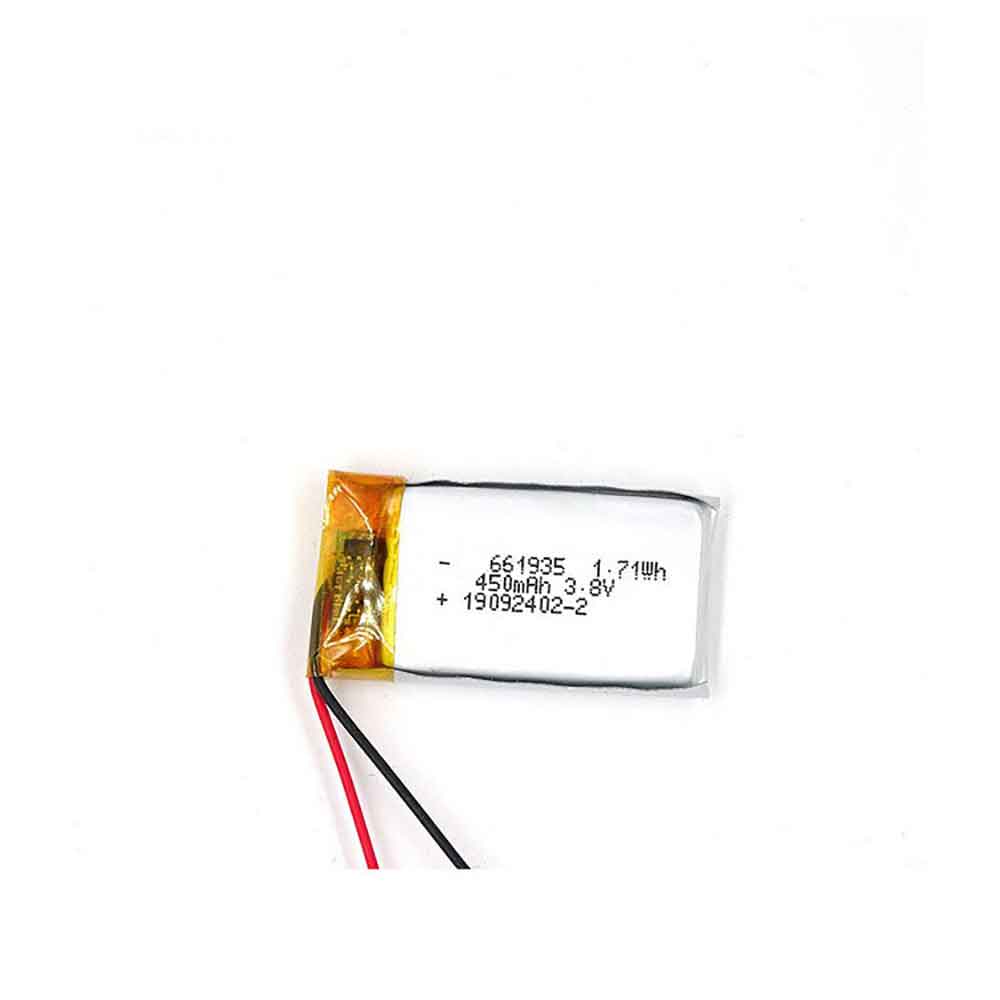
661935

Specifications

  • Brand:Hongyuan
  • Capacity :450mAh
  • Voltage :3.8V
  • Type :Li-Po
  • Battery Cell Quality: Grade A
  • Descriptive: Replacement Battery – 1 Year Warranty
  • Description: Brand New, 1 Year Warranty! 30-Days Money Back! Fast Shipping!

How we test this Hongyuan 661935 Battery
Step 1: Make sure customer bought the correct battery.
Step 2: Check battery’s appearance and interface.
Step 3: Test battery charger and recharger function.
Step 4: Charger the battery to 100% and recharger to 0% to get real battery capacity
Step 5: Use Ev2300 to check the voltage difference of each goroup cells.
Step 6: Charger battery power more than 30%.
Step 7: Package battery carefully and send out

Compatible Part Numbers:
661935

Compatible Model Numbers:
Hongyuan Small Fan Electric Toy Gift Toy

How much do you know about how to run laptop well as any place? The follow Tips cut way back on protecting battery life.


1). Please recharge or change your Other battery when battery power low.
2). Using Li-Ion Replacement Hongyuan 661935 Other Battery for your notebook which can work longer time than Non Li-ion one.
3). It is better to defragmentation regularly for your Other battery life.
4). In order to reduce the laptop power consumpition, you can use some optical drive spin-down and hard drive in your Other .
5). Please keep your laptop in sleep or standby model without long time using, which both save the Replacement Hongyuan 661935 Other Battery power and extend battery using life.
6). Leave your battery in a dry and cool condition when without using.
7). When you rarely or generally plugged in fixed power using, Please take down your battery to avoid hurting battery life.

Hot Products

42Wh ASUS C31N1843 for Asus VivoBook S15 S532FL X532F2600mAh/9.88WH OUKITEL S68 for OukiTel C16 Pro45.2Wh / 5970mAh MICROSOFT G3HTA036H for Microsoft Surface 1769 1782 Se4200mah CUBOT J9 for Cubot J930WH LENOVO L15M2PB5 for Lenovo IdeaPad 310 510-15ISK6580mAh 25.33Wh BLACKVIEW DK014 for Blackview BV9800 / BV9800 Pro4040mAh/14.6Wh HONEYWELL CT50-BTSC for Honeywell Intermec 318-055-00171Wh ASUS C42N1846 for Asus ZenBook Pro Duo UX581GV U29.97Wh/2700mAh PARROT Bebop-Drone-2 for Parrot Bebop 2 Drone Quadcopte2330Mah/17Wh BOSE 088796 for BOSE Soundlink Mini 2
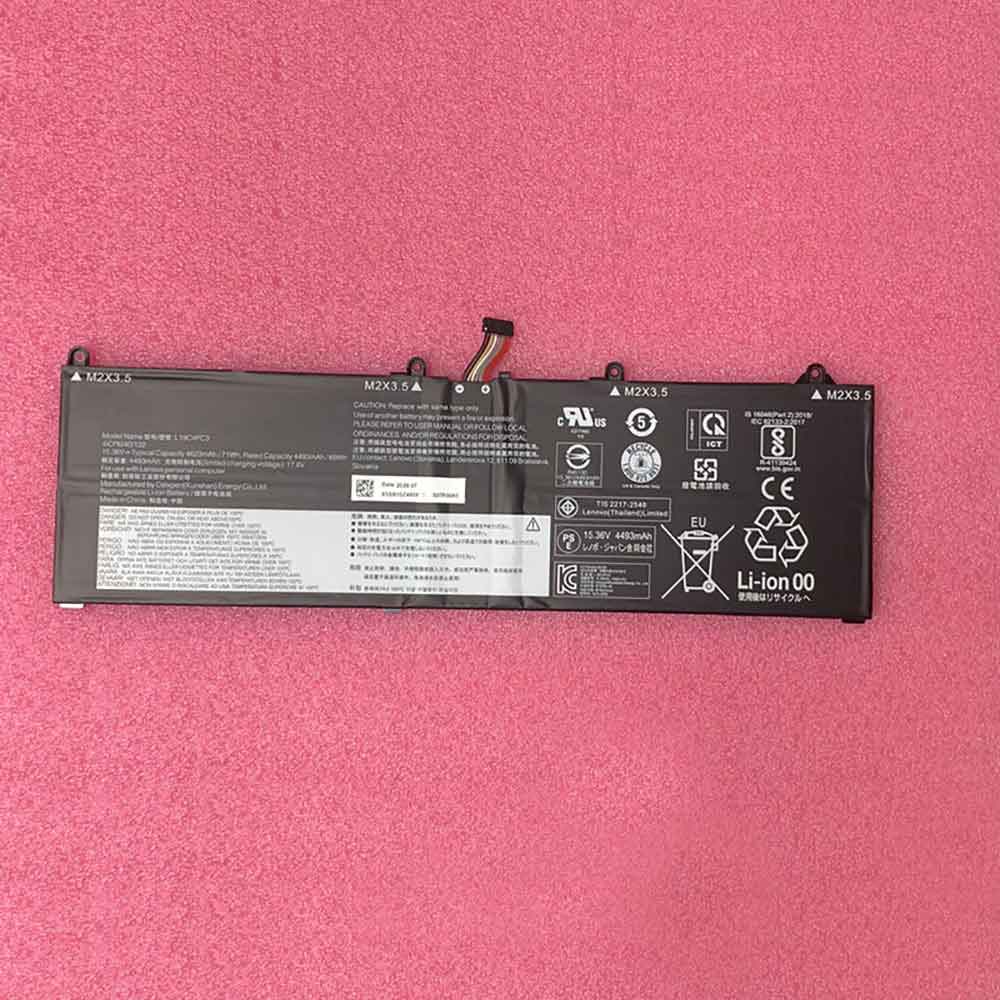
4623mAh 15.36V Lenovo 5B10Z49581 Li-ion Battery for Lenovo Legion S7 15IMH6 Y9000X

4623mAh 15.36V Lenovo 5B10Z49581 Batteries for Lenovo Legion S7 15IMH6 Y9000X, Lenovo 5B10Z49581 Laptop battery is a brand new,100% Compatible original and replacement Laptop battery,Purchase wholesale and retail 5B10Z49581 with high quality and low price!

Find ou your original model number or part number(P/N), and move your eyes on the tag of battery

5B10Z49581

Specifications

  • Brand:Lenovo
  • Capacity :4623mAh
  • Voltage :15.36V
  • Type :Li-Polymer
  • Battery Cell Quality: Grade A
  • Descriptive: Replacement Battery – 1 Year Warranty
  • Description: Brand New, 1 Year Warranty! 30-Days Money Back! Fast Shipping!

How we test this Lenovo 5B10Z49581 Battery
Step 1: Make sure customer bought the correct battery.
Step 2: Check battery’s appearance and interface.
Step 3: Test battery charger and recharger function.
Step 4: Charger the battery to 100% and recharger to 0% to get real battery capacity
Step 5: Use Ev2300 to check the voltage difference of each goroup cells.
Step 6: Charger battery power more than 30%.
Step 7: Package battery carefully and send out

Compatible Part Numbers:
5B10Z49581
L19C4PC3
L19M4PC3
SB10Z49582

Compatible Model Numbers:
Lenovo Legion 5 15ACH6 2021
Lenovo Legion 7-15ARH5
Lenovo Legion 7-15ARH5(82HM)
Lenovo Legion 7-15ARH5(82HM000ARU)
Lenovo Legion 7-15IMH5(82BC)
Lenovo Legion 7-15IMH5(82BC001EGE)
Lenovo Legion 7-15IMH5(82BC001FGE)
Lenovo Legion 7-15IMH5(82BC001GGE)
Lenovo Legion 7-15IMH5(82BC001VGE)
Lenovo Legion 7-15IMH5(82BC001WGE)
Lenovo Legion 7-15IMH5(82BC001XGE)
Lenovo Legion 7-15IMH5(82BC001YGE)
Lenovo Legion 7-15IMH5(82BC002FGE)
Lenovo Legion 7-15IMH5(82BC002GGE)
Lenovo Legion 7-15IMH5(82BC002HGE)
Lenovo Legion R9000X
Lenovo Legion S7 15IMH5
Lenovo Legion S7 15IMH5 82BC0051AU
Lenovo Legion S7 15IMH5 82BC0052AU
Lenovo Legion Y750S-15
Lenovo Legion Y750S-15IMH 81YX0002UK
Lenovo Legion Y750S-15IMH 81YX000VGE
Lenovo Legion Y9000X R9000X

How much do you know about how to run laptop well as any place? The follow Tips cut way back on protecting battery life.


1). Please recharge or change your Laptop battery when battery power low.
2). Using Li-Ion Replacement Lenovo 5B10Z49581 Laptop Battery for your notebook which can work longer time than Non Li-ion one.
3). It is better to defragmentation regularly for your Laptop battery life.
4). In order to reduce the laptop power consumpition, you can use some optical drive spin-down and hard drive in your Laptop .
5). Please keep your laptop in sleep or standby model without long time using, which both save the Replacement Lenovo 5B10Z49581 Laptop Battery power and extend battery using life.
6). Leave your battery in a dry and cool condition when without using.
7). When you rarely or generally plugged in fixed power using, Please take down your battery to avoid hurting battery life.

Hot Products

2600mAh/9.88WH OUKITEL S68 for OukiTel C16 Pro45.2Wh / 5970mAh MICROSOFT G3HTA036H for Microsoft Surface 1769 1782 Se4200mah CUBOT J9 for Cubot J930WH LENOVO L15M2PB5 for Lenovo IdeaPad 310 510-15ISK6580mAh 25.33Wh BLACKVIEW DK014 for Blackview BV9800 / BV9800 Pro4040mAh/14.6Wh HONEYWELL CT50-BTSC for Honeywell Intermec 318-055-00171Wh ASUS C42N1846 for Asus ZenBook Pro Duo UX581GV U29.97Wh/2700mAh PARROT Bebop-Drone-2 for Parrot Bebop 2 Drone Quadcopte2330Mah/17Wh BOSE 088796 for BOSE Soundlink Mini 272Wh/6460mAh DELL T05W1 for DELL Precision 7710 M7710

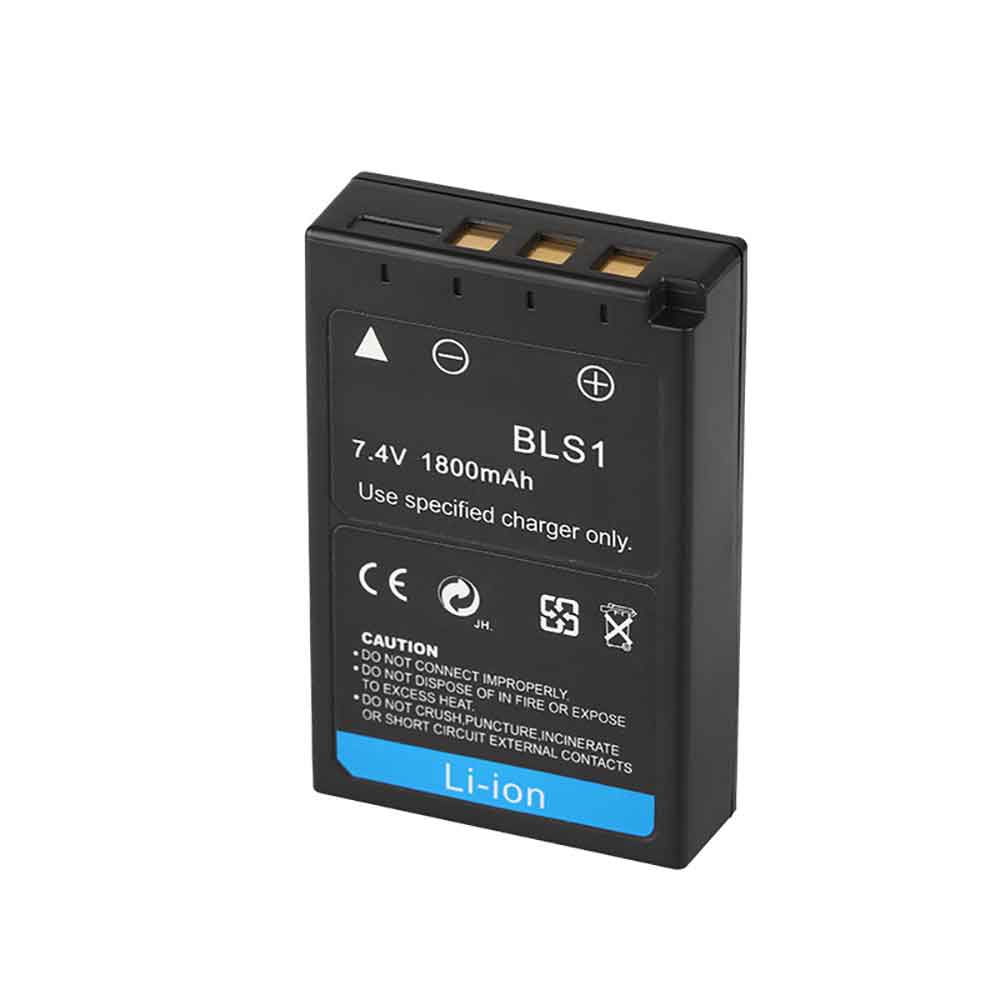
1800mAh 7.4V Olympus BLS1 Li-ion Battery for Olympus E410 E420 E400 E450 E-600 E-P1 E-P2 E-PL E-620

1800mAh 7.4V Olympus BLS1 Batteries for Olympus E410 E420 E400 E450 E-600 E-P1 E-P2 E-PL E-620, Olympus BLS1 Other battery is a brand new,100% Compatible original and replacement battery,Purchase wholesale and retail BLS1 with high quality and low price!

Find ou your original model number or part number(P/N), and move your eyes on the tag of battery

BLS1

Specifications

  • Brand:Olympus
  • Capacity :1800mAh
  • Voltage :7.4V
  • Type :Li-ion
  • Battery Cell Quality: Grade A
  • Descriptive: Replacement Battery – 1 Year Warranty
  • Description: Brand New, 1 Year Warranty! 30-Days Money Back! Fast Shipping!

How we test this Olympus BLS1 Battery
Step 1: Make sure customer bought the correct battery.
Step 2: Check battery’s appearance and interface.
Step 3: Test battery charger and recharger function.
Step 4: Charger the battery to 100% and recharger to 0% to get real battery capacity
Step 5: Use Ev2300 to check the voltage difference of each goroup cells.
Step 6: Charger battery power more than 30%.
Step 7: Package battery carefully and send out

Compatible Part Numbers:
BLS1

Compatible Model Numbers:
Olympus E410 E420 E400 E450

How much do you know about how to run laptop well as any place? The follow Tips cut way back on protecting battery life.


1). Please recharge or change your Other battery when battery power low.
2). Using Li-Ion Replacement Olympus BLS1 Other Battery for your notebook which can work longer time than Non Li-ion one.
3). It is better to defragmentation regularly for your Other battery life.
4). In order to reduce the laptop power consumpition, you can use some optical drive spin-down and hard drive in your Other .
5). Please keep your laptop in sleep or standby model without long time using, which both save the Replacement Olympus BLS1 Other Battery power and extend battery using life.
6). Leave your battery in a dry and cool condition when without using.
7). When you rarely or generally plugged in fixed power using, Please take down your battery to avoid hurting battery life.

Hot Products

2600mAh/9.88WH OUKITEL S68 for OukiTel C16 Pro45.2Wh / 5970mAh MICROSOFT G3HTA036H for Microsoft Surface 1769 1782 Se4200mah CUBOT J9 for Cubot J930WH LENOVO L15M2PB5 for Lenovo IdeaPad 310 510-15ISK6580mAh 25.33Wh BLACKVIEW DK014 for Blackview BV9800 / BV9800 Pro4040mAh/14.6Wh HONEYWELL CT50-BTSC for Honeywell Intermec 318-055-00171Wh ASUS C42N1846 for Asus ZenBook Pro Duo UX581GV U29.97Wh/2700mAh PARROT Bebop-Drone-2 for Parrot Bebop 2 Drone Quadcopte2330Mah/17Wh BOSE 088796 for BOSE Soundlink Mini 272Wh/6460mAh DELL T05W1 for DELL Precision 7710 M7710

5 Easy Ways to Reset Apple ID Password

 It’s important for Apple users to know their Apple ID and password. Without these, you can’t access Apple services like iCloud and iMessage. Setting up a new Apple device also requires an Apple ID and password.

If you forget your Apple ID password or your account has been compromised, you may not be able to access your device or any Apple services. Resetting your Apple ID password might just be a trick to gain access again. Here are some easy ways to change your Apple ID password. Let’s have a look!

Reset your Apple ID password using your iPhone, iPad, or Apple Watch

The instructions for resetting your Apple ID password on iPhone also work on iPad and Apple Watch, as follows:

1. Go to settings.

2. Tap your name.

3. Click Password & Security.

4. Click Change Password.

Reset Apple ID password from a Mac device

You can also reset your Apple ID password from your MacBook or iMac by following these steps:

1. Click the Apple logo in the upper left corner of the screen, then click System Preferences.

2. Click on Apple ID.

3. Click Password & Security.

4. Click Change Password…

Follow the on-screen prompts to complete the password change.

Reset your Apple ID password on a new device

When setting up a new Apple device, you’ll be asked to sign in with your Apple ID. Don’t worry if you don’t remember your password. Here’s how to reset your password during setup.

1. During device setup, select Forgot Apple ID or password? as long as options are available.

2. Complete the setup process.

3. Once setup is complete, select an app or other option that requires you to log in with your Apple ID. On your iPhone, iPad, or Apple Watch, you can select Messages. On your Mac computer, follow the instructions above.

Reset your Apple ID password without an Apple device

If you’ve given up your Apple devices after using them before and still need to sign in with your Apple ID, you have a few options. You can borrow a friend or family member’s Apple device, or use one of the devices in the Apple Store. However, you cannot follow the same instructions as above. Instead, here’s how to change your Apple ID password from a borrowed or in-store device.

1. Open the Apple Support app. You can also download the Apple Support app from the App Store.

2. Select Password and Security.

3. Select Reset Apple ID Password.

4. Select Start.

5. Select a different Apple ID.

6. Enter your Apple ID and follow the onscreen prompts.

7. After resetting your password, be sure to log out. You do not want others to access your profile.

Reset your Apple ID password from the web

If all else fails, Apple has a website you can visit to reset your Apple ID password. However, Apple warns that this process may take longer than the other methods on this list. But if that’s your only option, go to iforgot.apple.com, follow the instructions, and your password will be reset.

It’s important to remember that once you change your Apple ID password on one device, you must log back in on the other device with the new password. So instead of forgetting your new password in three days and repeating the cycle again, save yourself the headache now and log back into everything while your new password is fresh in your memory.

>>>>>>>>>>>>>Apple battery

Amazon Fire HD 8 (2022): release date, price, and specs

 Amazon has unveiled its updated Fire HD 8 tablet, which will go on sale in October. It’s very similar to the 2020 version, but with a faster processor, stronger screen, and better battery life. In addition to this, there are new Plus models and new Kids and Kids Pro versions. Here’s everything you need to know.

When is the Amazon Fire HD 8 (2022) release date?

On October 19, 2022, Amazon announced a new line of tablets ahead of its annual device event on September 28.

How much does the Amazon Fire HD 8 (2022) cost?

Fire HD 8: From $99.99/£99.99

Fire HD 8 Plus: From $119.99/£119.99

Fire HD 8 Kids: $149.99/£149.99

Fire HD 8 Kids Pro: $149.99 / £149.99

Like the new Fire 7, the HD 8 gets its first price hike in years.

The previous generation was priced at $89.99/£89.99 when it launched in 2020, but the 2022 model starts at $99.99/£99.99.

Amazon has kept the Fire HD 8 Plus, which, as in 2020, costs $20/£20. But since the base model is more expensive, the Plus is now $119.99/£119.99.

Likewise, the price of the Kids Edition has gone up, from $139.99/$139.99 to $149.99/£149.99. You can choose between Kids and Kids Pro. These are based on the new Fire HD 8 and offer a choice of different casings. As always, they have a two-year warranty and a one-year subscription to Amazon Kids+, which includes apps, games, videos, books, and more.

What’s new in Amazon Fire HD 8 (2022)?

Hexa-core processor (30% faster), 13 hours of battery life (plus 1 hour), stronger glass screen

It looks identical, has very similar colors (non-black options are now called blue and rose instead of twilight blue and plum), and has the same screen and camera. Upgrades include a six-core processor, stronger aluminosilicate glass, and an extra hour of battery life.

Amazon also says it’s thinner and lighter, but that’s an exaggeration. The previous model was 9.7mm thick, while the new model is 9.6mm. Amazon lists the 2020 Fire HD 8 at 335 grams, but the 2022 model is quoted at 337 grams, which means it’s actually heavier.

What really sets the new tablet apart, then, is the extra performance, which Amazon says is good for multitasking. You can use split screen to run two apps side by side, or watch Amazon Prime Video picture-in-picture while looking for recipes.

The 32GB and 64GB storage options remain the same, as do the 2Mp front and rear cameras. All models have a microSD slot for up to 1TB of additional storage.

If you want a better rear camera, the 2022 Fire HD 8 Plus now has the same 5Mp camera used by the existing Fire HD 10.

Otherwise, the main differences between the standard and Plus models are that the Plus has 3GB of RAM instead of 2GB, built-in wireless charging, and faster USB-C charging using the included 9W power supply. It is also exclusively available in grey. These are the exact same differences between the 2020 Standard and Plus models.

As mentioned, the two Kids Editions use the 32GB Fire HD 8 (2022) and are only available in different color case options: the tablet itself is black. For kids, that’s red, blue, or purple, while for Kids Pro, the designs offered are Arcade Hero, Rainbow Universe, and Hello Teal.

The Fire HD 8 Kids is aimed at younger kids ages 3 to 7, while the Kids Pro is better for kids ages 6 to 12.

>>>>>>>>>>>>>Amazon Tablets batteries

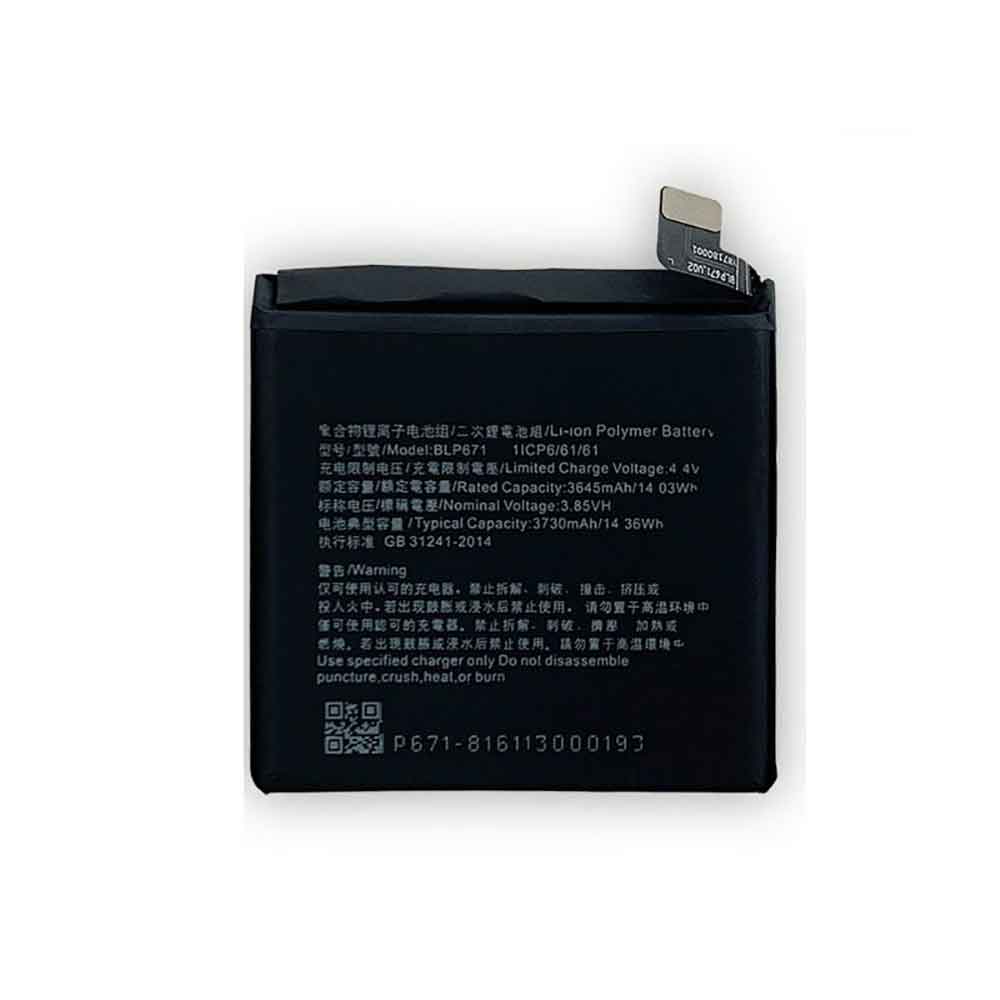
3730mAh 3.85V Oppo BLP671 Li-ion Battery for OPPO Find X

3730mAh 3.85V Oppo BLP671 Batteries for OPPO Find X, Oppo BLP671 Cell Phone battery is a brand new,100% Compatible original and replacement Phone battery,Purchase wholesale and retail BLP671 with high quality and low price!

Find ou your original model number or part number(P/N), and move your eyes on the tag of battery

BLP671

Specifications

  • Brand:OPPO
  • Capacity :3730mAh
  • Voltage :3.85V
  • Type :Li-ion Polymer
  • Battery Cell Quality: Grade A
  • Descriptive: Replacement Battery – 1 Year Warranty
  • Description: Brand New, 1 Year Warranty! 30-Days Money Back! Fast Shipping!

How we test this Oppo BLP671 Battery
Step 1: Make sure customer bought the correct battery.
Step 2: Check battery’s appearance and interface.
Step 3: Test battery charger and recharger function.
Step 4: Charger the battery to 100% and recharger to 0% to get real battery capacity
Step 5: Use Ev2300 to check the voltage difference of each goroup cells.
Step 6: Charger battery power more than 30%.
Step 7: Package battery carefully and send out

Compatible Part Numbers:
BLP671

Compatible Model Numbers:
OPPO Find X

How much do you know about how to run laptop well as any place? The follow Tips cut way back on protecting battery life.


1). Please recharge or change your Cell Phone battery when battery power low.
2). Using Li-Ion Replacement Oppo BLP671 Cell Phone Battery for your notebook which can work longer time than Non Li-ion one.
3). It is better to defragmentation regularly for your Cell Phone battery life.
4). In order to reduce the laptop power consumpition, you can use some optical drive spin-down and hard drive in your Cell Phone .
5). Please keep your laptop in sleep or standby model without long time using, which both save the Replacement Oppo BLP671 Cell Phone Battery power and extend battery using life.
6). Leave your battery in a dry and cool condition when without using.
7). When you rarely or generally plugged in fixed power using, Please take down your battery to avoid hurting battery life.

Hot Products

30WH LENOVO L15M2PB5 for Lenovo IdeaPad 310 510-15ISK6580mAh 25.33Wh BLACKVIEW DK014 for Blackview BV9800 / BV9800 Pro4040mAh/14.6Wh HONEYWELL CT50-BTSC for Honeywell Intermec 318-055-00171Wh ASUS C42N1846 for Asus ZenBook Pro Duo UX581GV U29.97Wh/2700mAh PARROT Bebop-Drone-2 for Parrot Bebop 2 Drone Quadcopte2330Mah/17Wh BOSE 088796 for BOSE Soundlink Mini 272Wh/6460mAh DELL T05W1 for DELL Precision 7710 M77101750MAH/6.5WH AMAZON GP-S10-346392-0100 for AMAZON KINDLE 3 3G WIFI Kindle8400mah /31.08WH ACER 4260124P for Acer One 10 S100243Wh PANASONIC CF-VZSU66U for Panasonic Toughbook CF-C1 CF-C

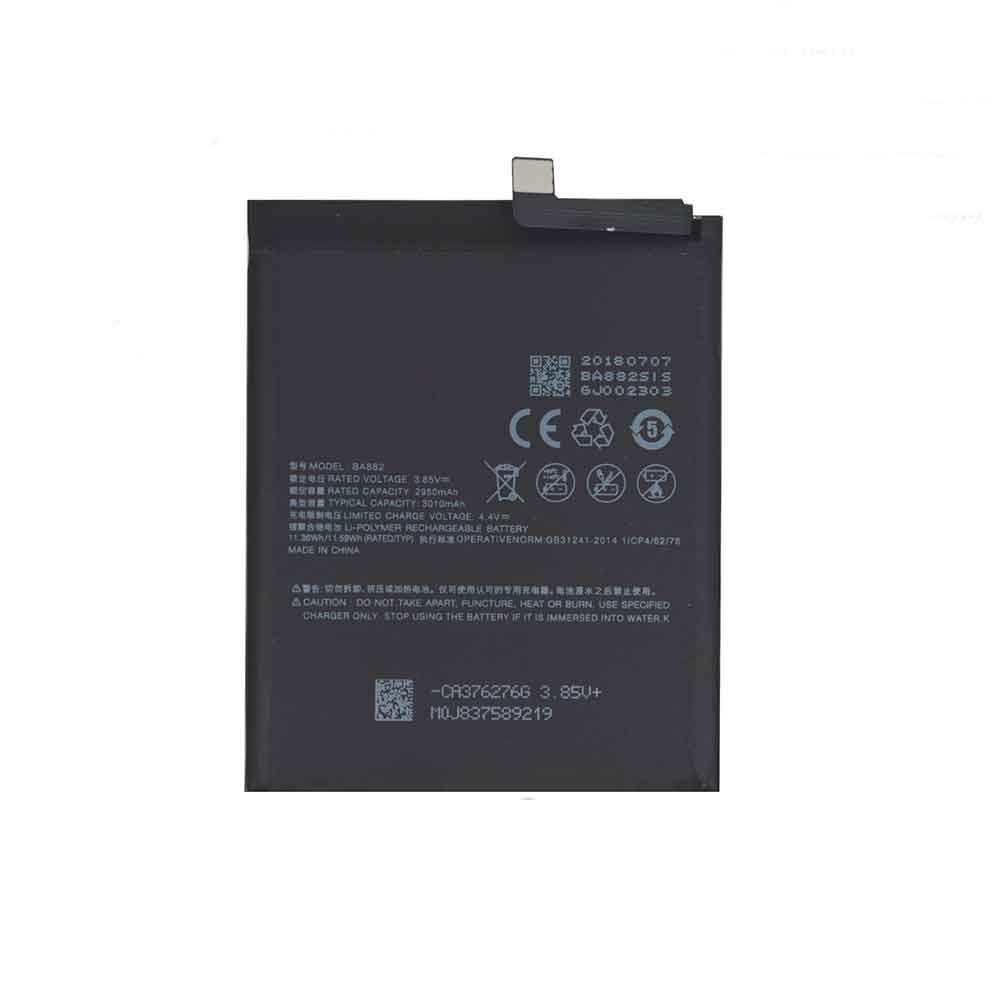
3010mAh 3.85V Meizu BA882 Li-ion Battery for Meizu 16th

3010mAh 3.85V Meizu BA882 Batteries for Meizu 16th, Meizu BA882 Cell Phone battery is a brand new,100% Compatible original and replacement Phone battery,Purchase wholesale and retail BA882 with high quality and low price!

Find ou your original model number or part number(P/N), and move your eyes on the tag of battery

BA882

Specifications

  • Brand:Meizu
  • Capacity :3010mAh
  • Voltage :3.85V
  • Type :Li-Polymer
  • Battery Cell Quality: Grade A
  • Descriptive: Replacement Battery – 1 Year Warranty
  • Description: Brand New, 1 Year Warranty! 30-Days Money Back! Fast Shipping!

How we test this Meizu BA882 Battery
Step 1: Make sure customer bought the correct battery.
Step 2: Check battery’s appearance and interface.
Step 3: Test battery charger and recharger function.
Step 4: Charger the battery to 100% and recharger to 0% to get real battery capacity
Step 5: Use Ev2300 to check the voltage difference of each goroup cells.
Step 6: Charger battery power more than 30%.
Step 7: Package battery carefully and send out

Compatible Part Numbers:
BA882

Compatible Model Numbers:
Meizu 16th

How much do you know about how to run laptop well as any place? The follow Tips cut way back on protecting battery life.


1). Please recharge or change your Cell Phone battery when battery power low.
2). Using Li-Ion Replacement Meizu BA882 Cell Phone Battery for your notebook which can work longer time than Non Li-ion one.
3). It is better to defragmentation regularly for your Cell Phone battery life.
4). In order to reduce the laptop power consumpition, you can use some optical drive spin-down and hard drive in your Cell Phone .
5). Please keep your laptop in sleep or standby model without long time using, which both save the Replacement Meizu BA882 Cell Phone Battery power and extend battery using life.
6). Leave your battery in a dry and cool condition when without using.
7). When you rarely or generally plugged in fixed power using, Please take down your battery to avoid hurting battery life.

Hot Products

30WH LENOVO L15M2PB5 for Lenovo IdeaPad 310 510-15ISK6580mAh 25.33Wh BLACKVIEW DK014 for Blackview BV9800 / BV9800 Pro4040mAh/14.6Wh HONEYWELL CT50-BTSC for Honeywell Intermec 318-055-00171Wh ASUS C42N1846 for Asus ZenBook Pro Duo UX581GV U29.97Wh/2700mAh PARROT Bebop-Drone-2 for Parrot Bebop 2 Drone Quadcopte2330Mah/17Wh BOSE 088796 for BOSE Soundlink Mini 272Wh/6460mAh DELL T05W1 for DELL Precision 7710 M77101750MAH/6.5WH AMAZON GP-S10-346392-0100 for AMAZON KINDLE 3 3G WIFI Kindle8400mah /31.08WH ACER 4260124P for Acer One 10 S100243Wh PANASONIC CF-VZSU66U for Panasonic Toughbook CF-C1 CF-C

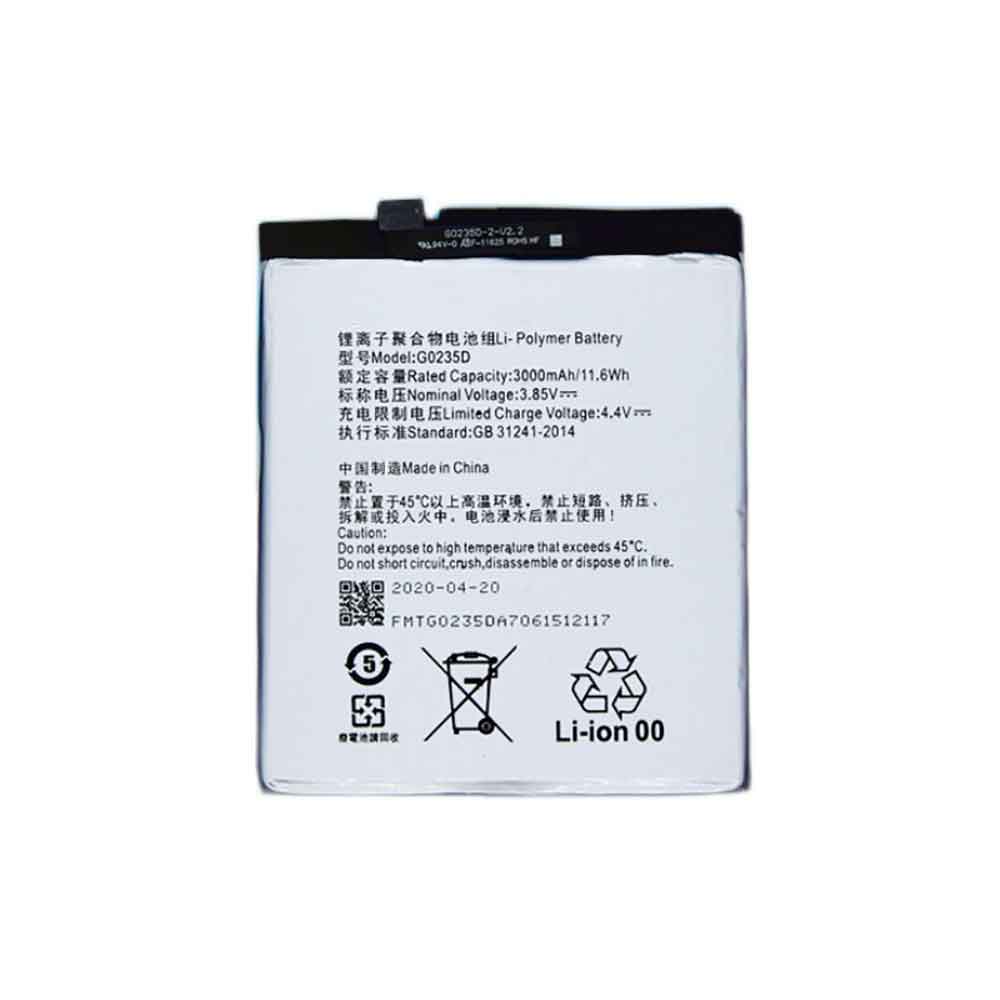
3000mAh 3.85V Gree G0235D Li-ion Battery for Gree The Three Generation

3000mAh 3.85V Gree G0235D Batteries for Gree The Three Generation, Gree G0235D Cell Phone battery is a brand new,100% Compatible original and replacement Phone battery,Purchase wholesale and retail G0235D with high quality and low price!

Find ou your original model number or part number(P/N), and move your eyes on the tag of battery

G0235D

Specifications

  • Brand:Gree
  • Capacity :3000mAh
  • Voltage :3.85V
  • Type :Li-Polymer
  • Battery Cell Quality: Grade A
  • Descriptive: Replacement Battery – 1 Year Warranty
  • Description: Brand New, 1 Year Warranty! 30-Days Money Back! Fast Shipping!

How we test this Gree G0235D Battery
Step 1: Make sure customer bought the correct battery.
Step 2: Check battery’s appearance and interface.
Step 3: Test battery charger and recharger function.
Step 4: Charger the battery to 100% and recharger to 0% to get real battery capacity
Step 5: Use Ev2300 to check the voltage difference of each goroup cells.
Step 6: Charger battery power more than 30%.
Step 7: Package battery carefully and send out

Compatible Part Numbers:
G0235D

Compatible Model Numbers:
Gree The Three Generation

How much do you know about how to run laptop well as any place? The follow Tips cut way back on protecting battery life.


1). Please recharge or change your Cell Phone battery when battery power low.
2). Using Li-Ion Replacement Gree G0235D Cell Phone Battery for your notebook which can work longer time than Non Li-ion one.
3). It is better to defragmentation regularly for your Cell Phone battery life.
4). In order to reduce the laptop power consumpition, you can use some optical drive spin-down and hard drive in your Cell Phone .
5). Please keep your laptop in sleep or standby model without long time using, which both save the Replacement Gree G0235D Cell Phone Battery power and extend battery using life.
6). Leave your battery in a dry and cool condition when without using.
7). When you rarely or generally plugged in fixed power using, Please take down your battery to avoid hurting battery life.

Hot Products

30WH LENOVO L15M2PB5 for Lenovo IdeaPad 310 510-15ISK6580mAh 25.33Wh BLACKVIEW DK014 for Blackview BV9800 / BV9800 Pro4040mAh/14.6Wh HONEYWELL CT50-BTSC for Honeywell Intermec 318-055-00171Wh ASUS C42N1846 for Asus ZenBook Pro Duo UX581GV U29.97Wh/2700mAh PARROT Bebop-Drone-2 for Parrot Bebop 2 Drone Quadcopte2330Mah/17Wh BOSE 088796 for BOSE Soundlink Mini 272Wh/6460mAh DELL T05W1 for DELL Precision 7710 M77101750MAH/6.5WH AMAZON GP-S10-346392-0100 for AMAZON KINDLE 3 3G WIFI Kindle8400mah /31.08WH ACER 4260124P for Acer One 10 S100243Wh PANASONIC CF-VZSU66U for Panasonic Toughbook CF-C1 CF-C

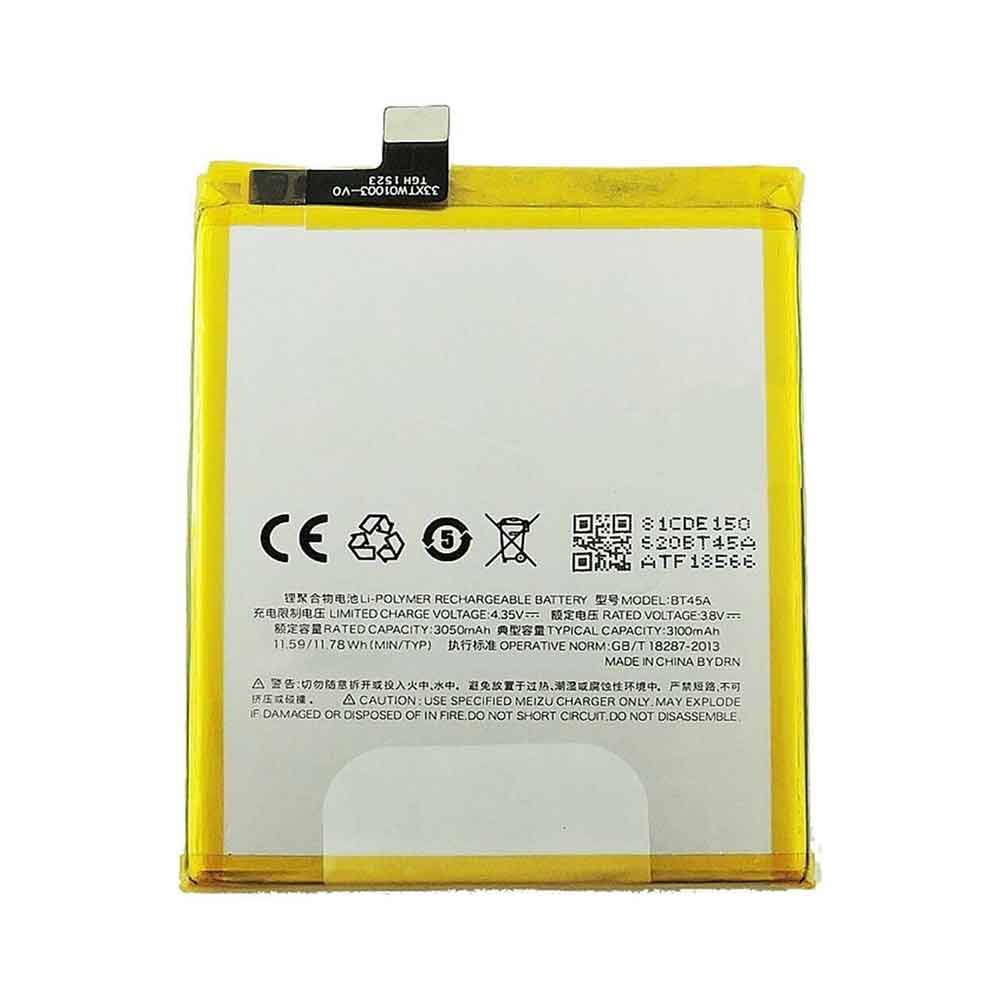
3100mAh 3.8V Meizu BT45A Li-ion Battery for Meizu M2 Note

3100mAh 3.8V Meizu BT45A Batteries for Meizu M2 Note, Meizu BT45A Cell Phone battery is a brand new,100% Compatible original and replacement Phone battery,Purchase wholesale and retail BT45A with high quality and low price!

Find ou your original model number or part number(P/N), and move your eyes on the tag of battery

BT45A

Specifications

  • Brand:Meizu
  • Capacity :3100mAh
  • Voltage :3.8V
  • Type :Li-Polymer
  • Battery Cell Quality: Grade A
  • Descriptive: Replacement Battery – 1 Year Warranty
  • Description: Brand New, 1 Year Warranty! 30-Days Money Back! Fast Shipping!

How we test this Meizu BT45A Battery
Step 1: Make sure customer bought the correct battery.
Step 2: Check battery’s appearance and interface.
Step 3: Test battery charger and recharger function.
Step 4: Charger the battery to 100% and recharger to 0% to get real battery capacity
Step 5: Use Ev2300 to check the voltage difference of each goroup cells.
Step 6: Charger battery power more than 30%.
Step 7: Package battery carefully and send out

Compatible Part Numbers:
BT45A

Compatible Model Numbers:
Meizu M2 Note

How much do you know about how to run laptop well as any place? The follow Tips cut way back on protecting battery life.


1). Please recharge or change your Cell Phone battery when battery power low.
2). Using Li-Ion Replacement Meizu BT45A Cell Phone Battery for your notebook which can work longer time than Non Li-ion one.
3). It is better to defragmentation regularly for your Cell Phone battery life.
4). In order to reduce the laptop power consumpition, you can use some optical drive spin-down and hard drive in your Cell Phone .
5). Please keep your laptop in sleep or standby model without long time using, which both save the Replacement Meizu BT45A Cell Phone Battery power and extend battery using life.
6). Leave your battery in a dry and cool condition when without using.
7). When you rarely or generally plugged in fixed power using, Please take down your battery to avoid hurting battery life.

Hot Products

30WH LENOVO L15M2PB5 for Lenovo IdeaPad 310 510-15ISK6580mAh 25.33Wh BLACKVIEW DK014 for Blackview BV9800 / BV9800 Pro4040mAh/14.6Wh HONEYWELL CT50-BTSC for Honeywell Intermec 318-055-00171Wh ASUS C42N1846 for Asus ZenBook Pro Duo UX581GV U29.97Wh/2700mAh PARROT Bebop-Drone-2 for Parrot Bebop 2 Drone Quadcopte2330Mah/17Wh BOSE 088796 for BOSE Soundlink Mini 272Wh/6460mAh DELL T05W1 for DELL Precision 7710 M77101750MAH/6.5WH AMAZON GP-S10-346392-0100 for AMAZON KINDLE 3 3G WIFI Kindle8400mah /31.08WH ACER 4260124P for Acer One 10 S100243Wh PANASONIC CF-VZSU66U for Panasonic Toughbook CF-C1 CF-C

Windows 11 2022 Update: Every new feature you should care about

 Microsoft released its first major update to Windows 11 on Tuesday. The update includes new security, productivity, accessibility and gaming features.

The operating system is approaching its one-year anniversary. At launch, the new operating system brings many new features, including a redesigned interface, widgets, a more accessible Microsoft Teams experience, multiple desktop and Snap layouts and groups, and an Android app. Let’s take a look below!

Windows 11 update makes your PC easier to use

The new Windows 11 update adds faster, more accurate searches to the Start menu, Quick Settings, and better local and current event coverage on the widget board. In October, Windows 11 will get a long-requested feature — tabs in File Explorer.

Windows 11 now has more productivity tools

Windows 11 introduces features for multitaskers and users who need more organization. With this new update, Snap Layouts for neatly arranging open Windows on the desktop are more versatile, with improved touch navigation and the ability to snap multiple browser tabs in Microsoft Edge.

To minimize distractions, the update introduces Focused Sessions and Do Not Disturb mode to minimize distractions. According to Microsoft, Windows automatically turns on Do Not Disturb when you start a new Focus session. This will mute notifications, turn off taskbar badges and app notifications in the taskbar. Focus also improves the Clock app with a timer to help you focus and remember to rest.

Windows 11 update adds new accessibility features

Windows 11’s built-in screen reader, Narrator, will receive a more natural voice and improve text-to-speech.

In addition, the new system-wide Live Caption will go beyond the Live Caption capabilities of a single app. By default, system-wide live captions will be displayed at the top of the screen and below the camera, but users can switch the caption position to the bottom of the screen or to a separate floating window. Additionally, Live Caption can now transcribe face-to-face conversations by capturing microphone audio.

Still in preview, Voice Access improves on existing voice commands by allowing you to control your PC and write text by voice. The first time you use voice access, you’ll learn how to use your voice to complete common tasks through interactive tutorials. It also provides real-time feedback if the tool fails to recognize a word.

Smart Application Control and Security

According to Microsoft, Smart App Control should give you more confidence when downloading apps on Windows 11. This tool blocks untrusted or unsigned applications, script files and potentially malicious macros from invading your computer. Essentially, the tool predicts the security of an application in real-time. The feature builds on the same AI used in Windows Defender Application Control and is available for personal or commercial use.

Microsoft Defender SmartScreen can now identify and send alerts when you enter your Microsoft credentials on malicious apps or hacked websites.

The update also enables Hypervisor Protected Code Integrity, or HVCI, and Microsoft Vulnerable Driver Block List by default on all new Windows 11 devices. Microsoft has also enhanced identity protection and simplified password management in the update.

Better video calling and creator content tools

At launch, Windows 11 makes Microsoft Teams more accessible. The latest update introduces Windows Studio effects that improve audio and video calls. The new Windows Studio camera uses Voice Focus to filter background noise, the background blurring tool Eye Contact to make it look like you’re always looking at the camera, and auto-framing to keep the camera by your side as you move.

>>>>>>>>>>>>>>>Laptop’s battery