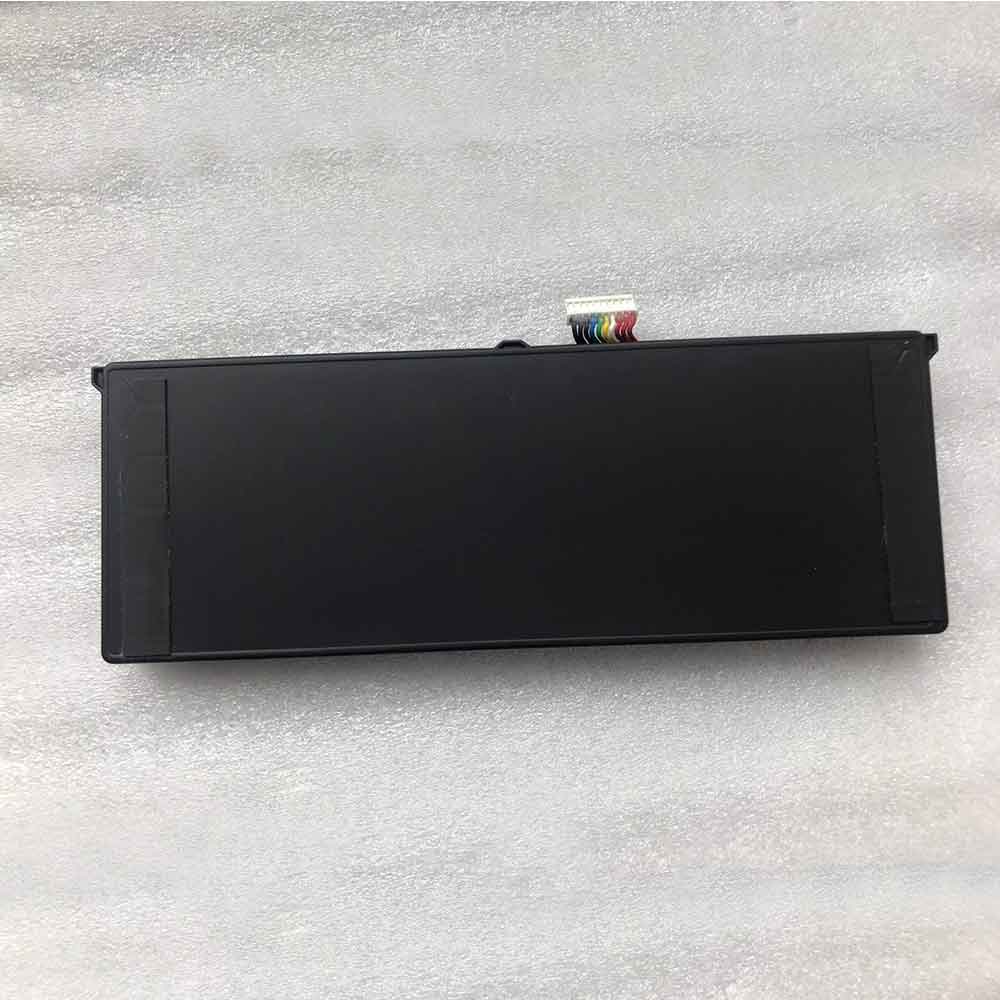
3000mAh 3.85V Zebra BT-000424 Li-ion Battery for Zebra EC50 EC55

3000mAh 3.85V Zebra BT-000424 Batteries for Zebra EC50 EC55, Zebra BT-000424 Other battery is a brand new,100% Compatible original and replacement battery,Purchase wholesale and retail BT-000424 with high quality and low price!

Find ou your original model number or part number(P/N), and move your eyes on the tag of battery
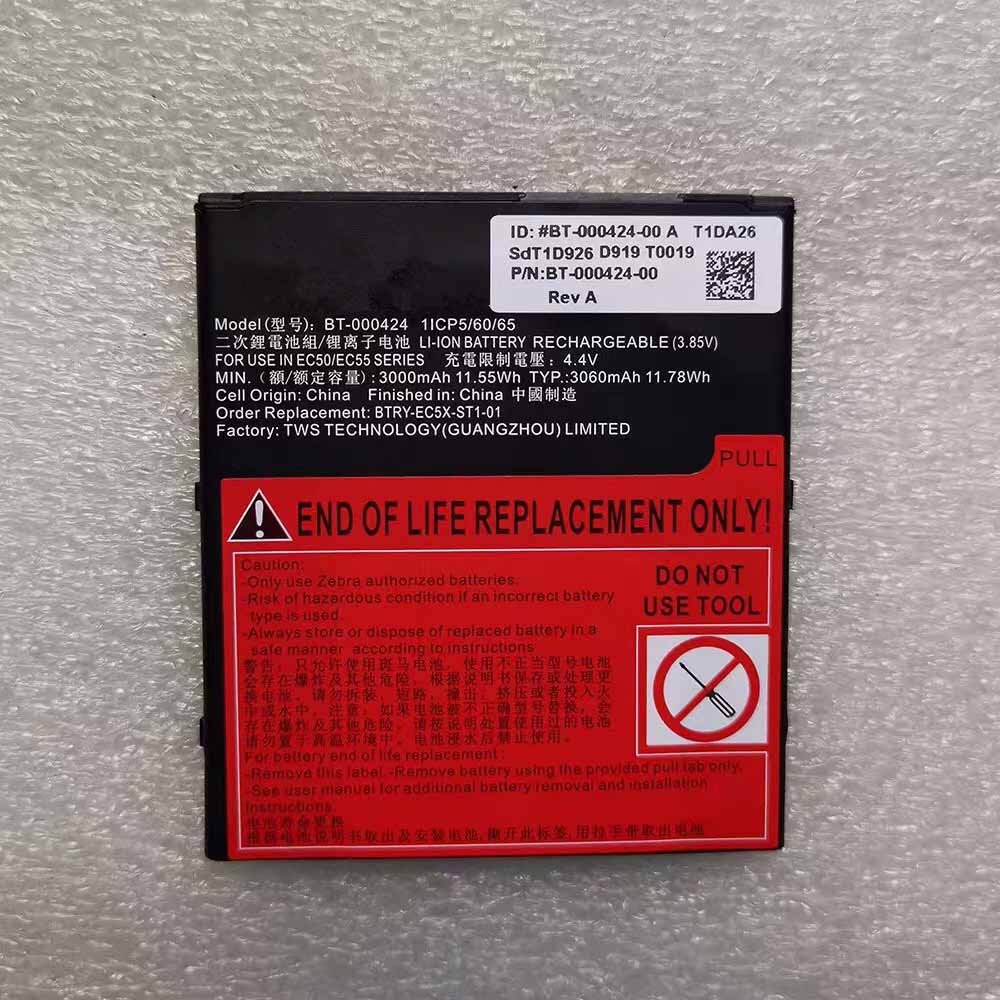
BT-000424

Specifications

  • Brand:Zebra
  • Capacity :3000mAh
  • Voltage :3.85V
  • Type :Li-ion
  • Battery Cell Quality: Grade A
  • Descriptive: Replacement Battery – 1 Year Warranty
  • Description: Brand New, 1 Year Warranty! 30-Days Money Back! Fast Shipping!

How we test this Zebra BT-000424 Battery
Step 1: Make sure customer bought the correct battery.
Step 2: Check battery’s appearance and interface.
Step 3: Test battery charger and recharger function.
Step 4: Charger the battery to 100% and recharger to 0% to get real battery capacity
Step 5: Use Ev2300 to check the voltage difference of each goroup cells.
Step 6: Charger battery power more than 30%.
Step 7: Package battery carefully and send out

Compatible Part Numbers:
BT-000424
BT-000424-00
BTRY-EC5X-ST1-01

Compatible Model Numbers:
Zebra EC50 EC55

How much do you know about how to run laptop well as any place? The follow Tips cut way back on protecting battery life.


1). Please recharge or change your Other battery when battery power low.
2). Using Li-Ion Replacement Zebra BT-000424 Other Battery for your notebook which can work longer time than Non Li-ion one.
3). It is better to defragmentation regularly for your Other battery life.
4). In order to reduce the laptop power consumpition, you can use some optical drive spin-down and hard drive in your Other .
5). Please keep your laptop in sleep or standby model without long time using, which both save the Replacement Zebra BT-000424 Other Battery power and extend battery using life.
6). Leave your battery in a dry and cool condition when without using.
7). When you rarely or generally plugged in fixed power using, Please take down your battery to avoid hurting battery life.

Hot Products

2700mAh HTC CLIO160 for HTC Shift X95008400mAh/30.2Wh LENOVO L15D3K32 for Lenovo Yoga Tab 3 YT3-X50F YT32200mAh/17.02WH ONEPLUS BLP827 for OnePlus 9 Pro2330Mah/17Wh BOSE 088772 for BOSE Soundlink Mini 239WH/5070Mah LENOVO L17M2P52 for Lenovo 01AV468 SB10K97615 tabl3900mAh/15.0WH XIAOMI BM4E for Xiaomi Mi Pocophone F1 POCO F147WH /6150mah ASUS C21N1833 for ASUS ZENBOOK UX431 Series800mAh/2.96WH SAMSUNG AB463446BU for Samsung C3300K X208 B189 B309430mAh/1.63Wh GARMIN 361-00098-00 for GARMIN Fenix 5X Running6268mAh/72WH LENOVO L16M6PC1 for Lenovo Yoga 720-15IKB 5B10M537
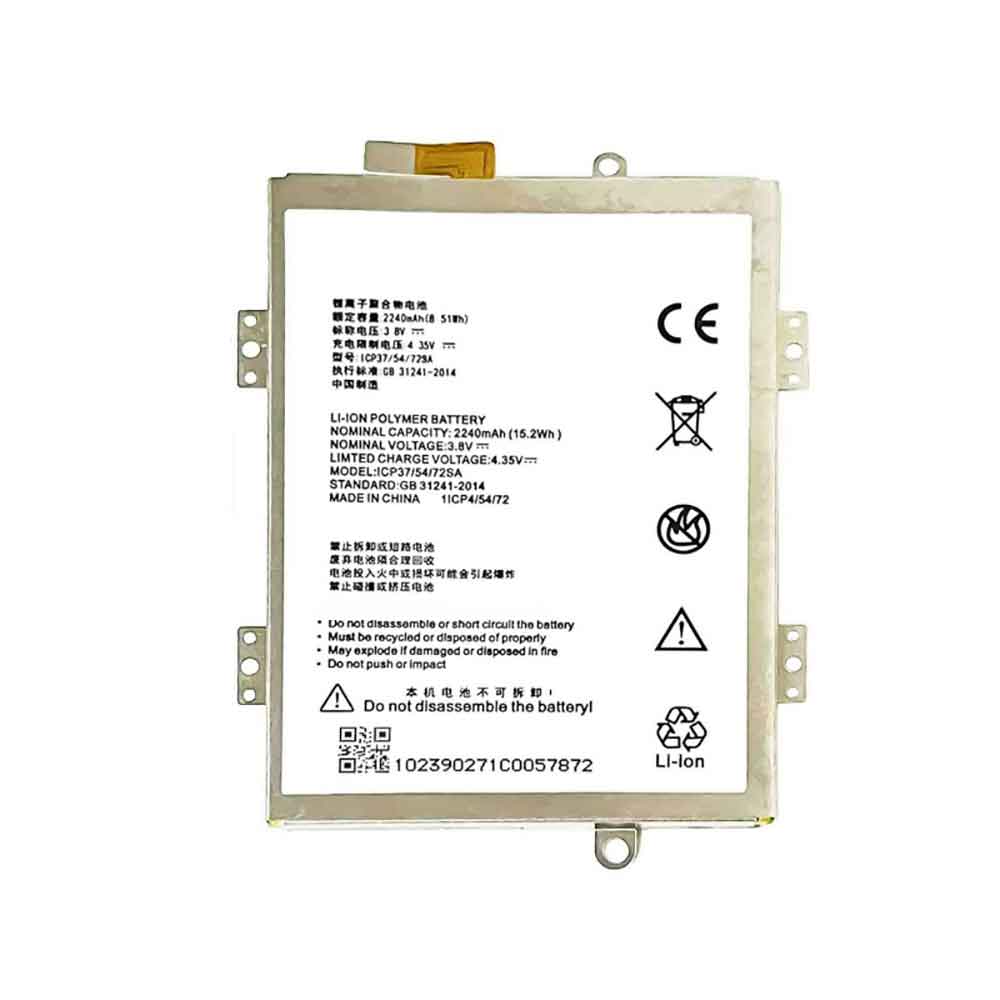
2240mAh 3.8V Zte ICP37/54/72SA Li-ion Battery for ZTE Blade A310 365371PLV

2240mAh 3.8V Zte ICP37/54/72SA Batteries for ZTE Blade A310 365371PLV, Zte ICP37/54/72SA Cell Phone battery is a brand new,100% Compatible original and replacement Phone battery,Purchase wholesale and retail ICP37/54/72SA with high quality and low price!

Find ou your original model number or part number(P/N), and move your eyes on the tag of battery

ICP37/54/72SA

Specifications

  • Brand:ZTE
  • Capacity :2240mAh
  • Voltage :3.8V
  • Type :Li-ion Polymer
  • Battery Cell Quality: Grade A
  • Descriptive: Replacement Battery – 1 Year Warranty
  • Description: Brand New, 1 Year Warranty! 30-Days Money Back! Fast Shipping!

How we test this Zte ICP37/54/72SA Battery
Step 1: Make sure customer bought the correct battery.
Step 2: Check battery’s appearance and interface.
Step 3: Test battery charger and recharger function.
Step 4: Charger the battery to 100% and recharger to 0% to get real battery capacity
Step 5: Use Ev2300 to check the voltage difference of each goroup cells.
Step 6: Charger battery power more than 30%.
Step 7: Package battery carefully and send out

Compatible Part Numbers:
ICP37/54/72SA

Compatible Model Numbers:
ZTE Blade A310 365371PLV

How much do you know about how to run laptop well as any place? The follow Tips cut way back on protecting battery life.


1). Please recharge or change your Cell Phone battery when battery power low.
2). Using Li-Ion Replacement Zte ICP37/54/72SA Cell Phone Battery for your notebook which can work longer time than Non Li-ion one.
3). It is better to defragmentation regularly for your Cell Phone battery life.
4). In order to reduce the laptop power consumpition, you can use some optical drive spin-down and hard drive in your Cell Phone .
5). Please keep your laptop in sleep or standby model without long time using, which both save the Replacement Zte ICP37/54/72SA Cell Phone Battery power and extend battery using life.
6). Leave your battery in a dry and cool condition when without using.
7). When you rarely or generally plugged in fixed power using, Please take down your battery to avoid hurting battery life.

Hot Products

2700mAh HTC CLIO160 for HTC Shift X95008400mAh/30.2Wh LENOVO L15D3K32 for Lenovo Yoga Tab 3 YT3-X50F YT32200mAh/17.02WH ONEPLUS BLP827 for OnePlus 9 Pro2330Mah/17Wh BOSE 088772 for BOSE Soundlink Mini 239WH/5070Mah LENOVO L17M2P52 for Lenovo 01AV468 SB10K97615 tabl3900mAh/15.0WH XIAOMI BM4E for Xiaomi Mi Pocophone F1 POCO F147WH /6150mah ASUS C21N1833 for ASUS ZENBOOK UX431 Series800mAh/2.96WH SAMSUNG AB463446BU for Samsung C3300K X208 B189 B309430mAh/1.63Wh GARMIN 361-00098-00 for GARMIN Fenix 5X Running6268mAh/72WH LENOVO L16M6PC1 for Lenovo Yoga 720-15IKB 5B10M537

3.7V Sony CP1254(A3) Li-ion Battery for Sony WF-XB700 WF-SP700N WF-SP900 WF-1000XM3

3.7V Sony CP1254(A3) Batteries for Sony WF-XB700 WF-SP700N WF-SP900 WF-1000XM3, Sony CP1254(A3) Other battery is a brand new,100% Compatible original and replacement battery,Purchase wholesale and retail CP1254(A3) with high quality and low price!

Find ou your original model number or part number(P/N), and move your eyes on the tag of battery

CP1254(A3)

Specifications

  • Brand:Sony
  • Voltage :3.7V
  • Type :Lithium
  • Battery Cell Quality: Grade A
  • Descriptive: Replacement Battery – 1 Year Warranty
  • Description: Brand New, 1 Year Warranty! 30-Days Money Back! Fast Shipping!

How we test this Sony CP1254(A3) Battery
Step 1: Make sure customer bought the correct battery.
Step 2: Check battery’s appearance and interface.
Step 3: Test battery charger and recharger function.
Step 4: Charger the battery to 100% and recharger to 0% to get real battery capacity
Step 5: Use Ev2300 to check the voltage difference of each goroup cells.
Step 6: Charger battery power more than 30%.
Step 7: Package battery carefully and send out

Compatible Part Numbers:
CP1254(A3)

Compatible Model Numbers:
SONY WF-XB700, WF-SP700N, WF-SP900, WF-1000XM3
Samsung GALAXY Buds (not plus+)
Powerbeats PRO Wireless Earphones
Other popular bluetooth headsets

Package Included:
2pcs CP1654 A3

How much do you know about how to run laptop well as any place? The follow Tips cut way back on protecting battery life.


1). Please recharge or change your Other battery when battery power low.
2). Using Li-Ion Replacement Sony CP1254(A3) Other Battery for your notebook which can work longer time than Non Li-ion one.
3). It is better to defragmentation regularly for your Other battery life.
4). In order to reduce the laptop power consumpition, you can use some optical drive spin-down and hard drive in your Other .
5). Please keep your laptop in sleep or standby model without long time using, which both save the Replacement Sony CP1254(A3) Other Battery power and extend battery using life.
6). Leave your battery in a dry and cool condition when without using.
7). When you rarely or generally plugged in fixed power using, Please take down your battery to avoid hurting battery life.

Hot Products

2700mAh HTC CLIO160 for HTC Shift X95008400mAh/30.2Wh LENOVO L15D3K32 for Lenovo Yoga Tab 3 YT3-X50F YT32200mAh/17.02WH ONEPLUS BLP827 for OnePlus 9 Pro2330Mah/17Wh BOSE 088772 for BOSE Soundlink Mini 239WH/5070Mah LENOVO L17M2P52 for Lenovo 01AV468 SB10K97615 tabl3900mAh/15.0WH XIAOMI BM4E for Xiaomi Mi Pocophone F1 POCO F147WH /6150mah ASUS C21N1833 for ASUS ZENBOOK UX431 Series800mAh/2.96WH SAMSUNG AB463446BU for Samsung C3300K X208 B189 B309430mAh/1.63Wh GARMIN 361-00098-00 for GARMIN Fenix 5X Running6268mAh/72WH LENOVO L16M6PC1 for Lenovo Yoga 720-15IKB 5B10M537

Samsung Galaxy S22 beats iPhone 14 in four major ways

 The iPhone 14 is here, and it’s already one of the best phones. You got the same great processor in last year’s iPhone 13 Pro, and the improved camera is an interesting new video action mode. New safety features such as emergency SOS and collision detection via satellite are in development, making this flagship even more compelling.

But as you’ll see in our iPhone 14 review, there’s definitely room for improvement. The Samsung Galaxy S22 has answered some of our criticisms of the iPhone 14, especially when it comes to the display and camera. Here’s how the Galaxy S22 beats the iPhone 14.

Galaxy S22 sports 120Hz display

Apple reserved the 120Hz ProMotion display for the iPhone 14 Pro and iPhone 14 Pro Max. The 120Hz screen provides smoother scrolling, smoother animations and better gaming experience. Unfortunately, the iPhone is sticking with a 60Hz OLED screen.

Meanwhile, the Galaxy S22 offers a 120Hz display that can be scaled down to 48Hz to save power. Plus, Samsung’s phones feature an always-on mode that lets you quickly check the time, battery status, and more without turning the phone on. This is another feature exclusive to the iPhone 14 Pro.

Galaxy S22 has telephoto zoom

Every time I bring this up, some people say they don’t care about zooming, but a telephoto lens gives you more shooting flexibility.

The Galaxy S22 offers 3x telephoto zoom and 30x space zoom so you can get closer to your subjects. The iPhone 14 doesn’t have a telephoto zoom, which is only available on the iPhone 14 Pro and Pro Max.

Galaxy S22 has faster charging (and USB-C)

The iPhone 14 uses the same 20W USB-C to Lightning charging as the iPhone 13. Therefore, the charging speed is not improved. When charging a depleted iPhone 14, we hit 54% in 30 minutes and 27% in 15 minutes. The Galaxy S22 and its 25W charger hit 30% and 60% in 15 minutes and 30 minutes, respectively.

It’s not a huge difference, but the Galaxy S22 still has the edge. Plus, you don’t have to worry about having a USB-to-lighting cable lying around.

Galaxy S22 has a SIM card tray

While phone makers are steadily adopting eSIM capabilities to add services to their phones, Apple’s move to ditch the SIM card slot entirely won’t be embraced by everyone. Granted, it’s easy to add a line to the iPhone 14, and you can have multiple lines active at the same time, which is great.

But some carriers have yet to adopt eSIMs, and some international travelers appreciate the convenience of simply inserting a new SIM card when arriving in a different country. Galaxy S22 gives you peace of mind.

>>>>>>>>>>>>>Phone battery

Apple Watch Ultra vs Samsung Galaxy Watch 5 Pro: A Comparison of High-End Smartwatches

 Apple officially released the iPhone 14 this month, and with it three major updates to its wearable lineup. Not only did we see updates to the Apple Watch and Apple Watch SE, but the event also brought the launch of the Apple Watch Ultra.

But how does it compare to Samsung’s most premium smartwatch, the Galaxy Watch 5 Pro? Based on our experience with the Galaxy Watch and what we know so far about the Apple Watch Ultra, this is the biggest difference between the two wearables, so let’s take a look!

Apple Watch Ultra can dive

Both the Apple Watch Ultra and Galaxy Watch 5 Pro feature rugged designs that are perfect for fitness tracking and everyday smartwatches.

The Galaxy Watch has a 45mm titanium case and a sapphire crystal display, while the Apple Watch has a larger 49mm titanium case and a sapphire glass screen. Both watches are also designed to meet the MIL-STD 810H military durability standard.

That said, the Apple Watch is designed for more extreme activities and weather conditions. Apple Watch is water resistant up to 100m, which means you can dive with it. The watch also has an IPX6 dust resistance rating and can survive temperatures from “sub-zero” to 130 degrees. Meanwhile, the Galaxy Watch is dust-proof up to IP68 and water-resistant up to 50m, but not suitable for diving or high-pressure water activities.

The Apple Watch also features an 86db emergency siren that can be heard from 180m away, and three microphones for clear calls even in windy conditions. Finally, Apple Watch offers three strap options, depending on whether you prefer to hike, run or dive.

Galaxy Watch 5 Pro has longer battery life

The Galaxy Watch 5 Pro features a large 590 mAh battery for longer battery life, with Samsung claiming up to 80 hours of battery life in typical usage.

Apple Watch Ultra has a battery life of 36 hours, which can be extended to 60 hours when the low power setting is activated. It’s a major upgrade over the standard Apple Watch and SE, but it’s still half what Samsung claims its own premium smartwatch can do, and less than what we’ve recorded during our time with the 5 Pro.

Apple Watch Ultra has better app support

Although the Apple Watch doesn’t offer full compatibility with Android phones, it usually tops our list of the best smartwatches.

Apple’s watchOS has a more complete app library than the Google Wear OS-powered Galaxy Watch, including plenty of fitness and music streaming apps.

We’re assuming these will all be available on the Ultra, as it will run the same watchOS operating system as the standard Apple Watch. Meanwhile, Wear OS still lacks some popular apps.

Galaxy Watch 5 Pro is a lot cheaper

When buying a smartwatch, one of the biggest deciding factors, aside from smartphone compatibility, is price.

The Apple Watch Ultra is almost double the price of the Galaxy Watch 5 Pro at $799/£849, while the 5 Pro is $449/£429. If you don’t need some of the Ultra’s more extreme design features, you’re better off saving money and opting for the Galaxy Watch.

>>>>>>>>>>>Apple Watch battery

15000mAh 3.8V Autel 515783-4P Li-ion Battery for Autel MaxiCOM MK908 MK908P

15000mAh 3.8V Autel 515783-4P Batteries for Autel MaxiCOM MK908 MK908P, Autel 515783-4P Other battery is a brand new,100% Compatible original and replacement battery,Purchase wholesale and retail 515783-4P with high quality and low price!

Find ou your original model number or part number(P/N), and move your eyes on the tag of battery

515783-4P

Specifications

  • Brand:Autel
  • Capacity :15000mAh
  • Voltage :3.8V
  • Type :Li-ion
  • Battery Cell Quality: Grade A
  • Descriptive: Replacement Battery – 1 Year Warranty
  • Description: Brand New, 1 Year Warranty! 30-Days Money Back! Fast Shipping!

How we test this Autel 515783-4P Battery
Step 1: Make sure customer bought the correct battery.
Step 2: Check battery’s appearance and interface.
Step 3: Test battery charger and recharger function.
Step 4: Charger the battery to 100% and recharger to 0% to get real battery capacity
Step 5: Use Ev2300 to check the voltage difference of each goroup cells.
Step 6: Charger battery power more than 30%.
Step 7: Package battery carefully and send out

Compatible Part Numbers:
515783-4P

Compatible Model Numbers:
Autel MaxiCOM MK908 MK908P
Autel MaxiSys Pro Elite

How much do you know about how to run laptop well as any place? The follow Tips cut way back on protecting battery life.


1). Please recharge or change your Other battery when battery power low.
2). Using Li-Ion Replacement Autel 515783-4P Other Battery for your notebook which can work longer time than Non Li-ion one.
3). It is better to defragmentation regularly for your Other battery life.
4). In order to reduce the laptop power consumpition, you can use some optical drive spin-down and hard drive in your Other .
5). Please keep your laptop in sleep or standby model without long time using, which both save the Replacement Autel 515783-4P Other Battery power and extend battery using life.
6). Leave your battery in a dry and cool condition when without using.
7). When you rarely or generally plugged in fixed power using, Please take down your battery to avoid hurting battery life.

Hot Products

39WH/5070Mah LENOVO L17M2P52 for Lenovo 01AV468 SB10K97615 tabl3900mAh/15.0WH XIAOMI BM4E for Xiaomi Mi Pocophone F1 POCO F147WH /6150mah ASUS C21N1833 for ASUS ZENBOOK UX431 Series800mAh/2.96WH SAMSUNG AB463446BU for Samsung C3300K X208 B189 B309430mAh/1.63Wh GARMIN 361-00098-00 for GARMIN Fenix 5X Running6268mAh/72WH LENOVO L16M6PC1 for Lenovo Yoga 720-15IKB 5B10M5373350mAh NEC PC-VP-BP90 for Nec PC-VP-BP90 OP-570-77012 se1650mAh/6.11WH SAMSUNG EB-F1A2GBU for Samsung I9100 I9108 I9103 I7773500mAh/25.9WH HISENSE SR466789-2S1P for HISENSE CHROMEBOOK C11 SERIES3500mAh/25.9WH HISENSE SR466789-2S1P for HISENSE CHROMEBOOK C11 SERIES

3400mAh 3.85V Vivo B-E9 Li-ion Battery for Vivo X23

3400mAh 3.85V Vivo B-E9 Batteries for Vivo X23, Vivo B-E9 Cell Phone battery is a brand new,100% Compatible original and replacement Phone battery,Purchase wholesale and retail B-E9 with high quality and low price!

Find ou your original model number or part number(P/N), and move your eyes on the tag of battery

B-E9

Specifications

  • Brand:Vivo
  • Capacity :3400mAh
  • Voltage :3.85V
  • Type :Li-Polymer
  • Battery Cell Quality: Grade A
  • Descriptive: Replacement Battery – 1 Year Warranty
  • Description: Brand New, 1 Year Warranty! 30-Days Money Back! Fast Shipping!

How we test this Vivo B-E9 Battery
Step 1: Make sure customer bought the correct battery.
Step 2: Check battery’s appearance and interface.
Step 3: Test battery charger and recharger function.
Step 4: Charger the battery to 100% and recharger to 0% to get real battery capacity
Step 5: Use Ev2300 to check the voltage difference of each goroup cells.
Step 6: Charger battery power more than 30%.
Step 7: Package battery carefully and send out

Compatible Part Numbers:
B-E9

Compatible Model Numbers:
Vivo X23

How much do you know about how to run laptop well as any place? The follow Tips cut way back on protecting battery life.


1). Please recharge or change your Cell Phone battery when battery power low.
2). Using Li-Ion Replacement Vivo B-E9 Cell Phone Battery for your notebook which can work longer time than Non Li-ion one.
3). It is better to defragmentation regularly for your Cell Phone battery life.
4). In order to reduce the laptop power consumpition, you can use some optical drive spin-down and hard drive in your Cell Phone .
5). Please keep your laptop in sleep or standby model without long time using, which both save the Replacement Vivo B-E9 Cell Phone Battery power and extend battery using life.
6). Leave your battery in a dry and cool condition when without using.
7). When you rarely or generally plugged in fixed power using, Please take down your battery to avoid hurting battery life.

Hot Products

39WH/5070Mah LENOVO L17M2P52 for Lenovo 01AV468 SB10K97615 tabl3900mAh/15.0WH XIAOMI BM4E for Xiaomi Mi Pocophone F1 POCO F147WH /6150mah ASUS C21N1833 for ASUS ZENBOOK UX431 Series800mAh/2.96WH SAMSUNG AB463446BU for Samsung C3300K X208 B189 B309430mAh/1.63Wh GARMIN 361-00098-00 for GARMIN Fenix 5X Running6268mAh/72WH LENOVO L16M6PC1 for Lenovo Yoga 720-15IKB 5B10M5373350mAh NEC PC-VP-BP90 for Nec PC-VP-BP90 OP-570-77012 se1650mAh/6.11WH SAMSUNG EB-F1A2GBU for Samsung I9100 I9108 I9103 I7773500mAh/25.9WH HISENSE SR466789-2S1P for HISENSE CHROMEBOOK C11 SERIES3500mAh/25.9WH HISENSE SR466789-2S1P for HISENSE CHROMEBOOK C11 SERIES

1900mAh 3.8V Vivo BK-B-65 Li-ion Battery for Vivo Y15T

1900mAh 3.8V Vivo BK-B-65 Batteries for Vivo Y15T, Vivo BK-B-65 Cell Phone battery is a brand new,100% Compatible original and replacement Phone battery,Purchase wholesale and retail BK-B-65 with high quality and low price!

Find ou your original model number or part number(P/N), and move your eyes on the tag of battery

BK-B-65

Specifications

  • Brand:Vivo
  • Capacity :1900mAh
  • Voltage :3.8V
  • Type :Li-ion
  • Battery Cell Quality: Grade A
  • Descriptive: Replacement Battery – 1 Year Warranty
  • Description: Brand New, 1 Year Warranty! 30-Days Money Back! Fast Shipping!

How we test this Vivo BK-B-65 Battery
Step 1: Make sure customer bought the correct battery.
Step 2: Check battery’s appearance and interface.
Step 3: Test battery charger and recharger function.
Step 4: Charger the battery to 100% and recharger to 0% to get real battery capacity
Step 5: Use Ev2300 to check the voltage difference of each goroup cells.
Step 6: Charger battery power more than 30%.
Step 7: Package battery carefully and send out

Compatible Part Numbers:
BK-B-65

Compatible Model Numbers:
Vivo Y15T

How much do you know about how to run laptop well as any place? The follow Tips cut way back on protecting battery life.


1). Please recharge or change your Cell Phone battery when battery power low.
2). Using Li-Ion Replacement Vivo BK-B-65 Cell Phone Battery for your notebook which can work longer time than Non Li-ion one.
3). It is better to defragmentation regularly for your Cell Phone battery life.
4). In order to reduce the laptop power consumpition, you can use some optical drive spin-down and hard drive in your Cell Phone .
5). Please keep your laptop in sleep or standby model without long time using, which both save the Replacement Vivo BK-B-65 Cell Phone Battery power and extend battery using life.
6). Leave your battery in a dry and cool condition when without using.
7). When you rarely or generally plugged in fixed power using, Please take down your battery to avoid hurting battery life.

Hot Products

39WH/5070Mah LENOVO L17M2P52 for Lenovo 01AV468 SB10K97615 tabl3900mAh/15.0WH XIAOMI BM4E for Xiaomi Mi Pocophone F1 POCO F147WH /6150mah ASUS C21N1833 for ASUS ZENBOOK UX431 Series800mAh/2.96WH SAMSUNG AB463446BU for Samsung C3300K X208 B189 B309430mAh/1.63Wh GARMIN 361-00098-00 for GARMIN Fenix 5X Running6268mAh/72WH LENOVO L16M6PC1 for Lenovo Yoga 720-15IKB 5B10M5373350mAh NEC PC-VP-BP90 for Nec PC-VP-BP90 OP-570-77012 se1650mAh/6.11WH SAMSUNG EB-F1A2GBU for Samsung I9100 I9108 I9103 I7773500mAh/25.9WH HISENSE SR466789-2S1P for HISENSE CHROMEBOOK C11 SERIES3500mAh/25.9WH HISENSE SR466789-2S1P for HISENSE CHROMEBOOK C11 SERIES

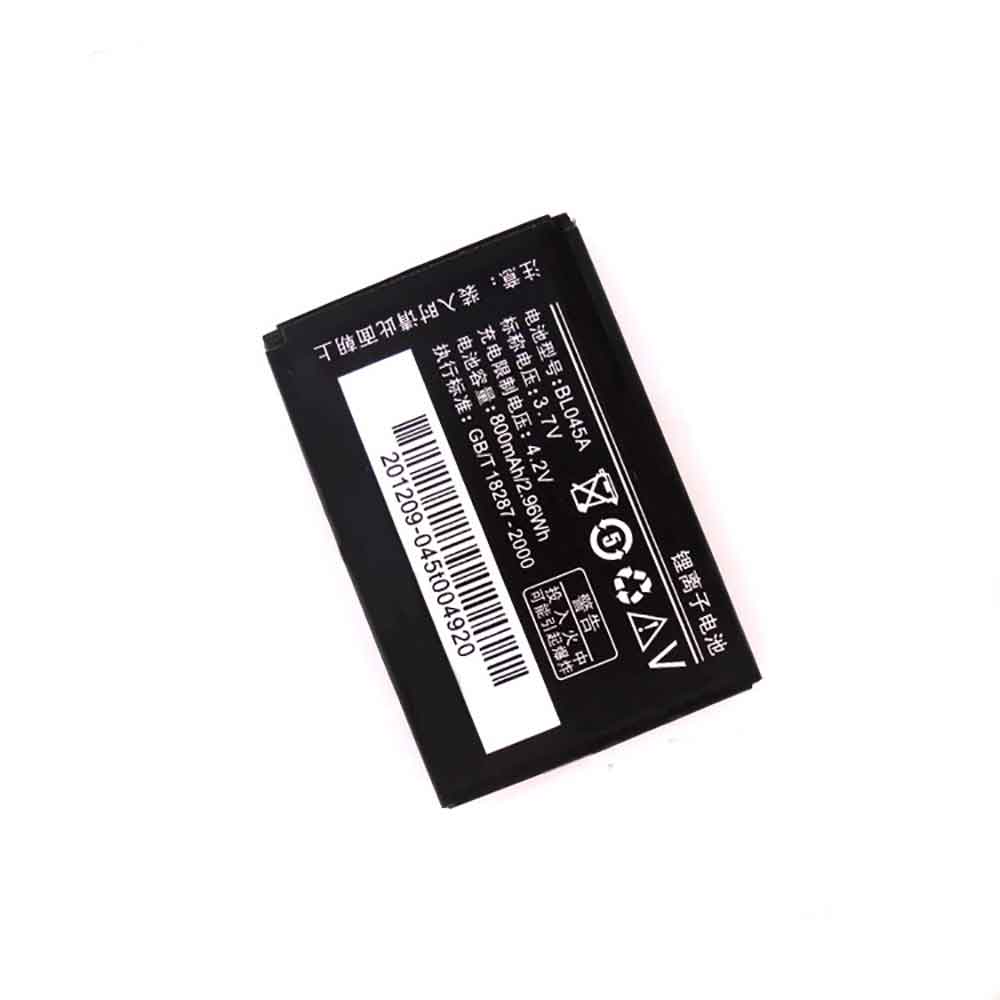
800mAh 3.7V Lenovo BL045A Li-ion Battery for Lenovo I389 I300 E520 S600 E268 I320

800mAh 3.7V Lenovo BL045A Batteries for Lenovo I389 I300 E520 S600 E268 I320, Lenovo BL045A Cell Phone battery is a brand new,100% Compatible original and replacement Phone battery,Purchase wholesale and retail BL045A with high quality and low price!

Find ou your original model number or part number(P/N), and move your eyes on the tag of battery

BL045A

Specifications

  • Brand:Lenovo
  • Capacity :800mAh
  • Voltage :3.7V
  • Type :Li-ion
  • Battery Cell Quality: Grade A
  • Descriptive: Replacement Battery – 1 Year Warranty
  • Description: Brand New, 1 Year Warranty! 30-Days Money Back! Fast Shipping!

How we test this Lenovo BL045A Battery
Step 1: Make sure customer bought the correct battery.
Step 2: Check battery’s appearance and interface.
Step 3: Test battery charger and recharger function.
Step 4: Charger the battery to 100% and recharger to 0% to get real battery capacity
Step 5: Use Ev2300 to check the voltage difference of each goroup cells.
Step 6: Charger battery power more than 30%.
Step 7: Package battery carefully and send out

Compatible Part Numbers:
BL045A

Compatible Model Numbers:
Lenovo I389 I300 E520 S600 E268 I320

How much do you know about how to run laptop well as any place? The follow Tips cut way back on protecting battery life.


1). Please recharge or change your Cell Phone battery when battery power low.
2). Using Li-Ion Replacement Lenovo BL045A Cell Phone Battery for your notebook which can work longer time than Non Li-ion one.
3). It is better to defragmentation regularly for your Cell Phone battery life.
4). In order to reduce the laptop power consumpition, you can use some optical drive spin-down and hard drive in your Cell Phone .
5). Please keep your laptop in sleep or standby model without long time using, which both save the Replacement Lenovo BL045A Cell Phone Battery power and extend battery using life.
6). Leave your battery in a dry and cool condition when without using.
7). When you rarely or generally plugged in fixed power using, Please take down your battery to avoid hurting battery life.

Hot Products

39WH/5070Mah LENOVO L17M2P52 for Lenovo 01AV468 SB10K97615 tabl3900mAh/15.0WH XIAOMI BM4E for Xiaomi Mi Pocophone F1 POCO F147WH /6150mah ASUS C21N1833 for ASUS ZENBOOK UX431 Series800mAh/2.96WH SAMSUNG AB463446BU for Samsung C3300K X208 B189 B309430mAh/1.63Wh GARMIN 361-00098-00 for GARMIN Fenix 5X Running6268mAh/72WH LENOVO L16M6PC1 for Lenovo Yoga 720-15IKB 5B10M5373350mAh NEC PC-VP-BP90 for Nec PC-VP-BP90 OP-570-77012 se1650mAh/6.11WH SAMSUNG EB-F1A2GBU for Samsung I9100 I9108 I9103 I7773500mAh/25.9WH HISENSE SR466789-2S1P for HISENSE CHROMEBOOK C11 SERIES3500mAh/25.9WH HISENSE SR466789-2S1P for HISENSE CHROMEBOOK C11 SERIES

Now that you have iOS 16 installed, do these 3 things first

 Apple released iOS 16 on Monday, and if you haven’t installed the latest mobile software update on your compatible iPhone, there are plenty of great new features to explore, such as unsend and edit text messages and view all your saved Wi-Fi passwords .

On iOS 16, however, there are three things you should definitely do first, all of which will improve your experience on your iPhone. Here’s what you need to know.

1. Create a new wallpaper option for your lock screen

Apple completely redesigned the lock screen on iOS 16, allowing you to fully customize various elements such as date and time, adding widgets to keep you updated on the weather and top news, and creating multiple wallpaper profiles that you can easily switch between To and from. Then customizing your lock screen should be the first thing you do after installing iOS 16.

To customize the lock screen, press your finger anywhere on the screen while the screen is locked, then unlock your device when prompted. Once this is done, a brand new lock screen will appear where you can shuffle and customize various lock screen wallpapers.

If you click the + button in the lower right corner to create a new wallpaper, you can browse a variety of Apple wallpapers, including weather and astronomy, emoji, and more. Some of these wallpapers include built-in widgets, but you can also add them later.

If you choose to upload a photo of yourself, look for one that clearly shows a person or object in the foreground. If you adjust your image just right, you’ll be able to use the new depth effect feature, which defers time to the focal point of any object, creating a layered look. You can then click on any lock screen element to customize the appearance. If you click Add Widgets, you can add tiny transparent widgets to that part of the wallpaper.

When done, tap Add and choose whether to use the wallpaper only on the lock screen or on the home screen. Here’s how Apple changes the lock screen on the iPhone 14.

2. Set up a Focus profile so you’re not distracted by notifications

Last year, Apple introduced Focus, an evolution of Do Not Disturb, which you can configure to receive only important notifications and alerts, and block everything else. But productivity features have been heavily redesigned on iOS 16, and if you want to reduce distractions on your iPhone, it’s worth checking out and setting it up.

In Settings, go to Focus and select the profile or profiles you want to configure. In your Focus profile, you can choose to receive notifications from certain people and apps, show silent notifications on your lock screen, hide notification badges, and have them automatically change your lock screen and home screen wallpaper when your Focus profile is open.

Additionally, you can schedule when the Focus profile opens and closes. If you use the Health app, you can retrieve your sleep information to choose the appropriate Focus schedule.

Finally, you can use Focus filters to customize how applications and system settings interact with you. For example, you can add app filters to Safari so that only certain tabs appear, or to the Mail app so that only some email messages are sent to you. For system settings, you can add a filter to automatically turn on dark mode and low power mode when you open a Focus profile.

Once you’ve completed your Focus profile, you can swipe down from the top-right corner of the screen to access Control Center, then tap the Focus control to open any profile you’ve created.

3. Set up iPhoto to delete duplicate photos and videos to free up storage space

If you need to quickly clear some space on your iPhone, Photos now has a built-in feature that searches your camera roll for any duplicate photos and videos. This is a great way to not only do some cleaning, but also delete files that are taking up storage space on your iPhone.

In Photos, go to the Albums tab, swipe all the way down and tap Repeat. You can now browse through all your photos and videos and click Merge for each set of duplicates, or click Select > Select All > Merge to remove all duplicates at once. At the bottom of each photo or video, you’ll see the size of the file, so you’ll want to prioritize larger files.

>>>>>>>>>>>>>iPhone battery