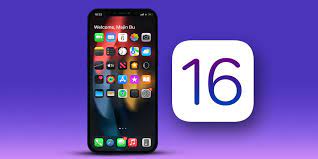
You can download iOS 16 now, and like every new major software update for the iPhone, there are some features and settings you’ll absolutely love and some you might not. If you got a new iPhone 14, this will also apply to you.
In iOS 16, the addition of a Search button at the bottom of the home screen, just above the dock, caused a stir. Many people are not happy with the new home screen setup.
While the search feature on iOS is useful for quickly finding text messages, files, settings, websites, and photos, the new button is placed in a place where it’s easy to accidentally tap, especially when you’re scrolling through the various Home screen pages. When you inadvertently click the new search button, the search function will appear full screen. Then you have to swipe it out to get back to your home screen – which is annoying.
Fortunately, there is an easy workaround to get rid of the new search button on the home screen, check it out below!
How to get rid of the new search button on iOS 16
On an iPhone running iOS 16, launch the Settings app, go to the Home screen and turn off the “Show on Home Screen” button under Search. Instead of the Search button on your home screen, you’ll now see dots that represent your various home screen pages. If you press it, nothing happens.
If you want to access the search function after removing the home button, you can access it the traditional way: swipe down from anywhere on the screen.
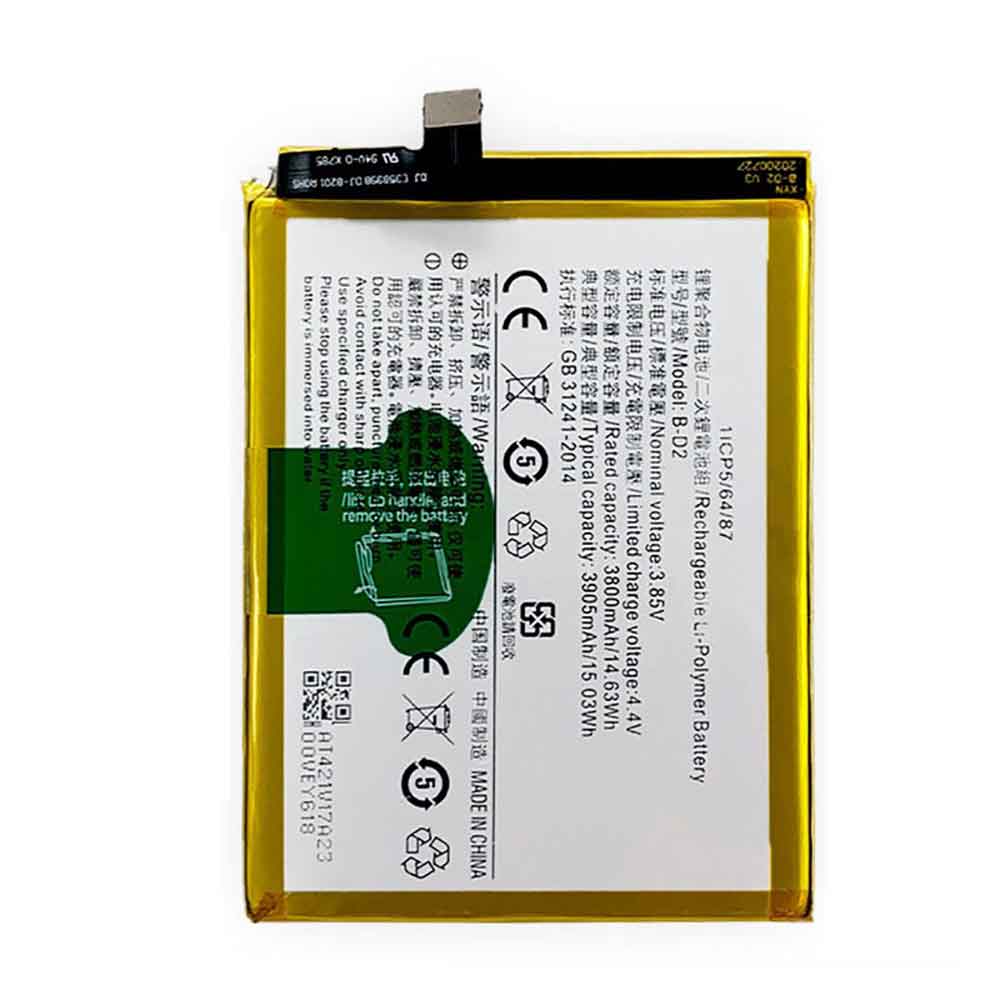
3905mAh 3.85V Vivo B-D2 Batteries for Vivo X20 Plus, Vivo B-D2 Cell Phone battery is a brand new,100% Compatible original and replacement Phone battery,Purchase wholesale and retail B-D2 with high quality and low price!
Find ou your original model number or part number(P/N), and move your eyes on the tag of battery
Descriptive: Replacement Battery – 1 Year Warranty
Description: Brand New, 1 Year Warranty! 30-Days Money Back! Fast Shipping!
How we test this Vivo B-D2 Battery Step 1: Make sure customer bought the correct battery. Step 2: Check battery’s appearance and interface. Step 3: Test battery charger and recharger function. Step 4: Charger the battery to 100% and recharger to 0% to get real battery capacity Step 5: Use Ev2300 to check the voltage difference of each goroup cells. Step 6: Charger battery power more than 30%. Step 7: Package battery carefully and send out
How much do you know about how to run laptop well as any place? The follow Tips cut way back on protecting battery life.
1). Please recharge or change your Cell Phone battery when battery power low. 2). Using Li-Ion Replacement Vivo B-D2 Cell Phone Battery for your notebook which can work longer time than Non Li-ion one. 3). It is better to defragmentation regularly for your Cell Phone battery life. 4). In order to reduce the laptop power consumpition, you can use some optical drive spin-down and hard drive in your Cell Phone . 5). Please keep your laptop in sleep or standby model without long time using, which both save the Replacement Vivo B-D2 Cell Phone Battery power and extend battery using life. 6). Leave your battery in a dry and cool condition when without using. 7). When you rarely or generally plugged in fixed power using, Please take down your battery to avoid hurting battery life.
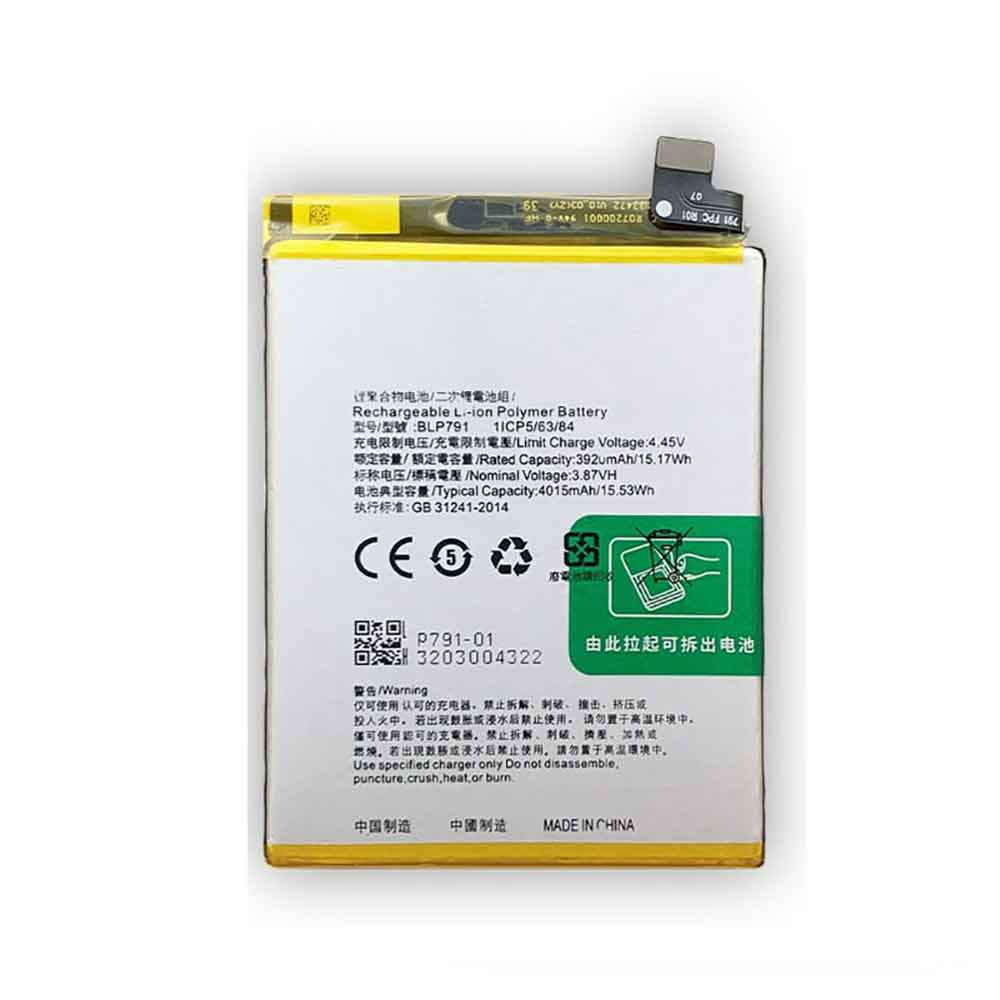
4015mAh 3.87V Oppo BLP791 Batteries for OPPO Reno4 4G, Oppo BLP791 Cell Phone battery is a brand new,100% Compatible original and replacement Phone battery,Purchase wholesale and retail BLP791 with high quality and low price!
Find ou your original model number or part number(P/N), and move your eyes on the tag of battery
Descriptive: Replacement Battery – 1 Year Warranty
Description: Brand New, 1 Year Warranty! 30-Days Money Back! Fast Shipping!
How we test this Oppo BLP791 Battery Step 1: Make sure customer bought the correct battery. Step 2: Check battery’s appearance and interface. Step 3: Test battery charger and recharger function. Step 4: Charger the battery to 100% and recharger to 0% to get real battery capacity Step 5: Use Ev2300 to check the voltage difference of each goroup cells. Step 6: Charger battery power more than 30%. Step 7: Package battery carefully and send out
How much do you know about how to run laptop well as any place? The follow Tips cut way back on protecting battery life.
1). Please recharge or change your Cell Phone battery when battery power low. 2). Using Li-Ion Replacement Oppo BLP791 Cell Phone Battery for your notebook which can work longer time than Non Li-ion one. 3). It is better to defragmentation regularly for your Cell Phone battery life. 4). In order to reduce the laptop power consumpition, you can use some optical drive spin-down and hard drive in your Cell Phone . 5). Please keep your laptop in sleep or standby model without long time using, which both save the Replacement Oppo BLP791 Cell Phone Battery power and extend battery using life. 6). Leave your battery in a dry and cool condition when without using. 7). When you rarely or generally plugged in fixed power using, Please take down your battery to avoid hurting battery life.
Apple’s iOS 16 update has officially rolled out to all eligible iPhones, starting with the iPhone 8 and later, and it comes with some neat features that users will love. The iOS 16 update brings major design changes to the lock screen as well as changes to the Messages app.
Check out some quick tips on how to get the most out of the iOS 16 update on your device!
There are two ways to customize the lock screen. You can go to Settings > Wallpapers > and tap Add New Wallpaper. You will now see a lot of wallpaper and lock screen options. You’ll see Favorites, the ability to choose a photo from your gallery as your lock screen, and options to choose emoji-based wallpapers, weather wallpapers. Now, if you choose one, you’ll see options for further customization. You can click and change the font or color of the time widget, or even the date.
Another way to customize it is to long-press on the lock screen itself, and customization options will appear. There is also a plus sign next to it. You can customize your existing lock screen, or just tap the plus sign and an entire menu will appear where you can change, tweak, and edit it. You can also add more widgets to the lock screen from here.
This is a cool feature on iOS 16. You can now remove the background from your photo, but just make sure the photo is one with the subject in focus and the background clear.
You can now simply click on the relevant object in the photo and the background will be removed. Once Apple’s software comes into play, the copy/share options appear. Just hit copy and open any other app. Just click and use it when the paste option appears. Pictures without backgrounds will be pasted into the chat. This option also lets you share images directly to apps like Gmail or Messages.
Apple iOS 16: Edit, Unsend Messages
In iOS 16, you can now edit or unsend an iMessage within 15 minutes of it being sent. You just long-press a message and you’ll see options to unsend or edit it. Remember that for the unsent option to work, the other party needs to be on iOS 16. If not, they can still see the message.
Apple’s iOS 16 will add a dedicated medication feature to the Health app. When you open the Health app, you’ll see the option to add your medication now. Apples will let you add medications based on dosage, name, and even the shape and form of the medication and how long you take it. You can also set alarms or reminders to take your medication.
Apple iOS 16: Find WiFi passwords easily
Apple’s iOS 16 finally fixes this, and you can now see passwords for existing WiFi connections. Just go to Settings > WiFi and tap on a specific WiFi connection. The password should be visible, although it will be hidden in the dots. Click this and you can see the password. Apple will verify your identity with Face ID or Touch ID based on what you activated before revealing your passcode.
Apple has introduced Quick Notes on macOS and iPadOS, and now the feature is coming to iOS 16 as well. You can go to the control center and add a quick note option. Now, when you swipe down and tap the quick note symbol, a note will open for you to quickly write anything.
watchOS 9 is officially released, which means it’s time to update your Apple Watch if you’re ready to take advantage of all of its new features, tools, and settings. But with all the upgrades on your wrist, you might want to offer advice on what to try first.
In watchOS 9, the Apple Watch has improved sleep tracking, including sleep stage data, a range of fresh watch faces, an improved workout interface, AFib history, the Medicines app in iOS 16, slim notification banners, and more.
All devices that support watchOS 9 are also getting Apple Watch Low Power Mode – a battery life feature not only reserved for the Apple Watch Series 8 and Apple Watch Ultra. Some watchOS 9 updates are exclusive to specific Apple Watch devices, but no matter which device you own, installing the latest software version makes the best smartwatch even better.
Here are five features you should try first when you get watchOS 9 up and running, so check them out!
There are now more Apple Watch faces to choose from than ever before, with four new faces added in watchOS 9: Metropolitan, Lunar, Astronomy, and Playtime.
Some existing watch faces also have new customization options. As always, you can create a library of many watch faces, but now your iPhone’s Focus presets can also include designated watch faces. This means that if you enable a specific Focus state on your iPhone, your Apple Watch watch face will automatically change to reflect your preference for a given Focus.
2. Set up the medicine app
Actually supports using your iPhone and Apple Watch at the same time. While the new medication app might not sound exciting, it’s incredibly useful for anyone taking any medication and can help you build a more complete digital health profile.
In the Health app on your iPhone, you can add medications and specify what time of day you take them. Not only will the health app check for possible reactions to your medications, but it will also send you reminders when you’re taking them. These reminders will appear on your Apple Watch, prompting you to record your intake quickly and discreetly from your wrist.
The Apple Watch Fitness app has been considerably improved in watchOS 9, so a great way to try out the new features is to get active. With several new running metrics, there are even more ways to monitor your runs and progress in watchOS 9—vertical swing, stride length, and touchdown data let you further explore your performance. Custom workouts and recognition of regular routes can also guide you toward your running goals.
Another new metric for Apple Watch workout tracking is heart rate zones. Monitoring your heart rate zones can help you understand your intensity level. You can view your heart rate zones in real time in the Workout app. You can now also conveniently view the progress of your Apple Watch ring without leaving the app.
Although this was a later announcement, Apple Watch Low Power Mode is one of the most exciting updates to watchOS 9. Apple Watch Series 8 battery life is now up from 18 hours to 36 hours, according to Apple estimates. The company doesn’t specify estimates for older Apple Watch devices, but if you turn on Low Power Mode in Control Center, you should see an improvement in Apple Watch stamina.
Low Power Mode disables power-hungry features such as the always-on display, cellular and Wi-Fi connections, automatic workout tracking, and continuous heart rate monitoring. It might not be a feature you want to use all the time, but if you still have a long day or even an overnight trip, see if Low Power Mode can keep your Apple Watch alive.
In watchOS 9, the sleep app has been upgraded to include sleep stage data. Previously, the Apple Watch could only tell you when you were in bed and when you fell asleep through breathing data. You can now see an overview of sleep cycles.
Using the information gathered by the accelerometer and heart rate monitor, the Apple Watch should now be able to detect what stage of sleep you’re in throughout the night. You will be able to see how much time you spend in each stage and when you wake up. You can view long-term sleep trends in the Health app on your iPhone.
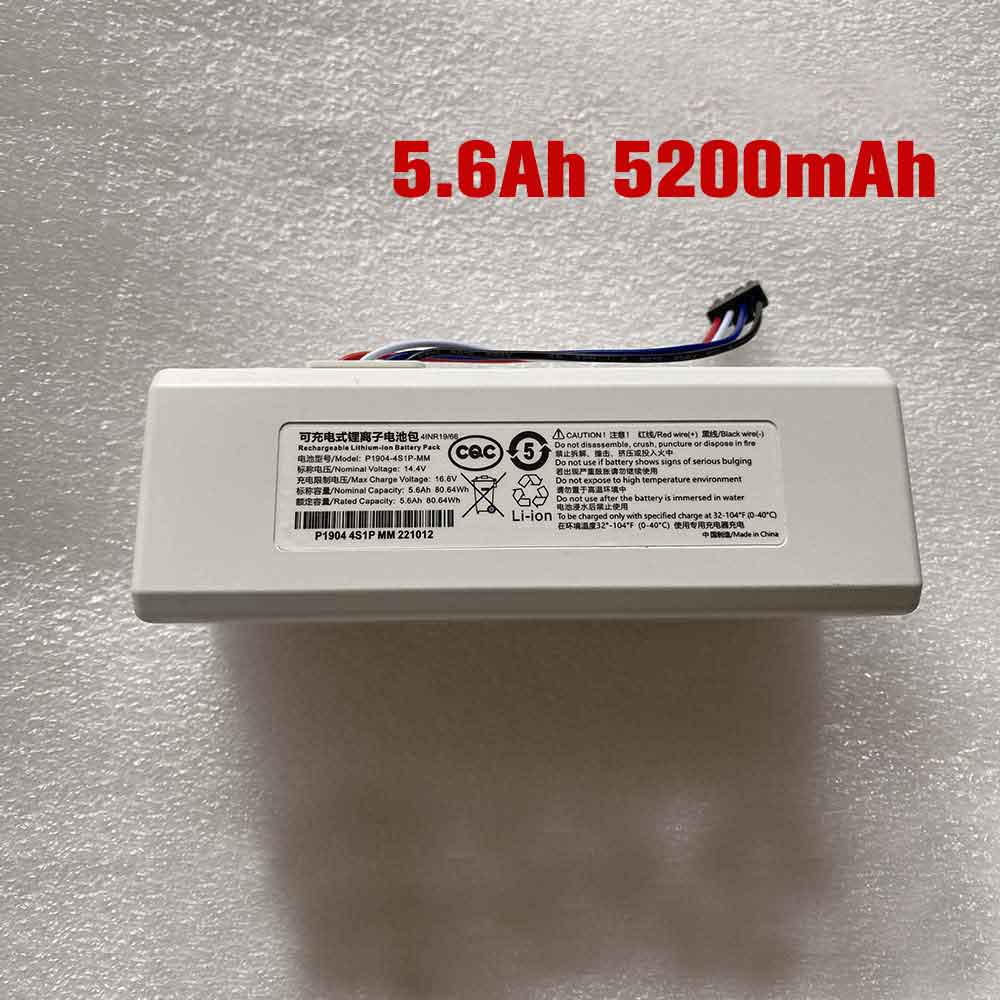
2.4Ah 14.4V Xiaomi P1904-4S1P-MM Batteries for Xiaomi Robot Vacuum Cleaner Roborock 1C, Xiaomi P1904-4S1P-MM Other battery is a brand new,100% Compatible original and replacement battery,Purchase wholesale and retail P1904-4S1P-MM with high quality and low price!
Find ou your original model number or part number(P/N), and move your eyes on the tag of battery
Descriptive: Replacement Battery – 1 Year Warranty
Description: Brand New, 1 Year Warranty! 30-Days Money Back! Fast Shipping!
How we test this Xiaomi P1904-4S1P-MM Battery Step 1: Make sure customer bought the correct battery. Step 2: Check battery’s appearance and interface. Step 3: Test battery charger and recharger function. Step 4: Charger the battery to 100% and recharger to 0% to get real battery capacity Step 5: Use Ev2300 to check the voltage difference of each goroup cells. Step 6: Charger battery power more than 30%. Step 7: Package battery carefully and send out
Compatible Model Numbers: Xiaomi Robot Vacuum Cleaner Roborock 1C
How much do you know about how to run laptop well as any place? The follow Tips cut way back on protecting battery life.
1). Please recharge or change your Other battery when battery power low. 2). Using Li-Ion Replacement Xiaomi P1904-4S1P-MM Other Battery for your notebook which can work longer time than Non Li-ion one. 3). It is better to defragmentation regularly for your Other battery life. 4). In order to reduce the laptop power consumpition, you can use some optical drive spin-down and hard drive in your Other . 5). Please keep your laptop in sleep or standby model without long time using, which both save the Replacement Xiaomi P1904-4S1P-MM Other Battery power and extend battery using life. 6). Leave your battery in a dry and cool condition when without using. 7). When you rarely or generally plugged in fixed power using, Please take down your battery to avoid hurting battery life.
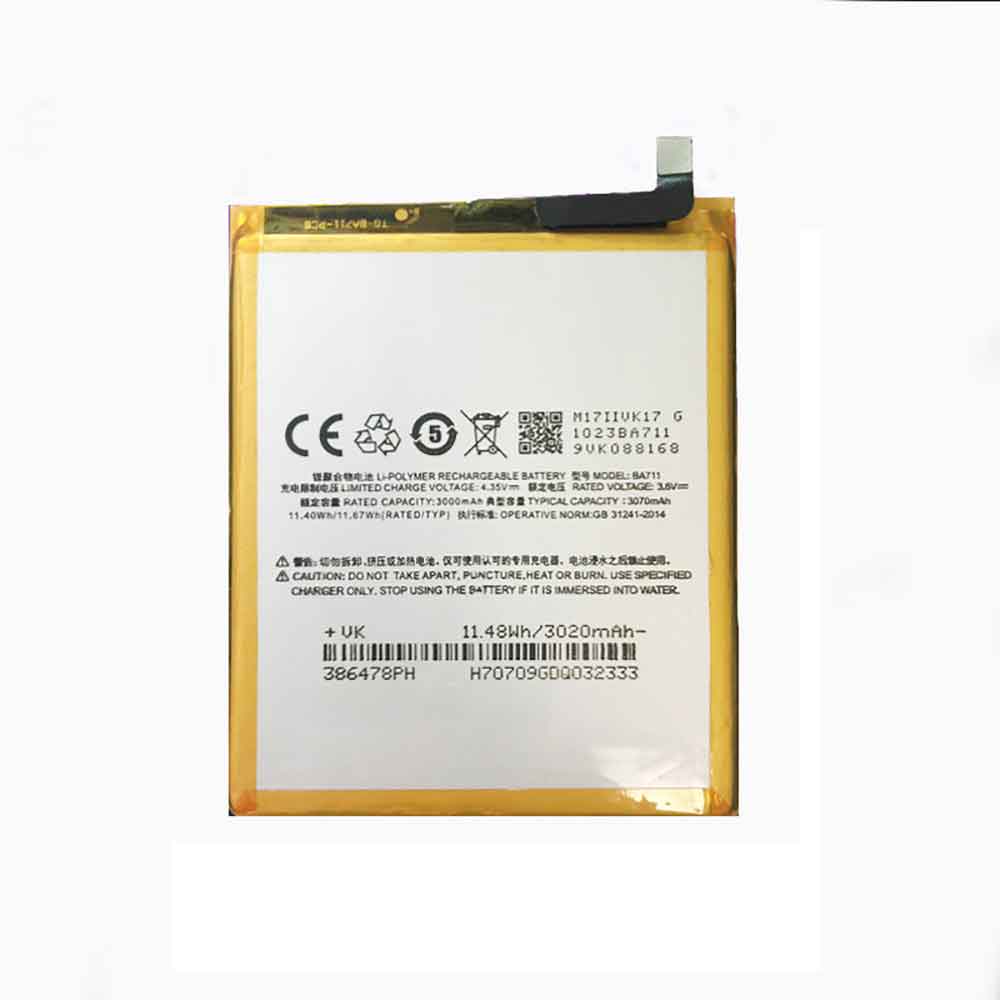
3070mAh 3.8V Meizu BA711 Batteries for Meizu M6, Meizu BA711 Cell Phone battery is a brand new,100% Compatible original and replacement Phone battery,Purchase wholesale and retail BA711 with high quality and low price!
Find ou your original model number or part number(P/N), and move your eyes on the tag of battery
Descriptive: Replacement Battery – 1 Year Warranty
Description: Brand New, 1 Year Warranty! 30-Days Money Back! Fast Shipping!
How we test this Meizu BA711 Battery Step 1: Make sure customer bought the correct battery. Step 2: Check battery’s appearance and interface. Step 3: Test battery charger and recharger function. Step 4: Charger the battery to 100% and recharger to 0% to get real battery capacity Step 5: Use Ev2300 to check the voltage difference of each goroup cells. Step 6: Charger battery power more than 30%. Step 7: Package battery carefully and send out
How much do you know about how to run laptop well as any place? The follow Tips cut way back on protecting battery life.
1). Please recharge or change your Cell Phone battery when battery power low. 2). Using Li-Ion Replacement Meizu BA711 Cell Phone Battery for your notebook which can work longer time than Non Li-ion one. 3). It is better to defragmentation regularly for your Cell Phone battery life. 4). In order to reduce the laptop power consumpition, you can use some optical drive spin-down and hard drive in your Cell Phone . 5). Please keep your laptop in sleep or standby model without long time using, which both save the Replacement Meizu BA711 Cell Phone Battery power and extend battery using life. 6). Leave your battery in a dry and cool condition when without using. 7). When you rarely or generally plugged in fixed power using, Please take down your battery to avoid hurting battery life.
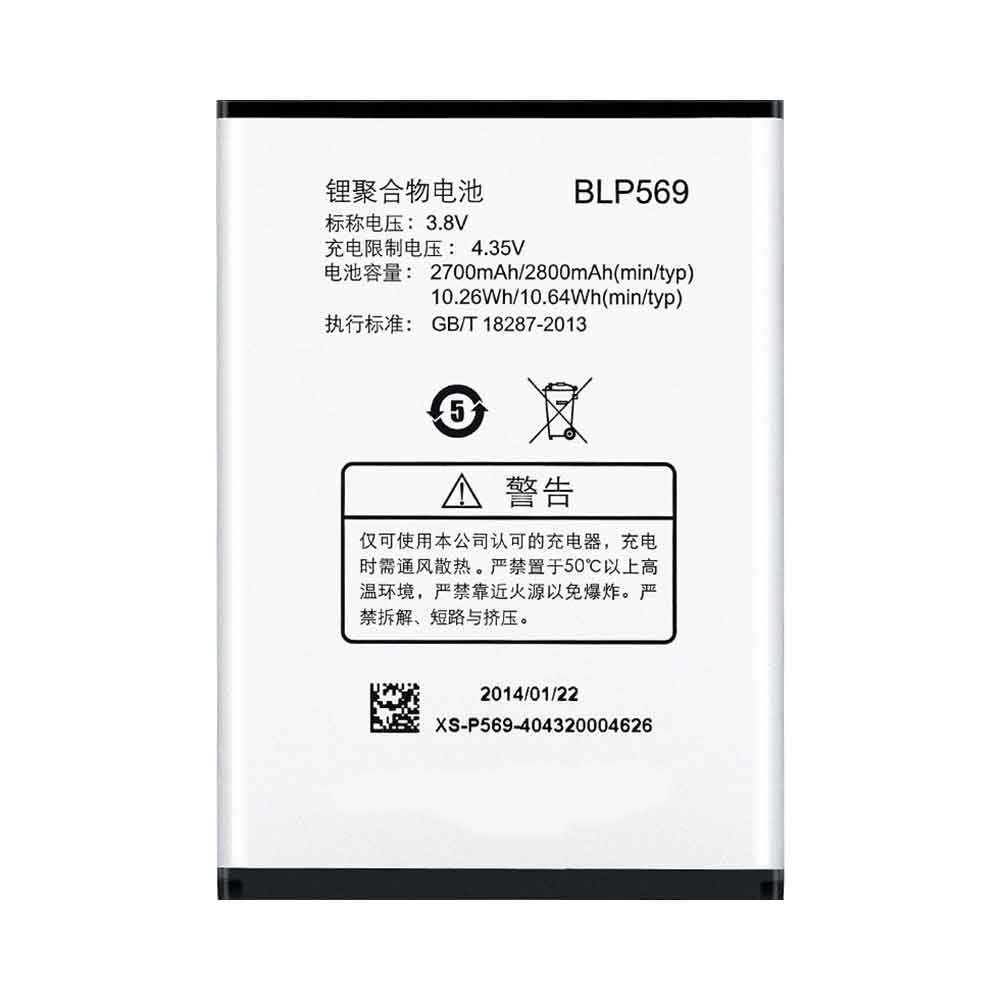
2800mAh 3.8V Oppo BLP569 Batteries for OPPO Find7 X9007, Oppo BLP569 Cell Phone battery is a brand new,100% Compatible original and replacement Phone battery,Purchase wholesale and retail BLP569 with high quality and low price!
Find ou your original model number or part number(P/N), and move your eyes on the tag of battery
Descriptive: Replacement Battery – 1 Year Warranty
Description: Brand New, 1 Year Warranty! 30-Days Money Back! Fast Shipping!
How we test this Oppo BLP569 Battery Step 1: Make sure customer bought the correct battery. Step 2: Check battery’s appearance and interface. Step 3: Test battery charger and recharger function. Step 4: Charger the battery to 100% and recharger to 0% to get real battery capacity Step 5: Use Ev2300 to check the voltage difference of each goroup cells. Step 6: Charger battery power more than 30%. Step 7: Package battery carefully and send out
How much do you know about how to run laptop well as any place? The follow Tips cut way back on protecting battery life.
1). Please recharge or change your Cell Phone battery when battery power low. 2). Using Li-Ion Replacement Oppo BLP569 Cell Phone Battery for your notebook which can work longer time than Non Li-ion one. 3). It is better to defragmentation regularly for your Cell Phone battery life. 4). In order to reduce the laptop power consumpition, you can use some optical drive spin-down and hard drive in your Cell Phone . 5). Please keep your laptop in sleep or standby model without long time using, which both save the Replacement Oppo BLP569 Cell Phone Battery power and extend battery using life. 6). Leave your battery in a dry and cool condition when without using. 7). When you rarely or generally plugged in fixed power using, Please take down your battery to avoid hurting battery life.
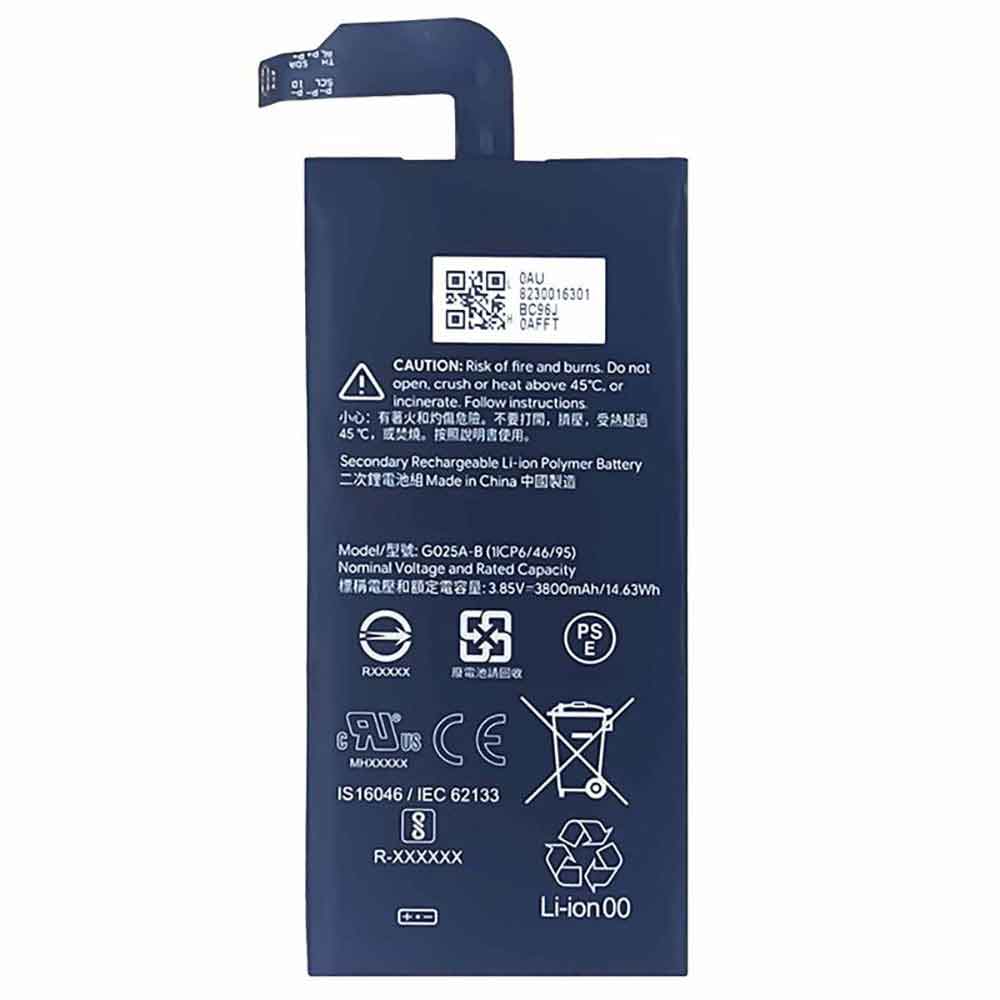
3800mAh 3.85V Google G025A-B Batteries for Google Pixel 5 XL, Google G025A-B Cell Phone battery is a brand new,100% Compatible original and replacement Phone battery,Purchase wholesale and retail G025A-B with high quality and low price!
Find ou your original model number or part number(P/N), and move your eyes on the tag of battery
Descriptive: Replacement Battery – 1 Year Warranty
Description: Brand New, 1 Year Warranty! 30-Days Money Back! Fast Shipping!
How we test this Google G025A-B Battery Step 1: Make sure customer bought the correct battery. Step 2: Check battery’s appearance and interface. Step 3: Test battery charger and recharger function. Step 4: Charger the battery to 100% and recharger to 0% to get real battery capacity Step 5: Use Ev2300 to check the voltage difference of each goroup cells. Step 6: Charger battery power more than 30%. Step 7: Package battery carefully and send out
How much do you know about how to run laptop well as any place? The follow Tips cut way back on protecting battery life.
1). Please recharge or change your Cell Phone battery when battery power low. 2). Using Li-Ion Replacement Google G025A-B Cell Phone Battery for your notebook which can work longer time than Non Li-ion one. 3). It is better to defragmentation regularly for your Cell Phone battery life. 4). In order to reduce the laptop power consumpition, you can use some optical drive spin-down and hard drive in your Cell Phone . 5). Please keep your laptop in sleep or standby model without long time using, which both save the Replacement Google G025A-B Cell Phone Battery power and extend battery using life. 6). Leave your battery in a dry and cool condition when without using. 7). When you rarely or generally plugged in fixed power using, Please take down your battery to avoid hurting battery life.
During Apple’s WWDC keynote, the iPhone unveiled iOS 16, which introduced a redesigned lock screen, improved privacy and family sharing, and a host of new features for other existing apps. The update will be available to anyone with an iPhone 8 and later on September 12.
After iOS 15’s focus on productivity in 2021, this seems to be a continuation of this trend, while it focuses more on personalization thanks to the new lock screen feature. With that in mind, we compared the two versions to see what benefits iOS 16 will bring you.
After restarting your iPhone in iOS 16, you’ll see a different lock screen. Inspired by the way you customize your Apple Watch face, you can swipe between different lock screens with colors, fonts, and widgets.
Up to four widgets can be added, and developers can also make custom widgets for their apps once iOS 16 launches.
Compared to iOS 15, the customization is unparalleled. For years, you could just set the wallpaper and decide if the image moved as you moved your iPhone.
Animated wallpapers were introduced with the iPhone 6S in 2015, but you had to press the screen for it to animate. However, the lock screen in iOS 16 goes a step further. For example, there’s “Live Activity” that tracks sports, while notifications and Now Playing screens sit at the bottom to make those more accessible to your thumb.
iOS 15 and iOS 16: Mail
Apple‘s Mail app has been in the background for years, with third-party apps filling in the gaps. You could say that’s why users often set their third-party mail app as the default app in iOS.
However, iOS 16 is finally starting to catch up with other apps, including Schedule Send, Undo Send, and more. These Mail improvements also apply to macOS Ventura and iPadOS 16, so no user will feel left out this year once the update is released to everyone.
When you compare it to the ubiquitous Mail app in iOS 15, you realize how many cool Mail features are on the desktop. With iOS 16, it’s finally easier to manage your mail.
iOS 15 vs. iOS 16: Messages
It’s another app Apple has focused on this year, with the ability to edit or undo messages up to 15 minutes after they’ve been sent, as well as a host of collaboration features.
Since its debut in iOS 5, iMessage has allowed Apple users to message each other, similar to WhatsApp. But while Messages has been updated in recent years, such as group chats and pinned conversations, users want more of what’s already available in other messaging apps.
This is where messaging and collaboration are improved. For example, you can invite someone to work on a project in Pages or Numbers, and any activity will show up in Messages. The ability to recover deleted messages up to 30 days after they were deleted in iOS 16 is another big update this year.
This is a series of improvements to Photos in iOS 16, the ability to lock albums with a passcode, duplicate photo detection, turn off featured content, and more.
There’s also a new iCloud Photos feature called iCloud Photo Library. This brings the ability to share the library with your family, photos can be taken with the camera app and will be saved directly in this folder.
iOS 16 is a small update compared to iOS 15, but it’s a series of small improvements that make a big difference, especially since these are also included in macOS Ventura and iPadOS 16.