4000mAh 3.85V Gree G0215D Li-ion Battery for Gree G0215D

4000mAh 3.85V Gree G0215D Batteries for Gree G0215D, Gree G0215D Cell Phone battery is a brand new,100% Compatible original and replacement Phone battery,Purchase wholesale and retail G0215D with high quality and low price!

Find ou your original model number or part number(P/N), and move your eyes on the tag of battery
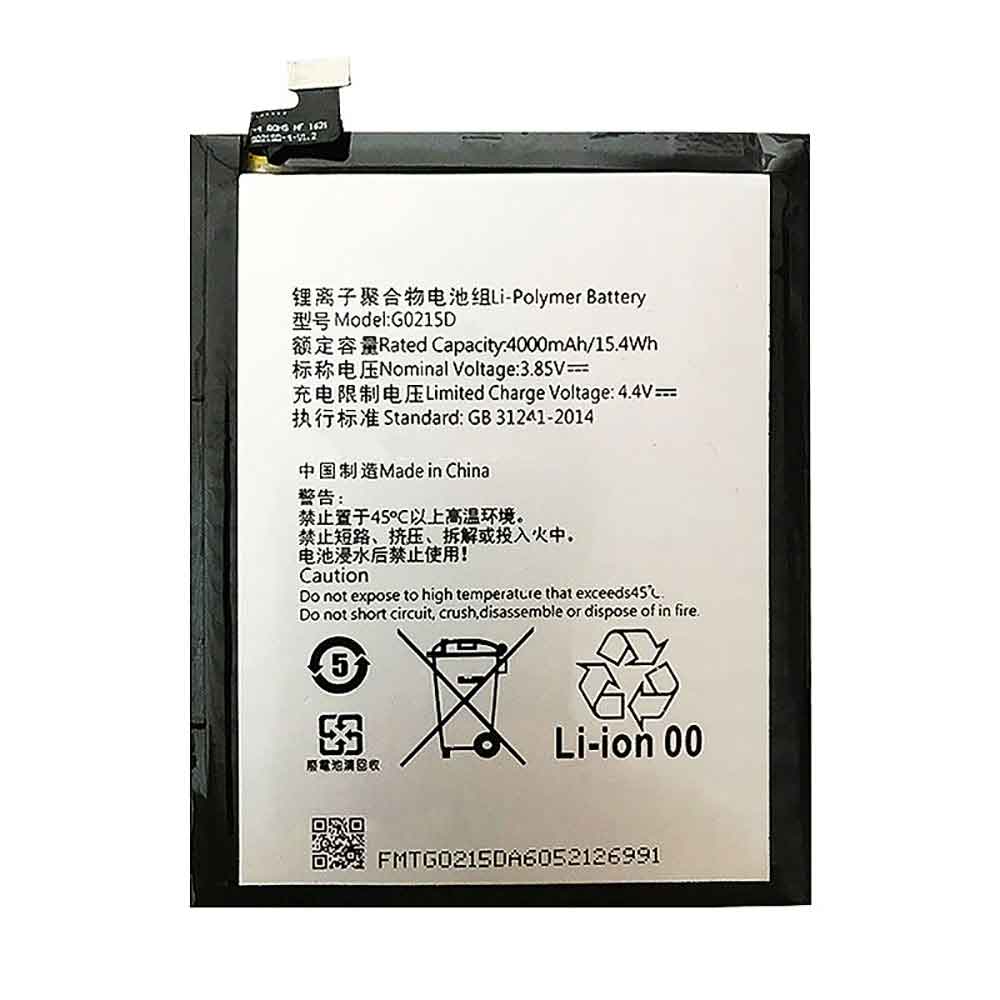
G0215D

Specifications

  • Brand:Gree
  • Capacity :4000mAh
  • Voltage :3.85V
  • Type :Li-ion
  • Battery Cell Quality: Grade A
  • Descriptive: Replacement Battery – 1 Year Warranty
  • Description: Brand New, 1 Year Warranty! 30-Days Money Back! Fast Shipping!

How we test this Gree G0215D Battery
Step 1: Make sure customer bought the correct battery.
Step 2: Check battery’s appearance and interface.
Step 3: Test battery charger and recharger function.
Step 4: Charger the battery to 100% and recharger to 0% to get real battery capacity
Step 5: Use Ev2300 to check the voltage difference of each goroup cells.
Step 6: Charger battery power more than 30%.
Step 7: Package battery carefully and send out

Compatible Part Numbers:
G0215D

Compatible Model Numbers:
Gree G0215D

How much do you know about how to run laptop well as any place? The follow Tips cut way back on protecting battery life.


1). Please recharge or change your Cell Phone battery when battery power low.
2). Using Li-Ion Replacement Gree G0215D Cell Phone Battery for your notebook which can work longer time than Non Li-ion one.
3). It is better to defragmentation regularly for your Cell Phone battery life.
4). In order to reduce the laptop power consumpition, you can use some optical drive spin-down and hard drive in your Cell Phone .
5). Please keep your laptop in sleep or standby model without long time using, which both save the Replacement Gree G0215D Cell Phone Battery power and extend battery using life.
6). Leave your battery in a dry and cool condition when without using.
7). When you rarely or generally plugged in fixed power using, Please take down your battery to avoid hurting battery life.

Hot Products

1000MAH/3.5Wh FUJIFILM NP-50 for Fujifilm NP-50A F665 F750 F756580mAh 25.33Wh BLACKVIEW DK014 for Blackview BV9800 / BV9800 Pro2964MAH /45wh LENOVO L18C4PF3 for Lenovo FLEX-14IWL 81SQ (DE110)37Wh ACER AL15A32 for Acer Aspire E5-522 E5-522G E5-7200mAh DELL 01X284 for Dell Inspiron 8500/8500M/87200mAh DELL 01X284 for Dell Inspiron 8500/8500M/849.81Wh/6470mAh HP ET04XL for HP HSTNN-IB7U ET04049XL1800mah MITSUBISHI 5PCS for Mitsubishi FX PLC F2-40BL2230mAH/17Wh BOSE 061384 for Bose Soundlink Mini I ONE420mAh HUITENG 401862 for Huiteng Toy Gun
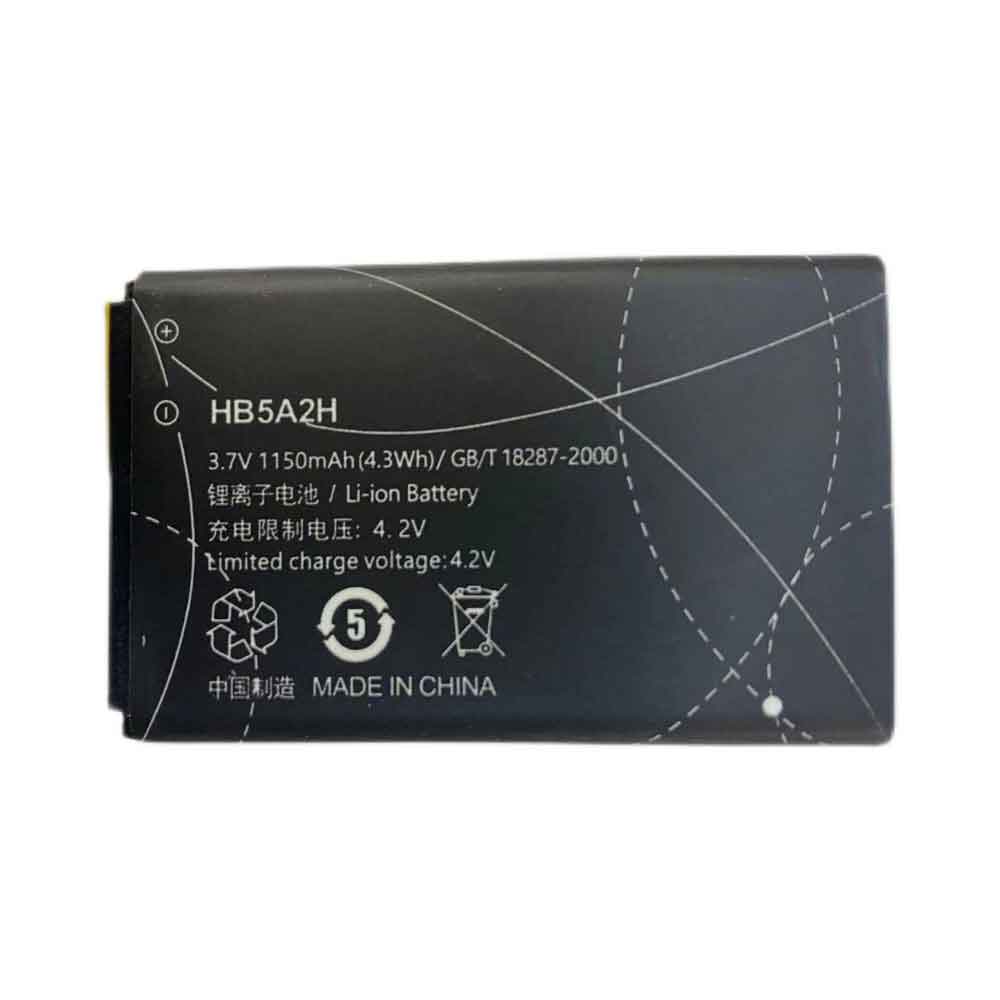
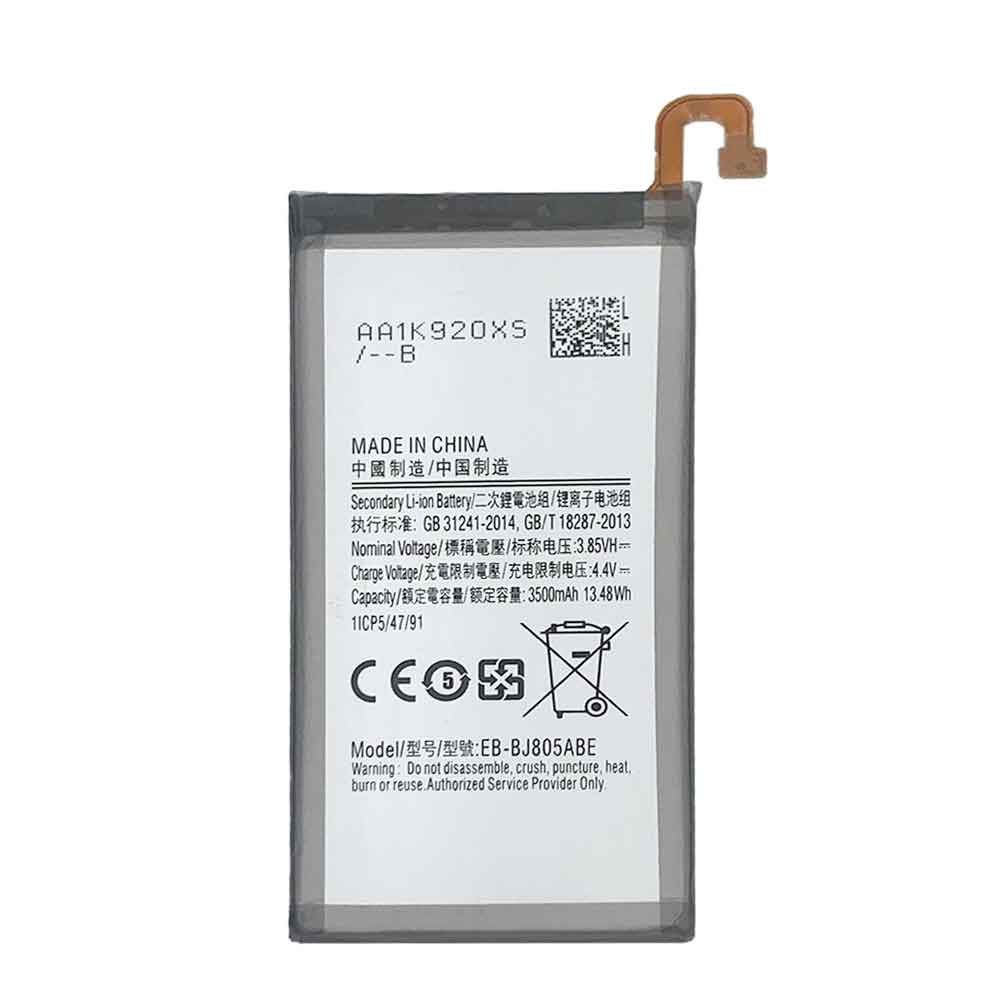
1150mAh 3.7V Huawei HB5A2H Li-ion Battery for Huawei U7510 U7519 E5220 8000 T550 U1860

1150mAh 3.7V Huawei HB5A2H Batteries for Huawei U7510 U7519 E5220 8000 T550 U1860, Huawei HB5A2H Cell Phone battery is a brand new,100% Compatible original and replacement Phone battery,Purchase wholesale and retail HB5A2H with high quality and low price!

Find ou your original model number or part number(P/N), and move your eyes on the tag of battery

HB5A2H

Specifications

  • Brand:Huawei
  • Capacity :1150mAh
  • Voltage :3.7V
  • Type :Li-ion
  • Battery Cell Quality: Grade A
  • Descriptive: Replacement Battery – 1 Year Warranty
  • Description: Brand New, 1 Year Warranty! 30-Days Money Back! Fast Shipping!

How we test this Huawei HB5A2H Battery
Step 1: Make sure customer bought the correct battery.
Step 2: Check battery’s appearance and interface.
Step 3: Test battery charger and recharger function.
Step 4: Charger the battery to 100% and recharger to 0% to get real battery capacity
Step 5: Use Ev2300 to check the voltage difference of each goroup cells.
Step 6: Charger battery power more than 30%.
Step 7: Package battery carefully and send out

Compatible Part Numbers:
HB5A2H

Compatible Model Numbers:
Huawei U7510 U7519 E5220 8000 T550 U1860

How much do you know about how to run laptop well as any place? The follow Tips cut way back on protecting battery life.


1). Please recharge or change your Cell Phone battery when battery power low.
2). Using Li-Ion Replacement Huawei HB5A2H Cell Phone Battery for your notebook which can work longer time than Non Li-ion one.
3). It is better to defragmentation regularly for your Cell Phone battery life.
4). In order to reduce the laptop power consumpition, you can use some optical drive spin-down and hard drive in your Cell Phone .
5). Please keep your laptop in sleep or standby model without long time using, which both save the Replacement Huawei HB5A2H Cell Phone Battery power and extend battery using life.
6). Leave your battery in a dry and cool condition when without using.
7). When you rarely or generally plugged in fixed power using, Please take down your battery to avoid hurting battery life.

Hot Products

6580mAh 25.33Wh BLACKVIEW DK014 for Blackview BV9800 / BV9800 Pro2964MAH /45wh LENOVO L18C4PF3 for Lenovo FLEX-14IWL 81SQ (DE110)37Wh ACER AL15A32 for Acer Aspire E5-522 E5-522G E5-7200mAh DELL 01X284 for Dell Inspiron 8500/8500M/87200mAh DELL 01X284 for Dell Inspiron 8500/8500M/849.81Wh/6470mAh HP ET04XL for HP HSTNN-IB7U ET04049XL1800mah MITSUBISHI 5PCS for Mitsubishi FX PLC F2-40BL2230mAH/17Wh BOSE 061384 for Bose Soundlink Mini I ONE420mAh HUITENG 401862 for Huiteng Toy Gun7200mAh DELL TK330 for DELL XPS M1530

4500mAh 3.85V Huawei HB555591EEW Li-ion Battery for Huawei Mate 30 Pro

4500mAh 3.85V Huawei HB555591EEW Batteries for Huawei Mate 30 Pro, Huawei HB555591EEW Cell Phone battery is a brand new,100% Compatible original and replacement Phone battery,Purchase wholesale and retail HB555591EEW with high quality and low price!

Find ou your original model number or part number(P/N), and move your eyes on the tag of battery

HB555591EEW

Specifications

  • Brand:Huawei
  • Capacity :4500mAh
  • Voltage :3.85V
  • Type :Li-ion
  • Battery Cell Quality: Grade A
  • Descriptive: Replacement Battery – 1 Year Warranty
  • Description: Brand New, 1 Year Warranty! 30-Days Money Back! Fast Shipping!

How we test this Huawei HB555591EEW Battery
Step 1: Make sure customer bought the correct battery.
Step 2: Check battery’s appearance and interface.
Step 3: Test battery charger and recharger function.
Step 4: Charger the battery to 100% and recharger to 0% to get real battery capacity
Step 5: Use Ev2300 to check the voltage difference of each goroup cells.
Step 6: Charger battery power more than 30%.
Step 7: Package battery carefully and send out

Compatible Part Numbers:
HB555591EEW

Compatible Model Numbers:
Huawei Mate 30 Pro

How much do you know about how to run laptop well as any place? The follow Tips cut way back on protecting battery life.


1). Please recharge or change your Cell Phone battery when battery power low.
2). Using Li-Ion Replacement Huawei HB555591EEW Cell Phone Battery for your notebook which can work longer time than Non Li-ion one.
3). It is better to defragmentation regularly for your Cell Phone battery life.
4). In order to reduce the laptop power consumpition, you can use some optical drive spin-down and hard drive in your Cell Phone .
5). Please keep your laptop in sleep or standby model without long time using, which both save the Replacement Huawei HB555591EEW Cell Phone Battery power and extend battery using life.
6). Leave your battery in a dry and cool condition when without using.
7). When you rarely or generally plugged in fixed power using, Please take down your battery to avoid hurting battery life.

Hot Products

6580mAh 25.33Wh BLACKVIEW DK014 for Blackview BV9800 / BV9800 Pro2964MAH /45wh LENOVO L18C4PF3 for Lenovo FLEX-14IWL 81SQ (DE110)37Wh ACER AL15A32 for Acer Aspire E5-522 E5-522G E5-7200mAh DELL 01X284 for Dell Inspiron 8500/8500M/87200mAh DELL 01X284 for Dell Inspiron 8500/8500M/849.81Wh/6470mAh HP ET04XL for HP HSTNN-IB7U ET04049XL1800mah MITSUBISHI 5PCS for Mitsubishi FX PLC F2-40BL2230mAH/17Wh BOSE 061384 for Bose Soundlink Mini I ONE420mAh HUITENG 401862 for Huiteng Toy Gun7200mAh DELL TK330 for DELL XPS M1530

iPhone 14 vs iPhone 14 Pro: Rumors of the Pro advantage?

 It has been confirmed that Apple will hold its next event on September 7, and we will almost certainly see the iPhone 14 series there. So what can we expect from the iPhone 14 and its finer sibling, the iPhone 14 Pro? How do they compare?

It’s a comparison well worth making, as all rumors point to a bigger gulf between the two phones than we’ve seen in the past. Let’s take a look below!

iPhone 14 and iPhone 14 Pro pricing and availability

Both the iPhone 14 and iPhone 14 Pro will be released on September 7, with retail likely set for September 16.

As for pricing, the iPhone 14 is priced the same as the previous iPhone 13. That means prices start at $799 / £779 / AU$1,349. However, the iPhone 14 Pro is said to increase by $100 and is expected to start at $1,099. Depending on how Apple is priced in other regions, that could mean a cost of £1,049 / AU$1,849.

It should reflect that the performance and feature gap between the two phones may be wider than we’ve seen in the past.

iPhone 14 and iPhone 14 Pro design comparison

Preliminary reports suggest that the base iPhone 14 will be very similar to last year’s iPhone 13. That means a sharp phone consists of a flat surface with aluminum bezels and glass front and back.

We don’t expect the iPhone 14 Pro to stray too far from the formula, at least in terms of basic shape and size. However, it may see a switch to a different frame, with several sources claiming that the frame of the iPhone 14 Pro will be made of titanium. This will make it stronger than the existing stainless steel Pro frame.

The biggest change is likely to be related to the front of the phone. According to numerous sources, the iPhone 14 Pro will replace the iPhone 14’s typical display notch with a cutout on the screen itself for the selfie camera and Face ID components, making it look more like a modern Android phone. Beyond that, both devices are rumored to be a bit thicker than before thanks to the addition of a slightly larger battery.

In terms of colors, the full list of rumored iPhone 14 colors includes purple, green, black, white, blue, and red, while the iPhone 14 Pro may come in purple, gold, green, graphite, and silver.

iPhone 14 and iPhone 14 Pro displays

According to the leak, both the iPhone 14 and iPhone 14 Pro are set to have 6.1-inch OLED displays with the same resolution of 1170 x 2532, but they will be very different.

On the one hand, there will reportedly be a familiar difference between the iPhone 14’s 60Hz refresh rate and the Pro’s 120Hz “ProMotion” refresh rate. Even more interesting is a statement from Korean site TheElec that Apple will use a premium OLED panel in the iPhone 14 Pro, which could lead to better image quality for the high-end model.

There are also rumors that Apple may improve the Pro’s LTPO technology and potentially drop the variable refresh rate down to 1Hz. This will certainly help with Apple’s rumored always-on display feature, which may also be exclusive to the Pro.

iPhone 14 vs iPhone 14 Pro camera comparison

Apple’s Pro models always have better cameras than non-Pro models. This is a key differentiating factor.

This year, the gap is likely to be even wider than before. The iPhone 14 Pro has a 48MP main camera capable of recording 8K video and excellent pixel-binned 12MP stills, while the iPhone 14 will likely feature a 12MP sensor similar to the iPhone 13.

Elsewhere, we expect the iPhone 14 Pro to have both an ultra-wide and a telephoto lens, while the iPhone 14 may only have an ultra-wide to support its primary sensor.

According to reliable analyst Ming-Chi Kuo, both models will feature improved selfie cameras capable of autofocusing.

iPhone 14 and iPhone 14 Pro specs and performance

Reports suggest that the iPhone 14 will essentially run on the same A15 Bionic chip as the iPhone 13. It’s likely to be modified and even labelled an A16 of some sort, but it will basically be based on last year’s technology.

Apparently, it’s the iPhone 14 Pro that will receive the real next-gen A16 chip. As such, the performance gap between the iPhone 14 and iPhone 14 Pro is expected to be wider than the previous models.

One common denominator could be the 6GB shared RAM allocation, though even so, the Pro series will allegedly use faster LPDDR5 memory, while the iPhone 14 will use LPDDR4X RAM. We’re expecting similar storage options as before, only the Pro offers a maximum capacity of 1TB.

iPhone 14 vs iPhone 14 Pro battery comparison

Apple rumor merchant ShrimpApplePro claims that Apple is expanding the battery capacity of both models. The iPhone 14 will apparently increase to 3,279mAh, while the iPhone 14 Pro will increase to 3,200mAh.

>>>>>>>>>>>>>>>iPhone battery

2 new iOS 16 Apple Maps features are coming to the iPhone

 Several new features are coming to Apple Maps on iPhone. Apple is expected to announce the exact date at its Far Out event on Wednesday. Some of the upcoming features include high-resolution images for apps like Zillow and new tools for developers, like making Bird scooters and bikes easier to find.

In addition to these updates, Apple said it will roll out the redesigned map in 11 additional countries later this year. These features include cycling routes and look around, a new 3D urban experience.

Multisite routing is coming to the iPhone

That might change if you regularly use Google Maps for features that Apple Maps lacks. A major update for the iPhone is called Multi-Site Routing. Apple says this is one of its “most requested features.”

With this new feature, you can now plan up to 15 stops on your iPhone. You can also start planning your trip on your Mac and send it to your iPhone when you’re ready to go. Maps stores your previous routes in Recents to make them easier to find when planning your commute.

First, you’ll open the Maps app on your iPhone and enter your first destination. To add more sites, you will click Add site and enter your next destination. For example, you can first enter the coffee shop you want to stop by, and then enter your work address.

If you’re driving and need to add an extra stop, you can ask Siri to add it to your route. This helps prevent distractions so you can focus on the road.

New traffic features are being added

If you use public transportation to commute or grab a bite to eat in the evening, Apple is adding new transportation features to make your travels even more convenient. You will be able to view the fare for your travel expenses.

You can also add new transit cards from Apple Maps to your Apple Wallet app. If your transit card balance is low, you’ll be alerted so you can reload without leaving the Maps app. All you need to do is hit the reload button.

>>>>>>>>>>>>>iPhone battery

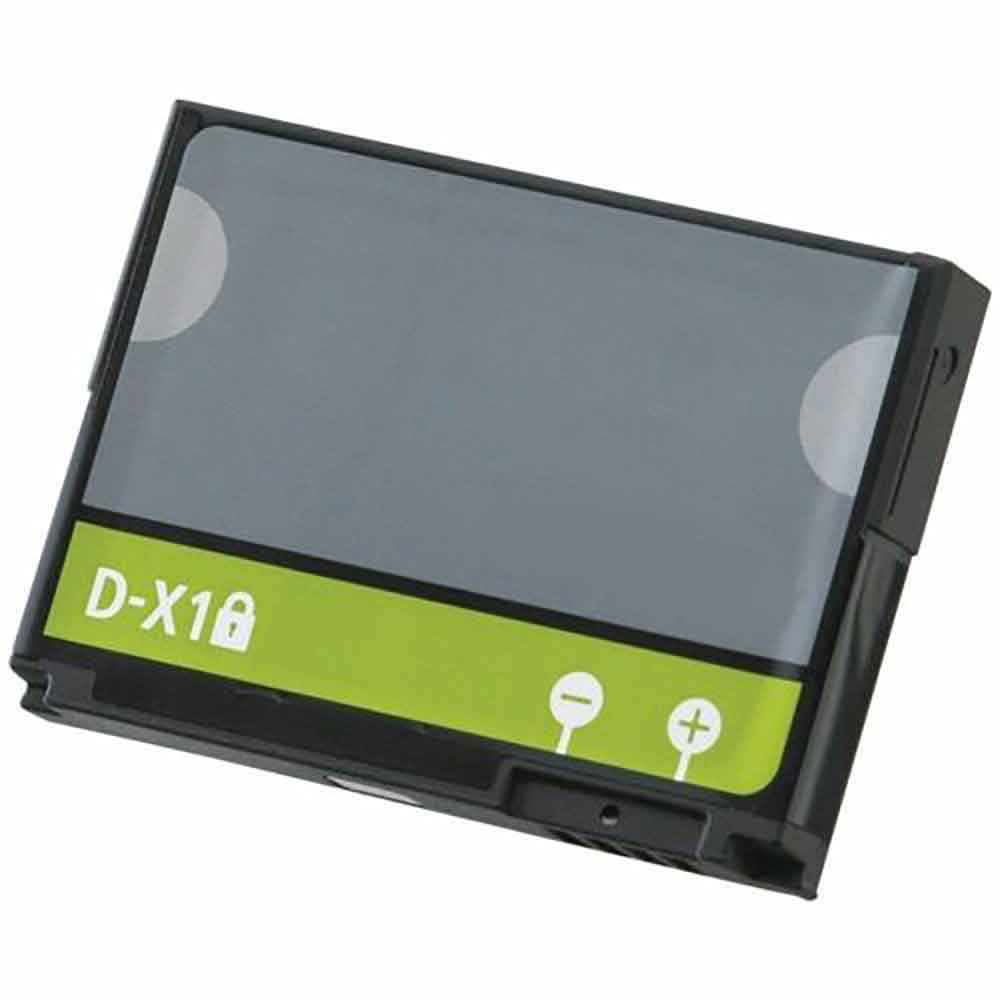
1380mAh Blackberry D-X1 Li-ion Battery for BlackBerry 9500 9530 8900 9630 9650 9520

1380mAh Blackberry D-X1 Batteries for BlackBerry 9500 9530 8900 9630 9650 9520, Blackberry D-X1 Cell Phone battery is a brand new,100% Compatible original and replacement Phone battery,Purchase wholesale and retail D-X1 with high quality and low price!

Find ou your original model number or part number(P/N), and move your eyes on the tag of battery

D-X1

Specifications

  • Brand:BlackBerry
  • Capacity :1380mAh
  • Voltage :
  • Type :Li-ion
  • Battery Cell Quality: Grade A
  • Descriptive: Replacement Battery – 1 Year Warranty
  • Description: Brand New, 1 Year Warranty! 30-Days Money Back! Fast Shipping!

How we test this Blackberry D-X1 Battery
Step 1: Make sure customer bought the correct battery.
Step 2: Check battery’s appearance and interface.
Step 3: Test battery charger and recharger function.
Step 4: Charger the battery to 100% and recharger to 0% to get real battery capacity
Step 5: Use Ev2300 to check the voltage difference of each goroup cells.
Step 6: Charger battery power more than 30%.
Step 7: Package battery carefully and send out

Compatible Part Numbers:
D-X1

Compatible Model Numbers:
BlackBerry 9500 9530 8900 9630 9650 9520

How much do you know about how to run laptop well as any place? The follow Tips cut way back on protecting battery life.


1). Please recharge or change your Cell Phone battery when battery power low.
2). Using Li-Ion Replacement Blackberry D-X1 Cell Phone Battery for your notebook which can work longer time than Non Li-ion one.
3). It is better to defragmentation regularly for your Cell Phone battery life.
4). In order to reduce the laptop power consumpition, you can use some optical drive spin-down and hard drive in your Cell Phone .
5). Please keep your laptop in sleep or standby model without long time using, which both save the Replacement Blackberry D-X1 Cell Phone Battery power and extend battery using life.
6). Leave your battery in a dry and cool condition when without using.
7). When you rarely or generally plugged in fixed power using, Please take down your battery to avoid hurting battery life.

Hot Products

7200mAh DELL 01X284 for Dell Inspiron 8500/8500M/87200mAh DELL 01X284 for Dell Inspiron 8500/8500M/849.81Wh/6470mAh HP ET04XL for HP HSTNN-IB7U ET04049XL1800mah MITSUBISHI 5PCS for Mitsubishi FX PLC F2-40BL2230mAH/17Wh BOSE 061384 for Bose Soundlink Mini I ONE420mAh HUITENG 401862 for Huiteng Toy Gun7200mAh DELL TK330 for DELL XPS M15302330Mah/17Wh BOSE 088772 for BOSE Soundlink Mini 256WH DELL 90V7W for Dell XPS 13 9343 9350 JD25G 5K6080mAh/48Wh LENOVO L16C4PB1 for Lenovo YOGA 720-13IKB Series

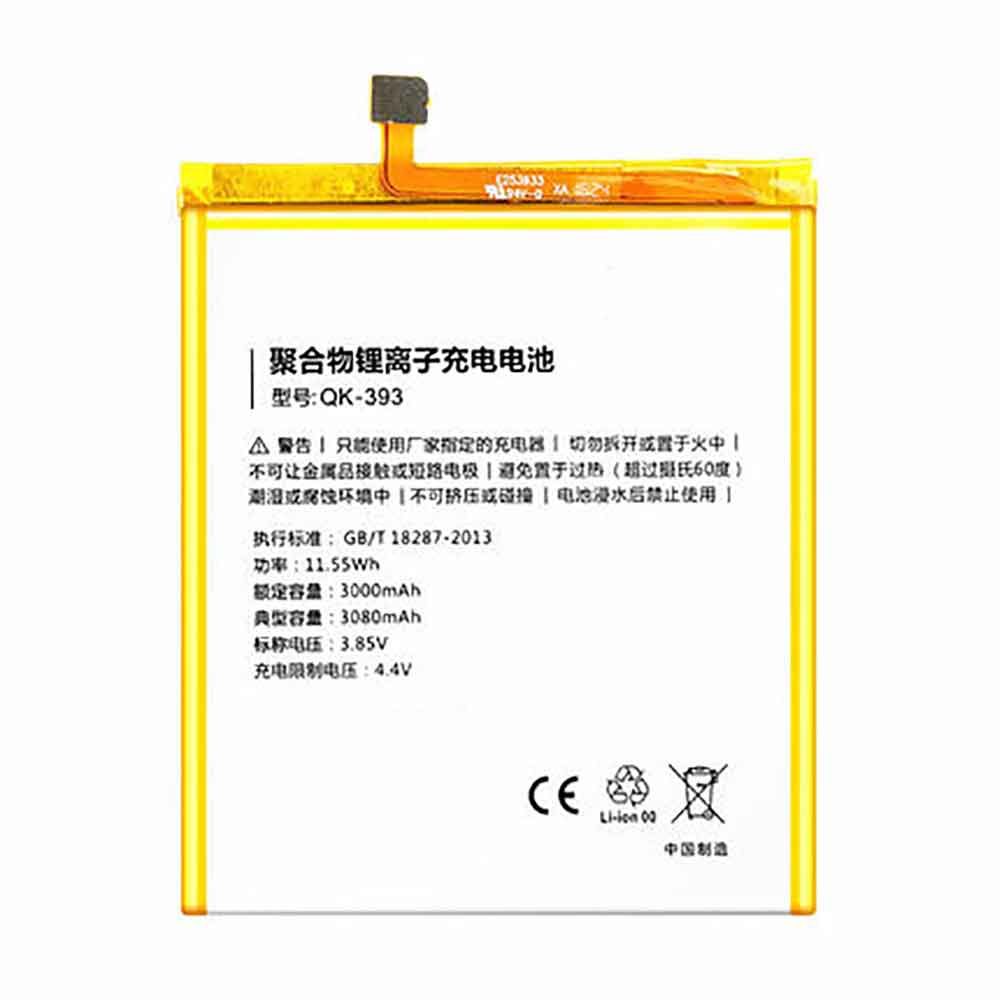
3080mAh 3.85V Qiku QK-393 Li-ion Battery for Qiku N4

3080mAh 3.85V Qiku QK-393 Batteries for Qiku N4, Qiku QK-393 Cell Phone battery is a brand new,100% Compatible original and replacement Phone battery,Purchase wholesale and retail QK-393 with high quality and low price!

Find ou your original model number or part number(P/N), and move your eyes on the tag of battery

QK-393

Specifications

  • Brand:Qiku
  • Capacity :3080mAh
  • Voltage :3.85V
  • Type :Li-ion
  • Battery Cell Quality: Grade A
  • Descriptive: Replacement Battery – 1 Year Warranty
  • Description: Brand New, 1 Year Warranty! 30-Days Money Back! Fast Shipping!

How we test this Qiku QK-393 Battery
Step 1: Make sure customer bought the correct battery.
Step 2: Check battery’s appearance and interface.
Step 3: Test battery charger and recharger function.
Step 4: Charger the battery to 100% and recharger to 0% to get real battery capacity
Step 5: Use Ev2300 to check the voltage difference of each goroup cells.
Step 6: Charger battery power more than 30%.
Step 7: Package battery carefully and send out

Compatible Part Numbers:
QK-393

Compatible Model Numbers:
Qiku N4

How much do you know about how to run laptop well as any place? The follow Tips cut way back on protecting battery life.


1). Please recharge or change your Cell Phone battery when battery power low.
2). Using Li-Ion Replacement Qiku QK-393 Cell Phone Battery for your notebook which can work longer time than Non Li-ion one.
3). It is better to defragmentation regularly for your Cell Phone battery life.
4). In order to reduce the laptop power consumpition, you can use some optical drive spin-down and hard drive in your Cell Phone .
5). Please keep your laptop in sleep or standby model without long time using, which both save the Replacement Qiku QK-393 Cell Phone Battery power and extend battery using life.
6). Leave your battery in a dry and cool condition when without using.
7). When you rarely or generally plugged in fixed power using, Please take down your battery to avoid hurting battery life.

Hot Products

7200mAh DELL 01X284 for Dell Inspiron 8500/8500M/87200mAh DELL 01X284 for Dell Inspiron 8500/8500M/849.81Wh/6470mAh HP ET04XL for HP HSTNN-IB7U ET04049XL1800mah MITSUBISHI 5PCS for Mitsubishi FX PLC F2-40BL2230mAH/17Wh BOSE 061384 for Bose Soundlink Mini I ONE420mAh HUITENG 401862 for Huiteng Toy Gun7200mAh DELL TK330 for DELL XPS M15302330Mah/17Wh BOSE 088772 for BOSE Soundlink Mini 256WH DELL 90V7W for Dell XPS 13 9343 9350 JD25G 5K6080mAh/48Wh LENOVO L16C4PB1 for Lenovo YOGA 720-13IKB Series

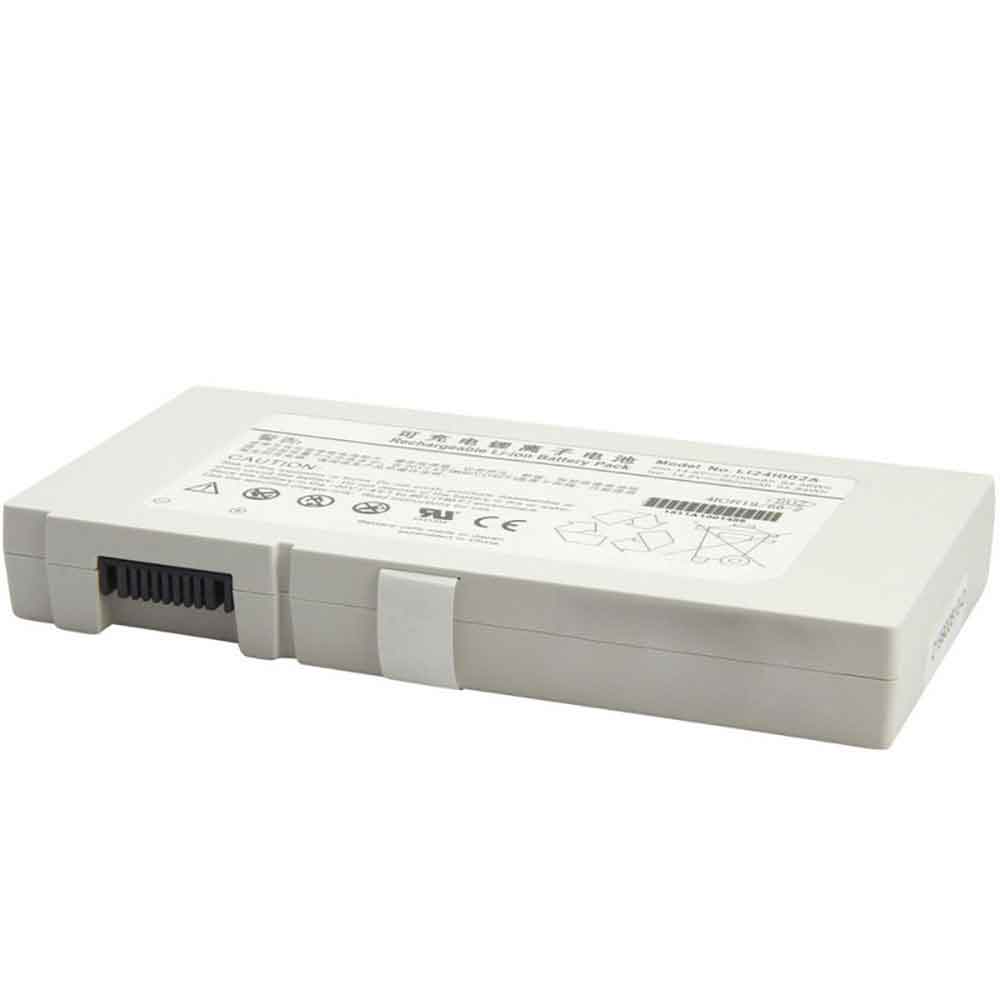
5700mAh 14.8V Mindray LI24I002A Li-ion Battery for Mindray M8 M9 TE7 SV300

5700mAh 14.8V Mindray LI24I002A Batteries for Mindray M8 M9 TE7 SV300, Mindray LI24I002A Other battery is a brand new,100% Compatible original and replacement battery,Purchase wholesale and retail LI24I002A with high quality and low price!

Find ou your original model number or part number(P/N), and move your eyes on the tag of battery

LI24I002A

Specifications

  • Brand:Mindray
  • Capacity :5700mAh
  • Voltage :14.8V
  • Type :Li-ion
  • Battery Cell Quality: Grade A
  • Descriptive: Replacement Battery – 1 Year Warranty
  • Description: Brand New, 1 Year Warranty! 30-Days Money Back! Fast Shipping!

How we test this Mindray LI24I002A Battery
Step 1: Make sure customer bought the correct battery.
Step 2: Check battery’s appearance and interface.
Step 3: Test battery charger and recharger function.
Step 4: Charger the battery to 100% and recharger to 0% to get real battery capacity
Step 5: Use Ev2300 to check the voltage difference of each goroup cells.
Step 6: Charger battery power more than 30%.
Step 7: Package battery carefully and send out

Compatible Part Numbers:
LI24I002A

Compatible Model Numbers:
Mindray M8 M9 TE7 SV300

How much do you know about how to run laptop well as any place? The follow Tips cut way back on protecting battery life.


1). Please recharge or change your Other battery when battery power low.
2). Using Li-Ion Replacement Mindray LI24I002A Other Battery for your notebook which can work longer time than Non Li-ion one.
3). It is better to defragmentation regularly for your Other battery life.
4). In order to reduce the laptop power consumpition, you can use some optical drive spin-down and hard drive in your Other .
5). Please keep your laptop in sleep or standby model without long time using, which both save the Replacement Mindray LI24I002A Other Battery power and extend battery using life.
6). Leave your battery in a dry and cool condition when without using.
7). When you rarely or generally plugged in fixed power using, Please take down your battery to avoid hurting battery life.

Hot Products

7200mAh DELL 01X284 for Dell Inspiron 8500/8500M/87200mAh DELL 01X284 for Dell Inspiron 8500/8500M/849.81Wh/6470mAh HP ET04XL for HP HSTNN-IB7U ET04049XL1800mah MITSUBISHI 5PCS for Mitsubishi FX PLC F2-40BL2230mAH/17Wh BOSE 061384 for Bose Soundlink Mini I ONE420mAh HUITENG 401862 for Huiteng Toy Gun7200mAh DELL TK330 for DELL XPS M15302330Mah/17Wh BOSE 088772 for BOSE Soundlink Mini 256WH DELL 90V7W for Dell XPS 13 9343 9350 JD25G 5K6080mAh/48Wh LENOVO L16C4PB1 for Lenovo YOGA 720-13IKB Series

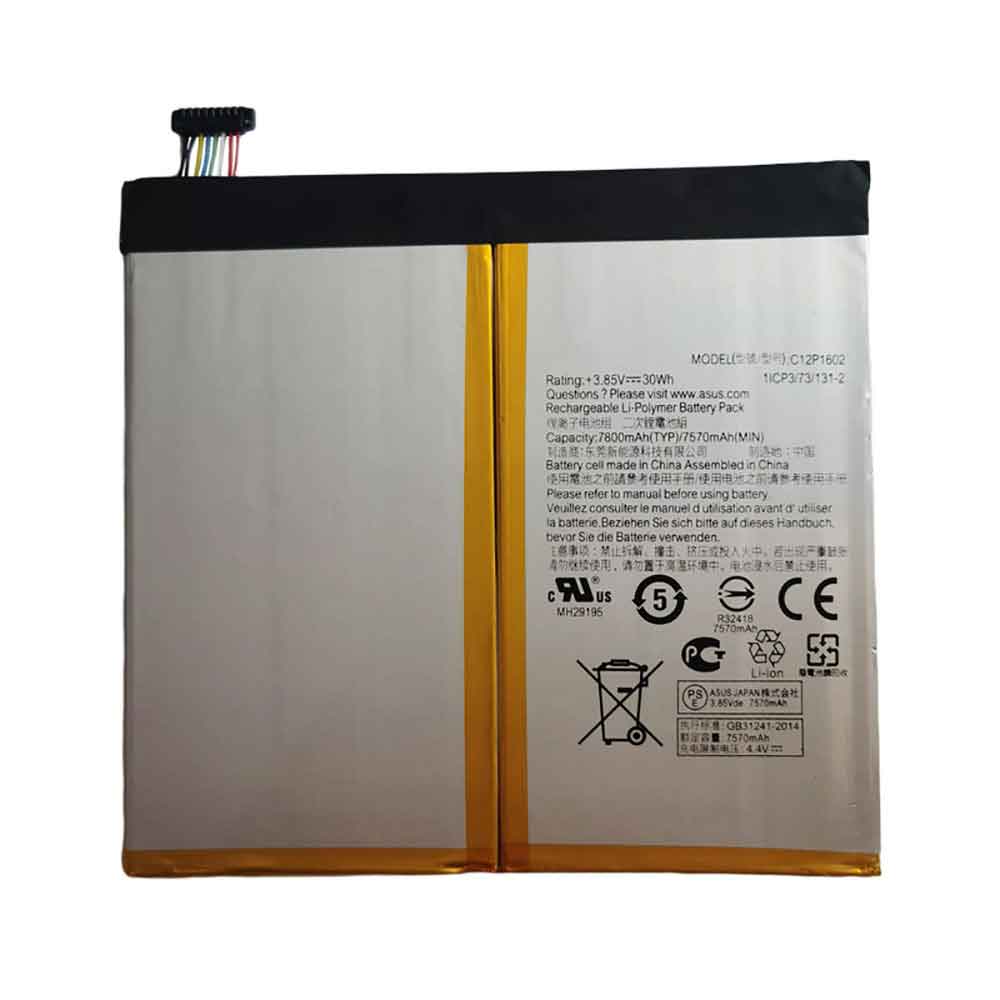
7800mAh 3.85V Asus C12P1602 Li-ion Battery for Asus Zenpad Z10 P001 ZT500KL

7800mAh 3.85V Asus C12P1602 Batteries for Asus Zenpad Z10 P001 ZT500KL, Asus C12P1602 Cell Phone battery is a brand new,100% Compatible original and replacement Tablets battery,Purchase wholesale and retail C12P1602 with high quality and low price!

Find ou your original model number or part number(P/N), and move your eyes on the tag of battery

C12P1602

Specifications

  • Brand:Asus
  • Capacity :7800mAh
  • Voltage :3.85V
  • Type :Li-ion
  • Battery Cell Quality: Grade A
  • Descriptive: Replacement Battery – 1 Year Warranty
  • Description: Brand New, 1 Year Warranty! 30-Days Money Back! Fast Shipping!

How we test this Asus C12P1602 Battery
Step 1: Make sure customer bought the correct battery.
Step 2: Check battery’s appearance and interface.
Step 3: Test battery charger and recharger function.
Step 4: Charger the battery to 100% and recharger to 0% to get real battery capacity
Step 5: Use Ev2300 to check the voltage difference of each goroup cells.
Step 6: Charger battery power more than 30%.
Step 7: Package battery carefully and send out

Compatible Part Numbers:
C12P1602

Compatible Model Numbers:
Asus Zenpad Z10 P001 ZT500KL

How much do you know about how to run laptop well as any place? The follow Tips cut way back on protecting battery life.


1). Please recharge or change your Cell Phone battery when battery power low.
2). Using Li-Ion Replacement Asus C12P1602 Cell Phone Battery for your notebook which can work longer time than Non Li-ion one.
3). It is better to defragmentation regularly for your Cell Phone battery life.
4). In order to reduce the laptop power consumpition, you can use some optical drive spin-down and hard drive in your Cell Phone .
5). Please keep your laptop in sleep or standby model without long time using, which both save the Replacement Asus C12P1602 Cell Phone Battery power and extend battery using life.
6). Leave your battery in a dry and cool condition when without using.
7). When you rarely or generally plugged in fixed power using, Please take down your battery to avoid hurting battery life.

Hot Products

7200mAh DELL 01X284 for Dell Inspiron 8500/8500M/87200mAh DELL 01X284 for Dell Inspiron 8500/8500M/849.81Wh/6470mAh HP ET04XL for HP HSTNN-IB7U ET04049XL1800mah MITSUBISHI 5PCS for Mitsubishi FX PLC F2-40BL2230mAH/17Wh BOSE 061384 for Bose Soundlink Mini I ONE420mAh HUITENG 401862 for Huiteng Toy Gun7200mAh DELL TK330 for DELL XPS M15302330Mah/17Wh BOSE 088772 for BOSE Soundlink Mini 256WH DELL 90V7W for Dell XPS 13 9343 9350 JD25G 5K6080mAh/48Wh LENOVO L16C4PB1 for Lenovo YOGA 720-13IKB Series

10 Reasons Your iPhone Is Running Slow and How to Fix It

 Like all technology, iPhones slow down over time. Even with Apple’s high-quality hardware, software, and security updates, it’s easy to see why it’s gone four or five years after purchase. Yes, it will never return to the speed it was when it was brand new. Sometimes it comes earlier. Even just two years after you buy it, it can get pretty slow. But don’t worry. With just a few tweaks, you can get your speed back. Let’s take a look below!

Quickly clear RAM and memory

One possible reason for the slowness is that the iPhone is overloaded. This could be because you’re using a heavy app, or because it’s running in the background. If you suddenly feel like your iPhone is slowing down, clearing your RAM and memory may help.

Clear Safari (and other browsers) cache

Over time, web browsers accumulate unnecessary data. These are media, files, settings, etc., stored as caches in various formats. Removing these will increase the speed of your iPhone.

To do this in Safari, select Safari > Clear History and Website Data from the Settings app. When the pop-up window appears, tap Clear History and Data.

Restart your iPhone

If your iPhone freezes or slows down, restart it. Rebooting will kill background processes, delete temporary files, and close noisy apps. For models with Face ID, press and hold the volume up or down button and the side button at the same time. Then slide the slider on the screen to power off. If your phone has a home button, just press and hold the side/power button.

There is also a “hard reset” method that completely reboots the device.

For iPhone X and later, press Volume Up, then Volume Down, then press and hold the Power/Side button until you see the Apple logo.

Delete storage and unnecessary apps

Uninstalling large apps, especially games and social apps, should free up space on your iPhone and make it run faster.

Open the Settings app, then General, then iPhone Storage. On this screen, you can see which apps are taking up your storage space.

Here you can choose to delete app data or delete the app itself. Alternatively, you can turn on the Delete Unused Apps feature, which automatically deletes apps you don’t use frequently when they need space.

Turn off background app refresh

Various apps are constantly running in the background without your knowledge. Not only does it drain battery power, but it also affects the performance of your iPhone.

Select Settings > General > Background App Refresh. Not only can you stop background updates for specific apps here, but you can also close them all at once by selecting “Close”.

Delete message

A messaging app is like a bottomless pit of messages, memes, photos, and videos. You may find yourself unknowingly taking up 5-10GB of the Messages app.

Not only is this data useless, it’s also constantly being indexed by messaging apps. In other words, not only the operation of the Messages app, but the operation of the iPhone itself can be the cause of the slowness.

For those not interested in old news, the process can be automated.

In the Settings app, change Messages and Message storage period to 30 days. All messages and media older than 30 days are now automatically deleted.

Animation acceleration

It’s more of a psychological trick. If the animations on your iPhone get faster, it feels like your iPhone runs faster. Battery life is actually a little better. You can change this setting from Settings – Accessibility – Behavior – Reduce Motion.

Turn off low power mode

Low-power mode is great for battery life, but it’s the culprit when it comes to performance. Try turning off low power mode and see if the speed improves. You can also change it from Settings “Battery” “Low Power Mode” or Control Center.

Replacement battery

Using an older iPhone with a degraded battery can affect peak performance. You’ll most likely notice this when playing games or using resource-intensive applications.

Go to “Settings”, “Battery”, “Battery Health” and check the maximum capacity. If it’s below 80%, you may want to consider replacing the battery. A new battery will breathe new life into your iPhone and remind you when it’s brand new.

Completely reset iPhone

If you’ve tried all the methods above and still can’t get the speed up, reset your iPhone to a clean state as a last resort.

Back up your device and do a factory reset. After the reset, avoid restoring from backup and choose the manual option. After backing up, just in case, select “Settings” “General” “Reset” “Erase All Content and Settings” to start the reset.

>>>>>>>>>>>>iPhone battery

Thanks for reading, hope it helps!

Friendly reminder: If you need to replace the battery of your device, this battery store will be a good choice: www.batteryforpc.co.uk