4 Ways to Damage Your Laptop Battery

 Do you take good care of the battery in your laptop? While chips are getting more efficient and battery life is increasing, avoiding a few mistakes can help extend a laptop’s battery health in the long run. Here are 4 ways to damage your laptop battery, let’s take a look!

keep charging

The idea of ​​keeping a laptop plugged in all the time is “bad” stems from the myth of overcharging, but laptops and other gadgets that use such batteries switch to trickle charging as they approach capacity. Your laptop won’t explode or “overcharge” if you keep it plugged in.

With that in mind, the lithium-ion battery inside a laptop will last longer if it doesn’t maintain a high voltage level for an extended period of time. If we’re talking about battery health, you can extend battery life by not keeping it at 100% all the time. This means using the battery by unplugging it during the day, rather than keeping it plugged in.

make it too hot or too cold

Nothing kills a battery like exposing it to extreme temperatures. We all know that extreme heat is bad for lithium-ion batteries, but so is extreme cold.

Leaving a laptop in a car exposed to sub-zero temperatures can cause irreversible damage to the battery. Some electric vehicles (EVs) that use lithium-ion batteries implement temperature management systems in the car to limit damage in particularly cold weather and for better performance on cold mornings.

Your laptop doesn’t contain such a system, which is why you should be extra careful. If the worst happens and your laptop is exposed to cold, it’s a good idea to let the battery warm up before trying to use it.

Heat is another cause of laptop battery damage, and it’s a problem you can run into at any time of the year. Leaving your laptop out in the sun for hours is a recipe for disaster, as it gets so hot that the safety mechanism kicks in causing the power to shut down.

You can prevent this from happening by placing the laptop in a room that isn’t hot enough without adequate airflow. Be extra careful when using your laptop on a bed or other fabric surface, as many have vents on the sides and back of the lid that can easily get clogged by soft furniture.

No shallow discharge

When lithium-ion batteries are kept at around 40-80% of their maximum capacity, they will last longer. Over-discharging a battery can shorten its lifespan, as can staying above 80% for extended periods of time. Many manufacturers now offer a battery-save “long life” mode to help with this, as summarized by Battery University:

Some laptops allow you to limit the charge percentage to around 80% to extend battery life. This feature is supported by specific manufacturers that use their own apps, such as MyASUS for Asus users and the Battery Restricted Mode setting for Microsoft Surface users. Other users can try the freeware Battery Limiter application for Windows.

On macOS, you can use AlDente to set charging limits or use Apple’s built-in optimized charging feature. Optimized Charging learns from your schedule, keeping your laptop at a lower capacity until you need it. If macOS recognizes that you turn off your laptop to go to work every day at 8am, it won’t charge 100% in the morning, even if you’ve plugged it in the night before.

No discharge once a month

This might sound contradictory, considering we’ve already said that letting the battery fully discharge is bad news. But never allowing the battery to fully discharge can cause it to become inaccurate in reporting its current charge level.

First, you may not know how much battery you have left and you may run out of battery. Many other good practices, such as keeping your battery above 40%, or limiting it to around 80%, rely on knowing your true charge level.

This is especially true if you use an app like AlDente or Battery Limiter to limit your battery below 100%. This type of use may require more frequent battery recalibration, so we recommend a full discharge once a month.

>>>>>>>>>>>>>Laptop battery

Thanks for reading, hope it helps!

Friendly reminder: If you need to replace the battery of your device, this battery store will be a good choice: www.batteryforpc.co.uk

The Samsung Galaxy S23 Ultra just got ready for a massive 200MP camera

 Rumors about the upcoming Samsung Galaxy S23 series are heating up. The future looks pretty bright for Samsung’s upcoming Galaxy S23 Ultra flagship, which is ready to feature a massive 200MP camera. Now a new leak suggests that the specific camera sensor the phone will use has not been released by the company.

This differs from earlier rumors that Samsung may use its ISOCELL HP 1 or HP 3 sensor for the 200MP sensor. Samsung introduces ISOCELL HP 3 sensor. But recently, news broke that the Samsung Galaxy S23 Ultra could skip this new camera.

Now, a tweet from reliable leaker Ice Universe claims that the S23 Ultra will feature a 200MP camera, but that sensor has yet to be announced.

This could be good news for the upcoming Samsung flagships. Samsung’s HP 3 is a mid-range sensor, while the HP 1 is a larger, more refined sensor expected to debut on Motorola’s X30 Pro or Motorola Edge 30 Ultra. In order to do better than the competition, Samsung may have another sensor planned for its own flagship. While it’s hard to guess the specs of the sensor, it could also mean the new sensor will outperform Motorola’s 200MP phone.

More megapixels = better phone?

Motorola may be the first company to launch a phone with a 200MP camera. To get to 200MP, Motorola recently posted a photo taken on its X30 Pro. According to Ice Universe’s tweet, the Motorola 200MP photo was taken with pixel binning enabled.

Pixel binning is great for phones that are steadily climbing the megapixel ladder. This means that 200MP footage can easily be compressed into a super high resolution 20MP footage.

200MP in the upcoming Samsung Galaxy S23 Ultra or Motorola X30 Pro is nothing new. Over the past few years, companies have been upping their megapixels. The Samsung Galaxy S22 Ultra has a 108MP main camera, the Pixel 6 has a 50MP main sensor, and the iPhone 14 Pro has a 48MP main camera. But while more megapixels might be great for marketing a new phone, does that necessarily mean better images?

The answer is – not necessarily. More megapixels means sharper images, not really “better” images. Pixel size is important because it determines how much data the sensor can receive, but other factors are equally important. This is why 108MP photos are not necessarily better than 12MP photos. After all, the 12MP iPhone 13 Pro Max currently tops our list of the best camera phones.

The Samsung Galaxy S22 has a top-notch 108MP camera that usually takes stunning photos — but there’s still some leeway for tweaking in terms of color and handling challenging photography scenarios. According to leaks, Samsung has a new sensor for a 200MP camera on the S23 Ultra, and it appears to have big plans for its flagship phone, which will be launched early next year.

>>>>>>>>>>>>>Samsung battery

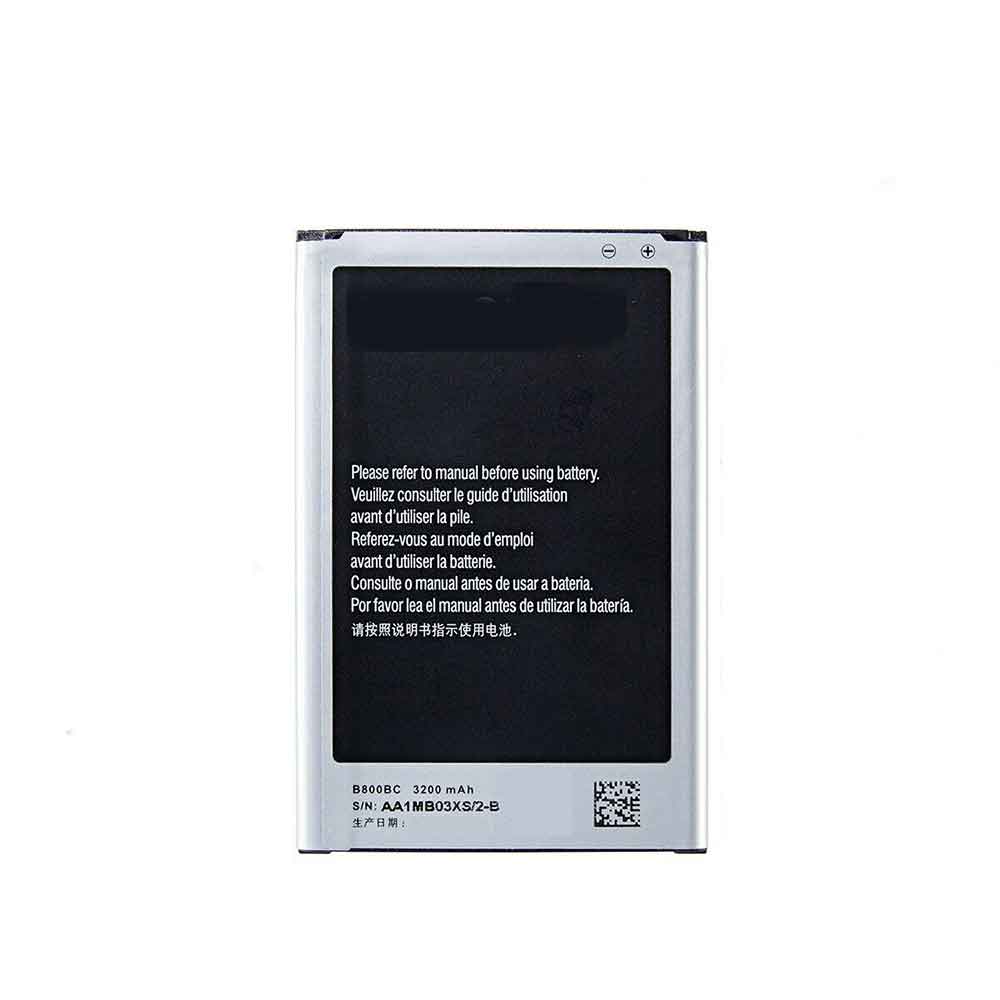
3200mAh/12.16WH 3.8V Samsung B800BC Li-ion Battery for Samsung Galaxy Note 3

3200mAh/12.16WH 3.8V Samsung B800BC Batteries for Samsung Galaxy Note 3, Samsung B800BC Cell Phone battery is a brand new,100% Compatible original and replacement Phone battery,Purchase wholesale and retail B800BC with high quality and low price!

Find ou your original model number or part number(P/N), and move your eyes on the tag of battery

B800BC

Specifications

  • Brand:Samsung
  • Capacity :3200mAh/12.16WH
  • Voltage :3.8V
  • Type :Li-ion
  • Battery Cell Quality: Grade A
  • Descriptive: Replacement Battery – 1 Year Warranty
  • Description: Brand New, 1 Year Warranty! 30-Days Money Back! Fast Shipping!

How we test this Samsung B800BC Battery
Step 1: Make sure customer bought the correct battery.
Step 2: Check battery’s appearance and interface.
Step 3: Test battery charger and recharger function.
Step 4: Charger the battery to 100% and recharger to 0% to get real battery capacity
Step 5: Use Ev2300 to check the voltage difference of each goroup cells.
Step 6: Charger battery power more than 30%.
Step 7: Package battery carefully and send out

Compatible Part Numbers:
B800BC

Compatible Model Numbers:
Samsung Galaxy Note 3

How much do you know about how to run laptop well as any place? The follow Tips cut way back on protecting battery life.


1). Please recharge or change your Cell Phone battery when battery power low.
2). Using Li-Ion Replacement Samsung B800BC Cell Phone Battery for your notebook which can work longer time than Non Li-ion one.
3). It is better to defragmentation regularly for your Cell Phone battery life.
4). In order to reduce the laptop power consumpition, you can use some optical drive spin-down and hard drive in your Cell Phone .
5). Please keep your laptop in sleep or standby model without long time using, which both save the Replacement Samsung B800BC Cell Phone Battery power and extend battery using life.
6). Leave your battery in a dry and cool condition when without using.
7). When you rarely or generally plugged in fixed power using, Please take down your battery to avoid hurting battery life.

Hot Products

1700mAh VIVO BK-B-60 for Vivo Y115920mAh MICROSOFT 4588105 for Microsoft WinBook CW140 MEDION4800mAh SAMSUNG T4800U for Samsung Tab Pro 8.4 T320/ T3251500mAh/5.78WH NOKIA BV-6A for Nokia 3060 5250 81101800mAh 13.3Wh MOTOROLA PMNN4001C for Motorola GP68 Radio1900MAH/7.22Wh ALCATEL TLI019B1 for Alcatel One Touch POP C7 7041D4400mAh DELL 312-0314 for Dell Latitude D410 serie3500mAh BLACKBERRY Tlp035B1 for BlackBerry KEY2 cellphone2200mAh/17.02WH OPPO BLP855 for OPPO Reno6 Pro4200mAh GETAC BP-S410-Main-32/2040 for GETAC s410

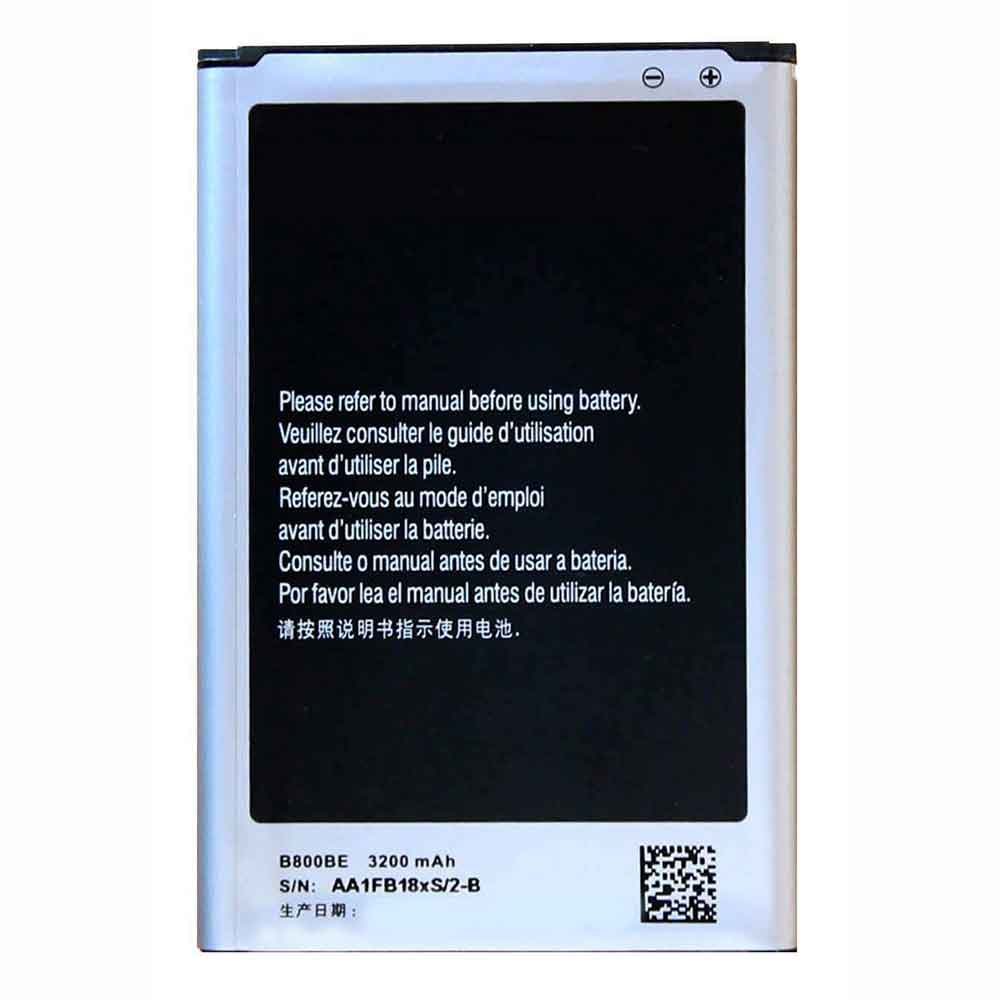
3200mAh/12.16WH 3.8V Samsung B800BE Li-ion Battery for Samsung Galaxy Note 3 N9008 N9009

3200mAh/12.16WH 3.8V Samsung B800BE Batteries for Samsung Galaxy Note 3 N9008 N9009, Samsung B800BE Cell Phone battery is a brand new,100% Compatible original and replacement Phone battery,Purchase wholesale and retail B800BE with high quality and low price!

Find ou your original model number or part number(P/N), and move your eyes on the tag of battery

B800BE

Specifications

  • Brand:Samsung
  • Capacity :3200mAh/12.16WH
  • Voltage :3.8V
  • Type :Li-ion
  • Battery Cell Quality: Grade A
  • Descriptive: Replacement Battery – 1 Year Warranty
  • Description: Brand New, 1 Year Warranty! 30-Days Money Back! Fast Shipping!

How we test this Samsung B800BE Battery
Step 1: Make sure customer bought the correct battery.
Step 2: Check battery’s appearance and interface.
Step 3: Test battery charger and recharger function.
Step 4: Charger the battery to 100% and recharger to 0% to get real battery capacity
Step 5: Use Ev2300 to check the voltage difference of each goroup cells.
Step 6: Charger battery power more than 30%.
Step 7: Package battery carefully and send out

Compatible Part Numbers:
B800BE

Compatible Model Numbers:
Samsung Galaxy Note 3 N9008 N9009

How much do you know about how to run laptop well as any place? The follow Tips cut way back on protecting battery life.


1). Please recharge or change your Cell Phone battery when battery power low.
2). Using Li-Ion Replacement Samsung B800BE Cell Phone Battery for your notebook which can work longer time than Non Li-ion one.
3). It is better to defragmentation regularly for your Cell Phone battery life.
4). In order to reduce the laptop power consumpition, you can use some optical drive spin-down and hard drive in your Cell Phone .
5). Please keep your laptop in sleep or standby model without long time using, which both save the Replacement Samsung B800BE Cell Phone Battery power and extend battery using life.
6). Leave your battery in a dry and cool condition when without using.
7). When you rarely or generally plugged in fixed power using, Please take down your battery to avoid hurting battery life.

Hot Products

1700mAh VIVO BK-B-60 for Vivo Y115920mAh MICROSOFT 4588105 for Microsoft WinBook CW140 MEDION4800mAh SAMSUNG T4800U for Samsung Tab Pro 8.4 T320/ T3251500mAh/5.78WH NOKIA BV-6A for Nokia 3060 5250 81101800mAh 13.3Wh MOTOROLA PMNN4001C for Motorola GP68 Radio1900MAH/7.22Wh ALCATEL TLI019B1 for Alcatel One Touch POP C7 7041D4400mAh DELL 312-0314 for Dell Latitude D410 serie3500mAh BLACKBERRY Tlp035B1 for BlackBerry KEY2 cellphone2200mAh/17.02WH OPPO BLP855 for OPPO Reno6 Pro4200mAh GETAC BP-S410-Main-32/2040 for GETAC s410

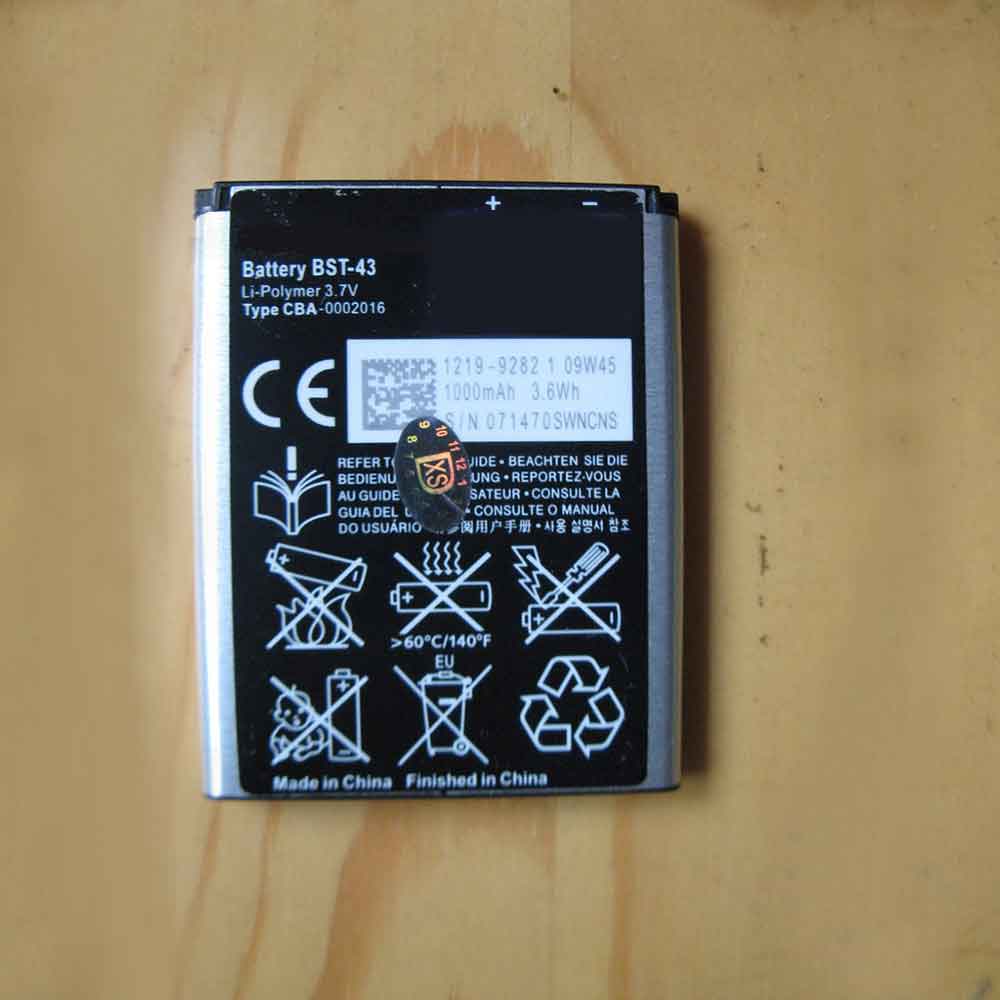
1000mAh/3.6WH 3.7V 4.2V Sony BST-43 Li-ion Battery for Sony Ericsson Cedar J108i U100i J10 J20 U100

1000mAh/3.6WH 3.7V 4.2V Sony BST-43 Batteries for Sony Ericsson Cedar J108i U100i J10 J20 U100, Sony BST-43 Cell Phone battery is a brand new,100% Compatible original and replacement Phone battery,Purchase wholesale and retail BST-43 with high quality and low price!

Find ou your original model number or part number(P/N), and move your eyes on the tag of battery

BST-43

Specifications

  • Brand:Sony
  • Capacity :1000mAh/3.6WH
  • Voltage :3.7V 4.2V
  • Type :Li-ion
  • Battery Cell Quality: Grade A
  • Descriptive: Replacement Battery – 1 Year Warranty
  • Description: Brand New, 1 Year Warranty! 30-Days Money Back! Fast Shipping!

How we test this Sony BST-43 Battery
Step 1: Make sure customer bought the correct battery.
Step 2: Check battery’s appearance and interface.
Step 3: Test battery charger and recharger function.
Step 4: Charger the battery to 100% and recharger to 0% to get real battery capacity
Step 5: Use Ev2300 to check the voltage difference of each goroup cells.
Step 6: Charger battery power more than 30%.
Step 7: Package battery carefully and send out

Compatible Part Numbers:
BST-43

Compatible Model Numbers:
Sony Ericsson Cedar J108i U100i J10 J20 U100

How much do you know about how to run laptop well as any place? The follow Tips cut way back on protecting battery life.


1). Please recharge or change your Cell Phone battery when battery power low.
2). Using Li-Ion Replacement Sony BST-43 Cell Phone Battery for your notebook which can work longer time than Non Li-ion one.
3). It is better to defragmentation regularly for your Cell Phone battery life.
4). In order to reduce the laptop power consumpition, you can use some optical drive spin-down and hard drive in your Cell Phone .
5). Please keep your laptop in sleep or standby model without long time using, which both save the Replacement Sony BST-43 Cell Phone Battery power and extend battery using life.
6). Leave your battery in a dry and cool condition when without using.
7). When you rarely or generally plugged in fixed power using, Please take down your battery to avoid hurting battery life.

Hot Products

1700mAh VIVO BK-B-60 for Vivo Y115920mAh MICROSOFT 4588105 for Microsoft WinBook CW140 MEDION4800mAh SAMSUNG T4800U for Samsung Tab Pro 8.4 T320/ T3251500mAh/5.78WH NOKIA BV-6A for Nokia 3060 5250 81101800mAh 13.3Wh MOTOROLA PMNN4001C for Motorola GP68 Radio1900MAH/7.22Wh ALCATEL TLI019B1 for Alcatel One Touch POP C7 7041D4400mAh DELL 312-0314 for Dell Latitude D410 serie3500mAh BLACKBERRY Tlp035B1 for BlackBerry KEY2 cellphone2200mAh/17.02WH OPPO BLP855 for OPPO Reno6 Pro4200mAh GETAC BP-S410-Main-32/2040 for GETAC s410

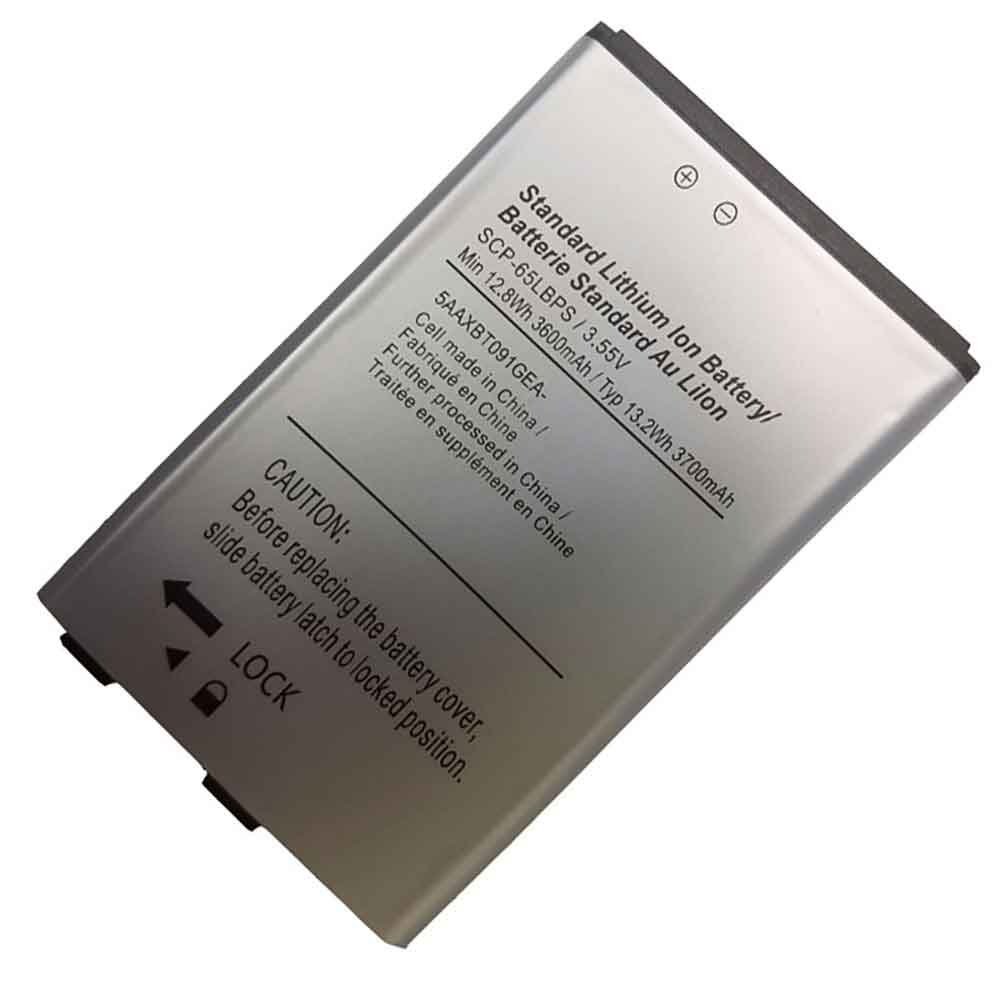
3600MAH/12.8WH 3.55V Kyocera SCP-65LBPS Li-ion Battery for Kyocera SCP-65LBPS

3600MAH/12.8WH 3.55V Kyocera SCP-65LBPS Batteries for Kyocera SCP-65LBPS, Kyocera SCP-65LBPS Cell Phone battery is a brand new,100% Compatible original and replacement Phone battery,Purchase wholesale and retail SCP-65LBPS with high quality and low price!

Find ou your original model number or part number(P/N), and move your eyes on the tag of battery

SCP-65LBPS

Specifications

  • Brand:Kyocera
  • Capacity :3600MAH/12.8WH
  • Voltage :3.55V
  • Type :Li-ion
  • Battery Cell Quality: Grade A
  • Descriptive: Replacement Battery – 1 Year Warranty
  • Description: Brand New, 1 Year Warranty! 30-Days Money Back! Fast Shipping!

How we test this Kyocera SCP-65LBPS Battery
Step 1: Make sure customer bought the correct battery.
Step 2: Check battery’s appearance and interface.
Step 3: Test battery charger and recharger function.
Step 4: Charger the battery to 100% and recharger to 0% to get real battery capacity
Step 5: Use Ev2300 to check the voltage difference of each goroup cells.
Step 6: Charger battery power more than 30%.
Step 7: Package battery carefully and send out

Compatible Part Numbers:
SCP-65LBPS

Compatible Model Numbers:
Kyocera SCP-65LBPS

How much do you know about how to run laptop well as any place? The follow Tips cut way back on protecting battery life.


1). Please recharge or change your Cell Phone battery when battery power low.
2). Using Li-Ion Replacement Kyocera SCP-65LBPS Cell Phone Battery for your notebook which can work longer time than Non Li-ion one.
3). It is better to defragmentation regularly for your Cell Phone battery life.
4). In order to reduce the laptop power consumpition, you can use some optical drive spin-down and hard drive in your Cell Phone .
5). Please keep your laptop in sleep or standby model without long time using, which both save the Replacement Kyocera SCP-65LBPS Cell Phone Battery power and extend battery using life.
6). Leave your battery in a dry and cool condition when without using.
7). When you rarely or generally plugged in fixed power using, Please take down your battery to avoid hurting battery life.

Hot Products

1700mAh VIVO BK-B-60 for Vivo Y115920mAh MICROSOFT 4588105 for Microsoft WinBook CW140 MEDION4800mAh SAMSUNG T4800U for Samsung Tab Pro 8.4 T320/ T3251500mAh/5.78WH NOKIA BV-6A for Nokia 3060 5250 81101800mAh 13.3Wh MOTOROLA PMNN4001C for Motorola GP68 Radio1900MAH/7.22Wh ALCATEL TLI019B1 for Alcatel One Touch POP C7 7041D4400mAh DELL 312-0314 for Dell Latitude D410 serie3500mAh BLACKBERRY Tlp035B1 for BlackBerry KEY2 cellphone2200mAh/17.02WH OPPO BLP855 for OPPO Reno6 Pro4200mAh GETAC BP-S410-Main-32/2040 for GETAC s410

Nothing Phone (1) vs iPhone SE 3: What’s the difference?

 Nothing Phone (1) is a powerful, good-looking mid-range Android phone. So how does it compare to Apple’s equivalent, the iPhone SE?

Nothing founder Carl Pei went head-to-head with Apple when it launched the first Nothing Phone, claiming that it and other tech giants are no longer innovating, and that Phone (1) is unique and unlike anything we’ve seen before. So, let’s put this claim to the test.

In this comparison, we compare Nothing Phone (1) to the iPhone SE 3. They’re nearly the same price; we’ll compare the two devices based on their build, cameras, memory, battery, performance, and display. Let’s have a look!

Dimensions and build quality

Without phone (1): 159.2 x 75.8 x 8.3 mm; 193.5 g; IP53 dust and water resistant

iPhone SE 3: 138.4 x 67.3 x 7.3 mm; 144 g; IP67 dust and water resistant

iPhone SE 3 is smaller, thinner and lighter than Nothing Phone (1). The former has the same design as the iPhone 8, which means it has curved edges, an aluminum frame, huge bezels, and weaker glass protection. But at least you get an excellent IP67 dust and water resistance rating.

The fan-favorite Glyph interface LED on the back looks cool, but isn’t necessary from a purely functional standpoint. Neither device has an audio jack.

processor

No phone (1): Snapdragon 778G+ 5G; 6nm manufacturing; Adrenaline 642L GPU

iPhone SE 3: Apple A15 Bionic; 5nm manufacturing; Apple 4-core GPU

In terms of performance, the 5nm A15 Bionic chip on the iPhone SE 3 handily beats the 6nm Snapdragon 778+ chip on the Nothing Phone (1). For reference, the former scores over 700K on AnTuTu (v9), while the latter scores around 530K on the same benchmark.

Nothing Phone (1) won’t give you the same functionality, although it’s not a weak chip by any means. The Snapdragon 778G+ is well known among Android enthusiasts for its stable performance, high energy efficiency, and virtually no throttling.

camera

No phone (1): 50MP f/1.9 main resolution, 4K video with OIS, PDAF, and 30fps; 50MP f/2.2 ultra-wide (114-degree FoV); Front: 16MP f/2.5, 1080p video, 30fps.

iPhone SE 3: 12MP f/1.8 main, 4K video with OIS, PDAF, and 60fps; front: 7MP f/2.2, 1080p video, 120fps

Both phones feature optical image stabilization for crisp photos.

exhibit

no phone(1): 6.55-inch; organic light-emitting diode; 120Hz refresh rate; HDR10+ support; 1080 x 2400 resolution; 20:9 aspect ratio; 402 PPI; 500 nits brightness (1200 nits peak); Gorilla Glass 5; 85.8% screen-to-body ratio

iPhone SE 3: 4.7 inches; Retina IPS LCD; 60Hz refresh rate; 750 x 1334 resolution; 16:9 aspect ratio; 326 PPI; 625 nits brightness; 65.4% screen-to-body ratio

If we compare the displays, Nothing Phone (1) is the clear winner. It has a 6.55-inch adaptive 120Hz FHD OLED display with HDR10+ color and 1200 nits of peak brightness. It also has uniform bezels we’ve never seen on even the best mid-range Android phones.

RAM and storage

No phone (1): 8/12GB RAM; 128GB/256GB storage

iPhone SE 3: 4GB RAM; 64GB/128GB/256GB storage

You probably already know that iPhones are more efficient at RAM management, so don’t need it like Android phones. While this is true, the 4GB RAM you get on the iPhone SE 3 will still be lower than the 8GB RAM you get on the Nothing Phone (1).

Software excellence can only mask hardware flaws for so long. Multitasking would be easier on the Nothing Phone (1); that phone also has 128GB of storage on the base model, but the iPhone SE 3 starts at 64GB, and the 128GB version costs $479.

Battery

No phone (1): 4500mAh battery; 33W fast wired charging, 15W wireless charging; 5W reverse wireless charging

iPhone SE 3: 2018mAh battery; 20W fast wired charging; 7.5W Qi wireless charging

Similar to the last point, iPhones consume less battery than Android phones, but the 2018mAh battery you get on the iPhone SE 3 will drain quickly, despite its efficiency, especially when you’re gaming. Thankfully, you get fast 20W wired and 7.5W wireless charging support.

In comparison, the 4500mAh battery on the Nothing Phone (1) lasts significantly longer and supports faster 33W wired and 15W wireless charging, as well as 5W reverse wireless charging.

>>>>>>>>>>>>>Phone battery

iPadOS 16: These are the new features exclusive to the M1 iPad

 iPadOS 16 brings some new features, especially for M1 iPad users. The public beta is now available, and if you’re wondering how to get the most out of the upcoming operating system and whether it’s worth upgrading to the M1 iPad Air or M1 iPad Pro, here’s what’s exclusive to them on iPadOS 16.

Stage manager stars as iPadOS 16 and M1 iPad users

Stage Manager will only work with M1 iPad Air and M1 iPad Pro. Here’s what you can do with this iPadOS 16 feature:

1. Resizable windows: Resize windows so they fit your task;

2. Center app: focus on the app you’re using without going full screen;

3. Quick access to windows and applications: the window of the application you are working on is highlighted in the center, and other applications are listed on the left in order of most recent use;

4. Overlapping windows: Create overlapping windows of different sizes in a single view, giving you control over arranging the ideal workspace;

5. Group apps together: Drag and drop windows from the side or open apps from the Dock to create sets of apps you can go back to at any time.

External monitor support for M1 iPad users running iPadOS 16

Another great feature for M1 iPad users running iPadOS 16 is the ability to get proper external display support.

As Apple explains, the iPad Pro with the M1 chip fully supports external displays with resolutions up to 6K, which means you can use different apps on the iPad and the external display. Running iPadOS 16, you can also:

Access apps on an external display: Access your favorite apps and your recent apps from the Dock, or use the App Library to find the apps you want faster;

Drag and drop between iPad and external display: M1 iPad users running iPadOS 16 can drag and drop files and windows from their iPad Pro to an external display and vice versa.

The 12.9-inch M1 iPad Pro gets its own exclusive features on iPadOS 16

Even if you own an M1 iPad, that doesn’t mean you’ll have every feature available on iPadOS 16, as Apple saved one feature to the larger iPad with the new display mode:

Reference Mode: Enables the 12.9-inch iPad Pro with Liquid Retina XDR display to provide reference colors for popular color standards and video formats;

Reference Mode with Sidecar: Use your iPad Pro as a secondary reference display for your Mac.

The 2020 iPad Pro and iPad Air 4 could have their spotlight time too

Exclusive accessibility features for Magnifier on 2020 iPad Pro users or newer iPadOS 16 only:

Detection Mode in Magnifier: Get rich descriptions of your surroundings with a new Magnifier mode that includes door detection, person detection, and image description;

Door Detection in Magnifier: Find a door, read signs or labels around it, and get instructions on how to open the door.

Last but not least, if you have an iPad Air 4 or M1 iPad Pro with 256GB of storage, you can take advantage of this feature on iPadOS 16:

Virtual Memory Swap: iPad storage can be used to expand the available memory for all apps and provide up to 16 GB of memory for the most demanding apps.

These are the features available to M1 iPad users on iPadOS 16. The upcoming iPad OS will be available to everyone in a few months, but you can take advantage of the public beta right now.

>>>>>>>>>>>>>Apple battery

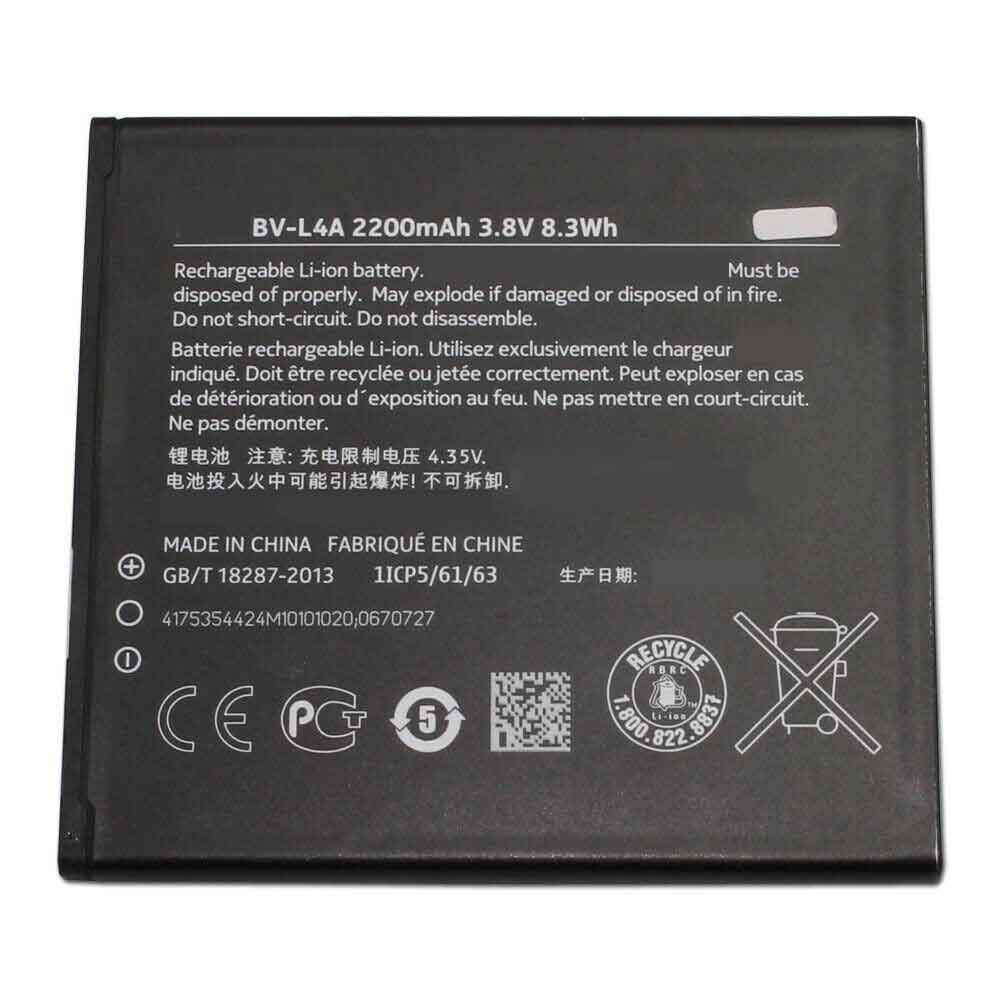
2200mAh/8.3WH 3.8V 4.35V Nokia BV-L4A Li-ion Battery for Nokia 830

2200mAh/8.3WH 3.8V 4.35V Nokia BV-L4A Batteries for Nokia 830, Nokia BV-L4A Cell Phone battery is a brand new,100% Compatible original and replacement Phone battery,Purchase wholesale and retail BV-L4A with high quality and low price!

Find ou your original model number or part number(P/N), and move your eyes on the tag of battery

BV-L4A

Specifications

  • Brand:Nokia
  • Capacity :2200mAh/8.3WH
  • Voltage :3.8V 4.35V
  • Type :Li-ion
  • Battery Cell Quality: Grade A
  • Descriptive: Replacement Battery – 1 Year Warranty
  • Description: Brand New, 1 Year Warranty! 30-Days Money Back! Fast Shipping!

How we test this Nokia BV-L4A Battery
Step 1: Make sure customer bought the correct battery.
Step 2: Check battery’s appearance and interface.
Step 3: Test battery charger and recharger function.
Step 4: Charger the battery to 100% and recharger to 0% to get real battery capacity
Step 5: Use Ev2300 to check the voltage difference of each goroup cells.
Step 6: Charger battery power more than 30%.
Step 7: Package battery carefully and send out

Compatible Part Numbers:
BV-L4A

Compatible Model Numbers:
Nokia 830

How much do you know about how to run laptop well as any place? The follow Tips cut way back on protecting battery life.


1). Please recharge or change your Cell Phone battery when battery power low.
2). Using Li-Ion Replacement Nokia BV-L4A Cell Phone Battery for your notebook which can work longer time than Non Li-ion one.
3). It is better to defragmentation regularly for your Cell Phone battery life.
4). In order to reduce the laptop power consumpition, you can use some optical drive spin-down and hard drive in your Cell Phone .
5). Please keep your laptop in sleep or standby model without long time using, which both save the Replacement Nokia BV-L4A Cell Phone Battery power and extend battery using life.
6). Leave your battery in a dry and cool condition when without using.
7). When you rarely or generally plugged in fixed power using, Please take down your battery to avoid hurting battery life.

Hot Products

1700mAh VIVO BK-B-60 for Vivo Y115920mAh MICROSOFT 4588105 for Microsoft WinBook CW140 MEDION4800mAh SAMSUNG T4800U for Samsung Tab Pro 8.4 T320/ T3251500mAh/5.78WH NOKIA BV-6A for Nokia 3060 5250 81101800mAh 13.3Wh MOTOROLA PMNN4001C for Motorola GP68 Radio1900MAH/7.22Wh ALCATEL TLI019B1 for Alcatel One Touch POP C7 7041D4400mAh DELL 312-0314 for Dell Latitude D410 serie3500mAh BLACKBERRY Tlp035B1 for BlackBerry KEY2 cellphone2200mAh/17.02WH OPPO BLP855 for OPPO Reno6 Pro4200mAh GETAC BP-S410-Main-32/2040 for GETAC s410

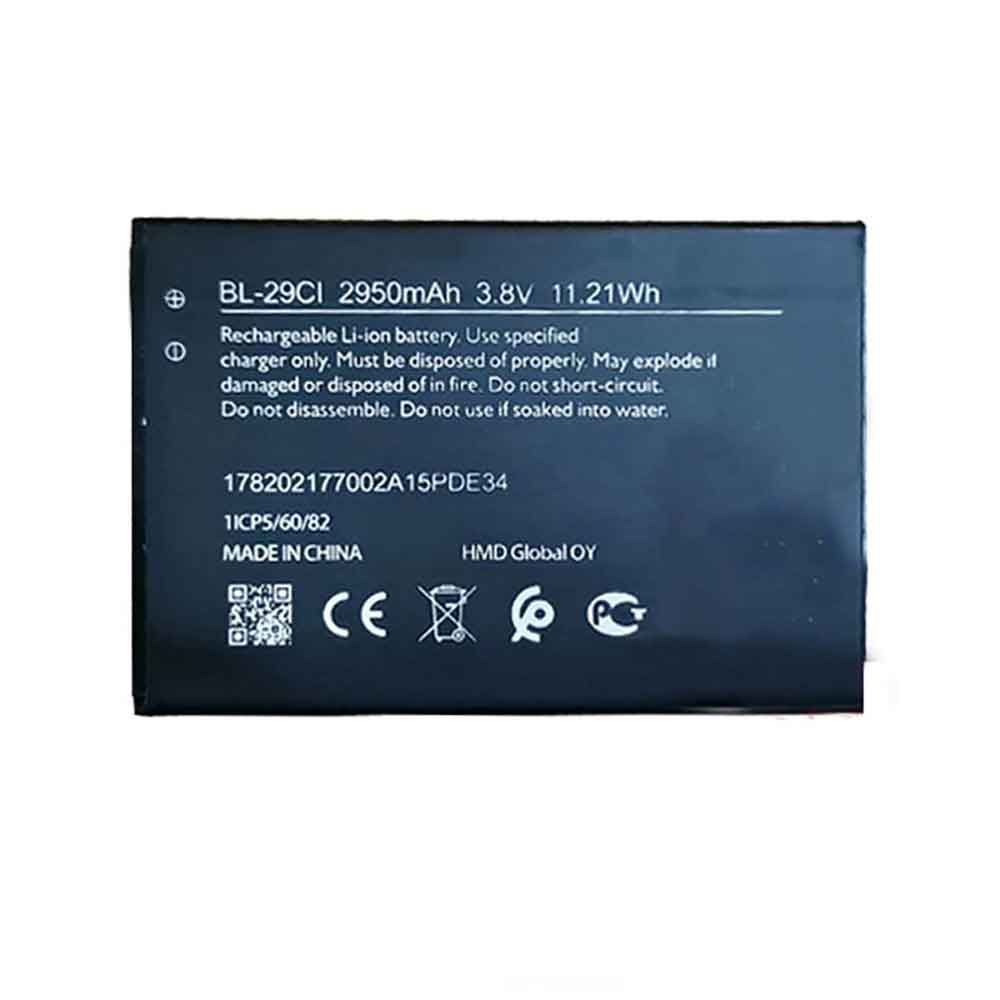
2950MAH/11.21WH 3.8V Nokia BL-29CI Li-ion Battery for Nokia BL-29CI

2950MAH/11.21WH 3.8V Nokia BL-29CI Batteries for Nokia BL-29CI, Nokia BL-29CI Cell Phone battery is a brand new,100% Compatible original and replacement Phone battery,Purchase wholesale and retail BL-29CI with high quality and low price!

Find ou your original model number or part number(P/N), and move your eyes on the tag of battery

BL-29CI

Specifications

  • Brand:Nokia
  • Capacity :2950MAH/11.21WH
  • Voltage :3.8V
  • Type :Li-ion
  • Battery Cell Quality: Grade A
  • Descriptive: Replacement Battery – 1 Year Warranty
  • Description: Brand New, 1 Year Warranty! 30-Days Money Back! Fast Shipping!

How we test this Nokia BL-29CI Battery
Step 1: Make sure customer bought the correct battery.
Step 2: Check battery’s appearance and interface.
Step 3: Test battery charger and recharger function.
Step 4: Charger the battery to 100% and recharger to 0% to get real battery capacity
Step 5: Use Ev2300 to check the voltage difference of each goroup cells.
Step 6: Charger battery power more than 30%.
Step 7: Package battery carefully and send out

Compatible Part Numbers:
BL-29CI

Compatible Model Numbers:
Nokia BL-29CI

How much do you know about how to run laptop well as any place? The follow Tips cut way back on protecting battery life.


1). Please recharge or change your Cell Phone battery when battery power low.
2). Using Li-Ion Replacement Nokia BL-29CI Cell Phone Battery for your notebook which can work longer time than Non Li-ion one.
3). It is better to defragmentation regularly for your Cell Phone battery life.
4). In order to reduce the laptop power consumpition, you can use some optical drive spin-down and hard drive in your Cell Phone .
5). Please keep your laptop in sleep or standby model without long time using, which both save the Replacement Nokia BL-29CI Cell Phone Battery power and extend battery using life.
6). Leave your battery in a dry and cool condition when without using.
7). When you rarely or generally plugged in fixed power using, Please take down your battery to avoid hurting battery life.

Hot Products

1700mAh VIVO BK-B-60 for Vivo Y115920mAh MICROSOFT 4588105 for Microsoft WinBook CW140 MEDION4800mAh SAMSUNG T4800U for Samsung Tab Pro 8.4 T320/ T3251500mAh/5.78WH NOKIA BV-6A for Nokia 3060 5250 81101800mAh 13.3Wh MOTOROLA PMNN4001C for Motorola GP68 Radio1900MAH/7.22Wh ALCATEL TLI019B1 for Alcatel One Touch POP C7 7041D4400mAh DELL 312-0314 for Dell Latitude D410 serie3500mAh BLACKBERRY Tlp035B1 for BlackBerry KEY2 cellphone2200mAh/17.02WH OPPO BLP855 for OPPO Reno6 Pro4200mAh GETAC BP-S410-Main-32/2040 for GETAC s410