3200mAh/12.16WH 3.8V 4.35V Samsung EB-BT255BBC Li-ion Battery for Samsung SM-T2519 T2558 T2556

3200mAh/12.16WH 3.8V 4.35V Samsung EB-BT255BBC Batteries for Samsung SM-T2519 T2558 T2556, Samsung EB-BT255BBC Cell Phone battery is a brand new,100% Compatible original and replacement Phone battery,Purchase wholesale and retail EB-BT255BBC with high quality and low price!

Find ou your original model number or part number(P/N), and move your eyes on the tag of battery
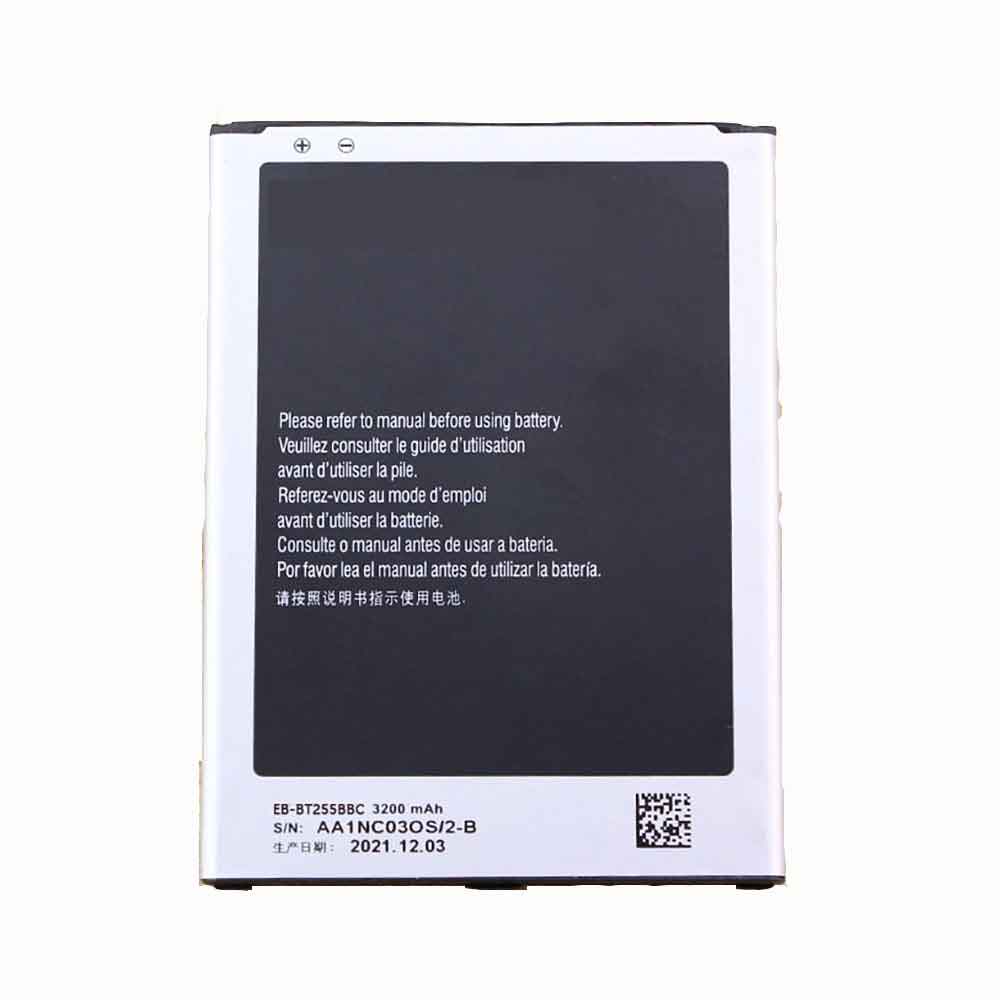
EB-BT255BBC

Specifications

  • Brand:Samsung
  • Capacity :3200mAh/12.16WH
  • Voltage :3.8V 4.35V
  • Type :Li-ion
  • Battery Cell Quality: Grade A
  • Descriptive: Replacement Battery – 1 Year Warranty
  • Description: Brand New, 1 Year Warranty! 30-Days Money Back! Fast Shipping!

How we test this Samsung EB-BT255BBC Battery
Step 1: Make sure customer bought the correct battery.
Step 2: Check battery’s appearance and interface.
Step 3: Test battery charger and recharger function.
Step 4: Charger the battery to 100% and recharger to 0% to get real battery capacity
Step 5: Use Ev2300 to check the voltage difference of each goroup cells.
Step 6: Charger battery power more than 30%.
Step 7: Package battery carefully and send out

Compatible Part Numbers:
EB-BT255BBC

Compatible Model Numbers:
Samsung SM-T2519 T2558 T2556

How much do you know about how to run laptop well as any place? The follow Tips cut way back on protecting battery life.


1). Please recharge or change your Cell Phone battery when battery power low.
2). Using Li-Ion Replacement Samsung EB-BT255BBC Cell Phone Battery for your notebook which can work longer time than Non Li-ion one.
3). It is better to defragmentation regularly for your Cell Phone battery life.
4). In order to reduce the laptop power consumpition, you can use some optical drive spin-down and hard drive in your Cell Phone .
5). Please keep your laptop in sleep or standby model without long time using, which both save the Replacement Samsung EB-BT255BBC Cell Phone Battery power and extend battery using life.
6). Leave your battery in a dry and cool condition when without using.
7). When you rarely or generally plugged in fixed power using, Please take down your battery to avoid hurting battery life.

Hot Products

2600mAh 9.88WH OUKITEL U13 for Oukitel U1338Wh / 4950mAh HP SO04XL for HP Spectre Pro 13 G11000MAH/3.5Wh FUJIFILM NP-50 for Fujifilm NP-50A F665 F750 F7547.52Wh/4400mAh GETAC GE5SN-00-01-3S2P-1 for Getac F117 F2k T1TI-781SN3 F12000mAh ZTE LI3820T43P4H695945 for ZTE Blade A3 (2019)/L82100mAh/16.25WH OPPO BLP863 for OPPO Reno6 5G3300mAh 12.705WH KOOBEE BL-89CT for Koobee F2 Plus K106350mAh 24.45WH DOOGEE BAT20ZN1296350 for Doogee S96 Pro6350mAh 24.45WH DOOGEE BAT20ZN1296350 for Doogee S96 Pro800mAh/3.96Wh DORO SHELL01A for Doro PhoneEasy 409,409GSM,410
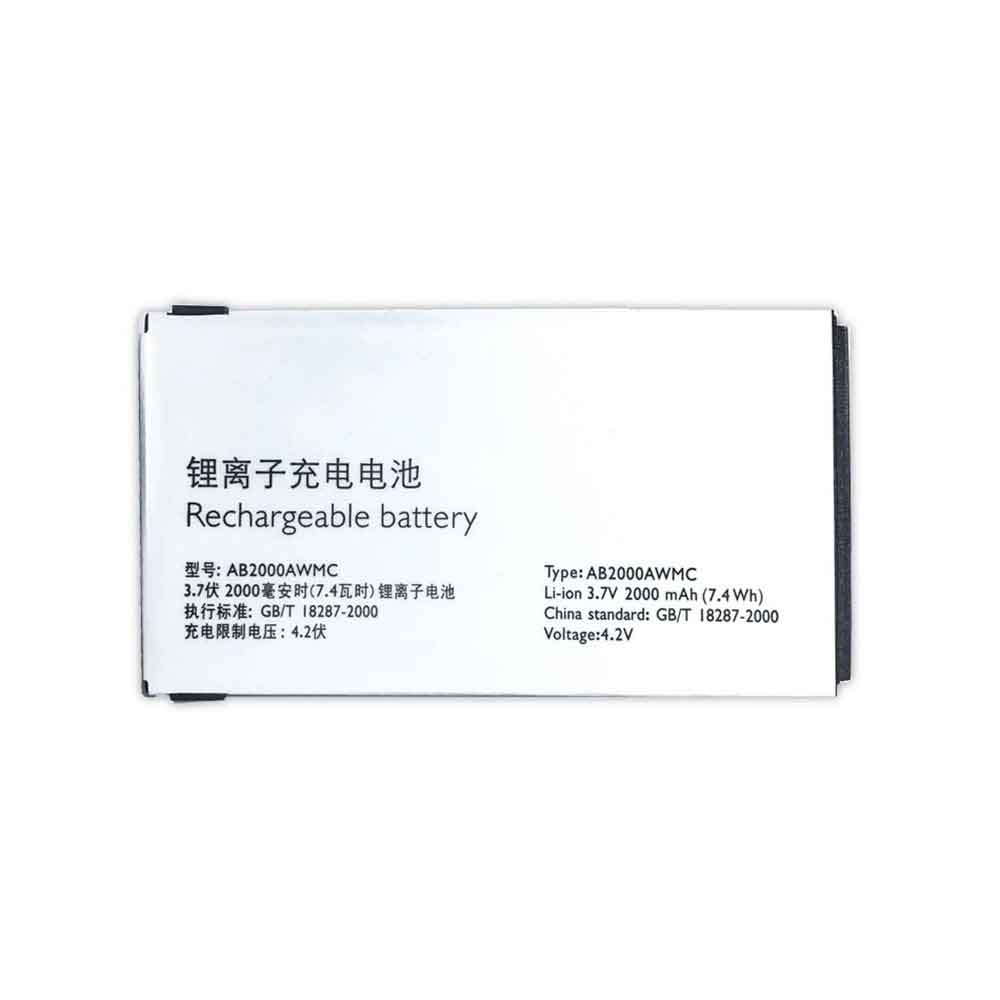
2000mAh/7.4WH 3.7V 4.2V Philips AB2000AWMC Li-ion Battery for Philips Xenium X501 X513 X523 X130 X623 X3560

2000mAh/7.4WH 3.7V 4.2V Philips AB2000AWMC Batteries for Philips Xenium X501 X513 X523 X130 X623 X3560, Philips AB2000AWMC Cell Phone battery is a brand new,100% Compatible original and replacement Phone battery,Purchase wholesale and retail AB2000AWMC with high quality and low price!

Find ou your original model number or part number(P/N), and move your eyes on the tag of battery

AB2000AWMC

Specifications

  • Brand:Philips
  • Capacity :2000mAh/7.4WH
  • Voltage :3.7V 4.2V
  • Type :Li-ion
  • Battery Cell Quality: Grade A
  • Descriptive: Replacement Battery – 1 Year Warranty
  • Description: Brand New, 1 Year Warranty! 30-Days Money Back! Fast Shipping!

How we test this Philips AB2000AWMC Battery
Step 1: Make sure customer bought the correct battery.
Step 2: Check battery’s appearance and interface.
Step 3: Test battery charger and recharger function.
Step 4: Charger the battery to 100% and recharger to 0% to get real battery capacity
Step 5: Use Ev2300 to check the voltage difference of each goroup cells.
Step 6: Charger battery power more than 30%.
Step 7: Package battery carefully and send out

Compatible Part Numbers:
AB2000AWMC

Compatible Model Numbers:
Philips Xenium X501 X513 X523 X130 X623 X3560

How much do you know about how to run laptop well as any place? The follow Tips cut way back on protecting battery life.


1). Please recharge or change your Cell Phone battery when battery power low.
2). Using Li-Ion Replacement Philips AB2000AWMC Cell Phone Battery for your notebook which can work longer time than Non Li-ion one.
3). It is better to defragmentation regularly for your Cell Phone battery life.
4). In order to reduce the laptop power consumpition, you can use some optical drive spin-down and hard drive in your Cell Phone .
5). Please keep your laptop in sleep or standby model without long time using, which both save the Replacement Philips AB2000AWMC Cell Phone Battery power and extend battery using life.
6). Leave your battery in a dry and cool condition when without using.
7). When you rarely or generally plugged in fixed power using, Please take down your battery to avoid hurting battery life.

Hot Products

2600mAh 9.88WH OUKITEL U13 for Oukitel U1338Wh / 4950mAh HP SO04XL for HP Spectre Pro 13 G11000MAH/3.5Wh FUJIFILM NP-50 for Fujifilm NP-50A F665 F750 F7547.52Wh/4400mAh GETAC GE5SN-00-01-3S2P-1 for Getac F117 F2k T1TI-781SN3 F12000mAh ZTE LI3820T43P4H695945 for ZTE Blade A3 (2019)/L82100mAh/16.25WH OPPO BLP863 for OPPO Reno6 5G3300mAh 12.705WH KOOBEE BL-89CT for Koobee F2 Plus K106350mAh 24.45WH DOOGEE BAT20ZN1296350 for Doogee S96 Pro6350mAh 24.45WH DOOGEE BAT20ZN1296350 for Doogee S96 Pro800mAh/3.96Wh DORO SHELL01A for Doro PhoneEasy 409,409GSM,410
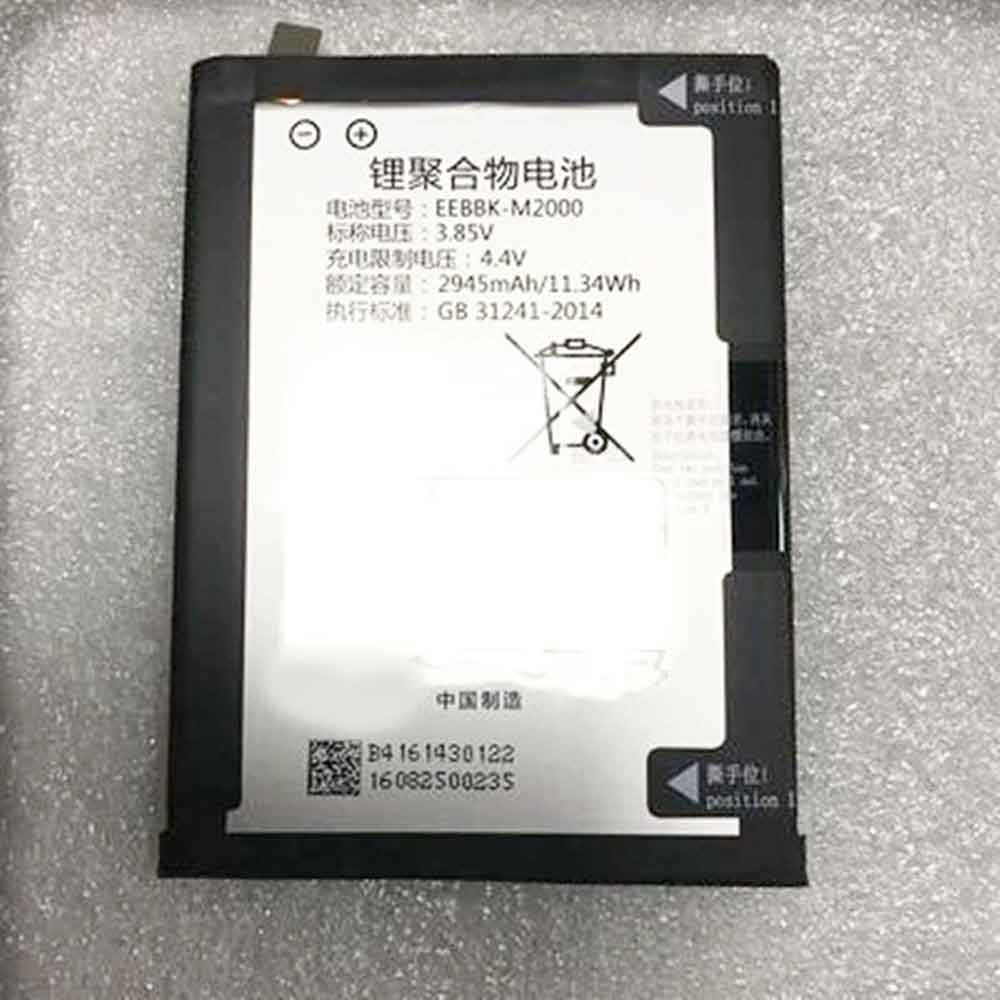
2945mAh/11.34WH 3.85V 4.4V Bbk EEBBK-M2000 Li-ion Battery for BBK imoo C1

2945mAh/11.34WH 3.85V 4.4V Bbk EEBBK-M2000 Batteries for BBK imoo C1, Bbk EEBBK-M2000 Cell Phone battery is a brand new,100% Compatible original and replacement Phone battery,Purchase wholesale and retail EEBBK-M2000 with high quality and low price!

Find ou your original model number or part number(P/N), and move your eyes on the tag of battery

EEBBK-M2000

Specifications

  • Brand:BBK
  • Capacity :2945mAh/11.34WH
  • Voltage :3.85V 4.4V
  • Type :Li-ion
  • Battery Cell Quality: Grade A
  • Descriptive: Replacement Battery – 1 Year Warranty
  • Description: Brand New, 1 Year Warranty! 30-Days Money Back! Fast Shipping!

How we test this Bbk EEBBK-M2000 Battery
Step 1: Make sure customer bought the correct battery.
Step 2: Check battery’s appearance and interface.
Step 3: Test battery charger and recharger function.
Step 4: Charger the battery to 100% and recharger to 0% to get real battery capacity
Step 5: Use Ev2300 to check the voltage difference of each goroup cells.
Step 6: Charger battery power more than 30%.
Step 7: Package battery carefully and send out

Compatible Part Numbers:
EEBBK-M2000

Compatible Model Numbers:
BBK imoo C1

How much do you know about how to run laptop well as any place? The follow Tips cut way back on protecting battery life.


1). Please recharge or change your Cell Phone battery when battery power low.
2). Using Li-Ion Replacement Bbk EEBBK-M2000 Cell Phone Battery for your notebook which can work longer time than Non Li-ion one.
3). It is better to defragmentation regularly for your Cell Phone battery life.
4). In order to reduce the laptop power consumpition, you can use some optical drive spin-down and hard drive in your Cell Phone .
5). Please keep your laptop in sleep or standby model without long time using, which both save the Replacement Bbk EEBBK-M2000 Cell Phone Battery power and extend battery using life.
6). Leave your battery in a dry and cool condition when without using.
7). When you rarely or generally plugged in fixed power using, Please take down your battery to avoid hurting battery life.

Hot Products

2600mAh 9.88WH OUKITEL U13 for Oukitel U1338Wh / 4950mAh HP SO04XL for HP Spectre Pro 13 G11000MAH/3.5Wh FUJIFILM NP-50 for Fujifilm NP-50A F665 F750 F7547.52Wh/4400mAh GETAC GE5SN-00-01-3S2P-1 for Getac F117 F2k T1TI-781SN3 F12000mAh ZTE LI3820T43P4H695945 for ZTE Blade A3 (2019)/L82100mAh/16.25WH OPPO BLP863 for OPPO Reno6 5G3300mAh 12.705WH KOOBEE BL-89CT for Koobee F2 Plus K106350mAh 24.45WH DOOGEE BAT20ZN1296350 for Doogee S96 Pro6350mAh 24.45WH DOOGEE BAT20ZN1296350 for Doogee S96 Pro800mAh/3.96Wh DORO SHELL01A for Doro PhoneEasy 409,409GSM,410
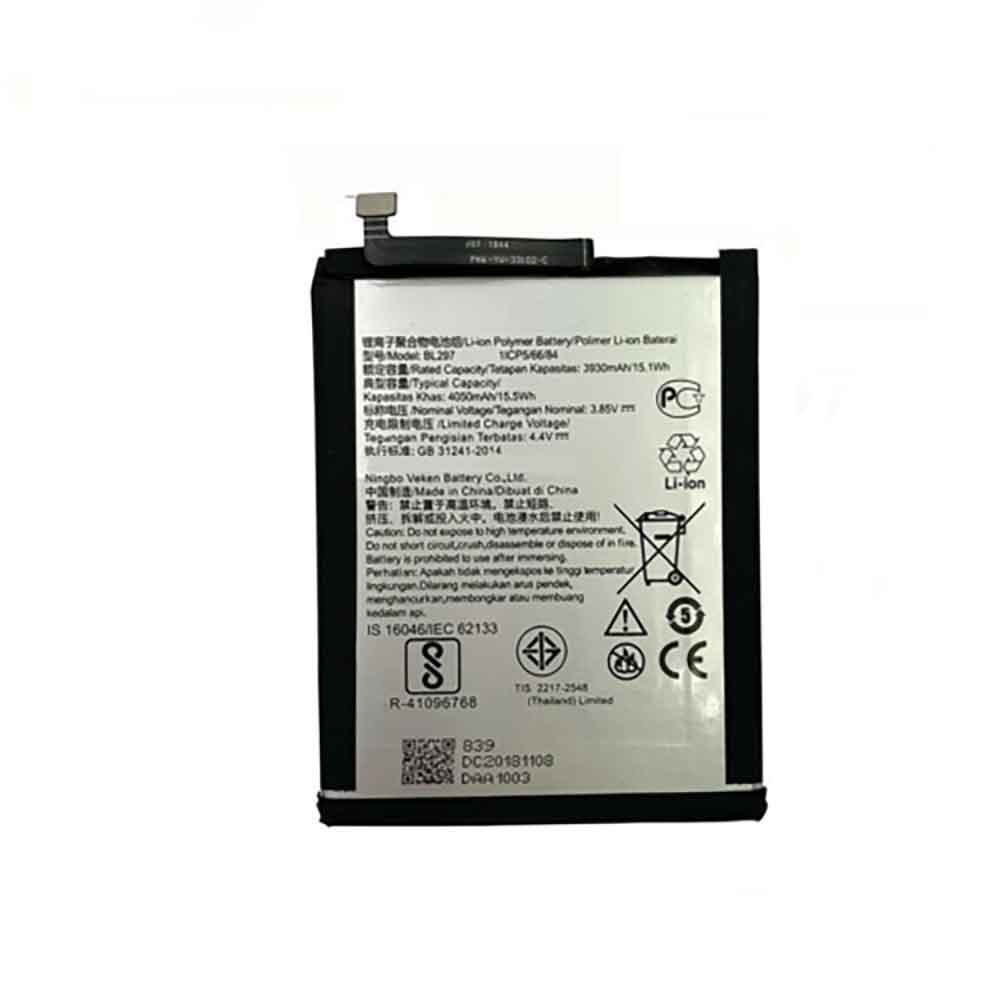
4050mAh/15.5WH 3.85V 4.4V Lenovo BL297 Li-ion Battery for Lenovo K5 Pro L38041 L38111

4050mAh/15.5WH 3.85V 4.4V Lenovo BL297 Batteries for Lenovo K5 Pro L38041 L38111, Lenovo BL297 Cell Phone battery is a brand new,100% Compatible original and replacement Phone battery,Purchase wholesale and retail BL297 with high quality and low price!

Find ou your original model number or part number(P/N), and move your eyes on the tag of battery

BL297

Specifications

  • Brand:Lenovo
  • Capacity :4050mAh/15.5WH
  • Voltage :3.85V 4.4V
  • Type :Li-ion
  • Battery Cell Quality: Grade A
  • Descriptive: Replacement Battery – 1 Year Warranty
  • Description: Brand New, 1 Year Warranty! 30-Days Money Back! Fast Shipping!

How we test this Lenovo BL297 Battery
Step 1: Make sure customer bought the correct battery.
Step 2: Check battery’s appearance and interface.
Step 3: Test battery charger and recharger function.
Step 4: Charger the battery to 100% and recharger to 0% to get real battery capacity
Step 5: Use Ev2300 to check the voltage difference of each goroup cells.
Step 6: Charger battery power more than 30%.
Step 7: Package battery carefully and send out

Compatible Part Numbers:
BL297

Compatible Model Numbers:
Lenovo K5 Pro L38041 L38111

How much do you know about how to run laptop well as any place? The follow Tips cut way back on protecting battery life.


1). Please recharge or change your Cell Phone battery when battery power low.
2). Using Li-Ion Replacement Lenovo BL297 Cell Phone Battery for your notebook which can work longer time than Non Li-ion one.
3). It is better to defragmentation regularly for your Cell Phone battery life.
4). In order to reduce the laptop power consumpition, you can use some optical drive spin-down and hard drive in your Cell Phone .
5). Please keep your laptop in sleep or standby model without long time using, which both save the Replacement Lenovo BL297 Cell Phone Battery power and extend battery using life.
6). Leave your battery in a dry and cool condition when without using.
7). When you rarely or generally plugged in fixed power using, Please take down your battery to avoid hurting battery life.

Hot Products

2600mAh 9.88WH OUKITEL U13 for Oukitel U1338Wh / 4950mAh HP SO04XL for HP Spectre Pro 13 G11000MAH/3.5Wh FUJIFILM NP-50 for Fujifilm NP-50A F665 F750 F7547.52Wh/4400mAh GETAC GE5SN-00-01-3S2P-1 for Getac F117 F2k T1TI-781SN3 F12000mAh ZTE LI3820T43P4H695945 for ZTE Blade A3 (2019)/L82100mAh/16.25WH OPPO BLP863 for OPPO Reno6 5G3300mAh 12.705WH KOOBEE BL-89CT for Koobee F2 Plus K106350mAh 24.45WH DOOGEE BAT20ZN1296350 for Doogee S96 Pro6350mAh 24.45WH DOOGEE BAT20ZN1296350 for Doogee S96 Pro800mAh/3.96Wh DORO SHELL01A for Doro PhoneEasy 409,409GSM,410

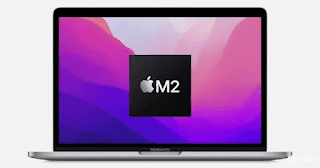
M2 MacBook Pro teardown confirms what we’ve always suspected about laptops

 Apple’s MacBook Pro with the M2 chip is basically the same laptop as its predecessor, the MacBook Pro 13-inch M1, a teardown of the new laptop shows — which isn’t surprising.

The similarities are obvious, of course, and of course from the outside, the two generations of laptops have not changed in terms of design, the only real difference being the upgrade of the M1 SoC to the M2 and the option to choose more system memory. But now with an iFixit teardown, we know that internally, the M2 MacBook Pro is indeed pretty much the same as the M1 version, with the same chassis, display, touch bar, and internal layout, save for a few tweaks.

Essentially, Apple took the 13-inch MacBook Pro with the M1, removed that SoC, and put in the M2 to replace it, with only minor updates to other smaller internals.

The iFixit video of the teardown clearly shows that all cables, brackets, screws, ground pins, etc. remain the same – just the logic board is different and the heatsink has some tweaks.

So really, hardly anything has changed, although there is a slight difference, which is sadly negative. That said, the M2 MacBook Pro entry-level model actually has slower storage than the M1 MacBook Pro due to the different configuration of the SSD.

In theory, you should be able to fit an M2 board into an M1 MacBook Pro, iFixit has continued and successfully made this swap — except the laptop doesn’t work, or specifically the trackpad, keyboard, and Touch ID sensors no longer Jobs come into play after the exchange.

In short, iFixit concluded that it was Apple’s “blatant attempt to prevent repairs and replacements with a software lock.”

Analysis: Overall overshadowed and missed opportunities?

It’s disappointing that, as iFixit points out, Apple failed to take advantage of the better repairability and design sustainability that the M2 MacBook Pro could have taken advantage of.

As a result, the new 13-inch laptop feels rather bland and noticeably lagging behind, while another laptop recently shown alongside it at WWDC — the M2-powered MacBook Air expected to be available for pre-orders imminently — was greeted by many The eagerly anticipated, represents a complete redesign of portable devices.

Interestingly, at WWDC, Apple listed the 13-inch MacBook Pro as its second-best-selling laptop, behind the MacBook Air as the company’s best-selling laptop — and given that, such a small effort seems like a no-brainer felt rather strange. Already invested in launching a new model here.

>>>>>>>>>>Apple battery

AirPods can’t switch between devices? try these fixes

 Apple’s wireless AirPods and some Beats models automatically switch between devices depending on which device you’re using. If your AirPods won’t switch, here are some things to try.

Do your AirPods support automatic switching?

Not all models of AirPods (or Beats) support automatic device switching. You must be using AirPods Pro, 2nd or 3rd generation AirPods, AirPods Max headphones, Powerbeats or Powerbeats Pro earbuds, or Beats Solo Pro headphones for this to work.

You can find out which version of AirPods you have by connecting them to your iPhone or iPad, then navigating to Settings > Bluetooth and tapping the “i” button next to AirPods. On a Mac, you can do this by connecting them and then visiting System Preferences (or System Settings) > Bluetooth and clicking Options next to AirPods.

It’s worth noting that you’ll also need an Apple device for this to work. It’s not supported on Windows PCs or Android smartphones, but you can pair AirPods with almost any device and enjoy wireless audio.

Make sure “Auto connect” is enabled

To do this, you need to tell AirPods to automatically connect to each device you want to use. This setting is device-specific, so you can tell AirPods to automatically connect to your iPhone instead of your Mac.

To do this, go to Settings > Bluetooth, then tap the “i” next to AirPods on your iPhone or iPad. Under “Connect to this iPhone/iPad”, make sure “Automatic” is enabled. You can do the same on your Mac under System Preferences > Bluetooth by clicking the Options button next to your AirPods.

For any device you want to use this feature on, make sure to select “Automatic” in this box. If you want to exclude the device from automatic connection, select “Last connected to this <device>”. If you want to turn this feature off completely, select “Last connected to this <device>” on all your Apple gadgets.

Turn on automatic ear detection

When your AirPods detect that they’re in your ears, they’ll switch based on which device they think you’re using. This feature may still work if it is not enabled, but you will have a better experience with it enabled. You’ll also save battery life because your AirPods won’t stay on all the time when you open the case.

To do this, go to Settings > Bluetooth and tap the “i” next to AirPods, then turn on Automatic Ear Detection. On a Mac, go to System Preferences > Bluetooth, then click the Options button next to AirPods, then turn on automatic ear detection.

Make sure you’re using the same Apple ID on all devices

One of the best things about AirPods and Beats headphones is how they sync between devices using iCloud. This means you only need to pair your AirPods with a single device and they will work on all of your devices. The only caveat is that you need to share the same Apple ID on all devices.

Reboot the affected device

If you’re sure your AirPods or Beats are compatible, and you’ve checked your AirPods settings under Bluetooth and it’s still not working, try restarting whatever is causing you trouble. The same goes for your iPhone or iPad, but the steps to restart may vary depending on the device you have. Any software issues you may have that are causing the problem should be resolved by a full restart.

Make sure everything is updated

If it still doesn’t work, it’s worth checking that you meet the minimum software version requirements for this feature. If you do not meet these requirements, the feature will not work.

You can check which version of iOS or iPadOS you have under Settings > General > About This Mac on your iPhone or iPad. On a Mac, click the Apple logo and select About This Mac to see the installed version.

If you don’t meet the minimum requirements, try updating your iPhone, iPad or Mac to the latest software from Apple under Settings > General > Software Update or System Preferences > Software Update on your Mac.

Unpair your AirPods and start over

If you’ve tried everything else and met all the minimum requirements, try restoring your AirPods to factory settings by unpairing. You can do this by clicking the “i” button next to your AirPods or using the Options button next to your AirPods under System Preferences > Bluetooth on your Mac under Settings > Bluetooth.

Still not working? manual switch

If you’ve tried everything and it still doesn’t work, you can switch between devices manually. To do this on your iPhone or iPad, swipe down from the top-right corner of the screen, tap the Now Playing box, and select your AirPods from the options below the playback controls. On a Mac, you can click the Control Center icon in the upper-right corner of the screen, then click the AirPlay button next to the volume slider. You can also enable the “Show sound in menu bar” option on the Output tab under System Preferences > Sound for a quick toggle.

>>>>>>>>>>>>Apple battery

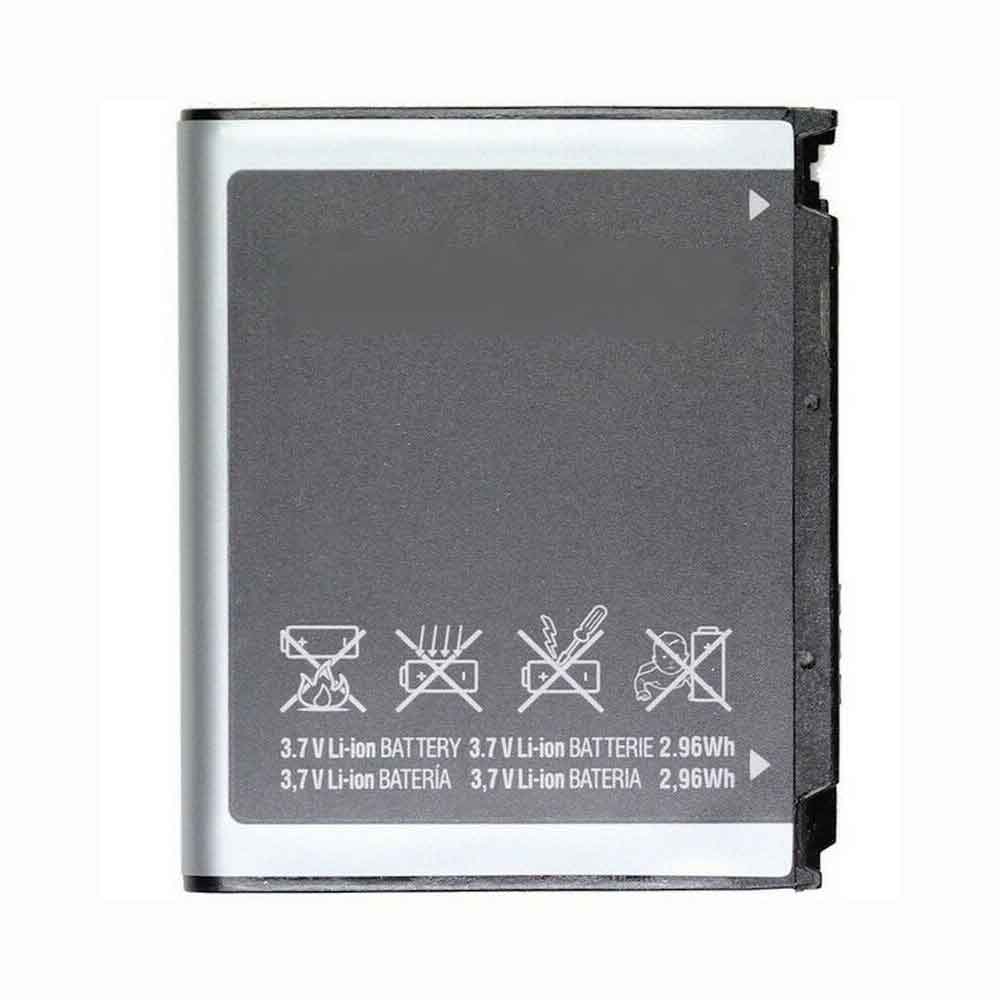
800mAh/2.96WH 3.7V Samsung AB503442CU Li-ion Battery for Samsung D900 R500 M520 E498 E690 E780

800mAh/2.96WH 3.7V Samsung AB503442CU Batteries for Samsung D900 R500 M520 E498 E690 E780, Samsung AB503442CU Cell Phone battery is a brand new,100% Compatible original and replacement Phone battery,Purchase wholesale and retail AB503442CU with high quality and low price!

Find ou your original model number or part number(P/N), and move your eyes on the tag of battery

AB503442CU

Specifications

  • Brand:Samsung
  • Capacity :800mAh/2.96WH
  • Voltage :3.7V
  • Type :Li-ion
  • Battery Cell Quality: Grade A
  • Descriptive: Replacement Battery – 1 Year Warranty
  • Description: Brand New, 1 Year Warranty! 30-Days Money Back! Fast Shipping!

How we test this Samsung AB503442CU Battery
Step 1: Make sure customer bought the correct battery.
Step 2: Check battery’s appearance and interface.
Step 3: Test battery charger and recharger function.
Step 4: Charger the battery to 100% and recharger to 0% to get real battery capacity
Step 5: Use Ev2300 to check the voltage difference of each goroup cells.
Step 6: Charger battery power more than 30%.
Step 7: Package battery carefully and send out

Compatible Part Numbers:
AB503442CU

Compatible Model Numbers:
Samsung D900 R500 M520 E498 E690 E780

How much do you know about how to run laptop well as any place? The follow Tips cut way back on protecting battery life.


1). Please recharge or change your Cell Phone battery when battery power low.
2). Using Li-Ion Replacement Samsung AB503442CU Cell Phone Battery for your notebook which can work longer time than Non Li-ion one.
3). It is better to defragmentation regularly for your Cell Phone battery life.
4). In order to reduce the laptop power consumpition, you can use some optical drive spin-down and hard drive in your Cell Phone .
5). Please keep your laptop in sleep or standby model without long time using, which both save the Replacement Samsung AB503442CU Cell Phone Battery power and extend battery using life.
6). Leave your battery in a dry and cool condition when without using.
7). When you rarely or generally plugged in fixed power using, Please take down your battery to avoid hurting battery life.

Hot Products

2600mAh 9.88WH OUKITEL U13 for Oukitel U1338Wh / 4950mAh HP SO04XL for HP Spectre Pro 13 G11000MAH/3.5Wh FUJIFILM NP-50 for Fujifilm NP-50A F665 F750 F7547.52Wh/4400mAh GETAC GE5SN-00-01-3S2P-1 for Getac F117 F2k T1TI-781SN3 F12000mAh ZTE LI3820T43P4H695945 for ZTE Blade A3 (2019)/L82100mAh/16.25WH OPPO BLP863 for OPPO Reno6 5G3300mAh 12.705WH KOOBEE BL-89CT for Koobee F2 Plus K106350mAh 24.45WH DOOGEE BAT20ZN1296350 for Doogee S96 Pro6350mAh 24.45WH DOOGEE BAT20ZN1296350 for Doogee S96 Pro800mAh/3.96Wh DORO SHELL01A for Doro PhoneEasy 409,409GSM,410
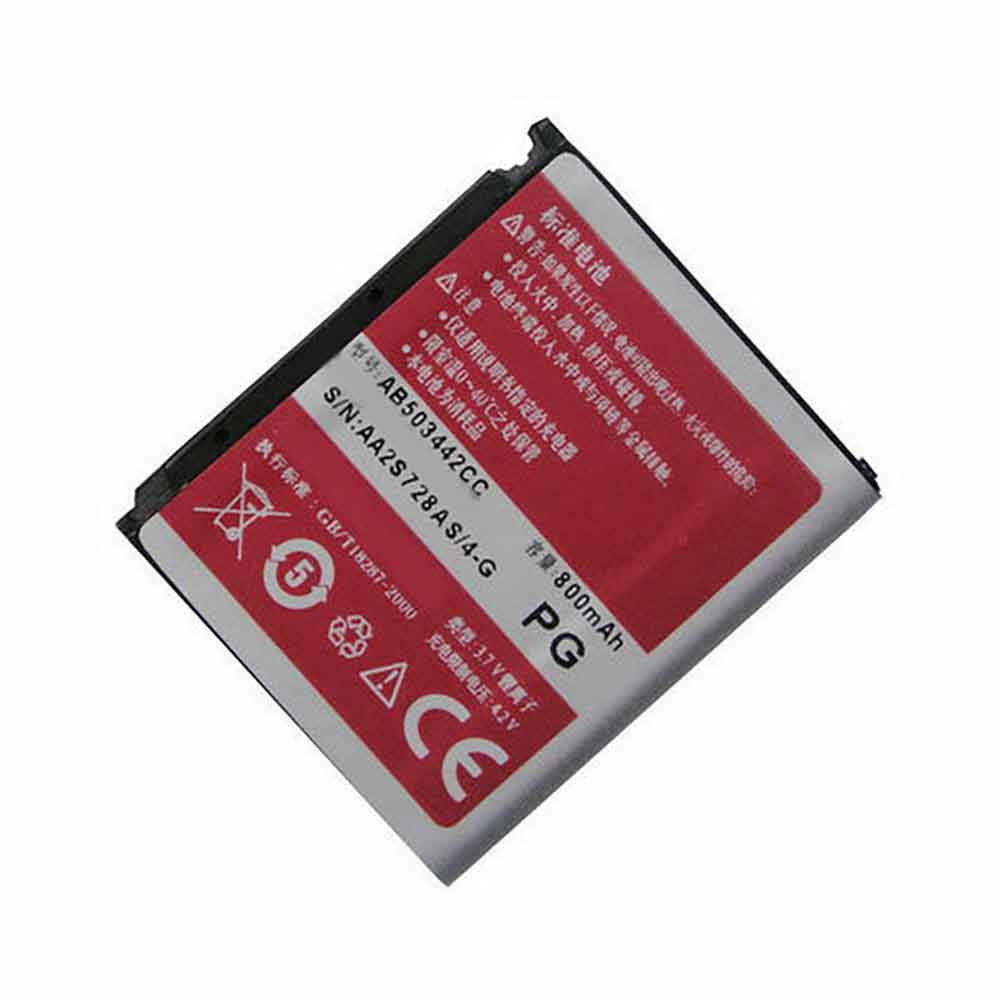
800mAh/3.26WH 3.7V 4.2V Samsung AB503442CC Li-ion Battery for Samsung D908I D900i E488 F609 M359 D908

800mAh/3.26WH 3.7V 4.2V Samsung AB503442CC Batteries for Samsung D908I D900i E488 F609 M359 D908, Samsung AB503442CC Cell Phone battery is a brand new,100% Compatible original and replacement Phone battery,Purchase wholesale and retail AB503442CC with high quality and low price!

Find ou your original model number or part number(P/N), and move your eyes on the tag of battery

AB503442CC

Specifications

  • Brand:Samsung
  • Capacity :800mAh/3.26WH
  • Voltage :3.7V 4.2V
  • Type :Li-ion
  • Battery Cell Quality: Grade A
  • Descriptive: Replacement Battery – 1 Year Warranty
  • Description: Brand New, 1 Year Warranty! 30-Days Money Back! Fast Shipping!

How we test this Samsung AB503442CC Battery
Step 1: Make sure customer bought the correct battery.
Step 2: Check battery’s appearance and interface.
Step 3: Test battery charger and recharger function.
Step 4: Charger the battery to 100% and recharger to 0% to get real battery capacity
Step 5: Use Ev2300 to check the voltage difference of each goroup cells.
Step 6: Charger battery power more than 30%.
Step 7: Package battery carefully and send out

Compatible Part Numbers:
AB503442CC

Compatible Model Numbers:
Samsung D908I D900i E488 F609 M359 D908

How much do you know about how to run laptop well as any place? The follow Tips cut way back on protecting battery life.


1). Please recharge or change your Cell Phone battery when battery power low.
2). Using Li-Ion Replacement Samsung AB503442CC Cell Phone Battery for your notebook which can work longer time than Non Li-ion one.
3). It is better to defragmentation regularly for your Cell Phone battery life.
4). In order to reduce the laptop power consumpition, you can use some optical drive spin-down and hard drive in your Cell Phone .
5). Please keep your laptop in sleep or standby model without long time using, which both save the Replacement Samsung AB503442CC Cell Phone Battery power and extend battery using life.
6). Leave your battery in a dry and cool condition when without using.
7). When you rarely or generally plugged in fixed power using, Please take down your battery to avoid hurting battery life.

Hot Products

2600mAh 9.88WH OUKITEL U13 for Oukitel U1338Wh / 4950mAh HP SO04XL for HP Spectre Pro 13 G11000MAH/3.5Wh FUJIFILM NP-50 for Fujifilm NP-50A F665 F750 F7547.52Wh/4400mAh GETAC GE5SN-00-01-3S2P-1 for Getac F117 F2k T1TI-781SN3 F12000mAh ZTE LI3820T43P4H695945 for ZTE Blade A3 (2019)/L82100mAh/16.25WH OPPO BLP863 for OPPO Reno6 5G3300mAh 12.705WH KOOBEE BL-89CT for Koobee F2 Plus K106350mAh 24.45WH DOOGEE BAT20ZN1296350 for Doogee S96 Pro6350mAh 24.45WH DOOGEE BAT20ZN1296350 for Doogee S96 Pro800mAh/3.96Wh DORO SHELL01A for Doro PhoneEasy 409,409GSM,410
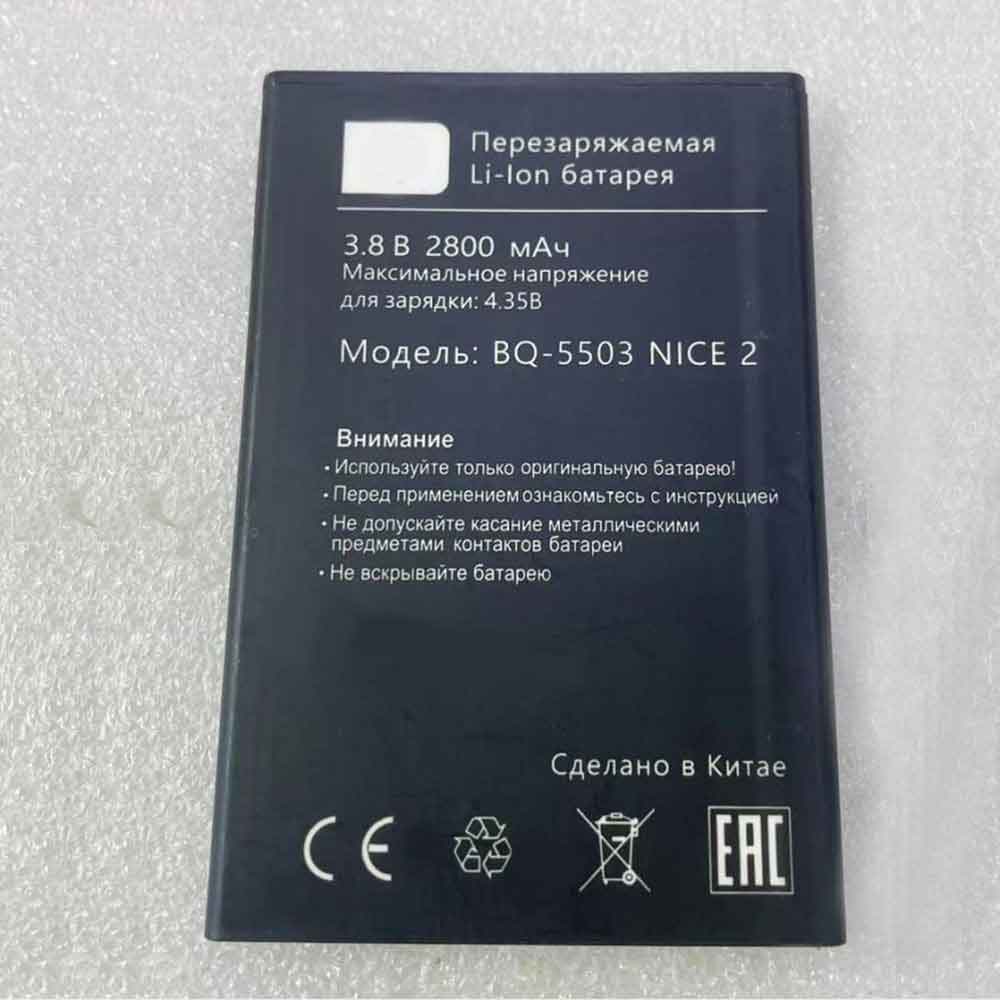
2800mAh 3.8V 4.35V Bq BQ-5503 Li-ion Battery for BQ Mobile BQ-5503 Nice 2

2800mAh 3.8V 4.35V Bq BQ-5503 Batteries for BQ Mobile BQ-5503 Nice 2, Bq BQ-5503 Cell Phone battery is a brand new,100% Compatible original and replacement Phone battery,Purchase wholesale and retail BQ-5503 with high quality and low price!

Find ou your original model number or part number(P/N), and move your eyes on the tag of battery

BQ-5503

Specifications

  • Brand:BQ
  • Capacity :2800mAh
  • Voltage :3.8V 4.35V
  • Type :Li-ion
  • Battery Cell Quality: Grade A
  • Descriptive: Replacement Battery – 1 Year Warranty
  • Description: Brand New, 1 Year Warranty! 30-Days Money Back! Fast Shipping!

How we test this Bq BQ-5503 Battery
Step 1: Make sure customer bought the correct battery.
Step 2: Check battery’s appearance and interface.
Step 3: Test battery charger and recharger function.
Step 4: Charger the battery to 100% and recharger to 0% to get real battery capacity
Step 5: Use Ev2300 to check the voltage difference of each goroup cells.
Step 6: Charger battery power more than 30%.
Step 7: Package battery carefully and send out

Compatible Part Numbers:
BQ-5503

Compatible Model Numbers:
BQ Mobile BQ-5503 Nice 2

How much do you know about how to run laptop well as any place? The follow Tips cut way back on protecting battery life.


1). Please recharge or change your Cell Phone battery when battery power low.
2). Using Li-Ion Replacement Bq BQ-5503 Cell Phone Battery for your notebook which can work longer time than Non Li-ion one.
3). It is better to defragmentation regularly for your Cell Phone battery life.
4). In order to reduce the laptop power consumpition, you can use some optical drive spin-down and hard drive in your Cell Phone .
5). Please keep your laptop in sleep or standby model without long time using, which both save the Replacement Bq BQ-5503 Cell Phone Battery power and extend battery using life.
6). Leave your battery in a dry and cool condition when without using.
7). When you rarely or generally plugged in fixed power using, Please take down your battery to avoid hurting battery life.

Hot Products

2600mAh 9.88WH OUKITEL U13 for Oukitel U1338Wh / 4950mAh HP SO04XL for HP Spectre Pro 13 G11000MAH/3.5Wh FUJIFILM NP-50 for Fujifilm NP-50A F665 F750 F7547.52Wh/4400mAh GETAC GE5SN-00-01-3S2P-1 for Getac F117 F2k T1TI-781SN3 F12000mAh ZTE LI3820T43P4H695945 for ZTE Blade A3 (2019)/L82100mAh/16.25WH OPPO BLP863 for OPPO Reno6 5G3300mAh 12.705WH KOOBEE BL-89CT for Koobee F2 Plus K106350mAh 24.45WH DOOGEE BAT20ZN1296350 for Doogee S96 Pro6350mAh 24.45WH DOOGEE BAT20ZN1296350 for Doogee S96 Pro800mAh/3.96Wh DORO SHELL01A for Doro PhoneEasy 409,409GSM,410
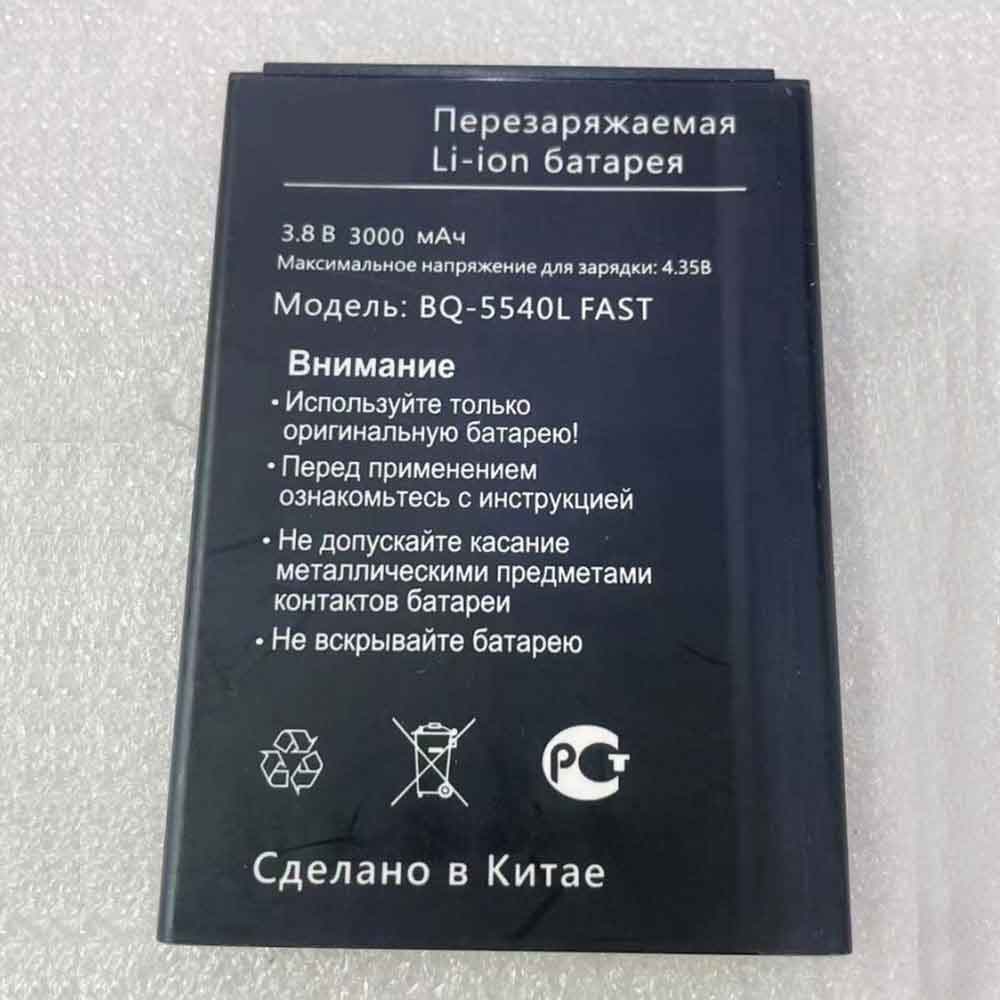
3000mAh 3.8V 4.35V Bq BQ-5540L Li-ion Battery for BQ Mobile BQ-5540L Fast Pro

3000mAh 3.8V 4.35V Bq BQ-5540L Batteries for BQ Mobile BQ-5540L Fast Pro, Bq BQ-5540L Cell Phone battery is a brand new,100% Compatible original and replacement Phone battery,Purchase wholesale and retail BQ-5540L with high quality and low price!

Find ou your original model number or part number(P/N), and move your eyes on the tag of battery

BQ-5540L

Specifications

  • Brand:BQ
  • Capacity :3000mAh
  • Voltage :3.8V 4.35V
  • Type :Li-ion
  • Battery Cell Quality: Grade A
  • Descriptive: Replacement Battery – 1 Year Warranty
  • Description: Brand New, 1 Year Warranty! 30-Days Money Back! Fast Shipping!

How we test this Bq BQ-5540L Battery
Step 1: Make sure customer bought the correct battery.
Step 2: Check battery’s appearance and interface.
Step 3: Test battery charger and recharger function.
Step 4: Charger the battery to 100% and recharger to 0% to get real battery capacity
Step 5: Use Ev2300 to check the voltage difference of each goroup cells.
Step 6: Charger battery power more than 30%.
Step 7: Package battery carefully and send out

Compatible Part Numbers:
BQ-5540L

Compatible Model Numbers:
BQ Mobile BQ-5540L Fast Pro

How much do you know about how to run laptop well as any place? The follow Tips cut way back on protecting battery life.


1). Please recharge or change your Cell Phone battery when battery power low.
2). Using Li-Ion Replacement Bq BQ-5540L Cell Phone Battery for your notebook which can work longer time than Non Li-ion one.
3). It is better to defragmentation regularly for your Cell Phone battery life.
4). In order to reduce the laptop power consumpition, you can use some optical drive spin-down and hard drive in your Cell Phone .
5). Please keep your laptop in sleep or standby model without long time using, which both save the Replacement Bq BQ-5540L Cell Phone Battery power and extend battery using life.
6). Leave your battery in a dry and cool condition when without using.
7). When you rarely or generally plugged in fixed power using, Please take down your battery to avoid hurting battery life.

Hot Products

2600mAh 9.88WH OUKITEL U13 for Oukitel U1338Wh / 4950mAh HP SO04XL for HP Spectre Pro 13 G11000MAH/3.5Wh FUJIFILM NP-50 for Fujifilm NP-50A F665 F750 F7547.52Wh/4400mAh GETAC GE5SN-00-01-3S2P-1 for Getac F117 F2k T1TI-781SN3 F12000mAh ZTE LI3820T43P4H695945 for ZTE Blade A3 (2019)/L82100mAh/16.25WH OPPO BLP863 for OPPO Reno6 5G3300mAh 12.705WH KOOBEE BL-89CT for Koobee F2 Plus K106350mAh 24.45WH DOOGEE BAT20ZN1296350 for Doogee S96 Pro6350mAh 24.45WH DOOGEE BAT20ZN1296350 for Doogee S96 Pro800mAh/3.96Wh DORO SHELL01A for Doro PhoneEasy 409,409GSM,410