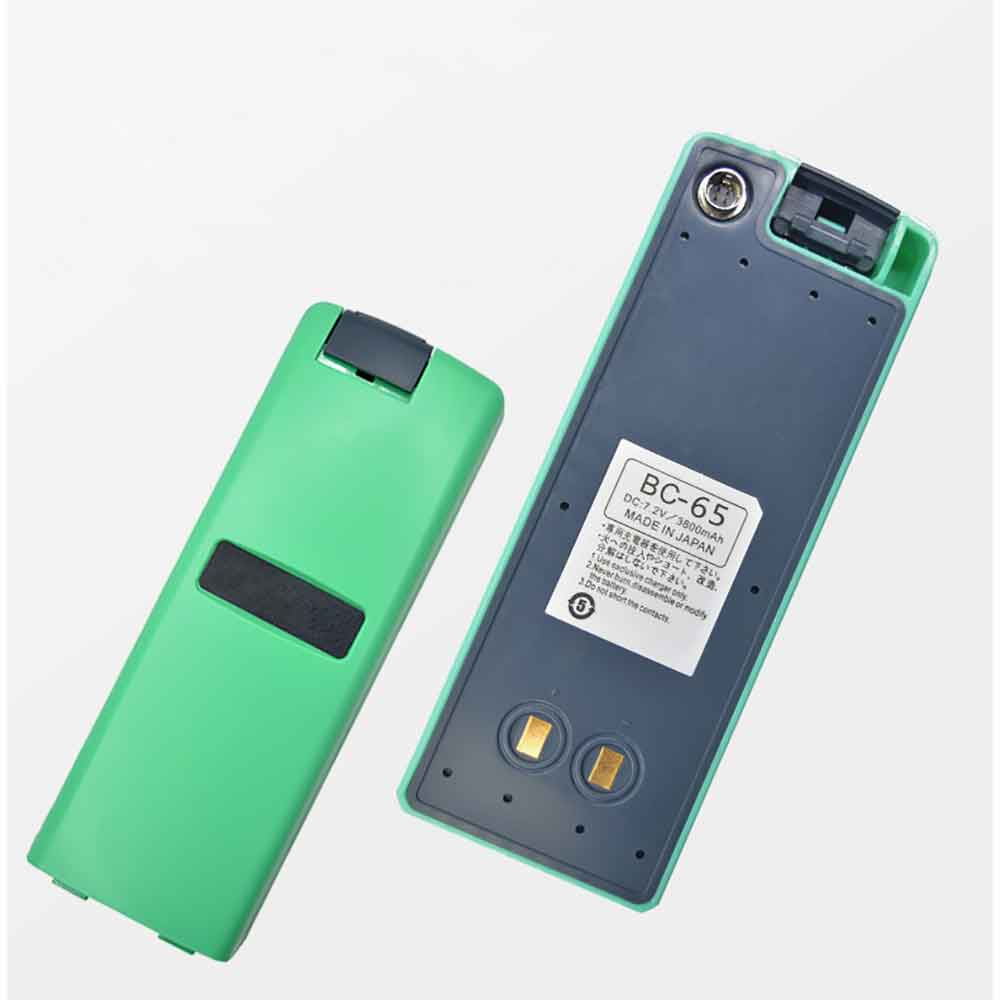
3800mAh 6V/7.2V Nikon BC-65 Li-ion Battery for Nikon DTM352C DTM452C DTM352N

3800mAh 6V/7.2V Nikon BC-65 Batteries for Nikon DTM352C DTM452C DTM352N, Nikon BC-65 Other battery is a brand new,100% Compatible original and replacement battery,Purchase wholesale and retail BC-65 with high quality and low price!

Find ou your original model number or part number(P/N), and move your eyes on the tag of battery
BC-65

Specifications

  • Brand:Nikon
  • Capacity :3800mAh
  • Voltage :6V/7.2V
  • Type :Ni-MH
  • Battery Cell Quality: Grade A
  • Descriptive: Replacement Battery – 1 Year Warranty
  • Description: Brand New, 1 Year Warranty! 30-Days Money Back! Fast Shipping!

How we test this Nikon BC-65 Battery
Step 1: Make sure customer bought the correct battery.
Step 2: Check battery’s appearance and interface.
Step 3: Test battery charger and recharger function.
Step 4: Charger the battery to 100% and recharger to 0% to get real battery capacity
Step 5: Use Ev2300 to check the voltage difference of each goroup cells.
Step 6: Charger battery power more than 30%.
Step 7: Package battery carefully and send out

Compatible Part Numbers:
BC-65

Compatible Model Numbers:
Nikon DTM352C DTM452C DTM352N

How much do you know about how to run laptop well as any place? The follow Tips cut way back on protecting battery life.


1). Please recharge or change your Other battery when battery power low.
2). Using Li-Ion Replacement Nikon BC-65 Other Battery for your notebook which can work longer time than Non Li-ion one.
3). It is better to defragmentation regularly for your Other battery life.
4). In order to reduce the laptop power consumpition, you can use some optical drive spin-down and hard drive in your Other .
5). Please keep your laptop in sleep or standby model without long time using, which both save the Replacement Nikon BC-65 Other Battery power and extend battery using life.
6). Leave your battery in a dry and cool condition when without using.
7). When you rarely or generally plugged in fixed power using, Please take down your battery to avoid hurting battery life.

Hot Products

3000mAh 11.4WH VSUN SATURN-Selfie for Vsun SATURN-Selfie2300MAH/8.6WH SONY LIS1509ERPC for Sony Ericsson Xperia SP M35H C2500mAh/9.5WH ZTE Li3825T43P3h736037 for ZTE V08401500mAh/11WH FUJIFILM NP-150 for Fujifilm S5 S8 Pro/IS Pro3500mAh BLACKVIEW V575868P for Blackview BV7000 Phone4400MAH/16.94WH NOKIA HQ480 for Nokia 8.3 TA-1243 TA-1251 5G340mAh GIBSON U452050 for Gibson U45205033.6Wh FUJITSU FPCBP506 for Fujitsu Stylistic R726 R7274900mAh/36.26Wh JUMPER PT3488127-2S for 8Pin JUMPER AVITA LIBER NS13A3000mAh 11.1WH JBL GSP872693-01 for JBL Flip 4
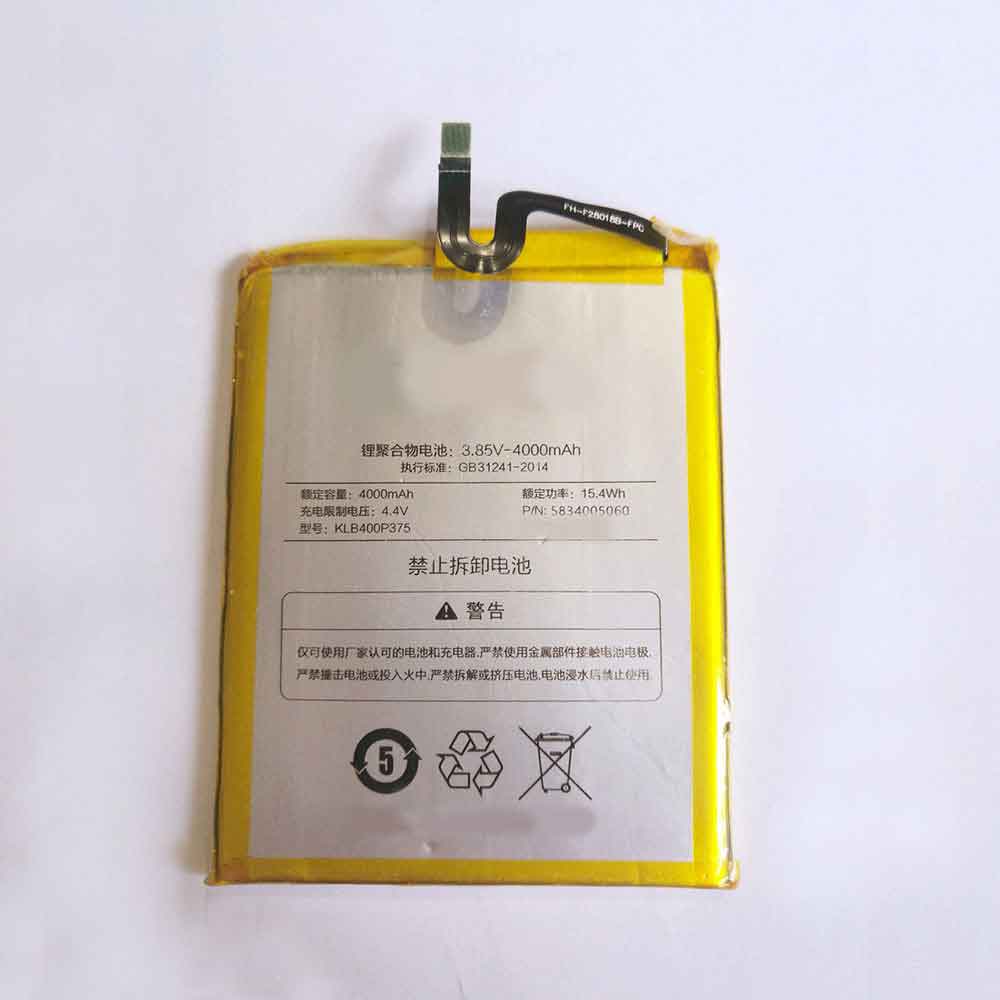
4000mAh/15.4WH 3.85V 4.4V Konka KLB400P375 Li-ion Battery for Konka E2

4000mAh/15.4WH 3.85V 4.4V Konka KLB400P375 Batteries for Konka E2, Konka KLB400P375 Cell Phone battery is a brand new,100% Compatible original and replacement Phone battery,Purchase wholesale and retail KLB400P375 with high quality and low price!

Find ou your original model number or part number(P/N), and move your eyes on the tag of battery

KLB400P375

Specifications

  • Brand:Konka
  • Capacity :4000mAh/15.4WH
  • Voltage :3.85V 4.4V
  • Type :Li-ion
  • Battery Cell Quality: Grade A
  • Descriptive: Replacement Battery – 1 Year Warranty
  • Description: Brand New, 1 Year Warranty! 30-Days Money Back! Fast Shipping!

How we test this Konka KLB400P375 Battery
Step 1: Make sure customer bought the correct battery.
Step 2: Check battery’s appearance and interface.
Step 3: Test battery charger and recharger function.
Step 4: Charger the battery to 100% and recharger to 0% to get real battery capacity
Step 5: Use Ev2300 to check the voltage difference of each goroup cells.
Step 6: Charger battery power more than 30%.
Step 7: Package battery carefully and send out

Compatible Part Numbers:
KLB400P375

Compatible Model Numbers:
Konka E2

How much do you know about how to run laptop well as any place? The follow Tips cut way back on protecting battery life.


1). Please recharge or change your Cell Phone battery when battery power low.
2). Using Li-Ion Replacement Konka KLB400P375 Cell Phone Battery for your notebook which can work longer time than Non Li-ion one.
3). It is better to defragmentation regularly for your Cell Phone battery life.
4). In order to reduce the laptop power consumpition, you can use some optical drive spin-down and hard drive in your Cell Phone .
5). Please keep your laptop in sleep or standby model without long time using, which both save the Replacement Konka KLB400P375 Cell Phone Battery power and extend battery using life.
6). Leave your battery in a dry and cool condition when without using.
7). When you rarely or generally plugged in fixed power using, Please take down your battery to avoid hurting battery life.

Hot Products

3000mAh 11.4WH VSUN SATURN-Selfie for Vsun SATURN-Selfie2300MAH/8.6WH SONY LIS1509ERPC for Sony Ericsson Xperia SP M35H C2500mAh/9.5WH ZTE Li3825T43P3h736037 for ZTE V08401500mAh/11WH FUJIFILM NP-150 for Fujifilm S5 S8 Pro/IS Pro3500mAh BLACKVIEW V575868P for Blackview BV7000 Phone4400MAH/16.94WH NOKIA HQ480 for Nokia 8.3 TA-1243 TA-1251 5G340mAh GIBSON U452050 for Gibson U45205033.6Wh FUJITSU FPCBP506 for Fujitsu Stylistic R726 R7274900mAh/36.26Wh JUMPER PT3488127-2S for 8Pin JUMPER AVITA LIBER NS13A3000mAh 11.1WH JBL GSP872693-01 for JBL Flip 4
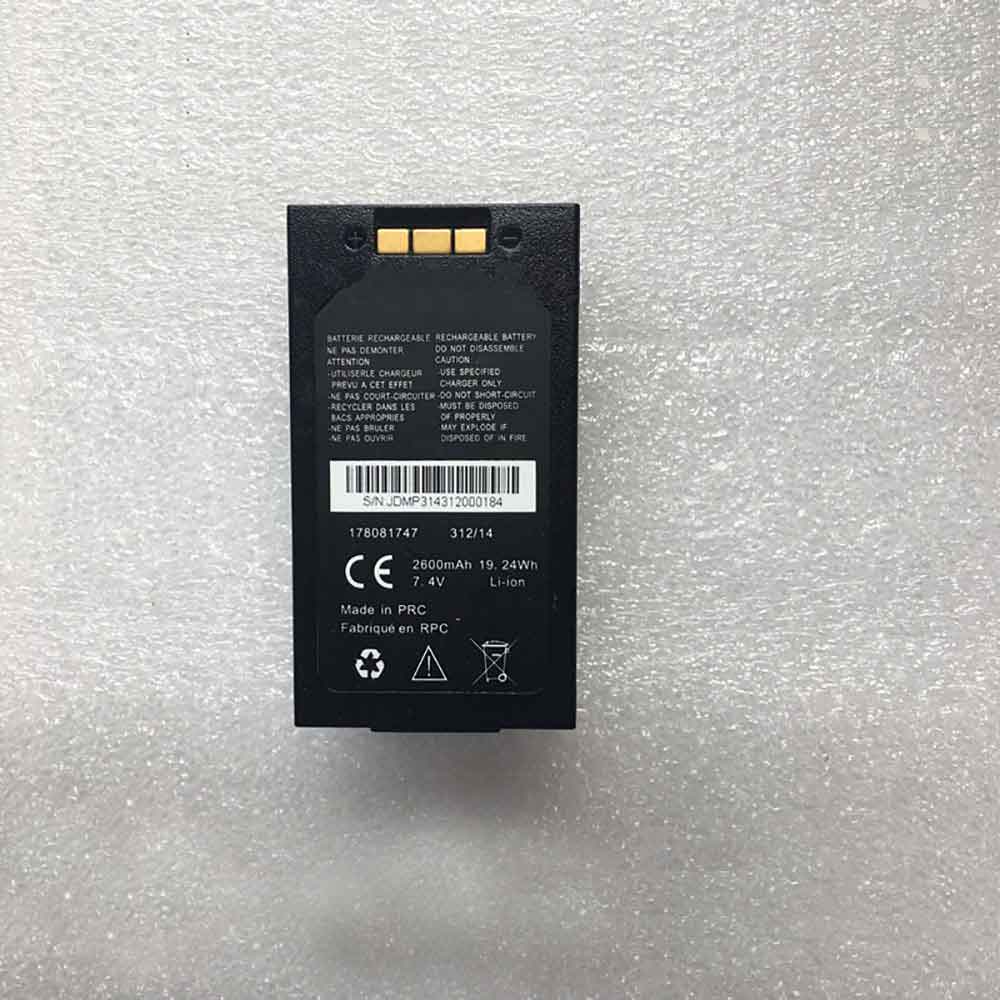
2600mAh 7.4V Mobiwire 178081747 Li-ion Battery for MobiWire 178081747

2600mAh 7.4V Mobiwire 178081747 Batteries for MobiWire 178081747, Mobiwire 178081747 Cell Phone battery is a brand new,100% Compatible original and replacement Phone battery,Purchase wholesale and retail 178081747 with high quality and low price!

Find ou your original model number or part number(P/N), and move your eyes on the tag of battery

178081747

Specifications

  • Brand:MobiWire
  • Capacity :2600mAh
  • Voltage :7.4V
  • Type :Li-ion
  • Battery Cell Quality: Grade A
  • Descriptive: Replacement Battery – 1 Year Warranty
  • Description: Brand New, 1 Year Warranty! 30-Days Money Back! Fast Shipping!

How we test this Mobiwire 178081747 Battery
Step 1: Make sure customer bought the correct battery.
Step 2: Check battery’s appearance and interface.
Step 3: Test battery charger and recharger function.
Step 4: Charger the battery to 100% and recharger to 0% to get real battery capacity
Step 5: Use Ev2300 to check the voltage difference of each goroup cells.
Step 6: Charger battery power more than 30%.
Step 7: Package battery carefully and send out

Compatible Part Numbers:
178081747

Compatible Model Numbers:
MobiWire 178081747

How much do you know about how to run laptop well as any place? The follow Tips cut way back on protecting battery life.


1). Please recharge or change your Cell Phone battery when battery power low.
2). Using Li-Ion Replacement Mobiwire 178081747 Cell Phone Battery for your notebook which can work longer time than Non Li-ion one.
3). It is better to defragmentation regularly for your Cell Phone battery life.
4). In order to reduce the laptop power consumpition, you can use some optical drive spin-down and hard drive in your Cell Phone .
5). Please keep your laptop in sleep or standby model without long time using, which both save the Replacement Mobiwire 178081747 Cell Phone Battery power and extend battery using life.
6). Leave your battery in a dry and cool condition when without using.
7). When you rarely or generally plugged in fixed power using, Please take down your battery to avoid hurting battery life.

Hot Products

3000mAh 11.4WH VSUN SATURN-Selfie for Vsun SATURN-Selfie2300MAH/8.6WH SONY LIS1509ERPC for Sony Ericsson Xperia SP M35H C2500mAh/9.5WH ZTE Li3825T43P3h736037 for ZTE V08401500mAh/11WH FUJIFILM NP-150 for Fujifilm S5 S8 Pro/IS Pro3500mAh BLACKVIEW V575868P for Blackview BV7000 Phone4400MAH/16.94WH NOKIA HQ480 for Nokia 8.3 TA-1243 TA-1251 5G340mAh GIBSON U452050 for Gibson U45205033.6Wh FUJITSU FPCBP506 for Fujitsu Stylistic R726 R7274900mAh/36.26Wh JUMPER PT3488127-2S for 8Pin JUMPER AVITA LIBER NS13A3000mAh 11.1WH JBL GSP872693-01 for JBL Flip 4

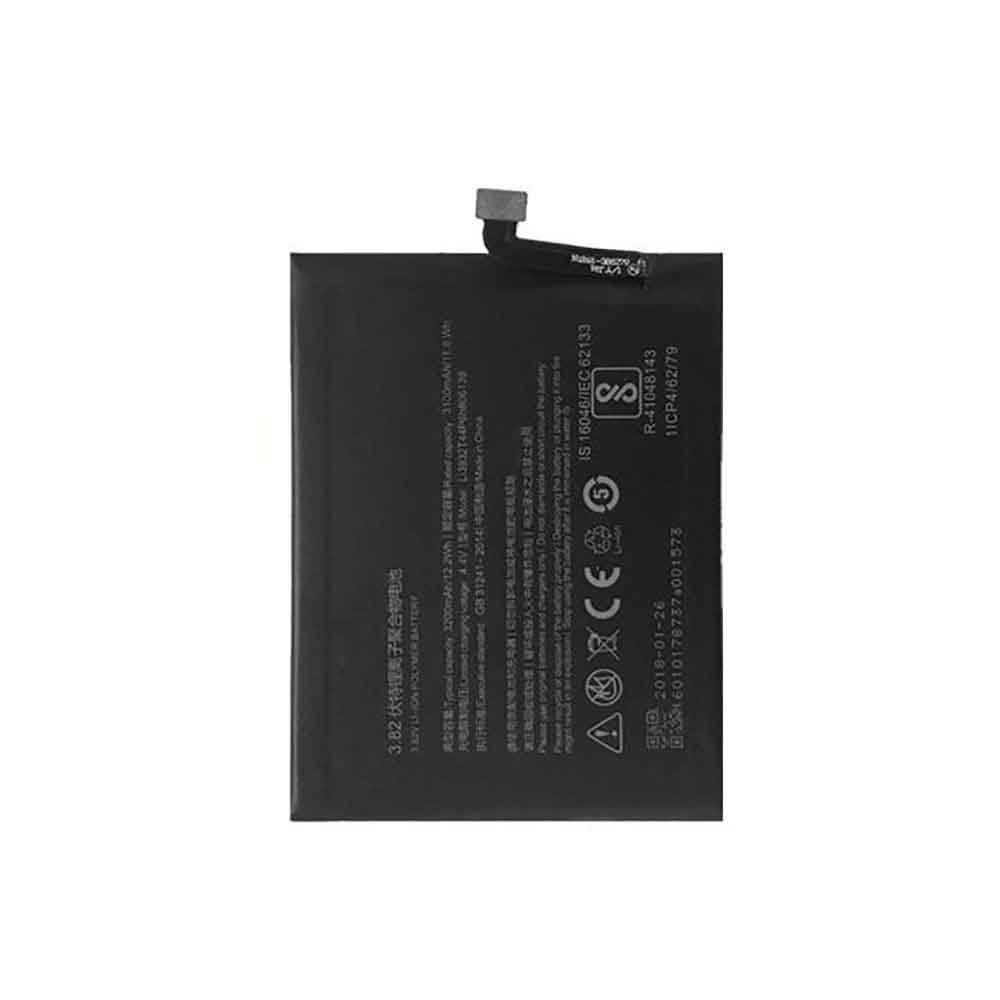
3100mAh/11.8WH 3.82V 4.4V Zte Li3932T44P6h806139 Li-ion Battery for ZTE Nubia Z17 miniS NX563 NX591 NX589J

3100mAh/11.8WH 3.82V 4.4V Zte Li3932T44P6h806139 Batteries for ZTE Nubia Z17 miniS NX563 NX591 NX589J, Zte Li3932T44P6h806139 Cell Phone battery is a brand new,100% Compatible original and replacement Phone battery,Purchase wholesale and retail Li3932T44P6h806139 with high quality and low price!

Find ou your original model number or part number(P/N), and move your eyes on the tag of battery

Li3932T44P6h806139

Specifications

  • Brand:ZTE
  • Capacity :3100mAh/11.8WH
  • Voltage :3.82V 4.4V
  • Type :Li-ion
  • Battery Cell Quality: Grade A
  • Descriptive: Replacement Battery – 1 Year Warranty
  • Description: Brand New, 1 Year Warranty! 30-Days Money Back! Fast Shipping!

How we test this Zte Li3932T44P6h806139 Battery
Step 1: Make sure customer bought the correct battery.
Step 2: Check battery’s appearance and interface.
Step 3: Test battery charger and recharger function.
Step 4: Charger the battery to 100% and recharger to 0% to get real battery capacity
Step 5: Use Ev2300 to check the voltage difference of each goroup cells.
Step 6: Charger battery power more than 30%.
Step 7: Package battery carefully and send out

Compatible Part Numbers:
Li3932T44P6h806139

Compatible Model Numbers:
ZTE Nubia Z17 miniS NX563 NX591 NX589J

How much do you know about how to run laptop well as any place? The follow Tips cut way back on protecting battery life.


1). Please recharge or change your Cell Phone battery when battery power low.
2). Using Li-Ion Replacement Zte Li3932T44P6h806139 Cell Phone Battery for your notebook which can work longer time than Non Li-ion one.
3). It is better to defragmentation regularly for your Cell Phone battery life.
4). In order to reduce the laptop power consumpition, you can use some optical drive spin-down and hard drive in your Cell Phone .
5). Please keep your laptop in sleep or standby model without long time using, which both save the Replacement Zte Li3932T44P6h806139 Cell Phone Battery power and extend battery using life.
6). Leave your battery in a dry and cool condition when without using.
7). When you rarely or generally plugged in fixed power using, Please take down your battery to avoid hurting battery life.

Hot Products

3000mAh 11.4WH VSUN SATURN-Selfie for Vsun SATURN-Selfie2300MAH/8.6WH SONY LIS1509ERPC for Sony Ericsson Xperia SP M35H C2500mAh/9.5WH ZTE Li3825T43P3h736037 for ZTE V08401500mAh/11WH FUJIFILM NP-150 for Fujifilm S5 S8 Pro/IS Pro3500mAh BLACKVIEW V575868P for Blackview BV7000 Phone4400MAH/16.94WH NOKIA HQ480 for Nokia 8.3 TA-1243 TA-1251 5G340mAh GIBSON U452050 for Gibson U45205033.6Wh FUJITSU FPCBP506 for Fujitsu Stylistic R726 R7274900mAh/36.26Wh JUMPER PT3488127-2S for 8Pin JUMPER AVITA LIBER NS13A3000mAh 11.1WH JBL GSP872693-01 for JBL Flip 4
How To Maintain Your Laptop And How To Extend The Life Of Your Laptop Battery!

 Almost every home now has a laptop. You use a laptop, but do you maintain your laptop? Your laptop will serve you better if you maintain it.

The battery is the energy of the notebook, without the battery, the notebook will not work properly. So do you know how to maximize the life of your laptop battery? The following article will tell you, let’s take a look!

Laptop Maintenance Tips

1. Optimize the hard drive

Laptop users should consider optimizing their hard drives by cleaning up corrupt or outdated files to improve performance levels. Deleting old files will help free up valuable space on your hard drive, demonstrating ways to make memory run faster.

2. Disk Cleanup

Cleaning the disks in your laptop can free up disk space on the hard drive, which increases the level of efficiency. Another thing is that it contributes more to keeping the notebook in perfect condition for a long time.

3. Update software and firmware

Laptop users should consider updating their software and firmware properly to pave the way for additional benefits. The OS and other things like antivirus, firewall, etc. must be updated. This will help protect the laptop from phishing, malware, identity theft, hacking, and more.

4. Empty the Recycle Bin

Emptying the Recycle Bin is one of the best ways to increase the performance level of your laptop, and users can do it in simple steps.

5. Clear your browser’s cache and cookies

Anyone who uses a laptop regularly should consider clearing their browser’s cache and cookies, which can have a major impact. Plus, it offers a viable way to run your laptop faster, which will help get work done as quickly as possible.

How to Maximize Laptop Battery Life?

1. Lower the brightness

Laptop screens consume more battery power and users should consider lowering the brightness. They can even disable adaptive brightness and control the system themselves to experience the best results.

2. Change the power settings

A laptop’s power settings will have a huge impact on performance, and users should consider changing them to improve battery life. Putting the system on balanced power provides a way to slow down the processor and dim the screen, which helps keep the battery in good shape.

3. Avoid full discharge

Many laptop batteries have a limited number of charge cycles, which will result in reduced performance when charging and discharging. Therefore, fully discharging the battery should be avoided, emptying the laptop can affect the battery life of the laptop. A full discharge can also affect the battery and users should eliminate this practice.

4. Disable Apps and Hardware

Certain applications and hardware in laptops can consume a lot of battery power, causing several problems. Therefore, you should consider disabling them early to save battery power.

5. Use the battery monitor for deeper insights

Laptop users should consider some tools to monitor battery life that will help run for a few years. They demonstrate how to properly maintain a laptop, enabling users to ensure high performance.

6. Keep your laptop cool

Heat is the main enemy of laptops, and users should consider keeping them in cool conditions, which will help achieve their goals with a high success rate. It is necessary to regularly check the health of the notebook to reduce overheating.

7. Avoid opening a lot of tabs

Opening and holding multiple tabs consumes more power, reducing battery life. Users should avoid practices that extend the life of their laptops.

>>>>>>>>>>>Laptop battery

Thanks for reading, hope it helps!

Friendly reminder: If you need to replace the battery of your device, this battery store will be a good choice: www.batteryforpc.co.uk

Running out of Windows 11 storage? Here’s how to free up disk space on your PC

 The last thing you want is a hard drive with little or no storage space. A nearly full hard drive can negatively affect your entire computer, which will inevitably slow it down and cause your applications to crash more frequently. The only fix is ​​to clean the drive and delete the large files that are taking up the most space, and Windows 11 makes it easy to get rid of unwanted files.

Instead of downloading third-party software to free up disk space, Windows 11 can configure some settings to quickly delete temporary and system files and old downloads. If you’re worried about deleting important files, don’t worry. Windows 11 will help you decide which files to delete to improve your PC’s performance.

How to Automatically Free Up Space on Windows 11

On a Windows 11 computer, go to Settings -> System -> Storage. If this is your first time accessing this setting, please wait a few seconds for your computer to analyze your data storage. Once Windows has gathered what it needs to know, you can see your total free memory at the top of the page. Below it, you’ll see a breakdown of storage, divided into Apps & Features, Temporary Files, and Others. You can also click Show more categories to see further breakdowns.

However, the setting we’re interested in is Storage Sense, which automatically frees up space on your computer when you’re running low on disk space. It does this by deleting temporary files, emptying the recycle bin, and getting rid of old downloads in the background without you having to do it manually.

To turn on Storage Sense, just turn it on here. If you click Settings, you can configure several functions:

1. Run Storage Sense: Run Storage Sense when disk space is low (default) or on a daily, weekly or monthly basis.

2. Delete files from My Recycle Bin if they have existed for more than 1 day, 14 days, 30 days (default) or 60 days.

3. Delete files in My Downloads folder if they haven’t been opened for more than the following time: select Never (default), 1 day, 14 days, 30 days, or 60 days.

These Storage Sense settings can help you limit which files are deleted and when, so you don’t have to worry about any important files getting wiped from your computer.

At the bottom of the page, you can click Run Storage Sense Now to use the feature.

If you want to delete more files to free up space, use the cleaning suggestions below Storage Sense. If you click it, it will scan your system and recommend files you manually delete, such as temporary files, large or unused files, files synced with your cloud, and unused applications.

>>>>>>>>>>Laptop battery

1150mAh 4.26Wh 3.7V 4.2V Honeywell BAT-SCN03 Li-ion Battery for Honeywell 8680i 50139400-001

1150mAh 4.26Wh 3.7V 4.2V Honeywell BAT-SCN03 Batteries for Honeywell 8680i 50139400-001, Honeywell BAT-SCN03 Other battery is a brand new,100% Compatible original and replacement battery,Purchase wholesale and retail BAT-SCN03 with high quality and low price!

Find ou your original model number or part number(P/N), and move your eyes on the tag of battery

BAT-SCN03

Specifications

  • Brand:Honeywell
  • Capacity :1150mAh 4.26Wh
  • Voltage :3.7V 4.2V
  • Type :Li-ion
  • Battery Cell Quality: Grade A
  • Descriptive: Replacement Battery – 1 Year Warranty
  • Description: Brand New, 1 Year Warranty! 30-Days Money Back! Fast Shipping!

How we test this Honeywell BAT-SCN03 Battery
Step 1: Make sure customer bought the correct battery.
Step 2: Check battery’s appearance and interface.
Step 3: Test battery charger and recharger function.
Step 4: Charger the battery to 100% and recharger to 0% to get real battery capacity
Step 5: Use Ev2300 to check the voltage difference of each goroup cells.
Step 6: Charger battery power more than 30%.
Step 7: Package battery carefully and send out

Compatible Part Numbers:
BAT-SCN03

Compatible Model Numbers:
Honeywell 8680i 50139400-001

How much do you know about how to run laptop well as any place? The follow Tips cut way back on protecting battery life.


1). Please recharge or change your Other battery when battery power low.
2). Using Li-Ion Replacement Honeywell BAT-SCN03 Other Battery for your notebook which can work longer time than Non Li-ion one.
3). It is better to defragmentation regularly for your Other battery life.
4). In order to reduce the laptop power consumpition, you can use some optical drive spin-down and hard drive in your Other .
5). Please keep your laptop in sleep or standby model without long time using, which both save the Replacement Honeywell BAT-SCN03 Other Battery power and extend battery using life.
6). Leave your battery in a dry and cool condition when without using.
7). When you rarely or generally plugged in fixed power using, Please take down your battery to avoid hurting battery life.

Hot Products

2300MAH/8.6WH SONY LIS1509ERPC for Sony Ericsson Xperia SP M35H C2500mAh/9.5WH ZTE Li3825T43P3h736037 for ZTE V08401500mAh/11WH FUJIFILM NP-150 for Fujifilm S5 S8 Pro/IS Pro3500mAh BLACKVIEW V575868P for Blackview BV7000 Phone4400MAH/16.94WH NOKIA HQ480 for Nokia 8.3 TA-1243 TA-1251 5G340mAh GIBSON U452050 for Gibson U45205033.6Wh FUJITSU FPCBP506 for Fujitsu Stylistic R726 R7274900mAh/36.26Wh JUMPER PT3488127-2S for 8Pin JUMPER AVITA LIBER NS13A3000mAh 11.1WH JBL GSP872693-01 for JBL Flip 41250mAh PANASONIC DMW-BCJ13+ for Panasonic DMC-LX5 D-LUX5 LUX6

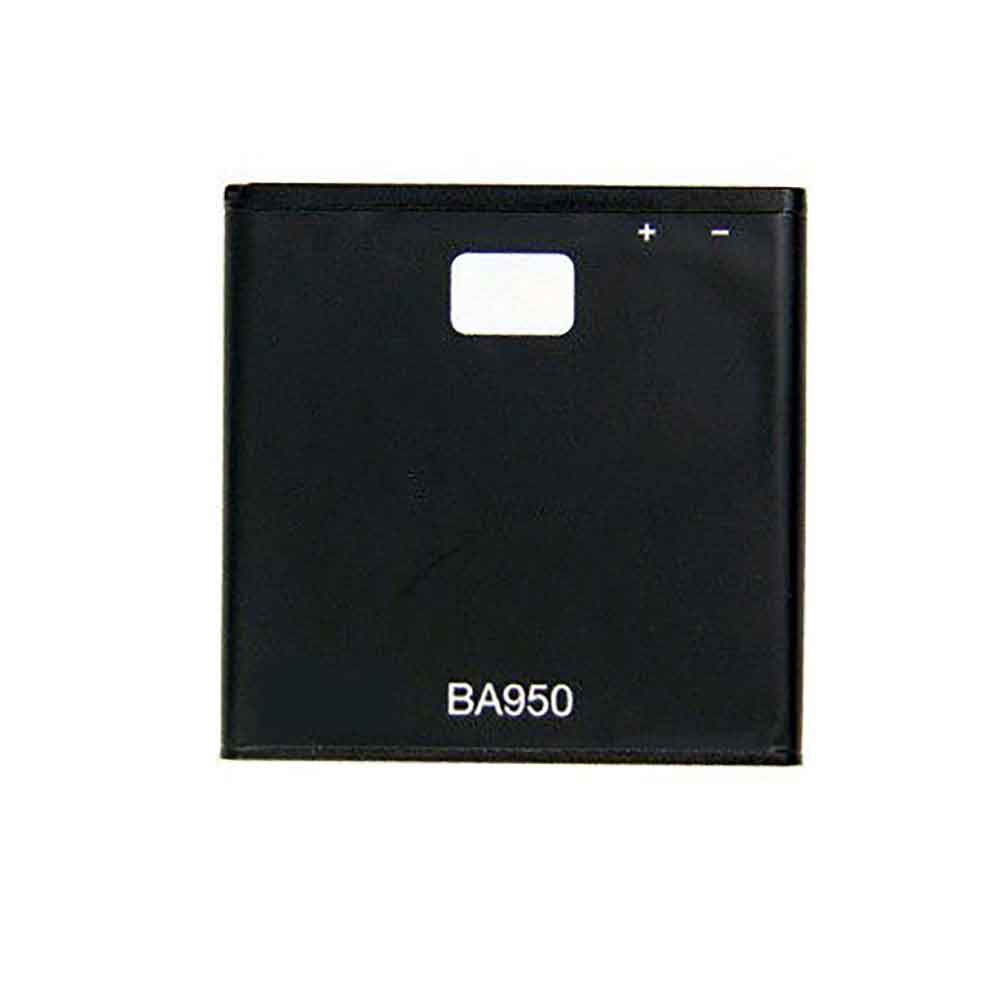
2300mAh/8.6WH 3.7V 4.2V Sony BA950 Li-ion Battery for Sony M36h C5502 C5503

2300mAh/8.6WH 3.7V 4.2V Sony BA950 Batteries for Sony M36h C5502 C5503, Sony BA950 Cell Phone battery is a brand new,100% Compatible original and replacement Phone battery,Purchase wholesale and retail BA950 with high quality and low price!

Find ou your original model number or part number(P/N), and move your eyes on the tag of battery

BA950

Specifications

  • Brand:Sony
  • Capacity :2300mAh/8.6WH
  • Voltage :3.7V 4.2V
  • Type :Li-ion
  • Battery Cell Quality: Grade A
  • Descriptive: Replacement Battery – 1 Year Warranty
  • Description: Brand New, 1 Year Warranty! 30-Days Money Back! Fast Shipping!

How we test this Sony BA950 Battery
Step 1: Make sure customer bought the correct battery.
Step 2: Check battery’s appearance and interface.
Step 3: Test battery charger and recharger function.
Step 4: Charger the battery to 100% and recharger to 0% to get real battery capacity
Step 5: Use Ev2300 to check the voltage difference of each goroup cells.
Step 6: Charger battery power more than 30%.
Step 7: Package battery carefully and send out

Compatible Part Numbers:
BA950

Compatible Model Numbers:
Sony M36h C5502 C5503

How much do you know about how to run laptop well as any place? The follow Tips cut way back on protecting battery life.


1). Please recharge or change your Cell Phone battery when battery power low.
2). Using Li-Ion Replacement Sony BA950 Cell Phone Battery for your notebook which can work longer time than Non Li-ion one.
3). It is better to defragmentation regularly for your Cell Phone battery life.
4). In order to reduce the laptop power consumpition, you can use some optical drive spin-down and hard drive in your Cell Phone .
5). Please keep your laptop in sleep or standby model without long time using, which both save the Replacement Sony BA950 Cell Phone Battery power and extend battery using life.
6). Leave your battery in a dry and cool condition when without using.
7). When you rarely or generally plugged in fixed power using, Please take down your battery to avoid hurting battery life.

Hot Products

2300MAH/8.6WH SONY LIS1509ERPC for Sony Ericsson Xperia SP M35H C2500mAh/9.5WH ZTE Li3825T43P3h736037 for ZTE V08401500mAh/11WH FUJIFILM NP-150 for Fujifilm S5 S8 Pro/IS Pro3500mAh BLACKVIEW V575868P for Blackview BV7000 Phone4400MAH/16.94WH NOKIA HQ480 for Nokia 8.3 TA-1243 TA-1251 5G340mAh GIBSON U452050 for Gibson U45205033.6Wh FUJITSU FPCBP506 for Fujitsu Stylistic R726 R7274900mAh/36.26Wh JUMPER PT3488127-2S for 8Pin JUMPER AVITA LIBER NS13A3000mAh 11.1WH JBL GSP872693-01 for JBL Flip 41250mAh PANASONIC DMW-BCJ13+ for Panasonic DMC-LX5 D-LUX5 LUX6

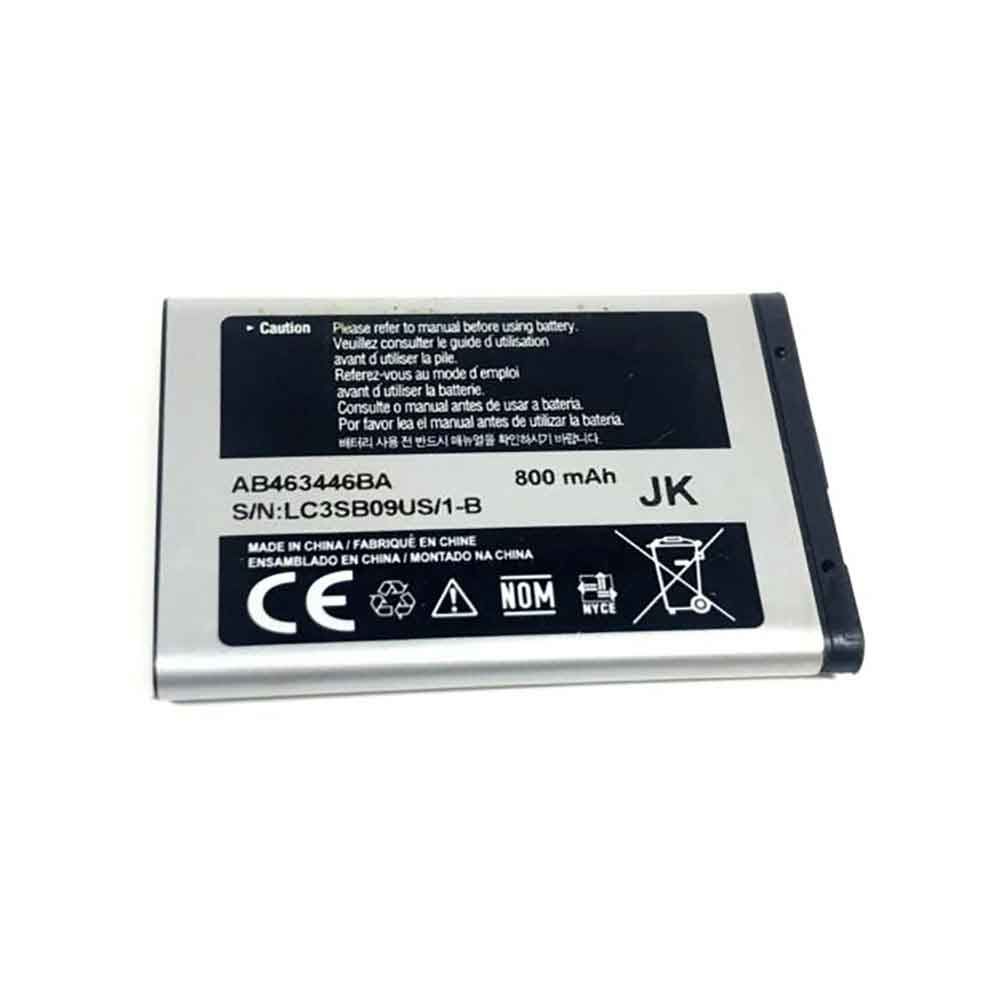
800mAh/2.96WH 3.7V Samsung AB463446BA Li-ion Battery for Samsung R100 A107 A137

800mAh/2.96WH 3.7V Samsung AB463446BA Batteries for Samsung R100 A107 A137, Samsung AB463446BA Cell Phone battery is a brand new,100% Compatible original and replacement Phone battery,Purchase wholesale and retail AB463446BA with high quality and low price!

Find ou your original model number or part number(P/N), and move your eyes on the tag of battery

AB463446BA

Specifications

  • Brand:Samsung
  • Capacity :800mAh/2.96WH
  • Voltage :3.7V
  • Type :Li-ion
  • Battery Cell Quality: Grade A
  • Descriptive: Replacement Battery – 1 Year Warranty
  • Description: Brand New, 1 Year Warranty! 30-Days Money Back! Fast Shipping!

How we test this Samsung AB463446BA Battery
Step 1: Make sure customer bought the correct battery.
Step 2: Check battery’s appearance and interface.
Step 3: Test battery charger and recharger function.
Step 4: Charger the battery to 100% and recharger to 0% to get real battery capacity
Step 5: Use Ev2300 to check the voltage difference of each goroup cells.
Step 6: Charger battery power more than 30%.
Step 7: Package battery carefully and send out

Compatible Part Numbers:
AB463446BA

Compatible Model Numbers:
Samsung R100 A107 A137

How much do you know about how to run laptop well as any place? The follow Tips cut way back on protecting battery life.


1). Please recharge or change your Cell Phone battery when battery power low.
2). Using Li-Ion Replacement Samsung AB463446BA Cell Phone Battery for your notebook which can work longer time than Non Li-ion one.
3). It is better to defragmentation regularly for your Cell Phone battery life.
4). In order to reduce the laptop power consumpition, you can use some optical drive spin-down and hard drive in your Cell Phone .
5). Please keep your laptop in sleep or standby model without long time using, which both save the Replacement Samsung AB463446BA Cell Phone Battery power and extend battery using life.
6). Leave your battery in a dry and cool condition when without using.
7). When you rarely or generally plugged in fixed power using, Please take down your battery to avoid hurting battery life.

Hot Products

2300MAH/8.6WH SONY LIS1509ERPC for Sony Ericsson Xperia SP M35H C2500mAh/9.5WH ZTE Li3825T43P3h736037 for ZTE V08401500mAh/11WH FUJIFILM NP-150 for Fujifilm S5 S8 Pro/IS Pro3500mAh BLACKVIEW V575868P for Blackview BV7000 Phone4400MAH/16.94WH NOKIA HQ480 for Nokia 8.3 TA-1243 TA-1251 5G340mAh GIBSON U452050 for Gibson U45205033.6Wh FUJITSU FPCBP506 for Fujitsu Stylistic R726 R7274900mAh/36.26Wh JUMPER PT3488127-2S for 8Pin JUMPER AVITA LIBER NS13A3000mAh 11.1WH JBL GSP872693-01 for JBL Flip 41250mAh PANASONIC DMW-BCJ13+ for Panasonic DMC-LX5 D-LUX5 LUX6

1700mAh/6.3WH 3.7V 4.2V Sony BA800 Li-ion Battery for Sony LT25i LT25c LT26i

1700mAh/6.3WH 3.7V 4.2V Sony BA800 Batteries for Sony LT25i LT25c LT26i, Sony BA800 Cell Phone battery is a brand new,100% Compatible original and replacement Phone battery,Purchase wholesale and retail BA800 with high quality and low price!

Find ou your original model number or part number(P/N), and move your eyes on the tag of battery

BA800

Specifications

  • Brand:Sony
  • Capacity :1700mAh/6.3WH
  • Voltage :3.7V 4.2V
  • Type :Li-ion
  • Battery Cell Quality: Grade A
  • Descriptive: Replacement Battery – 1 Year Warranty
  • Description: Brand New, 1 Year Warranty! 30-Days Money Back! Fast Shipping!

How we test this Sony BA800 Battery
Step 1: Make sure customer bought the correct battery.
Step 2: Check battery’s appearance and interface.
Step 3: Test battery charger and recharger function.
Step 4: Charger the battery to 100% and recharger to 0% to get real battery capacity
Step 5: Use Ev2300 to check the voltage difference of each goroup cells.
Step 6: Charger battery power more than 30%.
Step 7: Package battery carefully and send out

Compatible Part Numbers:
BA800

Compatible Model Numbers:
Sony LT25i LT25c LT26i

How much do you know about how to run laptop well as any place? The follow Tips cut way back on protecting battery life.


1). Please recharge or change your Cell Phone battery when battery power low.
2). Using Li-Ion Replacement Sony BA800 Cell Phone Battery for your notebook which can work longer time than Non Li-ion one.
3). It is better to defragmentation regularly for your Cell Phone battery life.
4). In order to reduce the laptop power consumpition, you can use some optical drive spin-down and hard drive in your Cell Phone .
5). Please keep your laptop in sleep or standby model without long time using, which both save the Replacement Sony BA800 Cell Phone Battery power and extend battery using life.
6). Leave your battery in a dry and cool condition when without using.
7). When you rarely or generally plugged in fixed power using, Please take down your battery to avoid hurting battery life.

Hot Products

2300MAH/8.6WH SONY LIS1509ERPC for Sony Ericsson Xperia SP M35H C2500mAh/9.5WH ZTE Li3825T43P3h736037 for ZTE V08401500mAh/11WH FUJIFILM NP-150 for Fujifilm S5 S8 Pro/IS Pro3500mAh BLACKVIEW V575868P for Blackview BV7000 Phone4400MAH/16.94WH NOKIA HQ480 for Nokia 8.3 TA-1243 TA-1251 5G340mAh GIBSON U452050 for Gibson U45205033.6Wh FUJITSU FPCBP506 for Fujitsu Stylistic R726 R7274900mAh/36.26Wh JUMPER PT3488127-2S for 8Pin JUMPER AVITA LIBER NS13A3000mAh 11.1WH JBL GSP872693-01 for JBL Flip 41250mAh PANASONIC DMW-BCJ13+ for Panasonic DMC-LX5 D-LUX5 LUX6