The necessity of calibrating battery Android and how to do it

 Are you tired of your phone’s battery behaving oddly, and you might think it’s time for a new phone? Although this is not always the case. Maybe you need to calibrate your battery. If you are not sure, what is the calibration of the battery and does it work? Below we’ll give you everything from battery calibration to resetting your phone’s battery.

The Android operating system has a feature called Battery Stats that takes into account battery capacity when the battery is empty or full. Worryingly, sometimes it gets corrupted and ends up visualizing information that isn’t true. For example, it will cause the phone to shut down before reaching 0%. Calibrating your Android battery simply means letting the Android OS correct this data so that it again reflects your actual battery level.

It’s crucial to understand that you can’t calibrate the battery itself: it’s just a battery that holds power and discharges. However, if you are unsure and wondering, is a battery calibration necessary? So let’s get into it and understand everything.
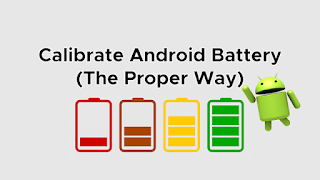
Is battery calibration necessary?

Batteries are bound to degrade over time, so calibrating them is critical. It usually depends on your charging habits; if you charge your phone at 100% and then don’t overuse it so that it drops to almost zero, your battery life will be quite different from what you use regularly phone screen. Calibration will “clean up the deck” and do this easily by encouraging your phone to figure out what 0% and 100% are.

When should you calibrate your Android battery?

You should calibrate your battery every two or three months, preferably after your phone has been exposed to severe cold or extreme weather, or if your phone exhibits the following symptoms:

●The display is fully charged, and then drops suddenly.

●Long-term adherence to one percent fee.

●The displayed battery percentage is exactly the same after charging and discharging.

● Discharge faster than expected.

●The charging is abnormal.

●You need to charge your phone several times a day, or you need to leave your phone plugged in during the day.

● Report battery problems via pop-up window, even if the phone is running fine.

How to reset the phone battery?

In the Android community, strong battery life comes at a massive loss. So here we offer you two solutions.

Method 1: Battery Calibration (Requires Root)

This option is easy because your phone is already rooted. If your phone is not rooted, please proceed to root your system or proceed to method 2. If your phone is rooted, follow these simple steps:

● Fully discharge your phone until it turns off.

●Turn on and off again.

●Connect the phone to the charger and let the phone charge without turning it on until the screen or LED indicator is 100%.

● Disconnect the charger.

●Power on. The battery gauge may not show 100%, so re-plug the charger (leave the phone on) and continue charging until it also shows 100% on the screen.

● Disconnect and restart the phone. If you don’t say 100%, reinsert the battery until 100% is displayed on the screen.

● When you start it with no power plugged in, you want to replicate the loop until it says 100% (or as close as you think it will get).

● Now download the Battery Calibration software, before starting, make sure your battery is at 100% again, then restart.

● Open the app immediately to recalibrate the battery.

●If you have calibrated the battery, let it go to 0% and let your phone shut down again.

●Without any interference, fully charge the battery again, the battery percentage of the Android system will be reset.

Method 2: (without root) physical battery calibration

This option is still simple, but also requires more time. If you have a rooted system, method 1 is definitely the way to go. However, if you don’t know what “root” means, follow Method 2.

● Fully discharge your phone until it turns off.

●Turn on and off again.

●Connect the phone to the charger and let the phone charge without turning it on until the screen or LED indicator is 100%.

●Unplug the charger.

●Power on. The battery gauge may not show 100%, so you’ll need to put the charger back and continue charging until it also shows 100% on the screen.

●Unplug and restart the phone. If 100% is not displayed, re-plug the charger until 100% is displayed on the screen.

● Repeat this process until it says 100% (or as close as you think it’s going to get) when you start it up instead of plugging it in.

●Now, let your battery level drop to 0% and turn your phone off again.

● Fully charge the battery one more time without delay and you should have reset the battery percentage of your Android system.

>>>>>>>>>>>>>>Phone battery

Thanks for reading, hope it helps!

Friendly reminder: If you need to replace your phone battery, this battery store will be a good choice: www.batteryforpc.co.uk

Apple: How to give your AirPods a new look

 How long have you worn your AirPods, or put them aside? Is it a long time, have you noticed that your AirPods have become very dirty, your long-term wearing may make your AirPods full of earwax, or you have left them aside for a long time and they are full of dust. Isn’t it scary! To keep your AirPods as new as they were when you first bought them, here’s how to clean them, let’s take a look!

Apple‘s AirPod Cleaning Instructions

Apple instructs you to use a slightly damp cloth and a soft, dry, lint-free cloth, and warns you not to use soap, shampoos, and solvents, or to run your AirPods underwater. To scoop out dirt from the microphone and speaker grids, Apple recommends using a dry cotton swab and a soft-bristle brush.

According to Apple, for the tje AirPods Pro, you can remove the earbuds and rinse them with water, but don’t use soap or other cleaners. Apple then wants you to follow its general rule of wiping the earbuds clean with a soft, dry, lint-free cloth and letting them dry completely before reassembling.

To kill any germs that might be hitchhiking on your AirPods, Apple says you can use 70% isopropyl alcohol wipes or Clorox disinfecting wipes to gently wipe down the outer surface (but not the speaker mesh). It’s best to avoid overly saturated wipes, as you don’t want any openings in your AirPods to get wet. Finally, no matter how dirty and disgusting your AirPods are, don’t dip them in any cleaning product.

Apple‘s method was tested. Tried using a Q-tip, but ended up just smoothing out the wax and dirt further. Then I used an old toothbrush to try to remove the roughness, with no better results.

Fun-Tak and Wooden Toothpicks

I could wipe the outside of the AirPods (and their case) with a dry cloth to remove dirt, but I needed a better way to get the wax and dirt out of the speaker’s mesh and hollows.

To remove wax and grime stuck in the cavity of the AirPod speaker, just grab a small piece of Fun-Tak and stretch and rub it to warm it up. Then press it on the speaker a few times and it will pick up wax and grime.

The stubborn bits that hit the sides of the speaker cavity can then be gently removed using a wooden toothpick. A wooden toothpick is sharp enough to pick out coarse waxy dirt, and it’s far safer than sharp metal objects like unfolded staples, which can scratch plastic or tear wire speaker mesh.

>>>>>>>>>>>>Apple battery

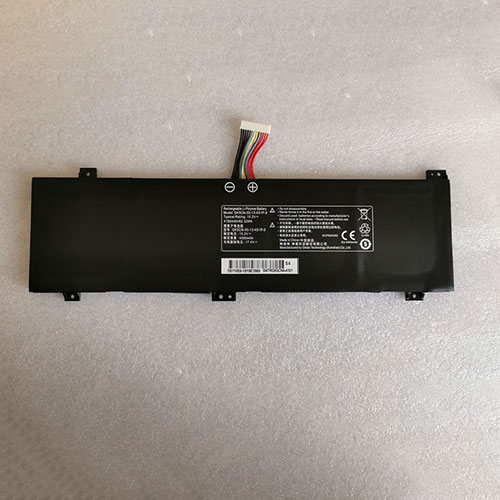
4100mAh/62.32Wh 15.2V/17.4V Getac GK5CN-00-13-4S1P-0 Li-ion Battery for GETAC GK5CN5Z GK5CN6Z

4100mAh/62.32Wh 15.2V/17.4V Getac GK5CN-00-13-4S1P-0 Batteries for GETAC GK5CN5Z GK5CN6Z GK5CN4Z GK6Z5CN, Getac GK5CN-00-13-4S1P-0 Laptop battery is a brand new,100% Compatible original and replacement Laptop battery,Purchase wholesale and retail GK5CN-00-13-4S1P-0 with high quality and low price!

Find ou your original model number or part number(P/N), and move your eyes on the tag of battery

GK5CN-00-13-4S1P-0

Specifications

  • Brand:GETAC
  • Capacity :4100mAh/62.32Wh
  • Voltage :15.2V/17.4V
  • Type :Li-ion
  • Battery Cell Quality: Grade A
  • Descriptive: Replacement Battery – 1 Year Warranty
  • Description: Brand New, 1 Year Warranty! 30-Days Money Back! Fast Shipping!

How we test this Getac GK5CN-00-13-4S1P-0 Battery
Step 1: Make sure customer bought the correct battery.
Step 2: Check battery’s appearance and interface.
Step 3: Test battery charger and recharger function.
Step 4: Charger the battery to 100% and recharger to 0% to get real battery capacity
Step 5: Use Ev2300 to check the voltage difference of each goroup cells.
Step 6: Charger battery power more than 30%.
Step 7: Package battery carefully and send out

Compatible Part Numbers:
GK5CN-00-13-4S1P-0

Compatible Model Numbers:
GETAC GK5CN5Z GK5CN6Z GK5CN4Z GK6Z5CN
GETAC Z2 Z2air GK5CN6Z GK7CN6S GK6Z5CN GK5CQ7Z
Medion X6805 X6807

How much do you know about how to run laptop well as any place? The follow Tips cut way back on protecting battery life.


1). Please recharge or change your Laptop battery when battery power low.
2). Using Li-Ion Replacement Getac GK5CN-00-13-4S1P-0 Laptop Battery for your notebook which can work longer time than Non Li-ion one.
3). It is better to defragmentation regularly for your Laptop battery life.
4). In order to reduce the laptop power consumpition, you can use some optical drive spin-down and hard drive in your Laptop .
5). Please keep your laptop in sleep or standby model without long time using, which both save the Replacement Getac GK5CN-00-13-4S1P-0 Laptop Battery power and extend battery using life.
6). Leave your battery in a dry and cool condition when without using.
7). When you rarely or generally plugged in fixed power using, Please take down your battery to avoid hurting battery life.

Hot Products

2800mAh/10.36WH INFOCUS P2424 for InFocus P242433Wh HP BV02XL for HP Envy X2 Detachable 13 Serie875mAh DJI HB3 for DJI Osmo Pocket 230.4Wh/4000mAh LG LBG722VH for LG Gram 14Z950 13Z940 13ZD9403575mAh/42WH LENOVO SB10J78991 for Lenovo ThinkPad Yoga 11E 3rd G5380mAh 20.713WH BLACKVIEW Li486690JLY for Blackview A704220mAh/16.33WH VIVO B-O9 for VIVO X60400mAh APACK APP00169 for Apack APP001694220mAh/16.33WH VIVO B-O9 for VIVO X603000mAh/11.4wh LEAGOO BT-5705 for LEAGOO M9 Pro Mobile Cell phon

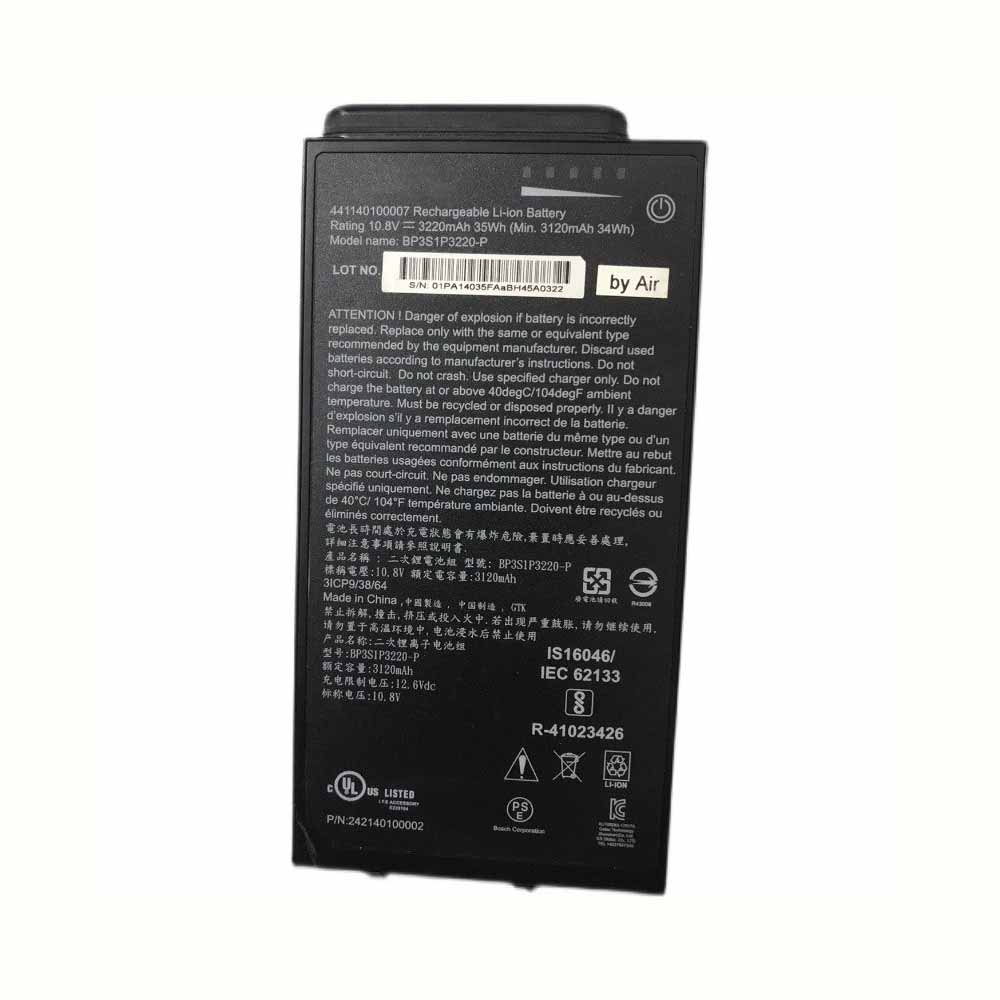
3220mAh/35Wh 10.8V/12.6V Getac BP3S1P3220-P Li-ion Battery for Getac A140 441140100007

3220mAh/35Wh 10.8V/12.6V Getac BP3S1P3220-P Batteries for Getac A140 441140100007, Getac BP3S1P3220-P Laptop battery is a brand new,100% Compatible original and replacement Laptop battery,Purchase wholesale and retail BP3S1P3220-P with high quality and low price!

Find ou your original model number or part number(P/N), and move your eyes on the tag of battery

BP3S1P3220-P

Specifications

  • Brand:Getac
  • Capacity :3220mAh/35Wh
  • Voltage :10.8V/12.6V
  • Type :Li-ion
  • Battery Cell Quality: Grade A
  • Descriptive: Replacement Battery – 1 Year Warranty
  • Description: Brand New, 1 Year Warranty! 30-Days Money Back! Fast Shipping!

How we test this Getac BP3S1P3220-P Battery
Step 1: Make sure customer bought the correct battery.
Step 2: Check battery’s appearance and interface.
Step 3: Test battery charger and recharger function.
Step 4: Charger the battery to 100% and recharger to 0% to get real battery capacity
Step 5: Use Ev2300 to check the voltage difference of each goroup cells.
Step 6: Charger battery power more than 30%.
Step 7: Package battery carefully and send out

Compatible Part Numbers:
BP3S1P3220-P

Compatible Model Numbers:
Getac A140 441140100007

How much do you know about how to run laptop well as any place? The follow Tips cut way back on protecting battery life.


1). Please recharge or change your Laptop battery when battery power low.
2). Using Li-Ion Replacement Getac BP3S1P3220-P Laptop Battery for your notebook which can work longer time than Non Li-ion one.
3). It is better to defragmentation regularly for your Laptop battery life.
4). In order to reduce the laptop power consumpition, you can use some optical drive spin-down and hard drive in your Laptop .
5). Please keep your laptop in sleep or standby model without long time using, which both save the Replacement Getac BP3S1P3220-P Laptop Battery power and extend battery using life.
6). Leave your battery in a dry and cool condition when without using.
7). When you rarely or generally plugged in fixed power using, Please take down your battery to avoid hurting battery life.

Hot Products

2800mAh/10.36WH INFOCUS P2424 for InFocus P242433Wh HP BV02XL for HP Envy X2 Detachable 13 Serie875mAh DJI HB3 for DJI Osmo Pocket 230.4Wh/4000mAh LG LBG722VH for LG Gram 14Z950 13Z940 13ZD9403575mAh/42WH LENOVO SB10J78991 for Lenovo ThinkPad Yoga 11E 3rd G5380mAh 20.713WH BLACKVIEW Li486690JLY for Blackview A704220mAh/16.33WH VIVO B-O9 for VIVO X60400mAh APACK APP00169 for Apack APP001694220mAh/16.33WH VIVO B-O9 for VIVO X603000mAh/11.4wh LEAGOO BT-5705 for LEAGOO M9 Pro Mobile Cell phon

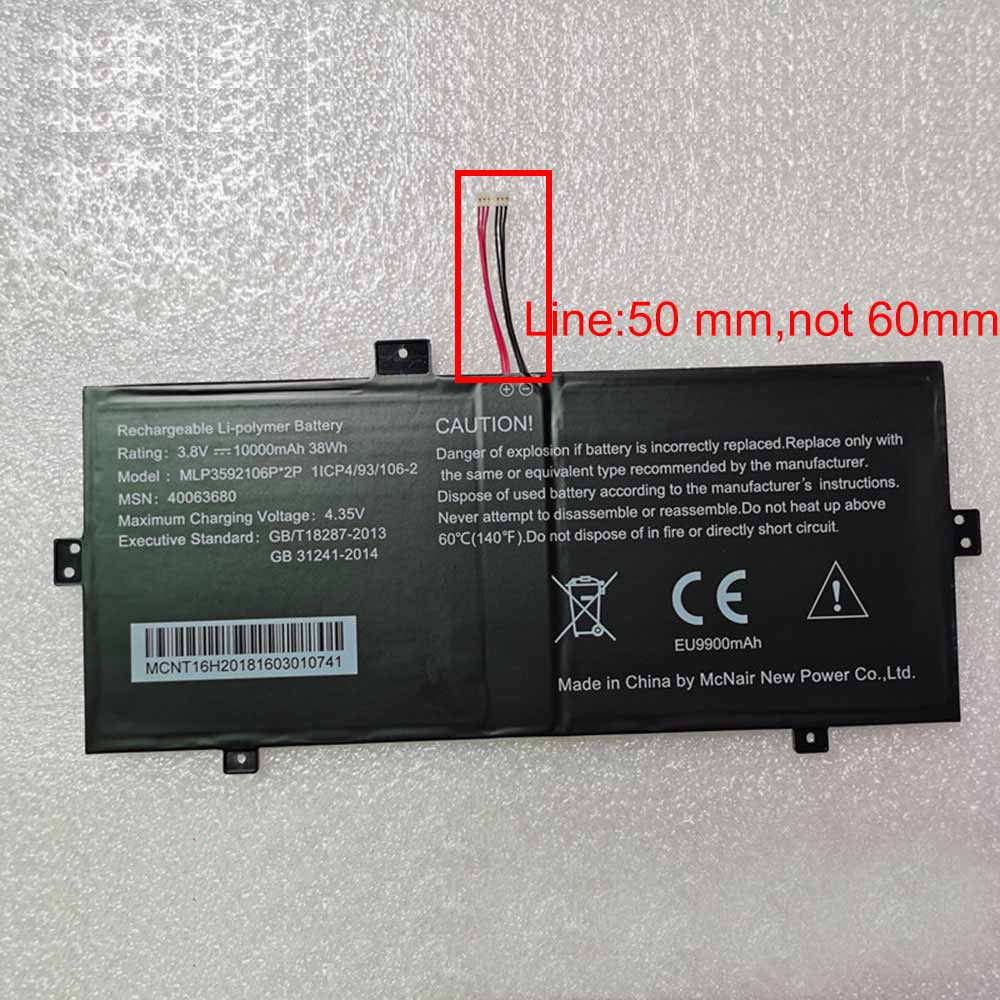
38WH/10000mAh 3.8V/4.35V Haier MLP3592106P-2P Li-ion Battery for Haier AKOYA E2228T/KX

38WH/10000mAh 3.8V/4.35V Haier MLP3592106P-2P Batteries for Haier AKOYA E2228T/KX, Haier MLP3592106P-2P Tablets battery is a brand new,100% Compatible original and replacement Tablets battery,Purchase wholesale and retail MLP3592106P-2P with high quality and low price!

Find ou your original model number or part number(P/N), and move your eyes on the tag of battery

MLP3592106P-2P

Specifications

  • Brand:Haier
  • Capacity :38WH/10000mAh
  • Voltage :3.8V/4.35V
  • Type :Li-ion
  • Battery Cell Quality: Grade A
  • Descriptive: Replacement Battery – 1 Year Warranty
  • Description: Brand New, 1 Year Warranty! 30-Days Money Back! Fast Shipping!

How we test this Haier MLP3592106P-2P Battery
Step 1: Make sure customer bought the correct battery.
Step 2: Check battery’s appearance and interface.
Step 3: Test battery charger and recharger function.
Step 4: Charger the battery to 100% and recharger to 0% to get real battery capacity
Step 5: Use Ev2300 to check the voltage difference of each goroup cells.
Step 6: Charger battery power more than 30%.
Step 7: Package battery carefully and send out

Compatible Part Numbers:
MLP3592106P*2P

Compatible Model Numbers:
Haier AKOYA E2228T/KX

How much do you know about how to run laptop well as any place? The follow Tips cut way back on protecting battery life.


1). Please recharge or change your Tablets battery when battery power low.
2). Using Li-Ion Replacement Haier MLP3592106P-2P Tablets Battery for your notebook which can work longer time than Non Li-ion one.
3). It is better to defragmentation regularly for your Tablets battery life.
4). In order to reduce the laptop power consumpition, you can use some optical drive spin-down and hard drive in your Tablets .
5). Please keep your laptop in sleep or standby model without long time using, which both save the Replacement Haier MLP3592106P-2P Tablets Battery power and extend battery using life.
6). Leave your battery in a dry and cool condition when without using.
7). When you rarely or generally plugged in fixed power using, Please take down your battery to avoid hurting battery life.

Hot Products

33Wh HP BV02XL for HP Envy X2 Detachable 13 Serie875mAh DJI HB3 for DJI Osmo Pocket 230.4Wh/4000mAh LG LBG722VH for LG Gram 14Z950 13Z940 13ZD9403575mAh/42WH LENOVO SB10J78991 for Lenovo ThinkPad Yoga 11E 3rd G5380mAh 20.713WH BLACKVIEW Li486690JLY for Blackview A704220mAh/16.33WH VIVO B-O9 for VIVO X60400mAh APACK APP00169 for Apack APP001694220mAh/16.33WH VIVO B-O9 for VIVO X603000mAh/11.4wh LEAGOO BT-5705 for LEAGOO M9 Pro Mobile Cell phon4680mAh/73WH ASUS C41N1814 for Asus ZenBook 15 UX533FD UX533F

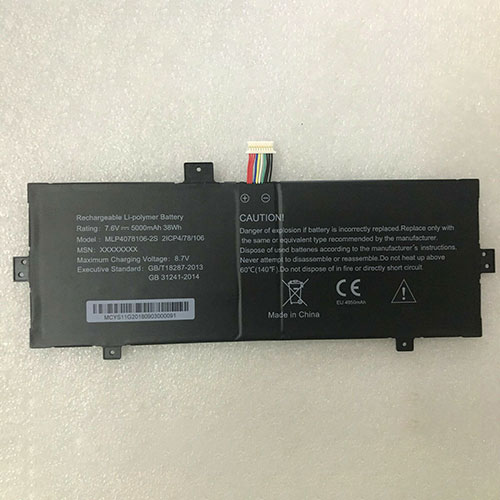
38WH/5000mAh 7.6V/8.7V Haier MLP4078106-2S Li-ion Battery for Haier MLP4078106-2S 2ICP4/78/106

38WH/5000mAh 7.6V/8.7V Haier MLP4078106-2S Batteries for Haier MLP4078106-2S 2ICP4/78/106, Haier MLP4078106-2S Tablets battery is a brand new,100% Compatible original and replacement Tablets battery,Purchase wholesale and retail MLP4078106-2S with high quality and low price!

Find ou your original model number or part number(P/N), and move your eyes on the tag of battery

MLP4078106-2S

Specifications

  • Brand:Haier
  • Capacity :38WH/5000mAh
  • Voltage :7.6V/8.7V
  • Type :Li-ion
  • Battery Cell Quality: Grade A
  • Descriptive: Replacement Battery – 1 Year Warranty
  • Description: Brand New, 1 Year Warranty! 30-Days Money Back! Fast Shipping!

How we test this Haier MLP4078106-2S Battery
Step 1: Make sure customer bought the correct battery.
Step 2: Check battery’s appearance and interface.
Step 3: Test battery charger and recharger function.
Step 4: Charger the battery to 100% and recharger to 0% to get real battery capacity
Step 5: Use Ev2300 to check the voltage difference of each goroup cells.
Step 6: Charger battery power more than 30%.
Step 7: Package battery carefully and send out

Compatible Part Numbers:
MLP4078106-2S

Compatible Model Numbers:
Haier MLP4078106-2S 2ICP4/78/106

How much do you know about how to run laptop well as any place? The follow Tips cut way back on protecting battery life.


1). Please recharge or change your Tablets battery when battery power low.
2). Using Li-Ion Replacement Haier MLP4078106-2S Tablets Battery for your notebook which can work longer time than Non Li-ion one.
3). It is better to defragmentation regularly for your Tablets battery life.
4). In order to reduce the laptop power consumpition, you can use some optical drive spin-down and hard drive in your Tablets .
5). Please keep your laptop in sleep or standby model without long time using, which both save the Replacement Haier MLP4078106-2S Tablets Battery power and extend battery using life.
6). Leave your battery in a dry and cool condition when without using.
7). When you rarely or generally plugged in fixed power using, Please take down your battery to avoid hurting battery life.

Hot Products

33Wh HP BV02XL for HP Envy X2 Detachable 13 Serie875mAh DJI HB3 for DJI Osmo Pocket 230.4Wh/4000mAh LG LBG722VH for LG Gram 14Z950 13Z940 13ZD9403575mAh/42WH LENOVO SB10J78991 for Lenovo ThinkPad Yoga 11E 3rd G5380mAh 20.713WH BLACKVIEW Li486690JLY for Blackview A704220mAh/16.33WH VIVO B-O9 for VIVO X60400mAh APACK APP00169 for Apack APP001694220mAh/16.33WH VIVO B-O9 for VIVO X603000mAh/11.4wh LEAGOO BT-5705 for LEAGOO M9 Pro Mobile Cell phon4680mAh/73WH ASUS C41N1814 for Asus ZenBook 15 UX533FD UX533F

Can you overcharge a rechargeable battery? and how to prevent overcharging

 You must have heard that you should not overcharge your electronic devices. But have you tried to find out the reason behind this?

Here we are to discover the fact that overcharging is a bad rule. Lithium-ion batteries are currently used in smartphones, laptops, tablets, power banks and other self-running and rechargeable devices. While the technology is smarter and faster than its predecessors, there are still many aspects of concern. In this article, we’ll explore how overcharging affects your battery and what you can do about it. Let’s take a look below!

What if you overcharge your rechargeable battery?

Most of us have heard advice that we shouldn’t leave our phones or laptops charging overnight. The main reason for this recommendation is the concept of overcharging. Simply put, overcharging can be explained as a phenomenon that occurs when a battery is exposed to extra current that causes the battery to fail. In the worst case, overcharging can also be accompanied by a spontaneous exothermic reaction that can decompose the cathode material and potentially cause a fire.

We all know that lithium batteries have high energy density. Therefore, a large amount of energy is stored in a relatively small volume. But once the thermal runaway begins, the battery catches fire and lights up everything in direct contact with the battery. Fortunately, batteries now have protection circuits that cut power once the battery is fully charged.

Regardless of the circuit, there is another risk of overcharging that is not serious, but can have a serious impact on the life of the battery. When you plug the device into the charger, it usually charges to the maximum limit. When the battery reaches full capacity, the power is shut off internally. This means that the device will start discharging for a short period of time until a significant battery percentage drops. Due to the discharge, the charger circuit will activate and start charging the device again. Continuing this process will negatively affect the lifespan of the battery.

How to prevent overcharging of rechargeable batteries?

Determining the fact that overcharging the battery is not suitable for the device, we must take all possible precautions to avoid this. While new battery technologies are less susceptible to such problems, we still need to take care of them to extend their life and minimize potential risks.

Here are some tips to help you charge your battery ideally and prevent overcharging as much as possible.

1: Do not leave the battery plugged into the charger

If you feel like you can wander around while charging, just don’t overdo it. Leaving the battery in this state can affect its trickle system or battery management system. In some cases, the BMS may not be able to prevent overcharging of the device and could cause a fire or reduce battery capacity or both. Considering that batteries also self-discharge, charging longer than necessary can speed up the aging process.

2: Keep the battery in the correct condition

This can happen if the battery is physically damaged or stored in inappropriate conditions. For example, let’s say you want to store batteries. It will be safe if you put it on a shelf insulated from other flammable or hazardous materials. However, if the battery is thrown away with a metal object or mishandled each time it is used, it will eventually cause the protection circuit to fail.

With no protection against infinite current flow, the battery can overcharge, overheat, and reach overvoltage levels that further raise its temperature. Therefore, you need to make sure that the battery is stored safely even when it is put away.

3: Don’t charge too often

Just because batteries are rechargeable these days doesn’t mean you should always have them plugged in. Many consumers charge their batteries whenever the percentage falls below 60% or 50%. But that’s not a good thing. When the battery level reaches about 40% or less, it must be charged. Otherwise, it’s absolutely fine to use them. Plugging them into the charger just disrupts the normal charging cycle. In addition to these points, you should also remember to keep the battery in proper temperature conditions, choose the correct charging method and use it sparingly. Handling them with care is the way to prevent any accidents.

>>>>>>>>>>>>>>Battery

Thanks for reading, hope it helps!

Friendly reminder: If you need to replace the battery, this store battery shop will be a good choice: www.batteryforpc.co.uk
These tips will help you extend the life of your phone!

 With the rising cost of new phones, extending the life of your existing smartphone can save you a lot of money in the long run. Some steps are as simple as cleaning your phone regularly, while others require more attention. However, you don’t need to be tech-savvy to take advantage of these tips to extend the life of your phone. They’re all easy to understand, and you can start changing your habits today to extend the life of your phone.

Whether you’ve just upgraded your phone or are thinking about it, we’ll show you how to keep your phone looking like new with some quick and easy tips. Let’s take a look below!

Don’t skip app updates

To keep your phone running as fast and trouble-free as possible, it’s important to update the operating system and third-party applications. These updates don’t take long, and the benefits can be huge: From bug fixes and security fixes to changes that bring new features and improve overall performance, make your device work smoother and faster.

Both Android and iPhone offer automatic app updates and should be enabled by default. You can check your Android phone by opening the Play Store, sliding out the menu from the left side of the screen, tapping Settings and making sure to select the option to automatically update apps. If you have an iPhone, go to Settings > App Store and make sure the App Updates option is on. However, this feature does not work in low power mode.

For system updates on Android phones, you can check for updates by opening the Settings app and searching for software updates. Google releases Android security updates around the first day of every month, so checking your phone mid-month for updates isn’t a bad habit.

For iPhone users, you can choose to have your phone automatically install any new updates. To install updates or turn on automatic updates, go to Settings > General > Software Update. If an update is available, follow the prompts to install it. If not, tap Automatic Updates to turn them on or off.

Deleting apps can help restore a slow phone

Phone storage and memory are limited, which is why it’s important to keep the number of unused apps to a minimum. Removing apps you don’t use from your phone regularly will save storage space and prevent apps from running in the background, using precious resources and making your phone feel slower and closer to its end of life than it really is.

Deleting apps on the iPhone is easy – just long press until the app is selected. You’ll see a drop-down menu from the app icon. Just select Remove App. You can then choose to delete the app from your phone, or just delete it from your home screen. Android users have more options, but a similar approach can be used: long press, select the “i” that appears in the App Info, and select Uninstall.

Keep the screen and ports clean

Even if you’re using a case, take a few minutes occasionally to remove any lint or dirt from the charging port, microphone area, speaker grill, and headphone jack. You can use a toothpick to get in there and coax out anything.

Avoid overwork and phone battery overheating

There are several myths involving cell phone batteries and keeping them healthy. We’ve looked at several battery myths recently and uncovered the truth about each.

Your phone will also last longer if you avoid putting your device in situations where the battery could overheat, such as if you’re sitting outside on a hot day, out of direct sunlight. If it gets too hot, it will shut itself off, but that puts a strain on the battery, which can lead to a shorter overall lifespan.

Replacing a damaged battery instead of a phone

Even if you’ve done everything by the book, you may still find yourself dealing with a battery that refuses to charge over time. Instead of replacing the entire phone, try replacing the battery.

Often this simple and cost-effective maintenance can add months or even years to the life of your phone. It would be easier if most phones were still made with removable batteries as they used to be, but most phones have embedded batteries that can’t be replaced without taking the phone apart. iPhone users can make an appointment at the Apple Store, or Android users can use a certified third-party repair service.

>>>>>>>>>>>>>Phone battery

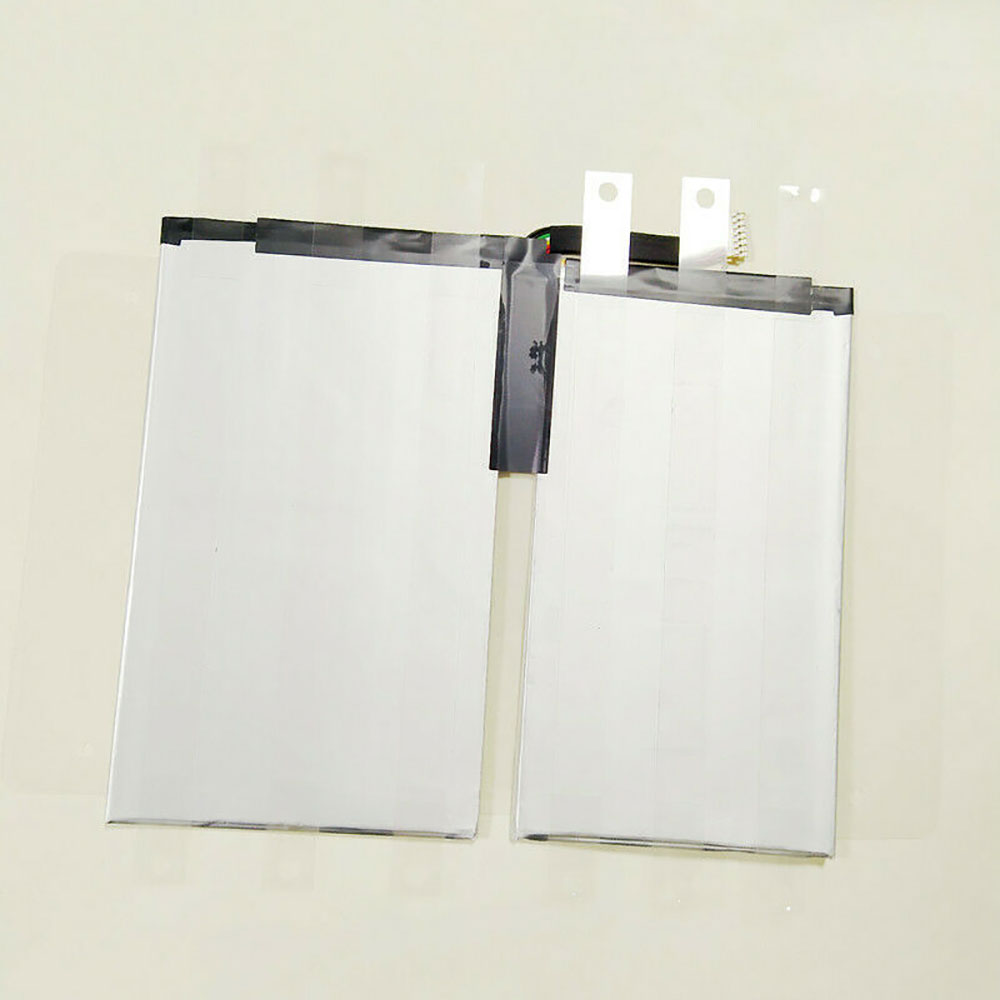
34.2WH/8090MAH 3.8V Google C1552b Li-ion Battery for Google Pixel C

34.2WH/8090MAH 3.8V Google C1552b Batteries for Google Pixel C, Google C1552b Tablets battery is a brand new,100% Compatible original and replacement Tablets battery,Purchase wholesale and retail C1552b with high quality and low price!

Find ou your original model number or part number(P/N), and move your eyes on the tag of battery

C1552b

Specifications

  • Brand:Google
  • Capacity :34.2WH/8090MAH
  • Voltage :3.8V
  • Type :Li-ion
  • Battery Cell Quality: Grade A
  • Descriptive: Replacement Battery – 1 Year Warranty
  • Description: Brand New, 1 Year Warranty! 30-Days Money Back! Fast Shipping!

How we test this Google C1552b Battery
Step 1: Make sure customer bought the correct battery.
Step 2: Check battery’s appearance and interface.
Step 3: Test battery charger and recharger function.
Step 4: Charger the battery to 100% and recharger to 0% to get real battery capacity
Step 5: Use Ev2300 to check the voltage difference of each goroup cells.
Step 6: Charger battery power more than 30%.
Step 7: Package battery carefully and send out

Compatible Part Numbers:
C1552b
1S2P-SP2578E2SE-SP2586E7SE-PCM

Compatible Model Numbers:
Google Pixel C Tablet

How much do you know about how to run laptop well as any place? The follow Tips cut way back on protecting battery life.


1). Please recharge or change your Tablets battery when battery power low.
2). Using Li-Ion Replacement Google C1552b Tablets Battery for your notebook which can work longer time than Non Li-ion one.
3). It is better to defragmentation regularly for your Tablets battery life.
4). In order to reduce the laptop power consumpition, you can use some optical drive spin-down and hard drive in your Tablets .
5). Please keep your laptop in sleep or standby model without long time using, which both save the Replacement Google C1552b Tablets Battery power and extend battery using life.
6). Leave your battery in a dry and cool condition when without using.
7). When you rarely or generally plugged in fixed power using, Please take down your battery to avoid hurting battery life.

Hot Products

3575mAh/42WH LENOVO SB10J78991 for Lenovo ThinkPad Yoga 11E 3rd G5380mAh 20.713WH BLACKVIEW Li486690JLY for Blackview A704220mAh/16.33WH VIVO B-O9 for VIVO X60400mAh APACK APP00169 for Apack APP001694220mAh/16.33WH VIVO B-O9 for VIVO X603000mAh/11.4wh LEAGOO BT-5705 for LEAGOO M9 Pro Mobile Cell phon4680mAh/73WH ASUS C41N1814 for Asus ZenBook 15 UX533FD UX533F4680mAh/73WH ASUS C41N1814 for Asus ZenBook 15 UX533FD UX533F5380mAh 20.713WH BLACKVIEW Li486690JLY for Blackview A703920mAh/15.2WH ASUS C11P1805 for ASUS zenfone max M2 ZB633KL ZB

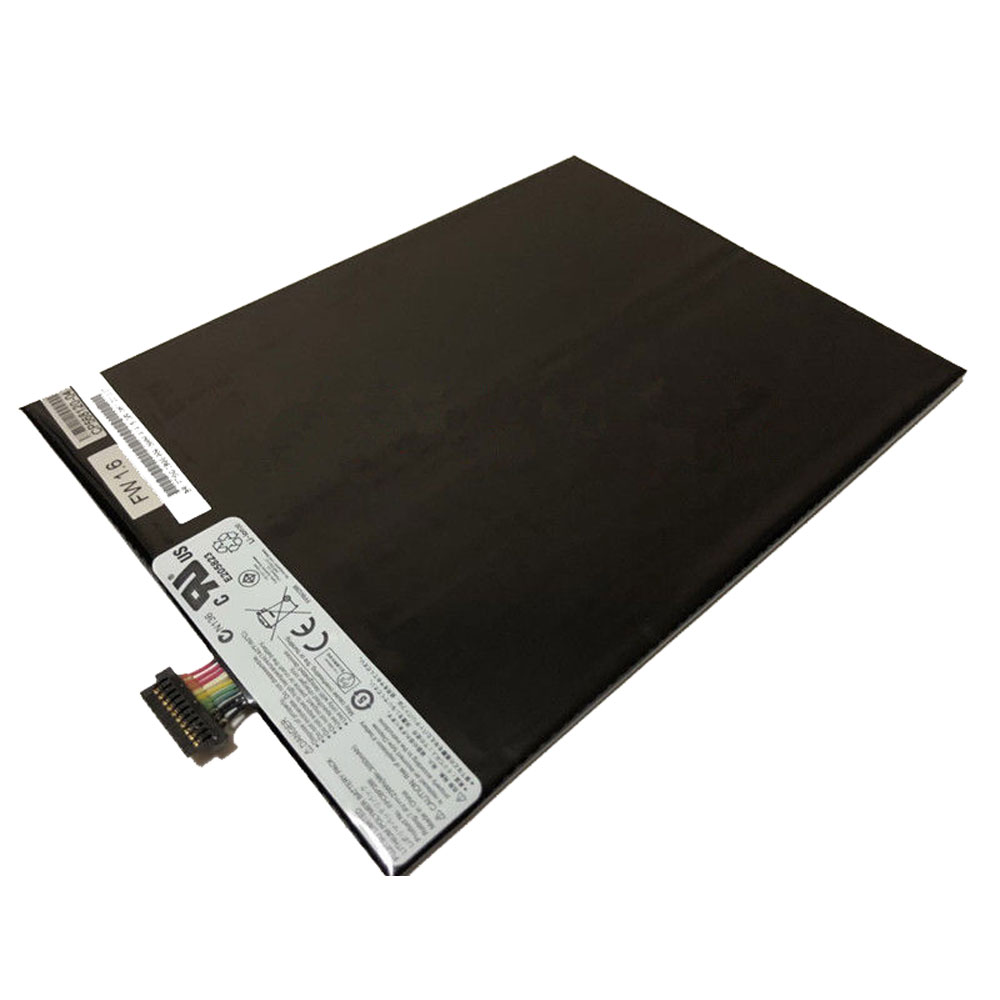
23Wh/3050mAh 7.4V Fujitsu FPCBP388 Li-ion Battery for Fujitsu Stylistic M532 Tablet Series

23Wh/3050mAh 7.4V Fujitsu FPCBP388 Batteries for Fujitsu Stylistic M532 Tablet Series, Fujitsu FPCBP388 Tablets battery is a brand new,100% Compatible original and replacement Tablets battery,Purchase wholesale and retail FPCBP388 with high quality and low price!

Find ou your original model number or part number(P/N), and move your eyes on the tag of battery

FPCBP388

Specifications

  • Brand:Fujitsu
  • Capacity :23Wh/3050mAh
  • Voltage :7.4V
  • Type :Li-ion
  • Battery Cell Quality: Grade A
  • Descriptive: Replacement Battery – 1 Year Warranty
  • Description: Brand New, 1 Year Warranty! 30-Days Money Back! Fast Shipping!

How we test this Fujitsu FPCBP388 Battery
Step 1: Make sure customer bought the correct battery.
Step 2: Check battery’s appearance and interface.
Step 3: Test battery charger and recharger function.
Step 4: Charger the battery to 100% and recharger to 0% to get real battery capacity
Step 5: Use Ev2300 to check the voltage difference of each goroup cells.
Step 6: Charger battery power more than 30%.
Step 7: Package battery carefully and send out

Compatible Part Numbers:
FPCBP388

Compatible Model Numbers:
Fujitsu Stylistic M532 Tablet

How much do you know about how to run laptop well as any place? The follow Tips cut way back on protecting battery life.


1). Please recharge or change your Tablets battery when battery power low.
2). Using Li-Ion Replacement Fujitsu FPCBP388 Tablets Battery for your notebook which can work longer time than Non Li-ion one.
3). It is better to defragmentation regularly for your Tablets battery life.
4). In order to reduce the laptop power consumpition, you can use some optical drive spin-down and hard drive in your Tablets .
5). Please keep your laptop in sleep or standby model without long time using, which both save the Replacement Fujitsu FPCBP388 Tablets Battery power and extend battery using life.
6). Leave your battery in a dry and cool condition when without using.
7). When you rarely or generally plugged in fixed power using, Please take down your battery to avoid hurting battery life.

Hot Products

3575mAh/42WH LENOVO SB10J78991 for Lenovo ThinkPad Yoga 11E 3rd G5380mAh 20.713WH BLACKVIEW Li486690JLY for Blackview A704220mAh/16.33WH VIVO B-O9 for VIVO X60400mAh APACK APP00169 for Apack APP001694220mAh/16.33WH VIVO B-O9 for VIVO X603000mAh/11.4wh LEAGOO BT-5705 for LEAGOO M9 Pro Mobile Cell phon4680mAh/73WH ASUS C41N1814 for Asus ZenBook 15 UX533FD UX533F4680mAh/73WH ASUS C41N1814 for Asus ZenBook 15 UX533FD UX533F5380mAh 20.713WH BLACKVIEW Li486690JLY for Blackview A703920mAh/15.2WH ASUS C11P1805 for ASUS zenfone max M2 ZB633KL ZB