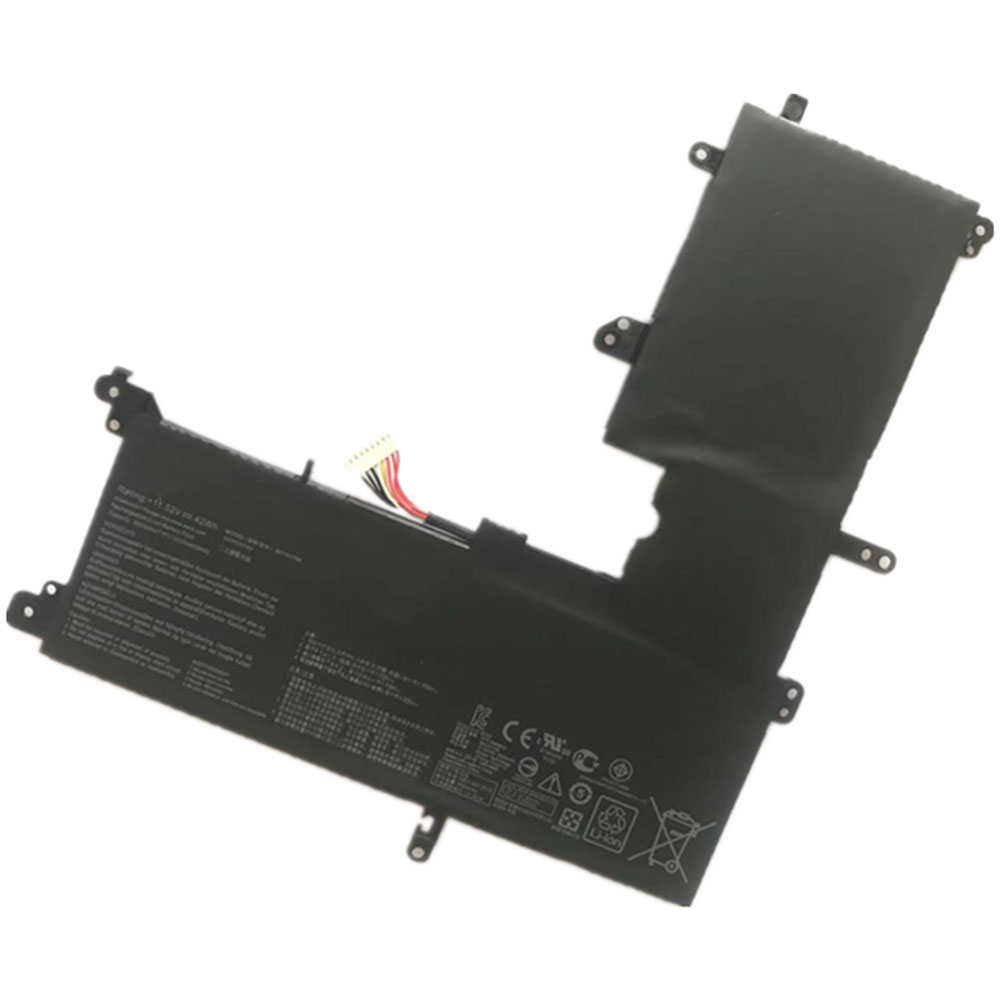
42Wh 3553mAh 11.55V 13.2V Asus B31N1705 Li-ion Battery for Asus TP410UA TP410UR TP410UF UX331UA

42Wh 3553mAh 11.55V 13.2V Asus B31N1705 Batteries for Asus TP410UA TP410UR TP410UF UX331UA UX460UA Q405UA, Asus B31N1705 Laptop battery is a brand new,100% Compatible original and replacement Laptop battery,Purchase wholesale and retail B31N1705 with high quality and low price!

Find ou your original model number or part number(P/N), and move your eyes on the tag of battery
B31N1705

Specifications

  • Brand:Asus
  • Capacity :42Wh 3553mAh
  • Voltage :11.55V 13.2V
  • Type :Li-ion
  • Battery Cell Quality: Grade A
  • Descriptive: Replacement Battery – 1 Year Warranty
  • Description: Brand New, 1 Year Warranty! 30-Days Money Back! Fast Shipping!

How we test this Asus B31N1705 Battery
Step 1: Make sure customer bought the correct battery.
Step 2: Check battery’s appearance and interface.
Step 3: Test battery charger and recharger function.
Step 4: Charger the battery to 100% and recharger to 0% to get real battery capacity
Step 5: Use Ev2300 to check the voltage difference of each goroup cells.
Step 6: Charger battery power more than 30%.
Step 7: Package battery carefully and send out

Compatible Part Numbers:
B31N1705

Compatible Model Numbers:
Asus TP410UA TP410UR TP410UF UX331UA UX460UA Q405UA

How much do you know about how to run laptop well as any place? The follow Tips cut way back on protecting battery life.


1). Please recharge or change your Laptop battery when battery power low.
2). Using Li-Ion Replacement Asus B31N1705 Laptop Battery for your notebook which can work longer time than Non Li-ion one.
3). It is better to defragmentation regularly for your Laptop battery life.
4). In order to reduce the laptop power consumpition, you can use some optical drive spin-down and hard drive in your Laptop .
5). Please keep your laptop in sleep or standby model without long time using, which both save the Replacement Asus B31N1705 Laptop Battery power and extend battery using life.
6). Leave your battery in a dry and cool condition when without using.
7). When you rarely or generally plugged in fixed power using, Please take down your battery to avoid hurting battery life.

Hot Products

400mAh APACK APP00169 for Apack APP001694220mAh/16.33WH VIVO B-O9 for VIVO X603000mAh/11.4wh LEAGOO BT-5705 for LEAGOO M9 Pro Mobile Cell phon4680mAh/73WH ASUS C41N1814 for Asus ZenBook 15 UX533FD UX533F4680mAh/73WH ASUS C41N1814 for Asus ZenBook 15 UX533FD UX533F5380mAh 20.713WH BLACKVIEW Li486690JLY for Blackview A703920mAh/15.2WH ASUS C11P1805 for ASUS zenfone max M2 ZB633KL ZB8800mAh TOSHIBA PA3728U for Satellite L515 L630 L635 L6404000mAh/30.4WH RTDPART 3882229C for 7Cable RTDPART 3882229C3400mAh /13.09Wh NOKIA LC-620 for Nokia 7.2 TA-1181 TA-1196
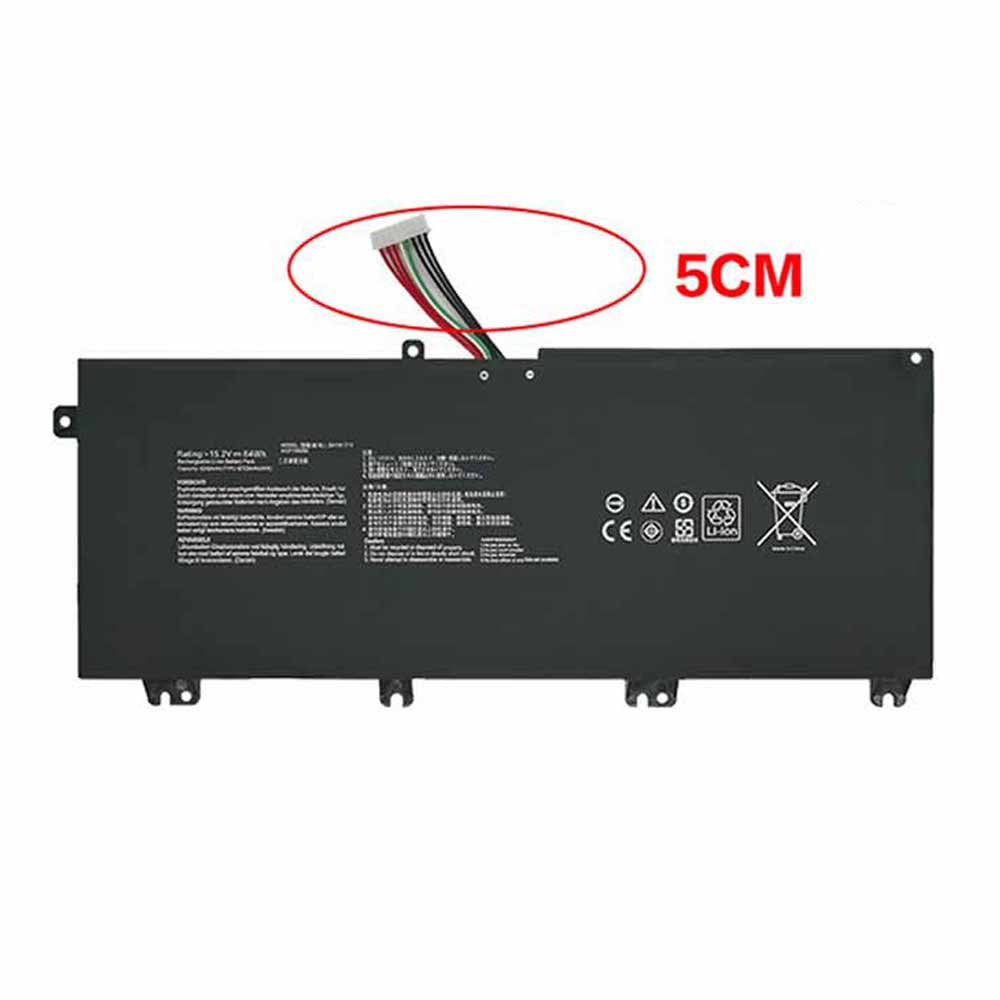
64Wh/4240mAh 15.2V Asus B41N1711 Li-ion Battery for Asus GL503VD GL703VD FX503VM FX63VD

64Wh/4240mAh 15.2V Asus B41N1711 Batteries for Asus GL503VD GL703VD FX503VM FX63VD, Asus B41N1711 Laptop battery is a brand new,100% Compatible original and replacement Laptop battery,Purchase wholesale and retail B41N1711 with high quality and low price!

Find ou your original model number or part number(P/N), and move your eyes on the tag of battery

B41N1711

Specifications

  • Brand:Asus
  • Capacity :64Wh/4240mAh
  • Voltage :15.2V
  • Type :Li-ion
  • Battery Cell Quality: Grade A
  • Descriptive: Replacement Battery – 1 Year Warranty
  • Description: Brand New, 1 Year Warranty! 30-Days Money Back! Fast Shipping!

How we test this Asus B41N1711 Battery
Step 1: Make sure customer bought the correct battery.
Step 2: Check battery’s appearance and interface.
Step 3: Test battery charger and recharger function.
Step 4: Charger the battery to 100% and recharger to 0% to get real battery capacity
Step 5: Use Ev2300 to check the voltage difference of each goroup cells.
Step 6: Charger battery power more than 30%.
Step 7: Package battery carefully and send out

Compatible Part Numbers:
B41N1711

Compatible Model Numbers:
Asus GL503VD GL703VD
Asus FX503VM FX63VD

How much do you know about how to run laptop well as any place? The follow Tips cut way back on protecting battery life.


1). Please recharge or change your Laptop battery when battery power low.
2). Using Li-Ion Replacement Asus B41N1711 Laptop Battery for your notebook which can work longer time than Non Li-ion one.
3). It is better to defragmentation regularly for your Laptop battery life.
4). In order to reduce the laptop power consumpition, you can use some optical drive spin-down and hard drive in your Laptop .
5). Please keep your laptop in sleep or standby model without long time using, which both save the Replacement Asus B41N1711 Laptop Battery power and extend battery using life.
6). Leave your battery in a dry and cool condition when without using.
7). When you rarely or generally plugged in fixed power using, Please take down your battery to avoid hurting battery life.

Hot Products

400mAh APACK APP00169 for Apack APP001694220mAh/16.33WH VIVO B-O9 for VIVO X603000mAh/11.4wh LEAGOO BT-5705 for LEAGOO M9 Pro Mobile Cell phon4680mAh/73WH ASUS C41N1814 for Asus ZenBook 15 UX533FD UX533F4680mAh/73WH ASUS C41N1814 for Asus ZenBook 15 UX533FD UX533F5380mAh 20.713WH BLACKVIEW Li486690JLY for Blackview A703920mAh/15.2WH ASUS C11P1805 for ASUS zenfone max M2 ZB633KL ZB8800mAh TOSHIBA PA3728U for Satellite L515 L630 L635 L6404000mAh/30.4WH RTDPART 3882229C for 7Cable RTDPART 3882229C3400mAh /13.09Wh NOKIA LC-620 for Nokia 7.2 TA-1181 TA-1196

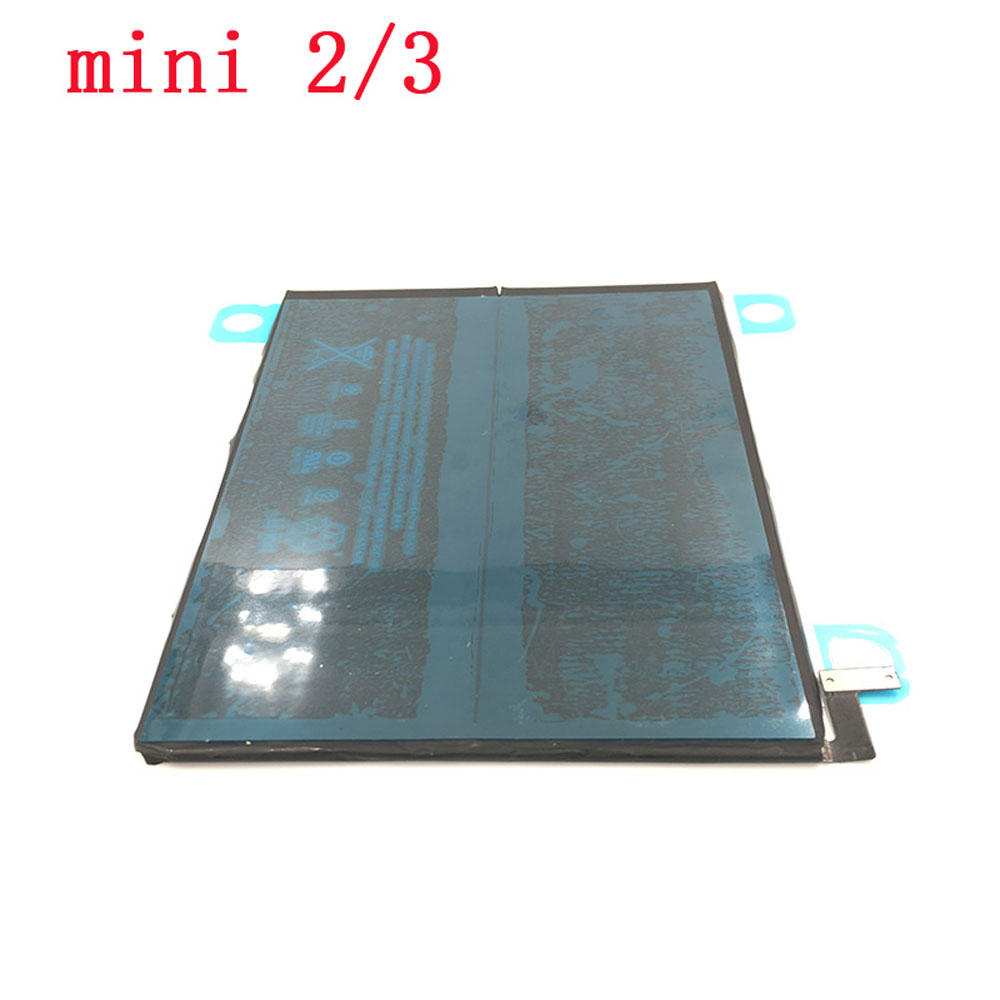
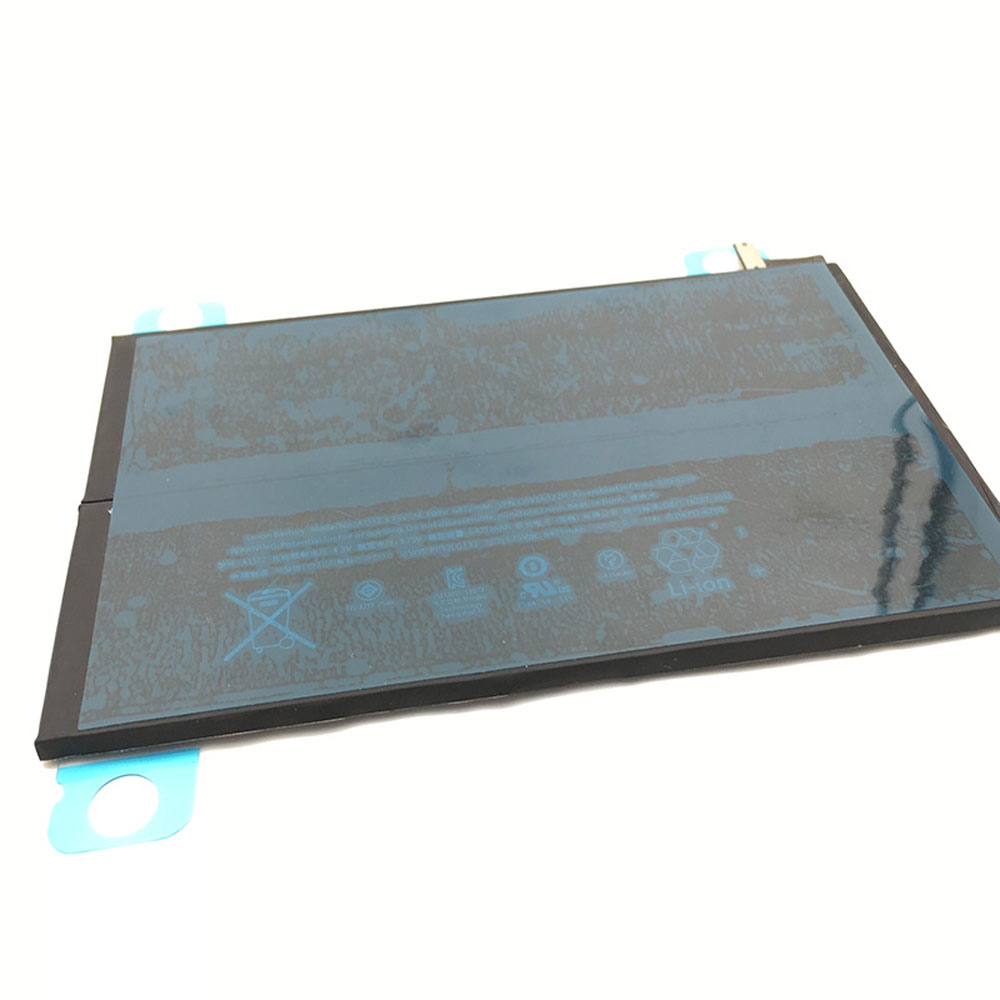
6471mAh 3.75V Apple A1512 Li-ion Battery for iPad Mini 2 & 3 2nd 3rd A1489 A1490 A1491

6471mAh 3.75V Apple A1512 Batteries for iPad Mini 2 & 3 2nd 3rd A1489 A1490 A1491, Apple A1512 Tablets battery is a brand new,100% Compatible original and replacement Tablets battery,Purchase wholesale and retail A1512 with high quality and low price!

Find ou your original model number or part number(P/N), and move your eyes on the tag of battery

A1512

Specifications

  • Brand:APPLE
  • Capacity :6471mAh
  • Voltage :3.75V
  • Color:black
  • Type :Li-ion
  • Battery Cell Quality: Grade A
  • Descriptive: Replacement Battery – 1 Year Warranty
  • Description: Brand New, 1 Year Warranty! 30-Days Money Back! Fast Shipping!

How we test this Apple A1512 Battery
Step 1: Make sure customer bought the correct battery.
Step 2: Check battery’s appearance and interface.
Step 3: Test battery charger and recharger function.
Step 4: Charger the battery to 100% and recharger to 0% to get real battery capacity
Step 5: Use Ev2300 to check the voltage difference of each goroup cells.
Step 6: Charger battery power more than 30%.
Step 7: Package battery carefully and send out

Compatible Part Numbers:
A1512

Compatible Model Numbers:
Apple iPad Mini 2 A1489
Apple iPad Mini 2 A1490
Apple iPad Mini 2 A1491
Apple iPad Mini 3 A1599
Apple iPad Mini 3 A1600
Apple iPad Mini 3 A1601
Apple ME276LL/A
Apple MF066LL/A
Apple MF247CH/A
Apple MGNV2LL/A
Apple MH3F2LL/A
Apple MGPW2CH/A

How much do you know about how to run laptop well as any place? The follow Tips cut way back on protecting battery life.


1). Please recharge or change your Tablets battery when battery power low.
2). Using Li-Ion Replacement Apple A1512 Tablets Battery for your notebook which can work longer time than Non Li-ion one.
3). It is better to defragmentation regularly for your Tablets battery life.
4). In order to reduce the laptop power consumpition, you can use some optical drive spin-down and hard drive in your Tablets .
5). Please keep your laptop in sleep or standby model without long time using, which both save the Replacement Apple A1512 Tablets Battery power and extend battery using life.
6). Leave your battery in a dry and cool condition when without using.
7). When you rarely or generally plugged in fixed power using, Please take down your battery to avoid hurting battery life.

Hot Products

400mAh APACK APP00169 for Apack APP001694220mAh/16.33WH VIVO B-O9 for VIVO X603000mAh/11.4wh LEAGOO BT-5705 for LEAGOO M9 Pro Mobile Cell phon4680mAh/73WH ASUS C41N1814 for Asus ZenBook 15 UX533FD UX533F4680mAh/73WH ASUS C41N1814 for Asus ZenBook 15 UX533FD UX533F5380mAh 20.713WH BLACKVIEW Li486690JLY for Blackview A703920mAh/15.2WH ASUS C11P1805 for ASUS zenfone max M2 ZB633KL ZB8800mAh TOSHIBA PA3728U for Satellite L515 L630 L635 L6404000mAh/30.4WH RTDPART 3882229C for 7Cable RTDPART 3882229C3400mAh /13.09Wh NOKIA LC-620 for Nokia 7.2 TA-1181 TA-1196
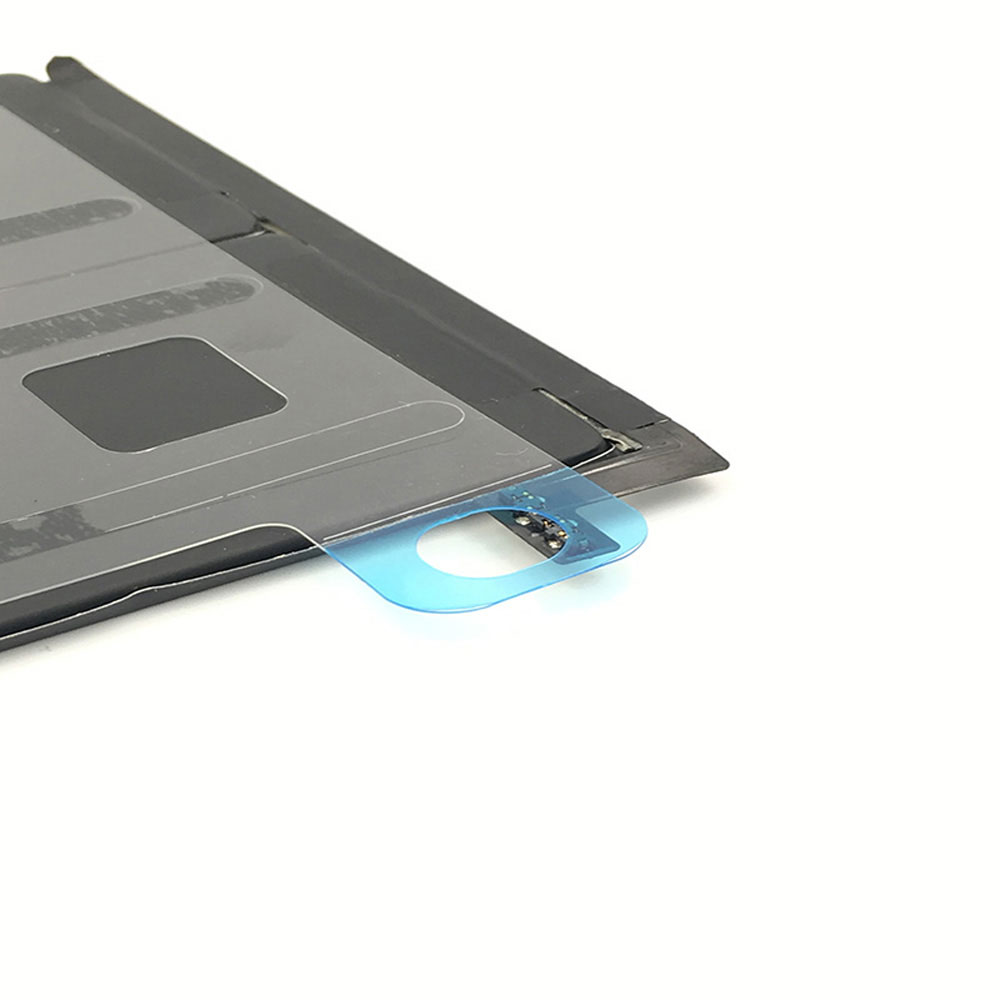
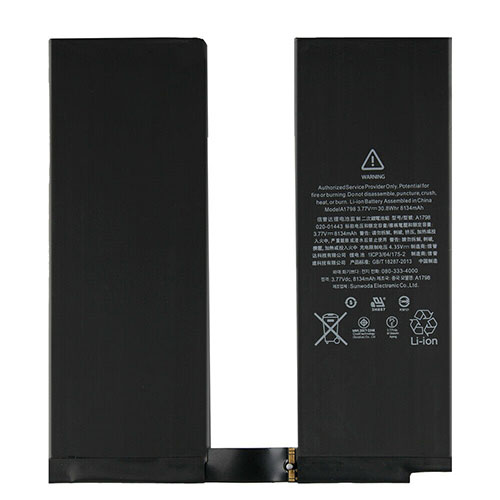
8134mAh/30.8WH 3.77V/4.35V Apple A1798 Li-ion Battery for Apple iPad Pro 10.5 iPadair3

8134mAh/30.8WH 3.77V/4.35V Apple A1798 Batteries for Apple iPad Pro 10.5 iPadair3, Apple A1798 Tablets battery is a brand new,100% Compatible original and replacement Tablets battery,Purchase wholesale and retail A1798 with high quality and low price!

Find ou your original model number or part number(P/N), and move your eyes on the tag of battery

A1798

Specifications

  • Brand:Apple
  • Capacity :8134mAh/30.8WH
  • Voltage :3.77V/4.35V
  • Type :Li-ion
  • Battery Cell Quality: Grade A
  • Descriptive: Replacement Battery – 1 Year Warranty
  • Description: Brand New, 1 Year Warranty! 30-Days Money Back! Fast Shipping!

How we test this Apple A1798 Battery
Step 1: Make sure customer bought the correct battery.
Step 2: Check battery’s appearance and interface.
Step 3: Test battery charger and recharger function.
Step 4: Charger the battery to 100% and recharger to 0% to get real battery capacity
Step 5: Use Ev2300 to check the voltage difference of each goroup cells.
Step 6: Charger battery power more than 30%.
Step 7: Package battery carefully and send out

Compatible Part Numbers:
A1798
A1701
A1709
A1852
A1793

Compatible Model Numbers:
Apple iPad Pro 10.5 iPadair3

How much do you know about how to run laptop well as any place? The follow Tips cut way back on protecting battery life.


1). Please recharge or change your Tablets battery when battery power low.
2). Using Li-Ion Replacement Apple A1798 Tablets Battery for your notebook which can work longer time than Non Li-ion one.
3). It is better to defragmentation regularly for your Tablets battery life.
4). In order to reduce the laptop power consumpition, you can use some optical drive spin-down and hard drive in your Tablets .
5). Please keep your laptop in sleep or standby model without long time using, which both save the Replacement Apple A1798 Tablets Battery power and extend battery using life.
6). Leave your battery in a dry and cool condition when without using.
7). When you rarely or generally plugged in fixed power using, Please take down your battery to avoid hurting battery life.

Hot Products

400mAh APACK APP00169 for Apack APP001694220mAh/16.33WH VIVO B-O9 for VIVO X603000mAh/11.4wh LEAGOO BT-5705 for LEAGOO M9 Pro Mobile Cell phon4680mAh/73WH ASUS C41N1814 for Asus ZenBook 15 UX533FD UX533F4680mAh/73WH ASUS C41N1814 for Asus ZenBook 15 UX533FD UX533F5380mAh 20.713WH BLACKVIEW Li486690JLY for Blackview A703920mAh/15.2WH ASUS C11P1805 for ASUS zenfone max M2 ZB633KL ZB8800mAh TOSHIBA PA3728U for Satellite L515 L630 L635 L6404000mAh/30.4WH RTDPART 3882229C for 7Cable RTDPART 3882229C3400mAh /13.09Wh NOKIA LC-620 for Nokia 7.2 TA-1181 TA-1196
When should I charge my Li-Ion battery

 Your battery is a rechargeable battery with a limited lifespan. These batteries gradually lose charge and sometimes take more time to recharge. If you want to extend the life of your batteries, you need to take good care of them. This means you should develop better charging habits and pay attention to battery storage. Below we will share some basic charging tips for Li-ion batteries.

Is it better to keep Li-ion batteries charged?

Yes, it’s best to keep the Li-Ion battery charged. You can take care of the battery in these ways. You can leave your device powered up overnight.

This won’t be a huge problem if you don’t unplug the device right after charging it. That charger is smarter than you might think. You can leave the charger plugged in overnight or even all day. The charger will stop charging as soon as it is fully charged.

Charge your device as much as possible.

Lithium-ion batteries don’t respond well if you charge them and then use them to the last drop. If you charge them at appropriate intervals, you’ll get a good response from the battery.

Don’t let it get overcharged.

The biggest danger to your laptop battery, phone battery, and tablet battery isn’t overcharging, it’s heat. With that in mind, if you can, it’s a good idea to remove the laptop’s battery while it’s plugged into the wall. The trick is that if you’re using your computer without a battery, you’re in danger of shutting down in the event of a power outage or an unsuitable power adapter. Weigh your preferences.

If you can’t or don’t want to drain your laptop battery, at least make sure you have good airflow. Do not block cooling vents. The fan can even be pulled up with the stand.

Do Li-Ion batteries need to be fully charged the first time?

unnecessary. You don’t have to fully charge a Li-Ion battery the first time. Lithium-ion batteries have the highest usable range from the start, and a 1st charge is no different than a 10th charge.

All you need to do: Just plug in the charger and get started.

Normal use

Lithium-ion batteries have a lifespan of at least 300-500 charge and discharge cycles, typically 2-3 years. Throughout the life cycle, lithium-ion batteries typically experience capacity loss due to a variety of factors, including charge cycles, storage, temperature changes, usage patterns, and overall aging. To limit the risk of damaging the battery, use only the designated smart charger.

Hot and cold weather use

Lithium-ion batteries are comparable to humans in that none of them behave exactly the same, and they operate best at temperatures that are not too hot or too cold.

These batteries operate better at high temperatures than at low temperatures because heat reduces physical stability and speeds up chemical reactions inside the battery. A side effect of this method is that it puts stress on the battery, which can result in a shorter lifespan with continued use in hot conditions.

What’s the best way to charge a Li-Ion battery?

Charge your device

If your battery is at or below 50%, plug in the charger. You only need to charge your device’s battery when it’s fairly low, as having a fully charged battery all the time won’t enhance your device’s capabilities. If you want to check your device’s battery, look for the small battery icon in the menu bar. If you’re on a laptop, float over the icon to see the percentage. If you are using a smartphone or tablet, click the icon or expand the menu to see the percentage meter.

>>>>>>>>>>>>Battery

Thanks for reading, hope it helps!

Friendly reminder: If you need to replace the battery, this battery store will be a good choice: www.batteryforpc.co.uk

Apple Notes: How to set a password for extra privacy

 Apple’s Notes app is a convenient way to keep track of lists, articles, photos, and more. The app is included on iOS devices by default, and your Apple ID allows you to easily sync all your notes. If you use Notes as a journal or keep track of more personal information, you’ll need an extra layer of protection from prying eyes. The following will tell you how to password protect your notes, let’s take a look!

Here’s how to set it up on iPhone, iPad, and Mac.

How to Password Protect Notes on iPhone and iPad

1. Open the Notes app on your iPhone.

2. Start a new note or select an existing note.

3. Tap the three dots in the upper right corner.

4. Click the Lock button.

5. Create your password, re-enter it to verify and add a hint (if needed). You can also choose to enable Face ID or Touch ID.

6. Click Finish.

Your password-protected notes will now display a small lock icon next to the title when you open the Notes app. When you tap the note, you’ll be reminded that it’s locked and prompted for a password.

How to Password Protect Notes on Mac

1. Open the Notes app on your Mac.

2. Start a new note or select an existing note.

3. Click the lock icon in the upper right corner of the Notes app.

4. Click Lock Notes.

5. Create your password, re-enter it to verify and add a hint (if needed).

6. Click Set Password.

Similar to the iOS version of Notes, your password-protected notes will display a lock icon. You need to enter your password to open Notes.

Can I change my Notes password?

Yes, it just looks a little different depending on the device you’re using. When you initially lock a note, unless you specify otherwise in Settings, the same password will be applied to every locked note (so make sure it’s a strong password!) Here’s what to know:

iPhone and iPad

1. Open Settings on your device.

2. Scroll down and tap the Notes app in the left pane of the screen.

3. Click Password.

4. From here, you can tap Change Password or Reset Password.

Apple Computer

1. Open the Notes app on your Mac.

2. Tap the note in the upper left corner.

3. Click Preferences.

4. From here, you can choose Change Password or Reset Password.

Can I use Touch ID or Face ID to lock my notes?

Yes, but make sure you have Touch ID set up on your device. If you’re setting up a Notes password for the first time, you can choose Touch ID or Face ID instead of entering a password. Here’s how to add Touch ID or Face ID as an accessibility option for locked notes:

iPhone and iPad

1. Open Settings on your iPhone.

2. Find and open the Notes app.

3. Tap Password.

4. Toggle to use Touch ID. Now, when you try to open a locked note, you’ll be prompted to use your fingerprint or enter your password. Just follow the steps again to turn it off.

For Face ID, follow the steps below, but turn on Use Face ID instead.

Apple Computer

1. Open the Notes app on your Mac.

2. Tap the note in the upper left corner.

3. Click Preferences.

4. Check the Use Touch ID box under the Change Password and Reset Password buttons.

Can I remove the lock on the note?

Yes, but please note that if you remove the lock on your note, it will apply to every Apple device you log in with that ID. Here’s how it breaks down on iPhone, iPad, and Mac:

iPhone and iPad

1. Open the Notes app on your iPhone.

2. Select the locked note you want to unlock.

3. Enter your passcode using Face ID or Touch ID.

4. Click the More button.

5. Select Delete (you should not see the lock icon on the note now).

Apple Computer

1. Open the Notes app on your Mac.

2. Click the lock icon in the upper left corner.

3. Click Remove Lock.

4. Enter your password.

5. Click OK.

>>>>>>>>>>>>>Apple battery

Thanks for reading, hope it helps!

Friendly reminder: If you need to replace the battery, this battery store will be a good choice: www.batteryforpc.co.uk

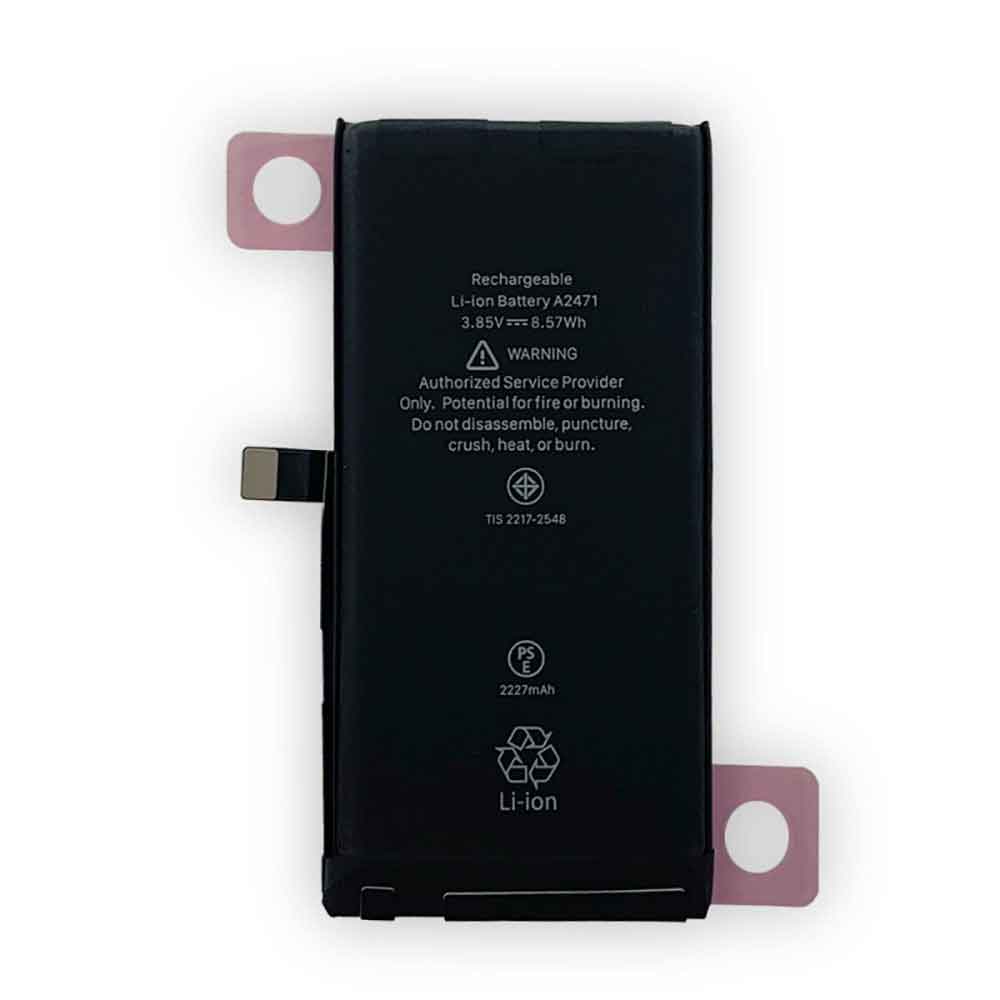
2227mAh 8.57WH 3.85V 4.45V Apple A2471 Li-ion Battery for Apple iPhone 12 mini

2227mAh 8.57WH 3.85V 4.45V Apple A2471 Batteries for Apple iPhone 12 mini, Apple A2471 Cell Phone battery is a brand new,100% Compatible original and replacement Phone battery,Purchase wholesale and retail A2471 with high quality and low price!

Find ou your original model number or part number(P/N), and move your eyes on the tag of battery

A2471

Specifications

  • Brand:Apple
  • Capacity :2227mAh 8.57WH
  • Voltage :3.85V 4.45V
  • Type :Li-ion
  • Battery Cell Quality: Grade A
  • Descriptive: Replacement Battery – 1 Year Warranty
  • Description: Brand New, 1 Year Warranty! 30-Days Money Back! Fast Shipping!

How we test this Apple A2471 Battery
Step 1: Make sure customer bought the correct battery.
Step 2: Check battery’s appearance and interface.
Step 3: Test battery charger and recharger function.
Step 4: Charger the battery to 100% and recharger to 0% to get real battery capacity
Step 5: Use Ev2300 to check the voltage difference of each goroup cells.
Step 6: Charger battery power more than 30%.
Step 7: Package battery carefully and send out

Compatible Part Numbers:
A2471

Compatible Model Numbers:
Apple iPhone 12 mini

How much do you know about how to run laptop well as any place? The follow Tips cut way back on protecting battery life.


1). Please recharge or change your Cell Phone battery when battery power low.
2). Using Li-Ion Replacement Apple A2471 Cell Phone Battery for your notebook which can work longer time than Non Li-ion one.
3). It is better to defragmentation regularly for your Cell Phone battery life.
4). In order to reduce the laptop power consumpition, you can use some optical drive spin-down and hard drive in your Cell Phone .
5). Please keep your laptop in sleep or standby model without long time using, which both save the Replacement Apple A2471 Cell Phone Battery power and extend battery using life.
6). Leave your battery in a dry and cool condition when without using.
7). When you rarely or generally plugged in fixed power using, Please take down your battery to avoid hurting battery life.

Hot Products

400mAh APACK APP00169 for Apack APP001694220mAh/16.33WH VIVO B-O9 for VIVO X603000mAh/11.4wh LEAGOO BT-5705 for LEAGOO M9 Pro Mobile Cell phon4680mAh/73WH ASUS C41N1814 for Asus ZenBook 15 UX533FD UX533F4680mAh/73WH ASUS C41N1814 for Asus ZenBook 15 UX533FD UX533F5380mAh 20.713WH BLACKVIEW Li486690JLY for Blackview A703920mAh/15.2WH ASUS C11P1805 for ASUS zenfone max M2 ZB633KL ZB8800mAh TOSHIBA PA3728U for Satellite L515 L630 L635 L6404000mAh/30.4WH RTDPART 3882229C for 7Cable RTDPART 3882229C3400mAh /13.09Wh NOKIA LC-620 for Nokia 7.2 TA-1181 TA-1196

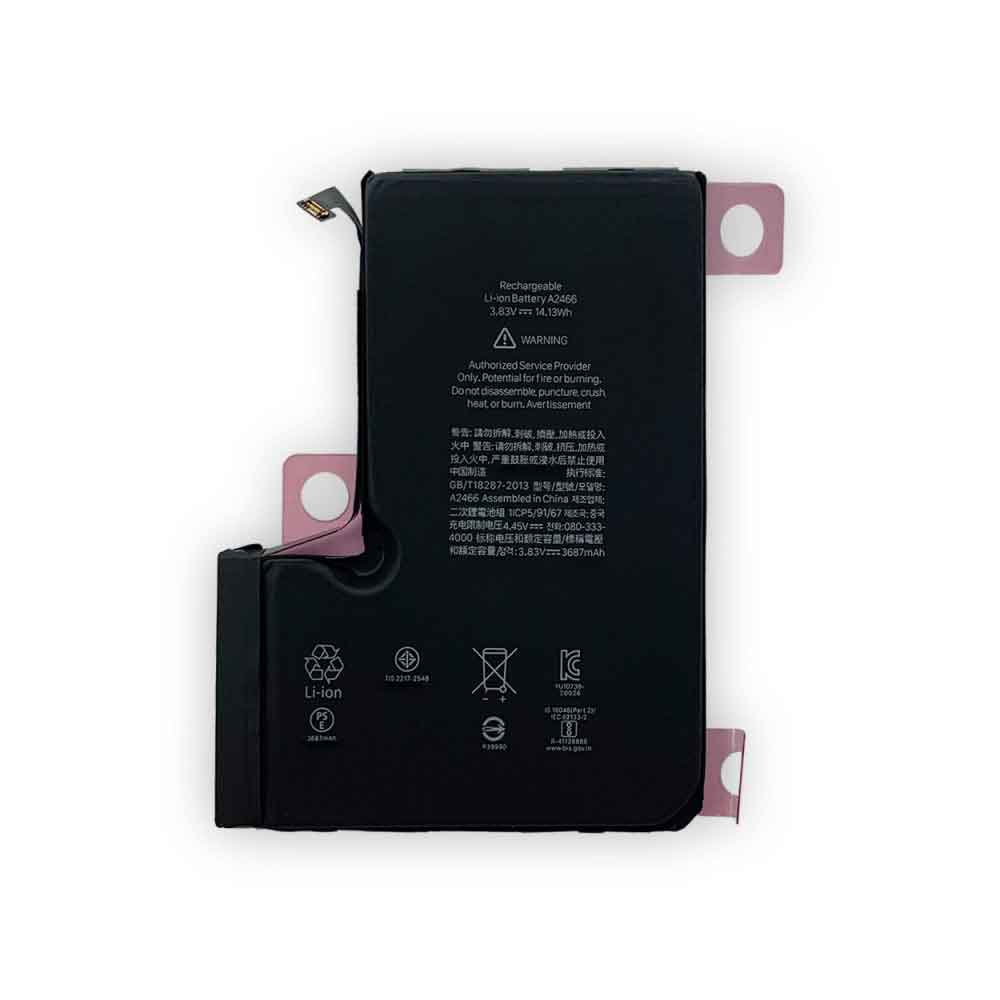
3687mAh 14.13WH 3.83V 4.45V Apple A2466 Li-ion Battery for Apple iPhone 12 Pro Max

3687mAh 14.13WH 3.83V 4.45V Apple A2466 Batteries for Apple iPhone 12 Pro Max, Apple A2466 Cell Phone battery is a brand new,100% Compatible original and replacement Phone battery,Purchase wholesale and retail A2466 with high quality and low price!

Find ou your original model number or part number(P/N), and move your eyes on the tag of battery

A2466

Specifications

  • Brand:Apple
  • Capacity :3687mAh 14.13WH
  • Voltage :3.83V 4.45V
  • Type :Li-ion
  • Battery Cell Quality: Grade A
  • Descriptive: Replacement Battery – 1 Year Warranty
  • Description: Brand New, 1 Year Warranty! 30-Days Money Back! Fast Shipping!

How we test this Apple A2466 Battery
Step 1: Make sure customer bought the correct battery.
Step 2: Check battery’s appearance and interface.
Step 3: Test battery charger and recharger function.
Step 4: Charger the battery to 100% and recharger to 0% to get real battery capacity
Step 5: Use Ev2300 to check the voltage difference of each goroup cells.
Step 6: Charger battery power more than 30%.
Step 7: Package battery carefully and send out

Compatible Part Numbers:
A2466

Compatible Model Numbers:
Apple iPhone 12 Pro Max

How much do you know about how to run laptop well as any place? The follow Tips cut way back on protecting battery life.


1). Please recharge or change your Cell Phone battery when battery power low.
2). Using Li-Ion Replacement Apple A2466 Cell Phone Battery for your notebook which can work longer time than Non Li-ion one.
3). It is better to defragmentation regularly for your Cell Phone battery life.
4). In order to reduce the laptop power consumpition, you can use some optical drive spin-down and hard drive in your Cell Phone .
5). Please keep your laptop in sleep or standby model without long time using, which both save the Replacement Apple A2466 Cell Phone Battery power and extend battery using life.
6). Leave your battery in a dry and cool condition when without using.
7). When you rarely or generally plugged in fixed power using, Please take down your battery to avoid hurting battery life.

Hot Products

400mAh APACK APP00169 for Apack APP001694220mAh/16.33WH VIVO B-O9 for VIVO X603000mAh/11.4wh LEAGOO BT-5705 for LEAGOO M9 Pro Mobile Cell phon4680mAh/73WH ASUS C41N1814 for Asus ZenBook 15 UX533FD UX533F4680mAh/73WH ASUS C41N1814 for Asus ZenBook 15 UX533FD UX533F5380mAh 20.713WH BLACKVIEW Li486690JLY for Blackview A703920mAh/15.2WH ASUS C11P1805 for ASUS zenfone max M2 ZB633KL ZB8800mAh TOSHIBA PA3728U for Satellite L515 L630 L635 L6404000mAh/30.4WH RTDPART 3882229C for 7Cable RTDPART 3882229C3400mAh /13.09Wh NOKIA LC-620 for Nokia 7.2 TA-1181 TA-1196
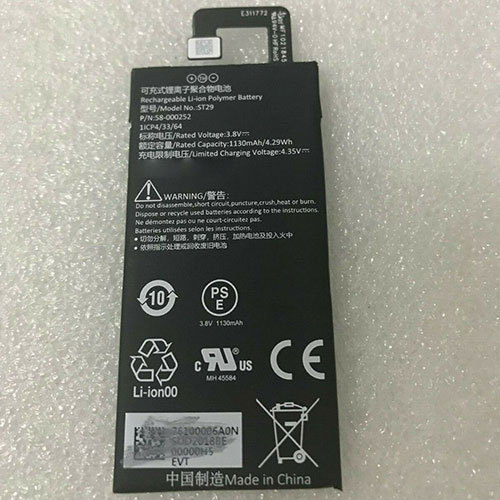
1130mAh 3.8V/4.3V Amazon 58-000252 Li-ion Battery for Amazon Kindle Fire

1130mAh 3.8V/4.3V Amazon 58-000252 Batteries for Amazon Kindle Fire, Amazon 58-000252 Tablets battery is a brand new,100% Compatible original and replacement Tablets battery,Purchase wholesale and retail 58-000252 with high quality and low price!

Find ou your original model number or part number(P/N), and move your eyes on the tag of battery

58-000252

Specifications

  • Brand:Amazon
  • Capacity :1130mAh
  • Voltage :3.8V/4.3V
  • Type :Li-ion
  • Battery Cell Quality: Grade A
  • Descriptive: Replacement Battery – 1 Year Warranty
  • Description: Brand New, 1 Year Warranty! 30-Days Money Back! Fast Shipping!

How we test this Amazon 58-000252 Battery
Step 1: Make sure customer bought the correct battery.
Step 2: Check battery’s appearance and interface.
Step 3: Test battery charger and recharger function.
Step 4: Charger the battery to 100% and recharger to 0% to get real battery capacity
Step 5: Use Ev2300 to check the voltage difference of each goroup cells.
Step 6: Charger battery power more than 30%.
Step 7: Package battery carefully and send out

Compatible Part Numbers:
ST29
58-000252

Compatible Model Numbers:
Amazon Kindle Fire

How much do you know about how to run laptop well as any place? The follow Tips cut way back on protecting battery life.


1). Please recharge or change your Tablets battery when battery power low.
2). Using Li-Ion Replacement Amazon 58-000252 Tablets Battery for your notebook which can work longer time than Non Li-ion one.
3). It is better to defragmentation regularly for your Tablets battery life.
4). In order to reduce the laptop power consumpition, you can use some optical drive spin-down and hard drive in your Tablets .
5). Please keep your laptop in sleep or standby model without long time using, which both save the Replacement Amazon 58-000252 Tablets Battery power and extend battery using life.
6). Leave your battery in a dry and cool condition when without using.
7). When you rarely or generally plugged in fixed power using, Please take down your battery to avoid hurting battery life.

Hot Products

400mAh APACK APP00169 for Apack APP001694220mAh/16.33WH VIVO B-O9 for VIVO X603000mAh/11.4wh LEAGOO BT-5705 for LEAGOO M9 Pro Mobile Cell phon4680mAh/73WH ASUS C41N1814 for Asus ZenBook 15 UX533FD UX533F4680mAh/73WH ASUS C41N1814 for Asus ZenBook 15 UX533FD UX533F5380mAh 20.713WH BLACKVIEW Li486690JLY for Blackview A703920mAh/15.2WH ASUS C11P1805 for ASUS zenfone max M2 ZB633KL ZB8800mAh TOSHIBA PA3728U for Satellite L515 L630 L635 L6404000mAh/30.4WH RTDPART 3882229C for 7Cable RTDPART 3882229C3400mAh /13.09Wh NOKIA LC-620 for Nokia 7.2 TA-1181 TA-1196
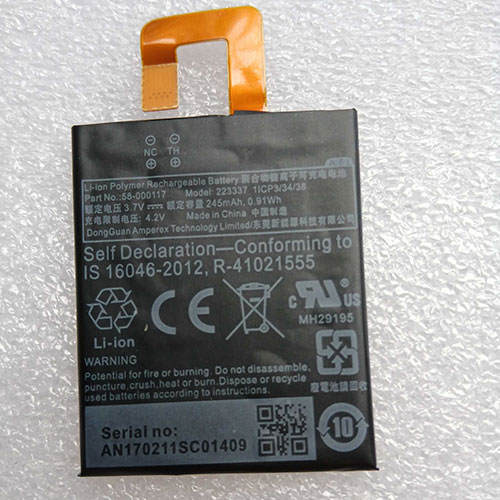
245mAh 3.7V/4.2V Amazon 58-000117 Li-ion Battery for KINDLE 6″ oasis 1,2 SW56RW

245mAh 3.7V/4.2V Amazon 58-000117 Batteries for KINDLE 6″ oasis 1,2 SW56RW, Amazon 58-000117 Tablets battery is a brand new,100% Compatible original and replacement Tablets battery,Purchase wholesale and retail 58-000117 with high quality and low price!

Find ou your original model number or part number(P/N), and move your eyes on the tag of battery

58-000117

Specifications

  • Brand:Amazon
  • Capacity :245mAh
  • Voltage :3.7V/4.2V
  • Type :Li-ion
  • Battery Cell Quality: Grade A
  • Descriptive: Replacement Battery – 1 Year Warranty
  • Description: Brand New, 1 Year Warranty! 30-Days Money Back! Fast Shipping!

How we test this Amazon 58-000117 Battery
Step 1: Make sure customer bought the correct battery.
Step 2: Check battery’s appearance and interface.
Step 3: Test battery charger and recharger function.
Step 4: Charger the battery to 100% and recharger to 0% to get real battery capacity
Step 5: Use Ev2300 to check the voltage difference of each goroup cells.
Step 6: Charger battery power more than 30%.
Step 7: Package battery carefully and send out

Compatible Part Numbers:
58-000117
223337
1ICP3/34/38

Compatible Model Numbers:
Amazon Kindle Oasis SW56RW, For Amazon Kindle KO1 Oasis 1,2, For Amazon Kindle Oasis 1,2, KO1,KO2, For Amazon Kindle Oasis KO1, For Amazon Kindle KO1 Oasis 3, For Amazon Kindle 223337

How much do you know about how to run laptop well as any place? The follow Tips cut way back on protecting battery life.


1). Please recharge or change your Tablets battery when battery power low.
2). Using Li-Ion Replacement Amazon 58-000117 Tablets Battery for your notebook which can work longer time than Non Li-ion one.
3). It is better to defragmentation regularly for your Tablets battery life.
4). In order to reduce the laptop power consumpition, you can use some optical drive spin-down and hard drive in your Tablets .
5). Please keep your laptop in sleep or standby model without long time using, which both save the Replacement Amazon 58-000117 Tablets Battery power and extend battery using life.
6). Leave your battery in a dry and cool condition when without using.
7). When you rarely or generally plugged in fixed power using, Please take down your battery to avoid hurting battery life.

Hot Products

400mAh APACK APP00169 for Apack APP001694220mAh/16.33WH VIVO B-O9 for VIVO X603000mAh/11.4wh LEAGOO BT-5705 for LEAGOO M9 Pro Mobile Cell phon4680mAh/73WH ASUS C41N1814 for Asus ZenBook 15 UX533FD UX533F4680mAh/73WH ASUS C41N1814 for Asus ZenBook 15 UX533FD UX533F5380mAh 20.713WH BLACKVIEW Li486690JLY for Blackview A703920mAh/15.2WH ASUS C11P1805 for ASUS zenfone max M2 ZB633KL ZB8800mAh TOSHIBA PA3728U for Satellite L515 L630 L635 L6404000mAh/30.4WH RTDPART 3882229C for 7Cable RTDPART 3882229C3400mAh /13.09Wh NOKIA LC-620 for Nokia 7.2 TA-1181 TA-1196