Why Lithium-Ion Batteries Swell, The Dangers Of Swelling, And How To Fix It

 Lithium-ion batteries are the most commonly used batteries worldwide. They are mainly used in mid-range appliances such as laptops, cell phones and cordless phones. Due to their high functionality, they are used a lot. Despite their high capacity, they swell easily. This caused disdain from a lot of customers, who wondered why this was happening and if they had a way to fix it. The following will tell you, and will also tell you how to solve this problem, let’s take a look!

What causes lithium-ion batteries to swell? The reasons are as follows:

The general cause can be understood as what happens at the surface level that causes this expansion. Details are as follows:

1. The battery charging time is too long, and the stored power in the battery is too much.

2. The excess electricity causes various reactions (technical reasons), resulting in swelling.

3. In short, swelling is caused by overcharging the battery.

Technical reasons

The technical reason for the swelling can be understood as the science that happens inside the battery that causes this swelling. Simply put, they are the result of overcharging. The technical reasons are discussed below:

1. An undesired reaction between the electrodes and the electrolyte can cause an imbalance within the battery, which can lead to swelling. As we discussed in General Reasons, this imbalance is caused by too much current being directed to the battery.

2. Unwanted reactions can lead to the release of gases which, when expelled from the battery, can eventually cause the battery to swell.

3. These reactions can lead to contamination of waste particles within the battery. These particles take up more space, causing the battery to swell.

Are Swollen Batteries Dangerous?

To judge whether a swollen battery is dangerous, we have to look at swelling in two ways. Then we can take the appropriate scale to judge whether it is dangerous or not. This will help us determine our immediate response if we happen to encounter a swollen battery.

Dangerous ways of swollen batteries are as follows:

1. Since there is more power in the battery than needed, when this current reaches the components of your device, it has the potential to damage those components. It can cause burning or failure of these components.

2. There is usually a designated space for the battery in a typical device, and if the battery swells, it will start destroying the device from the inside to make up the space needed.

3. In older versions of Li-ion batteries, an overcharged (i.e. swollen) battery could explode and splash around.

Here’s how to swollen batteries in a non-dangerous way:

1. In general, some lithium-ion batteries fail if they are overcharged. This means they will have significantly less functionality and will not cause other problems.

2. Lithium-ion batteries in new devices no longer explode. This is the result of the new technology strategy employed by these batteries.

How to prevent swelling?

You just need to make sure you don’t overcharge your battery. In other words, keep an eye on your rechargeable battery and remove it when it reaches 100% charge.

What to do when your lithium battery swells? If your lithium battery swells, you can do the following:

stop the charging process

As soon as you notice (or worry about) your lithium battery swelling, you should stop charging it. Once the battery starts to swell or gets close to that point, the situation deteriorates rapidly, so action needs to be taken quickly to avoid any undue harm to the person, the battery, or the equipment that uses the battery.

Safely remove the battery

You should use the appropriate method to remove the battery. This means that you should first turn off the device, unscrew the case properly, and then remove the battery, preferably with all safety measures intact. This will allow safe removal without damaging your device or components of that device.

Properly dispose of batteries

If the battery does swell, there’s nothing you can do about it. Remember, you can’t just throw it in the trash. There are proper procedures for battery removal and you must follow local guidelines to do so. You will most likely have to hand over the battery to an authorized organization.

Replace with new battery

Since you’ve disposed of the previous battery, all you need to do now is buy a new battery. Just make sure you get the same replacement battery that you used before, as this will work best for your device.

>>>>>>>>>>>>Battery

Thanks for reading, hope it helps!

Friendly reminder: If you need to replace the battery, this battery store will be a good choice: www.batteryforpc.co.uk
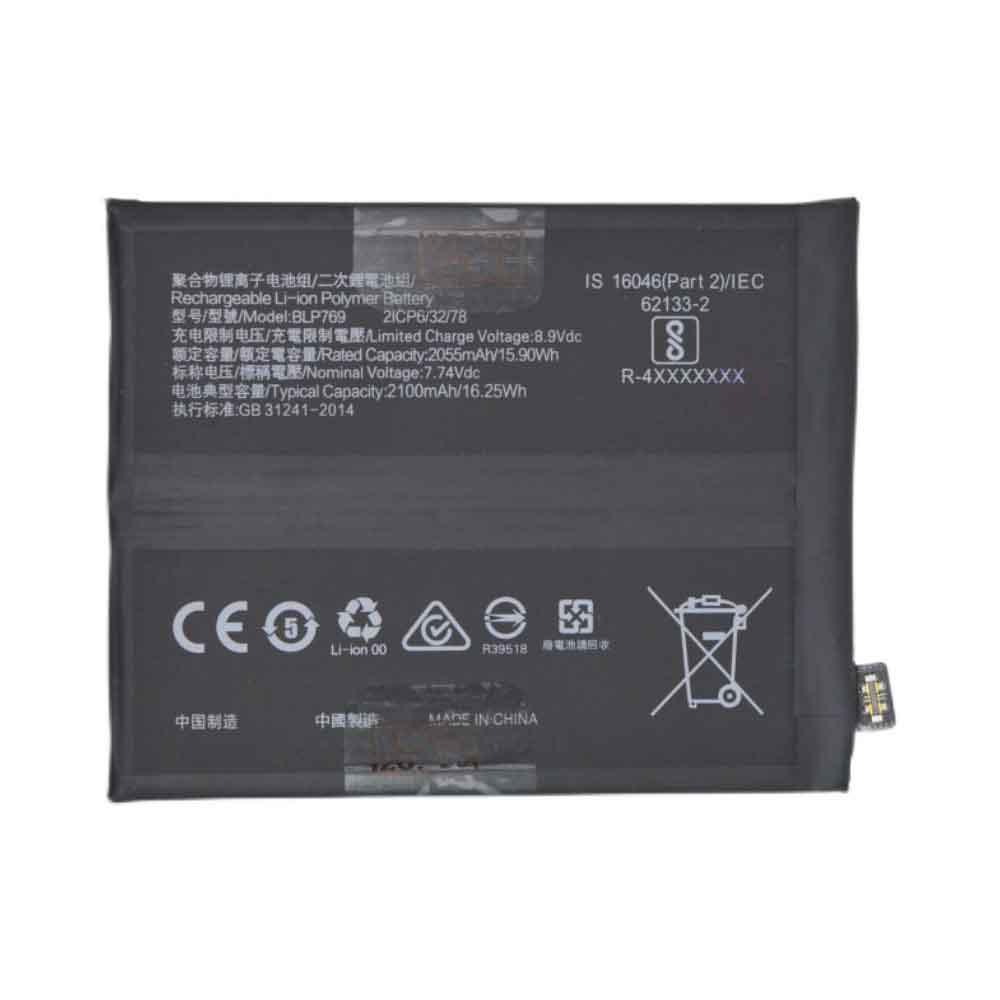
2055mAh 15.90WH 7.74V 8.90V Oppo BLP769 Li-ion Battery for OPPO find X2

2055mAh 15.90WH 7.74V 8.90V Oppo BLP769 Batteries for OPPO find X2, Oppo BLP769 Cell Phone battery is a brand new,100% Compatible original and replacement Phone battery,Purchase wholesale and retail BLP769 with high quality and low price!

Find ou your original model number or part number(P/N), and move your eyes on the tag of battery

BLP769

Specifications

  • Brand:OPPO
  • Capacity :2055mAh 15.90WH
  • Voltage :7.74V 8.90V
  • Type :Li-ion
  • Battery Cell Quality: Grade A
  • Descriptive: Replacement Battery – 1 Year Warranty
  • Description: Brand New, 1 Year Warranty! 30-Days Money Back! Fast Shipping!

How we test this Oppo BLP769 Battery
Step 1: Make sure customer bought the correct battery.
Step 2: Check battery’s appearance and interface.
Step 3: Test battery charger and recharger function.
Step 4: Charger the battery to 100% and recharger to 0% to get real battery capacity
Step 5: Use Ev2300 to check the voltage difference of each goroup cells.
Step 6: Charger battery power more than 30%.
Step 7: Package battery carefully and send out

Compatible Part Numbers:
BLP769

Compatible Model Numbers:
OPPO find X2

How much do you know about how to run laptop well as any place? The follow Tips cut way back on protecting battery life.


1). Please recharge or change your Cell Phone battery when battery power low.
2). Using Li-Ion Replacement Oppo BLP769 Cell Phone Battery for your notebook which can work longer time than Non Li-ion one.
3). It is better to defragmentation regularly for your Cell Phone battery life.
4). In order to reduce the laptop power consumpition, you can use some optical drive spin-down and hard drive in your Cell Phone .
5). Please keep your laptop in sleep or standby model without long time using, which both save the Replacement Oppo BLP769 Cell Phone Battery power and extend battery using life.
6). Leave your battery in a dry and cool condition when without using.
7). When you rarely or generally plugged in fixed power using, Please take down your battery to avoid hurting battery life.

Hot Products

2900mAh/11.5WH ASUS C11P1511 for ASUS Zenfone3 Ze552kl Z012da Z1500mAh/5.6WH HUAWEI HB554666 for Huawei E5330 E5336 EC5373 EC534080mAh/62WH LENOVO L19M4PD2 for LENOVO IdeaPad S740-14IIL4000mAh 15.2WH COOLPAD CPLD-192 for Coolpad CPLD-1924400 mAh ASUS M3N4S2P for ASUS M3,ASUS M3N,ASUS M3NP,ASU3400mAh/13.2WH LG BL-t44 for LG Q60 X525WA2100mAh LENOVO 01AV493 for Lenovo ThinkPad T570 T580 P51S5.4V HP 633538-001 for HP 1GB FBWC FOR P420 P421 P43062Wh/5500mAh CLEVO PB50BAT-6 for Clevo PB71EF-G PowerSpec 152068WH DELL MV07R for Dell G5 5000 5590 5500 5505

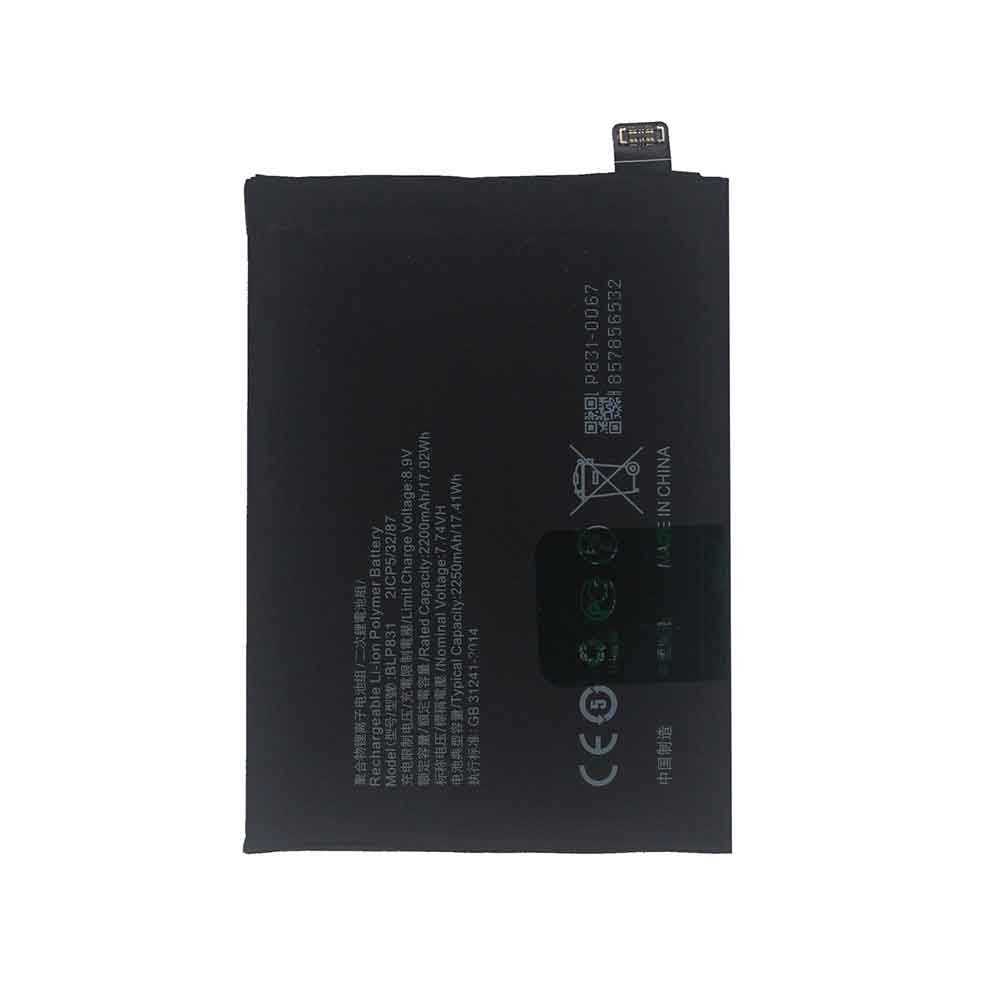
2200mAh 17.02WH 7.74V 8.90V Oppo BLP831 Li-ion Battery for OPPO Find X3 Pro

2200mAh 17.02WH 7.74V 8.90V Oppo BLP831 Batteries for OPPO Find X3 Pro, Oppo BLP831 Cell Phone battery is a brand new,100% Compatible original and replacement Phone battery,Purchase wholesale and retail BLP831 with high quality and low price!

Find ou your original model number or part number(P/N), and move your eyes on the tag of battery

BLP831

Specifications

  • Brand:OPPO
  • Capacity :2200mAh 17.02WH
  • Voltage :7.74V 8.90V
  • Type :Li-ion
  • Battery Cell Quality: Grade A
  • Descriptive: Replacement Battery – 1 Year Warranty
  • Description: Brand New, 1 Year Warranty! 30-Days Money Back! Fast Shipping!

How we test this Oppo BLP831 Battery
Step 1: Make sure customer bought the correct battery.
Step 2: Check battery’s appearance and interface.
Step 3: Test battery charger and recharger function.
Step 4: Charger the battery to 100% and recharger to 0% to get real battery capacity
Step 5: Use Ev2300 to check the voltage difference of each goroup cells.
Step 6: Charger battery power more than 30%.
Step 7: Package battery carefully and send out

Compatible Part Numbers:
BLP831

Compatible Model Numbers:
OPPO Find X3 Pro

How much do you know about how to run laptop well as any place? The follow Tips cut way back on protecting battery life.


1). Please recharge or change your Cell Phone battery when battery power low.
2). Using Li-Ion Replacement Oppo BLP831 Cell Phone Battery for your notebook which can work longer time than Non Li-ion one.
3). It is better to defragmentation regularly for your Cell Phone battery life.
4). In order to reduce the laptop power consumpition, you can use some optical drive spin-down and hard drive in your Cell Phone .
5). Please keep your laptop in sleep or standby model without long time using, which both save the Replacement Oppo BLP831 Cell Phone Battery power and extend battery using life.
6). Leave your battery in a dry and cool condition when without using.
7). When you rarely or generally plugged in fixed power using, Please take down your battery to avoid hurting battery life.

Hot Products

2900mAh/11.5WH ASUS C11P1511 for ASUS Zenfone3 Ze552kl Z012da Z1500mAh/5.6WH HUAWEI HB554666 for Huawei E5330 E5336 EC5373 EC534080mAh/62WH LENOVO L19M4PD2 for LENOVO IdeaPad S740-14IIL4000mAh 15.2WH COOLPAD CPLD-192 for Coolpad CPLD-1924400 mAh ASUS M3N4S2P for ASUS M3,ASUS M3N,ASUS M3NP,ASU3400mAh/13.2WH LG BL-t44 for LG Q60 X525WA2100mAh LENOVO 01AV493 for Lenovo ThinkPad T570 T580 P51S5.4V HP 633538-001 for HP 1GB FBWC FOR P420 P421 P43062Wh/5500mAh CLEVO PB50BAT-6 for Clevo PB71EF-G PowerSpec 152068WH DELL MV07R for Dell G5 5000 5590 5500 5505

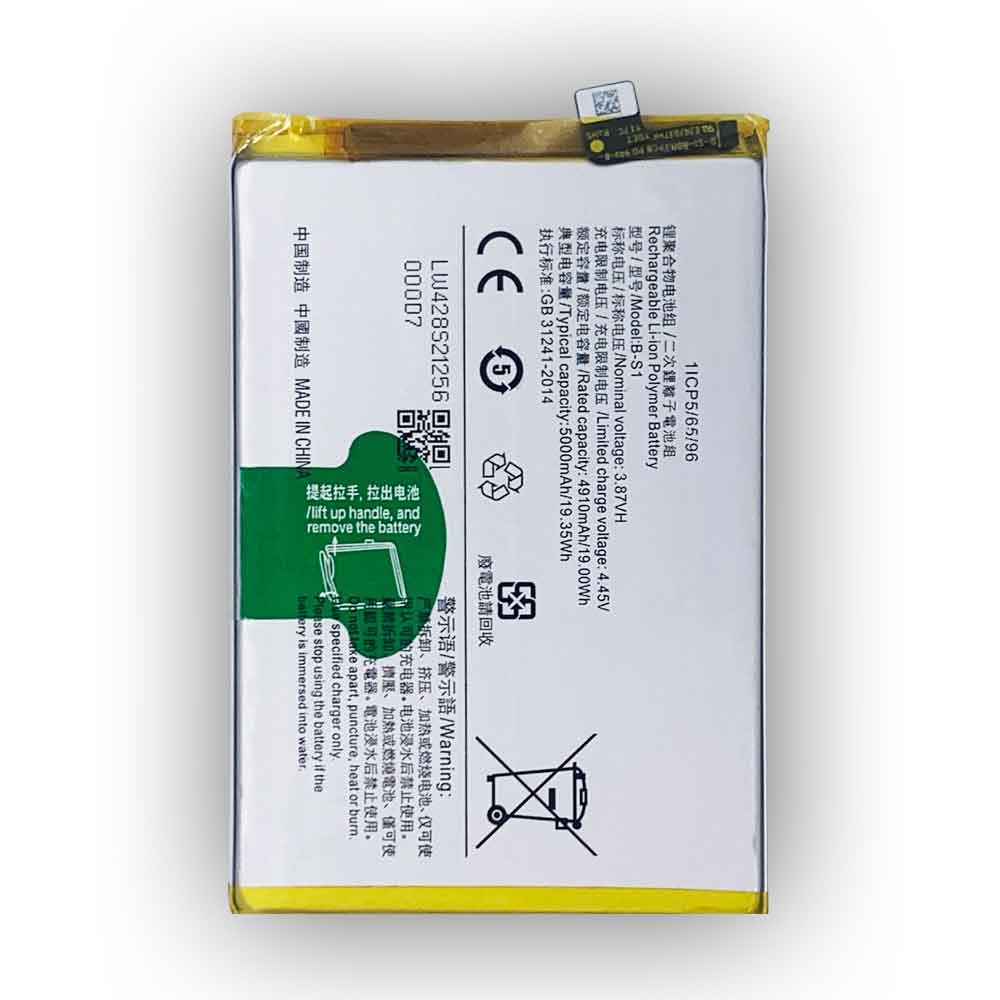
5000mAh 19.35WH 3.87V 4.45V Vivo B-S1 Li-ion Battery for Vivo Y21/Y21S

5000mAh 19.35WH 3.87V 4.45V Vivo B-S1 Batteries for Vivo Y21/Y21S, Vivo B-S1 Cell Phone battery is a brand new,100% Compatible original and replacement Phone battery,Purchase wholesale and retail B-S1 with high quality and low price!

Find ou your original model number or part number(P/N), and move your eyes on the tag of battery

B-S1

Specifications

  • Brand:Vivo
  • Capacity :5000mAh 19.35WH
  • Voltage :3.87V 4.45V
  • Type :Li-ion
  • Battery Cell Quality: Grade A
  • Descriptive: Replacement Battery – 1 Year Warranty
  • Description: Brand New, 1 Year Warranty! 30-Days Money Back! Fast Shipping!

How we test this Vivo B-S1 Battery
Step 1: Make sure customer bought the correct battery.
Step 2: Check battery’s appearance and interface.
Step 3: Test battery charger and recharger function.
Step 4: Charger the battery to 100% and recharger to 0% to get real battery capacity
Step 5: Use Ev2300 to check the voltage difference of each goroup cells.
Step 6: Charger battery power more than 30%.
Step 7: Package battery carefully and send out

Compatible Part Numbers:
B-S1

Compatible Model Numbers:
Vivo Y21/Y21S

How much do you know about how to run laptop well as any place? The follow Tips cut way back on protecting battery life.


1). Please recharge or change your Cell Phone battery when battery power low.
2). Using Li-Ion Replacement Vivo B-S1 Cell Phone Battery for your notebook which can work longer time than Non Li-ion one.
3). It is better to defragmentation regularly for your Cell Phone battery life.
4). In order to reduce the laptop power consumpition, you can use some optical drive spin-down and hard drive in your Cell Phone .
5). Please keep your laptop in sleep or standby model without long time using, which both save the Replacement Vivo B-S1 Cell Phone Battery power and extend battery using life.
6). Leave your battery in a dry and cool condition when without using.
7). When you rarely or generally plugged in fixed power using, Please take down your battery to avoid hurting battery life.

Hot Products

2900mAh/11.5WH ASUS C11P1511 for ASUS Zenfone3 Ze552kl Z012da Z1500mAh/5.6WH HUAWEI HB554666 for Huawei E5330 E5336 EC5373 EC534080mAh/62WH LENOVO L19M4PD2 for LENOVO IdeaPad S740-14IIL4000mAh 15.2WH COOLPAD CPLD-192 for Coolpad CPLD-1924400 mAh ASUS M3N4S2P for ASUS M3,ASUS M3N,ASUS M3NP,ASU3400mAh/13.2WH LG BL-t44 for LG Q60 X525WA2100mAh LENOVO 01AV493 for Lenovo ThinkPad T570 T580 P51S5.4V HP 633538-001 for HP 1GB FBWC FOR P420 P421 P43062Wh/5500mAh CLEVO PB50BAT-6 for Clevo PB71EF-G PowerSpec 152068WH DELL MV07R for Dell G5 5000 5590 5500 5505

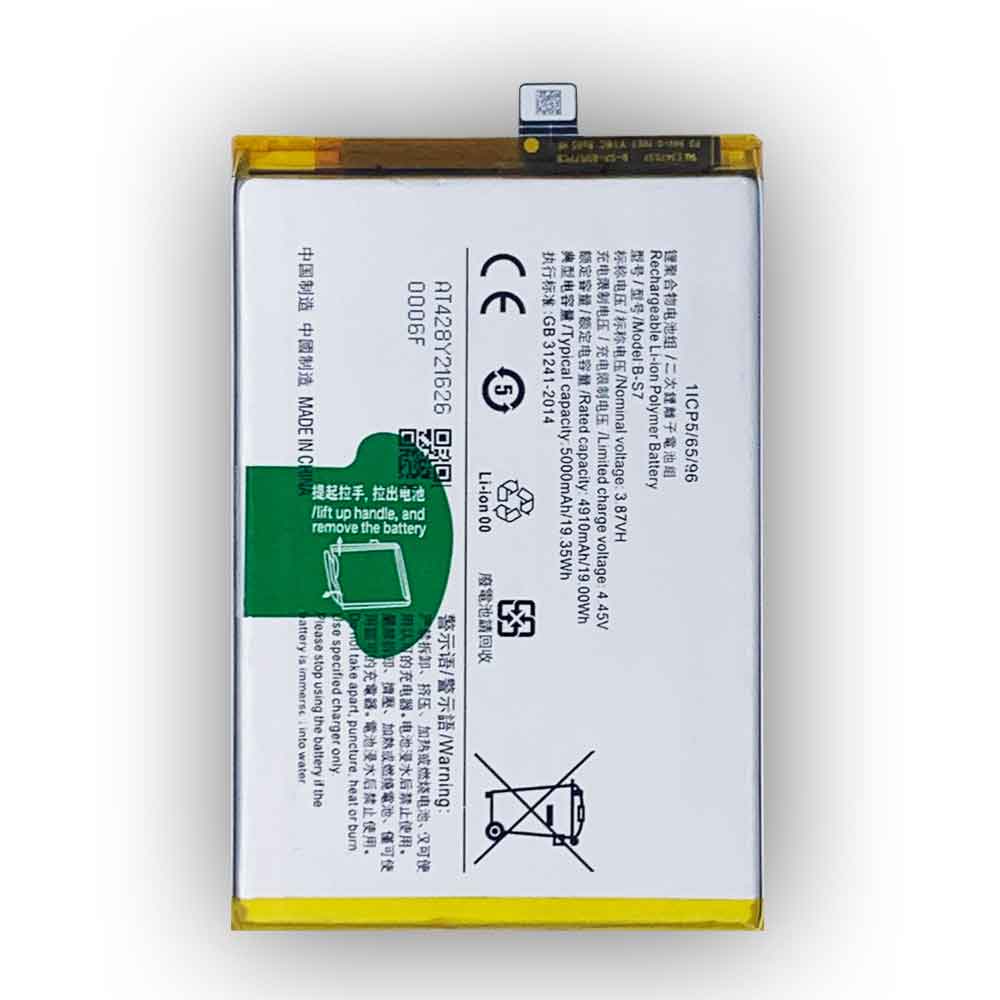
5000mAh 19.35WH 3.87V 4.45V Vivo B-S7 Li-ion Battery for Vivo B-S7

5000mAh 19.35WH 3.87V 4.45V Vivo B-S7 Batteries for Vivo B-S7, Vivo B-S7 Cell Phone battery is a brand new,100% Compatible original and replacement Phone battery,Purchase wholesale and retail B-S7 with high quality and low price!

Find ou your original model number or part number(P/N), and move your eyes on the tag of battery

B-S7

Specifications

  • Brand:Vivo
  • Capacity :5000mAh 19.35WH
  • Voltage :3.87V 4.45V
  • Type :Li-ion
  • Battery Cell Quality: Grade A
  • Descriptive: Replacement Battery – 1 Year Warranty
  • Description: Brand New, 1 Year Warranty! 30-Days Money Back! Fast Shipping!

How we test this Vivo B-S7 Battery
Step 1: Make sure customer bought the correct battery.
Step 2: Check battery’s appearance and interface.
Step 3: Test battery charger and recharger function.
Step 4: Charger the battery to 100% and recharger to 0% to get real battery capacity
Step 5: Use Ev2300 to check the voltage difference of each goroup cells.
Step 6: Charger battery power more than 30%.
Step 7: Package battery carefully and send out

Compatible Part Numbers:
B-S7

Compatible Model Numbers:
Vivo B-S7

How much do you know about how to run laptop well as any place? The follow Tips cut way back on protecting battery life.


1). Please recharge or change your Cell Phone battery when battery power low.
2). Using Li-Ion Replacement Vivo B-S7 Cell Phone Battery for your notebook which can work longer time than Non Li-ion one.
3). It is better to defragmentation regularly for your Cell Phone battery life.
4). In order to reduce the laptop power consumpition, you can use some optical drive spin-down and hard drive in your Cell Phone .
5). Please keep your laptop in sleep or standby model without long time using, which both save the Replacement Vivo B-S7 Cell Phone Battery power and extend battery using life.
6). Leave your battery in a dry and cool condition when without using.
7). When you rarely or generally plugged in fixed power using, Please take down your battery to avoid hurting battery life.

Hot Products

2900mAh/11.5WH ASUS C11P1511 for ASUS Zenfone3 Ze552kl Z012da Z1500mAh/5.6WH HUAWEI HB554666 for Huawei E5330 E5336 EC5373 EC534080mAh/62WH LENOVO L19M4PD2 for LENOVO IdeaPad S740-14IIL4000mAh 15.2WH COOLPAD CPLD-192 for Coolpad CPLD-1924400 mAh ASUS M3N4S2P for ASUS M3,ASUS M3N,ASUS M3NP,ASU3400mAh/13.2WH LG BL-t44 for LG Q60 X525WA2100mAh LENOVO 01AV493 for Lenovo ThinkPad T570 T580 P51S5.4V HP 633538-001 for HP 1GB FBWC FOR P420 P421 P43062Wh/5500mAh CLEVO PB50BAT-6 for Clevo PB71EF-G PowerSpec 152068WH DELL MV07R for Dell G5 5000 5590 5500 5505

Motorola Battery Replacement and Tips to Improve Motorola Battery Life

 In general, Motorola battery replacement should only be performed by an approved agency. You must understand that every Motorola device you use has a warranty and any attempt to open the battery yourself could result in damage to the device, in which case the warranty is void by default.

Of course, you should always make sure that it’s OK to replace the old battery when it’s dead or near the end of its life cycle.

The first thing is that there are two factors for replacing a Motorola battery: One is that Motorola batteries are made according to the shape, size and exact model of your device. The second thing is that some parameters on your device, such as input and output voltage, should be compatible with the device.

Using any low or high voltage or low or high amp battery can be dangerous to your Motorola device. They can overheat the device, causing more damage to the device.

The second thing is that the Motorola battery has a warranty. If you only replace the original Motorola battery with any battery that appears to be compatible but is not covered by Motorola’s stated warranty conditions.

Can you replace the battery in a Motorola phone?

Of course, you can replace the battery yourself, but at least you should read the instruction manual and review the safety precautions you need to follow when replacing the battery of your Motorola device.

How to replace the battery on a Motorola device?

Best to go to an authorized and certified Moto store and have one of the executives replace the battery on your behalf. Generally speaking, if you want to replace your Moto device’s battery on a budget, you can still do it at home.

First and foremost, you shouldn’t immediately turn on the battery while the phone is still on.

1. Before opening the back case of your Motorola phone to replace the battery, make sure it is closed.

2. Open the battery cover from the USB port area or any such area that may be indicated on the phone.

3. Remove the old Motorola battery from the unit from the back of the unit or by following the directions on the unit.

4. Before placing the new Motorola battery, make sure that the Motorola kit’s connector and the Motorola battery’s connector are properly aligned.

5. Make sure the connector is properly aligned with the connector on the device.

6. Gently place the battery and press from the side to ensure that the Motorola battery is well seated in its dedicated location and aligned correctly.

7. Gently close the back cover and turn on the device.

See that different Motorola devices have their I/O voltages and I/O currents. Before going to the store to replace the battery, check the battery requirements in the instruction manual to know these parameters in advance. In general, it may cost you less if you go ahead and order your Motorola device batteries online, depending on the deal going on. But be extra vigilant about knowing your device details, such as model number and device type. Even knowing the battery specs is important.

How long can a Motorola battery last?

It’s important to understand how your Motorola battery drains and find out the most power-hungry apps and make sure to close them to ensure longer battery life. The more of these apps stay on your Motorola phone, the less the Motorola battery will last because the more power is used to run those apps.

Check the Motorola app on your device to learn more about Motorola’s internal requirements, and be sure to close some apps to save power. To do this, you can go to the device help section, go to the hardware test, then go to the battery options.

This will give you all the details like which apps are using the battery and the internal temperature of the battery. They also give you a quick indication of the state of charge and the battery voltage being output.

Tips to improve Motorola battery life:

1. Before charging, it is best to make sure that the battery is completely drained while in use.

2. Or at least make sure the battery has dropped below 10% before charging it.

3. Make sure to close those apps that use most of your memory when you’re not carrying the charger.

4. It is very important to check that the newly replaced battery does not overheat the device or the charger.

>>>>>>>>>>>Motorola battery

Thanks for reading, hope it helps!

Friendly reminder: If you need to replace your device battery, this battery store will be a good choice: www.batteryforpc.co.uk
iOS 16: Here’s everything we know so far

 After seeing the release of iOS 15 and the subsequent iPhone 13 series, Apple is slowly refining the features we’ve seen since June, including iOS 15.2 and the recently released iOS 15.4 that brings FaceID to the face while wearing a mask control.

However, that didn’t stop us from thinking about what might be on the horizon for the next version of iOS, which we expect to call iOS 16 at WWDC 2022.

Every iOS release brings an important feature, whether it’s widgets or dark mode. But iOS could still benefit from some new improvements to better manage the way you use your iPhone every day.

iOS 16 release date rumored

Apple follows the traditional schedule of announcing the latest iOS update at WWDC in June, followed by a release around September.

With the launch of iOS 15.4.1, Apple has been focusing on rolling out important features in more .1 updates. In previous years, we’ve seen trackpads come to iOS 13.4, and ProRes came to iOS 15.1 last October.

When we see iOS 16, it won’t be easy to expect iOS 15.5, which will bring even more important features to your iPhone and iPad.

iPhones that support iOS 16

Apple tries to support various iPhone models with each new iOS release. iOS 15 supports at least the iPhone 6S released in 2015.

Early leaks suggest: Unsurprisingly, the iPhone 6S (along with the iPhone 6S Plus and original iPhone SE) won’t get iOS 16, but everything from the iPhone 7 onwards will.

It’s certainly not an easy task to expect iOS 16 to support at least the iPhone 7 series, but some features may be hindered, mainly due to hardware limitations in the cameras or the chips in some iPhone models.

Each iOS version has a major feature, but also some small improvements across the board. For example, if you still have an iPhone 8, you might get the benefit of some small features when iOS 16 arrives. But there’s a good chance you’ll miss out on an important feature that Apple will show.

News and Leaks

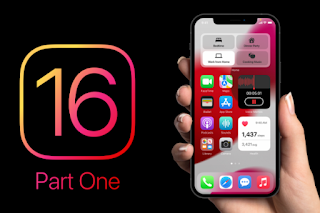
Aside from the release date and compatibility details above, the only thing we’ve really heard about iOS 16 so far is that it may feature large interactive widgets.

These are apparently called “InfoShack” internally, and you can see how they look in the image below. They will basically hold multiple widgets of different styles.

The image also shows redesigned icons, so we might see that in iOS 16 as well. However, the Apple TV remote icon is suspicious because it doesn’t look like an actual Apple TV remote.

>>>>>>>>>>>>>Apple battery

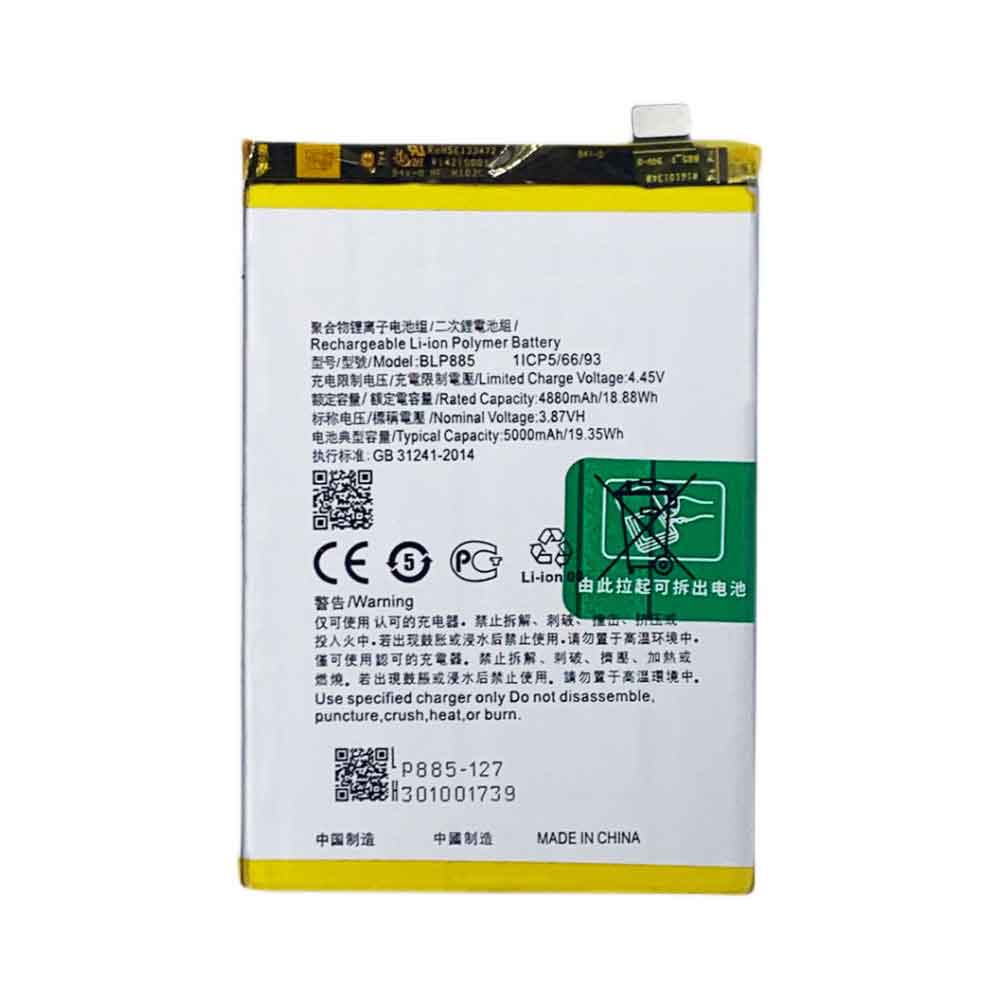
5000mAh 19.35WH 3.87V 4.45V Oppo BLP885 Li-ion Battery for OPPO BLP885

5000mAh 19.35WH 3.87V 4.45V Oppo BLP885 Batteries for OPPO BLP885, Oppo BLP885 Cell Phone battery is a brand new,100% Compatible original and replacement Phone battery,Purchase wholesale and retail BLP885 with high quality and low price!

Find ou your original model number or part number(P/N), and move your eyes on the tag of battery

BLP885

Specifications

  • Brand:OPPO
  • Capacity :5000mAh 19.35WH
  • Voltage :3.87V 4.45V
  • Type :Li-ion
  • Battery Cell Quality: Grade A
  • Descriptive: Replacement Battery – 1 Year Warranty
  • Description: Brand New, 1 Year Warranty! 30-Days Money Back! Fast Shipping!

How we test this Oppo BLP885 Battery
Step 1: Make sure customer bought the correct battery.
Step 2: Check battery’s appearance and interface.
Step 3: Test battery charger and recharger function.
Step 4: Charger the battery to 100% and recharger to 0% to get real battery capacity
Step 5: Use Ev2300 to check the voltage difference of each goroup cells.
Step 6: Charger battery power more than 30%.
Step 7: Package battery carefully and send out

Compatible Part Numbers:
BLP885

Compatible Model Numbers:
OPPO BLP885

How much do you know about how to run laptop well as any place? The follow Tips cut way back on protecting battery life.


1). Please recharge or change your Cell Phone battery when battery power low.
2). Using Li-Ion Replacement Oppo BLP885 Cell Phone Battery for your notebook which can work longer time than Non Li-ion one.
3). It is better to defragmentation regularly for your Cell Phone battery life.
4). In order to reduce the laptop power consumpition, you can use some optical drive spin-down and hard drive in your Cell Phone .
5). Please keep your laptop in sleep or standby model without long time using, which both save the Replacement Oppo BLP885 Cell Phone Battery power and extend battery using life.
6). Leave your battery in a dry and cool condition when without using.
7). When you rarely or generally plugged in fixed power using, Please take down your battery to avoid hurting battery life.

Hot Products

4000mAh 15.2WH COOLPAD CPLD-192 for Coolpad CPLD-1924400 mAh ASUS M3N4S2P for ASUS M3,ASUS M3N,ASUS M3NP,ASU3400mAh/13.2WH LG BL-t44 for LG Q60 X525WA2100mAh LENOVO 01AV493 for Lenovo ThinkPad T570 T580 P51S5.4V HP 633538-001 for HP 1GB FBWC FOR P420 P421 P43062Wh/5500mAh CLEVO PB50BAT-6 for Clevo PB71EF-G PowerSpec 152068WH DELL MV07R for Dell G5 5000 5590 5500 55053000mah/11.5wh ASUS C11P1501 for ASUS ZE500CL ZE551KL ZE6014850mAh 18.43WH AMAZON 58-000313 for Amazon 26S1021200MAH/0.77Wh SAMSUNG EB-BR365FBE for Samsung Gear Fit 2 Pro Sports

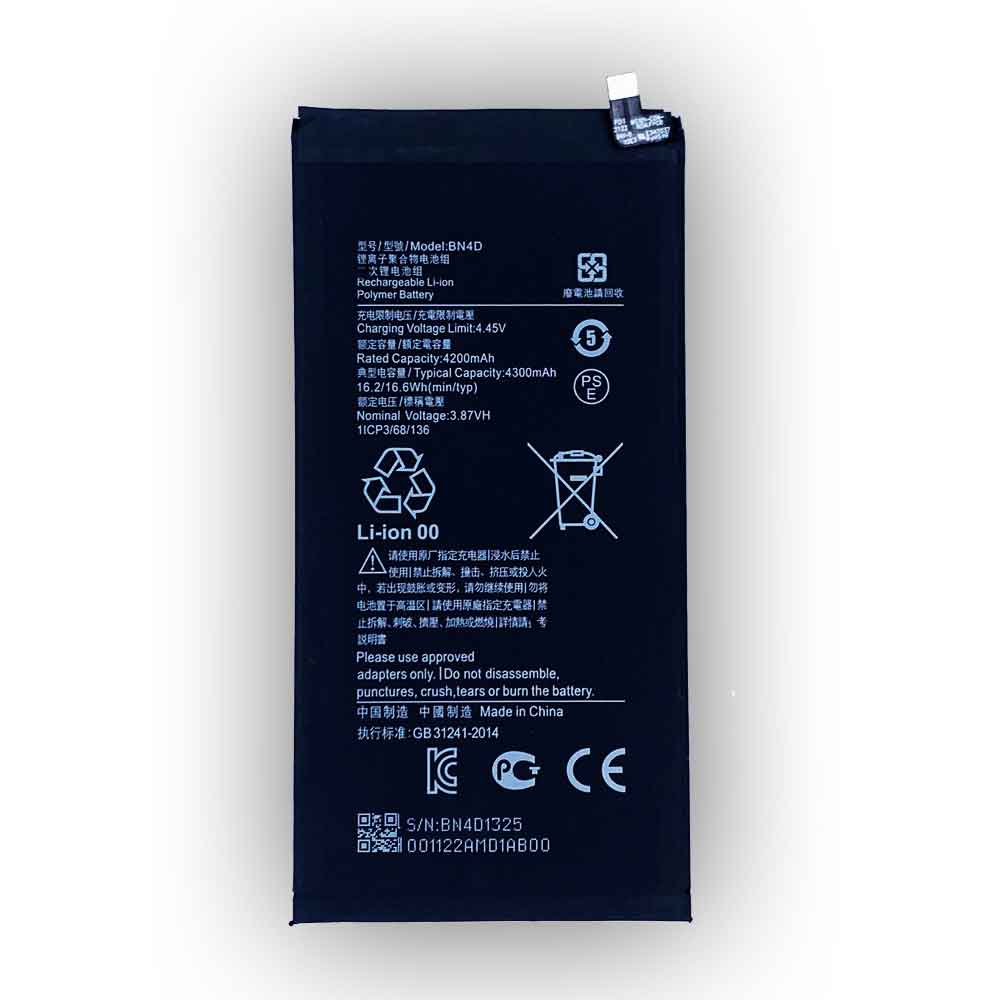
4200mAh 16.2WH 3.87V 4.45V Xiaomi BN4D Li-ion Battery for Xiaomi MIUI 5Pro

4200mAh 16.2WH 3.87V 4.45V Xiaomi BN4D Batteries for Xiaomi MIUI 5Pro, Xiaomi BN4D Cell Phone battery is a brand new,100% Compatible original and replacement Phone battery,Purchase wholesale and retail BN4D with high quality and low price!

Find ou your original model number or part number(P/N), and move your eyes on the tag of battery

BN4D

Specifications

  • Brand:Xiaomi
  • Capacity :4200mAh 16.2WH
  • Voltage :3.87V 4.45V
  • Type :Li-ion
  • Battery Cell Quality: Grade A
  • Descriptive: Replacement Battery – 1 Year Warranty
  • Description: Brand New, 1 Year Warranty! 30-Days Money Back! Fast Shipping!

How we test this Xiaomi BN4D Battery
Step 1: Make sure customer bought the correct battery.
Step 2: Check battery’s appearance and interface.
Step 3: Test battery charger and recharger function.
Step 4: Charger the battery to 100% and recharger to 0% to get real battery capacity
Step 5: Use Ev2300 to check the voltage difference of each goroup cells.
Step 6: Charger battery power more than 30%.
Step 7: Package battery carefully and send out

Compatible Part Numbers:
BN4D

Compatible Model Numbers:
Xiaomi MIUI 5Pro

How much do you know about how to run laptop well as any place? The follow Tips cut way back on protecting battery life.


1). Please recharge or change your Cell Phone battery when battery power low.
2). Using Li-Ion Replacement Xiaomi BN4D Cell Phone Battery for your notebook which can work longer time than Non Li-ion one.
3). It is better to defragmentation regularly for your Cell Phone battery life.
4). In order to reduce the laptop power consumpition, you can use some optical drive spin-down and hard drive in your Cell Phone .
5). Please keep your laptop in sleep or standby model without long time using, which both save the Replacement Xiaomi BN4D Cell Phone Battery power and extend battery using life.
6). Leave your battery in a dry and cool condition when without using.
7). When you rarely or generally plugged in fixed power using, Please take down your battery to avoid hurting battery life.

Hot Products

4000mAh 15.2WH COOLPAD CPLD-192 for Coolpad CPLD-1924400 mAh ASUS M3N4S2P for ASUS M3,ASUS M3N,ASUS M3NP,ASU3400mAh/13.2WH LG BL-t44 for LG Q60 X525WA2100mAh LENOVO 01AV493 for Lenovo ThinkPad T570 T580 P51S5.4V HP 633538-001 for HP 1GB FBWC FOR P420 P421 P43062Wh/5500mAh CLEVO PB50BAT-6 for Clevo PB71EF-G PowerSpec 152068WH DELL MV07R for Dell G5 5000 5590 5500 55053000mah/11.5wh ASUS C11P1501 for ASUS ZE500CL ZE551KL ZE6014850mAh 18.43WH AMAZON 58-000313 for Amazon 26S1021200MAH/0.77Wh SAMSUNG EB-BR365FBE for Samsung Gear Fit 2 Pro Sports

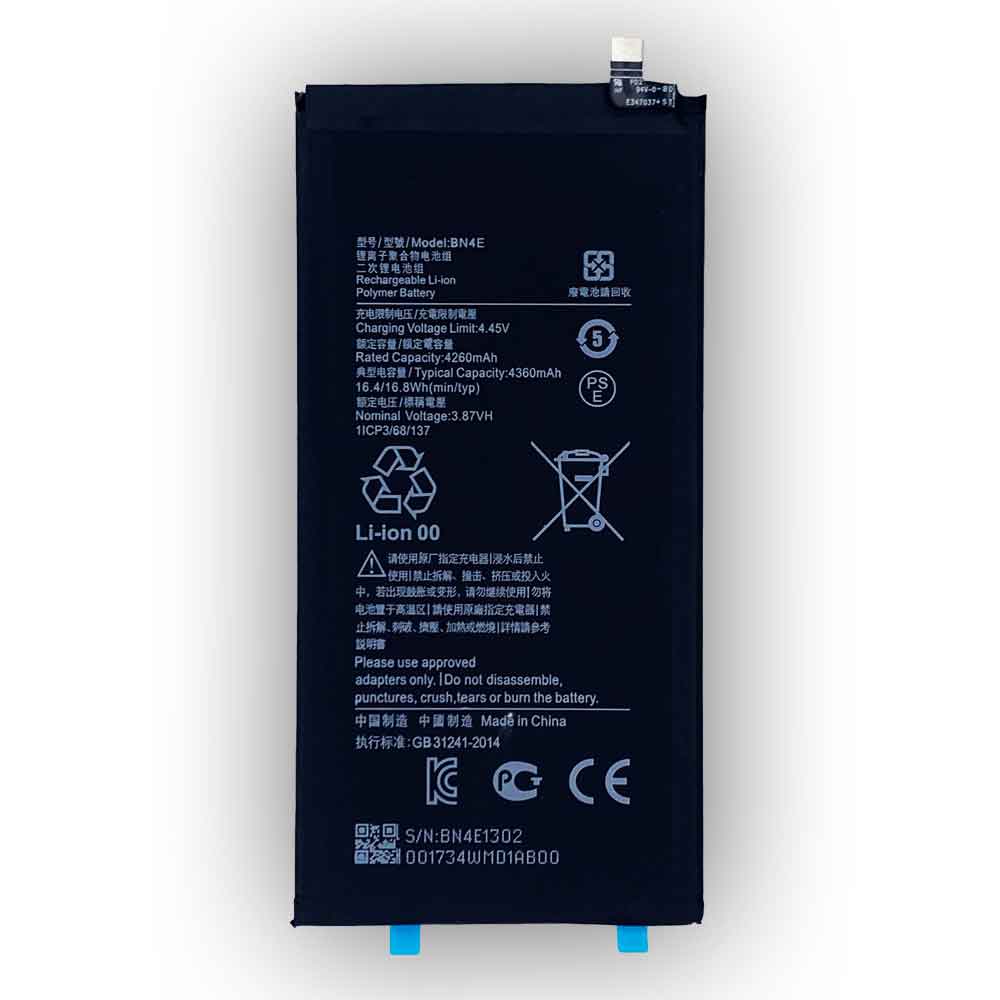
4260mAh 16.4WH 3.87V 4.45V Xiaomi BN4E Li-ion Battery for Xiaomi Pad BN4E

4260mAh 16.4WH 3.87V 4.45V Xiaomi BN4E Batteries for Xiaomi Pad BN4E, Xiaomi BN4E Cell Phone battery is a brand new,100% Compatible original and replacement Phone battery,Purchase wholesale and retail BN4E with high quality and low price!

Find ou your original model number or part number(P/N), and move your eyes on the tag of battery

BN4E

Specifications

  • Brand:Xiaomi
  • Capacity :4260mAh 16.4WH
  • Voltage :3.87V 4.45V
  • Type :Li-ion
  • Battery Cell Quality: Grade A
  • Descriptive: Replacement Battery – 1 Year Warranty
  • Description: Brand New, 1 Year Warranty! 30-Days Money Back! Fast Shipping!

How we test this Xiaomi BN4E Battery
Step 1: Make sure customer bought the correct battery.
Step 2: Check battery’s appearance and interface.
Step 3: Test battery charger and recharger function.
Step 4: Charger the battery to 100% and recharger to 0% to get real battery capacity
Step 5: Use Ev2300 to check the voltage difference of each goroup cells.
Step 6: Charger battery power more than 30%.
Step 7: Package battery carefully and send out

Compatible Part Numbers:
BN4E

Compatible Model Numbers:
Xiaomi Pad BN4E

How much do you know about how to run laptop well as any place? The follow Tips cut way back on protecting battery life.


1). Please recharge or change your Cell Phone battery when battery power low.
2). Using Li-Ion Replacement Xiaomi BN4E Cell Phone Battery for your notebook which can work longer time than Non Li-ion one.
3). It is better to defragmentation regularly for your Cell Phone battery life.
4). In order to reduce the laptop power consumpition, you can use some optical drive spin-down and hard drive in your Cell Phone .
5). Please keep your laptop in sleep or standby model without long time using, which both save the Replacement Xiaomi BN4E Cell Phone Battery power and extend battery using life.
6). Leave your battery in a dry and cool condition when without using.
7). When you rarely or generally plugged in fixed power using, Please take down your battery to avoid hurting battery life.

Hot Products

4000mAh 15.2WH COOLPAD CPLD-192 for Coolpad CPLD-1924400 mAh ASUS M3N4S2P for ASUS M3,ASUS M3N,ASUS M3NP,ASU3400mAh/13.2WH LG BL-t44 for LG Q60 X525WA2100mAh LENOVO 01AV493 for Lenovo ThinkPad T570 T580 P51S5.4V HP 633538-001 for HP 1GB FBWC FOR P420 P421 P43062Wh/5500mAh CLEVO PB50BAT-6 for Clevo PB71EF-G PowerSpec 152068WH DELL MV07R for Dell G5 5000 5590 5500 55053000mah/11.5wh ASUS C11P1501 for ASUS ZE500CL ZE551KL ZE6014850mAh 18.43WH AMAZON 58-000313 for Amazon 26S1021200MAH/0.77Wh SAMSUNG EB-BR365FBE for Samsung Gear Fit 2 Pro Sports