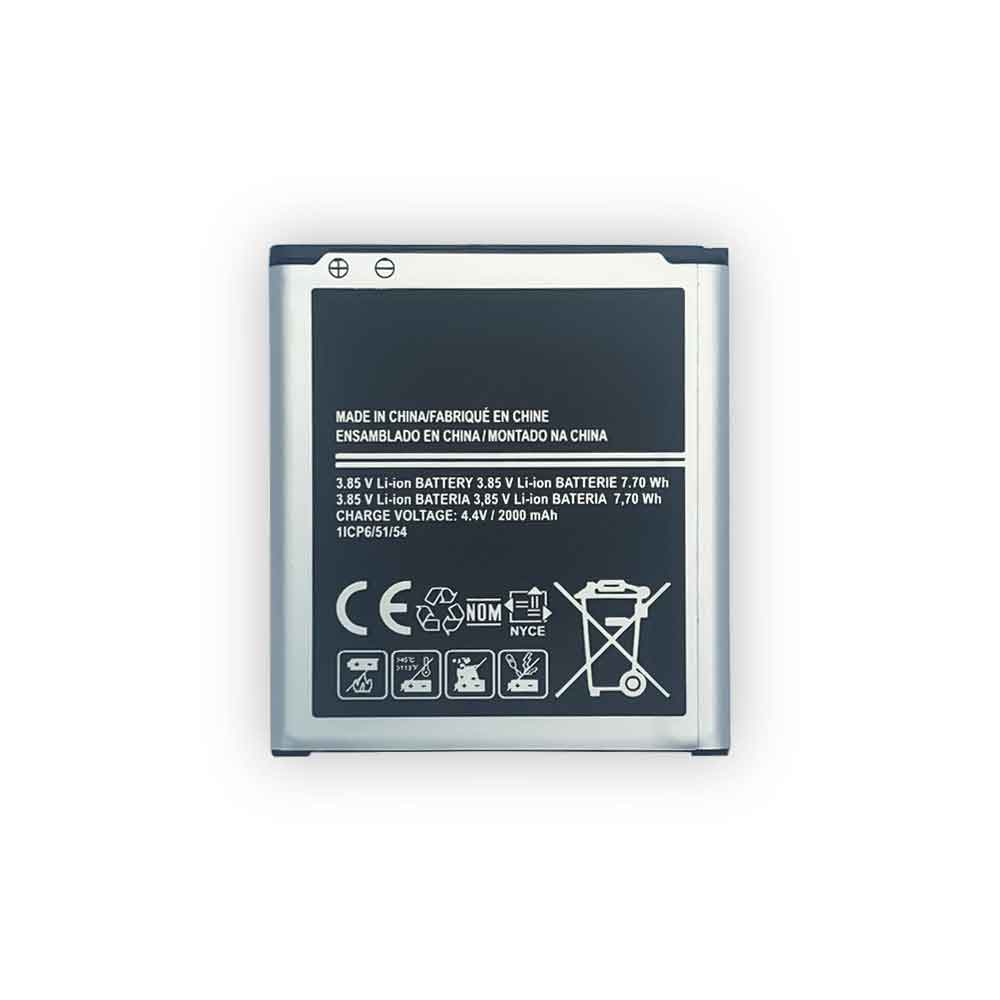
2000mAh 7.70WH 3.85V 4.4V Samsung EB-BG360CBE Li-ion Battery for Samsung Core Prime/G360

2000mAh 7.70WH 3.85V 4.4V Samsung EB-BG360CBE Batteries for Samsung Core Prime/G360, Samsung EB-BG360CBE Cell Phone battery is a brand new,100% Compatible original and replacement Phone battery,Purchase wholesale and retail EB-BG360CBE with high quality and low price!

Find ou your original model number or part number(P/N), and move your eyes on the tag of battery
EB-BG360CBE

Specifications

  • Brand:Samsung
  • Capacity :2000mAh 7.70WH
  • Voltage :3.85V 4.4V
  • Type :Li-ion
  • Battery Cell Quality: Grade A
  • Descriptive: Replacement Battery – 1 Year Warranty
  • Description: Brand New, 1 Year Warranty! 30-Days Money Back! Fast Shipping!

How we test this Samsung EB-BG360CBE Battery
Step 1: Make sure customer bought the correct battery.
Step 2: Check battery’s appearance and interface.
Step 3: Test battery charger and recharger function.
Step 4: Charger the battery to 100% and recharger to 0% to get real battery capacity
Step 5: Use Ev2300 to check the voltage difference of each goroup cells.
Step 6: Charger battery power more than 30%.
Step 7: Package battery carefully and send out

Compatible Part Numbers:
EB-BG360CBE

Compatible Model Numbers:
Samsung Core Prime/G360

How much do you know about how to run laptop well as any place? The follow Tips cut way back on protecting battery life.


1). Please recharge or change your Cell Phone battery when battery power low.
2). Using Li-Ion Replacement Samsung EB-BG360CBE Cell Phone Battery for your notebook which can work longer time than Non Li-ion one.
3). It is better to defragmentation regularly for your Cell Phone battery life.
4). In order to reduce the laptop power consumpition, you can use some optical drive spin-down and hard drive in your Cell Phone .
5). Please keep your laptop in sleep or standby model without long time using, which both save the Replacement Samsung EB-BG360CBE Cell Phone Battery power and extend battery using life.
6). Leave your battery in a dry and cool condition when without using.
7). When you rarely or generally plugged in fixed power using, Please take down your battery to avoid hurting battery life.

Hot Products

5.4V HP 633538-001 for HP 1GB FBWC FOR P420 P421 P43060Wh HP Ba06xl for Hp Elitebook Folio 9470m Ultra62Wh/5500mAh CLEVO PB50BAT-6 for Clevo PB71EF-G PowerSpec 152068WH DELL MV07R for Dell G5 5000 5590 5500 55053000mah/11.5wh ASUS C11P1501 for ASUS ZE500CL ZE551KL ZE6014850mAh 18.43WH AMAZON 58-000313 for Amazon 26S1021200MAH/0.77Wh SAMSUNG EB-BR365FBE for Samsung Gear Fit 2 Pro Sports94Wh LENOVO 45N1016 for Lenovo ThinkPad T410 T420 T4304910mAh/19.00WH VIVO B-O5 for VIVO y20640MAh/70Wh PANASONIC CF-VZSU80U for Panasonic CF-C2 MK1 Toughbook
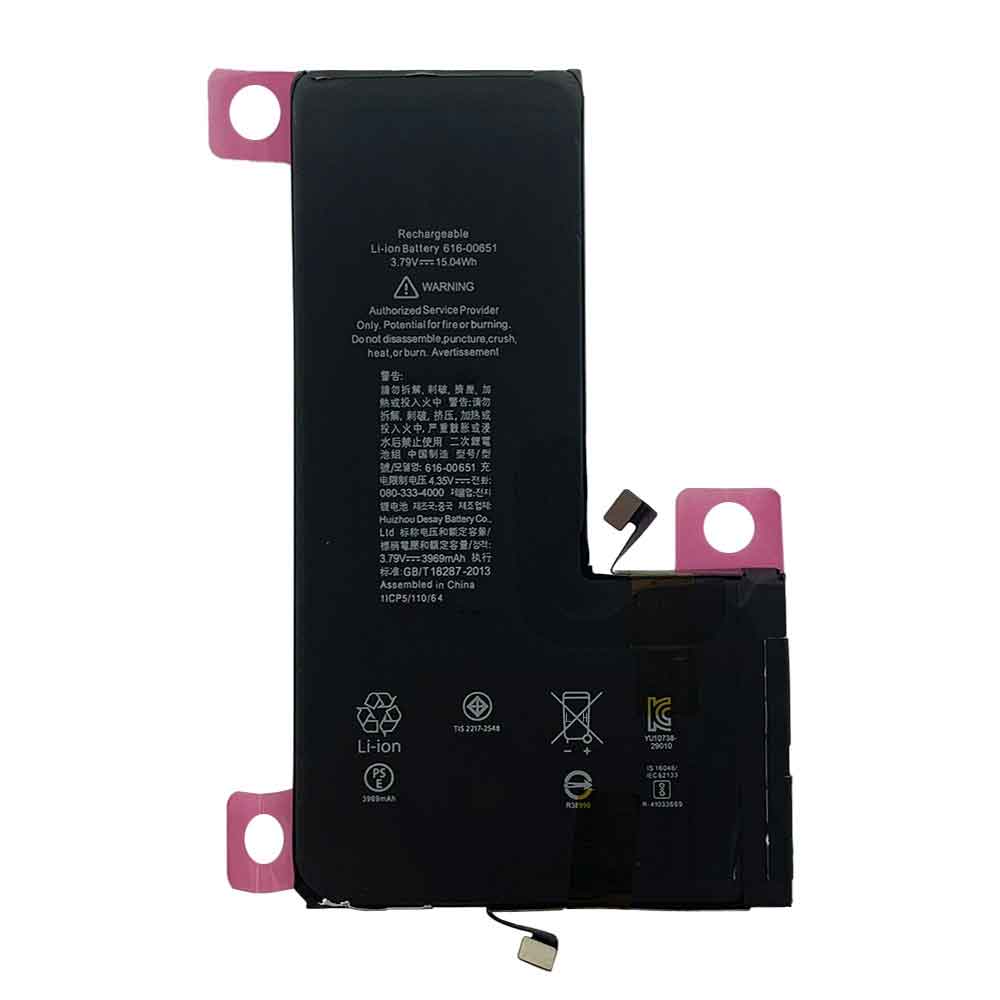
3969mAh 15.04WH 3.79V 4.35V Apple 616-00651 Li-ion Battery for Apple iPhone 11Pro Max

3969mAh 15.04WH 3.79V 4.35V Apple 616-00651 Batteries for Apple iPhone 11Pro Max, Apple 616-00651 Cell Phone battery is a brand new,100% Compatible original and replacement Phone battery,Purchase wholesale and retail 616-00651 with high quality and low price!

Find ou your original model number or part number(P/N), and move your eyes on the tag of battery

616-00651

Specifications

  • Brand:Apple
  • Capacity :3969mAh 15.04WH
  • Voltage :3.79V 4.35V
  • Type :Li-ion
  • Battery Cell Quality: Grade A
  • Descriptive: Replacement Battery – 1 Year Warranty
  • Description: Brand New, 1 Year Warranty! 30-Days Money Back! Fast Shipping!

How we test this Apple 616-00651 Battery
Step 1: Make sure customer bought the correct battery.
Step 2: Check battery’s appearance and interface.
Step 3: Test battery charger and recharger function.
Step 4: Charger the battery to 100% and recharger to 0% to get real battery capacity
Step 5: Use Ev2300 to check the voltage difference of each goroup cells.
Step 6: Charger battery power more than 30%.
Step 7: Package battery carefully and send out

Compatible Part Numbers:
616-00651

Compatible Model Numbers:
Apple iPhone 11Pro Max

How much do you know about how to run laptop well as any place? The follow Tips cut way back on protecting battery life.


1). Please recharge or change your Cell Phone battery when battery power low.
2). Using Li-Ion Replacement Apple 616-00651 Cell Phone Battery for your notebook which can work longer time than Non Li-ion one.
3). It is better to defragmentation regularly for your Cell Phone battery life.
4). In order to reduce the laptop power consumpition, you can use some optical drive spin-down and hard drive in your Cell Phone .
5). Please keep your laptop in sleep or standby model without long time using, which both save the Replacement Apple 616-00651 Cell Phone Battery power and extend battery using life.
6). Leave your battery in a dry and cool condition when without using.
7). When you rarely or generally plugged in fixed power using, Please take down your battery to avoid hurting battery life.

Hot Products

5.4V HP 633538-001 for HP 1GB FBWC FOR P420 P421 P43060Wh HP Ba06xl for Hp Elitebook Folio 9470m Ultra62Wh/5500mAh CLEVO PB50BAT-6 for Clevo PB71EF-G PowerSpec 152068WH DELL MV07R for Dell G5 5000 5590 5500 55053000mah/11.5wh ASUS C11P1501 for ASUS ZE500CL ZE551KL ZE6014850mAh 18.43WH AMAZON 58-000313 for Amazon 26S1021200MAH/0.77Wh SAMSUNG EB-BR365FBE for Samsung Gear Fit 2 Pro Sports94Wh LENOVO 45N1016 for Lenovo ThinkPad T410 T420 T4304910mAh/19.00WH VIVO B-O5 for VIVO y20640MAh/70Wh PANASONIC CF-VZSU80U for Panasonic CF-C2 MK1 Toughbook

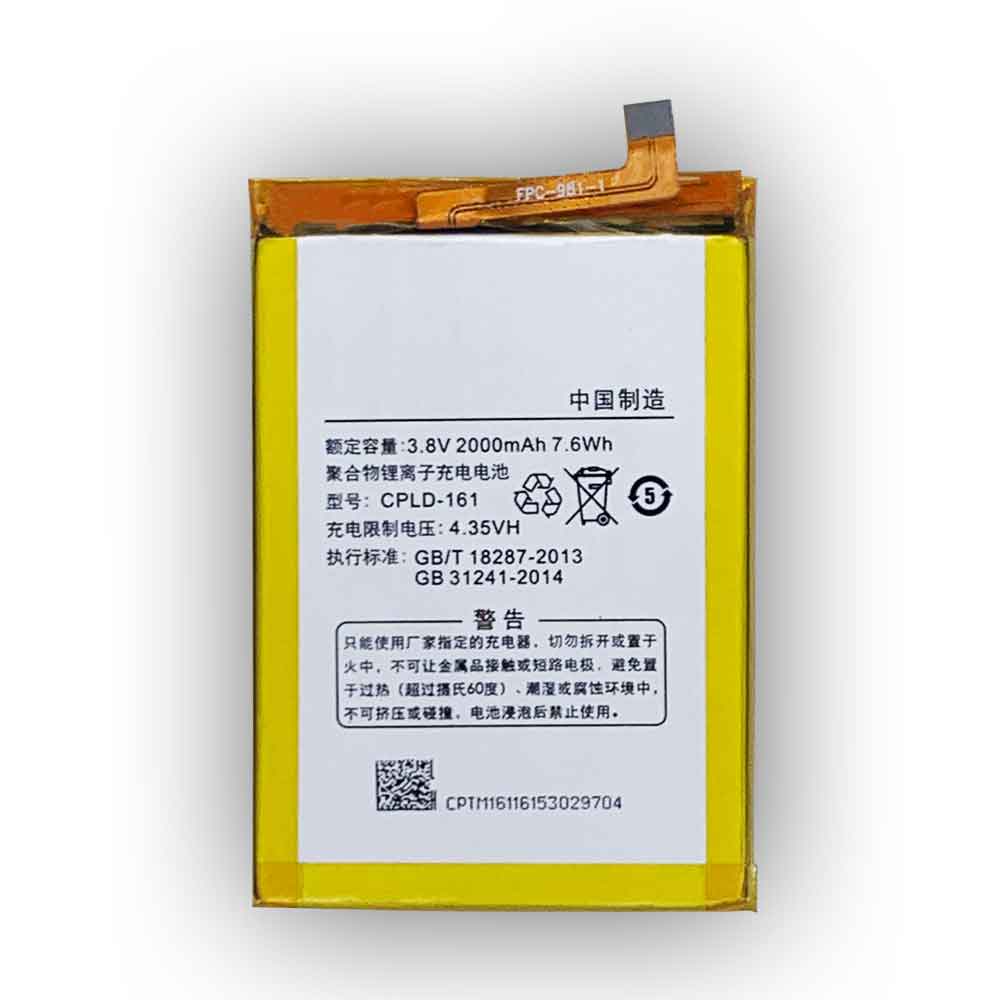
2000mAh 7.6WH 3.8V 4.35V Coolpad CPLD-161 Li-ion Battery for CoolPad E570

2000mAh 7.6WH 3.8V 4.35V Coolpad CPLD-161 Batteries for CoolPad E570, Coolpad CPLD-161 Cell Phone battery is a brand new,100% Compatible original and replacement Phone battery,Purchase wholesale and retail CPLD-161 with high quality and low price!

Find ou your original model number or part number(P/N), and move your eyes on the tag of battery

CPLD-161

Specifications

  • Brand:CoolPad
  • Capacity :2000mAh 7.6WH
  • Voltage :3.8V 4.35V
  • Type :Li-ion
  • Battery Cell Quality: Grade A
  • Descriptive: Replacement Battery – 1 Year Warranty
  • Description: Brand New, 1 Year Warranty! 30-Days Money Back! Fast Shipping!

How we test this Coolpad CPLD-161 Battery
Step 1: Make sure customer bought the correct battery.
Step 2: Check battery’s appearance and interface.
Step 3: Test battery charger and recharger function.
Step 4: Charger the battery to 100% and recharger to 0% to get real battery capacity
Step 5: Use Ev2300 to check the voltage difference of each goroup cells.
Step 6: Charger battery power more than 30%.
Step 7: Package battery carefully and send out

Compatible Part Numbers:
CPLD-161

Compatible Model Numbers:
CoolPad E570

How much do you know about how to run laptop well as any place? The follow Tips cut way back on protecting battery life.


1). Please recharge or change your Cell Phone battery when battery power low.
2). Using Li-Ion Replacement Coolpad CPLD-161 Cell Phone Battery for your notebook which can work longer time than Non Li-ion one.
3). It is better to defragmentation regularly for your Cell Phone battery life.
4). In order to reduce the laptop power consumpition, you can use some optical drive spin-down and hard drive in your Cell Phone .
5). Please keep your laptop in sleep or standby model without long time using, which both save the Replacement Coolpad CPLD-161 Cell Phone Battery power and extend battery using life.
6). Leave your battery in a dry and cool condition when without using.
7). When you rarely or generally plugged in fixed power using, Please take down your battery to avoid hurting battery life.

Hot Products

5.4V HP 633538-001 for HP 1GB FBWC FOR P420 P421 P43060Wh HP Ba06xl for Hp Elitebook Folio 9470m Ultra62Wh/5500mAh CLEVO PB50BAT-6 for Clevo PB71EF-G PowerSpec 152068WH DELL MV07R for Dell G5 5000 5590 5500 55053000mah/11.5wh ASUS C11P1501 for ASUS ZE500CL ZE551KL ZE6014850mAh 18.43WH AMAZON 58-000313 for Amazon 26S1021200MAH/0.77Wh SAMSUNG EB-BR365FBE for Samsung Gear Fit 2 Pro Sports94Wh LENOVO 45N1016 for Lenovo ThinkPad T410 T420 T4304910mAh/19.00WH VIVO B-O5 for VIVO y20640MAh/70Wh PANASONIC CF-VZSU80U for Panasonic CF-C2 MK1 Toughbook
How to charge and restore a dead Li-ion battery?

 Lithium-ion batteries are very useful in today’s electronic world. We use them at home, at work, at school, on portable devices, and many other places. Sometimes the battery can be restored if it is not charging or operating as needed. Here’s what you need to know about why lithium-ion batteries suddenly become unresponsive and how to restore them. Let’s have a look!

1. Can you revive a dead lithium-ion battery?

Yes. Lithium batteries are susceptible to issues that can cause them to be unresponsive to charging or discharging. To understand how to restore a depleted lithium-ion battery, you must understand how it works and its unique features.

How Lithium-Ion Batteries Work

“Lithium ion battery” refers to many types of batteries that rely on lithium ions to work. Their common feature is that they rely on anodes made of lithium compounds.

During charging, positively charged lithium ions move across the electrolyte to the cathode (negative electrode), and negatively charged ions are released from the cathode and move the anode. The opposite happens when discharging, the lithium ions move towards the anode. The problem is that if the battery is discharged for too long, the electrodes will over strip the ions.

If after this state of discharge, you try to charge the battery, the electrodes will reconstitute. This process is very irregular and can easily cause short circuits, fires and explosions. To prevent this, Li-Ion batteries are equipped with a battery management system (BMS) that measures the health of the battery based on the battery voltage.

What Causes a Dead Battery, Hibernates, or Bricks

If the BMS detects that the battery voltage is below a predetermined level, it will not charge it for safety reasons. That’s why even if you plug it in, it won’t charge and also shows the faulty battery indicator LED.

In most cases, this is what causes the battery to sleep. This battery can be recovered in the following situations:

● Not lower than the nominal voltage. For a 3.2 or 4V battery pack, this is usually 1.5V.

● Less than one week below the nominal voltage.

●No signs of physical damage.

While you can restore this type of battery to its operating state, be aware that the process can be dangerous. However, if you still want to restore it yourself, there are some tricks you can use.

How to charge a completely dead battery?

There are two ways to rejuvenate a depleted lithium-ion battery. The first involves its original charger or other approved model, while the second consists of another battery of similar voltage and capacity.

Restoring a Depleted Li-Ion Battery Using a Boost Charger

If the battery comes with a separate AC charger or cradle, check with the manufacturer that it has a “boost” function.

This is the function of the charger to check the battery to see if it is higher than the nominal voltage. If not, it applies the appropriate voltage to bring it back to acceptable levels. Different manufacturers have incorporated various features into these chargers. They usually display lights to show if the battery is charging. For some, you may need to manually switch between “normal” and “accelerated” charging. If the charger has an auto boost mode, let the battery charge halfway, discharge, and then charge normally.

Use another battery to restore a depleted Li-Ion battery

You can also use a similar rechargeable battery to “start” a dead battery. Here’s what you should do:

● Look for similar batteries with matching voltages and nearly similar charge capacities.

● Make sure the other battery is fully charged. It should have higher voltage.

●Connect the two batteries with a cable. The two positive terminals should match, the same as the negative terminals.

●Let them sit for 5-10 minutes, then disconnect the cables.

● Check that the previously drained battery is now higher than the minimum voltage, and then charge it as usual.

What happens here is that when the cells are equalized charging, the higher voltage cell directly boosts the lower voltage cell. If the voltage is higher than the minimum value, it can be charged normally with the charger.

3. How to extend the service life of lithium-ion batteries?

Lithium batteries degrade over time, just like all other types of batteries. However, this process can be slowed down by taking some precautions.

● Avoid deep charge cycles. Deep charging will drain their life cycle faster, while replenishing them from 50% power helps improve it.

●Keep low temperature. Lithium batteries love the cold, if your device lacks thermal protection, make sure to cool it down regularly.

●It is fully charged from time to time. This means that you drain the battery completely and then use the recommended charger to fully charge it.

● Track the expiration date. Even if a lithium battery is not used, it will still degrade over time because lithium ion batteries have a limited lifespan.

>>>>>>>>>>>Battery

Thanks for reading, hope it helps!

Friendly reminder: If you need to replace the battery, this battery store will be a good choice: www.batteryforpc.co.uk

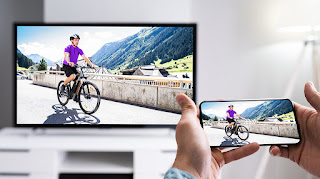
Cast your Android phone screen to your TV. this is the method

 The small screen of your Android phone lets you magically cast or mirror your phone’s screen to a nearby TV with just a few taps, giving you a better view of everything you want. Aside from a comfortable viewing experience, the cast screen comes in handy if you want to play a few rounds of Among Us or show everyone that you can’t get enough of the latest TikTok trends. Here’s how you can start mirroring or casting your Android phone or tablet’s screen to your TV. Let’s have a look!

Everything you need to mirror your Android phone to your TV

You need an Android phone or tablet running Android 5.0 or higher. This version of Android was released in 2014, so your phone or tablet is most likely running a newer version of Android. You can check by opening the settings app and going to about phone and looking for the Android version.

In addition to an Android phone or tablet, you’ll also need a Google Chromecast streaming device, such as the recently released Chromecast with Google TV, a TV with Chromecast built in, or a smart display like the Google Nest Hub. If you don’t know if your TV supports Chromecast, the best way to check is to see if it shows up as an available casting device when you follow one of the methods below.

Cast your screen to your TV using the Google Home app

The most reliable and consistent way to mirror your Android phone‘s screen is to use the Google Home app. If you’ve set up any of Google’s smart speakers, Nest Wifi, or Chromecast devices, you probably already have it. If not, you can download it from the Play Store.

Open the Home app and select the Chromecast device you want to use. There will be a button at the bottom of the screen labeled Cast my Screen; tap it. You have to accept the prompt reminding you that whatever is on your phone screen will be visible on your TV to anyone in your room. You may also see a second prompt warning you if your device is not optimized for mirroring. To stop casting your screen, tap the button in the Home app labeled Stop Mirroring.

There is an easier way, depending on your phone

There’s an easier way: use the casting shortcut in the quick settings panel. Swipe down from the top of your Android phone or tablet’s display to access the quick settings panel. There should be an option labeled Screen cast, once you find the Screen cast button, select it, and select the device from the list on which to mirror the display. It may take a few seconds for your phone to connect to your Chromecast-enabled device, but once connected, your screen will appear on your TV. Stop casting by repeating the same steps we just outlined.

But here’s the thing: Not every phone includes a cast button option in the quick settings panel. You can still mirror your phone using the Home app.

>>>>>>>>>>Phone battery

Thanks for reading, hope it helps!

Friendly reminder: If you need to replace the battery, this battery store will be a good choice: www.batteryforpc.co.uk

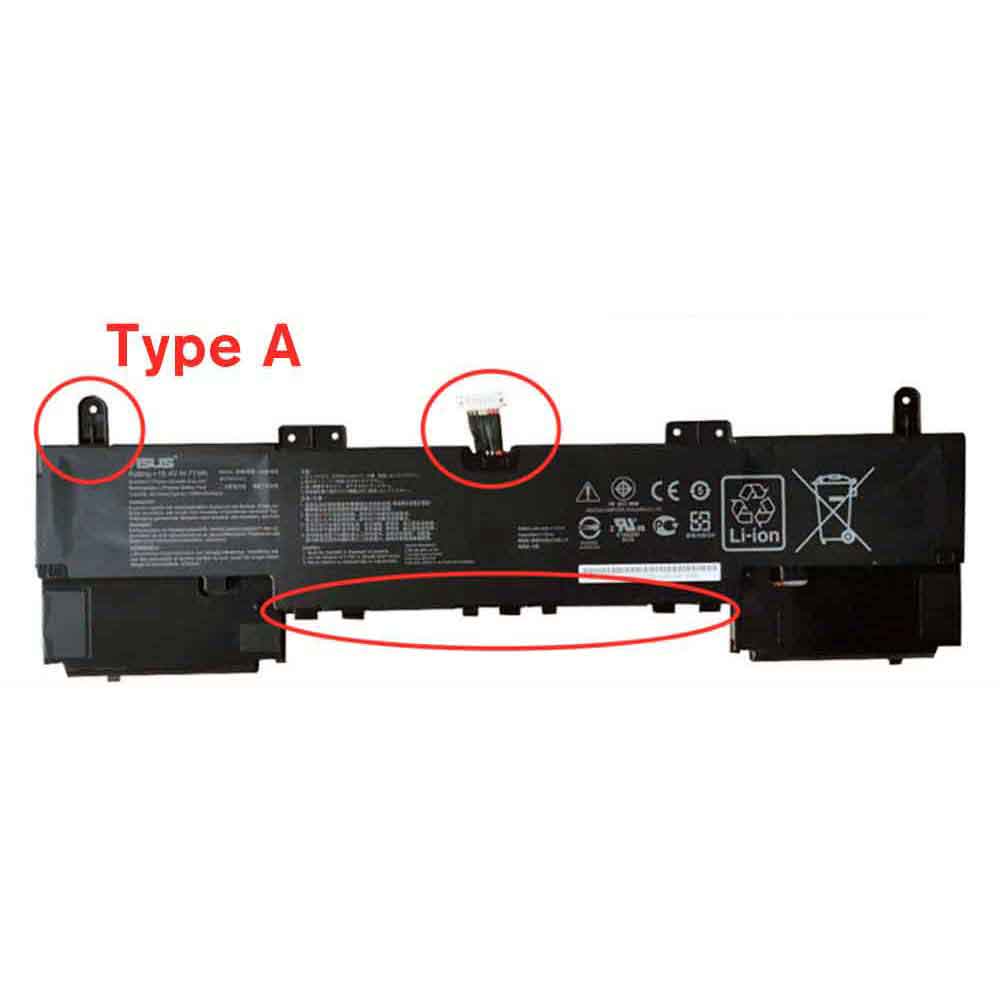
4614MAH 15.4V Asus C42N1839 Li-ion Battery for Asus ZenBook 15 UX534FA UX534FT UX563FD Q536FD

4614MAH 15.4V Asus C42N1839 Batteries for Asus ZenBook 15 UX534FA UX534FT UX563FD Q536FD, Asus C42N1839 Laptop battery is a brand new,100% Compatible original and replacement Laptop battery,Purchase wholesale and retail C42N1839 with high quality and low price!

Find ou your original model number or part number(P/N), and move your eyes on the tag of battery

C42N1839

Specifications

  • Brand:Asus
  • Capacity :4614MAH
  • Voltage :15.4V
  • Type :Li-ion
  • Battery Cell Quality: Grade A
  • Descriptive: Replacement Battery – 1 Year Warranty
  • Description: Brand New, 1 Year Warranty! 30-Days Money Back! Fast Shipping!

How we test this Asus C42N1839 Battery
Step 1: Make sure customer bought the correct battery.
Step 2: Check battery’s appearance and interface.
Step 3: Test battery charger and recharger function.
Step 4: Charger the battery to 100% and recharger to 0% to get real battery capacity
Step 5: Use Ev2300 to check the voltage difference of each goroup cells.
Step 6: Charger battery power more than 30%.
Step 7: Package battery carefully and send out

Compatible Part Numbers:
C42N1839

Compatible Model Numbers:
Asus ZenBook 15 UX534FA UX534FT UX563FD Q536FD

How much do you know about how to run laptop well as any place? The follow Tips cut way back on protecting battery life.


1). Please recharge or change your Laptop battery when battery power low.
2). Using Li-Ion Replacement Asus C42N1839 Laptop Battery for your notebook which can work longer time than Non Li-ion one.
3). It is better to defragmentation regularly for your Laptop battery life.
4). In order to reduce the laptop power consumpition, you can use some optical drive spin-down and hard drive in your Laptop .
5). Please keep your laptop in sleep or standby model without long time using, which both save the Replacement Asus C42N1839 Laptop Battery power and extend battery using life.
6). Leave your battery in a dry and cool condition when without using.
7). When you rarely or generally plugged in fixed power using, Please take down your battery to avoid hurting battery life.

Hot Products

60Wh HP Ba06xl for Hp Elitebook Folio 9470m Ultra62Wh/5500mAh CLEVO PB50BAT-6 for Clevo PB71EF-G PowerSpec 152068WH DELL MV07R for Dell G5 5000 5590 5500 55053000mah/11.5wh ASUS C11P1501 for ASUS ZE500CL ZE551KL ZE6014850mAh 18.43WH AMAZON 58-000313 for Amazon 26S1021200MAH/0.77Wh SAMSUNG EB-BR365FBE for Samsung Gear Fit 2 Pro Sports94Wh LENOVO 45N1016 for Lenovo ThinkPad T410 T420 T4304910mAh/19.00WH VIVO B-O5 for VIVO y20640MAh/70Wh PANASONIC CF-VZSU80U for Panasonic CF-C2 MK1 Toughbook7200mAh DELL PC764 for Dell Latitude D620 D630 Preci

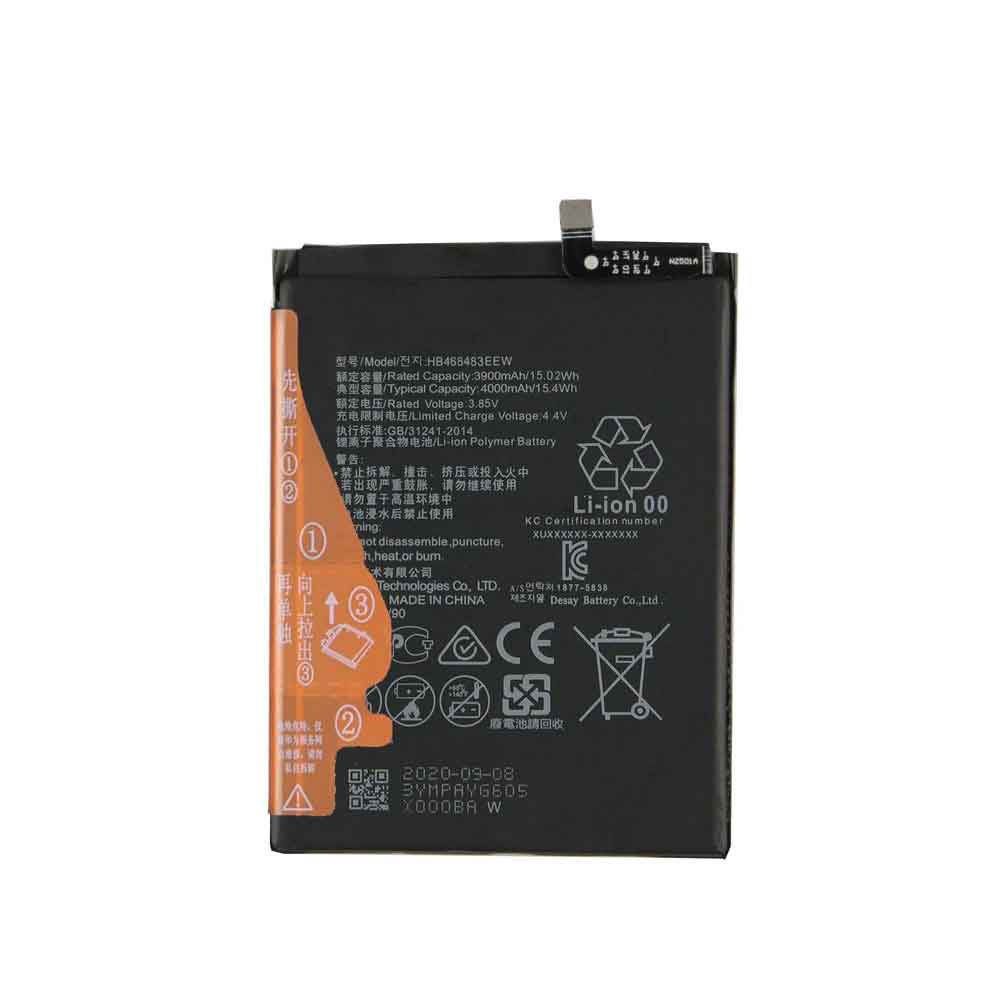
3900mAh 15.02WH 3.85V 4.4V Huawei HB466483EEW Li-ion Battery for Huawei Nova 7

3900mAh 15.02WH 3.85V 4.4V Huawei HB466483EEW Batteries for Huawei Nova 7, Huawei HB466483EEW Cell Phone battery is a brand new,100% Compatible original and replacement Phone battery,Purchase wholesale and retail HB466483EEW with high quality and low price!

Find ou your original model number or part number(P/N), and move your eyes on the tag of battery

HB466483EEW

Specifications

  • Brand:Huawei
  • Capacity :3900mAh 15.02WH
  • Voltage :3.85V 4.4V
  • Type :Li-ion
  • Battery Cell Quality: Grade A
  • Descriptive: Replacement Battery – 1 Year Warranty
  • Description: Brand New, 1 Year Warranty! 30-Days Money Back! Fast Shipping!

How we test this Huawei HB466483EEW Battery
Step 1: Make sure customer bought the correct battery.
Step 2: Check battery’s appearance and interface.
Step 3: Test battery charger and recharger function.
Step 4: Charger the battery to 100% and recharger to 0% to get real battery capacity
Step 5: Use Ev2300 to check the voltage difference of each goroup cells.
Step 6: Charger battery power more than 30%.
Step 7: Package battery carefully and send out

Compatible Part Numbers:
HB466483EEW

Compatible Model Numbers:
Huawei Nova 7

How much do you know about how to run laptop well as any place? The follow Tips cut way back on protecting battery life.


1). Please recharge or change your Cell Phone battery when battery power low.
2). Using Li-Ion Replacement Huawei HB466483EEW Cell Phone Battery for your notebook which can work longer time than Non Li-ion one.
3). It is better to defragmentation regularly for your Cell Phone battery life.
4). In order to reduce the laptop power consumpition, you can use some optical drive spin-down and hard drive in your Cell Phone .
5). Please keep your laptop in sleep or standby model without long time using, which both save the Replacement Huawei HB466483EEW Cell Phone Battery power and extend battery using life.
6). Leave your battery in a dry and cool condition when without using.
7). When you rarely or generally plugged in fixed power using, Please take down your battery to avoid hurting battery life.

Hot Products

60Wh HP Ba06xl for Hp Elitebook Folio 9470m Ultra62Wh/5500mAh CLEVO PB50BAT-6 for Clevo PB71EF-G PowerSpec 152068WH DELL MV07R for Dell G5 5000 5590 5500 55053000mah/11.5wh ASUS C11P1501 for ASUS ZE500CL ZE551KL ZE6014850mAh 18.43WH AMAZON 58-000313 for Amazon 26S1021200MAH/0.77Wh SAMSUNG EB-BR365FBE for Samsung Gear Fit 2 Pro Sports94Wh LENOVO 45N1016 for Lenovo ThinkPad T410 T420 T4304910mAh/19.00WH VIVO B-O5 for VIVO y20640MAh/70Wh PANASONIC CF-VZSU80U for Panasonic CF-C2 MK1 Toughbook7200mAh DELL PC764 for Dell Latitude D620 D630 Preci

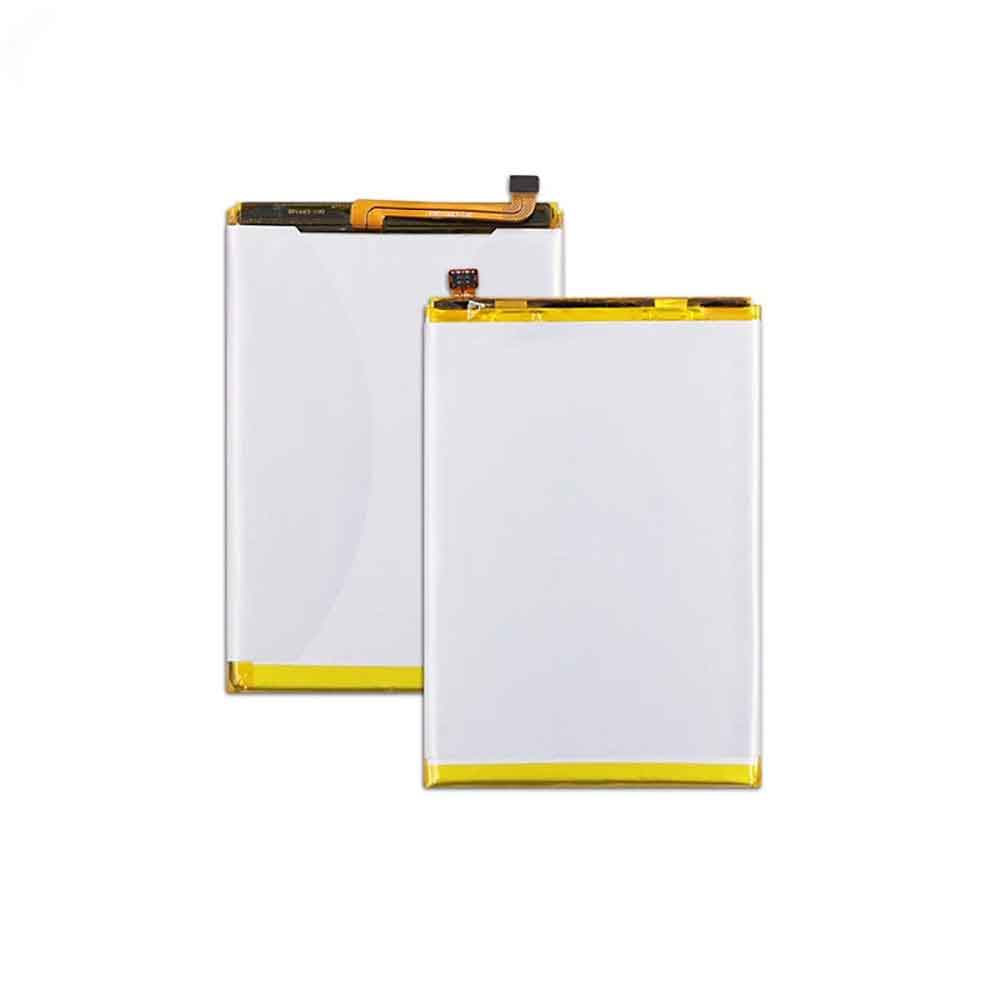
4000mAh Cubot P30 Li-ion Battery for Cubot P30

4000mAh Cubot P30 Batteries for Cubot P30, Cubot P30 Cell Phone battery is a brand new,100% Compatible original and replacement Phone battery,Purchase wholesale and retail P30 with high quality and low price!

Find ou your original model number or part number(P/N), and move your eyes on the tag of battery

P30

Specifications

  • Brand:Cubot
  • Capacity :4000mAh
  • Voltage :
  • Type :Li-ion
  • Battery Cell Quality: Grade A
  • Descriptive: Replacement Battery – 1 Year Warranty
  • Description: Brand New, 1 Year Warranty! 30-Days Money Back! Fast Shipping!

How we test this Cubot P30 Battery
Step 1: Make sure customer bought the correct battery.
Step 2: Check battery’s appearance and interface.
Step 3: Test battery charger and recharger function.
Step 4: Charger the battery to 100% and recharger to 0% to get real battery capacity
Step 5: Use Ev2300 to check the voltage difference of each goroup cells.
Step 6: Charger battery power more than 30%.
Step 7: Package battery carefully and send out

Compatible Part Numbers:
P30

Compatible Model Numbers:
Cubot P30

How much do you know about how to run laptop well as any place? The follow Tips cut way back on protecting battery life.


1). Please recharge or change your Cell Phone battery when battery power low.
2). Using Li-Ion Replacement Cubot P30 Cell Phone Battery for your notebook which can work longer time than Non Li-ion one.
3). It is better to defragmentation regularly for your Cell Phone battery life.
4). In order to reduce the laptop power consumpition, you can use some optical drive spin-down and hard drive in your Cell Phone .
5). Please keep your laptop in sleep or standby model without long time using, which both save the Replacement Cubot P30 Cell Phone Battery power and extend battery using life.
6). Leave your battery in a dry and cool condition when without using.
7). When you rarely or generally plugged in fixed power using, Please take down your battery to avoid hurting battery life.

Hot Products

60Wh HP Ba06xl for Hp Elitebook Folio 9470m Ultra62Wh/5500mAh CLEVO PB50BAT-6 for Clevo PB71EF-G PowerSpec 152068WH DELL MV07R for Dell G5 5000 5590 5500 55053000mah/11.5wh ASUS C11P1501 for ASUS ZE500CL ZE551KL ZE6014850mAh 18.43WH AMAZON 58-000313 for Amazon 26S1021200MAH/0.77Wh SAMSUNG EB-BR365FBE for Samsung Gear Fit 2 Pro Sports94Wh LENOVO 45N1016 for Lenovo ThinkPad T410 T420 T4304910mAh/19.00WH VIVO B-O5 for VIVO y20640MAh/70Wh PANASONIC CF-VZSU80U for Panasonic CF-C2 MK1 Toughbook7200mAh DELL PC764 for Dell Latitude D620 D630 Preci

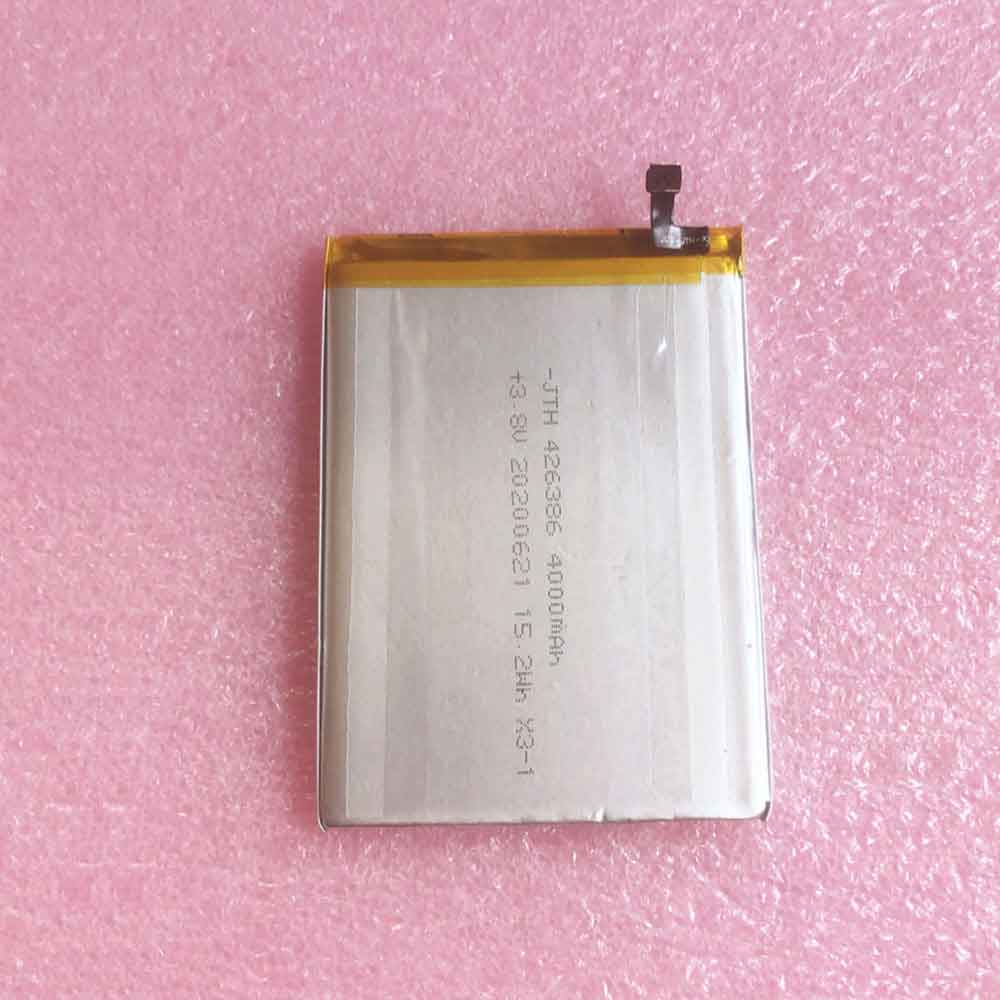
4000mAh 15.2WH 3.8V K-touch X27S Li-ion Battery for K-Touch X27S

4000mAh 15.2WH 3.8V K-touch X27S Batteries for K-Touch X27S, K-touch X27S Cell Phone battery is a brand new,100% Compatible original and replacement Phone battery,Purchase wholesale and retail X27S with high quality and low price!

Find ou your original model number or part number(P/N), and move your eyes on the tag of battery

X27S

Specifications

  • Brand:K-Touch
  • Capacity :4000mAh 15.2WH
  • Voltage :3.8V
  • Type :Li-ion
  • Battery Cell Quality: Grade A
  • Descriptive: Replacement Battery – 1 Year Warranty
  • Description: Brand New, 1 Year Warranty! 30-Days Money Back! Fast Shipping!

How we test this K-touch X27S Battery
Step 1: Make sure customer bought the correct battery.
Step 2: Check battery’s appearance and interface.
Step 3: Test battery charger and recharger function.
Step 4: Charger the battery to 100% and recharger to 0% to get real battery capacity
Step 5: Use Ev2300 to check the voltage difference of each goroup cells.
Step 6: Charger battery power more than 30%.
Step 7: Package battery carefully and send out

Compatible Part Numbers:
X27S

Compatible Model Numbers:
K-Touch X27S

How much do you know about how to run laptop well as any place? The follow Tips cut way back on protecting battery life.


1). Please recharge or change your Cell Phone battery when battery power low.
2). Using Li-Ion Replacement K-touch X27S Cell Phone Battery for your notebook which can work longer time than Non Li-ion one.
3). It is better to defragmentation regularly for your Cell Phone battery life.
4). In order to reduce the laptop power consumpition, you can use some optical drive spin-down and hard drive in your Cell Phone .
5). Please keep your laptop in sleep or standby model without long time using, which both save the Replacement K-touch X27S Cell Phone Battery power and extend battery using life.
6). Leave your battery in a dry and cool condition when without using.
7). When you rarely or generally plugged in fixed power using, Please take down your battery to avoid hurting battery life.

Hot Products

60Wh HP Ba06xl for Hp Elitebook Folio 9470m Ultra62Wh/5500mAh CLEVO PB50BAT-6 for Clevo PB71EF-G PowerSpec 152068WH DELL MV07R for Dell G5 5000 5590 5500 55053000mah/11.5wh ASUS C11P1501 for ASUS ZE500CL ZE551KL ZE6014850mAh 18.43WH AMAZON 58-000313 for Amazon 26S1021200MAH/0.77Wh SAMSUNG EB-BR365FBE for Samsung Gear Fit 2 Pro Sports94Wh LENOVO 45N1016 for Lenovo ThinkPad T410 T420 T4304910mAh/19.00WH VIVO B-O5 for VIVO y20640MAh/70Wh PANASONIC CF-VZSU80U for Panasonic CF-C2 MK1 Toughbook7200mAh DELL PC764 for Dell Latitude D620 D630 Preci

Power saving – mobile phone battery protection program and battery savers

 Cell phone battery management is a challenge faced by many smartphone users. Everyone expects a cell phone battery to last a long time on a single charge. But that may not be the case since we have battery-hungry apps and we use our phones for extended periods of time during the day.

Phone makers are working tirelessly to ensure their customers have batteries that last a long time. This problem with battery power management has led to the introduction of software that helps us manage our phone’s battery. However, I think it’s better for us to learn how to save battery on our phones and laptops. We also need information about energy efficient applications. The following will tell you the answer you want to know, let’s take a look!

Do battery savers work?

Most of us doubt the effectiveness of battery savers. Some people have so many battery-draining apps that they don’t notice the effectiveness of battery-saving apps.

But not all battery savers are good. Some people can damage your battery by running their programs on your phone. But the best way to find out if battery saving apps work is through experimentation. You need two smartphones to perform this experiment.

Install battery saver mode on one smartphone and no battery saver app on the other smartphone. Both phones should have the same amount of power. Leave both phones alone for a while and check the battery percentage. Which side has the highest proportion of power?

This experiment will tell you if your battery saver app works. When you combine this technology to optimize battery usage and have a solid battery saving app, your phone can withstand your busy lifestyle.

Other methods you can use to conserve battery power include:

Decrease the brightness of your phone.

Enable Safe Battery Mode.

Avoid using your phone when you don’t need it.

Close running applications.

Turn off mobile data and Wi-Fi when not in use.

Is it wrong to always turn on battery saver?

It doesn’t hurt to keep the battery saver on at all times. You will enjoy using your phone for a long time. All applications will follow the rules given by the power saving management system.

But the main problem is that some apps may not work in power saving mode. It will block notifications, instant messages and emails, and updates. The only apps that work smoothly are basic apps that always need full functionality.

Battery Saver limits background data usage and reduces things like ringer volume and vibration. It is important that the battery saver does not damage the battery. It only negatively hinders the user’s experience.

Which is the best battery saving app?

Technological advancements have led to the emergence of many telephony applications. Identifying the application that best suits your needs is becoming a challenge. The following will take you through the best battery saving apps you need.

DU battery saver

DU Battery Saver is the most used battery saver for Android users. It can extend your battery life by up to 30%. Its Pro version can provide a more significant improvement of about 70%.

feature

1. It changes the CPU frequency of the rooted phone.

2. It allows customization, although it has a preset management mode.

3. With just one touch of the OPTIMIZE button, it is easy to use and save battery power.

4. It can determine how long your battery percentage will last.

battery doctor

As the name suggests, this app solves all your battery saving problems. It helps extend the life of a batter by 50%. It allows the user to configure a power saving profile to put the phone in sleep mode when I’m not using it.

feature

1. It estimates how long your battery will last while using other apps.

2. It has about three safe charging stages.

3. This app closes all apps running in the background at the touch of a button.

4. It has adjustable settings that can be easily adjusted to extend battery backup time.

Avast power saving mode

This is another useful and reliable battery saving app. It works with different phone settings such as internet connection and screen brightness. It’s free, and has a timeout mode that’s optimized to save remaining battery life and provide a small boost.

feature

1. It provides an estimate of the time remaining before the phone shuts down.

2. Ability to determine battery draining apps

3. You can customize the battery saving mode to suit your needs.

4. It provides suggestions for configuration file changes that are useful to save battery.

GO Battery Saver & Power Widget

Go Batter saver is designed to save battery power, manage your device with just one flick, and power test. It works for all android users.

feature

1. Quick and easy battery optimization process

2. Displays an accurate estimate of battery backup life

3. Include a widget that enhances the performance of your device

4. Give your smartphone a healthy battery charge

>>>>>>>>>Phone battery

Thanks for reading, hope it helps!

Friendly reminder: If you need to replace the battery, this battery store will be a good choice: www.batteryforpc.co.uk