Apple: Hide My Email feature can help stop spammers

 Most of us live in an inbox full of ads we don’t want, which forces us to spend a lot of time deleting or unsubscribing from each ad. But there is a better solution. You can minimize spam with Apple‘s Hide My Email tool, which keeps your inbox lean by preventing spam from appearing in the first place. Let’s take a look below!
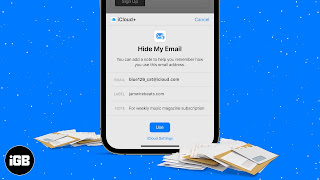
How does hiding my email protect me from spam?

Using Apple‘s Hide My Email feature, you can generate a random, unique email address when you need to provide your email address on a website. It then forwards the message to your actual inbox while reducing the number of listings your legitimate email address appears.

Hide My Email also allows you to create and delete as many addresses as you want at any time, giving you more control over who can contact you. This is similar to Sign In with Apple, which uses your iOS device to verify credentials instead of your social account login.

This can be a little confusing because Sign In with Apple also includes a feature called Hide My Email, which doesn’t require an iCloud Plus subscription. The difference is that Sign in with Apple only works with registered apps and services, while the Hide My Email feature in iCloud Plus lets you create and delete email addresses at any time. In other words, the “old” feature is an option you can only activate when you sign up for the service with your Apple ID, but the iCloud Plus feature allows you to do the same on-demand for any purpose.

Where is Hide My Email on iPhone?

Hide my email is built directly into Safari, Mail and iCloud settings. It’s part of the 2021 iOS 15, iPadOS 15, MacOS Monterey, and iCloud.com software updates. You can try it now as soon as you download iOS 15.

How do I set up hide my email?

How to set “Hide My Email” in iOS 15 after downloading:

1. Go to Settings and tap your name at the top to access your account.

2. Tap iCloud > Hide My Email.

3. Click Create New Address. Apple will automatically generate a unique random address ending in @icloud.com and forward it to your personal inbox. If you don’t like the address it created, you can click Use a different address to see the new address. If you’re satisfied, tap Continue.

4. On the next screen, you can mark your address and add a note to help you remember what it was for. Click Next in the upper right corner.

Your random address is now created and you can use it anywhere.

How do I manage or delete email addresses created by hiding my email?

To manage all these random email addresses:

1. Go to Settings and tap your name at the top to access your account.

2. Tap iCloud > Hide My Email. You will see a list of all addresses you have created with the label you entered.

3. Tap any item in the list to see the label, the random “Hide My Email” address created, and the location to forward to. Click the label to change the name, or click the note to add any note.

4. To delete one of the email addresses, click Deactivate Email Addresses at the bottom. A box will pop up confirming your selection and informing you that the address can be reactivated from the list of inactive addresses. Click Disable.

>>>>>>>>>>>Apple battery

Thanks for reading, hope it helps!

Friendly reminder: If you need to replace the battery, this battery store will be a good choice: www.batteryforpc.co.uk
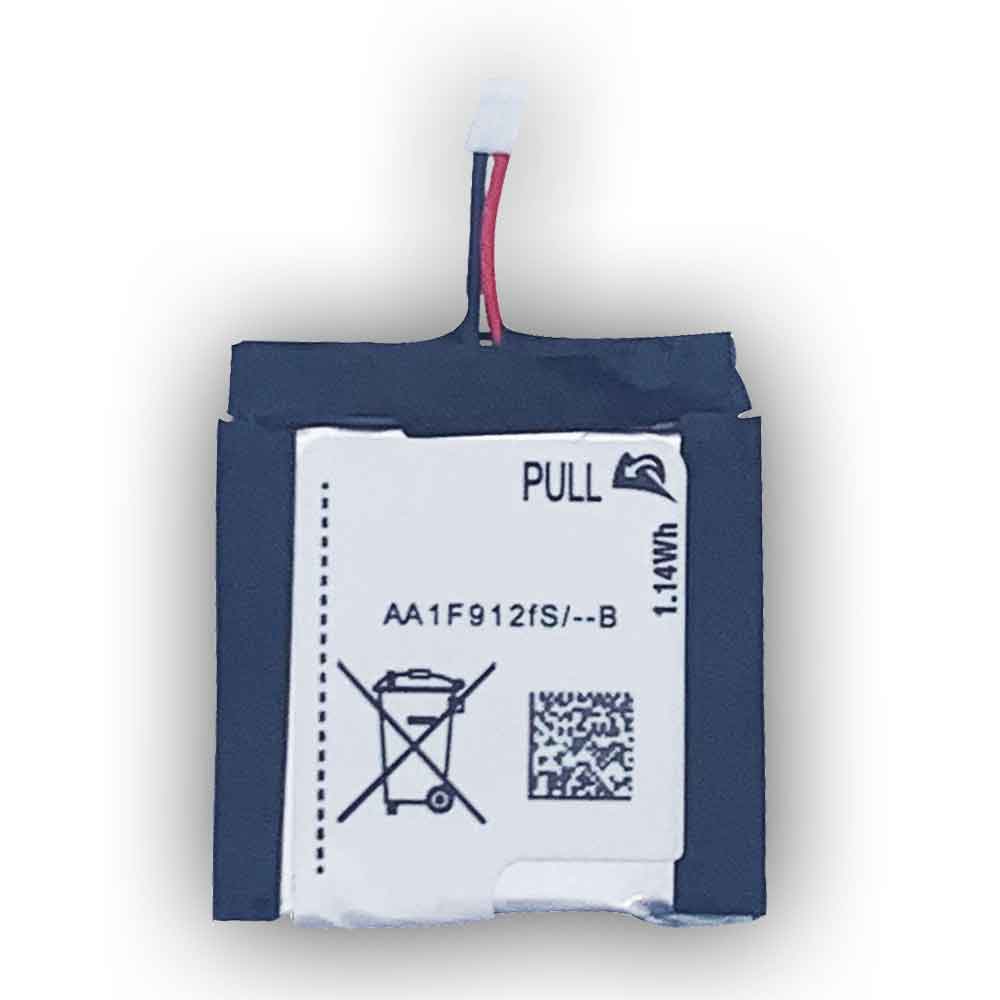
300mAh 0.14WH 3.7V Samsung EB-BR750ABE Li-ion Battery for Samsung Galaxy Gear S SM-R750 Smart Watch

300mAh 0.14WH 3.7V Samsung EB-BR750ABE Batteries for Samsung Galaxy Gear S SM-R750 Smart Watch, Samsung EB-BR750ABE Other battery is a brand new,100% Compatible original and replacement battery,Purchase wholesale and retail EB-BR750ABE with high quality and low price!

Find ou your original model number or part number(P/N), and move your eyes on the tag of battery

EB-BR750ABE

Specifications

  • Brand:Samsung
  • Capacity :300mAh 0.14WH
  • Voltage :3.7V
  • Type :Li-ion
  • Battery Cell Quality: Grade A
  • Descriptive: Replacement Battery – 1 Year Warranty
  • Description: Brand New, 1 Year Warranty! 30-Days Money Back! Fast Shipping!

How we test this Samsung EB-BR750ABE Battery
Step 1: Make sure customer bought the correct battery.
Step 2: Check battery’s appearance and interface.
Step 3: Test battery charger and recharger function.
Step 4: Charger the battery to 100% and recharger to 0% to get real battery capacity
Step 5: Use Ev2300 to check the voltage difference of each goroup cells.
Step 6: Charger battery power more than 30%.
Step 7: Package battery carefully and send out

Compatible Part Numbers:
EB-BR750ABE

Compatible Model Numbers:
Samsung Galaxy Gear S SM-R750 Smart Watch

How much do you know about how to run laptop well as any place? The follow Tips cut way back on protecting battery life.


1). Please recharge or change your Other battery when battery power low.
2). Using Li-Ion Replacement Samsung EB-BR750ABE Other Battery for your notebook which can work longer time than Non Li-ion one.
3). It is better to defragmentation regularly for your Other battery life.
4). In order to reduce the laptop power consumpition, you can use some optical drive spin-down and hard drive in your Other .
5). Please keep your laptop in sleep or standby model without long time using, which both save the Replacement Samsung EB-BR750ABE Other Battery power and extend battery using life.
6). Leave your battery in a dry and cool condition when without using.
7). When you rarely or generally plugged in fixed power using, Please take down your battery to avoid hurting battery life.

Hot Products

62Wh/5500mAh CLEVO PB50BAT-6 for Clevo PB71EF-G PowerSpec 152068WH DELL MV07R for Dell G5 5000 5590 5500 55053000mah/11.5wh ASUS C11P1501 for ASUS ZE500CL ZE551KL ZE6014850mAh 18.43WH AMAZON 58-000313 for Amazon 26S1021200MAH/0.77Wh SAMSUNG EB-BR365FBE for Samsung Gear Fit 2 Pro Sports94Wh LENOVO 45N1016 for Lenovo ThinkPad T410 T420 T4304910mAh/19.00WH VIVO B-O5 for VIVO y20640MAh/70Wh PANASONIC CF-VZSU80U for Panasonic CF-C2 MK1 Toughbook7200mAh DELL PC764 for Dell Latitude D620 D630 Preci50Wh ASUS C31N1339 for Asus ZenBook UX303L Q302L Lapt

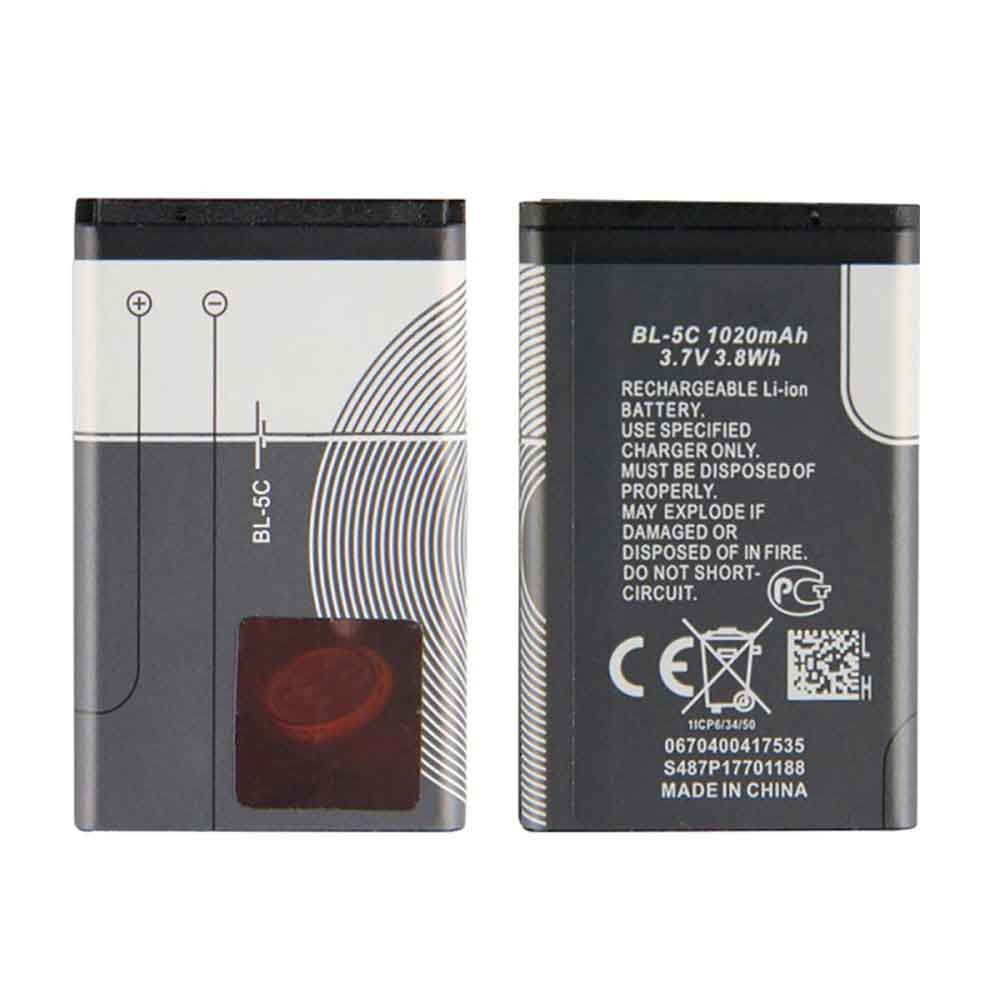
1020mAh 3.8WH 3.7V Nokia BL-5C Li-ion Battery for Nokia 2270 2280 2300

1020mAh 3.8WH 3.7V Nokia BL-5C Batteries for Nokia 2270 2280 2300, Nokia BL-5C Cell Phone battery is a brand new,100% Compatible original and replacement Phone battery,Purchase wholesale and retail BL-5C with high quality and low price!

Find ou your original model number or part number(P/N), and move your eyes on the tag of battery

BL-5C

Specifications

  • Brand:Nokia
  • Capacity :1020mAh 3.8WH
  • Voltage :3.7V
  • Type :Li-ion
  • Battery Cell Quality: Grade A
  • Descriptive: Replacement Battery – 1 Year Warranty
  • Description: Brand New, 1 Year Warranty! 30-Days Money Back! Fast Shipping!

How we test this Nokia BL-5C Battery
Step 1: Make sure customer bought the correct battery.
Step 2: Check battery’s appearance and interface.
Step 3: Test battery charger and recharger function.
Step 4: Charger the battery to 100% and recharger to 0% to get real battery capacity
Step 5: Use Ev2300 to check the voltage difference of each goroup cells.
Step 6: Charger battery power more than 30%.
Step 7: Package battery carefully and send out

Compatible Part Numbers:
BL-5C

Compatible Model Numbers:
Nokia 2270 2280 2300

How much do you know about how to run laptop well as any place? The follow Tips cut way back on protecting battery life.


1). Please recharge or change your Cell Phone battery when battery power low.
2). Using Li-Ion Replacement Nokia BL-5C Cell Phone Battery for your notebook which can work longer time than Non Li-ion one.
3). It is better to defragmentation regularly for your Cell Phone battery life.
4). In order to reduce the laptop power consumpition, you can use some optical drive spin-down and hard drive in your Cell Phone .
5). Please keep your laptop in sleep or standby model without long time using, which both save the Replacement Nokia BL-5C Cell Phone Battery power and extend battery using life.
6). Leave your battery in a dry and cool condition when without using.
7). When you rarely or generally plugged in fixed power using, Please take down your battery to avoid hurting battery life.

Hot Products

62Wh/5500mAh CLEVO PB50BAT-6 for Clevo PB71EF-G PowerSpec 152068WH DELL MV07R for Dell G5 5000 5590 5500 55053000mah/11.5wh ASUS C11P1501 for ASUS ZE500CL ZE551KL ZE6014850mAh 18.43WH AMAZON 58-000313 for Amazon 26S1021200MAH/0.77Wh SAMSUNG EB-BR365FBE for Samsung Gear Fit 2 Pro Sports94Wh LENOVO 45N1016 for Lenovo ThinkPad T410 T420 T4304910mAh/19.00WH VIVO B-O5 for VIVO y20640MAh/70Wh PANASONIC CF-VZSU80U for Panasonic CF-C2 MK1 Toughbook7200mAh DELL PC764 for Dell Latitude D620 D630 Preci50Wh ASUS C31N1339 for Asus ZenBook UX303L Q302L Lapt

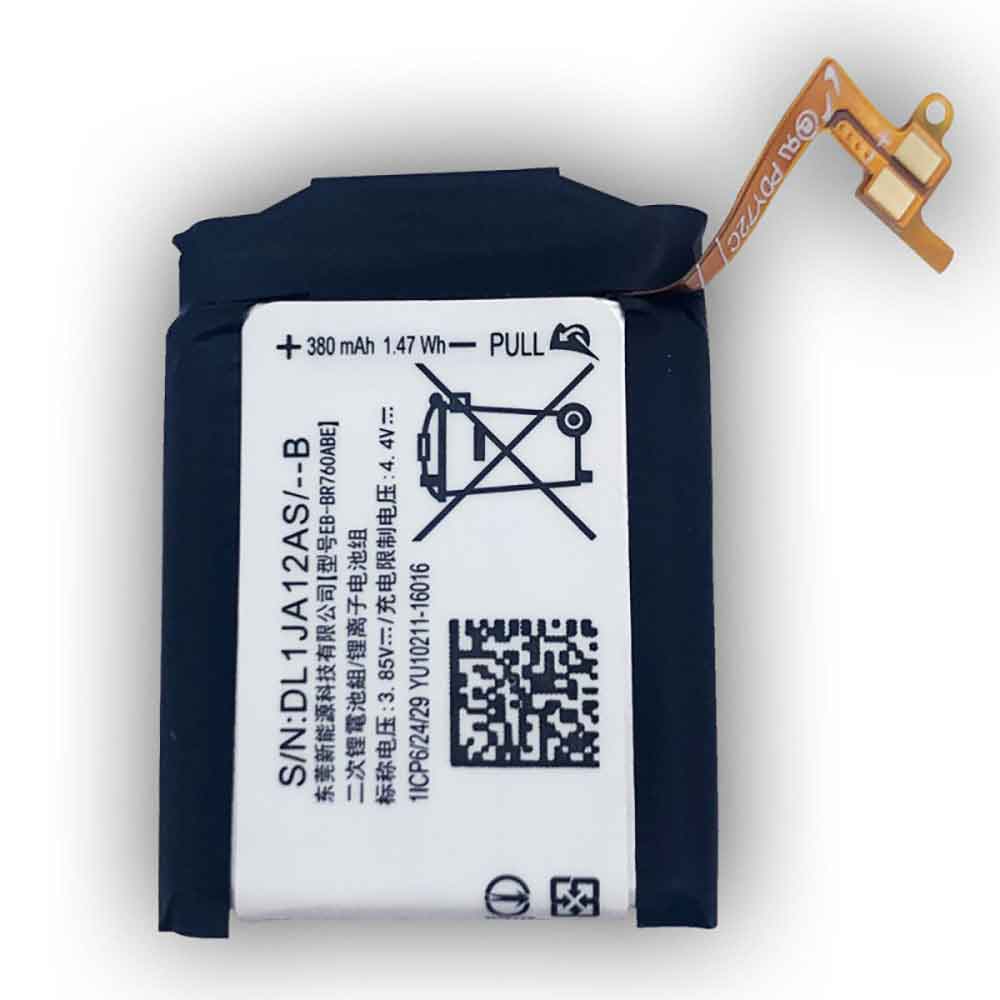
380mAh 1.47WH 3.85V 4.4V Samsung EB-BR760ABE Li-ion Battery for Samsung Gear S3 Frontier / Classic SM-R760 46mm

380mAh 1.47WH 3.85V 4.4V Samsung EB-BR760ABE Batteries for Samsung Gear S3 Frontier / Classic SM-R760 46mm, Samsung EB-BR760ABE Other battery is a brand new,100% Compatible original and replacement battery,Purchase wholesale and retail EB-BR760ABE with high quality and low price!

Find ou your original model number or part number(P/N), and move your eyes on the tag of battery

EB-BR760ABE

Specifications

  • Brand:Samsung
  • Capacity :380mAh 1.47WH
  • Voltage :3.85V 4.4V
  • Type :Li-ion
  • Battery Cell Quality: Grade A
  • Descriptive: Replacement Battery – 1 Year Warranty
  • Description: Brand New, 1 Year Warranty! 30-Days Money Back! Fast Shipping!

How we test this Samsung EB-BR760ABE Battery
Step 1: Make sure customer bought the correct battery.
Step 2: Check battery’s appearance and interface.
Step 3: Test battery charger and recharger function.
Step 4: Charger the battery to 100% and recharger to 0% to get real battery capacity
Step 5: Use Ev2300 to check the voltage difference of each goroup cells.
Step 6: Charger battery power more than 30%.
Step 7: Package battery carefully and send out

Compatible Part Numbers:
EB-BR760ABE

Compatible Model Numbers:
Samsung Gear S3 Frontier / Classic SM-R760 46mm

How much do you know about how to run laptop well as any place? The follow Tips cut way back on protecting battery life.


1). Please recharge or change your Other battery when battery power low.
2). Using Li-Ion Replacement Samsung EB-BR760ABE Other Battery for your notebook which can work longer time than Non Li-ion one.
3). It is better to defragmentation regularly for your Other battery life.
4). In order to reduce the laptop power consumpition, you can use some optical drive spin-down and hard drive in your Other .
5). Please keep your laptop in sleep or standby model without long time using, which both save the Replacement Samsung EB-BR760ABE Other Battery power and extend battery using life.
6). Leave your battery in a dry and cool condition when without using.
7). When you rarely or generally plugged in fixed power using, Please take down your battery to avoid hurting battery life.

Hot Products

62Wh/5500mAh CLEVO PB50BAT-6 for Clevo PB71EF-G PowerSpec 152068WH DELL MV07R for Dell G5 5000 5590 5500 55053000mah/11.5wh ASUS C11P1501 for ASUS ZE500CL ZE551KL ZE6014850mAh 18.43WH AMAZON 58-000313 for Amazon 26S1021200MAH/0.77Wh SAMSUNG EB-BR365FBE for Samsung Gear Fit 2 Pro Sports94Wh LENOVO 45N1016 for Lenovo ThinkPad T410 T420 T4304910mAh/19.00WH VIVO B-O5 for VIVO y20640MAh/70Wh PANASONIC CF-VZSU80U for Panasonic CF-C2 MK1 Toughbook7200mAh DELL PC764 for Dell Latitude D620 D630 Preci50Wh ASUS C31N1339 for Asus ZenBook UX303L Q302L Lapt

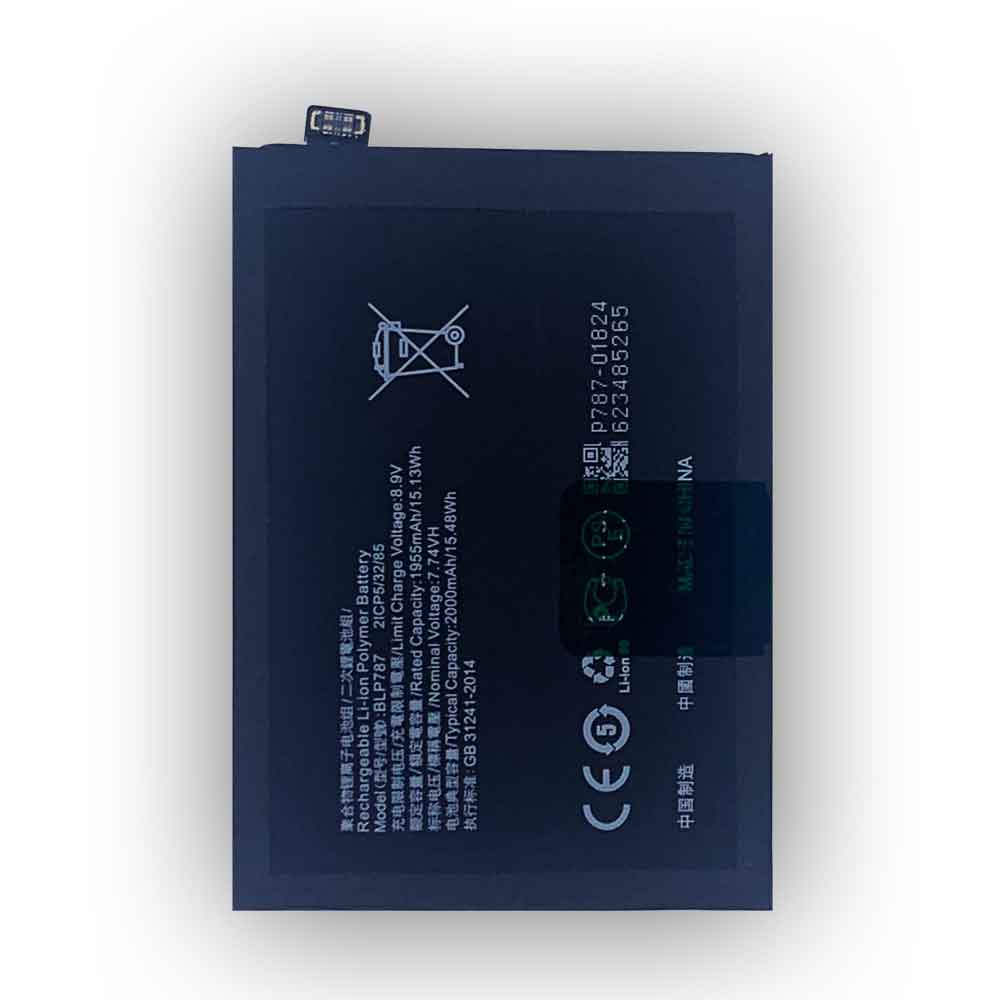
2000mAh 15.48WH 7.74V 8.90V Oppo BLP787 Li-ion Battery for OPPO Reno 4 Pro

2000mAh 15.48WH 7.74V 8.90V Oppo BLP787 Batteries for OPPO Reno 4 Pro, Oppo BLP787 Cell Phone battery is a brand new,100% Compatible original and replacement Phone battery,Purchase wholesale and retail BLP787 with high quality and low price!

Find ou your original model number or part number(P/N), and move your eyes on the tag of battery

BLP787

Specifications

  • Brand:OPPO
  • Capacity :2000mAh 15.48WH
  • Voltage :7.74V 8.90V
  • Type :Li-ion
  • Battery Cell Quality: Grade A
  • Descriptive: Replacement Battery – 1 Year Warranty
  • Description: Brand New, 1 Year Warranty! 30-Days Money Back! Fast Shipping!

How we test this Oppo BLP787 Battery
Step 1: Make sure customer bought the correct battery.
Step 2: Check battery’s appearance and interface.
Step 3: Test battery charger and recharger function.
Step 4: Charger the battery to 100% and recharger to 0% to get real battery capacity
Step 5: Use Ev2300 to check the voltage difference of each goroup cells.
Step 6: Charger battery power more than 30%.
Step 7: Package battery carefully and send out

Compatible Part Numbers:
BLP787

Compatible Model Numbers:
OPPO Reno 4 Pro

How much do you know about how to run laptop well as any place? The follow Tips cut way back on protecting battery life.


1). Please recharge or change your Cell Phone battery when battery power low.
2). Using Li-Ion Replacement Oppo BLP787 Cell Phone Battery for your notebook which can work longer time than Non Li-ion one.
3). It is better to defragmentation regularly for your Cell Phone battery life.
4). In order to reduce the laptop power consumpition, you can use some optical drive spin-down and hard drive in your Cell Phone .
5). Please keep your laptop in sleep or standby model without long time using, which both save the Replacement Oppo BLP787 Cell Phone Battery power and extend battery using life.
6). Leave your battery in a dry and cool condition when without using.
7). When you rarely or generally plugged in fixed power using, Please take down your battery to avoid hurting battery life.

Hot Products

62Wh/5500mAh CLEVO PB50BAT-6 for Clevo PB71EF-G PowerSpec 152068WH DELL MV07R for Dell G5 5000 5590 5500 55053000mah/11.5wh ASUS C11P1501 for ASUS ZE500CL ZE551KL ZE6014850mAh 18.43WH AMAZON 58-000313 for Amazon 26S1021200MAH/0.77Wh SAMSUNG EB-BR365FBE for Samsung Gear Fit 2 Pro Sports94Wh LENOVO 45N1016 for Lenovo ThinkPad T410 T420 T4304910mAh/19.00WH VIVO B-O5 for VIVO y20640MAh/70Wh PANASONIC CF-VZSU80U for Panasonic CF-C2 MK1 Toughbook7200mAh DELL PC764 for Dell Latitude D620 D630 Preci50Wh ASUS C31N1339 for Asus ZenBook UX303L Q302L Lapt

Lithium-ion battery solutions and lithium-ion battery selection

 Lithium-ion batteries are rechargeable batteries commonly used in portable electronics. In a lithium-ion battery, lithium ions move from the positive electrode to the negative electrode during discharge and vice versa during charging. The positive electrode is made of intercalated lithium compounds, while the negative electrode is usually made of graphite. The two electrodes are separated by a thin layer of microporous plastic that prevents the two electrodes from touching each other.

Why do lithium-ion batteries explode?

Most explosions related to lithium-ion battery fires and explosions are caused by short circuit problems.

Some possible reasons for a separator to fail are:

Factory defect: The battery is poorly designed in this case. In some lithium-ion battery models, when the battery expands while charging, the electrodes tend to bend and cause a short circuit. Without quality control, even a well-designed battery can fail.

External factors: When lithium-ion batteries are placed too close to extreme heat, they tend to fail. Lithium-ion batteries will always explode if they are too close to a heat source or catch fire. Other external factors that can cause a battery to fail include dropping the phone too hard, which can damage the separator and cause the electrodes to come into contact. If you also pierce the battery, either intentionally or unintentionally, you have the potential to cause a short circuit.

Charger Issues: Chargers that are not properly insulated and poorly manufactured can damage Li-Ion batteries. If the charger generates heat near the battery, it can cause a lot of damage and cause it to malfunction.

Thermal runaway and multiple batteries: This is a typical battery with multiple batteries. Only one battery cell needs to fail for the entire battery to operate. Once a battery overheats, it causes an effect called thermal runaway.

Despite the aforementioned failures associated with lithium-ion batteries, it is still considered a safe and mature technology. Solutions for lithium-ion battery failures and explosions include:

1. Avoid exposing the battery to high temperature, such as placing the battery in a high temperature environment.

2. Avoid putting all devices that contain lithium-ion batteries together.

3. Avoid overcharging.

Can an uncharged lithium-ion battery explode?

Lithium is a reactive element that oxidizes when in contact with air, and reacts explosively when in contact with water. Uncharged lithium-ion batteries can explode because most of the materials in the battery are still highly flammable. It may not necessarily explode, but it can be quite unsafe in a fire.

How to prevent lithium-ion batteries from exploding?

Most cell phones, laptops, and several other electronic devices are powered by lithium-ion batteries. These batteries are generally very safe, but there is a risk of fire or explosion if not handled properly. The following steps can be taken to avoid battery explosion:

1. Buy your electronics from a reputable supplier with an excellent track record in safety and health.

2. Electronic devices usually come with a set of instruction manuals that explain how to use your device safely. These instructions can help you reduce your life-threatening risk of fire and explosion.

3. Always use the charger that came with the device. But in case you misplaced it, it is recommended that you buy a replacement recommended by the device manufacturer. Just because a charger fits your device doesn’t mean it’s safe to work. Using the wrong charger is one of the main reasons why lithium-ion batteries explode.

4. Electronic equipment should be kept away from extreme heat and cold. See extreme temperatures from the radiator or car dashboard on a sunny day. Placing your device in these places could cause an explosion.

5. Keep the equipment clean, dry and away from water.

6. Unplug your device when fully charged. Turn off the device when not in use.

7. Lithium-ion batteries should only be transported in specially designed containers. Batteries should be kept away from metals and other batteries. Lithium-ion batteries can explode when placed in pockets or handbags, and when bumped against coins and keys.

8. Modifying your equipment is dangerous and greatly increases the risk of explosion. Even experts can get hurt when tinkering.

How to choose a good quality lithium-ion battery

When choosing a battery, the following characteristics should be considered:

1. Battery capacity is measured in milliamp hours (mAh).

2. Battery voltage

3. Charge rate. The speed at which the battery can be safely charged.

4. The operating temperature range in which the battery can be used.

5. Service life.

>>>>>>>>>>>>Battery

Thanks for reading, hope it helps!

Friendly reminder: If you need to replace the battery, this battery store will be a good choice: www.batteryforpc.co.uk
iPad Pro: Will the iPad Pro go on sale this fall?

 We’ve already seen Apple’s new M1 iPad Air, and rumor has it that another Apple tablet is coming in 2022: an updated iPad Pro. While we’re not yet sure when Apple will unveil the tablet, the latest gossip suggests the new iPad Pro could be released in the fall.

Apple updates its tablets twice a year, and that’s how it worked for the past few years at least. The iPad Pro arrives in the spring, while the base iPad, iPad Mini, and iPad Air updates debut in the fall. That cycle could change again in 2022 — it’s always hard to judge for Apple — and that has changed with the new iPad Air announced earlier this month. Until we’re sure, here are some guidelines for choosing between the current iPads. Let’s have a look!

iPad Pro: May be available in June or fall

The new iPad Pros arrive in spring 2020 and spring 2021, but the next version could be announced at WWDC in June, or even later in the fall. The previous iPad Pro, released in fall 2018, added Face ID and USB-C.

Some rumors point to the addition of MagSafe to the Pro tablets, which has appeared in Apple’s recent MacBook Pros, iMacs, and iPhones. One of the odd things about MagSafe so far is that each instance involves a different type of charger. Will Apple make the iPad Pro MagSafe another unique accessory separate from the iPhone and MacBook versions?

While Gurman noted in a 2021 report that glass for MagSafe charging supports the iPad Pro, it was recently suggested that the technology might not arrive this year. iPads tend to have great battery life, and charging with USB-C isn’t a big deal. iPads can already be charged a bit with cases that use the Smart Connector port, although Smart Connector-compatible accessories are still few and far between. The return of the MagSafe brand, though, could mean an expansion of accessories to address the shortcomings of the smart connector.

The 12.9-inch 2021 iPad Pro is the only model with a boosted Mini LED display, similar to recent MacBook Pros, offering deeper blacks and more dynamic contrast. The 11-inch model may also eventually get Mini LED.

When it comes to screen size, the iPad Pro’s larger display could be a few years away. A report from MacRumors suggests that two of Apple’s suppliers are preparing larger OLED displays for future iPad models. However, these larger Pro tablets aren’t expected to hit the market until 2023 or 2024.

Battery life: For me, the iPad is fine. But the more power-hungry nature of the iPad Pro and its keyboard case could mean a useful battery upgrade is in the works. The MacBook Air now outperforms the iPad in battery performance, and maybe in 2022 the iPad Pro might catch up.

Will the iPad finally fix the camera position, though?

In addition to extensive improvements to the OS to make it a better Mac replacement, the front-facing camera placement has also been fixed. Zoom meetings on iPads in landscape mode put their cameras aside. While Apple’s magnified center stage camera technology helps, it doesn’t solve the eye contact problem. Apple hasn’t changed the camera placement on its latest iPad Air.

iPad Air: great value

The iPad Air got an upgrade at Apple‘s March event. The 2022 iPad Air takes the design of the 2020 iPad Air and uses Apple’s M1 chip to power it — the same processor that runs on the iPad. The latest Macs and 2021 iPad Pros—and 5G support. Compared to all other 2021 iPads, the Air finally gets one feature it lacks: auto zoom, wide-angle, front-facing center stage camera.

>>>>>>>>>>>>Apple battery

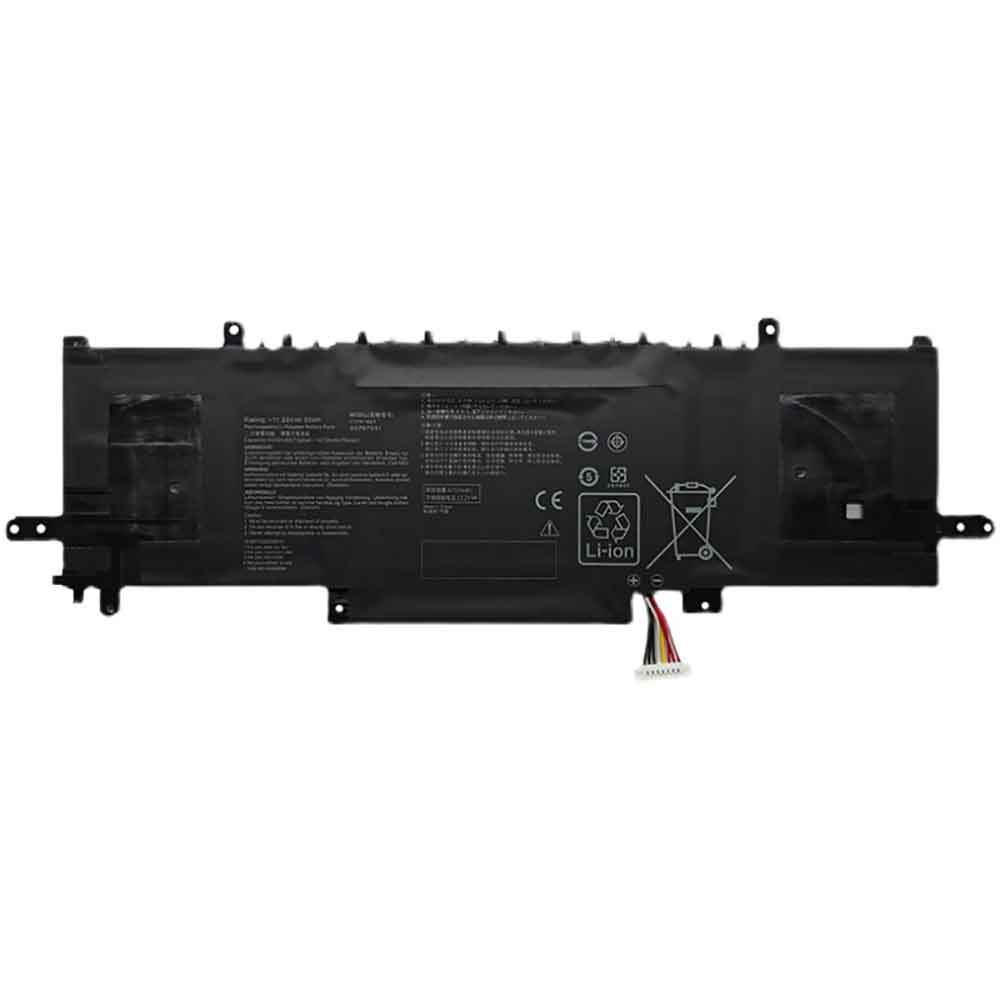
4335mAh 50Wh 11.55V Asus C31N1841 Li-ion Battery for Asus ZenBook Edition 30 UX434DA UX434FA UX463FL UX463FA

4335mAh 50Wh 11.55V Asus C31N1841 Batteries for Asus ZenBook Edition 30 UX434DA UX434FA UX334FL UX434FL UX463FL UX463FA, Asus C31N1841 Laptop battery is a brand new,100% Compatible original and replacement Laptop battery,Purchase wholesale and retail C31N1841 with high quality and low price!

Find ou your original model number or part number(P/N), and move your eyes on the tag of battery

C31N1841

Specifications

  • Brand:Asus
  • Capacity :4335mAh 50Wh
  • Voltage :11.55V
  • Type :Li-ion
  • Battery Cell Quality: Grade A
  • Descriptive: Replacement Battery – 1 Year Warranty
  • Description: Brand New, 1 Year Warranty! 30-Days Money Back! Fast Shipping!

How we test this Asus C31N1841 Battery
Step 1: Make sure customer bought the correct battery.
Step 2: Check battery’s appearance and interface.
Step 3: Test battery charger and recharger function.
Step 4: Charger the battery to 100% and recharger to 0% to get real battery capacity
Step 5: Use Ev2300 to check the voltage difference of each goroup cells.
Step 6: Charger battery power more than 30%.
Step 7: Package battery carefully and send out

Compatible Part Numbers:
C31N1841

Compatible Model Numbers:
Asus ZenBook Edition 30 UX434DA UX434FA UX334FL UX434FL UX463FL UX463FA

How much do you know about how to run laptop well as any place? The follow Tips cut way back on protecting battery life.


1). Please recharge or change your Laptop battery when battery power low.
2). Using Li-Ion Replacement Asus C31N1841 Laptop Battery for your notebook which can work longer time than Non Li-ion one.
3). It is better to defragmentation regularly for your Laptop battery life.
4). In order to reduce the laptop power consumpition, you can use some optical drive spin-down and hard drive in your Laptop .
5). Please keep your laptop in sleep or standby model without long time using, which both save the Replacement Asus C31N1841 Laptop Battery power and extend battery using life.
6). Leave your battery in a dry and cool condition when without using.
7). When you rarely or generally plugged in fixed power using, Please take down your battery to avoid hurting battery life.

Hot Products

62Wh/5500mAh CLEVO PB50BAT-6 for Clevo PB71EF-G PowerSpec 152068WH DELL MV07R for Dell G5 5000 5590 5500 55053000mah/11.5wh ASUS C11P1501 for ASUS ZE500CL ZE551KL ZE6014850mAh 18.43WH AMAZON 58-000313 for Amazon 26S1021200MAH/0.77Wh SAMSUNG EB-BR365FBE for Samsung Gear Fit 2 Pro Sports94Wh LENOVO 45N1016 for Lenovo ThinkPad T410 T420 T4304910mAh/19.00WH VIVO B-O5 for VIVO y20640MAh/70Wh PANASONIC CF-VZSU80U for Panasonic CF-C2 MK1 Toughbook7200mAh DELL PC764 for Dell Latitude D620 D630 Preci50Wh ASUS C31N1339 for Asus ZenBook UX303L Q302L Lapt

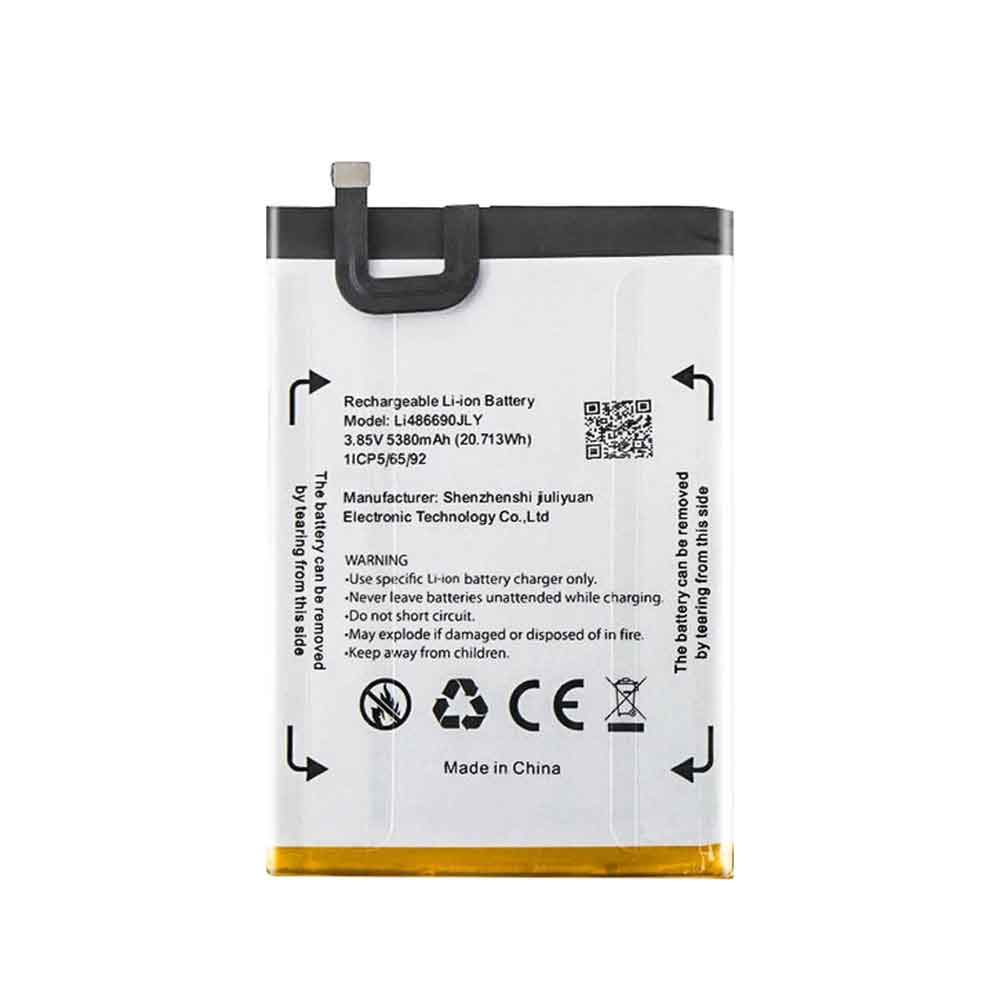
5380mAh 20.713WH 3.85V Blackview Li486690JLY Li-ion Battery Battery for Blackview A70

5380mAh 20.713WH 3.85V Blackview Li486690JLY Batteries for Blackview A70, Blackview Li486690JLY Cell Phone battery is a brand new,100% Compatible original and replacement Phone battery,Purchase wholesale and retail Li486690JLY with high quality and low price!

Find ou your original model number or part number(P/N), and move your eyes on the tag of battery

Li486690JLY

Specifications

  • Brand:Blackview
  • Capacity :5380mAh 20.713WH
  • Voltage :3.85V
  • Type :Li-ion
  • Battery Cell Quality: Grade A
  • Descriptive: Replacement Battery – 1 Year Warranty
  • Description: Brand New, 1 Year Warranty! 30-Days Money Back! Fast Shipping!

How we test this Blackview Li486690JLY Battery
Step 1: Make sure customer bought the correct battery.
Step 2: Check battery’s appearance and interface.
Step 3: Test battery charger and recharger function.
Step 4: Charger the battery to 100% and recharger to 0% to get real battery capacity
Step 5: Use Ev2300 to check the voltage difference of each goroup cells.
Step 6: Charger battery power more than 30%.
Step 7: Package battery carefully and send out

Compatible Part Numbers:
Li486690JLY

Compatible Model Numbers:
Blackview A70

How much do you know about how to run laptop well as any place? The follow Tips cut way back on protecting battery life.


1). Please recharge or change your Cell Phone battery when battery power low.
2). Using Li-Ion Replacement Blackview Li486690JLY Cell Phone Battery for your notebook which can work longer time than Non Li-ion one.
3). It is better to defragmentation regularly for your Cell Phone battery life.
4). In order to reduce the laptop power consumpition, you can use some optical drive spin-down and hard drive in your Cell Phone .
5). Please keep your laptop in sleep or standby model without long time using, which both save the Replacement Blackview Li486690JLY Cell Phone Battery power and extend battery using life.
6). Leave your battery in a dry and cool condition when without using.
7). When you rarely or generally plugged in fixed power using, Please take down your battery to avoid hurting battery life.

Hot Products

62Wh/5500mAh CLEVO PB50BAT-6 for Clevo PB71EF-G PowerSpec 152068WH DELL MV07R for Dell G5 5000 5590 5500 55053000mah/11.5wh ASUS C11P1501 for ASUS ZE500CL ZE551KL ZE6014850mAh 18.43WH AMAZON 58-000313 for Amazon 26S1021200MAH/0.77Wh SAMSUNG EB-BR365FBE for Samsung Gear Fit 2 Pro Sports94Wh LENOVO 45N1016 for Lenovo ThinkPad T410 T420 T4304910mAh/19.00WH VIVO B-O5 for VIVO y20640MAh/70Wh PANASONIC CF-VZSU80U for Panasonic CF-C2 MK1 Toughbook7200mAh DELL PC764 for Dell Latitude D620 D630 Preci50Wh ASUS C31N1339 for Asus ZenBook UX303L Q302L Lapt

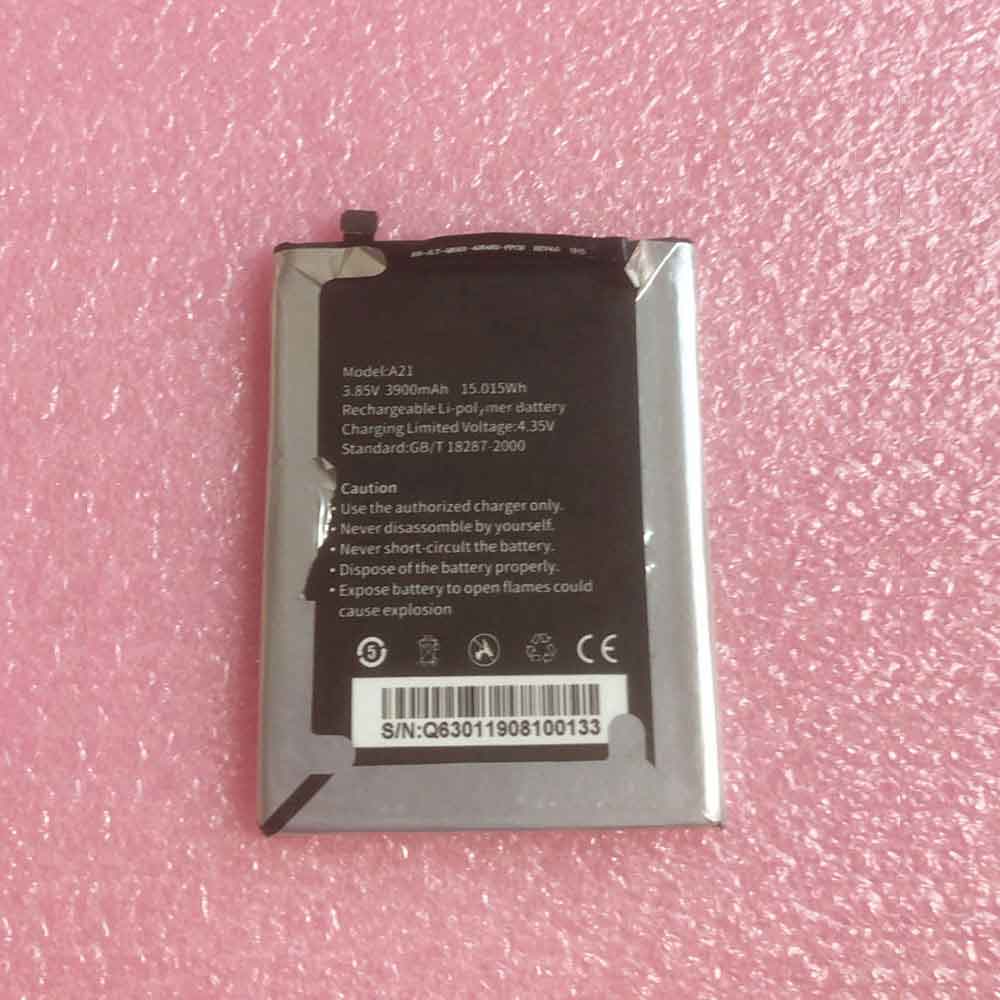
3900mAh 15.015WH 3.85V 4.35V Hiking A21 Li-ion Battery for Hiking A21

3900mAh 15.015WH 3.85V 4.35V Hiking A21 Batteries for Hiking A21, Hiking A21 Cell Phone battery is a brand new,100% Compatible original and replacement Phone battery,Purchase wholesale and retail A21 with high quality and low price!

Find ou your original model number or part number(P/N), and move your eyes on the tag of battery

A21

Specifications

  • Brand:Hiking
  • Capacity :3900mAh 15.015WH
  • Voltage :3.85V 4.35V
  • Type :Li-ion
  • Battery Cell Quality: Grade A
  • Descriptive: Replacement Battery – 1 Year Warranty
  • Description: Brand New, 1 Year Warranty! 30-Days Money Back! Fast Shipping!

How we test this Hiking A21 Battery
Step 1: Make sure customer bought the correct battery.
Step 2: Check battery’s appearance and interface.
Step 3: Test battery charger and recharger function.
Step 4: Charger the battery to 100% and recharger to 0% to get real battery capacity
Step 5: Use Ev2300 to check the voltage difference of each goroup cells.
Step 6: Charger battery power more than 30%.
Step 7: Package battery carefully and send out

Compatible Part Numbers:
A21

Compatible Model Numbers:
Hiking A21

How much do you know about how to run laptop well as any place? The follow Tips cut way back on protecting battery life.


1). Please recharge or change your Cell Phone battery when battery power low.
2). Using Li-Ion Replacement Hiking A21 Cell Phone Battery for your notebook which can work longer time than Non Li-ion one.
3). It is better to defragmentation regularly for your Cell Phone battery life.
4). In order to reduce the laptop power consumpition, you can use some optical drive spin-down and hard drive in your Cell Phone .
5). Please keep your laptop in sleep or standby model without long time using, which both save the Replacement Hiking A21 Cell Phone Battery power and extend battery using life.
6). Leave your battery in a dry and cool condition when without using.
7). When you rarely or generally plugged in fixed power using, Please take down your battery to avoid hurting battery life.

Hot Products

62Wh/5500mAh CLEVO PB50BAT-6 for Clevo PB71EF-G PowerSpec 152068WH DELL MV07R for Dell G5 5000 5590 5500 55053000mah/11.5wh ASUS C11P1501 for ASUS ZE500CL ZE551KL ZE6014850mAh 18.43WH AMAZON 58-000313 for Amazon 26S1021200MAH/0.77Wh SAMSUNG EB-BR365FBE for Samsung Gear Fit 2 Pro Sports94Wh LENOVO 45N1016 for Lenovo ThinkPad T410 T420 T4304910mAh/19.00WH VIVO B-O5 for VIVO y20640MAh/70Wh PANASONIC CF-VZSU80U for Panasonic CF-C2 MK1 Toughbook7200mAh DELL PC764 for Dell Latitude D620 D630 Preci50Wh ASUS C31N1339 for Asus ZenBook UX303L Q302L Lapt