4000mAh 15.4WH 3.85V 4.4V Homtom P30Pro Li-ion Battery for Homtom P30 Pro

4000mAh 15.4WH 3.85V 4.4V Homtom P30Pro Batteries for Homtom P30 Pro, Homtom P30Pro Cell Phone battery is a brand new,100% Compatible original and replacement Phone battery,Purchase wholesale and retail P30Pro with high quality and low price!

Find ou your original model number or part number(P/N), and move your eyes on the tag of battery
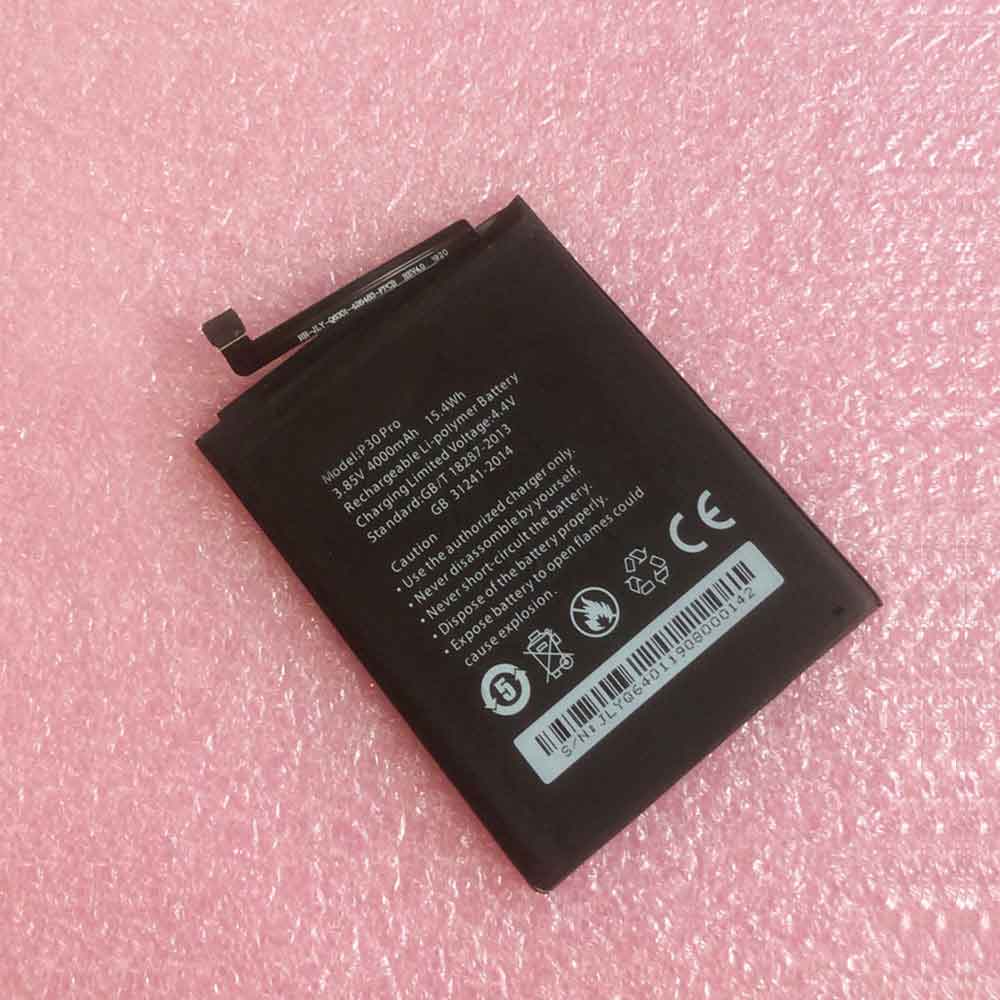
P30Pro

Specifications

  • Brand:Homtom
  • Capacity :4000mAh 15.4WH
  • Voltage :3.85V 4.4V
  • Type :Li-ion
  • Battery Cell Quality: Grade A
  • Descriptive: Replacement Battery – 1 Year Warranty
  • Description: Brand New, 1 Year Warranty! 30-Days Money Back! Fast Shipping!

How we test this Homtom P30Pro Battery
Step 1: Make sure customer bought the correct battery.
Step 2: Check battery’s appearance and interface.
Step 3: Test battery charger and recharger function.
Step 4: Charger the battery to 100% and recharger to 0% to get real battery capacity
Step 5: Use Ev2300 to check the voltage difference of each goroup cells.
Step 6: Charger battery power more than 30%.
Step 7: Package battery carefully and send out

Compatible Part Numbers:
P30Pro

Compatible Model Numbers:
Homtom P30 Pro

How much do you know about how to run laptop well as any place? The follow Tips cut way back on protecting battery life.


1). Please recharge or change your Cell Phone battery when battery power low.
2). Using Li-Ion Replacement Homtom P30Pro Cell Phone Battery for your notebook which can work longer time than Non Li-ion one.
3). It is better to defragmentation regularly for your Cell Phone battery life.
4). In order to reduce the laptop power consumpition, you can use some optical drive spin-down and hard drive in your Cell Phone .
5). Please keep your laptop in sleep or standby model without long time using, which both save the Replacement Homtom P30Pro Cell Phone Battery power and extend battery using life.
6). Leave your battery in a dry and cool condition when without using.
7). When you rarely or generally plugged in fixed power using, Please take down your battery to avoid hurting battery life.

Hot Products

62Wh/5500mAh CLEVO PB50BAT-6 for Clevo PB71EF-G PowerSpec 152068WH DELL MV07R for Dell G5 5000 5590 5500 55053000mah/11.5wh ASUS C11P1501 for ASUS ZE500CL ZE551KL ZE6014850mAh 18.43WH AMAZON 58-000313 for Amazon 26S1021200MAH/0.77Wh SAMSUNG EB-BR365FBE for Samsung Gear Fit 2 Pro Sports94Wh LENOVO 45N1016 for Lenovo ThinkPad T410 T420 T4304910mAh/19.00WH VIVO B-O5 for VIVO y20640MAh/70Wh PANASONIC CF-VZSU80U for Panasonic CF-C2 MK1 Toughbook7200mAh DELL PC764 for Dell Latitude D620 D630 Preci50Wh ASUS C31N1339 for Asus ZenBook UX303L Q302L Lapt

What “Battery Not Detected” Means and Fixes in Dell Computers

 Laptops are the most commonly used electronic devices in today’s society where you may need to get a lot of work done. As such, this requires you to charge the laptop at all times to get things done seamlessly; otherwise, you may need to connect the power cord, which can be a bit frustrating. But what if your Dell laptop won’t boot due to a dead battery? Fortunately, you probably have a charging cable with you. But sometimes a notification “no battery detected” pops up on your dell laptop when you plug it in the charger. Does this make you feel very frustrated! Below we will tell you what is causing this problem and how to fix it!

First of all, what does it mean when a Dell laptop shows “Battery not detected”?

A laptop’s battery is one of its important components, and it’s almost impossible to do anything on a laptop without a battery available because the battery is the main power source of a laptop. However, sometimes you may encounter a confusing situation where you may have a battery, but your Dell laptop may send a notification saying “Battery not detected”. Whenever you get a “Battery not detected” notification in your Dell laptop, it means that your laptop is not able to detect or recognize the battery that is plugged in and equipped. This can be due to a variety of reasons, mainly involving the following:

1. The battery must be worn out and needs to be replaced immediately. You can detect this if your maximum battery life is significantly reduced.

2. The battery may not be installed properly. Always make sure the battery is perfectly seated and seated in the laptop and locked in place.

3. Last but not least, the last possible reason for this type of problem is that your battery may be an aftermarket or non-Dell battery. If you have recently replaced your Dell laptop battery with a duplicate or non-Dell battery, then this may be the most specific cause of the problem.

So, if you are facing the “Battery not detected” issue, then you must first find the reason behind it and then choose a solution to the problem.

Now let’s see what are the signs that your Dell laptop battery needs to be replaced!

How do you know if your Dell laptop battery needs to be replaced?

Sometimes, in some cases, your Dell laptop battery is completely damaged and needs to be replaced immediately so that your laptop can run seamlessly. There are basically three common signs to help you know:

1. Reduce usage time

On average, a fully charged Dell laptop battery will produce approximately 6 hours or more of power, depending on the program used. So, if your battery life is decreasing by much less than that, then you must replace it.

2. Unexpected power issues

Occasional failures do not necessarily indicate a problem with the battery; therefore, you must note how often your Dell laptop shuts down. If your Dell laptop loses power immediately after the most recent charge, it’s definitely a sign that the battery is faulty and needs to be replaced.

3. Slow charging

A healthy Dell laptop battery charges quickly and remains charged when the charging cable is disconnected. So, if your Dell laptop battery is charging slower than before, this is definitely a sign that your Dell laptop battery needs to be replaced.

Let’s find out together how to fix your Dell laptop battery instead of charging it!

How to fix Dell laptop battery not charging issue?

The problem that many Dell laptop users face is that their Dell laptop won’t charge even when plugged into the charger. If you’re having the same problem, then you’ll find that the battery light on the laptop shows that it’s not even charging when there’s an AC adapter connected to it.

To fix your Dell laptop battery not charging issue, follow any of the seven methods below and you’re sure to find a solution to your problem!

Method 1: Plug the Dell laptop into a wall outlet

Method 2: Reinstall the Dell Laptop Battery Driver

Method 3: Reconnect the AC adapter and Dell laptop battery

Method 4: Try another AC adapter

Method 5: Update your BIOS

Method 6: Switch to a Chromebook

Method 7: Contact Dell Customer Support Team

>>>>>>>>>>>Dell Laptop battery

Thanks for reading, hope it helps!

Friendly reminder: If you need to replace your device battery, this battery store will be a good choice: www.batteryforpc.co.uk

Is it safe to use lithium batteries for mobile phone batteries? What are the types of mobile phone lithium batteries?

 Have you ever thought that if the battery didn’t exist, we would only be able to use the phone when it was plugged directly into a power source. Imagine what that would be like! But that’s thanks to rechargeable battery technology that’s been improving over the years. The improvements have been made primarily to make batteries safer, more durable, store more energy per unit of volume, and also become cheaper.

What cell phone has a lithium battery?

From the late 1990s until today, cell phones have primarily used lithium-ion batteries as their power source. In recent years, nickel-cadmium battery technology has been phased out by lithium-ion batteries due to its many advantages over other battery technologies. Lithium-ion batteries are preferred due to their high energy density, durability and portability, which are very important in mobile phone design. As of 2020, almost all smartphones and other cell phones primarily use lithium-ion batteries.

What type of battery does the phone use?

There are two main lithium battery technologies used in mobile phones today: lithium polymer batteries and lithium ion batteries. The main difference between the two is that Li-polymer batteries use a polymer electrolyte instead of the liquid electrolyte used in Li-ion batteries.

Lithium-polymer batteries are a new technology in lithium-ion batteries, and because they have many advantages over lithium-ion batteries, they are also more expensive. Let us see some of the benefits;

1. They have a higher energy density than lithium batteries. This means that lithium-polymer batteries can hold more energy per unit volume than lithium-ion batteries. This makes it possible to have smaller batteries with larger capacities, an important factor in smartphone manufacturing.

2. Lithium polymer batteries are also easier to shape than lithium ion batteries. This makes it possible to manufacture batteries of any shape without affecting the performance of the battery in the device

3. The internal resistance of the lithium polymer battery is also small. This makes it possible to charge these batteries quickly without significantly increasing the battery’s internal temperature. The battery can also be used for many tasks without overheating because it has a higher maximum discharge current.

4. The self-aging rate is lower than that of lithium-ion batteries. If you store unused Li-Ion and Li-Polymer batteries, Li-Polymer batteries will have a higher battery capacity than Li-Ion batteries when checked after a few years. This aspect is important for people who don’t use the device a lot. So they can last a few years before needing to replace the battery.

5. They are also less susceptible to heat. Compared to Li-polymer batteries, Li-ion batteries tend to lose a lot of capacity when exposed to high temperatures. This makes Li-polymer batteries safer to use even in high-temperature environments, without worrying about battery life and possible explosions in the battery itself.

6. The only challenge with Li-polymer batteries is their price. Because the technology of Li-polymer batteries is still very new, the cost of designing and manufacturing these batteries is still higher than that of Li-ion batteries. That’s why most smartphones still use lithium-ion batteries.

Will my phone catch fire?

The answer to this question is yes. The main cause of fire is usually a short circuit within the battery system. When Samsung investigated the cause of the battery fire, they discovered that it all started when the battery’s anode and cathode began to curl. This causes the separator between the two electrodes to weaken, resulting in a short circuit. The heat that damages the two electrodes is due to the limited space between the heat-sealed protective bag around the battery and its interior. This means there is limited space to dissipate heat from the battery to the case and then to the outside of the phone.

In that case, the problem was designing the battery system. But in some cases, the phone can catch fire because the separator of an old battery has weakened over time. This can cause a short circuit and cause a fire. Another problem can be physical damage to the battery, which can lead to electrode or separator damage, which can also lead to short circuits and fires.

>>>>>>>>>>>Phone battery

Thanks for reading, hope it helps!

Friendly reminder: If you need to replace your device battery, this battery store will be a good choice: www.batteryforpc.co.uk

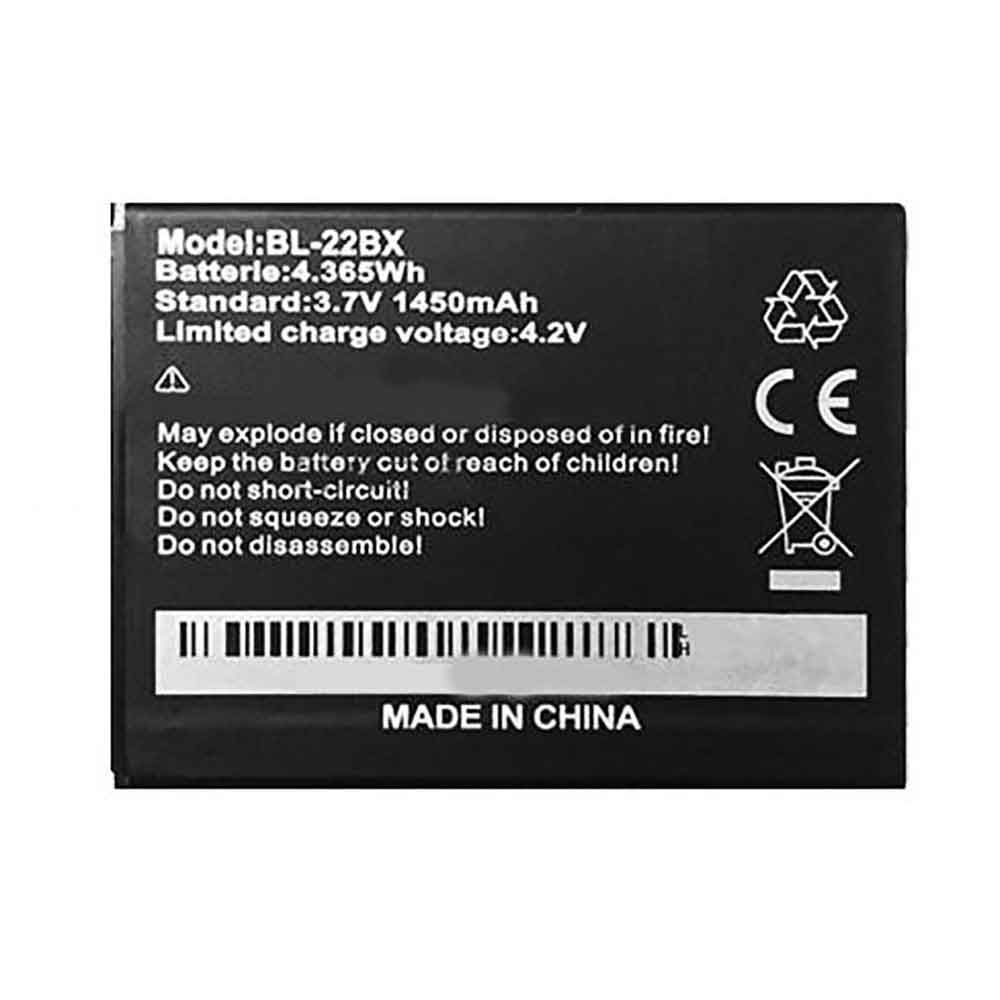
1450mAh 4.365WH 3.7V 4.2V Infinix BL-22BX Li-ion Battery for Infinix Hot 2 X510

1450mAh 4.365WH 3.7V 4.2V Infinix BL-22BX Batteries for Infinix Hot 2 X510, Infinix BL-22BX Cell Phone battery is a brand new,100% Compatible original and replacement Phone battery,Purchase wholesale and retail BL-22BX with high quality and low price!

Find ou your original model number or part number(P/N), and move your eyes on the tag of battery

BL-22BX

Specifications

  • Brand:Infinix
  • Capacity :1450mAh 4.365WH
  • Voltage :3.7V 4.2V
  • Type :Li-ion
  • Battery Cell Quality: Grade A
  • Descriptive: Replacement Battery – 1 Year Warranty
  • Description: Brand New, 1 Year Warranty! 30-Days Money Back! Fast Shipping!

How we test this Infinix BL-22BX Battery
Step 1: Make sure customer bought the correct battery.
Step 2: Check battery’s appearance and interface.
Step 3: Test battery charger and recharger function.
Step 4: Charger the battery to 100% and recharger to 0% to get real battery capacity
Step 5: Use Ev2300 to check the voltage difference of each goroup cells.
Step 6: Charger battery power more than 30%.
Step 7: Package battery carefully and send out

Compatible Part Numbers:
BL-22BX

Compatible Model Numbers:
Infinix Hot 2 X510

How much do you know about how to run laptop well as any place? The follow Tips cut way back on protecting battery life.


1). Please recharge or change your Cell Phone battery when battery power low.
2). Using Li-Ion Replacement Infinix BL-22BX Cell Phone Battery for your notebook which can work longer time than Non Li-ion one.
3). It is better to defragmentation regularly for your Cell Phone battery life.
4). In order to reduce the laptop power consumpition, you can use some optical drive spin-down and hard drive in your Cell Phone .
5). Please keep your laptop in sleep or standby model without long time using, which both save the Replacement Infinix BL-22BX Cell Phone Battery power and extend battery using life.
6). Leave your battery in a dry and cool condition when without using.
7). When you rarely or generally plugged in fixed power using, Please take down your battery to avoid hurting battery life.

Hot Products

68WH DELL MV07R for Dell G5 5000 5590 5500 55053000mah/11.5wh ASUS C11P1501 for ASUS ZE500CL ZE551KL ZE6014850mAh 18.43WH AMAZON 58-000313 for Amazon 26S1021200MAH/0.77Wh SAMSUNG EB-BR365FBE for Samsung Gear Fit 2 Pro Sports94Wh LENOVO 45N1016 for Lenovo ThinkPad T410 T420 T4304910mAh/19.00WH VIVO B-O5 for VIVO y20640MAh/70Wh PANASONIC CF-VZSU80U for Panasonic CF-C2 MK1 Toughbook7200mAh DELL PC764 for Dell Latitude D620 D630 Preci50Wh ASUS C31N1339 for Asus ZenBook UX303L Q302L Lapt4900mAh/18.87WH SAMSUNG HQ-50S for Samsung Galaxy A02S

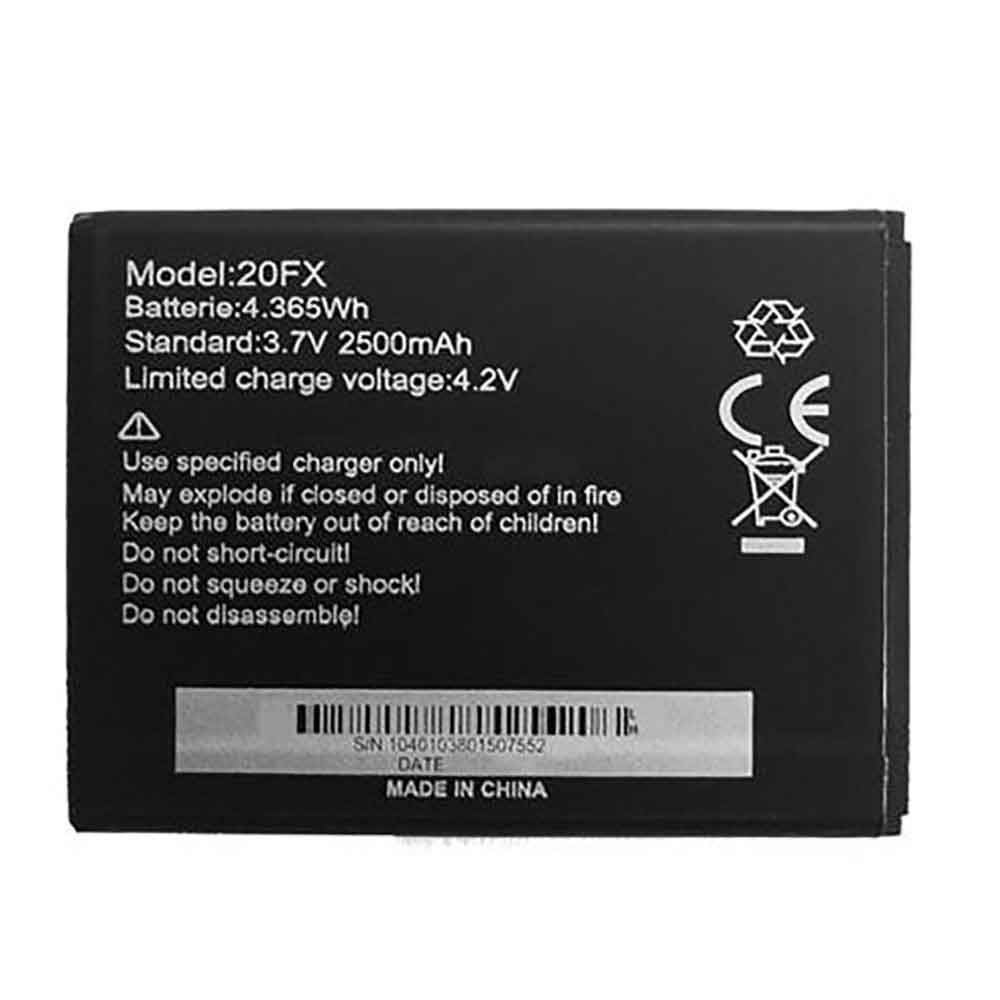
2500mAh 4.365WH 3.7V 4.2V Infinix BL-20FX Li-ion Battery for Infinix Hot X507

2500mAh 4.365WH 3.7V 4.2V Infinix BL-20FX Batteries for Infinix Hot X507, Infinix BL-20FX Cell Phone battery is a brand new,100% Compatible original and replacement Phone battery,Purchase wholesale and retail BL-20FX with high quality and low price!

Find ou your original model number or part number(P/N), and move your eyes on the tag of battery

BL-20FX

Specifications

  • Brand:Infinix
  • Capacity :2500mAh 4.365WH
  • Voltage :3.7V 4.2V
  • Type :Li-ion
  • Battery Cell Quality: Grade A
  • Descriptive: Replacement Battery – 1 Year Warranty
  • Description: Brand New, 1 Year Warranty! 30-Days Money Back! Fast Shipping!

How we test this Infinix BL-20FX Battery
Step 1: Make sure customer bought the correct battery.
Step 2: Check battery’s appearance and interface.
Step 3: Test battery charger and recharger function.
Step 4: Charger the battery to 100% and recharger to 0% to get real battery capacity
Step 5: Use Ev2300 to check the voltage difference of each goroup cells.
Step 6: Charger battery power more than 30%.
Step 7: Package battery carefully and send out

Compatible Part Numbers:
BL-20FX

Compatible Model Numbers:
Infinix Hot X507

How much do you know about how to run laptop well as any place? The follow Tips cut way back on protecting battery life.


1). Please recharge or change your Cell Phone battery when battery power low.
2). Using Li-Ion Replacement Infinix BL-20FX Cell Phone Battery for your notebook which can work longer time than Non Li-ion one.
3). It is better to defragmentation regularly for your Cell Phone battery life.
4). In order to reduce the laptop power consumpition, you can use some optical drive spin-down and hard drive in your Cell Phone .
5). Please keep your laptop in sleep or standby model without long time using, which both save the Replacement Infinix BL-20FX Cell Phone Battery power and extend battery using life.
6). Leave your battery in a dry and cool condition when without using.
7). When you rarely or generally plugged in fixed power using, Please take down your battery to avoid hurting battery life.

Hot Products

68WH DELL MV07R for Dell G5 5000 5590 5500 55053000mah/11.5wh ASUS C11P1501 for ASUS ZE500CL ZE551KL ZE6014850mAh 18.43WH AMAZON 58-000313 for Amazon 26S1021200MAH/0.77Wh SAMSUNG EB-BR365FBE for Samsung Gear Fit 2 Pro Sports94Wh LENOVO 45N1016 for Lenovo ThinkPad T410 T420 T4304910mAh/19.00WH VIVO B-O5 for VIVO y20640MAh/70Wh PANASONIC CF-VZSU80U for Panasonic CF-C2 MK1 Toughbook7200mAh DELL PC764 for Dell Latitude D620 D630 Preci50Wh ASUS C31N1339 for Asus ZenBook UX303L Q302L Lapt4900mAh/18.87WH SAMSUNG HQ-50S for Samsung Galaxy A02S

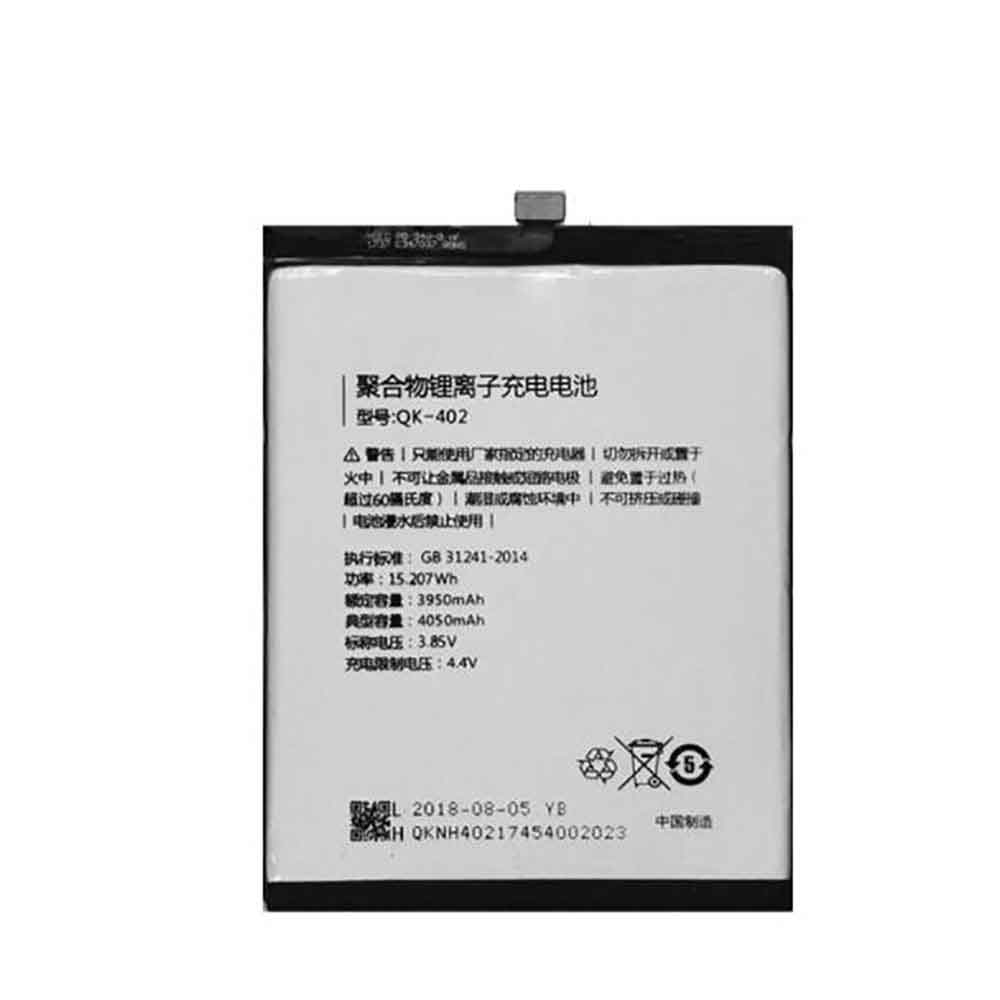
4050mAh 15.207WH 3.85V 4.4V Qiku QK-402 Li-ion Battery for Qiku N6 Pro 1801-A01

4050mAh 15.207WH 3.85V 4.4V Qiku QK-402 Batteries for Qiku N6 Pro 1801-A01, Qiku QK-402 Cell Phone battery is a brand new,100% Compatible original and replacement Phone battery,Purchase wholesale and retail QK-402 with high quality and low price!

Find ou your original model number or part number(P/N), and move your eyes on the tag of battery

QK-402

Specifications

  • Brand:Qiku
  • Capacity :4050mAh 15.207WH
  • Voltage :3.85V 4.4V
  • Type :Li-ion
  • Battery Cell Quality: Grade A
  • Descriptive: Replacement Battery – 1 Year Warranty
  • Description: Brand New, 1 Year Warranty! 30-Days Money Back! Fast Shipping!

How we test this Qiku QK-402 Battery
Step 1: Make sure customer bought the correct battery.
Step 2: Check battery’s appearance and interface.
Step 3: Test battery charger and recharger function.
Step 4: Charger the battery to 100% and recharger to 0% to get real battery capacity
Step 5: Use Ev2300 to check the voltage difference of each goroup cells.
Step 6: Charger battery power more than 30%.
Step 7: Package battery carefully and send out

Compatible Part Numbers:
QK-402

Compatible Model Numbers:
Qiku N6 Pro 1801-A01

How much do you know about how to run laptop well as any place? The follow Tips cut way back on protecting battery life.


1). Please recharge or change your Cell Phone battery when battery power low.
2). Using Li-Ion Replacement Qiku QK-402 Cell Phone Battery for your notebook which can work longer time than Non Li-ion one.
3). It is better to defragmentation regularly for your Cell Phone battery life.
4). In order to reduce the laptop power consumpition, you can use some optical drive spin-down and hard drive in your Cell Phone .
5). Please keep your laptop in sleep or standby model without long time using, which both save the Replacement Qiku QK-402 Cell Phone Battery power and extend battery using life.
6). Leave your battery in a dry and cool condition when without using.
7). When you rarely or generally plugged in fixed power using, Please take down your battery to avoid hurting battery life.

Hot Products

68WH DELL MV07R for Dell G5 5000 5590 5500 55053000mah/11.5wh ASUS C11P1501 for ASUS ZE500CL ZE551KL ZE6014850mAh 18.43WH AMAZON 58-000313 for Amazon 26S1021200MAH/0.77Wh SAMSUNG EB-BR365FBE for Samsung Gear Fit 2 Pro Sports94Wh LENOVO 45N1016 for Lenovo ThinkPad T410 T420 T4304910mAh/19.00WH VIVO B-O5 for VIVO y20640MAh/70Wh PANASONIC CF-VZSU80U for Panasonic CF-C2 MK1 Toughbook7200mAh DELL PC764 for Dell Latitude D620 D630 Preci50Wh ASUS C31N1339 for Asus ZenBook UX303L Q302L Lapt4900mAh/18.87WH SAMSUNG HQ-50S for Samsung Galaxy A02S

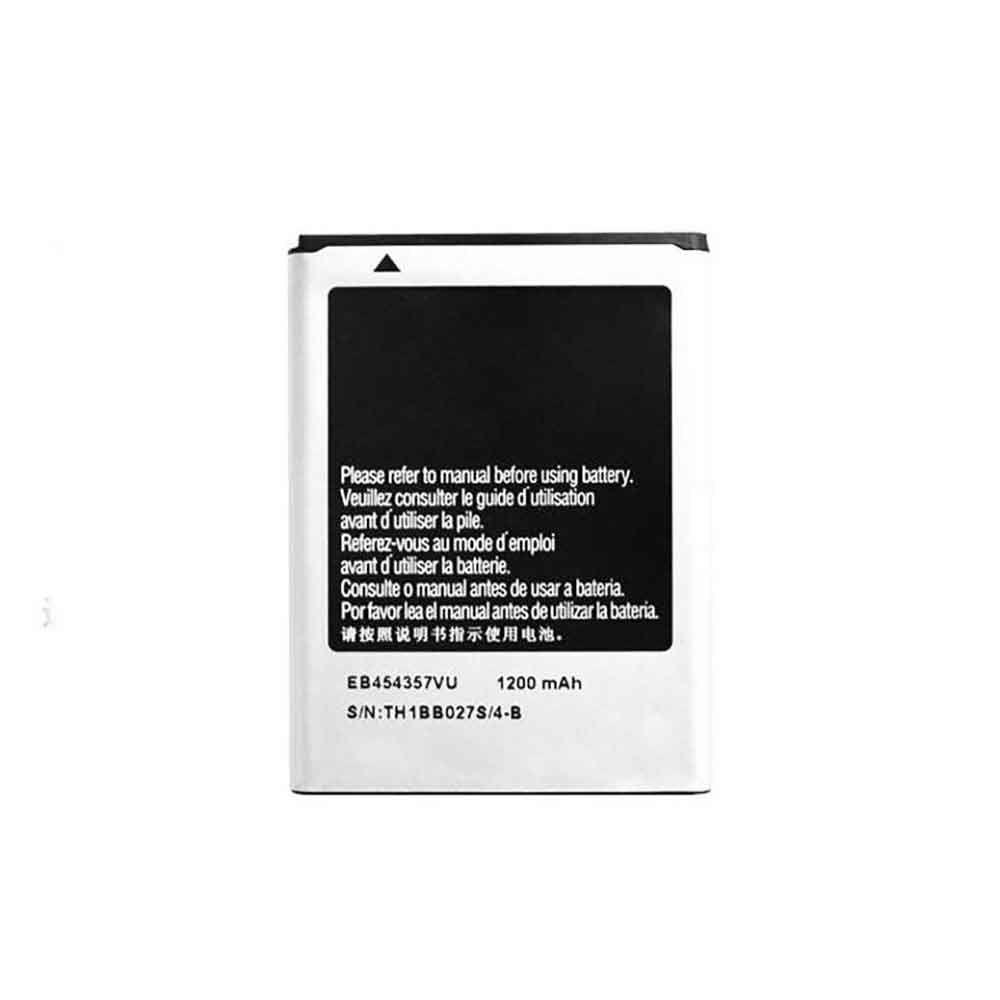
1200mAh 5WH 3.7V Samsung EB454357VU Li-ion Battery for Samsung GT-S5360 S5380

1200mAh 5WH 3.7V Samsung EB454357VU Batteries for Samsung GT-S5360 S5380, Samsung EB454357VU Cell Phone battery is a brand new,100% Compatible original and replacement Phone battery,Purchase wholesale and retail EB454357VU with high quality and low price!

Find ou your original model number or part number(P/N), and move your eyes on the tag of battery

EB454357VU

Specifications

  • Brand:Samsung
  • Capacity :1200mAh 5WH
  • Voltage :3.7V
  • Type :Li-ion
  • Battery Cell Quality: Grade A
  • Descriptive: Replacement Battery – 1 Year Warranty
  • Description: Brand New, 1 Year Warranty! 30-Days Money Back! Fast Shipping!

How we test this Samsung EB454357VU Battery
Step 1: Make sure customer bought the correct battery.
Step 2: Check battery’s appearance and interface.
Step 3: Test battery charger and recharger function.
Step 4: Charger the battery to 100% and recharger to 0% to get real battery capacity
Step 5: Use Ev2300 to check the voltage difference of each goroup cells.
Step 6: Charger battery power more than 30%.
Step 7: Package battery carefully and send out

Compatible Part Numbers:
EB454357VU

Compatible Model Numbers:
Samsung GT-S5360 S5380

How much do you know about how to run laptop well as any place? The follow Tips cut way back on protecting battery life.


1). Please recharge or change your Cell Phone battery when battery power low.
2). Using Li-Ion Replacement Samsung EB454357VU Cell Phone Battery for your notebook which can work longer time than Non Li-ion one.
3). It is better to defragmentation regularly for your Cell Phone battery life.
4). In order to reduce the laptop power consumpition, you can use some optical drive spin-down and hard drive in your Cell Phone .
5). Please keep your laptop in sleep or standby model without long time using, which both save the Replacement Samsung EB454357VU Cell Phone Battery power and extend battery using life.
6). Leave your battery in a dry and cool condition when without using.
7). When you rarely or generally plugged in fixed power using, Please take down your battery to avoid hurting battery life.

Hot Products

68WH DELL MV07R for Dell G5 5000 5590 5500 55053000mah/11.5wh ASUS C11P1501 for ASUS ZE500CL ZE551KL ZE6014850mAh 18.43WH AMAZON 58-000313 for Amazon 26S1021200MAH/0.77Wh SAMSUNG EB-BR365FBE for Samsung Gear Fit 2 Pro Sports94Wh LENOVO 45N1016 for Lenovo ThinkPad T410 T420 T4304910mAh/19.00WH VIVO B-O5 for VIVO y20640MAh/70Wh PANASONIC CF-VZSU80U for Panasonic CF-C2 MK1 Toughbook7200mAh DELL PC764 for Dell Latitude D620 D630 Preci50Wh ASUS C31N1339 for Asus ZenBook UX303L Q302L Lapt4900mAh/18.87WH SAMSUNG HQ-50S for Samsung Galaxy A02S

Battery Diagnostics: Helps you know the remaining health of your battery

 One thing each type of battery has in common is their longevity. Whether the battery is a dry cell or another type of battery, it has a certain amount of time to provide power. After this time, the battery will not be able to provide power efficiently. But how do you know the remaining health of the battery?

There is one way to know the health of your battery, and that is by diagnosing the battery.

How to check battery health?

There are different types of batteries, and each type of battery can be checked differently. Below we’ll share the best ways to check your battery health here, so let’s take a look!

How do I check the battery health of my phone’s battery?

This is one of the easiest ways to check battery health. Newer and advanced phones have this feature and they can tell their battery’s remaining health. All you need to do is head to the phone settings and check the battery health option. There you will be able to find out the health of your phone’s battery.

How do I check my laptop’s battery health?

If you’re checking your laptop’s battery health, the different methods depend on the laptop’s manufacturer. But what all laptops have in common is the loop count. So when you want to check your laptop’s battery health, you can measure it against your laptop’s cycle count.

How do I run battery diagnostics?

The way to check your battery is called battery diagnostics, which is a test that learns different statistics about the battery and its health. Because different types of devices and their batteries check battery health differently, the way to run battery diagnostics is also different.

Battery diagnostics for Windows laptops.

For laptops running on Windows OS, you need to go to the command prompt and run the following command: “powercfg /batteryreport”. After running this command, you will get all the stats about the battery of your device.

Battery diagnostics for Apple laptops.

To run the Battery Health Diagnostic on an Apple MacBook, you need to press and hold the option key on the laptop. While holding this key, you can click on the battery icon, which will tell you the health of the battery in the form of a message.

Battery diagnostics for other batteries.

For all other types of batteries, such as acid and dry cells, the best way to run diagnostics is to charge the battery. Once the battery is fully charged, you can connect a voltmeter to the battery and check the voltage. For a 12-volt rated battery, the battery must have a voltage greater than 12.6 when fully charged. This will mean the battery has full health.

What happens if the battery fails?

This confuses a lot of people because people don’t know about bad batteries. So, here we will discuss what happens if your battery fails.

Battery voltage is low.

The first notable thing that happens when your battery dies is low voltage. If your battery is rated to provide 12 volts, it will not provide 12 volts even if fully charged. Or it doesn’t hold the 12 volts continuously and the voltage drops very quickly with minimal load.

Unpredictable battery performance

The performance of the battery will become very unpredictable. For example, if the battery is installed in a phone or laptop, the battery will show unexpected shutdown. This is all due to the poor health of the battery. In addition to unexpected shutdowns, the battery can also unexpectedly depressurize instantaneously. This can cause a lot of problems.

Unconventional charging time.

Another thing you’ll notice when a battery goes bad is the unconventional charging time. So if your battery is not in good condition, it will charge quickly or show full charge right away. Or take a long time to fully charge.

Knowing your battery is important because it can help you stay safe in an emergency. Therefore, you must know how to check the health of your battery.

>>>>>>>>>Laptop’s battery

Thanks for reading, hope it helps!

Friendly reminder: If you need to replace your computer battery or mobile phone battery, this battery store will be a good choice: www.batteryforpc.co.uk

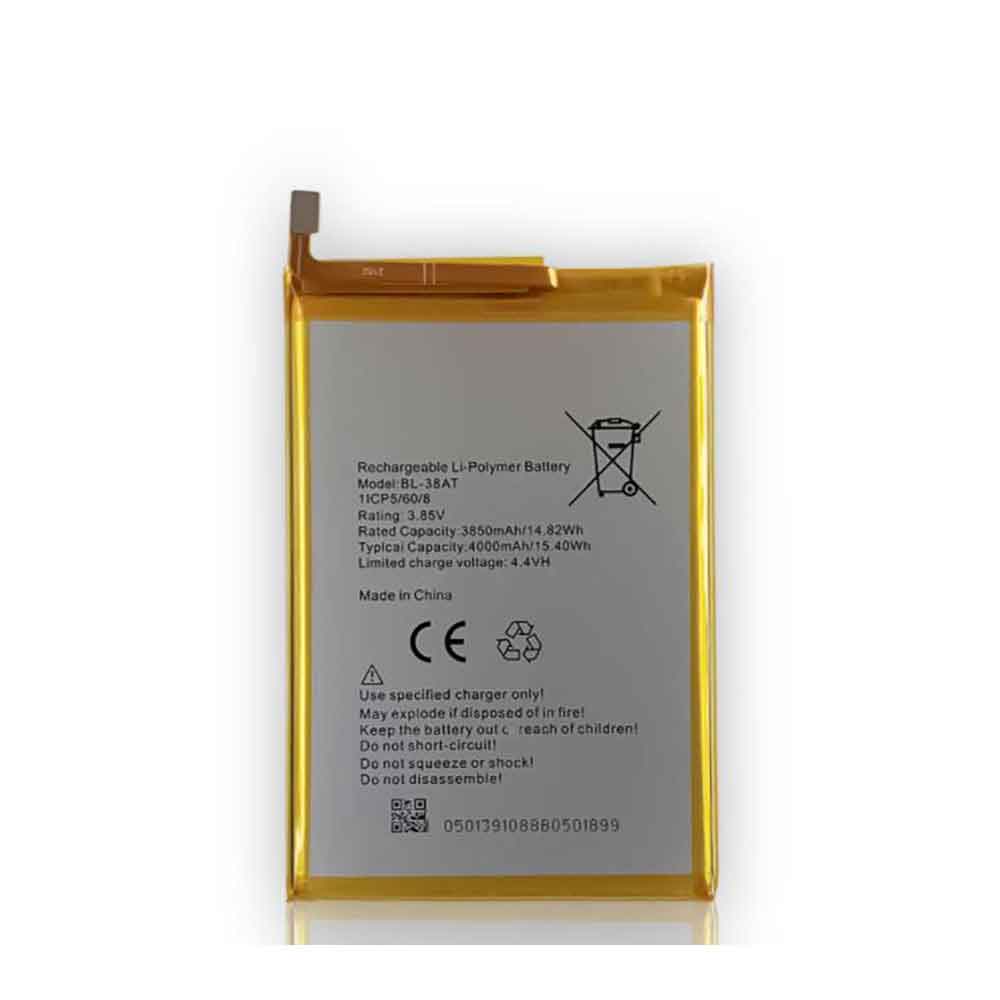
4000mAh 15.40WH 3.85V 4.4V Tecno BL-38AT Li-ion Battery for Tecno B1P/BP1(POP Power)Pop2 Power

4000mAh 15.40WH 3.85V 4.4V Tecno BL-38AT Batteries for Tecno B1P/BP1(POP Power)Pop2 Power, Tecno BL-38AT Cell Phone battery is a brand new,100% Compatible original and replacement Phone battery,Purchase wholesale and retail BL-38AT with high quality and low price!

Find ou your original model number or part number(P/N), and move your eyes on the tag of battery

BL-38AT

Specifications

  • Brand:Tecno
  • Capacity :4000mAh 15.40WH
  • Voltage :3.85V 4.4V
  • Type :Li-ion
  • Battery Cell Quality: Grade A
  • Descriptive: Replacement Battery – 1 Year Warranty
  • Description: Brand New, 1 Year Warranty! 30-Days Money Back! Fast Shipping!

How we test this Tecno BL-38AT Battery
Step 1: Make sure customer bought the correct battery.
Step 2: Check battery’s appearance and interface.
Step 3: Test battery charger and recharger function.
Step 4: Charger the battery to 100% and recharger to 0% to get real battery capacity
Step 5: Use Ev2300 to check the voltage difference of each goroup cells.
Step 6: Charger battery power more than 30%.
Step 7: Package battery carefully and send out

Compatible Part Numbers:
BL-38AT

Compatible Model Numbers:
Tecno B1P/BP1(POP Power)Pop2 Power

How much do you know about how to run laptop well as any place? The follow Tips cut way back on protecting battery life.


1). Please recharge or change your Cell Phone battery when battery power low.
2). Using Li-Ion Replacement Tecno BL-38AT Cell Phone Battery for your notebook which can work longer time than Non Li-ion one.
3). It is better to defragmentation regularly for your Cell Phone battery life.
4). In order to reduce the laptop power consumpition, you can use some optical drive spin-down and hard drive in your Cell Phone .
5). Please keep your laptop in sleep or standby model without long time using, which both save the Replacement Tecno BL-38AT Cell Phone Battery power and extend battery using life.
6). Leave your battery in a dry and cool condition when without using.
7). When you rarely or generally plugged in fixed power using, Please take down your battery to avoid hurting battery life.

Hot Products

4850mAh 18.43WH AMAZON 58-000313 for Amazon 26S1021200MAH/0.77Wh SAMSUNG EB-BR365FBE for Samsung Gear Fit 2 Pro Sports94Wh LENOVO 45N1016 for Lenovo ThinkPad T410 T420 T4304910mAh/19.00WH VIVO B-O5 for VIVO y20640MAh/70Wh PANASONIC CF-VZSU80U for Panasonic CF-C2 MK1 Toughbook7200mAh DELL PC764 for Dell Latitude D620 D630 Preci50Wh ASUS C31N1339 for Asus ZenBook UX303L Q302L Lapt4900mAh/18.87WH SAMSUNG HQ-50S for Samsung Galaxy A02S57.9Wh HP SH03XL for HP Spectre X360 13-AC0XX 13-AC2980MAH 11.33WH BLACKPHONE BP2 for Blackphone 2

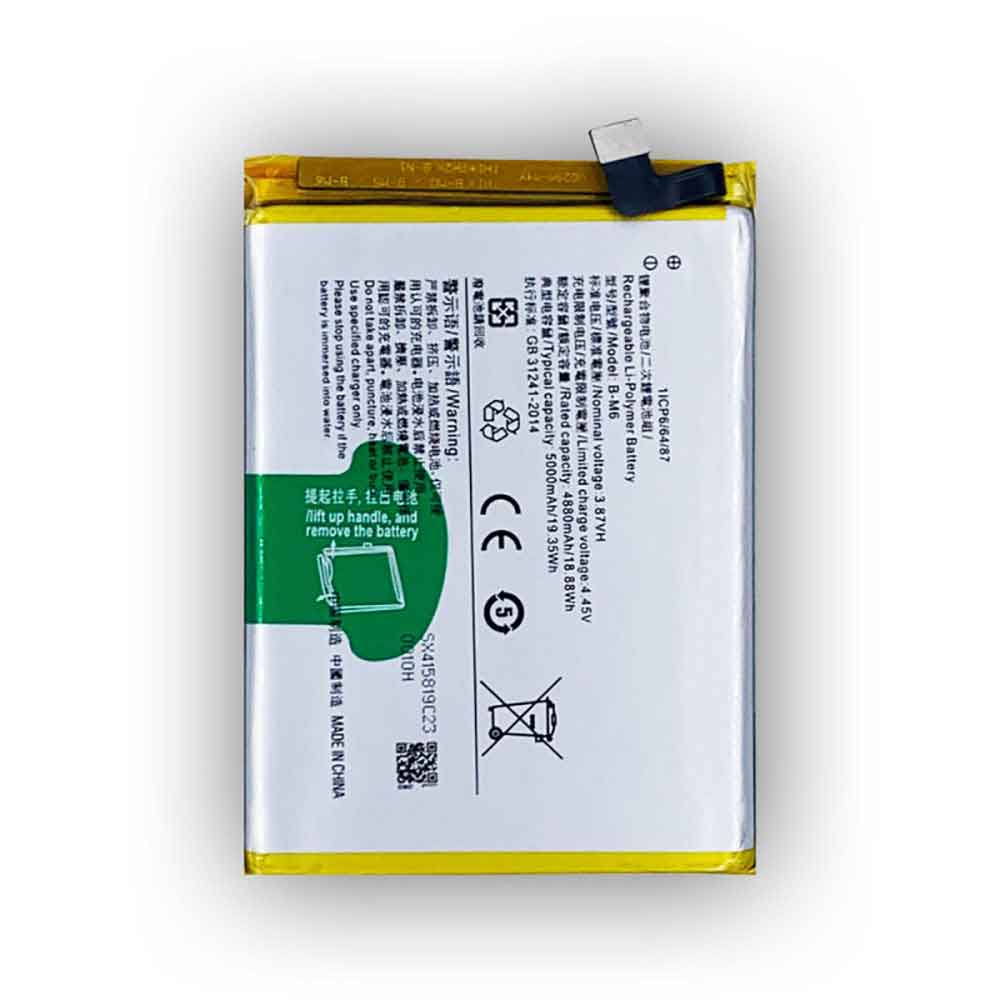
5000mAh 19.35WH 3.87V 4.45V Vivo B-M6 Li-ion Battery for Vivo B-M6

5000mAh 19.35WH 3.87V 4.45V Vivo B-M6 Batteries for Vivo B-M6, Vivo B-M6 Cell Phone battery is a brand new,100% Compatible original and replacement Phone battery,Purchase wholesale and retail B-M6 with high quality and low price!

Find ou your original model number or part number(P/N), and move your eyes on the tag of battery

B-M6

Specifications

  • Brand:Vivo
  • Capacity :5000mAh 19.35WH
  • Voltage :3.87V 4.45V
  • Type :Li-ion
  • Battery Cell Quality: Grade A
  • Descriptive: Replacement Battery – 1 Year Warranty
  • Description: Brand New, 1 Year Warranty! 30-Days Money Back! Fast Shipping!

How we test this Vivo B-M6 Battery
Step 1: Make sure customer bought the correct battery.
Step 2: Check battery’s appearance and interface.
Step 3: Test battery charger and recharger function.
Step 4: Charger the battery to 100% and recharger to 0% to get real battery capacity
Step 5: Use Ev2300 to check the voltage difference of each goroup cells.
Step 6: Charger battery power more than 30%.
Step 7: Package battery carefully and send out

Compatible Part Numbers:
B-M6

Compatible Model Numbers:
Vivo B-M6

How much do you know about how to run laptop well as any place? The follow Tips cut way back on protecting battery life.


1). Please recharge or change your Cell Phone battery when battery power low.
2). Using Li-Ion Replacement Vivo B-M6 Cell Phone Battery for your notebook which can work longer time than Non Li-ion one.
3). It is better to defragmentation regularly for your Cell Phone battery life.
4). In order to reduce the laptop power consumpition, you can use some optical drive spin-down and hard drive in your Cell Phone .
5). Please keep your laptop in sleep or standby model without long time using, which both save the Replacement Vivo B-M6 Cell Phone Battery power and extend battery using life.
6). Leave your battery in a dry and cool condition when without using.
7). When you rarely or generally plugged in fixed power using, Please take down your battery to avoid hurting battery life.

Hot Products

4850mAh 18.43WH AMAZON 58-000313 for Amazon 26S1021200MAH/0.77Wh SAMSUNG EB-BR365FBE for Samsung Gear Fit 2 Pro Sports94Wh LENOVO 45N1016 for Lenovo ThinkPad T410 T420 T4304910mAh/19.00WH VIVO B-O5 for VIVO y20640MAh/70Wh PANASONIC CF-VZSU80U for Panasonic CF-C2 MK1 Toughbook7200mAh DELL PC764 for Dell Latitude D620 D630 Preci50Wh ASUS C31N1339 for Asus ZenBook UX303L Q302L Lapt4900mAh/18.87WH SAMSUNG HQ-50S for Samsung Galaxy A02S57.9Wh HP SH03XL for HP Spectre X360 13-AC0XX 13-AC2980MAH 11.33WH BLACKPHONE BP2 for Blackphone 2