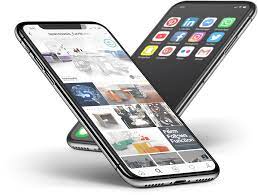
You can digitize recipes, handwritten notes, and more with this iPhone trick. There’s a better way to digitize handwritten notes, old family recipes, or any other hard-paper copy that might exist. The iPhone has a feature called Live Text that can quickly digitize notes (and anything else).
Live Text is a computer vision-based tool that lets your iPhone use its camera to copy and paste photos from text, among other features. It was announced at Apple’s virtual WWDC 2021 and is one of the features available in Apple’s iOS 15.
Copying and pasting text from images is not new to smartphones. With Google Lens, Android users may already be familiar with this feature, but for the tens of millions of people who use an iPhone, you’ll need iOS 15 or later to use it. Live Text is a little different from Google Lens in that you can use it to select, copy, and paste text in real-time from your camera because your iPhone is trained to recognize useful information. As I said before, it’s a useful productivity tool for copying handwritten notes or text from images and then digitizing them.
Live Text: Here’s how to copy and paste text from photos
2. Point the camera at the object with any text you want to copy. You’ll know Live Text is on as soon as you see a yellow outline around the text.
3. Click the live text icon in the lower right corner of the image to interact with any text in the frame.
4. Press to select text to copy as in a note or text message.
5. Click Copy.
6. Paste this text into another application, such as Gmail or Notes.
Much like Google Lens, Live Text can also search for text in images stored in the Photos app. For example, if there is a phone number in the image, you can click on it to dial that number, or if there is a French word, you can translate it to English.
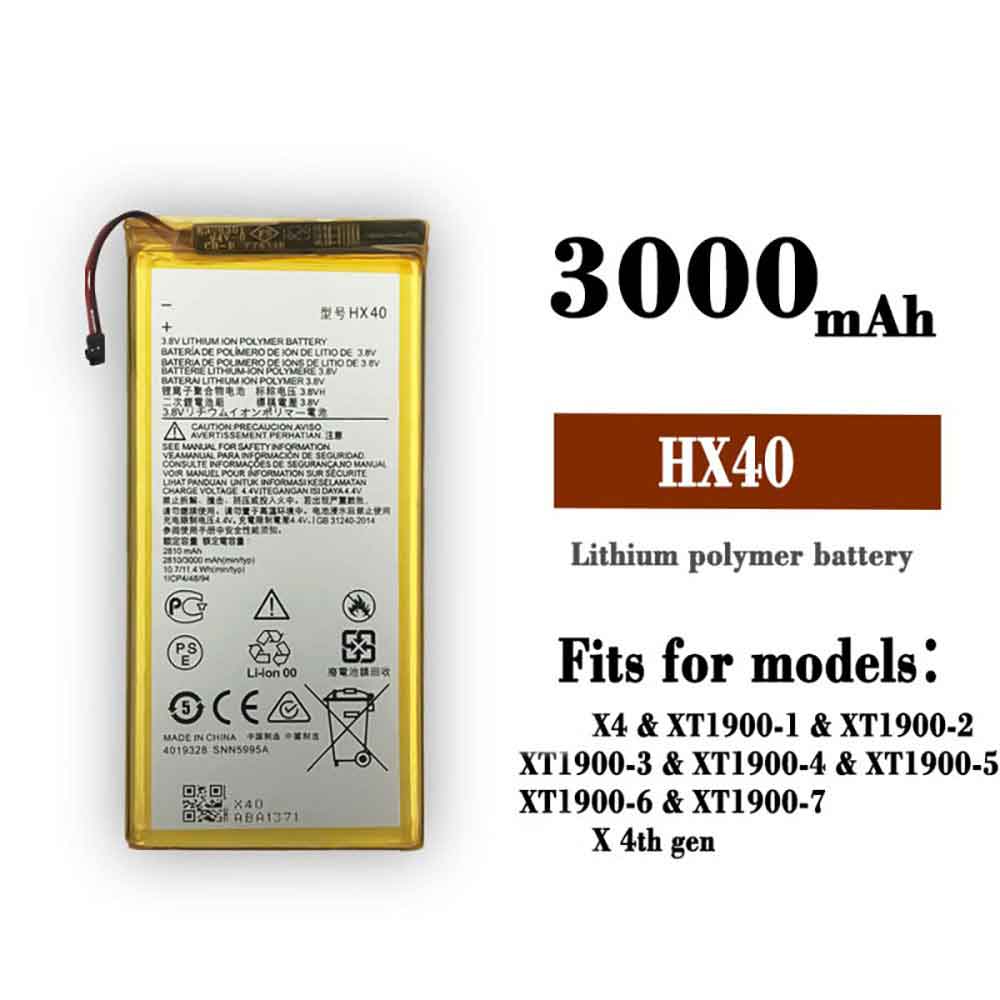
3000MAH/11.4Wh 3.8V 4.4V Motorola HX40 Batteries for Motorola Moto X4 XT1900, Motorola HX40 Cell Phone battery is a brand new,100% Compatible original and replacement Phone battery,Purchase wholesale and retail HX40 with high quality and low price!
Find ou your original model number or part number(P/N), and move your eyes on the tag of battery
Descriptive: Replacement Battery – 1 Year Warranty
Description: Brand New, 1 Year Warranty! 30-Days Money Back! Fast Shipping!
How we test this Motorola HX40 Battery Step 1: Make sure customer bought the correct battery. Step 2: Check battery’s appearance and interface. Step 3: Test battery charger and recharger function. Step 4: Charger the battery to 100% and recharger to 0% to get real battery capacity Step 5: Use Ev2300 to check the voltage difference of each goroup cells. Step 6: Charger battery power more than 30%. Step 7: Package battery carefully and send out
How much do you know about how to run laptop well as any place? The follow Tips cut way back on protecting battery life.
1). Please recharge or change your Cell Phone battery when battery power low. 2). Using Li-Ion Replacement Motorola HX40 Cell Phone Battery for your notebook which can work longer time than Non Li-ion one. 3). It is better to defragmentation regularly for your Cell Phone battery life. 4). In order to reduce the laptop power consumpition, you can use some optical drive spin-down and hard drive in your Cell Phone . 5). Please keep your laptop in sleep or standby model without long time using, which both save the Replacement Motorola HX40 Cell Phone Battery power and extend battery using life. 6). Leave your battery in a dry and cool condition when without using. 7). When you rarely or generally plugged in fixed power using, Please take down your battery to avoid hurting battery life.
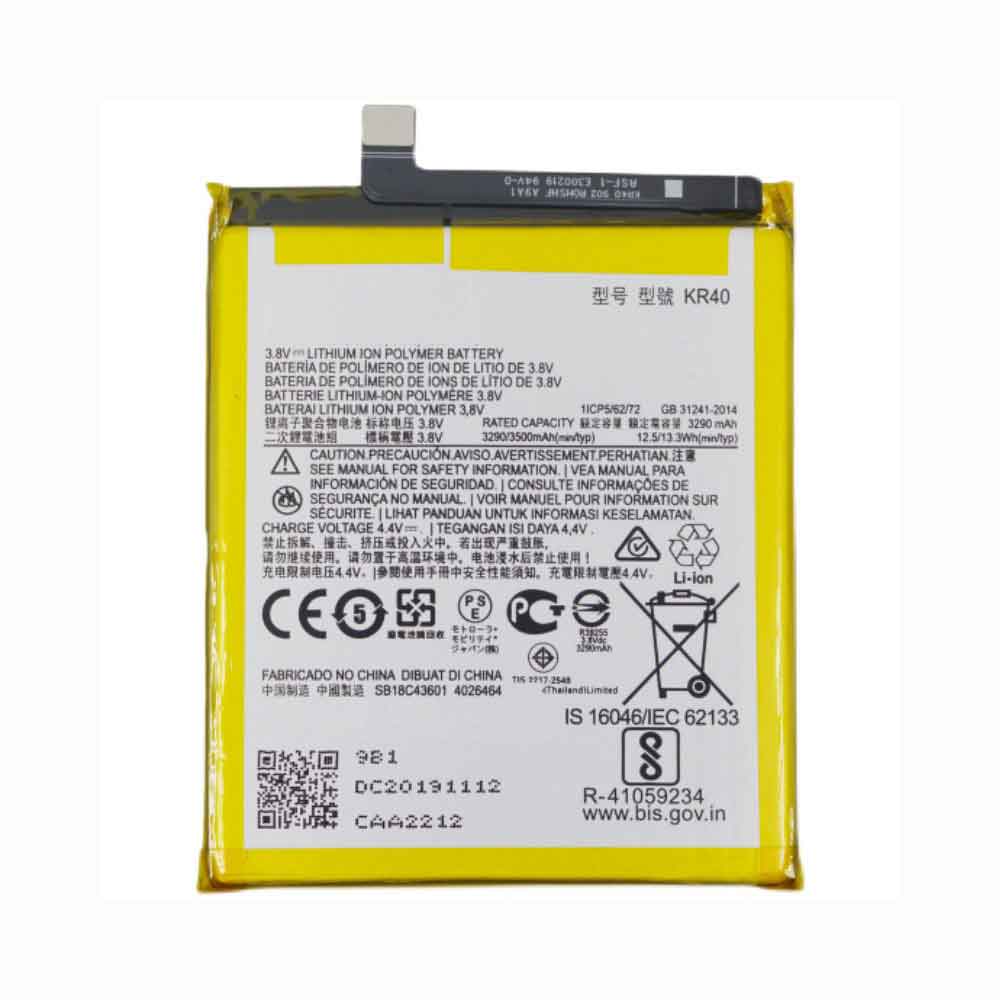
3500mAh/13.3WH 3.8V 4.4V Motorola SB18C43602 Batteries for Motorola P50, Motorola SB18C43602 Cell Phone battery is a brand new,100% Compatible original and replacement Phone battery,Purchase wholesale and retail SB18C43602 with high quality and low price!
Find ou your original model number or part number(P/N), and move your eyes on the tag of battery
Descriptive: Replacement Battery – 1 Year Warranty
Description: Brand New, 1 Year Warranty! 30-Days Money Back! Fast Shipping!
How we test this Motorola SB18C43602 Battery Step 1: Make sure customer bought the correct battery. Step 2: Check battery’s appearance and interface. Step 3: Test battery charger and recharger function. Step 4: Charger the battery to 100% and recharger to 0% to get real battery capacity Step 5: Use Ev2300 to check the voltage difference of each goroup cells. Step 6: Charger battery power more than 30%. Step 7: Package battery carefully and send out
How much do you know about how to run laptop well as any place? The follow Tips cut way back on protecting battery life.
1). Please recharge or change your Cell Phone battery when battery power low. 2). Using Li-Ion Replacement Motorola SB18C43602 Cell Phone Battery for your notebook which can work longer time than Non Li-ion one. 3). It is better to defragmentation regularly for your Cell Phone battery life. 4). In order to reduce the laptop power consumpition, you can use some optical drive spin-down and hard drive in your Cell Phone . 5). Please keep your laptop in sleep or standby model without long time using, which both save the Replacement Motorola SB18C43602 Cell Phone Battery power and extend battery using life. 6). Leave your battery in a dry and cool condition when without using. 7). When you rarely or generally plugged in fixed power using, Please take down your battery to avoid hurting battery life.
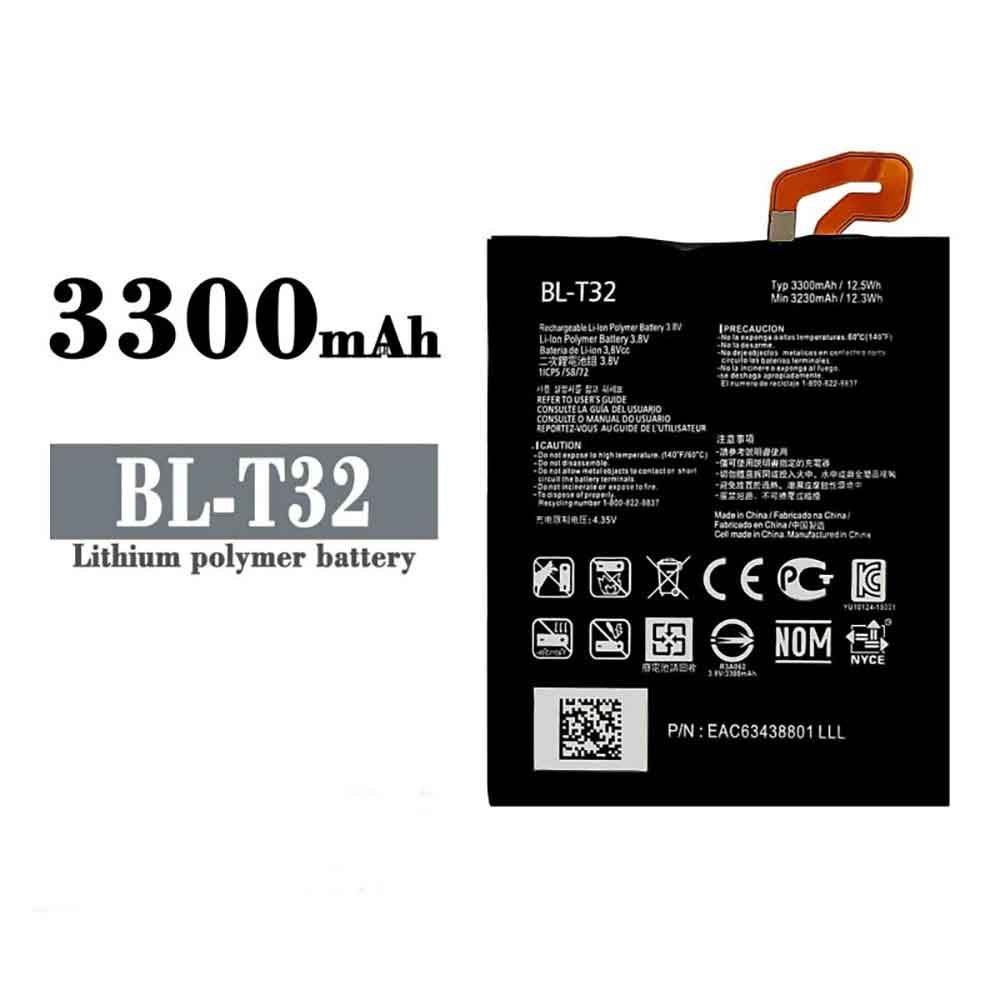
3300mAh/12.5WH 3.8V 4.35V Lg BL-T32 Batteries for LG G6 G600 H872 VS988 LS993 US997, Lg BL-T32 Cell Phone battery is a brand new,100% Compatible original and replacement Phone battery,Purchase wholesale and retail BL-T32 with high quality and low price!
Find ou your original model number or part number(P/N), and move your eyes on the tag of battery
Descriptive: Replacement Battery – 1 Year Warranty
Description: Brand New, 1 Year Warranty! 30-Days Money Back! Fast Shipping!
How we test this Lg BL-T32 Battery Step 1: Make sure customer bought the correct battery. Step 2: Check battery’s appearance and interface. Step 3: Test battery charger and recharger function. Step 4: Charger the battery to 100% and recharger to 0% to get real battery capacity Step 5: Use Ev2300 to check the voltage difference of each goroup cells. Step 6: Charger battery power more than 30%. Step 7: Package battery carefully and send out
Compatible Model Numbers: LG G6 G600 H872 VS988 LS993 US997
How much do you know about how to run laptop well as any place? The follow Tips cut way back on protecting battery life.
1). Please recharge or change your Cell Phone battery when battery power low. 2). Using Li-Ion Replacement Lg BL-T32 Cell Phone Battery for your notebook which can work longer time than Non Li-ion one. 3). It is better to defragmentation regularly for your Cell Phone battery life. 4). In order to reduce the laptop power consumpition, you can use some optical drive spin-down and hard drive in your Cell Phone . 5). Please keep your laptop in sleep or standby model without long time using, which both save the Replacement Lg BL-T32 Cell Phone Battery power and extend battery using life. 6). Leave your battery in a dry and cool condition when without using. 7). When you rarely or generally plugged in fixed power using, Please take down your battery to avoid hurting battery life.
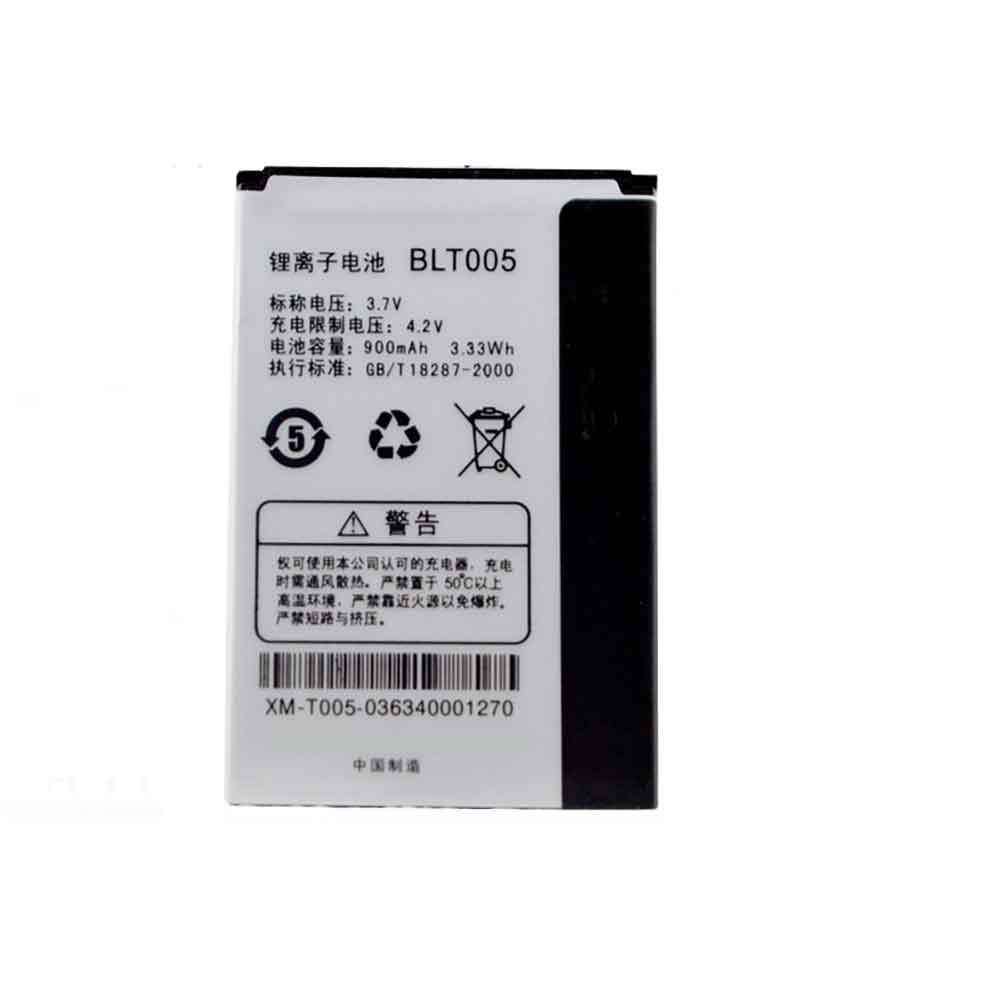
900mAh/3.33WH 3.7V 4.2V Oppo BLT005 Batteries for OPPO A201 A105K A203 A520 A100 A125 A115K, Oppo BLT005 Cell Phone battery is a brand new,100% Compatible original and replacement Phone battery,Purchase wholesale and retail BLT005 with high quality and low price!
Find ou your original model number or part number(P/N), and move your eyes on the tag of battery
Descriptive: Replacement Battery – 1 Year Warranty
Description: Brand New, 1 Year Warranty! 30-Days Money Back! Fast Shipping!
How we test this Oppo BLT005 Battery Step 1: Make sure customer bought the correct battery. Step 2: Check battery’s appearance and interface. Step 3: Test battery charger and recharger function. Step 4: Charger the battery to 100% and recharger to 0% to get real battery capacity Step 5: Use Ev2300 to check the voltage difference of each goroup cells. Step 6: Charger battery power more than 30%. Step 7: Package battery carefully and send out
How much do you know about how to run laptop well as any place? The follow Tips cut way back on protecting battery life.
1). Please recharge or change your Cell Phone battery when battery power low. 2). Using Li-Ion Replacement Oppo BLT005 Cell Phone Battery for your notebook which can work longer time than Non Li-ion one. 3). It is better to defragmentation regularly for your Cell Phone battery life. 4). In order to reduce the laptop power consumpition, you can use some optical drive spin-down and hard drive in your Cell Phone . 5). Please keep your laptop in sleep or standby model without long time using, which both save the Replacement Oppo BLT005 Cell Phone Battery power and extend battery using life. 6). Leave your battery in a dry and cool condition when without using. 7). When you rarely or generally plugged in fixed power using, Please take down your battery to avoid hurting battery life.
Windows 11 has a brand new privacy tool, currently in beta, that allows you to see which apps have recently accessed sensitive bits of hardware, such as your webcam.
David Weston, Microsoft‘s vice president of enterprise and operating system security, took to Twitter to show off the privacy auditing feature, which appears in new preview builds of Windows 11 (tested in the Dev Channel, the earliest preview builds of the OS are going through their paces).
The feature is under Settings (in Privacy & Security > App Permissions), where you can see a list of recent activity, such as which apps have accessed your microphone in the past week, or your Cameras, another obvious point of call to check for any potentially suspicious activity.
It also keeps tabs on apps that have accessed your contacts, or details related to your location, phone, and more. In each case, the user is also informed of the exact time and date of access to the relevant hardware or feature.
Analysis: A useful way to keep an eye on your application
It’s great to see that the coverage provided here is quite extensive, keeping an eye on all sorts of sensitive information, from the obvious cameras and microphones to contacts and other such details.
This is a good piece of information in terms of transparency related to what the software on the system is doing. Regularly checking the privacy audits that exist in Settings may yield some interesting findings, flagging apps you didn’t know had their claws into some of the more sensitive aspects of the system (or highlighting malicious intent that was flying under the radar) content).
Microsoft has long had a bad reputation for privacy issues with Windows, especially since Windows 10, so it’s good to see the software giant taking a positive step forward on this front — which should help Windows 11 users stay better. Vigilance and overall security of your PC.
Collaboration in iPhone Notes allows multiple people to read and edit a single note in real-time, meaning anyone in the note can actually talk to each other. All they need to do is write something down, like you would through text, and someone else will respond.
But why use Notes for this, and not just Messages? Especially when you can edit and unsend texts soon?
Unlike text messages, any conversation in iPhone Notes can “self-destruct” with a little intervention, just like Snapchat. After you’ve written a message, others can delete it and send their reply, which you can then delete and replace with your reply, and so on. You can have very long conversations – there is no evidence that it ever happened.
If you want to learn how to turn your notes into a place to hide conversations on iOS, here’s what you need to know:
Create notes
On your iPhone, launch the Notes app and tap the Compose button in the lower right corner to create a new note. Next, type anything into the note to keep it, otherwise it will be automatically deleted when you exit the note. You can also just go into an existing note, but it’s best to start with a new note.
Sharing options for edited notes
Once your notes are ready, you can start the process of adding another person as a collaborator, meaning they can read and edit anything in the note. First, tap the More button in the upper right corner, then tap Share Notes.
Now click on Sharing Options and make sure the Can make changes option is selected under Permissions. You should also turn off Anyone can add people in case you want to be the only one who can add collaborators to your notes. Return to the last page after completing the configuration of these settings.
Add collaborators and share links
Next, choose a method for sharing your notes: you can send them via text message, email, social media, and more. If you swipe on the share option, you also have the option to copy link, which copies the note link to the clipboard and allows you to paste it anywhere you want.
At the top of the Copy Link page, enter the email address or phone number of the person you want to access the note. You can also click the add icon to search for your contacts. Need to add a contact to the note – if you share the link without adding a contact, others won’t be able to view or edit the note, even with the link.
Finally, click Copy Link to copy the note link to the clipboard and share it with your collaborators.
The other person on the receiving end must now open the note link and accept the invitation. If they accept, they’ll be redirected to the note-taking app and the collaborative note you just created.
To communicate, just type something into the note and others will be able to see it in real time without having to hit send. They will also be notified whenever a note is changed.
Everyone in the note will appear in color so others know who typed what. You can also swipe right from the middle of the note to see the name of the person who wrote the letter, along with a timestamp and any corresponding colors for when the letter was written.
You can also click the Shared Notes button, go to Manage Shared Notes, and turn on Highlight All Changes. This way, all messages will be permanently highlighted in their corresponding color, making it easier to read the conversation.
If you want to keep your communication more low-key, delete your message or someone else’s to remove it from your notes. That way, your conversations are more like on Snapchat, with brief or ephemeral messages that outsiders won’t be able to see if they snoop on your notes. You can do this with any text in the note, as well as photos, videos, links, drawings, or any other attachments you add to the note.
Permanently delete secret conversations on your iPhone
Not all secret conversations last forever, so now is the time to end it.
If you are the owner of the note and want to preserve the integrity of the note for everyone but prevent them from editing it, you can easily do so. In the upper right corner, click the View Participants button, then click Manage Shared Notes. To remove a participant, you can swipe left on their name and tap Remove, or you can tap their name and tap Remove access.
Additionally, you can tap the stop sharing option, which will not only delete the participant from the note, but also delete the note from all their devices.
If you are not the owner of the note, you can delete the note from the Notes app.
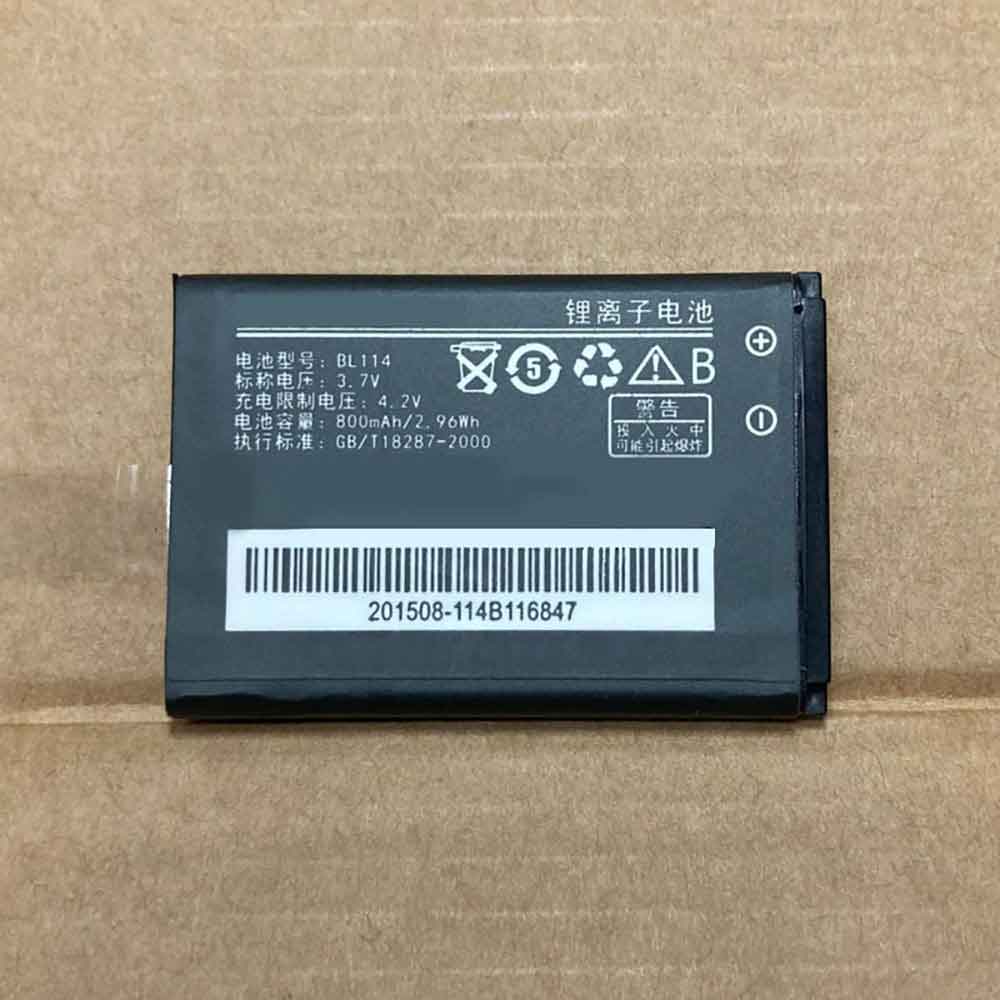
800mAh/2.96WH 3.7V 4.2V Lenovo BL114 Batteries for Lenovo S62 I350 P301 S500, Lenovo BL114 Cell Phone battery is a brand new,100% Compatible original and replacement Phone battery,Purchase wholesale and retail BL114 with high quality and low price!
Find ou your original model number or part number(P/N), and move your eyes on the tag of battery
Descriptive: Replacement Battery – 1 Year Warranty
Description: Brand New, 1 Year Warranty! 30-Days Money Back! Fast Shipping!
How we test this Lenovo BL114 Battery Step 1: Make sure customer bought the correct battery. Step 2: Check battery’s appearance and interface. Step 3: Test battery charger and recharger function. Step 4: Charger the battery to 100% and recharger to 0% to get real battery capacity Step 5: Use Ev2300 to check the voltage difference of each goroup cells. Step 6: Charger battery power more than 30%. Step 7: Package battery carefully and send out
Compatible Model Numbers: Lenovo S62 I350 P301 S500
How much do you know about how to run laptop well as any place? The follow Tips cut way back on protecting battery life.
1). Please recharge or change your Cell Phone battery when battery power low. 2). Using Li-Ion Replacement Lenovo BL114 Cell Phone Battery for your notebook which can work longer time than Non Li-ion one. 3). It is better to defragmentation regularly for your Cell Phone battery life. 4). In order to reduce the laptop power consumpition, you can use some optical drive spin-down and hard drive in your Cell Phone . 5). Please keep your laptop in sleep or standby model without long time using, which both save the Replacement Lenovo BL114 Cell Phone Battery power and extend battery using life. 6). Leave your battery in a dry and cool condition when without using. 7). When you rarely or generally plugged in fixed power using, Please take down your battery to avoid hurting battery life.
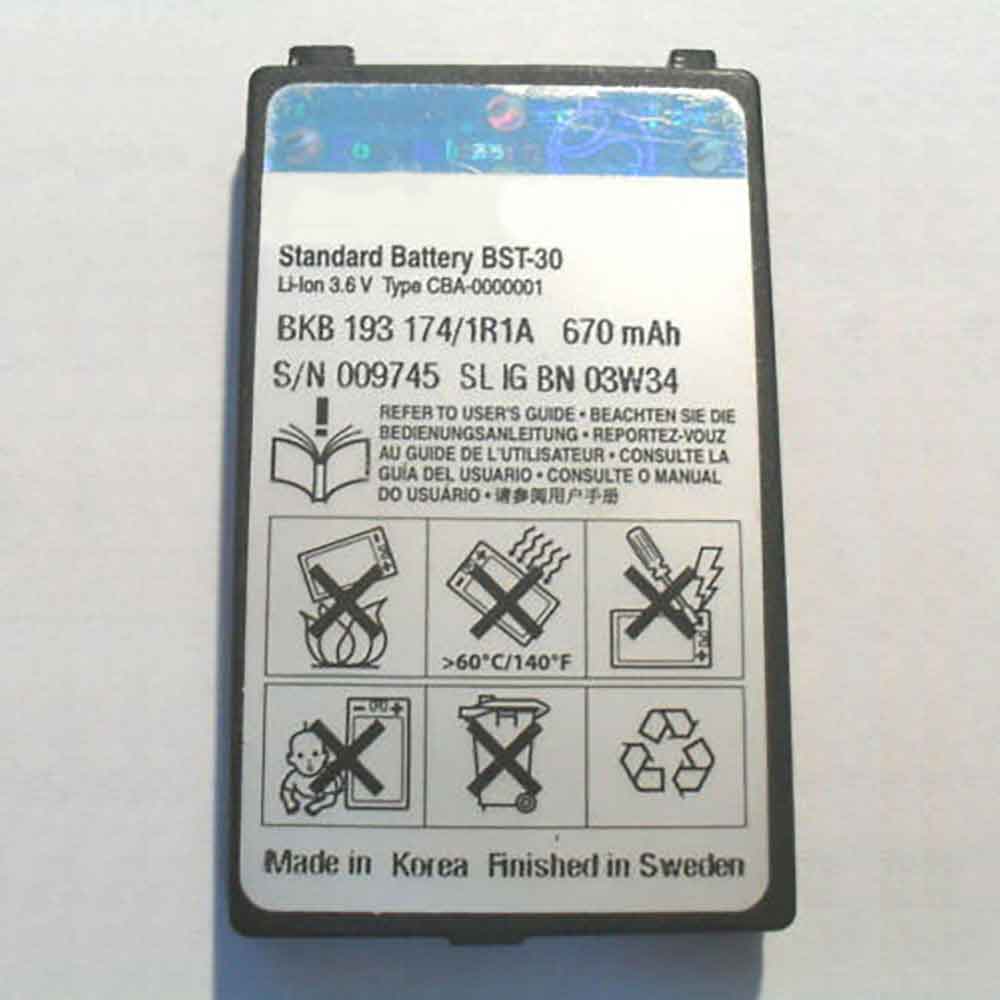
670mAh 3.6V Sony BST-30 Batteries for Sony Ericsson T226 T290 T237 T230 Z500 K700 Z200, Sony BST-30 Cell Phone battery is a brand new,100% Compatible original and replacement Phone battery,Purchase wholesale and retail BST-30 with high quality and low price!
Find ou your original model number or part number(P/N), and move your eyes on the tag of battery
Descriptive: Replacement Battery – 1 Year Warranty
Description: Brand New, 1 Year Warranty! 30-Days Money Back! Fast Shipping!
How we test this Sony BST-30 Battery Step 1: Make sure customer bought the correct battery. Step 2: Check battery’s appearance and interface. Step 3: Test battery charger and recharger function. Step 4: Charger the battery to 100% and recharger to 0% to get real battery capacity Step 5: Use Ev2300 to check the voltage difference of each goroup cells. Step 6: Charger battery power more than 30%. Step 7: Package battery carefully and send out
Compatible Model Numbers: Sony Ericsson T226 T290 T237 T230 Z500 K700 Z200
How much do you know about how to run laptop well as any place? The follow Tips cut way back on protecting battery life.
1). Please recharge or change your Cell Phone battery when battery power low. 2). Using Li-Ion Replacement Sony BST-30 Cell Phone Battery for your notebook which can work longer time than Non Li-ion one. 3). It is better to defragmentation regularly for your Cell Phone battery life. 4). In order to reduce the laptop power consumpition, you can use some optical drive spin-down and hard drive in your Cell Phone . 5). Please keep your laptop in sleep or standby model without long time using, which both save the Replacement Sony BST-30 Cell Phone Battery power and extend battery using life. 6). Leave your battery in a dry and cool condition when without using. 7). When you rarely or generally plugged in fixed power using, Please take down your battery to avoid hurting battery life.
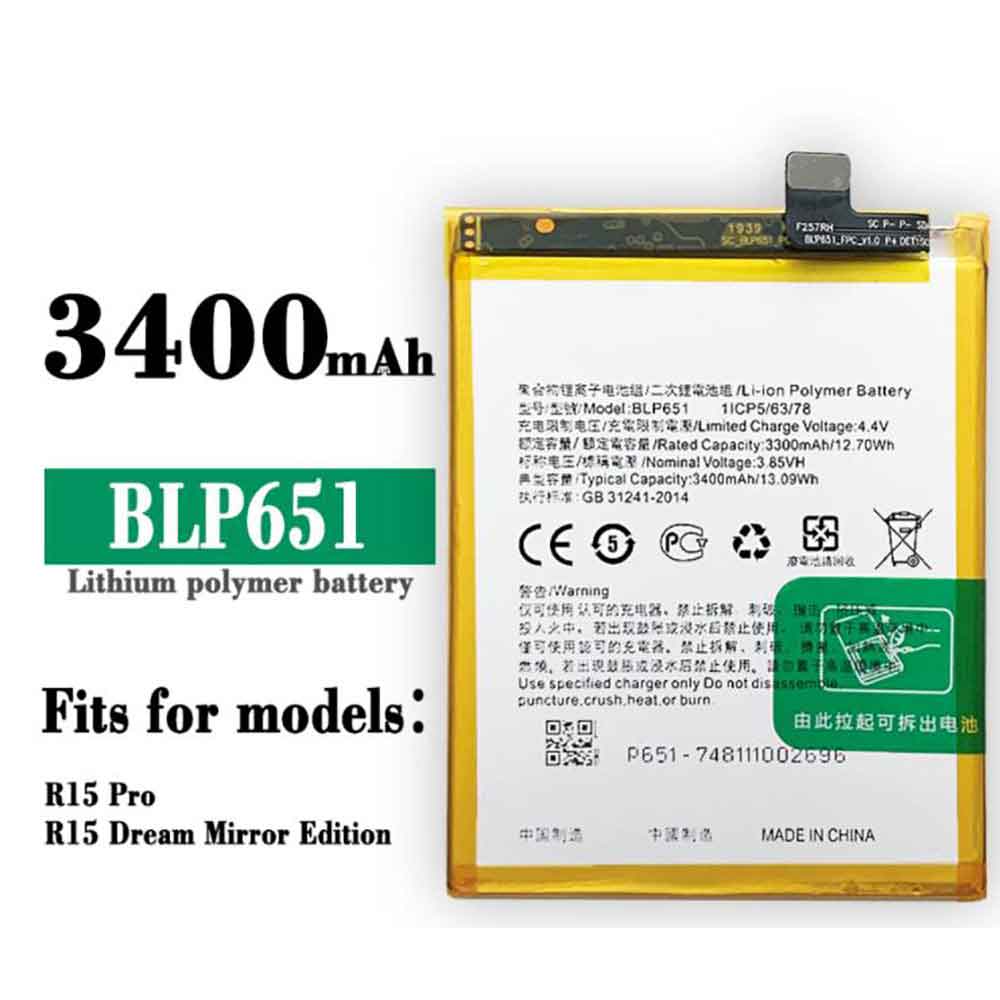
3300MAH/12.70Wh 3.85V 4.4V Oppo BLP651 Batteries for OPPO R15 Pro, Oppo BLP651 Cell Phone battery is a brand new,100% Compatible original and replacement Phone battery,Purchase wholesale and retail BLP651 with high quality and low price!
Find ou your original model number or part number(P/N), and move your eyes on the tag of battery
Descriptive: Replacement Battery – 1 Year Warranty
Description: Brand New, 1 Year Warranty! 30-Days Money Back! Fast Shipping!
How we test this Oppo BLP651 Battery Step 1: Make sure customer bought the correct battery. Step 2: Check battery’s appearance and interface. Step 3: Test battery charger and recharger function. Step 4: Charger the battery to 100% and recharger to 0% to get real battery capacity Step 5: Use Ev2300 to check the voltage difference of each goroup cells. Step 6: Charger battery power more than 30%. Step 7: Package battery carefully and send out
How much do you know about how to run laptop well as any place? The follow Tips cut way back on protecting battery life.
1). Please recharge or change your Cell Phone battery when battery power low. 2). Using Li-Ion Replacement Oppo BLP651 Cell Phone Battery for your notebook which can work longer time than Non Li-ion one. 3). It is better to defragmentation regularly for your Cell Phone battery life. 4). In order to reduce the laptop power consumpition, you can use some optical drive spin-down and hard drive in your Cell Phone . 5). Please keep your laptop in sleep or standby model without long time using, which both save the Replacement Oppo BLP651 Cell Phone Battery power and extend battery using life. 6). Leave your battery in a dry and cool condition when without using. 7). When you rarely or generally plugged in fixed power using, Please take down your battery to avoid hurting battery life.