If your work takes you a lot, a laptop without a usable battery can get in the way. Several factors can cause laptop batteries to fail to charge, drain quickly, or otherwise fail, including aging, damaged power cords, or damaged charging circuits. You can fix most battery problems by purchasing replacement parts. Let’s have a look!
old battery
All rechargeable batteries lose capacity over time. Laptop batteries lose their useful life significantly after only a few years. If you keep using the old battery, its runtime will decrease further until the battery only lasts a few minutes before it dies. To restore lost power, you will need to order a new battery from the computer manufacturer. Most laptops have user-replaceable batteries, but some may require professional disassembly.
bad power cord
A defective power cord can make your battery appear unchargeable – if the cord switches between working and not working, the battery will lose charge at the fastest rate. You can test the power cord by trying to run the laptop on AC power with the battery removed. If it works intermittently, it may be a loose connection.
charging circuit
If your laptop still fails even with a new battery or power cord, the internal charging circuitry may be damaged. If the wires inside the laptop from the power cord to the battery are damaged, the battery will not charge properly.
Laptop batteries don’t need special treatment like some old rechargeable batteries. They don’t “overcharge” and don’t need to be fully discharged before each charge. If your laptop shuts down while you seem to have power left, you can try a full drain to reset the battery’s calibration. However, this process will not actually repair a damaged battery. If your computer becomes very hot during use, you may need to remove the battery while using the laptop on AC power, as heat can shorten the life of the battery.
Did you know that most laptop batteries only last one to two years? That’s right! No matter how well you take care of your laptop, eventually it needs a new battery. So how do you know if you need a new laptop battery? The following will tell you the answer, let’s take a look!
What is causing your battery to wear out in the first place?
Laptop batteries degrade over time and use. On each charge, they took slightly less time than before. There are some obvious signs that your battery is the culprit of your computer problem:
1. Overheating
A slight increase in heat is normal when the battery is running. Your laptop has fans and heatsinks to manage and dissipate excess heat. When your battery dies, your computer can start working harder, which generates more heat and your fans can’t keep up. You may notice your laptop getting noisy as the fans work overtime to try and cool it down. If you notice loud fan noise, lightly touch the bottom of the laptop to see if it feels hot to the touch. A little heat is normal, but your laptop shouldn’t burn your knees!
If you notice your laptop running hotter, then this could be a sign that your battery is dying. If you find your computer is hot to the touch, shut down and unplug the computer immediately to avoid further damage. And, it might be a good idea to take it to a professional computer repair shop so they can test your battery and verify that you need a new one. Shutting down your computer after it shows signs of overheating is better than risking damage.
2. Not charging
Your laptop battery not charging when plugged in may be a sign that it needs to be replaced. There are other possible causes of this issue that you may want to investigate first:
If you plug in a surge protector or UPS and it fails, the problem is probably not the laptop battery. Plugs directly into the wall to eliminate variables from faulty power strips or other equipment.
If you have an external battery, use the quick release on the bottom of the computer to remove it and check for proper connections. Check for dust buildup and wipe with a dry soft cloth. Then put the battery back in, making sure it is securely installed and the contacts are connected.
If the battery still won’t charge after these, then you may really need to replace the battery.
3. Short run times and downtime
If you find yourself constantly running back to the charger, or finding yourself tethered to your desk because your computer doesn’t get any work done because of the frequency that your computer needs to charge, chances are you’ll need a new battery.
Typically, a fully charged laptop battery should run for about 6 hours. Some things can affect how long the battery will last between charges. Screen brightness, the number of programs you have open, and whether you’re listening to audio or watching video can all affect battery runtime.
Doing a lot of things at once can cause your computer to use more power and drain the battery faster. However, if you find it only takes half an hour or less to fully charge, there is a problem. If your computer shuts down without warning, this could also be a sign of a failing battery. While a failed battery isn’t the only cause of a computer crash, a sudden loss of power is definitely a sign that you should double-check your battery.
4. Replacement warning
Both Windows and Mac operating systems have an indicator for when the battery has reached a very low capacity level. Starting with Windows 7, Microsoft added a battery life warning feature. Once your battery is low, Windows will warn you that the battery needs to be replaced. A red “X” will appear above the battery icon. If you click the icon for more information, you may see a message that reads “Plug in, not charging. Consider replacing the battery.”
On Macs, if you click the battery icon displayed in the menu bar at the top of your Mac, it will display more detailed information about the current state of the battery. If there is a problem with your battery, or its lifespan has reached a low level, it will display one of the three messages below. If you see “Replace ASAP,” “Replace Now,” or “Repair Battery,” it’s time to act!
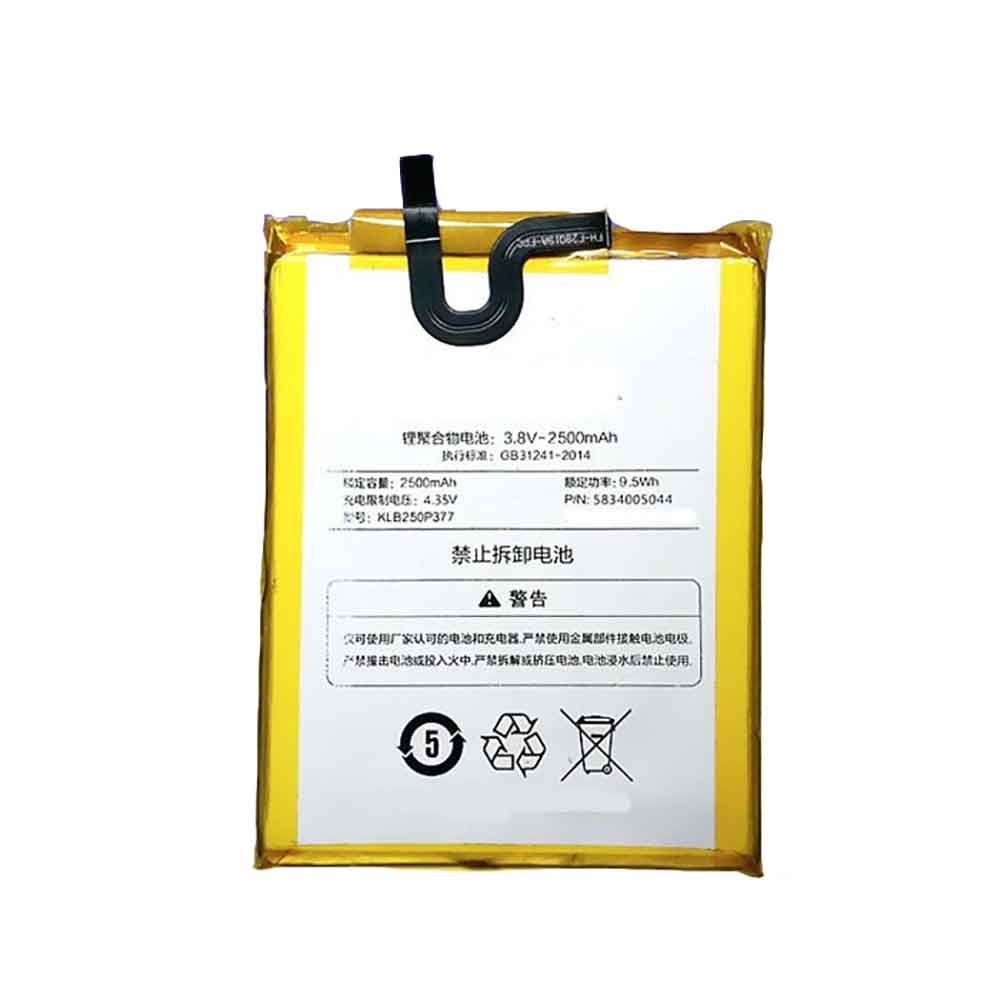
2500MAH 9.5WH 3.8V 4.35V Konka KLB250P377 Batteries for Konka S3, Konka KLB250P377 Cell Phone battery is a brand new,100% Compatible original and replacement Phone battery,Purchase wholesale and retail KLB250P377 with high quality and low price!
Find ou your original model number or part number(P/N), and move your eyes on the tag of battery
Descriptive: Replacement Battery – 1 Year Warranty
Description: Brand New, 1 Year Warranty! 30-Days Money Back! Fast Shipping!
How we test this Konka KLB250P377 Battery Step 1: Make sure customer bought the correct battery. Step 2: Check battery’s appearance and interface. Step 3: Test battery charger and recharger function. Step 4: Charger the battery to 100% and recharger to 0% to get real battery capacity Step 5: Use Ev2300 to check the voltage difference of each goroup cells. Step 6: Charger battery power more than 30%. Step 7: Package battery carefully and send out
How much do you know about how to run laptop well as any place? The follow Tips cut way back on protecting battery life.
1). Please recharge or change your Cell Phone battery when battery power low. 2). Using Li-Ion Replacement Konka KLB250P377 Cell Phone Battery for your notebook which can work longer time than Non Li-ion one. 3). It is better to defragmentation regularly for your Cell Phone battery life. 4). In order to reduce the laptop power consumpition, you can use some optical drive spin-down and hard drive in your Cell Phone . 5). Please keep your laptop in sleep or standby model without long time using, which both save the Replacement Konka KLB250P377 Cell Phone Battery power and extend battery using life. 6). Leave your battery in a dry and cool condition when without using. 7). When you rarely or generally plugged in fixed power using, Please take down your battery to avoid hurting battery life.
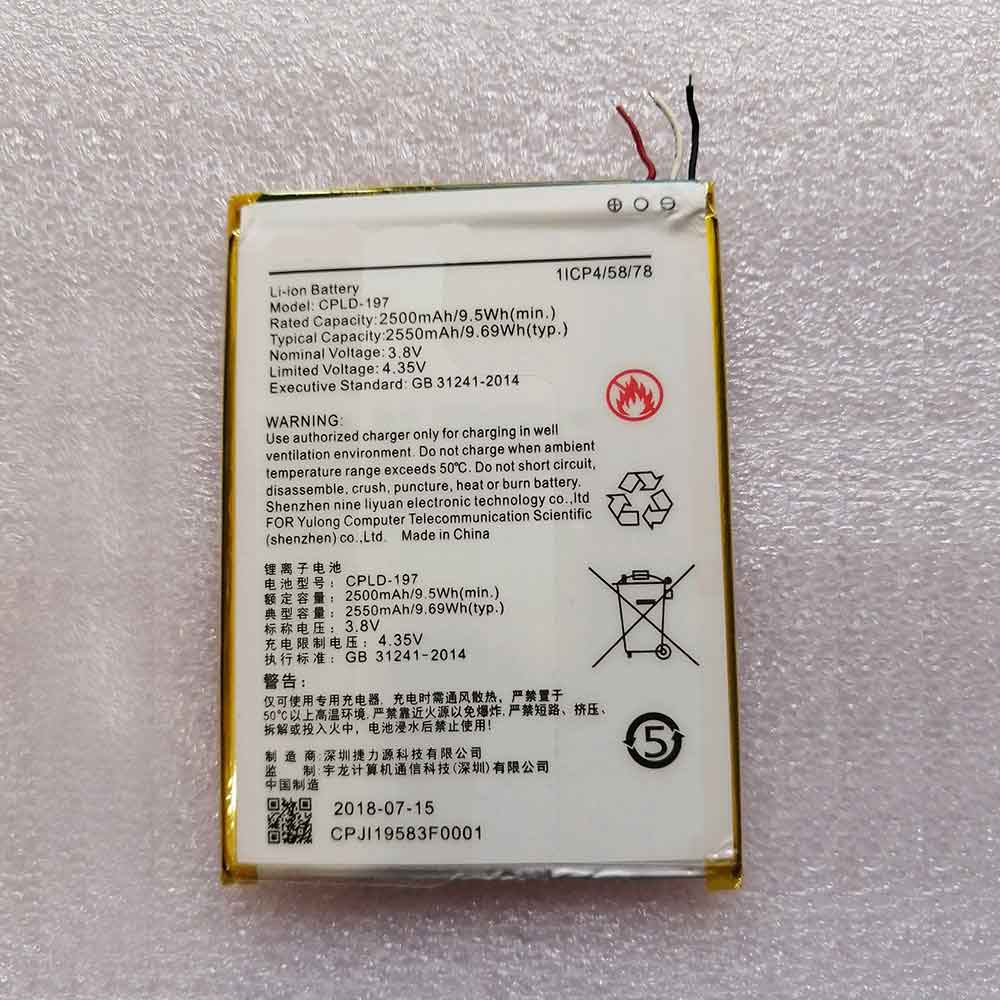
2500MAH 9.5WH 3.8V 4.35V Coolpad CPLD-197 Batteries for Coolpad CPLD-197, Coolpad CPLD-197 Cell Phone battery is a brand new,100% Compatible original and replacement Phone battery,Purchase wholesale and retail CPLD-197 with high quality and low price!
Find ou your original model number or part number(P/N), and move your eyes on the tag of battery
Descriptive: Replacement Battery – 1 Year Warranty
Description: Brand New, 1 Year Warranty! 30-Days Money Back! Fast Shipping!
How we test this Coolpad CPLD-197 Battery Step 1: Make sure customer bought the correct battery. Step 2: Check battery’s appearance and interface. Step 3: Test battery charger and recharger function. Step 4: Charger the battery to 100% and recharger to 0% to get real battery capacity Step 5: Use Ev2300 to check the voltage difference of each goroup cells. Step 6: Charger battery power more than 30%. Step 7: Package battery carefully and send out
How much do you know about how to run laptop well as any place? The follow Tips cut way back on protecting battery life.
1). Please recharge or change your Cell Phone battery when battery power low. 2). Using Li-Ion Replacement Coolpad CPLD-197 Cell Phone Battery for your notebook which can work longer time than Non Li-ion one. 3). It is better to defragmentation regularly for your Cell Phone battery life. 4). In order to reduce the laptop power consumpition, you can use some optical drive spin-down and hard drive in your Cell Phone . 5). Please keep your laptop in sleep or standby model without long time using, which both save the Replacement Coolpad CPLD-197 Cell Phone Battery power and extend battery using life. 6). Leave your battery in a dry and cool condition when without using. 7). When you rarely or generally plugged in fixed power using, Please take down your battery to avoid hurting battery life.
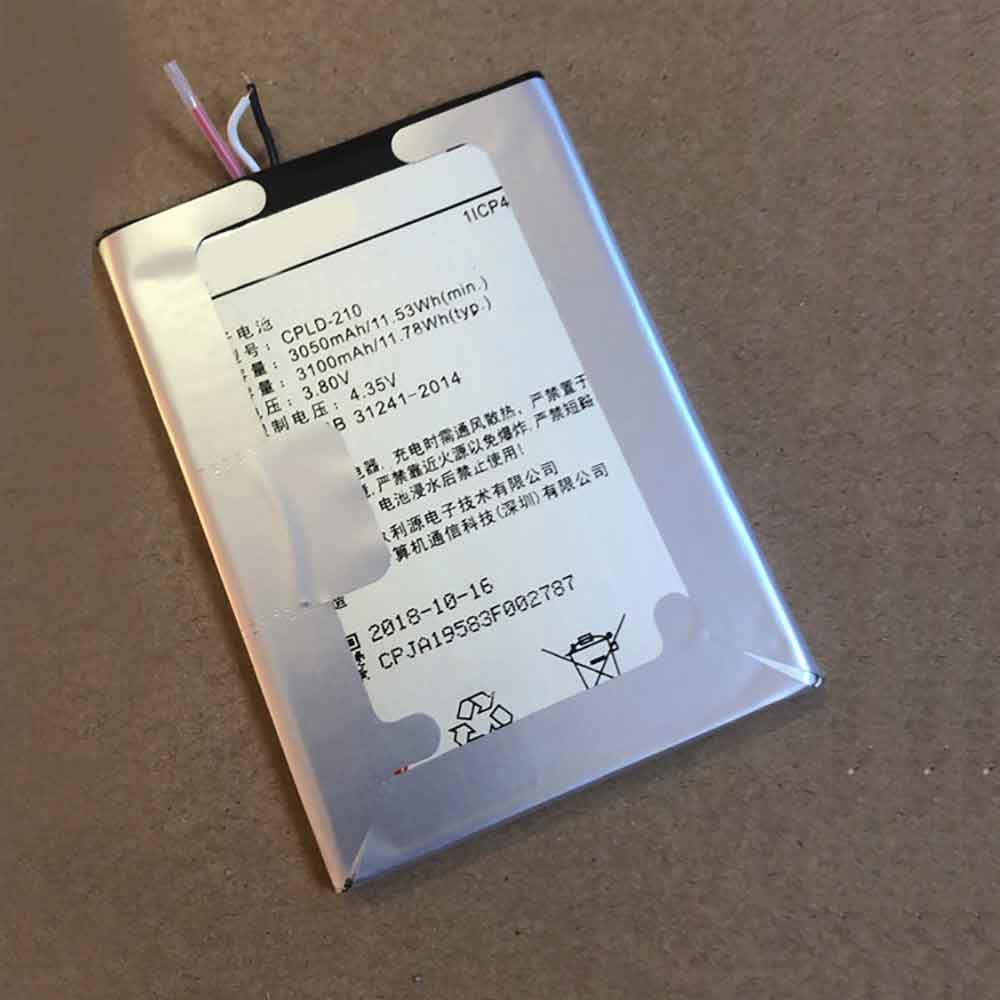
3050MAH 11.53WH 3.8V 4.35V Coolpad CPLD-210 Batteries for Coolpad CPLD-210, Coolpad CPLD-210 Cell Phone battery is a brand new,100% Compatible original and replacement Phone battery,Purchase wholesale and retail CPLD-210 with high quality and low price!
Find ou your original model number or part number(P/N), and move your eyes on the tag of battery
Descriptive: Replacement Battery – 1 Year Warranty
Description: Brand New, 1 Year Warranty! 30-Days Money Back! Fast Shipping!
How we test this Coolpad CPLD-210 Battery Step 1: Make sure customer bought the correct battery. Step 2: Check battery’s appearance and interface. Step 3: Test battery charger and recharger function. Step 4: Charger the battery to 100% and recharger to 0% to get real battery capacity Step 5: Use Ev2300 to check the voltage difference of each goroup cells. Step 6: Charger battery power more than 30%. Step 7: Package battery carefully and send out
How much do you know about how to run laptop well as any place? The follow Tips cut way back on protecting battery life.
1). Please recharge or change your Cell Phone battery when battery power low. 2). Using Li-Ion Replacement Coolpad CPLD-210 Cell Phone Battery for your notebook which can work longer time than Non Li-ion one. 3). It is better to defragmentation regularly for your Cell Phone battery life. 4). In order to reduce the laptop power consumpition, you can use some optical drive spin-down and hard drive in your Cell Phone . 5). Please keep your laptop in sleep or standby model without long time using, which both save the Replacement Coolpad CPLD-210 Cell Phone Battery power and extend battery using life. 6). Leave your battery in a dry and cool condition when without using. 7). When you rarely or generally plugged in fixed power using, Please take down your battery to avoid hurting battery life.
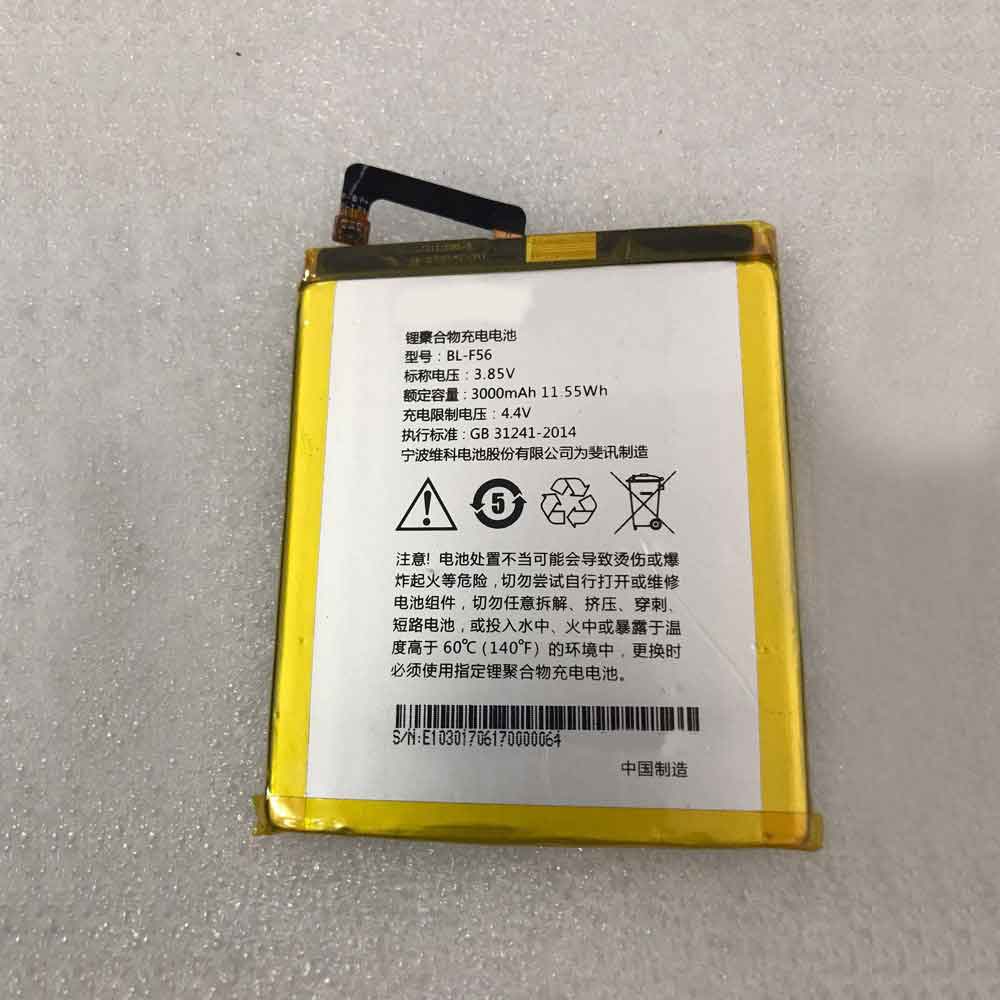
3000MAH 11.55WH 3.85V 4.40V Phicomm BL-F56 Batteries for Phicomm BL-F56, Phicomm BL-F56 Cell Phone battery is a brand new,100% Compatible original and replacement Phone battery,Purchase wholesale and retail BL-F56 with high quality and low price!
Find ou your original model number or part number(P/N), and move your eyes on the tag of battery
Descriptive: Replacement Battery – 1 Year Warranty
Description: Brand New, 1 Year Warranty! 30-Days Money Back! Fast Shipping!
How we test this Phicomm BL-F56 Battery Step 1: Make sure customer bought the correct battery. Step 2: Check battery’s appearance and interface. Step 3: Test battery charger and recharger function. Step 4: Charger the battery to 100% and recharger to 0% to get real battery capacity Step 5: Use Ev2300 to check the voltage difference of each goroup cells. Step 6: Charger battery power more than 30%. Step 7: Package battery carefully and send out
How much do you know about how to run laptop well as any place? The follow Tips cut way back on protecting battery life.
1). Please recharge or change your Cell Phone battery when battery power low. 2). Using Li-Ion Replacement Phicomm BL-F56 Cell Phone Battery for your notebook which can work longer time than Non Li-ion one. 3). It is better to defragmentation regularly for your Cell Phone battery life. 4). In order to reduce the laptop power consumpition, you can use some optical drive spin-down and hard drive in your Cell Phone . 5). Please keep your laptop in sleep or standby model without long time using, which both save the Replacement Phicomm BL-F56 Cell Phone Battery power and extend battery using life. 6). Leave your battery in a dry and cool condition when without using. 7). When you rarely or generally plugged in fixed power using, Please take down your battery to avoid hurting battery life.
The laptops in the Apple MacBook line are engineered to last for years of normal use. However, if there was one piece of hardware that might need to be replaced at the time, it was the internal battery.
Your computer’s battery can only last a certain number of cycles, depending on your MacBook model. When these cycles are exhausted and your computer reaches its maximum cycle count, you will start to notice a drop in battery performance. Ultimately, you need to decide whether to keep using the laptop on just wired power, or buy a new battery.
About the number of cycles
Every time you use your MacBook, its battery goes through a charge cycle. A cycle is when you use all the battery power. The important thing to understand is that every time you charge your computer battery, you don’t run out of cycle counts. For example, if your MacBook’s battery is at 40% and you charge it, it’s currently 60% charged. The next day, you charge the battery at 50%, with 10% remaining in the cycle. In this case, you’ve had two days to run out of a cycle. In another example, you charge your MacBook’s battery 50% one day and 50% the next day. Here, it takes a full two days to use up a single charge cycle.
As you continue to use your MacBook, the battery’s charge capacity will slowly decrease. In fact, the charge cycle won’t last that long. When the device reaches its maximum cycle count, it should retain up to 80% of its original charge capacity, and it will drop from there.
Find your battery cycle count and health
To find the cycle count on a MacBook, hold down the Option key while clicking the Apple menu in the upper left corner. Select System Information. Under the Hardware section of the System Information window, select Power. You will see the current cycle count in the “Battery Information” section.
In the same section, you can also find the battery condition and its current maximum capacity percentage. If the battery condition is not “OK”, you should contact Apple Technical Support.
Maximum number of cycles
Apple has a list of maximum cycle count runs for each MacBook, MacBook Air, and MacBook Pro version. Newer MacBook models have a maximum cycle count of 1000, while earlier models have a cycle count of 300 to 500.
Chrome OS is coming to PC and Mac devices for the first time after Google launched a new platform, hoping to expand the reach of its software to more devices. Designed to run on older machines, the new Chrome OS Flex is designed to give businesses and schools more flexibility in software choice.
The “cloud-first” software looks similar to the equivalent software already seen on Chromebook devices, offering a simplified way to access Google Workspace tools such as Gmail, Meet, Google Docs, and thousands of apps from the Play Store program.
Chrome OS
“End-user computing is complex. For businesses and schools, it’s even more complex,” Thomas Riedl, director of Google Cloud products, enterprise and education, wrote in a blog post announcing the news. “Slow boot times, intrusive updates, security plug-ins, and heavy management of older devices take up valuable time from employees, students, and IT.” “Chrome OS Flex modernizes the devices you already own, allowing you to experience the benefits of Chrome OS.”
Google says that Chrome OS Flex “launches in seconds,” meaning your device doesn’t have to wait long to get ready, and system updates download in the background.
Admins can install Chrome OS Flex on business or school devices via USB or network for rapid deployment, download user profiles via the cloud, and automatically sync their settings, policies and bookmarks.
Chrome OS Flex will also benefit from Google’s regular security updates for the latest threats, and Google also points out that because of its less demanding specs, using Chrome OS Flex means you can keep your existing device for longer, helping reduce electronic Rubbish.
The launch was aided by Google’s 2020 acquisition of Neverware, whose Chromium-based CloudReady operating system helps businesses around the world switch to the company’s software, Riedl noted.
Google says Chrome OS Flex isn’t a finished product yet, but users can now try the new software for free ahead of a wider release later this year.
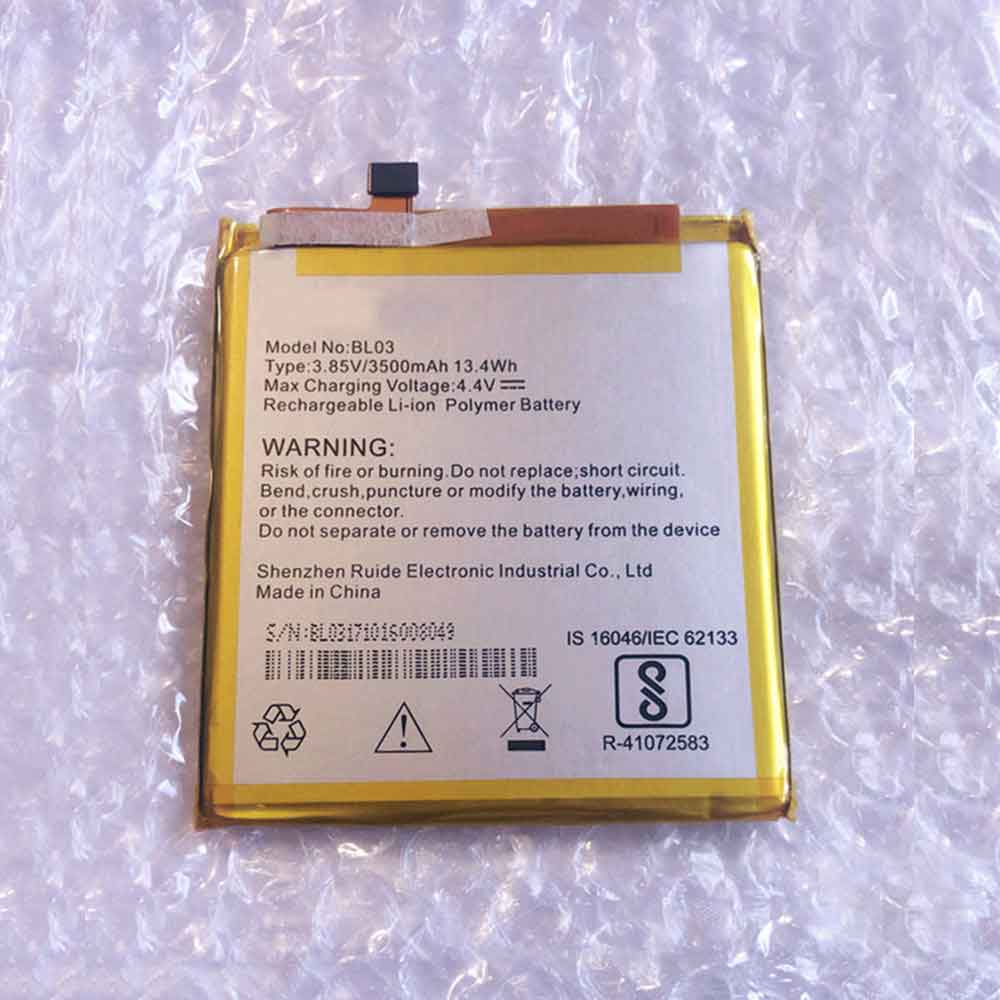
3500MAH 13.4WH 3.85V 4.40V Smartron BL03 Batteries for Smartron Unno BL03, Smartron BL03 Cell Phone battery is a brand new,100% Compatible original and replacement Phone battery,Purchase wholesale and retail BL03 with high quality and low price!
Find ou your original model number or part number(P/N), and move your eyes on the tag of battery
Descriptive: Replacement Battery – 1 Year Warranty
Description: Brand New, 1 Year Warranty! 30-Days Money Back! Fast Shipping!
How we test this Smartron BL03 Battery Step 1: Make sure customer bought the correct battery. Step 2: Check battery’s appearance and interface. Step 3: Test battery charger and recharger function. Step 4: Charger the battery to 100% and recharger to 0% to get real battery capacity Step 5: Use Ev2300 to check the voltage difference of each goroup cells. Step 6: Charger battery power more than 30%. Step 7: Package battery carefully and send out
How much do you know about how to run laptop well as any place? The follow Tips cut way back on protecting battery life.
1). Please recharge or change your Cell Phone battery when battery power low. 2). Using Li-Ion Replacement Smartron BL03 Cell Phone Battery for your notebook which can work longer time than Non Li-ion one. 3). It is better to defragmentation regularly for your Cell Phone battery life. 4). In order to reduce the laptop power consumpition, you can use some optical drive spin-down and hard drive in your Cell Phone . 5). Please keep your laptop in sleep or standby model without long time using, which both save the Replacement Smartron BL03 Cell Phone Battery power and extend battery using life. 6). Leave your battery in a dry and cool condition when without using. 7). When you rarely or generally plugged in fixed power using, Please take down your battery to avoid hurting battery life.
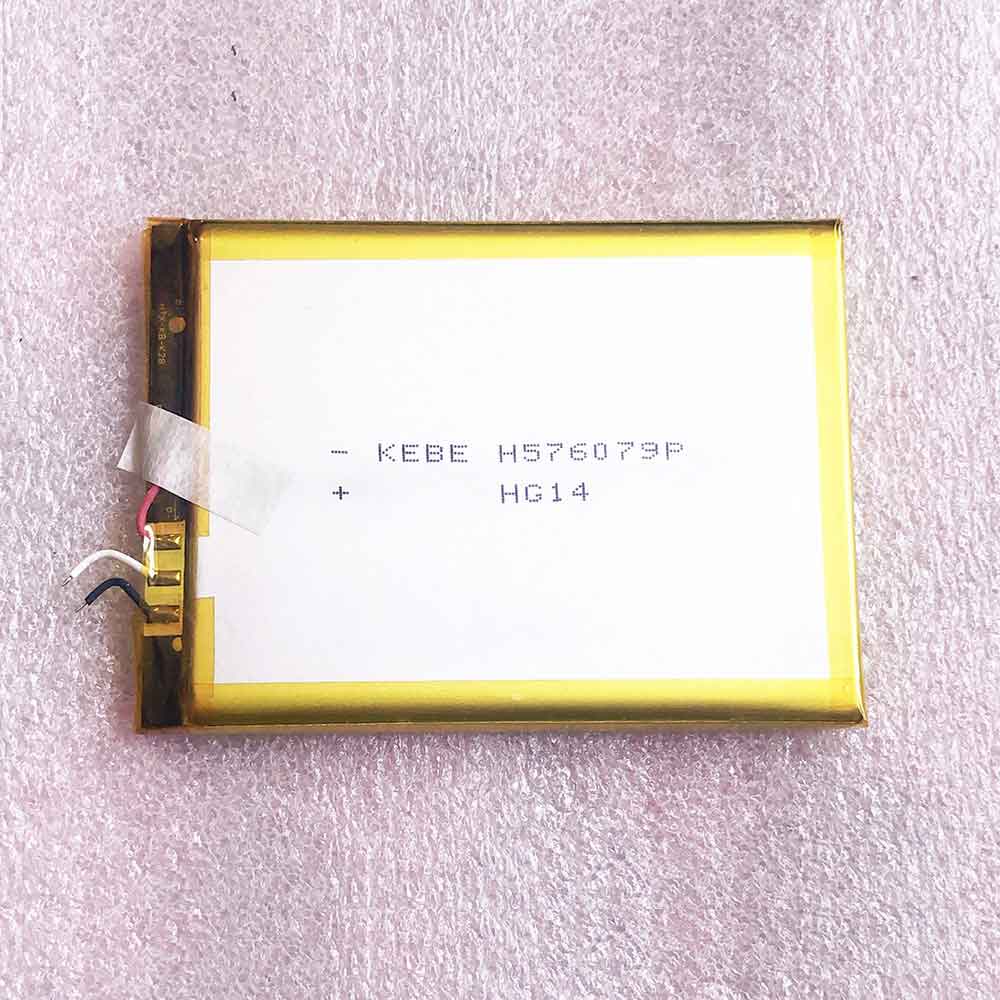
4500MAH Bluboo H576079P Batteries for Bluboo KEBE H576079P HG14, Bluboo H576079P Cell Phone battery is a brand new,100% Compatible original and replacement Phone battery,Purchase wholesale and retail H576079P with high quality and low price!
Find ou your original model number or part number(P/N), and move your eyes on the tag of battery
Descriptive: Replacement Battery – 1 Year Warranty
Description: Brand New, 1 Year Warranty! 30-Days Money Back! Fast Shipping!
How we test this Bluboo H576079P Battery Step 1: Make sure customer bought the correct battery. Step 2: Check battery’s appearance and interface. Step 3: Test battery charger and recharger function. Step 4: Charger the battery to 100% and recharger to 0% to get real battery capacity Step 5: Use Ev2300 to check the voltage difference of each goroup cells. Step 6: Charger battery power more than 30%. Step 7: Package battery carefully and send out
Compatible Model Numbers: Bluboo KEBE H576079P HG14
How much do you know about how to run laptop well as any place? The follow Tips cut way back on protecting battery life.
1). Please recharge or change your Cell Phone battery when battery power low. 2). Using Li-Ion Replacement Bluboo H576079P Cell Phone Battery for your notebook which can work longer time than Non Li-ion one. 3). It is better to defragmentation regularly for your Cell Phone battery life. 4). In order to reduce the laptop power consumpition, you can use some optical drive spin-down and hard drive in your Cell Phone . 5). Please keep your laptop in sleep or standby model without long time using, which both save the Replacement Bluboo H576079P Cell Phone Battery power and extend battery using life. 6). Leave your battery in a dry and cool condition when without using. 7). When you rarely or generally plugged in fixed power using, Please take down your battery to avoid hurting battery life.