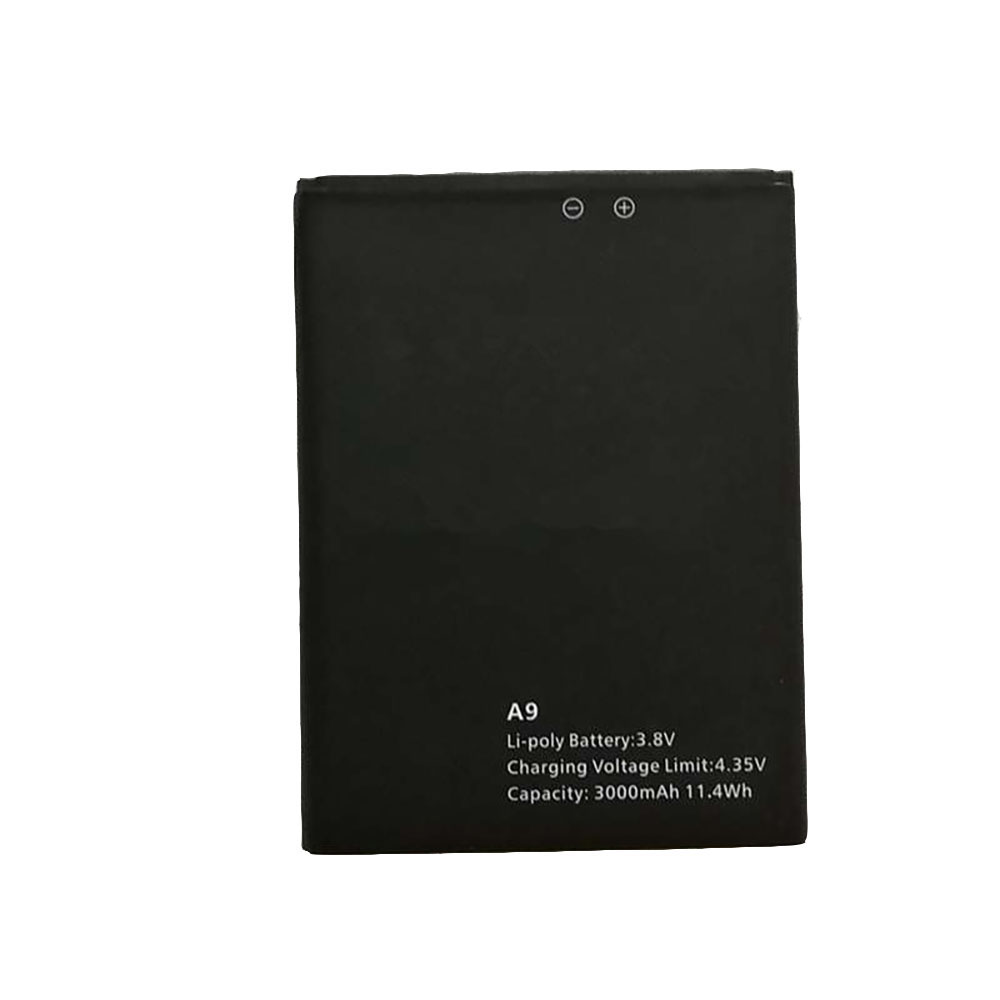
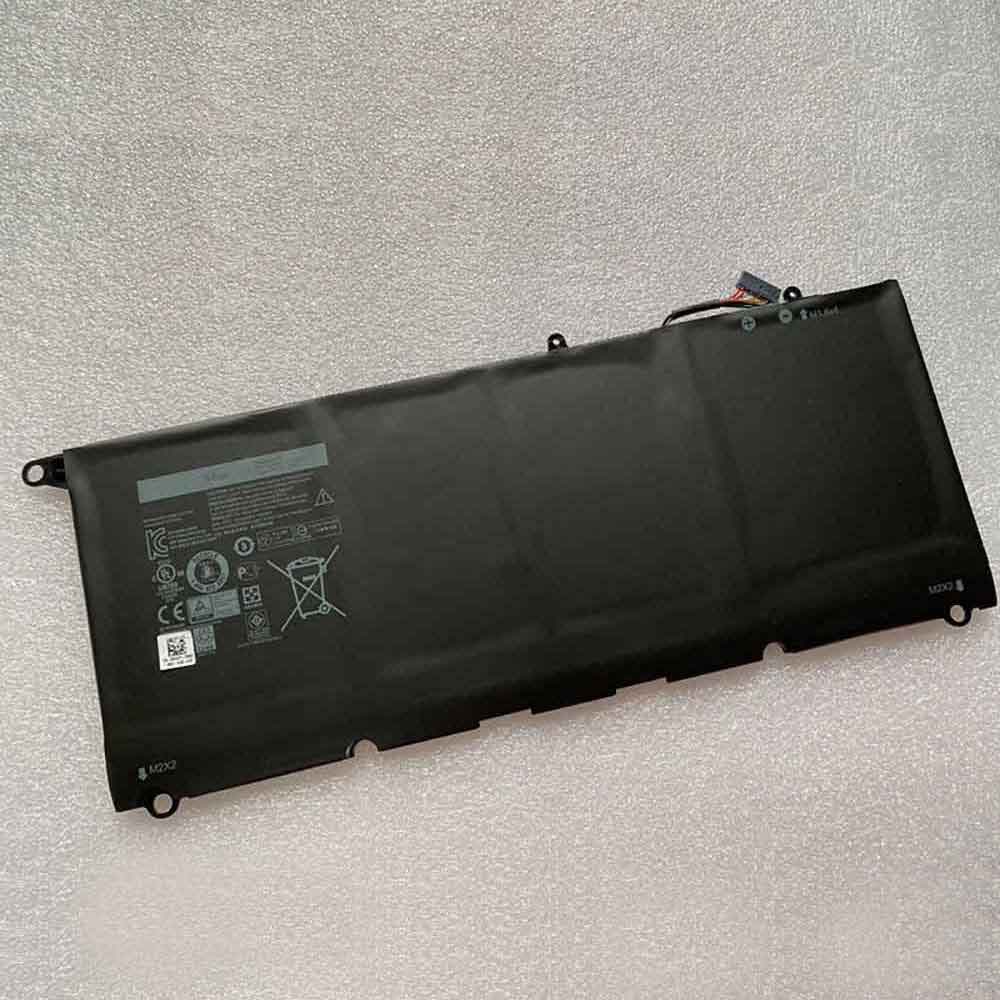
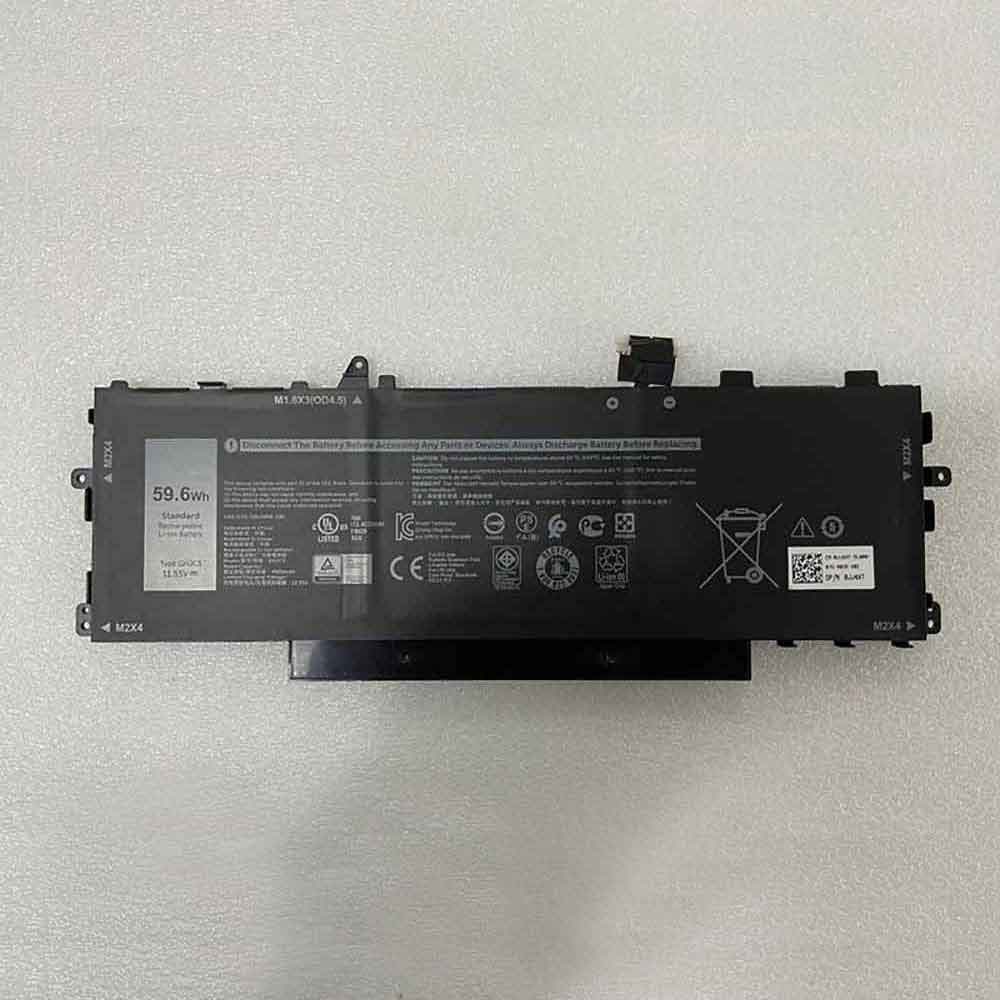
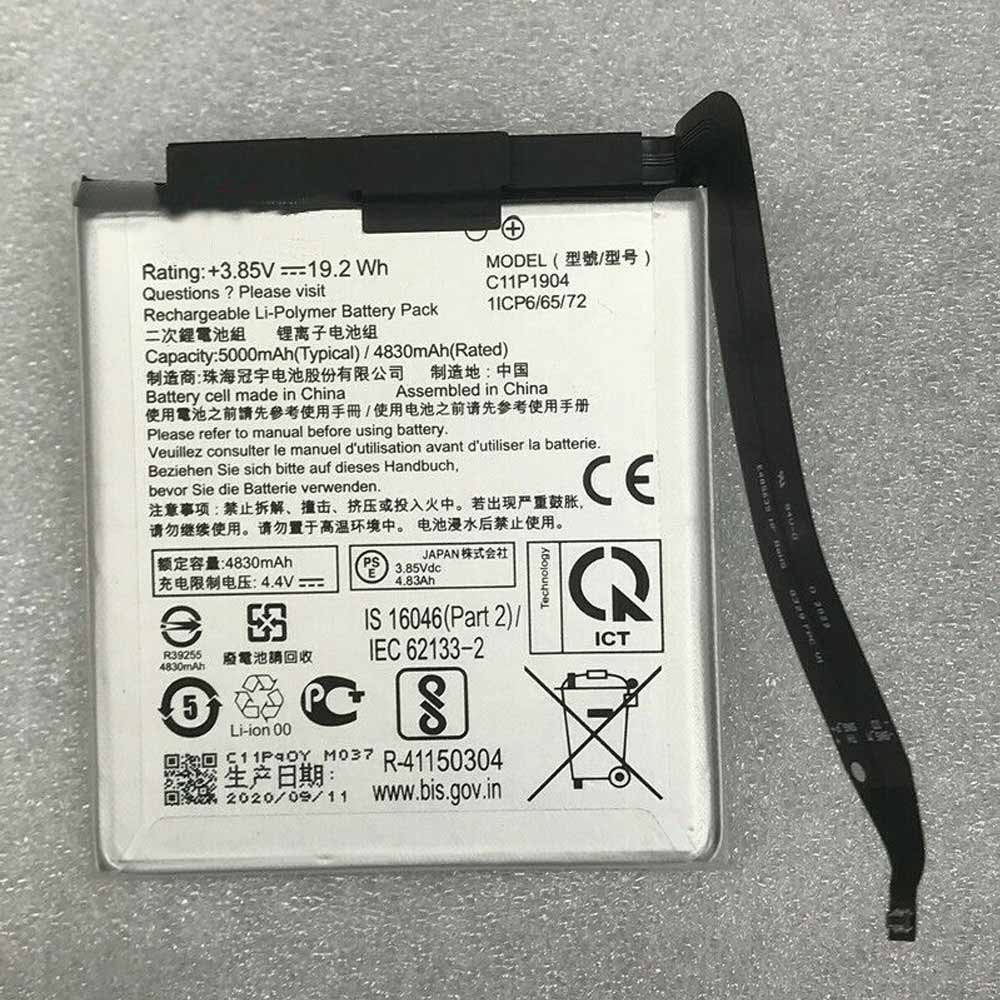
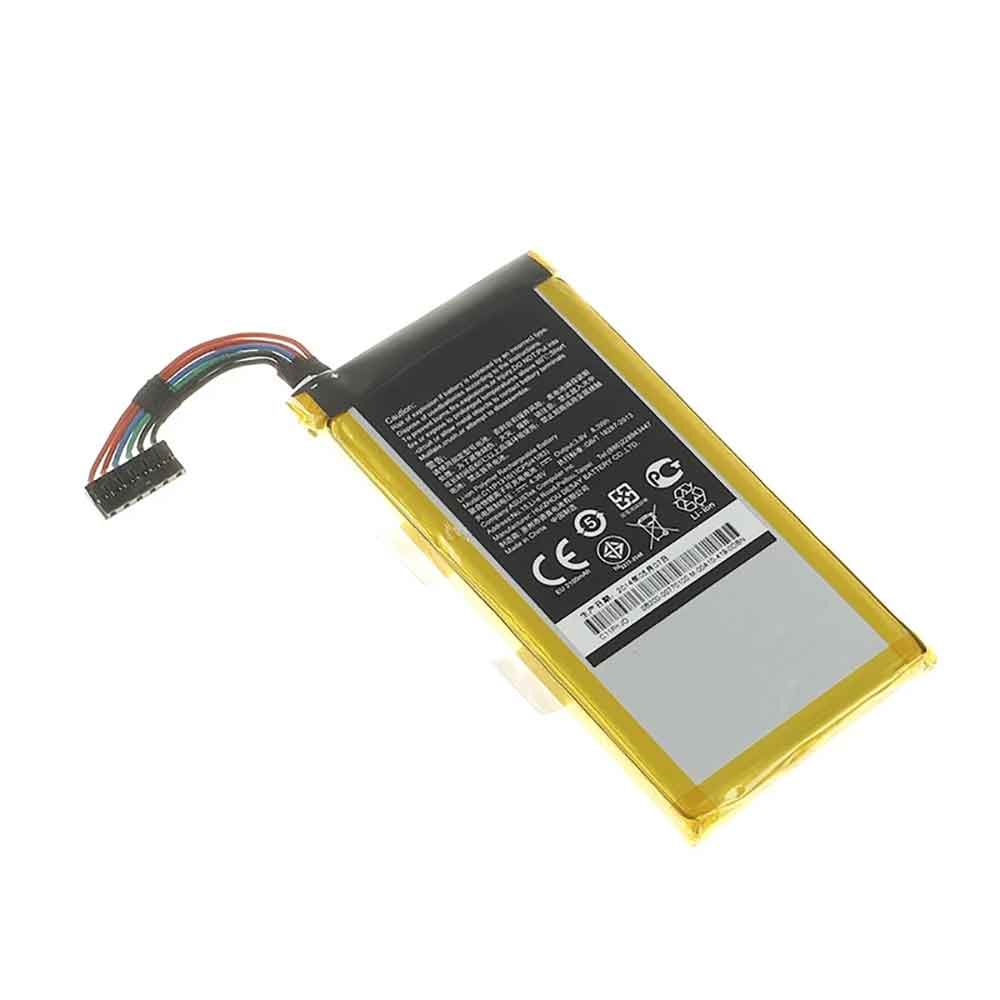
2720mAh 10.336WH 3.8V 4.35V Koobee BL-75CT Li-ion Battery for Koobee M9

2720mAh 10.336WH 3.8V 4.35V Koobee BL-75CT Batteries for Koobee M9, Koobee BL-75CT Cell Phone battery is a brand new,100% Compatible original and replacement Phone battery,Purchase wholesale and retail BL-75CT with high quality and low price!

Find ou your original model number or part number(P/N), and move your eyes on the tag of battery
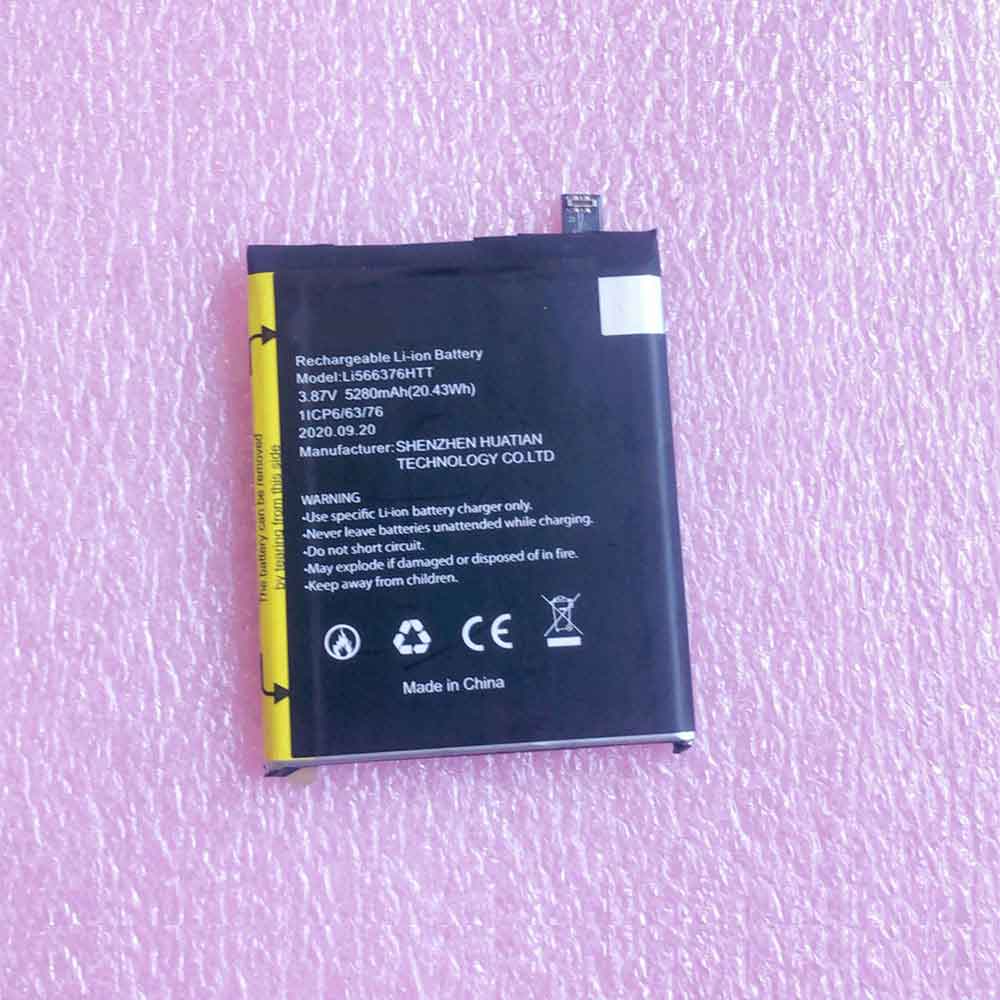
BL-75CT

Specifications

  • Brand:Koobee
  • Capacity :2720mAh 10.336WH
  • Voltage :3.8V 4.35V
  • Type :Li-ion
  • Battery Cell Quality: Grade A
  • Descriptive: Replacement Battery – 1 Year Warranty
  • Description: Brand New, 1 Year Warranty! 30-Days Money Back! Fast Shipping!

How we test this Koobee BL-75CT Battery
Step 1: Make sure customer bought the correct battery.
Step 2: Check battery’s appearance and interface.
Step 3: Test battery charger and recharger function.
Step 4: Charger the battery to 100% and recharger to 0% to get real battery capacity
Step 5: Use Ev2300 to check the voltage difference of each goroup cells.
Step 6: Charger battery power more than 30%.
Step 7: Package battery carefully and send out

Compatible Part Numbers:
BL-75CT

Compatible Model Numbers:
Koobee M9

How much do you know about how to run laptop well as any place? The follow Tips cut way back on protecting battery life.


1). Please recharge or change your Cell Phone battery when battery power low.
2). Using Li-Ion Replacement Koobee BL-75CT Cell Phone Battery for your notebook which can work longer time than Non Li-ion one.
3). It is better to defragmentation regularly for your Cell Phone battery life.
4). In order to reduce the laptop power consumpition, you can use some optical drive spin-down and hard drive in your Cell Phone .
5). Please keep your laptop in sleep or standby model without long time using, which both save the Replacement Koobee BL-75CT Cell Phone Battery power and extend battery using life.
6). Leave your battery in a dry and cool condition when without using.
7). When you rarely or generally plugged in fixed power using, Please take down your battery to avoid hurting battery life.

Hot Products

4400mah TWINHEAD R15B_8750 for Twinhead Durabook R15D R15B S1246mAh/0.93Wh APPLE A1579 for Apple i Watch 7000 Series 42MM4400mah TWINHEAD R15B_8750 for Twinhead Durabook R15D R15B S1600mAh 2.22Wh BOSE QC35 for Bose QuietComfort 35 QC35/QC352600mAh/45WH TOSHIBA PA5283U-1BRS for Toshiba Satellite A40-C A50-C4350mAh/16.75WH DOOGEE BAT2019104350 for Doogee X953400mAh/12.92WH DOOGEE BAT18783400 for Doogee Y84750mAh/36WH LENOVO 00HW010 for Lenovo Thinkpad Helix 2 series23.2Wh/3070mAh MICROSOFT DYNH01 for Microsoft DYNH01 book 2 15 inc19.5Wh DELL HH8J0 for DELL Venue 8 Pro 5855 T03D 584

3000MAH 3.8V Cubot A5 Li-ion Battery for Cubot A5

3000MAH 3.8V Cubot A5 Batteries for Cubot A5, Cubot A5 Cell Phone battery is a brand new,100% Compatible original and replacement Phone battery,Purchase wholesale and retail A5 with high quality and low price!

Find ou your original model number or part number(P/N), and move your eyes on the tag of battery

A5

Specifications

  • Brand:Cubot
  • Capacity :3000MAH
  • Voltage :3.8V
  • Type :Li-ion
  • Battery Cell Quality: Grade A
  • Descriptive: Replacement Battery – 1 Year Warranty
  • Description: Brand New, 1 Year Warranty! 30-Days Money Back! Fast Shipping!

How we test this Cubot A5 Battery
Step 1: Make sure customer bought the correct battery.
Step 2: Check battery’s appearance and interface.
Step 3: Test battery charger and recharger function.
Step 4: Charger the battery to 100% and recharger to 0% to get real battery capacity
Step 5: Use Ev2300 to check the voltage difference of each goroup cells.
Step 6: Charger battery power more than 30%.
Step 7: Package battery carefully and send out

Compatible Part Numbers:
A5

Compatible Model Numbers:
Cubot A5

How much do you know about how to run laptop well as any place? The follow Tips cut way back on protecting battery life.


1). Please recharge or change your Cell Phone battery when battery power low.
2). Using Li-Ion Replacement Cubot A5 Cell Phone Battery for your notebook which can work longer time than Non Li-ion one.
3). It is better to defragmentation regularly for your Cell Phone battery life.
4). In order to reduce the laptop power consumpition, you can use some optical drive spin-down and hard drive in your Cell Phone .
5). Please keep your laptop in sleep or standby model without long time using, which both save the Replacement Cubot A5 Cell Phone Battery power and extend battery using life.
6). Leave your battery in a dry and cool condition when without using.
7). When you rarely or generally plugged in fixed power using, Please take down your battery to avoid hurting battery life.

Hot Products

4400mah TWINHEAD R15B_8750 for Twinhead Durabook R15D R15B S1246mAh/0.93Wh APPLE A1579 for Apple i Watch 7000 Series 42MM4400mah TWINHEAD R15B_8750 for Twinhead Durabook R15D R15B S1600mAh 2.22Wh BOSE QC35 for Bose QuietComfort 35 QC35/QC352600mAh/45WH TOSHIBA PA5283U-1BRS for Toshiba Satellite A40-C A50-C4350mAh/16.75WH DOOGEE BAT2019104350 for Doogee X953400mAh/12.92WH DOOGEE BAT18783400 for Doogee Y84750mAh/36WH LENOVO 00HW010 for Lenovo Thinkpad Helix 2 series23.2Wh/3070mAh MICROSOFT DYNH01 for Microsoft DYNH01 book 2 15 inc19.5Wh DELL HH8J0 for DELL Venue 8 Pro 5855 T03D 584

4 Windows 11 tips and tricks to help you maximize your computer’s battery life

 If you’ve ever left your computer charger aside, you know the sense of hopelessness that sweeps you over when you watch its battery drain. If you’re watching a movie or even using an application that requires a lot of processing power, your battery probably won’t last long. But it’s even worse if your computer’s battery runs out while you’re working and haven’t had a chance to save. There are many reasons why your battery might drain quickly, but if you’re using Windows 11, Microsoft’s new operating system has several settings you can configure to help prolong battery life.

Here are some tips and tricks to help extend the battery life of your Windows 11 computer. Let’s take a look below!

Prevent apps from refreshing in the background

Apps on your computer run in the background and continue to work even when you’re not actively using them. However, you don’t always need to refresh apps, especially when the battery is low, which is why you can stop them from doing so:

1. Open the Settings app and go to System.

2. Click Power & Battery.

3. Click on now under battery (you must unplug it).

When enabled, certain notifications and background activities will be suspended to help preserve battery life.

There are also some settings you can use to improve battery saver: you can change the battery percentage when battery saver is enabled, and reduce screen brightness when battery saver is in use.

Decrease the refresh rate of the monitor

The refresh rate is how often the image on the screen is refreshed per second: the higher the refresh rate, the smoother the action on the screen. For example, if you’re playing a video game, you want the highest possible refresh rate. Unfortunately for your battery, a higher refresh rate also means more power. If you don’t need a high refresh rate, you can lower it to help save battery:

1. Open the Settings app and click System.

2. Next, go to Display, then Advanced Display.

3. Finally, change the number displayed next to “Choose a refresh rate.”

Depending on your laptop or desktop, you may see different default refresh rate numbers. If you only have one refresh rate option, unfortunately you can’t lower it.

Also, it’s important to note that if you lower the refresh rate, it will affect your computer’s performance. In some cases, this can make it more difficult to perform routine tasks.

Use a dark background or theme

If your Windows 11 computer has an OLED display, it can take advantage of dark backgrounds or themes to help extend battery life. Unlike older LCD/LED displays, each pixel on an OLED display emits light individually, which means if the background is black, those pixels won’t light up and use battery.

1. Open the Settings app and click Personalize.

2. At the top of the page, select a dark theme.

There are some dark themes to choose from. Each of them will dim your background and all the windows and certain apps you can use in Windows 11. If you already have a personalized dark background, you can go to Settings > Personalization > Colors > choose your mode and choose Dark from the options that appear.

Decrease lock screen timeout

The longer the screen is on, the more energy it uses, which is why you might want to quickly turn it off when you’re away from your computer, whether it’s a few minutes or an hour. The operation is as follows:

1. Open Settings and go to System.

2. Next, click Power & Battery.

Below Power, you’ll find settings for turning off the display after a certain amount of inactivity. You can change the minutes from whatever default you have to a lower number such as 1 or 2 minutes. However, you should only change the battery power settings for the times when you need to save battery the most.

>>>>>>>Laptop’s battery

Thanks for reading, hope it helps!

Friendly reminder: If you need to replace the battery, this battery store will be a good choice:www.batteryforpc.co.uk

Apple: A small iPhone update pushed out to fix a security flaw

 A new iOS and iPadOS update has been released that fixes a security flaw, suggesting it could be a big one that users should patch as soon as possible. Apple has hastily rolled out a pair of iPhone and iPad software updates to fix security flaws that may have been exploited by bad actors.

The iOS 15.3.1 and iPadOS 15.3.1 updates fix only one issue, which is unusual since Apple typically bundles multiple bug and bug fixes into each update. This suggests that the flaw is serious enough that Apple rushes to fix it.

In fact, the updated support page says “Apple is aware of reports that this issue may have been actively exploited,” a rare confirmation from the company that the vulnerability is not only theoretical, but may have been exploited.

If this rush to update iPhones and iPads to fix security flaws sounds familiar, it’s because Apple did just that with iOS 15.3 and iPadOS 15.3 a few weeks ago. As far as we know, this new security update addresses different vulnerabilities than previous patches were supposed to fix.

As with all Apple software updates, these security patches are free and available for all modern devices that can download iOS 15 and iPadOS 15. These are iPhone 6s and later, and iPod Touch (7th generation) and iPad Pro (all models) for iOS, iPad Air 2 and later, iPad 5th generation and later, and for iPadOS Newer iPad mini 4 and later.

Updating a compatible iPhone or iPad is easy: just open the Settings app and go to General > Software Update.

>>>>>>>>Apple battery

90MAH 0.33WH 3.7V Beats AHB481221 Li-ion Battery for Beats Powerbeats 2 Wireless PB3 Bluetooth Earphone

90MAH 0.33WH 3.7V Beats AHB481221 Batteries for Beats Powerbeats 2 Wireless PB3 Bluetooth Earphone, Beats AHB481221 Other battery is a brand new,100% Compatible original and replacement Laptop battery,Purchase wholesale and retail AHB481221 with high quality and low price!

beats AHB481221 Battery Li-ion 3.7V 90MAH 0.33WH

AHB481221

Specifications

  • Brand:Beats
  • Capacity :90MAH 0.33WH
  • Voltage :3.7V
  • Type :Li-ion
  • Battery Cell Quality: Grade A
  • Descriptive: Replacement Battery – 1 Year Warranty
  • Description: Brand New, 1 Year Warranty! 30-Days Money Back! Fast Shipping!

How we test this Beats AHB481221 Battery
Step 1: Make sure customer bought the correct battery.
Step 2: Check battery’s appearance and interface.
Step 3: Test battery charger and recharger function.
Step 4: Charger the battery to 100% and recharger to 0% to get real battery capacity
Step 5: Use Ev2300 to check the voltage difference of each goroup cells.
Step 6: Charger battery power more than 30%.
Step 7: Package battery carefully and send out

Compatible Part Numbers:
AHB481221

Compatible Model Numbers:
Beats Powerbeats 2 Wireless PB3 Bluetooth Earphone

How much do you know about how to run laptop well as any place? The follow Tips cut way back on protecting battery life.


1). Please recharge or change your Other battery when battery power low.
2). Using Li-Ion Replacement Beats AHB481221 Other Battery for your notebook which can work longer time than Non Li-ion one.
3). It is better to defragmentation regularly for your Other battery life.
4). In order to reduce the laptop power consumpition, you can use some optical drive spin-down and hard drive in your Other .
5). Please keep your laptop in sleep or standby model without long time using, which both save the Replacement Beats AHB481221 Other Battery power and extend battery using life.
6). Leave your battery in a dry and cool condition when without using.
7). When you rarely or generally plugged in fixed power using, Please take down your battery to avoid hurting battery life.

Hot Products

246mAh/0.93Wh APPLE A1579 for Apple i Watch 7000 Series 42MM4400mah TWINHEAD R15B_8750 for Twinhead Durabook R15D R15B S1600mAh 2.22Wh BOSE QC35 for Bose QuietComfort 35 QC35/QC352600mAh/45WH TOSHIBA PA5283U-1BRS for Toshiba Satellite A40-C A50-C4350mAh/16.75WH DOOGEE BAT2019104350 for Doogee X953400mAh/12.92WH DOOGEE BAT18783400 for Doogee Y84750mAh/36WH LENOVO 00HW010 for Lenovo Thinkpad Helix 2 series23.2Wh/3070mAh MICROSOFT DYNH01 for Microsoft DYNH01 book 2 15 inc19.5Wh DELL HH8J0 for DELL Venue 8 Pro 5855 T03D 5842200mAh/8.36WH ALCATEL TLi020A1 for Alcatel One Touch TCL J738M J7

2000MAH 7.4V Kenwood KNB-45L Li-ion Battery for Kenwood TK-2302 TK-2307 TK-3307

2000MAH 7.4V Kenwood KNB-45L Batteries for Kenwood TK-2302 TK-3302 TK-D240 TK-D340 TK-3207 TK-3207G TK-2207 TK-2307 TK-3307, Kenwood KNB-45L Other battery is a brand new,100% Compatible original and replacement battery,Purchase wholesale and retail KNB-45L with high quality and low price!

Find ou your original model number or part number(P/N), and move your eyes on the tag of battery

KNB-45L

Specifications

  • Brand:Kenwood
  • Capacity :2000MAH
  • Voltage :7.4V
  • Type :Li-ion
  • Battery Cell Quality: Grade A
  • Descriptive: Replacement Battery – 1 Year Warranty
  • Description: Brand New, 1 Year Warranty! 30-Days Money Back! Fast Shipping!

How we test this Kenwood KNB-45L Battery
Step 1: Make sure customer bought the correct battery.
Step 2: Check battery’s appearance and interface.
Step 3: Test battery charger and recharger function.
Step 4: Charger the battery to 100% and recharger to 0% to get real battery capacity
Step 5: Use Ev2300 to check the voltage difference of each goroup cells.
Step 6: Charger battery power more than 30%.
Step 7: Package battery carefully and send out

Compatible Part Numbers:
KNB-45L

Compatible Model Numbers:
Kenwood TK-2302 TK-3302 TK-D240 TK-D340 TK-3207 TK-3207G TK-2207 TK-2307 TK-3307

How much do you know about how to run laptop well as any place? The follow Tips cut way back on protecting battery life.


1). Please recharge or change your Other battery when battery power low.
2). Using Li-Ion Replacement Kenwood KNB-45L Other Battery for your notebook which can work longer time than Non Li-ion one.
3). It is better to defragmentation regularly for your Other battery life.
4). In order to reduce the laptop power consumpition, you can use some optical drive spin-down and hard drive in your Other .
5). Please keep your laptop in sleep or standby model without long time using, which both save the Replacement Kenwood KNB-45L Other Battery power and extend battery using life.
6). Leave your battery in a dry and cool condition when without using.
7). When you rarely or generally plugged in fixed power using, Please take down your battery to avoid hurting battery life.

Hot Products

246mAh/0.93Wh APPLE A1579 for Apple i Watch 7000 Series 42MM4400mah TWINHEAD R15B_8750 for Twinhead Durabook R15D R15B S1600mAh 2.22Wh BOSE QC35 for Bose QuietComfort 35 QC35/QC352600mAh/45WH TOSHIBA PA5283U-1BRS for Toshiba Satellite A40-C A50-C4350mAh/16.75WH DOOGEE BAT2019104350 for Doogee X953400mAh/12.92WH DOOGEE BAT18783400 for Doogee Y84750mAh/36WH LENOVO 00HW010 for Lenovo Thinkpad Helix 2 series23.2Wh/3070mAh MICROSOFT DYNH01 for Microsoft DYNH01 book 2 15 inc19.5Wh DELL HH8J0 for DELL Venue 8 Pro 5855 T03D 5842200mAh/8.36WH ALCATEL TLi020A1 for Alcatel One Touch TCL J738M J7

2500MAH 3.7V Vivi 345585 Li-ion Battery for Vivi V15

2500MAH 3.7V Vivi 345585 Batteries for Vivi V15, Vivi 345585 Cell Phone battery is a brand new,100% Compatible original and replacement Phone battery,Purchase wholesale and retail 345585 with high quality and low price!

Find ou your original model number or part number(P/N), and move your eyes on the tag of battery

345585

Specifications

  • Brand:Vivi
  • Capacity :2500MAH
  • Voltage :3.7V
  • Type :Li-ion
  • Battery Cell Quality: Grade A
  • Descriptive: Replacement Battery – 1 Year Warranty
  • Description: Brand New, 1 Year Warranty! 30-Days Money Back! Fast Shipping!

How we test this Vivi 345585 Battery
Step 1: Make sure customer bought the correct battery.
Step 2: Check battery’s appearance and interface.
Step 3: Test battery charger and recharger function.
Step 4: Charger the battery to 100% and recharger to 0% to get real battery capacity
Step 5: Use Ev2300 to check the voltage difference of each goroup cells.
Step 6: Charger battery power more than 30%.
Step 7: Package battery carefully and send out

Compatible Part Numbers:
CXDSA
345585

Compatible Model Numbers:
Vivi V15

How much do you know about how to run laptop well as any place? The follow Tips cut way back on protecting battery life.


1). Please recharge or change your Cell Phone battery when battery power low.
2). Using Li-Ion Replacement Vivi 345585 Cell Phone Battery for your notebook which can work longer time than Non Li-ion one.
3). It is better to defragmentation regularly for your Cell Phone battery life.
4). In order to reduce the laptop power consumpition, you can use some optical drive spin-down and hard drive in your Cell Phone .
5). Please keep your laptop in sleep or standby model without long time using, which both save the Replacement Vivi 345585 Cell Phone Battery power and extend battery using life.
6). Leave your battery in a dry and cool condition when without using.
7). When you rarely or generally plugged in fixed power using, Please take down your battery to avoid hurting battery life.

Hot Products

246mAh/0.93Wh APPLE A1579 for Apple i Watch 7000 Series 42MM4400mah TWINHEAD R15B_8750 for Twinhead Durabook R15D R15B S1600mAh 2.22Wh BOSE QC35 for Bose QuietComfort 35 QC35/QC352600mAh/45WH TOSHIBA PA5283U-1BRS for Toshiba Satellite A40-C A50-C4350mAh/16.75WH DOOGEE BAT2019104350 for Doogee X953400mAh/12.92WH DOOGEE BAT18783400 for Doogee Y84750mAh/36WH LENOVO 00HW010 for Lenovo Thinkpad Helix 2 series23.2Wh/3070mAh MICROSOFT DYNH01 for Microsoft DYNH01 book 2 15 inc19.5Wh DELL HH8J0 for DELL Venue 8 Pro 5855 T03D 5842200mAh/8.36WH ALCATEL TLi020A1 for Alcatel One Touch TCL J738M J7

Cheap Coolpad 1871-A0 Li-ion Battery for Coolpad cool2

2850MAH 10.97WH 3.85V 4.40V Coolpad 1871-A0 Batteries for Coolpad cool2, Coolpad 1871-A0 Cell Phone battery is a brand new,100% Compatible original and replacement  Phone battery,Purchase wholesale and retail 1871-A0 with high quality and low price!

Find ou your original model number or part number(P/N), and move your eyes on the tag of battery

1871-A0

Specifications

  • Brand:Coolpad
  • Capacity :2850MAH 10.97WH
  • Voltage :3.85V 4.40V
  • Type :Li-ion
  • Battery Cell Quality: Grade A
  • Descriptive: Replacement Battery – 1 Year Warranty
  • Description: Brand New, 1 Year Warranty! 30-Days Money Back! Fast Shipping!

How we test this Coolpad 1871-A0 Battery
Step 1: Make sure customer bought the correct battery.
Step 2: Check battery’s appearance and interface.
Step 3: Test battery charger and recharger function.
Step 4: Charger the battery to 100% and recharger to 0% to get real battery capacity
Step 5: Use Ev2300 to check the voltage difference of each goroup cells.
Step 6: Charger battery power more than 30%.
Step 7: Package battery carefully and send out

Compatible Part Numbers:
1871-A0

Compatible Model Numbers:
Coolpad cool2

How much do you know about how to run laptop well as any place? The follow Tips cut way back on protecting battery life.


1). Please recharge or change your Cell Phone battery when battery power low.
2). Using Li-Ion Replacement Coolpad 1871-A0 Cell Phone Battery for your notebook which can work longer time than Non Li-ion one.
3). It is better to defragmentation regularly for your Cell Phone battery life.
4). In order to reduce the laptop power consumpition, you can use some optical drive spin-down and hard drive in your Cell Phone .
5). Please keep your laptop in sleep or standby model without long time using, which both save the Replacement Coolpad 1871-A0 Cell Phone Battery power and extend battery using life.
6). Leave your battery in a dry and cool condition when without using.
7). When you rarely or generally plugged in fixed power using, Please take down your battery to avoid hurting battery life.

Hot Products

246mAh/0.93Wh APPLE A1579 for Apple i Watch 7000 Series 42MM4400mah TWINHEAD R15B_8750 for Twinhead Durabook R15D R15B S1600mAh 2.22Wh BOSE QC35 for Bose QuietComfort 35 QC35/QC352600mAh/45WH TOSHIBA PA5283U-1BRS for Toshiba Satellite A40-C A50-C4350mAh/16.75WH DOOGEE BAT2019104350 for Doogee X953400mAh/12.92WH DOOGEE BAT18783400 for Doogee Y84750mAh/36WH LENOVO 00HW010 for Lenovo Thinkpad Helix 2 series23.2Wh/3070mAh MICROSOFT DYNH01 for Microsoft DYNH01 book 2 15 inc19.5Wh DELL HH8J0 for DELL Venue 8 Pro 5855 T03D 5842200mAh/8.36WH ALCATEL TLi020A1 for Alcatel One Touch TCL J738M J7

Garmin Introduces Fenix ​​7 with Touch and Color AMOLED Epix

 Garmin finally sees fit to update its top-of-the-line Fenix ​​smartwatch, with the new Fenix ​​7 series, and a return to the full-color display Epix smartwatch first introduced in 2015. The Fenix ​​line represents some of the most powerful and highly regarded multisport smartwatches on the market, offering the company’s best GPS timing technology for serious athletes who value function, durability and longevity. Let’s take a look below!

Garmin Fenix ​​7S, 7 and 7X

Like the previous generation, in addition to the basic finish options, the Fenix ​​7 series is divided into three case sizes: the 42mm Fenix ​​7S, the 47mm Fenix ​​7, and the sizeable 51mm Fenix ​​7X.

While both the Fenix ​​7S and 7 are available in base and solar charging supported versions, the 7X comes standard with supplemental solar charging; and all three models are also available in a premium sapphire solar variant, which includes solar charging, a titanium case, and a tempered sapphire crystal cover glass.

On the hardware side, Garmin has implemented touchscreen functionality across the entire range. Don’t worry though, Fenix ​​purists, the lineup still features a series of five physical buttons that users can choose from depending on the situation when it comes to the most convenient means of user interaction. Support for “all major satellite systems” remains, however, the L5 frequency range of GPS has also been added to “improve accuracy in challenging GPS environments”.

Fenix ​​7X owners will also find an integrated LED array that supports flashlight functionality as well as running mode support that alternates between white and red with the wearer’s running rhythm; used to make the wearer easier for nearby people to see and A means of indicating direction.

As for the software, in addition to the existing feature set that includes Garmin Pay, Spotify/Amazon Music/Deezer playback, sleep monitoring, and activity tracking, the new real-time stamina tool can notify wearers of stamina and if they’re running a track that tracks overwork during activity risk, and support for wrist downloads from the Connect IQ Store over WiFi without the need for a phone.

Another big highlight of the Fenix ​​range is battery life, the base standard 7S gets 11 days in smartwatch mode and 37 hours in GPS mode (plus 3 days or 9 hours respectively if you opt for the solar model). Fenix ​​7 promises 18 days in smartwatch mode or 57 hours in GPS mode. While the 7X hits 28 days or 89 hours in smartwatch or GPS mode, respectively, solar charging adds 9 days or 33 hours, respectively.

Garmin Epix (Gen 2)

While the Fenix ​​series already features a color transflective MIP display, similar to the original Epix, the new second-gen model has a 1.3-inch full-color always-on AMOLED touch panel. Set in a 47mm round housing. Unlike the Fenix ​​7, this new Epix is ​​available as a standard or sapphire model, with a choice of leather straps.

The standard model features a polycarbonate and stainless steel body, while the Sapphire Edition ups the ante by swapping stainless steel for titanium and protecting the display with sapphire crystal instead of Gorilla Glass DX, just like the regular edition.

Features aren’t all that different from the Fenix ​​7, including features like Garmin Pay and music playback from services like Spotify. With the change in display technology, Garmin still promises up to 16 days in smartwatch mode and 42 hours in GPS mode.

>>>>>>>>>Garmin battery

2800MAH 10.78WH 3.85V 4.40V Coolpad CPLD-195 Li-ion Battery for Coolpad 7C 1871-A0 1831-A0

2800MAH 10.78WH 3.85V 4.40V Coolpad CPLD-195 Batteries for Coolpad 7C 1871-A0 1831-A0, Coolpad CPLD-195 Cell Phone battery is a brand new,100% Compatible original and replacement Phone battery,Purchase wholesale and retail CPLD-195 with high quality and low price!

Find ou your original model number or part number(P/N), and move your eyes on the tag of battery

CPLD-195

Specifications

  • Brand:Coolpad
  • Capacity :2800MAH 10.78WH
  • Voltage :3.85V 4.40V
  • Type :Li-ion
  • Battery Cell Quality: Grade A
  • Descriptive: Replacement Battery – 1 Year Warranty
  • Description: Brand New, 1 Year Warranty! 30-Days Money Back! Fast Shipping!

How we test this Coolpad CPLD-195 Battery
Step 1: Make sure customer bought the correct battery.
Step 2: Check battery’s appearance and interface.
Step 3: Test battery charger and recharger function.
Step 4: Charger the battery to 100% and recharger to 0% to get real battery capacity
Step 5: Use Ev2300 to check the voltage difference of each goroup cells.
Step 6: Charger battery power more than 30%.
Step 7: Package battery carefully and send out

Compatible Part Numbers:
CPLD-195

Compatible Model Numbers:
Coolpad 7C 1871-A0 1831-A0

How much do you know about how to run laptop well as any place? The follow Tips cut way back on protecting battery life.


1). Please recharge or change your Cell Phone battery when battery power low.
2). Using Li-Ion Replacement Coolpad CPLD-195 Cell Phone Battery for your notebook which can work longer time than Non Li-ion one.
3). It is better to defragmentation regularly for your Cell Phone battery life.
4). In order to reduce the laptop power consumpition, you can use some optical drive spin-down and hard drive in your Cell Phone .
5). Please keep your laptop in sleep or standby model without long time using, which both save the Replacement Coolpad CPLD-195 Cell Phone Battery power and extend battery using life.
6). Leave your battery in a dry and cool condition when without using.
7). When you rarely or generally plugged in fixed power using, Please take down your battery to avoid hurting battery life.

Hot Products

5500mAh DOOGEE S70 for Doogee S70/S70 Lite4400.00 mAh ACER BTP-AGD1 for Acer Aspire Aspire 3020 3021 31200MAH KTS ER14250 for KTS ER14250 Delta programming4400.00 mAh ACER BTP-AFD1 for Acer TravelMate 2410 2410WLMi39Wh STRYKER 0408-660-000 for Stryker Power Pack Extended Li1100mAh KENWOOD PB-39 for Kenwood TH-D7 TH-D7A TH-D7E TH57.9Wh HP SH03XL for HP Spectre X360 13-AC0XX 13-AC4000mAh/15.4WH BLU C876345400P for BLU G8 G017068WH DELL MV07R for Dell G5 5000 5590 5500 55053000mAh JBL GSP872693 for JBL Flip 3