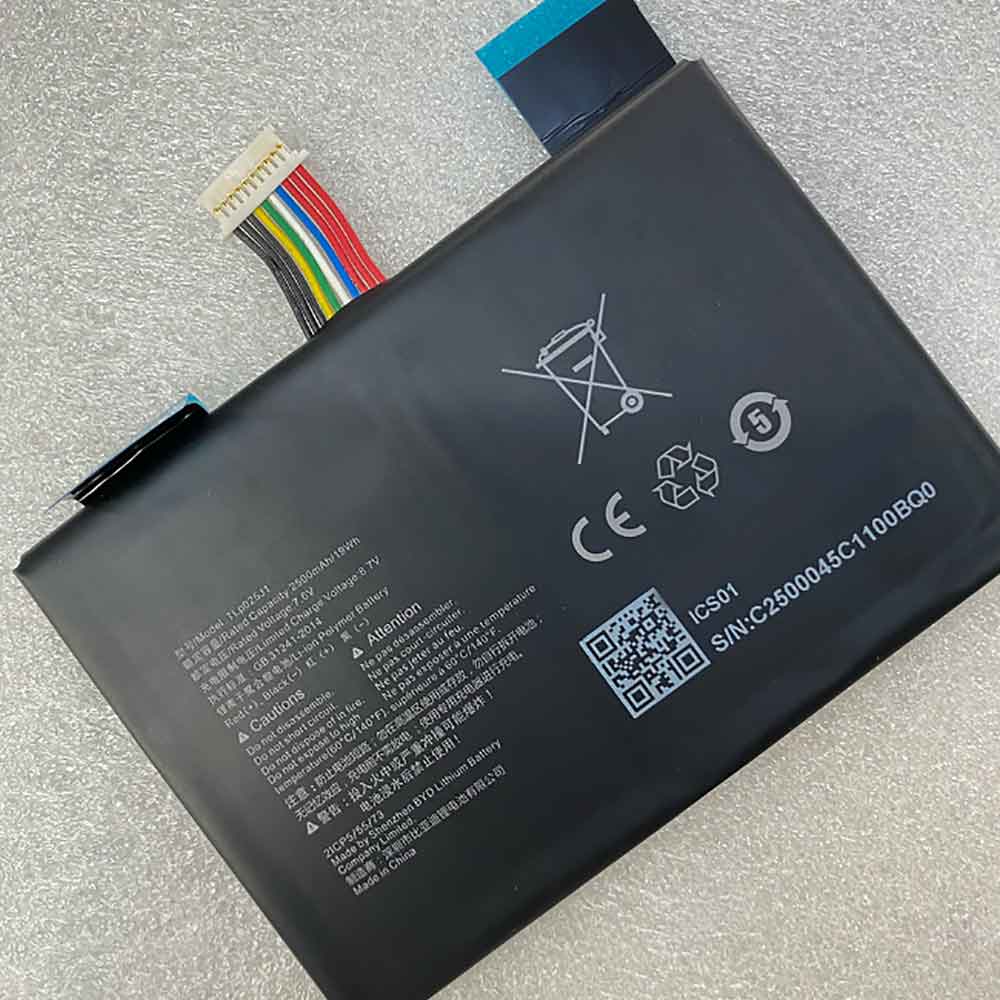
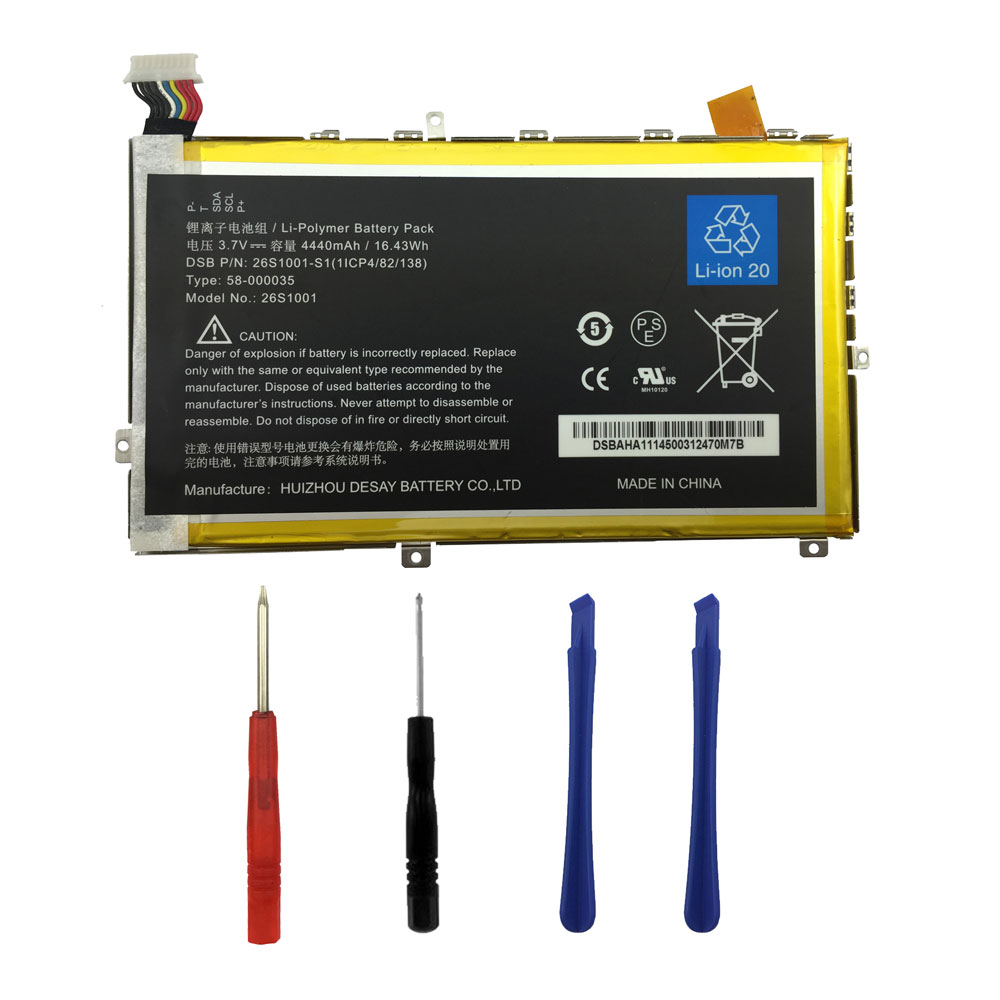
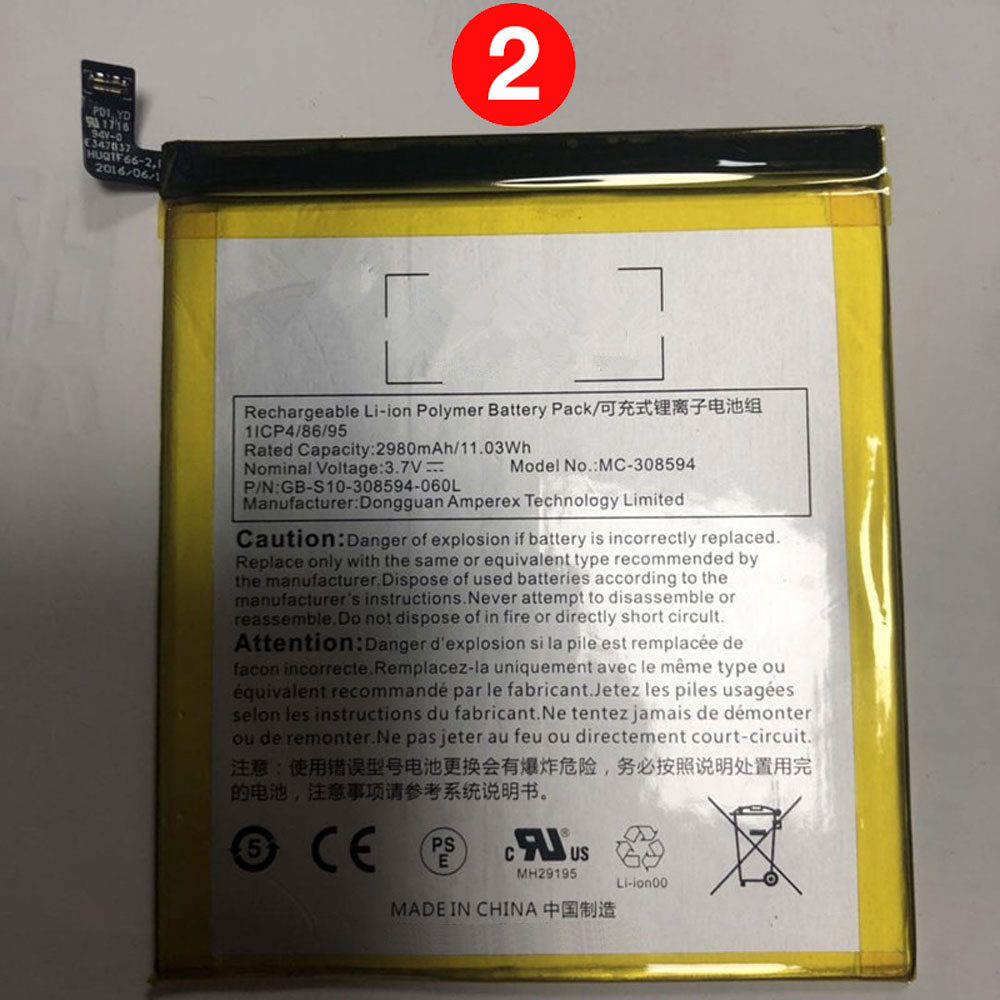
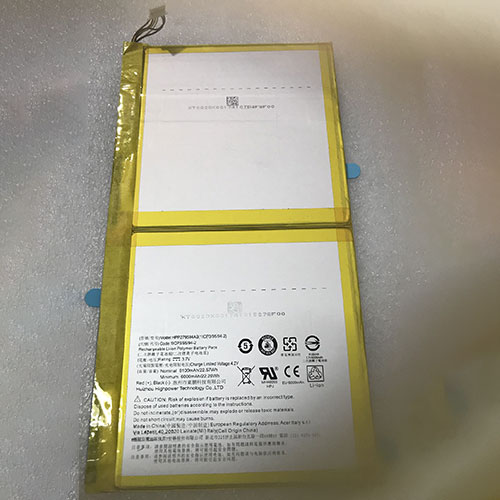
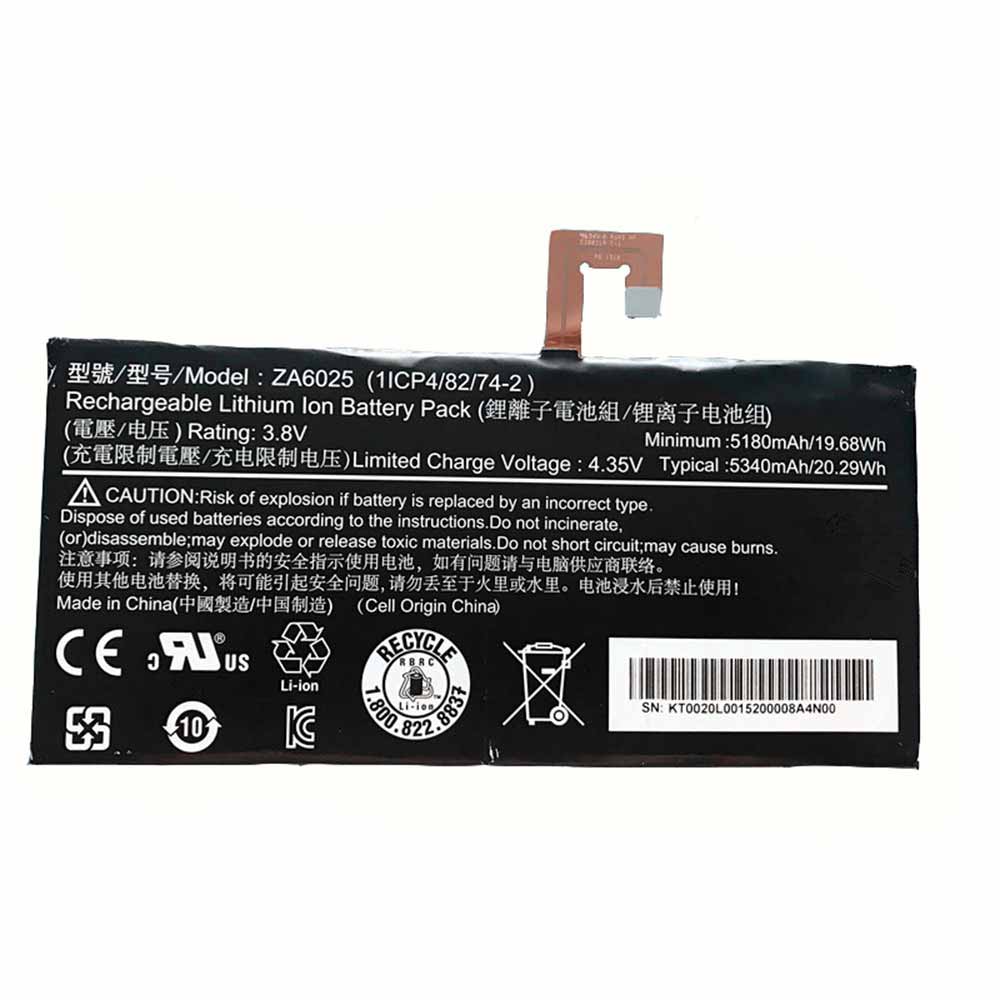
600mAh 2.22Wh 3.7V 4.2V Bose QC35 Li-ion Battery for Bose QuietComfort 35 QC35/QC35 II Headphones

600mAh 2.22Wh 3.7V 4.2V Bose QC35 Batteries for Bose QuietComfort 35 QC35/QC35 II Headphones, Bose QC35 Other battery is a brand new,100% Compatible original and replacement battery,Purchase wholesale and retail QC35 with high quality and low price!

Find ou your original model number or part number(P/N), and move your eyes on the tag of battery
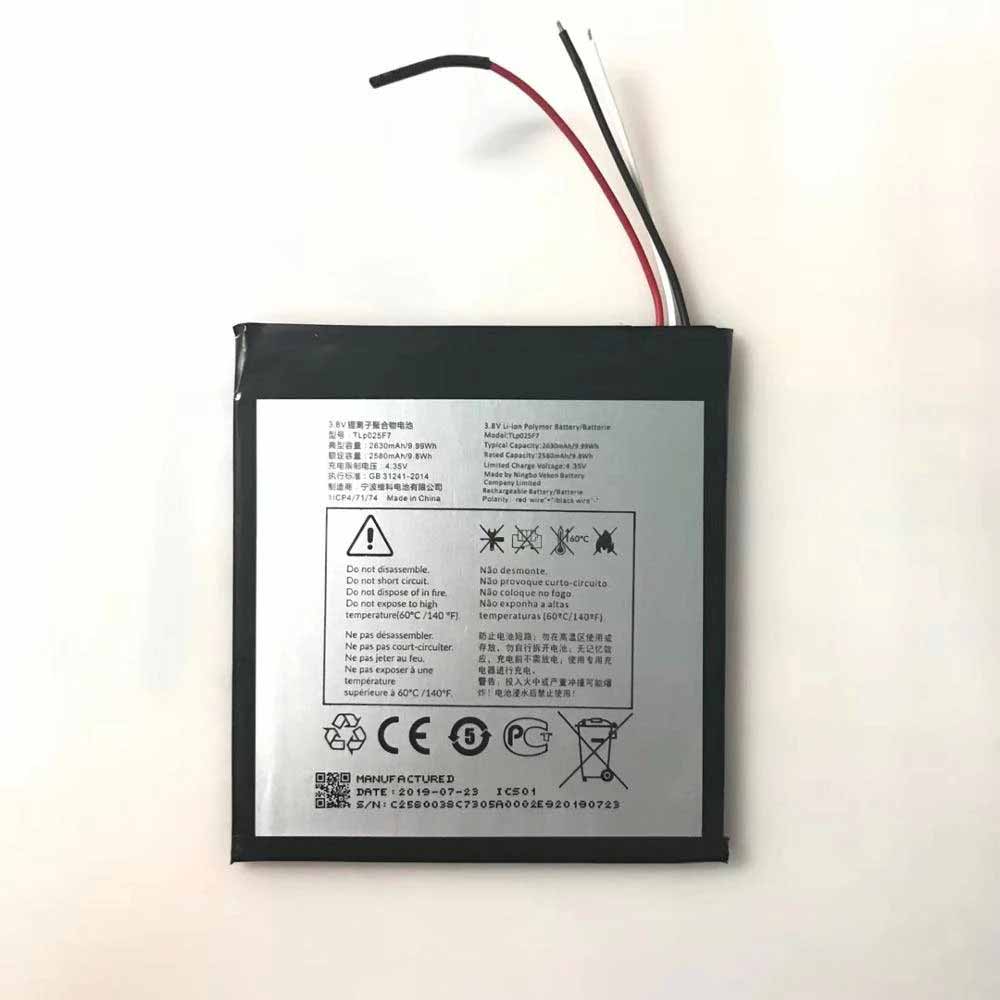
QC35

Specifications

  • Brand:Bose
  • Capacity :600mAh 2.22Wh
  • Voltage :3.7V 4.2V
  • Type :Li-ion
  • Battery Cell Quality: Grade A
  • Descriptive: Replacement Battery – 1 Year Warranty
  • Description: Brand New, 1 Year Warranty! 30-Days Money Back! Fast Shipping!

How we test this Bose QC35 Battery
Step 1: Make sure customer bought the correct battery.
Step 2: Check battery’s appearance and interface.
Step 3: Test battery charger and recharger function.
Step 4: Charger the battery to 100% and recharger to 0% to get real battery capacity
Step 5: Use Ev2300 to check the voltage difference of each goroup cells.
Step 6: Charger battery power more than 30%.
Step 7: Package battery carefully and send out

Compatible Part Numbers:
QC35

Compatible Model Numbers:
Bose QuietComfort 35 QC35/QC35 II Headphones

How much do you know about how to run laptop well as any place? The follow Tips cut way back on protecting battery life.


1). Please recharge or change your Other battery when battery power low.
2). Using Li-Ion Replacement Bose QC35 Other Battery for your notebook which can work longer time than Non Li-ion one.
3). It is better to defragmentation regularly for your Other battery life.
4). In order to reduce the laptop power consumpition, you can use some optical drive spin-down and hard drive in your Other .
5). Please keep your laptop in sleep or standby model without long time using, which both save the Replacement Bose QC35 Other Battery power and extend battery using life.
6). Leave your battery in a dry and cool condition when without using.
7). When you rarely or generally plugged in fixed power using, Please take down your battery to avoid hurting battery life.

Hot Products

4000mAh/15.4WH BLU C876345400P for BLU G8 G017068WH DELL MV07R for Dell G5 5000 5590 5500 55053000mAh JBL GSP872693 for JBL Flip 341Wh/5340mAh LENOVO L15L4PC3 for Lenovo MIIX 720 720-12IKB3000mAh/11.6WH ZTE Li3930T44P6h746342 for nubia ZTE Z17S NX595J20mAh PANASONIC VL2020 for BMW E38 E39 E46 E53 E60 E90 E91000Mah HBC BA209061 for HBC remote control battery / c3700mAh/13.69Wh NEWLAND BTY61 for Newland NLS-MT66 NLS-MT60 MT6080Wh CUBOT NOTE_20 for Cubot NOTE 20720mAh NOKIA BLD-3 for Nokia 7250i 6220 6610 7250 I62

4500MAH 3.85V 4.40V Coolpad Cool10 Li-ion Cell Phone battery for Coolpad SEA-A0 486486

4500MAH 3.85V 4.40V Coolpad Cool10 Batteries for Coolpad SEA-A0 486486, Coolpad Cool10 Cell Phone battery is a brand new,100% Compatible original and replacement Phone battery,Purchase wholesale and retail Cool10 with high quality and low price!

Find ou your original model number or part number(P/N), and move your eyes on the tag of battery

Cool10

Specifications

  • Brand:Coolpad
  • Capacity :4500MAH
  • Voltage :3.85V 4.40V
  • Type :Li-ion
  • Battery Cell Quality: Grade A
  • Descriptive: Replacement Battery – 1 Year Warranty
  • Description: Brand New, 1 Year Warranty! 30-Days Money Back! Fast Shipping!

How we test this Coolpad Cool10 Battery
Step 1: Make sure customer bought the correct battery.
Step 2: Check battery’s appearance and interface.
Step 3: Test battery charger and recharger function.
Step 4: Charger the battery to 100% and recharger to 0% to get real battery capacity
Step 5: Use Ev2300 to check the voltage difference of each goroup cells.
Step 6: Charger battery power more than 30%.
Step 7: Package battery carefully and send out

Compatible Part Numbers:
Cool10

Compatible Model Numbers:
Coolpad SEA-A0 486486

How much do you know about how to run laptop well as any place? The follow Tips cut way back on protecting battery life.


1). Please recharge or change your Cell Phone battery when battery power low.
2). Using Li-Ion Replacement Coolpad Cool10 Cell Phone Battery for your notebook which can work longer time than Non Li-ion one.
3). It is better to defragmentation regularly for your Cell Phone battery life.
4). In order to reduce the laptop power consumpition, you can use some optical drive spin-down and hard drive in your Cell Phone .
5). Please keep your laptop in sleep or standby model without long time using, which both save the Replacement Coolpad Cool10 Cell Phone Battery power and extend battery using life.
6). Leave your battery in a dry and cool condition when without using.
7). When you rarely or generally plugged in fixed power using, Please take down your battery to avoid hurting battery life.

Hot Products

4000mAh/15.4WH BLU C876345400P for BLU G8 G017068WH DELL MV07R for Dell G5 5000 5590 5500 55053000mAh JBL GSP872693 for JBL Flip 341Wh/5340mAh LENOVO L15L4PC3 for Lenovo MIIX 720 720-12IKB3000mAh/11.6WH ZTE Li3930T44P6h746342 for nubia ZTE Z17S NX595J20mAh PANASONIC VL2020 for BMW E38 E39 E46 E53 E60 E90 E91000Mah HBC BA209061 for HBC remote control battery / c3700mAh/13.69Wh NEWLAND BTY61 for Newland NLS-MT66 NLS-MT60 MT6080Wh CUBOT NOTE_20 for Cubot NOTE 20720mAh NOKIA BLD-3 for Nokia 7250i 6220 6610 7250 I62

4000MAH 15.4WH 3.85V 4.40V Oukitel S77 Li-ion Cell Phone battery for Oukitel C18 Pro

4000MAH 15.4WH 3.85V 4.40V Oukitel S77 Batteries for Oukitel C18 Pro, Oukitel S77 Cell Phone battery is a brand new,100% Compatible original and replacement Phone battery,Purchase wholesale and retail S77 with high quality and low price!

Find ou your original model number or part number(P/N), and move your eyes on the tag of battery

S77

Specifications

  • Brand:Oukitel
  • Capacity :4000MAH 15.4WH
  • Voltage :3.85V 4.40V
  • Type :Li-ion
  • Battery Cell Quality: Grade A
  • Descriptive: Replacement Battery – 1 Year Warranty
  • Description: Brand New, 1 Year Warranty! 30-Days Money Back! Fast Shipping!

How we test this Oukitel S77 Battery
Step 1: Make sure customer bought the correct battery.
Step 2: Check battery’s appearance and interface.
Step 3: Test battery charger and recharger function.
Step 4: Charger the battery to 100% and recharger to 0% to get real battery capacity
Step 5: Use Ev2300 to check the voltage difference of each goroup cells.
Step 6: Charger battery power more than 30%.
Step 7: Package battery carefully and send out

Compatible Part Numbers:
S77

Compatible Model Numbers:
Oukitel C18 Pro

How much do you know about how to run laptop well as any place? The follow Tips cut way back on protecting battery life.


1). Please recharge or change your Cell Phone battery when battery power low.
2). Using Li-Ion Replacement Oukitel S77 Cell Phone Battery for your notebook which can work longer time than Non Li-ion one.
3). It is better to defragmentation regularly for your Cell Phone battery life.
4). In order to reduce the laptop power consumpition, you can use some optical drive spin-down and hard drive in your Cell Phone .
5). Please keep your laptop in sleep or standby model without long time using, which both save the Replacement Oukitel S77 Cell Phone Battery power and extend battery using life.
6). Leave your battery in a dry and cool condition when without using.
7). When you rarely or generally plugged in fixed power using, Please take down your battery to avoid hurting battery life.

Hot Products

4000mAh/15.4WH BLU C876345400P for BLU G8 G017068WH DELL MV07R for Dell G5 5000 5590 5500 55053000mAh JBL GSP872693 for JBL Flip 341Wh/5340mAh LENOVO L15L4PC3 for Lenovo MIIX 720 720-12IKB3000mAh/11.6WH ZTE Li3930T44P6h746342 for nubia ZTE Z17S NX595J20mAh PANASONIC VL2020 for BMW E38 E39 E46 E53 E60 E90 E91000Mah HBC BA209061 for HBC remote control battery / c3700mAh/13.69Wh NEWLAND BTY61 for Newland NLS-MT66 NLS-MT60 MT6080Wh CUBOT NOTE_20 for Cubot NOTE 20720mAh NOKIA BLD-3 for Nokia 7250i 6220 6610 7250 I62

Phone not charging? It might help to try this simple toothpick trick first!

 There are many reasons why your iPhone or Android phone might no longer charge—from rusted charging ports to damaged cables. But a common problem is that your charging port, whether it’s Lightning on the iPhone 13 or USB-C on phones like the Google Pixel 6 Pro, gets clogged with dirt and the cable doesn’t plug all the way in. Let’s take a look at the reasons and solutions below!

Why is my charging port blocked?

The phone’s charging ports don’t have protective covers, which means they’re exposed to every bit of dust, grime, and debris they come across. But those tiny bits of dust and lint can build up over the months or years you own your phone, pressing together every time you plug in the charging cable until it forms a solid barrier to your charger from fully entering and allowing it to connect and Charge. If your phone is more than six months old and you’re gradually finding that the charger is becoming more and more unstable, there’s a good chance that dirt on your port is the culprit.

How to Clean Your Phone’s Charging Port

Unclogging your phone port is an easy task. You’ll need a cocktail stick, toothpick, or other small item that can be inserted into the port to scrape off grime. Wood or plastic is better because it’s less likely to scratch anything inside and possibly cause injury.

Insert the tool of your choice into the charging port until it goes no further, then gently start scraping away. With the iPhone’s Lightning port, you can scrape back and forth, but with USB-C, you’ll need to scrape the charging connector that sits in the middle of the port.

Eventually, you will start to loosen the compacted pieces and you will be able to drain the sloughed material out of the port. It’s a satisfying process, and you might be surprised how much stuff actually turns out. Work lightly on the sides of the port, but be careful not to scratch any metal charging connectors too hard.

Hopefully it’s now safer to plug in and start charging. If not, go ahead and try to extract more dirt and test the charger again. If that still doesn’t solve the problem, it’s time to consider other solutions, like a new cable or charger.

>>>>>>>>>>>>>Phone battery

Thanks for reading, hope it helps!

Friendly reminder: If you need to replace your device battery, this battery store will be a good choice: www.batteryforpc.co.uk

11000MAH 41.8WH 3.8V 4.35V Oukitel WP2 Li-ion Cell Phone battery for Oukitel WP2

11000MAH 41.8WH 3.8V 4.35V Oukitel WP2 Batteries for Oukitel WP2, Oukitel WP2 Cell Phone battery is a brand new,100% Compatible original and replacement Phone battery,Purchase wholesale and retail WP2 with high quality and low price!

Find ou your original model number or part number(P/N), and move your eyes on the tag of battery

WP2

Specifications

  • Brand:Oukitel
  • Capacity :11000MAH 41.8WH
  • Voltage :3.8V 4.35V
  • Type :Li-ion
  • Battery Cell Quality: Grade A
  • Descriptive: Replacement Battery – 1 Year Warranty
  • Description: Brand New, 1 Year Warranty! 30-Days Money Back! Fast Shipping!

How we test this Oukitel WP2 Battery
Step 1: Make sure customer bought the correct battery.
Step 2: Check battery’s appearance and interface.
Step 3: Test battery charger and recharger function.
Step 4: Charger the battery to 100% and recharger to 0% to get real battery capacity
Step 5: Use Ev2300 to check the voltage difference of each goroup cells.
Step 6: Charger battery power more than 30%.
Step 7: Package battery carefully and send out

Compatible Part Numbers:
WP2

Compatible Model Numbers:
Oukitel WP2

How much do you know about how to run laptop well as any place? The follow Tips cut way back on protecting battery life.


1). Please recharge or change your Cell Phone battery when battery power low.
2). Using Li-Ion Replacement Oukitel WP2 Cell Phone Battery for your notebook which can work longer time than Non Li-ion one.
3). It is better to defragmentation regularly for your Cell Phone battery life.
4). In order to reduce the laptop power consumpition, you can use some optical drive spin-down and hard drive in your Cell Phone .
5). Please keep your laptop in sleep or standby model without long time using, which both save the Replacement Oukitel WP2 Cell Phone Battery power and extend battery using life.
6). Leave your battery in a dry and cool condition when without using.
7). When you rarely or generally plugged in fixed power using, Please take down your battery to avoid hurting battery life.

Hot Products

20mAh PANASONIC VL2020 for BMW E38 E39 E46 E53 E60 E90 E91000Mah HBC BA209061 for HBC remote control battery / c3700mAh/13.69Wh NEWLAND BTY61 for Newland NLS-MT66 NLS-MT60 MT6080Wh CUBOT NOTE_20 for Cubot NOTE 20720mAh NOKIA BLD-3 for Nokia 7250i 6220 6610 7250 I622200mAh ADVENT A14-S5-3S2P4400-0 for Advent Modena M100 M101 M200 M57Wh 4.95Ah LENOVO L17M3P71 for Lenovo ThinkPad T480S 01AV4785200MAH/77wh FUJITSU SMP-MFS-SS-26C-08 for FUJITSU X9510 X9515 X9525255mAh GARMIN 361-00097-00 for Garmin Fenix 5 5X700mAh/2.59Wh GARMIN 361-00043-00 for Garmin Edge 500 510 520 Cyclin

4050MAH 3.8V Oukitel U18 Li-ion Cell Phone battery for Oukitel U18

4050MAH 3.8V Oukitel U18 Batteries for Oukitel U18, Oukitel U18 Cell Phone battery is a brand new,100% Compatible original and replacement Phone battery,Purchase wholesale and retail U18 with high quality and low price!

Find ou your original model number or part number(P/N), and move your eyes on the tag of battery

U18

Specifications

  • Brand:Oukitel
  • Capacity :4050MAH
  • Voltage :3.8V
  • Type :Li-ion
  • Battery Cell Quality: Grade A
  • Descriptive: Replacement Battery – 1 Year Warranty
  • Description: Brand New, 1 Year Warranty! 30-Days Money Back! Fast Shipping!

How we test this Oukitel U18 Battery
Step 1: Make sure customer bought the correct battery.
Step 2: Check battery’s appearance and interface.
Step 3: Test battery charger and recharger function.
Step 4: Charger the battery to 100% and recharger to 0% to get real battery capacity
Step 5: Use Ev2300 to check the voltage difference of each goroup cells.
Step 6: Charger battery power more than 30%.
Step 7: Package battery carefully and send out

Compatible Part Numbers:
U18

Compatible Model Numbers:
Oukitel U18

How much do you know about how to run laptop well as any place? The follow Tips cut way back on protecting battery life.


1). Please recharge or change your Cell Phone battery when battery power low.
2). Using Li-Ion Replacement Oukitel U18 Cell Phone Battery for your notebook which can work longer time than Non Li-ion one.
3). It is better to defragmentation regularly for your Cell Phone battery life.
4). In order to reduce the laptop power consumpition, you can use some optical drive spin-down and hard drive in your Cell Phone .
5). Please keep your laptop in sleep or standby model without long time using, which both save the Replacement Oukitel U18 Cell Phone Battery power and extend battery using life.
6). Leave your battery in a dry and cool condition when without using.
7). When you rarely or generally plugged in fixed power using, Please take down your battery to avoid hurting battery life.

Hot Products

20mAh PANASONIC VL2020 for BMW E38 E39 E46 E53 E60 E90 E91000Mah HBC BA209061 for HBC remote control battery / c3700mAh/13.69Wh NEWLAND BTY61 for Newland NLS-MT66 NLS-MT60 MT6080Wh CUBOT NOTE_20 for Cubot NOTE 20720mAh NOKIA BLD-3 for Nokia 7250i 6220 6610 7250 I622200mAh ADVENT A14-S5-3S2P4400-0 for Advent Modena M100 M101 M200 M57Wh 4.95Ah LENOVO L17M3P71 for Lenovo ThinkPad T480S 01AV4785200MAH/77wh FUJITSU SMP-MFS-SS-26C-08 for FUJITSU X9510 X9515 X9525255mAh GARMIN 361-00097-00 for Garmin Fenix 5 5X700mAh/2.59Wh GARMIN 361-00043-00 for Garmin Edge 500 510 520 Cyclin

Apple releases 15.2.1 update for iOS and iPadOS to fix bugs

 Apple on Wednesday released a small update to iOS and iPadOS for iPhone and iPad users, fixing bugs and potential vulnerabilities in operating system security related to Apple’s Siri-powered smart home platform Homekit.

The iOS 15.2.1 update fixes an issue on iPhone that could prevent messages from loading or third-party CarPlay apps from responding to input when sending messages using an iCloud link.

The iOS 15.2.1 and iPadOS 15.2.1 updates also fix operating system vulnerabilities that could allow Homekit to be exploited by denial of service attacks.

For iPhone and iPad users, the update can be accessed by navigating to Settings from the device’s home screen. From settings, navigate to “General” and click “Software Update”.

The iOS and iPadOS 15.2 updates were recently released and include many updates and new features.

>>>>>>>>>>>Apple battery

Apple: Will Apple’s iMessage green bubble problem be fixed?

 Apple’s iMessage has a long history of separating users into “blue” and “green” bubbles based on whether they’re on an iPhone or an Android phone. But the question now goes way beyond looking cool in our group chats.

Over the weekend, the Wall Street Journal published an article detailing how the difference between green and blue chat bubbles can create social stress among teens and young adults. The blue-and-green bubble debate highlights a broader problem across the industry: There is no single modern texting standard that works on all phones.

Google has been supporting the messaging platform, which has iMessage-like features, by working with carriers to make it the default option on most Android phones. This is a step forward in making messaging more unified across the wide range of Android devices out there.

As one of the biggest players in the phone industry, Apple could certainly do more to help build a more consistent texting experience across devices. Apple has often touted its control of iOS as a selling point for consumers, and the move away from iMessage could jeopardize that.

Apple hasn’t responded to CNET’s request for comment, and Google pointed us to some tweets from its Android senior vice president, Hiroshi Lockheimer, in which he criticized Apple for using “pressure and bullying” to target users. However, Apple could make some changes to fix this, similar to how it brought a limited FaceTime experience to Android and Windows users in iOS 15.

Support RCS in Apple’s Messages app, even a little

Starting with the most obvious, it might be time for Apple to consider supporting RCS in iOS 16. In addition to the fact that RCS includes many iMessage-like features, Apple does have a history of adopting an open format.

Apple doesn’t even have to fully endorse RCS to make a difference. It keeps non-iPhone messages green and relies on an iPhone-exclusive feature that uses the iPhone’s Face ID to create facial animations to appeal to Apple loyalists. But supporting some key features will go a long way towards enabling a smoother communication experience while maintaining a level of Apple exclusivity.

It could also allow encryption between messages regardless of platform, especially since Apple has been a public defender of user privacy. Some would argue that this alone should get companies to embrace RCS.

>>>>>>>>>>>>>>Apple battery

4000MAH 15.4WH 3.85V 4.40V Iris KLB400P396 Li-ion Cell Phone battery for Iris Mobile Next P Pro

4000MAH 15.4WH 3.85V 4.40V Iris KLB400P396 Batteries for Iris Mobile Next P Pro, Iris KLB400P396 Cell Phone battery is a brand new,100% Compatible original and replacement Phone battery,Purchase wholesale and retail KLB400P396 with high quality and low price!

Find ou your original model number or part number(P/N), and move your eyes on the tag of battery

KLB400P396

Specifications

  • Brand:Iris
  • Capacity :4000MAH 15.4WH
  • Voltage :3.85V 4.40V
  • Type :Li-ion
  • Battery Cell Quality: Grade A
  • Descriptive: Replacement Battery – 1 Year Warranty
  • Description: Brand New, 1 Year Warranty! 30-Days Money Back! Fast Shipping!

How we test this Iris KLB400P396 Battery
Step 1: Make sure customer bought the correct battery.
Step 2: Check battery’s appearance and interface.
Step 3: Test battery charger and recharger function.
Step 4: Charger the battery to 100% and recharger to 0% to get real battery capacity
Step 5: Use Ev2300 to check the voltage difference of each goroup cells.
Step 6: Charger battery power more than 30%.
Step 7: Package battery carefully and send out

Compatible Part Numbers:
KLB400P396

Compatible Model Numbers:
Iris Mobile Next P Pro

How much do you know about how to run laptop well as any place? The follow Tips cut way back on protecting battery life.


1). Please recharge or change your Cell Phone battery when battery power low.
2). Using Li-Ion Replacement Iris KLB400P396 Cell Phone Battery for your notebook which can work longer time than Non Li-ion one.
3). It is better to defragmentation regularly for your Cell Phone battery life.
4). In order to reduce the laptop power consumpition, you can use some optical drive spin-down and hard drive in your Cell Phone .
5). Please keep your laptop in sleep or standby model without long time using, which both save the Replacement Iris KLB400P396 Cell Phone Battery power and extend battery using life.
6). Leave your battery in a dry and cool condition when without using.
7). When you rarely or generally plugged in fixed power using, Please take down your battery to avoid hurting battery life.

Hot Products

1000Mah HBC BA209061 for HBC remote control battery / c3700mAh/13.69Wh NEWLAND BTY61 for Newland NLS-MT66 NLS-MT60 MT6080Wh CUBOT NOTE_20 for Cubot NOTE 20720mAh NOKIA BLD-3 for Nokia 7250i 6220 6610 7250 I622200mAh ADVENT A14-S5-3S2P4400-0 for Advent Modena M100 M101 M200 M57Wh 4.95Ah LENOVO L17M3P71 for Lenovo ThinkPad T480S 01AV4785200MAH/77wh FUJITSU SMP-MFS-SS-26C-08 for FUJITSU X9510 X9515 X9525255mAh GARMIN 361-00097-00 for Garmin Fenix 5 5X700mAh/2.59Wh GARMIN 361-00043-00 for Garmin Edge 500 510 520 Cyclin3900mAh/15.0WH XIAOMI BN4A for Xiaomi Redmi Note7 Note 7 M190

2800mAh 14.8V Ilife X750 Li-ion battery for iLife V8s X750 V3S Pro V3 plus V50 V5s pro

2800mAh 14.8V Ilife X750 Batteries for iLife V8s X750 V3S Pro V3 plus V50 V5s pro, Ilife X750 Other battery is a brand new,100% Compatible original and replacement battery,Purchase wholesale and retail X750 with high quality and low price!

Find ou your original model number or part number(P/N), and move your eyes on the tag of battery

X750

Specifications

  • Brand:iLife
  • Capacity :2800mAh
  • Voltage :14.8V
  • Type :Li-ion
  • Battery Cell Quality: Grade A
  • Descriptive: Replacement Battery – 1 Year Warranty
  • Description: Brand New, 1 Year Warranty! 30-Days Money Back! Fast Shipping!

How we test this Ilife X750 Battery
Step 1: Make sure customer bought the correct battery.
Step 2: Check battery’s appearance and interface.
Step 3: Test battery charger and recharger function.
Step 4: Charger the battery to 100% and recharger to 0% to get real battery capacity
Step 5: Use Ev2300 to check the voltage difference of each goroup cells.
Step 6: Charger battery power more than 30%.
Step 7: Package battery carefully and send out

Compatible Part Numbers:
X750

Compatible Model Numbers:
iLife V8s X750 V3S Pro V3 plus V50 V5s pro

How much do you know about how to run laptop well as any place? The follow Tips cut way back on protecting battery life.


1). Please recharge or change your Other battery when battery power low.
2). Using Li-Ion Replacement Ilife X750 Other Battery for your notebook which can work longer time than Non Li-ion one.
3). It is better to defragmentation regularly for your Other battery life.
4). In order to reduce the laptop power consumpition, you can use some optical drive spin-down and hard drive in your Other .
5). Please keep your laptop in sleep or standby model without long time using, which both save the Replacement Ilife X750 Other Battery power and extend battery using life.
6). Leave your battery in a dry and cool condition when without using.
7). When you rarely or generally plugged in fixed power using, Please take down your battery to avoid hurting battery life.

Hot Products

1000Mah HBC BA209061 for HBC remote control battery / c3700mAh/13.69Wh NEWLAND BTY61 for Newland NLS-MT66 NLS-MT60 MT6080Wh CUBOT NOTE_20 for Cubot NOTE 20720mAh NOKIA BLD-3 for Nokia 7250i 6220 6610 7250 I622200mAh ADVENT A14-S5-3S2P4400-0 for Advent Modena M100 M101 M200 M57Wh 4.95Ah LENOVO L17M3P71 for Lenovo ThinkPad T480S 01AV4785200MAH/77wh FUJITSU SMP-MFS-SS-26C-08 for FUJITSU X9510 X9515 X9525255mAh GARMIN 361-00097-00 for Garmin Fenix 5 5X700mAh/2.59Wh GARMIN 361-00043-00 for Garmin Edge 500 510 520 Cyclin3900mAh/15.0WH XIAOMI BN4A for Xiaomi Redmi Note7 Note 7 M190