Several interesting features of the new iPad are worth checking out!

 Using the new iPad or even exploring new features in major software updates can bring excitement. If you have managed to be patient enough to arrange all the settings in order first, then there are many cool features on your iPad to view. A good starting point is the Tips series. You should be able to find the prompt message center in the default widget settings, but in addition to that, you can also find it in the application library under Information and Reading. Let’s take a look at some of the interesting features on the iPad!

Arrange your home screen widgets

When you finally reach the iPad home screen, you will notice the widget layout. You can edit this layout to best suit your needs. Even if you are satisfied with the existing default application, you can long press the application to view additional customization options, or press and drag to rearrange the widgets.

If you want to edit the widget, swipe to the right on the screen and tap Edit. From here you can delete or add widgets, allowing you to access the e-book you are reading or your favorite game or streaming service faster.

Check out Apple’s free trial version

New iOS devices include free trials of Apple TV Plus and Apple Arcade. Therefore, in addition to downloading your favorite TV streaming apps, games, and connected accounts, you can also try some new things. With a new iOS device, you can try Apple Arcade and enjoy a three-month free trial, as well as a one-month free trial for new subscribers. Apple TV Plus is Apple’s subscription video service, including original TV shows and movies such as Ted Lasso, Schmigadoon and The Morning Show.

Split Screen

You can use split screen with almost any combination of applications. A common use may be to open the calendar application and write a to-do list in the reminder application at the same time. To start splitting the view, open an app, tap the small horizontal three dots at the top of the screen, and select the desired layout.

Save time with Touch ID

If your iPad has a fingerprint sensor, you can enable Touch ID during the initial device setup. This is not required, but it can make logging in and confirming purchases and downloads a bit faster. If you want to use Touch ID on your iPad, open the “Settings” app and select “Touch ID and Passcode.” The device password is the first thing you are prompted to set after turning on the iPad, but you can also change or turn off the password here. To set up Touch ID, click Add fingerprint and follow the prompts. After that, you can customize the purpose of Touch ID.

Sign in with Apple

Signing in with Apple is a feature that requires attention and use, not a setting to adjust on your device. This tool is another layer of defense for your security, such as adjusting the privacy settings of your device or using privacy tools such as virtual private networks or DuckDuckGo.

When you create a new account for an app or website, you can choose to log in with Apple instead of Facebook, Google, or email. The tool creates a random email address that can only be used for a specific application. The application or website will use the generated email, but Apple will forward all correspondence to your real email to protect your identity. You can reply to any email you like without revealing your personal email address. There is also an option to hide my email. Apple will create a random email address for you to use when registering for any service.

>>>>>>>>>>>>Apple battery

Thank you for reading, and hope to help you!

Friendly reminder: If you need to replace your device battery, this battery shop will be a good choice: www.batteryforpc.co.uk

4500mAh 17.41WH 3.87V 4.45V Nokia LPN387450 Li-ion Cell Phone battery for Nokia LPN387450

 Nokia LPN387450 Batteries for Nokia LPN387450, Nokia LPN387450 Cell Phone battery is a brand new,100% Compatible original and replacement Phone battery,Purchase wholesale and retail LPN387450 with high quality and low price!
Find ou your original model number or part number(P/N), and move your eyes on the tag of battery
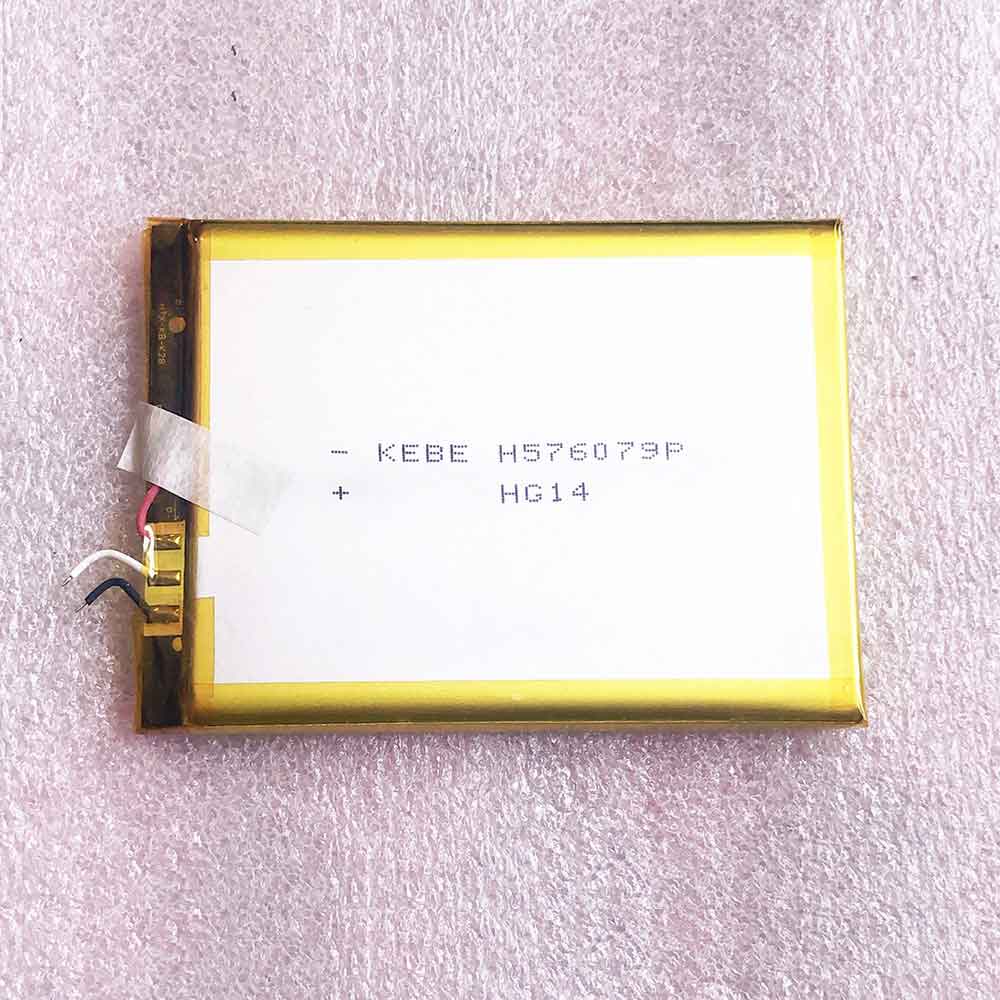
LPN387450

Specifications

  • Brand:Nokia
  • Capacity :4500mAh 17.41WH
  • Voltage :3.87V 4.45V
  • Type :Li-ion
  • Battery Cell Quality: Grade A
  • SKU:20IV639_Te

Compatible Part Numbers:
LPN387450

Compatible Model Numbers:
Nokia LPN387450

Description of the Nokia LPN387450 Battery

 1: Qualität steht bei uns an erster Stelle! Alle Ersatz für Nokia LPN387450 Battery mit hoher Qualität.
 2: Unsere Marke BATTERYFORPC.CO.UK  ist eine gute Alternative. Vergleichbare Qualität, zu einem günstigsten Preis. So bieten wir für jedes Budget eine gute Lösung.
 3: The capacity and voltage of the battery are 3.87V 4.45V 4500mAh 17.41WH, which is close to or the same as the original standard, which can provide your device with a standard working time.
 4: 1 Jahr Garantie!  30 Tage Geld-zurück Garantie !Erfüllt alle Sicherheits- und Kompatibilitätsanforderungen.
 5: Unsere Vorteile:hohe Qualität+günstiger Preis+schnelle Lieferung.

How much do you know about how to run laptop well as any place? The follow Tips cut way back on protecting battery life.


1). Please recharge or change your Cell Phone battery when battery power low.
2). Using Li-Ion Replacement Nokia LPN387450 Cell Phone Battery for your notebook which can work longer time than Non Li-ion one.
3). It is better to defragmentation regularly for your Cell Phone battery life.
4). In order to reduce the laptop power consumpition, you can use some optical drive spin-down and hard drive in your Cell Phone .
5). Please keep your laptop in sleep or standby model without long time using, which both save the Replacement Nokia LPN387450 Cell Phone Battery power and extend battery using life.
6). Leave your battery in a dry and cool condition when without using.
7). When you rarely or generally plugged in fixed power using, Please take down your battery to avoid hurting battery life.

Hot Products

4000mAh/15.4WH BLU C876345400P for BLU G8 G01702300mAh /8.74Wh KYOCERA SCP-64LBPS for Kyocera Hydro Wave C6740 C6740270mAh SAMSUNG EB-BR810ABU for Samsung Galaxy S4 Watch 42mm S4900mAh/18.8WH ZTE Li3949T44P6h996644 for ZTE Nubia Red Magic 3 NX629J3360Mah/12.76Wh DOOGEE BL-57 for Doogee shoot 2 phone2800mAh PANASONIC VW-VBG260 for PANASONIC HDC-HS700 TM700 HS303700mAh/57Wh ASUS C41N1809 for Asus Zenbook Flip 15 UX562FD U4000mAh/15.17wh DELL P706T for DELL VENUE 7 T01C 37302600mAh/9.88WH OUKITEL S68 for OukiTel C16 Pro4850mAh/37WH ASUS C21N1818-1 for ASUS F512D (DC14)

4000mAh 15.40WH 3.85V Sharp UBATIA301AFN2 Li-ion Cell Phone battery for Sharp ShV45 SenSe3 Sh-m12 SenSelite

 Sharp UBATIA301AFN2 Batteries for Sharp ShV45 SenSe3 Sh-m12 SenSelite, Sharp UBATIA301AFN2 Cell Phone battery is a brand new,100% Compatible original and replacement Phone battery,Purchase wholesale and retail UBATIA301AFN2 with high quality and low price!
Find ou your original model number or part number(P/N), and move your eyes on the tag of battery

UBATIA301AFN2

Specifications

  • Brand:Sharp
  • Capacity :4000mAh 15.40WH
  • Voltage :3.85V
  • Type :Li-ion
  • Battery Cell Quality: Grade A
  • SKU:20IV640_Te

Compatible Part Numbers:
UBATIA301AFN2

Compatible Model Numbers:
Sharp ShV45 SenSe3 Sh-m12 SenSelite

Description of the Sharp UBATIA301AFN2 Battery

 1: Qualität steht bei uns an erster Stelle! Alle Ersatz für Sharp UBATIA301AFN2 Battery mit hoher Qualität.
 2: Unsere Marke BATTERYFORPC.CO.UK  ist eine gute Alternative. Vergleichbare Qualität, zu einem günstigsten Preis. So bieten wir für jedes Budget eine gute Lösung.
 3: The capacity and voltage of the battery are 3.85V 4000mAh 15.40WH, which is close to or the same as the original standard, which can provide your device with a standard working time.
 4: 1 Jahr Garantie!  30 Tage Geld-zurück Garantie !Erfüllt alle Sicherheits- und Kompatibilitätsanforderungen.
 5: Unsere Vorteile:hohe Qualität+günstiger Preis+schnelle Lieferung.

How much do you know about how to run laptop well as any place? The follow Tips cut way back on protecting battery life.


1). Please recharge or change your Cell Phone battery when battery power low.
2). Using Li-Ion Replacement Sharp UBATIA301AFN2 Cell Phone Battery for your notebook which can work longer time than Non Li-ion one.
3). It is better to defragmentation regularly for your Cell Phone battery life.
4). In order to reduce the laptop power consumpition, you can use some optical drive spin-down and hard drive in your Cell Phone .
5). Please keep your laptop in sleep or standby model without long time using, which both save the Replacement Sharp UBATIA301AFN2 Cell Phone Battery power and extend battery using life.
6). Leave your battery in a dry and cool condition when without using.
7). When you rarely or generally plugged in fixed power using, Please take down your battery to avoid hurting battery life.

Hot Products

4000mAh/15.4WH BLU C876345400P for BLU G8 G01702300mAh /8.74Wh KYOCERA SCP-64LBPS for Kyocera Hydro Wave C6740 C6740270mAh SAMSUNG EB-BR810ABU for Samsung Galaxy S4 Watch 42mm S4900mAh/18.8WH ZTE Li3949T44P6h996644 for ZTE Nubia Red Magic 3 NX629J3360Mah/12.76Wh DOOGEE BL-57 for Doogee shoot 2 phone2800mAh PANASONIC VW-VBG260 for PANASONIC HDC-HS700 TM700 HS303700mAh/57Wh ASUS C41N1809 for Asus Zenbook Flip 15 UX562FD U4000mAh/15.17wh DELL P706T for DELL VENUE 7 T01C 37302600mAh/9.88WH OUKITEL S68 for OukiTel C16 Pro4850mAh/37WH ASUS C21N1818-1 for ASUS F512D (DC14)

For your privacy, 3 iPhone security settings should be locked

 As your iPhone becomes more and more an integral part of your life and identity, the need to protect your data becomes more important. When you lock your Gmail account, Facebook page, and browser, don’t ignore your iPhone just because you’ve set up Face ID or Touch ID.

Face ID is a good start. After all, it does ensure that nosy roommates, thieves, or others who want to spy on your phone cannot access the treasure trove of information stored on your device. However, even if your iPhone or iPad is locked, there are still some applications and device settings that can be tapped by anyone with physical access to your device. Isn’t it scary? Therefore, you should immediately change the following three settings to completely lock your iPhone or iPad. Let’s take a look!

Don’t show notification content on the lock screen

If you have a newer iPhone that uses Face ID, you may have noticed that the notifications on the lock screen are hidden until you pick up the phone and use your face to unlock it. You can take this security feature one step further by telling your Apple device to never reveal the content of the message. Instead, you will see an alert from a specific application, and clicking on it will open it.

Doing so prevents snoopers from seeing the content of emails and messages you receive. To double check your settings or change settings> notifications> show preview and choose when unlocked or never.

Restrict activity on a locked iPhone or iPad

This is arguably the most important part of fully protecting your Apple device. Go to “Settings”> “Face ID/Touch ID and Password”> enter your password, then scroll down to the section labeled “Allow access when locked.”

There you will find a list of different device features, from Siri and Today View to control center and wallet. Every function with the switch in the on position can be accessed directly from the lock screen, even if your device is locked. It seems harmless to leave features like Home Control turned on, but depending on the number and type of HomeKit devices you have, someone can control your smart home. Thankfully, Apple requires authentication to unlock the door or open the garage door.

“Erase data” is an extreme choice

You should only do this if you regularly back up your iPhone or iPad and can retrieve your information without problems.

Go to Settings>Face ID/Touch ID and Password>Enter your password, then scroll to the very bottom of the page. Slide the switch next to Wipe Data to the on position. After you turn on Wipe Data, your device will automatically restore its factory settings after someone enters the password incorrectly 10 times.

Now that you can better control what types of data and applications you can access when your phone is locked, be sure to take a few minutes to sort out your privacy settings. It’s a good idea to turn on the “Find My” feature on all your Apple devices so you can find your lost or stolen phone.

>>>>>>>>>>>>Apple battery

Thank you for reading, and hope to help you!

Friendly reminder: If you need to replace your mobile phone battery, this battery shop will be a good choice: www.batteryforpc.co.uk

6820mAh 26.25WH 3.85V 4.4V Samsung SCUD-WT-N19 Li-ion Tablets battery for Samsung Tab A7 T500 T505C

 Samsung SCUD-WT-N19 Batteries for Samsung Tab A7 T500 T505C, Samsung SCUD-WT-N19 Tablets battery is a brand new,100% Compatible original and replacement Tablets battery,Purchase wholesale and retail SCUD-WT-N19 with high quality and low price!
Find ou your original model number or part number(P/N), and move your eyes on the tag of battery

SCUD-WT-N19

Specifications

  • Brand:Samsung
  • Capacity :6820mAh 26.25WH
  • Voltage :3.85V 4.4V
  • Type :Li-ion
  • Battery Cell Quality: Grade A
  • SKU:20IV638_Ta

Compatible Part Numbers:
SCUD-WT-N19

Compatible Model Numbers:Samsung Tab A7 T500 T505C

Description of the Samsung SCUD-WT-N19 Battery

 1: Qualität steht bei uns an erster Stelle! Alle Ersatz für Samsung SCUD-WT-N19 Battery mit hoher Qualität.
 2: Unsere Marke BATTERYFORPC.CO.UK  ist eine gute Alternative. Vergleichbare Qualität, zu einem günstigsten Preis. So bieten wir für jedes Budget eine gute Lösung.
 3: The capacity and voltage of the battery are 3.85V 4.4V 6820mAh 26.25WH, which is close to or the same as the original standard, which can provide your device with a standard working time.
 4: 1 Jahr Garantie!  30 Tage Geld-zurück Garantie !Erfüllt alle Sicherheits- und Kompatibilitätsanforderungen.
 5: Unsere Vorteile:hohe Qualität+günstiger Preis+schnelle Lieferung.

How much do you know about how to run laptop well as any place? The follow Tips cut way back on protecting battery life.


1). Please recharge or change your Tablets battery when battery power low.
2). Using Li-Ion Replacement Samsung SCUD-WT-N19 Tablets Battery for your notebook which can work longer time than Non Li-ion one.
3). It is better to defragmentation regularly for your Tablets battery life.
4). In order to reduce the laptop power consumpition, you can use some optical drive spin-down and hard drive in your Tablets .
5). Please keep your laptop in sleep or standby model without long time using, which both save the Replacement Samsung SCUD-WT-N19 Tablets Battery power and extend battery using life.
6). Leave your battery in a dry and cool condition when without using.
7). When you rarely or generally plugged in fixed power using, Please take down your battery to avoid hurting battery life.

Hot Products

2300mAh /8.74Wh KYOCERA SCP-64LBPS for Kyocera Hydro Wave C6740 C6740270mAh SAMSUNG EB-BR810ABU for Samsung Galaxy S4 Watch 42mm S4900mAh/18.8WH ZTE Li3949T44P6h996644 for ZTE Nubia Red Magic 3 NX629J3360Mah/12.76Wh DOOGEE BL-57 for Doogee shoot 2 phone2800mAh PANASONIC VW-VBG260 for PANASONIC HDC-HS700 TM700 HS303700mAh/57Wh ASUS C41N1809 for Asus Zenbook Flip 15 UX562FD U4000mAh/15.17wh DELL P706T for DELL VENUE 7 T01C 37302600mAh/9.88WH OUKITEL S68 for OukiTel C16 Pro4850mAh/37WH ASUS C21N1818-1 for ASUS F512D (DC14)5200mah/76.96Wh CLEVO P150HMBAT-8 for CLEVO P170 P170HM

1430mAh 3.7V 4.2V Nokia BL-5J Li-ion Cell Phone battery for Nokia Lumia N900 520 5230

 Nokia BL-5J Batteries for Nokia Lumia N900 520 521 525 5230, Nokia BL-5J Cell Phone battery is a brand new,100% Compatible original and replacement Phone battery,Purchase wholesale and retail BL-5J with high quality and low price!
Find ou your original model number or part number(P/N), and move your eyes on the tag of battery

BL-5J

Specifications

  • Brand:Nokia
  • Capacity :1430mAh
  • Voltage :3.7V 4.2V
  • Type :Li-ion
  • Battery Cell Quality: Grade A
  • SKU:ECN12506_Te

Compatible Part Numbers:
BL-5J

Compatible Model Numbers:
Nokia Lumia N900 520 521 525 5230
Nokia Nuron 5233 5238 5800 5802 X6 C3

Description of the Nokia BL-5J Battery

 1: Qualität steht bei uns an erster Stelle! Alle Ersatz für Nokia BL-5J Battery mit hoher Qualität.
 2: Unsere Marke BATTERYFORPC.CO.UK  ist eine gute Alternative. Vergleichbare Qualität, zu einem günstigsten Preis. So bieten wir für jedes Budget eine gute Lösung.
 3: The capacity and voltage of the battery are 3.7V 4.2V 1430mAh, which is close to or the same as the original standard, which can provide your device with a standard working time.
 4: 1 Jahr Garantie!  30 Tage Geld-zurück Garantie !Erfüllt alle Sicherheits- und Kompatibilitätsanforderungen.
 5: Unsere Vorteile:hohe Qualität+günstiger Preis+schnelle Lieferung.

How much do you know about how to run laptop well as any place? The follow Tips cut way back on protecting battery life.


1). Please recharge or change your Cell Phone battery when battery power low.
2). Using Li-Ion Replacement Nokia BL-5J Cell Phone Battery for your notebook which can work longer time than Non Li-ion one.
3). It is better to defragmentation regularly for your Cell Phone battery life.
4). In order to reduce the laptop power consumpition, you can use some optical drive spin-down and hard drive in your Cell Phone .
5). Please keep your laptop in sleep or standby model without long time using, which both save the Replacement Nokia BL-5J Cell Phone Battery power and extend battery using life.
6). Leave your battery in a dry and cool condition when without using.
7). When you rarely or generally plugged in fixed power using, Please take down your battery to avoid hurting battery life.

Hot Products

2300mAh /8.74Wh KYOCERA SCP-64LBPS for Kyocera Hydro Wave C6740 C6740270mAh SAMSUNG EB-BR810ABU for Samsung Galaxy S4 Watch 42mm S4900mAh/18.8WH ZTE Li3949T44P6h996644 for ZTE Nubia Red Magic 3 NX629J3360Mah/12.76Wh DOOGEE BL-57 for Doogee shoot 2 phone2800mAh PANASONIC VW-VBG260 for PANASONIC HDC-HS700 TM700 HS303700mAh/57Wh ASUS C41N1809 for Asus Zenbook Flip 15 UX562FD U4000mAh/15.17wh DELL P706T for DELL VENUE 7 T01C 37302600mAh/9.88WH OUKITEL S68 for OukiTel C16 Pro4850mAh/37WH ASUS C21N1818-1 for ASUS F512D (DC14)5200mah/76.96Wh CLEVO P150HMBAT-8 for CLEVO P170 P170HM

14.24Wh 3.85V 4.4V Google G020J-B Li-ion Cell Phone battery for Google Pixel 4 XL

 Google G020J-B Batteries for Google Pixel 4 XL, Google G020J-B Cell Phone battery is a brand new,100% Compatible original and replacement Phone battery,Purchase wholesale and retail G020J-B with high quality and low price!
Find ou your original model number or part number(P/N), and move your eyes on the tag of battery

G020J-B

Specifications

  • Brand:Google
  • Capacity :14.24Wh
  • Voltage :3.85V 4.4V
  • Type :Li-ion/Polymer
  • Battery Cell Quality: Grade A
  • SKU:ECN12503_Te

Compatible Part Numbers:
G020J-B

Compatible Model Numbers:
Google Pixel 4 XL

Description of the Google G020J-B Battery

 1: Qualität steht bei uns an erster Stelle! Alle Ersatz für Google G020J-B Battery mit hoher Qualität.
 2: Unsere Marke BATTERYFORPC.CO.UK  ist eine gute Alternative. Vergleichbare Qualität, zu einem günstigsten Preis. So bieten wir für jedes Budget eine gute Lösung.
 3: The capacity and voltage of the battery are 3.85V 4.4V 14.24Wh, which is close to or the same as the original standard, which can provide your device with a standard working time.
 4: 1 Jahr Garantie!  30 Tage Geld-zurück Garantie !Erfüllt alle Sicherheits- und Kompatibilitätsanforderungen.
 5: Unsere Vorteile:hohe Qualität+günstiger Preis+schnelle Lieferung.

How much do you know about how to run laptop well as any place? The follow Tips cut way back on protecting battery life.


1). Please recharge or change your Cell Phone battery when battery power low.
2). Using Li-Ion Replacement Google G020J-B Cell Phone Battery for your notebook which can work longer time than Non Li-ion one.
3). It is better to defragmentation regularly for your Cell Phone battery life.
4). In order to reduce the laptop power consumpition, you can use some optical drive spin-down and hard drive in your Cell Phone .
5). Please keep your laptop in sleep or standby model without long time using, which both save the Replacement Google G020J-B Cell Phone Battery power and extend battery using life.
6). Leave your battery in a dry and cool condition when without using.
7). When you rarely or generally plugged in fixed power using, Please take down your battery to avoid hurting battery life.

Hot Products

2300mAh /8.74Wh KYOCERA SCP-64LBPS for Kyocera Hydro Wave C6740 C6740270mAh SAMSUNG EB-BR810ABU for Samsung Galaxy S4 Watch 42mm S4900mAh/18.8WH ZTE Li3949T44P6h996644 for ZTE Nubia Red Magic 3 NX629J3360Mah/12.76Wh DOOGEE BL-57 for Doogee shoot 2 phone2800mAh PANASONIC VW-VBG260 for PANASONIC HDC-HS700 TM700 HS303700mAh/57Wh ASUS C41N1809 for Asus Zenbook Flip 15 UX562FD U4000mAh/15.17wh DELL P706T for DELL VENUE 7 T01C 37302600mAh/9.88WH OUKITEL S68 for OukiTel C16 Pro4850mAh/37WH ASUS C21N1818-1 for ASUS F512D (DC14)5200mah/76.96Wh CLEVO P150HMBAT-8 for CLEVO P170 P170HM

1430mAh 3.7V 4.2V Nokia BL-5J Li-ion Cell Phone battery for Nokia Lumia N900 520 5230

 Nokia BL-5J Batteries for Nokia Lumia N900 520 521 525 5230, Nokia BL-5J Cell Phone battery is a brand new,100% Compatible original and replacement Laptop battery,Purchase wholesale and retail BL-5J with high quality and low price!
Find ou your original model number or part number(P/N), and move your eyes on the tag of battery

BL-5J

Specifications

  • Brand:Nokia
  • Capacity :1430mAh
  • Voltage :3.7V 4.2V
  • Type :Li-ion
  • Battery Cell Quality: Grade A
  • SKU:ECN12505_Te

Compatible Part Numbers:
BL-5J

Compatible Model Numbers:
Nokia Lumia N900 520 521 525 5230
Nokia Nuron 5233 5238 5800 5802 X6 C3

Description of the Nokia BL-5J Battery

 1: Qualität steht bei uns an erster Stelle! Alle Ersatz für Nokia BL-5J Battery mit hoher Qualität.
 2: Unsere Marke BATTERYFORPC.CO.UK  ist eine gute Alternative. Vergleichbare Qualität, zu einem günstigsten Preis. So bieten wir für jedes Budget eine gute Lösung.
 3: The capacity and voltage of the battery are 3.7V 4.2V 1430mAh, which is close to or the same as the original standard, which can provide your device with a standard working time.
 4: 1 Jahr Garantie!  30 Tage Geld-zurück Garantie !Erfüllt alle Sicherheits- und Kompatibilitätsanforderungen.
 5: Unsere Vorteile:hohe Qualität+günstiger Preis+schnelle Lieferung.

How much do you know about how to run laptop well as any place? The follow Tips cut way back on protecting battery life.


1). Please recharge or change your Cell Phone battery when battery power low.
2). Using Li-Ion Replacement Nokia BL-5J Cell Phone Battery for your notebook which can work longer time than Non Li-ion one.
3). It is better to defragmentation regularly for your Cell Phone battery life.
4). In order to reduce the laptop power consumpition, you can use some optical drive spin-down and hard drive in your Cell Phone .
5). Please keep your laptop in sleep or standby model without long time using, which both save the Replacement Nokia BL-5J Cell Phone Battery power and extend battery using life.
6). Leave your battery in a dry and cool condition when without using.
7). When you rarely or generally plugged in fixed power using, Please take down your battery to avoid hurting battery life.

Hot Products

2300mAh /8.74Wh KYOCERA SCP-64LBPS for Kyocera Hydro Wave C6740 C6740270mAh SAMSUNG EB-BR810ABU for Samsung Galaxy S4 Watch 42mm S4900mAh/18.8WH ZTE Li3949T44P6h996644 for ZTE Nubia Red Magic 3 NX629J3360Mah/12.76Wh DOOGEE BL-57 for Doogee shoot 2 phone2800mAh PANASONIC VW-VBG260 for PANASONIC HDC-HS700 TM700 HS303700mAh/57Wh ASUS C41N1809 for Asus Zenbook Flip 15 UX562FD U4000mAh/15.17wh DELL P706T for DELL VENUE 7 T01C 37302600mAh/9.88WH OUKITEL S68 for OukiTel C16 Pro4850mAh/37WH ASUS C21N1818-1 for ASUS F512D (DC14)5200mah/76.96Wh CLEVO P150HMBAT-8 for CLEVO P170 P170HM

Seven tips and tricks for changing weak phone signals

 Have you ever encountered a sudden weak signal from your mobile phone? This makes you very annoyed when you need a signal. Although poor service is usually not your fault, bad weather, interference, or the absence of cell towers nearby can all be the culprits, but you can follow some tips and tricks to help improve the signal. Below are the best troubleshooting steps you can take to keep your phone running at its best performance. Let’s take a look!

Turn airplane mode on and off

Switching the phone connection is the quickest and easiest way to try to solve the signal problem.

Android: Swipe down from the top of the screen-access the quick settings panel-and tap the airplane mode icon. Wait for your phone to completely disconnect its Wi-Fi and cellular network connections. It will not happen immediately, so give it a good 30 seconds before clicking the airplane mode icon again.

iPhone: On iPhone, you can access airplane mode from the control center, but it depends on the iPhone model you have. On iPhone X and later, swipe down from the upper right corner to access the control center. On older iPhone models, swipe up from the bottom of the screen. Then click on the airplane mode icon, it will turn orange when it is enabled. Wait another minute, and then turn it off again.

restart cellphone.

Sometimes you can solve the problem by restarting.

Android: Press and hold the power button or the power button and the volume down key until the on-screen menu appears, then click Restart. If your phone does not provide a restart option, you can just click Shut down to shut down your device, and then use the power button to restart it.

iPhone: If your iPhone has a home button, press and hold the sleep/wake button until the power slider is displayed, and then drag the slider to the right. After the device is turned off, press and hold the sleep/wake button until you see the Apple logo.

On iPhone X and older models, press and hold the sleep/wake button and any volume button, and then slide the power slider to the right to turn off the device. Wait until it is completely turned off, then press the sleep/wake button to turn it back on. Alternatively, you can force a reset: press the volume up button, then press the volume down button, then press and hold the side button. Even if your phone’s screen turns black, keep holding it until you see the Apple logo again.

Take out the SIM card for one minute

Another troubleshooting step to try is to remove the SIM card with the phone turned on, and then put it back in the phone.

All phones: Take out the SIM card, check for damage and put it in the SIM card tray correctly, then put it back in the phone.

eSIM: For phones with eSIM, you don’t need to remove anything. The best thing you can do is restart your phone.

Check carrier settings (applicable to Apple only)

If you have been using iPhone for a while, you may have seen a warning, even if only briefly, your carrier settings are up to date. These updates help iPhone to improve its cellular network connection. To force your iPhone to check for carrier settings updates, open “Settings”> “General”> “About” on your phone. If an update is available, you will be prompted to install it.

Reset network settings

Refreshing the phone’s network settings is one way. Note, however, that resetting your network settings will also reset all saved Wi-Fi passwords, VPN connections, and any carrier’s custom APN settings that require additional settings.

Android: Go to “Settings”> “General”> “Reset”> “Reset Network Settings”. Confirm your choice and your phone will restart.

iPhone: Go to “Settings”> “General Management”> “Reset”> “Reset Network Settings”. The next page will warn you that resetting your network settings will reset your Wi-Fi, mobile data, and Bluetooth settings. Click Reset Settings, and your phone will restart.

Contact your carrier

Sometimes, unexpected signal problems can be traced back to wireless carrier problems. The signal tower may be closed, or the fiber optic cable of the signal tower may have been cut, causing an interruption. Some operators provide network extenders, which are devices that act as small wireless towers and rely on your Internet connection.

Other times, newly discovered signal problems may be caused by a malfunction of your phone or SIM card. After trying these fixes, contacting your carrier to start troubleshooting is the next best step to resolve signal instability.

If all else fails, try this

If after completing all of our troubleshooting steps, including discussing your options with your carrier, you are still struggling to maintain a good signal-try a booster. The signal booster receives the same cellular signal used by your carrier and then amplifies it enough to cover an entire room or entire house.

>>>>>>>>>>>>>phone battery

Thank you for reading, and hope to help you!

Friendly reminder: If you need to replace your mobile phone battery or laptop battery, this battery shop will be a good choice: www.batteryforpc.co.uk

1200mah 3V Panasonic AFP8801 Li-ion battery for Panasonic FP2 FP3 AFPX0 BR-2/3A with brown plug

 Panasonic AFP8801 Batteries for Panasonic FP2 FP3 FP10 FP2SH AFPX0 BR-2/3A with brown plug, Panasonic AFP8801 Other battery is a brand new,100% Compatible original and replacement battery,Purchase wholesale and retail AFP8801 with high quality and low price!
Find ou your original model number or part number(P/N), and move your eyes on the tag of battery

AFP8801

Specifications

  • Brand:Panasonic
  • Capacity :1200mah
  • Voltage :3V
  • Type :Lithium
  • Battery Cell Quality: Grade A
  • SKU:ECN12497_Oth

Compatible Part Numbers:
AFP8801

Compatible Model Numbers:
Panasonic FP2 FP3 FP10 FP2SH AFPX0 BR-2/3A with brown plug

Description of the Panasonic AFP8801 Battery

 1: Qualität steht bei uns an erster Stelle! Alle Ersatz für Panasonic AFP8801 Battery mit hoher Qualität.
 2: Unsere Marke BATTERYFORPC.CO.UK  ist eine gute Alternative. Vergleichbare Qualität, zu einem günstigsten Preis. So bieten wir für jedes Budget eine gute Lösung.
 3: The capacity and voltage of the battery are 3V 1200mah, which is close to or the same as the original standard, which can provide your device with a standard working time.
 4: 1 Jahr Garantie!  30 Tage Geld-zurück Garantie !Erfüllt alle Sicherheits- und Kompatibilitätsanforderungen.
 5: Unsere Vorteile:hohe Qualität+günstiger Preis+schnelle Lieferung.

How much do you know about how to run laptop well as any place? The follow Tips cut way back on protecting battery life.


1). Please recharge or change your Other battery when battery power low.
2). Using Li-Ion Replacement Panasonic AFP8801 Other Battery for your notebook which can work longer time than Non Li-ion one.
3). It is better to defragmentation regularly for your Other battery life.
4). In order to reduce the laptop power consumpition, you can use some optical drive spin-down and hard drive in your Other .
5). Please keep your laptop in sleep or standby model without long time using, which both save the Replacement Panasonic AFP8801 Other Battery power and extend battery using life.
6). Leave your battery in a dry and cool condition when without using.
7). When you rarely or generally plugged in fixed power using, Please take down your battery to avoid hurting battery life.

Hot Products

2300mAh /8.74Wh KYOCERA SCP-64LBPS for Kyocera Hydro Wave C6740 C6740270mAh SAMSUNG EB-BR810ABU for Samsung Galaxy S4 Watch 42mm S4900mAh/18.8WH ZTE Li3949T44P6h996644 for ZTE Nubia Red Magic 3 NX629J3360Mah/12.76Wh DOOGEE BL-57 for Doogee shoot 2 phone2800mAh PANASONIC VW-VBG260 for PANASONIC HDC-HS700 TM700 HS303700mAh/57Wh ASUS C41N1809 for Asus Zenbook Flip 15 UX562FD U4000mAh/15.17wh DELL P706T for DELL VENUE 7 T01C 37302600mAh/9.88WH OUKITEL S68 for OukiTel C16 Pro4850mAh/37WH ASUS C21N1818-1 for ASUS F512D (DC14)5200mah/76.96Wh CLEVO P150HMBAT-8 for CLEVO P170 P170HM