Motorola Edge Plus Smartphone Review – High-End Again at Last

Cheap no more! The Edge Plus is Motorola’s attempt to compete with the best of the best the smartphone market has to offer. An assertive price and decent connectivity may look good on paper, however they are nothing out of the ordinary. But is it enough to go head to head with Samsung and Apple?

Back in May of 2020 we had the chance to review the Motorola Edge, a high-quality device somewhere in-between upper mid-range and high-end. The Motorola Edge Plus, or Edge+, is unambiguous about its ambitions, and regarded by Motorola as a true high-end flagship smartphone. At an asking price of more than $1,000 it has to compete against the best of the best the smartphone market has to offer.

Its weapons of choice are a camera with more than 100 MP, support for 5G, and a 90 Hz display with edge-to-edge display glass curving around its, well, edges – the hallmark of the Edge series. Let’s find out how well this new player performed in our review, shall we?

Case – Stylish, but not Waterproof

The Edge Plus looks very similar to its more affordable yet lesser equipped Motorola Edge sibling. It features the same edgeless curved display glass at the front and Gorilla Glass 5 at the rear wrapped tightly around an aluminum frame. The blue-gray rear cover is designed in a way that its surface scatters and reflects light creating very interesting reflection patterns.

At 203 g the Edge Plus is one of the heavier devices available, and it is most likely going to be too large for small hands thanks to its 6.7-inch display. When compressing the rear, the cover budged noticeably, and we could hear the air escape from the inside. For a device at this price point we would have expected more. Nevertheless, the device felt very good in hand and was very well made.

The case is IP52-certified, which is a lower ingress rating than most other smartphone manufacturers have to offer. It is not usable under water.

Connectivity – Plenty of fast Storage

With its 12 GB of RAM and 256 GB of storage the Motorola Edge+ is definitely a high-end device, at least regarding sheer space. Its price has already dropped noticeably – initially, Motorola asked for much more than its current street price of around or slightly less than $1,000.

A card reader for optional storage expansion is not available. In return, it features a 90 Hz display, support for wireless charging, and modern wireless communication protocols such as 5G, Wi-Fi 6, NFC, and Bluetooth 5.1. We were unable to find any weak points regarding the Edge+’s overall connectivity except for maybe an IR blaster that some users might have found useful. Instead, the Edge+ continues to support the oldie-but-goodie 3.5-mm headphone jack for use with analog audio peripherals.

Software – No Bloatware from Motorola

Traditionally, Motorola smartphones are preloaded with a pure Vanilla version of Android, and the Edge+ is no exception. It comes with Android 10 and security patches as of last month, which can be considered fairly up to date.

If you detest bloatware, aka useless preloaded apps taking up precious disk space, you will find the Edge+ to be very pleasing. We found no bloatware whatsoever, just some of Motorola’s own apps for device-specific settings or help, but no trial versions, adware, or other potentially annoying applications at all.

Communication and GPS – Fast Wi-Fi

When connected to our Netgear Nighthawk AX12 reference router, the Edge+ performed as fast as expected of a high-end device. Interestingly enough it turned out to be faster and more consistent transmitting data than receiving it. Signal strength is mediocre and was reduced to 25 % at a distance of 10 m (33 ft) with three walls in-between the smartphone and the Wi-Fi router. Other high-end smartphones offer much higher and more stable Wi-Fi reception.

Maximum speed when downloading data over 4G LTE is LTE Cat 22, and thus up to 2.45 Gbps. 5G is also supported, which adds an extra layer of long-term sustainability and future proofing. LTE signal strength was decent; however, we should note that other high-end smartphones often showed an extra bar or two on the signal strength indicator.

Obtaining location lock outdoors takes fairly long. Once obtained, GPS accuracy was very good at just 3 m. Supported location services include GPS and GLONASS, with no other satellite networks showing in our test. SBAS is not supported either.

In both Google Maps and during our real-world test on our bicycle tour around the block the Motorola Edge+ did a very good job. Safe for one or two locations, where it recorded our track straight through a building, the overall accuracy of the recorded track was very high. We can thus safely say that the Motorola Edge+ is well-suited for navigational purposes with high accuracy expectations.

Telephony and Call Quality – Noticeable Ambient Noise

Following Motorola’s mantra of offering a pure Vanilla flavor of Android the telephony app remained unchanged from Google’s default app. Which is nothing to worry about, because the default app offers everything you might need in a neatly organized and clearly arranged design. As expected of a high-end device both VoLTE and VoWiFi are supported.

Unfortunately, when it comes to call quality the Edge+ performed even worse than the already questionable and mediocre Motorola Edge. Our conversational partners sounded very distant, and we could not help but notice substantial amounts of ambient noise. In addition, the Edge+’s microphone was not particularly sensitive to noise and only recorded when we raised our voice substantially. Otherwise, we were inaudible to our conversational partners on the other end of the line. The same basically applies to talking on speakerphone, with our conversational partners sounding somewhat clearer and better but our own voice continuing to require a certain level of volume and clarity in order to be recognized, recorded, and transmitted.

Cameras – Details out of focus

The main rear-facing camera array features a total of three lenses with the main camera offering a whopping 108 MP resolution. Since images this large are rarely ever required the camera uses 4x pixel binning to combine four pixels into one increasing light sensitivity significantly and resulting in images with a resolution of still fairly high 27 MP.

The main camera did very well in determining a decent white balance compromise. In comparison, photos taken with the OnePlus 8 Pro were noticeably cooler and those taken with the iPhone 11 Pro Max noticeably warmer. However, we found details and overall focus lacking, and other high-end smartphone cameras offered brighter and better exposed photos rich in detail in low-light conditions.

Zooming is supported in 0.1x steps, although ideal lighting conditions are required to make use of all three lenses. Otherwise, the camera software falls back on the main high-resolution camera’s digital zoom. In manual mode you get to actively select your lens of choice.

The ultra-wide-angle lens offers a 16 MP resolution, and its photos were somewhat dark when compared to other high-end smartphone cameras but offered an overall comparable level of detail. The 8 MP telephoto lens performed very well, particularly in extreme close-up macro situations.

Videos are recoded in 6K at 30 FPS or 1080p at 60 FPS. Both, the ultra-wide-angle and the telephoto lens only support up to 1080p at 30 FPS. The camera’s autofocus worked fast and reliable, as did the optical image stabilizer. Adjustments to sudden changes in light were performed fast and very subtle.

At the front, we find a 25 MP camera that could have offered higher details and more focus. In return, exposure was decent, and objects remained recognizable even in low light situations.

Image Comparison

Choose a scene and navigate within the first image. One click changes the position on touchscreens. One click on the zoomed-in image opens the original in a new window. The first image shows the scaled photograph of the test device.

Even under ideal lighting conditions we did not grow fond of the main camera’s representation of details. Contrast ratio was acceptable but varied significantly throughout the photo. Colors were too pale overall.

Details deteriorated even further in low light, and illumination was mediocre.

Accessories and Warranty – Affordable Optional Power Supply

Inside the box we find a fast charger, a SIM tool, and a USB cable. The power supply is comparatively affordable and can be purchased retroactively for around $20, including cable.

Scope and length of warranty depends on country of purchase; our review unit came with a 24 months limited warranty.

Input Devices and Handling – Versatile Gesture Control

The Motorola Edge+’s touchscreen was very accurate all the way to its edges, and the 90 Hz display improved subjective smoothness and responsiveness quite significantly. The system reacted very quickly to our inputs, and scrolling was buttery smooth.

A fingerprint reader is hidden behind the display. It is located fairly far down, which takes quite some getting used to. It worked very fast and reliably.

As expected of Motorola there are several gestures and other ways of intelligent input to control the device. For example, you can flip the smartphone over in order to mute it or press and hold the volume rocker to skip forward or backwards through songs.

If desired, you can even enable a small menu offering various quick actions that can be accessed by touching the right display edge.

Display – Low Brightness for the Edge Plus

Its widened 19.5:9 FHD resolution is at the lower end of what is still acceptable for high-end smartphones. Given a smartphone display’s small size details remained crisp and fine, nevertheless. The AMOLED display supports HDR and feels very smooth thanks to its 90 Hz refresh rate.

We already noted a fairly dim maximum brightness when reviewing the Motorola Edge, and while the Edge+ offers more it also does play in a very different and more challenging league. Consequently, its average of 582 nits was barely good enough for second to last place.

Thanks to AMOLED technology the display offers true blacks, and thus an infinite contrast ratio on paper. In our reviews with a spectrophotometer and the CalMAN software we noticed a very minor blue tint and very accurate overall colors. And while all other high-end smartphones we compared the Edge+ to offered an even better color accuracy the difference was invisible to the naked eye.

Like all OLED panels the display uses PWM for brightness regulation, in this particular case at a frequency of 328.9 Hz. While fairly high we would still suggest trying it out before committing to it if you are known to be sensitive to display flicker.

Response times are short, a quality gamers will rejoice at.

Outdoor usability is limited due to its low maximum brightness, and the display is rendered unreadable in direct sunlight. Viewing angles are very good, and the image remains undistorted even at extremely acute angles.

Performance – Plenty of Power

At the time of writing, the Motorola Edge+ featured the second-fastest Qualcomm SoC available. The Snapdragon 865 offers 8 processor cores in three clusters running at up to 2.84 GHz, and it allowed the smartphone to not only score very high in our performance benchmarks but to also offer a very good overall system performance.

Looking at graphics performance we find the Motorola Edge+ to be at the top as well, which makes the device one of the fastest smartphones available at the time of writing.

Everyday snappiness benefited immensely not just from the smartphone’s high level of performance but also its 90 Hz display, which increased subjective performance and smoothness even further.

When browsing the web, the device secured a top spot as well. Scrolling and loading images was buttery smooth, and complex web pages loaded quickly and without noticeable delay.

The Edge+’s fast UFS 3.0 storage performed at a level comparable to its competitors and offered fast access and short application load times.

Gaming – 60 FPS, Anyone?

High-end smartphones are more than just workhorses; they have to be gaming-capable as well, and the Motorola Edge+ delivers exceptionally well in this regard. In both, Asphalt 9 as well as PUBG Mobile, it managed to achieve framerates north of 60 FPS in high details with PUBG dropping to a still smooth 40 FPS in the highest possible details. Framerates were determined using GameBench.

Game controls via touchscreen and gyroscope worked well. That said whether or not you like the fact that on-screen buttons are at the bottom behind the curved part of the glass is a matter of taste.

Emissions – Slower under Load

Temperature

Under sustained load temperatures rose to 44.9 °C, which is far from critical but can get uncomfortable on hot days. Sustained low-load use resulted in barely noticeable temperature increases.

According to GFXBench’s battery test the Motorola Edge+ had trouble maintaining its high level of performance under sustained load, and performance dropped by more than 20 % fairly quickly.

Speakers

There is a total of two speakers on the device. One at the bottom edge, the other doubles as earphone. This setup is basically identical to the more affordable Motorola Edge. However, the more expensive Edge+ offers a more linear representation of mids and highs and more pronounced deep mids making for a warmer soundscape. Voices remained distant, and the speakers were overwhelmed with epic movie scenes. Pop music sounded okay, classical music lacked differentiation between the various individual instruments.

All things considered the speakers are okay but certainly not the best in the realm of high-end smartphones. Using either Bluetooth or the 3.5-mm headphone jack will result in much clearer and better audio.

Battery life – Long-term Use

Power Consumption

While there are significantly more energy-efficient smartphones than the Motorola Edge+ the opposite is also true, and the device thus ended up somewhere in the middle. Only under load did it consume more energy than other high-end smartphones.

Battery Life

Thanks to its 5,000 mAh battery the Edge+ was able to secure first place when it comes to raw battery capacity, and it lasted for 15:45 hours in our Wi-Fi test – first place among its competitors. It should easily last a full two workdays of browsing the web without needing to be recharged. Even if Apple’s iPhone 11 Pro Max managed to outrun the Edge+ in some scenarios overall battery life was still excellent.

There is, however, one downside. The included 18 W fast charger takes more than two hours to fully charge the device. Compare that to the significantly faster 30 W charger that the OnePlus 8 Pro comes with. Not only does it take shorter to fully charge the battery, it will also take much less time to achieve at least a few extra hours of battery life.

Wireless charging with up to 15 W is also supported, and honestly also expected of expensive smartphones.

Verdict – How well did it do?

If you charge more than $1,000 for a smartphone you have to deliver. Unfortunately, the Motorola Edge+ fails to do just that in too many areas. The camera offers a high resolution, but details lack focus and the main lens performed mediocre at best in low light. The case is stylish and modern but can be depressed and is not waterproof.

Charging is another area where its competitors offer more bang for the buck, call quality should have been better, and the speakers are not among the best of what high-end smartphones had to offer at the time of writing. The display is not as bright and color-accurate as it is on other smartphones in the Edge+’s price range, and the device tends to thermal throttle under sustained load.

Granted, its edgeless display and stylish backside make the Motorola Edge+ stand out to a certain degree, location services work great once location lock has been obtained, and Motorola pulled out all the stops regarding wireless communication, from 5G to Wi-Fi 6 to Bluetooth 5.1.

The Edge+ signifies Motorola’s return to the realm of high-end smartphones. Unfortunately, the device fails to justify its high asking price.

If you are looking for a smartphone with 3.5-mm headphone jack you will be happy to hear that Motorola continues to support the analog audio output. Another benefit is its pure and clean rendition of Android including somewhat up-to-date security patches.

The Motorola Edge+ may not be the high-end smartphone with the best price-performance ratio, particularly considering more affordable alternatives such as the OnePlus 8 Pro or the Xiaomi Mi 10 Pro. However, it manages to offer a very high level of performance, a unique design, and very good battery life.

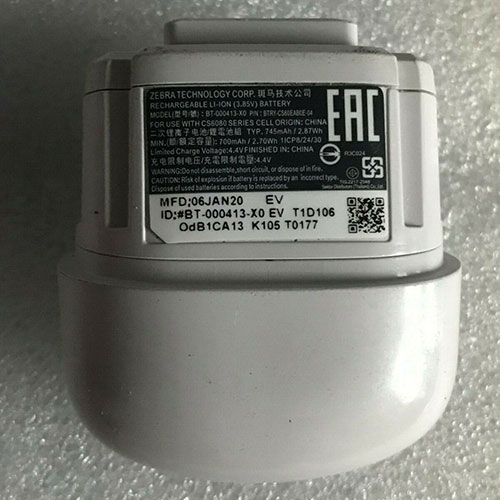
Cheap Infinix BL-42AX Li-ion Cell Phone battery, Brand New BL-42AX replacement battery for INFINIX Phone(BL-42AX)

4200mAh/16.17WH 3.85V/4.4V Infinix BL-42AX Batteries for INFINIX Phone(BL-42AX), Infinix BL-42AX Cell Phone battery is a brand new,100% Compatible original and replacement Laptop battery,Purchase wholesale and retail BL-42AX with high quality and low price!

BL-42AX Battery infinix Li-ion 3.85V/4.4V 4200mAh/16.17WH

BL-42AX

Specifications

  • Brand:INFINIX
  • Capacity :4200mAh/16.17WH
  • Voltage :3.85V/4.4V
  • Color:white
  • Type :Li-ion
  • Battery Cell Quality: Grade A
  • Descriptive: Replacement Battery – 1 Year Warranty
  • Description: Brand New, 1 Year Warranty! 30-Days Money Back! Fast Shipping!

How we test this Infinix BL-42AX Battery Li-ion 3.85V/4.4V 4200mAh/16.17WH

Step 1: Make sure customer bought the correct battery.
Step 2: Check battery’s appearance and interface.
Step 3: Test battery charger and recharger function.
Step 4: Charger the battery to 100% and recharger to 0% to get real battery capacity
Step 5: Use Ev2300 to check the voltage difference of each goroup cells.
Step 6: Charger battery power more than 30%.
Step 7: Package battery carefully and send out

Compatible Part Numbers:

BL-42AX

Compatible Model Numbers:

INFINIX Phone(BL-42AX)

How much do you know about how to run laptop well as any place? The follow Tips cut way back on protecting battery life.


1). Please recharge or change your Cell Phone battery when battery power low.
2). Using Li-Ion Replacement Infinix BL-42AX Cell Phone Battery for your notebook which can work longer time than Non Li-ion one.
3). It is better to defragmentation regularly for your Cell Phone battery life.
4). In order to reduce the laptop power consumpition, you can use some optical drive spin-down and hard drive in your Cell Phone .
5). Please keep your laptop in sleep or standby model without long time using, which both save the Replacement Infinix BL-42AX Cell Phone Battery power and extend battery using life.
6). Leave your battery in a dry and cool condition when without using.
7). When you rarely or generally plugged in fixed power using, Please take down your battery to avoid hurting battery life.

Hot Products

11.1V/12.4v 2300mah BOSE 404600 for Bose SOUNDLINK I II III16.8V/20V 400mA/2200mAH/32Wh BOSE 300769-003 for Bose Sounddock Portable Digita7.4V 2230mAh/17Wh BOSE 063404 for 0634043.7V/4.2V 1750MAH/6.5WH AMAZON GP-S10-346392-0100 for AMAZON KINDLE 3 3G WIFI Kindle3.8V 6300mAh/23.94Wh AMAZON 2955C7 for Amazon Kindle Fire HD 10.1 7th15.4V 5209mAh RAZER RC30-0248 for RAZER Blade 15 2018 RZ09-023863.8 V 1300 mAh AMAZON MC-305070 for AMAZON Kindle Voyage7.7V 37Wh/4810mAh ACER AP16M5J for ACER A315-51-51SL N17Q1 SERIES3.8V 2930mAh/11.1Wh NETGEAR W-7 for Netgear AirCard 790S 790SP 8103.85V/4.4V 3080MAH/11.86WH ALCATEL TLp030JC for Alcatel A3 XL 9008j

Cheap Sony LIS1442 Li-ion Other battery, Brand New LIS1442 replacement battery for 2pcs Sony PlayStation Move Navigation Controller CECH-ZCS1E

490mAh 3.7V Sony LIS1442 Batteries for 2pcs Sony PlayStation Move Navigation Controller CECH-ZCS1E, Sony LIS1442 Other battery is a brand new,100% Compatible original and replacement Laptop battery,Purchase wholesale and retail LIS1442 with high quality and low price!

LIS1442 Battery sony Li-ion 3.7V 490mAh

LIS1442

Specifications

  • Brand:Sony
  • Capacity :490mAh
  • Voltage :3.7V
  • Type :Li-ion
  • Battery Cell Quality: Grade A
  • Descriptive: Replacement Battery – 1 Year Warranty
  • Description: Brand New, 1 Year Warranty! 30-Days Money Back! Fast Shipping!

How we test this Sony LIS1442 Battery Li-ion 3.7V 490mAh

Step 1: Make sure customer bought the correct battery.
Step 2: Check battery’s appearance and interface.
Step 3: Test battery charger and recharger function.
Step 4: Charger the battery to 100% and recharger to 0% to get real battery capacity
Step 5: Use Ev2300 to check the voltage difference of each goroup cells.
Step 6: Charger battery power more than 30%.
Step 7: Package battery carefully and send out

Compatible Part Numbers:

LIS1442 4-180-962-01

Compatible Model Numbers:

Sony PlayStation Move Navigation Controller,Move Navigation,CECH-ZCS1E

Package included:
2x Batteries

How much do you know about how to run laptop well as any place? The follow Tips cut way back on protecting battery life.


1). Please recharge or change your Other battery when battery power low.
2). Using Li-Ion Replacement Sony LIS1442 Other Battery for your notebook which can work longer time than Non Li-ion one.
3). It is better to defragmentation regularly for your Other battery life.
4). In order to reduce the laptop power consumpition, you can use some optical drive spin-down and hard drive in your Other .
5). Please keep your laptop in sleep or standby model without long time using, which both save the Replacement Sony LIS1442 Other Battery power and extend battery using life.
6). Leave your battery in a dry and cool condition when without using.
7). When you rarely or generally plugged in fixed power using, Please take down your battery to avoid hurting battery life.

Hot Products

11.1V/12.4v 2300mah BOSE 404600 for Bose SOUNDLINK I II III16.8V/20V 400mA/2200mAH/32Wh BOSE 300769-003 for Bose Sounddock Portable Digita7.4V 2230mAh/17Wh BOSE 063404 for 0634043.7V/4.2V 1750MAH/6.5WH AMAZON GP-S10-346392-0100 for AMAZON KINDLE 3 3G WIFI Kindle3.8V 6300mAh/23.94Wh AMAZON 2955C7 for Amazon Kindle Fire HD 10.1 7th15.4V 5209mAh RAZER RC30-0248 for RAZER Blade 15 2018 RZ09-023863.8 V 1300 mAh AMAZON MC-305070 for AMAZON Kindle Voyage7.7V 37Wh/4810mAh ACER AP16M5J for ACER A315-51-51SL N17Q1 SERIES3.8V 2930mAh/11.1Wh NETGEAR W-7 for Netgear AirCard 790S 790SP 8103.85V/4.4V 3080MAH/11.86WH ALCATEL TLp030JC for Alcatel A3 XL 9008j

Cheap Sony LIS1441 Li-ion Other battery, Brand New LIS1441 replacement battery for 2pcs Sony PS3 Move PlayStation Move Motion Controller

1380mAh 3.7V Sony LIS1441 Batteries for 2pcs Sony PS3 Move PlayStation Move Motion Controller, Sony LIS1441 Other battery is a brand new,100% Compatible original and replacement Laptop battery,Purchase wholesale and retail LIS1441 with high quality and low price!

LIS1441 Battery sony Li-ion 3.7V 1380mAh

LIS1441

Specifications

  • Brand:Sony
  • Capacity :1380mAh
  • Voltage :3.7V
  • Type :Li-ion
  • Battery Cell Quality: Grade A
  • Descriptive: Replacement Battery – 1 Year Warranty
  • Description: Brand New, 1 Year Warranty! 30-Days Money Back! Fast Shipping!

How we test this Sony LIS1441 Battery Li-ion 3.7V 1380mAh

Step 1: Make sure customer bought the correct battery.
Step 2: Check battery’s appearance and interface.
Step 3: Test battery charger and recharger function.
Step 4: Charger the battery to 100% and recharger to 0% to get real battery capacity
Step 5: Use Ev2300 to check the voltage difference of each goroup cells.
Step 6: Charger battery power more than 30%.
Step 7: Package battery carefully and send out

Compatible Part Numbers:

4-168-108-01 4-195-094-02 LIP1450 LIS1441

Compatible Model Numbers:

Sony CECH-ZCM1E,Motion Controller,PlayStation Move Motion Controller,For PS3 Move,PS4 Move controller

Material:PVC
size:50*18*18mm

Package included:
1x Battery
1x screwdriver

How much do you know about how to run laptop well as any place? The follow Tips cut way back on protecting battery life.


1). Please recharge or change your Other battery when battery power low.
2). Using Li-Ion Replacement Sony LIS1441 Other Battery for your notebook which can work longer time than Non Li-ion one.
3). It is better to defragmentation regularly for your Other battery life.
4). In order to reduce the laptop power consumpition, you can use some optical drive spin-down and hard drive in your Other .
5). Please keep your laptop in sleep or standby model without long time using, which both save the Replacement Sony LIS1441 Other Battery power and extend battery using life.
6). Leave your battery in a dry and cool condition when without using.
7). When you rarely or generally plugged in fixed power using, Please take down your battery to avoid hurting battery life.

Hot Products

11.1V/12.4v 2300mah BOSE 404600 for Bose SOUNDLINK I II III16.8V/20V 400mA/2200mAH/32Wh BOSE 300769-003 for Bose Sounddock Portable Digita7.4V 2230mAh/17Wh BOSE 063404 for 0634043.7V/4.2V 1750MAH/6.5WH AMAZON GP-S10-346392-0100 for AMAZON KINDLE 3 3G WIFI Kindle3.8V 6300mAh/23.94Wh AMAZON 2955C7 for Amazon Kindle Fire HD 10.1 7th15.4V 5209mAh RAZER RC30-0248 for RAZER Blade 15 2018 RZ09-023863.8 V 1300 mAh AMAZON MC-305070 for AMAZON Kindle Voyage7.7V 37Wh/4810mAh ACER AP16M5J for ACER A315-51-51SL N17Q1 SERIES3.8V 2930mAh/11.1Wh NETGEAR W-7 for Netgear AirCard 790S 790SP 8103.85V/4.4V 3080MAH/11.86WH ALCATEL TLp030JC for Alcatel A3 XL 9008j

Cheap Dji 1650120-2s1p Li-ion Other battery, Brand New 1650120-2s1p replacement battery for DJI Phantom 3/4 Advanced PRO 4K Inspire Remote Controller

3830mAh /43.6Wh 11.4V/13.05V Dji 1650120-2s1p Batteries for DJI Phantom 3/4 Advanced PRO 4K Inspire Remote Controller, Dji 1650120-2s1p Other battery is a brand new,100% Compatible original and replacement Laptop battery,Purchase wholesale and retail 1650120-2s1p with high quality and low price!

1650120-2s1p Battery dji Li-ion 11.4V/13.05V 3830mAh /43.6Wh

1650120-2s1p

Specifications

  • Brand:DJI
  • Capacity :3830mAh /43.6Wh
  • Voltage :11.4V/13.05V
  • Type :Li-ion
  • Battery Cell Quality: Grade A
  • Descriptive: Replacement Battery – 1 Year Warranty
  • Description: Brand New, 1 Year Warranty! 30-Days Money Back! Fast Shipping!

How we test this Dji 1650120-2s1p Battery Li-ion 11.4V/13.05V 3830mAh /43.6Wh

Step 1: Make sure customer bought the correct battery.
Step 2: Check battery’s appearance and interface.
Step 3: Test battery charger and recharger function.
Step 4: Charger the battery to 100% and recharger to 0% to get real battery capacity
Step 5: Use Ev2300 to check the voltage difference of each goroup cells.
Step 6: Charger battery power more than 30%.
Step 7: Package battery carefully and send out

Compatible Part Numbers:

2ICP8/50/116 UFX-1650120-2S1P 16501202S1P

Compatible Model Numbers:

DJI Phantom 3/4 Advanced PRO 4K Inspire Remote Controller

Finished product size 16mm*50mm*120mm
Internal resistance less than 60m??
Cycle life 300 times above 80% 500 times above 65%

How much do you know about how to run laptop well as any place? The follow Tips cut way back on protecting battery life.


1). Please recharge or change your Other battery when battery power low.
2). Using Li-Ion Replacement Dji 1650120-2s1p Other Battery for your notebook which can work longer time than Non Li-ion one.
3). It is better to defragmentation regularly for your Other battery life.
4). In order to reduce the laptop power consumpition, you can use some optical drive spin-down and hard drive in your Other .
5). Please keep your laptop in sleep or standby model without long time using, which both save the Replacement Dji 1650120-2s1p Other Battery power and extend battery using life.
6). Leave your battery in a dry and cool condition when without using.
7). When you rarely or generally plugged in fixed power using, Please take down your battery to avoid hurting battery life.

Hot Products

11.1V/12.4v 2300mah BOSE 404600 for Bose SOUNDLINK I II III16.8V/20V 400mA/2200mAH/32Wh BOSE 300769-003 for Bose Sounddock Portable Digita7.4V 2230mAh/17Wh BOSE 063404 for 0634043.7V/4.2V 1750MAH/6.5WH AMAZON GP-S10-346392-0100 for AMAZON KINDLE 3 3G WIFI Kindle3.8V 6300mAh/23.94Wh AMAZON 2955C7 for Amazon Kindle Fire HD 10.1 7th15.4V 5209mAh RAZER RC30-0248 for RAZER Blade 15 2018 RZ09-023863.8 V 1300 mAh AMAZON MC-305070 for AMAZON Kindle Voyage7.7V 37Wh/4810mAh ACER AP16M5J for ACER A315-51-51SL N17Q1 SERIES3.8V 2930mAh/11.1Wh NETGEAR W-7 for Netgear AirCard 790S 790SP 8103.85V/4.4V 3080MAH/11.86WH ALCATEL TLp030JC for Alcatel A3 XL 9008j

Cheap Dji MavicPro Li-ion Other battery, Brand New MavicPro replacement battery for DJI Mavic Pro Intelligent Flight

3830mAh/43.6Wh 11.4V/13.05V Dji MavicPro Batteries for DJI Mavic Pro Intelligent Flight, Dji MavicPro Other battery is a brand new,100% Compatible original and replacement Laptop battery,Purchase wholesale and retail MavicPro with high quality and low price!

MavicPro Battery dji Li-ion 11.4V/13.05V 3830mAh/43.6Wh

MavicPro

Specifications

  • Brand:DJI
  • Capacity :3830mAh/43.6Wh
  • Voltage :11.4V/13.05V
  • Type :Li-ion
  • Battery Cell Quality: Grade A
  • Descriptive: Replacement Battery – 1 Year Warranty
  • Description: Brand New, 1 Year Warranty! 30-Days Money Back! Fast Shipping!

How we test this Dji MavicPro Battery Li-ion 11.4V/13.05V 3830mAh/43.6Wh

Step 1: Make sure customer bought the correct battery.
Step 2: Check battery’s appearance and interface.
Step 3: Test battery charger and recharger function.
Step 4: Charger the battery to 100% and recharger to 0% to get real battery capacity
Step 5: Use Ev2300 to check the voltage difference of each goroup cells.
Step 6: Charger battery power more than 30%.
Step 7: Package battery carefully and send out

Compatible Part Numbers:

MavicPro

Compatible Model Numbers:

DJI Mavic Pro Intelligent Flight

27 Minute flight time
Working environment:5??C-40??C
Maximum charging power:100W

How much do you know about how to run laptop well as any place? The follow Tips cut way back on protecting battery life.


1). Please recharge or change your Other battery when battery power low.
2). Using Li-Ion Replacement Dji MavicPro Other Battery for your notebook which can work longer time than Non Li-ion one.
3). It is better to defragmentation regularly for your Other battery life.
4). In order to reduce the laptop power consumpition, you can use some optical drive spin-down and hard drive in your Other .
5). Please keep your laptop in sleep or standby model without long time using, which both save the Replacement Dji MavicPro Other Battery power and extend battery using life.
6). Leave your battery in a dry and cool condition when without using.
7). When you rarely or generally plugged in fixed power using, Please take down your battery to avoid hurting battery life.

Hot Products

11.1V/12.4v 2300mah BOSE 404600 for Bose SOUNDLINK I II III16.8V/20V 400mA/2200mAH/32Wh BOSE 300769-003 for Bose Sounddock Portable Digita7.4V 2230mAh/17Wh BOSE 063404 for 0634043.7V/4.2V 1750MAH/6.5WH AMAZON GP-S10-346392-0100 for AMAZON KINDLE 3 3G WIFI Kindle3.8V 6300mAh/23.94Wh AMAZON 2955C7 for Amazon Kindle Fire HD 10.1 7th15.4V 5209mAh RAZER RC30-0248 for RAZER Blade 15 2018 RZ09-023863.8 V 1300 mAh AMAZON MC-305070 for AMAZON Kindle Voyage7.7V 37Wh/4810mAh ACER AP16M5J for ACER A315-51-51SL N17Q1 SERIES3.8V 2930mAh/11.1Wh NETGEAR W-7 for Netgear AirCard 790S 790SP 8103.85V/4.4V 3080MAH/11.86WH ALCATEL TLp030JC for Alcatel A3 XL 9008j

AMD Threadripper Pro 3995WX Thinkstation Listed for $18,000: Benchmarks Emerge

AMD’s Ryzen Threadripper Pro 3995WX is one heck of a chip. It recently found itself atop PassMark’s leaderboard (as spotted via @TUM_APISAK), leaving heavy hitters, such as the Ryzen Threadripper 3990X and EPYC 7702, in the rear view mirror. That makes it all the more exciting that this powerhouse CPU has landed in a new system. But who can actually afford it? 

Debuted back in July, the Threadripper Pro series builds upon the success of the Ryzen Threadripper 3000-series (codename Castle Peak), while also borrowing a page out of the EPYC 7002-series’ (codename Rome) playbook. The Zen 2 Threadripper Pro processors slot into WRX80 motherboards that are armed with the sWRX8 CPU socket.

Essentially, the Pro models share the same core counts as their non-Pro counterparts, albeit at slightly lower clock speeds. AMD has locked the multipliers on the Pro variants, so there’s no way to overclock them either. Similar to EPYC offerings, the Threadripper Pro chips support eight memory channels to support up to 2TB of DDR4-3200 RAM and deliver up to 128 PCIe 4.0 lanes.

But the Threadripper Pro won’t be available on the retail market. The 7nm processors target OEM and system integrators (SI). Lenovo’s ThinkStation P620 is one of the first systems to feature the Threadripper Pro 3995WX. Spotted by hardware sleuth @momomo_us, the ThinkStation P620 (30E0004MUS) is up for purchase at Bottom Line Telecommunications with a soul-crushing price tag of $18,090.39. But that’s apparently a bargain; the suggested retail price for the ThinkStation P620 is $19,559.00, according to the retailer.

With its 64 CPU cores and 128 threads, the Threadripper Pro 3995WX inside the Lenovo system is the flagship SKU of the Threadripper Pro family. It runs with a 2.7 GHz base clock and 4.3 GHz boost clock, only 100 MHz lower than the Threadripper 3990X that it just crushed in PassMark. The Threadripper Pro 3995WX scored 88,675 CPU marks over the Threadripper 3990X’s 79,746, meaning the Pro variant is up to 11.2% faster.

Now it’s easier to see why the ThinkStation P620 costs what it costs. In addition to the Threadripper Pro 3995WX, the listed model comes equipped with 128GB of DDR4-3200 ECC memory and a pair of Nvidia’s Quadro RTX 6000 GPUs binded together through NVLink. The system’s storage is a bit underwhelming though since it only has a single 1TB M.2 PCIe 4.0 SSD installed. However, the ThinkStation P620 does provide a 10G Gigabit Ethernet port.

The aforementioned model is just one of 48 possible configurations that Bottom Line Telecommunications. The entry-level ThinkStation P620 (30E0003LUS) starts at $2,058.88 and comes equipped with the 12-core Threadripper Pro 3945WX, 16GB of RAM and the 1TB SSD. Bottom Line Telecommunications doesn’t list the graphics card inside this model.

SiPearl working on a giant 72-core processor for supercomputers

A Twitter post by a French politician inadvertently revealed details about SiPearl’s upcoming high-performance processor powered by Arm’s Neoverse Zeus cores. 

The SiPearl Rhea system-on-chip will be used for an experimental ‘towards exascale’ supercomputer platform, with Rhea’s successor, SiPearl’s Cronos, used for the first European exascale supercomputer. 

The SiPearl Rhea SoC is based on 72 Arm Neoverse Zeus cores and to that end will be able compete against Amazon’s Graviton 2 and Ampere’s Altra processors. The processor also features 68 mesh network L3 cache slices along with various IP blocks. Frequencies of the SoC as well as cache sizes are unclear. 

European supercomputer chip

One of the particularly interesting features of SiPearl’s Rhea is its memory subsystem that relies on four HBM2E stacks that promise to offer a very high memory bandwidth as well as four or six DDR5 SDRAM controllers for extra memory capacity. Since the chip uses 72 cores, it needs a lot of RAM, so usage of a hybrid memory subsystem is justified. 

Today’s most powerful supercomputer — Fugaku — is based on Fujitsu’s custom 48-core A64FX processor (based on the ARMv8.2-A architecture) that also uses HBM2 memory, but does not use more traditional DDR4. 

The SoC is set to be made using TSMC’s N7 manufacturing technology, according to the Twitter post, but earlier SiPearl indicated that it will use TSMC’s N6 fabrication process that uses extreme ultraviolet (EUV) lithography. 

SiPeark expects to launch its Rhea processors sometimes in 2021 and use them to build an experimental pre-ExaFLOPS-class machine. An even more advanced family of SoCs named Cronos is set to emerge in 2022 or 2023 and they will power exascacle supercomputers developed in Europe.

Alleged AMD Radeon RX 6000 engineering sample spotted

A photograph showing an engineering sample of the alleged RDNA2 graphics card has been published online.

Is this Big Navi?

A picture of a mysterious engineering sample has emerged on Bilibili. It is not possible to determine which graphics processor does the graphics card has, but one could guess this might be one of the upcoming Big Navi variants (or any other NAVI 2x family processor at this point). The timing for this leak is definitely interesting.

Some labels have been attached to the board, such as ‘Typical Samsung 16Gb‘ indicating the memory type used for this board. This means that each module is 2GB. The leaker claims that the card has 3+3+2 modules (8 in total). This would imply this model has a 256-bit memory interface.

Another label says ‘Full ???? Typical XT A0 ASIC’. The XT variants are usually reserved for the Radeon RX series, meaning that this should be a sample of a gaming card, not a Radeon Pro.

The board is covered in dip switches and various voltage measurement points, it is indeed far from a retail product. There is even a huge CPU-type cooler is attached to the graphics processor. To the left, we can also see LED load indicators and at least two power connectors (one being 8-pin).

AMD today announced that it will host a Radeon RX 6000 event on October 28th. The company promised to reveal more information on the next-generation RDNA2 graphics cards. The manufacturer did not confirm the launch date yet, but the series should be expected to officially debut in November.

The Armari Magnetar X64T Workstation OC Review: 128 Threads at 4.0 GHz, Sustained!

Blitzing around a race track in a fast car only ever convinces you of one thing: I need to go around the track even faster. I need a better car, I need a better engine, better brakes, or better tires. I need that special go faster juice, and I need to nail the perfect run. The world of professional computing works the same, whether it comes down to rendering, rapid prototyping, scientific compute, medical imaging, weather modelling, or something like oil and gas simulation, the more raw horsepower there is, the more can be done. So enter the new Armari Magnetar X64T – an overclocked 64-core Threadripper 3990X that holds the new SPECworkstation3 world record. We got hold of one. It’s really fast.

Playing with Performance

AMD’s Threadripper 3990X is one of those crazy processors. It comes at you with some of the best of any processor statistics: it has 64 cores and 128 threads, it has 256 MB of L3 cache, it has a TDP of 280 W, which allows for a 2.9 GHz base frequency up to a 4.3 GHz turbo. It is overclockable, and so with the right system those frequencies can go even higher. With the best binned 7nm chiplets, paired with quad-channel DDR4-3200 memory, for multithreaded workloads it is one of the ultimate powerhouses anyone can build in a single socket with a socketable processor.

In our initial review of the Threadripper 3990X, it blitzed any software that could take advantage of all those threads – the nearest competitors were the 32-core Threadrippers, or Intel’s 28-core Xeon-W processors. We even put it up against two of Intel’s $10000 28-core Xeons, and it won pretty much everything by a large margin.

So what happens when we overclock it? There are those that want more, and not just those overclocking for fun – workstation customers, like animation studios, are always looking for ways in which they can rapidly render frames for upcoming projects. If a cooling system can be built to withstand it, and the power is available, then there’s always scope to get more out of the hardware that comes from the big players. This is what the Armari Magnetar X64T Workstation is designed to do – get more.

To that end, today AMD and SPEC is announcing that the Magnetar X64T workstation, a system that you can buy, will off-the-shelf give the best performance in SPECworkstation3 ever seen.

The Magnetar X64T: Performance Reimagined

The key highlight from this review, should you not read any further, is that this system is built to blitz workloads. The Threadripper 3990X is usually fast enough in its own right, but Armari have gone above and beyond. The goal of this system is to be an off-the-shelf powerhouse that requires very little setup from its customers.

Armari, perhaps a lesser well known system integrator, is a company that has in recent years focused on building systems for 3D animation, video editing, and scientific research. With over 20 years of experience, Armari’s hardware has gone into high performance computing solutions and clusters that have featured in the TOP500 lists, as well as rendering server farms for the top animation, VFX, and CGI studios in Soho, London.

These are clients who want the best performance, and Armari positions itself not so much as a boutique system builder, but something between the big OEMs (like Dell/HP) and the main retailers to offer custom solutions by leveraging its network of cooling and hardware contacts around the world. This enables the company to build custom chassis, obtain optimized memory, order power supplies with custom connector configurations, and ensure consistency from batch-to-batch when ordering from its partners. In speaking to Armari’s Technical Director Dan Goldsmith, he mentioned that working with partner companies for so long has enabled them to get access to rapid prototyping and component consistency with continual feedback with partners such as EKWB, ASRock, Tyan, and many other ODM companies that Armari leverages on a regular basis. 

The Magnetar X64T, I was told, leverages the strong relationship Armari has with AMD. The Opteron was a popular range a decade ago, and that partnership has been maintained through today. The goal of the Magnetar project was to create a system that offers the best that Threadripper has to offer while still enabling the under-the-desk workstation platform. This project has been slightly delayed due to COVID, and AMD now has Threadripper Pro, but those processors are not overclockable – for those that want raw performance, AMD and Armari believe they are on a winner.

The key to the system is in how Armari is cooling the processor, and the choice of components. The Magnetar X64T features a custom water cooling loop, which is perhaps not anything new in its own right, however the company has created a component chain to ensure consistency in its design, as well as using some of the most powerful options available.

The water block is probably the best place to start, because this is a completely custom-for-Armari design built in partnership with EK Water Blocks. This block is specifically built for this one motherboard, the ASRock TRX40 Taichi, and applies cooling to both the processor and the power delivery. The block works in conjunction with the highest-quality thermal paste pads on the market, to ensure a flat connection with the water block. As it also covers the power delivery, Armari worked with ASRock to enable a consistent z-height of all the power delivery components, something that can vary during manufacturing, and maintain that consistency on a batch-by-batch basis. Pair this up with Armari’s custom FWL liquid cooling pump, reservoir, tubing, 3x140mm radiator, and fan combinations (many of which are custom from their respective ODMs), and we have a cooling capacity in excess of 700 W. The coolant is a special long-life coolant designed for 24/7 over three years, and the standard warranty comes with service during those three years, including collection and return, at no extra cost.

Now, the ASRock TRX40 Taichi isn’t the top Threadripper motherboard on the market, and Armari fully admits that, however it points out that the best motherboard available costs twice as much. In working with ASRock, they were able to co-ordinate what was needed within the discrete motherboard component lists as well as enable a custom BIOS implementation for additional control. One of the tradeoffs I was told about is that a cheaper motherboard might mean slightly cheaper components, however Armari says that their cooling system and setup were co-operatively tuned to meet its customers’ demands.

With this cooling arrangement, Armari have fired up the overclock. In our initial review of the Threadripper 3990X, we were observing ~3450 MHz during our sustained running with the CPU reaching its full 280 W. For the Armari Magnetar X64T, we have an all-core frequency from 3950-4100 MHz, depending on the workload. Users might scoff at the +400-550 MHz lift, but bearing in mind this is across all of the 64 cores simultaneously, and the cooling is built such that this frequency is sustained for renders or simulations that might take days. Further details of frequency and power later in the review.

While having the overclocked CPU is great, the Magnetar X64T system we were delivered also had memory, graphics, and storage.

The system as shipped came with an PNY NVIDIA RTX6000 graphics card, which is essentially an RTX 2080 Ti on steroids with 24 GiB of GDDR6, and the system can be configured with two of them. As Threadripper is not an ECC-qualified platform, the X64T comes with the peak configuration supported, 256 GB, but with custom SPD profiles to run up to DDR4-3600. Unfortunately due to how quickly this system was rebuilt for this review, the system I was sent was using DDR4-3200 at CL20, as some of the original memory was accidentally splashed with coolant, and Armari wanted to ensure I wouldn’t have any issues with the system.

Storage comes in two forms, both of which are PCIe 4.0. As shipped, we were specified with a boot drive to the tune of a Corsair MP600 1 TB PCIe 4.0 x4 drive. Another two of these drives were provided inside an ASRock Hyper M.2 PCIe 4.0 card, plugged into one of the PCIe 4.0 slots. Armari says that as newer and bigger PCIe 4.0 drives come to market beyond the Phison E16 solutions, this should expand to higher capacity drives or faster drives as required.

The power supply is a fully custom 1600W 80PLUS Gold unit, rated to run at 50 ºC with 93% efficiency. It has a custom fan profile directly from the OEM, and is set to only stir up the fans if the power required goes above 40% (640 W). The fully modular PSU has nine 8-pin connections and five 6-pin connections, providing 14 total, should any customer want to go above and beyond. The PSU on its own has a 10-year warranty.

The motherboard has a 2.5 GbE wired network port and a 1 GbE wired network port, and Armari does offer a 10G upgrade (space permitting based on the PCIe slots). Wi-Fi 6 support comes as standard, as does the ALC1220 audio configuration.

The chassis is the last custom part to discuss, with the system featuring the Magnetar naming on the front with the Armari logo. The chassis is big, but quite standard for a high-end workstation platform: 53cm x 22cm x 57cm (20.9-in x 8.7-in x 22.4-in), with a typical single GPU weight of 18 kg (39.7 lbs).

The chassis comes with handles on top that fold away, making the system easy to move around as required. I love these.

Inside there is lots of ‘space’ for directed airflow. The pump and reservoir is found in the bottom of the case, underneath the standard drive-bays, while the 3x140mm double thick radiator is at the top built into the side of the chassis. This is a special hinged mount, which makes the side panel easy to remove and the cooling apparatus easy to inspect.

There is a PCIe retention bracket for any add-in card installed, and in the base of the chassis is the power supply, hidden away. The insides weren’t necessarily built to look aesthetically pleasing, however the system as provided by Armari has a nice clean look.

Due to a couple of issues with arranging this system for review, I was told that normally Armari adds in some custom sealant to help with the liquid cooling loop, however as it requires 24 hours to set, they weren’t able to in this instance. The liquid cooling loop is pre-tested for every system they build at over 1 bar of pressure, along with full stability testing and thermal testing before shipping. For any reason if a system needs to be returned for warranty, Armari can supply a loaner system if required. As mentioned above, the standard warranty includes one full service and inspection, and the coolant can be replaced in order to give the customer another 3 years of ‘hassle free’ operation.

The News Today: World Records

Today AMD and Armari are announcing that the new Magnetar X64T has set a new world record in the SPECworkstation 3 benchmark. The system that achieved this test is, by and large, the system I am testing today (it was stripped down and rebuilt with an updated water block). For the customers that Armari typically services this one of the primary benchmarks they care about, and so getting a new world record for a commercially available system should put Armari’s offerings high on their list.

Our testing, as shown over the next few pages, is similarly impressive. We already saw that the Threadripper 3990X with no overclock was a formidable beast in almost every one of our rendering and compute workloads. The only real comparison point we have to compare against is our W-3175X workstation that was provided when we reviewed that system.

The Magnetar X64T-RD1600G3 FWL (the full name) system in our testing is ~£10790 ($14200) excluding tax . This includes a Windows 10 Professional 64-bit license, and Armari’s 3 year premium workstation warranty, with 1-year on site and 2/3rd year parts and labor, along with a loaner system for the duration of any repairs.

Read over the next few pages for our testing on Performance and Power.