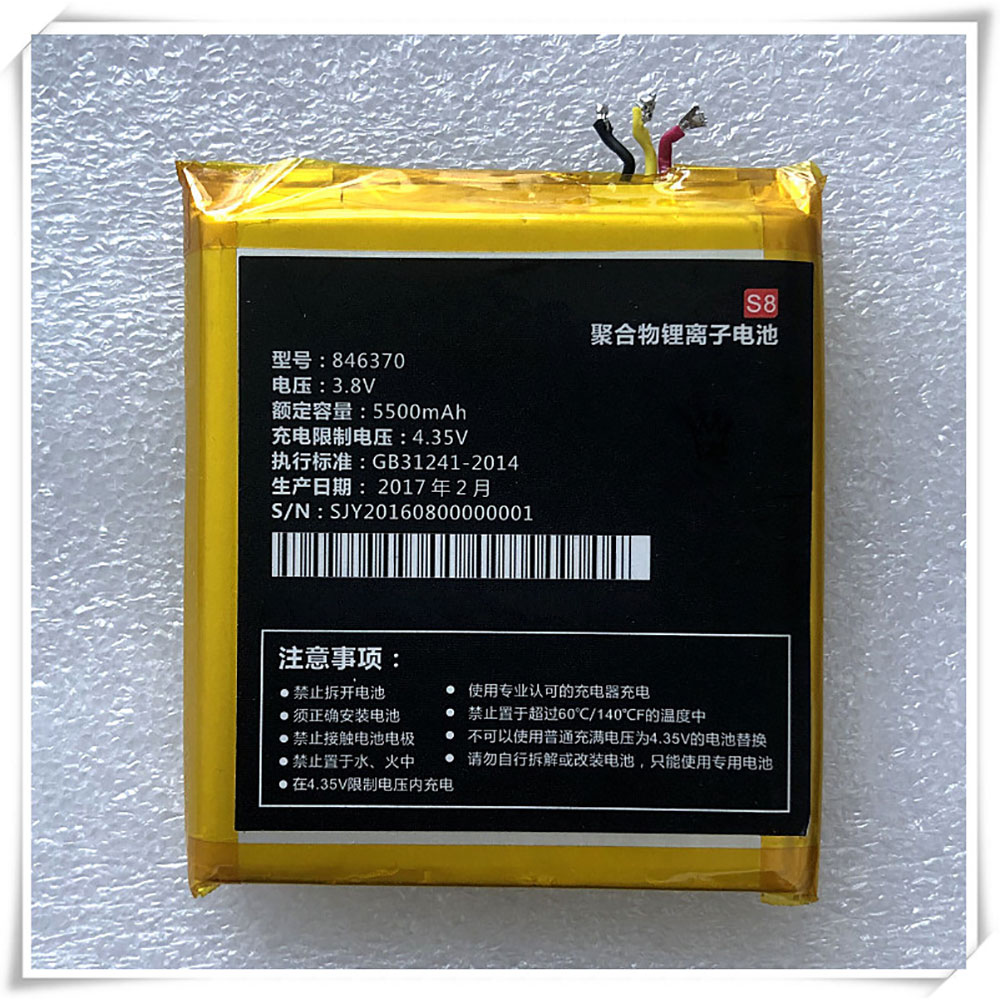
Cheap Conquest 846370 Li-ion Cell Phone battery, Brand New 846370 replacement battery for CONQUEST S8 phone

5500mAh 3.8V/4.35V Conquest 846370 Batteries for CONQUEST S8 phone, Conquest 846370 Cell Phone battery is a brand new,100% Compatible original and replacement Laptop battery,Purchase wholesale and retail 846370 with high quality and low price!

846370 Battery conquest Li-ion 3.8V/4.35V 5500mAh

846370

Specifications

  • Brand:CONQUEST
  • Capacity :5500mAh
  • Voltage :3.8V/4.35V
  • Type :Li-ion
  • Battery Cell Quality: Grade A
  • Descriptive: Replacement Battery – 1 Year Warranty
  • Description: Brand New, 1 Year Warranty! 30-Days Money Back! Fast Shipping!

How we test this Conquest 846370 Battery Li-ion 3.8V/4.35V 5500mAh

Step 1: Make sure customer bought the correct battery.
Step 2: Check battery’s appearance and interface.
Step 3: Test battery charger and recharger function.
Step 4: Charger the battery to 100% and recharger to 0% to get real battery capacity
Step 5: Use Ev2300 to check the voltage difference of each goroup cells.
Step 6: Charger battery power more than 30%.
Step 7: Package battery carefully and send out

Compatible Part Numbers:

846370

Compatible Model Numbers:

CONQUEST S8 phone

How much do you know about how to run laptop well as any place? The follow Tips cut way back on protecting battery life.


1). Please recharge or change your Cell Phone battery when battery power low.
2). Using Li-Ion Replacement Conquest 846370 Cell Phone Battery for your notebook which can work longer time than Non Li-ion one.
3). It is better to defragmentation regularly for your Cell Phone battery life.
4). In order to reduce the laptop power consumpition, you can use some optical drive spin-down and hard drive in your Cell Phone .
5). Please keep your laptop in sleep or standby model without long time using, which both save the Replacement Conquest 846370 Cell Phone Battery power and extend battery using life.
6). Leave your battery in a dry and cool condition when without using.
7). When you rarely or generally plugged in fixed power using, Please take down your battery to avoid hurting battery life.

Hot Products

11.1V/12.4v 2300mah BOSE 404600 for Bose SOUNDLINK I II III7.4V 2230mAh/17Wh BOSE 063404 for 0634043.8V 6300mAh/23.94Wh AMAZON 2955C7 for Amazon Kindle Fire HD 10.1 7th3.8 V 1300 mAh AMAZON MC-305070 for AMAZON Kindle Voyage7.7V 37Wh/4810mAh ACER AP16M5J for ACER A315-51-51SL N17Q1 SERIES3.7V/4.2V 1750MAH/6.5WH AMAZON GP-S10-346392-0100 for AMAZON KINDLE 3 3G WIFI Kindle7.4V 2230mAH/17Wh BOSE 061384 for BOSE SOUNDLINK Mini Series3.8V 2930mAh/11.1Wh NETGEAR W-7 for Netgear AirCard 790S 790SP 8103.8V/4.35V 2000MAH/7.6Wh ALCATEL TLI020F7 for Alcatel Onetouch Pixi 4 (5) 503.8V 4000mAh/15.2Wh LENOVO L15D1P31 for Lenovo Yoga Tab3 Pro YT3-X90L

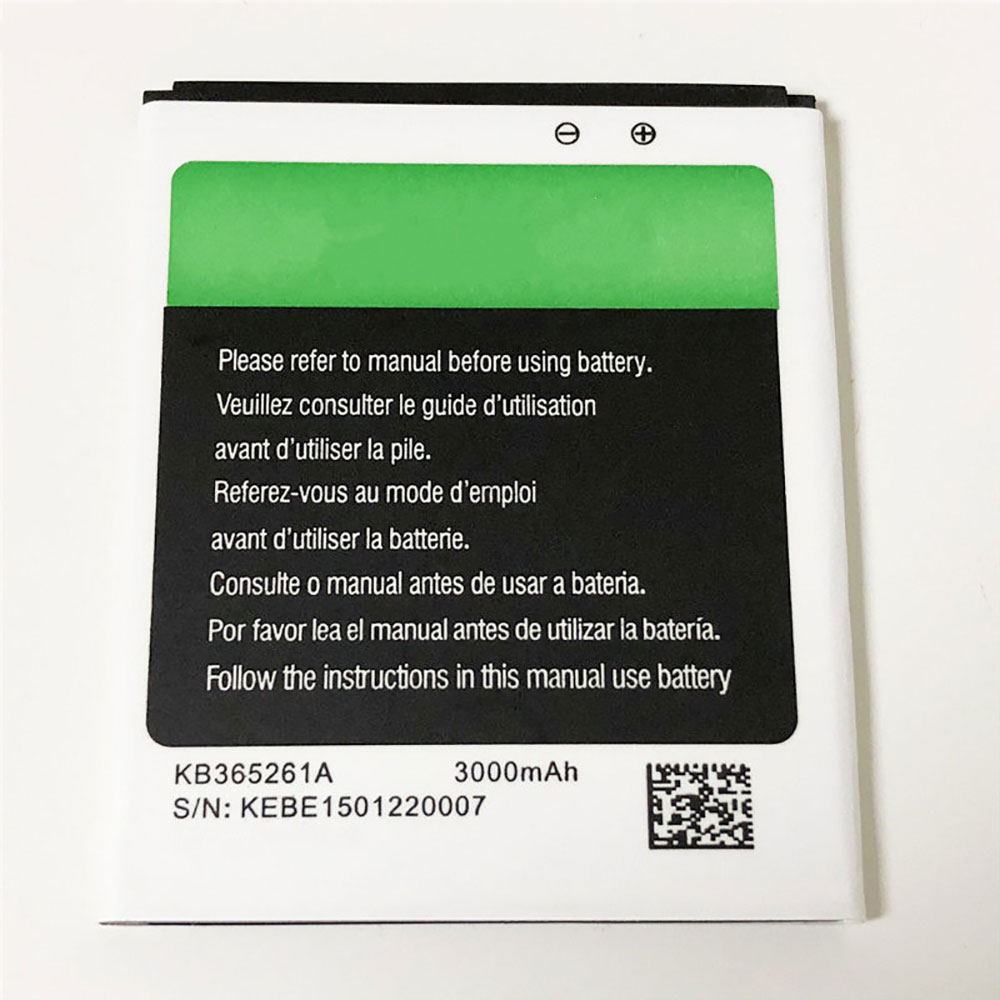
Cheap X-bo KB365261A Li-ion Cell Phone battery, Brand New KB365261A replacement battery for X-BO V3 V3+

3000mAh/11.1WH 3.7V X-bo KB365261A Batteries for X-BO V3 V3+, X-bo KB365261A Cell Phone battery is a brand new,100% Compatible original and replacement Laptop battery,Purchase wholesale and retail KB365261A with high quality and low price!

KB365261A Battery x-bo Li-ion 3.7V 3000mAh/11.1WH

KB365261A

Specifications

  • Brand:X-BO
  • Capacity :3000mAh/11.1WH
  • Voltage :3.7V
  • Color:white
  • Type :Li-ion
  • Battery Cell Quality: Grade A
  • Descriptive: Replacement Battery – 1 Year Warranty
  • Description: Brand New, 1 Year Warranty! 30-Days Money Back! Fast Shipping!

How we test this X-bo KB365261A Battery Li-ion 3.7V 3000mAh/11.1WH

Step 1: Make sure customer bought the correct battery.
Step 2: Check battery’s appearance and interface.
Step 3: Test battery charger and recharger function.
Step 4: Charger the battery to 100% and recharger to 0% to get real battery capacity
Step 5: Use Ev2300 to check the voltage difference of each goroup cells.
Step 6: Charger battery power more than 30%.
Step 7: Package battery carefully and send out

Compatible Part Numbers:

KB365261A

Compatible Model Numbers:

X-BO V3 V3+

How much do you know about how to run laptop well as any place? The follow Tips cut way back on protecting battery life.


1). Please recharge or change your Cell Phone battery when battery power low.
2). Using Li-Ion Replacement X-bo KB365261A Cell Phone Battery for your notebook which can work longer time than Non Li-ion one.
3). It is better to defragmentation regularly for your Cell Phone battery life.
4). In order to reduce the laptop power consumpition, you can use some optical drive spin-down and hard drive in your Cell Phone .
5). Please keep your laptop in sleep or standby model without long time using, which both save the Replacement X-bo KB365261A Cell Phone Battery power and extend battery using life.
6). Leave your battery in a dry and cool condition when without using.
7). When you rarely or generally plugged in fixed power using, Please take down your battery to avoid hurting battery life.

Hot Products

11.1V/12.4v 2300mah BOSE 404600 for Bose SOUNDLINK I II III7.4V 2230mAh/17Wh BOSE 063404 for 0634043.8V 6300mAh/23.94Wh AMAZON 2955C7 for Amazon Kindle Fire HD 10.1 7th3.8 V 1300 mAh AMAZON MC-305070 for AMAZON Kindle Voyage7.7V 37Wh/4810mAh ACER AP16M5J for ACER A315-51-51SL N17Q1 SERIES3.7V/4.2V 1750MAH/6.5WH AMAZON GP-S10-346392-0100 for AMAZON KINDLE 3 3G WIFI Kindle7.4V 2230mAH/17Wh BOSE 061384 for BOSE SOUNDLINK Mini Series3.8V 2930mAh/11.1Wh NETGEAR W-7 for Netgear AirCard 790S 790SP 8103.8V/4.35V 2000MAH/7.6Wh ALCATEL TLI020F7 for Alcatel Onetouch Pixi 4 (5) 503.8V 4000mAh/15.2Wh LENOVO L15D1P31 for Lenovo Yoga Tab3 Pro YT3-X90L

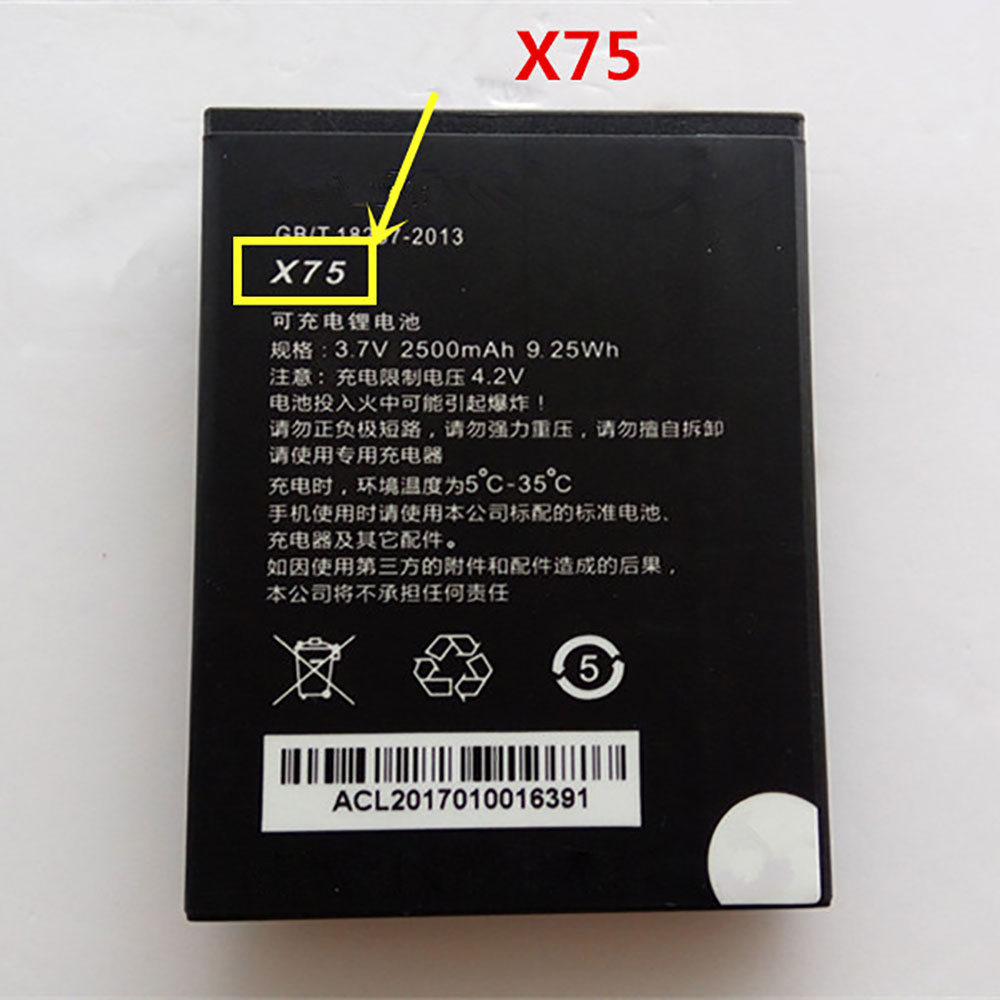
Cheap Ephone X75 Li-ion Cell Phone battery, Brand New X75 replacement battery for EPHONE E61VS

2500mAh/9.25WH 3.7V/4.2V Ephone X75 Batteries for EPHONE E61VS, Ephone X75 Cell Phone battery is a brand new,100% Compatible original and replacement Laptop battery,Purchase wholesale and retail X75 with high quality and low price!

X75 Battery ephone Li-ion 3.7V/4.2V 2500mAh/9.25WH

X75

Specifications

  • Brand:EPHONE
  • Capacity :2500mAh/9.25WH
  • Voltage :3.7V/4.2V
  • Type :Li-ion
  • Battery Cell Quality: Grade A
  • Descriptive: Replacement Battery – 1 Year Warranty
  • Description: Brand New, 1 Year Warranty! 30-Days Money Back! Fast Shipping!

How we test this Ephone X75 Battery Li-ion 3.7V/4.2V 2500mAh/9.25WH

Step 1: Make sure customer bought the correct battery.
Step 2: Check battery’s appearance and interface.
Step 3: Test battery charger and recharger function.
Step 4: Charger the battery to 100% and recharger to 0% to get real battery capacity
Step 5: Use Ev2300 to check the voltage difference of each goroup cells.
Step 6: Charger battery power more than 30%.
Step 7: Package battery carefully and send out

Compatible Part Numbers:

X75

Compatible Model Numbers:

EPHONE E61VS

How much do you know about how to run laptop well as any place? The follow Tips cut way back on protecting battery life.


1). Please recharge or change your Cell Phone battery when battery power low.
2). Using Li-Ion Replacement Ephone X75 Cell Phone Battery for your notebook which can work longer time than Non Li-ion one.
3). It is better to defragmentation regularly for your Cell Phone battery life.
4). In order to reduce the laptop power consumpition, you can use some optical drive spin-down and hard drive in your Cell Phone .
5). Please keep your laptop in sleep or standby model without long time using, which both save the Replacement Ephone X75 Cell Phone Battery power and extend battery using life.
6). Leave your battery in a dry and cool condition when without using.
7). When you rarely or generally plugged in fixed power using, Please take down your battery to avoid hurting battery life.

Hot Products

11.1V/12.4v 2300mah BOSE 404600 for Bose SOUNDLINK I II III7.4V 2230mAh/17Wh BOSE 063404 for 0634043.8V 6300mAh/23.94Wh AMAZON 2955C7 for Amazon Kindle Fire HD 10.1 7th3.8 V 1300 mAh AMAZON MC-305070 for AMAZON Kindle Voyage7.7V 37Wh/4810mAh ACER AP16M5J for ACER A315-51-51SL N17Q1 SERIES3.7V/4.2V 1750MAH/6.5WH AMAZON GP-S10-346392-0100 for AMAZON KINDLE 3 3G WIFI Kindle7.4V 2230mAH/17Wh BOSE 061384 for BOSE SOUNDLINK Mini Series3.8V 2930mAh/11.1Wh NETGEAR W-7 for Netgear AirCard 790S 790SP 8103.8V/4.35V 2000MAH/7.6Wh ALCATEL TLI020F7 for Alcatel Onetouch Pixi 4 (5) 503.8V 4000mAh/15.2Wh LENOVO L15D1P31 for Lenovo Yoga Tab3 Pro YT3-X90L

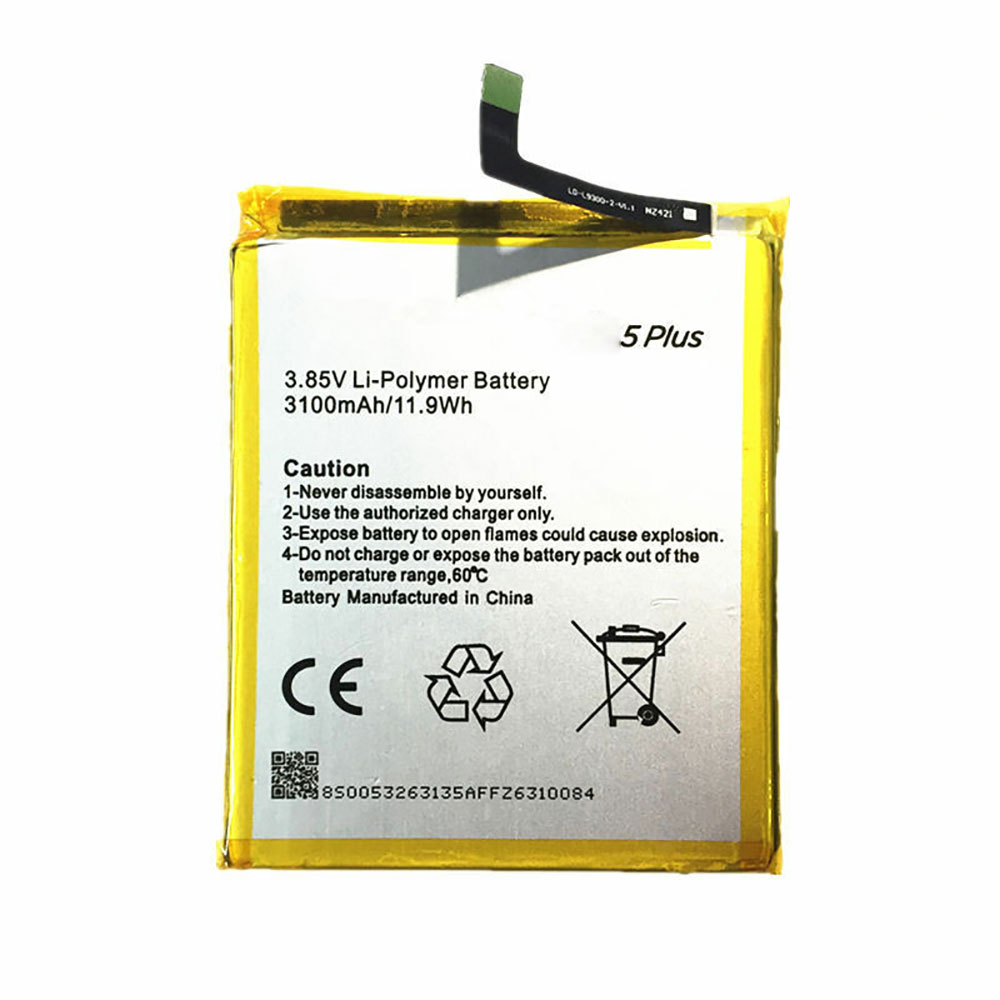
Cheap Google GM5PLUS Li-ion Cell Phone battery, Brand New GM5PLUS replacement battery for Google General mobile GM5 Plus GM 5 Plus

3100mAh/11.9WH 3.85V Google GM5PLUS Batteries for Google General mobile GM5 Plus GM 5 Plus, Google GM5PLUS Cell Phone battery is a brand new,100% Compatible original and replacement Laptop battery,Purchase wholesale and retail GM5PLUS with high quality and low price!

GM5PLUS Battery google Li-ion 3.85V 3100mAh/11.9WH

GM5PLUS

Specifications

  • Brand:Google
  • Capacity :3100mAh/11.9WH
  • Voltage :3.85V
  • Color:white
  • Type :Li-ion
  • Battery Cell Quality: Grade A
  • Descriptive: Replacement Battery – 1 Year Warranty
  • Description: Brand New, 1 Year Warranty! 30-Days Money Back! Fast Shipping!

How we test this Google GM5PLUS Battery Li-ion 3.85V 3100mAh/11.9WH

Step 1: Make sure customer bought the correct battery.
Step 2: Check battery’s appearance and interface.
Step 3: Test battery charger and recharger function.
Step 4: Charger the battery to 100% and recharger to 0% to get real battery capacity
Step 5: Use Ev2300 to check the voltage difference of each goroup cells.
Step 6: Charger battery power more than 30%.
Step 7: Package battery carefully and send out

Compatible Part Numbers:

GM5PLUS

Compatible Model Numbers:

Google General mobile GM5 Plus GM 5 Plus

How much do you know about how to run laptop well as any place? The follow Tips cut way back on protecting battery life.


1). Please recharge or change your Cell Phone battery when battery power low.
2). Using Li-Ion Replacement Google GM5PLUS Cell Phone Battery for your notebook which can work longer time than Non Li-ion one.
3). It is better to defragmentation regularly for your Cell Phone battery life.
4). In order to reduce the laptop power consumpition, you can use some optical drive spin-down and hard drive in your Cell Phone .
5). Please keep your laptop in sleep or standby model without long time using, which both save the Replacement Google GM5PLUS Cell Phone Battery power and extend battery using life.
6). Leave your battery in a dry and cool condition when without using.
7). When you rarely or generally plugged in fixed power using, Please take down your battery to avoid hurting battery life.

Hot Products

11.1V/12.4v 2300mah BOSE 404600 for Bose SOUNDLINK I II III7.4V 2230mAh/17Wh BOSE 063404 for 0634043.8V 6300mAh/23.94Wh AMAZON 2955C7 for Amazon Kindle Fire HD 10.1 7th3.8 V 1300 mAh AMAZON MC-305070 for AMAZON Kindle Voyage7.7V 37Wh/4810mAh ACER AP16M5J for ACER A315-51-51SL N17Q1 SERIES3.7V/4.2V 1750MAH/6.5WH AMAZON GP-S10-346392-0100 for AMAZON KINDLE 3 3G WIFI Kindle7.4V 2230mAH/17Wh BOSE 061384 for BOSE SOUNDLINK Mini Series3.8V 2930mAh/11.1Wh NETGEAR W-7 for Netgear AirCard 790S 790SP 8103.8V/4.35V 2000MAH/7.6Wh ALCATEL TLI020F7 for Alcatel Onetouch Pixi 4 (5) 503.8V 4000mAh/15.2Wh LENOVO L15D1P31 for Lenovo Yoga Tab3 Pro YT3-X90L

Lenovo ThinkPad X1 Carbon (Gen 8) Review: Terrific Typing, Super Slim

Built for business, but great for anyone who wants to get work done, Lenovo’s ThinkPad X1 Carbon has long been one of the best ultrabooks you can buy. Starting at $1,331 ($1,472 and $1,989 as tested), The latest version of Lenovo’s 2.4-pound laptop comes standard with Intel 10th Gen Comet Lake, Wi-Fi 6 connectivity and a pair of VoIP function keys on the keyboard, but otherwise is identical to last year’s model. However, with improved performance and battery life to go with its sleek design and snappy keyboard, the Lenovo ThinkPad X1 Carbon (Gen 8) is a compelling productivity powerhouse. 

Design of ThinkPad X1 Carbon (Gen 8) 

The aesthetics of the ThinkPad X1 Carbon haven’t changed much over the last several generations, but why mess with a good thing? The X1 Carbon (Gen 8) has the raven black stylings of a typical ThinkPad, complete with the slight red accents of its TrackPoint and power light. The lid of most configs is plain back, but if you opt for the 4K display, you get a carbon fiber cross-hatch pattern, which adds a unique dose of style I wish was standard. 

Like other ThinkPads, the X1 Carbon (Gen 8) is designed to pass MIL-SPEC durability tests, including those for extreme temperatures, spills and drops. 

As with last year’s model, the power button is located on the right side of the laptop, rather than above the keyboard; this allows you to turn the laptop on even if the lid is closed and it’s docked. However, the tiny button is annoyingly hard to locate by feel and it’s so small that you have to be very deliberate about finding and pressing it. Lenovo probably does this to avoid accidental presses, but it’s still a pain in the butt.

At 2.4 pounds and just 0.6 inches thick, the ThinkPad X1 Carbon (Gen 8) is incredibly thin and light for a laptop that offers strong battery life and some legacy ports. At that weight, it’s quite a bit lighter than the Dell XPS 13 (9300) (2.8 pounds), the Asus ZenBook 13 (2.7 pounds) and the HP Spectre x360 (2.7 pounds) and even a little lighter than the HP Elite Dragonfly (2.5 pounds). Of these competitors, only the Dell XPS 13 is thinner, but by a mere 0.02 inches (and it lacks Type-A ports).

The ThinkPad X1 Carbon (Gen 8) has a number of useful ports, including two Thunderbolt 3 connectors (one of which is used for charging), two USB 3.1 (Gen 1) Type-A ports, a 3.5mm headphone jack and a full-size HDMI port. There’s a proprietary Ethernet port that sits next to one of the Thunderbolt ports and, together with its neighbor, can plug into one of Lenovo’s side-attaching docks. If you want to use this Ethernet port on its own, you’ll need to buy a Lenovo dongle that costs $20. 

Performance of ThinkPad X1 Carbon (Gen 8) 

Whichever processor you choose, the ThinkPad X1 Carbon (Gen 8) will provide really solid productivity performance. We tested units with both Core i5-10310U and a Core i7-10610U processors and found both were more than capable of handling whatever tasks we threw at them, from surfing the web to transcoding videos. We would, however, recommend buying the X1 Carbon with 16GB of RAM rather than 8GB, because if you’re doing heavy multitasking or just have a lot of tabs open, it’s very easy on any PC to exceed 8GB. 

On Geekbench 5, a synthetic benchmark that measures overall performance, the Core i7 config of the ThinkPad X1 Carbon (Gen 8) scored a bit less than some competitors, namely the Dell XPS 9300 (4,848) and the HP Spectre x360 (4,074), both of which have 10nm Ice Lake, Core i7-1065G7 CPUs. However, both Core i5 and Core i7 configs bested the Asus ZenBook 13 UX334F, which has a Core i7-10510U, and the HP Elite Dragonfly we tested, which was rocking an older, Core i7-8665U. 

The ThinkPad X1 Carbon with Core i7 took 18 minutes and 28 seconds to transcode a 4K video to 1080p using Handbrake while the Core i5 model finished in 19 minutes and 51 seconds. Both times are faster than all of its competitors but the Dell XPS 13 9300, which completed the task in just 15 minutes and 40 seconds.

No matter what capacity of SSD you choose, the ThinkPad X1 Carbon has speedy storage for you. Our two models had 256GB and 512GB NVMe drives and they transferred 5GB of files at rates of 783 and 997.9 MBps respectively. None of the competitors came close to either score.

The ThinkPad X1 Carbon (Gen 8) is only available with integrated Intel HD graphics, which makes it power efficient, but not a machine worth gaming on. On Dirt 3, a very low-end game, the Core i7 and Core i5 Thinkpads scored 33 and 30 fps respectively while competitors like the Dell XPS 13 9300, which has Iris Plus graphics, and the Asus ZenBook 13 UX334F which has Nvidia MX250 graphics, offered silky smooth rates above 50 fps.

To see how the ThinkPad X1 Carbon performs under stress, we took both configurations and ran Cinebench R20 on them 20 times and logged the results and the clock speeds. With the Core i7 processor, the ThinkPad got an average score of 1,308 with an average clock speed of 2.5 GHz and an average temperature of 83 degrees Celsius with a maximum of 99 degrees Celsius. The Core i5 version got an average score of 1,112 with a clock speed of 2.2 GHz and an average temperature of 85.1 degrees Celsius and a max temperature of 97 degrees Celsius. 

Display on ThinkPad X1 Carbon (Gen 8) 

The ThinkPad X1 Carbon (Gen 8) is available with five different screen options and we tested both the base model, 1080p non-touch screen and the high-end 4K HDR screen (also non-touch). Both screens were bright enough for productivity, but the 4K HDR panel is a true visual treat. 

When I watched Tears of Steel, a 4K movie, on the high-end panel, fine details like the grout in bricks or the hairs in a character’s beard were all very prominent. Colors like the greens in a computer readout and the reds in a jacket were all extremely vibrant. Colors stayed true even at wide viewing angles (up to 90 degrees left and right) but since the screen is glossy, intense ambient light such as sunlight makes it harder to see at those angles and even shows some reflections head on.

The same video wasn’t quite as sharp or colorful on the 1080p ThinkPad X1 Carbon screen, but the viewing angles were better. Because the lower-end panel is matte, I saw no reflections and image quality didn’t degrade at all even at a full 90 degrees to the left or right. If you plan to use the ThinkPad X1 Carbon outside or near a window on a sunny day, this lower-end screen is a better choice.

The 4K display returned a strong 498 nits of brightness on our light meter while the 1080p screen hit a respectable 364 nits. Both far outpace the Asus ZenBook 13 UX334F and the 4K model beats the Dell XPS 13 9300, HP Elite Dragonfly and HP Spectre x360. 

The high-end panel managed to reproduce an impressive 95.5% of the DCI-P3 color gamut, which is far more colorful than the 1080p unit (71.5%) and the screens on ZenBook 13, Dell XPS 13 , HP Elite Dragonfly and HP Spectre x360. The only one of these screens to come close was the optional 4K panel on the XPS 13, which topped out at 81.3%.

Keyboard, TrackPoint and Touchpad 

As we’ve come to expect from Lenovo ThinkPads, the X1 Carbon (Gen 8)’s keyboard is a joy to use. The keys have a solid 1.5mm of travel and offer strong tactile feedback, along with curved, smile-shaped keycaps that make it easier to feel one’s way around. The soft-touch palmrest added another level of comfort as I rested my wrists on it and racked up a strong 108 word-per-minute score (5 percent error rate) on the 10fastfingers.com typing test. That’s about 10 percent faster than my typical score with a similar error rate.

Interestingly, Lenovo has made one, blink-and-you’ll-miss-it change to the keyboard design since last year’s Gen 7 model. The F10 and F11 keys have telephone icons on them as they can be used for VoIP call answer or hang up functions. However, at least right now, the only two VoIP apps these work with are Skype for Business and Microsoft Teams, so if you don’t have either of those installed, the buttons simply launch the Windows 10 notification panel and Lenovo ThinkVantage utility respectively. 

Like most ThinkPads, the X1 Carbon (Gen 8) has both a TrackPoint pointing stick and a touchpad. While not everyone appreciates its greatness, the little red nub provides more precise navigation around the desktop and doesn’t make you lift your hands off of the home row in order to move the pointer.

Advertisement

Using Windows precision drivers, the 3.9 x 2.2-inch buttonless touchpad provides accurate navigation, and supports all the Windows gestures, including pinch to zoom, three-finger swipe and two-finger scroll. Its glass surface is smooth but gives just the right amount of friction.

Audio on ThinkPad X1 Carbon (Gen 8) 

While we haven’t always gotten (or expected) outstanding audio from Lenovo ThinkPads, the X1 Carbon (Gen 8) is an exception. Its quad speakers (two on the bottom and two below the bezel) provide sound that’s loud enough to fill a room and rich enough to dance to. When I played Earth, Wind and Fire’s “September,” there was a clear separation of sound with some notes and instruments appearing to come from the right side while others streamed in from the left. AC/DC’s “Back in Black,” which sounds distorted or tinny on lesser laptops, was clear and clean if not overly detailed. 

Upgradeability of Thinkpad X1 Carbon (Gen 8) 

You can swap out the ThinkPad X1 Carbon (Gen 8)’s M.2 NVMe SSD by simply loosening the five Philip’s head screws on the bottom panel, prying the panel off and then unscrewing and pulling out the drive. Lenovo charges a whopping $268 to move up from a 256GB SSD to a 512GB model and a gobsmacking $536 to go all the way to 1TB. Considering that you can buy a 1TB SSD for less than $125, you can save a lot of money by upgrading.

Unfortunately, the RAM is soldered to the motherboard so there’s no way to upgrade it. That’s why we recommend configuring with 16GB, the highest capacity available.

Battery Life of ThinkPad X1 Carbon (Gen 8)

The ThinkPad X1 Carbon (Gen 8) delivers all day battery life with its 1080p non-touch screen, as it lasted 10 hours and 45 minutes on our battery test, which involves continuous web surfing, video streaming and OpenGL tests over Wi-Fi at 150 nits of brightness. The configuration with the 4K panel was less impressive, lasting only 7 hours and 23 minutes. Both battery numbers are a noticeable step up from X1 Carbon (Gen 7) we tested last fall which had times of 9:30 and 5:33 with its 1080p and 4K panels.

However competitors offer noticeably longer endurance than the 1080p model. The Dell XPS 13 with 1080p screen, HP Spectre x360 and HP Elite Dragonfly all lasted more than 12 hours.

Heat on ThinkPad X1 Carbon (Gen 8) 

The ThinkPad X1 Carbon (Gen 8) stayed pleasantly cool throughout our testing. After 15 minutes of streaming a video, the Core i5 and Core i7 configs had touchpad temperatures of 73 / 78.6 degrees Fahrenheit while the keyboard hit a mere 86.2 / 88 degrees Fahrenheit and the underside was a modest 92.1 / 95.6 degrees Fahrenheit. 

Webcam on ThinkPad X1 Carbon (Gen 8) 

The ThinkPad X1 Carbon’s 720p webcam is unimpressive at best. When I took a picture of myself in a room with plenty of sunlight, colors were muted but mostly accurate and my features were a little blurry but visible. In low light, the image quality was just plain awful with my face looking really blurry and washed out. If you plan to do a lot of video conferencing, it’s always a good idea to get one of the best external webcams. All configurations of the X1 Carbon come with a privacy shutter that lets you physically block your webcam and some SKUs also have an IR camera for facial recognition. 

Software and Warranty of ThinkPad X1 Carbon (Gen 8) 

The ThinkPad X1 Carbon (Gen 8) comes with a couple of useful utilities and, at least on the units we tested, almost no crapware. The only real trialware we noticed on the two systems we tested was Microsoft Office 365, something a lot of people and companies already have a license for. 

The main utility for all ThinkPads, Lenovo Vantage, helps you keep drivers and firmware up-to-date while also giving you some control over the system’s power and cooling policies. It also lets you decide whether to enable USB charging with the system off or turn on airplane plane mode automatically when it detects that you are on an actual airplane by detecting when you’ve plugged into an outlet at your seat (we were not flying anywhere so unable to test how well this works). 

Available on configs with the 4K screen only, Lenovo Display Optimizer allows you to calibrate the panel or changeit for different viewing modes such as movie editing or blue-light reduction. Dolby Atmos Speaker System allows you to change audio profiles and adjust the equalizer. 

Lenovo backs the ThinkPad X1 Carbon with a standard one-year warranty on parts and labor. However, you can pay to extend the warranty up to five years or get added benefits such as on-site service. The top warranty plan, which has five years of on-site service, was $424 at publish time.

Configurations of ThinkPad X1 Carbon 

The ThinkPad X1 Carbon is available in a wide variety of configurations and, if you purchase it from Lenovo.com, you can even custom configure it, selecting the screen, CPU, storage and RAM, among other options. Options include models withup to a Core i7-10610U CPU, 16GB of RAM, a 1TB SSD and a 4K HDR display. In addition to the 4K and 1080p non-touch screen options, there’s also a 1080p touch screen with 500 nits and Privacy Guard, a 1080p 400-nit touch screen and a 2K, 300-nit screen. 

Available for $1,331.40, the base model features a Core i5-10210U CPU, a 1080p non-touch display, 8GB of RAM and a 256GB SSD. The low-end configuration we tested was slightly more expensive ($1,472) because it carried a Core i5-10310U CPU and Windows 10 Pro The high-end model we tested goes for $1,989 and was packed with all the top-of-the-line features, except that it had a 512GB SSD rather than a 1TB model.

We strongly recommend configuring your ThinkPad X1 Carbon with 16GB of RAM rather than the base option of 8GB. The RAM is soldered to the motherboard so you’ll never get to upgrade.

Bottom Line 

Whether you’re a corporate executive in a large company, a small business person or a prosumer, there’s a lot to like about the Lenovo ThinkPad X1 Carbon (Gen 8). The laptop’s excellent tactile keyboard and precise pointing stick / touchpad will help you work faster and make fewer typos while the svelte design makes it easy to use on your lap or throw in a bag where you may not even feel the weight of carrying it. 

If you don’t care as much about the keyboard and don’t require a business laptop with MIL-SPEC-grade durability, consider the Dell XPS 13 (9300) or HP Spectre x360, both of which offer about two hours longer battery life and slightly better performance, thanks to their 10nm Ice Lake processors. However, both competitors are heavier and the XPS 13 lacks USB Type-A ports. HP’s Elite Dragonfly is an appealing business 2-in-1 with a gorgeous blue chassis and longer battery life, but it is still only available with older, Intel 8th Gen Core CPUs. If you want the ultimate ultrabook for work, the Lenovo ThinkPad X1 Carbon (Gen 8) could be your best choice.

A possible Huawei MatePad T10 makes its way onto Geekbench

Huawei’s MatePad line of tablets is thought to get new, affordable members soon. According to the leaker Roland Quandt, they are called the T10 and T10s. The new series is thought to run on the Kirin 710A processor and distinctly low-end amounts of RAM for 2020. One of them may have inadvertently confirmed this by showing up on Geekbench.

At least, a device called the Huawei AGS3-AL09HN has appeared on this benchmark. It is most likely to be the T10, as another variant called the AGS3-W09 has reportedly been certified in Indonesia as the T10s. The AL09HN runs on an octa-core processor clocked at 1.7GHz, which has garnered it 1415 in single-core scores and 5190 in multi-core terms.

This candidate MatePad T10 does seem to be a far cry from the Pro 5G flagship indeed. However, it does have a (more or less) up-to-date Android 10-based OS. This slate is thought to have a 9.7-inch HD+ display, a 5MP main camera and a 5100mAh battery.

Then again, this Huawei AGS3-AL09HN on Geekbench 4 is listed as having 3.51GB of RAM, whereas its latest leak points to just 2. In other pre-launch MatePad news, the T10s has apparently been rebranded with the rather generic name of Honor Pad 6 in the market under the purview of the Eurasian Economic Commission (EEC).

Logitech Launches New ‘Folio Touch’ Keyboard Case With Trackpad for 11-Inch iPad Pro

Logitech today announced the launch of the Logitech Folio Touch, a new keyboard case with trackpad designed for the 11-inch iPad Pro models released in 2018 and 2020.

The Logitech Folio Touch is Logitech’s first keyboard with trackpad designed for the ‌iPad Pro‌ and it serves as an alternative to Apple’s own Magic Keyboard. Logitech previously released the Combo Touch, a keyboard with trackpad that works with the 7th-generation iPad, the ‌iPad‌ Air, and the 10.5-inch ‌iPad Pro‌.

Similar in design to the Combo Touch, the Folio Touch features a case that wraps around the ‌iPad‌ along with a laptop-like keyboard with a built-in trackpad that works with the ‌iPad Pro‌’s trackpad support. There’s also an adjustable kickstand to allow for greater positioning flexibility, an Apple Pencil holder, and four use modes that include typing, viewing, sketching, and reading.

The keyboard is powered by the Smart Connector on the ‌iPad Pro‌ so it doesn’t need to be charged and doesn’t need to connect over Bluetooth. When not needed for typing, the keyboard can be folded back behind the ‌iPad Pro‌, a feature not available with Apple’s own Magic Keyboard.

Logitech’s Folio Touch will be available starting in July 2020 for $160 from the Logitech website or from Apple’s online store.

New DDR5 SDRAM standard sees performance boost, dual-channel DIMM

They were two years behind schedule but the industry group overseeing memory technology development and standardization has finally announced the officials specs for the new DDR5 SDRAM standard.

The JEDEC Solid State Technology Association said I’m a report issued Tuesday the new memory specifications will provide developers with twice the performance power and lower power consumption.

Among the key improvements will be a quadrupling of maximum die density, up to 64 gigabytes from 16 gigabytes under the old standard. Each DIMM can handle two 32-bit memory channels instead of only a single 64-bit channel. Since each bank operates independently of each other, the burst length can be doubled and greater efficiency can be achieved. That means, for instance, DDR5 SDRAM can perform two 64-byte operations in the same time it takes DDR4 SDRAM to perform just one operation.

Also improving power consumption demands will be an integrated voltage regulator. Such regulators previously were situated on motherboards. The new spec allows manufacturers to incorporate as many regulators as necessary to accommodate the number of DIMMs on end systems. This should reduce the cost and simplify the design of motherboards. With each DIMM providing its own voltage regulation, JEDEC refers to this approach as “pay as you go.”

Yet to be determined is how much improvement in power efficiency will be achieved with the slightly lower power consumption, 1.1 volts, compared with 1.2 volts for DDR4. The DDR4 specs had improved upon earlier numbers by 0.3 volts, 1.2 volts compared with 1.5 volts for DDR3.

As far as maximum data rates, DDR5 will handle 6.4 Gbps, doubling the DDR4 standard, although the first modules to reach market will be capped at 4.8 Gbps.

“With the publication of JEDEC’s DDR5 standard, we are entering a new era of DDR performance and capabilities,” said Intel’s Carolyn Duran, a vice president of the Data Platforms Group. “DDR5 marks a great leap forward in memory capability, for the first time delivering a 50 percent bandwidth jump at the onset of a new technology to meet the demands of AI and high performance compute.”

The first consumer products with DDR5 specs are expected to roll off assembly lines some time in 2021.

JEDEC, composed of representatives from 300 member companies, said it recognizes the growing performance demands of intensive cloud and enterprise data center applications.

The efforts of the group “have resulted in a standard that addresses all aspects of the industry, including system requirements, manufacturing processes, circuit design, and simulation tools and test, greatly enhancing developers’ abilities to innovate and advance a wide range of technological applications,” said Desi Rhoden, chairman of the JC-42 Memory Committee and executive vice president of Montage Technology.

“With several new performance, reliability and power saving modes implemented in its design, DDR5 is ready to support and enable next-generation technologies,” he said.

Frank Ross, senior member of Technical Staff at Micron and a member of the JEDEC Board of Directors, said, “The DDR5 standard offers the industry a critical advancement in main memory performance to enable the next-generation of computing required to turn data into insight across cloud, enterprise, networking, high-performance computing and artificial intelligence applications.”

Ryzen 7 Pro 4750G Demonstrates How Zen 2 Will Make AMD’s APUs Relevant Again

There is still no word on when AMD’s Ryzen 4000-series (codename Renoir) desktop APUs will launch, but the Ryzen 7 Pro 4750G is here to delight us in the meanwhile. Someone has put the octa-core APU through its paces (via @TUM_APISAK) on Geekbench 5.

By now, it shouldn’t be any surprise that Renoir will come wielding the Zen 2 microarchitecture. The 7nm APUs will retain the Vega iGPU, but Zen 2 alone is enough to put AMD’s APUs on the radar again. While the previous generation of APUs maxed out at four cores, Renoir is pushing the limit to eight cores, and that’s with simultaneous multithreading (SMT). This dangerous maneuver effectively creates some conflict between certain Renoir APUs with AMD’s Ryzen 3000-series (codename Matisse) offerings.

The Ryzen 7 Pro 4750G checks in with eight cores and 16 threads, the same configuration that’s used inside the Ryzen 7 3700X and Ryzen 7 3800X/XT. Naturally, the clock speeds vary between the four chips since they adhere to different thermal limits. The Ryzen 7 3700X, which has a 65W TDP (thermal design power) rating, would be the apples-to-apples comparison to the Ryzen 7 Pro 4750G.

A few days earlier, the Ryzen 7 Pro 4750G seemingly appeared to be on the same level as the Ryzen 7 3800XT. However, the APU’s performance was likely a fluke with that specific benchmark. Today’s Geekbench 5 benchmarks prove that the Ryzen 7 Pro 4750G’s performance closer to that of the Ryzen 7 3700X. This is more credible since both processors share almost identical specifications.

AMD hasn’t launched desktop Renoir yet so the final specifications for the Ryzen 7 Pro 4750G are still a bit blurry. Thus far, the octa-core APU has been rumored to operate with a 3.6 GHz base clock and 4.4 GHz boost clock, the same clock speeds as the Ryzen 7 3700X. Due to the two processors’ distinct compositions, the Ryzen 7 3700X has four times as much L3 cache as the Ryzen 7 Pro 4750G. Of course, the latter comes with an iGPU and the first doesn’t. 

The Ryzen 7 Pro 4750G scored 1,239 points in the single-core test and 8,288 points in the multi-core test. The Ryzen 7 3700X scored 1,242 points and 8,276 points in the same tests. The difference between the results is less than 1% so it’s safe to assume that the Ryzen 7 Pro 4750G and Ryzen 7 3700X perform the same, at least in Geekbench 5. By all means, only a thorough evaluation can really decide for us, and that won’t be possible until desktop Renoir is out.

Dutch retailer Centralpoint listed the Ryzen 7 Pro 4750G for $370. As always, we should take the pricing with a bit of salt for various reasons. Hardware is more expensive outside the U.S. and retailers often use placeholders for pricing. The Ryzen 7 4700G is the non-Pro Variant of the Ryzen 7 Pro 4750G and should arrive with similar performance albeit a cheaper price tag.

The Ryzen 7 3700X debuted with a $329 MSRP, but the processor is selling for as low as $273. We expect the Ryzen 7 4700G to launch with a bit higher price tag because of Vega iGPU. For now, the Ryzen 7 4700G appears to be a Ryzen 7 3700X with integrated graphics. Let’s not forget that the Ryzen 7 3700X has quadruple the L3 cache, which will ultimately help it beat the APU in workloads where cache matters.

The Lenovo Legion will have the most powerful speakers put on a phone, says new teaser

The Pro model of the Lenovo Legion will have the most impressive audio system of any phone so far, says General Manager Chen Jin. He specifically called out the Xiaomi’s Mi 10 Pro and Black Shark 3 Pro, saying that the Legion’s speakers will have a nice symmetrical layout and will be tuned better.

The Legion will feature two forward-firing speakers with large cavities – 1.4 cc – and will have an all-metal construction. Check out the teaser video below for a demonstration of their power.

The two speakers will be able to produce spatial sound, which is vital in games as the direction of sounds can give away your opponent’s position. Normally, you need to wear headphones to get a good sense of direction from the game audio.

The two phones will also feature two X-axis linear motors, which will further enhance the experience with strong haptic feedback.

A previous leak mentioned that the vanilla Lenovo Legion will have powerful speakers as well, so it’s not clear if this system will be exclusive to the Pro or if both models will have it. Both will feature 144 Hz screens, S865+ chipsets and 90 W fast charging (enabled by two USB-C ports).