LG’s rollable smartphone to arrive early next year with a BOE screen

While it’s having none of that foldable action, at least so far, LG is apparently working on a rollable smartphone, that was pictured in 3D renders in August last year. Those renders are based on a patent LG filed for, and sometimes with patents nothing actually comes out of them in the form of a real product.

This time things seem to be different. According to a report from LG’s home of Korea, the company will launch the rollable smartphone currently codenamed Project B at some point in early 2021.

Interestingly enough, the display panel will be provided by BOE, and not LG Display, for whatever reason. Prototype production is already underway at LG’s factory in Pyeongtaek. Around 1,000 to 2,000 prototypes are produced, and it usually takes three to four rounds of prototypes before a final product stage is reached.

Project B is meant to reestablish LG as an innovative player in the smartphone space, where it’s been losing money for 20 straight quarters. This device should remake LG’s brand image, and it’s named after CEO Kwon Bong-seok.

Alongside Project B, LG is said to be launching a traditional-looking flagship phone in the first half of 2021, codenamed Rainbow, and a “horizontal” smartphone coming in the second half of this year, codenamed Wing. It’s unclear what exactly this entails.

Motorola Moto G Pro in for review

Say hello to the Motorola Moto G Pro – the Europe-bound counterpart to the US Moto G Stylus. The pair is basically indistinguishable, specs-wise.

So let’s see what’s in the box. Motorola has provided all you need to get started – an 18W charger, a USB-C cable and a complimentary silicone case.

Unlike the Moto G Stylus, the G Pro’s name doesn’t tease the built-in accessory, but it’s there – tucked into the right bottom corner of the phone. You need to pry it out with a fingernail – there’s no push-to-pull-out mechanism like on the Galaxy Note10 series. Unlike the Note10’s S Pen, Motorola’s stylus also doesn’t insert back into the phone any which way – you need to put it in just the way you took it out.

The stylus is made of metal and feels sturdy and a bit heavy. You can draw and take notes, even when the phone is locked, like Samsung’s screen-off memo.

Camera setup includes a 48MP main unit, a macro snapper, as well as an ultrawide shooter that can record action-cam-style video in landscape, while you’re holding the phone vertically. We’ve seen this from the Moto One Action before – instead of a conventional ultrawide camera you get one that’s rotated 90 degrees.

We’ll test the action camera in detail in our full review.

The display of the Moto G Power is a 6.4-inch IPS LCD of 720x1560px resolution. The panel isn’t special in terms of brightness or sharpness, but it’s good overall and is big enough for multimedia enjoyment.

That multimedia enjoyment is augmented on the Moto G Power thanks to its Dolby Atmos-certified stereo speakers. They’re very loud indeed and offer deep bass. Our new loudspeaker test will be a better judge of the pair of speakers in detail, but for now we can say that they’re are more powerful than those of most flagships.

So, you have a good set of cameras with an unique action-cam ultrawide unit, a built-in stylus, good display and great speakers. And all of that for just under €300, which isn’t quite the same as the $180 Motorola charges for the indetical Moto G Stylus overseas, but good nonetheless.

And while Motorola’s clean take on Android might be an added benefit for some, we’re yet to see if the price is justified by the overall package. Stay tuned for our full review, coming soon.

WhatsApp set to relaunch controversial feature after unexpected ban

WhatsApp could finally be given the green light to restore one of its most anticipated new features – after it was unceremoniously ditched last month. Last month, the Facebook-owned chat app kickstarted the rollout of its WhatsApp Payments feature after years of development.

As the name suggests, the new functionality is designed to allow WhatsApp users to send money to friends and small businesses wirelessly within the app. Following extensive testing in India, WhatsApp launched the Payments feature in Brazil – its second largest market – last month.

Days after the launch, the long-awaited feature had to be disabled in the chat app. The Central Bank of Brazil (BCB) suspended the WhatsApp Payments feature in the country, a move which took the app by surprise.

The monetary authority said the decision was made to “preserve an adequate competitive environment, that ensures the functioning of a payment system that’s interchangeable, fast, secure, transparent, open and cheap”.

In the aftermath an insider told Bloomberg that the news came as a surprise to WhatsApp as the two parties had been in regular contact in the run-up to the launch. And as WhatsApp is still waiting for all the all clear from the BCB they have been given one major reprieve regarding the functionality.

It has been revealed that Brazil’s antitrust watchdog Cade has said they are revoking their decision to suspend the recently launched WhatsApp Payments feature. Cade said the decision was made after being provided with information by Facebook and card processor Cielo, who the new functionality was launched in partnership with.

Cade said the details provided showed the WhatsApp Payments feature does not reduce consumers choice nor does it limit new deals with rivals, The New York Times reported in a post online. These were some of the main sticking points highlighted by critics in Brazil.

The antitrust watchdog said they would still continue to investigate the partnership but WhatsApp welcomed the decision. A spokesperson said: “We are glad Cade acted quickly to lift its preventive restrictions on WhatsApp Payments.

“We look forward to continuing to work with Brazilian authorities to restore the service soon and allow all WhatsApp users in Brazil to send money to friends and family or purchase a product right on WhatsApp”.

While WhatsApp has moved past one hurdle, they still face other issues with the BCB who were the main force behind the Payments functionality being blocked. The monetary authority said the the suspension would allow them to assess if the WhatsApp features poses any possible risk to their system of payments and if it complies with the rules.

They added that starting WhatsApp Payments without regulatory approval could cause: “irreparable damage to the system, especially what concerns competition, efficiency and data privacy”.

It remains to be seen how much longer it will take for WhatsApp to iron out these issues with the BCB, and whether it will impact the rollout of Payments in other countries.

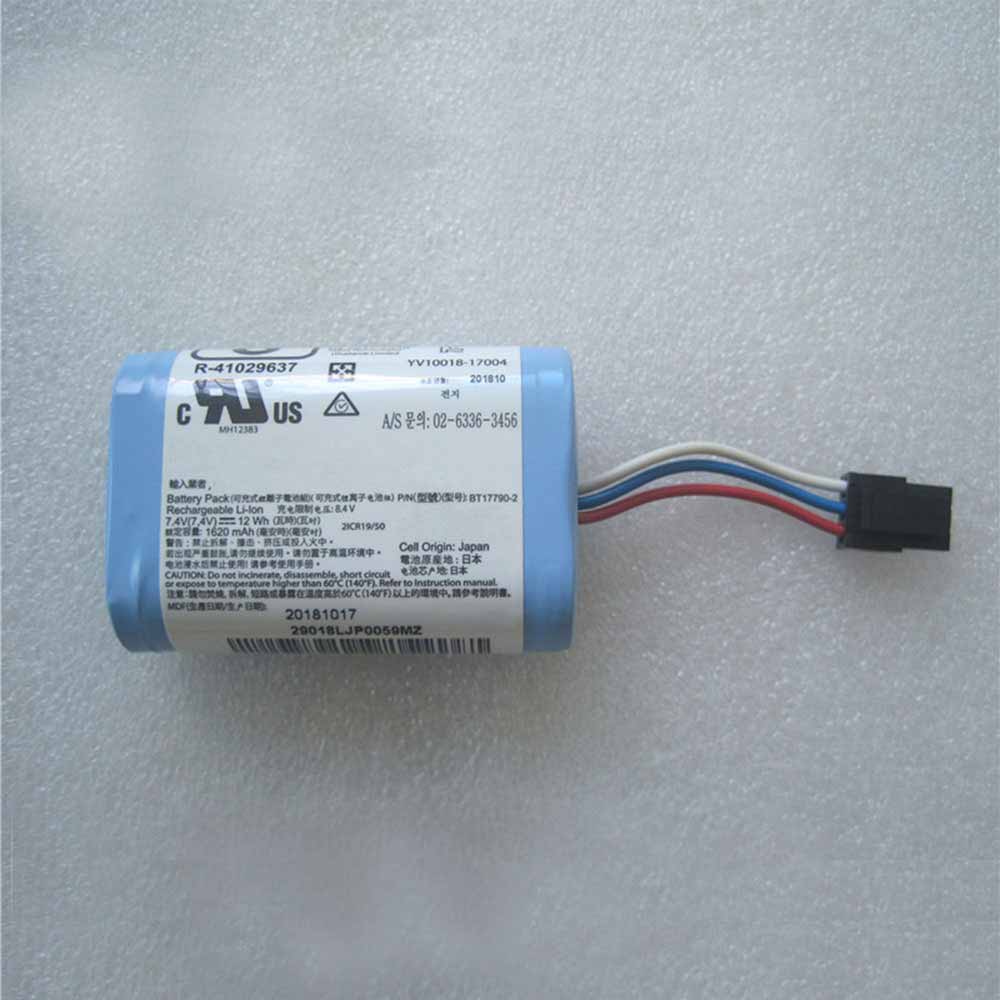
Cheap Zebra BT17790-2 Li-ion Other battery, Brand New BT17790-2 replacement battery for Comtec MX420L Zebra MZ220 MZ320

1620mah /12Wh 7.4V Zebra BT17790-2 Batteries for Comtec MX420L Zebra MZ220 MZ320, Zebra BT17790-2 Other battery is a brand new,100% Compatible original and replacement Laptop battery,Purchase wholesale and retail BT17790-2 with high quality and low price!

BT17790-2 Battery zebra Li-ion 7.4V 1620mah /12Wh

BT17790-2

Specifications

  • Brand:Zebra
  • Capacity :1620mah /12Wh
  • Voltage :7.4V
  • Type :Li-ion
  • Battery Cell Quality: Grade A
  • Descriptive: Replacement Battery – 1 Year Warranty
  • Description: Brand New, 1 Year Warranty! 30-Days Money Back! Fast Shipping!

How we test this Zebra BT17790-2 Battery Li-ion 7.4V 1620mah /12Wh

Step 1: Make sure customer bought the correct battery.
Step 2: Check battery’s appearance and interface.
Step 3: Test battery charger and recharger function.
Step 4: Charger the battery to 100% and recharger to 0% to get real battery capacity
Step 5: Use Ev2300 to check the voltage difference of each goroup cells.
Step 6: Charger battery power more than 30%.
Step 7: Package battery carefully and send out

Compatible Part Numbers:

AK18353-1 BT17790-1 BT17790-2

Compatible Model Numbers:

Comtec MX420L
Zebra MZ220 MZ320

How much do you know about how to run laptop well as any place? The follow Tips cut way back on protecting battery life.


1). Please recharge or change your Other battery when battery power low.
2). Using Li-Ion Replacement Zebra BT17790-2 Other Battery for your notebook which can work longer time than Non Li-ion one.
3). It is better to defragmentation regularly for your Other battery life.
4). In order to reduce the laptop power consumpition, you can use some optical drive spin-down and hard drive in your Other .
5). Please keep your laptop in sleep or standby model without long time using, which both save the Replacement Zebra BT17790-2 Other Battery power and extend battery using life.
6). Leave your battery in a dry and cool condition when without using.
7). When you rarely or generally plugged in fixed power using, Please take down your battery to avoid hurting battery life.

Hot Products

11.1V/12.4v 2300mah BOSE 404600 for Bose SOUNDLINK I II III7.4V 2230mAh/17Wh BOSE 063404 for 06340416.8V/20V 400mA/2200mAH/32Wh BOSE 300769-003 for Bose Sounddock Portable Digita3.8V 6300mAh/23.94Wh AMAZON 2955C7 for Amazon Kindle Fire HD 10.1 7th3.8 V 1300 mAh AMAZON MC-305070 for AMAZON Kindle Voyage7.7V 37Wh/4810mAh ACER AP16M5J for ACER A315-51-51SL N17Q1 SERIES3.7V/4.2V 1750MAH/6.5WH AMAZON GP-S10-346392-0100 for AMAZON KINDLE 3 3G WIFI Kindle3.8V 2930mAh/11.1Wh NETGEAR W-7 for Netgear AirCard 790S 790SP 8103.8V/4.35V 2000MAH/7.6Wh ALCATEL TLI020F7 for Alcatel Onetouch Pixi 4 (5) 503.8V 4000mAh/15.2Wh LENOVO L15D1P31 for Lenovo Yoga Tab3 Pro YT3-X90L

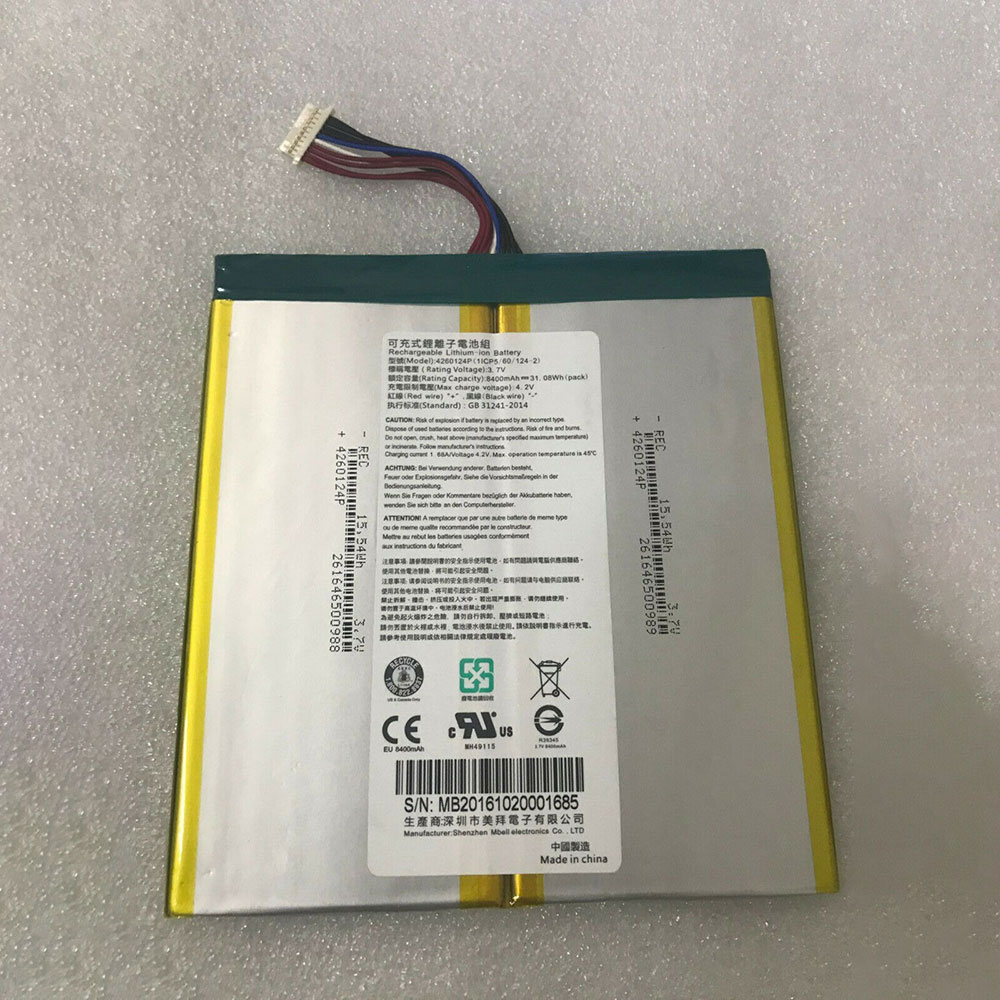
Cheap Acer 4260124P Li-ion Tablets battery, Brand New 4260124P replacement battery for Acer One 10 S1002

8400mah /31.08WH 3.7V/4.2V Acer 4260124P Batteries for Acer One 10 S1002, Acer 4260124P Tablets battery is a brand new,100% Compatible original and replacement Laptop battery,Purchase wholesale and retail 4260124P with high quality and low price!

4260124P Battery acer Li-ion 3.7V/4.2V 8400mah /31.08WH

4260124P

Specifications

  • Brand:Acer
  • Capacity :8400mah /31.08WH
  • Voltage :3.7V/4.2V
  • Color:white
  • Type :Li-ion
  • Battery Cell Quality: Grade A
  • Descriptive: Replacement Battery – 1 Year Warranty
  • Description: Brand New, 1 Year Warranty! 30-Days Money Back! Fast Shipping!

How we test this Acer 4260124P Battery Li-ion 3.7V/4.2V 8400mah /31.08WH

Step 1: Make sure customer bought the correct battery.
Step 2: Check battery’s appearance and interface.
Step 3: Test battery charger and recharger function.
Step 4: Charger the battery to 100% and recharger to 0% to get real battery capacity
Step 5: Use Ev2300 to check the voltage difference of each goroup cells.
Step 6: Charger battery power more than 30%.
Step 7: Package battery carefully and send out

Compatible Part Numbers:

4260124P 1ICP5/60/124-2

Compatible Model Numbers:

Acer One 10 S1002

How much do you know about how to run laptop well as any place? The follow Tips cut way back on protecting battery life.


1). Please recharge or change your Tablets battery when battery power low.
2). Using Li-Ion Replacement Acer 4260124P Tablets Battery for your notebook which can work longer time than Non Li-ion one.
3). It is better to defragmentation regularly for your Tablets battery life.
4). In order to reduce the laptop power consumpition, you can use some optical drive spin-down and hard drive in your Tablets .
5). Please keep your laptop in sleep or standby model without long time using, which both save the Replacement Acer 4260124P Tablets Battery power and extend battery using life.
6). Leave your battery in a dry and cool condition when without using.
7). When you rarely or generally plugged in fixed power using, Please take down your battery to avoid hurting battery life.

Hot Products

11.1V/12.4v 2300mah BOSE 404600 for Bose SOUNDLINK I II III7.4V 2230mAh/17Wh BOSE 063404 for 06340416.8V/20V 400mA/2200mAH/32Wh BOSE 300769-003 for Bose Sounddock Portable Digita3.8V 6300mAh/23.94Wh AMAZON 2955C7 for Amazon Kindle Fire HD 10.1 7th3.8 V 1300 mAh AMAZON MC-305070 for AMAZON Kindle Voyage7.7V 37Wh/4810mAh ACER AP16M5J for ACER A315-51-51SL N17Q1 SERIES3.7V/4.2V 1750MAH/6.5WH AMAZON GP-S10-346392-0100 for AMAZON KINDLE 3 3G WIFI Kindle3.8V 2930mAh/11.1Wh NETGEAR W-7 for Netgear AirCard 790S 790SP 8103.8V/4.35V 2000MAH/7.6Wh ALCATEL TLI020F7 for Alcatel Onetouch Pixi 4 (5) 503.8V 4000mAh/15.2Wh LENOVO L15D1P31 for Lenovo Yoga Tab3 Pro YT3-X90L

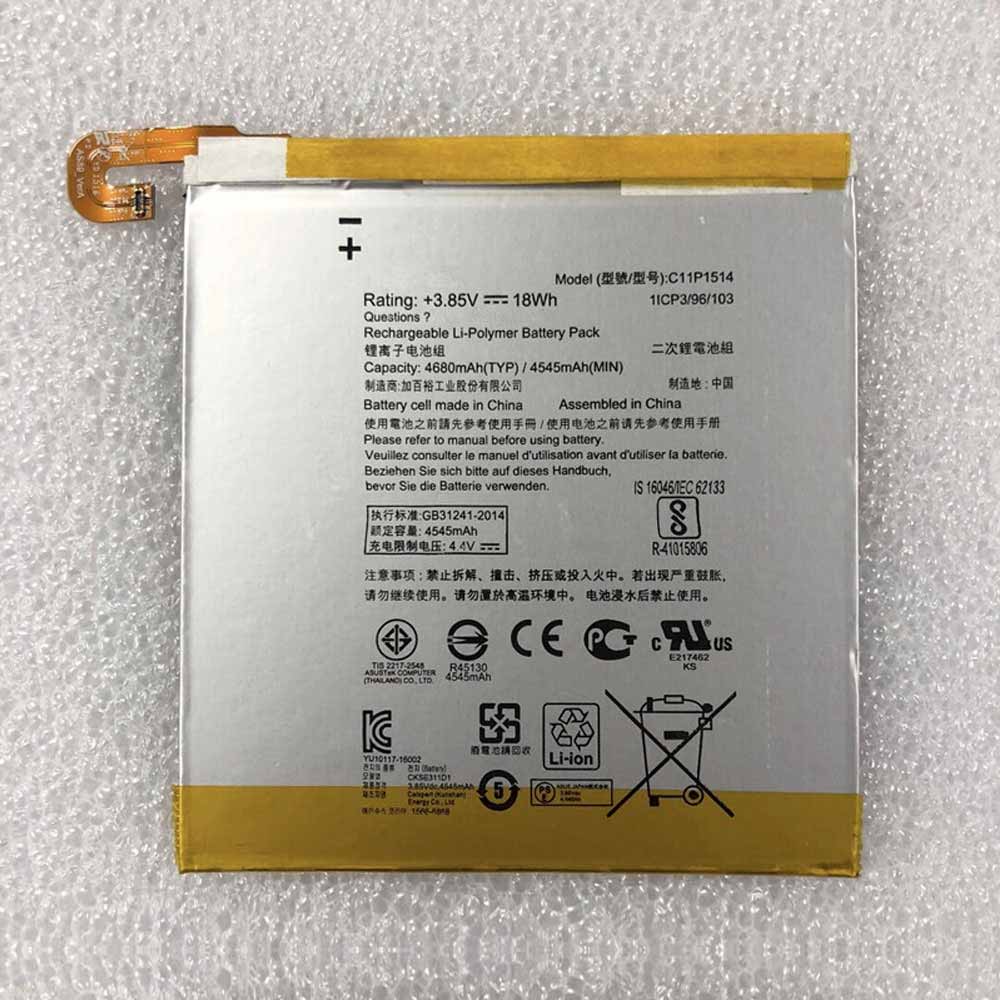
Cheap Asus C11P1514 Li-ion Cell Phone battery, Brand New C11P1514 replacement battery for ASUS FonePad 7 ME372CG K00E 1ICP3/96/103

4680mAh/18Wh 3.85V/4.4V Asus C11P1514 Batteries for ASUS FonePad 7 ME372CG K00E 1ICP3/96/103, Asus C11P1514 Cell Phone battery is a brand new,100% Compatible original and replacement Laptop battery,Purchase wholesale and retail C11P1514 with high quality and low price!

C11P1514 Battery asus Li-ion 3.85V/4.4V 4680mAh/18Wh

C11P1514

Specifications

  • Brand:ASUS
  • Capacity :4680mAh/18Wh
  • Voltage :3.85V/4.4V
  • Color:white
  • Type :Li-ion
  • Battery Cell Quality: Grade A
  • Descriptive: Replacement Battery – 1 Year Warranty
  • Description: Brand New, 1 Year Warranty! 30-Days Money Back! Fast Shipping!

How we test this Asus C11P1514 Battery Li-ion 3.85V/4.4V 4680mAh/18Wh

Step 1: Make sure customer bought the correct battery.
Step 2: Check battery’s appearance and interface.
Step 3: Test battery charger and recharger function.
Step 4: Charger the battery to 100% and recharger to 0% to get real battery capacity
Step 5: Use Ev2300 to check the voltage difference of each goroup cells.
Step 6: Charger battery power more than 30%.
Step 7: Package battery carefully and send out

Compatible Part Numbers:

C11P1514

Compatible Model Numbers:

ASUS FonePad 7 ME372CG K00E 1ICP3/96/103

How much do you know about how to run laptop well as any place? The follow Tips cut way back on protecting battery life.


1). Please recharge or change your Cell Phone battery when battery power low.
2). Using Li-Ion Replacement Asus C11P1514 Cell Phone Battery for your notebook which can work longer time than Non Li-ion one.
3). It is better to defragmentation regularly for your Cell Phone battery life.
4). In order to reduce the laptop power consumpition, you can use some optical drive spin-down and hard drive in your Cell Phone .
5). Please keep your laptop in sleep or standby model without long time using, which both save the Replacement Asus C11P1514 Cell Phone Battery power and extend battery using life.
6). Leave your battery in a dry and cool condition when without using.
7). When you rarely or generally plugged in fixed power using, Please take down your battery to avoid hurting battery life.

Hot Products

11.1V/12.4v 2300mah BOSE 404600 for Bose SOUNDLINK I II III7.4V 2230mAh/17Wh BOSE 063404 for 06340416.8V/20V 400mA/2200mAH/32Wh BOSE 300769-003 for Bose Sounddock Portable Digita3.8V 6300mAh/23.94Wh AMAZON 2955C7 for Amazon Kindle Fire HD 10.1 7th3.8 V 1300 mAh AMAZON MC-305070 for AMAZON Kindle Voyage7.7V 37Wh/4810mAh ACER AP16M5J for ACER A315-51-51SL N17Q1 SERIES3.7V/4.2V 1750MAH/6.5WH AMAZON GP-S10-346392-0100 for AMAZON KINDLE 3 3G WIFI Kindle3.8V 2930mAh/11.1Wh NETGEAR W-7 for Netgear AirCard 790S 790SP 8103.8V/4.35V 2000MAH/7.6Wh ALCATEL TLI020F7 for Alcatel Onetouch Pixi 4 (5) 503.8V 4000mAh/15.2Wh LENOVO L15D1P31 for Lenovo Yoga Tab3 Pro YT3-X90L

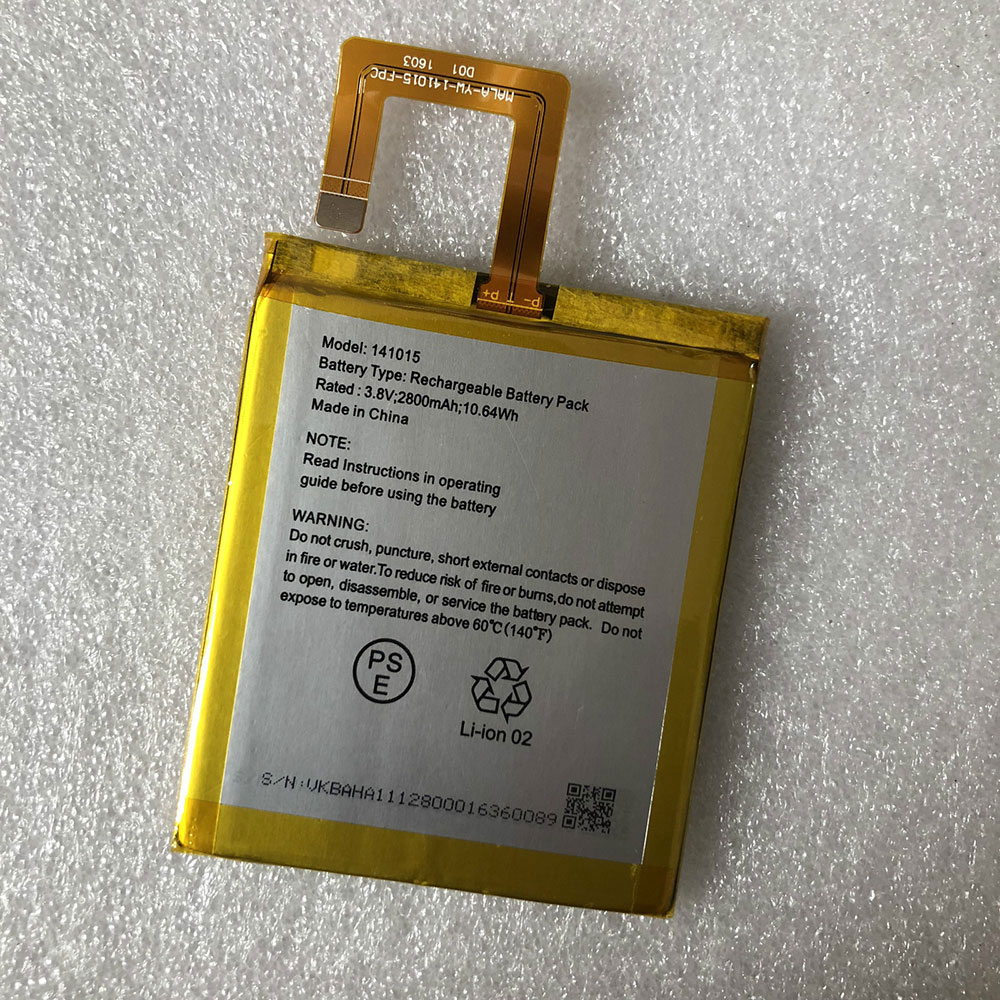
Cheap Vaio 141015 Li-ion Cell Phone battery, Brand New 141015 replacement battery for VAIO Phone PRO

2800mAh/ 10.64Wh 3.8V/4.35V Vaio 141015 Batteries for VAIO Phone PRO, Vaio 141015 Cell Phone battery is a brand new,100% Compatible original and replacement Laptop battery,Purchase wholesale and retail 141015 with high quality and low price!

141015 Battery vaio Li-ion 3.8V/4.35V 2800mAh/ 10.64Wh

141015

Specifications

  • Brand:VAIO
  • Capacity :2800mAh/ 10.64Wh
  • Voltage :3.8V/4.35V
  • Color:white
  • Type :Li-ion
  • Battery Cell Quality: Grade A
  • Descriptive: Replacement Battery – 1 Year Warranty
  • Description: Brand New, 1 Year Warranty! 30-Days Money Back! Fast Shipping!

How we test this Vaio 141015 Battery Li-ion 3.8V/4.35V 2800mAh/ 10.64Wh

Step 1: Make sure customer bought the correct battery.
Step 2: Check battery’s appearance and interface.
Step 3: Test battery charger and recharger function.
Step 4: Charger the battery to 100% and recharger to 0% to get real battery capacity
Step 5: Use Ev2300 to check the voltage difference of each goroup cells.
Step 6: Charger battery power more than 30%.
Step 7: Package battery carefully and send out

Compatible Part Numbers:

141015

Compatible Model Numbers:

VAIO Phone PRO

How much do you know about how to run laptop well as any place? The follow Tips cut way back on protecting battery life.


1). Please recharge or change your Cell Phone battery when battery power low.
2). Using Li-Ion Replacement Vaio 141015 Cell Phone Battery for your notebook which can work longer time than Non Li-ion one.
3). It is better to defragmentation regularly for your Cell Phone battery life.
4). In order to reduce the laptop power consumpition, you can use some optical drive spin-down and hard drive in your Cell Phone .
5). Please keep your laptop in sleep or standby model without long time using, which both save the Replacement Vaio 141015 Cell Phone Battery power and extend battery using life.
6). Leave your battery in a dry and cool condition when without using.
7). When you rarely or generally plugged in fixed power using, Please take down your battery to avoid hurting battery life.

Hot Products

11.1V/12.4v 2300mah BOSE 404600 for Bose SOUNDLINK I II III7.4V 2230mAh/17Wh BOSE 063404 for 06340416.8V/20V 400mA/2200mAH/32Wh BOSE 300769-003 for Bose Sounddock Portable Digita3.8V 6300mAh/23.94Wh AMAZON 2955C7 for Amazon Kindle Fire HD 10.1 7th3.8 V 1300 mAh AMAZON MC-305070 for AMAZON Kindle Voyage7.7V 37Wh/4810mAh ACER AP16M5J for ACER A315-51-51SL N17Q1 SERIES3.7V/4.2V 1750MAH/6.5WH AMAZON GP-S10-346392-0100 for AMAZON KINDLE 3 3G WIFI Kindle3.8V 2930mAh/11.1Wh NETGEAR W-7 for Netgear AirCard 790S 790SP 8103.8V/4.35V 2000MAH/7.6Wh ALCATEL TLI020F7 for Alcatel Onetouch Pixi 4 (5) 503.8V 4000mAh/15.2Wh LENOVO L15D1P31 for Lenovo Yoga Tab3 Pro YT3-X90L

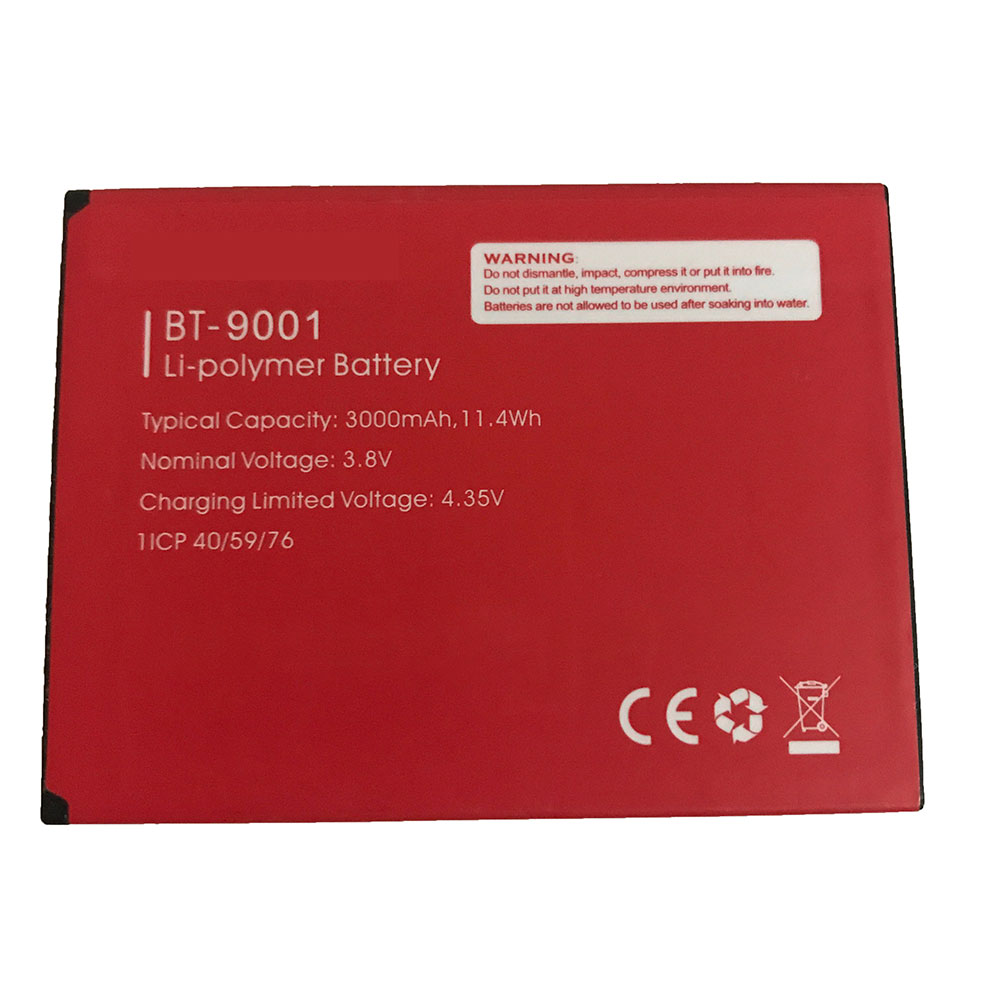
Cheap Leagoo BT-9001 Li-ion Cell Phone battery, Brand New BT-9001 replacement battery for Leagoo BT-9001

3000mAh/11.4WH 3.8V/4.35V Leagoo BT-9001 Batteries for Leagoo BT-9001, Leagoo BT-9001 Cell Phone battery is a brand new,100% Compatible original and replacement Laptop battery,Purchase wholesale and retail BT-9001 with high quality and low price!

BT-9001 Battery leagoo Li-ion 3.8V/4.35V 3000mAh/11.4WH

BT-9001

Specifications

  • Brand:LEAGOO
  • Capacity :3000mAh/11.4WH
  • Voltage :3.8V/4.35V
  • Color:red
  • Type :Li-ion
  • Battery Cell Quality: Grade A
  • Descriptive: Replacement Battery – 1 Year Warranty
  • Description: Brand New, 1 Year Warranty! 30-Days Money Back! Fast Shipping!

How we test this Leagoo BT-9001 Battery Li-ion 3.8V/4.35V 3000mAh/11.4WH

Step 1: Make sure customer bought the correct battery.
Step 2: Check battery’s appearance and interface.
Step 3: Test battery charger and recharger function.
Step 4: Charger the battery to 100% and recharger to 0% to get real battery capacity
Step 5: Use Ev2300 to check the voltage difference of each goroup cells.
Step 6: Charger battery power more than 30%.
Step 7: Package battery carefully and send out

Compatible Part Numbers:

BT-9001

Compatible Model Numbers:

Leagoo BT-9001

How much do you know about how to run laptop well as any place? The follow Tips cut way back on protecting battery life.


1). Please recharge or change your Cell Phone battery when battery power low.
2). Using Li-Ion Replacement Leagoo BT-9001 Cell Phone Battery for your notebook which can work longer time than Non Li-ion one.
3). It is better to defragmentation regularly for your Cell Phone battery life.
4). In order to reduce the laptop power consumpition, you can use some optical drive spin-down and hard drive in your Cell Phone .
5). Please keep your laptop in sleep or standby model without long time using, which both save the Replacement Leagoo BT-9001 Cell Phone Battery power and extend battery using life.
6). Leave your battery in a dry and cool condition when without using.
7). When you rarely or generally plugged in fixed power using, Please take down your battery to avoid hurting battery life.

Hot Products

11.1V/12.4v 2300mah BOSE 404600 for Bose SOUNDLINK I II III7.4V 2230mAh/17Wh BOSE 063404 for 06340416.8V/20V 400mA/2200mAH/32Wh BOSE 300769-003 for Bose Sounddock Portable Digita3.8V 6300mAh/23.94Wh AMAZON 2955C7 for Amazon Kindle Fire HD 10.1 7th3.8 V 1300 mAh AMAZON MC-305070 for AMAZON Kindle Voyage7.7V 37Wh/4810mAh ACER AP16M5J for ACER A315-51-51SL N17Q1 SERIES3.7V/4.2V 1750MAH/6.5WH AMAZON GP-S10-346392-0100 for AMAZON KINDLE 3 3G WIFI Kindle3.8V 2930mAh/11.1Wh NETGEAR W-7 for Netgear AirCard 790S 790SP 8103.8V/4.35V 2000MAH/7.6Wh ALCATEL TLI020F7 for Alcatel Onetouch Pixi 4 (5) 503.8V 4000mAh/15.2Wh LENOVO L15D1P31 for Lenovo Yoga Tab3 Pro YT3-X90L

Best Intel Z490 motherboards

The best Intel Z490 motherboard is a must If you’ve made the decision to jump onto the Intel 10th Gen Comet Lake train and want to get the most out of your new CPU. Intel’s Z490 boards are equipped with the new LGA 1200 socket, and even the more affordable B460 options feature improved connectivity, networking, power delivery components and (take this with a grain of salt) future 11th Gen Rocket Lake compatibility.

So while you need a whole new motherboard platform for Intel’s new chips, there’s a strong chance it will last for a few CPU generations to come. Especially given Intel’s propensity for 14nm silicon… While 10th Generation CPUs may not have shaken the foundations of the tech world, they are the fastest gaming chips around. If your current gaming machine is several years old then upgrading right now will get you a faster system in every way. Faster cores and more of them, faster networking, faster and higher capacity memory, faster storage, and faster USB amongst other things. Upgrading from the 7th, 8th or 9th to 10th generation might not be a big leap, but 2nd to 10th Gen sure is!

The K-series CPUs have 125W TDPs, though the higher core count models will actually pull a lot more power than that. This means even budget Z490 motherboards are built with robust power delivery circuitry. One of the areas the Intel Z490 chipset might be seen as lacking in is official PCIe 4.0 support, something which is present on AMD’s competing X570 platform. Some manufacturers, such as MSI, are claiming PCIe 4.0 support on their Z490 motherboards, even though it is not supported by 10th generation CPUs and hence cannot be validated. Intel won’t confirm any details one way or the other about its future products, so for now PCIe 4.0 support on Z490 seems sketchy at best and shouldn’t factor into a purchase decision at this point in time.

While the specs have improved, we’re still not impressed with the upward trend in pricing. Just a year or so ago we were shocked to see $1,000 high-end desktop motherboards for Threadripper or the X-series chips, but now manufacturers are clearly happy to push the envelope with most of them offering boards getting on for $800 even though Z490 is still a mainstream chipset. We’re not dealing with quad channel memory or a ton of PCIe lanes, but these monstrous ~$800 motherboards have everything else thrown at them. They might seem crazy, but people are buying them… and if you want the best Z490 motherboard experience that’s what you’re aiming for.

1. Asus ROG Maximus XII Extreme

The best Z490 motherboard, for the price of a full gaming PC…

Size : E-ATX | Memory support: 4x DIMM, up to 128GB, DDR4-4700 (OC) | Expansion slots: 2x PCIe 3.0 x16 (or x8/x8), 1x PCIe 3.0 x4 | Storage: 2x M.2, 2x M.2 (DIMM.2 board), 8x SATA 6Gbps | Rear USB: 10x USB 3.2, 2x USB 2.0 | Video ports: 2x Thunderbolt 3 ports on extension card (DP1.4) | Network : 1x 10Gb Marvell ethernet, 1x 2.5Gb Intel ethernet, Intel WiFi 6 wireless

OC performance 

Stunning bundle 

Incredible build quality 

I cannot pretend that this makes any sense from a rational standpoint, y’know, one where money actually exists and comes in finite amounts. But if we’re talking about the best Z490 motherboard, for me, this is it. The Asus ROG boards have always been high-end offerings—though there are lower-spec options here in this guide too—but I do feel that MSI has been the enabler. Its Godlike boards have really cemented the idea of the ultra-enthusiast motherboard which cost, if you’ll pardon the redacted expletive, f*** you money. After the arbitrarily priced £777 X570 Godlike, Asus has obviously decided it has carte blanche to charge whatever it likes.

But if you want a features list as long as the Dead Sea Scrolls then you’re going to have to pay for it. What I will say is that features list isn’t just stuffed with makeweight extras, things just stuffed into the package to fill it out and try and justify that price. Everything you get with the Maximus XII Extreme is useful for a super high-end Comet Lake build, from the extra fan controller, DIMM.2 storage expansion, to the Thunderbolt card. But I would like to make special mention of two of my favourite things in the package: the multi-head screwdriver and the braided SATA cables. Mmm.

You also get great performance. On the whole, the MSI Z490 Godlike does just about have the edge in straight speeds, but if I’m buying a Core i9 10900K I want to overclock the hell out of it, and I got a result I would be happy running at consistently from the Asus, where the Godlike just got a little too toasty for my taste at 5.3GHz all-core. Both are great high-end boards, but I’m going to side with the Asus for now.

2. MSI MEG Z490 Godlike

The best Z490 motherboard if you want to sell that other kidney too

Size: E-ATX | Memory support: 4x DIMM, up to 128GB, DDR4-5000 (OC) | Expansion slots: 3x PCIe 3.0 x16 (x16/x0/x4 or x8/x8/x4), 1x PCIe 3.0 x1 | Storage : 3x M.2, 6x SATA 6Gbps, 2x M.2 Xpander-Z | Rear USB: 8x USB 3.2, 2x USB 2.0 | Video ports: 2x Thunderbolt 3 | Network : 1x 10Gb Aquantia, 1x 2.5Gb Realtek LAN, Intel WiFi 6 wireless

Top CPU performance

Great bundle 

PCIe 4.0 support. Kinda 

The latest MSI Godlike is a fantastic high-end Z490 motherboard. I might still struggle with the naming scheme, and the similarly offensive price tag, but it’s tough to argue with the technology that it offers. The power delivery system is something that’s going to get seriously stretched by the Comet Lake architecture, and with 16 phases and 90A Smart Power Stage the Godlike has been designed to maintain a steady supply no matter what the Core i9 10900K wants to draw through it. 

And it does an incredible job with the power you give it too. The performance I got out of the Godlike put it a shade ahead of the Maximus XII Extreme in gaming terms, though only by a couple of frames per second at best, but it did stretch that lead a touch when it came to video encoding. At stock speeds it’s a touch cooler too, though that didn’t translate into the overclocked performance as it peaked at 99°C when running at the 5.3GHz all-core peak I hit with the i9. Still, it wasn’t throttling even so, but I wouldn’t be happy running at that level consistently.

But the Godlike does offer PCIe 4.0 support. In a fashion. Just not with Comet Lake. The M.2 Xpander-Z will support up to PCI 4.0 bandwidth, though there is a sticker on it which adds the caveat that transfer speed might be limited by the chipset and processor. There is the promise of Rocket Lake bringing PCIe 4.0 support to the Intel ecosystem, and the Z490 is supposedly compatible, so there’s a chance a Gen4 NVMe SSD might be able to take advantage down the line.

The overall bundle, build quality, and OC performance have me siding with the ROG board in the head-to-head, but it’s a close run thing, and you could also make a convincing argument for the MSI Godlike being the best Z490 motherboard around.

MSI MPG Z490 Gaming Carbon WiFi

A vaguely affordable Z490 motherboard with competitive performance

Size : ATX | Memory support: 4x DIMM, up to 128GB, DDR4-4800 (OC) | Expansion slots: 3x PCIe 3.0 (x16/x0/x4 or x8/x8/x4), 2x PCIe 3.0 x1 | Storage: 2x M.2, 6x SATA 6Gbps | Rear USB: 5x USB 3.2, 2x USB 2.0 | Video ports: 1x DisplayPort, 1x HDMI | Network : 1x 2.5Gb LAN, Intel WiFi 6 wireless

More reasonably priced Z490 

Still competitive performance 

The sparse back panel and missing OLED displays will tell you we’re back into normal motherboard territory again. The rarified air of the ultra-enthusiast pairing at the top of the test might make one giddy, but the Z490 Gaming Carbon will bring us back down to earth without a bump. Sure, you’re never going to get the same level of luxury feature list as you’ll find with either the Godlike or Maximus XII boards, but when it comes to the nuts and bolts of pure performance it’s right up there. 

Where it matters, in the gaming performance stakes, there’s practically nothing between any of the Z490 boards we’ve tested, and it’s only ever a little behind when it comes to the actual CPU performance in productivity apps. When it comes to overclocking, however, the MPG Z490 Gaming Carbon WiFi inevitably can’t compare to the big boys with our 10900K running at its peak.

The power componentry and cooling isn’t enough to stop the thirsty CPU from throttling when it’s pushed to its 5.3GHz all-core maximum. But, while that might mean it’s not the board you’d choose for an overclocked i9 machine, that’s a tiny niche of gamers, and for either i5 or i7 CPUs the MSI Gaming Carbon is still a quality home for your Comet Lake CPU.

4. MSI MEG Z490 Ace

MSI’s Z490 ace in the hole.

Size : ATX | Memory support : 4x DIMM, up to 128GB, DDR4-4800 (OC) | Expansion slots: 3x PCIe 3.0 (x16/x0/x4 or x8/x8/x4), 2x PCIe 3.0 x1 | Storage: 3x M.2, 6x SATA 6Gbps | Rear USB: 6x USB 3.2, 2x USB 2.0 | Video ports: N/A | Network : 1x Realtek 2.5Gb, 1x Intel 1GB LAN, Intel WiFi 6 wireless

Subtle looks

Strong VRM design

High-end performance

Another top board from MSI, the Z490 Ace looks great with its subtle gold highlights and metallic elements. It’s good to have the primary M.2 slot above the GPU rather than cooking away underneath it. Other little things like the white post code display, fast booting and excellent fan control makes the Ace a really refined and polished product. Even the M.2 installation is easy, with no need to remove a heap of screws and half of the entire heatsink.

MSI has knocked it out of the park with the Ace’s strong VRM design. Dual 8-pin power connectors feed a 16+1 phase 90A design that’s cooled by big chunks of heatsink. It’s got a small fan that only spins up when it’s required. There’s also rear mosfet baseplates, which all told means you can overclock to your heart’s content. Does any Z490 motherboard have a genuinely better VRM?

Its excellent finish, well laid out BIOS, feature set, top class VRM design, performance efficiency and capable overclocking means all boxes are ticked, as it should be if you’re going to drop nearly $400 on a motherboard. Ace by name, Ace by nature. 

5. Gigabyte Z490 Aorus Master

Gigabyte’s best Z490 motherboard is a luxurious Aorus.

Size : ATX | Memory support: 4x DIMM, up to 128GB, DDR4-5000 (OC) | Expansion slots: 3x PCIe 3.0 (x16/x0/x4 or x8/x8/x4) | Storage : 3x M.2, 6x SATA 6Gbps | Rear USB: 6x USB 3.2, 4x USB 2.0 | Video ports: 1x HDMI | Network : Intel 2.5Gb LAN, Intel WiFi 6 wireless

Built to last

Huge number of USB on backplate

Quality audio

The first thing we noticed when taking the Z490 Aorus Master out of its box was its weight. This is a board gives the impression that it’s built to last, and at $390 we’d certainly hope it does! For the money, it’s clear the Master is a lot of motherboard. Interestingly, where some Aorus boards tend to light up like a laser light show, the Master really dials down the RGB with just a little bit of subtle lighting over the rear I/O and the chipset heatsink. The overall look is very understated, modern and mature.

The Master has no less than 10 USB ports on the back panel, which is impressive, although it’s also the only board to have a single LAN port, though it is a quality Intel 2.5G controller. It does have Wi-Fi 6, but if dual LAN is important to you, you’ll have to look elsewhere. We’re usually impressed with Gigabyte’s audio and that’s also the case here, with an ESS Sabre DAC and quality component choices. You also get the fairly standard 6 SATA ports and triple M.2 slots which distinctively feature thermal padding for both sides of the drive. A nice touch. Note that Gigabyte is also touting its PCIe 4.0 support, though as we said in the intro, it’s not something that should factor into a purchase decision.

Perhaps the only drawback, and honestly it’s hard to even call it that when the differences are so small, was that performance tended to trail the pack in many cases. It’s nothing to worry about, but when you’re comparing motherboards that are all genuinely strong contenders, you have to look for some differentiation, and for the Aorus, this is it. Don’t necessarily let that put you off, it’s still a board we’d be proud to own. Heck if it was $50 cheaper, it might have been a winner.

6. ASRock Z490 Taichi

ASRock has moved up to the premium tier.

Size : ATX | Memory support: 4x DIMM, up to 128GB, DDR4-4666 (OC) | Expansion slots: 3x PCIe 3.0 (x16/x0/x4 or x8/x8/x4), 2x PCIe 3.0 x1 | Storage : 3x M.2, 6x SATA 6Gbps | Rear USB: 8x USB 3.2 | Video ports: 1x DisplayPort, 1x HDMI | Network : Dragon 2.5Gb, 1x Intel 1Gb LAN, Intel WiFi 6 wireless

Great-looking board

Decent overclocker

The Z490 Taichi doesn’t deviate too much from its recent siblings in terms of its looks. I mean, why would you though with its lovely retro, almost analogue theme. It looks terrific. You get a nice splash of RGB lighting too of course.

The Taichi has a beefed up 15-phase VRM system fed by dual 8-pin power connectors designed to cope with the demands of 10th Gen processors. Each choke is rated for 60A, which is less than the 90A the MSI, Asus, and Gigabyte offer. The Taichi incorporates no less than three small fans into the heatsink, though thankfully they are all but silent and couldn’t be heard above the sound of our AIO CPU cooler and pump. When the board is presented with a light load, they don’t spin at all.

Asrock is also touting its PCIe 4.0 readiness, though again that’s jumping the gun a bit with Intel not commenting on future compatibility or support at this time. The performance of the Taichi was interesting. It scored very well in bandwidth sensitive applications, indicating that it sets aggressive memory sub timings. Our DDR4-4000 C16 test required a voltage bump in order to achieve stability too. The board didn’t miss a beat when pushing our 10900K to 5.2GHz on all cores, 5.3 is possible, though the heat from the CPU made it unstable, not exactly a fault of the board.

The ASRock Z490 ticks almost all the boxes. It’s got an intuitive, easy to navigate BIOS and a typically strong Taichi feature set. Its VRM isn’t as strong as the other boards in the test and it’s perhaps a BIOS update away from feeling really polished. Saying that is being tough on it, though; the Taichi is a strong offering.

7. Asus ROG Maximus XII Hero Wi-Fi

Typical ROG refinement for a typically high price

Size : ATX | Memory support: 4x DIMM, up to 128GB, DDR4-4800 (OC) | Expansion slots: 3x PCIe 3.0 (x16/x0/x4 or x8/x8/x4), 3x PCIe x1 | Storage : 3x M.2, 6x SATA 6Gbps | Rear USB: 8x USB 3.2, 2x USB 2.0 | Video ports: 1x HDMI | Network : 1x Marvell 5Gb, 1x Intel 1Gb LAN, Intel WiFi 6 wireless

Fantastic Asus BIOS

High build-quality

Good overclocking

It says a lot about Z490 motherboard pricing when the Hero – usually a value offering in the Asus Maximus range – sells for an eye watering $400. When compared to the Maximus XII Extreme though, the Hero feels like a bargain. The Hero comes with a 14+2 phase VRM design with each stage rated for 60A. It’s not inferior so to speak, but the Max XII Extreme, MSI, and Gigabyte boards have a better VRM spec along with dual 8-pin power vs the 8+4 pin of the Hero. There’s a bundled small cooling fan that you should install if you wish to push the board hard.

Asus really goes the extra mile when it comes to BIOS features, though perhaps it can be overwhelming for novice users. If you want to tweak, and then tweak some more, then Asus has you covered. The Hero was effortlessly able to overclock our 10900K to 5.2GHz and our memory to DDR4-4000. Try as we might, 5.3 GHz is a step too far for our cooling. If you’ve got top shelf cooling, then the Hero will handle it. Our memory took exactly one try to get to DDR4-4000 16-16-16 which is a nice performance sweet spot. Don’t forget that Asus offers the Maximus XII Apex if OC is your main game. 

We can’t escape from the fact that the Maximus XII Hero is $400. Economic woes notwithstanding, that’s a lot of money, particularly when the equally strong MSI and Gigabyte Z490 motherboards are a bit cheaper. Having said that, Asus rarely missteps with its ROG boards and the company has rightly earned itself a loyal band of followers who will hardly consider another board. If you choose the Hero you get the advantage of impressive 5G networking, excellent build quality and you’ll have a capable and refined motherboard. Its VRM isn’t class leading though, but that really only applies to extreme overclockers. We wish is was a few dollars cheaper but if you do go for the Maximus XII Hero, it will do your system justice.

Gigabyte’s Aorus Liquid Coolers Tame Intel Core i9-10900K at 5.2 GHz Without a Sweat

Overclocking the Core i9-10900K and keeping the processor’s operating temperature under check could prove to be a difficult task. Have no fear, though, as Gigabyte thinks that the brand’s lineup of Aorus liquid coolers can get the job done.

Gigabyte demostrated the Aorus liquid cooler’s prowess by submitting an overclocked Core i9-10900K for some Prime95 beating for over 30 minutes. The manufacturer overclocked the Core i9-10900K to 5.2 GHz on all ten cores. CPU-Z and HWiNFO64 reported voltages of 1.392V and 1.423V, respectively. During the stress test, the processor pulled over 320W, according to Gigabyte.

Gigabyte offers the Aorus liquid cooler in 240mm, 280mm and 360mm flavors. In the press release, the company didn’t specify which model was used for the test. The temperatures ranged from 85 degree Celsius to 96 degree Celsius with a Tjunction max of 115 degree Celsius. Gigabyte has told us that the brand tests a significant amount of samples so this particular Core i9-10900K isn’t cherry-binned to make the cooler look good.

All of Gigabyte’s Aorus liquid coolers are based of an Asetek design with a copper baseplate. To add a bit of bling, Gigabyte equips the pump with a little 60 x 60mm circular LCD display that displays useful information, such as the processor’s frequency, temperature and the fan’s speed.

Like many liquid coolers, the radiator for the Aorus liquid cooler is made of aluminium. The radiators come in the 240mm, 280mm and 360mm sizes, depending on which model you pick up. Gigabyte’s own Aorus-branded PWM fan is in charge of cooling. The 280mm model comes with two 140mm fans while the 240mm and 360mm models feature two and three 120mm fans, respectively. Addressable RGB lighting is present on both sizes.

The 120mm fan spins up to 2,500 RPM to provide a static pressure of 3.51 mmH2O at a maximum noise level of 39.5 dBA. The 140mm fan, on the other hand, tops out at 2,300 RPM, boasts an impressive static pressure of 5.16 mmH2O and a maximum noise level of 44.5 dBA.

Gigabyte backs the Aorus liquid cooler with a limited three-year warranty. The 240mm model retails for $189.99, while the 280mm and 360mm models go for $214.99 and $229.99, respectively.