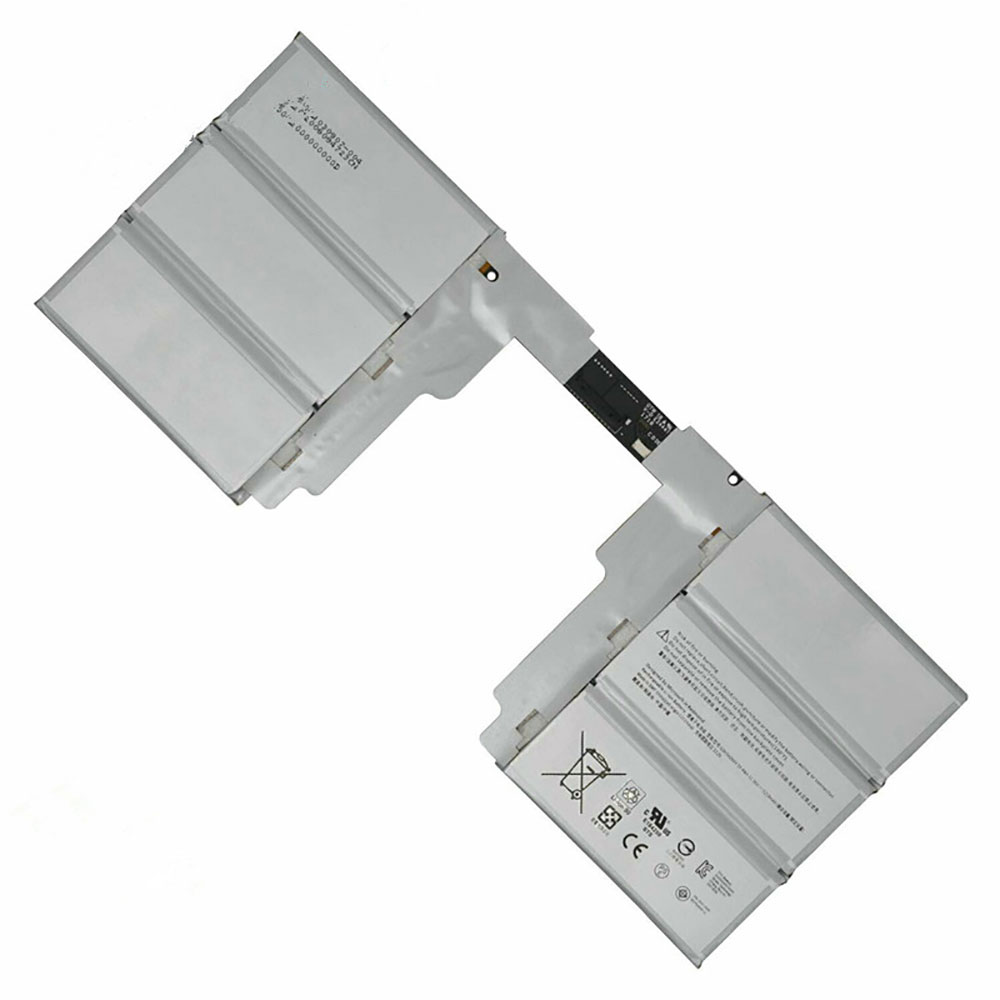
Cheap Doogee B-DG280 Li-ion Cell Phone battery, Brand New B-DG280 replacement battery for DOOGEE DG280 Mobile Cell phone

1800mAh 3.8V/4.35V Doogee B-DG280 Batteries for DOOGEE DG280 Mobile Cell phone, Doogee B-DG280 Cell Phone battery is a brand new,100% Compatible original and replacement Laptop battery,Purchase wholesale and retail B-DG280 with high quality and low price!

B-DG280 Battery doogee Li-ion 3.8V/4.35V 1800mAh

B-DG280

Specifications

  • Brand:DOOGEE
  • Capacity :1800mAh
  • Voltage :3.8V/4.35V
  • Type :Li-ion
  • Battery Cell Quality: Grade A
  • Descriptive: Replacement Battery – 1 Year Warranty
  • Description: Brand New, 1 Year Warranty! 30-Days Money Back! Fast Shipping!

How we test this Doogee B-DG280 Battery Li-ion 3.8V/4.35V 1800mAh

Step 1: Make sure customer bought the correct battery.
Step 2: Check battery’s appearance and interface.
Step 3: Test battery charger and recharger function.
Step 4: Charger the battery to 100% and recharger to 0% to get real battery capacity
Step 5: Use Ev2300 to check the voltage difference of each goroup cells.
Step 6: Charger battery power more than 30%.
Step 7: Package battery carefully and send out

Compatible Part Numbers:

B-DG280

Compatible Model Numbers:

DOOGEE DG280 Mobile Cell phone

How much do you know about how to run laptop well as any place? The follow Tips cut way back on protecting battery life.


1). Please recharge or change your Cell Phone battery when battery power low.
2). Using Li-Ion Replacement Doogee B-DG280 Cell Phone Battery for your notebook which can work longer time than Non Li-ion one.
3). It is better to defragmentation regularly for your Cell Phone battery life.
4). In order to reduce the laptop power consumpition, you can use some optical drive spin-down and hard drive in your Cell Phone .
5). Please keep your laptop in sleep or standby model without long time using, which both save the Replacement Doogee B-DG280 Cell Phone Battery power and extend battery using life.
6). Leave your battery in a dry and cool condition when without using.
7). When you rarely or generally plugged in fixed power using, Please take down your battery to avoid hurting battery life.

Hot Products

11.1V/12.4v 2300mah BOSE 404600 for Bose SOUNDLINK I II III16.8V/20V 400mA/2200mAH/32Wh BOSE 300769-003 for Bose Sounddock Portable Digita3.8V 6300mAh/23.94Wh AMAZON 2955C7 for Amazon Kindle Fire HD 10.1 7th3.8 V 1300 mAh AMAZON MC-305070 for AMAZON Kindle Voyage3.8V/4.35V 2000MAH/7.6Wh ALCATEL TLI020F7 for Alcatel Onetouch Pixi 4 (5) 507.7V 37Wh/4810mAh ACER AP16M5J for ACER A315-51-51SL N17Q1 SERIES3.8V 2930mAh/11.1Wh NETGEAR W-7 for Netgear AirCard 790S 790SP 8103.85V/4.4V 3080MAH/11.86WH ALCATEL TLp030JC for Alcatel A3 XL 9008j3.7V/4.2V 1750MAH/6.5WH AMAZON GP-S10-346392-0100 for AMAZON KINDLE 3 3G WIFI Kindle3.8V 4000mAh/15.2Wh LENOVO L15D1P31 for Lenovo Yoga Tab3 Pro YT3-X90L

Cheap Doogee B-DG580 Li-ion Cell Phone battery, Brand New B-DG580 replacement battery for DOOGEE DG580 Mobile Cell phone

2500mAh 3.7V/4.2V Doogee B-DG580 Batteries for DOOGEE DG580 Mobile Cell phone, Doogee B-DG580 Cell Phone battery is a brand new,100% Compatible original and replacement Laptop battery,Purchase wholesale and retail B-DG580 with high quality and low price!

B-DG580 Battery doogee Li-ion 3.7V/4.2V 2500mAh

B-DG580

Specifications

  • Brand:DOOGEE
  • Capacity :2500mAh
  • Voltage :3.7V/4.2V
  • Type :Li-ion
  • Battery Cell Quality: Grade A
  • Descriptive: Replacement Battery – 1 Year Warranty
  • Description: Brand New, 1 Year Warranty! 30-Days Money Back! Fast Shipping!

How we test this Doogee B-DG580 Battery Li-ion 3.7V/4.2V 2500mAh

Step 1: Make sure customer bought the correct battery.
Step 2: Check battery’s appearance and interface.
Step 3: Test battery charger and recharger function.
Step 4: Charger the battery to 100% and recharger to 0% to get real battery capacity
Step 5: Use Ev2300 to check the voltage difference of each goroup cells.
Step 6: Charger battery power more than 30%.
Step 7: Package battery carefully and send out

Compatible Part Numbers:

B-DG580

Compatible Model Numbers:

DOOGEE DG580 Mobile Cell phone

How much do you know about how to run laptop well as any place? The follow Tips cut way back on protecting battery life.


1). Please recharge or change your Cell Phone battery when battery power low.
2). Using Li-Ion Replacement Doogee B-DG580 Cell Phone Battery for your notebook which can work longer time than Non Li-ion one.
3). It is better to defragmentation regularly for your Cell Phone battery life.
4). In order to reduce the laptop power consumpition, you can use some optical drive spin-down and hard drive in your Cell Phone .
5). Please keep your laptop in sleep or standby model without long time using, which both save the Replacement Doogee B-DG580 Cell Phone Battery power and extend battery using life.
6). Leave your battery in a dry and cool condition when without using.
7). When you rarely or generally plugged in fixed power using, Please take down your battery to avoid hurting battery life.

Hot Products

11.1V/12.4v 2300mah BOSE 404600 for Bose SOUNDLINK I II III16.8V/20V 400mA/2200mAH/32Wh BOSE 300769-003 for Bose Sounddock Portable Digita3.8V 6300mAh/23.94Wh AMAZON 2955C7 for Amazon Kindle Fire HD 10.1 7th3.8 V 1300 mAh AMAZON MC-305070 for AMAZON Kindle Voyage3.8V/4.35V 2000MAH/7.6Wh ALCATEL TLI020F7 for Alcatel Onetouch Pixi 4 (5) 507.7V 37Wh/4810mAh ACER AP16M5J for ACER A315-51-51SL N17Q1 SERIES3.8V 2930mAh/11.1Wh NETGEAR W-7 for Netgear AirCard 790S 790SP 8103.85V/4.4V 3080MAH/11.86WH ALCATEL TLp030JC for Alcatel A3 XL 9008j3.7V/4.2V 1750MAH/6.5WH AMAZON GP-S10-346392-0100 for AMAZON KINDLE 3 3G WIFI Kindle3.8V 4000mAh/15.2Wh LENOVO L15D1P31 for Lenovo Yoga Tab3 Pro YT3-X90L

Cheap Cubot Dinosaur Li-ion Cell Phone battery, Brand New Dinosaur replacement battery for CUBOT Dinosaur Mobile Cell phone

4150mAh 3.8V/4.35V Cubot Dinosaur Batteries for CUBOT Dinosaur Mobile Cell phone, Cubot Dinosaur Cell Phone battery is a brand new,100% Compatible original and replacement Laptop battery,Purchase wholesale and retail Dinosaur with high quality and low price!

Dinosaur Battery cubot Li-ion 3.8V/4.35V 4150mAh

Dinosaur

Specifications

  • Brand:Cubot
  • Capacity :4150mAh
  • Voltage :3.8V/4.35V
  • Type :Li-ion
  • Battery Cell Quality: Grade A
  • Descriptive: Replacement Battery – 1 Year Warranty
  • Description: Brand New, 1 Year Warranty! 30-Days Money Back! Fast Shipping!

How we test this Cubot Dinosaur Battery Li-ion 3.8V/4.35V 4150mAh

Step 1: Make sure customer bought the correct battery.
Step 2: Check battery’s appearance and interface.
Step 3: Test battery charger and recharger function.
Step 4: Charger the battery to 100% and recharger to 0% to get real battery capacity
Step 5: Use Ev2300 to check the voltage difference of each goroup cells.
Step 6: Charger battery power more than 30%.
Step 7: Package battery carefully and send out

Compatible Part Numbers:

Dinosaur

Compatible Model Numbers:

CUBOT Dinosaur Mobile Cell phone

How much do you know about how to run laptop well as any place? The follow Tips cut way back on protecting battery life.


1). Please recharge or change your Cell Phone battery when battery power low.
2). Using Li-Ion Replacement Cubot Dinosaur Cell Phone Battery for your notebook which can work longer time than Non Li-ion one.
3). It is better to defragmentation regularly for your Cell Phone battery life.
4). In order to reduce the laptop power consumpition, you can use some optical drive spin-down and hard drive in your Cell Phone .
5). Please keep your laptop in sleep or standby model without long time using, which both save the Replacement Cubot Dinosaur Cell Phone Battery power and extend battery using life.
6). Leave your battery in a dry and cool condition when without using.
7). When you rarely or generally plugged in fixed power using, Please take down your battery to avoid hurting battery life.

Hot Products

11.1V/12.4v 2300mah BOSE 404600 for Bose SOUNDLINK I II III16.8V/20V 400mA/2200mAH/32Wh BOSE 300769-003 for Bose Sounddock Portable Digita3.8V 6300mAh/23.94Wh AMAZON 2955C7 for Amazon Kindle Fire HD 10.1 7th3.8 V 1300 mAh AMAZON MC-305070 for AMAZON Kindle Voyage3.8V/4.35V 2000MAH/7.6Wh ALCATEL TLI020F7 for Alcatel Onetouch Pixi 4 (5) 507.7V 37Wh/4810mAh ACER AP16M5J for ACER A315-51-51SL N17Q1 SERIES3.8V 2930mAh/11.1Wh NETGEAR W-7 for Netgear AirCard 790S 790SP 8103.85V/4.4V 3080MAH/11.86WH ALCATEL TLp030JC for Alcatel A3 XL 9008j3.7V/4.2V 1750MAH/6.5WH AMAZON GP-S10-346392-0100 for AMAZON KINDLE 3 3G WIFI Kindle3.8V 4000mAh/15.2Wh LENOVO L15D1P31 for Lenovo Yoga Tab3 Pro YT3-X90L

Cheap Cubot note_S Li-ion Cell Phone battery, Brand New note_S replacement battery for CUBOT note S smartphone Mobile Cell phone

4150mAh /15.77Wh 3.8V/4.35V Cubot note_S Batteries for CUBOT note S smartphone Mobile Cell phone, Cubot note_S Cell Phone battery is a brand new,100% Compatible original and replacement Laptop battery,Purchase wholesale and retail note_S with high quality and low price!

note_S Battery cubot Li-ion 3.8V/4.35V 4150mAh /15.77Wh

note_S

Specifications

  • Brand:Cubot
  • Capacity :4150mAh /15.77Wh
  • Voltage :3.8V/4.35V
  • Type :Li-ion
  • Battery Cell Quality: Grade A
  • Descriptive: Replacement Battery – 1 Year Warranty
  • Description: Brand New, 1 Year Warranty! 30-Days Money Back! Fast Shipping!

How we test this Cubot note_S Battery Li-ion 3.8V/4.35V 4150mAh /15.77Wh

Step 1: Make sure customer bought the correct battery.
Step 2: Check battery’s appearance and interface.
Step 3: Test battery charger and recharger function.
Step 4: Charger the battery to 100% and recharger to 0% to get real battery capacity
Step 5: Use Ev2300 to check the voltage difference of each goroup cells.
Step 6: Charger battery power more than 30%.
Step 7: Package battery carefully and send out

Compatible Part Numbers:

note_S

Compatible Model Numbers:

CUBOT note S smartphone Mobile Cell phone

How much do you know about how to run laptop well as any place? The follow Tips cut way back on protecting battery life.


1). Please recharge or change your Cell Phone battery when battery power low.
2). Using Li-Ion Replacement Cubot note_S Cell Phone Battery for your notebook which can work longer time than Non Li-ion one.
3). It is better to defragmentation regularly for your Cell Phone battery life.
4). In order to reduce the laptop power consumpition, you can use some optical drive spin-down and hard drive in your Cell Phone .
5). Please keep your laptop in sleep or standby model without long time using, which both save the Replacement Cubot note_S Cell Phone Battery power and extend battery using life.
6). Leave your battery in a dry and cool condition when without using.
7). When you rarely or generally plugged in fixed power using, Please take down your battery to avoid hurting battery life.

Hot Products

11.1V/12.4v 2300mah BOSE 404600 for Bose SOUNDLINK I II III16.8V/20V 400mA/2200mAH/32Wh BOSE 300769-003 for Bose Sounddock Portable Digita3.8V 6300mAh/23.94Wh AMAZON 2955C7 for Amazon Kindle Fire HD 10.1 7th3.8 V 1300 mAh AMAZON MC-305070 for AMAZON Kindle Voyage3.8V/4.35V 2000MAH/7.6Wh ALCATEL TLI020F7 for Alcatel Onetouch Pixi 4 (5) 507.7V 37Wh/4810mAh ACER AP16M5J for ACER A315-51-51SL N17Q1 SERIES3.8V 2930mAh/11.1Wh NETGEAR W-7 for Netgear AirCard 790S 790SP 8103.85V/4.4V 3080MAH/11.86WH ALCATEL TLp030JC for Alcatel A3 XL 9008j3.7V/4.2V 1750MAH/6.5WH AMAZON GP-S10-346392-0100 for AMAZON KINDLE 3 3G WIFI Kindle3.8V 4000mAh/15.2Wh LENOVO L15D1P31 for Lenovo Yoga Tab3 Pro YT3-X90L

Google Fit rolling out step-focused Android & iOS redesign, new Wear OS Tiles

In 2018, Google Fit received a big redesign that introduced Move Minutes and Heart Points as an easy to digest health metric. After coming to iOS last year, the mobile and Wear OS apps are getting a redesign today that emphasizes step count.

This redesign for Google Fit starts with the activity circle at the top of the app shrinking in size as your profile image is no longer at the center. To make things more “viewable at a glance,” Google is using bolder text and brighter visuals.

Of course, the biggest change sees Move Minutes de-emphasized in favor of “Steps.” The former metric is not going away and still visible, but Google listened to feedback that users prefer the familiar metric.

Many users track steps daily in Google Fit and in other apps, and it’s an important goal for them. We listened closely to our users and now both Heart Points and step count will be paired together as goals at the center of our app. This change allows users to keep track of their general movement with steps, while also knowing when to increase their intensity to earn more Heart Points.

Steps now go hand-in-hand with Heart Points to track intensity and match WHO and American Heart Association weekly guidelines. Google is adding a new progress card underneath the activity circle to show when you’re close to hitting a goal.

Today’s updates are also reflected on Wear OS. The Google Fit app on the wearable platform adds two new Tiles. The first lets you quickly start a workout, as well as see “progress toward your goal through the day or week at a glance.”

Google Fit’s step-focused redesign is already available on iOS, and rolling out now to Android and Wear OS.

The 2020 Dell XPS 13 Is As Close As We’ve Come to Laptop Perfection

Dell is running into a real issue with the XPS 13, though in this case, it’s a good problem. Over the past couple of years, Dell has tweaked and refined its flagship 13-inch laptop to the point that we thought last year’s model was practically perfect. And now, Dell has released the new XPS 13 9300 with a more useful 16:10 screen, a larger touchpad and keycaps, slimmer bezels, and even better performance. At this point, the new XPS 13’s only significant shortcoming is that it has just two USB-C ports instead of three, though in return you do get a built-in microSD card reader. Pretty soon, Dell isn’t going to have anything left to improve, and even though this new XPS 13 isn’t completely flawless, there’s no doubt it’s the best ultraportable on the market.

In terms of design, the XPS 13 9300 is actually a tiny bit heavier and slightly smaller than the previous model, but the differences are so minute that even when holding both at the same time, it’s hard to tell. Around the edges of the laptop, Dell has opted for a shinier anodized finish that adds a bit of sparkle to the system without crossing the border into “Look at me!” territory.

You also get two USB-C ports with Thunderbolt 3 (one on each side) for transferring data and power, along with a headphone jack on the right and a new microSD card slot on the left. Typically, I like when laptops makers add built SD card readers on laptops, though on something like the XPS 13 whose main duty probably won’t be editing photos and videos, I think most people would prefer a third USB-C port instead—especially considering one USB-C port will usually be reserved for charging.

Speaking of charging, I appreciate that Dell includes two different plugs for the XPS 13’s 45-watt power brick: one is a compact plug that you can jam right into the wall, while the other is a three-foot extension for when you need a little extra reach. However, with a battery life that lasted 9 hours and 59 minutes on our video rundown test, there’s a good chance you can make it through most or maybe all of your workday without actually needing to plug in. That time is half an hour better than what we got from the previous XPS 13 (9:26) and nearly three hours better than HP’s Envy 13.

Up top, Dell has also stepped up to a new 16:10 display (from the 16:9 panel it was previously using) which might not sound like much, but gives the XPS 13 a much-needed boost in vertical screen real estate. At the same time, Dell kept the XPS 13’s tiny webcams (which includes an IR camera for Windows Hello face login) while also decreasing the bezels around its 13.4-screen to the point that they are practically non-existent. Actual web cam image quality could be a tiny bit better, but it’ll more than suffice for all everyone stuck working from home right now.

For years, Dell has been talking about its Infinity Edge displays, but until now, there was always one side that was way fatter than the others which served as a strange disconnect between promise and reality. But for 2020, Dell has really delivered and the pay off is an extremely thin and sleek system with a screen that’s seven percent larger than before.

On our $1,750 review model sporting a Core i7-1065G7 CPU, 16GB of RAM and 512GB m.2 NVMeSSD, we also got a lovely 1920 x 1200 touch display (with a peak brightness of 429 nits), but depending on your budget you can go for a less expensive non-touch FHD+ display or a more premium 3840 x 2400 UHD+ panel. That said, I would probably stick with the FHD+ touch display, as the increase in resolution doesn’t have as big of an impact on a 13-inch display as it would on a larger 15-inch system.

And despite the 2020 XPS 13 having smaller dimensions than before, it also has a 17 percent larger touchpad and slightly larger keycaps that deliver excellent bounce and key travel. And in light of Apple recently switching back to scissor switches on its new MacBooks, Dell not messing with the typing experience is something I’ve come to appreciate even more. One small critique I have though—and I realize I may be reaching a bit— is that the backlighting on the XPS 13’s keyboard appears a bit uneven. Normally, something like that would barely even register as a complaint, but when there’s so little to nitpick and after seeing what a lot of gaming laptops makers are doing (including Alienware), I know there’s room for improvement.

For performance, the XPS 13 ain’t no slouch either, as pretty much across the board, the XPS 13 beat out its competitors on both benchmarks and real-world tests including WebXPRT 2015 for measuring browser performance, Handbrake for video editing, and Geekbench 4 for overall metrics. And even when you’re really pushing it, the XPS 13 generally delivers stable performance, with the fans only whining a bit under full load.

Admittedly, there are a couple of more enterprisey options that you won’t find on the XPS 13 like the built-in privacy screen found on some Lenovo and HP laptops or optional vPro CPUs, but for everything else, the XPS 13 is simply the best 13-inch ultraportable laptop you can get right now. Yes, depending on the config it can be a bit pricey and I wish it had just one more USB-C port. But the XPS 13’s excellent build, iconic design, and strong performance is the result of years of polish, and now like its anodized aluminum sides, Dell’s 13-inch flagship laptop is really shining.

README

The XPS 13 supports both face and fingerprint login via Windows Hello (its power button doubles as a fingerprint reader).

Dell includes a handy USB-C to USB-A adapter in the box, along with two adapters for its power brick that allow you to adjust its length.

The XPS 13 9300 only has two USB-C ports (down from three on the previous model), but in exchange you get a built-in microSD card slot.

If you’re not down with the white fiberglass deck, the XPS 13 is still available in classic carbon fiber too.

ACER HAS QUIETLY LAUNCHED A 10TH GEN COMET LAKE CHROMEBOOK SPIN 13

We just got an email from a reader overseas alerting us to a new model of the Acer Chromebook Spin 13 that we’ve never seen before. The reason? It’s never been officially announced and it is powered by the same 10th Gen Intel Comet Lake processors found in the newly released Samsung Galaxy Chromebook and ASUS Chromebook Flip C436. While it’s no surprise to see Acer launching a new flagship, the timing and method for launching the new Spin 13 seems a bit odd but more on that in a minute.

First, let’s take a look at the new Chromebook that is currently listed on a handful of websites in the UK and Germany. At first glance, you wouldn’t be at fault if you thought the images below were simply the original Spin 13 but there are some subtle differences. For starters, the trackpad is a lot taller. That was one of the minor gripes we had about the first-gen Spin 13. There was all that extra space between the keys and the front of the device and yet, they chose to make the trackpad quite short from front to back. Next, this model has a full-size HDMI port. That seems like a step back from the first Spin but perhaps it’s a regional thing or because it is aimed at the enterprise sector. Who knows?

Another change that’s not so slight if it’s true is the fact that this new model appears to be missing the stowable stylus that was so popular with many users of the first Spin 13. Along with the missing pen, you may notice that this Chromebook is without a fingerprint scanner which seems very peculiar considering Acer was one of the first to equip an enterprise Chromebook with biometrics. At first, I thought this could be a case of bad photo mock-ups but then I found the actual spec sheet for the new Acer Spin 13 and under the Fingerprint Sensor section, there is simply a strikethrough. Again, this could change when the device makes its way to the U.S. but I’m not holding my breath.

Two models of the new Acer Spin 13 are showing up at the moment. One is the same Core i5-10210U found in the Samsung Galaxy Chromebook. It’s matched with a whopping 16GB of RAM and 256GB of PCIe storage. Those specs make the lack of fingerprint sensors even more confusing. It has all the makings of a Project Athena laptop but I was under the impression that biometrics were a must to make that qualification. Then again, I could be wrong. The other model is the Core i3-10110U that powers the $799 version of the ASUS Flip C436. It gets 8GB of RAM and 64GB of storage. The chassis looks nearly identical to the original Spin 13 and it comes with that sweet 3:2, 13.5″ display that I love so much. The price point for the Core i5 is roughly € 969.00 which is a little over $1,000 USD.

We have reached out to our contact at Acer to see if there is an official announcement coming for this new Spin 13. As of late, Acer has held off on outing these premium Chromebooks until they have their annual even in spring. Sadly, given the current state of affairs, I don’t expect Acer to have an on-site event any time soon. Perhaps that’s why this Chromebook is already peeping its head up in Europe. We could be on the cusp of the device coming to the states and Acer is just foregoing the formalities. If you’re in or around Germany or the UK, you can check out the listings and I suppose go ahead and get your hands on a 10th Gen Acer Chromebook Spin 13.

The OPPO “Reno Ace 2” allegedly shows up on AnTuTu, possibly confirming its flagship SoC

OPPO debuted the Reno Ace in 2019 as a phone that focused on certain premium specs, most notably 65-watt (W) SuperVOOC 2.0 charging and a flagship Qualcomm processor. Now, there is evidence that it is getting a 2nd generation this year. It seems its wired charging rate will stay the same, although it stands to add 40W wireless power this time around.

The “Reno Ace 2” (or OPPO PDHM00) is also associated with a 5G modem for its Snapdragon 865 processor. The latter spec appears to be confirmed in a new leak posted by Digital Chat Station on Weibo. It consists of a set of AnTuTu benchmarks for this device, which is listed as running on the SM8250 – also known as the 865.

Despite this new evidence of the PDHM00’s premium chipset, it seems it’s a good thing it may offer additional high-end specs. It has barely passed 560000 in its apparent new benchmarking score, whereas there are other phones with the same SoC that have comfortably exceeded 600000 in the same test.

Nevertheless, a final product with the same specs could do better in the real world. In addition, the PDHM00 is known to have 8 and 12GB variants, and the alleged AnTuTu results do not specify which one was used in the benchmark.

Asus ROG gaming laptops will soon be using liquid metal to lower temps

Some thermal interfaces (the all-important goo between your CPU and heatsink) are easier to apply than others, and liquid metal typically requires careful application by hand. For that reason, it’s not often found in mass assembled laptops, but Asus came up with a way to automate the application of liquid metal, and will be including it in upcoming ROG gaming laptops.

Regardless of the type, thermal compound is designed to fill in the microscopic nooks and crannies in the surfaces of the heatsink and your processor’s integrated heatspreader. It’s also conductive, and makes more efficient work of transferring heat from the CPU to the cooler.

Liquid metal is a favorite among some overclockers, particularly those who ‘delid’ their CPUs—the delicate practice of removing the heatspreader and applying compound directly to the die. Asus is not delidding the mobile CPUs in its ROG gaming laptops, but is using a “proprietary process and machine” that is capable of applying liquid metal at scale.

Will it really make a difference? That remains to be seen, though Asus claims it is seeing a meaningful reduction in temps by switching to liquid metal.

“Liquid metals have low melting points that render them fluid at room temperature. These alloys are highly conductive, so they’re extremely effective at transferring thermal energy between surfaces like a processor die and heatsink. The benefits are well-established in overclocking and DIY circles, and internal testing reinforced the appeal for gaming laptops. Our engineers observed a 10~20C reduction in temperatures depending on the CPU,” Asus explains in a blog post.

Asus says it’s using Conductonaut from Thermal Grizzly, a popular option among overclockers, but chose not to partner with the company to keep the project a secret.

“There are different kinds of liquid metal on the market. We use Conductonaut from Thermal Grizzly because it has a lower concentration of tin, which isn’t as conductive as the gallium and indium that also make up the alloy. Rather than working closely with Thermal Grizzly like we do with other partners, we purchased initial quantities more casually to keep the project a secret. Not even Intel knew of our plans during development,” Asus says.

I feel like Asus is flexing a bit, but it’s an interesting glimpse into the business. I’m mostly intrigued by the actual application process Asus designed. It’s a two-stage method that begins with a mechanized arm wetting its brush in a container of liquid metal, and then gliding it back and forth across the CPU. I’m reminded of Daniel LaRusso painting Mr. Miyagi’s fence, minus the stealth karate lesson. There is even a slight arc to the movement to mimic human motion, with the mechanized arm making precisely 17 passes.

According to Asus, this method is not feasible for AMD processors. Intel CPUs have a restricted area around the the die that is free of capacitors and the sponge “neatly fills this space.” But on “other processors” (eg, AMD Ryzen), surface mounted circuitry can be found in the same space and would short out if liquid metal was applied to it.

Asus says ROG laptops with liquid metal will be available sometime this quarter.

One UI 2.1 update brings NavStar support on Galaxy Note 10, Galaxy S10

The One UI 2.1 update brings various Galaxy S20 features to the Galaxy Note 10 and the Galaxy S10. Apart from new camera features, the update also brings the April 2020 Android security patch and support for NavStar. The One UI 2.1 update has been released in the US and some other countries.

Galaxy Note 10 and Galaxy S10 users had reported that NavStar wasn’t working on their smartphones after the Android 10 update with One UI 2.0. Later, the March 2020 security patch was released to the phones, bringing support for NavStar 2.0, but some users still complained about the Good Lock module not working on their devices.

Samsung had acknowledged the NavStar compatibility issue last month. With the One UI 2.1 update, NavStar finally seems to be working on compatible smartphones. Users can now customize the UI navigation bar on Galaxy smartphones. The new update also comes with a few bug fixes, but the overlapping issue between show and hide button hasn’t been fixed yet, and the company says that it will be fixed with the upcoming One UI 2.5 update.

NavStar is one of the Good Lock modules, and it can be used to customize the look and feel of the UI navigation bar on Samsung’s Android smartphones. It can be used to change the color of the navigation bar, customize the icons, and add other useful buttons to the navigation bar.

Make sure to update your phone to the latest software version and install the latest version of NavStar (v2.0.00.2), which was released earlier today.