THIS CHROME BOOKMARK TRICK TAKES 5 MINUTES TO SET UP BUT SAVES TONS OF TIME

The bookmark bar for Chrome is prime real estate. Once it’s full, your bookmarks fall off the edge and disappear! 😩 But wait! There is a simple bookmark trick that will double the number of bookmarks you can save to your bookmarks bar! 😀

The elements of a bookmark

A bookmark has three basic elements: 

The title of the page

The location of the bookmark

The favicon (icon) of the website

To bookmark a website, click on the star at the end of the Omnibox (search box). You will see a window that looks like this.

The name field is filled in with the page description created by the author, but you can change it (that’s important…we’ll come back to that later). You can also select a folder for your bookmark. Most people want to see their bookmarks on the thin shelf under the Omnibox – the bookmarks bar. Once you click “done” you get a bookmark that looks like this:

HOW TO FIX YOUR BOOKMARKS AND MAKE THEM SMALLER

Look at how much space that bookmark consumes! It’s the same size as the 5 bookmarks to the left of it! Follow these simple steps to shrink your bookmarks and double the number of bookmarks you can fit on the screen. 

Right-click on an existing bookmark and select “edit”

Delete the description for the bookmark

Save

Your bookmark is now represented by the unique favicon for the website! By using this bookmark trick you can fit approximately 30 bookmarks on the bookmark shelf – double (or more) the number of pages you can typically save. The next time you add a new bookmark, make sure you delete (or shorten) the description so that it takes up as little space as possible. 

If you need to bookmark multiple pages from your work or school website, you will probably need to place them all in a folder with a description. To create a folder, right-click on your bookmarks bar and look for “add folder.” 

HANDY PAGES YOU SHOULD BOOKMARK (BUT DIDN’T THINK ABOUT IT)

Now that you have all of this extra space on your bookmarks bar, why not fill it with something useful! Here are some productivity-boosting bookmarks: 

Chrome Utility pages: You can bookmark the setting, flag, or extension page for Google Chrome (Example – Chrome://settings)

Creator Accounts: if you are a content creator, bookmark your YouTube creator studio or Facebook page manager, for easy, one-click access. 

Developer Tools: I save a direct link to my Google Cloudshell instance for quick access. 

Google Drive Files: I bookmark links to important Google Drive files for one-click access to my budget, content calendar, sales forms, etc. 

Windows 10’s next update will make fall in love with your PC all over again

Microsoft has released a new Insider preview build for Windows 10, known as 19592, that introduces a “new tablet experience” for the operating system that should make using 2-in-1 PCs more intuitive than ever before. If you’ve ever used a convertible PC, you’ll know that using the full-fat version of Windows 10 with only touch input or stylus isn’t exactly intuitive.

In fact, that’s probably why Apple has refrained from putting macOS on its iPad series of tablets – the hardware’s form factor lends itself to customised software.

It seems Microsoft knows this and is making changes to Windows 10 accordingly. The new tablet experience makes a number of alterations to the hugely popular operating system, four of the most substantial being:

Taskbar icons are spaced out

• Search box on taskbar is collapsed into icon-only mode

• Touch keyboard auto invokes when you tap a text field

The new tablet experience was initially rolled out to Insiders in an earlier Windows 10 preview build – 18970. However, Microsoft said it removed the feature in build 19013 and is reintroducing it after making some tweaks.

Announcing the feature, the Redmond tech giant said: “We are beginning to roll out (again) the new tablet experience for 2-in-1 convertible PCs as a preview to some Windows Insiders in the Fast ring.

“This experience is separate from the Tablet Mode experience that you will still be able to use. This new experience allows users entering tablet posture to stay in the familiar desktop experience without interruption with a few key touch improvements.”

Windows 10 already has a dedicated Tablet Mode and has done for some time. However, this dramatically changes the look and feel of the software, placing app tiles front and centre.

The new tablet experience is designed for users who still want to use Windows 10 in its original form, but introduces a number of nifty tweaks to make using it more natural.

Microsoft has said the latest addition will arrive in a “future Windows 10 update”, although it’s unclear if this will be the forthcoming 20H1 or something coming later.

Cheap Samsung AA-PB9N4BL Li-ion Laptop battery, Brand New AA-PB9N4BL replacement battery for SAMSUNG NP-RV410 NP-RV411 NP-RV415 NP-RV419 NP-RV420

2200mAh/32WH 14.8V Samsung AA-PB9N4BL Batteries for SAMSUNG NP-RV410 NP-RV411 NP-RV415 NP-RV419 NP-RV420, Samsung AA-PB9N4BL Laptop battery is a brand new,100% Compatible original and replacement Laptop battery,Purchase wholesale and retail AA-PB9N4BL with high quality and low price!

AA-PB9N4BL Battery samsung Li-ion 14.8V 2200mAh/32WH

AA-PB9N4BL

Specifications

  • Brand:SAMSUNG
  • Capacity :2200mAh/32WH
  • Voltage :14.8V
  • Type :Li-ion
  • Battery Cell Quality: Grade A
  • Descriptive: Replacement Battery – 1 Year Warranty
  • Description: Brand New, 1 Year Warranty! 30-Days Money Back! Fast Shipping!

How we test this Samsung AA-PB9N4BL Battery Li-ion 14.8V 2200mAh/32WH

Step 1: Make sure customer bought the correct battery.
Step 2: Check battery’s appearance and interface.
Step 3: Test battery charger and recharger function.
Step 4: Charger the battery to 100% and recharger to 0% to get real battery capacity
Step 5: Use Ev2300 to check the voltage difference of each goroup cells.
Step 6: Charger battery power more than 30%.
Step 7: Package battery carefully and send out

Compatible Part Numbers:

AA-PB9N4BL

Compatible Model Numbers:

SAMSUNG NP-RV410 NP-RV411 NP-RV415 NP-RV419 NP-RV420

How much do you know about how to run laptop well as any place? The follow Tips cut way back on protecting battery life.


1). Please recharge or change your Laptop battery when battery power low.
2). Using Li-Ion Replacement Samsung AA-PB9N4BL Laptop Battery for your notebook which can work longer time than Non Li-ion one.
3). It is better to defragmentation regularly for your Laptop battery life.
4). In order to reduce the laptop power consumpition, you can use some optical drive spin-down and hard drive in your Laptop .
5). Please keep your laptop in sleep or standby model without long time using, which both save the Replacement Samsung AA-PB9N4BL Laptop Battery power and extend battery using life.
6). Leave your battery in a dry and cool condition when without using.
7). When you rarely or generally plugged in fixed power using, Please take down your battery to avoid hurting battery life.

Hot Products

11.1V/12.4v 2300mah BOSE 404600 for Bose SOUNDLINK I II III16.8V/20V 400mA/2200mAH/32Wh BOSE 300769-003 for Bose Sounddock Portable Digita3.8V 6300mAh/23.94Wh AMAZON 2955C7 for Amazon Kindle Fire HD 10.1 7th3.8 V 1300 mAh AMAZON MC-305070 for AMAZON Kindle Voyage3.8V/4.35V 2000MAH/7.6Wh ALCATEL TLI020F7 for Alcatel Onetouch Pixi 4 (5) 507.7V 37Wh/4810mAh ACER AP16M5J for ACER A315-51-51SL N17Q1 SERIES3.8V 2930mAh/11.1Wh NETGEAR W-7 for Netgear AirCard 790S 790SP 8103.85V/4.4V 3080MAH/11.86WH ALCATEL TLp030JC for Alcatel A3 XL 9008j3.7V/4.2V 1750MAH/6.5WH AMAZON GP-S10-346392-0100 for AMAZON KINDLE 3 3G WIFI Kindle3.8V 4000mAh/15.2Wh LENOVO L15D1P31 for Lenovo Yoga Tab3 Pro YT3-X90L

Cheap Asus C11P1326 Li-ion Tablets battery, Brand New C11P1326 replacement battery for ASUS Memo Pad 7 K013 ME176 ME7610C ME176CX ME7610CX

3910mAh/15WH 3.8V/4.35V Asus C11P1326 Batteries for ASUS Memo Pad 7 K013 ME176 ME7610C ME176CX ME7610CX, Asus C11P1326 Tablets battery is a brand new,100% Compatible original and replacement Laptop battery,Purchase wholesale and retail C11P1326 with high quality and low price!

C11P1326 Battery asus Li-ion 3.8V/4.35V 3910mAh/15WH

C11P1326

Specifications

  • Brand:ASUS
  • Capacity :3910mAh/15WH
  • Voltage :3.8V/4.35V
  • Type :Li-ion
  • Battery Cell Quality: Grade A
  • Descriptive: Replacement Battery – 1 Year Warranty
  • Description: Brand New, 1 Year Warranty! 30-Days Money Back! Fast Shipping!

How we test this Asus C11P1326 Battery Li-ion 3.8V/4.35V 3910mAh/15WH

Step 1: Make sure customer bought the correct battery.
Step 2: Check battery’s appearance and interface.
Step 3: Test battery charger and recharger function.
Step 4: Charger the battery to 100% and recharger to 0% to get real battery capacity
Step 5: Use Ev2300 to check the voltage difference of each goroup cells.
Step 6: Charger battery power more than 30%.
Step 7: Package battery carefully and send out

Compatible Part Numbers:

C11P1326

Compatible Model Numbers:

ASUS Memo Pad 7 K013 ME176 ME7610C ME176CX ME7610CX

How much do you know about how to run laptop well as any place? The follow Tips cut way back on protecting battery life.


1). Please recharge or change your Tablets battery when battery power low.
2). Using Li-Ion Replacement Asus C11P1326 Tablets Battery for your notebook which can work longer time than Non Li-ion one.
3). It is better to defragmentation regularly for your Tablets battery life.
4). In order to reduce the laptop power consumpition, you can use some optical drive spin-down and hard drive in your Tablets .
5). Please keep your laptop in sleep or standby model without long time using, which both save the Replacement Asus C11P1326 Tablets Battery power and extend battery using life.
6). Leave your battery in a dry and cool condition when without using.
7). When you rarely or generally plugged in fixed power using, Please take down your battery to avoid hurting battery life.

Hot Products

11.1V/12.4v 2300mah BOSE 404600 for Bose SOUNDLINK I II III16.8V/20V 400mA/2200mAH/32Wh BOSE 300769-003 for Bose Sounddock Portable Digita3.8V 6300mAh/23.94Wh AMAZON 2955C7 for Amazon Kindle Fire HD 10.1 7th3.8 V 1300 mAh AMAZON MC-305070 for AMAZON Kindle Voyage3.8V/4.35V 2000MAH/7.6Wh ALCATEL TLI020F7 for Alcatel Onetouch Pixi 4 (5) 507.7V 37Wh/4810mAh ACER AP16M5J for ACER A315-51-51SL N17Q1 SERIES3.8V 2930mAh/11.1Wh NETGEAR W-7 for Netgear AirCard 790S 790SP 8103.85V/4.4V 3080MAH/11.86WH ALCATEL TLp030JC for Alcatel A3 XL 9008j3.7V/4.2V 1750MAH/6.5WH AMAZON GP-S10-346392-0100 for AMAZON KINDLE 3 3G WIFI Kindle3.8V 4000mAh/15.2Wh LENOVO L15D1P31 for Lenovo Yoga Tab3 Pro YT3-X90L

Cheap Sony VGP-BPL13 Li-ion Laptop battery, Brand New VGP-BPL13 replacement battery for Sony Vaio VGN-AW VGN-BZ VGN-CS Series

4400mAh/49WH 11.1V Sony VGP-BPL13 Batteries for Sony Vaio VGN-AW VGN-BZ VGN-CS Series, Sony VGP-BPL13 Laptop battery is a brand new,100% Compatible original and replacement Laptop battery,Purchase wholesale and retail VGP-BPL13 with high quality and low price!

VGP-BPL13 Battery sony Li-ion 11.1V 4400mAh/49WH

VGP-BPL13

Specifications

  • Brand:Sony
  • Capacity :4400mAh/49WH
  • Voltage :11.1V
  • Type :Li-ion
  • Battery Cell Quality: Grade A
  • Descriptive: Replacement Battery – 1 Year Warranty
  • Description: Brand New, 1 Year Warranty! 30-Days Money Back! Fast Shipping!

How we test this Sony VGP-BPL13 Battery Li-ion 11.1V 4400mAh/49WH

Step 1: Make sure customer bought the correct battery.
Step 2: Check battery’s appearance and interface.
Step 3: Test battery charger and recharger function.
Step 4: Charger the battery to 100% and recharger to 0% to get real battery capacity
Step 5: Use Ev2300 to check the voltage difference of each goroup cells.
Step 6: Charger battery power more than 30%.
Step 7: Package battery carefully and send out

Compatible Part Numbers:

VGP-BPL13 VGP-BPS13A/B VGP-BPL21

Compatible Model Numbers:

Sony Vaio VGN-AW Series:
Sony Vaio VGN-AW11 Sony Vaio VGN-AW110 Sony Vaio VGN-AW120
Sony Vaio VGN-AW125 Sony Vaio VGN-AW130 Sony Vaio VGN-AW150
Sony Vaio VGN-AW160 Sony Vaio VGN-AW170 Sony Vaio VGN-AW180
Sony Vaio VGN-AW19 Sony Vaio VGN-AW190 Sony Vaio VGN-AW21
Sony Vaio VGN-AW210 Sony Vaio VGN-AW220 Sony Vaio VGN-AW230
Sony Vaio VGN-AW235 Sony Vaio VGN-AW270 Sony Vaio VGN-AW290
Sony Vaio VGN-AW31 Sony Vaio VGN-AW310 Sony Vaio VGN-AW330
Sony Vaio VGN-AW335 Sony Vaio VGN-AW35 Sony Vaio VGN-AW350
Sony Vaio VGN-AW360 Sony Vaio VGN-AW37 Sony Vaio VGN-AW390
Sony Vaio VGN-AW41 Sony Vaio VGN-AW420 Sony Vaio VGN-AW450
Sony Vaio VGN-AW50 Sony Vaio VGN-AW51 Sony Vaio VGN-AW52
Sony Vaio VGN-AW53 Sony Vaio VGN-AW70 Sony Vaio VGN-AW71
Sony Vaio VGN-AW72 Sony Vaio VGN-AW73 Sony Vaio VGN-AW80
Sony Vaio VGN-AW81 Sony Vaio VGN-AW82 Sony Vaio VGN-AW83
Sony Vaio VGN-AW90 Sony Vaio VGN-AW91 Sony Vaio VGN-AW92
Sony Vaio VGN-AW93
Sony Vaio VGN-BZ Series:
Sony Vaio VGN-BZ11 Sony Vaio VGN-BZ12 Sony Vaio VGN-BZ13
Sony Vaio VGN-BZ153 Sony Vaio VGN-BZ21 Sony Vaio VGN-BZ31
Sony Vaio VGN-BZ540 Sony Vaio VGN-BZ560 Sony Vaio VGN-BZ561
Sony Vaio VGN-BZ562 Sony Vaio VGN-BZ563 Sony Vaio VGN-BZ569
Sony Vaio VGN-BZ570 Sony Vaio VGN-BZ579 Sony Vaio VGN-BZAA
Sony Vaio VGN-CS Series:
Sony Vaio VGN-CS108 Sony Vaio VGN-CS11 Sony Vaio VGN-CS110
Sony Vaio VGN-CS115 Sony Vaio VGN-CS118 Sony Vaio VGN-CS120
Sony Vaio VGN-CS13 Sony Vaio VGN-CS16 Sony Vaio VGN-CS160
Sony Vaio VGN-CS17 Sony Vaio VGN-CS180 Sony Vaio VGN-CS19
Sony Vaio VGN-CS190 Sony Vaio VGN-CS2 Sony Vaio VGN-CS21
Sony Vaio VGN-CS215 Sony Vaio VGN-CS220 Sony Vaio VGN-CS23
Sony Vaio VGN-CS230 Sony Vaio VGN-CS25 Sony Vaio VGN-CS26
Sony Vaio VGN-CS260 Sony Vaio VGN-CS27 Sony Vaio VGN-CS28
Sony Vaio VGN-CS280 Sony Vaio VGN-CS290 Sony Vaio VGN-CS31
Sony Vaio VGN-CS33 Sony Vaio VGN-CS35 Sony Vaio VGN-CS36
Sony Vaio VGN-CS39 Sony Vaio VGN-CS390 Sony Vaio VGN-CS50
Sony Vaio VGN-CS51 Sony Vaio VGN-CS52 Sony Vaio VGN-CS60
Sony Vaio VGN-CS61 Sony Vaio VGN-CS62 Sony Vaio VGN-CS71
Sony Vaio VGN-CS72 Sony Vaio VGN-CS90 Sony Vaio VGN-CS91
Sony Vaio VGN-CS92

How much do you know about how to run laptop well as any place? The follow Tips cut way back on protecting battery life.


1). Please recharge or change your Laptop battery when battery power low.
2). Using Li-Ion Replacement Sony VGP-BPL13 Laptop Battery for your notebook which can work longer time than Non Li-ion one.
3). It is better to defragmentation regularly for your Laptop battery life.
4). In order to reduce the laptop power consumpition, you can use some optical drive spin-down and hard drive in your Laptop .
5). Please keep your laptop in sleep or standby model without long time using, which both save the Replacement Sony VGP-BPL13 Laptop Battery power and extend battery using life.
6). Leave your battery in a dry and cool condition when without using.
7). When you rarely or generally plugged in fixed power using, Please take down your battery to avoid hurting battery life.

Hot Products

11.1V/12.4v 2300mah BOSE 404600 for Bose SOUNDLINK I II III16.8V/20V 400mA/2200mAH/32Wh BOSE 300769-003 for Bose Sounddock Portable Digita3.8V 6300mAh/23.94Wh AMAZON 2955C7 for Amazon Kindle Fire HD 10.1 7th3.8 V 1300 mAh AMAZON MC-305070 for AMAZON Kindle Voyage3.8V/4.35V 2000MAH/7.6Wh ALCATEL TLI020F7 for Alcatel Onetouch Pixi 4 (5) 507.7V 37Wh/4810mAh ACER AP16M5J for ACER A315-51-51SL N17Q1 SERIES3.8V 2930mAh/11.1Wh NETGEAR W-7 for Netgear AirCard 790S 790SP 8103.85V/4.4V 3080MAH/11.86WH ALCATEL TLp030JC for Alcatel A3 XL 9008j3.7V/4.2V 1750MAH/6.5WH AMAZON GP-S10-346392-0100 for AMAZON KINDLE 3 3G WIFI Kindle3.8V 4000mAh/15.2Wh LENOVO L15D1P31 for Lenovo Yoga Tab3 Pro YT3-X90L

Cheap Lenovo 45N1166 Li-ion Laptop battery, Brand New 45N1166 replacement battery for Lenovo ThinkPad S5 S530 S531 S540

4250mAh/63WH 14.8V Lenovo 45N1166 Batteries for Lenovo ThinkPad S5 S530 S531 S540, Lenovo 45N1166 Laptop battery is a brand new,100% Compatible original and replacement Laptop battery,Purchase wholesale and retail 45N1166 with high quality and low price!

45N1166 Battery lenovo Li-ion 14.8V 4250mAh/63WH

45N1166

Specifications

  • Brand:Lenovo
  • Capacity :4250mAh/63WH
  • Voltage :14.8V
  • Type :Li-ion
  • Battery Cell Quality: Grade A
  • Descriptive: Replacement Battery – 1 Year Warranty
  • Description: Brand New, 1 Year Warranty! 30-Days Money Back! Fast Shipping!

How we test this Lenovo 45N1166 Battery Li-ion 14.8V 4250mAh/63WH

Step 1: Make sure customer bought the correct battery.
Step 2: Check battery’s appearance and interface.
Step 3: Test battery charger and recharger function.
Step 4: Charger the battery to 100% and recharger to 0% to get real battery capacity
Step 5: Use Ev2300 to check the voltage difference of each goroup cells.
Step 6: Charger battery power more than 30%.
Step 7: Package battery carefully and send out

Compatible Part Numbers:

45N1166 45N1167

Compatible Model Numbers:

Lenovo ThinkPad S5 S530 S531 S540

How much do you know about how to run laptop well as any place? The follow Tips cut way back on protecting battery life.


1). Please recharge or change your Laptop battery when battery power low.
2). Using Li-Ion Replacement Lenovo 45N1166 Laptop Battery for your notebook which can work longer time than Non Li-ion one.
3). It is better to defragmentation regularly for your Laptop battery life.
4). In order to reduce the laptop power consumpition, you can use some optical drive spin-down and hard drive in your Laptop .
5). Please keep your laptop in sleep or standby model without long time using, which both save the Replacement Lenovo 45N1166 Laptop Battery power and extend battery using life.
6). Leave your battery in a dry and cool condition when without using.
7). When you rarely or generally plugged in fixed power using, Please take down your battery to avoid hurting battery life.

Hot Products

11.1V/12.4v 2300mah BOSE 404600 for Bose SOUNDLINK I II III16.8V/20V 400mA/2200mAH/32Wh BOSE 300769-003 for Bose Sounddock Portable Digita3.8V 6300mAh/23.94Wh AMAZON 2955C7 for Amazon Kindle Fire HD 10.1 7th3.8 V 1300 mAh AMAZON MC-305070 for AMAZON Kindle Voyage3.8V/4.35V 2000MAH/7.6Wh ALCATEL TLI020F7 for Alcatel Onetouch Pixi 4 (5) 507.7V 37Wh/4810mAh ACER AP16M5J for ACER A315-51-51SL N17Q1 SERIES3.8V 2930mAh/11.1Wh NETGEAR W-7 for Netgear AirCard 790S 790SP 8103.85V/4.4V 3080MAH/11.86WH ALCATEL TLp030JC for Alcatel A3 XL 9008j3.7V/4.2V 1750MAH/6.5WH AMAZON GP-S10-346392-0100 for AMAZON KINDLE 3 3G WIFI Kindle3.8V 4000mAh/15.2Wh LENOVO L15D1P31 for Lenovo Yoga Tab3 Pro YT3-X90L

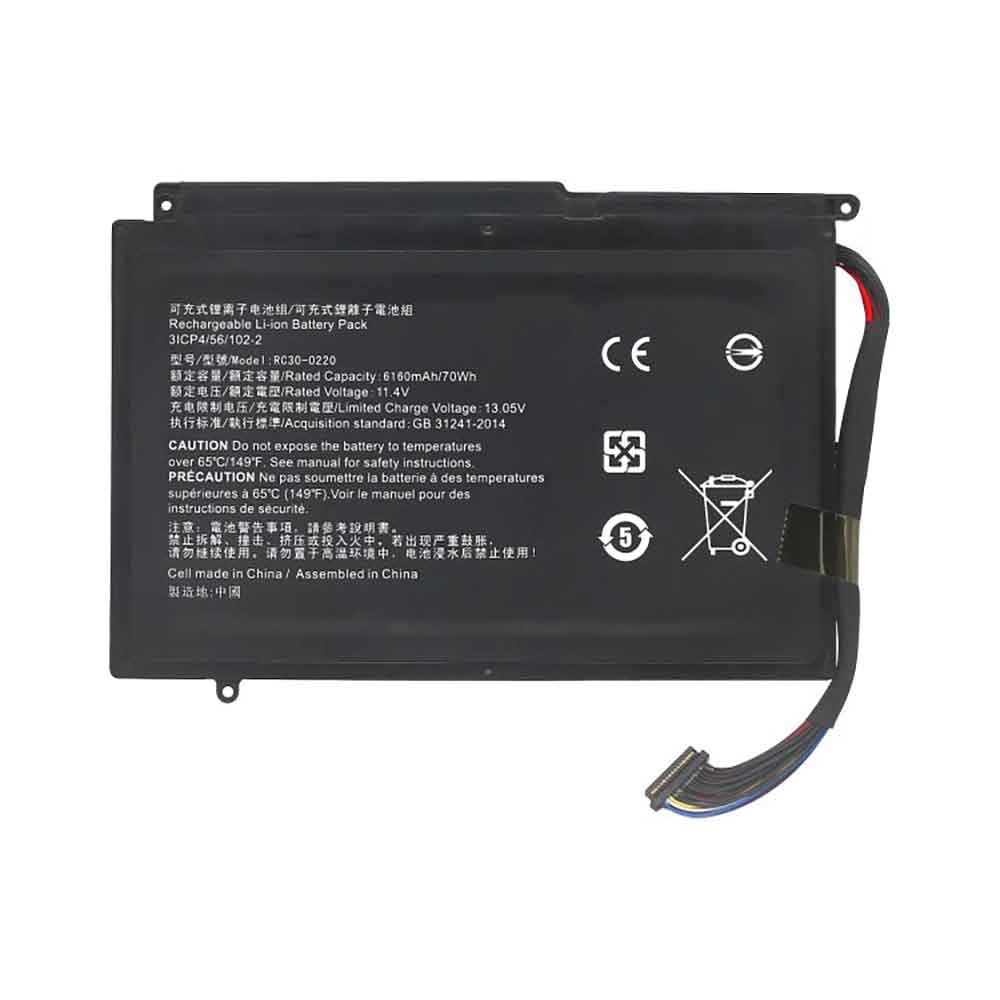
Cheap Microsoft G3HTA024H Li-ion Other battery, Brand New G3HTA024H replacement battery for Microsoft Surface Book 1 Keyboard Base

51wh / 6800mAh 7.5V Microsoft G3HTA024H Batteries for Microsoft Surface Book 1 Keyboard Base, Microsoft G3HTA024H Other battery is a brand new,100% Compatible original and replacement Laptop battery,Purchase wholesale and retail G3HTA024H with high quality and low price!

G3HTA024H Battery microsoft Li-ion 7.5V 51wh / 6800mAh

G3HTA024H

Specifications

  • Brand:Microsoft
  • Capacity :51wh / 6800mAh
  • Voltage :7.5V
  • Type :Li-ion
  • Battery Cell Quality: Grade A
  • Descriptive: Replacement Battery – 1 Year Warranty
  • Description: Brand New, 1 Year Warranty! 30-Days Money Back! Fast Shipping!

How we test this Microsoft G3HTA024H Battery Li-ion 7.5V 51wh / 6800mAh

Step 1: Make sure customer bought the correct battery.
Step 2: Check battery’s appearance and interface.
Step 3: Test battery charger and recharger function.
Step 4: Charger the battery to 100% and recharger to 0% to get real battery capacity
Step 5: Use Ev2300 to check the voltage difference of each goroup cells.
Step 6: Charger battery power more than 30%.
Step 7: Package battery carefully and send out

Compatible Part Numbers:

G3HTA024H

Compatible Model Numbers:

Microsoft Surface Book 1 Keyboard Base G3HTA023H G3HTA021H

How much do you know about how to run laptop well as any place? The follow Tips cut way back on protecting battery life.


1). Please recharge or change your Other battery when battery power low.
2). Using Li-Ion Replacement Microsoft G3HTA024H Other Battery for your notebook which can work longer time than Non Li-ion one.
3). It is better to defragmentation regularly for your Other battery life.
4). In order to reduce the laptop power consumpition, you can use some optical drive spin-down and hard drive in your Other .
5). Please keep your laptop in sleep or standby model without long time using, which both save the Replacement Microsoft G3HTA024H Other Battery power and extend battery using life.
6). Leave your battery in a dry and cool condition when without using.
7). When you rarely or generally plugged in fixed power using, Please take down your battery to avoid hurting battery life.

Hot Products

11.1V/12.4v 2300mah BOSE 404600 for Bose SOUNDLINK I II III16.8V/20V 400mA/2200mAH/32Wh BOSE 300769-003 for Bose Sounddock Portable Digita3.8V 6300mAh/23.94Wh AMAZON 2955C7 for Amazon Kindle Fire HD 10.1 7th3.8 V 1300 mAh AMAZON MC-305070 for AMAZON Kindle Voyage3.8V/4.35V 2000MAH/7.6Wh ALCATEL TLI020F7 for Alcatel Onetouch Pixi 4 (5) 507.7V 37Wh/4810mAh ACER AP16M5J for ACER A315-51-51SL N17Q1 SERIES3.8V 2930mAh/11.1Wh NETGEAR W-7 for Netgear AirCard 790S 790SP 8103.85V/4.4V 3080MAH/11.86WH ALCATEL TLp030JC for Alcatel A3 XL 9008j3.7V/4.2V 1750MAH/6.5WH AMAZON GP-S10-346392-0100 for AMAZON KINDLE 3 3G WIFI Kindle3.8V 4000mAh/15.2Wh LENOVO L15D1P31 for Lenovo Yoga Tab3 Pro YT3-X90L

LineageOS ROM releases first builds based on Android 10 (Updated)

LineageOS is the most popular custom ROM in existence, and the project prides itself on bringing newer versions of Android to unsupported devices. However, Lineage has been a bit slow to roll out a version based on Android 10 ⁠— the Pie-based ROM was already available by this time last year. Thankfully, the next major version of LineageOS seems to be just around the corner.

Even though unofficial Lineage ROMs based on Android 10 have been available for months, the project has yet to release a completed update for any officially-supported devices. That could change soon, as the project’s build server has been updated to list all the phones that will receive nightly builds of LineageOS 17.1 (based on Android 10).

The list currently contains the Fairphone 2, the original Moto Z, the much-loved HTC One M8, and a shit-ton of LG G3/V20 variants. The bolded models below are completely new to LineageOS, but the rest are already on LineageOS 16 Pie.

Fairphone FP2 (FP2)

Motorola Moto Z1 (griffin)

HTC One (M8) (m8)

HTC One (M8) Dual SIM (m8d)

Samsung Galaxy S4 Active (jactivelte)

Samsung Galaxy S4 (SGH-I337) (jflteatt)

Samsung Galaxy S4 (SCH-R970, SPH-L720) (jfltespr)

Samsung Galaxy S4 (SCH-I545) (jfltevzw)

Samsung Galaxy S4 (GT-I9505/G, SGH-I337M, SGH-M919) (jfltexx)

Samsung Galaxy S4 Value Edition (GT-I9515/L) (jfvelte)

LG V20 (AT&T) (h910)

LG V20 (T-Mobile) (h918)

LG V20 (International) (h990)

LG V20 (Sprint) (ls997)

LG G5 (Unlocked US) (rs988)

LG V20 (US Unlocked) (us996)

LG V20 (Verizon) (vs995)

LG G2 (AT&T) (d800)

LG G2 (T-Mobile) (d801)

LG G2 (International) (d802)

LG G2 (Canadian) (d803)

LG G3 (AT&T) (d850)

LG G3 (T-Mobile) (d851)

LG G3 (Canada) (d852)

LG G3 (International) (d855)

LG G3 (Korea) (f400)

LG G3 (Verizon) (vs985)

Interestingly, builds of LineageOS 16 (Pie) have already been disabled for the above-mentioned phones, so they won’t receive any more updates until the Android 10 ROM is available. Lineage typically maintains both branches for at least some devices after a new major OS update is released (e.g. the Nexus 6 had Oreo and Pie ROMs available until earlier this year), but that’s seemingly not the case here.

A Real-World Review of the Canon 1D X Mark III

As many of you know, I have been lucky enough to have a Canon EOS 1D X Mark III in my possession for more than a month now. People have been asking me to review this new top-of-the-line camera, but I really wanted to put it through its paces in order to do a fair review.

There are lots of photographers or tech reviewers who write reviews of a new product, basically looking at the spec sheets, or holding it in their hands for a couple of minutes. But in my mind, there is no better way to review a product than to use it as my primary camera for a while and really get to know it in detail.

Now that I have become pretty familiar with the ins and outs of this camera, it is time to share my findings with all of you.

So… on to the testing.

I took the camera out of the box and was happy to see that the body is very similar to the previous models, with buttons and joysticks right where I expect them. I was also happy to see a familiar battery and charger that is basically the same as the previous model.

The one big difference is that the new camera has two CFExpress card slots, which as many of you know, I was really hoping for. I like this for two reasons:

1. I like having the two extremely fast cards instead of one fast card and one legacy card format which slows everything down. This is really important because I always shoot RAW images to both cards for redundancy.

2. I like having 2 card slots using the same card format. I always found it frustrating to have a CFast slot and a CompactFlash slot in the same camera.

The first photos taken with the Canon 1D X Mark III were taken in my backyard. I like to use a new camera for non-client shoots for a while to build trust and familiarity with the camera and memory cards. The last thing I would do is use this camera on a paying job before I knew how to control it. I need to know that the images will be captured correctly in the camera and stored correctly on the memory cards before using it in a real-world situation.

This was also a time for me to try out the new CFExpress cards from ProGrade Digital. I had inserted a 512GB card in slot 1 and a 1TB card in slot 2, so capacity was not a problem!

The first couple of photos were of my dog, Cooper, who was nice enough to pose for me. It was my first time holding the camera and trying to the new smart controller for moving the focus point (more on that in a little bit). No fast action here, but it gave me a chance to inspect the image quality of the camera, which looked really great.

We were dog-sitting for a friend and our dog Cooper decided to play with Milo and give me some action shots. This was the first time trying the fast burst shooting of 16fps. The first thing I noticed with the 1D X Mark III was that it felt totally familiar in my hands.

Having used a 1D X and a 1D X Mark II in the past, I felt right at home shooting with the new body. The one big difference is that the new model has a touch screen LCD. I have gotten used to this on my Canon 5D Mark IV and find it very useful when shooting in the field.

Shooting at the fast burst rate enabled me to catch this shot of Cooper with all four paws off the ground. (Cooper forgets that he is 8 years old and still thinks he is a puppy).

This was my first chance to play around with the new smart controller. What is the smart controller? Canon took the back button focus button and added a new twist. This button now acts as a virtual joystick, so that if I move my thumb along the back of the button, the focus point will move accordingly. This can be incredibly handy, but also takes some getting used to.

There were a couple of times when I pushed the back button to focus and inadvertently moved the focus point to a location I did not want. But, with time, I have gotten used to this and really appreciate the feature a lot. What I have found is that the smart controller is optimum when shooting portraits, but I still prefer a locked single point of focus for sports.

My last trip, before all this COVID-19 craziness, was to Las Vegas for the WPPI show. I was not planning on bringing my 1D X Mark III to Las Vegas, but right before leaving, I had the offer to meet up with my buddy Drew, Canon USA’s top tech guy, who offered to help me customize the settings to get the most out of the new features of the camera. That turned out to be awesome, and I will tell you more about that in a minute.

While at the show, there was a rain booth set up for people to photograph models dancing in water. I saw this as a perfect time to try out these new settings.

I used the new 1D X Mark III at it’s full speed at 16 frames per second, with a Canon 24-105mm lens to capture the dancers. The super-fast frame rate of the camera allowed me to capture them at the peak of action.

The newer focus system also did a very good job of locking in on the dancers as they moved around at a fairly quick pace.

As I mentioned, Drew sat down with me to give me pointers on the new camera. And there is a lot to learn on this new piece of hardware. The Canon 1D X Mark III looks a lot like the Canon 1D X Mark II, but looks can be deceiving. What is under the magnesium alloy body is very different from the previous model.

One of the biggest differences of the 1D X Mark III is the new face and head detection. I was shown how to tweak the camera to take advantage of the face and head detection covering most of the frame. This means that once I locked in on a person, it would follow them even if they moved off-center from the lens.

I got credentials to shoot the San Jose Earthquakes game and put the camera to a test. I mounted the Canon 200-400mm lens to the 1D X Mark III and found the focusing system to be noticeably faster and more accurate than the 1D X Mark II.

I would lock focus on a particular athlete and then let the camera follow them from that point. As long as I kept the athlete in the frame, the tracking stayed on them, even if someone briefly ran in between them and me. This allowed me to capture images like this, where the Earthquake player is in perfect focus even though he is not in the center of the image.

The camera is capable of shooting 16 frames per second (fps) when using the shutter and 20 fps when in live view mode. This is great except that I can not imagine shooting a sporting event in live view and trying to follow fast action using the screen on the back of the camera. But, needless to say, 16 fps is plenty fast and allowed me to easily capture the peak of action during the game.

Even though I was shooting in RAW mode using the ProGrade Digital CFExpress memory cards, I never once filled the buffer of the camera. These cards can transfer 1600MB/s per second, which is nothing short of amazing.

I kept the camera in Auto White Balance for the entire afternoon and found it to be very accurate in the representation of the colors.

Note: Some of you may be wondering about the video capabilities of the new camera. But since I am primarily a still photographer, I will leave the video review to the experts who know that side of the business way more than I do.

My next test of the camera was in a completely different environment. My niece and her husband asked if we could take portraits of their one-year-old son. This time I was using the camera at higher ISOs indoors and going outside with different lenses.

Patrick did not move at the speed of a soccer player, but he definitely moved faster than a year ago, when I took his baby photos. Once again, the 1D X Mark III (this time combined with the Canon 70-200mm f/2.8 lens) was tack sharp on his eyes.

After taking a bunch of portraits of the little guy on the grass and standing, they asked if I could get some photos of him in the swing. As soon as I started photographing him, I realized that this was a perfect test of the new focus system.

The following images really help tell the story of this new face and head tracking.

Using back button focus, I locked focus on Patrick and then hammered the shutter at the full speed of 16 fps. Even though his head was moving off-center of the frame, the focus stayed perfectly on him. You can scroll through the following images to see how accurate this was!

I figured that the black swing would interfere with the focusing of his face, but that was not the case.

This sequence is a perfect example of how I set up the shot. In this image (above) I locked focus on Patrick when he was dead center and the focus point was right on this face.

Then, as he was going back and forth, I just held down the back button and the focus points moved with him.

You can see here that his face is well off the center of the image, but the focus is still perfect. If I were to try this with the previous Canon models, I would have had to move the camera and lens to keep the focus point on his face. This would have been very difficult to do and would have yielded a lot less useable images.

The Canon 1D X Mark III has a newly designed 20.1-megapixel CMOS sensor which is ample for most of my photography. Do I wish for a little more resolution? Maybe. I do like the file sizes of the Canon 5D Mark IV which captures at 30.4MP, but having clean images at higher ISOs is still the most important thing to me. And I know that cramming more megapixels onto a sensor can degrade the high ISO sensitivity.

A couple of weeks ago, I was doing a portrait shoot for a young lady who was about to have her bat mitzvah. Well…until it was postponed due to the Covid-19 virus outbreak. For this shoot, I used the Canon 1D X Mark III with a Canon 600EX-RT flash mounted on the hot shoe of the camera.

Canon has designed a new low pass filter for better lens sharpness, and the image quality of the camera is exceptional, with the colors, skin tones and clarity being everything I was expecting from a pro camera. I don’t fully understand how the new DIGIC X image processor works, but I can tell you that everything in this camera is fast. From focusing speed, the processing of the image, to data transfer to the card.

There was one anomaly though. When I take portraits, I almost always do so in a slow burst mode. There is no need to shoot at 16 fps, and yet I never have my cameras set to a single-shot mode. I don’t like the single-shot mode since I always want to be prepared to shoot multiple images when if a perfect moment arises.

With every other Canon DSLR I have used, the slow burst mode is a predictable sequence of shots. I hit the button and I get “click….click….click”. Weirdly enough, when I had my flash on the camera and I was shooting outdoors, the frame rate was a bit erratic. I expected “click…click…click” at a predictable pace and instead I got “click..click…click.click.click” or “click…click.click…..click”. I am hoping that this is something that Canon will fix in a future firmware update.

After using the new camera for numerous shoots, I felt comfortable using it to create images at a client’s bar mitzvah. For their portraits, I loved using the smart controller to easily move the focus point out of the center and taking full advantage of the 191 focus points.

While spending time with Canon in Las Vegas, I was also shown how to use the 1D X Mark III in mirrorless mode. Since the mirror is locked out of place, this allows me to shoot with absolutely no shutter noise at all. Combining this silent mode with the face tracking autofocus is a real game-changer.

For this bar mitzvah, I was using the Canon 200-400mm lens on the 1D X Mark III, mounted on a Gitzo gimbal fluid head and tripod. It was awesome to lock focus on the boy’s face and let the camera track his movements while I silently took photos.

While shooting this way, I came across another weird anomaly. As I mentioned earlier, I like to shoot in a slow burst most of the time. When taking these photos, I had the camera in Live View mode (essentially shooting mirrorless) and also had the camera set to slow burst. But when I hit the shutter release I saw that the camera was capturing at the fastest burst rate of 20 fps.

This is complete overkill for an event like this. I sent a text to the Canon expert from the back of the Temple and he replied back and told me that when in Live View, the camera will capture either a single shot or full speed. There is currently no in-between. This is something else that I hope is changed in a future firmware release.

When I photograph events, it is quite common for me to shoot full RAW for the service and then switch to a smaller file size for the party. In the past, that meant that I would switch my files from RAW to MRAW. On the Canon 5D Mark IV, that meant that I was switching from a file size of 30MP to 17MP and a resolution of 6720×4480 down to 5040×3360.

So you can imagine my surprise when I got to the party and went to change the 1D X Mark III to MRAW and it wasn’t there. All I saw was RAW and something called CRAW, but both were listed at the same resolution of 5472×3648. It was time for another text message to my Canon contact asking for urgent help.

He explained to me that MRAW has been replaced with CRAW (in the new CR3 files) and that even though they are the same resolution, the CRAW file is more compressed. I recently tested this and found that an image taken in RAW was 25.8MB and the same exact image at CRAW was 14.3MB in size. When zooming in at 400%, I could see how the increased compression decreased the quality a bit, but it was only a slight difference.

I love the idea of having the same resolution with higher compression than a smaller resolution.

There are certain key moments during a bar mitzvah celebration, and the family members being lifted in the chair is one of them. For the last 6 years, I have relied on the Canon 1D cameras to capture this moment. Why? Because the focus system is more accurate than the Canon 5D and the camera can write to two cards faster than the less expensive cameras.

The Canon 1D X Mark III definitely proved that it could lock focus even in low light, and wrote to the two CFExpress cards faster than my flash units could keep up.

With all of this said, there are still features of the Canon 1D X Mark III that I have yet to explore, and I look forward to doing so in the near future. As many of you now know, the Summer Olympics in Tokyo has been postponed. This postponement is a major disappointment for the organizers, the athletes, the public, and me. I was so excited to use this new camera at the Games. But I guess that will have to wait for a while longer before I get that chance.

Looking on the positive side, it gives me that much more time to get familiar with the new camera before the big event.

8 Chrome extensions that help you stay productive on your Chromebook

A lot of people are starting to get accustomed to remote working, considering that many countries have mandated shutdowns and quarantines to battle the novel coronavirus. While working from home may be comfortable and fun at first, you need to have the right tools at your disposal to be efficient and stay productive. If you have a Chromebook, the best way to tailor your working experience to your needs is via browser extensions, and we’ve got a collection of eight great tools for you.

Text Blaze

Text Blaze is a tool that can save you a ton of time when you need to type the same words over and over. It does so by replacing user-defined snippets with any text you could imagine, completely customizable. For example, you can create a “/sig” snippet to add your email signature, and “/letter” could be expanded to a template for a form letter. It even helps you quickly write ASCII emoji, such as “/shrug” for ¯\_(ツ)_/¯. It’s also possible to automatically add values from your clipboard or the current date, time, and more. An expanded text can even contain custom input fields, so you know which placeholders to remove before publishing some text or sending an email.

The extension is free to use up to a certain amount of snippets and folders — to unlock more, you need to subscribe.

Get the extension on the Chrome web store: Text Blaze

We’ve yet to find the perfect clipboard manager for Chrome OS, but Clipboard History Pro comes closest at the moment. It automatically saves every string you copy and makes it available for later pasting. To quickly access saved snippets without using your trackpad or mouse, type in chrome://extensions/shortcuts in your address bar and create a keyboard shortcut for the extension once you’ve installed it. That makes it pretty easy to use, but it’s still a little harder to find and paste older snippets compared to clipboard managers such as Alfred on macOS.

Basic functionality is free of charge, but if you want to automatically sync your clipboard across different devices, you need to subscribe.

Get the extension on the Chrome web store: Clipboard History Pro

Peek

The open-source extension lets you preview all kinds of files on the web before you download them. This is particularly useful if you need to research lots of PDFs, as you can quickly view these by hovering over the download link right in Google Search thanks to the add-on. It’s not limited to PDF, either. Peek also supports TXT, RTF, Word and Excel documents, PowerPoints, WebM, GIFV, MP4, and OGG/OGV videos, MP3s and WAVs, and most common web image files. It’s developed by our own Corbin Davenport and could’ve saved me a lot of time and headaches back when I was a student.

Get the extension on the Chrome web store: Peek

Save to Pocket

Save to Pocket isn’t a productivity tool per se, but if you find interesting articles while surfing mindlessly around the web researching, the extension allows you to save them for later consumption. Posts will be added to Pocket, a Mozilla-owned reading service available as a web app or on Android and iOS. That way, you can keep long and potentially distracting content out of your working hours and read it when you have time. Pocket is free to use, but some more advanced features like unlimited highlights and automatic tags are tucked away behind a subscription.

Get the extension on the Chrome web store: Save to Pocket

The Great Suspender

Since many entry-level Chromebooks come with only 4GB of RAM, you might fill up all that space quickly when working with many open tabs. If closing all of those websites to alleviate memory pressure isn’t an option, an extension like The Great Suspender could do the job. It automatically kicks tabs out of memory when you don’t touch them for an adjustable amount of time. The extension won’t shut down sites playing audio or video, and you can also whitelist specific domains like Slack. Similarly, websites that contain filled out text fields won’t be suspended, either.

Get the extension on the Chrome web store: The Great Suspender

WasteNoTime

WasteNoTime helps you manage how much time you spend on distracting websites and can be used to completely block social media, YouTube, and any other address you could think of. As a less draconic measure, you can also set up a maximum amount of time per day that you want to spend on specific websites and have them blocked once the limit is reached. A detailed report lets you see if you missed any other time sinks. It’s also possible to set up different limits during working hours and leisure time, which is perfect if you don’t manually want to turn off the blocker every time you want to scroll through Twitter at night.

Get the extension on the Chrome web store: WasteNoTime

News Feed Eradicator

While some people have no issues with blocking social media altogether while working from home, others rely on Facebook and similar platforms for their job. If you need some Facebook features but tend to get sucked in by the network’s newsfeed, the News Feed Eradicator extension might be for you. It allows you to access Facebook, but it replaces the newsfeed with random inspirational quotes — you can even add your own.

Get the extension on the Chrome web store: News Feed Eradicator

Toggl Button

Toggl is a tracking tool you can use to keep tabs on how much time you spend on which projects. The Toggl Button extension adds a simple one-click solution to start tracking the time you work on a project, but you can also use it as a Pomodoro timer, which you can activate in the extension’s settings. Pomodoro is a technique that has you fully focused on a task for 25 minutes, followed by a 5-minute break. Thus, the extension lets you see how much time you spend on a project and provides you with predefined breaks, which could help you get some routine.

If you don’t want to dig into Toggl Button’s settings to make it work that way, you can also check out Focus To-Do as a similar alternative that functions as a Pomodoro timer right out of the box.

Get the extension on the Chrome web store: Toggl Button

Alternative: Focus To-Do

All of these extensions also work for Google Chrome and other Chromium-based browsers, like Microsoft Edge. Some are even available as standalone apps for Windows and macOS if you’d rather go that route on a device other than a Chromebook. If you think we missed any other great Chromebook productivity extensions, go ahead and share them in the comments.