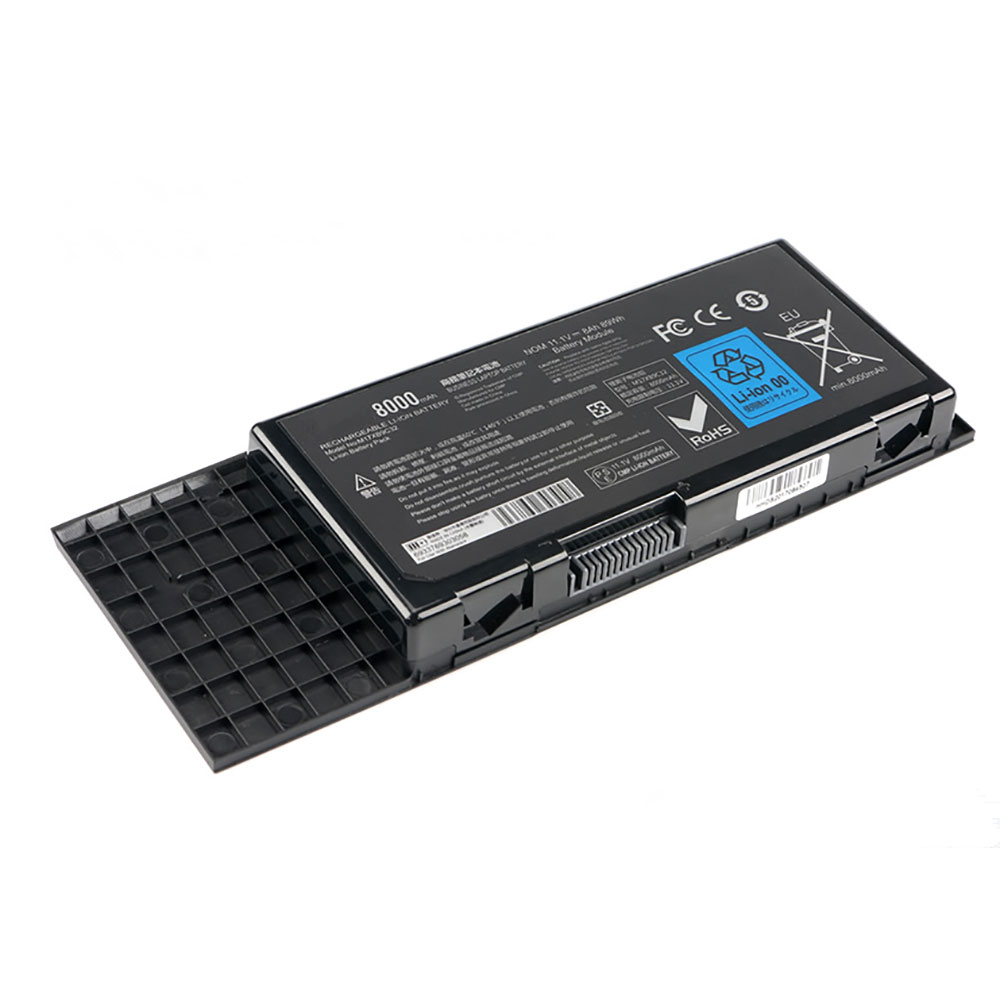
Cheap Saft LS14250 Li-ion Other battery, Brand New LS14250 replacement battery for SAFT LS 14250 20PCS

1200mah 3.6V Saft LS14250 Batteries for SAFT LS 14250 20PCS, Saft LS14250 Other battery is a brand new,100% Compatible original and replacement Laptop battery,Purchase wholesale and retail LS14250 with high quality and low price!

LS14250 Battery saft Lithium 3.6V 1200mah

LS14250

Specifications

  • Brand:SAFT
  • Capacity :1200mah
  • Voltage :3.6V
  • Type :Lithium
  • Battery Cell Quality: Grade A
  • Descriptive: Replacement Battery – 1 Year Warranty
  • Description: Brand New, 1 Year Warranty! 30-Days Money Back! Fast Shipping!

How we test this Saft LS14250 Battery Lithium 3.6V 1200mah

Step 1: Make sure customer bought the correct battery.
Step 2: Check battery’s appearance and interface.
Step 3: Test battery charger and recharger function.
Step 4: Charger the battery to 100% and recharger to 0% to get real battery capacity
Step 5: Use Ev2300 to check the voltage difference of each goroup cells.
Step 6: Charger battery power more than 30%.
Step 7: Package battery carefully and send out

Compatible Part Numbers:

LS14250

Compatible Model Numbers:

SAFT LS 14250

How much do you know about how to run laptop well as any place? The follow Tips cut way back on protecting battery life.


1). Please recharge or change your Other battery when battery power low.
2). Using Li-Ion Replacement Saft LS14250 Other Battery for your notebook which can work longer time than Non Li-ion one.
3). It is better to defragmentation regularly for your Other battery life. 
4). In order to reduce the laptop power consumpition, you can use some optical drive spin-down and hard drive in your Other .
5). Please keep your laptop in sleep or standby model without long time using, which both save the Replacement Saft LS14250 Other Batterypower and extend battery using life. 
6). Leave your battery in a dry and cool condition when without using.
7). When you rarely or generally plugged in fixed power using, Please take down your battery to avoid hurting battery life.

Hot Products

11.1V/12.4v 2300mah BOSE 404600 for Bose SOUNDLINK I II III7.4V 2230mAH/17Wh BOSE 063404 for BOSE SOUNDLINK Mini I Series3.8 V 1300 mAh AMAZON MC-305070 for AMAZON Kindle Voyage3.8V 2930mAh/11.1Wh NETGEAR W-7 for Netgear AirCard 790S 790SP 8103.85V/4.4V 3080MAH/11.86WH ALCATEL TLp030JC for Alcatel A3 XL 9008j3.8V 4000mAh/15.2Wh LENOVO L15D1P31 for Lenovo Yoga Tab3 Pro YT3-X90L11.4V 84Wh DELL 4GVGH for DELL XPS 15 9550 4GVGH 1P6KD7.68V 38Wh/4955mAh LENOVO BSNO4170A5-AT for Lenovo 5B10L68713 5B10L67278 L7.7V 37Wh/4810mAh ACER AP16M5J for ACER A315-51-51SL N17Q1 SERIES3.8V/4.35V 4250mAh/16.2WH LENOVO L15D1P32 for Lenovo Tab 3 8 Plus TB-8703F 8

See how an AI system classifies you based on your selfie

Modern artificial intelligence is often lauded for its growing sophistication, but mostly in doomer terms. If you’re on the apocalyptic end of the spectrum, the AI revolution will automate millions of jobs, eliminate the barrier between reality and artifice, and, eventually, force humanity to the brink of extinction. Along the way, maybe we get robot butlers, maybe we’re stuffed into embryonic pods and harvested for energy. Who knows.

But it’s easy to forget that most AI right now is terribly stupid and only useful in narrow, niche domains for which its underlying software has been specifically trained, like playing an ancient Chinese board game or translating text in one language into another.

Ask your standard recognition bot to do something novel, like analyze and label a photograph using only its acquired knowledge, and you’ll get some comically nonsensical results. That’s the fun behind ImageNet Roulette, a nifty web tool built as part of an ongoing art exhibition on the history of image recognition systems.

As explained by artist and researcher Trevor Paglen, who created the exhibit Training Humans with AI researcher Kate Crawford, the point is not to make a judgement about AI, but to engage with its current form and its complicated academic and commercial history, as grotesque as it might be.

“When we first started conceptualizing this exhibition over two years ago, we wanted to tell a story about the history of images used to ‘recognize’ humans in computer vision and AI systems. We weren’t interested in either the hyped, marketing version of AI nor the tales of dystopian robot futures,” Crawford old the Fondazione Prada museum in Milan, where Training Humans is featured. “We wanted to engage with the materiality of AI, and to take those everyday images seriously as a part of a rapidly evolving machinic visual culture. That required us to open up the black boxes and look at how these ‘engines of seeing’ currently operate.”

It’s a worthy pursuit and a fascinating project, even if ImageNet Roulette represents the goofier side of it. That’s mostly because ImageNet, a renown training data set AI researchers have relied on for the last decade, is generally bad at recognizing people. It’s mostly an object recognition set, but it has a category for “People” that contains thousands of subcategories, each valiantly trying to help software do the seemingly impossible task of classifying a human being.

And guess what? ImageNet Roulette is super bad at it.

I don’t even smoke! But for some reason, ImageNet Roulette thinks I do. It also appears to believe that I am located in an airplane, although to its credit, open office layouts are only slightly less suffocating than narrow metal tubes suspended tens of thousands of feet in the air.

ImageNet Roulette was put together by developer Leif Ryge working under Paglen, as a way to let the public engage with the art exhibition’s abstract concepts about the inscrutable nature of machine learning systems.

Here’s the behind-the-scenes magic that makes it tick:

ImageNet Roulette uses an open source Caffe deep learning framework (produced at UC Berkeley) trained on the images and labels in the “person” categories (which are currently ‘down for maintenance’). Proper nouns and categories with less than 100 pictures were removed.

When a user uploads a picture, the application first runs a face detector to locate any faces. If it finds any, it sends them to the Caffe model for classification. The application then returns the original images with a bounding box showing the detected face and the label the classifier has assigned to the image. If no faces are detected, the application sends the entire scene to the Caffe model and returns an image with a label in the upper left corner.

Part of the project is also to highlight the fundamentally flawed, and therefore human, ways that ImageNet classifies people in “problematic” and “offensive” ways. (One interest example popping up on Twitter is that some men uploading photos appear to be randomly tagged as “rape suspect” for reasons unexplained.) Paglen says this is crucial to one of the themes the project is highlighting, which is the fallibility of AI systems and the prevalence of machine learning bias as a result of its compromised human creators:

ImageNet contains a number of problematic, offensive and bizarre categories – all drawn from WordNet. Some use misogynistic or racist terminology. Hence, the results ImageNet Roulette returns will also draw upon those categories. That is by design: we want to shed light on what happens when technical systems are trained on problematic training data. AI classifications of people are rarely made visible to the people being classified. ImageNet Roulette provides a glimpse into that process – and to show the ways things can go wrong.

Although ImageNet Roulette is a fun distraction, the underlying message of Training Humans is a dark, but vital, one.

“Training Humans explores two fundamental issues in particular: how humans are represented, interpreted and codified through training datasets, and how technological systems harvest, label and use this material,” reads the exhibition description “As the classifications of humans by AI systems becomes more invasive and complex, their biases and politics become apparent. Within computer vision and AI systems, forms of measurement easily — but surreptitiously — turn into moral judgments.”

Verizon could carry OnePlus phones beginning in 2020

Verizon may soon carry OnePlus phones. According to Android Police, sources say Verizon and the Chinese manufacturer signed a deal and that the phones could arrive in 2020. It’s unclear which model (or models) that would include, but PhoneArena claims the OnePlus 7T Pro 5G McLaren Edition will be a Verizon exclusive in the US.

This is all still hearsay, though, as neither Verizon nor OnePlus have announced the partnership. Given that OnePlus is now available through T-Mobile and Sprint, a Verizon deal wouldn’t be entirely surprising. OnePlus is expected to unveil the 7T at a North American event on September 26th. With any luck, we’ll learn more about the rumored Verizon deal then.

Of course, the US trade war with China could put a damper on sales. The US plans to implement a 15 percent tariff on Chinese-made smartphones beginning this December. As Android Police points out, that could increase the base price of a 7 Pro by $100, making the phone a bit less attractive.

Verizon owns Engadget’s parent company, Verizon Media. Rest assured, Verizon has no control over our coverage. Engadget remains editorially independent.

Windows 10 1903 is Now Having Problems with Network Adapters

Microsoft has acknowledged another problem in Windows 10 version 1903 where user’s are reporting that their network adapters suddenly stop working after installing a cumulative update.

In the Windows 10 Health Dashboard, Microsoft has stated that some Intel and Broadcom Wi-Fi adapters are having a compatibility issues with NEC computers and will cause the adapter to no longer work.

“Microsoft and NEC have found incompatibility issues with Intel Centrino 6205/6235 and Broadcom 802.11ac Wi-Fi cards when running Windows 10, version 1903 on specific models of NEC devices. If these devices are updated to Windows 10, version 1903, they will no longer be able to use any Wi-Fi connections. The Wi-Fi driver may have a yellow exclamation point in device manager. The task tray icon for networking may show the icon for no internet and Network & Internet settings may not show any Wi-Fi networks.”

Microsoft has not indicated what cumulative update is causing this issue, but as found by WindowsLatest, users have reported [1. 2] that their WiFi adapters started showing that they were not connected after installing the Windows 10 KB4515384 cumulative update.

“KB4515384 broke my Intel NIC. It kept reporting ‘disconnected’. I downloaded the Intel 24.0.0.11 drivers, and did a fresh install, but no luck…still disabled. I uninstalled the kb, and I’m back in business. I’m running Intel driver 12.18.8.22 successfully pre-update, if that helps anyone. Now, I sit and wait and hope MS fixes!”

While Microsoft has stated that this issue is only affected NEC computers, from the user’s reports it is also affecting WiFi adapters on motherboards such as X470 AORUS GAMING 7, MSI Gaming Pro Carbon X370, Gigabyte GA-AX370-Gaming 7, MSI B450 Gaming Pro Carbon AC, and MSI Gaming X470 M7 AC.

Even more confusing is that some of the users are exhibiting these issues on their LAN adapters and not just wireless adapters.

For now, though, Microsoft has issued a compatibility hold on affected devices so that they will not be offered the Windows 10 version 1903 update.

Microsoft posts workaround

As a workaround, Microsoft has stated that you can simply right-click the wireless adapter and select Enable to get the adapter working again.

“If you are using an affected device and you have already installed Windows 10, version 1903, you can mitigate the issue disabling then re-enabling the Wi-Fi adapter in Device Manager. You should now be able to use Wi-Fi until your next reboot.”

Unfortunately, this fix only works for that session and it will be disabled on the next reboot.

For those who wish to use the workaround, you can follow these steps:

Open the Network Status page by searching for Network Status in the Start Menu and selecting its search result when it appears.

When the Network Status page opens, click on Change adapter options as shown below.

A page will open showing all of the computer’s network adapters. Find the adapter that is not working, right-click on it, and select Enable as shown below.

Your adapter should work again until the next reboot, which will require you to perform these steps again.

For a complete fix, affected Windows 10 v1903 users will need to wait for a fix to be released by Microsoft.

Cheap Hp MC04 Li-ion Laptop battery, Brand New MC04 replacement battery for HP Envy 15-AE100 17t-N000 17-R M7 807231-001

41wh 14.8V(Not Compatible 10.8V & 11.1V) Hp MC04 Batteries for HP Envy 15-AE100 17t-N000 17-R M7 807231-001, Hp MC04 Laptop battery is a brand new,100% Compatible original and replacement Laptop battery,Purchase wholesale and retail MC04 with high quality and low price!

MC04 Battery hp Li-ion 14.8V(Not Compatible 10.8V & 11.1V) 41wh

MC04

Specifications

  • Brand:HP
  • Capacity :41wh
  • Voltage :14.8V(Not Compatible 10.8V & 11.1V)
  • Type :Li-ion
  • Battery Cell Quality: Grade A
  • Descriptive: Replacement Battery – 1 Year Warranty
  • Description: Brand New, 1 Year Warranty! 30-Days Money Back! Fast Shipping!

How we test this Hp MC04 Battery Li-ion 14.8V(Not Compatible 10.8V & 11.1V) 41wh

Step 1: Make sure customer bought the correct battery.
Step 2: Check battery’s appearance and interface.
Step 3: Test battery charger and recharger function.
Step 4: Charger the battery to 100% and recharger to 0% to get real battery capacity
Step 5: Use Ev2300 to check the voltage difference of each goroup cells.
Step 6: Charger battery power more than 30%.
Step 7: Package battery carefully and send out

Compatible Part Numbers:

804073-851 805095-001 806953-851 807231-001 HSTNN-PB6L HSTNN-PB6R MC04 MC06 TPN-C123

Compatible Model Numbers:

HP Envy :15-ae100,
HP Envy :17-n000, 17-n000ng, 17-n033ng, 17-n100, 17-n100ng, 17-n100ni(P4G73EA),
17-n100nl, 17-n101ng, 17-n103ng, 17-n106ng, 17-n107ng, 17-n178ca, 17-n199np(T1N15EA),
HP Envy :17-r000, 17-r001TX, 17-r002TX, 17-r003TX, 17-r004TX, 17-r005TX, 17-r006TX,
17-r007TX, 17-r008TX, 17-r009TX, 17-r010TX, 17-r011TX, 17-r012TX, 17-r100,
17-r103ng, 17-r105ng, 17-r106ng, 17-r107ng, 17-r108ng, 17-r110ng, 17-r200, 17n152 na, 17t-n000, 17t-n100,
HP Envy :m7-n000, m7-n101dx, m7-n109dx Series Laptop

How much do you know about how to run laptop well as any place? The follow Tips cut way back on protecting battery life.


1). Please recharge or change your Laptop battery when battery power low.
2). Using Li-Ion Replacement Hp MC04 Laptop Battery for your notebook which can work longer time than Non Li-ion one.
3). It is better to defragmentation regularly for your Laptop battery life. 
4). In order to reduce the laptop power consumpition, you can use some optical drive spin-down and hard drive in your Laptop .
5). Please keep your laptop in sleep or standby model without long time using, which both save the Replacement Hp MC04 Laptop Battery power and extend battery using life. 
6). Leave your battery in a dry and cool condition when without using.
7). When you rarely or generally plugged in fixed power using, Please take down your battery to avoid hurting battery life.

Hot Products

11.1V/12.4v 2300mah BOSE 404600 for Bose SOUNDLINK I II III7.4V 2230mAH/17Wh BOSE 063404 for BOSE SOUNDLINK Mini I Series3.8 V 1300 mAh AMAZON MC-305070 for AMAZON Kindle Voyage3.8V 2930mAh/11.1Wh NETGEAR W-7 for Netgear AirCard 790S 790SP 8103.85V/4.4V 3080MAH/11.86WH ALCATEL TLp030JC for Alcatel A3 XL 9008j3.8V 4000mAh/15.2Wh LENOVO L15D1P31 for Lenovo Yoga Tab3 Pro YT3-X90L11.4V 84Wh DELL 4GVGH for DELL XPS 15 9550 4GVGH 1P6KD7.68V 38Wh/4955mAh LENOVO BSNO4170A5-AT for Lenovo 5B10L68713 5B10L67278 L7.7V 37Wh/4810mAh ACER AP16M5J for ACER A315-51-51SL N17Q1 SERIES3.8V/4.35V 4250mAh/16.2WH LENOVO L15D1P32 for Lenovo Tab 3 8 Plus TB-8703F 8

Cheap Sanyo CR17450SE-R Li-ion Other battery, Brand New CR17450SE-R replacement battery for SANYO A02B-0200-K102 A98L-0031-0012 10PCS Brown Plug

2500mAh 3V Sanyo CR17450SE-R Batteries for SANYO A02B-0200-K102 A98L-0031-0012 10PCS Brown Plug, Sanyo CR17450SE-R Other battery is a brand new,100% Compatible original and replacement Laptop battery,Purchase wholesale and retail CR17450SE-R with high quality and low price!

CR17450SE-R Battery sanyo Lithium 3V 2500mAh

CR17450SE-R

Specifications

  • Brand:SANYO
  • Capacity :2500mAh
  • Voltage :3V
  • Color:green
  • Type :Lithium
  • Battery Cell Quality: Grade A
  • Descriptive: Replacement Battery – 1 Year Warranty
  • Description: Brand New, 1 Year Warranty! 30-Days Money Back! Fast Shipping!

How we test this Sanyo CR17450SE-R Battery Lithium 3V 2500mAh

Step 1: Make sure customer bought the correct battery.
Step 2: Check battery’s appearance and interface.
Step 3: Test battery charger and recharger function.
Step 4: Charger the battery to 100% and recharger to 0% to get real battery capacity
Step 5: Use Ev2300 to check the voltage difference of each goroup cells.
Step 6: Charger battery power more than 30%.
Step 7: Package battery carefully and send out

Compatible Part Numbers:

CR17450SE-R

Compatible Model Numbers:

SANYO A02B-0200-K102 A98L-0031-0012 with Brown Plug

How much do you know about how to run laptop well as any place? The follow Tips cut way back on protecting battery life.


1). Please recharge or change your Other battery when battery power low.
2). Using Li-Ion Replacement Sanyo CR17450SE-R Other Battery for your notebook which can work longer time than Non Li-ion one.
3). It is better to defragmentation regularly for your Other battery life. 
4). In order to reduce the laptop power consumpition, you can use some optical drive spin-down and hard drive in your Other .
5). Please keep your laptop in sleep or standby model without long time using, which both save the Replacement Sanyo CR17450SE-R Other Battery power and extend battery using life. 
6). Leave your battery in a dry and cool condition when without using.
7). When you rarely or generally plugged in fixed power using, Please take down your battery to avoid hurting battery life.

Hot Products

11.1V/12.4v 2300mah BOSE 404600 for Bose SOUNDLINK I II III7.4V 2230mAH/17Wh BOSE 063404 for BOSE SOUNDLINK Mini I Series3.8 V 1300 mAh AMAZON MC-305070 for AMAZON Kindle Voyage3.8V 2930mAh/11.1Wh NETGEAR W-7 for Netgear AirCard 790S 790SP 8103.85V/4.4V 3080MAH/11.86WH ALCATEL TLp030JC for Alcatel A3 XL 9008j3.8V 4000mAh/15.2Wh LENOVO L15D1P31 for Lenovo Yoga Tab3 Pro YT3-X90L11.4V 84Wh DELL 4GVGH for DELL XPS 15 9550 4GVGH 1P6KD7.68V 38Wh/4955mAh LENOVO BSNO4170A5-AT for Lenovo 5B10L68713 5B10L67278 L7.7V 37Wh/4810mAh ACER AP16M5J for ACER A315-51-51SL N17Q1 SERIES3.8V/4.35V 4250mAh/16.2WH LENOVO L15D1P32 for Lenovo Tab 3 8 Plus TB-8703F 8

Cheap Fanuc BR-22F3AGCT4A Li-ion Other battery, Brand New BR-22F3AGCT4A replacement battery for Ge Fanuc Robotics 5PCS black Plug

4400mAh 6V Fanuc BR-22F3AGCT4A Batteries for Ge Fanuc Robotics 5PCS black Plug, Fanuc BR-22F3AGCT4A Other battery is a brand new,100% Compatible original and replacement Laptop battery,Purchase wholesale and retail BR-22F3AGCT4A with high quality and low price!

BR-22F3AGCT4A Battery fanuc Lithium 6V 4400mAh

BR-22F3AGCT4A

Specifications

  • Brand:Fanuc
  • Capacity :4400mAh
  • Voltage :6V
  • Type :Lithium
  • Battery Cell Quality: Grade A
  • Descriptive: Replacement Battery – 1 Year Warranty
  • Description: Brand New, 1 Year Warranty! 30-Days Money Back! Fast Shipping!

How we test this Fanuc BR-22F3AGCT4A Battery Lithium 6V 4400mAh

Step 1: Make sure customer bought the correct battery.
Step 2: Check battery’s appearance and interface.
Step 3: Test battery charger and recharger function.
Step 4: Charger the battery to 100% and recharger to 0% to get real battery capacity
Step 5: Use Ev2300 to check the voltage difference of each goroup cells.
Step 6: Charger battery power more than 30%.
Step 7: Package battery carefully and send out

Compatible Part Numbers:

A98L00310025 BR-2/3AGCT4A

Compatible Model Numbers:

Dantona: CUSTOM-107, Matt Pack
Energy+: BR-2/3AGCT4A, PLC-107
Exell Battery: EBE-107, EBPLC-107
Fanuc: PLC 18-T, Robotics 18-T
GE: 18-T, A06B-6114-K504, A98L-0031-0025, BR-2/3AGCT4A
Ge Fanuc: 18T Series, A98L-0031-0025, Battery Pack, PLC Battery, Robotics Battery, SHS749
General Electric / Ge: 18-T, A06B-6114-K504, A98L-0031-0025, BR-2/3AGCT4A
Interstate Batteries: ALIT0138, LIT0138
Panasonic: A06B6114K504, A98L00310025, BR-2/3AGCT4A

How much do you know about how to run laptop well as any place? The follow Tips cut way back on protecting battery life.


1). Please recharge or change your Other battery when battery power low.
2). Using Li-Ion Replacement Fanuc BR-22F3AGCT4A Other Battery for your notebook which can work longer time than Non Li-ion one.
3). It is better to defragmentation regularly for your Other battery life. 
4). In order to reduce the laptop power consumpition, you can use some optical drive spin-down and hard drive in your Other .
5). Please keep your laptop in sleep or standby model without long time using, which both save the Replacement Fanuc BR-22F3AGCT4A Other Battery power and extend battery using life. 
6). Leave your battery in a dry and cool condition when without using.
7). When you rarely or generally plugged in fixed power using, Please take down your battery to avoid hurting battery life.

Hot Products

11.1V/12.4v 2300mah BOSE 404600 for Bose SOUNDLINK I II III7.4V 2230mAH/17Wh BOSE 063404 for BOSE SOUNDLINK Mini I Series3.8 V 1300 mAh AMAZON MC-305070 for AMAZON Kindle Voyage3.8V 2930mAh/11.1Wh NETGEAR W-7 for Netgear AirCard 790S 790SP 8103.85V/4.4V 3080MAH/11.86WH ALCATEL TLp030JC for Alcatel A3 XL 9008j3.8V 4000mAh/15.2Wh LENOVO L15D1P31 for Lenovo Yoga Tab3 Pro YT3-X90L11.4V 84Wh DELL 4GVGH for DELL XPS 15 9550 4GVGH 1P6KD7.68V 38Wh/4955mAh LENOVO BSNO4170A5-AT for Lenovo 5B10L68713 5B10L67278 L7.7V 37Wh/4810mAh ACER AP16M5J for ACER A315-51-51SL N17Q1 SERIES3.8V/4.35V 4250mAh/16.2WH LENOVO L15D1P32 for Lenovo Tab 3 8 Plus TB-8703F 8

Cheap Fanuc BR-AGCF2W Li-ion Other battery, Brand New BR-AGCF2W replacement battery for FANUC A98L-0031-0011 10PCS Brown Plug

2400 mAh 6V Fanuc BR-AGCF2W Batteries for FANUC A98L-0031-0011 10PCS Brown Plug, Fanuc BR-AGCF2W Other battery is a brand new,100% Compatible original and replacement Laptop battery,Purchase wholesale and retail BR-AGCF2W with high quality and low price!

BR-AGCF2W Battery fanuc Lithium 6V 2400 mAh

BR-AGCF2W

Specifications

  • Brand:Fanuc
  • Capacity :2400 mAh
  • Voltage :6V
  • Type :Lithium
  • Battery Cell Quality: Grade A
  • Descriptive: Replacement Battery – 1 Year Warranty
  • Description: Brand New, 1 Year Warranty! 30-Days Money Back! Fast Shipping!

How we test this Fanuc BR-AGCF2W Battery Lithium 6V 2400 mAh

Step 1: Make sure customer bought the correct battery.
Step 2: Check battery’s appearance and interface.
Step 3: Test battery charger and recharger function.
Step 4: Charger the battery to 100% and recharger to 0% to get real battery capacity
Step 5: Use Ev2300 to check the voltage difference of each goroup cells.
Step 6: Charger battery power more than 30%.
Step 7: Package battery carefully and send out

Compatible Part Numbers:

BR-2/3AGCT4A BR-AGCF2W

Compatible Model Numbers:

FANUC A98L-0031-0011 10PCS with Brown Plug

How much do you know about how to run laptop well as any place? The follow Tips cut way back on protecting battery life.


1). Please recharge or change your Other battery when battery power low.
2). Using Li-Ion Replacement Fanuc BR-AGCF2W Other Battery for your notebook which can work longer time than Non Li-ion one.
3). It is better to defragmentation regularly for your Other battery life. 
4). In order to reduce the laptop power consumpition, you can use some optical drive spin-down and hard drive in your Other .
5). Please keep your laptop in sleep or standby model without long time using, which both save the Replacement Fanuc BR-AGCF2W Other Battery power and extend battery using life. 
6). Leave your battery in a dry and cool condition when without using.
7). When you rarely or generally plugged in fixed power using, Please take down your battery to avoid hurting battery life.

Hot Products

11.1V/12.4v 2300mah BOSE 404600 for Bose SOUNDLINK I II III7.4V 2230mAH/17Wh BOSE 063404 for BOSE SOUNDLINK Mini I Series3.8 V 1300 mAh AMAZON MC-305070 for AMAZON Kindle Voyage3.8V 2930mAh/11.1Wh NETGEAR W-7 for Netgear AirCard 790S 790SP 8103.85V/4.4V 3080MAH/11.86WH ALCATEL TLp030JC for Alcatel A3 XL 9008j3.8V 4000mAh/15.2Wh LENOVO L15D1P31 for Lenovo Yoga Tab3 Pro YT3-X90L11.4V 84Wh DELL 4GVGH for DELL XPS 15 9550 4GVGH 1P6KD7.68V 38Wh/4955mAh LENOVO BSNO4170A5-AT for Lenovo 5B10L68713 5B10L67278 L7.7V 37Wh/4810mAh ACER AP16M5J for ACER A315-51-51SL N17Q1 SERIES3.8V/4.35V 4250mAh/16.2WH LENOVO L15D1P32 for Lenovo Tab 3 8 Plus TB-8703F 8

Cheap Fanuc BR-AGCF2W Li-ion Other battery, Brand New BR-AGCF2W replacement battery for FANUC A98L-0031-0011 5PCS Brown Plug

2400mAh 6V Fanuc BR-AGCF2W Batteries for FANUC A98L-0031-0011 5PCS Brown Plug, Fanuc BR-AGCF2W Other battery is a brand new,100% Compatible original and replacement Laptop battery,Purchase wholesale and retail BR-AGCF2W with high quality and low price!

BR-AGCF2W Battery fanuc Lithium 6V 2400mAh

BR-AGCF2W

Specifications

  • Brand:Fanuc
  • Capacity :2400mAh
  • Voltage :6V
  • Type :Lithium
  • Battery Cell Quality: Grade A
  • Descriptive: Replacement Battery – 1 Year Warranty
  • Description: Brand New, 1 Year Warranty! 30-Days Money Back! Fast Shipping!

How we test this Fanuc BR-AGCF2W Battery Lithium 6V 2400mAh

Step 1: Make sure customer bought the correct battery.
Step 2: Check battery’s appearance and interface.
Step 3: Test battery charger and recharger function.
Step 4: Charger the battery to 100% and recharger to 0% to get real battery capacity
Step 5: Use Ev2300 to check the voltage difference of each goroup cells.
Step 6: Charger battery power more than 30%.
Step 7: Package battery carefully and send out

Compatible Part Numbers:

BR-2/3AGCT4A BR-AGCF2W

Compatible Model Numbers:

FANUC A98L-0031-0011 5PCS with Brown Plug

How much do you know about how to run laptop well as any place? The follow Tips cut way back on protecting battery life.


1). Please recharge or change your Other battery when battery power low.
2). Using Li-Ion Replacement Fanuc BR-AGCF2W Other Battery for your notebook which can work longer time than Non Li-ion one.
3). It is better to defragmentation regularly for your Other battery life. 
4). In order to reduce the laptop power consumpition, you can use some optical drive spin-down and hard drive in your Other .
5). Please keep your laptop in sleep or standby model without long time using, which both save the Replacement Fanuc BR-AGCF2W Other Battery power and extend battery using life. 
6). Leave your battery in a dry and cool condition when without using.
7). When you rarely or generally plugged in fixed power using, Please take down your battery to avoid hurting battery life.

Hot Products

11.1V/12.4v 2300mah BOSE 404600 for Bose SOUNDLINK I II III7.4V 2230mAH/17Wh BOSE 063404 for BOSE SOUNDLINK Mini I Series3.8 V 1300 mAh AMAZON MC-305070 for AMAZON Kindle Voyage3.8V 2930mAh/11.1Wh NETGEAR W-7 for Netgear AirCard 790S 790SP 8103.85V/4.4V 3080MAH/11.86WH ALCATEL TLp030JC for Alcatel A3 XL 9008j3.8V 4000mAh/15.2Wh LENOVO L15D1P31 for Lenovo Yoga Tab3 Pro YT3-X90L11.4V 84Wh DELL 4GVGH for DELL XPS 15 9550 4GVGH 1P6KD7.68V 38Wh/4955mAh LENOVO BSNO4170A5-AT for Lenovo 5B10L68713 5B10L67278 L7.7V 37Wh/4810mAh ACER AP16M5J for ACER A315-51-51SL N17Q1 SERIES3.8V/4.35V 4250mAh/16.2WH LENOVO L15D1P32 for Lenovo Tab 3 8 Plus TB-8703F 8

Pixel 4’s latest leaks come with one disappointing news

Another day, another set of leaks for Google’s worst-kept secret of 2019. It’s probably for the best since fans will have an idea what they’re getting into before the day arrives. So far the leaks have been to everyone’s expectations, but that doesn’t mean there are no disappointing turns. In fact, even in this latest flood of new information, there is one small detail that makes the Pixel 4 look less competitive than this year’s late 2019 flagships.

The appearance of the Pixel 4 and Pixel 4 XL is hardly any secret by now. Google even preempted those leaks by confirming that it will indeed be putting a square camera bump on its flagships this year. More than just renders, though, the past few days have been filled with leaks of actual functional units, most of them coming from Vietnam.

The Verge has been given yet another batch of live photos of the device showing off this year’s rendition of the black and white “Panda” design. Fans of that dual-tone theme might be disappointed to see a different spin on those colors. There’s also the top bezel that’s thicker than the bottom, giving it a rather unbalanced but look for the sake of more functionality.

These photos also reveal the specs of the phone, which is also no secret by now. In addition to the processors and cameras from the photos, XDA dives into the Google Camera app version 7.0 to see the capabilities the Pixel 4 will offer. That includes the earlier features like Audio Zoom as well as new AR-based ones like Measure Mode and a mysterious “McFly” Rewind Mode.

Moving to benchmarks, it seems that the Pixel 4 may have yet one more bad news for fans. In addition to just getting a Snapdragon 855, not the 855 Plus, it seems that Google’s flagships will be using a slightly older UFS 2.1 storageinside. The speed difference might not be night and day compared to UFS 3.0 but it does mean that the Pixel 4 will score lower in benchmarks compared to the likes of Samsung’s Galaxy phones.