What to Expect From the 2019 iPhones: Hands-On With Dummy Models

Ahead of every new iPhone release, we’re inundated with rumors, part leaks, mockups, and dummy models, all of which give us a good idea of what to expect when new devices launch.

2019 is no exception. We’ve seen all of the above, and now, we’ve managed to get our hands on three dummy models of the upcoming iPhones, which offer up a look at the designs and feature changes we’re likely to see later this year.

Like the 2018 iPhone lineup, the 2019 iPhone lineup is expected to include three iPhones: a 5.8-inch OLED device, a 6.5-inch OLED device, and a more affordable 6.1-inch LCD device, which will be successors to the iPhone XS, iPhone XS Max, and iPhone XR, respectively.

Compared to the 2018 iPhones, there will be few physical design changes. In fact, these new iPhones look identical to the 2018 iPhones in size, shape, and design, with the exception of the rear camera.

The sole major physical change to the new iPhones is a redesigned camera bump that’s larger and square-shaped, as we’ve heard in multiple rumors. Apple is expected to use a triple-lens camera setup for the 5.8 and 6.5-inch iPhones coming in 2019.

A triple-lens camera adds one additional lens and should result in some solid improvements to the photo taking capabilities of the new iPhones. Based on rumors from Apple analyst Ming-Chi Kuo, Apple’s camera setup could include a 12-megapixel wide-angle lens, a 12-megapixel telephoto lens, and a 12-megapixel super wide-angle lens, which would be the new addition.

This triple-lens camera setup could allow for a larger field of view, a wider zoom range, better low light performance, and it will capture more pixels for sharper, clearer images even when lighting is not ideal. Note that the dummy models we have here feature lenses that protrude slightly — in the finished versions of the 2019 iPhone models, the lenses are expected to be flush with the bump. These dummy models provide a solid look at what we’re expecting, but the completed iPhone is going to look more elegant.

Google has received a lot of attention for its Night Sight mode that allows for bright shots even in the dark, and we wouldn’t be surprised to see Apple offer a competing feature in 2019.

We’ve also heard from Bloomberg that Apple is working on a feature that would use some extra pixel data to do provide tools for automatically repairing a photo or video to fit in a subject that “may have accidentally been cut off from the initial shot.” This sounds a little confusing, but it presumably takes advantage of that super-wide angle lens to let you edit the field of view of an image.

While the next-generation 5.8 and 6.5-inch iPhones will have the aforementioned triple-lens setup, rumors suggest the next iPhone XR will have just two lenses, which is still one more lens than the current model. Presumably this will include a standard wide-angle lens and a telephoto lens, allowing the iPhone XR to better mimic the capabilities of the current iPhone XS and XS Max.

Though the next-generation iPhone XR has just two lenses, the dummy model features the same square-shaped camera bump that’s on the more expensive models with triple-lens cameras, which Apple may have done for design parity across the 2019 iPhone lineup.

Aside from the rear camera bump changes, the three upcoming iPhones feature no other design changes, at least not in these dummy models. There were rumors that the volume button would be redesigned with a round-style switch that we’ve previously seen in iPads, but that’s not depicted here.

These dummy models are based on schematics and leaks from Apple factories and are likely sourced from case makers eager to be the first to get cases for the new iPhones on the market. There’s big money in getting an accurate look at upcoming iPhones to make early cases, and most years, dummy models like these are spot on.

For the most part, these dummy models also are in line with most of the rumors that we’ve heard, so they’re likely an accurate representation of what we can expect. There are no changes to the notch expected this year, though rumors suggest we could see some tweaks in 2020.

Apple may, however, remove 3D Touch from the 2019 iPhone lineup. The 2018 iPhone XRdid not have 3D Touch, and we’ve heard a few rumors suggesting 3D Touch will be eliminated from all iPhones in 2019. It’s not yet clear if this is accurate, but iOS 13 does hint at its removal by adding 3D Touch-style Context Menus that can be activated on devices like iPads with a long press.

There were rumors that the new iPhones would use a frosted glass, also not seen in the models we have here. It’s possible that a new glass look is still a planned feature and just wasn’t included because material wouldn’t impact case fit, but there’s also a chance that rumor wasn’t accurate.

For the next-generation iPhone XR in particular, while not seen in the dummy model, there are rumors of new colors including a lavender shade and a green shade, which might replace the existing blue and coral colors.

We heard other early rumors about the 2019 iPhones that no longer seem to be accurate. There was talk that Apple’s triple-lens camera would have some 3D sensing functionality that would be similar to the TrueDepth camera system, but that’s been pushed to 2020 and will be a major feature of the 2020 iPhones.

There was also talk of Apple switching from Lightning to USB-C in the 2019 iPhone lineup because the company brought USB-C to the iPad lineup, but based on these dummy models and a multitude of rumors, Apple’s sticking with Lightning.

As for internals, we can expect an upgraded, faster A13 chip, and larger batteries could potentially bring some battery life improvements. One neat internal tweak will let the 2019 iPhones serve as Qi-based chargers for other devices, so you may be able to charge one iPhone with another or charge up your AirPods using your iPhone.

Faster Wi-Fi 6 support could be included in the 2019 iPhones, along with ultra wide-band support for improvements to indoor positioning and navigation. Apple may also include an 18W USB-C power adapter and a Lighting to USB-C cable with the new iPhones, allowing for fast charging out of the box.

There’s no word on what the 2019 iPhones will be called, but many have taken to referring to them as the iPhone 11, iPhone 11 Max, and iPhone 11R, which is a possibility, though not confirmed.

As for pricing, Apple may be planning to price the new iPhones similarly to the 2018 iPhones as we’ve heard no rumors about pricing updates. There’s still a chance for some pricing tweaks, though, as Apple did see a dip in sales in countries like China that’s partially attributable to high iPhone prices.

Apple is expected to unveil the new 2019 iPhones in September, and an event could potentially be held during the week of September 9. MacRumors has heard from a reliable source that Apple is planning to unveil the new iPhones on Tuesday, September 10, which is quite likely given past event dates.

For more on what to expect from the 2019 iPhones, make sure to check out our full 2019 iPhone roundup.
Delete These Banned Apps From Your Android Phone

Google recently removed several apps from the Google Play Store after discovering they violated the Play Store terms of service—and, more importantly, could be used as stalkerware. That doesn’t mean they’re deleted from your Android device, though, so now’s a great time to remove them.

If you’re unfamiliar with the phrase, “stalkerware” involves giving a third party access to another user’s device, location data, and other sensitive information. These apps often present themselves as “normal” tracking tools—for employee activity on company phones or your children’s whereabouts (a moral grey area to begin with), but they can also be used to spy on romantic partners, friends, or roommates.

These apps run afoul of Google’s policies for apps distributed via Google Play: “Surveillance and Commercial Spyware apps are explicitly prohibited on Google Play. Only policy compliant apps exclusively designed and marketed for parental (including family) monitoring or enterprise management may distribute on the Store with tracking and reporting features, provided they fully comply with the requirements described below.”

As part of these requirements, tracking apps must clearly show that they’re active and cannot mislead users about their purpose. In other words, apps that try to hide on a user’s device and send their location data to someone else are a no-go. Security company Avast was responsible for highlighting these seven stalkerware apps to Google, which you should remove from your Android device if you see them:

Employee Work Spy

Mobile Tracking

Phone Cell Tracker

SMS Tracker

Spy Kids Tracker

Spy Tracker

Track Employees Check Work Phone Online Spy Free

If you don’t see them, but suspect your movements are being tracked in some fashion, consider performing a factory reset on your device. You’ll have to reinstall your apps—and you’ll want to back up critical data like your photos and videos before you kick off the reset—but it’s the best and easiest way to ensure that hidden apps aren’t tracking your whereabouts. Once you have your new device set up, make sure you’re using a stronger unlocking method so someone can’t get back in and reinstall any tracking tools.

This is apparently a Nokia feature phone running Android

Nokia’s been killing it in the Android space for the last couple of years. Under the ownership of HMD Global, we’ve seen a relentless number of Nokia handsets dominate the mid and low-end market, but now thanks to a hands-on photo, we have our first look at a new venture for the company — an Android-powered feature phone.

The photo comes via 9to5Google, and if this is legit, we’re looking at a phone running Android without a touchscreen of any kind.

Taking a look at the interface, the home screen has a microphone icon in the top-center, likely an easy shortcut to the Google Assistant. On a handset without touch input, putting a large emphasis on voice control makes sense.

Below that, there are icons for a camera, Chrome, YouTube, and a mystery app we aren’t sure about. There are also shortcuts for alerts and settings.

As for the mystery phone’s hardware, it bears a striking resemblance to the Nokia 220 — a feature phone the company launched in 2014.

The idea of an Android-powered feature phone is interesting, to say the least, so it’ll be exciting to see if anything comes of this. With IFA right around the corner this coming September, perhaps we’ll learn more there? Only time will tell.

Samsung Readying 12Gb LPDDR5 Mobile DRAM for Galaxy Note 10

Ahead of flagship phone announcements, Samsung usually announces the beginning of mass production for upgraded RAM and processors. This week, it has announced an industry-first 12Gb LPDDR5 mobile DRAM for, “premium smartphones.” We’re assuming this means it’ll be inside the Galaxy Note 10.

According to Samsung’s presser, this DRAM is optimized for enabling 5G and AI features, which seems like great timing with 5G networks popping up all over the world.

For the nerds here, the DRAM is capable of data rates consisting of 5,500Mbs and is approximately 1.3x faster than previous mobile memory (LPDDR4X at 4266Mbs). The new chip also uses up to 30% less power than its predecessor by integrating a new circuit design with enhanced clocking, training, and a low-power feature that ensures stable performance even when operating at fast speeds.

Samsung also detailed, “When made into a 12GB package, the LPDDR5 is able to transfer 44GB of data, or about 12 full-HD (3.7GB-sized) movies, in only a second.”

Bring on the speed, Sammy.

How to Use Faster Context Menus in the Latest iOS 13 and iPadOS 13 Beta

The fourth iOS 13 and iPadOS beta has rolled out for developers, and while there are the usual list of changes and bug-fixes in Beta 4, one of the more interesting tweaks is a much more responsive Context Menu that you’ll be able to pull up on any device running iOS or iPadOS 13.

To try it out, simply long-press your finger on any app. You’ll need to spend less time doing so than you otherwise would on an iOS 12-running iPhone XS—the “Haptic Touch” feature that serves as its substitute for 3D Touch.

Apple has even dropped a new, special command in this Context Menu: “Rearrange Icons,” which puts your apps into the familiar jiggle mode so you can drag and reorganize them however you want. (You can also just hold down for a second longer to enable the rearranging mode with a single press, or “pry” the app by moving it with your finger when the Context Menu pops up.)

Not only does iOS 13’s 3D Touch menu now refer to “3D & Haptic Touch,” but you’ll find a new option for adjusting “Touch Duration,” or the amount of time you’ll need to hold your finger on something to activate an action. You can find it by going to Settings > Accessibility > Touch > 3D & Haptic Touch.

Does this new move toward Context Menus mean that 3D Touch is on its way out? It’s possible—I wouldn’t expect Apple to keep this not-used-much feature alive in future iPhone generations.

Microsoft Begins Testing Windows 10 Controlled Feature Rollout

Microsoft has started testing the new Window 10 Controlled Feature Rollout feature with Windows Insiders in the Slow ring. This feature allows Microsoft to slowly roll out new features without releasing entirely new builds.

Earlier this month, Microsoft announced that starting with Windows 10 Insider 19H2 builds, Microsoft would be testing a new feature called Controlled Feature Rollout or CFR. Using this feature Microsoft can ship builds with disabled features that are gradually enabled by Microsoft to small groups of users.

This allows Microsoft to test these new features against smaller groups to get better feedback, bug reports, and an overall better build quality.

On July 15th, Microsoft released Windows 10 19H2 build 18362.10006 to Windows Insiders in the Slow Ring. This build included four new features that were disabled by default, but would be enabled at a later date using the CFR feature.

Windows containers require matched host and container version. This restricts customers and limits Windows containers from supporting mixed-version container pod scenarios This update includes 5 fixes to address this and allow the host to run down-level containers on up-level for process (Argon) isolation.

A fix to allow OEMs to reduce the inking latency based on the hardware capabilities of their devices rather than being stuck with latency selected on typical hardware configuration by the OS.

Key-rolling or Key-rotation feature enables secure rolling of Recovery passwords on MDM managed AAD devices upon on demand request from in-tune/MDM tools or upon every time recovery password is used to unlock the BitLocker protected drive. This feature will help prevent accidental recovery password disclosure as part of manual BitLocker drive unlock by users.

A change to enable third-party digital assistants to voice activate above the Lock screen.

In a July 17th update, Microsoft stated that they have started to rollout build 18362.10006 that enables these features for a small subset of users who installed the previous build.

“Today we have released 19H2 Build 18362.10006 for a subset of Windows Insiders that turns on the features delivered as part of Build 18362.10005 (noted in the below blog post) earlier this week. Please note that Build 18362.10006 is only going out to a subset of Insiders in the Slow ring. That means not everyone in the Slow ring will get this update.”

As you can see, the overall build number of 18362 is the same for both the original build and the new build with the enabled features. The subversion, though, went from 10005 to 10006.

This indicates that for users on CFR releases, the subversion number will increment to reflect the new build with features enabled for that group.

Unfortunately, at this time there is no known policy or method that can be used to control CFR or even disable it entirely. BleepingComputer has asked Microsoft for more information when the feature was first announced, but was told there was no further information available at the time.

Furthermore, the recent release of the Administrative Templates (.admx) for Windows 10 May 2019 Update (1903) does not appear to contain any related policies.

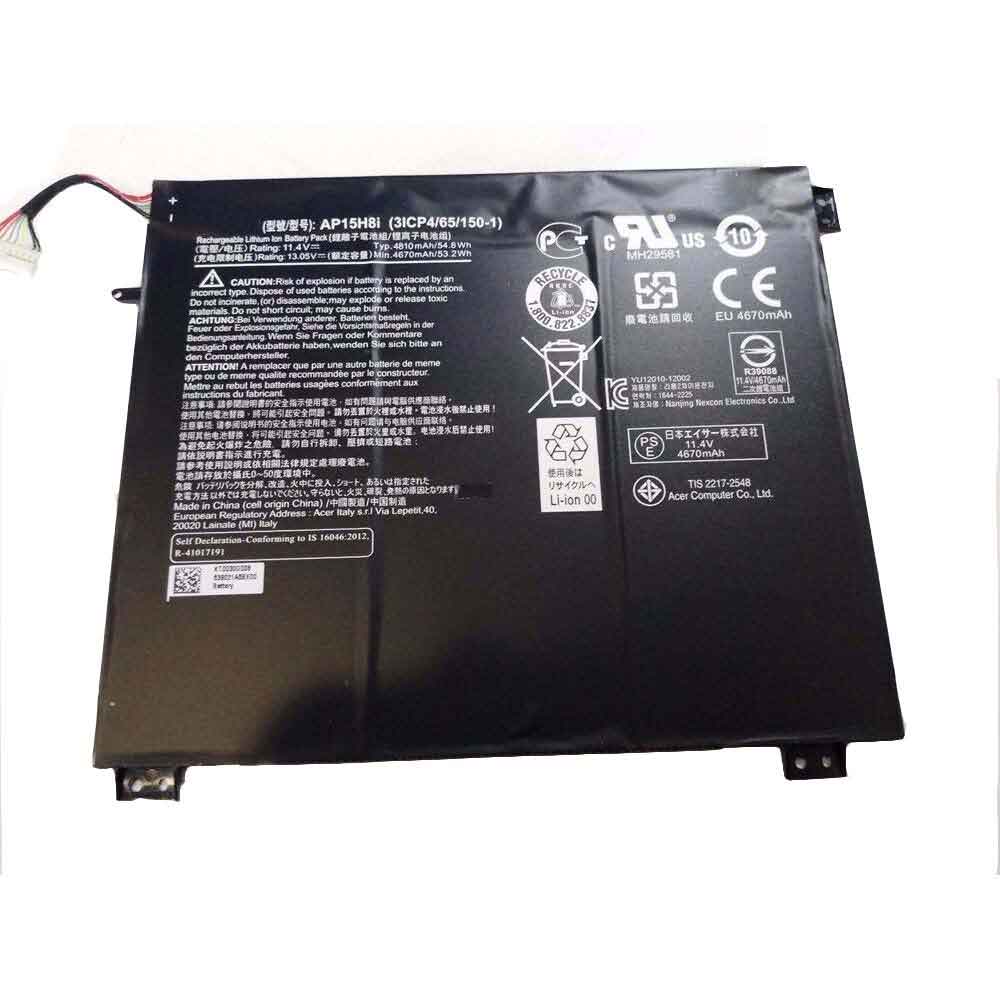
Cheap Acer AP15H8i Li-ion Tablets battery, Brand New AP15H8i replacement battery for Acer Aspire One CloudBook 14 AO1-431

54.8Wh/4810mAh 11.4V/13.05V Acer AP15H8i Batteries for Acer Aspire One CloudBook 14 AO1-431, Acer AP15H8i Tablets battery is a brand new,100% Compatible original and replacement Laptop battery,Purchase wholesale and retail AP15H8i with high quality and low price!

AP15H8i Battery acer Li-ion 11.4V/13.05V 54.8Wh/4810mAh

AP15H8i

Specifications

  • Brand:Acer
  • Capacity :54.8Wh/4810mAh
  • Voltage :11.4V/13.05V
  • Type :Li-ion
  • Battery Cell Quality: Grade A
  • Descriptive: Replacement Battery – 1 Year Warranty
  • Description: Brand New, 1 Year Warranty! 30-Days Money Back! Fast Shipping!

How we test this Acer AP15H8i Battery Li-ion 11.4V/13.05V 54.8Wh/4810mAh

Step 1: Make sure customer bought the correct battery.
Step 2: Check battery’s appearance and interface.
Step 3: Test battery charger and recharger function.
Step 4: Charger the battery to 100% and recharger to 0% to get real battery capacity
Step 5: Use Ev2300 to check the voltage difference of each goroup cells.
Step 6: Charger battery power more than 30%.
Step 7: Package battery carefully and send out

Compatible Part Numbers:

AP15H8i 3ICP4/65/150-1

Compatible Model Numbers:

Acer Aspire One Cloudbook 14 AO1-431

How much do you know about how to run laptop well as any place? The follow Tips cut way back on protecting battery life.


1). Please recharge or change your Tablets battery when battery power low.
2). Using Li-Ion Replacement Acer AP15H8i Tablets Battery for your notebook which can work longer time than Non Li-ion one.
3). It is better to defragmentation regularly for your Tablets battery life.
4). In order to reduce the laptop power consumpition, you can use some optical drive spin-down and hard drive in your Tablets .
5). Please keep your laptop in sleep or standby model without long time using, which both save the Replacement Acer AP15H8i Tablets Batterypower and extend battery using life.
6). Leave your battery in a dry and cool condition when without using.
7). When you rarely or generally plugged in fixed power using, Please take down your battery to avoid hurting battery life.

Hot Products

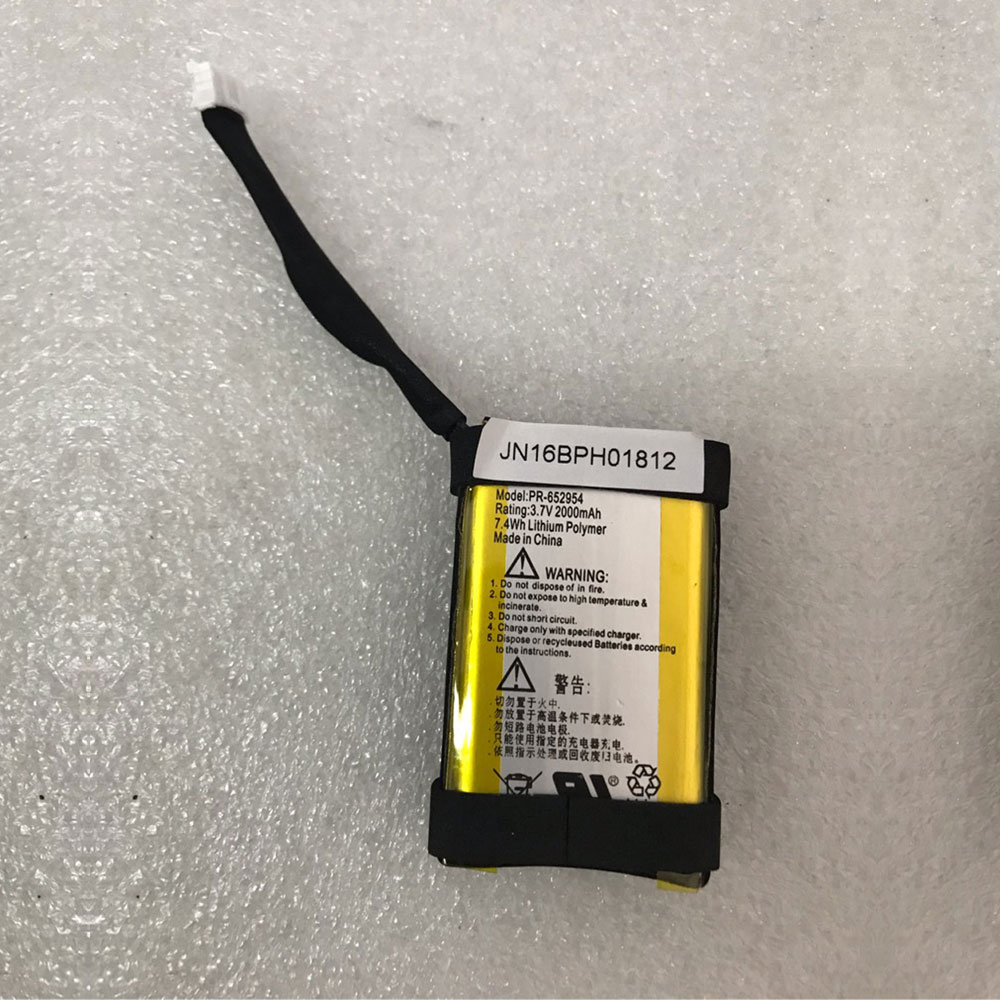
Cheap Jbl PR-652954 Li-ion Other battery, Brand New PR-652954 replacement battery for JBL Flip 2 Portable Bluetooth Speaker Flip II

7.4Wh/2000mAh 3.7V/4.2V Jbl PR-652954 Batteries for JBL Flip 2 Portable Bluetooth Speaker Flip II, Jbl PR-652954 Other battery is a brand new,100% Compatible original and replacement Laptop battery,Purchase wholesale and retail PR-652954 with high quality and low price!

PR-652954 Battery jbl Li-ion 3.7V/4.2V 7.4Wh/2000mAh

PR-652954

Specifications

  • Brand:JBL
  • Capacity :7.4Wh/2000mAh
  • Voltage :3.7V/4.2V
  • Type :Li-ion
  • Battery Cell Quality: Grade A
  • Descriptive: Replacement Battery – 1 Year Warranty
  • Description: Brand New, 1 Year Warranty! 30-Days Money Back! Fast Shipping!

How we test this Jbl PR-652954 Battery Li-ion 3.7V/4.2V 7.4Wh/2000mAh

Step 1: Make sure customer bought the correct battery.
Step 2: Check battery’s appearance and interface.
Step 3: Test battery charger and recharger function.
Step 4: Charger the battery to 100% and recharger to 0% to get real battery capacity
Step 5: Use Ev2300 to check the voltage difference of each goroup cells.
Step 6: Charger battery power more than 30%.
Step 7: Package battery carefully and send out

Compatible Part Numbers:

PR-652954

Compatible Model Numbers:

JBL Flip 2 Portable Bluetooth Speaker Flip II

How much do you know about how to run laptop well as any place? The follow Tips cut way back on protecting battery life.


1). Please recharge or change your Other battery when battery power low.
2). Using Li-Ion Replacement Jbl PR-652954 Other Battery for your notebook which can work longer time than Non Li-ion one.
3). It is better to defragmentation regularly for your Other battery life.
4). In order to reduce the laptop power consumpition, you can use some optical drive spin-down and hard drive in your Other .
5). Please keep your laptop in sleep or standby model without long time using, which both save the Replacement Jbl PR-652954 Other Batterypower and extend battery using life.
6). Leave your battery in a dry and cool condition when without using.
7). When you rarely or generally plugged in fixed power using, Please take down your battery to avoid hurting battery life.

Hot Products

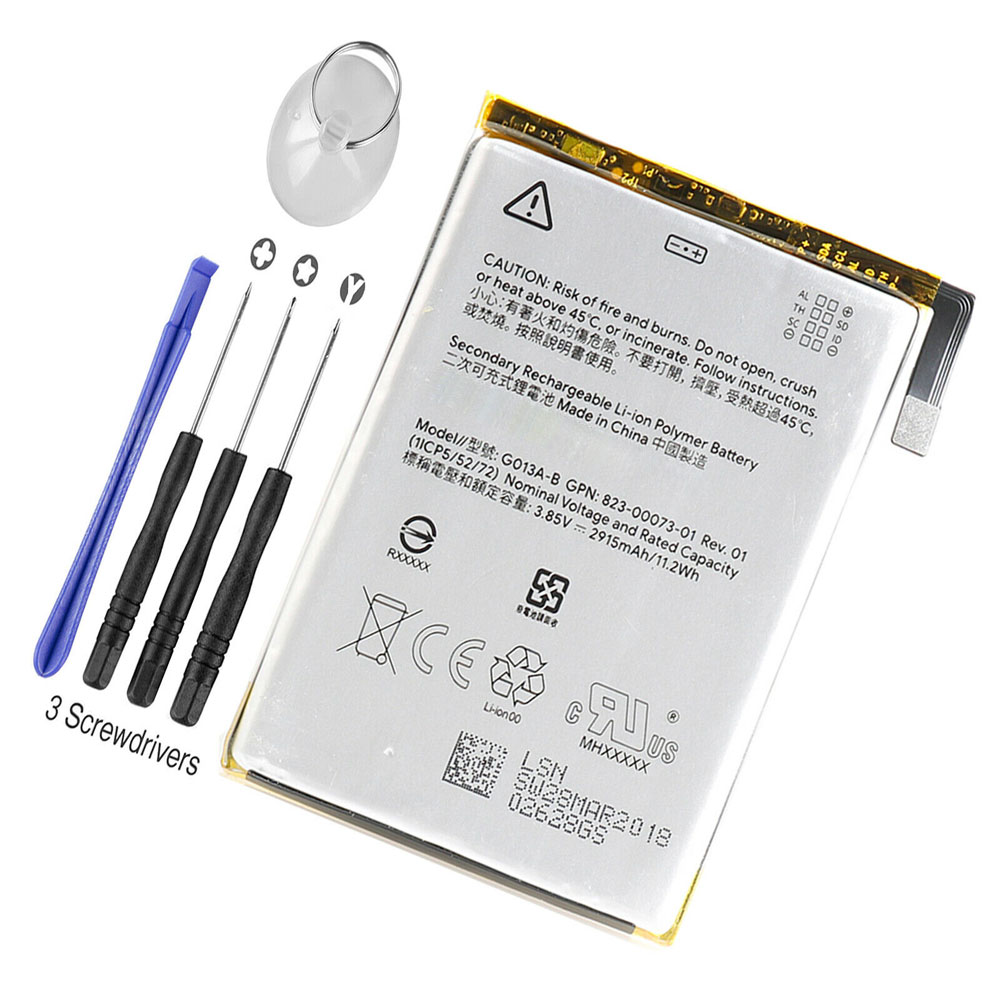
Cheap Google G013A-B Li-ion Cell Phone battery, Brand New G013A-B replacement battery for Google Pixel 3 +Tools

2915mAh/11.2WH 3.85V/4.4V Google G013A-B Batteries for Google Pixel 3 +Tools, Google G013A-B Cell Phone battery is a brand new,100% Compatible original and replacement Laptop battery,Purchase wholesale and retail G013A-B with high quality and low price!

G013A-B Battery google Li-ion 3.85V/4.4V 2915mAh/11.2WH

G013A-B

Specifications

  • Brand:Google
  • Capacity :2915mAh/11.2WH
  • Voltage :3.85V/4.4V
  • Type :Li-ion
  • Battery Cell Quality: Grade A
  • Descriptive: Replacement Battery – 1 Year Warranty
  • Description: Brand New, 1 Year Warranty! 30-Days Money Back! Fast Shipping!

How we test this Google G013A-B Battery Li-ion 3.85V/4.4V 2915mAh/11.2WH

Step 1: Make sure customer bought the correct battery.
Step 2: Check battery’s appearance and interface.
Step 3: Test battery charger and recharger function.
Step 4: Charger the battery to 100% and recharger to 0% to get real battery capacity
Step 5: Use Ev2300 to check the voltage difference of each goroup cells.
Step 6: Charger battery power more than 30%.
Step 7: Package battery carefully and send out

Compatible Part Numbers:

G013A-B

Compatible Model Numbers:

Google Pixel 3

How much do you know about how to run laptop well as any place? The follow Tips cut way back on protecting battery life.


1). Please recharge or change your Cell Phone battery when battery power low.
2). Using Li-Ion Replacement Google G013A-B Cell Phone Battery for your notebook which can work longer time than Non Li-ion one.
3). It is better to defragmentation regularly for your Cell Phone battery life.
4). In order to reduce the laptop power consumpition, you can use some optical drive spin-down and hard drive in your Cell Phone .
5). Please keep your laptop in sleep or standby model without long time using, which both save the Replacement Google G013A-B Cell Phone Battery power and extend battery using life.
6). Leave your battery in a dry and cool condition when without using.
7). When you rarely or generally plugged in fixed power using, Please take down your battery to avoid hurting battery life.

Hot Products

Cheap Honeywell BAT-SCN01 Li-ion Other battery, Brand New BAT-SCN01 replacement battery for Honeywell 1202/1452/1902/1911/1981/3820

2400mah/9Wh 3.75V Honeywell BAT-SCN01 Batteries for Honeywell 1202/1452/1902/1911/1981/3820, Honeywell BAT-SCN01 Other battery is a brand new,100% Compatible original and replacement Laptop battery,Purchase wholesale and retail BAT-SCN01 with high quality and low price!

BAT-SCN01 Battery honeywell Li-ion 3.75V 2400mah/9Wh

BAT-SCN01

Specifications

  • Brand:Honeywell
  • Capacity :2400mah/9Wh
  • Voltage :3.75V
  • Type :Li-ion
  • Battery Cell Quality: Grade A
  • Descriptive: Replacement Battery – 1 Year Warranty
  • Description: Brand New, 1 Year Warranty! 30-Days Money Back! Fast Shipping!

How we test this Honeywell BAT-SCN01 Battery Li-ion 3.75V 2400mah/9Wh

Step 1: Make sure customer bought the correct battery.
Step 2: Check battery’s appearance and interface.
Step 3: Test battery charger and recharger function.
Step 4: Charger the battery to 100% and recharger to 0% to get real battery capacity
Step 5: Use Ev2300 to check the voltage difference of each goroup cells.
Step 6: Charger battery power more than 30%.
Step 7: Package battery carefully and send out

Compatible Part Numbers:

BAT-SCN01 50121527-002 100000495

Compatible Model Numbers:

Honeywell 1202g 1902g 3820 4820
Honeywell 1202/1452/1902/1911/1981/3820
Honeywell 3820 3820i 4820 4820i 6320 1902 1202g

How much do you know about how to run laptop well as any place? The follow Tips cut way back on protecting battery life.


1). Please recharge or change your Other battery when battery power low.
2). Using Li-Ion Replacement Honeywell BAT-SCN01 Other Battery for your notebook which can work longer time than Non Li-ion one.
3). It is better to defragmentation regularly for your Other battery life.
4). In order to reduce the laptop power consumpition, you can use some optical drive spin-down and hard drive in your Other .
5). Please keep your laptop in sleep or standby model without long time using, which both save the Replacement Honeywell BAT-SCN01 Other Battery power and extend battery using life.
6). Leave your battery in a dry and cool condition when without using.
7). When you rarely or generally plugged in fixed power using, Please take down your battery to avoid hurting battery life.

Hot Products