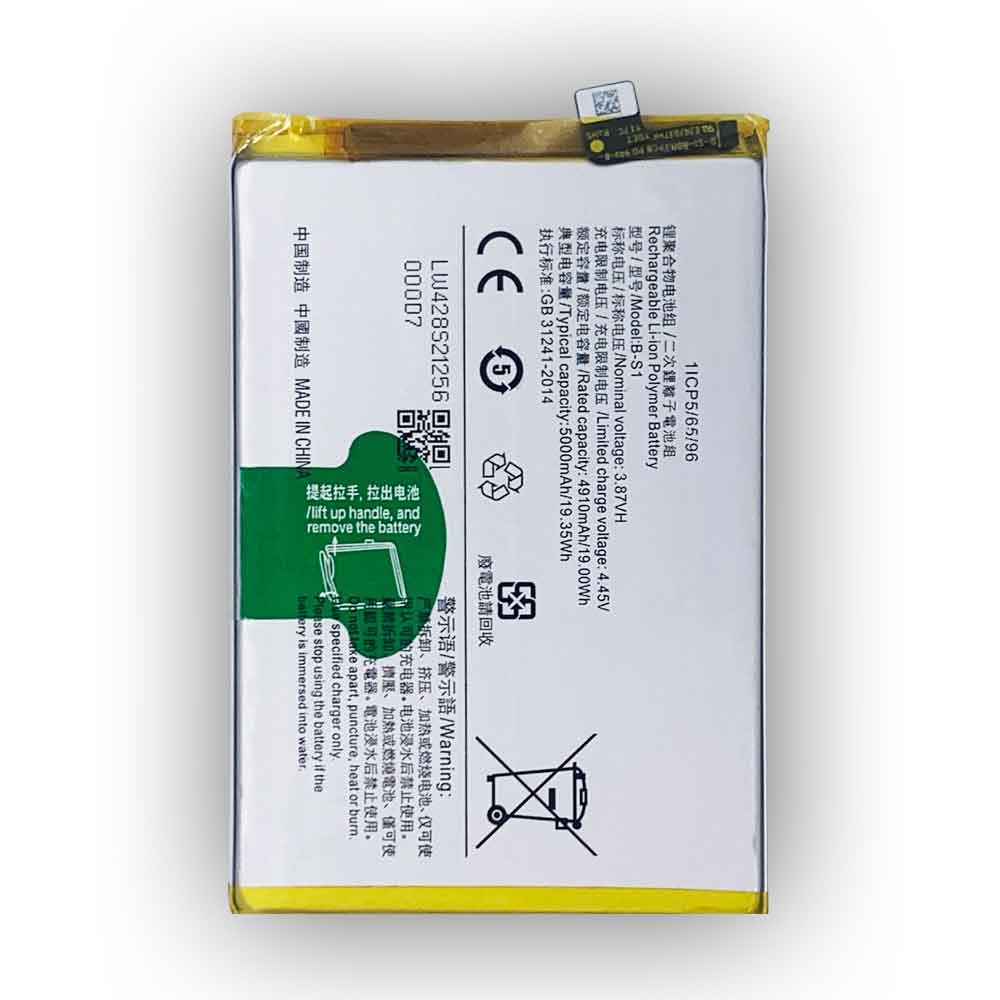
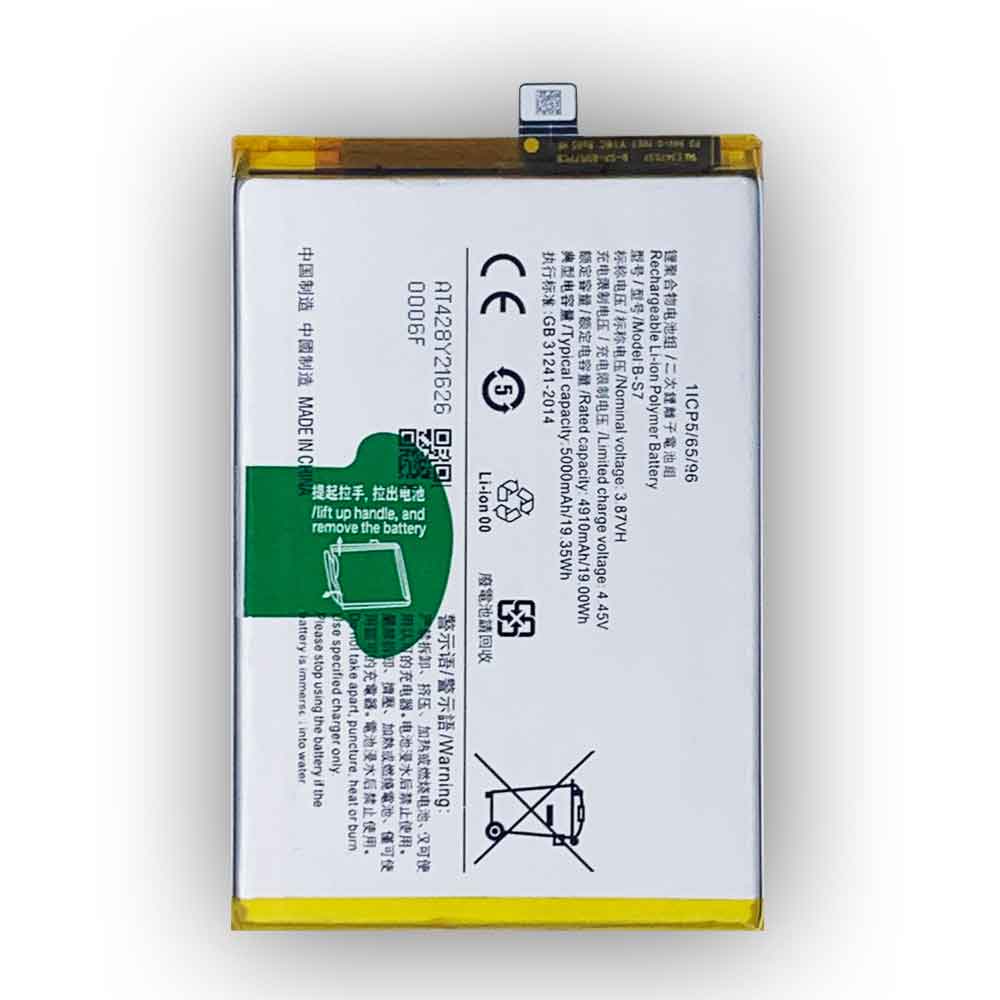
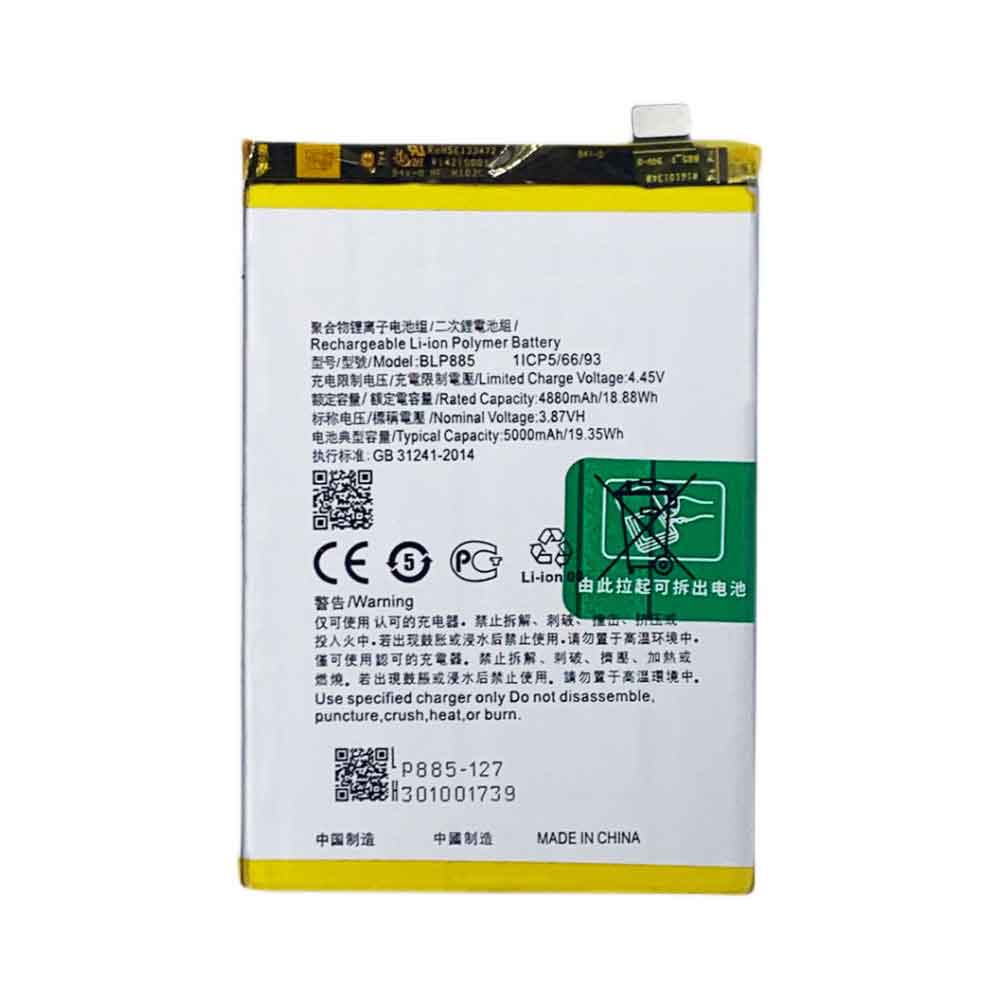
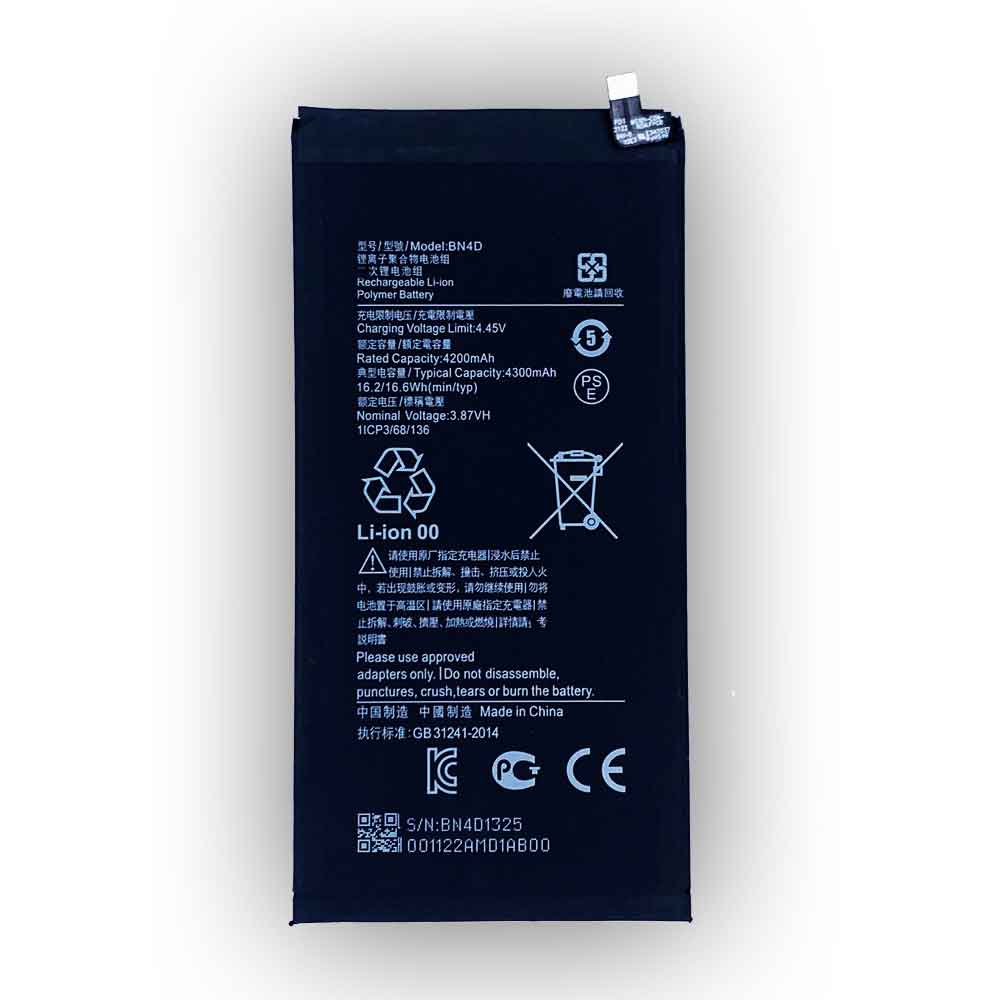
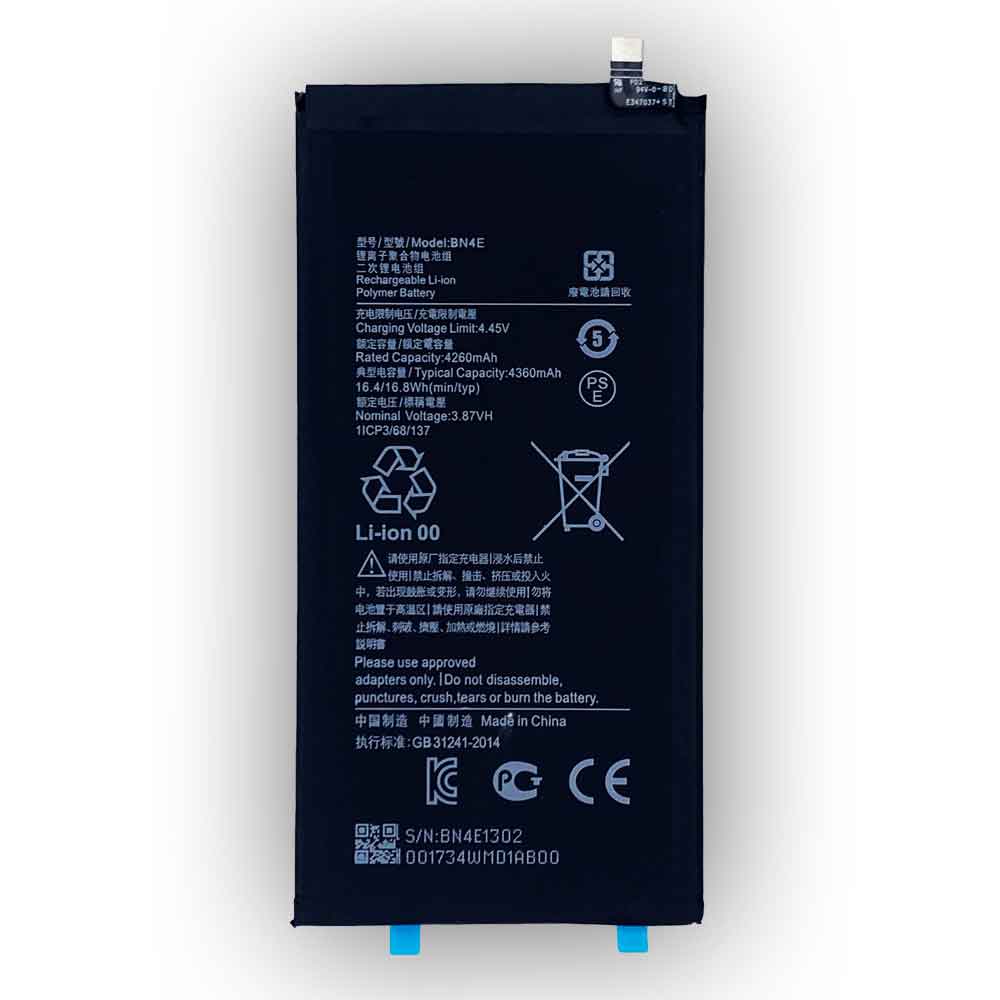
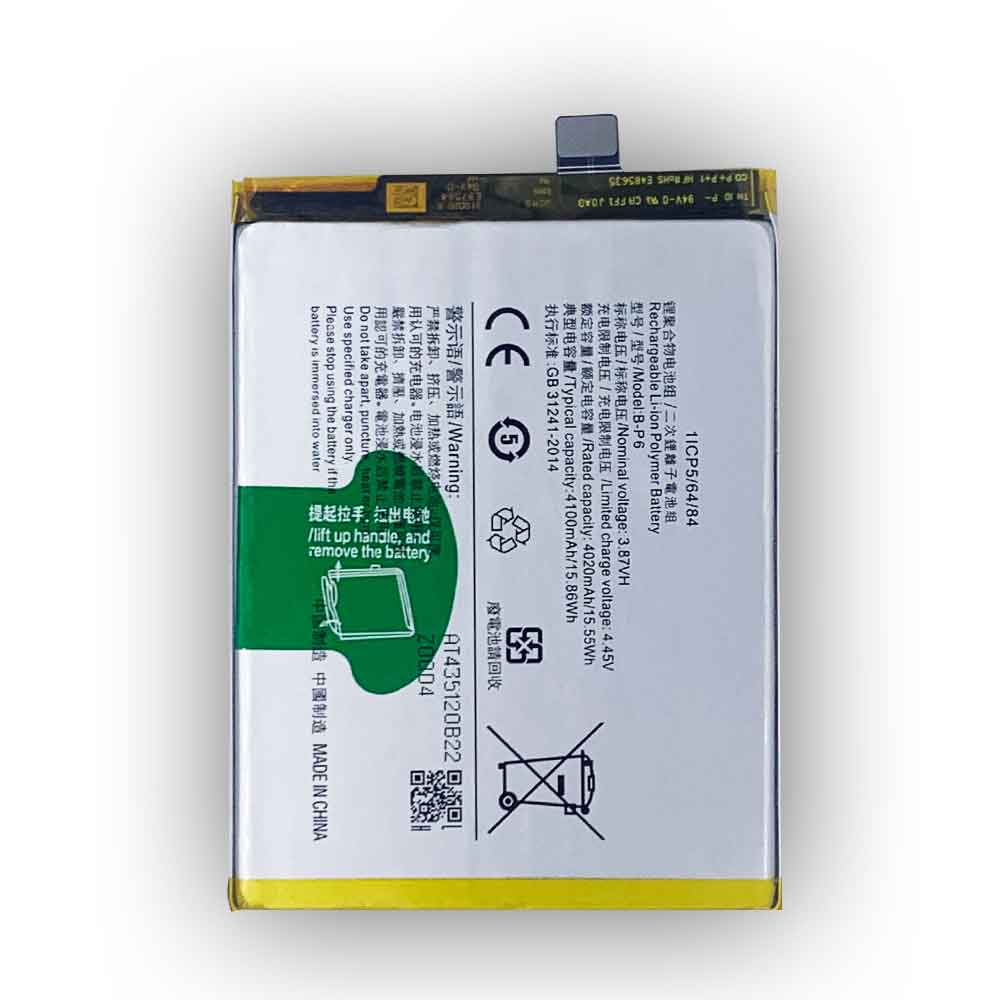
5000mAh 19.35WH 3.87V 4.45V Oppo BLP885 Li-ion Battery for OPPO BLP885

5000mAh 19.35WH 3.87V 4.45V Oppo BLP885 Batteries for OPPO BLP885, Oppo BLP885 Cell Phone battery is a brand new,100% Compatible original and replacement Phone battery,Purchase wholesale and retail BLP885 with high quality and low price!

Find ou your original model number or part number(P/N), and move your eyes on the tag of battery

BLP885

Specifications

  • Brand:OPPO
  • Capacity :5000mAh 19.35WH
  • Voltage :3.87V 4.45V
  • Type :Li-ion
  • Battery Cell Quality: Grade A
  • Descriptive: Replacement Battery – 1 Year Warranty
  • Description: Brand New, 1 Year Warranty! 30-Days Money Back! Fast Shipping!

How we test this Oppo BLP885 Battery
Step 1: Make sure customer bought the correct battery.
Step 2: Check battery’s appearance and interface.
Step 3: Test battery charger and recharger function.
Step 4: Charger the battery to 100% and recharger to 0% to get real battery capacity
Step 5: Use Ev2300 to check the voltage difference of each goroup cells.
Step 6: Charger battery power more than 30%.
Step 7: Package battery carefully and send out

Compatible Part Numbers:
BLP885

Compatible Model Numbers:
OPPO BLP885

How much do you know about how to run laptop well as any place? The follow Tips cut way back on protecting battery life.


1). Please recharge or change your Cell Phone battery when battery power low.
2). Using Li-Ion Replacement Oppo BLP885 Cell Phone Battery for your notebook which can work longer time than Non Li-ion one.
3). It is better to defragmentation regularly for your Cell Phone battery life.
4). In order to reduce the laptop power consumpition, you can use some optical drive spin-down and hard drive in your Cell Phone .
5). Please keep your laptop in sleep or standby model without long time using, which both save the Replacement Oppo BLP885 Cell Phone Battery power and extend battery using life.
6). Leave your battery in a dry and cool condition when without using.
7). When you rarely or generally plugged in fixed power using, Please take down your battery to avoid hurting battery life.

Hot Products

4000mAh 15.2WH COOLPAD CPLD-192 for Coolpad CPLD-1924400 mAh ASUS M3N4S2P for ASUS M3,ASUS M3N,ASUS M3NP,ASU3400mAh/13.2WH LG BL-t44 for LG Q60 X525WA2100mAh LENOVO 01AV493 for Lenovo ThinkPad T570 T580 P51S5.4V HP 633538-001 for HP 1GB FBWC FOR P420 P421 P43062Wh/5500mAh CLEVO PB50BAT-6 for Clevo PB71EF-G PowerSpec 152068WH DELL MV07R for Dell G5 5000 5590 5500 55053000mah/11.5wh ASUS C11P1501 for ASUS ZE500CL ZE551KL ZE6014850mAh 18.43WH AMAZON 58-000313 for Amazon 26S1021200MAH/0.77Wh SAMSUNG EB-BR365FBE for Samsung Gear Fit 2 Pro Sports

4200mAh 16.2WH 3.87V 4.45V Xiaomi BN4D Li-ion Battery for Xiaomi MIUI 5Pro

4200mAh 16.2WH 3.87V 4.45V Xiaomi BN4D Batteries for Xiaomi MIUI 5Pro, Xiaomi BN4D Cell Phone battery is a brand new,100% Compatible original and replacement Phone battery,Purchase wholesale and retail BN4D with high quality and low price!

Find ou your original model number or part number(P/N), and move your eyes on the tag of battery

BN4D

Specifications

  • Brand:Xiaomi
  • Capacity :4200mAh 16.2WH
  • Voltage :3.87V 4.45V
  • Type :Li-ion
  • Battery Cell Quality: Grade A
  • Descriptive: Replacement Battery – 1 Year Warranty
  • Description: Brand New, 1 Year Warranty! 30-Days Money Back! Fast Shipping!

How we test this Xiaomi BN4D Battery
Step 1: Make sure customer bought the correct battery.
Step 2: Check battery’s appearance and interface.
Step 3: Test battery charger and recharger function.
Step 4: Charger the battery to 100% and recharger to 0% to get real battery capacity
Step 5: Use Ev2300 to check the voltage difference of each goroup cells.
Step 6: Charger battery power more than 30%.
Step 7: Package battery carefully and send out

Compatible Part Numbers:
BN4D

Compatible Model Numbers:
Xiaomi MIUI 5Pro

How much do you know about how to run laptop well as any place? The follow Tips cut way back on protecting battery life.


1). Please recharge or change your Cell Phone battery when battery power low.
2). Using Li-Ion Replacement Xiaomi BN4D Cell Phone Battery for your notebook which can work longer time than Non Li-ion one.
3). It is better to defragmentation regularly for your Cell Phone battery life.
4). In order to reduce the laptop power consumpition, you can use some optical drive spin-down and hard drive in your Cell Phone .
5). Please keep your laptop in sleep or standby model without long time using, which both save the Replacement Xiaomi BN4D Cell Phone Battery power and extend battery using life.
6). Leave your battery in a dry and cool condition when without using.
7). When you rarely or generally plugged in fixed power using, Please take down your battery to avoid hurting battery life.

Hot Products

4000mAh 15.2WH COOLPAD CPLD-192 for Coolpad CPLD-1924400 mAh ASUS M3N4S2P for ASUS M3,ASUS M3N,ASUS M3NP,ASU3400mAh/13.2WH LG BL-t44 for LG Q60 X525WA2100mAh LENOVO 01AV493 for Lenovo ThinkPad T570 T580 P51S5.4V HP 633538-001 for HP 1GB FBWC FOR P420 P421 P43062Wh/5500mAh CLEVO PB50BAT-6 for Clevo PB71EF-G PowerSpec 152068WH DELL MV07R for Dell G5 5000 5590 5500 55053000mah/11.5wh ASUS C11P1501 for ASUS ZE500CL ZE551KL ZE6014850mAh 18.43WH AMAZON 58-000313 for Amazon 26S1021200MAH/0.77Wh SAMSUNG EB-BR365FBE for Samsung Gear Fit 2 Pro Sports

4260mAh 16.4WH 3.87V 4.45V Xiaomi BN4E Li-ion Battery for Xiaomi Pad BN4E

4260mAh 16.4WH 3.87V 4.45V Xiaomi BN4E Batteries for Xiaomi Pad BN4E, Xiaomi BN4E Cell Phone battery is a brand new,100% Compatible original and replacement Phone battery,Purchase wholesale and retail BN4E with high quality and low price!

Find ou your original model number or part number(P/N), and move your eyes on the tag of battery

BN4E

Specifications

  • Brand:Xiaomi
  • Capacity :4260mAh 16.4WH
  • Voltage :3.87V 4.45V
  • Type :Li-ion
  • Battery Cell Quality: Grade A
  • Descriptive: Replacement Battery – 1 Year Warranty
  • Description: Brand New, 1 Year Warranty! 30-Days Money Back! Fast Shipping!

How we test this Xiaomi BN4E Battery
Step 1: Make sure customer bought the correct battery.
Step 2: Check battery’s appearance and interface.
Step 3: Test battery charger and recharger function.
Step 4: Charger the battery to 100% and recharger to 0% to get real battery capacity
Step 5: Use Ev2300 to check the voltage difference of each goroup cells.
Step 6: Charger battery power more than 30%.
Step 7: Package battery carefully and send out

Compatible Part Numbers:
BN4E

Compatible Model Numbers:
Xiaomi Pad BN4E

How much do you know about how to run laptop well as any place? The follow Tips cut way back on protecting battery life.


1). Please recharge or change your Cell Phone battery when battery power low.
2). Using Li-Ion Replacement Xiaomi BN4E Cell Phone Battery for your notebook which can work longer time than Non Li-ion one.
3). It is better to defragmentation regularly for your Cell Phone battery life.
4). In order to reduce the laptop power consumpition, you can use some optical drive spin-down and hard drive in your Cell Phone .
5). Please keep your laptop in sleep or standby model without long time using, which both save the Replacement Xiaomi BN4E Cell Phone Battery power and extend battery using life.
6). Leave your battery in a dry and cool condition when without using.
7). When you rarely or generally plugged in fixed power using, Please take down your battery to avoid hurting battery life.

Hot Products

4000mAh 15.2WH COOLPAD CPLD-192 for Coolpad CPLD-1924400 mAh ASUS M3N4S2P for ASUS M3,ASUS M3N,ASUS M3NP,ASU3400mAh/13.2WH LG BL-t44 for LG Q60 X525WA2100mAh LENOVO 01AV493 for Lenovo ThinkPad T570 T580 P51S5.4V HP 633538-001 for HP 1GB FBWC FOR P420 P421 P43062Wh/5500mAh CLEVO PB50BAT-6 for Clevo PB71EF-G PowerSpec 152068WH DELL MV07R for Dell G5 5000 5590 5500 55053000mah/11.5wh ASUS C11P1501 for ASUS ZE500CL ZE551KL ZE6014850mAh 18.43WH AMAZON 58-000313 for Amazon 26S1021200MAH/0.77Wh SAMSUNG EB-BR365FBE for Samsung Gear Fit 2 Pro Sports

4100mAh 15.86WH 3.87V 4.45V Vivo B-P6 Li-ion Battery for Vivo S9E V2048A

4100mAh 15.86WH 3.87V 4.45V Vivo B-P6 Batteries for Vivo S9E V2048A, Vivo B-P6 Cell Phone battery is a brand new,100% Compatible original and replacement Phone battery,Purchase wholesale and retail B-P6 with high quality and low price!

Find ou your original model number or part number(P/N), and move your eyes on the tag of battery

B-P6

Specifications

  • Brand:Vivo
  • Capacity :4100mAh 15.86WH
  • Voltage :3.87V 4.45V
  • Type :Li-ion
  • Battery Cell Quality: Grade A
  • Descriptive: Replacement Battery – 1 Year Warranty
  • Description: Brand New, 1 Year Warranty! 30-Days Money Back! Fast Shipping!

How we test this Vivo B-P6 Battery
Step 1: Make sure customer bought the correct battery.
Step 2: Check battery’s appearance and interface.
Step 3: Test battery charger and recharger function.
Step 4: Charger the battery to 100% and recharger to 0% to get real battery capacity
Step 5: Use Ev2300 to check the voltage difference of each goroup cells.
Step 6: Charger battery power more than 30%.
Step 7: Package battery carefully and send out

Compatible Part Numbers:
B-P6

Compatible Model Numbers:
Vivo S9E V2048A

How much do you know about how to run laptop well as any place? The follow Tips cut way back on protecting battery life.


1). Please recharge or change your Cell Phone battery when battery power low.
2). Using Li-Ion Replacement Vivo B-P6 Cell Phone Battery for your notebook which can work longer time than Non Li-ion one.
3). It is better to defragmentation regularly for your Cell Phone battery life.
4). In order to reduce the laptop power consumpition, you can use some optical drive spin-down and hard drive in your Cell Phone .
5). Please keep your laptop in sleep or standby model without long time using, which both save the Replacement Vivo B-P6 Cell Phone Battery power and extend battery using life.
6). Leave your battery in a dry and cool condition when without using.
7). When you rarely or generally plugged in fixed power using, Please take down your battery to avoid hurting battery life.

Hot Products

4000mAh 15.2WH COOLPAD CPLD-192 for Coolpad CPLD-1924400 mAh ASUS M3N4S2P for ASUS M3,ASUS M3N,ASUS M3NP,ASU3400mAh/13.2WH LG BL-t44 for LG Q60 X525WA2100mAh LENOVO 01AV493 for Lenovo ThinkPad T570 T580 P51S5.4V HP 633538-001 for HP 1GB FBWC FOR P420 P421 P43062Wh/5500mAh CLEVO PB50BAT-6 for Clevo PB71EF-G PowerSpec 152068WH DELL MV07R for Dell G5 5000 5590 5500 55053000mah/11.5wh ASUS C11P1501 for ASUS ZE500CL ZE551KL ZE6014850mAh 18.43WH AMAZON 58-000313 for Amazon 26S1021200MAH/0.77Wh SAMSUNG EB-BR365FBE for Samsung Gear Fit 2 Pro Sports

Causes of cell phone battery explosions and how to avoid cell phone battery explosions!

 Smartphones have developed into an essential part of our daily lives. But frequent reports of smartphone explosions are one of the key issues when using cell phones.

If you don’t know how a cell phone battery explodes and how to prevent it, don’t worry, here we will clarify the reasons for cell phone battery explosion and how to prevent it from happening, let’s take a look!

Here are some reasons why your phone’s battery can explode:

1. Manufacturing defects

Manufacturing defects are the main reason why phones burst. The lithium-ion battery that powers the phone needs to be thoroughly inspected before delivery. A faulty part or assembly line failure can cause the battery to fail, leading to an explosion.

2. Physical damage to the battery

The physical state of the battery is the second reason a phone explodes. When the phone is dropped, it can cause battery loss. This can affect the internal mechanical or chemical cell structure, causing the cell to shorten, overheat, etc. Once a battery is damaged, it can sometimes swell enough to discard it and buy a new one. You can tell if there is swelling by looking closely at the back panel of the smartphone.

3. Use a third-party charger

This is a simple mistake most of us make. Charging your phone from another charger is risky. Third-party chargers often don’t meet the requirements a phone needs. Although they may look the same, your phone can overheat, damage internal components, and short out your phone’s battery from using a cheap or uncertified charger.

4. Charge overnight

There are other reasons for the battery to overheat other than damage or using a third-party charger. Chief among them was charging overnight. Most people charge their phones before going to bed. This makes the battery as overcharged can lead to overheating, overcharging, short circuit, and sometimes even explosion. Most smartphones these days are equipped with a chip that blocks the flow of current when the battery is at 100 percent. However, there are still some cheap phones that don’t have this feature.

5. Processor overload

Even the most efficient chipsets have graphics-heavy cooling issues during multitasking and running applications. To solve this problem, OEMs have started adding heat lock or heat paste features to control the heat of the phone.

6. The phone is left in the car, in direct sunlight, etc.

Excessive heat can drain your phone’s battery. The cells become a bit unstable, lose their exothermic decomposition, and release gases like oxygen and carbon dioxide. These gases can cause the battery to swell, destroy its structure and eventually burst.

7. Batteries in contact with water

Batteries that burst due to water are common when phones are not waterproof.

How to protect mobile phone battery?

Stick to these seven steps and measures and you’ll be sure your phone’s battery won’t burst:

1. Avoid prolonged charging.

It’s always best to make sure you don’t leave your phone charging for an extended period of time, make sure you don’t charge your phone overnight.

2. Do not put anything on the phone while charging.

It’s not safe to put things like pillows while your phone is charging, because if your phone doesn’t have a heatsink, it could overheat and catch fire.

3. Do not use the phone while charging.

Watching movies or playing games can seriously drain your phone and increase battery temperature significantly.

4. Do not use the headset while charging.

It’s also a bad idea to use headphones while your phone is connected to a wall outlet.

5. Avoid using power strips or extension cords.

Avoiding using a power strip or extension cord to charge your phone is a reasonable precaution, as your phone could be damaged by the power cord if affected.

6. Charge in direct light.

Make sure you don’t place your phone on the dashboard or in direct sunlight while charging. Because otherwise, the heating problem could get worse.

7. Remove the case while charging.

If you open the case while charging, the cooling won’t be as successful as it should be, so it’s best to remove the cover while charging the phone.

>>>>>>>>>>>>>>Phone battery

Thanks for reading, hope it helps!

Friendly reminder: If you need to replace the battery, this battery store will be a good choice: www.batteryforpc.co.uk

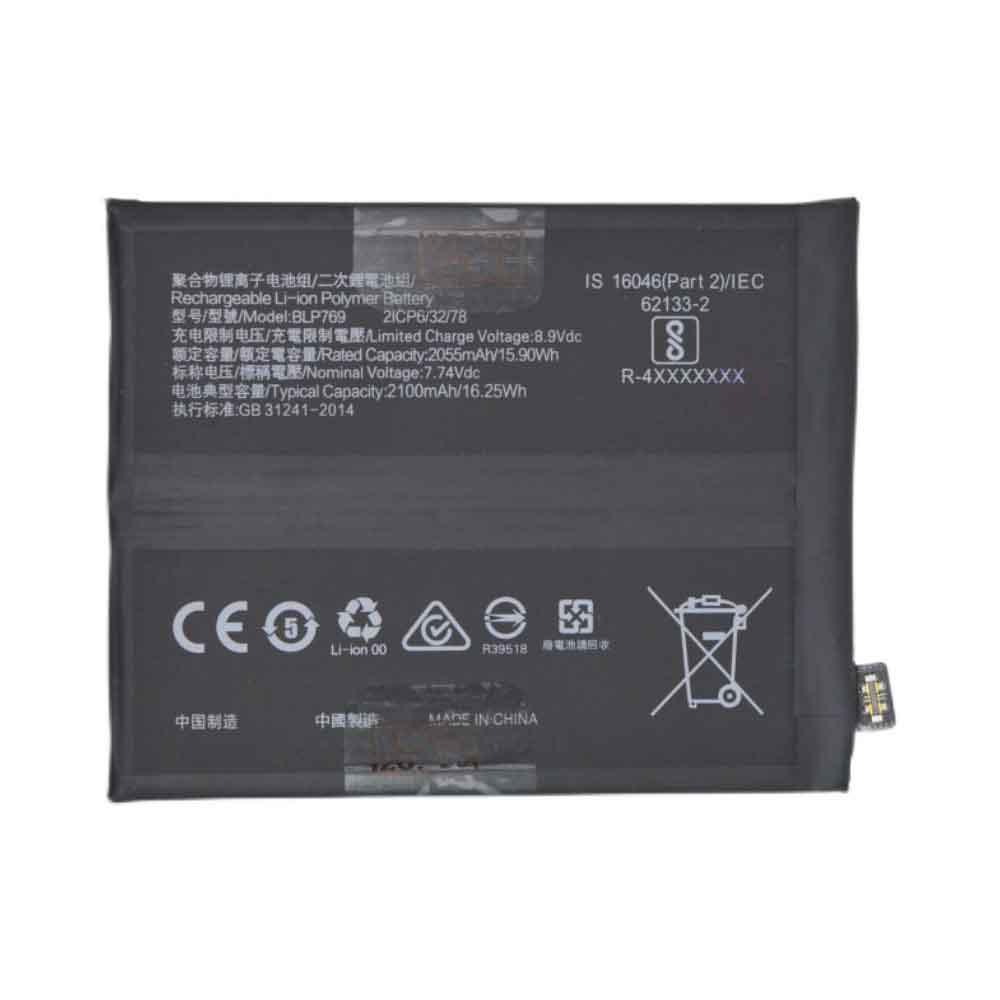
4000mAh Meiigoo N360 Li-ion Battery for Meiigoo R17

4000mAh Meiigoo N360 Batteries for Meiigoo R17, Meiigoo N360 Cell Phone battery is a brand new,100% Compatible original and replacement Phone battery,Purchase wholesale and retail N360 with high quality and low price!

Find ou your original model number or part number(P/N), and move your eyes on the tag of battery

N360

Specifications

  • Brand:Meiigoo
  • Capacity :4000mAh
  • Voltage :
  • Type :Li-ion
  • Battery Cell Quality: Grade A
  • Descriptive: Replacement Battery – 1 Year Warranty
  • Description: Brand New, 1 Year Warranty! 30-Days Money Back! Fast Shipping!

How we test this Meiigoo N360 Battery
Step 1: Make sure customer bought the correct battery.
Step 2: Check battery’s appearance and interface.
Step 3: Test battery charger and recharger function.
Step 4: Charger the battery to 100% and recharger to 0% to get real battery capacity
Step 5: Use Ev2300 to check the voltage difference of each goroup cells.
Step 6: Charger battery power more than 30%.
Step 7: Package battery carefully and send out

Compatible Part Numbers:
N360

Compatible Model Numbers:
Meiigoo R17

How much do you know about how to run laptop well as any place? The follow Tips cut way back on protecting battery life.


1). Please recharge or change your Cell Phone battery when battery power low.
2). Using Li-Ion Replacement Meiigoo N360 Cell Phone Battery for your notebook which can work longer time than Non Li-ion one.
3). It is better to defragmentation regularly for your Cell Phone battery life.
4). In order to reduce the laptop power consumpition, you can use some optical drive spin-down and hard drive in your Cell Phone .
5). Please keep your laptop in sleep or standby model without long time using, which both save the Replacement Meiigoo N360 Cell Phone Battery power and extend battery using life.
6). Leave your battery in a dry and cool condition when without using.
7). When you rarely or generally plugged in fixed power using, Please take down your battery to avoid hurting battery life.

Hot Products

2100mAh LENOVO 01AV493 for Lenovo ThinkPad T570 T580 P51S5.4V HP 633538-001 for HP 1GB FBWC FOR P420 P421 P43060Wh HP Ba06xl for Hp Elitebook Folio 9470m Ultra62Wh/5500mAh CLEVO PB50BAT-6 for Clevo PB71EF-G PowerSpec 152068WH DELL MV07R for Dell G5 5000 5590 5500 55053000mah/11.5wh ASUS C11P1501 for ASUS ZE500CL ZE551KL ZE6014850mAh 18.43WH AMAZON 58-000313 for Amazon 26S1021200MAH/0.77Wh SAMSUNG EB-BR365FBE for Samsung Gear Fit 2 Pro Sports94Wh LENOVO 45N1016 for Lenovo ThinkPad T410 T420 T4304910mAh/19.00WH VIVO B-O5 for VIVO y20

2200mAh 3.8V K-touch X11s Li-ion Battery for K-Touch X11S

2200mAh 3.8V K-touch X11s Batteries for K-Touch X11S, K-touch X11s Cell Phone battery is a brand new,100% Compatible original and replacement Phone battery,Purchase wholesale and retail X11s with high quality and low price!

Find ou your original model number or part number(P/N), and move your eyes on the tag of battery

X11s

Specifications

  • Brand:K-Touch
  • Capacity :2200mAh
  • Voltage :3.8V
  • Type :Li-ion
  • Battery Cell Quality: Grade A
  • Descriptive: Replacement Battery – 1 Year Warranty
  • Description: Brand New, 1 Year Warranty! 30-Days Money Back! Fast Shipping!

How we test this K-touch X11s Battery
Step 1: Make sure customer bought the correct battery.
Step 2: Check battery’s appearance and interface.
Step 3: Test battery charger and recharger function.
Step 4: Charger the battery to 100% and recharger to 0% to get real battery capacity
Step 5: Use Ev2300 to check the voltage difference of each goroup cells.
Step 6: Charger battery power more than 30%.
Step 7: Package battery carefully and send out

Compatible Part Numbers:
X11s

Compatible Model Numbers:
K-Touch X11S

How much do you know about how to run laptop well as any place? The follow Tips cut way back on protecting battery life.


1). Please recharge or change your Cell Phone battery when battery power low.
2). Using Li-Ion Replacement K-touch X11s Cell Phone Battery for your notebook which can work longer time than Non Li-ion one.
3). It is better to defragmentation regularly for your Cell Phone battery life.
4). In order to reduce the laptop power consumpition, you can use some optical drive spin-down and hard drive in your Cell Phone .
5). Please keep your laptop in sleep or standby model without long time using, which both save the Replacement K-touch X11s Cell Phone Battery power and extend battery using life.
6). Leave your battery in a dry and cool condition when without using.
7). When you rarely or generally plugged in fixed power using, Please take down your battery to avoid hurting battery life.

Hot Products

2100mAh LENOVO 01AV493 for Lenovo ThinkPad T570 T580 P51S5.4V HP 633538-001 for HP 1GB FBWC FOR P420 P421 P43060Wh HP Ba06xl for Hp Elitebook Folio 9470m Ultra62Wh/5500mAh CLEVO PB50BAT-6 for Clevo PB71EF-G PowerSpec 152068WH DELL MV07R for Dell G5 5000 5590 5500 55053000mah/11.5wh ASUS C11P1501 for ASUS ZE500CL ZE551KL ZE6014850mAh 18.43WH AMAZON 58-000313 for Amazon 26S1021200MAH/0.77Wh SAMSUNG EB-BR365FBE for Samsung Gear Fit 2 Pro Sports94Wh LENOVO 45N1016 for Lenovo ThinkPad T410 T420 T4304910mAh/19.00WH VIVO B-O5 for VIVO y20

4000mAh 15.4WH 3.85V 4.4V Smartron TB5911 Li-ion Battery for Smartron TB5911

4000mAh 15.4WH 3.85V 4.4V Smartron TB5911 Batteries for Smartron TB5911, Smartron TB5911 Cell Phone battery is a brand new,100% Compatible original and replacement Phone battery,Purchase wholesale and retail TB5911 with high quality and low price!

Find ou your original model number or part number(P/N), and move your eyes on the tag of battery

TB5911

Specifications

  • Brand:Smartron
  • Capacity :4000mAh 15.4WH
  • Voltage :3.85V 4.4V
  • Type :Li-ion
  • Battery Cell Quality: Grade A
  • Descriptive: Replacement Battery – 1 Year Warranty
  • Description: Brand New, 1 Year Warranty! 30-Days Money Back! Fast Shipping!

How we test this Smartron TB5911 Battery
Step 1: Make sure customer bought the correct battery.
Step 2: Check battery’s appearance and interface.
Step 3: Test battery charger and recharger function.
Step 4: Charger the battery to 100% and recharger to 0% to get real battery capacity
Step 5: Use Ev2300 to check the voltage difference of each goroup cells.
Step 6: Charger battery power more than 30%.
Step 7: Package battery carefully and send out

Compatible Part Numbers:
TB5911

Compatible Model Numbers:
Smartron TB5911

How much do you know about how to run laptop well as any place? The follow Tips cut way back on protecting battery life.


1). Please recharge or change your Cell Phone battery when battery power low.
2). Using Li-Ion Replacement Smartron TB5911 Cell Phone Battery for your notebook which can work longer time than Non Li-ion one.
3). It is better to defragmentation regularly for your Cell Phone battery life.
4). In order to reduce the laptop power consumpition, you can use some optical drive spin-down and hard drive in your Cell Phone .
5). Please keep your laptop in sleep or standby model without long time using, which both save the Replacement Smartron TB5911 Cell Phone Battery power and extend battery using life.
6). Leave your battery in a dry and cool condition when without using.
7). When you rarely or generally plugged in fixed power using, Please take down your battery to avoid hurting battery life.

Hot Products

2100mAh LENOVO 01AV493 for Lenovo ThinkPad T570 T580 P51S5.4V HP 633538-001 for HP 1GB FBWC FOR P420 P421 P43060Wh HP Ba06xl for Hp Elitebook Folio 9470m Ultra62Wh/5500mAh CLEVO PB50BAT-6 for Clevo PB71EF-G PowerSpec 152068WH DELL MV07R for Dell G5 5000 5590 5500 55053000mah/11.5wh ASUS C11P1501 for ASUS ZE500CL ZE551KL ZE6014850mAh 18.43WH AMAZON 58-000313 for Amazon 26S1021200MAH/0.77Wh SAMSUNG EB-BR365FBE for Samsung Gear Fit 2 Pro Sports94Wh LENOVO 45N1016 for Lenovo ThinkPad T410 T420 T4304910mAh/19.00WH VIVO B-O5 for VIVO y20

How to wake up a dormant Li-Ion battery – method

 Lithium-ion batteries are rechargeable batteries that are ideal for most electronic devices such as smartphones and laptops. The battery contains a protection circuit module. The protection circuit samples the voltage in the lithium-ion battery and outputs the same sampled voltage. This protection protects the battery from abuse and can be turned on and off. It is also activated when the battery is over-discharged, rendering it unusable. This happens because the protection circuit is designed to detect the battery voltage and cut off the lithium battery if the voltage falls below a specified voltage. When this happens, the battery goes into sleep mode. Let’s look at ways to wake up a Li-Ion battery that is dormant, whether it can be overcharged, and its life cycle. Let’s have a look!

How do I wake up a Li-Ion battery from sleep mode?

When the Li-Ion battery is insufficiently charged, it enters sleep mode. This can be a cause for concern, as most people consider such batteries useless and throw them away, as chargers often render them unusable. However, sleep mode should not be a cause for concern, as some analyzers and chargers have boost and wake-up functions to reactivate such batteries. The boost activates the protection circuit by applying a small charging voltage. When the correct battery voltage is applied, the charger can charge normally.

Let’s look at ways to wake up a sleeping battery.

Step 1: Read the voltage.

First, you need to confirm whether your lithium-ion battery has any remaining power. First power off the electronics and remove the battery. Using a voltmeter, read the voltage to check if the battery has any juice. When doing this, keep in mind that different manufacturers cause the battery to go into sleep mode at different voltage levels. So it’s best to be familiar with your battery capacity to be able to wake it up.

Step 2: Connect the charger.

Using a suitable charger, connect the battery for a few minutes while watching for any signs of damage and healing. Use a charger with a “boost” or “wake up” function. Keep in mind that boosting Li-Ion batteries with voltages of 1.5 and below is not recommended. This is because a battery that is undercharged for a long time can develop a copper shunt that can cause an electrical short. These shorts often cause the battery to overheat and possibly explode.

Step 3: Read the voltage again.

Check the voltage with a voltmeter. A higher reading than before means the boost is working, the same voltage means the process was unsuccessful and you should consider buying a new battery. Make sure you check your charger manual to see when the process is complete.

Step 4: Charge and discharge the battery.

If the boost works, you can now connect the Li-Ion battery to the charger and fully charge it.

Step 5: Freeze the battery.

In an airtight bag free of moisture, freeze the battery fully charged for a full day, then allow the battery to cool until it returns to its original room temperature.

Step 6: Charge the battery.

Connect the battery to the charging system and fully charge it.

Can Li-ion batteries be overcharged?

It may damage the battery and even cause harm to the user’s health. Lithium-ion batteries can accept partial charges, so overcharging is impossible. Protection circuits in these batteries prevent the flow of ions by suppressing overvoltage when temperatures get too high.

The battery management system in most lithium-ion battery packs also makes overcharging impossible. An internal circuit monitors the state of charge of the battery and cuts off the current when the limit is reached. If your Li-ion battery is overcharged, the charging system is mostly defective.

How long can an unused Li-Ion battery last?

Batteries in the product or in storage should not be left idle for long periods of time. If the battery has been unused for six months, check the battery status and charge it appropriately or discard it. Lithium-ion batteries have an estimated lifespan of mostly 2 to 3 years or 300 to 500 charge cycles. That is, from it being fully charged to fully discharged and fully charged. Since rechargeable lithium-ion batteries have a limited life cycle, they will gradually lose their ability to hold a charge, and most of the time you will need to replace the battery. All in all, the life of an unused battery will depend on how it is stored and external factors.

>>>>>>>>>>>>>>>Battery

Thanks for reading, hope it helps!

Friendly reminder: If you need to replace the battery, this battery store will be a good choice: www.batteryforpc.co.uk
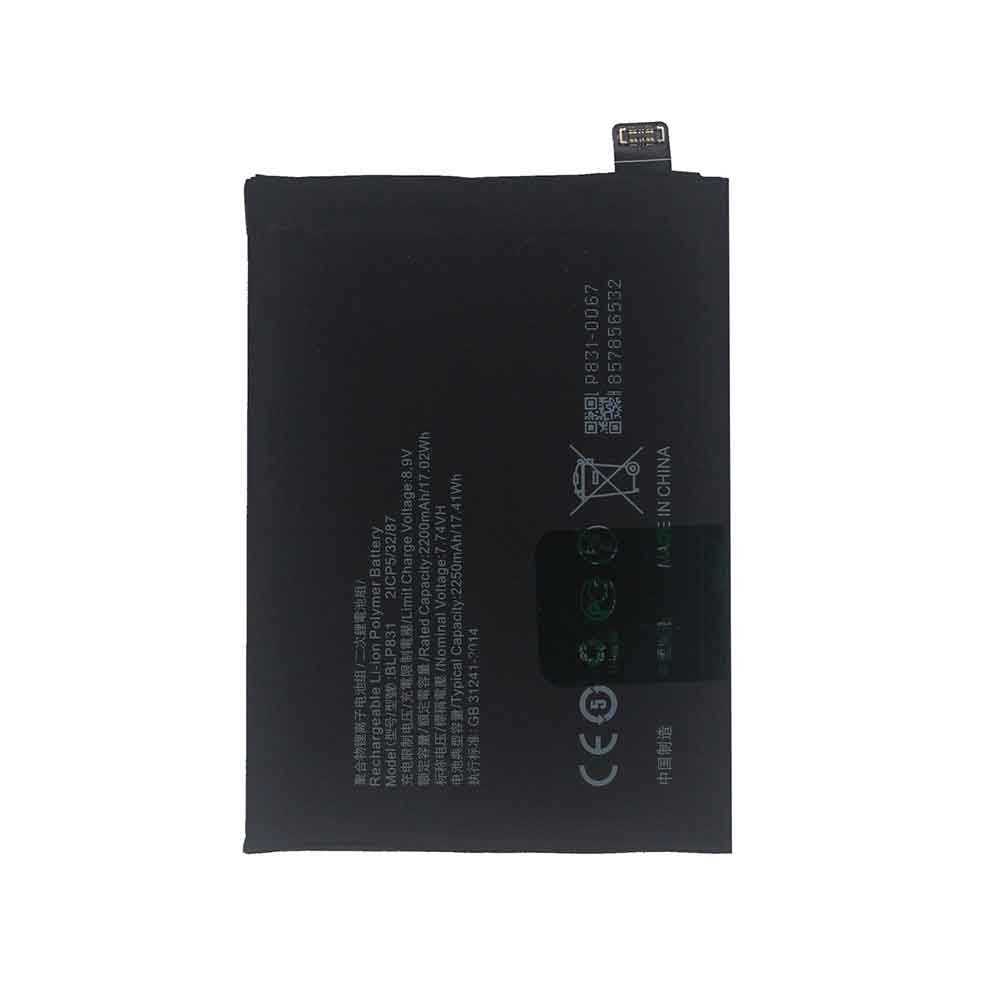
2100mAh 8.09WH 3.85V 4.4V Samsung EB-BG800BBE Li-ion Battery for Samsung Galaxy S5 Mini SM-G800F

2100mAh 8.09WH 3.85V 4.4V Samsung EB-BG800BBE Batteries for Samsung Galaxy S5 Mini SM-G800F, Samsung EB-BG800BBE Cell Phone battery is a brand new,100% Compatible original and replacement Phone battery,Purchase wholesale and retail EB-BG800BBE with high quality and low price!

Find ou your original model number or part number(P/N), and move your eyes on the tag of battery

EB-BG800BBE

Specifications

  • Brand:Samsung
  • Capacity :2100mAh 8.09WH
  • Voltage :3.85V 4.4V
  • Type :Li-ion
  • Battery Cell Quality: Grade A
  • Descriptive: Replacement Battery – 1 Year Warranty
  • Description: Brand New, 1 Year Warranty! 30-Days Money Back! Fast Shipping!

How we test this Samsung EB-BG800BBE Battery
Step 1: Make sure customer bought the correct battery.
Step 2: Check battery’s appearance and interface.
Step 3: Test battery charger and recharger function.
Step 4: Charger the battery to 100% and recharger to 0% to get real battery capacity
Step 5: Use Ev2300 to check the voltage difference of each goroup cells.
Step 6: Charger battery power more than 30%.
Step 7: Package battery carefully and send out

Compatible Part Numbers:
EB-BG800BBE

Compatible Model Numbers:
Samsung Galaxy S5 Mini SM-G800F

How much do you know about how to run laptop well as any place? The follow Tips cut way back on protecting battery life.


1). Please recharge or change your Cell Phone battery when battery power low.
2). Using Li-Ion Replacement Samsung EB-BG800BBE Cell Phone Battery for your notebook which can work longer time than Non Li-ion one.
3). It is better to defragmentation regularly for your Cell Phone battery life.
4). In order to reduce the laptop power consumpition, you can use some optical drive spin-down and hard drive in your Cell Phone .
5). Please keep your laptop in sleep or standby model without long time using, which both save the Replacement Samsung EB-BG800BBE Cell Phone Battery power and extend battery using life.
6). Leave your battery in a dry and cool condition when without using.
7). When you rarely or generally plugged in fixed power using, Please take down your battery to avoid hurting battery life.

Hot Products

5.4V HP 633538-001 for HP 1GB FBWC FOR P420 P421 P43060Wh HP Ba06xl for Hp Elitebook Folio 9470m Ultra62Wh/5500mAh CLEVO PB50BAT-6 for Clevo PB71EF-G PowerSpec 152068WH DELL MV07R for Dell G5 5000 5590 5500 55053000mah/11.5wh ASUS C11P1501 for ASUS ZE500CL ZE551KL ZE6014850mAh 18.43WH AMAZON 58-000313 for Amazon 26S1021200MAH/0.77Wh SAMSUNG EB-BR365FBE for Samsung Gear Fit 2 Pro Sports94Wh LENOVO 45N1016 for Lenovo ThinkPad T410 T420 T4304910mAh/19.00WH VIVO B-O5 for VIVO y20640MAh/70Wh PANASONIC CF-VZSU80U for Panasonic CF-C2 MK1 Toughbook