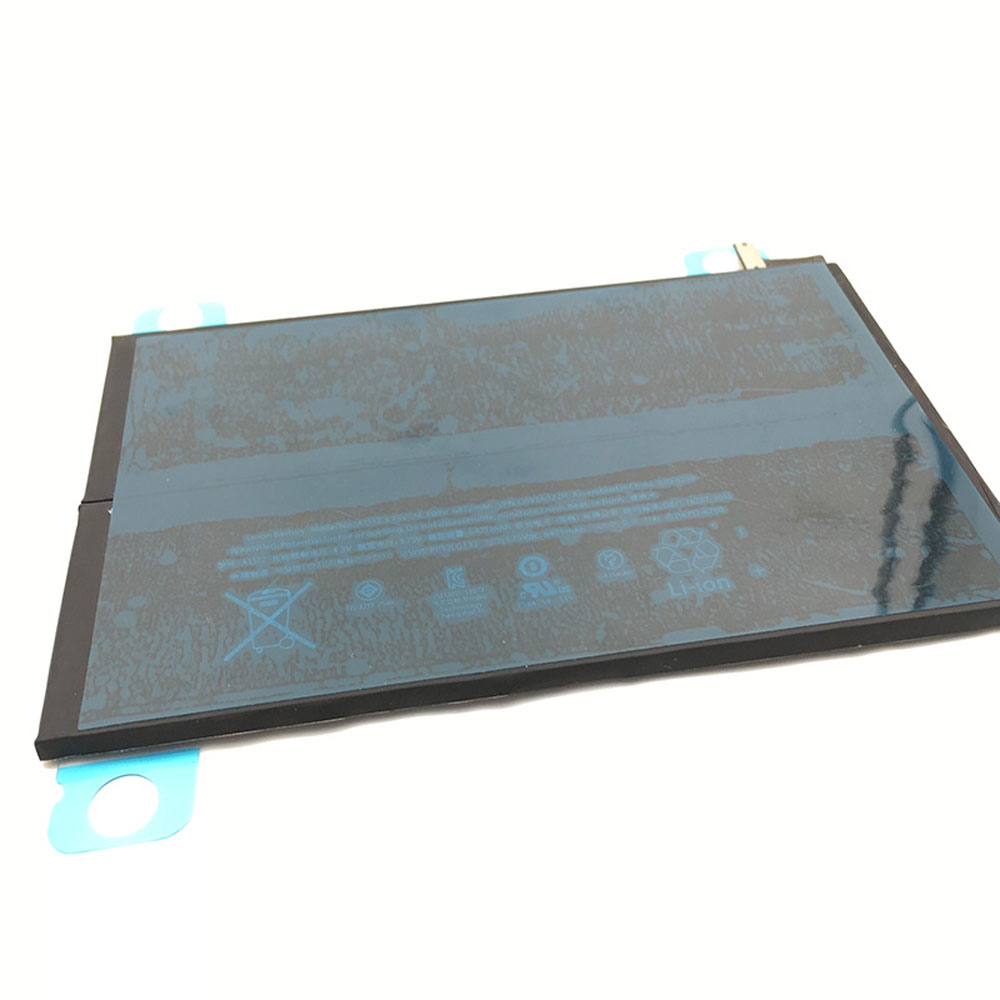
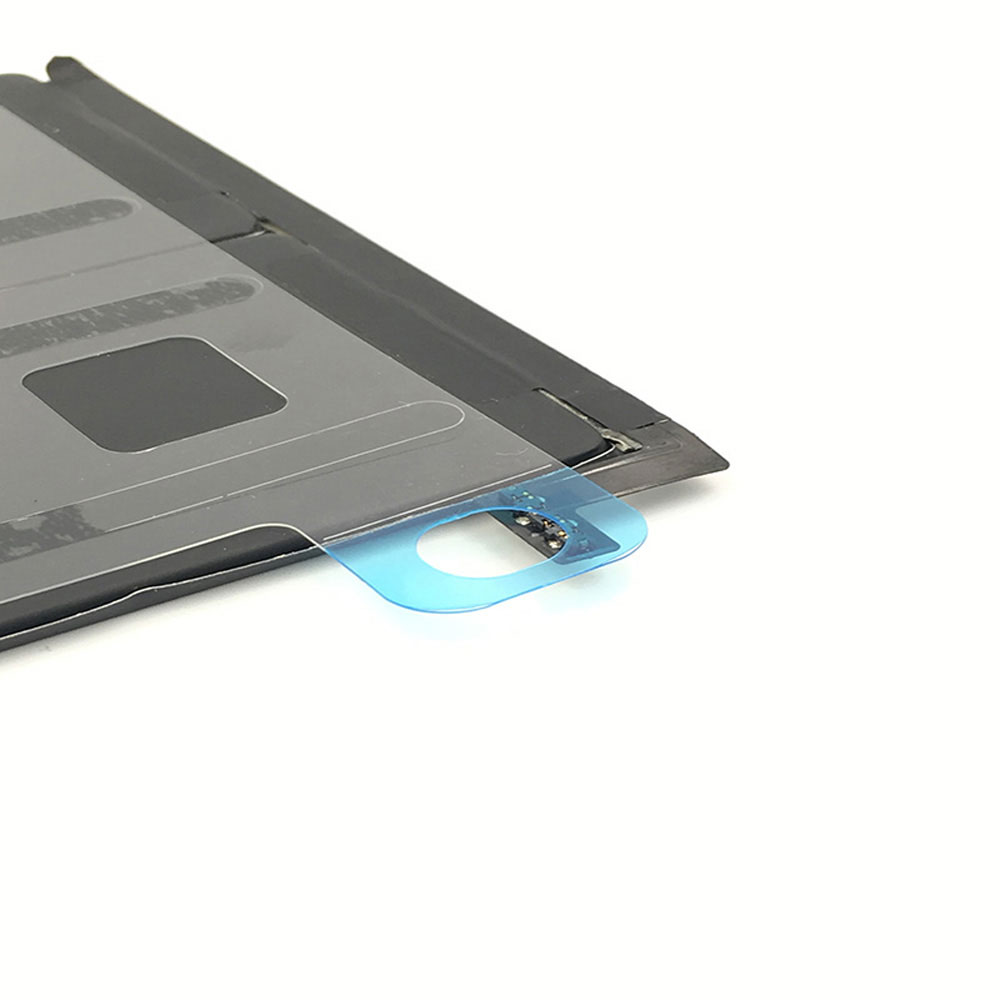
6471mAh 3.75V Apple A1512 Li-ion Battery for iPad Mini 2 & 3 2nd 3rd A1489 A1490 A1491

6471mAh 3.75V Apple A1512 Batteries for iPad Mini 2 & 3 2nd 3rd A1489 A1490 A1491, Apple A1512 Tablets battery is a brand new,100% Compatible original and replacement Tablets battery,Purchase wholesale and retail A1512 with high quality and low price!

Find ou your original model number or part number(P/N), and move your eyes on the tag of battery
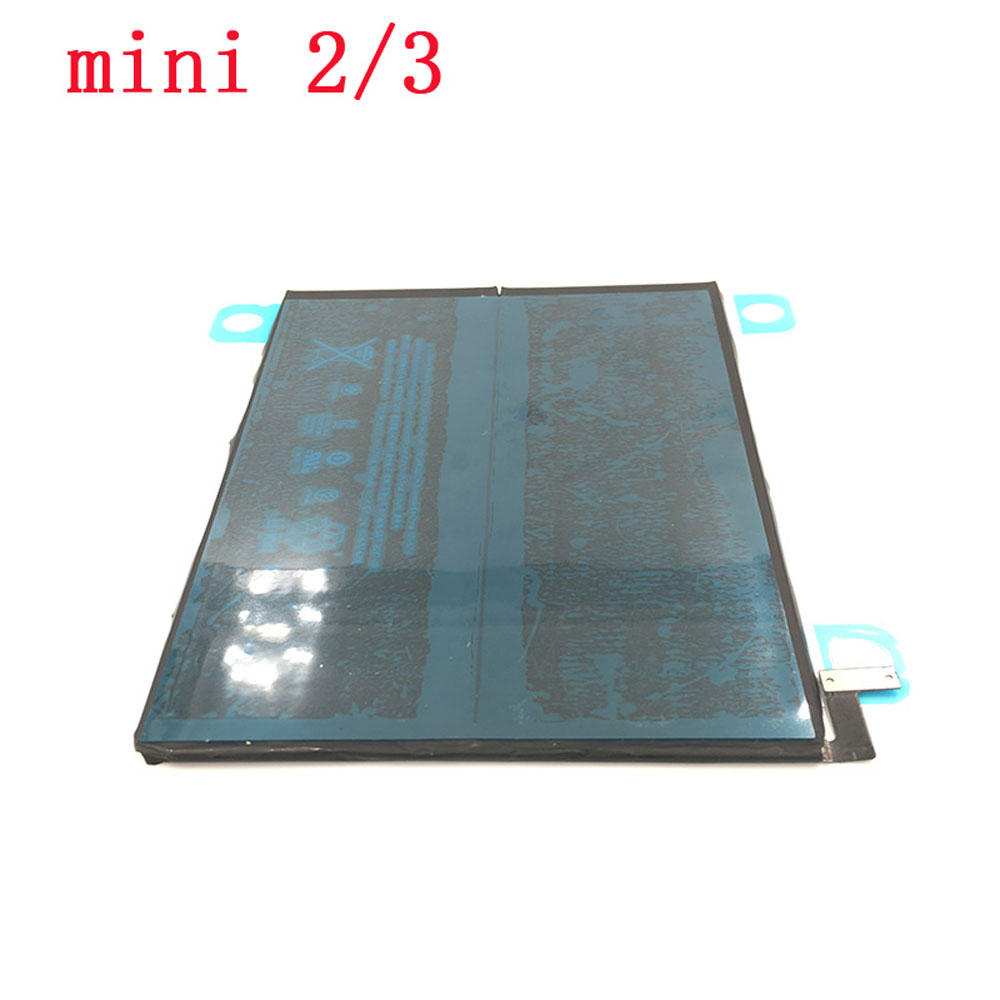
A1512

Specifications

  • Brand:APPLE
  • Capacity :6471mAh
  • Voltage :3.75V
  • Color:black
  • Type :Li-ion
  • Battery Cell Quality: Grade A
  • Descriptive: Replacement Battery – 1 Year Warranty
  • Description: Brand New, 1 Year Warranty! 30-Days Money Back! Fast Shipping!

How we test this Apple A1512 Battery
Step 1: Make sure customer bought the correct battery.
Step 2: Check battery’s appearance and interface.
Step 3: Test battery charger and recharger function.
Step 4: Charger the battery to 100% and recharger to 0% to get real battery capacity
Step 5: Use Ev2300 to check the voltage difference of each goroup cells.
Step 6: Charger battery power more than 30%.
Step 7: Package battery carefully and send out

Compatible Part Numbers:
A1512

Compatible Model Numbers:
Apple iPad Mini 2 A1489
Apple iPad Mini 2 A1490
Apple iPad Mini 2 A1491
Apple iPad Mini 3 A1599
Apple iPad Mini 3 A1600
Apple iPad Mini 3 A1601
Apple ME276LL/A
Apple MF066LL/A
Apple MF247CH/A
Apple MGNV2LL/A
Apple MH3F2LL/A
Apple MGPW2CH/A

How much do you know about how to run laptop well as any place? The follow Tips cut way back on protecting battery life.


1). Please recharge or change your Tablets battery when battery power low.
2). Using Li-Ion Replacement Apple A1512 Tablets Battery for your notebook which can work longer time than Non Li-ion one.
3). It is better to defragmentation regularly for your Tablets battery life.
4). In order to reduce the laptop power consumpition, you can use some optical drive spin-down and hard drive in your Tablets .
5). Please keep your laptop in sleep or standby model without long time using, which both save the Replacement Apple A1512 Tablets Battery power and extend battery using life.
6). Leave your battery in a dry and cool condition when without using.
7). When you rarely or generally plugged in fixed power using, Please take down your battery to avoid hurting battery life.

Hot Products

400mAh APACK APP00169 for Apack APP001694220mAh/16.33WH VIVO B-O9 for VIVO X603000mAh/11.4wh LEAGOO BT-5705 for LEAGOO M9 Pro Mobile Cell phon4680mAh/73WH ASUS C41N1814 for Asus ZenBook 15 UX533FD UX533F4680mAh/73WH ASUS C41N1814 for Asus ZenBook 15 UX533FD UX533F5380mAh 20.713WH BLACKVIEW Li486690JLY for Blackview A703920mAh/15.2WH ASUS C11P1805 for ASUS zenfone max M2 ZB633KL ZB8800mAh TOSHIBA PA3728U for Satellite L515 L630 L635 L6404000mAh/30.4WH RTDPART 3882229C for 7Cable RTDPART 3882229C3400mAh /13.09Wh NOKIA LC-620 for Nokia 7.2 TA-1181 TA-1196
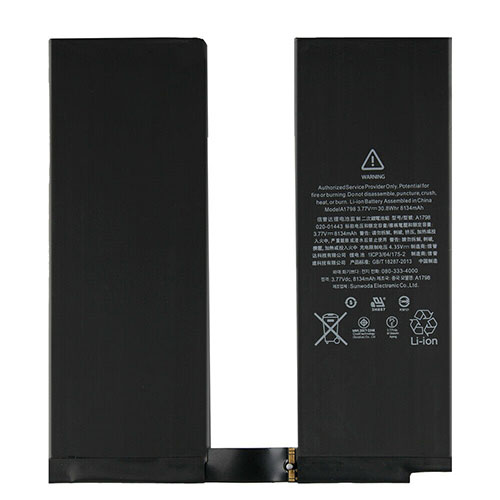
8134mAh/30.8WH 3.77V/4.35V Apple A1798 Li-ion Battery for Apple iPad Pro 10.5 iPadair3

8134mAh/30.8WH 3.77V/4.35V Apple A1798 Batteries for Apple iPad Pro 10.5 iPadair3, Apple A1798 Tablets battery is a brand new,100% Compatible original and replacement Tablets battery,Purchase wholesale and retail A1798 with high quality and low price!

Find ou your original model number or part number(P/N), and move your eyes on the tag of battery

A1798

Specifications

  • Brand:Apple
  • Capacity :8134mAh/30.8WH
  • Voltage :3.77V/4.35V
  • Type :Li-ion
  • Battery Cell Quality: Grade A
  • Descriptive: Replacement Battery – 1 Year Warranty
  • Description: Brand New, 1 Year Warranty! 30-Days Money Back! Fast Shipping!

How we test this Apple A1798 Battery
Step 1: Make sure customer bought the correct battery.
Step 2: Check battery’s appearance and interface.
Step 3: Test battery charger and recharger function.
Step 4: Charger the battery to 100% and recharger to 0% to get real battery capacity
Step 5: Use Ev2300 to check the voltage difference of each goroup cells.
Step 6: Charger battery power more than 30%.
Step 7: Package battery carefully and send out

Compatible Part Numbers:
A1798
A1701
A1709
A1852
A1793

Compatible Model Numbers:
Apple iPad Pro 10.5 iPadair3

How much do you know about how to run laptop well as any place? The follow Tips cut way back on protecting battery life.


1). Please recharge or change your Tablets battery when battery power low.
2). Using Li-Ion Replacement Apple A1798 Tablets Battery for your notebook which can work longer time than Non Li-ion one.
3). It is better to defragmentation regularly for your Tablets battery life.
4). In order to reduce the laptop power consumpition, you can use some optical drive spin-down and hard drive in your Tablets .
5). Please keep your laptop in sleep or standby model without long time using, which both save the Replacement Apple A1798 Tablets Battery power and extend battery using life.
6). Leave your battery in a dry and cool condition when without using.
7). When you rarely or generally plugged in fixed power using, Please take down your battery to avoid hurting battery life.

Hot Products

400mAh APACK APP00169 for Apack APP001694220mAh/16.33WH VIVO B-O9 for VIVO X603000mAh/11.4wh LEAGOO BT-5705 for LEAGOO M9 Pro Mobile Cell phon4680mAh/73WH ASUS C41N1814 for Asus ZenBook 15 UX533FD UX533F4680mAh/73WH ASUS C41N1814 for Asus ZenBook 15 UX533FD UX533F5380mAh 20.713WH BLACKVIEW Li486690JLY for Blackview A703920mAh/15.2WH ASUS C11P1805 for ASUS zenfone max M2 ZB633KL ZB8800mAh TOSHIBA PA3728U for Satellite L515 L630 L635 L6404000mAh/30.4WH RTDPART 3882229C for 7Cable RTDPART 3882229C3400mAh /13.09Wh NOKIA LC-620 for Nokia 7.2 TA-1181 TA-1196

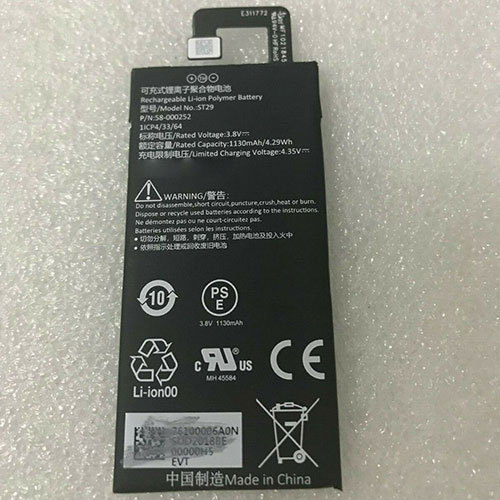
1130mAh 3.8V/4.3V Amazon 58-000252 Li-ion Battery for Amazon Kindle Fire

1130mAh 3.8V/4.3V Amazon 58-000252 Batteries for Amazon Kindle Fire, Amazon 58-000252 Tablets battery is a brand new,100% Compatible original and replacement Tablets battery,Purchase wholesale and retail 58-000252 with high quality and low price!

Find ou your original model number or part number(P/N), and move your eyes on the tag of battery

58-000252

Specifications

  • Brand:Amazon
  • Capacity :1130mAh
  • Voltage :3.8V/4.3V
  • Type :Li-ion
  • Battery Cell Quality: Grade A
  • Descriptive: Replacement Battery – 1 Year Warranty
  • Description: Brand New, 1 Year Warranty! 30-Days Money Back! Fast Shipping!

How we test this Amazon 58-000252 Battery
Step 1: Make sure customer bought the correct battery.
Step 2: Check battery’s appearance and interface.
Step 3: Test battery charger and recharger function.
Step 4: Charger the battery to 100% and recharger to 0% to get real battery capacity
Step 5: Use Ev2300 to check the voltage difference of each goroup cells.
Step 6: Charger battery power more than 30%.
Step 7: Package battery carefully and send out

Compatible Part Numbers:
ST29
58-000252

Compatible Model Numbers:
Amazon Kindle Fire

How much do you know about how to run laptop well as any place? The follow Tips cut way back on protecting battery life.


1). Please recharge or change your Tablets battery when battery power low.
2). Using Li-Ion Replacement Amazon 58-000252 Tablets Battery for your notebook which can work longer time than Non Li-ion one.
3). It is better to defragmentation regularly for your Tablets battery life.
4). In order to reduce the laptop power consumpition, you can use some optical drive spin-down and hard drive in your Tablets .
5). Please keep your laptop in sleep or standby model without long time using, which both save the Replacement Amazon 58-000252 Tablets Battery power and extend battery using life.
6). Leave your battery in a dry and cool condition when without using.
7). When you rarely or generally plugged in fixed power using, Please take down your battery to avoid hurting battery life.

Hot Products

400mAh APACK APP00169 for Apack APP001694220mAh/16.33WH VIVO B-O9 for VIVO X603000mAh/11.4wh LEAGOO BT-5705 for LEAGOO M9 Pro Mobile Cell phon4680mAh/73WH ASUS C41N1814 for Asus ZenBook 15 UX533FD UX533F4680mAh/73WH ASUS C41N1814 for Asus ZenBook 15 UX533FD UX533F5380mAh 20.713WH BLACKVIEW Li486690JLY for Blackview A703920mAh/15.2WH ASUS C11P1805 for ASUS zenfone max M2 ZB633KL ZB8800mAh TOSHIBA PA3728U for Satellite L515 L630 L635 L6404000mAh/30.4WH RTDPART 3882229C for 7Cable RTDPART 3882229C3400mAh /13.09Wh NOKIA LC-620 for Nokia 7.2 TA-1181 TA-1196
How to fix charging problems with your tablet

 If your tablet stops charging, even if it’s plugged in, it doesn’t mean it’s time to buy a new one. Here are eight ways to fix the problem when your tablet won’t charge!

1. Check the charging port of the tablet.

Usually the problem is with the tablet or the mobile charging pin itself. Observe; it will see if it is bent or twisted. The connectors on the charging cable must fit nicely to ensure that all the pins on the charger are properly connected to the pins on the port.

If your port is damaged, it may need to be patched, or the entire device may need to be replaced. You can also check the connector on the charging cable to make sure the port is the correct shape and not damaged.

2. Is your battery connection safe?

Make sure there are no holes and the battery is flush with the bracket. If this happens, remove the battery again and inspect the connector connection for debris blocking the connector, a possibly bent part of the connector, or continued corrosion of the connector.

Remove debris from soft fabrics, relocate any bent metal with small tweezers, and remove rust with a small amount of a suitable cleaner. Make sure the connector is dry until the battery is used again.

3. Check/replace the charging cable.

Charging cables can face challenges or become obsolete with continued use. So always say you use the system’s original charging cable or buy a good quality one that won’t damage your tablet or adapter.

4. Give the battery time to recover.

A battery that appears to be dead may have been deeply discharged. This shows that much more power has been drawn from the battery than expected, so there is so little remaining that it looks like it’s dead.

Refreshing a deeply discharged battery (if it can be recovered) will allow you to completely shut down the device and let it charge for a longer period of time (at least two or three hours).

5. Check/replace the charging adapter.

Check that the charging adapter is working properly, as adapters are often accused of charging. To make sure you don’t use a faulty adapter, connect your USB/cable to another adapter.

If your device is charging fine, it means you have a problem with the connector, and you’ll have to replace it with the most rudimentary device to fix the problem.

6. Stop using the tablet while charging.

If your tablet says it’s charging but the battery light doesn’t seem to move, it’s probably because you’re using your tablet too much while it’s charging.

If you play games, use step-by-step browsing, or run some other power-hungry app while plugged in, your tablet can discharge as fast as it charges.

7. Restart the tablet

Rebooting is easy and can be done with the following steps:

Press and hold the tablet or smartphone’s power rocker button.

Click Restart or Reboot from the options shown in the display.

You can restart your smartphone/tablet by pressing the power button for about 10-15 seconds to restart your tablet.

8. Replacing the battery

You should only try to replace the battery if no other strategies have solved the tablet charging problem.

>>>>>>>>>>>>>Tablet battery

Thanks for reading, hope it helps!

Friendly reminder: If you need to replace the battery, this battery store will be a good choice: www.batteryforpc.co.uk

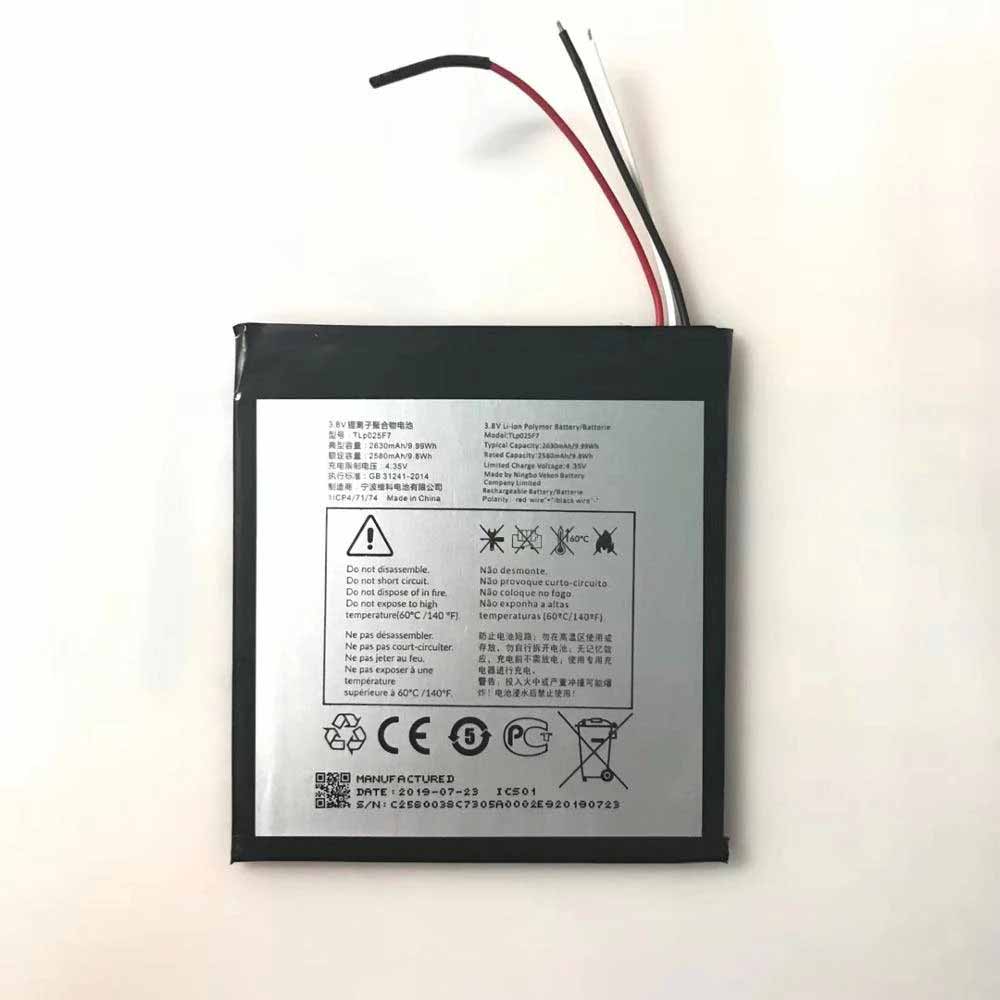
2630mAh/9.95WH 3.8V/4.35V Alcatel TLp025F7 Li-ion Battery for Alcatel 1T 7 OT-8068

2630mAh/9.95WH 3.8V/4.35V Alcatel TLp025F7 Batteries for Alcatel 1T 7 OT-8068, Alcatel TLp025F7 Tablets battery is a brand new,100% Compatible original and replacement Tablets battery,Purchase wholesale and retail TLp025F7 with high quality and low price!

Find ou your original model number or part number(P/N), and move your eyes on the tag of battery

TLp025F7

Specifications

  • Brand:Alcatel
  • Capacity :2630mAh/9.95WH
  • Voltage :3.8V/4.35V
  • Type :Li-ion
  • Battery Cell Quality: Grade A
  • Descriptive: Replacement Battery – 1 Year Warranty
  • Description: Brand New, 1 Year Warranty! 30-Days Money Back! Fast Shipping!

How we test this Alcatel TLp025F7 Battery
Step 1: Make sure customer bought the correct battery.
Step 2: Check battery’s appearance and interface.
Step 3: Test battery charger and recharger function.
Step 4: Charger the battery to 100% and recharger to 0% to get real battery capacity
Step 5: Use Ev2300 to check the voltage difference of each goroup cells.
Step 6: Charger battery power more than 30%.
Step 7: Package battery carefully and send out

Compatible Part Numbers:
TLp025F7

Compatible Model Numbers:
Alcatel 1T 7 OT-8068

How much do you know about how to run laptop well as any place? The follow Tips cut way back on protecting battery life.


1). Please recharge or change your Tablets battery when battery power low.
2). Using Li-Ion Replacement Alcatel TLp025F7 Tablets Battery for your notebook which can work longer time than Non Li-ion one.
3). It is better to defragmentation regularly for your Tablets battery life.
4). In order to reduce the laptop power consumpition, you can use some optical drive spin-down and hard drive in your Tablets .
5). Please keep your laptop in sleep or standby model without long time using, which both save the Replacement Alcatel TLp025F7 Tablets Battery power and extend battery using life.
6). Leave your battery in a dry and cool condition when without using.
7). When you rarely or generally plugged in fixed power using, Please take down your battery to avoid hurting battery life.

Hot Products

4220mAh/16.33WH VIVO B-O9 for VIVO X603000mAh/11.4wh LEAGOO BT-5705 for LEAGOO M9 Pro Mobile Cell phon4680mAh/73WH ASUS C41N1814 for Asus ZenBook 15 UX533FD UX533F4680mAh/73WH ASUS C41N1814 for Asus ZenBook 15 UX533FD UX533F5380mAh 20.713WH BLACKVIEW Li486690JLY for Blackview A703920mAh/15.2WH ASUS C11P1805 for ASUS zenfone max M2 ZB633KL ZB8800mAh TOSHIBA PA3728U for Satellite L515 L630 L635 L6404000mAh/30.4WH RTDPART 3882229C for 7Cable RTDPART 3882229C3400mAh /13.09Wh NOKIA LC-620 for Nokia 7.2 TA-1181 TA-11962900mAh/11.2WH LG BL-T31 for LG G PAD F2 8.0 LK460

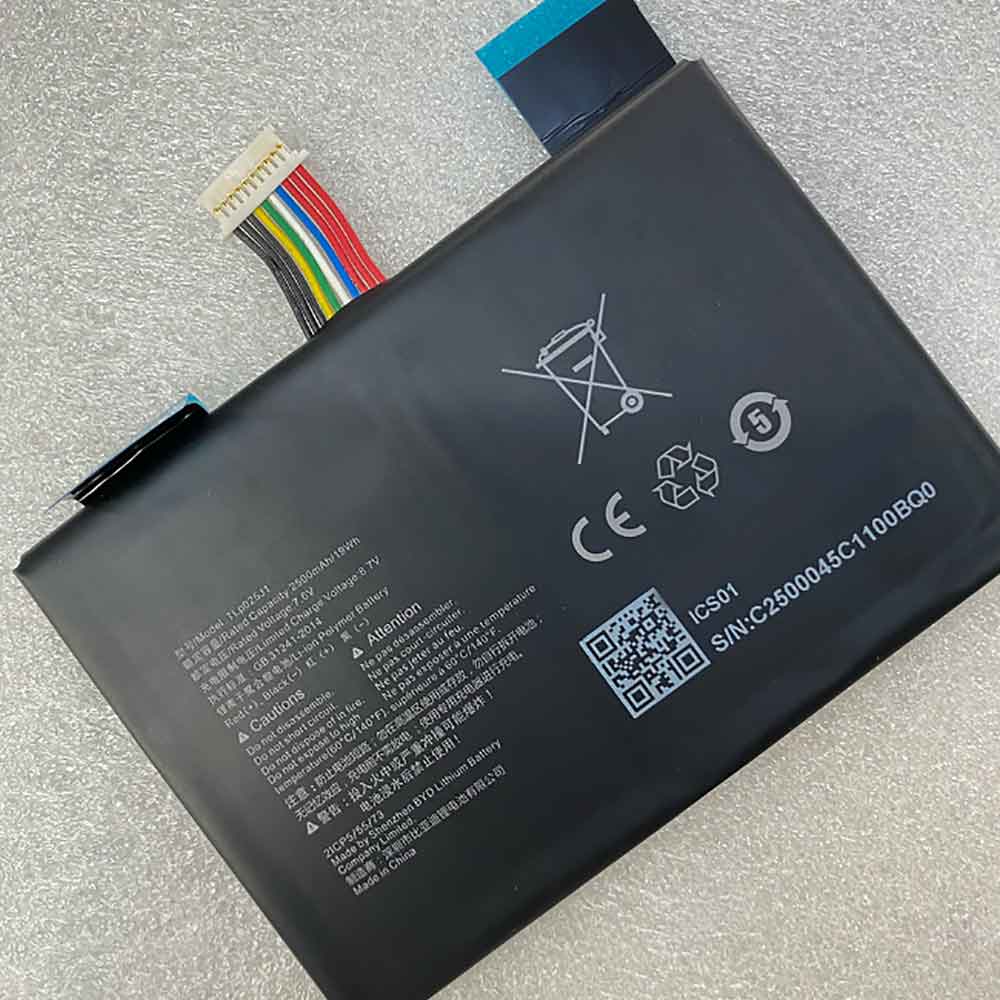
2500mAh 19WH 7.6V 8.7V Alcatel TLp025J1 Li-ion Battery for Alcatel TLp025J1

2500mAh 19WH 7.6V 8.7V Alcatel TLp025J1 Batteries for Alcatel TLp025J1, Alcatel TLp025J1 Tablets battery is a brand new,100% Compatible original and replacement Tablets battery,Purchase wholesale and retail TLp025J1 with high quality and low price!

Find ou your original model number or part number(P/N), and move your eyes on the tag of battery

TLp025J1

Specifications

  • Brand:Alcatel
  • Capacity :2500mAh 19WH
  • Voltage :7.6V 8.7V
  • Type :Li-ion
  • Battery Cell Quality: Grade A
  • Descriptive: Replacement Battery – 1 Year Warranty
  • Description: Brand New, 1 Year Warranty! 30-Days Money Back! Fast Shipping!

How we test this Alcatel TLp025J1 Battery
Step 1: Make sure customer bought the correct battery.
Step 2: Check battery’s appearance and interface.
Step 3: Test battery charger and recharger function.
Step 4: Charger the battery to 100% and recharger to 0% to get real battery capacity
Step 5: Use Ev2300 to check the voltage difference of each goroup cells.
Step 6: Charger battery power more than 30%.
Step 7: Package battery carefully and send out

Compatible Part Numbers:
TLp025J1

Compatible Model Numbers:
Alcatel TLp025J1

How much do you know about how to run laptop well as any place? The follow Tips cut way back on protecting battery life.


1). Please recharge or change your Tablets battery when battery power low.
2). Using Li-Ion Replacement Alcatel TLp025J1 Tablets Battery for your notebook which can work longer time than Non Li-ion one.
3). It is better to defragmentation regularly for your Tablets battery life.
4). In order to reduce the laptop power consumpition, you can use some optical drive spin-down and hard drive in your Tablets .
5). Please keep your laptop in sleep or standby model without long time using, which both save the Replacement Alcatel TLp025J1 Tablets Battery power and extend battery using life.
6). Leave your battery in a dry and cool condition when without using.
7). When you rarely or generally plugged in fixed power using, Please take down your battery to avoid hurting battery life.

Hot Products

4220mAh/16.33WH VIVO B-O9 for VIVO X603000mAh/11.4wh LEAGOO BT-5705 for LEAGOO M9 Pro Mobile Cell phon4680mAh/73WH ASUS C41N1814 for Asus ZenBook 15 UX533FD UX533F4680mAh/73WH ASUS C41N1814 for Asus ZenBook 15 UX533FD UX533F5380mAh 20.713WH BLACKVIEW Li486690JLY for Blackview A703920mAh/15.2WH ASUS C11P1805 for ASUS zenfone max M2 ZB633KL ZB8800mAh TOSHIBA PA3728U for Satellite L515 L630 L635 L6404000mAh/30.4WH RTDPART 3882229C for 7Cable RTDPART 3882229C3400mAh /13.09Wh NOKIA LC-620 for Nokia 7.2 TA-1181 TA-11962900mAh/11.2WH LG BL-T31 for LG G PAD F2 8.0 LK460

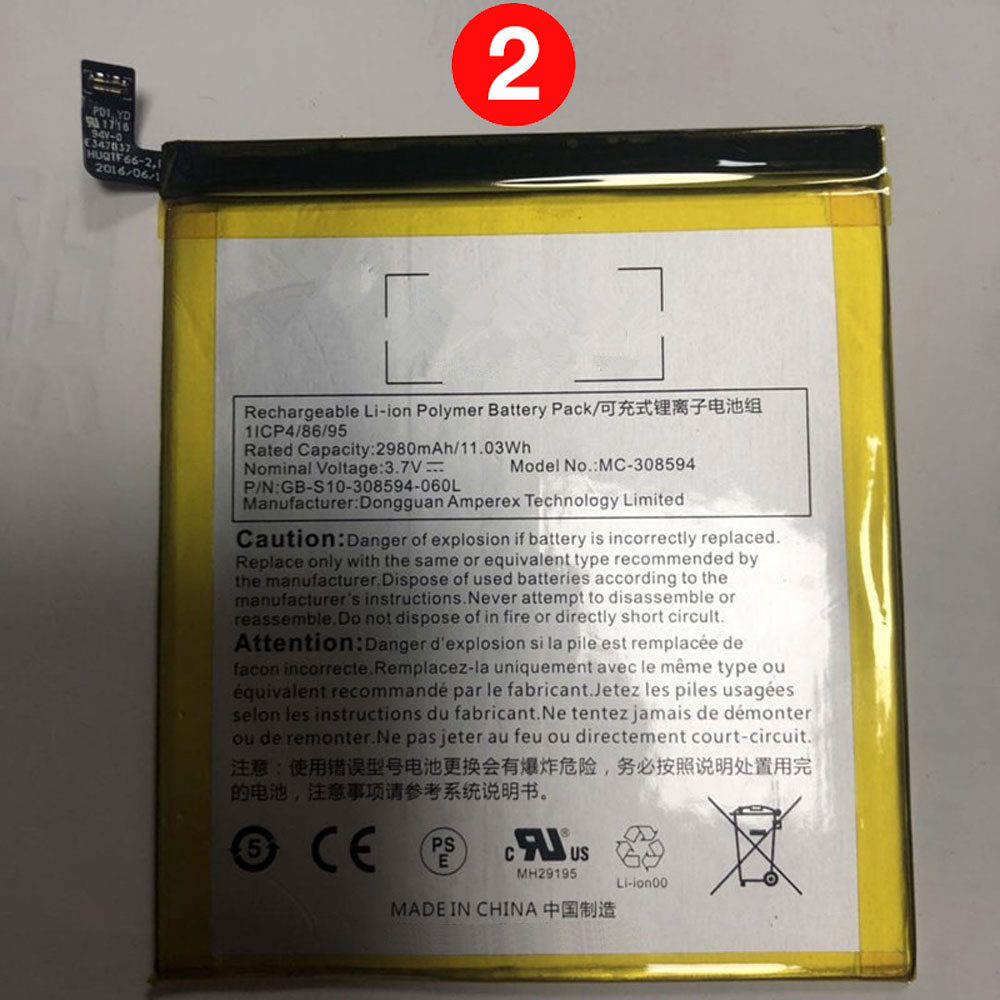
2980mAh 3.7V Amazon SR043KL Li-ion Battery for Amazon Fire 7 (7th Generation) SR043KL 2017 With Alexa

2980mAh 3.7V Amazon SR043KL Batteries for Amazon Fire 7 (7th Generation) SR043KL 2017 With Alexa, Amazon SR043KL Tablets battery is a brand new,100% Compatible original and replacement Tablets battery,Purchase wholesale and retail SR043KL with high quality and low price!

Find ou your original model number or part number(P/N), and move your eyes on the tag of battery

SR043KL

Specifications

  • Brand:Amazon
  • Capacity :2980mAh
  • Voltage :3.7V
  • Type :Li-ion
  • Battery Cell Quality: Grade A
  • Descriptive: Replacement Battery – 1 Year Warranty
  • Description: Brand New, 1 Year Warranty! 30-Days Money Back! Fast Shipping!

How we test this Amazon SR043KL Battery
Step 1: Make sure customer bought the correct battery.
Step 2: Check battery’s appearance and interface.
Step 3: Test battery charger and recharger function.
Step 4: Charger the battery to 100% and recharger to 0% to get real battery capacity
Step 5: Use Ev2300 to check the voltage difference of each goroup cells.
Step 6: Charger battery power more than 30%.
Step 7: Package battery carefully and send out

Compatible Part Numbers:
SR043KL

Compatible Model Numbers:
Amazon Kindle Fire 7″ 2017 7th Generation

How much do you know about how to run laptop well as any place? The follow Tips cut way back on protecting battery life.


1). Please recharge or change your Tablets battery when battery power low.
2). Using Li-Ion Replacement Amazon SR043KL Tablets Battery for your notebook which can work longer time than Non Li-ion one.
3). It is better to defragmentation regularly for your Tablets battery life.
4). In order to reduce the laptop power consumpition, you can use some optical drive spin-down and hard drive in your Tablets .
5). Please keep your laptop in sleep or standby model without long time using, which both save the Replacement Amazon SR043KL Tablets Battery power and extend battery using life.
6). Leave your battery in a dry and cool condition when without using.
7). When you rarely or generally plugged in fixed power using, Please take down your battery to avoid hurting battery life.

Hot Products

3000mAh/11.4wh LEAGOO BT-5705 for LEAGOO M9 Pro Mobile Cell phon4680mAh/73WH ASUS C41N1814 for Asus ZenBook 15 UX533FD UX533F4680mAh/73WH ASUS C41N1814 for Asus ZenBook 15 UX533FD UX533F5380mAh 20.713WH BLACKVIEW Li486690JLY for Blackview A703920mAh/15.2WH ASUS C11P1805 for ASUS zenfone max M2 ZB633KL ZB8800mAh TOSHIBA PA3728U for Satellite L515 L630 L635 L6404000mAh/30.4WH RTDPART 3882229C for 7Cable RTDPART 3882229C3400mAh /13.09Wh NOKIA LC-620 for Nokia 7.2 TA-1181 TA-11962900mAh/11.2WH LG BL-T31 for LG G PAD F2 8.0 LK4602900mAh/11.5WH ASUS C11P1511 for ASUS Zenfone3 Ze552kl Z012da Z

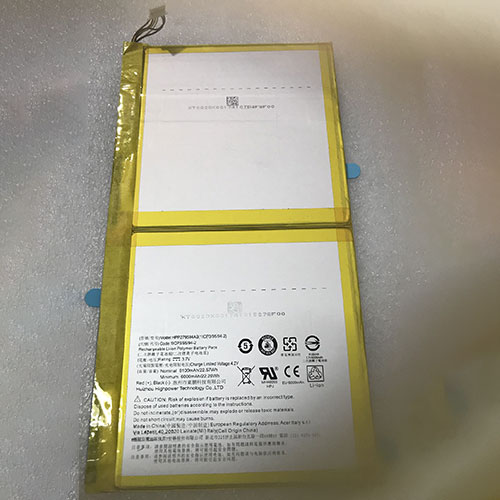
6100mAh 3.7V Acer HPP279594AB Li-ion Battery for Acer Iconia One B3-A40 A7002

6100mAh 3.7V Acer HPP279594AB Batteries for Acer Iconia One B3-A40 A7002, Acer HPP279594AB Tablets battery is a brand new,100% Compatible original and replacement Tablets battery,Purchase wholesale and retail HPP279594AB with high quality and low price!

Find ou your original model number or part number(P/N), and move your eyes on the tag of battery

HPP279594AB

Specifications

  • Brand:Acer
  • Capacity :6100mAh
  • Voltage :3.7V
  • Type :Li-ion
  • Battery Cell Quality: Grade A
  • Descriptive: Replacement Battery – 1 Year Warranty
  • Description: Brand New, 1 Year Warranty! 30-Days Money Back! Fast Shipping!

How we test this Acer HPP279594AB Battery
Step 1: Make sure customer bought the correct battery.
Step 2: Check battery’s appearance and interface.
Step 3: Test battery charger and recharger function.
Step 4: Charger the battery to 100% and recharger to 0% to get real battery capacity
Step 5: Use Ev2300 to check the voltage difference of each goroup cells.
Step 6: Charger battery power more than 30%.
Step 7: Package battery carefully and send out

Compatible Part Numbers:
HPP279594AB

Compatible Model Numbers:
Acer Iconia One B3-A40 A7002

Important Message: This battery has 6 cables, not 5 cables. Please make sure before you place order, thank you.

How much do you know about how to run laptop well as any place? The follow Tips cut way back on protecting battery life.


1). Please recharge or change your Tablets battery when battery power low.
2). Using Li-Ion Replacement Acer HPP279594AB Tablets Battery for your notebook which can work longer time than Non Li-ion one.
3). It is better to defragmentation regularly for your Tablets battery life.
4). In order to reduce the laptop power consumpition, you can use some optical drive spin-down and hard drive in your Tablets .
5). Please keep your laptop in sleep or standby model without long time using, which both save the Replacement Acer HPP279594AB Tablets Battery power and extend battery using life.
6). Leave your battery in a dry and cool condition when without using.
7). When you rarely or generally plugged in fixed power using, Please take down your battery to avoid hurting battery life.

Hot Products

3000mAh/11.4wh LEAGOO BT-5705 for LEAGOO M9 Pro Mobile Cell phon4680mAh/73WH ASUS C41N1814 for Asus ZenBook 15 UX533FD UX533F4680mAh/73WH ASUS C41N1814 for Asus ZenBook 15 UX533FD UX533F5380mAh 20.713WH BLACKVIEW Li486690JLY for Blackview A703920mAh/15.2WH ASUS C11P1805 for ASUS zenfone max M2 ZB633KL ZB8800mAh TOSHIBA PA3728U for Satellite L515 L630 L635 L6404000mAh/30.4WH RTDPART 3882229C for 7Cable RTDPART 3882229C3400mAh /13.09Wh NOKIA LC-620 for Nokia 7.2 TA-1181 TA-11962900mAh/11.2WH LG BL-T31 for LG G PAD F2 8.0 LK4602900mAh/11.5WH ASUS C11P1511 for ASUS Zenfone3 Ze552kl Z012da Z

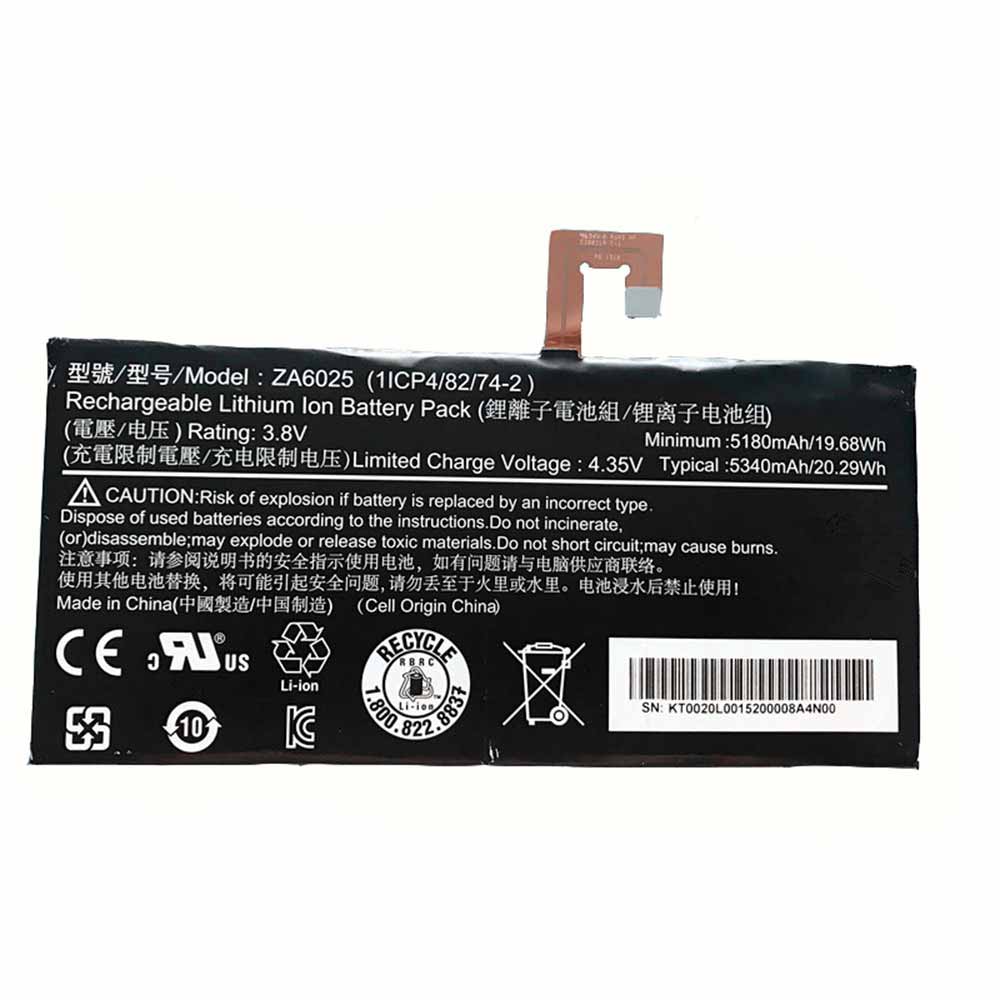
5180mAh 19.68Wh 3.8V/4.35V Acer ZA6025 Li-ion Battery for Acer Iconia One 10 B3-A10 B3-A10-K154/K3BF

5180mAh 19.68Wh 3.8V/4.35V Acer ZA6025 Batteries for Acer Iconia One 10 B3-A10 B3-A10-K154/K3BF, Acer ZA6025 Tablets battery is a brand new,100% Compatible original and replacement Tablets battery,Purchase wholesale and retail ZA6025 with high quality and low price!

Find ou your original model number or part number(P/N), and move your eyes on the tag of battery

ZA6025

Specifications

  • Brand:Acer
  • Capacity :5180mAh 19.68Wh
  • Voltage :3.8V/4.35V
  • Type :Li-ion
  • Battery Cell Quality: Grade A
  • Descriptive: Replacement Battery – 1 Year Warranty
  • Description: Brand New, 1 Year Warranty! 30-Days Money Back! Fast Shipping!

How we test this Acer ZA6025 Battery
Step 1: Make sure customer bought the correct battery.
Step 2: Check battery’s appearance and interface.
Step 3: Test battery charger and recharger function.
Step 4: Charger the battery to 100% and recharger to 0% to get real battery capacity
Step 5: Use Ev2300 to check the voltage difference of each goroup cells.
Step 6: Charger battery power more than 30%.
Step 7: Package battery carefully and send out

Compatible Part Numbers:
ZA6025

Compatible Model Numbers:
Acer Iconia One 10 B3-A10 B3-A10-K154/K3BF

How much do you know about how to run laptop well as any place? The follow Tips cut way back on protecting battery life.


1). Please recharge or change your Tablets battery when battery power low.
2). Using Li-Ion Replacement Acer ZA6025 Tablets Battery for your notebook which can work longer time than Non Li-ion one.
3). It is better to defragmentation regularly for your Tablets battery life.
4). In order to reduce the laptop power consumpition, you can use some optical drive spin-down and hard drive in your Tablets .
5). Please keep your laptop in sleep or standby model without long time using, which both save the Replacement Acer ZA6025 Tablets Battery power and extend battery using life.
6). Leave your battery in a dry and cool condition when without using.
7). When you rarely or generally plugged in fixed power using, Please take down your battery to avoid hurting battery life.

Hot Products

3000mAh/11.4wh LEAGOO BT-5705 for LEAGOO M9 Pro Mobile Cell phon4680mAh/73WH ASUS C41N1814 for Asus ZenBook 15 UX533FD UX533F4680mAh/73WH ASUS C41N1814 for Asus ZenBook 15 UX533FD UX533F5380mAh 20.713WH BLACKVIEW Li486690JLY for Blackview A703920mAh/15.2WH ASUS C11P1805 for ASUS zenfone max M2 ZB633KL ZB8800mAh TOSHIBA PA3728U for Satellite L515 L630 L635 L6404000mAh/30.4WH RTDPART 3882229C for 7Cable RTDPART 3882229C3400mAh /13.09Wh NOKIA LC-620 for Nokia 7.2 TA-1181 TA-11962900mAh/11.2WH LG BL-T31 for LG G PAD F2 8.0 LK4602900mAh/11.5WH ASUS C11P1511 for ASUS Zenfone3 Ze552kl Z012da Z

Is an overcharged battery fixable and how

 Since we all use appliances and items that run on or use batteries, most of us have probably encountered an overcharged battery. In general, these batteries can be cumbersome and sometimes may not even realize their batteries are overcharged. This dilemma has led to a lot of questions about the safety and use of overcharged batteries.

Can an overcharged battery explode?

It depends on the type of battery

There are many types of batteries, and not all of them will explode. Some batteries, such as lead and sulfuric acid, can explode because they start to spark when overcharged; if both oxygen and hydrogen are present during the spark, it can cause a catastrophic reaction, possibly emitting shrapnel and acid mist nearby.

While it is well known that the type of battery is the main determining factor, we should keep in mind that the environment also plays a role. E.g:

Heat makes the battery more likely to explode.

Depending on the user’s usage, the battery may or may not explode.

Smartphone Batteries No Longer Exploding

It’s important to remember that smartphone batteries are unlikely to explode these days unless your model is fairly old. That’s because today’s batteries are “smart batteries,” meaning they’re designed in a way that greatly reduces the power input they receive, and when the phone’s battery reaches 100 percent, they have a minimal charge capacity. This was done because previous lithium-ion batteries would overcharge and explode, damaging not only the phone but the owner as well. This battery system has since been developed.

Do overcharged batteries work?

You need to know if an overcharged battery works. Unfortunately, the answer to this question is rather ambiguous and needs to be explored a bit:

Inconsistencies can occur with overcharged batteries

It might work if your battery is overcharged, but there will be inconsistencies. By inconsistency I mean:

From time to time you will hear sparks from the battery which may also affect the performance of the objects you are using. If you’re using a device with a screen, you might notice it fluctuates a bit. From time to time, your device may also shut down because it can’t handle too much charging.

You need to understand that an overcharged battery doesn’t mean better performance. Wiring has capacity, and if it receives more than it can handle, it will only damage, not improve.

There is a threat of burning equipment components

If you’re using an overcharged battery, your device may work but end up causing damage to your object’s components, especially due to burns. This means that using an overcharged battery is not sustainable.

In some cases availability may not exist

Some devices may not be designed in such a way to accept overcharged batteries. Also, some batteries may have a malfunction feature that stops use when overcharged. All of this is ultimately to protect wiring and components.

How to fix an overcharged battery?

Consider discharging and charging again

One of the main solutions to “fix” overcharged batteries is to discharge them first and charge them again, but this time to a normal amount. This is a good strategy because overcharging can be devastating, and if you discharge it and bring it back to normal, it will make your battery fully usable again without technical issues.

There are many ways to discharge a battery, so some precautions must be taken:

Most batteries can be discharged in various ways, not all of which are safe or ideal for them.

Damage may be irreversible

While a discharged battery can be reused, it should be noted that during overcharging, there is also some potential damage to the battery itself, making the battery unfit for use. In this case, you may not be able to reuse the battery unless you replace its components. However, just buying a new battery is better than simply replacing components.

>>>>>>>>>>>>>>Battery

Thanks for reading, hope it helps!

Friendly reminder: If you need to replace the battery, this battery store will be a good choice: www.batteryforpc.co.uk