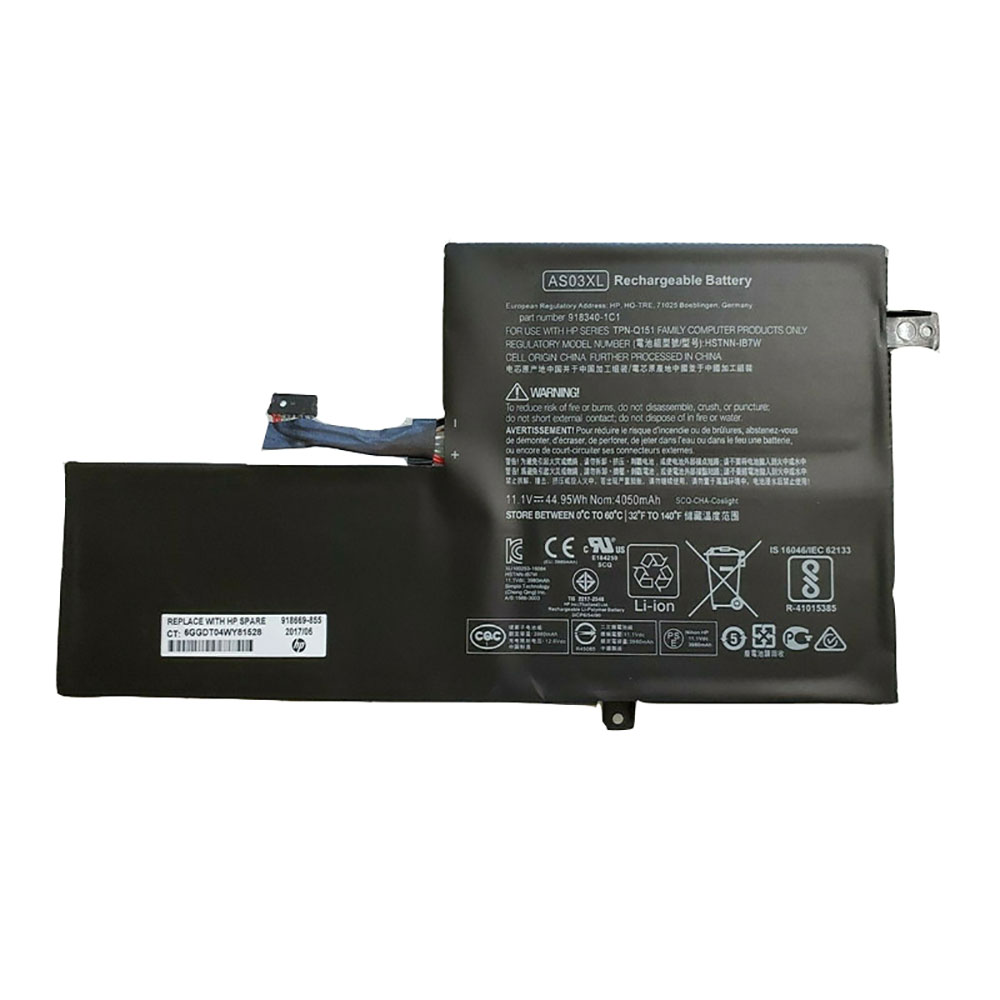
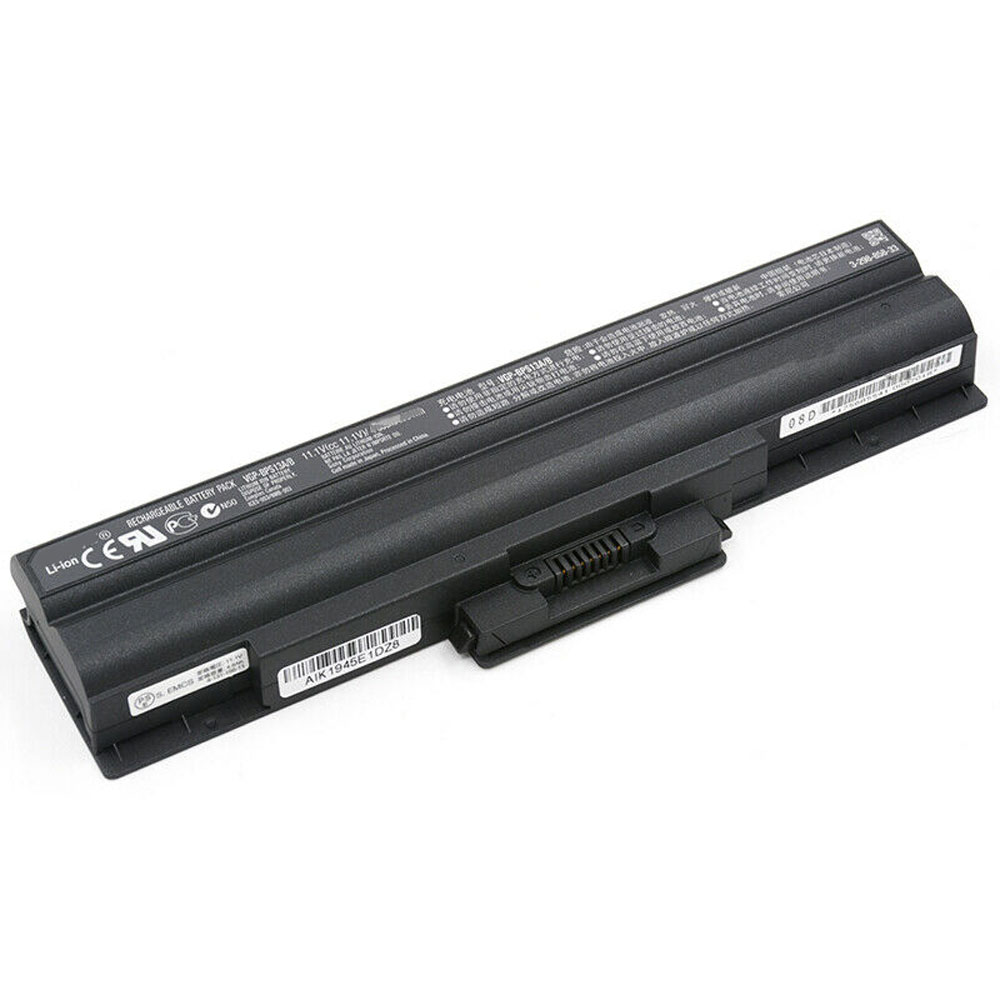
44.95Wh 11.1V Hp AS03XL Batteries for HP CHROMEBOOK 11 G5 EE TPN-Q151, Hp AS03XL Laptop battery is a brand new,100% Compatible original and replacement Laptop battery,Purchase wholesale and retail AS03XL with high quality and low price!
Descriptive: Replacement Battery – 1 Year Warranty
Description: Brand New, 1 Year Warranty! 30-Days Money Back! Fast Shipping!
How we test this Hp AS03XL Battery Li-ion 11.1V 44.95Wh
Step 1: Make sure customer bought the correct battery. Step 2: Check battery’s appearance and interface. Step 3: Test battery charger and recharger function. Step 4: Charger the battery to 100% and recharger to 0% to get real battery capacity Step 5: Use Ev2300 to check the voltage difference of each goroup cells. Step 6: Charger battery power more than 30%. Step 7: Package battery carefully and send out
How much do you know about how to run laptop well as any place? The follow Tips cut way back on protecting battery life.
1). Please recharge or change your Laptop battery when battery power low. 2). Using Li-Ion Replacement Hp AS03XL Laptop Battery for your notebook which can work longer time than Non Li-ion one. 3). It is better to defragmentation regularly for your Laptop battery life. 4). In order to reduce the laptop power consumpition, you can use some optical drive spin-down and hard drive in your Laptop . 5). Please keep your laptop in sleep or standby model without long time using, which both save the Replacement Hp AS03XL Laptop Battery power and extend battery using life. 6). Leave your battery in a dry and cool condition when without using. 7). When you rarely or generally plugged in fixed power using, Please take down your battery to avoid hurting battery life.
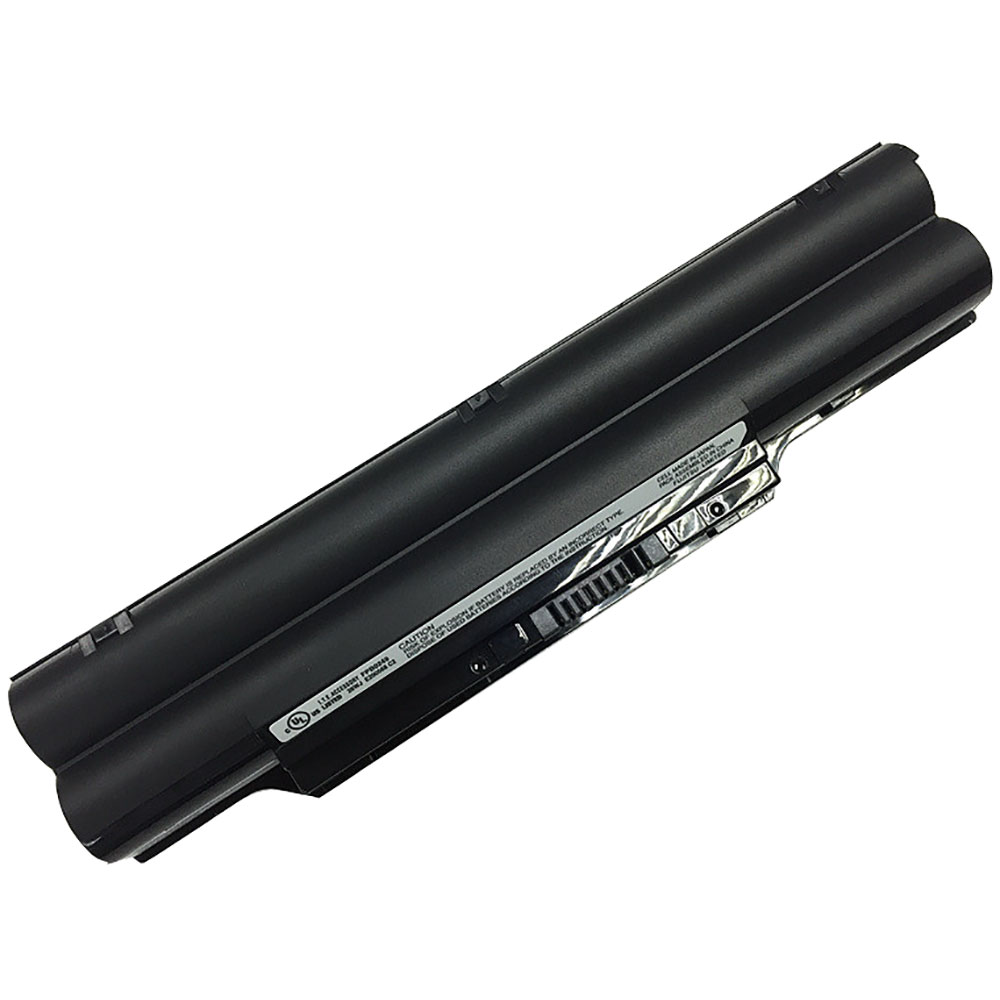
6700mAh/72Wh 10.8V Fujitsu FPCBP325 Batteries for FUJITSU LIFEBOOK SH792 SH772, Fujitsu FPCBP325 Laptop battery is a brand new,100% Compatible original and replacement Laptop battery,Purchase wholesale and retail FPCBP325 with high quality and low price!
Descriptive: Replacement Battery – 1 Year Warranty
Description: Brand New, 1 Year Warranty! 30-Days Money Back! Fast Shipping!
How we test this Fujitsu FPCBP325 Battery Li-ion 10.8V 6700mAh/72Wh
Step 1: Make sure customer bought the correct battery. Step 2: Check battery’s appearance and interface. Step 3: Test battery charger and recharger function. Step 4: Charger the battery to 100% and recharger to 0% to get real battery capacity Step 5: Use Ev2300 to check the voltage difference of each goroup cells. Step 6: Charger battery power more than 30%. Step 7: Package battery carefully and send out
How much do you know about how to run laptop well as any place? The follow Tips cut way back on protecting battery life.
1). Please recharge or change your Laptop battery when battery power low. 2). Using Li-Ion Replacement Fujitsu FPCBP325 Laptop Battery for your notebook which can work longer time than Non Li-ion one. 3). It is better to defragmentation regularly for your Laptop battery life. 4). In order to reduce the laptop power consumpition, you can use some optical drive spin-down and hard drive in your Laptop . 5). Please keep your laptop in sleep or standby model without long time using, which both save the Replacement Fujitsu FPCBP325 Laptop Battery power and extend battery using life. 6). Leave your battery in a dry and cool condition when without using. 7). When you rarely or generally plugged in fixed power using, Please take down your battery to avoid hurting battery life.
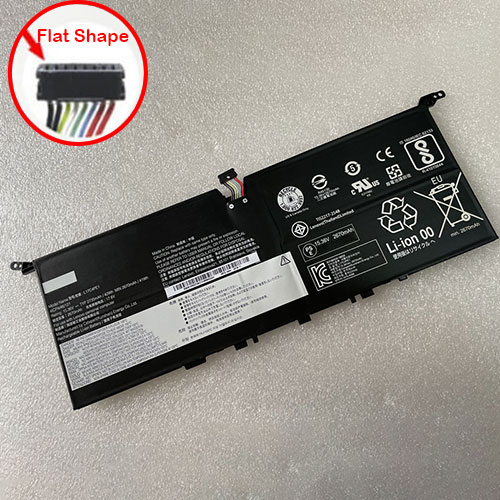
2735mAh/42Wh 15.36V Lenovo L17C4PE1 Batteries for Lenovo IdeaPad 730S YOGA S730-13IWL, Lenovo L17C4PE1 Laptop battery is a brand new,100% Compatible original and replacement Laptop battery,Purchase wholesale and retail L17C4PE1 with high quality and low price!
Descriptive: Replacement Battery – 1 Year Warranty
Description: Brand New, 1 Year Warranty! 30-Days Money Back! Fast Shipping!
How we test this Lenovo L17C4PE1 Battery Li-ion 15.36V 2735mAh/42Wh
Step 1: Make sure customer bought the correct battery. Step 2: Check battery’s appearance and interface. Step 3: Test battery charger and recharger function. Step 4: Charger the battery to 100% and recharger to 0% to get real battery capacity Step 5: Use Ev2300 to check the voltage difference of each goroup cells. Step 6: Charger battery power more than 30%. Step 7: Package battery carefully and send out
How much do you know about how to run laptop well as any place? The follow Tips cut way back on protecting battery life.
1). Please recharge or change your Laptop battery when battery power low. 2). Using Li-Ion Replacement Lenovo L17C4PE1 Laptop Battery for your notebook which can work longer time than Non Li-ion one. 3). It is better to defragmentation regularly for your Laptop battery life. 4). In order to reduce the laptop power consumpition, you can use some optical drive spin-down and hard drive in your Laptop . 5). Please keep your laptop in sleep or standby model without long time using, which both save the Replacement Lenovo L17C4PE1 Laptop Battery power and extend battery using life. 6). Leave your battery in a dry and cool condition when without using. 7). When you rarely or generally plugged in fixed power using, Please take down your battery to avoid hurting battery life.
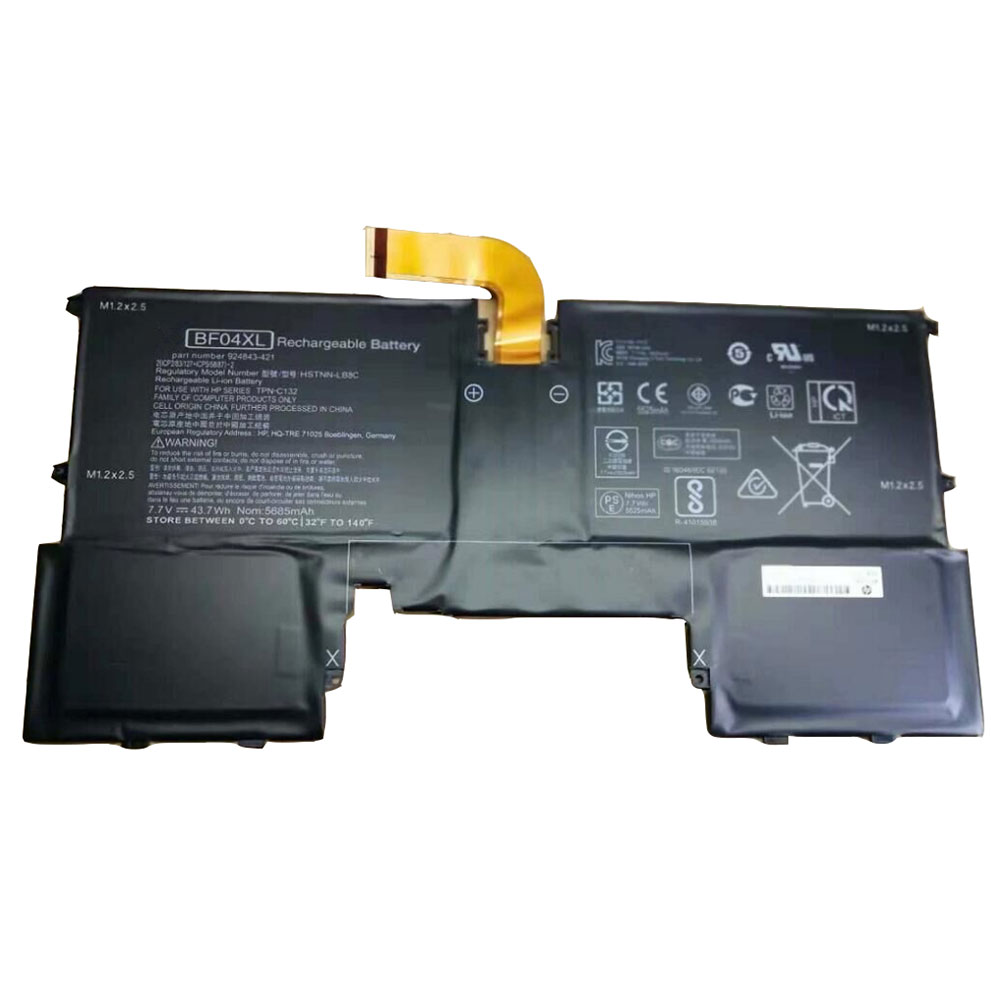
43.7Wh/5685mAh 7.7V Hp BF04XL Batteries for HP 924843-421 HSTNN-LB8C Spectre Y8J13PA Series, Hp BF04XL Laptop battery is a brand new,100% Compatible original and replacement Laptop battery,Purchase wholesale and retail BF04XL with high quality and low price!
Descriptive: Replacement Battery – 1 Year Warranty
Description: Brand New, 1 Year Warranty! 30-Days Money Back! Fast Shipping!
How we test this Hp BF04XL Battery Li-ion 7.7V 43.7Wh/5685mAh
Step 1: Make sure customer bought the correct battery. Step 2: Check battery’s appearance and interface. Step 3: Test battery charger and recharger function. Step 4: Charger the battery to 100% and recharger to 0% to get real battery capacity Step 5: Use Ev2300 to check the voltage difference of each goroup cells. Step 6: Charger battery power more than 30%. Step 7: Package battery carefully and send out
How much do you know about how to run laptop well as any place? The follow Tips cut way back on protecting battery life.
1). Please recharge or change your Laptop battery when battery power low. 2). Using Li-Ion Replacement Hp BF04XL Laptop Battery for your notebook which can work longer time than Non Li-ion one. 3). It is better to defragmentation regularly for your Laptop battery life. 4). In order to reduce the laptop power consumpition, you can use some optical drive spin-down and hard drive in your Laptop . 5). Please keep your laptop in sleep or standby model without long time using, which both save the Replacement Hp BF04XL Laptop Battery power and extend battery using life. 6). Leave your battery in a dry and cool condition when without using. 7). When you rarely or generally plugged in fixed power using, Please take down your battery to avoid hurting battery life.
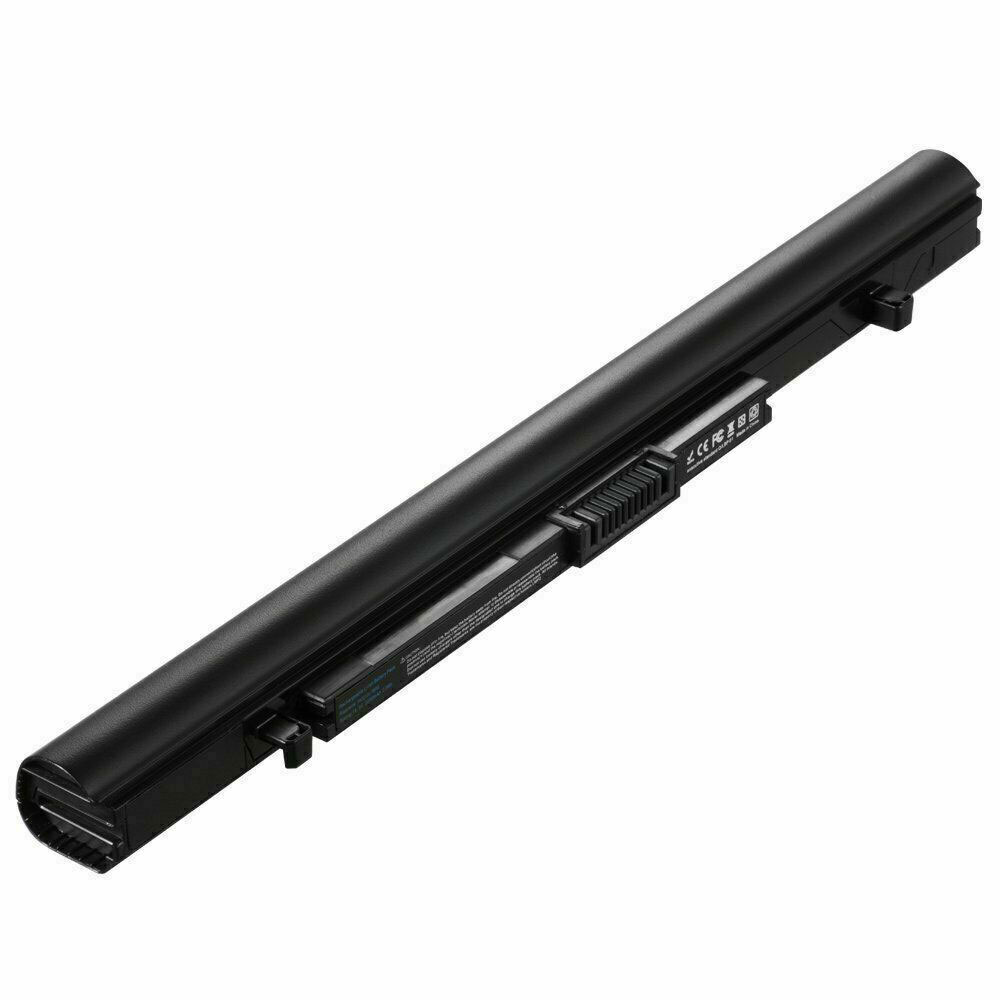
2800mAh 14.8V Toshiba PA5247U-1BR Batteries for Toshiba Tecra A50-E,R50,A30,A40-C,Z50-C, Toshiba PA5247U-1BR Laptop battery is a brand new,100% Compatible original and replacement Laptop battery,Purchase wholesale and retail PA5247U-1BR with high quality and low price!
Descriptive: Replacement Battery – 1 Year Warranty
Description: Brand New, 1 Year Warranty! 30-Days Money Back! Fast Shipping!
How we test this Toshiba PA5247U-1BR Battery Li-ion 14.8V 2800mAh
Step 1: Make sure customer bought the correct battery. Step 2: Check battery’s appearance and interface. Step 3: Test battery charger and recharger function. Step 4: Charger the battery to 100% and recharger to 0% to get real battery capacity Step 5: Use Ev2300 to check the voltage difference of each goroup cells. Step 6: Charger battery power more than 30%. Step 7: Package battery carefully and send out
Portege A30-C,Portege A30-C-10H,Portege A30-C-113,Portege A30-C-13D,Portege A30-C-13E,Portege A30-C-13H,Portege A30-C-13N,Portege A30-C-13R,Portege A30-C-13T,Portege A30-C-13U,Portege A30-C-13Z,Portege A30-C-148,Portege A30-C-149,Portege A30-C-14C,Portege A30-C-14D,Portege A30-C-14J,Portege A30-C-14P,Portege A30-C-14R,Portege A30-C-14U,Portege A30-C-14V,Portege A30-C-14X,Portege A30-C-155,Portege A30-C-158,Portege A30-C-159,Portege A30-C-15K,Portege A30-D,Portege A30-D-10C,Portege A30-D-10E,Portege A30-D-10L,Portege A30-D-10N,Portege A30-D-10R,Portege A30-D-114,Portege A30-D-11J,Portege A30-D-139,Portege A30T-C,Portege A30T-C-11T,Portege A30T-C-11U,Satellite Pro A30T-C-111,Satellite Pro A40-C, Satellite Pro A40-C-152,Satellite Pro A40-C-154,Satellite Pro A40-C-15F,Satellite Pro A40-C-183,Satellite Pro A40-C-18T,Satellite Pro A40-C-1D8,Satellite Pro A40-C-1D9,Satellite Pro A40-C-1DW,Satellite Pro A50-C, Satellite Pro A50-C-17X,Satellite Pro A50-C-181,Satellite Pro A50-C-18P, Satellite Pro A50-C-24C,Satellite Pro A50-C-256,Satellite Pro A50-D,Satellite Pro A50-D-10H,Satellite Pro A50-D-10J,Satellite Pro A50-D-10V,Satellite Pro A50-D-10X,Satellite Pro A50-D-10Z, Satellite Pro R40-C,Satellite Pro R40-C-103,Satellite Pro R40-C-105,Satellite Pro R40-C-106,Satellite Pro R40-C-10R,Satellite Pro R40-C-10U,Satellite Pro R40-C-10W,Satellite Pro R40-C-10X,Satellite Pro R40-C-10Z,Satellite Pro R40-C-110,Satellite Pro R40-C-111,Satellite Pro R40-C-112,Satellite Pro R40-C-114,Satellite Pro R40-C-11C,Satellite Pro R40-C-11L,Satellite Pro R40-C-130,Satellite Pro R40-C-131,Satellite Pro R40-C-132,Satellite Pro R40-C-13V,Satellite Pro R50,Satellite Pro R50-B-01R,Satellite Pro R50-B-01T, Satellite Pro R50-B-167,Satellite Pro R50-B-169,Satellite Pro R50-B-16V,Satellite Pro R50-B-170,Satellite Pro R50-B-186,Satellite Pro R50-C,Satellite Pro R50-C-008,Satellite Pro R50-C-00C, Satellite Pro R50-C-1DE,Tecra A40-C,Tecra A40-C-13Z,Tecra A40-C-140,Tecra A40-C-141,Tecra A40-C-142,Tecra A40-C-147,Tecra A40-C-14L,Tecra A40-C-14U,Tecra A40-C-14V,Tecra A40-C-151,Tecra A40-C-155,Tecra A40-C-15M,Tecra A40-C-15X,Tecra A40-C-169,Tecra A40-C-17C,Tecra A40-C-17D,Tecra A40-C-17E,Tecra A40-C-17J,Tecra A40-C-187,Tecra A40-C-188,Tecra A40-C-18D,Tecra A40-C-18E,Tecra A40-C-18Q,Tecra A40-C-18R,Tecra A40-C-190,Tecra A40-C-19C,Tecra A40-C-19D,Tecra A40-C-19E,Tecra A40-C-19F,Tecra A40-C-19W,Tecra A40-C-1C0,Tecra A40-C-1C2,Tecra A40-C-1FX,Tecra A50-C,Tecra A50-C-16E, Tecra A50-C-2D2,Tecra A50-C-2F5,Tecra A50-C-2GG,Tecra A50-C-2R9,Tecra A50-D,Tecra A50-D-10M,Tecra A50-D-10X,Tecra A50-D-11M,Tecra A50-D-13U,Tecra C50-B,Tecra C50-B-118,Tecra C50-B-122,Tecra C50-B-12L,Tecra C50-B-14D,Tecra C50-B-14Z,Tecra C50-B-159,Tecra C50-B-16L,Tecra C50-B-19W,Tecra C50-B0736,Tecra Z50-C,Tecra Z50-C-10M,Tecra Z50-C-10P,Tecra Z50-C1550
How much do you know about how to run laptop well as any place? The follow Tips cut way back on protecting battery life.
1). Please recharge or change your Laptop battery when battery power low. 2). Using Li-Ion Replacement Toshiba PA5247U-1BR Laptop Battery for your notebook which can work longer time than Non Li-ion one. 3). It is better to defragmentation regularly for your Laptop battery life. 4). In order to reduce the laptop power consumpition, you can use some optical drive spin-down and hard drive in your Laptop . 5). Please keep your laptop in sleep or standby model without long time using, which both save the Replacement Toshiba PA5247U-1BR Laptop Battery power and extend battery using life. 6). Leave your battery in a dry and cool condition when without using. 7). When you rarely or generally plugged in fixed power using, Please take down your battery to avoid hurting battery life.
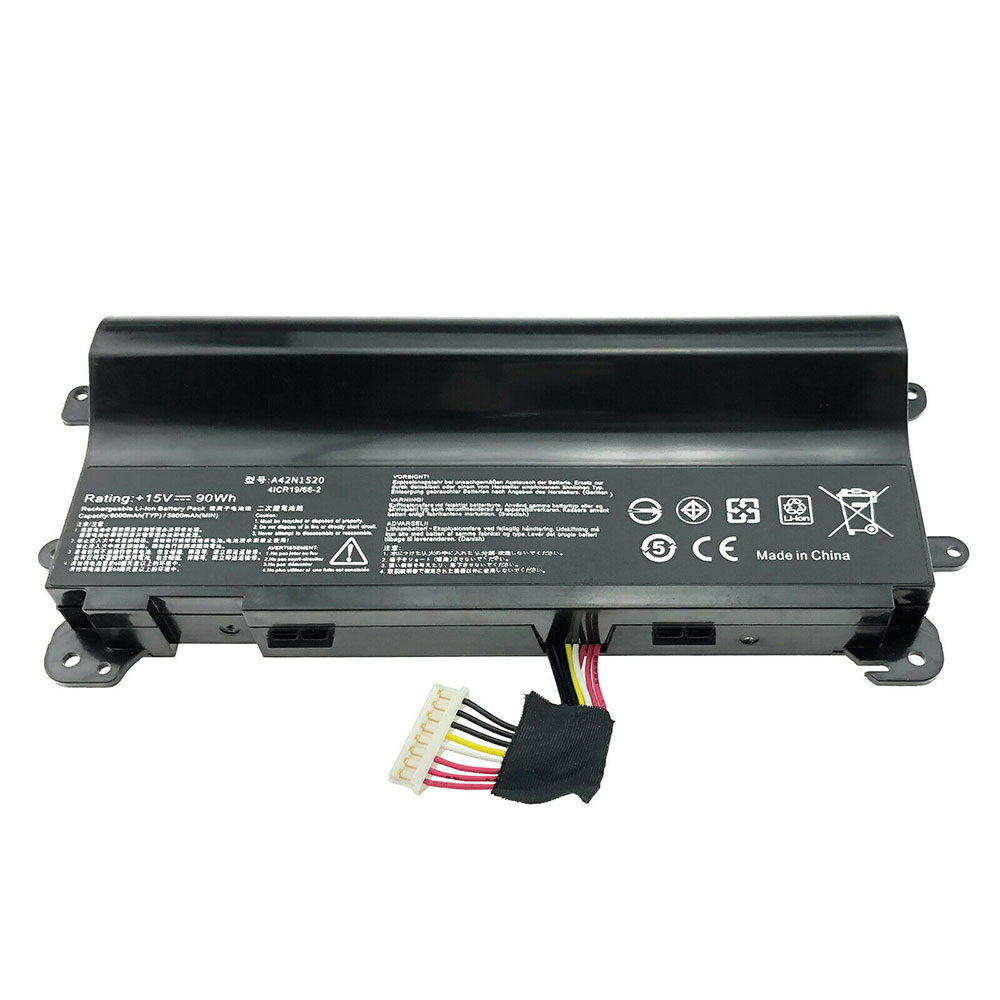
90WH 15V Asus A42N1520 Batteries for ASUS ROG GFX72 GFX72VY G752VY Series, Asus A42N1520 Laptop battery is a brand new,100% Compatible original and replacement Laptop battery,Purchase wholesale and retail A42N1520 with high quality and low price!
Descriptive: Replacement Battery – 1 Year Warranty
Description: Brand New, 1 Year Warranty! 30-Days Money Back! Fast Shipping!
How we test this Asus A42N1520 Battery Li-ion 15V 90WH
Step 1: Make sure customer bought the correct battery. Step 2: Check battery’s appearance and interface. Step 3: Test battery charger and recharger function. Step 4: Charger the battery to 100% and recharger to 0% to get real battery capacity Step 5: Use Ev2300 to check the voltage difference of each goroup cells. Step 6: Charger battery power more than 30%. Step 7: Package battery carefully and send out
How much do you know about how to run laptop well as any place? The follow Tips cut way back on protecting battery life.
1). Please recharge or change your Laptop battery when battery power low. 2). Using Li-Ion Replacement Asus A42N1520 Laptop Battery for your notebook which can work longer time than Non Li-ion one. 3). It is better to defragmentation regularly for your Laptop battery life. 4). In order to reduce the laptop power consumpition, you can use some optical drive spin-down and hard drive in your Laptop . 5). Please keep your laptop in sleep or standby model without long time using, which both save the Replacement Asus A42N1520 Laptop Battery power and extend battery using life. 6). Leave your battery in a dry and cool condition when without using. 7). When you rarely or generally plugged in fixed power using, Please take down your battery to avoid hurting battery life.
4900mAh/38WH 7.5V Asus C21N1335 Batteries for ASUS VivoBook S451 S451LA S451LB S451LN, Asus C21N1335 Laptop battery is a brand new,100% Compatible original and replacement Laptop battery,Purchase wholesale and retail C21N1335 with high quality and low price!
Descriptive: Replacement Battery – 1 Year Warranty
Description: Brand New, 1 Year Warranty! 30-Days Money Back! Fast Shipping!
How we test this Asus C21N1335 Battery Li-ion 7.5V 4900mAh/38WH
Step 1: Make sure customer bought the correct battery. Step 2: Check battery’s appearance and interface. Step 3: Test battery charger and recharger function. Step 4: Charger the battery to 100% and recharger to 0% to get real battery capacity Step 5: Use Ev2300 to check the voltage difference of each goroup cells. Step 6: Charger battery power more than 30%. Step 7: Package battery carefully and send out
How much do you know about how to run laptop well as any place? The follow Tips cut way back on protecting battery life.
1). Please recharge or change your Laptop battery when battery power low. 2). Using Li-Ion Replacement Asus C21N1335 Laptop Battery for your notebook which can work longer time than Non Li-ion one. 3). It is better to defragmentation regularly for your Laptop battery life. 4). In order to reduce the laptop power consumpition, you can use some optical drive spin-down and hard drive in your Laptop . 5). Please keep your laptop in sleep or standby model without long time using, which both save the Replacement Asus C21N1335 Laptop Batterypower and extend battery using life. 6). Leave your battery in a dry and cool condition when without using. 7). When you rarely or generally plugged in fixed power using, Please take down your battery to avoid hurting battery life.
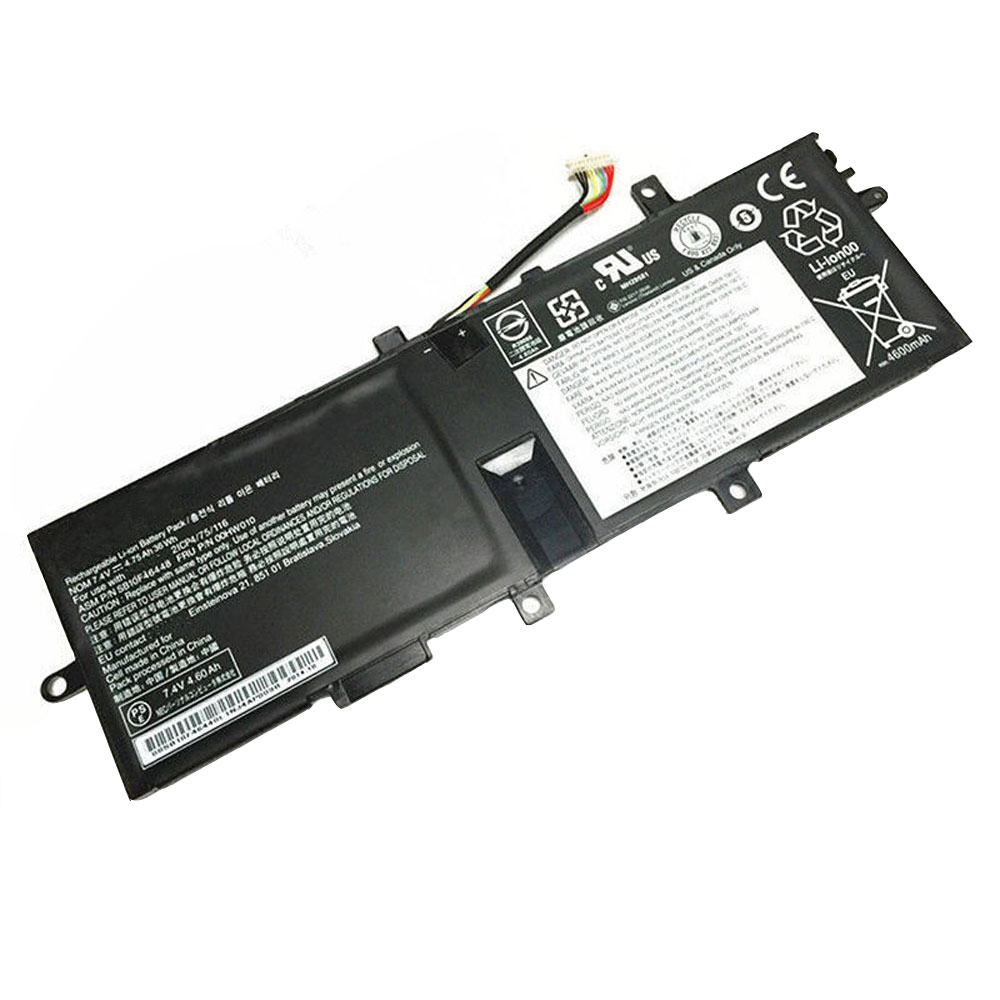
4750mAh/36WH 7.4V Lenovo 00HW010 Batteries for Lenovo Thinkpad Helix 2 series, Lenovo 00HW010 Laptop battery is a brand new,100% Compatible original and replacement Laptop battery,Purchase wholesale and retail 00HW010 with high quality and low price!
Descriptive: Replacement Battery – 1 Year Warranty
Description: Brand New, 1 Year Warranty! 30-Days Money Back! Fast Shipping!
How we test this Lenovo 00HW010 Battery Li-ion 7.4V 4750mAh/36WH
Step 1: Make sure customer bought the correct battery. Step 2: Check battery’s appearance and interface. Step 3: Test battery charger and recharger function. Step 4: Charger the battery to 100% and recharger to 0% to get real battery capacity Step 5: Use Ev2300 to check the voltage difference of each goroup cells. Step 6: Charger battery power more than 30%. Step 7: Package battery carefully and send out
How much do you know about how to run laptop well as any place? The follow Tips cut way back on protecting battery life.
1). Please recharge or change your Laptop battery when battery power low. 2). Using Li-Ion Replacement Lenovo 00HW010 Laptop Battery for your notebook which can work longer time than Non Li-ion one. 3). It is better to defragmentation regularly for your Laptop battery life. 4). In order to reduce the laptop power consumpition, you can use some optical drive spin-down and hard drive in your Laptop . 5). Please keep your laptop in sleep or standby model without long time using, which both save the Replacement Lenovo 00HW010 Laptop Battery power and extend battery using life. 6). Leave your battery in a dry and cool condition when without using. 7). When you rarely or generally plugged in fixed power using, Please take down your battery to avoid hurting battery life.
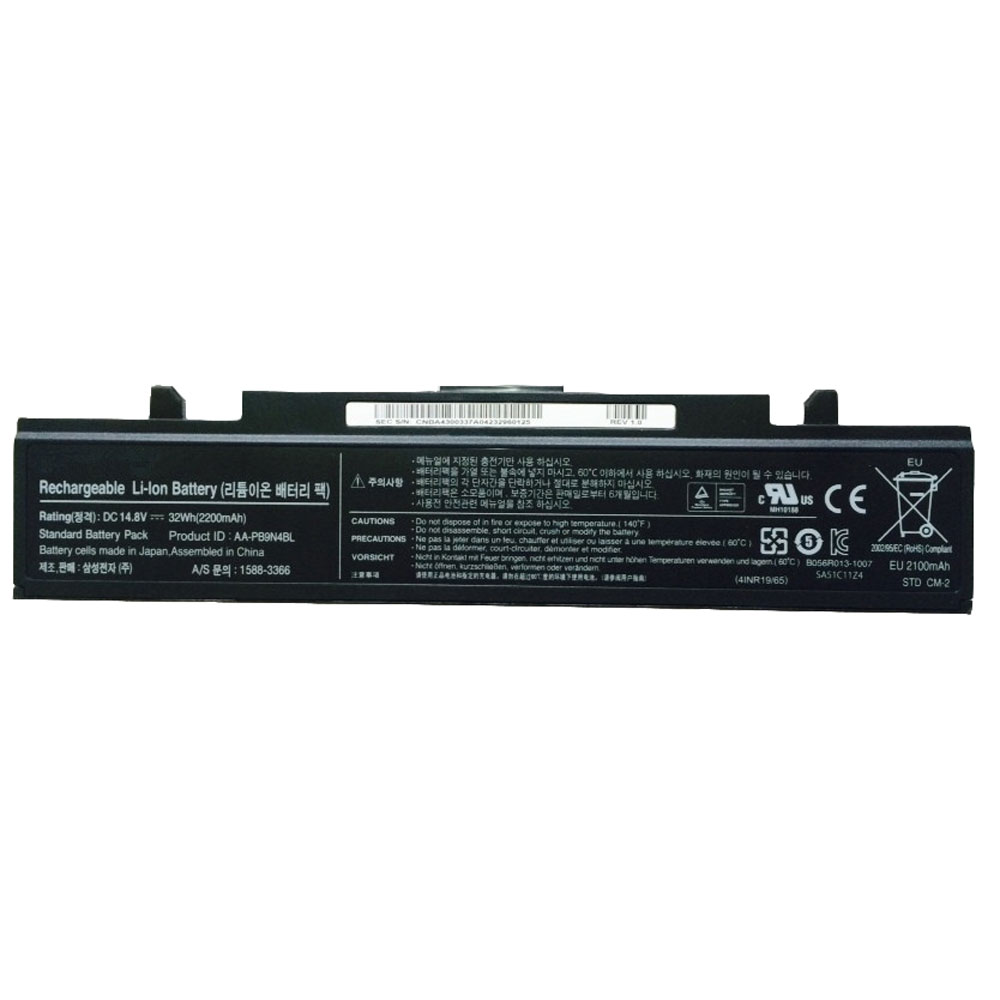
2200mAh/32WH 14.8V Samsung AA-PB9N4BL Batteries for SAMSUNG NP-RV410 NP-RV411 NP-RV415 NP-RV419 NP-RV420, Samsung AA-PB9N4BL Laptop battery is a brand new,100% Compatible original and replacement Laptop battery,Purchase wholesale and retail AA-PB9N4BLwith high quality and low price!
Descriptive: Replacement Battery – 1 Year Warranty
Description: Brand New, 1 Year Warranty! 30-Days Money Back! Fast Shipping!
How we test this Samsung AA-PB9N4BL Battery Li-ion 14.8V 2200mAh/32WH
Step 1: Make sure customer bought the correct battery. Step 2: Check battery’s appearance and interface. Step 3: Test battery charger and recharger function. Step 4: Charger the battery to 100% and recharger to 0% to get real battery capacity Step 5: Use Ev2300 to check the voltage difference of each goroup cells. Step 6: Charger battery power more than 30%. Step 7: Package battery carefully and send out
How much do you know about how to run laptop well as any place? The follow Tips cut way back on protecting battery life.
1). Please recharge or change your Laptop battery when battery power low. 2). Using Li-Ion Replacement Samsung AA-PB9N4BL Laptop Battery for your notebook which can work longer time than Non Li-ion one. 3). It is better to defragmentation regularly for your Laptop battery life. 4). In order to reduce the laptop power consumpition, you can use some optical drive spin-down and hard drive in your Laptop . 5). Please keep your laptop in sleep or standby model without long time using, which both save the Replacement Samsung AA-PB9N4BL Laptop Battery power and extend battery using life. 6). Leave your battery in a dry and cool condition when without using. 7). When you rarely or generally plugged in fixed power using, Please take down your battery to avoid hurting battery life.
4400mAh/49WH 11.1V Sony VGP-BPL13 Batteries for Sony Vaio VGN-AW VGN-BZ VGN-CS Series, Sony VGP-BPL13 Laptop battery is a brand new,100% Compatible original and replacement Laptop battery,Purchase wholesale and retail VGP-BPL13 with high quality and low price!
Descriptive: Replacement Battery – 1 Year Warranty
Description: Brand New, 1 Year Warranty! 30-Days Money Back! Fast Shipping!
How we test this Sony VGP-BPL13 Battery Li-ion 11.1V 4400mAh/49WH
Step 1: Make sure customer bought the correct battery. Step 2: Check battery’s appearance and interface. Step 3: Test battery charger and recharger function. Step 4: Charger the battery to 100% and recharger to 0% to get real battery capacity Step 5: Use Ev2300 to check the voltage difference of each goroup cells. Step 6: Charger battery power more than 30%. Step 7: Package battery carefully and send out
Sony Vaio VGN-AW Series: Sony Vaio VGN-AW11 Sony Vaio VGN-AW110 Sony Vaio VGN-AW120 Sony Vaio VGN-AW125 Sony Vaio VGN-AW130 Sony Vaio VGN-AW150 Sony Vaio VGN-AW160 Sony Vaio VGN-AW170 Sony Vaio VGN-AW180 Sony Vaio VGN-AW19 Sony Vaio VGN-AW190 Sony Vaio VGN-AW21 Sony Vaio VGN-AW210 Sony Vaio VGN-AW220 Sony Vaio VGN-AW230 Sony Vaio VGN-AW235 Sony Vaio VGN-AW270 Sony Vaio VGN-AW290 Sony Vaio VGN-AW31 Sony Vaio VGN-AW310 Sony Vaio VGN-AW330 Sony Vaio VGN-AW335 Sony Vaio VGN-AW35 Sony Vaio VGN-AW350 Sony Vaio VGN-AW360 Sony Vaio VGN-AW37 Sony Vaio VGN-AW390 Sony Vaio VGN-AW41 Sony Vaio VGN-AW420 Sony Vaio VGN-AW450 Sony Vaio VGN-AW50 Sony Vaio VGN-AW51 Sony Vaio VGN-AW52 Sony Vaio VGN-AW53 Sony Vaio VGN-AW70 Sony Vaio VGN-AW71 Sony Vaio VGN-AW72 Sony Vaio VGN-AW73 Sony Vaio VGN-AW80 Sony Vaio VGN-AW81 Sony Vaio VGN-AW82 Sony Vaio VGN-AW83 Sony Vaio VGN-AW90 Sony Vaio VGN-AW91 Sony Vaio VGN-AW92 Sony Vaio VGN-AW93 Sony Vaio VGN-BZ Series: Sony Vaio VGN-BZ11 Sony Vaio VGN-BZ12 Sony Vaio VGN-BZ13 Sony Vaio VGN-BZ153 Sony Vaio VGN-BZ21 Sony Vaio VGN-BZ31 Sony Vaio VGN-BZ540 Sony Vaio VGN-BZ560 Sony Vaio VGN-BZ561 Sony Vaio VGN-BZ562 Sony Vaio VGN-BZ563 Sony Vaio VGN-BZ569 Sony Vaio VGN-BZ570 Sony Vaio VGN-BZ579 Sony Vaio VGN-BZAA Sony Vaio VGN-CS Series: Sony Vaio VGN-CS108 Sony Vaio VGN-CS11 Sony Vaio VGN-CS110 Sony Vaio VGN-CS115 Sony Vaio VGN-CS118 Sony Vaio VGN-CS120 Sony Vaio VGN-CS13 Sony Vaio VGN-CS16 Sony Vaio VGN-CS160 Sony Vaio VGN-CS17 Sony Vaio VGN-CS180 Sony Vaio VGN-CS19 Sony Vaio VGN-CS190 Sony Vaio VGN-CS2 Sony Vaio VGN-CS21 Sony Vaio VGN-CS215 Sony Vaio VGN-CS220 Sony Vaio VGN-CS23 Sony Vaio VGN-CS230 Sony Vaio VGN-CS25 Sony Vaio VGN-CS26 Sony Vaio VGN-CS260 Sony Vaio VGN-CS27 Sony Vaio VGN-CS28 Sony Vaio VGN-CS280 Sony Vaio VGN-CS290 Sony Vaio VGN-CS31 Sony Vaio VGN-CS33 Sony Vaio VGN-CS35 Sony Vaio VGN-CS36 Sony Vaio VGN-CS39 Sony Vaio VGN-CS390 Sony Vaio VGN-CS50 Sony Vaio VGN-CS51 Sony Vaio VGN-CS52 Sony Vaio VGN-CS60 Sony Vaio VGN-CS61 Sony Vaio VGN-CS62 Sony Vaio VGN-CS71 Sony Vaio VGN-CS72 Sony Vaio VGN-CS90 Sony Vaio VGN-CS91 Sony Vaio VGN-CS92
How much do you know about how to run laptop well as any place? The follow Tips cut way back on protecting battery life.
1). Please recharge or change your Laptop battery when battery power low. 2). Using Li-Ion Replacement Sony VGP-BPL13 Laptop Battery for your notebook which can work longer time than Non Li-ion one. 3). It is better to defragmentation regularly for your Laptop battery life. 4). In order to reduce the laptop power consumpition, you can use some optical drive spin-down and hard drive in your Laptop . 5). Please keep your laptop in sleep or standby model without long time using, which both save the Replacement Sony VGP-BPL13 Laptop Batterypower and extend battery using life. 6). Leave your battery in a dry and cool condition when without using. 7). When you rarely or generally plugged in fixed power using, Please take down your battery to avoid hurting battery life.