3000mAh 3.85V Gionee BL-N3000E Li-ion Battery for Gionee S9

3000mAh 3.85V Gionee BL-N3000E Batteries for Gionee S9, Gionee BL-N3000E Cell Phone battery is a brand new,100% Compatible original and replacement Phone battery,Purchase wholesale and retail BL-N3000E with high quality and low price!

Find ou your original model number or part number(P/N), and move your eyes on the tag of battery
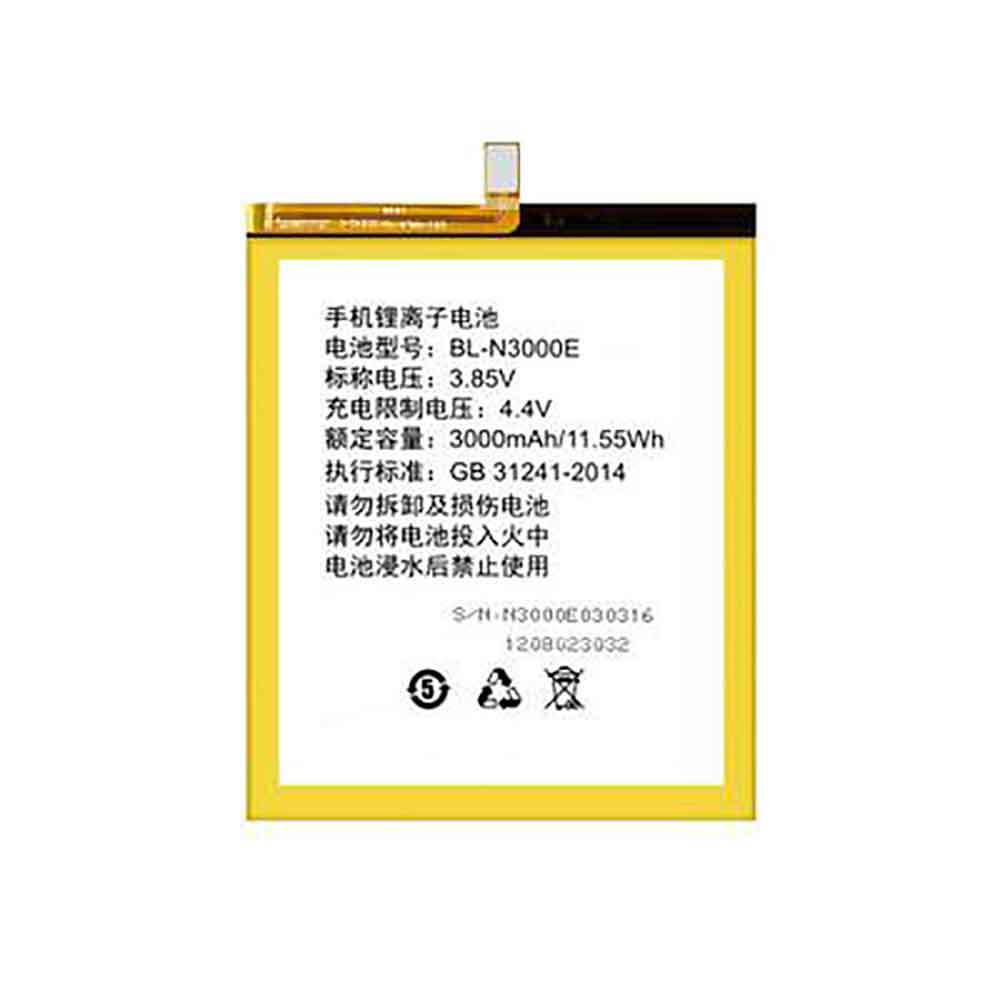
BL-N3000E

Specifications

  • Brand:Gionee
  • Capacity :3000mAh
  • Voltage :3.85V
  • Type :Li-ion
  • Battery Cell Quality: Grade A
  • Descriptive: Replacement Battery – 1 Year Warranty
  • Description: Brand New, 1 Year Warranty! 30-Days Money Back! Fast Shipping!

How we test this Gionee BL-N3000E Battery
Step 1: Make sure customer bought the correct battery.
Step 2: Check battery’s appearance and interface.
Step 3: Test battery charger and recharger function.
Step 4: Charger the battery to 100% and recharger to 0% to get real battery capacity
Step 5: Use Ev2300 to check the voltage difference of each goroup cells.
Step 6: Charger battery power more than 30%.
Step 7: Package battery carefully and send out

Compatible Part Numbers:
BL-N3000E

Compatible Model Numbers:
Gionee S9

How much do you know about how to run laptop well as any place? The follow Tips cut way back on protecting battery life.


1). Please recharge or change your Cell Phone battery when battery power low.
2). Using Li-Ion Replacement Gionee BL-N3000E Cell Phone Battery for your notebook which can work longer time than Non Li-ion one.
3). It is better to defragmentation regularly for your Cell Phone battery life.
4). In order to reduce the laptop power consumpition, you can use some optical drive spin-down and hard drive in your Cell Phone .
5). Please keep your laptop in sleep or standby model without long time using, which both save the Replacement Gionee BL-N3000E Cell Phone Battery power and extend battery using life.
6). Leave your battery in a dry and cool condition when without using.
7). When you rarely or generally plugged in fixed power using, Please take down your battery to avoid hurting battery life.

Hot Products

90WH / 9Cell LENOVO 00NY492 for Lenovo ThinkPad P502500mAh 9.63WH NOKIA HE365 for Nokia 1 Plus TA-1111 TA-112358WH HP 778951-421 for HP Omen 15 15-5014TX TPN-W111830mAh PARROT Zik2.0 for Parrot Zik 2.0,Parrot Zik 38100mAh GETAC 44184400099 for Getac B300 B300X BP3S3P2900(P)2000mAh 44Wh GTECH 109A0015 for Gtech ATF300 6ICR19/66 Vacuum38Wh ASUS C21N1421 for ASUS Transformer Book T300CHI6600mAh MEDION BP-DRAGON-GT(P) for Medion MAM2100 MIM2300 Akoya E1250mAh/4.625WH LEAGOO BT-4001 for Leagoo BT-400147WH TOSHIBA PA3928U-1BRS for TOSHIBA Qosmio X770 3D X77
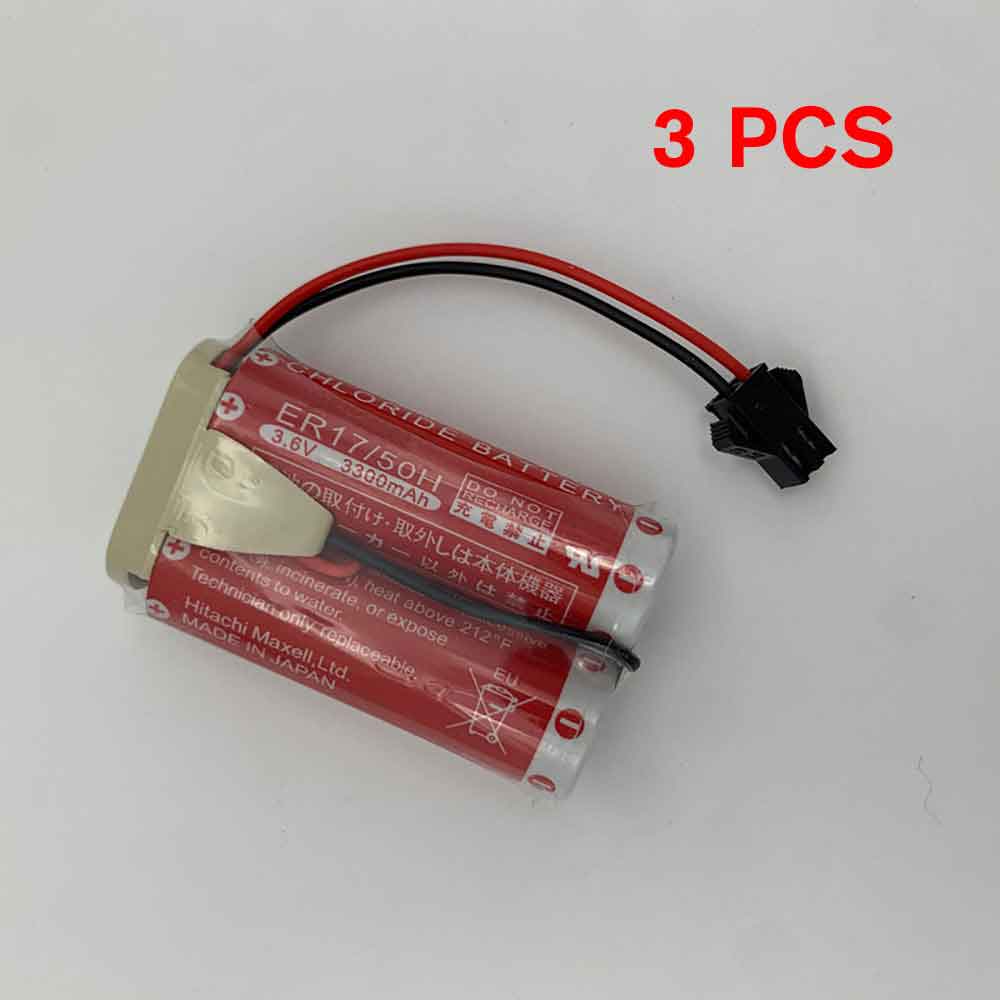

5500mAh 3.6V Nachi MD500N Li-ion Battery for Nachi Fujikoshi MZ07 MZ03 Robot

5500mAh 3.6V Nachi MD500N Batteries for Nachi Fujikoshi MZ07 MZ03 Robot, Nachi MD500N Other battery is a brand new,100% Compatible original and replacement battery,Purchase wholesale and retail MD500N with high quality and low price!

Find ou your original model number or part number(P/N), and move your eyes on the tag of battery

MD500N

Specifications

  • Brand:Nachi
  • Capacity :5500mAh
  • Voltage :3.6V
  • Type :Li-ion
  • Battery Cell Quality: Grade A
  • Descriptive: Replacement Battery – 1 Year Warranty
  • Description: Brand New, 1 Year Warranty! 30-Days Money Back! Fast Shipping!

How we test this Nachi MD500N Battery
Step 1: Make sure customer bought the correct battery.
Step 2: Check battery’s appearance and interface.
Step 3: Test battery charger and recharger function.
Step 4: Charger the battery to 100% and recharger to 0% to get real battery capacity
Step 5: Use Ev2300 to check the voltage difference of each goroup cells.
Step 6: Charger battery power more than 30%.
Step 7: Package battery carefully and send out

Compatible Part Numbers:
MD500N

Compatible Model Numbers:
Nachi Fujikoshi MZ07 MZ03 Robot
MAXELL ER17/50H
Notice:Non rechargeable (disposable battery)
Package included:3PCS MD500N

How much do you know about how to run laptop well as any place? The follow Tips cut way back on protecting battery life.


1). Please recharge or change your Other battery when battery power low.
2). Using Li-Ion Replacement Nachi MD500N Other Battery for your notebook which can work longer time than Non Li-ion one.
3). It is better to defragmentation regularly for your Other battery life.
4). In order to reduce the laptop power consumpition, you can use some optical drive spin-down and hard drive in your Other .
5). Please keep your laptop in sleep or standby model without long time using, which both save the Replacement Nachi MD500N Other Battery power and extend battery using life.
6). Leave your battery in a dry and cool condition when without using.
7). When you rarely or generally plugged in fixed power using, Please take down your battery to avoid hurting battery life.

Hot Products

90WH / 9Cell LENOVO 00NY492 for Lenovo ThinkPad P502500mAh 9.63WH NOKIA HE365 for Nokia 1 Plus TA-1111 TA-112358WH HP 778951-421 for HP Omen 15 15-5014TX TPN-W111830mAh PARROT Zik2.0 for Parrot Zik 2.0,Parrot Zik 38100mAh GETAC 44184400099 for Getac B300 B300X BP3S3P2900(P)2000mAh 44Wh GTECH 109A0015 for Gtech ATF300 6ICR19/66 Vacuum38Wh ASUS C21N1421 for ASUS Transformer Book T300CHI6600mAh MEDION BP-DRAGON-GT(P) for Medion MAM2100 MIM2300 Akoya E1250mAh/4.625WH LEAGOO BT-4001 for Leagoo BT-400147WH TOSHIBA PA3928U-1BRS for TOSHIBA Qosmio X770 3D X77

Android 13 is here: How to download Google’s new phone software right now

 You can download and install Android 13 now, as long as you have a compatible Android device. Google released the first Android 13 developer beta in February, followed by the first Android 13 public beta in April. In June, the tech giant dropped its fourth and final Android 13 beta — and now the official Android 13 release is finally here.

Android 13 brings several new features to Android, including a redesigned Material You with automatic wallpaper-based color schemes, a kill switch that prevents third-party apps from accessing your camera and microphone, and end-to-end encryption for group conversations As well as universal clipboard functionality between various devices.

If you want to get started with Android 13 as soon as possible, here’s a list of which Android phones support the latest software update, and how to download and install the new software.

Which Android phones support Android 13?

Currently, Android phones that can run Android 13 are limited to the latest Pixel models, including: Pixel 4, Pixel 4 XL, Pixel 4A, Pixel 4A (5G), Pixel 5, Pixel 5A, Pixel 6, Pixel 6A, Pixel 6 Pro

Later this year, Android 13 will be available on Samsung Galaxy, Asus, HMD (Nokia phones), iQOO, Motorola, OnePlus, Oppo, Realme, Sharp, Sony, Tecno, Vivo, Xiaomi and other devices.

How to download and install Android 13 on your phone

To download and install Android 13 on your Pixel phone, first make sure your phone is connected to a stable Wi-Fi network and powered on. The battery needs to be at least 50% charged for over-the-air (OTA) updates.

To start installing Android 13, launch the Settings app. You may install the app directly on your home screen, but if not, swipe up from the bottom of the screen to access your app drawer and scroll through your apps until you find Settings.

Next, scroll down and tap System > System Updates. If an update is available, it should load here in a few seconds. If not, click Check for Updates. Also, make sure your device has enough storage to download and install the update, otherwise you won’t be able to continue. Typically update files are several gigabytes in size.

Finally, click the green Download and Install button in the lower right corner. The Android 13 system will then begin to download and install, which may take 20 to 30 minutes, depending on the size and condition of the phone. After your phone restarts, you’ll be running Android 13.

Note: If you haven’t seen the Android 13 update, don’t worry. As long as you have a compatible Pixel phone, you’ll get it — it just might take some time to arrive.

>>>>>>>>>>>>>>>>Phone battery

Thanks for reading, hope it helps!

Friendly reminder: If you need to replace the battery, this battery store will be a good choice: www.batteryforpc.co.uk

Windows 11 vs Windows 10: What’s really different?

 Considering upgrading to Windows 11? Microsoft’s latest operating system completed a phased rollout earlier this year and is now available on compatible devices. While the two operating systems share many similarities, there are some major differences between Windows 10 and Windows 11. Newer versions offer a more Mac-like aesthetic and more productivity features—plus the chance to finally use Android apps on Windows-equipped computers.

Let’s take a look at Windows 10 vs. Windows 11: All the big differences in the new operating system!

Design and Interface

Windows 11 brings a new, more Mac-like interface to the operating system. It features a clean design with rounded corners and pastel tones. The iconic Start menu has also been moved to the center of the screen along with the taskbar. However, if you want, you can move them back to the left, where they were in Windows 10.

Android app integration

The Android app is now available for Windows 11 through the Microsoft Store and Amazon Appstore. (There are several ways to access Android apps on Windows 10, including if you have a Samsung Galaxy phone, but this will make it a native app.) It’s something Windows users have been waiting for for years, marking a move toward a merger Another step forward for mobile and laptop devices.

Better virtual desktop support

Windows 11 allows you to set up virtual desktops in a similar way to a Mac. It allows you to switch between multiple desktops at once for personal, work, school or gaming. In Windows 10, this feature is more difficult to set up and use.

Easier transition from monitor to laptop

The new operating system includes features called Snap Groups and Snap Layouts—collections of the apps you’re using that sit in the taskbar and can appear simultaneously or minimized for easy task switching. They also allow you to easily plug and unplug from the monitor without losing where your open windows are.

Add Microsoft Teams to the taskbar

Teams has had a makeover and is now integrated directly into the Windows 11 taskbar, making it more accessible. You can access Teams from Windows, Mac, Android, or iOS.

Small parts

While they’ve been around for a while, including in the recent Windows 10 update, you can now access widgets directly from the taskbar and personalize them to see whatever you like.

Enhanced touchscreen, voice and pen support

For tablets, Microsoft is aiming to improve the touch experience, with more space between icons on the taskbar and support for gestures. Windows 11 also adds haptics to your digital pen, so you can hear and feel vibrations when you use it to take notes or draw. Finally, the operating system introduced voice input and commands throughout the system.

Xbox technology that improves gaming

Windows 11 will get some of the features found in the Xbox console, like Auto HDR and DirectStorage, to improve gaming on Windows PCs. This marks another step for Microsoft to integrate PC and Xbox consoles.

>>>>>>>>>>>>>Computer battery

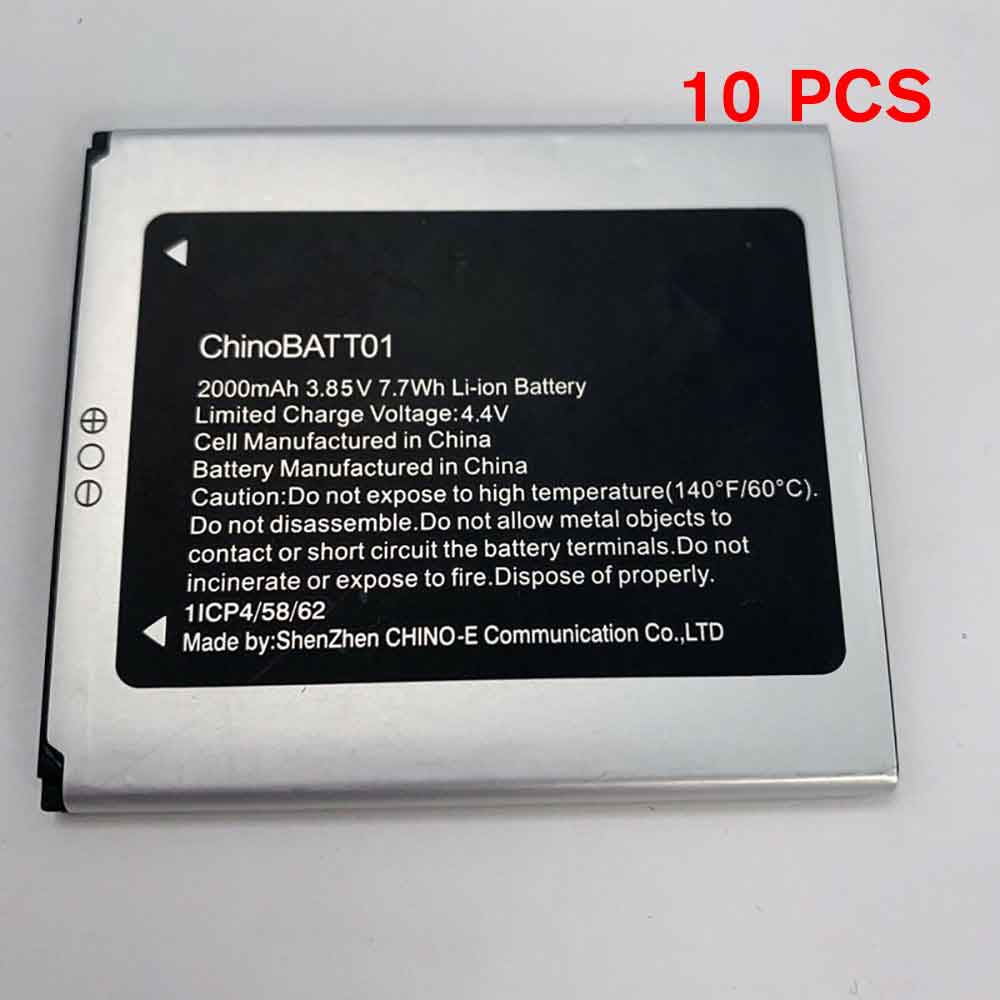
2000mAh 3.85V Unimax ChinoBATT01 Li-ion Battery for UniMax UMX U683CL U693CL

2000mAh 3.85V Unimax ChinoBATT01 Batteries for UniMax UMX U683CL U693CL, Unimax ChinoBATT01 Cell Phone battery is a brand new,100% Compatible original and replacement Phone battery,Purchase wholesale and retail ChinoBATT01 with high quality and low price!

Find ou your original model number or part number(P/N), and move your eyes on the tag of battery

ChinoBATT01

Specifications

  • Brand:UniMax
  • Capacity :2000mAh
  • Voltage :3.85V
  • Type :Li-ion
  • Battery Cell Quality: Grade A
  • Descriptive: Replacement Battery – 1 Year Warranty
  • Description: Brand New, 1 Year Warranty! 30-Days Money Back! Fast Shipping!

How we test this Unimax ChinoBATT01 Battery
Step 1: Make sure customer bought the correct battery.
Step 2: Check battery’s appearance and interface.
Step 3: Test battery charger and recharger function.
Step 4: Charger the battery to 100% and recharger to 0% to get real battery capacity
Step 5: Use Ev2300 to check the voltage difference of each goroup cells.
Step 6: Charger battery power more than 30%.
Step 7: Package battery carefully and send out

Compatible Part Numbers:
ChinoBATT01

Compatible Model Numbers:
UniMax UMX U683CL U693CL

How much do you know about how to run laptop well as any place? The follow Tips cut way back on protecting battery life.


1). Please recharge or change your Cell Phone battery when battery power low.
2). Using Li-Ion Replacement Unimax ChinoBATT01 Cell Phone Battery for your notebook which can work longer time than Non Li-ion one.
3). It is better to defragmentation regularly for your Cell Phone battery life.
4). In order to reduce the laptop power consumpition, you can use some optical drive spin-down and hard drive in your Cell Phone .
5). Please keep your laptop in sleep or standby model without long time using, which both save the Replacement Unimax ChinoBATT01 Cell Phone Battery power and extend battery using life.
6). Leave your battery in a dry and cool condition when without using.
7). When you rarely or generally plugged in fixed power using, Please take down your battery to avoid hurting battery life.

Hot Products

58WH HP 778951-421 for HP Omen 15 15-5014TX TPN-W111830mAh PARROT Zik2.0 for Parrot Zik 2.0,Parrot Zik 38100mAh GETAC 44184400099 for Getac B300 B300X BP3S3P2900(P)2000mAh 44Wh GTECH 109A0015 for Gtech ATF300 6ICR19/66 Vacuum38Wh ASUS C21N1421 for ASUS Transformer Book T300CHI6600mAh MEDION BP-DRAGON-GT(P) for Medion MAM2100 MIM2300 Akoya E1250mAh/4.625WH LEAGOO BT-4001 for Leagoo BT-400147WH TOSHIBA PA3928U-1BRS for TOSHIBA Qosmio X770 3D X772000mAh/7.6WH MOTOROLA JE30 for Motorola E5 play go1680mAh/6.21WH SONIM BAT-04900-01S for Sonim XP8 XP8800

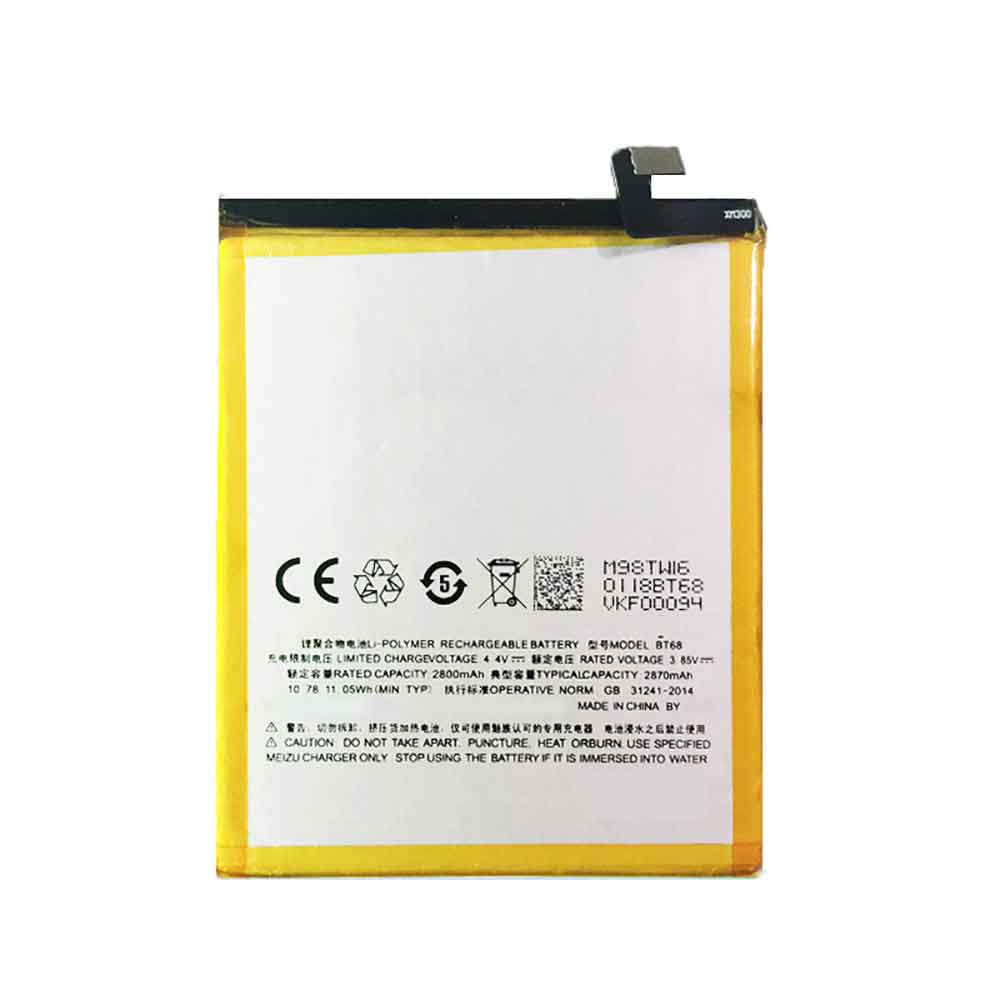
2870mAh 3.85V Meizu BT68 Li-ion Battery for Meizu M3

2870mAh 3.85V Meizu BT68 Batteries for Meizu M3, Meizu BT68 Cell Phone battery is a brand new,100% Compatible original and replacement Phone battery,Purchase wholesale and retail BT68 with high quality and low price!

Find ou your original model number or part number(P/N), and move your eyes on the tag of battery

BT68

Specifications

  • Brand:Meizu
  • Capacity :2870mAh
  • Voltage :3.85V
  • Type :Li-ion
  • Battery Cell Quality: Grade A
  • Descriptive: Replacement Battery – 1 Year Warranty
  • Description: Brand New, 1 Year Warranty! 30-Days Money Back! Fast Shipping!

How we test this Meizu BT68 Battery
Step 1: Make sure customer bought the correct battery.
Step 2: Check battery’s appearance and interface.
Step 3: Test battery charger and recharger function.
Step 4: Charger the battery to 100% and recharger to 0% to get real battery capacity
Step 5: Use Ev2300 to check the voltage difference of each goroup cells.
Step 6: Charger battery power more than 30%.
Step 7: Package battery carefully and send out

Compatible Part Numbers:
BT68

Compatible Model Numbers:
Meizu M3

How much do you know about how to run laptop well as any place? The follow Tips cut way back on protecting battery life.


1). Please recharge or change your Cell Phone battery when battery power low.
2). Using Li-Ion Replacement Meizu BT68 Cell Phone Battery for your notebook which can work longer time than Non Li-ion one.
3). It is better to defragmentation regularly for your Cell Phone battery life.
4). In order to reduce the laptop power consumpition, you can use some optical drive spin-down and hard drive in your Cell Phone .
5). Please keep your laptop in sleep or standby model without long time using, which both save the Replacement Meizu BT68 Cell Phone Battery power and extend battery using life.
6). Leave your battery in a dry and cool condition when without using.
7). When you rarely or generally plugged in fixed power using, Please take down your battery to avoid hurting battery life.

Hot Products

58WH HP 778951-421 for HP Omen 15 15-5014TX TPN-W111830mAh PARROT Zik2.0 for Parrot Zik 2.0,Parrot Zik 38100mAh GETAC 44184400099 for Getac B300 B300X BP3S3P2900(P)2000mAh 44Wh GTECH 109A0015 for Gtech ATF300 6ICR19/66 Vacuum38Wh ASUS C21N1421 for ASUS Transformer Book T300CHI6600mAh MEDION BP-DRAGON-GT(P) for Medion MAM2100 MIM2300 Akoya E1250mAh/4.625WH LEAGOO BT-4001 for Leagoo BT-400147WH TOSHIBA PA3928U-1BRS for TOSHIBA Qosmio X770 3D X772000mAh/7.6WH MOTOROLA JE30 for Motorola E5 play go1680mAh/6.21WH SONIM BAT-04900-01S for Sonim XP8 XP8800

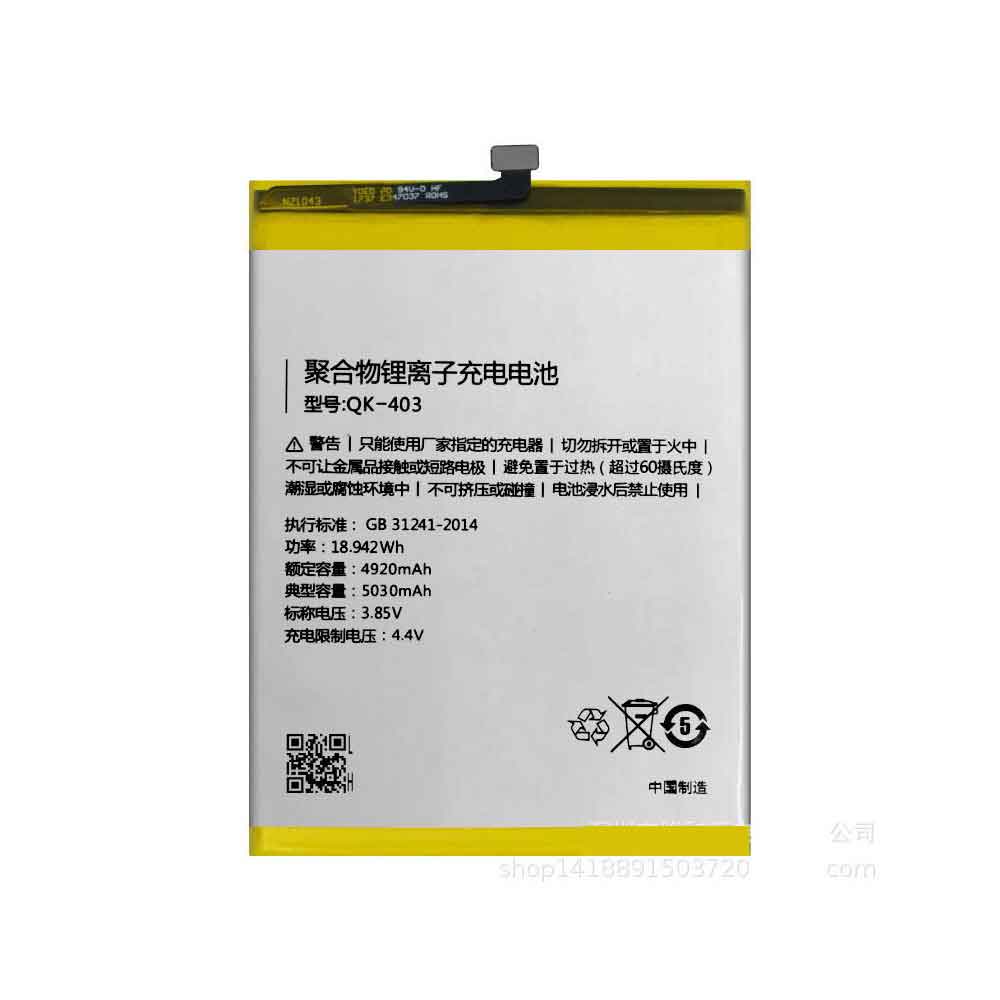
5030mAh 3.85V Qiku QK-403 Li-ion Battery for Qiku 360 N6 N7

5030mAh 3.85V Qiku QK-403 Batteries for Qiku 360 N6 N7, Qiku QK-403 Cell Phone battery is a brand new,100% Compatible original and replacement Phone battery,Purchase wholesale and retail QK-403 with high quality and low price!

Find ou your original model number or part number(P/N), and move your eyes on the tag of battery

QK-403

Specifications

  • Brand:Qiku
  • Capacity :5030mAh
  • Voltage :3.85V
  • Type :Li-ion
  • Battery Cell Quality: Grade A
  • Descriptive: Replacement Battery – 1 Year Warranty
  • Description: Brand New, 1 Year Warranty! 30-Days Money Back! Fast Shipping!

How we test this Qiku QK-403 Battery
Step 1: Make sure customer bought the correct battery.
Step 2: Check battery’s appearance and interface.
Step 3: Test battery charger and recharger function.
Step 4: Charger the battery to 100% and recharger to 0% to get real battery capacity
Step 5: Use Ev2300 to check the voltage difference of each goroup cells.
Step 6: Charger battery power more than 30%.
Step 7: Package battery carefully and send out

Compatible Part Numbers:
QK-403

Compatible Model Numbers:
Qiku 360 N6 1707-A01
Qiku 360 N7 1807-A01

How much do you know about how to run laptop well as any place? The follow Tips cut way back on protecting battery life.


1). Please recharge or change your Cell Phone battery when battery power low.
2). Using Li-Ion Replacement Qiku QK-403 Cell Phone Battery for your notebook which can work longer time than Non Li-ion one.
3). It is better to defragmentation regularly for your Cell Phone battery life.
4). In order to reduce the laptop power consumpition, you can use some optical drive spin-down and hard drive in your Cell Phone .
5). Please keep your laptop in sleep or standby model without long time using, which both save the Replacement Qiku QK-403 Cell Phone Battery power and extend battery using life.
6). Leave your battery in a dry and cool condition when without using.
7). When you rarely or generally plugged in fixed power using, Please take down your battery to avoid hurting battery life.

Hot Products

58WH HP 778951-421 for HP Omen 15 15-5014TX TPN-W111830mAh PARROT Zik2.0 for Parrot Zik 2.0,Parrot Zik 38100mAh GETAC 44184400099 for Getac B300 B300X BP3S3P2900(P)2000mAh 44Wh GTECH 109A0015 for Gtech ATF300 6ICR19/66 Vacuum38Wh ASUS C21N1421 for ASUS Transformer Book T300CHI6600mAh MEDION BP-DRAGON-GT(P) for Medion MAM2100 MIM2300 Akoya E1250mAh/4.625WH LEAGOO BT-4001 for Leagoo BT-400147WH TOSHIBA PA3928U-1BRS for TOSHIBA Qosmio X770 3D X772000mAh/7.6WH MOTOROLA JE30 for Motorola E5 play go1680mAh/6.21WH SONIM BAT-04900-01S for Sonim XP8 XP8800

2600mAh 3.6V Yaskawa HW1470715-S Li-ion Battery for Yaskawa Motoman MPX3500 Robot

2600mAh 3.6V Yaskawa HW1470715-S Batteries for Yaskawa Motoman MPX3500 Robot, Yaskawa HW1470715-S Other battery is a brand new,100% Compatible original and replacement battery,Purchase wholesale and retail HW1470715-S with high quality and low price!

Find ou your original model number or part number(P/N), and move your eyes on the tag of battery

HW1470715-S

Specifications

  • Brand:Yaskawa
  • Capacity :2600mAh
  • Voltage :3.6V
  • Battery Cell Quality: Grade A
  • Descriptive: Replacement Battery – 1 Year Warranty
  • Description: Brand New, 1 Year Warranty! 30-Days Money Back! Fast Shipping!

How we test this Yaskawa HW1470715-S Battery
Step 1: Make sure customer bought the correct battery.
Step 2: Check battery’s appearance and interface.
Step 3: Test battery charger and recharger function.
Step 4: Charger the battery to 100% and recharger to 0% to get real battery capacity
Step 5: Use Ev2300 to check the voltage difference of each goroup cells.
Step 6: Charger battery power more than 30%.
Step 7: Package battery carefully and send out

Compatible Part Numbers:
HW1470715-S

Compatible Model Numbers:
Yaskawa Motoman MPX3500 Robot

How much do you know about how to run laptop well as any place? The follow Tips cut way back on protecting battery life.


1). Please recharge or change your Other battery when battery power low.
2). Using Li-Ion Replacement Yaskawa HW1470715-S Other Battery for your notebook which can work longer time than Non Li-ion one.
3). It is better to defragmentation regularly for your Other battery life.
4). In order to reduce the laptop power consumpition, you can use some optical drive spin-down and hard drive in your Other .
5). Please keep your laptop in sleep or standby model without long time using, which both save the Replacement Yaskawa HW1470715-S Other Battery power and extend battery using life.
6). Leave your battery in a dry and cool condition when without using.
7). When you rarely or generally plugged in fixed power using, Please take down your battery to avoid hurting battery life.

Hot Products

58WH HP 778951-421 for HP Omen 15 15-5014TX TPN-W111830mAh PARROT Zik2.0 for Parrot Zik 2.0,Parrot Zik 38100mAh GETAC 44184400099 for Getac B300 B300X BP3S3P2900(P)2000mAh 44Wh GTECH 109A0015 for Gtech ATF300 6ICR19/66 Vacuum38Wh ASUS C21N1421 for ASUS Transformer Book T300CHI6600mAh MEDION BP-DRAGON-GT(P) for Medion MAM2100 MIM2300 Akoya E1250mAh/4.625WH LEAGOO BT-4001 for Leagoo BT-400147WH TOSHIBA PA3928U-1BRS for TOSHIBA Qosmio X770 3D X772000mAh/7.6WH MOTOROLA JE30 for Motorola E5 play go1680mAh/6.21WH SONIM BAT-04900-01S for Sonim XP8 XP8800

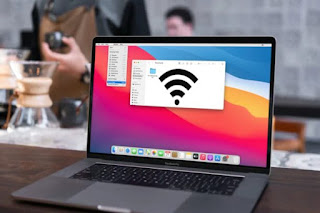
How to turn an old MacBook into an emergency Wi-Fi hotspot

 The whole point of a Wi-Fi hotspot is to turn on your cellular data connection to other devices. It allows you to control when the connection is active and who can connect, but if you have any online activity, any online activity will count towards your data plan limit.

Why you should use your MacBook as a Wi-Fi hotspot

Turning your MacBook into a Wi-Fi hotspot isn’t quite the same as using your phone. Since MacBooks don’t currently offer cellular connectivity, the only way you can connect them to the internet is to already have an internet connection available. But in some cases, setting up a MacBook Wi-Fi hotspot can be useful.

This feature is handy if, for example, you’re in a location that doesn’t typically have Wi-Fi but does offer a physical Ethernet connection. Most pocket devices that can connect to the internet (i.e. smartphones) can’t just plug in an ethernet cable, and if you need to connect multiple ethernet-capable devices, a single connection won’t cut it. By plugging in your old MacBook and setting it up to share Wi-Fi, you’re essentially making it a makeshift wireless router to which your other devices can connect.

What you need to use your MacBook as a Wi-Fi hotspot

Turning a MacBook into a Wi-Fi hotspot isn’t very difficult, but it’s more than just the click of a button. Your MacBook needs to be running at least macOS 10.6 Snow Leopard, because that’s when Apple started including internet sharing options. You’ll also need to make sure your MacBook has access to an available internet connection, whether that means having the necessary ethernet connection or knowing the access password. After all, this feature won’t do you much good if you can’t get online in the first place.

Finally, you may need to take additional steps to secure your connection. If you wish to send or receive sensitive information, consider setting up a VPN to better protect your online privacy. At the very least, it is strongly recommended that you choose a more secure option when setting up a shared Internet connection.

How to Set Up a MacBook Wi-Fi Hotspot

The first step in setting up your MacBook as a Wi-Fi hotspot is to enable Internet Sharing in macOS. The process may vary slightly depending on the version of macOS you’re using, but in most cases it’s like this:

1. Open System Preferences.

2. Select Sharing > Internet Sharing.

3. Select the correct source device under “Share your connection from”.

4. Select how you want to share in the “Computer used” section.

Things get more nuanced when you decide how to share your connection. If you plan to share over Wi-Fi, when you go to step 3, you will need to select Ethernet, then Wi-Fi for step 4. Then open the Wi-Fi options to set your connection details, and select Start to start sharing your connection.

If you are using a Wi-Fi adapter, you need to configure it first, then select the Wi-Fi adapter in step 3. The rest of the process is the same as for regular Wi-Fi setup.

What about Bluetooth?

It’s possible to share a MacBook’s internet connection wirelessly via Bluetooth, but it’s not ideal, mainly because Bluetooth internet connections aren’t as fast as Wi-Fi and have more limited range. However, it will work in a pinch, so if that’s your only option, it will still get the job done. First, make sure that both your MacBook and the device you’re connecting to are available and have Bluetooth enabled.

1. Open System Preferences on your MacBook.

2. Select Sharing > Internet Sharing.

3. Select the correct source device under “Share your connection from”.

4. Select Bluetooth PAN as the sharing method.

5. Select Internet Sharing > Start to start sharing.

Keep in mind that not all MacBooks support Bluetooth PAN, especially newer models, since Wi-Fi has become so common. If your MacBook doesn’t offer a Bluetooth PAN, you’ll have to choose Wi-Fi, and if your device can’t connect to Wi-Fi, you may need to find another way to fully transfer the necessary material to your MacBook.

>>>>>>>>>>Apple battery

Thanks for reading, hope it helps!

Friendly reminder: If you need to replace the battery, this battery store will be a good choice: www.batteryforpc.co.uk

Samsung Galaxy Z Fold 4 is a formidable rival to Xiaomi’s new foldable phone

 We’re in a confusingly busy time for foldable phones, as not long ago, Samsung launched the Galaxy Z Flip 4 and Samsung Galaxy Z Fold 4, the Motorola Razr 2022 followed, and now Xiaomi has joined the ranks. The company just launched the Mi Mix Fold 2, a phone that looks similar to the Galaxy Z Fold 4.

The Xiaomi Mix Fold 2 has an 8.02-inch 1914 x 2160 folding screen inside with a refresh rate of 120Hz and 360 pixels per inch, and a 6.56-inch cover display on the outside with a refresh rate of 120Hz. There should be no shortage of power thanks to the Snapdragon 8 Plus Gen 1 chipset and 12GB of RAM, while storage is available in 256GB, 512GB, or 1TB.

As for the cameras, these are Leica-branded and include a 50MP primary sensor, a 13MP ultra-wide, and an 8MP telephoto camera with 2x optical zoom. There’s a 4,500mAh battery pack on the front of the battery that supports 67W charging.

So far, the Mi Mix Fold 2 has only been released in China, and it’s unclear if or when it will launch more widely, especially since the original is only available in China. But for reference, it starts at 8,999 yuan, which is about $1,335 / £1,090 / AU$1,875, so it’s not cheap.

Analysis: How does the Xiaomi Mix Fold 2 compare to the Samsung Galaxy Z Fold 4?

The Xiaomi Mix Fold 2 and Samsung Galaxy Z Fold 4 are both flagship phones, but there are some notable differences between them.

Xiaomi‘s phone has a slightly bigger screen, a slightly bigger battery, faster charging, but a slightly worse optical zoom. The two phones have similar power and storage, so there’s little difference, and their camera setups sound similar, save for the zoom potential. Price may be a major factor, but we can’t comment on this until it’s determined pricing for the Mix Fold 2 outside of China, other than to say that the Xiaomi Mix Fold 2 will probably have to be a little cheaper than the Z Fold 4 if it’s going to steal a lot of Samsung’s sales . But if the price is right, this is easily one of the best foldable phones around.

>>>>>>>>>>>>>>Phone battery