1500mAh 3.7V Itel BL-15BI Li-ion Battery for iTel BL-15BI

1500mAh 3.7V Itel BL-15BI Batteries for iTel BL-15BI, Itel BL-15BI Cell Phone battery is a brand new,100% Compatible original and replacement Phone battery,Purchase wholesale and retail BL-15BI with high quality and low price!

Find ou your original model number or part number(P/N), and move your eyes on the tag of battery
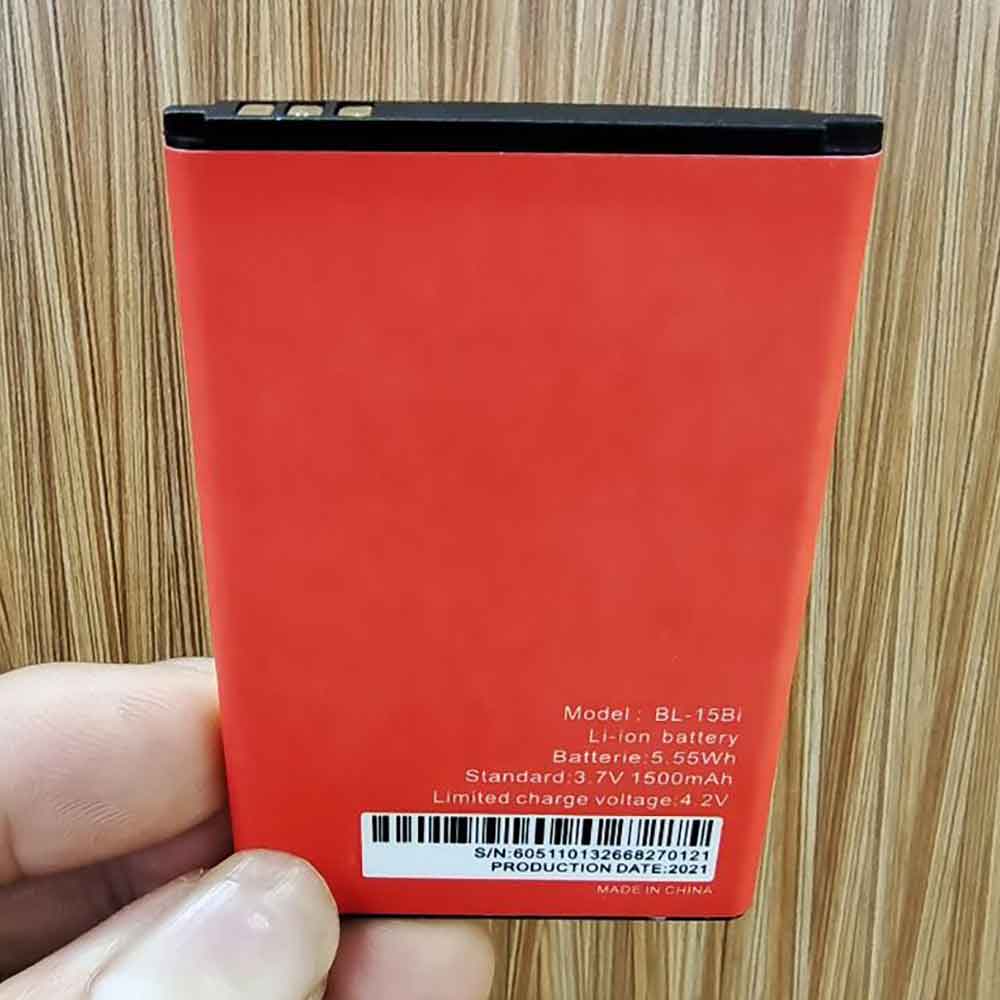
BL-15BI

Specifications

  • Brand:iTel
  • Capacity :1500mAh
  • Voltage :3.7V
  • Type :Li-ion
  • Battery Cell Quality: Grade A
  • Descriptive: Replacement Battery – 1 Year Warranty
  • Description: Brand New, 1 Year Warranty! 30-Days Money Back! Fast Shipping!

How we test this Itel BL-15BI Battery
Step 1: Make sure customer bought the correct battery.
Step 2: Check battery’s appearance and interface.
Step 3: Test battery charger and recharger function.
Step 4: Charger the battery to 100% and recharger to 0% to get real battery capacity
Step 5: Use Ev2300 to check the voltage difference of each goroup cells.
Step 6: Charger battery power more than 30%.
Step 7: Package battery carefully and send out

Compatible Part Numbers:
BL-15BI

Compatible Model Numbers:
iTel BL-15BI

How much do you know about how to run laptop well as any place? The follow Tips cut way back on protecting battery life.


1). Please recharge or change your Cell Phone battery when battery power low.
2). Using Li-Ion Replacement Itel BL-15BI Cell Phone Battery for your notebook which can work longer time than Non Li-ion one.
3). It is better to defragmentation regularly for your Cell Phone battery life.
4). In order to reduce the laptop power consumpition, you can use some optical drive spin-down and hard drive in your Cell Phone .
5). Please keep your laptop in sleep or standby model without long time using, which both save the Replacement Itel BL-15BI Cell Phone Battery power and extend battery using life.
6). Leave your battery in a dry and cool condition when without using.
7). When you rarely or generally plugged in fixed power using, Please take down your battery to avoid hurting battery life.

Hot Products

3200Mah /12.16Wh AMAZON MC-308695 for Amazon Kindle 58-000255 MC-3082300mah BOSE 404600 for Bose SOUNDLINK I II III1000MAH/3.7WH NOKIA BL-4U for Nokia 3120 5330 5530 6212 62163310mAh/50WH FUJITSU FPB0338S for Fujitsu Lifebook E548 E558 T936000mAh ACER PR-279594N for Acer Iconia One 10 B3-A20 A5002890mAh/44WH LENOVO L18D4PF0 for Lenovo ThinkBook 13s 13s-IWL 141Wh DELL G91J0 for Dell Latitude 3420980mAh/10.8Wh DJI HB01-522365 for DJI OSMO Handheld Yuntau 4K Ca3200mAh/12.4WH SONY LIP1701ERPC for Sony Xperia 1 XZ4 J8110 J8170320mAh/1.3WH ASUS C11N1609 for ASUS ZenWatch 3 (WI503Q) Smart
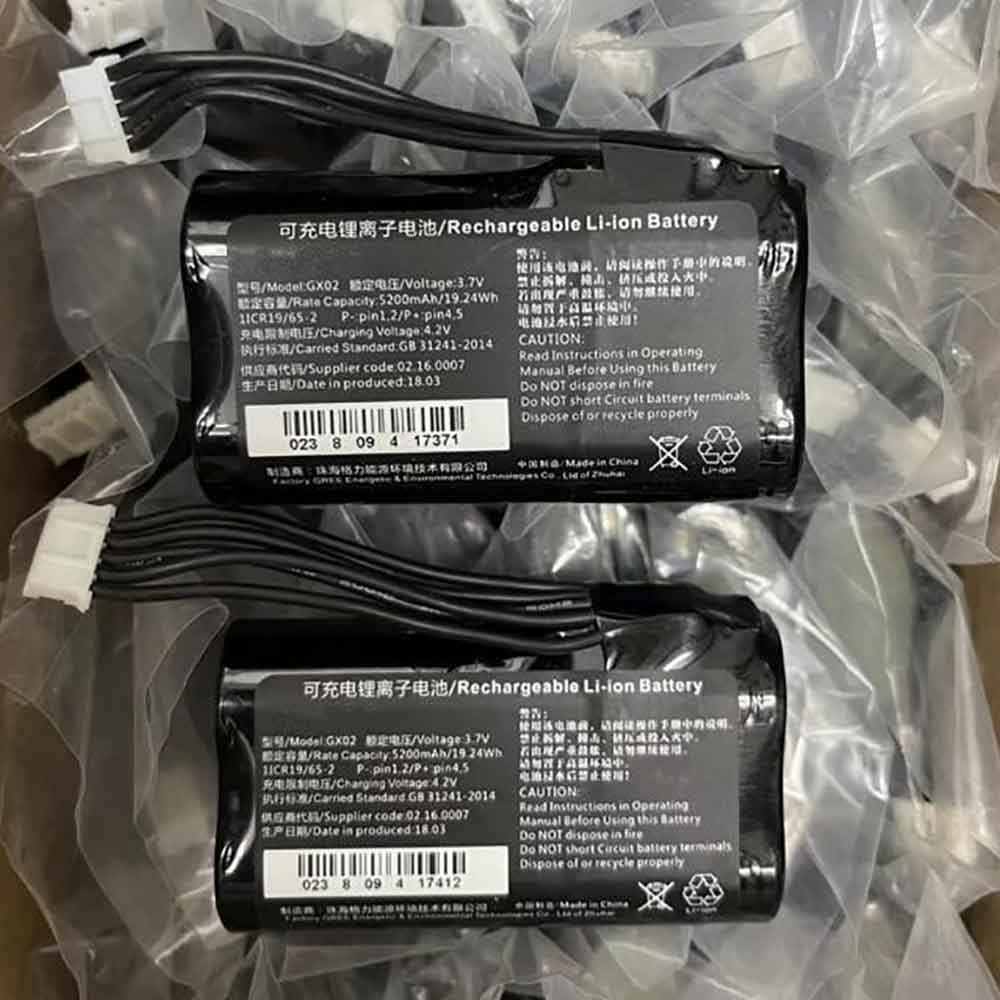
5200mAh 3.7V Nexgo GX02 Li-ion Battery for Nexgo N3 POS

5200mAh 3.7V Nexgo GX02 Batteries for Nexgo N3 POS, Nexgo GX02 Other battery is a brand new,100% Compatible original and replacement battery,Purchase wholesale and retail GX02 with high quality and low price!

Find ou your original model number or part number(P/N), and move your eyes on the tag of battery

GX02

Specifications

  • Brand:Nexgo
  • Capacity :5200mAh
  • Voltage :3.7V
  • Type :Li-ion
  • Battery Cell Quality: Grade A
  • Descriptive: Replacement Battery – 1 Year Warranty
  • Description: Brand New, 1 Year Warranty! 30-Days Money Back! Fast Shipping!

How we test this Nexgo GX02 Battery
Step 1: Make sure customer bought the correct battery.
Step 2: Check battery’s appearance and interface.
Step 3: Test battery charger and recharger function.
Step 4: Charger the battery to 100% and recharger to 0% to get real battery capacity
Step 5: Use Ev2300 to check the voltage difference of each goroup cells.
Step 6: Charger battery power more than 30%.
Step 7: Package battery carefully and send out

Compatible Part Numbers:
GX02

Compatible Model Numbers:
Nexgo N3 POS

How much do you know about how to run laptop well as any place? The follow Tips cut way back on protecting battery life.


1). Please recharge or change your Other battery when battery power low.
2). Using Li-Ion Replacement Nexgo GX02 Other Battery for your notebook which can work longer time than Non Li-ion one.
3). It is better to defragmentation regularly for your Other battery life.
4). In order to reduce the laptop power consumpition, you can use some optical drive spin-down and hard drive in your Other .
5). Please keep your laptop in sleep or standby model without long time using, which both save the Replacement Nexgo GX02 Other Battery power and extend battery using life.
6). Leave your battery in a dry and cool condition when without using.
7). When you rarely or generally plugged in fixed power using, Please take down your battery to avoid hurting battery life.

Hot Products

3200Mah /12.16Wh AMAZON MC-308695 for Amazon Kindle 58-000255 MC-3082300mah BOSE 404600 for Bose SOUNDLINK I II III1000MAH/3.7WH NOKIA BL-4U for Nokia 3120 5330 5530 6212 62163310mAh/50WH FUJITSU FPB0338S for Fujitsu Lifebook E548 E558 T936000mAh ACER PR-279594N for Acer Iconia One 10 B3-A20 A5002890mAh/44WH LENOVO L18D4PF0 for Lenovo ThinkBook 13s 13s-IWL 141Wh DELL G91J0 for Dell Latitude 3420980mAh/10.8Wh DJI HB01-522365 for DJI OSMO Handheld Yuntau 4K Ca3200mAh/12.4WH SONY LIP1701ERPC for Sony Xperia 1 XZ4 J8110 J8170320mAh/1.3WH ASUS C11N1609 for ASUS ZenWatch 3 (WI503Q) Smart
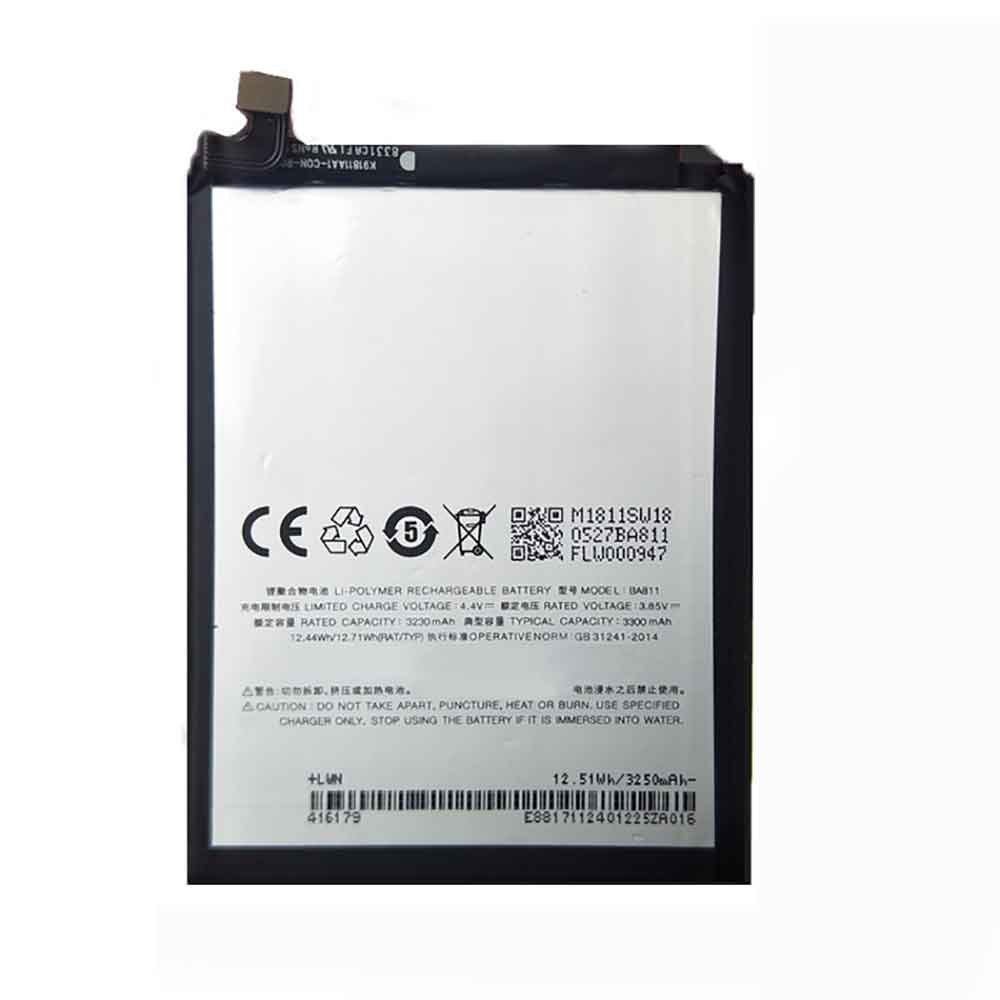
3300mAh 3.85V Meizu BA811 Li-ion Battery for Meizu 6T

3300mAh 3.85V Meizu BA811 Batteries for Meizu 6T, Meizu BA811 Cell Phone battery is a brand new,100% Compatible original and replacement Phone battery,Purchase wholesale and retail BA811 with high quality and low price!

Find ou your original model number or part number(P/N), and move your eyes on the tag of battery

BA811

Specifications

  • Brand:Meizu
  • Capacity :3300mAh
  • Voltage :3.85V
  • Type :Li-Polymer
  • Battery Cell Quality: Grade A
  • Descriptive: Replacement Battery – 1 Year Warranty
  • Description: Brand New, 1 Year Warranty! 30-Days Money Back! Fast Shipping!

How we test this Meizu BA811 Battery
Step 1: Make sure customer bought the correct battery.
Step 2: Check battery’s appearance and interface.
Step 3: Test battery charger and recharger function.
Step 4: Charger the battery to 100% and recharger to 0% to get real battery capacity
Step 5: Use Ev2300 to check the voltage difference of each goroup cells.
Step 6: Charger battery power more than 30%.
Step 7: Package battery carefully and send out

Compatible Part Numbers:
BA811

Compatible Model Numbers:
Meizu 6T

How much do you know about how to run laptop well as any place? The follow Tips cut way back on protecting battery life.


1). Please recharge or change your Cell Phone battery when battery power low.
2). Using Li-Ion Replacement Meizu BA811 Cell Phone Battery for your notebook which can work longer time than Non Li-ion one.
3). It is better to defragmentation regularly for your Cell Phone battery life.
4). In order to reduce the laptop power consumpition, you can use some optical drive spin-down and hard drive in your Cell Phone .
5). Please keep your laptop in sleep or standby model without long time using, which both save the Replacement Meizu BA811 Cell Phone Battery power and extend battery using life.
6). Leave your battery in a dry and cool condition when without using.
7). When you rarely or generally plugged in fixed power using, Please take down your battery to avoid hurting battery life.

Hot Products

3200Mah /12.16Wh AMAZON MC-308695 for Amazon Kindle 58-000255 MC-3082300mah BOSE 404600 for Bose SOUNDLINK I II III1000MAH/3.7WH NOKIA BL-4U for Nokia 3120 5330 5530 6212 62163310mAh/50WH FUJITSU FPB0338S for Fujitsu Lifebook E548 E558 T936000mAh ACER PR-279594N for Acer Iconia One 10 B3-A20 A5002890mAh/44WH LENOVO L18D4PF0 for Lenovo ThinkBook 13s 13s-IWL 141Wh DELL G91J0 for Dell Latitude 3420980mAh/10.8Wh DJI HB01-522365 for DJI OSMO Handheld Yuntau 4K Ca3200mAh/12.4WH SONY LIP1701ERPC for Sony Xperia 1 XZ4 J8110 J8170320mAh/1.3WH ASUS C11N1609 for ASUS ZenWatch 3 (WI503Q) Smart

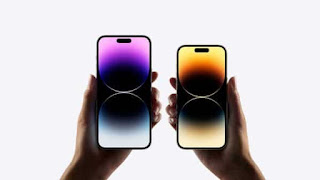
Apple copied Xiaomi with these little-known iPhone 14 features

 Apple is no stranger to adopting Android-manufactured features, such as an ultra-wide rear camera, night mode, app drawer, and Live Captions. We already know that the company has picked up more features for the iPhone 14 series from Android OEMs. Now, as it turns out, Apple has also incorporated two lesser-known features for the new phone. And these two functions are the first to realize by Xiaomi.

Two sensors provide better automatic brightness

Apple‘s spec sheet for the iPhone 14 series shows that all phones now have dual ambient light sensors, with Mashable reporting one sensor on the front and one on the back. This allows for more accurate brightness adjustments. However, Xiaomi beat Apple and the rest of the smartphone industry with this feature. Chinese outlet MyDrivers pointed out that the Mi 10 series launched a dual ambient light sensor alongside the Mi 10 series flagship phones back in early 2020.

“In complex lighting scenarios, collect more light source data to obtain more accurate user ambient light data,” a Xiaomi executive said of the dual ambient light sensors at the launch of the Mi 10 series. This feature has since appeared on devices like Google and Samsung.

iPhone with dual-frequency GPS

Another feature available for the first time on the iPhone is dual-frequency GPS, which is coming to the Pro models. As the name suggests, this technology uses two GPS frequencies to improve location accuracy on smartphones (instead of just one). This should also provide faster location fixes when using Google Maps and other apps that rely on your location.

This is another feature that first appeared on smartphones through Xiaomi. In fact, the feature debuted on Xiaomi’s Mi 8 flagship back in 2018. Since then, dual-frequency navigation has landed on a variety of phones from OnePlus, Samsung and other companies.

Better late than never

For Apple, these are very small features that could be replicated in the grand scheme of things. After all, it gets bigger upgrades from the Android environment of the iPhone 14 series, like a 48MP main camera, a display cutout, and a super-steady video mode. But we’re still happy to see Apple catch up to Xiaomi and Android in this regard by adopting these features.

>>>>>>>>>>>>>Apple battery

Missing some iOS 16 features? The age of your iPhone could be the culprit

 The new iOS 16 is now available for compatible iPhones, which means if you own an iPhone 8 or newer, you can download it right now. Unfortunately, even if your iPhone is capable of running iOS 16, that doesn’t mean it’s getting all the cool new features like a battery percentage icon in the status bar or the new drag-and-drop photo cropping trick.

Depending on your iPhone’s age and processor, your software update may be missing some of the new settings and features that others enjoy on iOS 16. Here’s how to find out if you might be missing any of these features too, let’s take a look!

Battery percentage in iPhone status bar

Apple used to show off battery percentages in the status bar until the iPhone X and notch were released. In iOS 16, the battery indicator has been reintroduced and redesigned, but not for everyone with the latest update.

According to this Apple support page, the status bar battery feature has been excluded from the iPhone XR, iPhone 11, iPhone 12 mini, and iPhone 13 Mini. If you want to see a visual indicator of battery level, you can add a battery widget to the home screen, or swipe down to see the numbers in the control center.

Elevate subject from photo background

On iOS 16, you can hold your finger on a clear subject in a photo to crop it out, then drag and drop it somewhere else, like in your notes, emails, or text messages. It does this using Apple’s Visual Look Up feature, which recognizes objects in photos, but both features require a newer iPhone model.

This feature is only available on iPhones with A12 Bionic and above (starting with iPhone XS/XR), not iPhone X and iPhone 8 series.

Wallpaper depth effect on lock screen

With the release of iOS 16, the lock screen adds major customization tools, allowing you to use fonts, colors, wallpaper profiles, widgets—and new depth effects. As long as your wallpaper has a clear theme in the foreground, the time on the lock screen may appear below the object, giving your wallpaper a layered effect. However, the feature also uses Visual Look Up to identify your theme, so it won’t work on every iPhone.

Again, this feature is only available on iPhones and later with the A12 Bionic chip, so iPhone XS/XR and later.

Live Text Copy text from video

Introduced in iOS 15, Live Text on iPhone allows you to copy text from an image and paste it elsewhere. In iOS 16, the feature has received an update, and now you can also copy text from paused videos, but only if you have a specific iPhone.

This feature is only available on iPhone XR/XS and later.

New and improved dictation experience

In iOS 16, Apple has redesigned how dictation works, making it easier to combine speech-to-text and keyboard for a smoother experience when sending text messages and drafting emails. This feature uses on-device machine learning, which unfortunately is not available on all iPhones.

Again, this feature is only available on iPhones with the A12 Bionic chip and above, which includes the iPhone XS/XR and above.

Live captions for FaceTime calls and videos

Live Captions for iOS 16 creates live captions for any video playing on your iPhone, whether it’s in your text messages or camera roll, or even a FaceTime call. The new accessibility feature is designed to improve communication for the hearing impaired, but not everyone will get the changes that enable it.

Like most of the features on this list, it’s only available on iPhone models with the A12 Bionic chip and above, which includes the iPhone XS/XR and above (excluding the iPhone 8 series and iPhone X).

Additional features not available on all iPhones running iOS 16

The above features aren’t the only new or updated features that won’t be on every iPhone with iOS 16. Here is the full list of missing features and which iPhone models are included:

Blur foreground objects in portrait photos: Available on iPhone 13 and iPhone 14.

Use your camera to track your medications in the Health app: iPhone XS/XR and later.

Hang up with your voice and other Siri improvements: iPhone XS/XR and later.

Use the camera to detect and describe nearby objects, such as doors: Available on iPhone 12 Pro, iPhone 13 Pro, and iPhone 14 Pro.

>>>>>>>>>>>>>iPhone battery

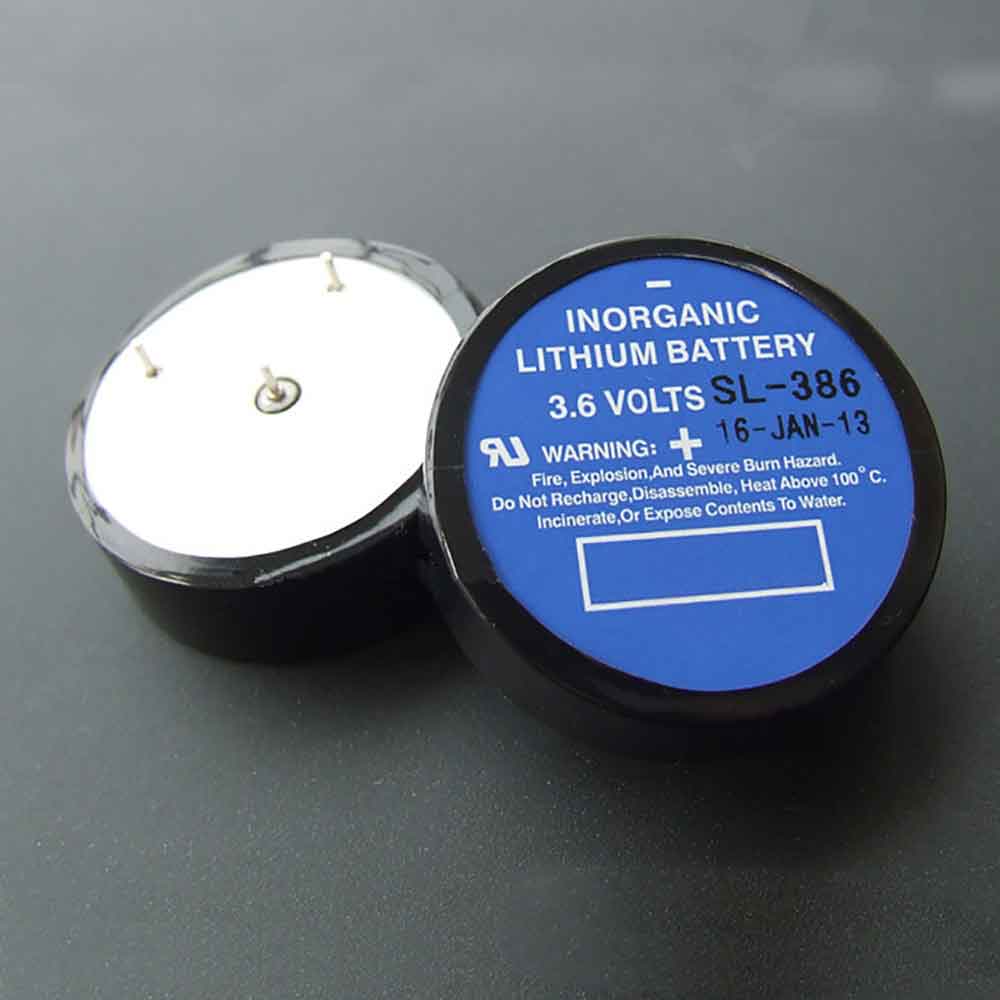
1.7Ah 3.6V Sonnecell SL-386 Li-ion Battery for Sonnecell SL-386

1.7Ah 3.6V Sonnecell SL-386 Batteries for Sonnecell SL-386, Sonnecell SL-386 Other battery is a brand new,100% Compatible original and replacement battery,Purchase wholesale and retail SL-386 with high quality and low price!

Find ou your original model number or part number(P/N), and move your eyes on the tag of battery

SL-386

Specifications

  • Brand:Sonnecell
  • Capacity :1.7Ah
  • Voltage :3.6V
  • Type :Lithium
  • Battery Cell Quality: Grade A
  • Descriptive: Replacement Battery – 1 Year Warranty
  • Description: Brand New, 1 Year Warranty! 30-Days Money Back! Fast Shipping!

How we test this Sonnecell SL-386 Battery
Step 1: Make sure customer bought the correct battery.
Step 2: Check battery’s appearance and interface.
Step 3: Test battery charger and recharger function.
Step 4: Charger the battery to 100% and recharger to 0% to get real battery capacity
Step 5: Use Ev2300 to check the voltage difference of each goroup cells.
Step 6: Charger battery power more than 30%.
Step 7: Package battery carefully and send out

Compatible Part Numbers:
SL-386

Compatible Model Numbers:
Sonnecell SL-386

How much do you know about how to run laptop well as any place? The follow Tips cut way back on protecting battery life.


1). Please recharge or change your Other battery when battery power low.
2). Using Li-Ion Replacement Sonnecell SL-386 Other Battery for your notebook which can work longer time than Non Li-ion one.
3). It is better to defragmentation regularly for your Other battery life.
4). In order to reduce the laptop power consumpition, you can use some optical drive spin-down and hard drive in your Other .
5). Please keep your laptop in sleep or standby model without long time using, which both save the Replacement Sonnecell SL-386 Other Battery power and extend battery using life.
6). Leave your battery in a dry and cool condition when without using.
7). When you rarely or generally plugged in fixed power using, Please take down your battery to avoid hurting battery life.

Hot Products

2890mAh/44WH LENOVO L18D4PF0 for Lenovo ThinkBook 13s 13s-IWL 141Wh DELL G91J0 for Dell Latitude 3420980mAh/10.8Wh DJI HB01-522365 for DJI OSMO Handheld Yuntau 4K Ca3200mAh/12.4WH SONY LIP1701ERPC for Sony Xperia 1 XZ4 J8110 J8170320mAh/1.3WH ASUS C11N1609 for ASUS ZenWatch 3 (WI503Q) Smart5800mah /63wh FUJITSU FPCBP416 for Fujitsu LifeBook A544 AH564 E71880mAh/7.0WH GARMIN 361-00077-10 for Garmin Zumo 590, Zumo 590LM, Z29.97Wh/2700mAh PARROT Bebop-Drone-2 for Parrot Bebop 2 Drone Quadcopte2330Mah/17Wh BOSE 088772 for BOSE Soundlink Mini 28400mAh/30.2Wh LENOVO L15D3K32 for Lenovo Yoga Tab 3 YT3-X50F YT3

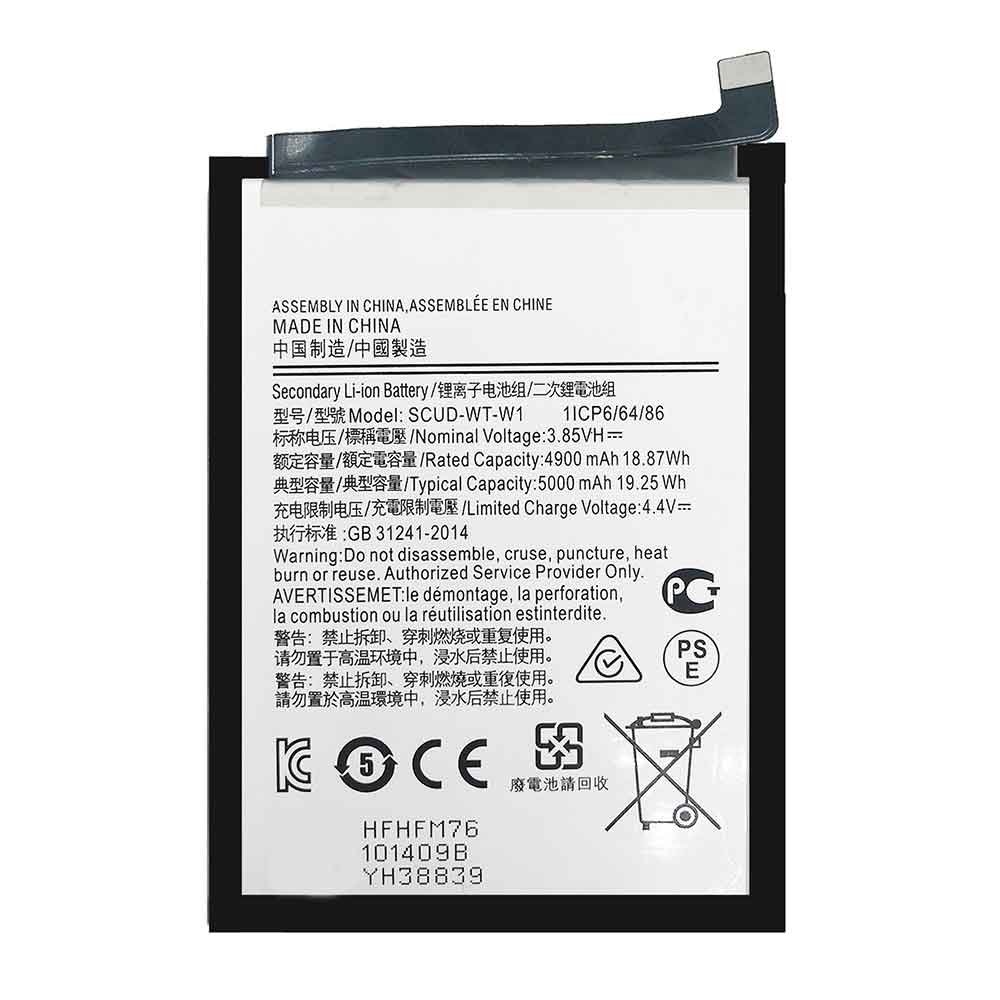
5000mAh 3.85V Samsung SCUD-WT-W1 Li-ion Battery for Samsung Galaxy A22

5000mAh 3.85V Samsung SCUD-WT-W1 Batteries for Samsung Galaxy A22, Samsung SCUD-WT-W1 Cell Phone battery is a brand new,100% Compatible original and replacement Phone battery,Purchase wholesale and retail SCUD-WT-W1 with high quality and low price!

Find ou your original model number or part number(P/N), and move your eyes on the tag of battery

SCUD-WT-W1

Specifications

  • Brand:Samsung
  • Capacity :5000mAh
  • Voltage :3.85V
  • Type :Li-ion
  • Battery Cell Quality: Grade A
  • Descriptive: Replacement Battery – 1 Year Warranty
  • Description: Brand New, 1 Year Warranty! 30-Days Money Back! Fast Shipping!

How we test this Samsung SCUD-WT-W1 Battery
Step 1: Make sure customer bought the correct battery.
Step 2: Check battery’s appearance and interface.
Step 3: Test battery charger and recharger function.
Step 4: Charger the battery to 100% and recharger to 0% to get real battery capacity
Step 5: Use Ev2300 to check the voltage difference of each goroup cells.
Step 6: Charger battery power more than 30%.
Step 7: Package battery carefully and send out

Compatible Part Numbers:
SCUD-WT-W1

Compatible Model Numbers:
Samsung Galaxy A22

How much do you know about how to run laptop well as any place? The follow Tips cut way back on protecting battery life.


1). Please recharge or change your Cell Phone battery when battery power low.
2). Using Li-Ion Replacement Samsung SCUD-WT-W1 Cell Phone Battery for your notebook which can work longer time than Non Li-ion one.
3). It is better to defragmentation regularly for your Cell Phone battery life.
4). In order to reduce the laptop power consumpition, you can use some optical drive spin-down and hard drive in your Cell Phone .
5). Please keep your laptop in sleep or standby model without long time using, which both save the Replacement Samsung SCUD-WT-W1 Cell Phone Battery power and extend battery using life.
6). Leave your battery in a dry and cool condition when without using.
7). When you rarely or generally plugged in fixed power using, Please take down your battery to avoid hurting battery life.

Hot Products

2890mAh/44WH LENOVO L18D4PF0 for Lenovo ThinkBook 13s 13s-IWL 141Wh DELL G91J0 for Dell Latitude 3420980mAh/10.8Wh DJI HB01-522365 for DJI OSMO Handheld Yuntau 4K Ca3200mAh/12.4WH SONY LIP1701ERPC for Sony Xperia 1 XZ4 J8110 J8170320mAh/1.3WH ASUS C11N1609 for ASUS ZenWatch 3 (WI503Q) Smart5800mah /63wh FUJITSU FPCBP416 for Fujitsu LifeBook A544 AH564 E71880mAh/7.0WH GARMIN 361-00077-10 for Garmin Zumo 590, Zumo 590LM, Z29.97Wh/2700mAh PARROT Bebop-Drone-2 for Parrot Bebop 2 Drone Quadcopte2330Mah/17Wh BOSE 088772 for BOSE Soundlink Mini 28400mAh/30.2Wh LENOVO L15D3K32 for Lenovo Yoga Tab 3 YT3-X50F YT3

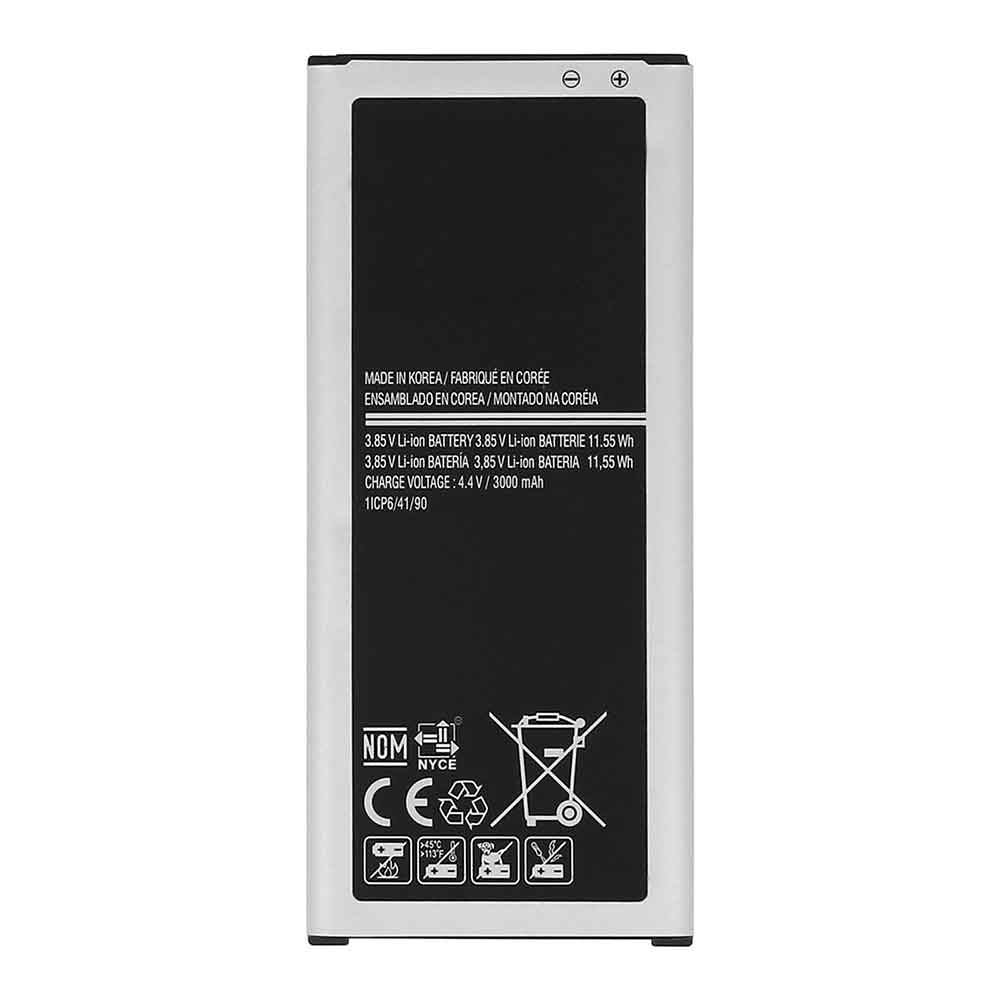
3000mAh 3.85V Samsung EB-BN915BBE Li-ion Battery for Samsung Galaxy Note Edge

3000mAh 3.85V Samsung EB-BN915BBE Batteries for Samsung Galaxy Note Edge, Samsung EB-BN915BBE Cell Phone battery is a brand new,100% Compatible original and replacement Phone battery,Purchase wholesale and retail EB-BN915BBE with high quality and low price!

Find ou your original model number or part number(P/N), and move your eyes on the tag of battery

EB-BN915BBE

Specifications

  • Brand:Samsung
  • Capacity :3000mAh
  • Voltage :3.85V
  • Type :Li-ion
  • Battery Cell Quality: Grade A
  • Descriptive: Replacement Battery – 1 Year Warranty
  • Description: Brand New, 1 Year Warranty! 30-Days Money Back! Fast Shipping!

How we test this Samsung EB-BN915BBE Battery
Step 1: Make sure customer bought the correct battery.
Step 2: Check battery’s appearance and interface.
Step 3: Test battery charger and recharger function.
Step 4: Charger the battery to 100% and recharger to 0% to get real battery capacity
Step 5: Use Ev2300 to check the voltage difference of each goroup cells.
Step 6: Charger battery power more than 30%.
Step 7: Package battery carefully and send out

Compatible Part Numbers:
EB-BN915BBE

Compatible Model Numbers:
Samsung Galaxy Note Edge

How much do you know about how to run laptop well as any place? The follow Tips cut way back on protecting battery life.


1). Please recharge or change your Cell Phone battery when battery power low.
2). Using Li-Ion Replacement Samsung EB-BN915BBE Cell Phone Battery for your notebook which can work longer time than Non Li-ion one.
3). It is better to defragmentation regularly for your Cell Phone battery life.
4). In order to reduce the laptop power consumpition, you can use some optical drive spin-down and hard drive in your Cell Phone .
5). Please keep your laptop in sleep or standby model without long time using, which both save the Replacement Samsung EB-BN915BBE Cell Phone Battery power and extend battery using life.
6). Leave your battery in a dry and cool condition when without using.
7). When you rarely or generally plugged in fixed power using, Please take down your battery to avoid hurting battery life.

Hot Products

2890mAh/44WH LENOVO L18D4PF0 for Lenovo ThinkBook 13s 13s-IWL 141Wh DELL G91J0 for Dell Latitude 3420980mAh/10.8Wh DJI HB01-522365 for DJI OSMO Handheld Yuntau 4K Ca3200mAh/12.4WH SONY LIP1701ERPC for Sony Xperia 1 XZ4 J8110 J81702300mah BOSE 404600 for Bose SOUNDLINK I II III320mAh/1.3WH ASUS C11N1609 for ASUS ZenWatch 3 (WI503Q) Smart5800mah /63wh FUJITSU FPCBP416 for Fujitsu LifeBook A544 AH564 E71880mAh/7.0WH GARMIN 361-00077-10 for Garmin Zumo 590, Zumo 590LM, Z29.97Wh/2700mAh PARROT Bebop-Drone-2 for Parrot Bebop 2 Drone Quadcopte2330Mah/17Wh BOSE 088772 for BOSE Soundlink Mini 2

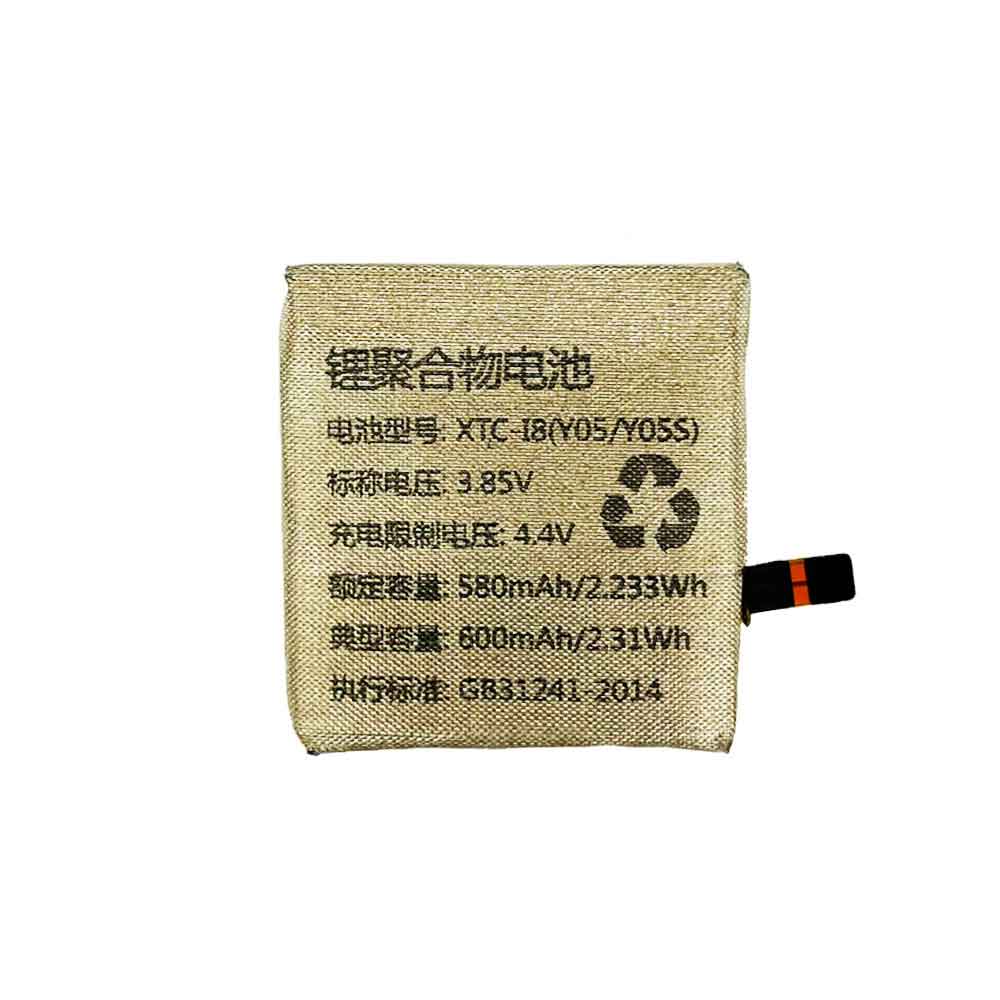
600mAh 3.85V Bbk XTC-18 Li-ion Battery for BBK Y05,Y05S

600mAh 3.85V Bbk XTC-18 Batteries for BBK Y05,Y05S, Bbk XTC-18 Other battery is a brand new,100% Compatible original and replacement battery,Purchase wholesale and retail XTC-18 with high quality and low price!

Find ou your original model number or part number(P/N), and move your eyes on the tag of battery

XTC-18

Specifications

  • Brand:BBK
  • Capacity :600mAh
  • Voltage :3.85V
  • Type :Li-Polymer
  • Battery Cell Quality: Grade A
  • Descriptive: Replacement Battery – 1 Year Warranty
  • Description: Brand New, 1 Year Warranty! 30-Days Money Back! Fast Shipping!

How we test this Bbk XTC-18 Battery
Step 1: Make sure customer bought the correct battery.
Step 2: Check battery’s appearance and interface.
Step 3: Test battery charger and recharger function.
Step 4: Charger the battery to 100% and recharger to 0% to get real battery capacity
Step 5: Use Ev2300 to check the voltage difference of each goroup cells.
Step 6: Charger battery power more than 30%.
Step 7: Package battery carefully and send out

Compatible Part Numbers:
XTC-18

Compatible Model Numbers:
BBK Y05,Y05S

How much do you know about how to run laptop well as any place? The follow Tips cut way back on protecting battery life.


1). Please recharge or change your Other battery when battery power low.
2). Using Li-Ion Replacement Bbk XTC-18 Other Battery for your notebook which can work longer time than Non Li-ion one.
3). It is better to defragmentation regularly for your Other battery life.
4). In order to reduce the laptop power consumpition, you can use some optical drive spin-down and hard drive in your Other .
5). Please keep your laptop in sleep or standby model without long time using, which both save the Replacement Bbk XTC-18 Other Battery power and extend battery using life.
6). Leave your battery in a dry and cool condition when without using.
7). When you rarely or generally plugged in fixed power using, Please take down your battery to avoid hurting battery life.

Hot Products

2890mAh/44WH LENOVO L18D4PF0 for Lenovo ThinkBook 13s 13s-IWL 141Wh DELL G91J0 for Dell Latitude 3420980mAh/10.8Wh DJI HB01-522365 for DJI OSMO Handheld Yuntau 4K Ca3200mAh/12.4WH SONY LIP1701ERPC for Sony Xperia 1 XZ4 J8110 J81702300mah BOSE 404600 for Bose SOUNDLINK I II III320mAh/1.3WH ASUS C11N1609 for ASUS ZenWatch 3 (WI503Q) Smart5800mah /63wh FUJITSU FPCBP416 for Fujitsu LifeBook A544 AH564 E71880mAh/7.0WH GARMIN 361-00077-10 for Garmin Zumo 590, Zumo 590LM, Z29.97Wh/2700mAh PARROT Bebop-Drone-2 for Parrot Bebop 2 Drone Quadcopte2330Mah/17Wh BOSE 088772 for BOSE Soundlink Mini 2

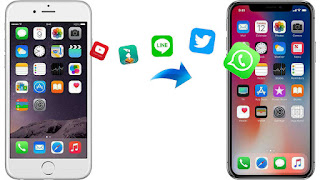
Got a new iPhone 14? This is the easiest way to transfer data

 If you bought one of the new iPhone 14 models today, you’re probably ready to tear open the box and start experiencing all the new features of iOS 16. While getting a new phone is exciting, take the time to make sure your new iPhone 14 is set up to your liking.

Depending on your situation, Apple offers several options for transferring data from iPhone to iPhone. For example, you can set it up as brand new, but you’ll start from scratch and no settings, messages, photos, apps, or accounts will be transferred. There’s also the option to transfer everything from your current phone to iPhone 14 — even if you’re a current Android user. Check it out as we explain four different ways to restore your phone from a recent backup of your current iPhone!

1. Restore the most recent iCloud backup to your new iPhone

The easiest and quickest way to set up a new iPhone is to restore from a recent iCloud backup. When you’re through the initial setup process, tap Restore from iCloud Backup, sign in with your Apple ID, and select the most recent backup of your old iPhone.

If the backup is more than a day or two, I recommend taking a few extra minutes to create a new backup. To do this, open the Settings app on your old phone and search for iCloud Backup (click the icon), then select Backup Now. When you’re done, go back to your new iPhone and select the backup you just created as the backup you’d like to restore from.

Your phone will then restore your settings and preferences, and you’ll be able to start using it in about 15 minutes while it finishes downloading installed apps. Once everything is restored, you will need to log back into any accounts you added to your phone, and go through your apps and make sure you are still logged in.

2. Use Apple’s direct transfer method

During setup, you’ll be asked if you want to transfer apps and information directly from your old iPhone to your new iPhone.

The tool is easy to use. Make sure you have two phones, preferably plugged in and charged, to make sure they don’t drain the battery, Wi-Fi connection and enough time to complete the process. The more information you have on your phone, the longer it will take.

3. Transfer data to iPhone using Mac or PC

The method I personally use with every new iPhone is to restore from an encrypted backup using a Mac or PC. Not only does this process transfer all your apps, settings, and preferences, it also means you don’t have to log into the myriad apps on your phone.

Before using this method, you need to create an encrypted backup of your current iPhone. I know this might sound intimidating or overly complicated, but it just means you have to check an extra box and enter your password.

On a Mac, you’ll use the Finder to back up your old iPhone. We outline the steps when Apple kills iTunes. Just make sure to check the Encrypt backup box and enter a password you will remember when prompted. Get your Mac to work and create a backup file.

On a PC, you’ll need to use iTunes to create backups. The process is explained here. Again, you need to make sure the Encrypt backup box is checked and enter a password.

To restore your new phone, open Finder or iTunes and connect your phone to your computer. Click Trust when prompted, then follow the prompts to select the backup you just created as the backup you want to use to restore your phone.

Once done, your new phone will be exactly the same as your old phone, and you won’t need to spend any time logging into apps or random accounts.

4. Android users? This app is your answer

Apple doesn’t list many Android apps on Google’s Play Store, but Move to iOS is one of them. This free app will connect your Android phone to your new iPhone and allow you to transfer your most important information from one phone to another.

>>>>>>>>>>>>>>iPhone battery

Thanks for reading, hope it helps!

Friendly reminder: If you need to replace the battery of your device, this battery store will be a good choice: www.batteryforpc.co.uk