3200mAh Oukitel C15-Pro Li-ion Battery for Oukitel C15 Pro

3200mAh Oukitel C15-Pro Batteries for Oukitel C15 Pro, Oukitel C15-Pro Cell Phone battery is a brand new,100% Compatible original and replacement Phone battery,Purchase wholesale and retail C15-Pro with high quality and low price!

Find ou your original model number or part number(P/N), and move your eyes on the tag of battery
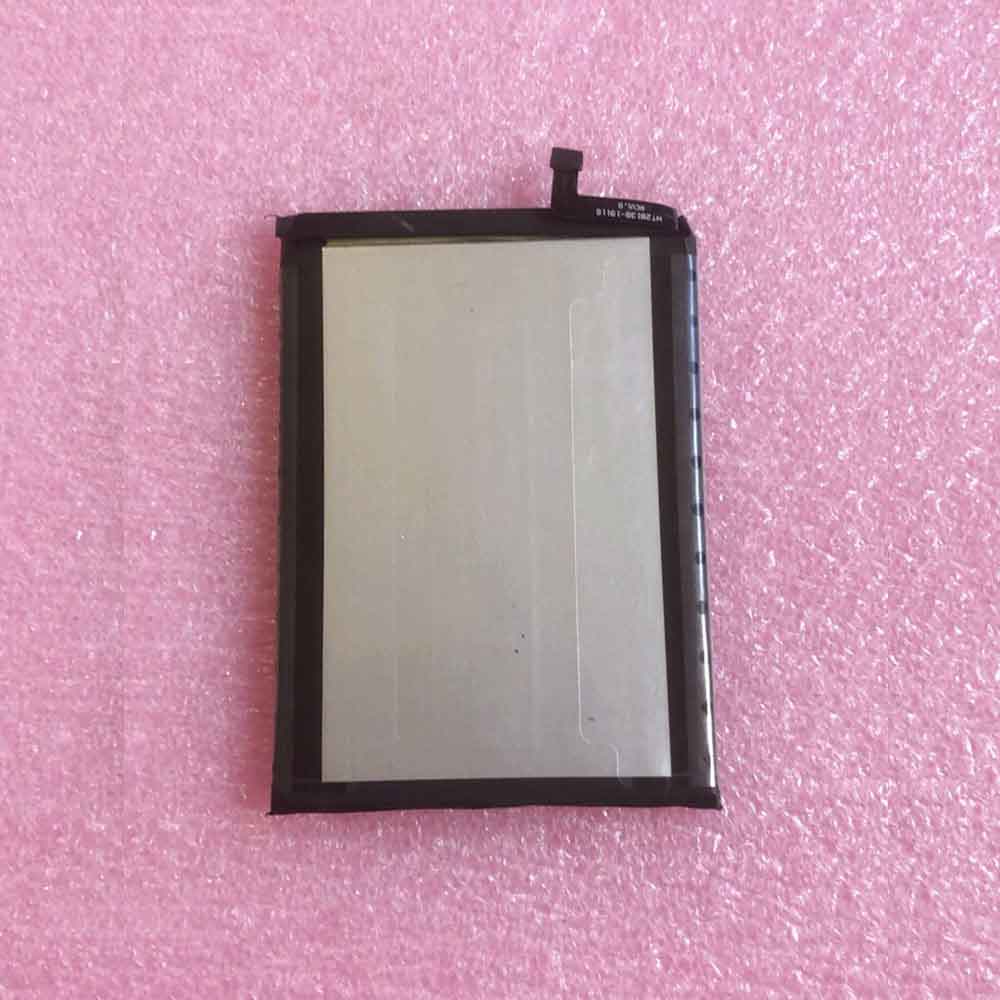
C15-Pro

Specifications

  • Brand:Oukitel
  • Capacity :3200mAh
  • Voltage :
  • Type :Li-ion
  • Battery Cell Quality: Grade A
  • Descriptive: Replacement Battery – 1 Year Warranty
  • Description: Brand New, 1 Year Warranty! 30-Days Money Back! Fast Shipping!

How we test this Oukitel C15-Pro Battery
Step 1: Make sure customer bought the correct battery.
Step 2: Check battery’s appearance and interface.
Step 3: Test battery charger and recharger function.
Step 4: Charger the battery to 100% and recharger to 0% to get real battery capacity
Step 5: Use Ev2300 to check the voltage difference of each goroup cells.
Step 6: Charger battery power more than 30%.
Step 7: Package battery carefully and send out

Compatible Part Numbers:
C15-Pro

Compatible Model Numbers:
Oukitel C15 Pro

How much do you know about how to run laptop well as any place? The follow Tips cut way back on protecting battery life.


1). Please recharge or change your Cell Phone battery when battery power low.
2). Using Li-Ion Replacement Oukitel C15-Pro Cell Phone Battery for your notebook which can work longer time than Non Li-ion one.
3). It is better to defragmentation regularly for your Cell Phone battery life.
4). In order to reduce the laptop power consumpition, you can use some optical drive spin-down and hard drive in your Cell Phone .
5). Please keep your laptop in sleep or standby model without long time using, which both save the Replacement Oukitel C15-Pro Cell Phone Battery power and extend battery using life.
6). Leave your battery in a dry and cool condition when without using.
7). When you rarely or generally plugged in fixed power using, Please take down your battery to avoid hurting battery life.

Hot Products

2200MAH ICR 18650 for ICR 18650 ICR186501500mAh/5.70WH BPI 353292G for BPI 353292G2200mah PACKARD_BELL SQU-703 for Packard Bell EasyNote MZ35 MZ3980mah/3.73Wh GARMIN 361-00080-00 for GARMIN VIRB XE Virb X Compact930mAh/3.4WH GARMIN 361-00046-07 for Garmin Nuvi GDR43 GDR45 3450 34350mAh/66.9WH SAMSUNG AA-PBRN4ZU for SAMSUNG 950QCJ 930QCJ 950XCJ 91100mAh TOMTOM VF1C for TomTom GO 2535TM 2505TM 2435TM45Wh/3790mAh HP RH03XL for HP ProBook 450 G8 ProBook 65047WH /6150mah ASUS C21N1833 for ASUS ZENBOOK UX431 Series5100MAH/19.1Wh LENOVO BL262 for Lenovo Vibe P2 p2a42 p2c72 +To
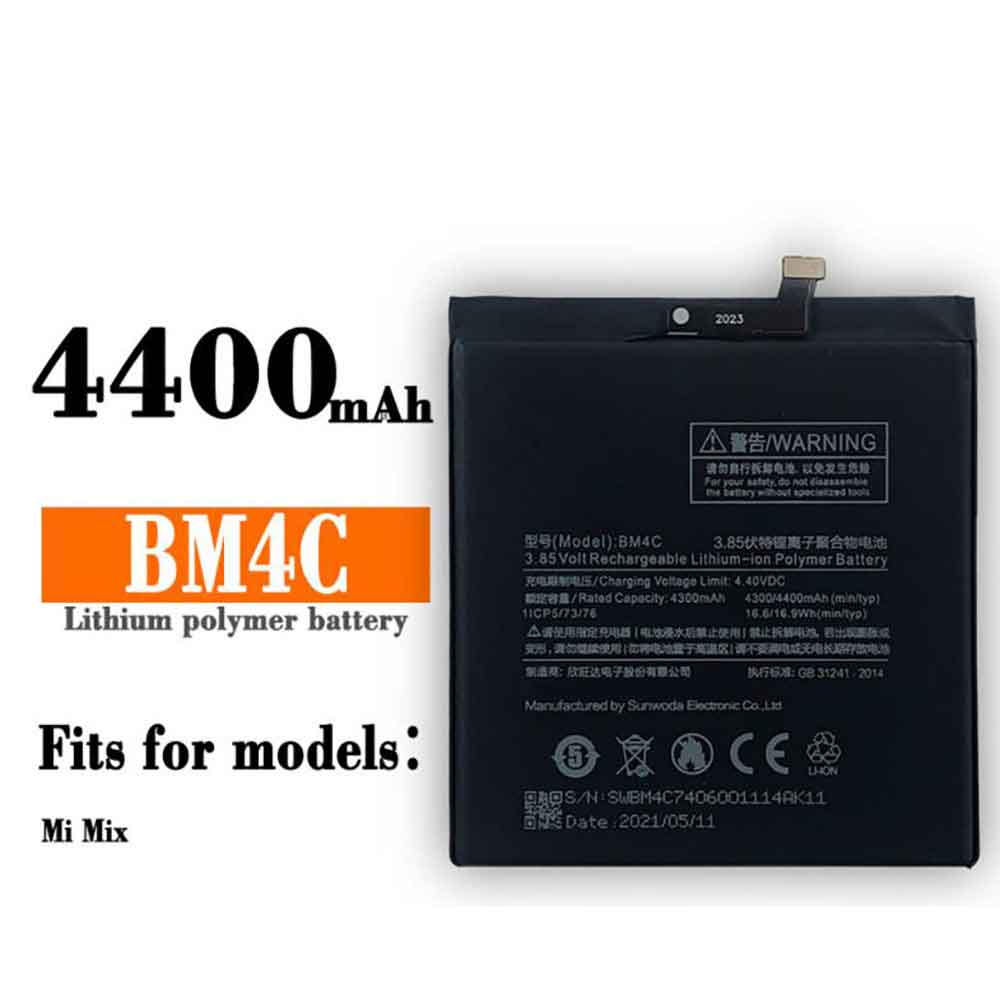
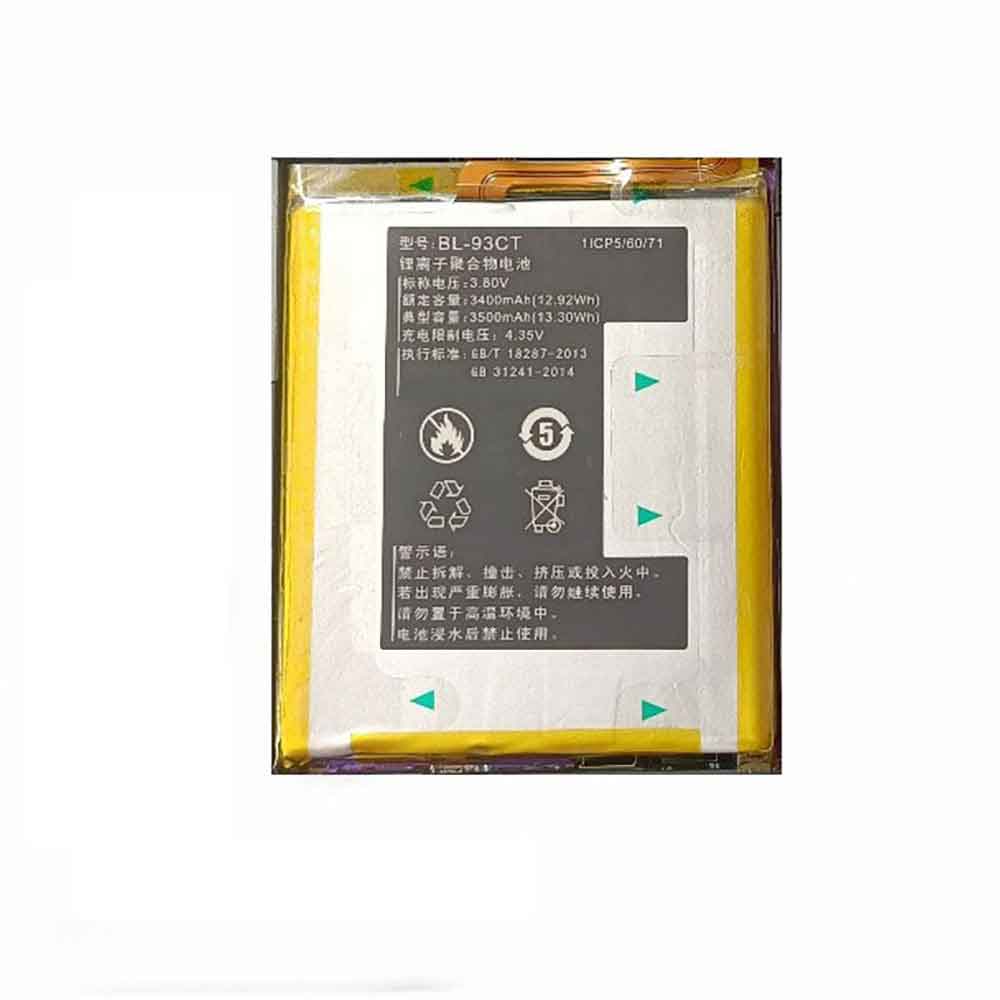
4300mAh/16.6WH 3.85V 4.4V Xiaomi BM4C Li-ion Battery for Xiaomi Mi Mix

4300mAh/16.6WH 3.85V 4.4V Xiaomi BM4C Batteries for Xiaomi Mi Mix, Xiaomi BM4C Cell Phone battery is a brand new,100% Compatible original and replacement Phone battery,Purchase wholesale and retail BM4C with high quality and low price!

Find ou your original model number or part number(P/N), and move your eyes on the tag of battery

BM4C

Specifications

  • Brand:Xiaomi
  • Capacity :4300mAh/16.6WH
  • Voltage :3.85V 4.4V
  • Type :Li-ion
  • Battery Cell Quality: Grade A
  • Descriptive: Replacement Battery – 1 Year Warranty
  • Description: Brand New, 1 Year Warranty! 30-Days Money Back! Fast Shipping!

How we test this Xiaomi BM4C Battery
Step 1: Make sure customer bought the correct battery.
Step 2: Check battery’s appearance and interface.
Step 3: Test battery charger and recharger function.
Step 4: Charger the battery to 100% and recharger to 0% to get real battery capacity
Step 5: Use Ev2300 to check the voltage difference of each goroup cells.
Step 6: Charger battery power more than 30%.
Step 7: Package battery carefully and send out

Compatible Part Numbers:
BM4C

Compatible Model Numbers:
Xiaomi Mi Mix

How much do you know about how to run laptop well as any place? The follow Tips cut way back on protecting battery life.


1). Please recharge or change your Cell Phone battery when battery power low.
2). Using Li-Ion Replacement Xiaomi BM4C Cell Phone Battery for your notebook which can work longer time than Non Li-ion one.
3). It is better to defragmentation regularly for your Cell Phone battery life.
4). In order to reduce the laptop power consumpition, you can use some optical drive spin-down and hard drive in your Cell Phone .
5). Please keep your laptop in sleep or standby model without long time using, which both save the Replacement Xiaomi BM4C Cell Phone Battery power and extend battery using life.
6). Leave your battery in a dry and cool condition when without using.
7). When you rarely or generally plugged in fixed power using, Please take down your battery to avoid hurting battery life.

Hot Products

2200MAH ICR 18650 for ICR 18650 ICR186501500mAh/5.70WH BPI 353292G for BPI 353292G2200mah PACKARD_BELL SQU-703 for Packard Bell EasyNote MZ35 MZ3980mah/3.73Wh GARMIN 361-00080-00 for GARMIN VIRB XE Virb X Compact930mAh/3.4WH GARMIN 361-00046-07 for Garmin Nuvi GDR43 GDR45 3450 34350mAh/66.9WH SAMSUNG AA-PBRN4ZU for SAMSUNG 950QCJ 930QCJ 950XCJ 91100mAh TOMTOM VF1C for TomTom GO 2535TM 2505TM 2435TM45Wh/3790mAh HP RH03XL for HP ProBook 450 G8 ProBook 65047WH /6150mah ASUS C21N1833 for ASUS ZENBOOK UX431 Series5100MAH/19.1Wh LENOVO BL262 for Lenovo Vibe P2 p2a42 p2c72 +To
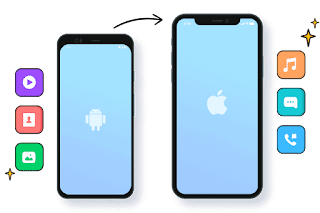
3400mAh/12.92WH 3.80V 4.35V Koobee BL-93CT Li-ion Battery for Koobee BL-93CT

3400mAh/12.92WH 3.80V 4.35V Koobee BL-93CT Batteries for Koobee BL-93CT, Koobee BL-93CT Cell Phone battery is a brand new,100% Compatible original and replacement Phone battery,Purchase wholesale and retail BL-93CT with high quality and low price!

Find ou your original model number or part number(P/N), and move your eyes on the tag of battery

BL-93CT

Specifications

  • Brand:Koobee
  • Capacity :3400mAh/12.92WH
  • Voltage :3.80V 4.35V
  • Type :Li-ion
  • Battery Cell Quality: Grade A
  • Descriptive: Replacement Battery – 1 Year Warranty
  • Description: Brand New, 1 Year Warranty! 30-Days Money Back! Fast Shipping!

How we test this Koobee BL-93CT Battery
Step 1: Make sure customer bought the correct battery.
Step 2: Check battery’s appearance and interface.
Step 3: Test battery charger and recharger function.
Step 4: Charger the battery to 100% and recharger to 0% to get real battery capacity
Step 5: Use Ev2300 to check the voltage difference of each goroup cells.
Step 6: Charger battery power more than 30%.
Step 7: Package battery carefully and send out

Compatible Part Numbers:
BL-93CT

Compatible Model Numbers:
Koobee BL-93CT

How much do you know about how to run laptop well as any place? The follow Tips cut way back on protecting battery life.


1). Please recharge or change your Cell Phone battery when battery power low.
2). Using Li-Ion Replacement Koobee BL-93CT Cell Phone Battery for your notebook which can work longer time than Non Li-ion one.
3). It is better to defragmentation regularly for your Cell Phone battery life.
4). In order to reduce the laptop power consumpition, you can use some optical drive spin-down and hard drive in your Cell Phone .
5). Please keep your laptop in sleep or standby model without long time using, which both save the Replacement Koobee BL-93CT Cell Phone Battery power and extend battery using life.
6). Leave your battery in a dry and cool condition when without using.
7). When you rarely or generally plugged in fixed power using, Please take down your battery to avoid hurting battery life.

Hot Products

2200MAH ICR 18650 for ICR 18650 ICR186501500mAh/5.70WH BPI 353292G for BPI 353292G2200mah PACKARD_BELL SQU-703 for Packard Bell EasyNote MZ35 MZ3980mah/3.73Wh GARMIN 361-00080-00 for GARMIN VIRB XE Virb X Compact930mAh/3.4WH GARMIN 361-00046-07 for Garmin Nuvi GDR43 GDR45 3450 34350mAh/66.9WH SAMSUNG AA-PBRN4ZU for SAMSUNG 950QCJ 930QCJ 950XCJ 91100mAh TOMTOM VF1C for TomTom GO 2535TM 2505TM 2435TM45Wh/3790mAh HP RH03XL for HP ProBook 450 G8 ProBook 65047WH /6150mah ASUS C21N1833 for ASUS ZENBOOK UX431 Series5100MAH/19.1Wh LENOVO BL262 for Lenovo Vibe P2 p2a42 p2c72 +To

How to Transfer Data from Android Phone to iPhone

 Apple’s devices are notorious for their closed software. So when I moved from an Android phone to an iPhone a few weeks ago, my main concern was whether I could take my existing data with me. It turns out it is possible. With just a little work, you can easily transfer all your Android contacts, calendar appointments, pictures, videos, SMS texts and more to your new iPhone. You can move Android data to iPhone in the following four ways.

1. Set up your new iPhone with your Android data

The best option for syncing Android data with iPhone is Apple’s “Move to iOS” app. When you configure your new iPhone for the first time, it lets you wirelessly import most of your important information to your new iPhone. So even before you start using your iPhone, it will be filled with your old Android data.

The only downside to the Move to iOS app is that it only works during the initialization phase of the iPhone. So if you’ve already set up your iPhone, you’ll have to reset it and start over to take advantage of Apple’s Android utility.

To get started with Move to iOS, continue through your iPhone’s setup until you reach the Apps & Data page. Here, select “Move data from Android”. On your Android phone, download “Move to iOS” and launch it. Enter the code displayed on your iPhone and choose what you want to sync. Your iPhone has imported your Android phone’s data. You can now proceed with the setup as usual.

2. Use MobileTrans to move Android data to iPhone

If you’re past the setup phase of your iPhone and can’t reset it, you can try a third-party desktop app called MobileTrans.

With MobileTrans, you can sync your Android’s contacts, media, calendar events, and more with your iPhone. However, unlike the Move to iOS app, MobileTrans requires you to plug both devices into your Windows PC or Macbook.

On the MobileTrans app, with your phone connected to your computer, select your Android device in the source dropdown on the left and your iPhone on the right. Next, choose what to copy to your iPhone and hit the “Start” button. Unlock your iPhone to start the transfer.

Because MobileTrans works locally rather than over a Wi-Fi connection, moving high-resolution images and videos is much faster and takes much less time than “move to iOS”. Disconnect your phone when the screen says “Your iPhone recovery is complete” and you’ll find your Android data synced with what’s already on your iPhone.

3. Sync Android Contacts and Calendar with iOS via Google Account

Your iPhone can also get your contacts and calendar data from the email provider of your choice.

On Android, to make sure all your contacts and calendar appointments are synced with your Google Account, go to Settings > Accounts. Click on your primary Google email address, then click on the “Account Sync” option. Open Calendar and Contacts.

In order to retrieve this data on your iPhone, you must add your Google email address to it. Go to Settings > Mail > Accounts. Select “Add Account” and follow the instructions below to configure your Google Account.

4. Switch to Apple Storage Service

You’ll find most Google apps on the iOS App Store, but none of them are as deeply integrated as Apple’s own services. Likewise, you can’t back up data from iOS apps like iPhone or WhatsApp to Google Drive.

So if you’re going all out to buy Apple products, you should consider importing existing data from your Google account into those products. Apple Photos can replace Google Photos, iCloud can replace Google Drive, and more.

Unfortunately, there is no direct channel that allows you to automate this switching. You have to manually export and import your Google data, which you can easily do with Google’s Takeout tool.

On the Google Takeout website, select Google Photos and Drive, then click Next to download your data archive from there. Visit the iCloud website on your computer and log in to your account. Go to the Photos tab and click the cloud-like button at the top to import your downloaded pictures and videos.

For iCloud Drive, the steps are the same​​. Return to the iCloud home page and go to iCloud Drive. Click the Import option to upload all the files you got from your Google Drive storage.

>>>>>>>>>>Phone battery

Thanks for reading, hope it helps!

Friendly reminder: If you need to replace the battery of your device, this battery store will be a good choice: www.batteryforpc.co.uk

Samsung Galaxy Z Flip 4 may be the most colorful, customizable phone yet

 If you’re not a fan of the smartphone’s several color options, the Samsung Galaxy Z Flip 4 might be the phone for you, as a new leak has revealed some of the possible colors, with a wide variety of options.

According to Ross Young, the Samsung Galaxy Z Flip 4 will be available in gold, gray, light blue, or purple, a range of shades we’ve heard from other sources before, so that’s likely accurate.

But that’s just the beginning, because according to Young, you can also get a version of the Galaxy Z Flip 4 with different parts in a variety of colors.

Options here include one black part and two green parts, one gold, yellow and white part, one gold part and two yellow parts, one silver part and two navy parts, and one silver part and two white parts.

These are just the standard retail options – as with the Samsung Galaxy Z Flip 3, a custom version is expected to let you choose your own color combination, with more options coming this year according to recent leaks from SamMobile.

But at the moment it sounds like the Samsung Galaxy Z Flip 4 might be more customizable than almost any other phone – and even if you stick to the standard, there are more shades to choose from.

While Samsung is likely to offer a ton of color options for the Samsung Galaxy Z Flip 4, the company apparently expects shades of gray to be the most popular.

Claimed grey production is expected to be the highest in the first few months, followed by purple and gold. Meanwhile, multicolor options and custom editions are expected to be produced in much lower quantities, although they are the most interesting.

This makes sense in a way—grey, while boring, is unlikely to be as divisive as purple. But that’s a real shame, as it shows that we probably won’t see many of the best smartphones with as wide a choice of colors as the Z Flip 4 apparently offers.

>>>>>>>>>>>Samsung battery

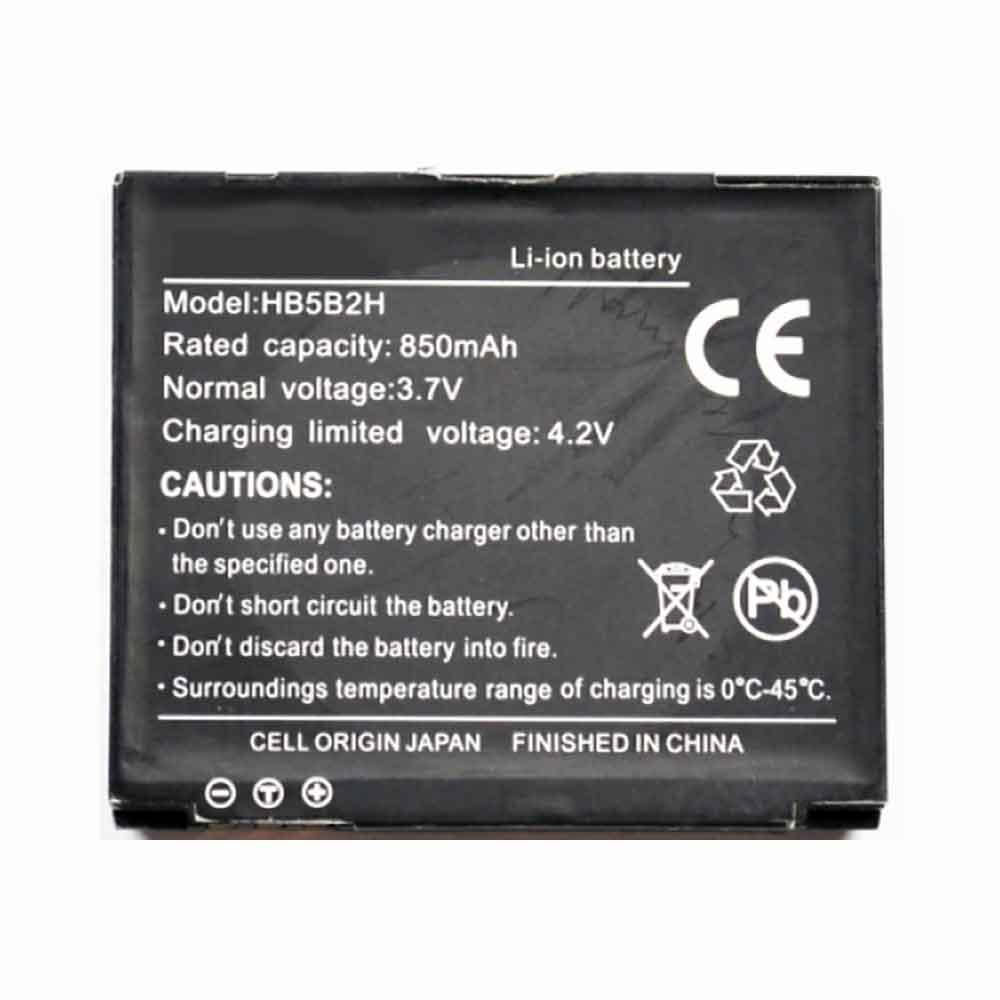
850mAH 3.7V 4.2V Huawei HB5B2H Li-ion Battery for Huawei C5900 C5990 C6000 C7600 T5900 U550

850mAH 3.7V 4.2V Huawei HB5B2H Batteries for Huawei C5900 C5990 C6000 C7600 T5900 U550, Huawei HB5B2H Cell Phone battery is a brand new,100% Compatible original and replacement Phone battery,Purchase wholesale and retail HB5B2H with high quality and low price!

Find ou your original model number or part number(P/N), and move your eyes on the tag of battery

HB5B2H

Specifications

  • Brand:Huawei
  • Capacity :850mAH
  • Voltage :3.7V 4.2V
  • Type :Li-ion
  • Battery Cell Quality: Grade A
  • Descriptive: Replacement Battery – 1 Year Warranty
  • Description: Brand New, 1 Year Warranty! 30-Days Money Back! Fast Shipping!

How we test this Huawei HB5B2H Battery
Step 1: Make sure customer bought the correct battery.
Step 2: Check battery’s appearance and interface.
Step 3: Test battery charger and recharger function.
Step 4: Charger the battery to 100% and recharger to 0% to get real battery capacity
Step 5: Use Ev2300 to check the voltage difference of each goroup cells.
Step 6: Charger battery power more than 30%.
Step 7: Package battery carefully and send out

Compatible Part Numbers:
HB5B2H

Compatible Model Numbers:
Huawei C5900 C5990 C6000 C7600 T5900 U550

How much do you know about how to run laptop well as any place? The follow Tips cut way back on protecting battery life.


1). Please recharge or change your Cell Phone battery when battery power low.
2). Using Li-Ion Replacement Huawei HB5B2H Cell Phone Battery for your notebook which can work longer time than Non Li-ion one.
3). It is better to defragmentation regularly for your Cell Phone battery life.
4). In order to reduce the laptop power consumpition, you can use some optical drive spin-down and hard drive in your Cell Phone .
5). Please keep your laptop in sleep or standby model without long time using, which both save the Replacement Huawei HB5B2H Cell Phone Battery power and extend battery using life.
6). Leave your battery in a dry and cool condition when without using.
7). When you rarely or generally plugged in fixed power using, Please take down your battery to avoid hurting battery life.

Hot Products

980mah/3.73Wh GARMIN 361-00080-00 for GARMIN VIRB XE Virb X Compact930mAh/3.4WH GARMIN 361-00046-07 for Garmin Nuvi GDR43 GDR45 3450 34350mAh/66.9WH SAMSUNG AA-PBRN4ZU for SAMSUNG 950QCJ 930QCJ 950XCJ 91100mAh TOMTOM VF1C for TomTom GO 2535TM 2505TM 2435TM45Wh/3790mAh HP RH03XL for HP ProBook 450 G8 ProBook 65047WH /6150mah ASUS C21N1833 for ASUS ZENBOOK UX431 Series5100MAH/19.1Wh LENOVO BL262 for Lenovo Vibe P2 p2a42 p2c72 +To2810mAh MOTOROLA FX30 for Motorola XT1575 Moto X Pure Ed7965MAH HP 7965MAH for HP EliteBook 1050 G1 L07045-852300mAh TOPCON TBB-2 for Topcon GTS-102N GTS-105N Total

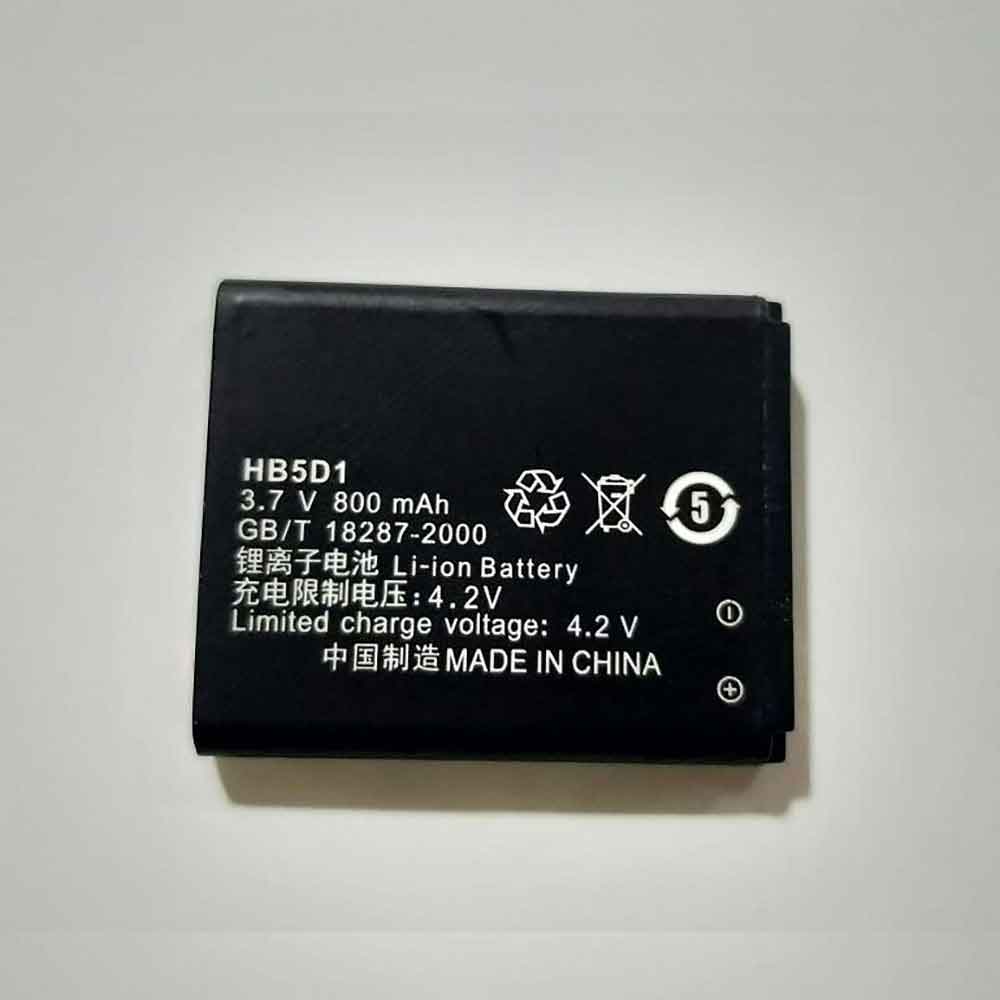
800mAh/3.0WH 3.7V 4.2V Huawei HB5D1 Li-ion Battery for Huawei C5600 C5610 C5110 C5720 C5710 C5700

800mAh/3.0WH 3.7V 4.2V Huawei HB5D1 Batteries for Huawei C5600 C5610 C5110 C5720 C5710 C5700, Huawei HB5D1 Cell Phone battery is a brand new,100% Compatible original and replacement Phone battery,Purchase wholesale and retail HB5D1 with high quality and low price!

Find ou your original model number or part number(P/N), and move your eyes on the tag of battery

HB5D1

Specifications

  • Brand:Huawei
  • Capacity :800mAh/3.0WH
  • Voltage :3.7V 4.2V
  • Type :Li-ion
  • Battery Cell Quality: Grade A
  • Descriptive: Replacement Battery – 1 Year Warranty
  • Description: Brand New, 1 Year Warranty! 30-Days Money Back! Fast Shipping!

How we test this Huawei HB5D1 Battery
Step 1: Make sure customer bought the correct battery.
Step 2: Check battery’s appearance and interface.
Step 3: Test battery charger and recharger function.
Step 4: Charger the battery to 100% and recharger to 0% to get real battery capacity
Step 5: Use Ev2300 to check the voltage difference of each goroup cells.
Step 6: Charger battery power more than 30%.
Step 7: Package battery carefully and send out

Compatible Part Numbers:
HB5D1

Compatible Model Numbers:
Huawei C5600 C5610 C5110 C5720 C5710 C5700

How much do you know about how to run laptop well as any place? The follow Tips cut way back on protecting battery life.


1). Please recharge or change your Cell Phone battery when battery power low.
2). Using Li-Ion Replacement Huawei HB5D1 Cell Phone Battery for your notebook which can work longer time than Non Li-ion one.
3). It is better to defragmentation regularly for your Cell Phone battery life.
4). In order to reduce the laptop power consumpition, you can use some optical drive spin-down and hard drive in your Cell Phone .
5). Please keep your laptop in sleep or standby model without long time using, which both save the Replacement Huawei HB5D1 Cell Phone Battery power and extend battery using life.
6). Leave your battery in a dry and cool condition when without using.
7). When you rarely or generally plugged in fixed power using, Please take down your battery to avoid hurting battery life.

Hot Products

980mah/3.73Wh GARMIN 361-00080-00 for GARMIN VIRB XE Virb X Compact930mAh/3.4WH GARMIN 361-00046-07 for Garmin Nuvi GDR43 GDR45 3450 34350mAh/66.9WH SAMSUNG AA-PBRN4ZU for SAMSUNG 950QCJ 930QCJ 950XCJ 91100mAh TOMTOM VF1C for TomTom GO 2535TM 2505TM 2435TM45Wh/3790mAh HP RH03XL for HP ProBook 450 G8 ProBook 65047WH /6150mah ASUS C21N1833 for ASUS ZENBOOK UX431 Series5100MAH/19.1Wh LENOVO BL262 for Lenovo Vibe P2 p2a42 p2c72 +To2810mAh MOTOROLA FX30 for Motorola XT1575 Moto X Pure Ed7965MAH HP 7965MAH for HP EliteBook 1050 G1 L07045-852300mAh TOPCON TBB-2 for Topcon GTS-102N GTS-105N Total

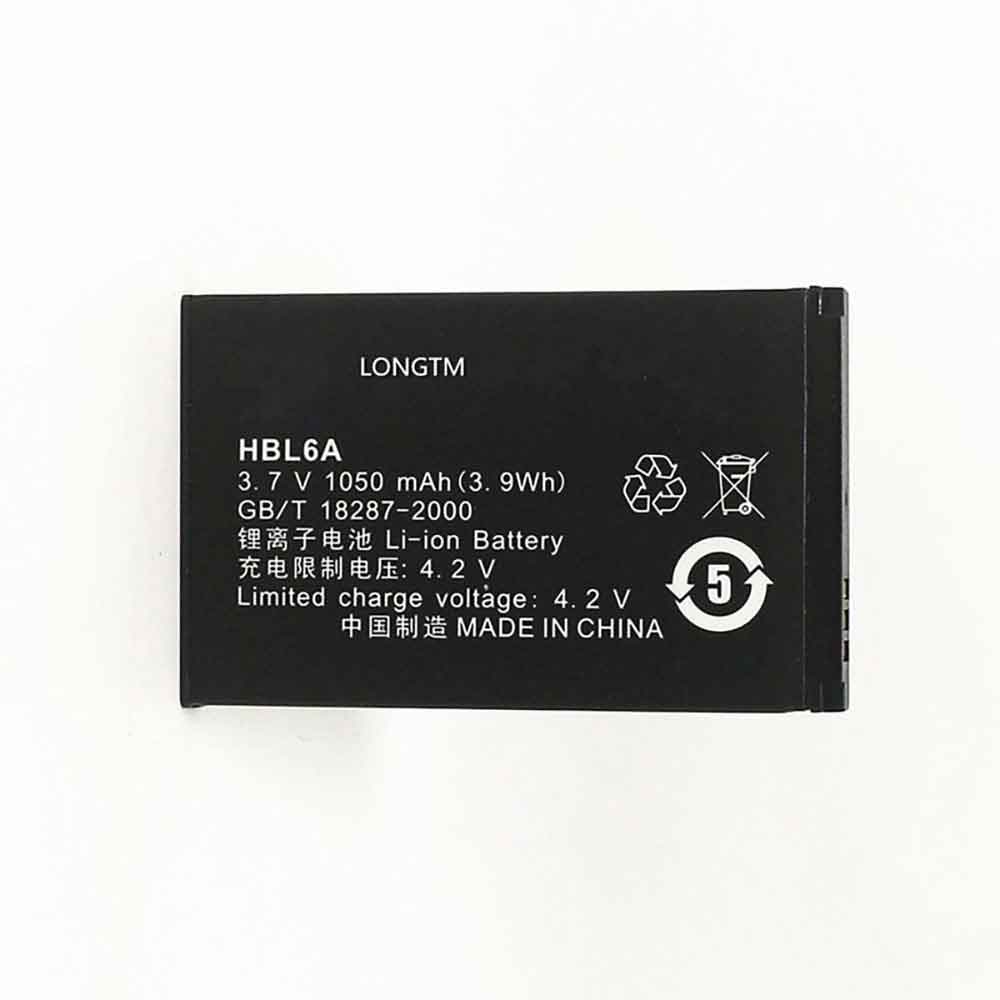
1050mAh/3.9WH 3.7V 4.2V Huawei HBL6A Li-ion Battery for Huawei C2800

1050mAh/3.9WH 3.7V 4.2V Huawei HBL6A Batteries for Huawei C2800, Huawei HBL6A Cell Phone battery is a brand new,100% Compatible original and replacement Phone battery,Purchase wholesale and retail HBL6A with high quality and low price!

Find ou your original model number or part number(P/N), and move your eyes on the tag of batteryv

HBL6A

Specifications

  • Brand:Huawei
  • Capacity :1050mAh/3.9WH
  • Voltage :3.7V 4.2V
  • Type :Li-ion
  • Battery Cell Quality: Grade A
  • Descriptive: Replacement Battery – 1 Year Warranty
  • Description: Brand New, 1 Year Warranty! 30-Days Money Back! Fast Shipping!

How we test this Huawei HBL6A Battery
Step 1: Make sure customer bought the correct battery.
Step 2: Check battery’s appearance and interface.
Step 3: Test battery charger and recharger function.
Step 4: Charger the battery to 100% and recharger to 0% to get real battery capacity
Step 5: Use Ev2300 to check the voltage difference of each goroup cells.
Step 6: Charger battery power more than 30%.
Step 7: Package battery carefully and send out

Compatible Part Numbers:
HBL6A

Compatible Model Numbers:
Huawei C2800

How much do you know about how to run laptop well as any place? The follow Tips cut way back on protecting battery life.


1). Please recharge or change your Cell Phone battery when battery power low.
2). Using Li-Ion Replacement Huawei HBL6A Cell Phone Battery for your notebook which can work longer time than Non Li-ion one.
3). It is better to defragmentation regularly for your Cell Phone battery life.
4). In order to reduce the laptop power consumpition, you can use some optical drive spin-down and hard drive in your Cell Phone .
5). Please keep your laptop in sleep or standby model without long time using, which both save the Replacement Huawei HBL6A Cell Phone Battery power and extend battery using life.
6). Leave your battery in a dry and cool condition when without using.
7). When you rarely or generally plugged in fixed power using, Please take down your battery to avoid hurting battery life.

Hot Products

980mah/3.73Wh GARMIN 361-00080-00 for GARMIN VIRB XE Virb X Compact930mAh/3.4WH GARMIN 361-00046-07 for Garmin Nuvi GDR43 GDR45 3450 34350mAh/66.9WH SAMSUNG AA-PBRN4ZU for SAMSUNG 950QCJ 930QCJ 950XCJ 91100mAh TOMTOM VF1C for TomTom GO 2535TM 2505TM 2435TM45Wh/3790mAh HP RH03XL for HP ProBook 450 G8 ProBook 65047WH /6150mah ASUS C21N1833 for ASUS ZENBOOK UX431 Series5100MAH/19.1Wh LENOVO BL262 for Lenovo Vibe P2 p2a42 p2c72 +To2810mAh MOTOROLA FX30 for Motorola XT1575 Moto X Pure Ed7965MAH HP 7965MAH for HP EliteBook 1050 G1 L07045-852300mAh TOPCON TBB-2 for Topcon GTS-102N GTS-105N Total

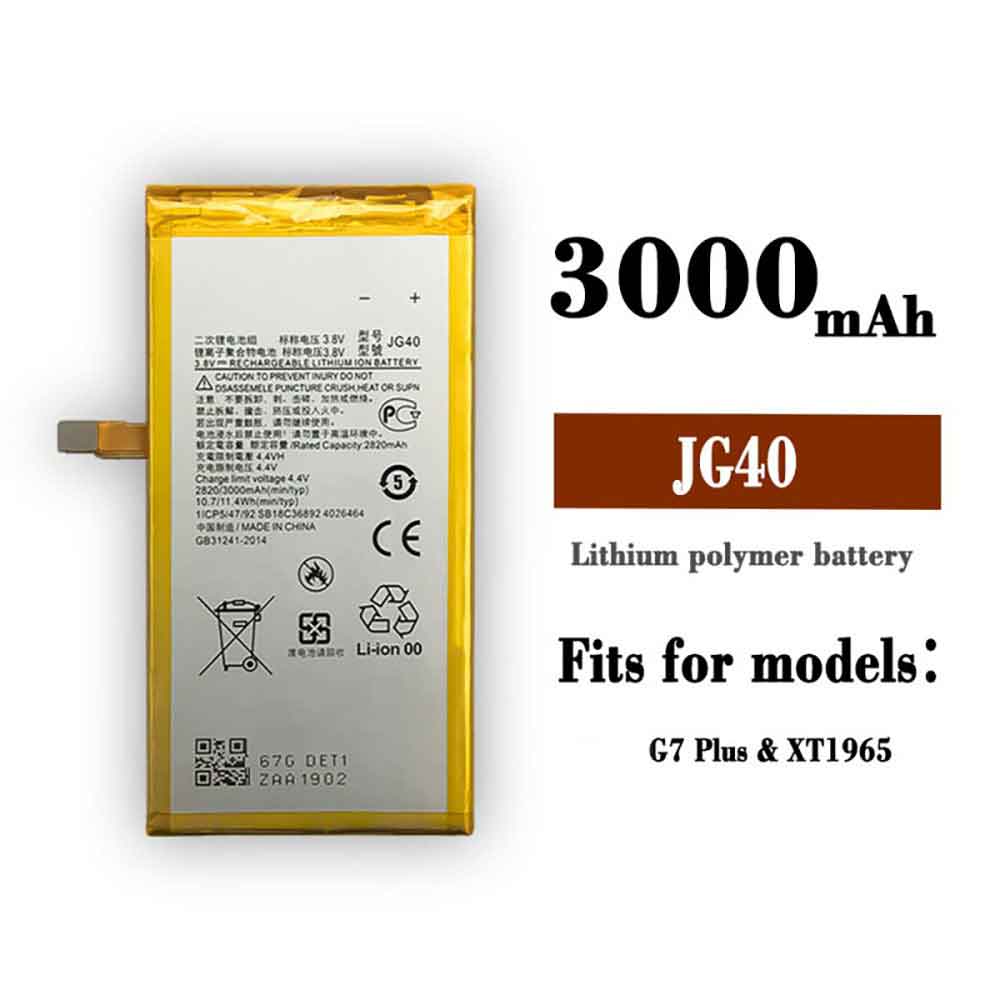
3000mAh/11.4WH 3.8V 4.4V Motorola JG40 Li-ion Battery for Motorola Moto G7 Plus XT1965-3 XT1965-2

3000mAh/11.4WH 3.8V 4.4V Motorola JG40 Batteries for Motorola Moto G7 Plus XT1965-3 XT1965-2, Motorola JG40 Cell Phone battery is a brand new,100% Compatible original and replacement Phone battery,Purchase wholesale and retail JG40 with high quality and low price!

Find ou your original model number or part number(P/N), and move your eyes on the tag of battery

JG40

Specifications

  • Brand:Motorola
  • Capacity :3000mAh/11.4WH
  • Voltage :3.8V 4.4V
  • Type :Li-ion
  • Battery Cell Quality: Grade A
  • Descriptive: Replacement Battery – 1 Year Warranty
  • Description: Brand New, 1 Year Warranty! 30-Days Money Back! Fast Shipping!

How we test this Motorola JG40 Battery
Step 1: Make sure customer bought the correct battery.
Step 2: Check battery’s appearance and interface.
Step 3: Test battery charger and recharger function.
Step 4: Charger the battery to 100% and recharger to 0% to get real battery capacity
Step 5: Use Ev2300 to check the voltage difference of each goroup cells.
Step 6: Charger battery power more than 30%.
Step 7: Package battery carefully and send out

Compatible Part Numbers:
JG40

Compatible Model Numbers:
Motorola Moto G7 Plus XT1965-3 XT1965-2

How much do you know about how to run laptop well as any place? The follow Tips cut way back on protecting battery life.


1). Please recharge or change your Cell Phone battery when battery power low.
2). Using Li-Ion Replacement Motorola JG40 Cell Phone Battery for your notebook which can work longer time than Non Li-ion one.
3). It is better to defragmentation regularly for your Cell Phone battery life.
4). In order to reduce the laptop power consumpition, you can use some optical drive spin-down and hard drive in your Cell Phone .
5). Please keep your laptop in sleep or standby model without long time using, which both save the Replacement Motorola JG40 Cell Phone Battery power and extend battery using life.
6). Leave your battery in a dry and cool condition when without using.
7). When you rarely or generally plugged in fixed power using, Please take down your battery to avoid hurting battery life.

Hot Products

980mah/3.73Wh GARMIN 361-00080-00 for GARMIN VIRB XE Virb X Compact930mAh/3.4WH GARMIN 361-00046-07 for Garmin Nuvi GDR43 GDR45 3450 34350mAh/66.9WH SAMSUNG AA-PBRN4ZU for SAMSUNG 950QCJ 930QCJ 950XCJ 91100mAh TOMTOM VF1C for TomTom GO 2535TM 2505TM 2435TM45Wh/3790mAh HP RH03XL for HP ProBook 450 G8 ProBook 65047WH /6150mah ASUS C21N1833 for ASUS ZENBOOK UX431 Series5100MAH/19.1Wh LENOVO BL262 for Lenovo Vibe P2 p2a42 p2c72 +To2810mAh MOTOROLA FX30 for Motorola XT1575 Moto X Pure Ed7965MAH HP 7965MAH for HP EliteBook 1050 G1 L07045-852300mAh TOPCON TBB-2 for Topcon GTS-102N GTS-105N Total

Use this iOS trick to help get water out of your iPhone speaker

 You dropped your iPhone into a swimming pool or ocean and there is now water in it, which can cause muted speakers and overall damage to the device. However, there’s a neat trick involving low-frequency sounds that you can use to help drain water out of your speakers.

With the free Water Eject shortcut, you can squirt water out of your iPhone to avoid damage. Here’s what you need to know about iOS shortcuts and how to set them up on Apple devices. Let’s have a look!

Are iPhones not waterproof?

Since the release of the iPhone 7, every iPhone has had some degree of water resistance. The iPhone X is rated IP67, which means it can be submerged in water up to 1 meter for half an hour, while the latest iPhone 13 Pro Max is rated IP68, which means it can handle six meters underwater for 30 minutes .

However, while your iPhone might stay underwater for extended periods of time, there’s still a chance that water could get trapped in the speaker and cause problems later on. That’s why you might need a low-frequency tone shortcut to get the water out.

How do low-frequency sounds make water flow out of iPhone speakers?

Apple Watch Series 2 and newer have a built-in feature called Water Lock, which plays a series of sounds that make the device rattle and vibrate enough to squirt water out of the Apple Watch.

The iPhone’s Water Eject shortcut works similarly – when the shortcut is activated, a 165Hz ultra-low frequency sound is played to help drain water trapped in the speaker.

For this you need the Shortcuts app

The trick we’ll use for this requires the Shortcuts app, which allows you to create and use automated tasks on iOS. The Shortcuts app is installed by default, but if you delete it for any reason, you can always download it again for free from the App Store.

Download and add Water Eject shortcut

Created by @Josh0678, Water Eject is a third-party shortcut that you can download for free from RoutineHub, a community for developers to publish their iOS shortcuts. After downloading the shortcut, you’ll be redirected to the Shortcuts app, and you’ll be instructed to install the shortcut or add the shortcut to your library.

Use the Water Eject shortcut to get water out of the speaker

After adding the shortcut, make sure your phone volume is turned up to maximum for maximum vibration. In the Shortcuts app, go to the My Shortcuts page and tap the Water Eject shortcut at the top to run it.

A menu will appear with the following options:

Begin: A tone will play for 15 seconds, after which you will feel a vibration, hear a chirp and receive a notification that the water has been sprayed.

Touch: The tone will play until you tap the stop icon on the shortcut.

Settings: You can choose to read more about the shortcut, update or share the shortcut, and send feedback.

Select Start or touch to play a low frequency tone and start squirting water from the speaker. The shortcut may not drain all the water trapped inside, but it should drain a lot.

While you may want to play low frequency tones for extended periods of time, don’t play them for too long – it may adversely affect your speakers.

If water remains in your iPhone, Apple recommends that you wipe the device with a soft, lint-free cloth. You should then rest the charging port against the palm of your hand and tap it a few times to remove any standing water. Place iPhone in a dry area with some airflow to remove residual moisture.

>>>>>>>>>>>iPhone battery

Thanks for reading, hope it helps!

Friendly reminder: If you need to replace the battery of your device, this battery store will be a good choice: www.batteryforpc.co.uk