4000mAh/15.40WH 3.85V 4.4V Vivo B-G3 Li-ion Battery for Vivo X27 Pro

4000mAh/15.40WH 3.85V 4.4V Vivo B-G3 Batteries for Vivo X27 Pro, Vivo B-G3 Cell Phone battery is a brand new,100% Compatible original and replacement Phone battery,Purchase wholesale and retail B-G3 with high quality and low price!

Find ou your original model number or part number(P/N), and move your eyes on the tag of battery
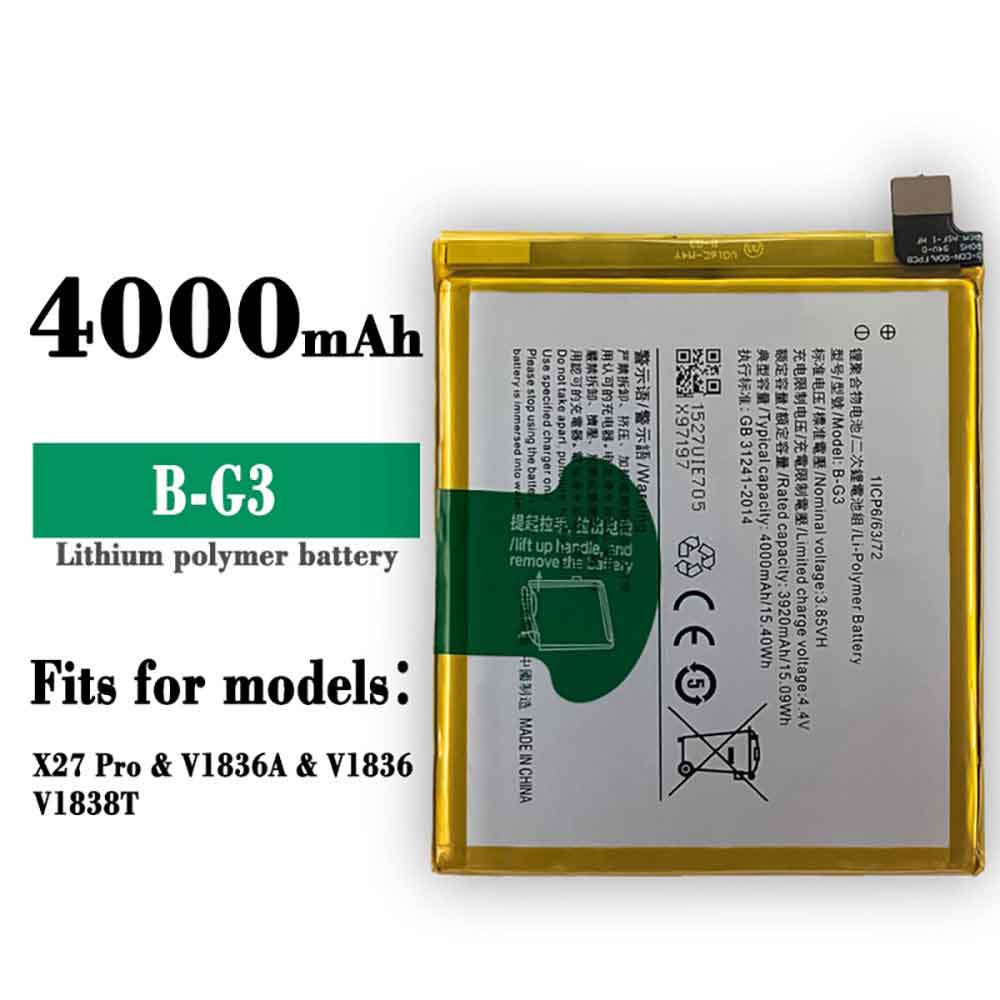
B-G3

Specifications

  • Brand:Vivo
  • Capacity :4000mAh/15.40WH
  • Voltage :3.85V 4.4V
  • Type :Li-ion
  • Battery Cell Quality: Grade A
  • Descriptive: Replacement Battery – 1 Year Warranty
  • Description: Brand New, 1 Year Warranty! 30-Days Money Back! Fast Shipping!

How we test this Vivo B-G3 Battery
Step 1: Make sure customer bought the correct battery.
Step 2: Check battery’s appearance and interface.
Step 3: Test battery charger and recharger function.
Step 4: Charger the battery to 100% and recharger to 0% to get real battery capacity
Step 5: Use Ev2300 to check the voltage difference of each goroup cells.
Step 6: Charger battery power more than 30%.
Step 7: Package battery carefully and send out

Compatible Part Numbers:
B-G3

Compatible Model Numbers:
Vivo X27 Pro

How much do you know about how to run laptop well as any place? The follow Tips cut way back on protecting battery life.


1). Please recharge or change your Cell Phone battery when battery power low.
2). Using Li-Ion Replacement Vivo B-G3 Cell Phone Battery for your notebook which can work longer time than Non Li-ion one.
3). It is better to defragmentation regularly for your Cell Phone battery life.
4). In order to reduce the laptop power consumpition, you can use some optical drive spin-down and hard drive in your Cell Phone .
5). Please keep your laptop in sleep or standby model without long time using, which both save the Replacement Vivo B-G3 Cell Phone Battery power and extend battery using life.
6). Leave your battery in a dry and cool condition when without using.
7). When you rarely or generally plugged in fixed power using, Please take down your battery to avoid hurting battery life.

Hot Products

47WH /6150mah ASUS C21N1833 for ASUS ZENBOOK UX431 Series5100MAH/19.1Wh LENOVO BL262 for Lenovo Vibe P2 p2a42 p2c72 +To2810mAh MOTOROLA FX30 for Motorola XT1575 Moto X Pure Ed7965MAH HP 7965MAH for HP EliteBook 1050 G1 L07045-852300mAh TOPCON TBB-2 for Topcon GTS-102N GTS-105N Total4200mAh PANASONIC VW-VBH20 for Panasonic NV-A1, NV-A1EN, NV-A66WH/6cell HP 760604-001 for HP PAVILION TOUCHSMART 118.64Wh HP MC96 for HP Smart Array P840 P4404800mah SHARP CE-BL44 for Sharp Mebius PC Mr40J MR80J5580MAH ULEFONE Armor-9 for Ulefone Armor 9
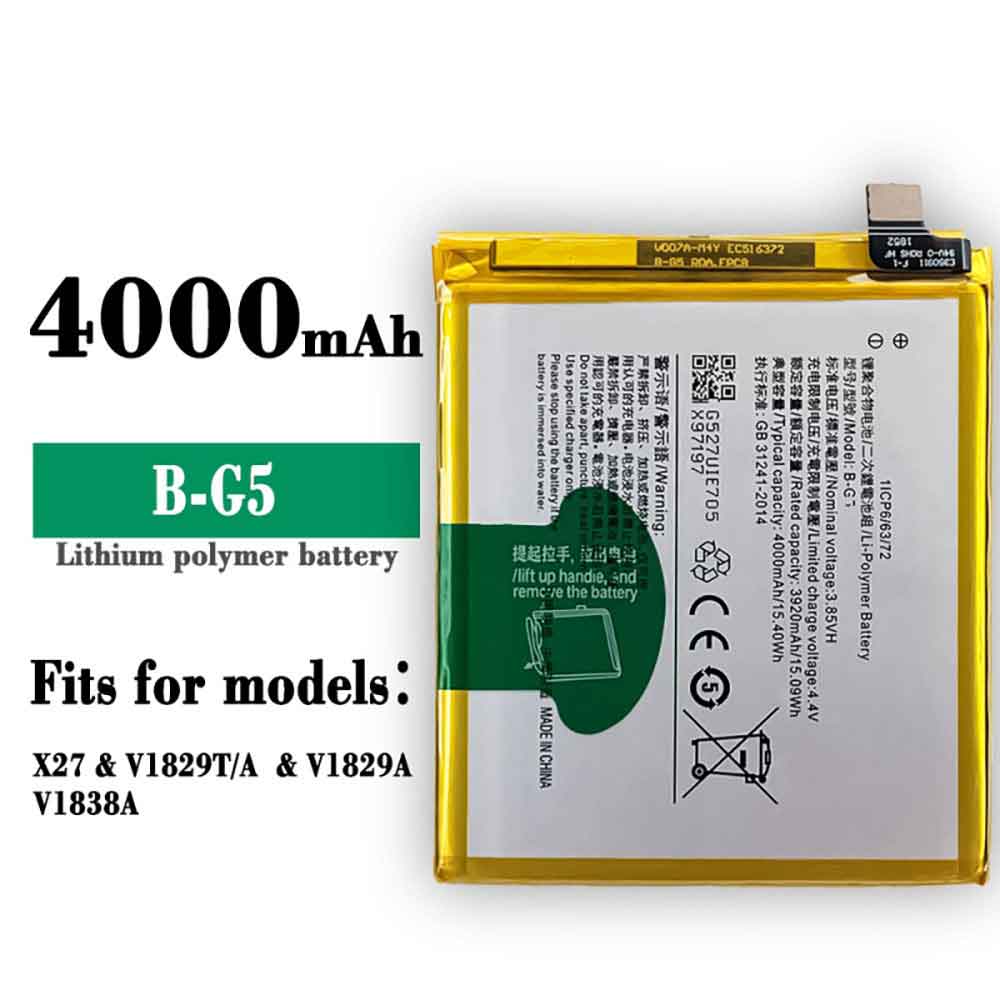
4000mAh/15.40WH 3.85V 4.4V Vivo B-G5 Li-ion Battery for Vivo X27

4000mAh/15.40WH 3.85V 4.4V Vivo B-G5 Batteries for Vivo X27, Vivo B-G5 Cell Phone battery is a brand new,100% Compatible original and replacement Phone battery,Purchase wholesale and retail B-G5 with high quality and low price!

Find ou your original model number or part number(P/N), and move your eyes on the tag of battery

B-G5

Specifications

  • Brand:Vivo
  • Capacity :4000mAh/15.40WH
  • Voltage :3.85V 4.4V
  • Type :Li-ion
  • Battery Cell Quality: Grade A
  • Descriptive: Replacement Battery – 1 Year Warranty
  • Description: Brand New, 1 Year Warranty! 30-Days Money Back! Fast Shipping!

How we test this Vivo B-G5 Battery
Step 1: Make sure customer bought the correct battery.
Step 2: Check battery’s appearance and interface.
Step 3: Test battery charger and recharger function.
Step 4: Charger the battery to 100% and recharger to 0% to get real battery capacity
Step 5: Use Ev2300 to check the voltage difference of each goroup cells.
Step 6: Charger battery power more than 30%.
Step 7: Package battery carefully and send out

Compatible Part Numbers:
B-G5

Compatible Model Numbers:
Vivo X27

How much do you know about how to run laptop well as any place? The follow Tips cut way back on protecting battery life.


1). Please recharge or change your Cell Phone battery when battery power low.
2). Using Li-Ion Replacement Vivo B-G5 Cell Phone Battery for your notebook which can work longer time than Non Li-ion one.
3). It is better to defragmentation regularly for your Cell Phone battery life.
4). In order to reduce the laptop power consumpition, you can use some optical drive spin-down and hard drive in your Cell Phone .
5). Please keep your laptop in sleep or standby model without long time using, which both save the Replacement Vivo B-G5 Cell Phone Battery power and extend battery using life.
6). Leave your battery in a dry and cool condition when without using.
7). When you rarely or generally plugged in fixed power using, Please take down your battery to avoid hurting battery life.

Hot Products

47WH /6150mah ASUS C21N1833 for ASUS ZENBOOK UX431 Series5100MAH/19.1Wh LENOVO BL262 for Lenovo Vibe P2 p2a42 p2c72 +To2810mAh MOTOROLA FX30 for Motorola XT1575 Moto X Pure Ed7965MAH HP 7965MAH for HP EliteBook 1050 G1 L07045-852300mAh TOPCON TBB-2 for Topcon GTS-102N GTS-105N Total4200mAh PANASONIC VW-VBH20 for Panasonic NV-A1, NV-A1EN, NV-A66WH/6cell HP 760604-001 for HP PAVILION TOUCHSMART 118.64Wh HP MC96 for HP Smart Array P840 P4404800mah SHARP CE-BL44 for Sharp Mebius PC Mr40J MR80J5580MAH ULEFONE Armor-9 for Ulefone Armor 9

Apple Watch stuck on Apple logo? try these fixes

 If your Apple Watch only shows the Apple logo, it may be stuck in a boot loop and not booting properly. While we can’t guarantee success, there are a few things you can try to save your Apple Watch when this happens to you.

Try force restarting your Apple Watch

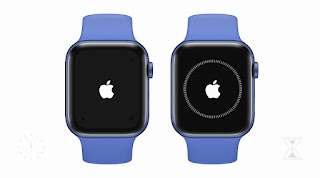
A watch that displays the Apple logo and then flashes repeatedly is likely to restart repeatedly, a problem sometimes referred to as a boot loop. You can try to break this boot loop with a hard reset, which starts the same way no matter which Apple Watch model you have.

Force your Apple Watch to restart by pressing and holding the Digital Crown and side button for at least 10 seconds until you see the indication of a hard reset on the display. Usually this is easy to spot because your Watch screen goes black immediately, but if you’re already stuck in a boot loop, it can be hard to tell.

Once you’re sure your watch has hard reset, wait 30 to 45 seconds to start “from cold” again. You’ll probably know soon enough if this works because you’ll either break the cycle or get stuck again. If it doesn’t work, it might be worth trying a few times. Some reports on Reddit say that after ten attempts, the Apple Watch finally booted normally after multiple hard resets. Some users also reported that charging the watch between attempts helped.

If it works, continue with the “Prevent your watch from getting stuck again” steps below, as this may only be a temporary fix.

Try playing a sound in Find My App

It’s unclear why this might work, but there are still reports of users successfully using the Find My app to play sounds on the Watch. This seems unlikely to work if your watch blinks and restarts, but if it shows the constant Apple logo, it might be worth a shot.

On your iPhone, launch the Find My app and tap the Devices tab at the bottom of the screen. Find your Apple Watch in the device list and select it, then tap the Play Sound button. This is designed to help you find your watch if you lose it, a feature Apple has since added to other products. If you don’t see any success, you might want to try it a few times. If it does work, move on to the next step for a more permanent fix.

Prevent the watch from getting stuck again

Even if either of the last two solutions worked for you, there’s a chance your watch will succumb to a boot loop or static logo again. Ultimately, it depends on what caused your watch to get stuck in that state in the first place. It might be a software issue, we can try to fix it by following the steps below. But if there’s a hardware problem, there’s probably nothing you can do about it.

The first thing to do is try to update your Watch software. To do this, launch the Watch app and select General > Software Update. If you happen to own more than one watch, make sure to first select the watch in question using the “All Watches” button in the upper left corner of the Watch app. If the problem is caused by a software bug, updating to the next version of watchOS may fix it.

The next thing to try is to completely wipe your watch to “as new” and pair it again. When you do this, all personal data on your watch will be deleted. If your watch already sends this data to your iPhone, you won’t lose health or workout data.

Before doing this, you can check apps like Health and Fitness to see if things like your recent workouts, activity ring status, and step count are up to date.

When you’re ready to wipe your watch, launch the Watch app on your iPhone, then go to General > Reset and select the “Wipe Apple Watch Content and Settings” option. You can also do this on the watch itself using Settings > General > Reset. You will be invited to enter your Apple ID password to remove Find My from your Watch, after which it will be reset to “as new”.

When you turn your watch on to pair again, you’re invited to restore your watch from backup. It might be a good idea to select the “Do not restore from backup” option to further eliminate the chance of the problem recurring.

if nothing works

If your iPhone is stuck on the Apple logo, you can try to restore the software on it using a Mac or PC using DFU mode. Because the iPhone has a Lightning port that lets you transfer data and charge the device. Apple hides a diagnostic port under a strap connector on Watch models, but you need a third-party accessory called iBus to use it.

>>>>>>>>>>Apple battery

Thanks for reading, hope it helps!

Friendly reminder: If you need to replace the battery, this battery store will be a good choice: www.batteryforpc.co.uk

Top 4 Samsung Galaxy S22 Features You Can Find on Samsung’s Cheaper Phones

 Samsung shines a light on high-end phones like the new Galaxy S22, showing off all the fun and useful features these devices have. But if you can’t afford one of these premium phones, you might think you can’t enjoy these tools. But that’s not the case, as many of the more affordable Samsung phones also bring many of the great features shown on Galaxy S devices.

To give you an idea of ​​some of the great Samsung Galaxy S22 features you can use on a cheaper Samsung phone, we’ll now introduce you to six of our favorites. Let’s have a look!

1. Single shot mode

With the Samsung Galaxy S20 series, we saw the introduction of Single Take, a mode that made photography easier, and it’s still a big feature on subsequent Galaxy S devices. With this mode, you can record a video of your subject, walking around and recording from different angles, and the AI ​​will pick the best still image and edit it for you.

This lets you take these super easy snaps whether or not you pay for a high-end Samsung phone.

2. Equipment maintenance

If you’re spending a lot of money on an expensive phone, you want it to last a long time. But depending on how you use it, this may not always be easy to achieve.

Thankfully, Samsung phones offer a way to help with this. In the battery section of the setup mode you can find the device maintenance menu. Here you can see how healthy your device is, with a simple score that lets you know how well your phone is optimized for longevity, which you can also try to improve.

This menu gives you options to optimize storage, memory, and battery, all to ensure your phone runs as healthy as possible.

3. 120Hz display

Samsung was one of the first to adopt high-refresh-rate displays on its smartphones, with some Galaxy S phones using 120Hz screens before competitors. It’s a feature we’ve only seen in high-end phones at first — the aforementioned S20 was the first to use it — but now, you don’t have to pay for a premium device to enjoy it.

4. Adaptive charging

A good example of a feature introduced for the first time in Samsung’s high-end phones is adaptive charging — a mode that preserves battery life by using artificial intelligence to determine when to fast-charge and when to reduce power. With this, you can keep your phone plugged in for long periods of time without completely destroying the battery.

Originally, this was only available on high-end phones in the Galaxy S and Galaxy Note series, but more recently, it’s starting to show up in more affordable phones as well.

>>>>>>>>>>Samsung battery

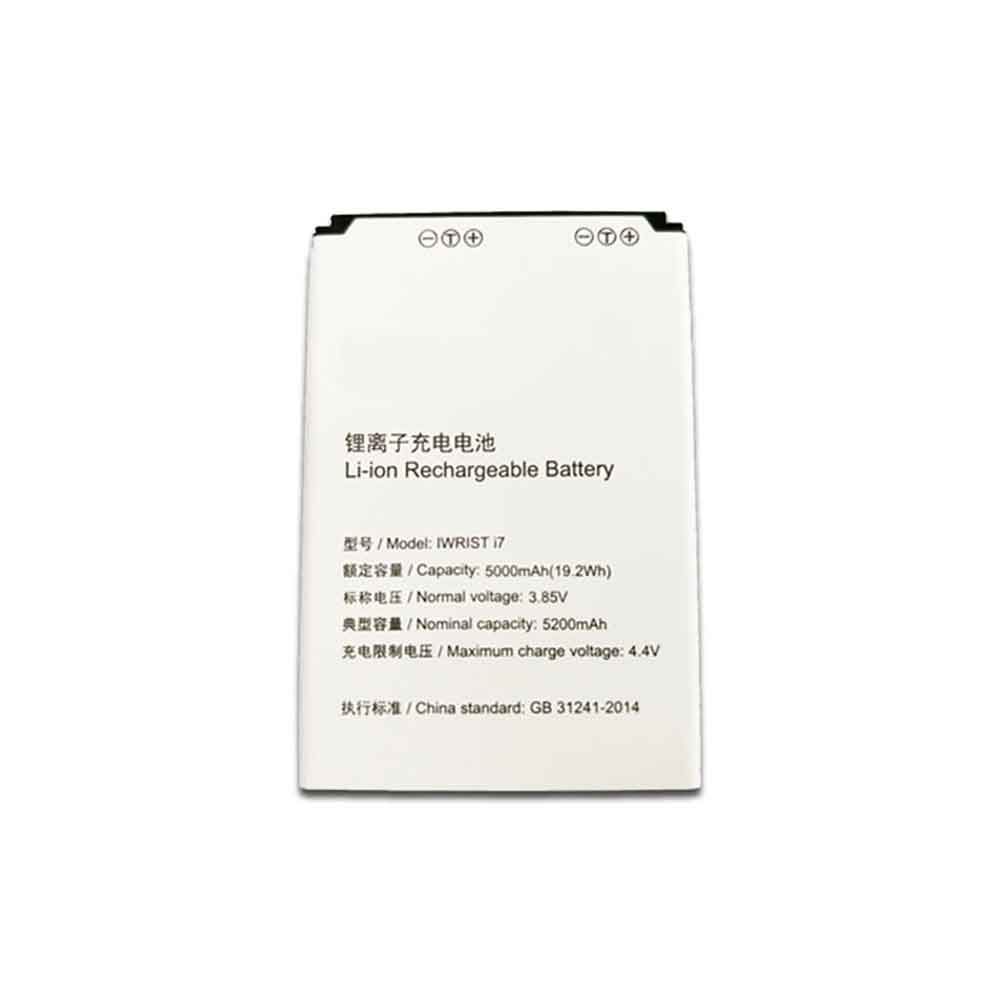
5200mAh/19.2WH 3.85V 4.4V Iwrist i7 Li-ion Battery for Iwrist Android Handheld Acquisition Terminal PDA

5200mAh/19.2WH 3.85V 4.4V Iwrist i7 Batteries for Iwrist Android Handheld Acquisition Terminal PDA, Iwrist i7 Other battery is a brand new,100% Compatible original and replacement battery,Purchase wholesale and retail i7 with high quality and low price!

Find ou your original model number or part number(P/N), and move your eyes on the tag of battery

i7

Specifications

  • Brand:Iwrist
  • Capacity :5200mAh/19.2WH
  • Voltage :3.85V 4.4V
  • Type :Li-ion
  • Battery Cell Quality: Grade A
  • Descriptive: Replacement Battery – 1 Year Warranty
  • Description: Brand New, 1 Year Warranty! 30-Days Money Back! Fast Shipping!

How we test this Iwrist i7 Battery
Step 1: Make sure customer bought the correct battery.
Step 2: Check battery’s appearance and interface.
Step 3: Test battery charger and recharger function.
Step 4: Charger the battery to 100% and recharger to 0% to get real battery capacity
Step 5: Use Ev2300 to check the voltage difference of each goroup cells.
Step 6: Charger battery power more than 30%.
Step 7: Package battery carefully and send out

Compatible Part Numbers:
i7

Compatible Model Numbers:
Iwrist Android Handheld Acquisition Terminal PDA

How much do you know about how to run laptop well as any place? The follow Tips cut way back on protecting battery life.


1). Please recharge or change your Other battery when battery power low.
2). Using Li-Ion Replacement Iwrist i7 Other Battery for your notebook which can work longer time than Non Li-ion one.
3). It is better to defragmentation regularly for your Other battery life.
4). In order to reduce the laptop power consumpition, you can use some optical drive spin-down and hard drive in your Other .
5). Please keep your laptop in sleep or standby model without long time using, which both save the Replacement Iwrist i7 Other Battery power and extend battery using life.
6). Leave your battery in a dry and cool condition when without using.
7). When you rarely or generally plugged in fixed power using, Please take down your battery to avoid hurting battery life.

Hot Products

47WH /6150mah ASUS C21N1833 for ASUS ZENBOOK UX431 Series5100MAH/19.1Wh LENOVO BL262 for Lenovo Vibe P2 p2a42 p2c72 +To2810mAh MOTOROLA FX30 for Motorola XT1575 Moto X Pure Ed7965MAH HP 7965MAH for HP EliteBook 1050 G1 L07045-852300mAh TOPCON TBB-2 for Topcon GTS-102N GTS-105N Total4200mAh PANASONIC VW-VBH20 for Panasonic NV-A1, NV-A1EN, NV-A66WH/6cell HP 760604-001 for HP PAVILION TOUCHSMART 118.64Wh HP MC96 for HP Smart Array P840 P4404800mah SHARP CE-BL44 for Sharp Mebius PC Mr40J MR80J5580MAH ULEFONE Armor-9 for Ulefone Armor 9
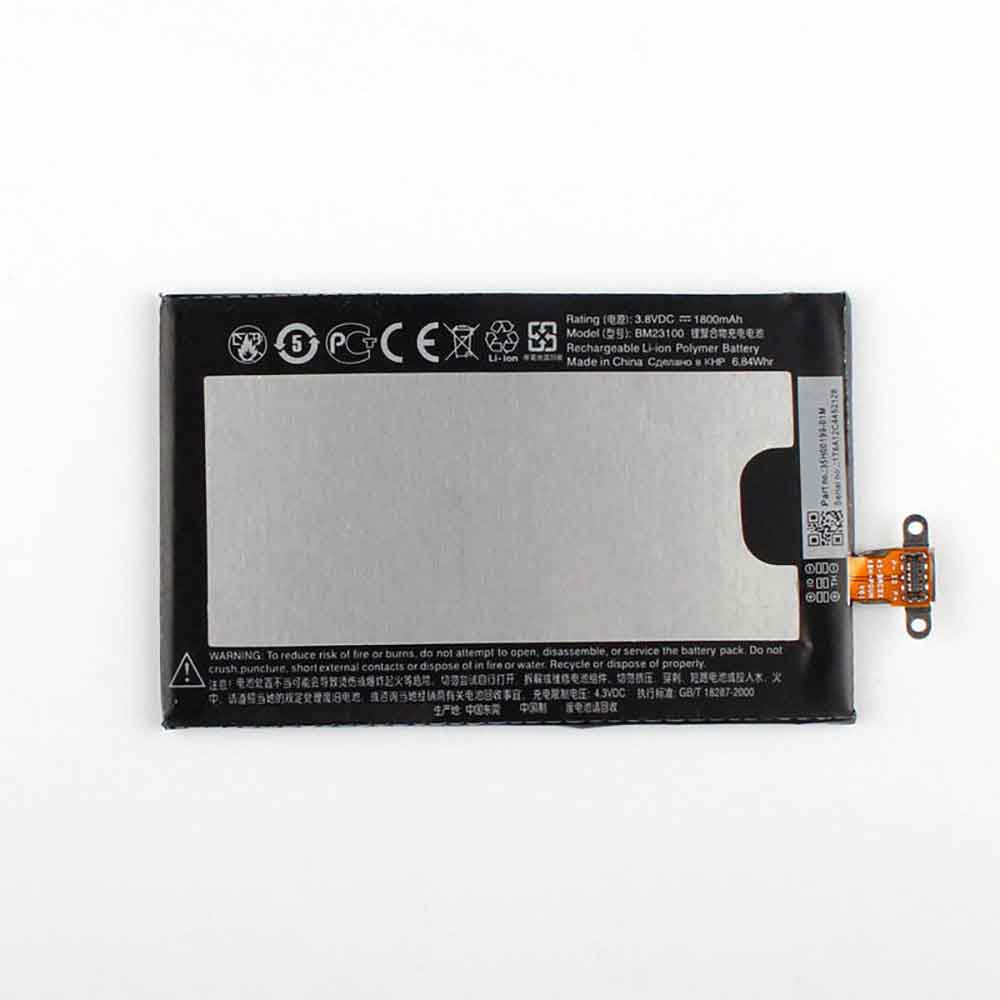
1800mAh/6.84WH 3.8V 4.3V Htc BM23100 Li-ion Battery for HTC 8X C620 C620E C620T C625 C625E

1800mAh/6.84WH 3.8V 4.3V Htc BM23100 Batteries for HTC 8X C620 C620E C620T C625 C625E, Htc BM23100 Cell Phone battery is a brand new,100% Compatible original and replacement Phone battery,Purchase wholesale and retail BM23100 with high quality and low price!

Find ou your original model number or part number(P/N), and move your eyes on the tag of battery

BM23100

Specifications

  • Brand:HTC
  • Capacity :1800mAh/6.84WH
  • Voltage :3.8V 4.3V
  • Type :Li-ion
  • Battery Cell Quality: Grade A
  • Descriptive: Replacement Battery – 1 Year Warranty
  • Description: Brand New, 1 Year Warranty! 30-Days Money Back! Fast Shipping!

How we test this Htc BM23100 Battery
Step 1: Make sure customer bought the correct battery.
Step 2: Check battery’s appearance and interface.
Step 3: Test battery charger and recharger function.
Step 4: Charger the battery to 100% and recharger to 0% to get real battery capacity
Step 5: Use Ev2300 to check the voltage difference of each goroup cells.
Step 6: Charger battery power more than 30%.
Step 7: Package battery carefully and send out

Compatible Part Numbers:
BM23100

Compatible Model Numbers:
HTC 8X C620 C620E C620T C625 C625E

How much do you know about how to run laptop well as any place? The follow Tips cut way back on protecting battery life.


1). Please recharge or change your Cell Phone battery when battery power low.
2). Using Li-Ion Replacement Htc BM23100 Cell Phone Battery for your notebook which can work longer time than Non Li-ion one.
3). It is better to defragmentation regularly for your Cell Phone battery life.
4). In order to reduce the laptop power consumpition, you can use some optical drive spin-down and hard drive in your Cell Phone .
5). Please keep your laptop in sleep or standby model without long time using, which both save the Replacement Htc BM23100 Cell Phone Battery power and extend battery using life.
6). Leave your battery in a dry and cool condition when without using.
7). When you rarely or generally plugged in fixed power using, Please take down your battery to avoid hurting battery life.

Hot Products

47WH /6150mah ASUS C21N1833 for ASUS ZENBOOK UX431 Series5100MAH/19.1Wh LENOVO BL262 for Lenovo Vibe P2 p2a42 p2c72 +To2810mAh MOTOROLA FX30 for Motorola XT1575 Moto X Pure Ed7965MAH HP 7965MAH for HP EliteBook 1050 G1 L07045-852300mAh TOPCON TBB-2 for Topcon GTS-102N GTS-105N Total4200mAh PANASONIC VW-VBH20 for Panasonic NV-A1, NV-A1EN, NV-A66WH/6cell HP 760604-001 for HP PAVILION TOUCHSMART 118.64Wh HP MC96 for HP Smart Array P840 P4404800mah SHARP CE-BL44 for Sharp Mebius PC Mr40J MR80J5580MAH ULEFONE Armor-9 for Ulefone Armor 9
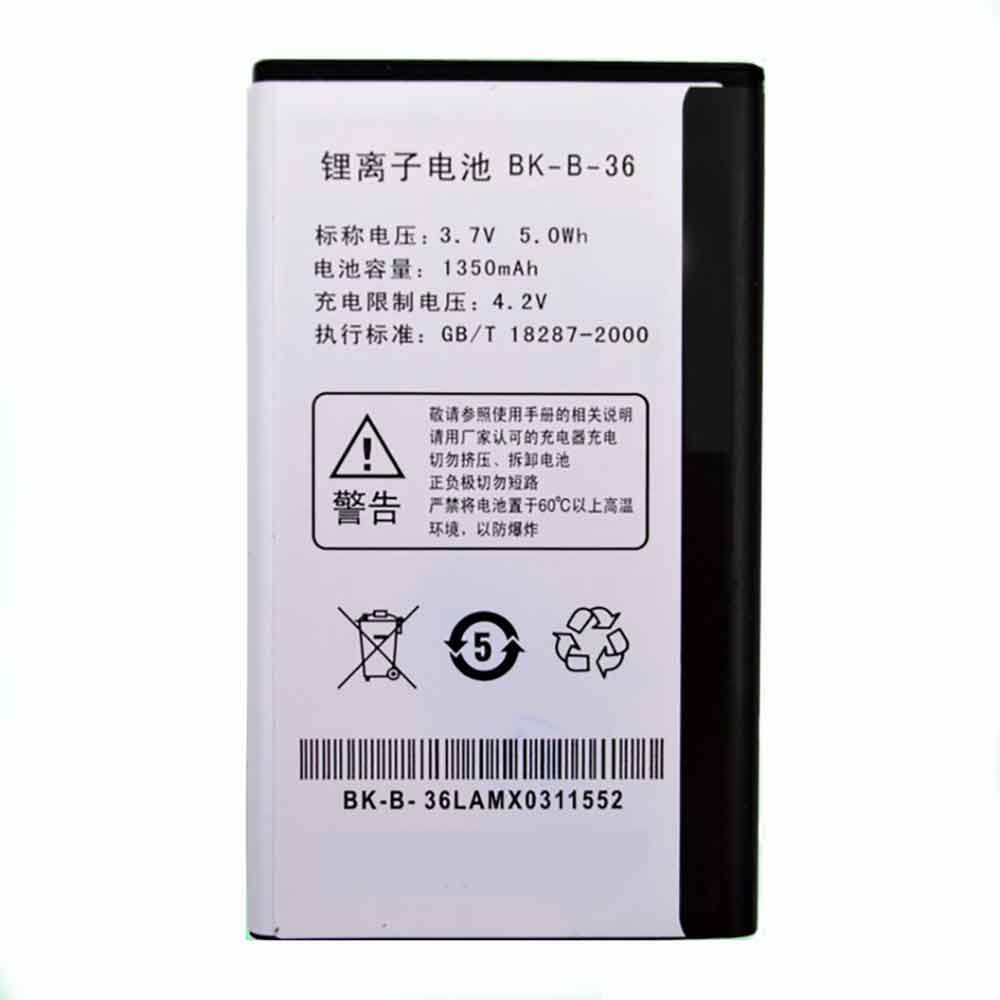
1350mAh/5.0WH 3.7V 4.4V Vivo BK-B-36 Li-ion Battery for Vivo I7 Y1 V303

1350mAh/5.0WH 3.7V 4.4V Vivo BK-B-36 Batteries for Vivo I7 Y1 V303, Vivo BK-B-36 Cell Phone battery is a brand new,100% Compatible original and replacement Phone battery,Purchase wholesale and retail BK-B-36 with high quality and low price!

Find ou your original model number or part number(P/N), and move your eyes on the tag of battery

BK-B-36

Specifications

  • Brand:Vivo
  • Capacity :1350mAh/5.0WH
  • Voltage :3.7V 4.4V
  • Type :Li-ion
  • Battery Cell Quality: Grade A
  • Descriptive: Replacement Battery – 1 Year Warranty
  • Description: Brand New, 1 Year Warranty! 30-Days Money Back! Fast Shipping!

How we test this Vivo BK-B-36 Battery
Step 1: Make sure customer bought the correct battery.
Step 2: Check battery’s appearance and interface.
Step 3: Test battery charger and recharger function.
Step 4: Charger the battery to 100% and recharger to 0% to get real battery capacity
Step 5: Use Ev2300 to check the voltage difference of each goroup cells.
Step 6: Charger battery power more than 30%.
Step 7: Package battery carefully and send out

Compatible Part Numbers:
BK-B-36

Compatible Model Numbers:
Vivo I7 Y1 V303

How much do you know about how to run laptop well as any place? The follow Tips cut way back on protecting battery life.


1). Please recharge or change your Cell Phone battery when battery power low.
2). Using Li-Ion Replacement Vivo BK-B-36 Cell Phone Battery for your notebook which can work longer time than Non Li-ion one.
3). It is better to defragmentation regularly for your Cell Phone battery life.
4). In order to reduce the laptop power consumpition, you can use some optical drive spin-down and hard drive in your Cell Phone .
5). Please keep your laptop in sleep or standby model without long time using, which both save the Replacement Vivo BK-B-36 Cell Phone Battery power and extend battery using life.
6). Leave your battery in a dry and cool condition when without using.
7). When you rarely or generally plugged in fixed power using, Please take down your battery to avoid hurting battery life.

Hot Products

5100MAH/19.1Wh LENOVO BL262 for Lenovo Vibe P2 p2a42 p2c72 +To2810mAh MOTOROLA FX30 for Motorola XT1575 Moto X Pure Ed7965MAH HP 7965MAH for HP EliteBook 1050 G1 L07045-852300mAh TOPCON TBB-2 for Topcon GTS-102N GTS-105N Total4200mAh PANASONIC VW-VBH20 for Panasonic NV-A1, NV-A1EN, NV-A66WH/6cell HP 760604-001 for HP PAVILION TOUCHSMART 118.64Wh HP MC96 for HP Smart Array P840 P4404800mah SHARP CE-BL44 for Sharp Mebius PC Mr40J MR80J5580MAH ULEFONE Armor-9 for Ulefone Armor 929.97Wh/2700mAh PARROT Bebop-Drone-2 for Parrot Bebop 2 Drone Quadcopte

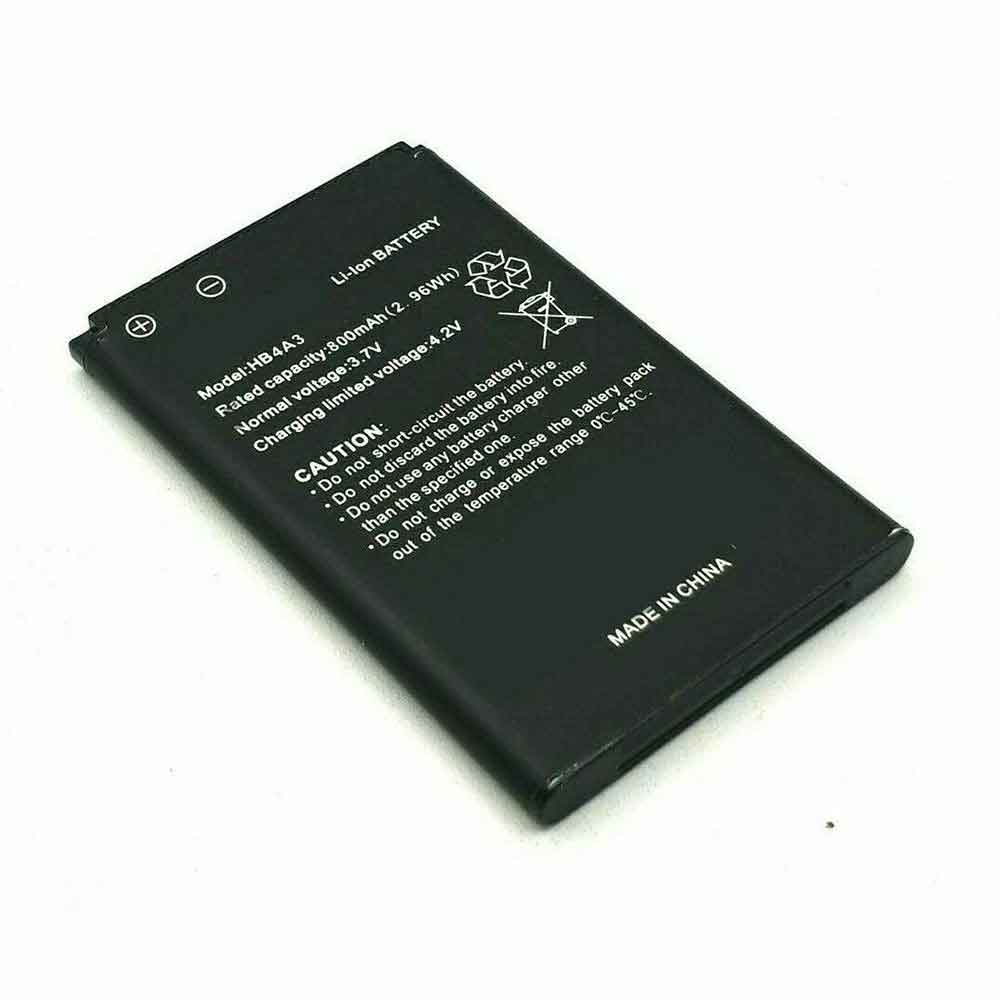
800mAh/2.96WH 3.7V 4.2V Huawei HB4A3 Li-ion Battery for Huawei G6620 T1100 T120 T1201 T1209 G7210

800mAh/2.96WH 3.7V 4.2V Huawei HB4A3 Batteries for Huawei G6620 T1100 T120 T1201 T1209 G7210, Huawei HB4A3 Cell Phone battery is a brand new,100% Compatible original and replacement Phone battery,Purchase wholesale and retail HB4A3 with high quality and low price!

Find ou your original model number or part number(P/N), and move your eyes on the tag of battery

HB4A3

Specifications

  • Brand:Huawei
  • Capacity :800mAh/2.96WH
  • Voltage :3.7V 4.2V
  • Type :Li-ion
  • Battery Cell Quality: Grade A
  • Descriptive: Replacement Battery – 1 Year Warranty
  • Description: Brand New, 1 Year Warranty! 30-Days Money Back! Fast Shipping!

How we test this Huawei HB4A3 Battery
Step 1: Make sure customer bought the correct battery.
Step 2: Check battery’s appearance and interface.
Step 3: Test battery charger and recharger function.
Step 4: Charger the battery to 100% and recharger to 0% to get real battery capacity
Step 5: Use Ev2300 to check the voltage difference of each goroup cells.
Step 6: Charger battery power more than 30%.
Step 7: Package battery carefully and send out

Compatible Part Numbers:
HB4A3

Compatible Model Numbers:
Huawei G6620 T1100 T120 T1201 T1209 G7210

How much do you know about how to run laptop well as any place? The follow Tips cut way back on protecting battery life.


1). Please recharge or change your Cell Phone battery when battery power low.
2). Using Li-Ion Replacement Huawei HB4A3 Cell Phone Battery for your notebook which can work longer time than Non Li-ion one.
3). It is better to defragmentation regularly for your Cell Phone battery life.
4). In order to reduce the laptop power consumpition, you can use some optical drive spin-down and hard drive in your Cell Phone .
5). Please keep your laptop in sleep or standby model without long time using, which both save the Replacement Huawei HB4A3 Cell Phone Battery power and extend battery using life.
6). Leave your battery in a dry and cool condition when without using.
7). When you rarely or generally plugged in fixed power using, Please take down your battery to avoid hurting battery life.

Hot Products

5100MAH/19.1Wh LENOVO BL262 for Lenovo Vibe P2 p2a42 p2c72 +To2810mAh MOTOROLA FX30 for Motorola XT1575 Moto X Pure Ed7965MAH HP 7965MAH for HP EliteBook 1050 G1 L07045-852300mAh TOPCON TBB-2 for Topcon GTS-102N GTS-105N Total4200mAh PANASONIC VW-VBH20 for Panasonic NV-A1, NV-A1EN, NV-A66WH/6cell HP 760604-001 for HP PAVILION TOUCHSMART 118.64Wh HP MC96 for HP Smart Array P840 P4404800mah SHARP CE-BL44 for Sharp Mebius PC Mr40J MR80J5580MAH ULEFONE Armor-9 for Ulefone Armor 929.97Wh/2700mAh PARROT Bebop-Drone-2 for Parrot Bebop 2 Drone Quadcopte

The new iPad (2022) may have key features the iPhone 14 doesn’t

 While the new iPad (2022) has been one of Apple’s least leaked products this year, we’re finally starting to hear details about the upcoming entry-level tablet — and it already sounds better than the iPhone 14 in one key way It is expected that they will debut together.

Apple fan site 9to5Mac(opens in a new tab) has received some information about the upcoming iPad, apparently from the same source that correctly provides information on the iPad Air 5

Apparently, the upcoming iPad will feature a USB-C port, making it the last iPad series to use the standard plug, as the iPad Pro devices were the first to make the jump in 2018. Existing entry-level iPads use the Lightning port, a proprietary Apple technology that iPhones also use.

Apple will have to move its smartphones to USB-C in the next few years due to EU regulations, but apparently its iPad is a head start. USB-C charges faster than Lightning and transfers data faster, so Apple fans will probably be delighted.

Another interesting move is that the entry-level iPad will apparently offer 5G connectivity, on some models. For the current version, you can choose a Wi-Fi-only or cellular version, and it sounds like the 2022 version will connect to 5G as well as 4G networks for that cellular option.

Finally, the leaker claims that the iPad (2022) will have an A14 Bionic chipset, which is not surprising since the last model was equipped with an A13. As such, it will be quite capable, but not quite an iPad Pro competitor. We probably haven’t heard of more iPad upgrades, but USB-C and 5G alone are pretty big improvements.

Analysis: Goodbye Apple Pencil?

If Apple does ditch the Lightning port in its next iPad, there will be a knock-on effect in the stylus department.

Entry-level iPads currently use the original Apple Pencil, which requires the Lightning port to charge, but newer tablets with USB-C use the Apple Pencil 2. It charges wirelessly by clipping to the side of the tablet and launches when Lightning starts to go the way of the dodo.

If the Lightning port ends up falling out of the final iPad that uses it, that could mean the original Apple Pencil is also about to be retired — after all, only older versions of the tablet can use it.

The Apple Pencil 2’s charging solution is more convenient and also offers better pressure sensitivity, so that’s not a bad thing — but an interesting sea change for Apple.

>>>>>>>>>>>Apple battery

Google Pixel 7 may be weaker than expected

 When the Google Pixel 7 series was teased in May 2022, we were told it had a Tensor 2 chipset, a Google-made chipset that inherited the chip it debuted in the Google Pixel 6 series. We’ve just heard the first leak about this upcoming component, and it’s a surprising one.

Bear with me here as the source is puzzling: someone managed to buy a locked Google Pixel 7 Pro prototype and sent its launch log to the Telegram channel Google News | CN (Opens in a new tab) (presumably with Google itself The news tool of the same name has nothing to do with it).

The channel then shared key information: the upcoming phone will apparently have the same screen as its predecessor, while the Tensor 2 chipset is apparently very similar to the original.

If there are limited changes to components in the chipset, that means the Pixel 7 probably won’t have as much processing power as its predecessor, the Pixel 6 — but that doesn’t mean it’ll be exactly the same, as Google could add more AI smarts , but don’t expect a super-powerful Android.

That fact might put you off — after all, newer models of phones are expected to be more powerful — but in reality, it’s really not an issue.

Analysis: the worse the better

Every new iteration of the Android processor should be faster than the last. The Snapdragon 8 Gen 1 should be faster than the 888, the 888 should be faster than the 865, and the 865 should be faster than the 855.

In practice, however, things are not that simple, and we can demonstrate this by looking at benchmarks. At TechRadar, we use the Geekbench 5 test to see how fast the phone is in the lab, although other sites use alternatives. It has shown us some really interesting things recently.

Phones using 2021’s high-end Snapdragon 888 chip typically perform as well as phones using its predecessor’s 865 chip, while the latest 8 Gen 1 phones tend to perform below both. That’s partly because these newer chips have horrific overheating issues that can cause performance to drop off quickly with use — and there’s something to be said for newer chips that excel in areas that benchmarks haven’t found.

But the simple fact is that cell phones are getting fast enough. If your fingers aren’t fast enough, or if gaming graphics already outpace what a small screen can do, then you don’t need your phone to be nimbler. Instead, the new chips focus more on power optimization and efficiency, new camera capabilities and improved AI intelligence. Being strong or fast is no longer as important as being smart.

So it’s likely that Google is just catering to audience usage and is less about power and more about everything else. If the Pixel 7 doesn’t excel in benchmarks, that’s fine — the phone could improve in many other areas, and it’ll remain a contender for our best smartphones list.

>>>>>>>>>Google battery