3450mAh/13.2825WH 3.85V 4.4V Konka KLB345P394 Li-ion Battery for Konka 801 T1

3450mAh/13.2825WH 3.85V 4.4V Konka KLB345P394 Batteries for Konka 801 T1, Konka KLB345P394 Cell Phone battery is a brand new,100% Compatible original and replacement Phone battery,Purchase wholesale and retail KLB345P394 with high quality and low price!

Find ou your original model number or part number(P/N), and move your eyes on the tag of battery
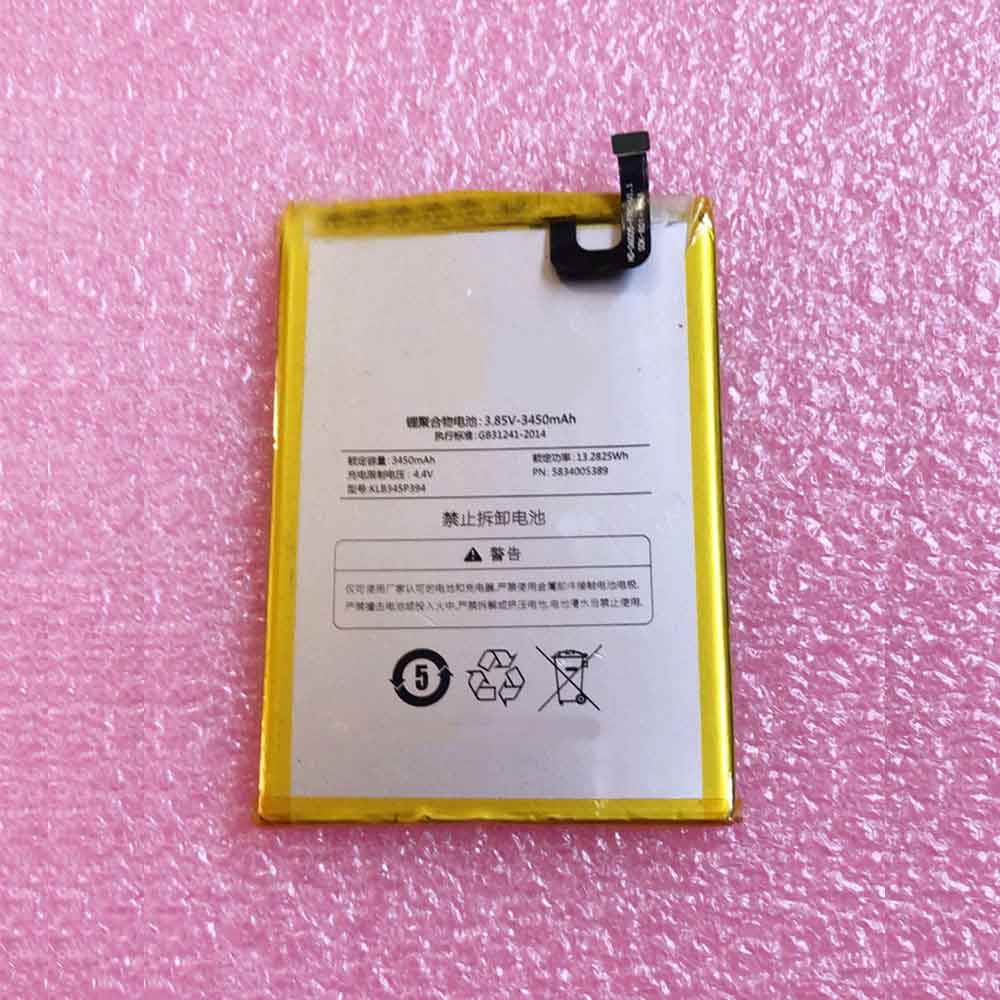
KLB345P394

Specifications

  • Brand:Konka
  • Capacity :3450mAh/13.2825WH
  • Voltage :3.85V 4.4V
  • Type :Li-ion
  • Battery Cell Quality: Grade A
  • Descriptive: Replacement Battery – 1 Year Warranty
  • Description: Brand New, 1 Year Warranty! 30-Days Money Back! Fast Shipping!

How we test this Konka KLB345P394 Battery
Step 1: Make sure customer bought the correct battery.
Step 2: Check battery’s appearance and interface.
Step 3: Test battery charger and recharger function.
Step 4: Charger the battery to 100% and recharger to 0% to get real battery capacity
Step 5: Use Ev2300 to check the voltage difference of each goroup cells.
Step 6: Charger battery power more than 30%.
Step 7: Package battery carefully and send out

Compatible Part Numbers:
KLB345P394

Compatible Model Numbers:
Konka 801 T1

How much do you know about how to run laptop well as any place? The follow Tips cut way back on protecting battery life.


1). Please recharge or change your Cell Phone battery when battery power low.
2). Using Li-Ion Replacement Konka KLB345P394 Cell Phone Battery for your notebook which can work longer time than Non Li-ion one.
3). It is better to defragmentation regularly for your Cell Phone battery life.
4). In order to reduce the laptop power consumpition, you can use some optical drive spin-down and hard drive in your Cell Phone .
5). Please keep your laptop in sleep or standby model without long time using, which both save the Replacement Konka KLB345P394 Cell Phone Battery power and extend battery using life.
6). Leave your battery in a dry and cool condition when without using.
7). When you rarely or generally plugged in fixed power using, Please take down your battery to avoid hurting battery life.

Hot Products

5580MAH ULEFONE Armor-9 for Ulefone Armor 929.97Wh/2700mAh PARROT Bebop-Drone-2 for Parrot Bebop 2 Drone Quadcopte4900mAh/37.24Wh GPD 6438132-2S for GPD WIN 2 Handheld Gaming62Wh DELL N1WM4 for DELL Alienware 13 R2 13.3″ Inc3.355Ah/51Wh LENOVO 01AV434 for enovo Yoga 12 X2606700MAH/72WH/6Cells ACER AS10D3E for ACER Aspire 5733 5741 5742 5756700MAH/72WH/6Cells ACER AS10D3E for ACER Aspire 5733 5741 5742 5754.8Ah 34.85Wh TRIMBLE 120200 for Trimble 1202003100mAh/11.94WH SAMSUNG EB-BJ510CBE for Samsung SM-J510 j5109 j5108 J51000mAh OLYMPUS LI-50B for Olympus SP-800 SP-800UZ u6010
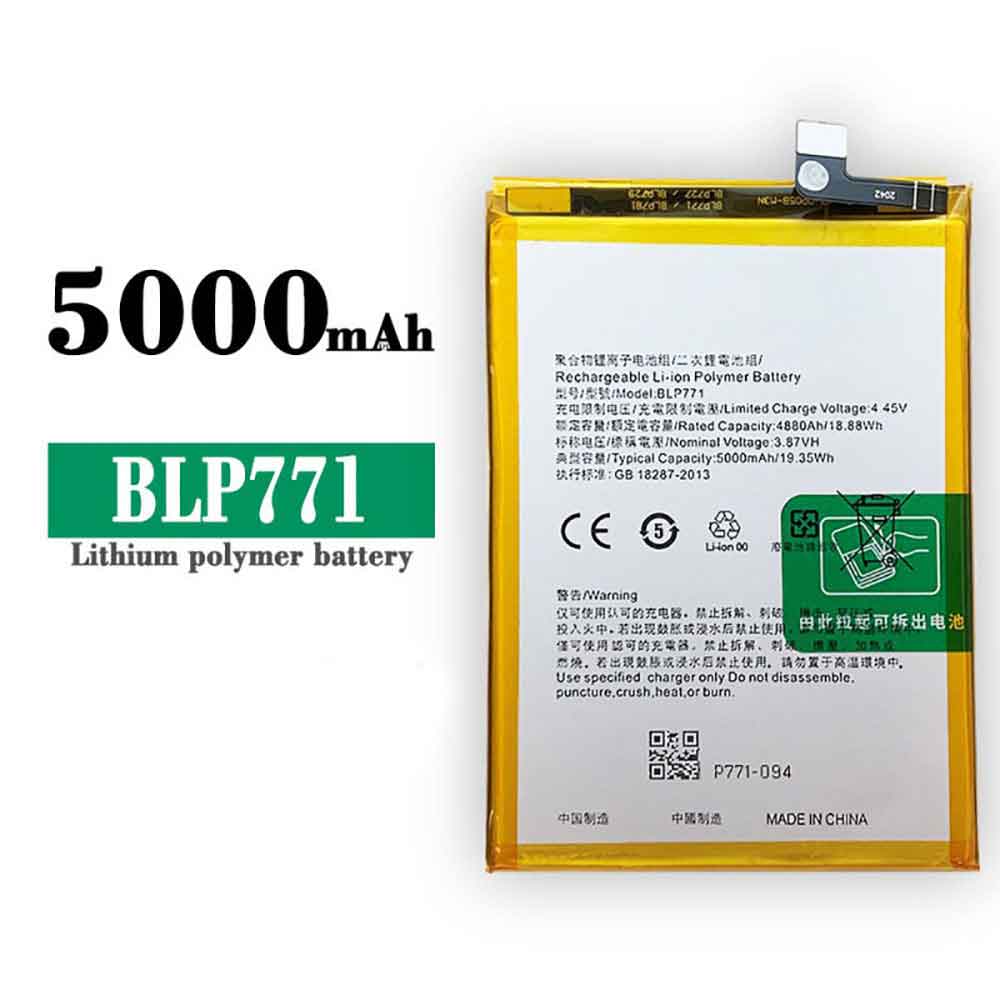
5000mAh/19.35WH 3.87V 4.45V Realme BLP771 Li-ion Battery for Realme 7i

5000mAh/19.35WH 3.87V 4.45V Realme BLP771 Batteries for Realme 7i, Realme BLP771 Cell Phone battery is a brand new,100% Compatible original and replacement Phone battery,Purchase wholesale and retail BLP771 with high quality and low price!

Find ou your original model number or part number(P/N), and move your eyes on the tag of battery

BLP771

Specifications

  • Brand:Realme
  • Capacity :5000mAh/19.35WH
  • Voltage :3.87V 4.45V
  • Type :Li-ion
  • Battery Cell Quality: Grade A
  • Descriptive: Replacement Battery – 1 Year Warranty
  • Description: Brand New, 1 Year Warranty! 30-Days Money Back! Fast Shipping!

How we test this Realme BLP771 Battery
Step 1: Make sure customer bought the correct battery.
Step 2: Check battery’s appearance and interface.
Step 3: Test battery charger and recharger function.
Step 4: Charger the battery to 100% and recharger to 0% to get real battery capacity
Step 5: Use Ev2300 to check the voltage difference of each goroup cells.
Step 6: Charger battery power more than 30%.
Step 7: Package battery carefully and send out

Compatible Part Numbers:
BLP771

Compatible Model Numbers:
Realme 7i

How much do you know about how to run laptop well as any place? The follow Tips cut way back on protecting battery life.


1). Please recharge or change your Cell Phone battery when battery power low.
2). Using Li-Ion Replacement Realme BLP771 Cell Phone Battery for your notebook which can work longer time than Non Li-ion one.
3). It is better to defragmentation regularly for your Cell Phone battery life.
4). In order to reduce the laptop power consumpition, you can use some optical drive spin-down and hard drive in your Cell Phone .
5). Please keep your laptop in sleep or standby model without long time using, which both save the Replacement Realme BLP771 Cell Phone Battery power and extend battery using life.
6). Leave your battery in a dry and cool condition when without using.
7). When you rarely or generally plugged in fixed power using, Please take down your battery to avoid hurting battery life.

Hot Products

5580MAH ULEFONE Armor-9 for Ulefone Armor 929.97Wh/2700mAh PARROT Bebop-Drone-2 for Parrot Bebop 2 Drone Quadcopte4900mAh/37.24Wh GPD 6438132-2S for GPD WIN 2 Handheld Gaming62Wh DELL N1WM4 for DELL Alienware 13 R2 13.3″ Inc3.355Ah/51Wh LENOVO 01AV434 for enovo Yoga 12 X2606700MAH/72WH/6Cells ACER AS10D3E for ACER Aspire 5733 5741 5742 5756700MAH/72WH/6Cells ACER AS10D3E for ACER Aspire 5733 5741 5742 5754.8Ah 34.85Wh TRIMBLE 120200 for Trimble 1202003100mAh/11.94WH SAMSUNG EB-BJ510CBE for Samsung SM-J510 j5109 j5108 J51000mAh OLYMPUS LI-50B for Olympus SP-800 SP-800UZ u6010
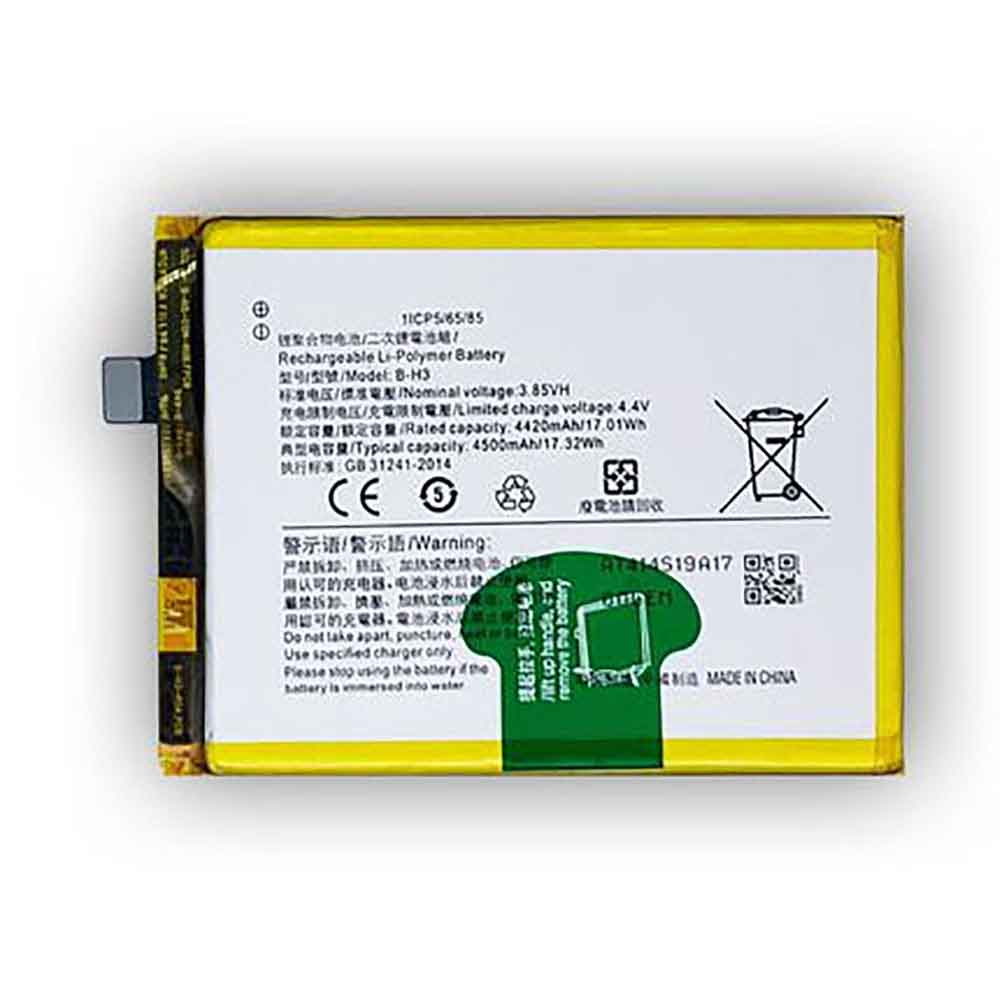
4500mAh/17.32WH 3.85V 4.4V Vivo B-H3 Li-ion Battery for Vivo Z1x Z5

4500mAh/17.32WH 3.85V 4.4V Vivo B-H3 Batteries for Vivo Z1x Z5, Vivo B-H3 Cell Phone battery is a brand new,100% Compatible original and replacement Phone battery,Purchase wholesale and retail B-H3 with high quality and low price!

Find ou your original model number or part number(P/N), and move your eyes on the tag of battery

B-H3

Specifications

  • Brand:Vivo
  • Capacity :4500mAh/17.32WH
  • Voltage :3.85V 4.4V
  • Type :Li-ion
  • Battery Cell Quality: Grade A
  • Descriptive: Replacement Battery – 1 Year Warranty
  • Description: Brand New, 1 Year Warranty! 30-Days Money Back! Fast Shipping!

How we test this Vivo B-H3 Battery
Step 1: Make sure customer bought the correct battery.
Step 2: Check battery’s appearance and interface.
Step 3: Test battery charger and recharger function.
Step 4: Charger the battery to 100% and recharger to 0% to get real battery capacity
Step 5: Use Ev2300 to check the voltage difference of each goroup cells.
Step 6: Charger battery power more than 30%.
Step 7: Package battery carefully and send out

Compatible Part Numbers:
B-H3

Compatible Model Numbers:
Vivo Z1x Z5

How much do you know about how to run laptop well as any place? The follow Tips cut way back on protecting battery life.


1). Please recharge or change your Cell Phone battery when battery power low.
2). Using Li-Ion Replacement Vivo B-H3 Cell Phone Battery for your notebook which can work longer time than Non Li-ion one.
3). It is better to defragmentation regularly for your Cell Phone battery life.
4). In order to reduce the laptop power consumpition, you can use some optical drive spin-down and hard drive in your Cell Phone .
5). Please keep your laptop in sleep or standby model without long time using, which both save the Replacement Vivo B-H3 Cell Phone Battery power and extend battery using life.
6). Leave your battery in a dry and cool condition when without using.
7). When you rarely or generally plugged in fixed power using, Please take down your battery to avoid hurting battery life.

Hot Products

5580MAH ULEFONE Armor-9 for Ulefone Armor 929.97Wh/2700mAh PARROT Bebop-Drone-2 for Parrot Bebop 2 Drone Quadcopte4900mAh/37.24Wh GPD 6438132-2S for GPD WIN 2 Handheld Gaming62Wh DELL N1WM4 for DELL Alienware 13 R2 13.3″ Inc3.355Ah/51Wh LENOVO 01AV434 for enovo Yoga 12 X2606700MAH/72WH/6Cells ACER AS10D3E for ACER Aspire 5733 5741 5742 5756700MAH/72WH/6Cells ACER AS10D3E for ACER Aspire 5733 5741 5742 5754.8Ah 34.85Wh TRIMBLE 120200 for Trimble 1202003100mAh/11.94WH SAMSUNG EB-BJ510CBE for Samsung SM-J510 j5109 j5108 J51000mAh OLYMPUS LI-50B for Olympus SP-800 SP-800UZ u6010

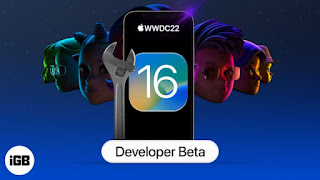
How to Download iOS 16 Beta on iPhone Now

 Apple announced its next operating system, iOS 16, during its WWDC 2022 keynote on Monday. You can download it right now on your iPhone if you want – but you should be aware that it’s currently a developer beta, available only to members of the Apple Developer Program.

While the upgrade isn’t scheduled to be officially released until September, we can walk you through how to use iOS 16 right now, ahead of the public beta.

Here’s what you should know before downloading iOS 16

Since iOS 16 is an early pre-release version, the software will be full of bugs and other issues. Again, if you’re considering downloading iOS 16, do so on a spare or secondary phone. And make sure to backup your device on iOS 15 before updating to iOS 16. That way, if there are too many issues with the new OS, you can choose to go back to iOS 15. Also, you must have an iPhone 8 or later to run iOS 16.

Download iOS 16 with Over-the-Air Update on iPhone or iPad

The easiest way to download iOS 16 is via an over-the-air update, which means updating to any other new software version on your device. The operation steps are as follows:

1. On your iPhone or iPad, go to the Apple Developer Program download page, click Install Profile for iOS 16 beta (iPhone) or iPadOS 16 beta (iPad), and then click Allow.

2. Open the Settings app, tap the downloaded profile, then tap Install in the upper right corner when it appears. If prompted, enter your password, then double-tap Install. Your phone will need to restart.

3. After your phone restarts, connect it to a power source, make sure you’re on Wi-Fi, and go to Settings > General > Software Update. If you don’t see an update available right away, wait a few minutes and check again.

4. Finally, click Download and Install > Install and enter your password to update your device.

Once your phone has finished restarting, you should have access to the latest iOS 16 developer beta.

You can also download iOS 16 with a Mac

Over-the-air updates require a certain amount of storage space, and if you don’t have storage space available, using your computer is really the only way to update to iOS 16 without manually clearing up space.

1. On a Mac, go to the Apple Developer Program download page, find iOS 16 beta or iPadOS 16 beta and click Download Restore Images.

2. Download the iOS beta software recovery image for your specific device.

3. Next, connect your device to your computer and enter your device passcode or click Trust this computer when prompted.

4. Open Finder and click your device under Locations in the sidebar.

5. Generally, next to Software, you’ll see the latest software your device is running.

6. Hold down the Option key, click Check for Updates, and select the iOS 16 beta software recovery image you just downloaded from the Apple developer page.

The iOS 16 beta software will be installed on your device. Wait a few minutes and when your phone restarts, you should have access to iOS 16.

>>>>>>>>>>>>Apple battery

Thanks for reading, hope it helps!

Friendly reminder: If you need to replace the battery of your device, this battery store will be a good choice: www.batteryforpc.co.uk

The 7 Best iOS 16 Features You Should Be Excited About

This time it’s been a bumper release, with many improvements to the functionality of the entire operating system on a scale arguably not seen since iOS 8. While some people look forward to Stage Manager on their iPads or the Weather app on macOS and iPadOS, iOS 16 brings some features I look forward to seeing on my iPhone 13 Pro. Here are seven features I look forward to once iOS 16 is available to everyone.

1. New lock screen

Improvements to the lock screen are at the heart of iOS 16, as you can choose from a variety of colors, fonts, and photos to make your own lock screen . Using iOS’ Focus feature, it can restrict certain apps and notifications at specific times, and it can change the lock screen based on a profile you choose.

2. Accessibility

While Apple confirmed these in May, there are a number of accessibility features that are not only useful but hint at applications for Apple’s future AR headsets. You also have the option to view Live Captions during a FaceTime call, and you can control your Apple Watch directly from your iPhone, giving you a bigger screen to interact with.

3. Mail

In iOS 16, most of the features I’ve seen from Google finally appear in Apple Mail, including reminders to schedule, undo, and follow up on certain emails, all of which make the process a lot richer.

4. Message

iOS 16 introduces some features to help Messages catch up. For example, “Undo Send” has arrived and you can delete a message up to 15 minutes after it was sent. Likewise, you can also edit the message within the first 15 minutes, but this only applies to iPhone-to-iPhone messages.

SharePlay will also be present in the app, so for example, if you’re watching an episode of Obi Wan Kenobi on Disney Plus, you can share it with others via Message so they can watch it with you.

5. Safety

Security Checks allow users to quickly and securely revoke all access they have granted to partner information and other applications.

An emergency reset feature lets users stop sharing their location with others and easily sign out of iCloud on all their devices, while being able to reset privacy permissions and limit messaging to the devices in their hands.

It also allows you to generally check and manage the people and applications you have granted access to your information, and revoke them if you need to.

6. A better home

The Home app can be slow to use and slow to respond to our commands for certain lights. So it’s good news for both of us to see the app finally get a redesign, especially since it finally offers widgets so you don’t have to rely on third-party apps to handle those.

The changes were announced alongside the new Matter smart home standard, and the new look makes it easy to see an overview of all your lights at once and control them right at the top of the app.

7. AirPods finally have their own section

Instead of going to Settings > Bluetooth > AirPods Pro, you’ll be taken to a direct menu right after launching Settings, where you can view the battery levels of both AirPods and the case, as well as custom taps and Siri.

This will work with other peripherals like AirPods Max, but it’s unclear if this will work in the same way for Apple-owned Beats headphones.

>>>>>>>>Apple battery

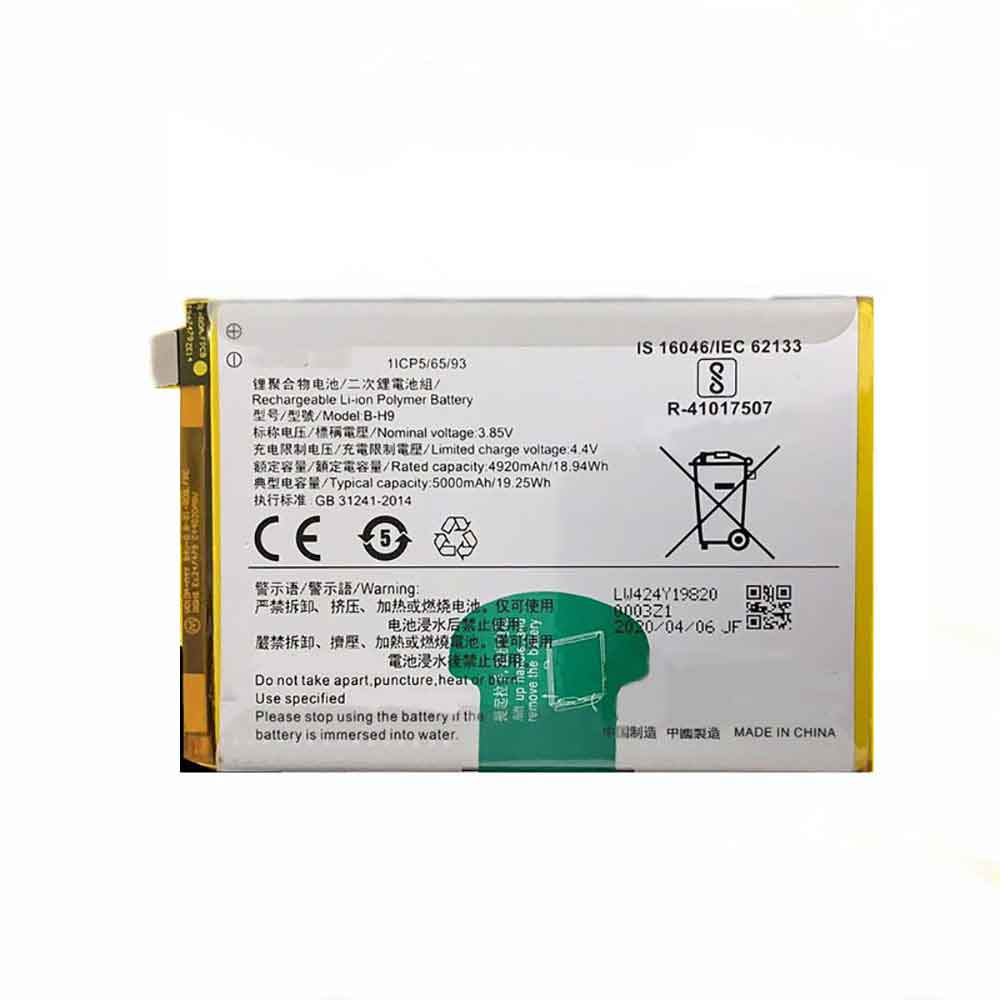
5000mAh/19.25WH 3.85V 4.4V Vivo B-H9 Li-ion Battery for Vivo Y19

5000mAh/19.25WH 3.85V 4.4V Vivo B-H9 Batteries for Vivo Y19, Vivo B-H9 Cell Phone battery is a brand new,100% Compatible original and replacement Phone battery,Purchase wholesale and retail B-H9 with high quality and low price!

Find ou your original model number or part number(P/N), and move your eyes on the tag of battery

B-H9

Specifications

  • Brand:Vivo
  • Capacity :5000mAh/19.25WH
  • Voltage :3.85V 4.4V
  • Type :Li-ion
  • Battery Cell Quality: Grade A
  • Descriptive: Replacement Battery – 1 Year Warranty
  • Description: Brand New, 1 Year Warranty! 30-Days Money Back! Fast Shipping!

How we test this Vivo B-H9 Battery
Step 1: Make sure customer bought the correct battery.
Step 2: Check battery’s appearance and interface.
Step 3: Test battery charger and recharger function.
Step 4: Charger the battery to 100% and recharger to 0% to get real battery capacity
Step 5: Use Ev2300 to check the voltage difference of each goroup cells.
Step 6: Charger battery power more than 30%.
Step 7: Package battery carefully and send out

Compatible Part Numbers:
B-H9

Compatible Model Numbers:
Vivo Y19

How much do you know about how to run laptop well as any place? The follow Tips cut way back on protecting battery life.


1). Please recharge or change your Cell Phone battery when battery power low.
2). Using Li-Ion Replacement Vivo B-H9 Cell Phone Battery for your notebook which can work longer time than Non Li-ion one.
3). It is better to defragmentation regularly for your Cell Phone battery life.
4). In order to reduce the laptop power consumpition, you can use some optical drive spin-down and hard drive in your Cell Phone .
5). Please keep your laptop in sleep or standby model without long time using, which both save the Replacement Vivo B-H9 Cell Phone Battery power and extend battery using life.
6). Leave your battery in a dry and cool condition when without using.
7). When you rarely or generally plugged in fixed power using, Please take down your battery to avoid hurting battery life.

Hot Products

29.97Wh/2700mAh PARROT Bebop-Drone-2 for Parrot Bebop 2 Drone Quadcopte4900mAh/37.24Wh GPD 6438132-2S for GPD WIN 2 Handheld Gaming62Wh DELL N1WM4 for DELL Alienware 13 R2 13.3″ Inc3.355Ah/51Wh LENOVO 01AV434 for enovo Yoga 12 X2606700MAH/72WH/6Cells ACER AS10D3E for ACER Aspire 5733 5741 5742 5756700MAH/72WH/6Cells ACER AS10D3E for ACER Aspire 5733 5741 5742 5754.8Ah 34.85Wh TRIMBLE 120200 for Trimble 1202003100mAh/11.94WH SAMSUNG EB-BJ510CBE for Samsung SM-J510 j5109 j5108 J51000mAh OLYMPUS LI-50B for Olympus SP-800 SP-800UZ u6010560MAH BEATS AEC643333 for Beats by Dre Studio 2.0 Part

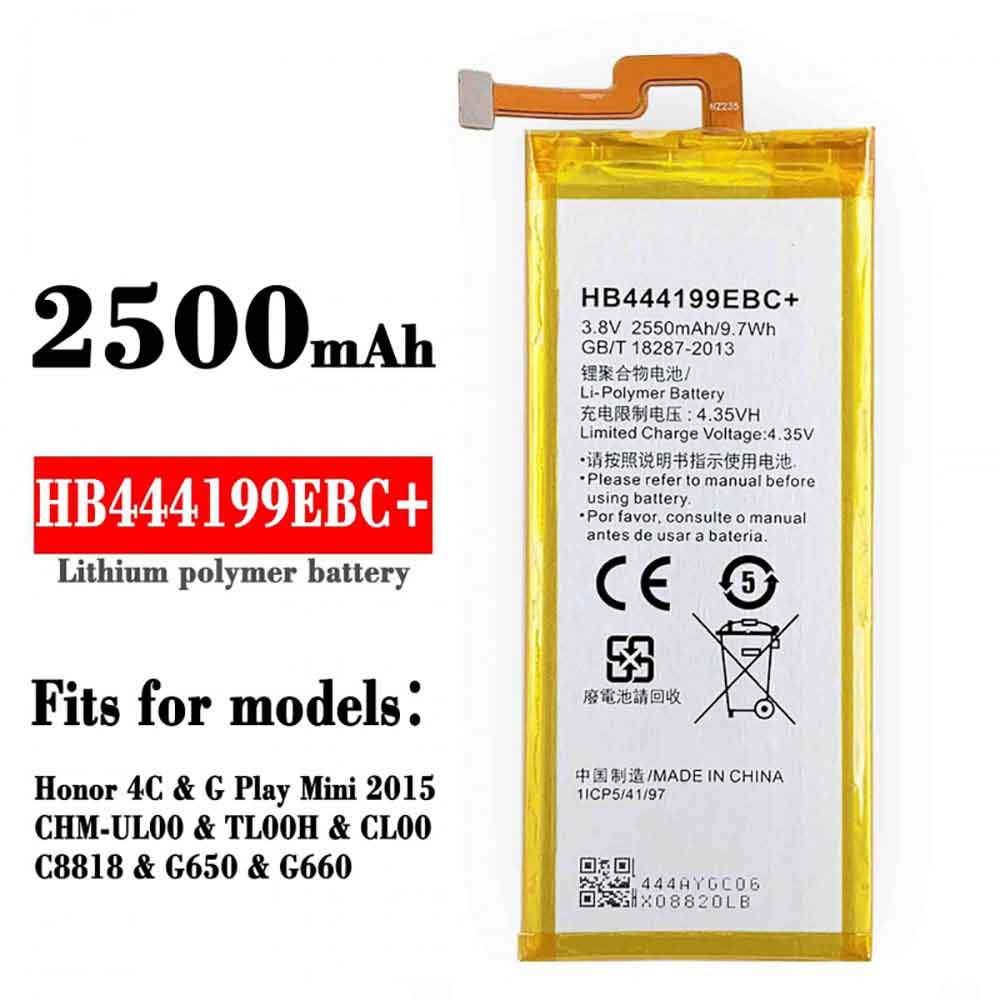
2550mAh/9.7WH 3.8V 4.35V Huawei HB444199EBC Li-ion Battery for Huawei Honror 4C G660 C8818

2550mAh/9.7WH 3.8V 4.35V Huawei HB444199EBC Batteries for Huawei Honror 4C G660 C8818, Huawei HB444199EBC Cell Phone battery is a brand new,100% Compatible original and replacement Phone battery,Purchase wholesale and retail HB444199EBC with high quality and low price!

Find ou your original model number or part number(P/N), and move your eyes on the tag of battery

HB444199EBC

Specifications

  • Brand:Huawei
  • Capacity :2550mAh/9.7WH
  • Voltage :3.8V 4.35V
  • Type :Li-ion
  • Battery Cell Quality: Grade A
  • Descriptive: Replacement Battery – 1 Year Warranty
  • Description: Brand New, 1 Year Warranty! 30-Days Money Back! Fast Shipping!

How we test this Huawei HB444199EBC Battery
Step 1: Make sure customer bought the correct battery.
Step 2: Check battery’s appearance and interface.
Step 3: Test battery charger and recharger function.
Step 4: Charger the battery to 100% and recharger to 0% to get real battery capacity
Step 5: Use Ev2300 to check the voltage difference of each goroup cells.
Step 6: Charger battery power more than 30%.
Step 7: Package battery carefully and send out

Compatible Part Numbers:
HB444199EBC+

Compatible Model Numbers:
Huawei Honror 4C G660 C8818

How much do you know about how to run laptop well as any place? The follow Tips cut way back on protecting battery life.


1). Please recharge or change your Cell Phone battery when battery power low.
2). Using Li-Ion Replacement Huawei HB444199EBC Cell Phone Battery for your notebook which can work longer time than Non Li-ion one.
3). It is better to defragmentation regularly for your Cell Phone battery life.
4). In order to reduce the laptop power consumpition, you can use some optical drive spin-down and hard drive in your Cell Phone .
5). Please keep your laptop in sleep or standby model without long time using, which both save the Replacement Huawei HB444199EBC Cell Phone Battery power and extend battery using life.
6). Leave your battery in a dry and cool condition when without using.
7). When you rarely or generally plugged in fixed power using, Please take down your battery to avoid hurting battery life.

Hot Products

29.97Wh/2700mAh PARROT Bebop-Drone-2 for Parrot Bebop 2 Drone Quadcopte4900mAh/37.24Wh GPD 6438132-2S for GPD WIN 2 Handheld Gaming62Wh DELL N1WM4 for DELL Alienware 13 R2 13.3″ Inc3.355Ah/51Wh LENOVO 01AV434 for enovo Yoga 12 X2606700MAH/72WH/6Cells ACER AS10D3E for ACER Aspire 5733 5741 5742 5756700MAH/72WH/6Cells ACER AS10D3E for ACER Aspire 5733 5741 5742 5754.8Ah 34.85Wh TRIMBLE 120200 for Trimble 1202003100mAh/11.94WH SAMSUNG EB-BJ510CBE for Samsung SM-J510 j5109 j5108 J51000mAh OLYMPUS LI-50B for Olympus SP-800 SP-800UZ u6010560MAH BEATS AEC643333 for Beats by Dre Studio 2.0 Part

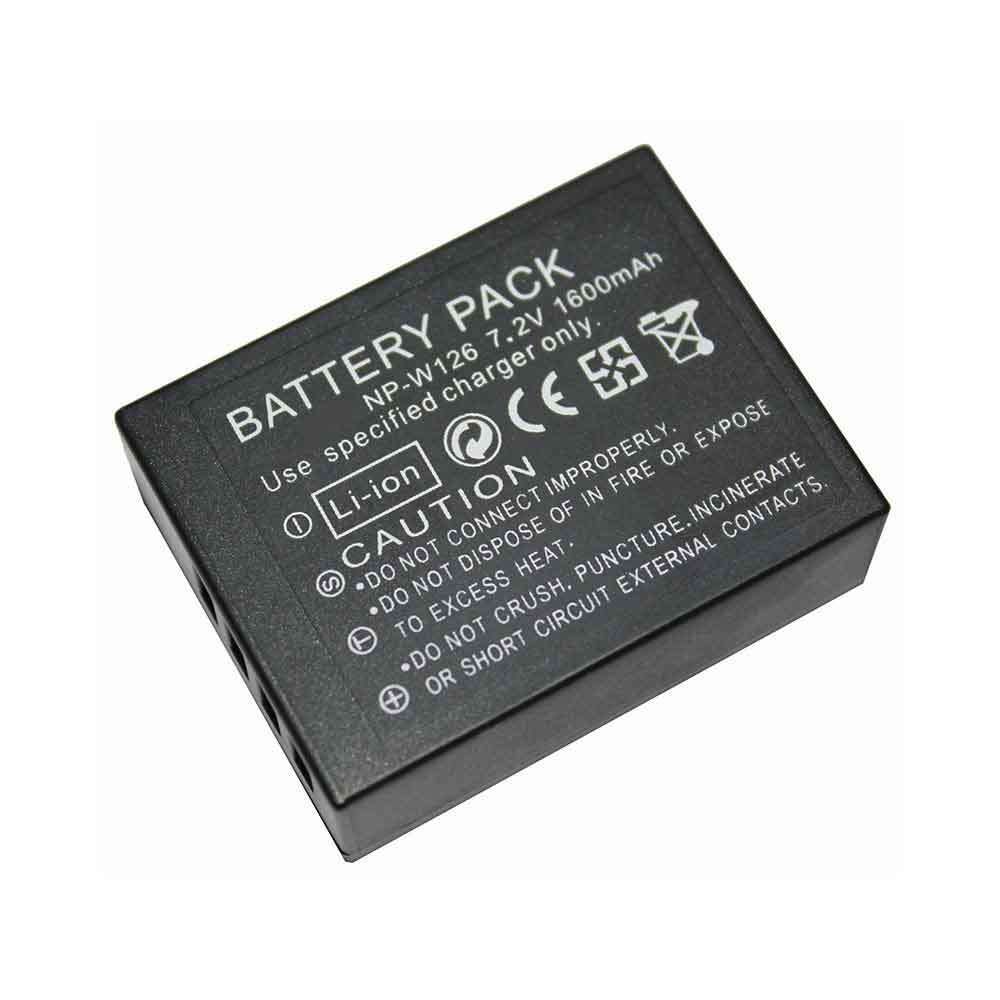
1600mAh 7.2V Fujitsu NP-W126 Li-ion Battery for Fujitsu FinePix HS30EXR HS33EXR X-Pro1

1600mAh 7.2V Fujitsu NP-W126 Batteries for Fujitsu FinePix HS30EXR HS33EXR X-Pro1, Fujitsu NP-W126 Other battery is a brand new,100% Compatible original and replacement battery,Purchase wholesale and retail NP-W126 with high quality and low price!

Find ou your original model number or part number(P/N), and move your eyes on the tag of battery

NP-W126

Specifications

  • Brand:Fujitsu
  • Capacity :1600mAh
  • Voltage :7.2V
  • Type :Li-ion
  • Battery Cell Quality: Grade A
  • Descriptive: Replacement Battery – 1 Year Warranty
  • Description: Brand New, 1 Year Warranty! 30-Days Money Back! Fast Shipping!

How we test this Fujitsu NP-W126 Battery
Step 1: Make sure customer bought the correct battery.
Step 2: Check battery’s appearance and interface.
Step 3: Test battery charger and recharger function.
Step 4: Charger the battery to 100% and recharger to 0% to get real battery capacity
Step 5: Use Ev2300 to check the voltage difference of each goroup cells.
Step 6: Charger battery power more than 30%.
Step 7: Package battery carefully and send out

Compatible Part Numbers:
NP-W126

Compatible Model Numbers:
Fujitsu FinePix HS30EXR HS33EXR X-Pro1

How much do you know about how to run laptop well as any place? The follow Tips cut way back on protecting battery life.


1). Please recharge or change your Other battery when battery power low.
2). Using Li-Ion Replacement Fujitsu NP-W126 Other Battery for your notebook which can work longer time than Non Li-ion one.
3). It is better to defragmentation regularly for your Other battery life.
4). In order to reduce the laptop power consumpition, you can use some optical drive spin-down and hard drive in your Other .
5). Please keep your laptop in sleep or standby model without long time using, which both save the Replacement Fujitsu NP-W126 Other Battery power and extend battery using life.
6). Leave your battery in a dry and cool condition when without using.
7). When you rarely or generally plugged in fixed power using, Please take down your battery to avoid hurting battery life.

Hot Products

29.97Wh/2700mAh PARROT Bebop-Drone-2 for Parrot Bebop 2 Drone Quadcopte4900mAh/37.24Wh GPD 6438132-2S for GPD WIN 2 Handheld Gaming62Wh DELL N1WM4 for DELL Alienware 13 R2 13.3″ Inc3.355Ah/51Wh LENOVO 01AV434 for enovo Yoga 12 X2606700MAH/72WH/6Cells ACER AS10D3E for ACER Aspire 5733 5741 5742 5756700MAH/72WH/6Cells ACER AS10D3E for ACER Aspire 5733 5741 5742 5754.8Ah 34.85Wh TRIMBLE 120200 for Trimble 1202003100mAh/11.94WH SAMSUNG EB-BJ510CBE for Samsung SM-J510 j5109 j5108 J51000mAh OLYMPUS LI-50B for Olympus SP-800 SP-800UZ u6010560MAH BEATS AEC643333 for Beats by Dre Studio 2.0 Part

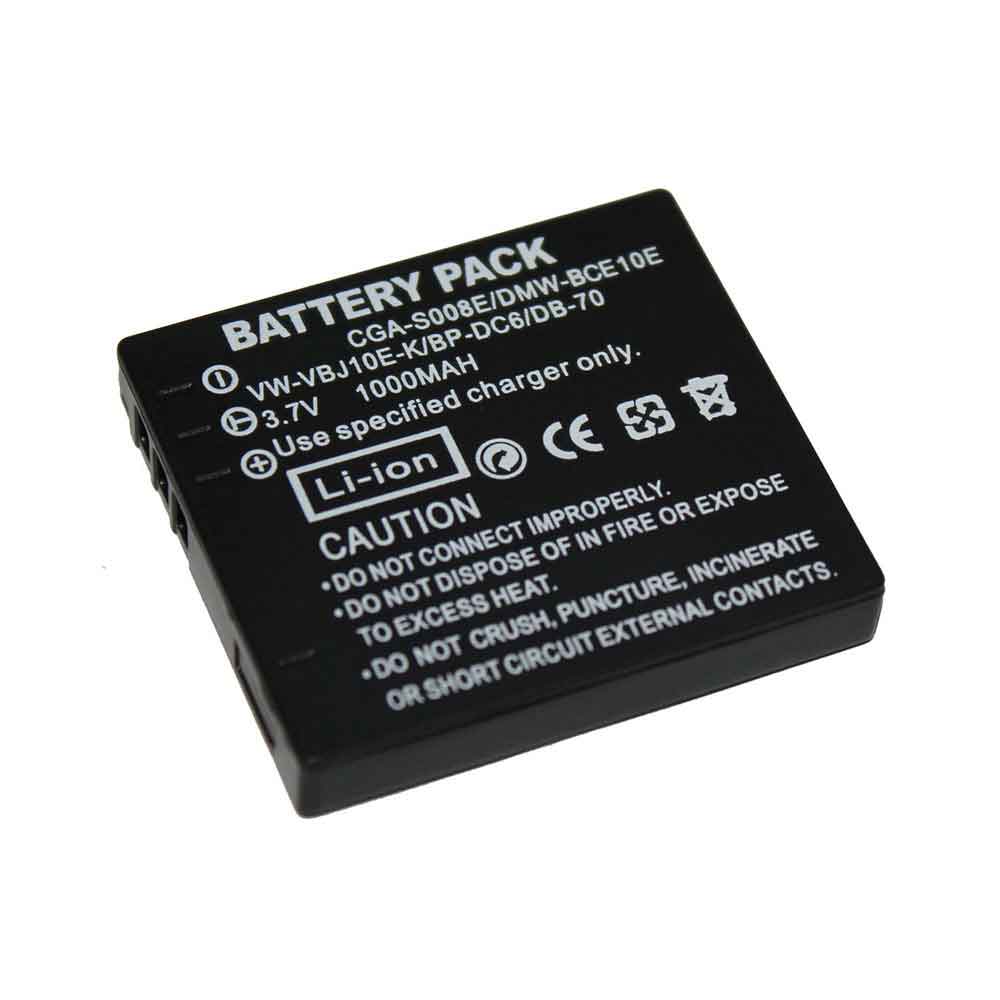
1000mAh 3.7V Panasonic CGA-S008E Li-ion Battery for Panasonic FX520 FS20 FX38 FX36 DMC-FX30 FX33 FX35 FX55

1000mAh 3.7V Panasonic CGA-S008E Batteries for Panasonic FX520 FS20 FX38 FX36 DMC-FX30 FX33 FX35 FX55, Panasonic CGA-S008E Other battery is a brand new,100% Compatible original and replacement battery,Purchase wholesale and retail CGA-S008E with high quality and low price!

Find ou your original model number or part number(P/N), and move your eyes on the tag of battery

CGA-S008E

Specifications

  • Brand:Panasonic
  • Capacity :1000mAh
  • Voltage :3.7V
  • Type :Li-ion
  • Battery Cell Quality: Grade A
  • Descriptive: Replacement Battery – 1 Year Warranty
  • Description: Brand New, 1 Year Warranty! 30-Days Money Back! Fast Shipping!

How we test this Panasonic CGA-S008E Battery
Step 1: Make sure customer bought the correct battery.
Step 2: Check battery’s appearance and interface.
Step 3: Test battery charger and recharger function.
Step 4: Charger the battery to 100% and recharger to 0% to get real battery capacity
Step 5: Use Ev2300 to check the voltage difference of each goroup cells.
Step 6: Charger battery power more than 30%.
Step 7: Package battery carefully and send out

Compatible Part Numbers:
CGA-S008E

Compatible Model Numbers:
Panasonic FX520 FS20 FX38 FX36 DMC-FX30 FX33 FX35 FX55

How much do you know about how to run laptop well as any place? The follow Tips cut way back on protecting battery life.


1). Please recharge or change your Other battery when battery power low.
2). Using Li-Ion Replacement Panasonic CGA-S008E Other Battery for your notebook which can work longer time than Non Li-ion one.
3). It is better to defragmentation regularly for your Other battery life.
4). In order to reduce the laptop power consumpition, you can use some optical drive spin-down and hard drive in your Other .
5). Please keep your laptop in sleep or standby model without long time using, which both save the Replacement Panasonic CGA-S008E Other Battery power and extend battery using life.
6). Leave your battery in a dry and cool condition when without using.
7). When you rarely or generally plugged in fixed power using, Please take down your battery to avoid hurting battery life.

Hot Products

29.97Wh/2700mAh PARROT Bebop-Drone-2 for Parrot Bebop 2 Drone Quadcopte4900mAh/37.24Wh GPD 6438132-2S for GPD WIN 2 Handheld Gaming62Wh DELL N1WM4 for DELL Alienware 13 R2 13.3″ Inc3.355Ah/51Wh LENOVO 01AV434 for enovo Yoga 12 X2606700MAH/72WH/6Cells ACER AS10D3E for ACER Aspire 5733 5741 5742 5756700MAH/72WH/6Cells ACER AS10D3E for ACER Aspire 5733 5741 5742 5754.8Ah 34.85Wh TRIMBLE 120200 for Trimble 1202003100mAh/11.94WH SAMSUNG EB-BJ510CBE for Samsung SM-J510 j5109 j5108 J51000mAh OLYMPUS LI-50B for Olympus SP-800 SP-800UZ u6010560MAH BEATS AEC643333 for Beats by Dre Studio 2.0 Part

Samsung phone won’t turn on – four solutions

 Have you ever encountered that your Samsung phone won’t turn on? Are you annoyed when your Samsung phone encounters such problems? There are four ways to solve the problem of Samsung galaxy not booting, let’s take a look!

Solution 1. Charge your Samsung phone

When your Samsung phone is out of power, your Samsung phone will definitely not turn on. Make sure the charging port and charger are working properly. Connect the charger to the phone. After a few minutes, try turning on your Samsung phone.

Solution 2. Reboot

After restarting, there is a good chance that the Samsung phone won’t turn on problem will be fixed. Also, it will not delete any data on your phone. This method is completely safe for your Samsung phone, the steps are as follows:

Step 1. Press and hold the power button for 30 seconds, release the power button if the Samsung phone starts to turn on.

Step 2. After releasing the power button, press and hold the volume down button.

Step 3. Continue to hold the volume down button until the Samsung phone completes the restart process.

Step 4. When you see the “Safe Mode” logo in the lower left corner of the screen, release the volume down key.

If your Samsung phone can successfully boot in safe mode, then the Samsung phone most likely won’t turn on issue has been fixed. Restart your Samsung phone and see if it works.

Solution 3. Boot your Samsung phone in recovery mode

Step 1. Press and hold the power, volume up and home buttons.

Step 2. Release the power button when your Samsung phone vibrates. Continue to hold the Home and Volume Up buttons.

Step 3. When the Android system recovery screen appears, release the volume down and home buttons, and release the home and volume up buttons at the same time.

Step 4. Press the Volume Down button to scroll down to the “Wipe Cache Partition” option, press the Power button to select this option. The Samsung phone will automatically restart.

Solution 4. Factory reset

If your Samsung phone refuses to restart after wiping the cache partition, then you must perform a factory reset by following the steps below. After a factory reset, all data on your Samsung phone will be deleted. Please backup all data on your Samsung phone in advance.

Step 1. Go to the Android system recovery screen as shown above and release the home and volume up buttons.

Step 2. Use the volume down key to scroll to the Wipe Data/Factory Reset option. Press the power button to select it.

Step 3. After the reset is complete, select “Reboot system now”. Press the power button again and see if the Samsung phone restarts normally.

If the above methods have not solved it, please take your Samsung mobile phone to a nearby repair shop and ask a professional to solve it for you!

>>>>>>>>>>>>Samsung battery

Thanks for reading, hope it helps!

Friendly reminder: If you need to replace your phone battery, this battery store will be a good choice: www.batteryforpc.co.uk