1700mAh/6.3WH 3.7V 4.2V Sony BA900 Li-ion Battery for Sony Xperia LT29i

1700mAh/6.3WH 3.7V 4.2V Sony BA900 Batteries for Sony Xperia LT29i, Sony BA900 Cell Phone battery is a brand new,100% Compatible original and replacement Phone battery,Purchase wholesale and retail BA900 with high quality and low price!

Find ou your original model number or part number(P/N), and move your eyes on the tag of battery
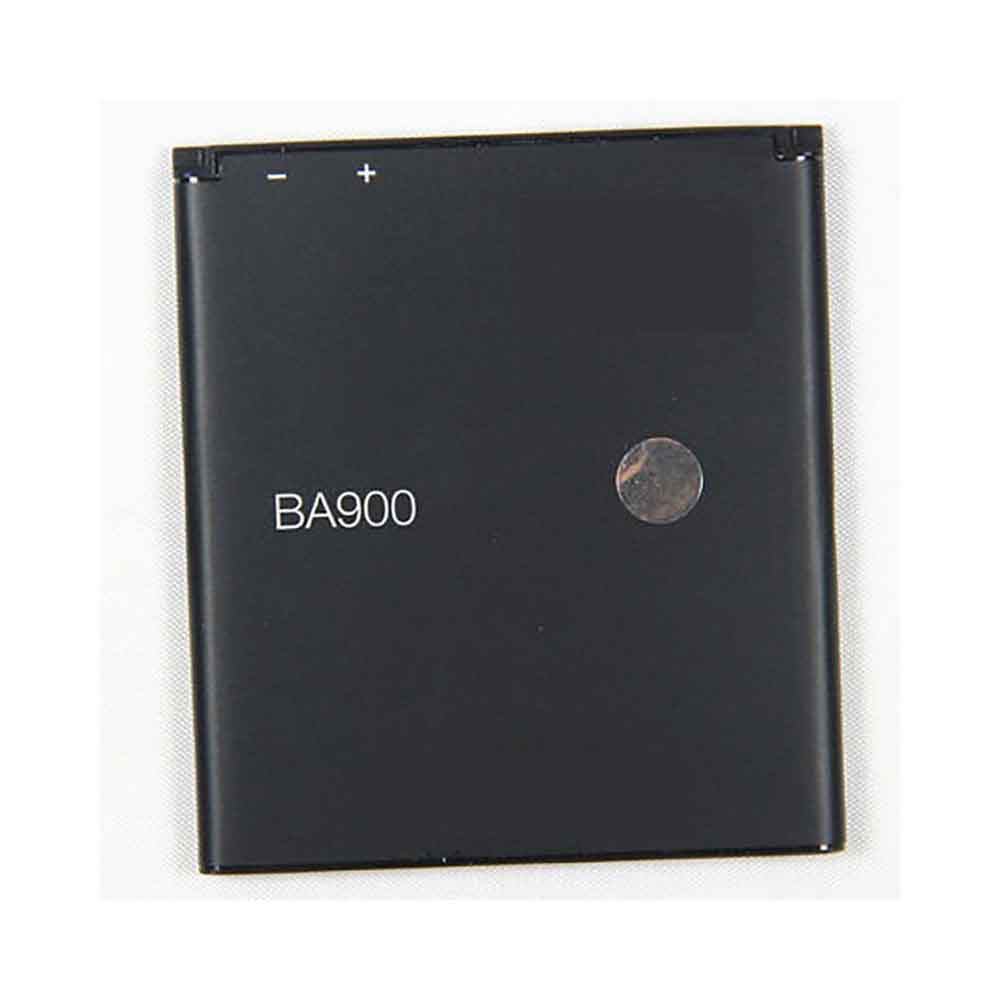
BA900

Specifications

  • Brand:Sony
  • Capacity :1700mAh/6.3WH
  • Voltage :3.7V 4.2V
  • Type :Li-ion
  • Battery Cell Quality: Grade A
  • Descriptive: Replacement Battery – 1 Year Warranty
  • Description: Brand New, 1 Year Warranty! 30-Days Money Back! Fast Shipping!

How we test this Sony BA900 Battery
Step 1: Make sure customer bought the correct battery.
Step 2: Check battery’s appearance and interface.
Step 3: Test battery charger and recharger function.
Step 4: Charger the battery to 100% and recharger to 0% to get real battery capacity
Step 5: Use Ev2300 to check the voltage difference of each goroup cells.
Step 6: Charger battery power more than 30%.
Step 7: Package battery carefully and send out

Compatible Part Numbers:
BA900

Compatible Model Numbers:
Sony Xperia LT29i

How much do you know about how to run laptop well as any place? The follow Tips cut way back on protecting battery life.


1). Please recharge or change your Cell Phone battery when battery power low.
2). Using Li-Ion Replacement Sony BA900 Cell Phone Battery for your notebook which can work longer time than Non Li-ion one.
3). It is better to defragmentation regularly for your Cell Phone battery life.
4). In order to reduce the laptop power consumpition, you can use some optical drive spin-down and hard drive in your Cell Phone .
5). Please keep your laptop in sleep or standby model without long time using, which both save the Replacement Sony BA900 Cell Phone Battery power and extend battery using life.
6). Leave your battery in a dry and cool condition when without using.
7). When you rarely or generally plugged in fixed power using, Please take down your battery to avoid hurting battery life.

Hot Products

3500mAh BLACKVIEW V575868P for Blackview BV7000 Phone4400MAH/16.94WH NOKIA HQ480 for Nokia 8.3 TA-1243 TA-1251 5G340mAh GIBSON U452050 for Gibson U45205033.6Wh FUJITSU FPCBP506 for Fujitsu Stylistic R726 R7274900mAh/36.26Wh JUMPER PT3488127-2S for 8Pin JUMPER AVITA LIBER NS13A3000mAh 11.1WH JBL GSP872693-01 for JBL Flip 41250mAh PANASONIC DMW-BCJ13+ for Panasonic DMC-LX5 D-LUX5 LUX62500mAh 19WH ALCATEL TLp025J1 for Alcatel TLp025J14800mAh ADVENT EM-G600L2S for Advent 708445WH/2800mAh TOSHIBA PA5195U-1BRS for Toshiba Satellite S55-B S50-B
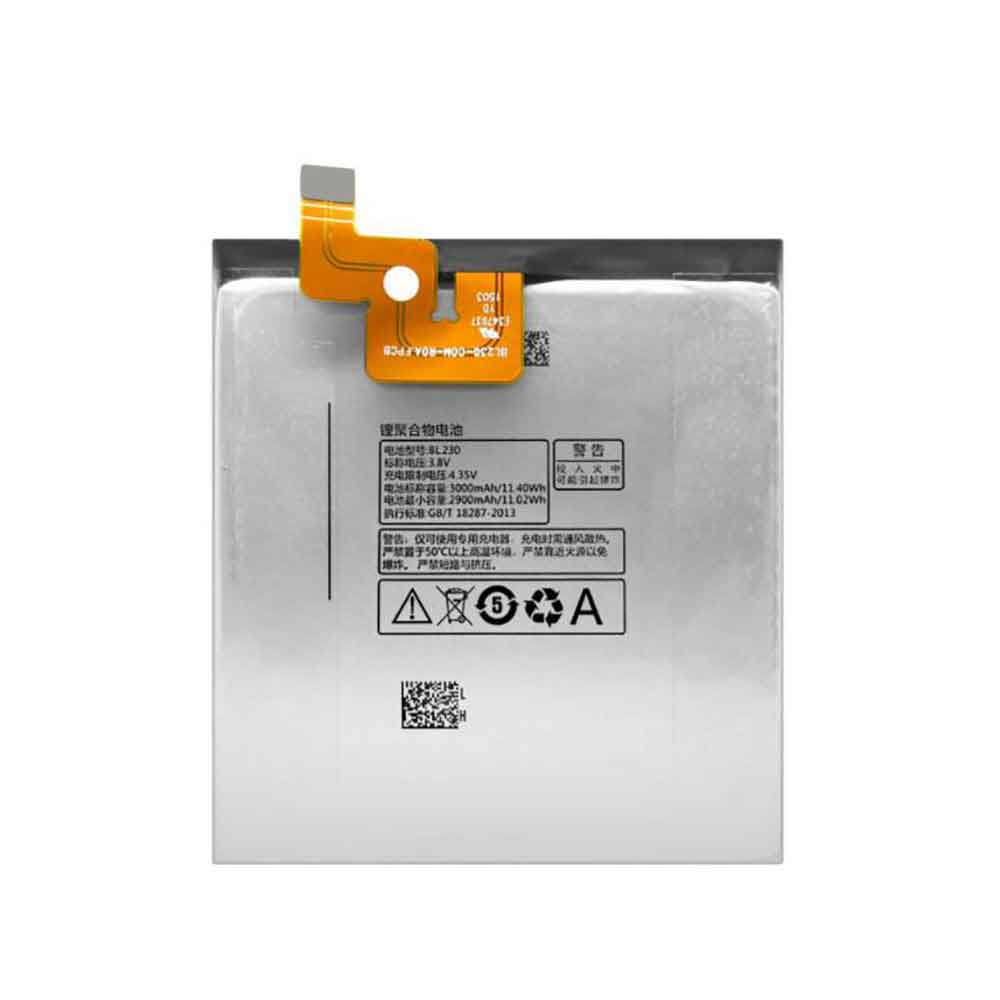
3000mAh/11.40WH 3.8V 4.35V Lenovo BL230 Li-ion Battery for Lenovo Vibe Z2 Z2W Z2T K920

3000mAh/11.40WH 3.8V 4.35V Lenovo BL230 Batteries for Lenovo Vibe Z2 Z2W Z2T K920, Lenovo BL230 Cell Phone battery is a brand new,100% Compatible original and replacement Phone battery,Purchase wholesale and retail BL230 with high quality and low price!

Find ou your original model number or part number(P/N), and move your eyes on the tag of battery

BL230

Specifications

  • Brand:Lenovo
  • Capacity :3000mAh/11.40WH
  • Voltage :3.8V 4.35V
  • Type :Li-ion
  • Battery Cell Quality: Grade A
  • Descriptive: Replacement Battery – 1 Year Warranty
  • Description: Brand New, 1 Year Warranty! 30-Days Money Back! Fast Shipping!

How we test this Lenovo BL230 Battery
Step 1: Make sure customer bought the correct battery.
Step 2: Check battery’s appearance and interface.
Step 3: Test battery charger and recharger function.
Step 4: Charger the battery to 100% and recharger to 0% to get real battery capacity
Step 5: Use Ev2300 to check the voltage difference of each goroup cells.
Step 6: Charger battery power more than 30%.
Step 7: Package battery carefully and send out

Compatible Part Numbers:
BL230

Compatible Model Numbers:
Lenovo Vibe Z2 Z2W Z2T K920

How much do you know about how to run laptop well as any place? The follow Tips cut way back on protecting battery life.


1). Please recharge or change your Cell Phone battery when battery power low.
2). Using Li-Ion Replacement Lenovo BL230 Cell Phone Battery for your notebook which can work longer time than Non Li-ion one.
3). It is better to defragmentation regularly for your Cell Phone battery life.
4). In order to reduce the laptop power consumpition, you can use some optical drive spin-down and hard drive in your Cell Phone .
5). Please keep your laptop in sleep or standby model without long time using, which both save the Replacement Lenovo BL230 Cell Phone Battery power and extend battery using life.
6). Leave your battery in a dry and cool condition when without using.
7). When you rarely or generally plugged in fixed power using, Please take down your battery to avoid hurting battery life.

Hot Products

3500mAh BLACKVIEW V575868P for Blackview BV7000 Phone4400MAH/16.94WH NOKIA HQ480 for Nokia 8.3 TA-1243 TA-1251 5G340mAh GIBSON U452050 for Gibson U45205033.6Wh FUJITSU FPCBP506 for Fujitsu Stylistic R726 R7274900mAh/36.26Wh JUMPER PT3488127-2S for 8Pin JUMPER AVITA LIBER NS13A3000mAh 11.1WH JBL GSP872693-01 for JBL Flip 41250mAh PANASONIC DMW-BCJ13+ for Panasonic DMC-LX5 D-LUX5 LUX62500mAh 19WH ALCATEL TLp025J1 for Alcatel TLp025J14800mAh ADVENT EM-G600L2S for Advent 708445WH/2800mAh TOSHIBA PA5195U-1BRS for Toshiba Satellite S55-B S50-B
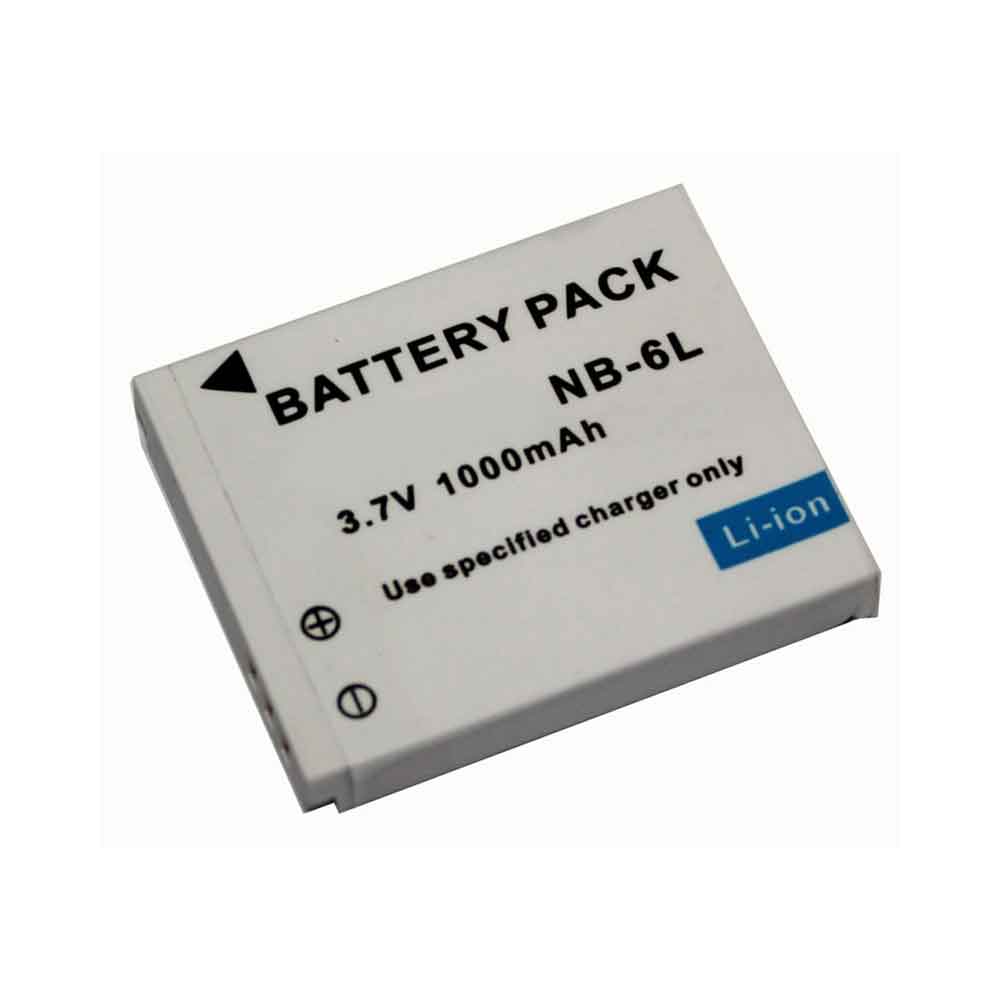
1000mAh 3.7V Canon NB-6L Li-ion Battery for Canon S95 IXUS 95 105 200 210 IS 300 310 SX240HS

1000mAh 3.7V Canon NB-6L Batteries for Canon S95 IXUS 95 105 200 210 IS 300 310 SX240HS, Canon NB-6L Other battery is a brand new,100% Compatible original and replacement battery,Purchase wholesale and retail NB-6L with high quality and low price!

Find ou your original model number or part number(P/N), and move your eyes on the tag of battery

NB-6L

Specifications

  • Brand:Canon
  • Capacity :1000mAh
  • Voltage :3.7V
  • Type :Li-ion
  • Battery Cell Quality: Grade A
  • Descriptive: Replacement Battery – 1 Year Warranty
  • Description: Brand New, 1 Year Warranty! 30-Days Money Back! Fast Shipping!

How we test this Canon NB-6L Battery
Step 1: Make sure customer bought the correct battery.
Step 2: Check battery’s appearance and interface.
Step 3: Test battery charger and recharger function.
Step 4: Charger the battery to 100% and recharger to 0% to get real battery capacity
Step 5: Use Ev2300 to check the voltage difference of each goroup cells.
Step 6: Charger battery power more than 30%.
Step 7: Package battery carefully and send out

Compatible Part Numbers:
NB-6L

Compatible Model Numbers:
Canon S95 IXUS 95 105 200 210 IS 300 310 SX240HS

How much do you know about how to run laptop well as any place? The follow Tips cut way back on protecting battery life.


1). Please recharge or change your Other battery when battery power low.
2). Using Li-Ion Replacement Canon NB-6L Other Battery for your notebook which can work longer time than Non Li-ion one.
3). It is better to defragmentation regularly for your Other battery life.
4). In order to reduce the laptop power consumpition, you can use some optical drive spin-down and hard drive in your Other .
5). Please keep your laptop in sleep or standby model without long time using, which both save the Replacement Canon NB-6L Other Battery power and extend battery using life.
6). Leave your battery in a dry and cool condition when without using.
7). When you rarely or generally plugged in fixed power using, Please take down your battery to avoid hurting battery life.

Hot Products

3500mAh BLACKVIEW V575868P for Blackview BV7000 Phone4400MAH/16.94WH NOKIA HQ480 for Nokia 8.3 TA-1243 TA-1251 5G340mAh GIBSON U452050 for Gibson U45205033.6Wh FUJITSU FPCBP506 for Fujitsu Stylistic R726 R7274900mAh/36.26Wh JUMPER PT3488127-2S for 8Pin JUMPER AVITA LIBER NS13A3000mAh 11.1WH JBL GSP872693-01 for JBL Flip 41250mAh PANASONIC DMW-BCJ13+ for Panasonic DMC-LX5 D-LUX5 LUX62500mAh 19WH ALCATEL TLp025J1 for Alcatel TLp025J14800mAh ADVENT EM-G600L2S for Advent 708445WH/2800mAh TOSHIBA PA5195U-1BRS for Toshiba Satellite S55-B S50-B

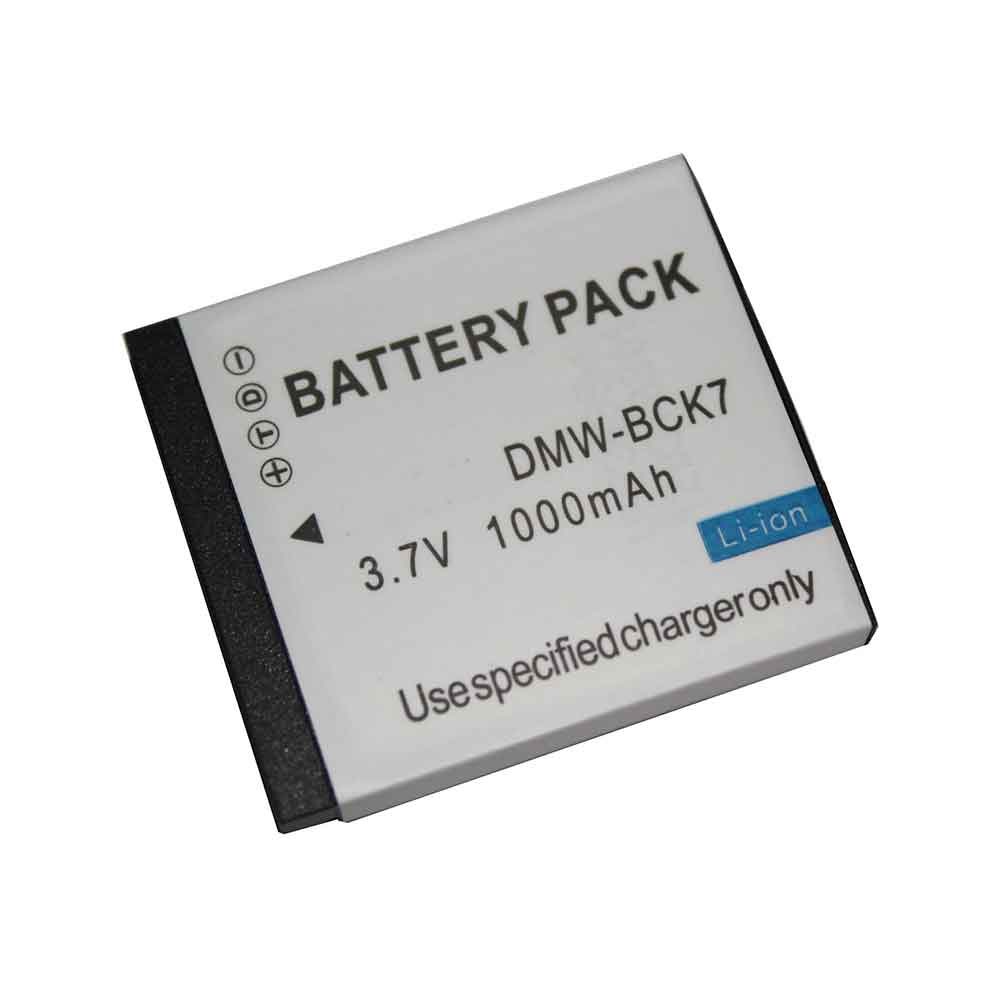
1000mAh 3.7V Panasonic DMW-BCK7 Li-ion Battery for Panasonic DMC-FS18\SZ1\SZ7\TS20\FP7

1000mAh 3.7V Panasonic DMW-BCK7 Batteries for Panasonic DMC-FS18\SZ1\SZ7\TS20\FP7, Panasonic DMW-BCK7 Other battery is a brand new,100% Compatible original and replacement battery,Purchase wholesale and retail DMW-BCK7 with high quality and low price!

Find ou your original model number or part number(P/N), and move your eyes on the tag of battery

DMW-BCK7

Specifications

  • Brand:Panasonic
  • Capacity :1000mAh
  • Voltage :3.7V
  • Type :Li-ion
  • Battery Cell Quality: Grade A
  • Descriptive: Replacement Battery – 1 Year Warranty
  • Description: Brand New, 1 Year Warranty! 30-Days Money Back! Fast Shipping!

How we test this Panasonic DMW-BCK7 Battery
Step 1: Make sure customer bought the correct battery.
Step 2: Check battery’s appearance and interface.
Step 3: Test battery charger and recharger function.
Step 4: Charger the battery to 100% and recharger to 0% to get real battery capacity
Step 5: Use Ev2300 to check the voltage difference of each goroup cells.
Step 6: Charger battery power more than 30%.
Step 7: Package battery carefully and send out

Compatible Part Numbers:
DMW-BCK7

Compatible Model Numbers:
Panasonic DMC-FS18\SZ1\SZ7\TS20\FP7

How much do you know about how to run laptop well as any place? The follow Tips cut way back on protecting battery life.


1). Please recharge or change your Other battery when battery power low.
2). Using Li-Ion Replacement Panasonic DMW-BCK7 Other Battery for your notebook which can work longer time than Non Li-ion one.
3). It is better to defragmentation regularly for your Other battery life.
4). In order to reduce the laptop power consumpition, you can use some optical drive spin-down and hard drive in your Other .
5). Please keep your laptop in sleep or standby model without long time using, which both save the Replacement Panasonic DMW-BCK7 Other Battery power and extend battery using life.
6). Leave your battery in a dry and cool condition when without using.
7). When you rarely or generally plugged in fixed power using, Please take down your battery to avoid hurting battery life.

Hot Products

3500mAh BLACKVIEW V575868P for Blackview BV7000 Phone4400MAH/16.94WH NOKIA HQ480 for Nokia 8.3 TA-1243 TA-1251 5G340mAh GIBSON U452050 for Gibson U45205033.6Wh FUJITSU FPCBP506 for Fujitsu Stylistic R726 R7274900mAh/36.26Wh JUMPER PT3488127-2S for 8Pin JUMPER AVITA LIBER NS13A3000mAh 11.1WH JBL GSP872693-01 for JBL Flip 41250mAh PANASONIC DMW-BCJ13+ for Panasonic DMC-LX5 D-LUX5 LUX62500mAh 19WH ALCATEL TLp025J1 for Alcatel TLp025J14800mAh ADVENT EM-G600L2S for Advent 708445WH/2800mAh TOSHIBA PA5195U-1BRS for Toshiba Satellite S55-B S50-B
How to Download Android 13 Beta 2 on Your Phone Now – How-To

 Android 13 beta is currently in its second iteration, and if you want to test some unreleased features and settings, you can do so right now.

The process of installing the developer preview isn’t too difficult, but it’s not easy either. It involves unlocking developer options, downloading fairly large files, factory resetting the device, and more. Fortunately, downloading and installing the new Android 13 beta is much simpler.

The final version of Android 13 will eventually be the easiest way to get it, but it’s still months away. If you really want to get an early look at what’s to come — as long as you have a supported Android device, like a Pixel 6 or Pixel 6 Pro — you can start testing Android 13 Beta 2 right away.

Is the Android 13 beta safe to download?

While the Android 13 beta is more polished than the Android 13 developer preview, you should still expect bugs that might make your phone harder to use with this release. If you’re willing to deal with these issues, or if your device is a backup of your everyday phone, you can download the Android 13 beta. Also, make sure to back up your device before downloading the Android 13 beta, in case something goes wrong or you decide to quit the program later.

Which Android devices are compatible with the Android 13 beta?

Currently, only some Pixel smartphones support Android 13:

Pixel 4, Pixel 4 XL, Pixel 4A, Pixel 4A (5G), Pixel 5, Pixel 5A, Pixel 6, Pixel 6 Pro

How to download the Android 13 beta on your supported device

The easiest way to download the Android 13 beta on your phone is to go to the Android Beta for Pixel page on your computer, check if your device is supported, and sign up for the Android 13 program.

Under your Eligible Devices option, you should see if your phone is supported.

As long as you haven’t signed up for the Android 12 Beta or Android 13 Developer Preview, you’ll see the option to opt in. If you’ve signed up for the pre-releases above, you don’t need to do anything to get Android 13. You should automatically receive the update on your phone.

To sign up for the Android 13 beta, click Opt-in, then click Confirm and sign up after reading the terms and conditions. You should see a notification that your device is now in the Android 13 beta program.

You will then receive over-the-air updates on your phone. If you don’t get notifications on your phone, go to Settings > System > System Updates to check for your Android 13 update. It may take up to 24 hours to receive OTA updates.

How do I opt out of the Android 13 beta?

To exit the Android 13 Beta program, go back to the Android Beta for Pixel page, but this time click Exit. Within 24 hours, you should receive an OTA update on your phone, which will wipe all your locally saved data and give you the latest public version of Android at the time.

>>>>>>>>>>>>Phone battery

Thanks for reading, hope it helps!

Friendly reminder: If you need to buy or replace batteries, this battery store will be a good choice: www.batteryforpc.co.uk

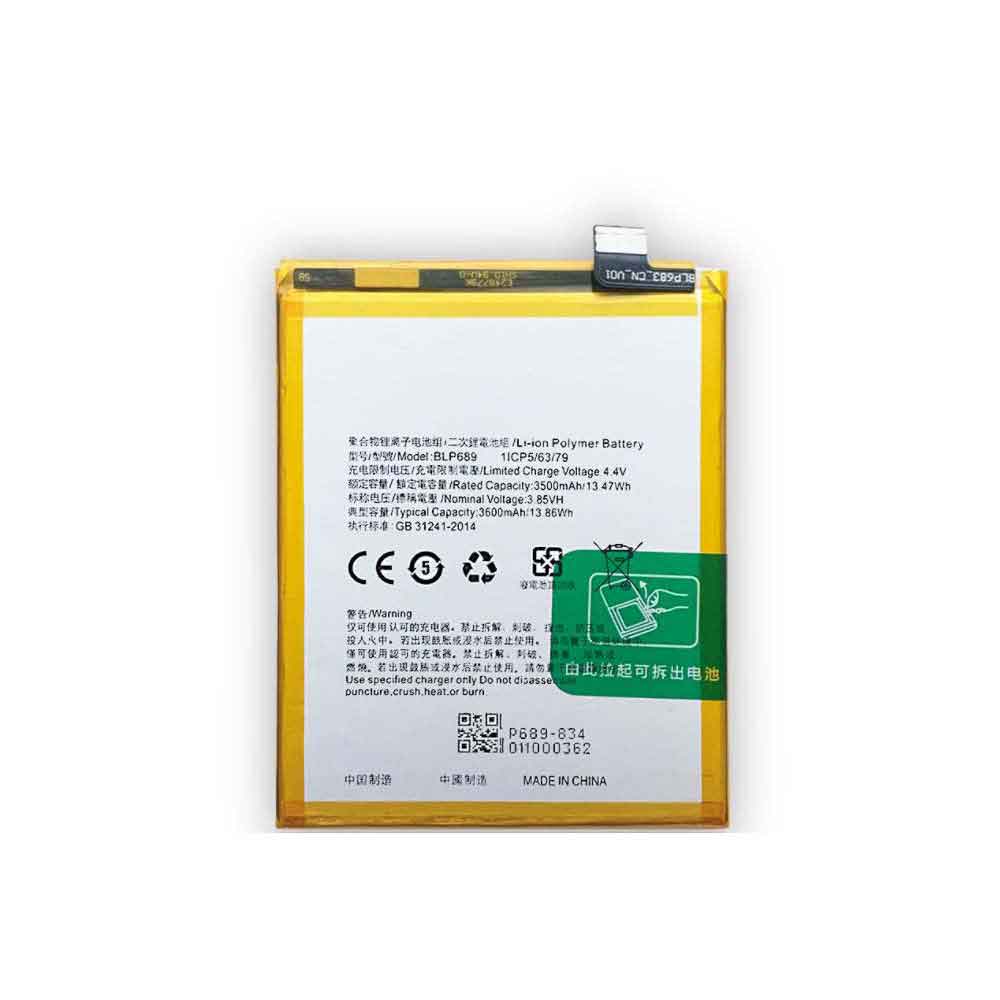
3600mAh/13.86WH 3.85V 4.4V Oppo BLP689 Li-ion Battery for OPPO R15X K1 RX17 Neo

3600mAh/13.86WH 3.85V 4.4V Oppo BLP689 Batteries for OPPO R15X K1 RX17 Neo, Oppo BLP689 Cell Phone battery is a brand new,100% Compatible original and replacement Phone battery,Purchase wholesale and retail BLP689 with high quality and low price!

Find ou your original model number or part number(P/N), and move your eyes on the tag of battery

BLP689

Specifications

  • Brand:OPPO
  • Capacity :3600mAh/13.86WH
  • Voltage :3.85V 4.4V
  • Type :Li-ion
  • Battery Cell Quality: Grade A
  • Descriptive: Replacement Battery – 1 Year Warranty
  • Description: Brand New, 1 Year Warranty! 30-Days Money Back! Fast Shipping!

How we test this Oppo BLP689 Battery
Step 1: Make sure customer bought the correct battery.
Step 2: Check battery’s appearance and interface.
Step 3: Test battery charger and recharger function.
Step 4: Charger the battery to 100% and recharger to 0% to get real battery capacity
Step 5: Use Ev2300 to check the voltage difference of each goroup cells.
Step 6: Charger battery power more than 30%.
Step 7: Package battery carefully and send out

Compatible Part Numbers:
BLP689

Compatible Model Numbers:
OPPO R15X K1 RX17 Neo

How much do you know about how to run laptop well as any place? The follow Tips cut way back on protecting battery life.


1). Please recharge or change your Cell Phone battery when battery power low.
2). Using Li-Ion Replacement Oppo BLP689 Cell Phone Battery for your notebook which can work longer time than Non Li-ion one.
3). It is better to defragmentation regularly for your Cell Phone battery life.
4). In order to reduce the laptop power consumpition, you can use some optical drive spin-down and hard drive in your Cell Phone .
5). Please keep your laptop in sleep or standby model without long time using, which both save the Replacement Oppo BLP689 Cell Phone Battery power and extend battery using life.
6). Leave your battery in a dry and cool condition when without using.
7). When you rarely or generally plugged in fixed power using, Please take down your battery to avoid hurting battery life.

Hot Products

340mAh GIBSON U452050 for Gibson U45205033.6Wh FUJITSU FPCBP506 for Fujitsu Stylistic R726 R7274900mAh/36.26Wh JUMPER PT3488127-2S for 8Pin JUMPER AVITA LIBER NS13A3000mAh 11.1WH JBL GSP872693-01 for JBL Flip 41250mAh PANASONIC DMW-BCJ13+ for Panasonic DMC-LX5 D-LUX5 LUX62500mAh 19WH ALCATEL TLp025J1 for Alcatel TLp025J14800mAh ADVENT EM-G600L2S for Advent 708445WH/2800mAh TOSHIBA PA5195U-1BRS for Toshiba Satellite S55-B S50-B90MAH 0.33WH BEATS AHB481221 for Beats Powerbeats 2 Wireless PB2900mAh/11.17WH ALCATEL TLp029C1 for Alcatel A30 Fierce A30 Plus

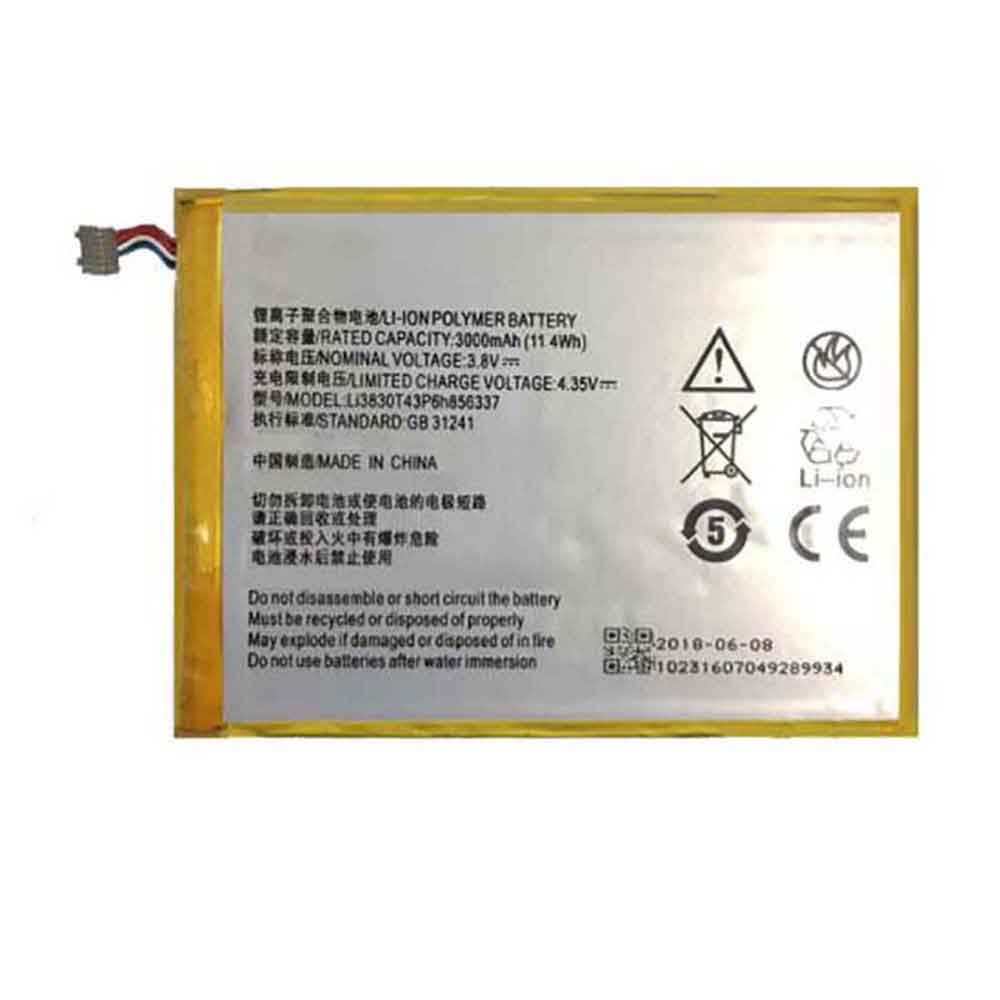
3000mAh/11.4WH 3.8V 4.35V Zte Li3830t43p6h856337 Li-ion Battery for ZTE G719C N939St Blade S6 Lux Q7/-C

3000mAh/11.4WH 3.8V 4.35V Zte Li3830t43p6h856337 Batteries for ZTE G719C N939St Blade S6 Lux Q7/-C, Zte Li3830t43p6h856337 Cell Phone battery is a brand new,100% Compatible original and replacement Phone battery,Purchase wholesale and retail Li3830t43p6h856337 with high quality and low price!

Find ou your original model number or part number(P/N), and move your eyes on the tag of battery

Li3830t43p6h856337

Specifications

  • Brand:ZTE
  • Capacity :3000mAh/11.4WH
  • Voltage :3.8V 4.35V
  • Type :Li-ion
  • Battery Cell Quality: Grade A
  • Descriptive: Replacement Battery – 1 Year Warranty
  • Description: Brand New, 1 Year Warranty! 30-Days Money Back! Fast Shipping!

How we test this Zte Li3830t43p6h856337 Battery
Step 1: Make sure customer bought the correct battery.
Step 2: Check battery’s appearance and interface.
Step 3: Test battery charger and recharger function.
Step 4: Charger the battery to 100% and recharger to 0% to get real battery capacity
Step 5: Use Ev2300 to check the voltage difference of each goroup cells.
Step 6: Charger battery power more than 30%.
Step 7: Package battery carefully and send out

Compatible Part Numbers:
Li3830t43p6h856337

Compatible Model Numbers:
ZTE G719C N939St Blade S6 Lux Q7/-C

How much do you know about how to run laptop well as any place? The follow Tips cut way back on protecting battery life.


1). Please recharge or change your Cell Phone battery when battery power low.
2). Using Li-Ion Replacement Zte Li3830t43p6h856337 Cell Phone Battery for your notebook which can work longer time than Non Li-ion one.
3). It is better to defragmentation regularly for your Cell Phone battery life.
4). In order to reduce the laptop power consumpition, you can use some optical drive spin-down and hard drive in your Cell Phone .
5). Please keep your laptop in sleep or standby model without long time using, which both save the Replacement Zte Li3830t43p6h856337 Cell Phone Battery power and extend battery using life.
6). Leave your battery in a dry and cool condition when without using.
7). When you rarely or generally plugged in fixed power using, Please take down your battery to avoid hurting battery life.

Hot Products

340mAh GIBSON U452050 for Gibson U45205033.6Wh FUJITSU FPCBP506 for Fujitsu Stylistic R726 R7274900mAh/36.26Wh JUMPER PT3488127-2S for 8Pin JUMPER AVITA LIBER NS13A3000mAh 11.1WH JBL GSP872693-01 for JBL Flip 41250mAh PANASONIC DMW-BCJ13+ for Panasonic DMC-LX5 D-LUX5 LUX62500mAh 19WH ALCATEL TLp025J1 for Alcatel TLp025J14800mAh ADVENT EM-G600L2S for Advent 708445WH/2800mAh TOSHIBA PA5195U-1BRS for Toshiba Satellite S55-B S50-B90MAH 0.33WH BEATS AHB481221 for Beats Powerbeats 2 Wireless PB2900mAh/11.17WH ALCATEL TLp029C1 for Alcatel A30 Fierce A30 Plus

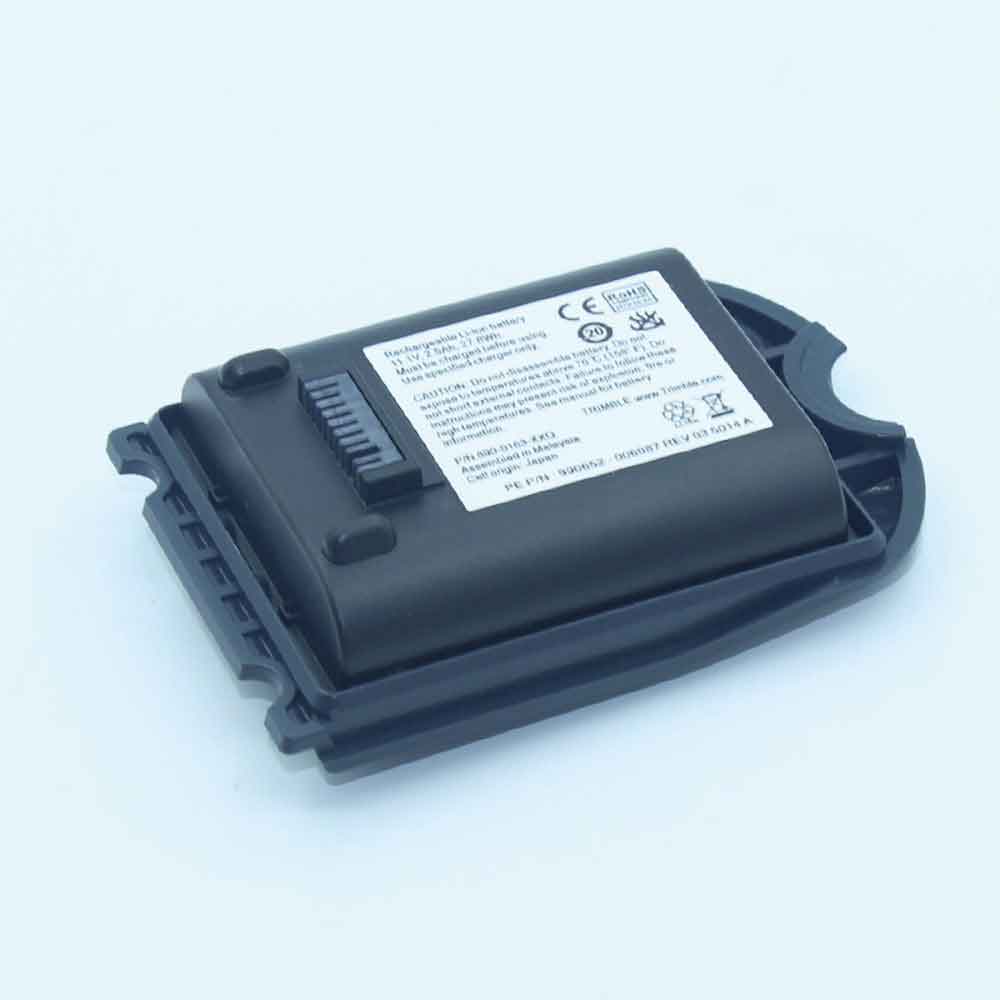
2500mAh 11.1V Trimble TSC3 Li-ion Battery for Trimble TSC3 TDS Ranger 3 Data Collector Spectra 890-0163-XXQ

2500mAh 11.1V Trimble TSC3 Batteries for Trimble TSC3 TDS Ranger 3 Data Collector Spectra 890-0163-XXQ, Trimble TSC3 Other battery is a brand new,100% Compatible original and replacement battery,Purchase wholesale and retail TSC3 with high quality and low price!

Find ou your original model number or part number(P/N), and move your eyes on the tag of battery

TSC3

Specifications

  • Brand:Trimble
  • Capacity :2500mAh
  • Voltage :11.1V
  • Type :Li-ion
  • Battery Cell Quality: Grade A
  • Descriptive: Replacement Battery – 1 Year Warranty
  • Description: Brand New, 1 Year Warranty! 30-Days Money Back! Fast Shipping!

How we test this Trimble TSC3 Battery
Step 1: Make sure customer bought the correct battery.
Step 2: Check battery’s appearance and interface.
Step 3: Test battery charger and recharger function.
Step 4: Charger the battery to 100% and recharger to 0% to get real battery capacity
Step 5: Use Ev2300 to check the voltage difference of each goroup cells.
Step 6: Charger battery power more than 30%.
Step 7: Package battery carefully and send out

Compatible Part Numbers:
TSC3

Compatible Model Numbers:
Trimble TSC3 TDS Ranger 3 Data Collector Spectra 890-0163-XXQ

How much do you know about how to run laptop well as any place? The follow Tips cut way back on protecting battery life.


1). Please recharge or change your Other battery when battery power low.
2). Using Li-Ion Replacement Trimble TSC3 Other Battery for your notebook which can work longer time than Non Li-ion one.
3). It is better to defragmentation regularly for your Other battery life.
4). In order to reduce the laptop power consumpition, you can use some optical drive spin-down and hard drive in your Other .
5). Please keep your laptop in sleep or standby model without long time using, which both save the Replacement Trimble TSC3 Other Battery power and extend battery using life.
6). Leave your battery in a dry and cool condition when without using.
7). When you rarely or generally plugged in fixed power using, Please take down your battery to avoid hurting battery life.

Hot Products

340mAh GIBSON U452050 for Gibson U45205033.6Wh FUJITSU FPCBP506 for Fujitsu Stylistic R726 R7274900mAh/36.26Wh JUMPER PT3488127-2S for 8Pin JUMPER AVITA LIBER NS13A3000mAh 11.1WH JBL GSP872693-01 for JBL Flip 41250mAh PANASONIC DMW-BCJ13+ for Panasonic DMC-LX5 D-LUX5 LUX62500mAh 19WH ALCATEL TLp025J1 for Alcatel TLp025J14800mAh ADVENT EM-G600L2S for Advent 708445WH/2800mAh TOSHIBA PA5195U-1BRS for Toshiba Satellite S55-B S50-B90MAH 0.33WH BEATS AHB481221 for Beats Powerbeats 2 Wireless PB2900mAh/11.17WH ALCATEL TLp029C1 for Alcatel A30 Fierce A30 Plus

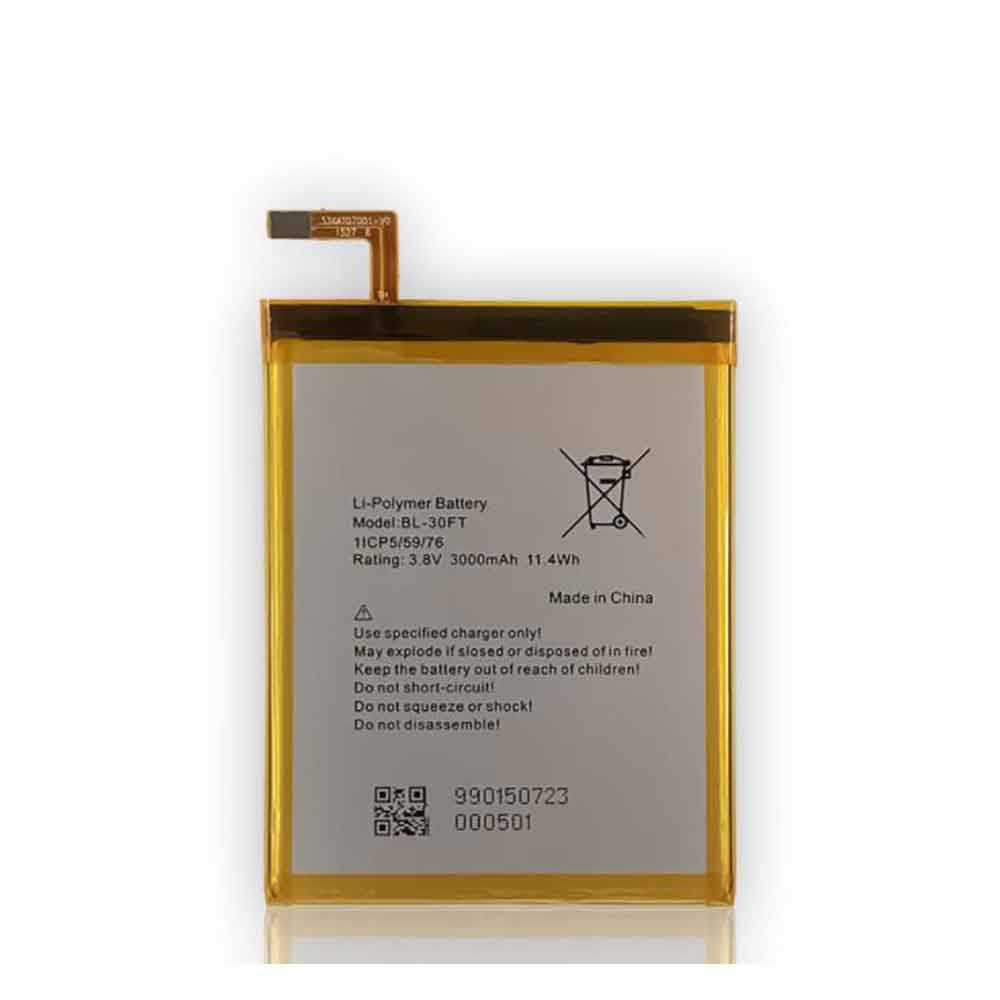
3000mAh/11.4WH 3.8V Tecno BL-30FT Li-ion Batteryfor Tecno Phantom 5 A5

3000mAh/11.4WH 3.8V Tecno BL-30FT Batteries for Tecno Phantom 5 A5, Tecno BL-30FT Cell Phone battery is a brand new,100% Compatible original and replacement Phone battery,Purchase wholesale and retail BL-30FT with high quality and low price!

Find ou your original model number or part number(P/N), and move your eyes on the tag of battery

BL-30FT

Specifications

  • Brand:Tecno
  • Capacity :3000mAh/11.4WH
  • Voltage :3.8V
  • Type :Li-ion
  • Battery Cell Quality: Grade A
  • Descriptive: Replacement Battery – 1 Year Warranty
  • Description: Brand New, 1 Year Warranty! 30-Days Money Back! Fast Shipping!

How we test this Tecno BL-30FT Battery
Step 1: Make sure customer bought the correct battery.
Step 2: Check battery’s appearance and interface.
Step 3: Test battery charger and recharger function.
Step 4: Charger the battery to 100% and recharger to 0% to get real battery capacity
Step 5: Use Ev2300 to check the voltage difference of each goroup cells.
Step 6: Charger battery power more than 30%.
Step 7: Package battery carefully and send out

Compatible Part Numbers:
BL-30FT

Compatible Model Numbers:
Tecno Phantom 5 A5

How much do you know about how to run laptop well as any place? The follow Tips cut way back on protecting battery life.


1). Please recharge or change your Cell Phone battery when battery power low.
2). Using Li-Ion Replacement Tecno BL-30FT Cell Phone Battery for your notebook which can work longer time than Non Li-ion one.
3). It is better to defragmentation regularly for your Cell Phone battery life.
4). In order to reduce the laptop power consumpition, you can use some optical drive spin-down and hard drive in your Cell Phone .
5). Please keep your laptop in sleep or standby model without long time using, which both save the Replacement Tecno BL-30FT Cell Phone Battery power and extend battery using life.
6). Leave your battery in a dry and cool condition when without using.
7). When you rarely or generally plugged in fixed power using, Please take down your battery to avoid hurting battery life.

Hot Products

340mAh GIBSON U452050 for Gibson U45205033.6Wh FUJITSU FPCBP506 for Fujitsu Stylistic R726 R7274900mAh/36.26Wh JUMPER PT3488127-2S for 8Pin JUMPER AVITA LIBER NS13A3000mAh 11.1WH JBL GSP872693-01 for JBL Flip 41250mAh PANASONIC DMW-BCJ13+ for Panasonic DMC-LX5 D-LUX5 LUX62500mAh 19WH ALCATEL TLp025J1 for Alcatel TLp025J14800mAh ADVENT EM-G600L2S for Advent 708445WH/2800mAh TOSHIBA PA5195U-1BRS for Toshiba Satellite S55-B S50-B90MAH 0.33WH BEATS AHB481221 for Beats Powerbeats 2 Wireless PB2900mAh/11.17WH ALCATEL TLp029C1 for Alcatel A30 Fierce A30 Plus

How to Check Battery Health on Android – How-To

 Battery life is a concern for most people, but what about battery health? This is important for the long-term usability of the phone. Unlike iPhones, Android devices don’t have a super easy way to check this.

So what is battery health? The term “battery life” generally refers to how long a battery can last while being charged. Battery health tells us how bad the battery is. Poor battery health means worse battery performance – discharges faster, gets hotter, etc. So you should know about battery health on your Android!

Check battery health on Android and Samsung Galaxy phones

Samsung, an Android maker, includes a way to check battery health. It does require an app, but it’s likely already on your phone. If you don’t have the Samsung Membership app, you can download it from the Play Store. Proceed as follows:

1. First, let’s swipe down from the top of the screen to reveal the Quick Settings tile. Click the gear icon to open the settings.

2. Next, scroll down and select “Battery and device maintenance”.

3. Under the Additional Care section, select Diagnosis.

4. This will open the Samsung Membership app with a bunch of icons you can check. Click the “Battery Status” icon to continue – if you haven’t already done so, you won’t see a checkmark.

5. Now you will see some information about the battery. The “lifetime” reading refers to the health of the battery. It will be “good”, “normal” or “weak”.

Other ways to check battery health

If you don’t have a Samsung Galaxy device, you can try a method that doesn’t require third-party apps.

This method uses Android’s hidden diagnostics menu, which can be accessed by entering a code into the phone dialer. However, these codes do not work on all devices and mobile networks.

Open the mobile app and enter *#*#4636#*#*. This will open a “Test” menu, which may include a “Battery Information” section. You will see the battery health listed here.

If that doesn’t work, then you need to use a third-party app. Thankfully, the Play Store has an awesome app called AccuBattery.

But unfortunately, you won’t get an answer right away. Because AccuBattery cannot access battery history information. It will only log data since you start the installation. After a few charge/discharge cycles, you’ll be able to see a reading of the battery’s health.

>>>>>>>>>>>>Android battery

Thanks for reading, hope it helps!

Friendly reminder: If you need to replace your phone battery, this battery store will be a good choice: www.batteryforpc.co.uk