How to make a slow laptop faster

 Your old laptop may be running slowly, but that doesn’t mean you need to replace it. With heavy use, your notebook can collect a lot of excess files and programs, not to mention some literal dust. Parts age and software updates become more demanding. But before you buy a new workstation, you should try some hardware and software fixes. A screwdriver and a few settings tweaks can get your laptop running like new. Here are 12 ways to speed up your system. Let’s have a look!

1. Upgrade your hard drive to SSD

Adding a solid-state drive (SSD) is the biggest hardware change you can make to speed up your laptop. It makes everything faster; starting, closing and launching applications will all happen in the blink of an eye compared to a traditional hard drive. If your old laptop has a traditional hard drive inside, you can hack it for a significant speed boost at a reasonable price.

2. Upgrade your RAM

Your laptop should have at least 8GB of RAM. Your best bet these days is to buy a laptop with so much memory, since more and more manufacturers solder it to the motherboard, there’s no way to add more memory. However, many laptops still let you open them, and RAM is relatively cheap. If you have 4GB, please upgrade to 8GB.

3. Update your launcher

Anything running in the background can slow down your computer‘s startup time and dedicate resources to programs you might not even be using. Fortunately, turning off these features is easy:

In Windows 10, go to Task Manager > Startup to see a list of programs that are running when you turn on your computer.

On a MacBook, go to System Preferences > Users & Groups > Login Items to adjust the programs that start when the computer is turned on.

4. Uninstall unused apps

Unused programs take up storage space on your hard drive and use up CPU resources. Delete junk to free up space and processing power for a faster computer.

5. Run regular malware scans

Something you didn’t install on purpose could be the reason why your laptop is running slowly. Run virus and malware scans regularly to prevent malware from slowing down your laptop, or worse. Being vigilant can help you avoid and eliminate the threat of hoarding resources or filling your laptop with junk files.

6. Kill animation

Animations in your operating system may look cool, but they take up valuable resources that can be moved elsewhere.

In Windows:

1. Search for “View advanced system settings”.

2. Select Settings under Performance.

3. Select Adjust for Best Performance, which will turn off a bunch of special effects and animations.

In OS X:

1. Go to System Preferences > Dock.

2. Check the box to turn off magnification and stop animations when opening the app.

7. Speed ​​up your shutdown

When you shut down Windows, you often have to wait a long time while the computer tries to close open programs that cannot close properly on its own. If you’re willing to dig into your registry, you can force the shutdown process to kill these rebel apps instantly. Make sure to always save your work when doing this, as it will close open programs without affecting it.

8. Disable Web Results

In Windows 10, Cortana searches the web and your local files when you search. This takes time to download and can be a drag on your system. If you mostly use the Cortana box to find files and apps on your hard drive, Windows 10 can easily turn off web results.

9. Speed ​​up your Downloads folder

File Explorer is one of the most used folders in Windows, and if it’s full of your downloads, it can take a long time to load. If you see the loading bar every time you open a folder, you need to optimize it.

10. Keep it clean

Don’t get your laptop too dirty or you risk letting it overheat. When this happens, the processor and graphics card have to work harder to function properly.

11. Change browser

Microsoft’s Edge isn’t quite as full-featured yet, but it has the benefit of being lighter and faster. On a Mac, you can try Safari.

12. Update your drivers

Some new drivers can breathe new life into your hardware and fix any issues it may have. Be sure to check the manufacturer’s website to make sure your drivers are up to date.

>>>>>>>>>>>>Laptop’s battery

Thanks for reading, hope it helps!

Friendly reminder: If you need to replace the battery of your device, this battery store will be a good choice: www.batteryforpc.co.uk
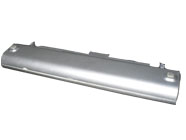
4800mah 11.1V Sharp CE-BL44 Li-ion Battery for Sharp Mebius PC Mr40J MR80J

4800mah 11.1V Sharp CE-BL44 Batteries for Sharp Mebius PC Mr40J MR80J, Sharp CE-BL44 Laptop battery is a brand new,100% Compatible original and replacement Laptop battery,Purchase wholesale and retail CE-BL44 with high quality and low price!

Find ou your original model number or part number(P/N), and move your eyes on the tag of battery

CE-BL44

Specifications

  • Brand:Sharp
  • Capacity :4800mah
  • Voltage :11.1V
  • Color:silver
  • Type :Li-ion
  • Battery Cell Quality: Grade A
  • Descriptive: Replacement Battery – 1 Year Warranty
  • Description: Brand New, 1 Year Warranty! 30-Days Money Back! Fast Shipping!

How we test this Sharp CE-BL44 Battery
Step 1: Make sure customer bought the correct battery.
Step 2: Check battery’s appearance and interface.
Step 3: Test battery charger and recharger function.
Step 4: Charger the battery to 100% and recharger to 0% to get real battery capacity
Step 5: Use Ev2300 to check the voltage difference of each goroup cells.
Step 6: Charger battery power more than 30%.
Step 7: Package battery carefully and send out

Compatible Part Numbers:
70-N9B4B2000
CE-BL44

Compatible Model Numbers:
Sharp Mebius PC Mr40J
Sharp Mebius PC MR80J
Sharp PC-mr8bh7

How much do you know about how to run laptop well as any place? The follow Tips cut way back on protecting battery life.


1). Please recharge or change your Laptop battery when battery power low.
2). Using Li-Ion Replacement Sharp CE-BL44 Laptop Battery for your notebook which can work longer time than Non Li-ion one.
3). It is better to defragmentation regularly for your Laptop battery life.
4). In order to reduce the laptop power consumpition, you can use some optical drive spin-down and hard drive in your Laptop .
5). Please keep your laptop in sleep or standby model without long time using, which both save the Replacement Sharp CE-BL44 Laptop Battery power and extend battery using life.
6). Leave your battery in a dry and cool condition when without using.
7). When you rarely or generally plugged in fixed power using, Please take down your battery to avoid hurting battery life.

Hot Products

3900mAh/15.015WH CATERPILLAR APP00240 for Caterpillar CAT S313500mAh/13.48WH SAMSUNG EB-BA730ABE for Samsung GALAXY A8+ A7 A730X SM4100mAh/62.32Wh GETAC GK5CN-00-13-4S1P-0 for GETAC GK5CN5Z GK5CN6Z GK5CN4Z930mAh/3.4Wh GARMIN 361-00035-01 for GARMIN Nuvi 2595LMT 1250 12556580mAh/25.333WH BLACKVIEW 726280P for Blackview BV6800 pro Phone1350mAh/4.995WH ALCATEL TLI013CA for Alcatel phone3310mAh/50WH FUJITSU FPB0338S for Fujitsu Lifebook E548 E558 T932800mAh/10.36WH INFOCUS P2424 for InFocus P242433Wh HP BV02XL for HP Envy X2 Detachable 13 Serie875mAh DJI HB3 for DJI Osmo Pocket 2

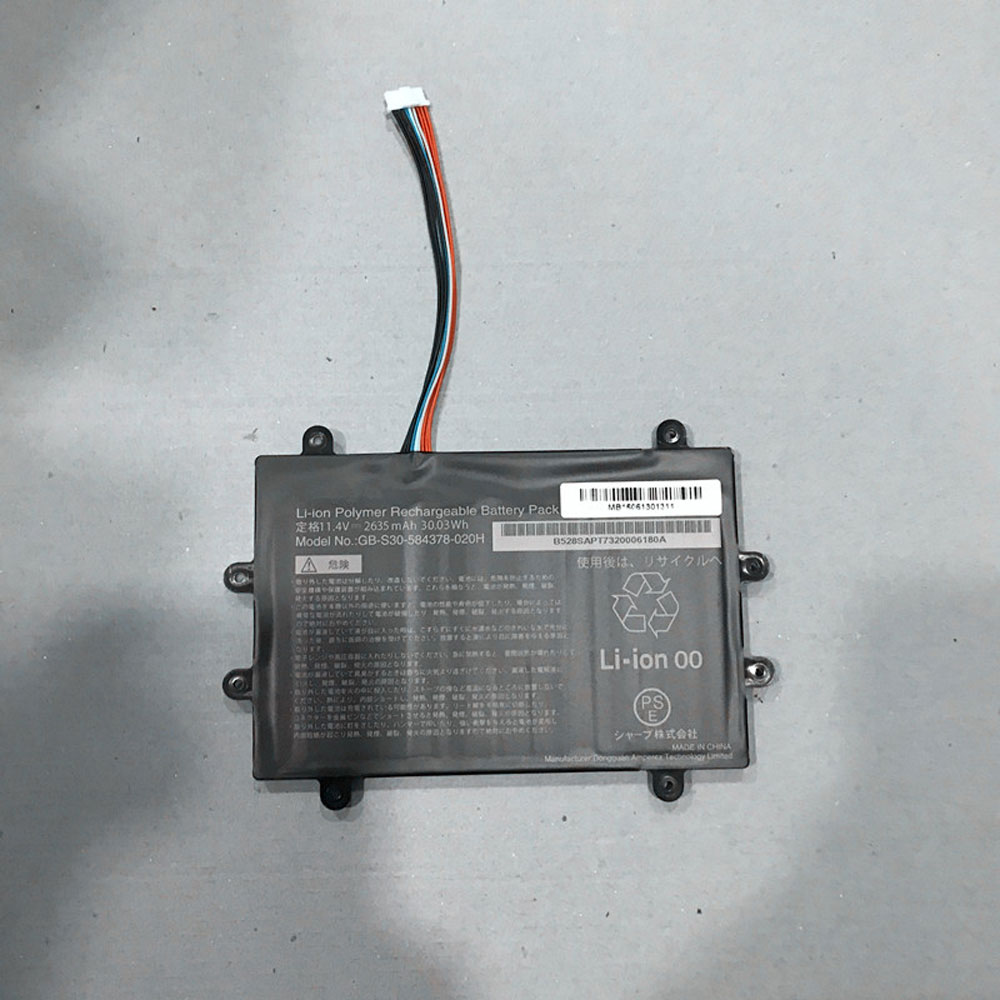
2635MAH/30.03WH 11.4V Sharp GB-S30-584378-020H Li-ion Battery for SHARP GB-S30-584378-020H

2635MAH/30.03WH 11.4V Sharp GB-S30-584378-020H Batteries for SHARP GB-S30-584378-020H, Sharp GB-S30-584378-020H Laptop battery is a brand new,100% Compatible original and replacement Laptop battery,Purchase wholesale and retail GB-S30-584378-020H with high quality and low price!

Find ou your original model number or part number(P/N), and move your eyes on the tag of battery

GB-S30-584378-020H

Specifications

  • Brand:SHARP
  • Capacity :2635MAH/30.03WH
  • Voltage :11.4V
  • Type :Li-ion
  • Battery Cell Quality: Grade A
  • Descriptive: Replacement Battery – 1 Year Warranty
  • Description: Brand New, 1 Year Warranty! 30-Days Money Back! Fast Shipping!

How we test this Sharp GB-S30-584378-020H Battery
Step 1: Make sure customer bought the correct battery.
Step 2: Check battery’s appearance and interface.
Step 3: Test battery charger and recharger function.
Step 4: Charger the battery to 100% and recharger to 0% to get real battery capacity
Step 5: Use Ev2300 to check the voltage difference of each goroup cells.
Step 6: Charger battery power more than 30%.
Step 7: Package battery carefully and send out

Compatible Part Numbers:
GB-S30-584378-020H

Compatible Model Numbers:
SHARP GB-S30-584378-020H

How much do you know about how to run laptop well as any place? The follow Tips cut way back on protecting battery life.


1). Please recharge or change your Laptop battery when battery power low.
2). Using Li-Ion Replacement Sharp GB-S30-584378-020H Laptop Battery for your notebook which can work longer time than Non Li-ion one.
3). It is better to defragmentation regularly for your Laptop battery life.
4). In order to reduce the laptop power consumpition, you can use some optical drive spin-down and hard drive in your Laptop .
5). Please keep your laptop in sleep or standby model without long time using, which both save the Replacement Sharp GB-S30-584378-020H Laptop Battery power and extend battery using life.
6). Leave your battery in a dry and cool condition when without using.
7). When you rarely or generally plugged in fixed power using, Please take down your battery to avoid hurting battery life.

Hot Products

3900mAh/15.015WH CATERPILLAR APP00240 for Caterpillar CAT S313500mAh/13.48WH SAMSUNG EB-BA730ABE for Samsung GALAXY A8+ A7 A730X SM4100mAh/62.32Wh GETAC GK5CN-00-13-4S1P-0 for GETAC GK5CN5Z GK5CN6Z GK5CN4Z930mAh/3.4Wh GARMIN 361-00035-01 for GARMIN Nuvi 2595LMT 1250 12556580mAh/25.333WH BLACKVIEW 726280P for Blackview BV6800 pro Phone1350mAh/4.995WH ALCATEL TLI013CA for Alcatel phone3310mAh/50WH FUJITSU FPB0338S for Fujitsu Lifebook E548 E558 T932800mAh/10.36WH INFOCUS P2424 for InFocus P242433Wh HP BV02XL for HP Envy X2 Detachable 13 Serie875mAh DJI HB3 for DJI Osmo Pocket 2

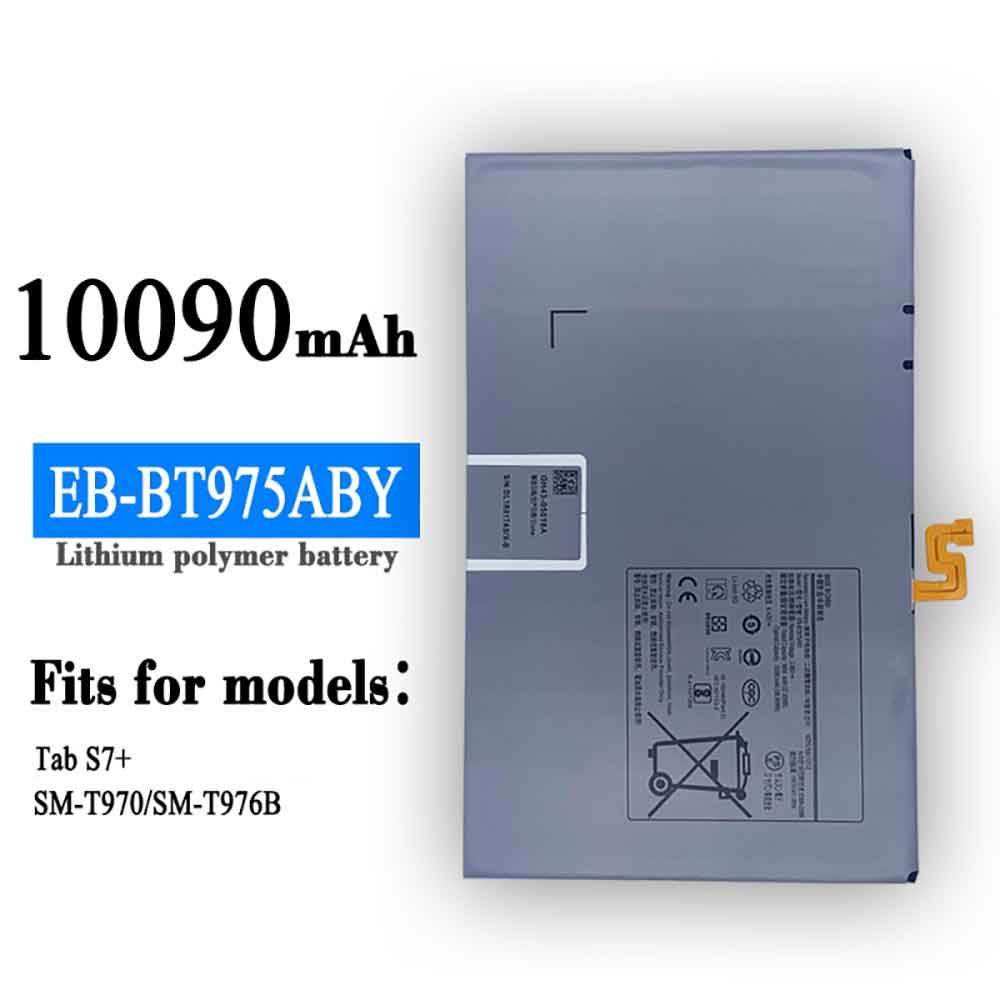
10090mAh/38.95WH 3.86V 4.43V Samsung EB-BT975ABY Li-ion Battery for Samsung Galaxy Tab S7+

10090mAh/38.95WH 3.86V 4.43V Samsung EB-BT975ABY Batteries for Samsung Galaxy Tab S7+, Samsung EB-BT975ABY Tablets battery is a brand new,100% Compatible original and replacement Tablets battery,Purchase wholesale and retail EB-BT975ABY with high quality and low price!

Find ou your original model number or part number(P/N), and move your eyes on the tag of battery

EB-BT975ABY

Specifications

  • Brand:Samsung
  • Capacity :10090mAh/38.95WH
  • Voltage :3.86V 4.43V
  • Type :Li-ion
  • Battery Cell Quality: Grade A
  • Descriptive: Replacement Battery – 1 Year Warranty
  • Description: Brand New, 1 Year Warranty! 30-Days Money Back! Fast Shipping!

How we test this Samsung EB-BT975ABY Battery
Step 1: Make sure customer bought the correct battery.
Step 2: Check battery’s appearance and interface.
Step 3: Test battery charger and recharger function.
Step 4: Charger the battery to 100% and recharger to 0% to get real battery capacity
Step 5: Use Ev2300 to check the voltage difference of each goroup cells.
Step 6: Charger battery power more than 30%.
Step 7: Package battery carefully and send out

Compatible Part Numbers:
EB-BT975ABY

Compatible Model Numbers:
Samsung Galaxy Tab S7+

How much do you know about how to run laptop well as any place? The follow Tips cut way back on protecting battery life.


1). Please recharge or change your Tablets battery when battery power low.
2). Using Li-Ion Replacement Samsung EB-BT975ABY Tablets Battery for your notebook which can work longer time than Non Li-ion one.
3). It is better to defragmentation regularly for your Tablets battery life.
4). In order to reduce the laptop power consumpition, you can use some optical drive spin-down and hard drive in your Tablets .
5). Please keep your laptop in sleep or standby model without long time using, which both save the Replacement Samsung EB-BT975ABY Tablets Battery power and extend battery using life.
6). Leave your battery in a dry and cool condition when without using.
7). When you rarely or generally plugged in fixed power using, Please take down your battery to avoid hurting battery life.

Hot Products

3900mAh/15.015WH CATERPILLAR APP00240 for Caterpillar CAT S313500mAh/13.48WH SAMSUNG EB-BA730ABE for Samsung GALAXY A8+ A7 A730X SM4100mAh/62.32Wh GETAC GK5CN-00-13-4S1P-0 for GETAC GK5CN5Z GK5CN6Z GK5CN4Z930mAh/3.4Wh GARMIN 361-00035-01 for GARMIN Nuvi 2595LMT 1250 12556580mAh/25.333WH BLACKVIEW 726280P for Blackview BV6800 pro Phone1350mAh/4.995WH ALCATEL TLI013CA for Alcatel phone3310mAh/50WH FUJITSU FPB0338S for Fujitsu Lifebook E548 E558 T932800mAh/10.36WH INFOCUS P2424 for InFocus P242433Wh HP BV02XL for HP Envy X2 Detachable 13 Serie875mAh DJI HB3 for DJI Osmo Pocket 2

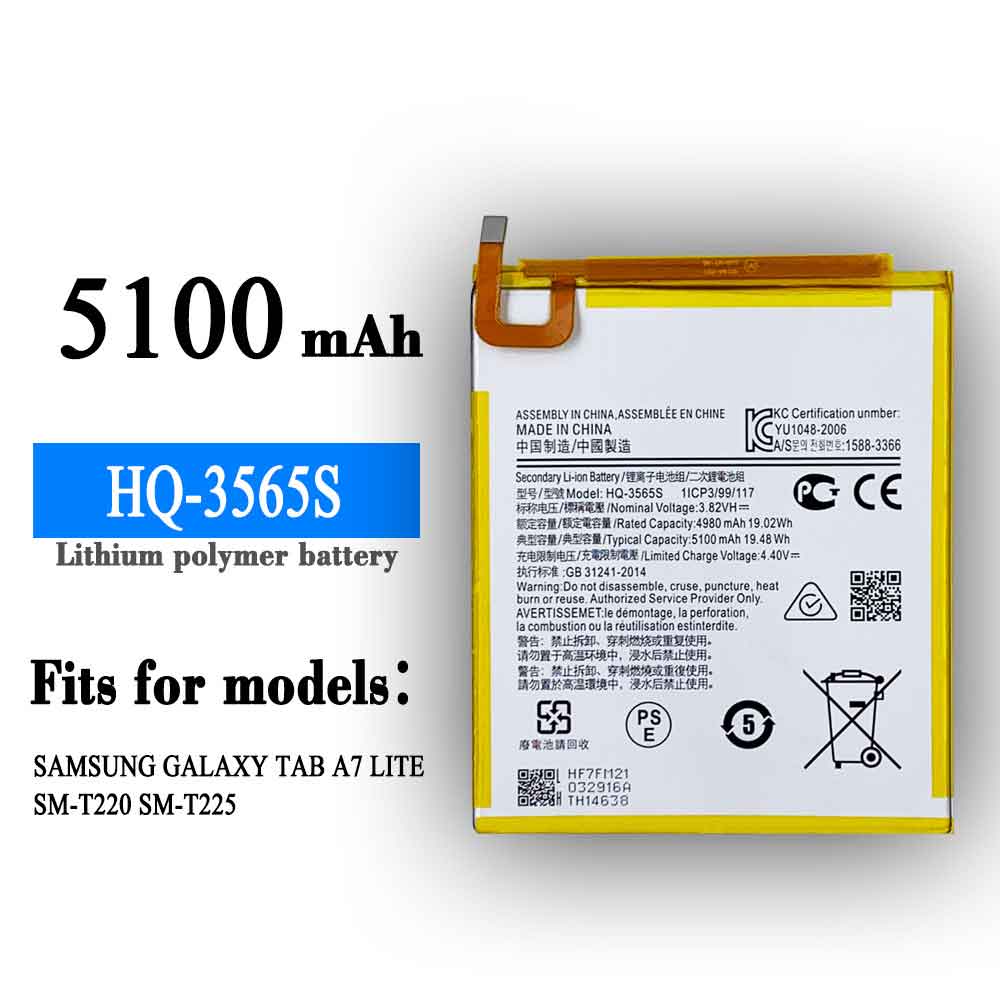
5100mAh/19.48WH 3.82V 4.4V Samsung HQ-3565S Li-ion Battery for Samsung Galaxy Tab A7 Lite

5100mAh/19.48WH 3.82V 4.4V Samsung HQ-3565S Batteries for Samsung Galaxy Tab A7 Lite, Samsung HQ-3565S Tablets battery is a brand new,100% Compatible original and replacement Tablets battery,Purchase wholesale and retail HQ-3565S with high quality and low price!

Find ou your original model number or part number(P/N), and move your eyes on the tag of battery

HQ-3565S

Specifications

  • Brand:Samsung
  • Capacity :5100mAh/19.48WH
  • Voltage :3.82V 4.4V
  • Type :Li-ion
  • Battery Cell Quality: Grade A
  • Descriptive: Replacement Battery – 1 Year Warranty
  • Description: Brand New, 1 Year Warranty! 30-Days Money Back! Fast Shipping!

How we test this Samsung HQ-3565S Battery
Step 1: Make sure customer bought the correct battery.
Step 2: Check battery’s appearance and interface.
Step 3: Test battery charger and recharger function.
Step 4: Charger the battery to 100% and recharger to 0% to get real battery capacity
Step 5: Use Ev2300 to check the voltage difference of each goroup cells.
Step 6: Charger battery power more than 30%.
Step 7: Package battery carefully and send out

Compatible Part Numbers:
HQ-3565S

Compatible Model Numbers:
Samsung Galaxy Tab A7 Lite

How much do you know about how to run laptop well as any place? The follow Tips cut way back on protecting battery life.


1). Please recharge or change your Tablets battery when battery power low.
2). Using Li-Ion Replacement Samsung HQ-3565S Tablets Battery for your notebook which can work longer time than Non Li-ion one.
3). It is better to defragmentation regularly for your Tablets battery life.
4). In order to reduce the laptop power consumpition, you can use some optical drive spin-down and hard drive in your Tablets .
5). Please keep your laptop in sleep or standby model without long time using, which both save the Replacement Samsung HQ-3565S Tablets Battery power and extend battery using life.
6). Leave your battery in a dry and cool condition when without using.
7). When you rarely or generally plugged in fixed power using, Please take down your battery to avoid hurting battery life.

Hot Products

3900mAh/15.015WH CATERPILLAR APP00240 for Caterpillar CAT S313500mAh/13.48WH SAMSUNG EB-BA730ABE for Samsung GALAXY A8+ A7 A730X SM4100mAh/62.32Wh GETAC GK5CN-00-13-4S1P-0 for GETAC GK5CN5Z GK5CN6Z GK5CN4Z930mAh/3.4Wh GARMIN 361-00035-01 for GARMIN Nuvi 2595LMT 1250 12556580mAh/25.333WH BLACKVIEW 726280P for Blackview BV6800 pro Phone1350mAh/4.995WH ALCATEL TLI013CA for Alcatel phone3310mAh/50WH FUJITSU FPB0338S for Fujitsu Lifebook E548 E558 T932800mAh/10.36WH INFOCUS P2424 for InFocus P242433Wh HP BV02XL for HP Envy X2 Detachable 13 Serie875mAh DJI HB3 for DJI Osmo Pocket 2

Laptop does not turn on and cannot display the reasons

 Laptops have become very important tools in our daily work and study. They are favored for their portability, lightweight design and efficiency. Although they’re smaller compared to desktops, laptops can perform a lot of tasks when you’re away from home or the office. Laptops have been widely adopted. Worldwide desktop shipments in 2020 are 79 million units. This clearly shows that laptops are the most used form of computer in the world. However, it is common to see people having various issues with these devices. Because they run on batteries, charging problems are the most common. That is, the laptop does not turn on and the battery does not charge. Some possible reasons are discussed below. Let’s take a look together!

Why is your laptop plugged in but not charging? If your laptop is plugged in but not charging, it could be due to any of the five issues below.

1. Power failure

If the power fails, your laptop won’t charge. Also, this issue can cause even more damage if not fixed right away. A power failure can short-circuit major components. This problem may be with the charger or power supply.

2. Dead battery

If there is nothing wrong with the power cord, the next possible cause could be the battery. A dead battery won’t charge and won’t start your laptop. A poorly maintained battery can die before it even reaches its useful life. The laptop’s battery can prevent the laptop from starting. Although most laptops can boot without a battery.

3. Motherboard

The motherboard is like the heart of every electronic device. So if your laptop doesn’t boot but is connected to power, the motherboard is most likely dead. All major components such as memory, hard drives and processors are connected to the motherboard

4. Graphics card

Sometimes the video card can cause the laptop to behave strangely. If your graphics card is faulty or missing, the laptop won’t boot.

5. Memory

RAM provides a temporary memory for the laptop to load its programs. If the ram is dead or missing, the laptop won’t boot.

6. The charger is not strong enough

If you are not using the correct charger, the battery will not charge. Laptops come with specific chargers designed to charge at a given rate and power. Using a less powerful charger will not provide enough power to charge the battery. Also, when you use a very powerful charger, it can completely damage your battery and laptop. Always use the correct charger to avoid such accidents.

>>>>>>>>>>Laptop’s battery

Thanks for reading, hope it helps!

Friendly reminder: If you need to replace the battery of your device, this battery store will be a good choice: www.batteryforpc.co.uk
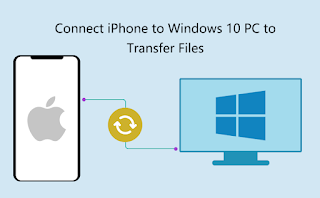
How to Sync Your iPhone with Windows 10

 Just because iPhones perform better on MacBooks doesn’t mean they won’t work on Windows 10 laptops. Syncing your data on Windows 10 requires a bit more expertise (as opposed to macOS’s plug-and-play sync, or how you drag and drop files with Android on Windows 10). Let’s take a look below!

Copy to iPhone

Syncing music, photos, movies and TV shows means getting familiar with iTunes. If you’re already using it, you’re ready to go. If not, you can download and import your music by going to File > Add Folder to Library to move your current music into iTunes. Once you’re ready to sync, follow these steps:

1. Connect your iPhone to your laptop with a Lightning cable.

2. Click Continue when asked if the computer can access the phone.

3. Click the phone icon in the top bar.

4. Click Sync. Depending on the amount of data you’re syncing, this may take a while.

5. Check your photos, music, apps, and videos to confirm that they arrived on your phone from Windows 10.

Copy from iPhone

This is where things get tricky. To avoid piracy, it’s not that easy to sync from an iPhone and send data to it. Fortunately, there are some workarounds.

Music and Movies: This puts you in Apple‘s cab. While you can move non-iTunes media files from your PC to your phone, you can’t send them from your phone to your computer. However, if you buy media from iTunes on your iPhone, you can get it on your desktop via the cloud. As long as you have an Apple ID, you can download all your songs and movies again from iTunes on your PC at no extra cost.

Files: The cloud is your friend for syncing files. While I personally use Dropbox, you can also use iCloud.

Here’s our guide to using iCloud on Windows. It’s perfect for those who love Apple software, including Pages, Numbers, and Keynote. If you’re a Dropbox user, you can use the iPhone app and desktop app to view files or photos on any device. If you’re a Google user, you can use Sheets, Slides, and Docs.

>>>>>>>>Apple battery

Thanks for reading, hope it helps!

Friendly reminder: If you need to replace the battery of your device, this battery store will be a good choice: www.batteryforpc.co.uk
2400mAh 3.7V Motorola 82-150612-01 Li-ion Battery for Motorola Symbol MC2100 MC2080 MC2180 BTRY-MC21EAB0E

2400mAh 3.7V Motorola 82-150612-01 Batteries for Motorola Symbol MC2100 MC2080 MC2180 BTRY-MC21EAB0E, Motorola 82-150612-01 Tablets battery is a brand new,100% Compatible original and replacement Tablets battery,Purchase wholesale and retail 82-150612-01 with high quality and low price!

Find ou your original model number or part number(P/N), and move your eyes on the tag of battery

82-150612-01

Specifications

  • Brand:Motorola
  • Capacity :2400mAh
  • Voltage :3.7V
  • Color:black
  • Type :Li-ion
  • Battery Cell Quality: Grade A
  • Descriptive: Replacement Battery – 1 Year Warranty
  • Description: Brand New, 1 Year Warranty! 30-Days Money Back! Fast Shipping!

How we test this Motorola 82-150612-01 Battery
Step 1: Make sure customer bought the correct battery.
Step 2: Check battery’s appearance and interface.
Step 3: Test battery charger and recharger function.
Step 4: Charger the battery to 100% and recharger to 0% to get real battery capacity
Step 5: Use Ev2300 to check the voltage difference of each goroup cells.
Step 6: Charger battery power more than 30%.
Step 7: Package battery carefully and send out

Compatible Part Numbers:
82-150612-01

Compatible Model Numbers:
(Not Compatible 82-150612-02 ,Because the installed capacity of a problem)
Motorola Symbol MC2100 MC2080 MC2180

How much do you know about how to run laptop well as any place? The follow Tips cut way back on protecting battery life.


1). Please recharge or change your Tablets battery when battery power low.
2). Using Li-Ion Replacement Motorola 82-150612-01 Tablets Battery for your notebook which can work longer time than Non Li-ion one.
3). It is better to defragmentation regularly for your Tablets battery life.
4). In order to reduce the laptop power consumpition, you can use some optical drive spin-down and hard drive in your Tablets .
5). Please keep your laptop in sleep or standby model without long time using, which both save the Replacement Motorola 82-150612-01 Tablets Battery power and extend battery using life.
6). Leave your battery in a dry and cool condition when without using.
7). When you rarely or generally plugged in fixed power using, Please take down your battery to avoid hurting battery life.

Hot Products

3500mAh/13.48WH SAMSUNG EB-BA730ABE for Samsung GALAXY A8+ A7 A730X SM4100mAh/62.32Wh GETAC GK5CN-00-13-4S1P-0 for GETAC GK5CN5Z GK5CN6Z GK5CN4Z930mAh/3.4Wh GARMIN 361-00035-01 for GARMIN Nuvi 2595LMT 1250 12556580mAh/25.333WH BLACKVIEW 726280P for Blackview BV6800 pro Phone1350mAh/4.995WH ALCATEL TLI013CA for Alcatel phone3310mAh/50WH FUJITSU FPB0338S for Fujitsu Lifebook E548 E558 T932800mAh/10.36WH INFOCUS P2424 for InFocus P242433Wh HP BV02XL for HP Envy X2 Detachable 13 Serie875mAh DJI HB3 for DJI Osmo Pocket 230.4Wh/4000mAh LG LBG722VH for LG Gram 14Z950 13Z940 13ZD940

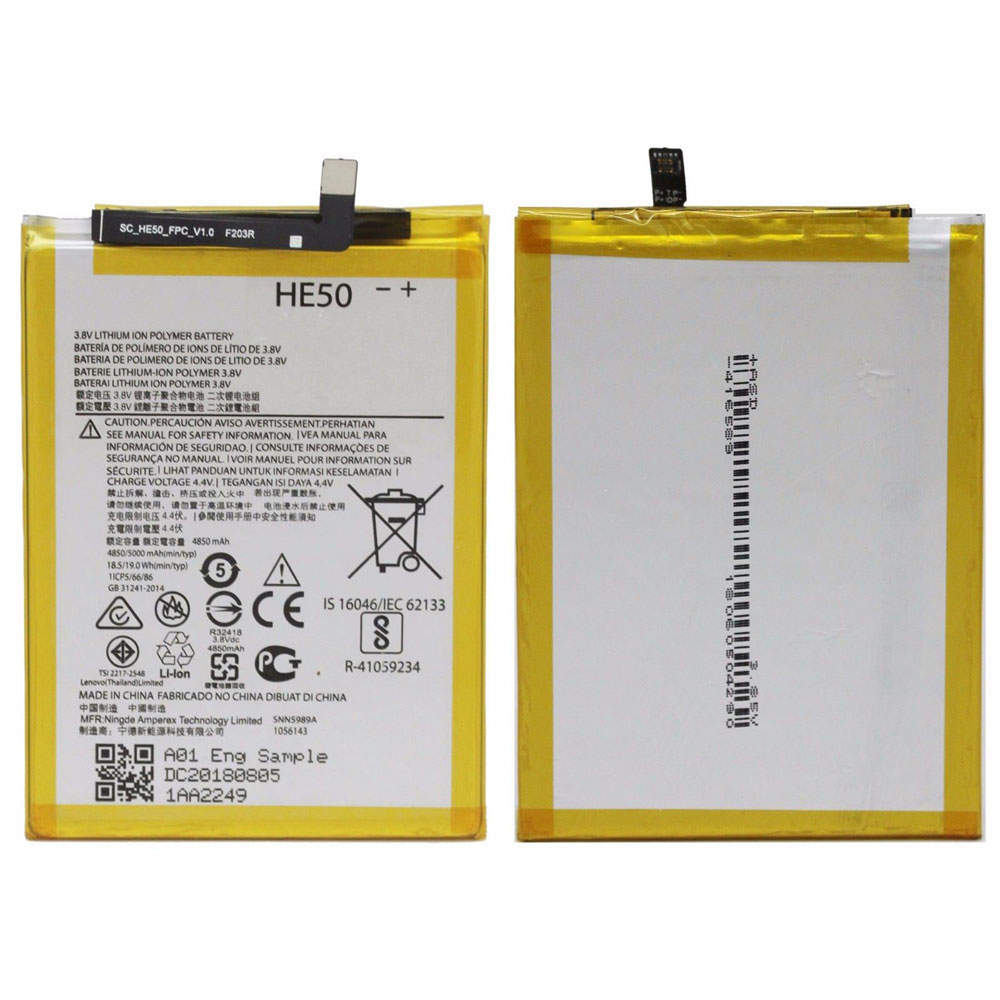
4850MAH/18.5WH 3.8V/4.4V Motorola SNN5989A Li-ion Battery for Motorola Moto E4 Plus XT1770 XT1775 XT1776

4850MAH/18.5WH 3.8V/4.4V Motorola SNN5989A Batteries for Motorola Moto E4 Plus XT1770 XT1775 XT1776, Motorola SNN5989A Tablets battery is a brand new,100% Compatible original and replacement Tablets battery,Purchase wholesale and retail SNN5989A with high quality and low price!

Find ou your original model number or part number(P/N), and move your eyes on the tag of battery

SNN5989A

Specifications

  • Brand:Motorola
  • Capacity :4850MAH/18.5WH
  • Voltage :3.8V/4.4V
  • Type :Li-ion
  • Battery Cell Quality: Grade A
  • Descriptive: Replacement Battery – 1 Year Warranty
  • Description: Brand New, 1 Year Warranty! 30-Days Money Back! Fast Shipping!

How we test this Motorola SNN5989A Battery
Step 1: Make sure customer bought the correct battery.
Step 2: Check battery’s appearance and interface.
Step 3: Test battery charger and recharger function.
Step 4: Charger the battery to 100% and recharger to 0% to get real battery capacity
Step 5: Use Ev2300 to check the voltage difference of each goroup cells.
Step 6: Charger battery power more than 30%.
Step 7: Package battery carefully and send out

Compatible Part Numbers:
HE50
SNN5989A

Compatible Model Numbers:
Motorola Moto E4 Plus XT1770 XT1775 XT1776

How much do you know about how to run laptop well as any place? The follow Tips cut way back on protecting battery life.


1). Please recharge or change your Tablets battery when battery power low.
2). Using Li-Ion Replacement Motorola SNN5989A Tablets Battery for your notebook which can work longer time than Non Li-ion one.
3). It is better to defragmentation regularly for your Tablets battery life.
4). In order to reduce the laptop power consumpition, you can use some optical drive spin-down and hard drive in your Tablets .
5). Please keep your laptop in sleep or standby model without long time using, which both save the Replacement Motorola SNN5989A Tablets Battery power and extend battery using life.
6). Leave your battery in a dry and cool condition when without using.
7). When you rarely or generally plugged in fixed power using, Please take down your battery to avoid hurting battery life.

Hot Products

3500mAh/13.48WH SAMSUNG EB-BA730ABE for Samsung GALAXY A8+ A7 A730X SM4100mAh/62.32Wh GETAC GK5CN-00-13-4S1P-0 for GETAC GK5CN5Z GK5CN6Z GK5CN4Z930mAh/3.4Wh GARMIN 361-00035-01 for GARMIN Nuvi 2595LMT 1250 12556580mAh/25.333WH BLACKVIEW 726280P for Blackview BV6800 pro Phone1350mAh/4.995WH ALCATEL TLI013CA for Alcatel phone3310mAh/50WH FUJITSU FPB0338S for Fujitsu Lifebook E548 E558 T932800mAh/10.36WH INFOCUS P2424 for InFocus P242433Wh HP BV02XL for HP Envy X2 Detachable 13 Serie875mAh DJI HB3 for DJI Osmo Pocket 230.4Wh/4000mAh LG LBG722VH for LG Gram 14Z950 13Z940 13ZD940

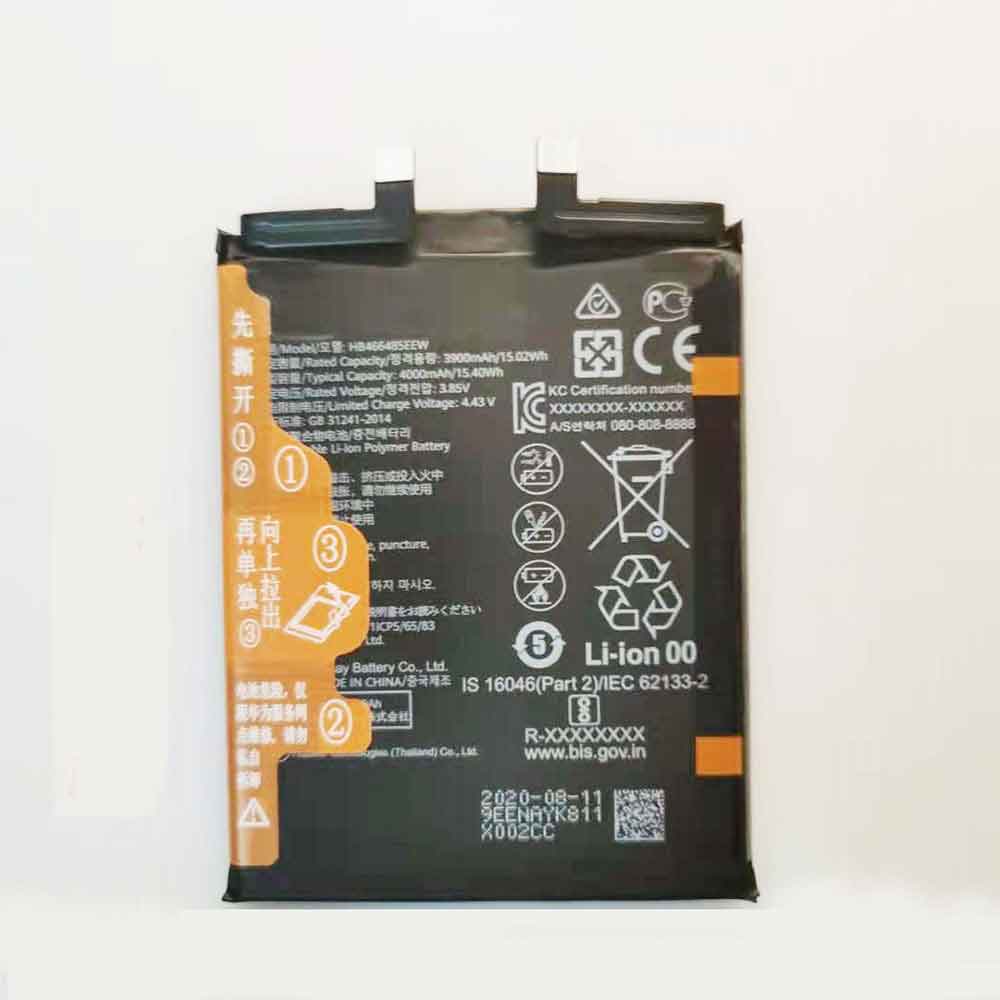
3900mAh 15.02WH 3.85V 4.43V Huawei HB466485EEW Li-ion Battery for Huawei Nova 8SE/8Pro

3900mAh 15.02WH 3.85V 4.43V Huawei HB466485EEW Batteries for Huawei Nova 8SE/8Pro, Huawei HB466485EEW Cell Phone battery is a brand new,100% Compatible original and replacement Phone battery,Purchase wholesale and retail HB466485EEW with high quality and low price!

Find ou your original model number or part number(P/N), and move your eyes on the tag of battery

HB466485EEW

Specifications

  • Brand:Huawei
  • Capacity :3900mAh 15.02WH
  • Voltage :3.85V 4.43V
  • Type :Li-ion
  • Battery Cell Quality: Grade A
  • Descriptive: Replacement Battery – 1 Year Warranty
  • Description: Brand New, 1 Year Warranty! 30-Days Money Back! Fast Shipping!

How we test this Huawei HB466485EEW Battery
Step 1: Make sure customer bought the correct battery.
Step 2: Check battery’s appearance and interface.
Step 3: Test battery charger and recharger function.
Step 4: Charger the battery to 100% and recharger to 0% to get real battery capacity
Step 5: Use Ev2300 to check the voltage difference of each goroup cells.
Step 6: Charger battery power more than 30%.
Step 7: Package battery carefully and send out

Compatible Part Numbers:
HB466485EEW

Compatible Model Numbers:
Huawei nova 8 SE
Huawei nova 8 Pro

How much do you know about how to run laptop well as any place? The follow Tips cut way back on protecting battery life.


1). Please recharge or change your Cell Phone battery when battery power low.
2). Using Li-Ion Replacement Huawei HB466485EEW Cell Phone Battery for your notebook which can work longer time than Non Li-ion one.
3). It is better to defragmentation regularly for your Cell Phone battery life.
4). In order to reduce the laptop power consumpition, you can use some optical drive spin-down and hard drive in your Cell Phone .
5). Please keep your laptop in sleep or standby model without long time using, which both save the Replacement Huawei HB466485EEW Cell Phone Battery power and extend battery using life.
6). Leave your battery in a dry and cool condition when without using.
7). When you rarely or generally plugged in fixed power using, Please take down your battery to avoid hurting battery life.

Hot Products

3500mAh/13.48WH SAMSUNG EB-BA730ABE for Samsung GALAXY A8+ A7 A730X SM4100mAh/62.32Wh GETAC GK5CN-00-13-4S1P-0 for GETAC GK5CN5Z GK5CN6Z GK5CN4Z930mAh/3.4Wh GARMIN 361-00035-01 for GARMIN Nuvi 2595LMT 1250 12556580mAh/25.333WH BLACKVIEW 726280P for Blackview BV6800 pro Phone1350mAh/4.995WH ALCATEL TLI013CA for Alcatel phone3310mAh/50WH FUJITSU FPB0338S for Fujitsu Lifebook E548 E558 T932800mAh/10.36WH INFOCUS P2424 for InFocus P242433Wh HP BV02XL for HP Envy X2 Detachable 13 Serie875mAh DJI HB3 for DJI Osmo Pocket 230.4Wh/4000mAh LG LBG722VH for LG Gram 14Z950 13Z940 13ZD940