6750mAh /69Wh 10.8V Panasonic CF-VZSU71U Li-ion Battery for Panasonic CF-53 CF-31 CF-30 Notebook

6750mAh /69Wh 10.8V Panasonic CF-VZSU71U Batteries for Panasonic CF-53 CF-31 CF-30 Notebook, Panasonic CF-VZSU71U Laptop battery is a brand new,100% Compatible original and replacement Laptop battery,Purchase wholesale and retail CF-VZSU71U with high quality and low price!

Find ou your original model number or part number(P/N), and move your eyes on the tag of battery
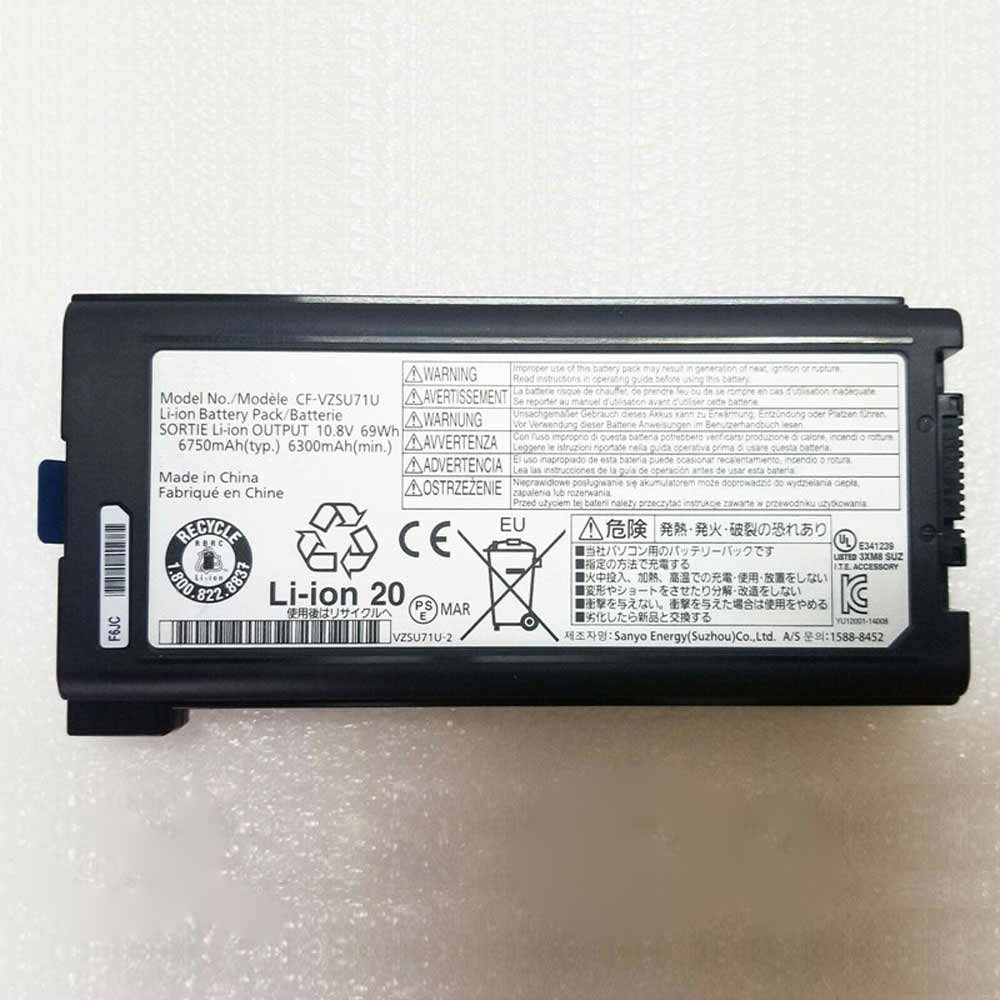
CF-VZSU71U

Specifications

  • Brand:Panasonic
  • Capacity :6750mAh /69Wh
  • Voltage :10.8V
  • Type :Li-ion
  • Battery Cell Quality: Grade A
  • Descriptive: Replacement Battery – 1 Year Warranty
  • Description: Brand New, 1 Year Warranty! 30-Days Money Back! Fast Shipping!

How we test this Panasonic CF-VZSU71U Battery
Step 1: Make sure customer bought the correct battery.
Step 2: Check battery’s appearance and interface.
Step 3: Test battery charger and recharger function.
Step 4: Charger the battery to 100% and recharger to 0% to get real battery capacity
Step 5: Use Ev2300 to check the voltage difference of each goroup cells.
Step 6: Charger battery power more than 30%.
Step 7: Package battery carefully and send out

Compatible Part Numbers:
CF-VZSU71U
CF-VZSU71R

Compatible Model Numbers:
Panasonic CF-53 CF-31 CF-30 Notebook

How much do you know about how to run laptop well as any place? The follow Tips cut way back on protecting battery life.


1). Please recharge or change your Laptop battery when battery power low.
2). Using Li-Ion Replacement Panasonic CF-VZSU71U Laptop Battery for your notebook which can work longer time than Non Li-ion one.
3). It is better to defragmentation regularly for your Laptop battery life.
4). In order to reduce the laptop power consumpition, you can use some optical drive spin-down and hard drive in your Laptop .
5). Please keep your laptop in sleep or standby model without long time using, which both save the Replacement Panasonic CF-VZSU71U Laptop Battery power and extend battery using life.
6). Leave your battery in a dry and cool condition when without using.
7). When you rarely or generally plugged in fixed power using, Please take down your battery to avoid hurting battery life.

Hot Products

4100mAh/62.32Wh GETAC GK5CN-00-13-4S1P-0 for GETAC GK5CN5Z GK5CN6Z GK5CN4Z930mAh/3.4Wh GARMIN 361-00035-01 for GARMIN Nuvi 2595LMT 1250 12556580mAh/25.333WH BLACKVIEW 726280P for Blackview BV6800 pro Phone1350mAh/4.995WH ALCATEL TLI013CA for Alcatel phone3310mAh/50WH FUJITSU FPB0338S for Fujitsu Lifebook E548 E558 T932800mAh/10.36WH INFOCUS P2424 for InFocus P242433Wh HP BV02XL for HP Envy X2 Detachable 13 Serie875mAh DJI HB3 for DJI Osmo Pocket 230.4Wh/4000mAh LG LBG722VH for LG Gram 14Z950 13Z940 13ZD9403575mAh/42WH LENOVO SB10J78991 for Lenovo ThinkPad Yoga 11E 3rd G
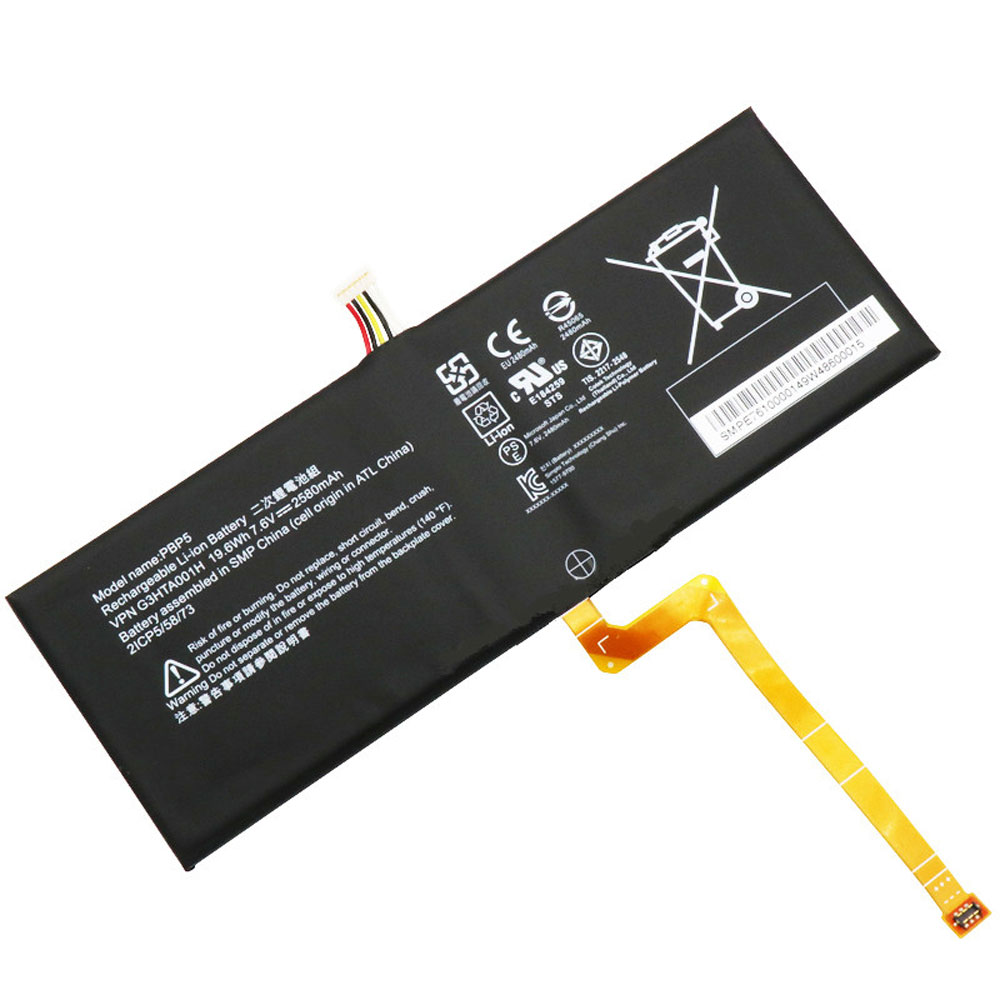
19.6Wh/2580mAh 7.6V Microsoft G3HTA001H Li-ion Battery for Microsoft Surface Book

19.6Wh/2580mAh 7.6V Microsoft G3HTA001H Batteries for Microsoft Surface Book with Performance base, Microsoft G3HTA001H Tablets battery is a brand new,100% Compatible original and replacement Tablets battery,Purchase wholesale and retail G3HTA001H with high quality and low price!

Find ou your original model number or part number(P/N), and move your eyes on the tag of battery

G3HTA001H

Specifications

  • Brand:Microsoft
  • Capacity :19.6Wh/2580mAh
  • Voltage :7.6V
  • Type :Li-ion
  • Battery Cell Quality: Grade A
  • Descriptive: Replacement Battery – 1 Year Warranty
  • Description: Brand New, 1 Year Warranty! 30-Days Money Back! Fast Shipping!

How we test this Microsoft G3HTA001H Battery
Step 1: Make sure customer bought the correct battery.
Step 2: Check battery’s appearance and interface.
Step 3: Test battery charger and recharger function.
Step 4: Charger the battery to 100% and recharger to 0% to get real battery capacity
Step 5: Use Ev2300 to check the voltage difference of each goroup cells.
Step 6: Charger battery power more than 30%.
Step 7: Package battery carefully and send out

Compatible Part Numbers:
PBP5
G3HTA001H
2ICP5/58/73

Compatible Model Numbers:
Microsoft Surface Book with Performance base
Note: This battery is installed under the screen

How much do you know about how to run laptop well as any place? The follow Tips cut way back on protecting battery life.


1). Please recharge or change your Tablets battery when battery power low.
2). Using Li-Ion Replacement Microsoft G3HTA001H Tablets Battery for your notebook which can work longer time than Non Li-ion one.
3). It is better to defragmentation regularly for your Tablets battery life.
4). In order to reduce the laptop power consumpition, you can use some optical drive spin-down and hard drive in your Tablets .
5). Please keep your laptop in sleep or standby model without long time using, which both save the Replacement Microsoft G3HTA001H Tablets Battery power and extend battery using life.
6). Leave your battery in a dry and cool condition when without using.
7). When you rarely or generally plugged in fixed power using, Please take down your battery to avoid hurting battery life.

Hot Products

4100mAh/62.32Wh GETAC GK5CN-00-13-4S1P-0 for GETAC GK5CN5Z GK5CN6Z GK5CN4Z930mAh/3.4Wh GARMIN 361-00035-01 for GARMIN Nuvi 2595LMT 1250 12556580mAh/25.333WH BLACKVIEW 726280P for Blackview BV6800 pro Phone1350mAh/4.995WH ALCATEL TLI013CA for Alcatel phone3310mAh/50WH FUJITSU FPB0338S for Fujitsu Lifebook E548 E558 T932800mAh/10.36WH INFOCUS P2424 for InFocus P242433Wh HP BV02XL for HP Envy X2 Detachable 13 Serie875mAh DJI HB3 for DJI Osmo Pocket 230.4Wh/4000mAh LG LBG722VH for LG Gram 14Z950 13Z940 13ZD9403575mAh/42WH LENOVO SB10J78991 for Lenovo ThinkPad Yoga 11E 3rd G
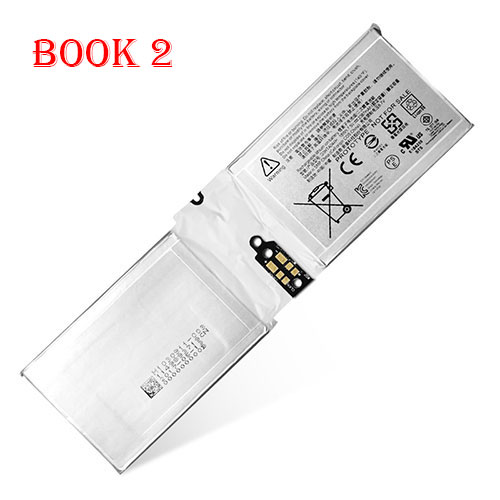
18Wh/2387mAh/2Cell 7.5V/8.7V Microsoft G3HTA044H Li-ion Battery for Microsoft Surface Book 2 1832

18Wh/2387mAh/2Cell 7.5V/8.7V Microsoft G3HTA044H Batteries for Microsoft Surface Book 2 1832, Microsoft G3HTA044H Tablets battery is a brand new,100% Compatible original and replacement Tablets battery,Purchase wholesale and retail G3HTA044H with high quality and low price!

Find ou your original model number or part number(P/N), and move your eyes on the tag of battery

G3HTA044H

Specifications

  • Brand:Microsoft
  • Capacity :18Wh/2387mAh/2Cell
  • Voltage :7.5V/8.7V
  • Type :Li-ion
  • Battery Cell Quality: Grade A
  • Descriptive: Replacement Battery – 1 Year Warranty
  • Description: Brand New, 1 Year Warranty! 30-Days Money Back! Fast Shipping!

How we test this Microsoft G3HTA044H Battery
Step 1: Make sure customer bought the correct battery.
Step 2: Check battery’s appearance and interface.
Step 3: Test battery charger and recharger function.
Step 4: Charger the battery to 100% and recharger to 0% to get real battery capacity
Step 5: Use Ev2300 to check the voltage difference of each goroup cells.
Step 6: Charger battery power more than 30%.
Step 7: Package battery carefully and send out

Compatible Part Numbers:
G3HTA045H
G3HTA044H
DAK822470K
G3HTA020H

Compatible Model Numbers:
Microsoft Surface Book 2 1832 (Compatible Microsoft Surface Book 1 CR7 13.5 CR7-00005 CR7-00007 Series)

How much do you know about how to run laptop well as any place? The follow Tips cut way back on protecting battery life.


1). Please recharge or change your Tablets battery when battery power low.
2). Using Li-Ion Replacement Microsoft G3HTA044H Tablets Battery for your notebook which can work longer time than Non Li-ion one.
3). It is better to defragmentation regularly for your Tablets battery life.
4). In order to reduce the laptop power consumpition, you can use some optical drive spin-down and hard drive in your Tablets .
5). Please keep your laptop in sleep or standby model without long time using, which both save the Replacement Microsoft G3HTA044H Tablets Battery power and extend battery using life.
6). Leave your battery in a dry and cool condition when without using.
7). When you rarely or generally plugged in fixed power using, Please take down your battery to avoid hurting battery life.

Hot Products

4100mAh/62.32Wh GETAC GK5CN-00-13-4S1P-0 for GETAC GK5CN5Z GK5CN6Z GK5CN4Z930mAh/3.4Wh GARMIN 361-00035-01 for GARMIN Nuvi 2595LMT 1250 12556580mAh/25.333WH BLACKVIEW 726280P for Blackview BV6800 pro Phone1350mAh/4.995WH ALCATEL TLI013CA for Alcatel phone3310mAh/50WH FUJITSU FPB0338S for Fujitsu Lifebook E548 E558 T932800mAh/10.36WH INFOCUS P2424 for InFocus P242433Wh HP BV02XL for HP Envy X2 Detachable 13 Serie875mAh DJI HB3 for DJI Osmo Pocket 230.4Wh/4000mAh LG LBG722VH for LG Gram 14Z950 13Z940 13ZD9403575mAh/42WH LENOVO SB10J78991 for Lenovo ThinkPad Yoga 11E 3rd G

What should I do if I can’t see the battery charging when my laptop is charging?

 If your laptop is connected but not charging, your work may be affected. You obviously can’t use the laptop when the battery is dead. Anyway, in general, you can find out where your charging problems are and try a few tricks and tips to correct them. Let’s take a look at it in detail below!

Why am I getting a “plugged in but not charging” error?

The root cause of a wrong plug connection but not charging can be a direct result of the accompanying:

Bad chargers: A few chargers alone supply power to charge the battery and power the laptop. If the charger cable is damaged, its power supply may run the laptop but not charge the battery.

Damaged laptop power plug: This can cause problems with the battery’s ability to deliver power.

Old or overused batteries: Batteries in laptops and mobile phones have a predetermined number of charges before they can no longer be charged. This is usually about 300-500 charge cycles.

Motherboard Defect: If there is a problem with the laptop’s motherboard/charging hardware, an error will be displayed.

How can I tell if my laptop’s battery or charger is bad?

The problem that people face when using a laptop can be a faulty charger or battery. If either of these two critical parts are not working as expected, you will not be able to use your laptop.

Check Laptop Battery

Laptop batteries are crucial because they make them compact. As long as the battery is fully charged, you can continue to work whether it is dead or not.

Follow this method if you need to know if the battery is bad.

1. Unplug the laptop from the power source.

2. Make sure the battery is properly seated.

3. Press the power button (if it turns on then your battery is fine).

4. If it doesn’t power (remove the battery and connect the charger to the mains), make sure you’re using the correct type.

5. It is now possible to charge without the battery (if the laptop is powered on, your battery is dead).

Sometimes the battery might work, but at the same time it won’t save power for long. You can see if this is the case by fully charging your laptop and determining when the charge expires. If it discharges quickly, you should replace it.

●Check the laptop charger

The main strategy is to connect it to your laptop. Almost all products have an indication of whether or not they are charging. If the indicator light is on, the charger is normal. If not, it’s likely dead. Still, charging sockets can be flawed here and there; therefore, you should do additional testing. Also, some chargers have instructions on the connector. So if the adapter lights up, your charger is probably fine.

How to fix laptop charger not working issue?

If the issue with the charger not charging your laptop is identified by hardware or software, it doesn’t make any difference as the two convenient arrangements mentioned below will help to repair the laptop’s battery and charge it in the blink of an eye :

1. Investigate hardware issues:

Here’s how to investigate different hardware issues that may be preventing your charger from working:

●Connect the laptop’s charger to the various power plugs where you use the laptop, if there is some kind of problem with the power plug in your room, please check whether it is charged. Assuming not, you need to check the power cables to see if they are defective.

●Please remove the laptop’s battery from its specific compartment and reconnect it after a full minute. Connect the charger to the laptop and check if the laptop’s charging light is on.

2. Reset your laptop:

A laptop power reset is a reaction to most things. Here’s how to reset your laptop:

● After shutting down the laptop, remove the laptop’s battery

●Continuously press and hold the notebook power button for 30 seconds to discharge;

● Put the battery back into the battery compartment and start your laptop;

●Connect the charger as well and check if the laptop is charging.

>>>>>>>>>>>>Laptop’s battery

Thanks for reading, hope it helps!

Friendly reminder: If you need to replace the battery of your device, this battery store will be a good choice: www.batteryforpc.co.uk

Microsoft warns people to uninstall Windows 11 update that is killing apps

 Microsoft was forced to warn users to uninstall Windows 11 update KB5012643 because it appeared to crash some apps, especially if they depended on the .NET 3.5 framework.

As WindowsLatest explains, KB5012643 brings some fixes to the OS, but some people are reporting that apps that rely on the .NET 3.5 framework keep crashing after installing the update.

While not all users were affected, and not all applications using .NET crashed, the problem was widespread enough that Windows sent users a rather humiliating message telling them to uninstall the update.

How to uninstall the Windows 11 KB5012643 update

To uninstall the update, open the Start menu and enter Windows Update Settings. From there, click Windows Update, and then click View Update History. Next, click Uninstall Update and select KB5012643, then click Uninstall. Hopefully this will fix the problem, however, you may find that other issues that the KB5012643 update did fix have now returned.

Hopefully Microsoft will release a new KB5012643 update that fixes these issues without introducing additional issues.

At best, having to warn users to uninstall an update is embarrassing enough, but the humiliation is even worse for Microsoft, as it brings back bad memories from a few years ago, when the company was going through more and more More and more broken Windows 10 updates are released.

Those dodgy Windows 10 updates caused more problems than they solved and did a lot of damage to Microsoft’s reputation as well as Windows 10, which until then had been seen as an unwelcome return to form that was Windows 8 ‘s mess.

Anything that reminds people of that regrettable period does Microsoft no favors. There have been some glaring Windows 11 issues lately, so the company definitely doesn’t want people to think the bad days of buggy Windows updates are back — especially if that means they’re holding off on upgrading to Windows 11 as a result.

At least some good news. Since KB5012643 is an optional update that people have to install manually, this means that the number of users potentially affected will be much lower than the automatically installed mandatory update.

Microsoft’s prompt response and transparency on this issue, despite its embarrassing nature, should also be commended and will help minimize the impact of this issue. Hopefully this is just a flash in the pan and not a sign that Windows 11 updates may start breaking more things than they fix.

>>>>>>>>>>>>>>Microsoft Battery

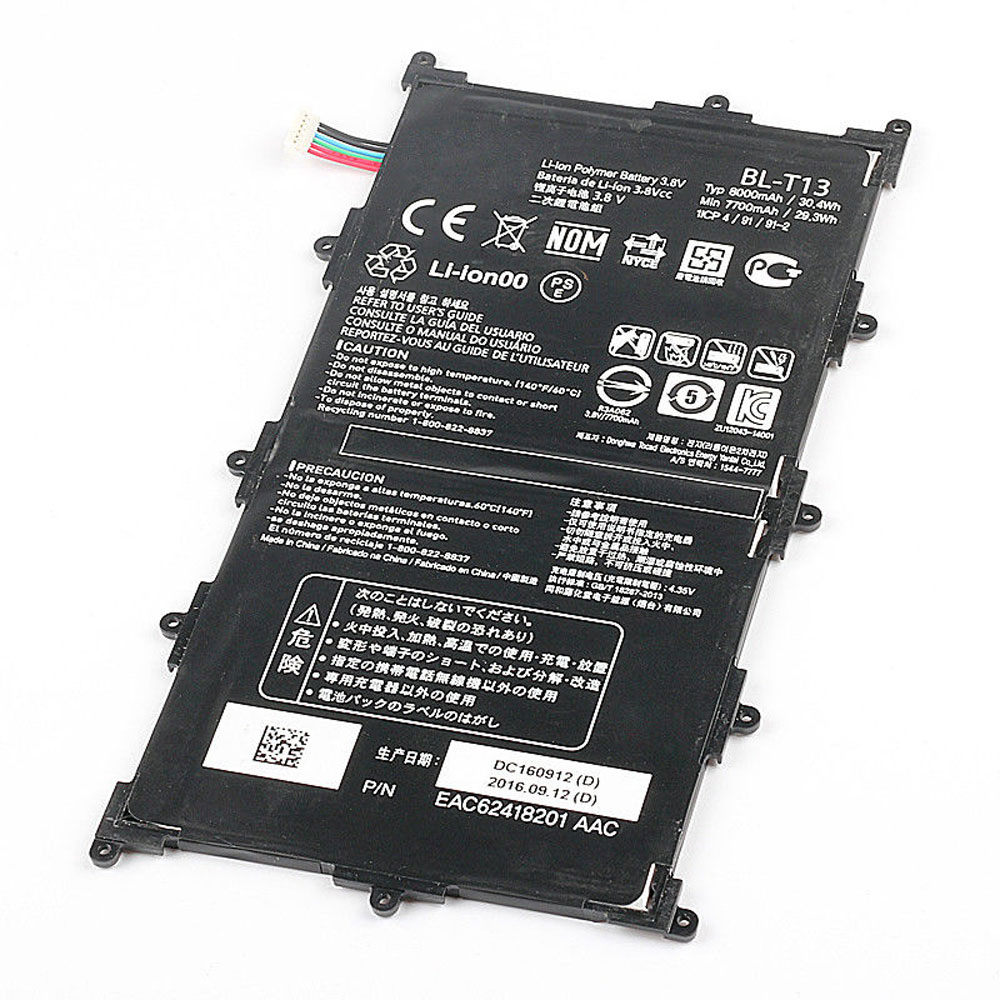
8000mAh/30.4WH 3.8V Lg BL-T13 Li-ion Battery for LG G Pad VK700 Verizon Tablet

8000mAh/30.4WH 3.8V Lg BL-T13 Batteries for LG G Pad VK700 Verizon Tablet, Lg BL-T13 Tablets battery is a brand new,100% Compatible original and replacement Tablets battery,Purchase wholesale and retail BL-T13 with high quality and low price!

Find ou your original model number or part number(P/N), and move your eyes on the tag of battery

BL-T13

Specifications

  • Brand:LG
  • Capacity :8000mAh/30.4WH
  • Voltage :3.8V
  • Type :Li-ion
  • Battery Cell Quality: Grade A
  • Descriptive: Replacement Battery – 1 Year Warranty
  • Description: Brand New, 1 Year Warranty! 30-Days Money Back! Fast Shipping!

How we test this Lg BL-T13 Battery
Step 1: Make sure customer bought the correct battery.
Step 2: Check battery’s appearance and interface.
Step 3: Test battery charger and recharger function.
Step 4: Charger the battery to 100% and recharger to 0% to get real battery capacity
Step 5: Use Ev2300 to check the voltage difference of each goroup cells.
Step 6: Charger battery power more than 30%.
Step 7: Package battery carefully and send out

Compatible Part Numbers:
BL-T13

Compatible Model Numbers:
LG G Pad VK700 Verizon Tablet

How much do you know about how to run laptop well as any place? The follow Tips cut way back on protecting battery life.


1). Please recharge or change your Tablets battery when battery power low.
2). Using Li-Ion Replacement Lg BL-T13 Tablets Battery for your notebook which can work longer time than Non Li-ion one.
3). It is better to defragmentation regularly for your Tablets battery life.
4). In order to reduce the laptop power consumpition, you can use some optical drive spin-down and hard drive in your Tablets .
5). Please keep your laptop in sleep or standby model without long time using, which both save the Replacement Lg BL-T13 Tablets Battery power and extend battery using life.
6). Leave your battery in a dry and cool condition when without using.
7). When you rarely or generally plugged in fixed power using, Please take down your battery to avoid hurting battery life.

Hot Products

4100mAh/62.32Wh GETAC GK5CN-00-13-4S1P-0 for GETAC GK5CN5Z GK5CN6Z GK5CN4Z930mAh/3.4Wh GARMIN 361-00035-01 for GARMIN Nuvi 2595LMT 1250 12556580mAh/25.333WH BLACKVIEW 726280P for Blackview BV6800 pro Phone1350mAh/4.995WH ALCATEL TLI013CA for Alcatel phone3310mAh/50WH FUJITSU FPB0338S for Fujitsu Lifebook E548 E558 T932800mAh/10.36WH INFOCUS P2424 for InFocus P242433Wh HP BV02XL for HP Envy X2 Detachable 13 Serie875mAh DJI HB3 for DJI Osmo Pocket 230.4Wh/4000mAh LG LBG722VH for LG Gram 14Z950 13Z940 13ZD9403575mAh/42WH LENOVO SB10J78991 for Lenovo ThinkPad Yoga 11E 3rd G
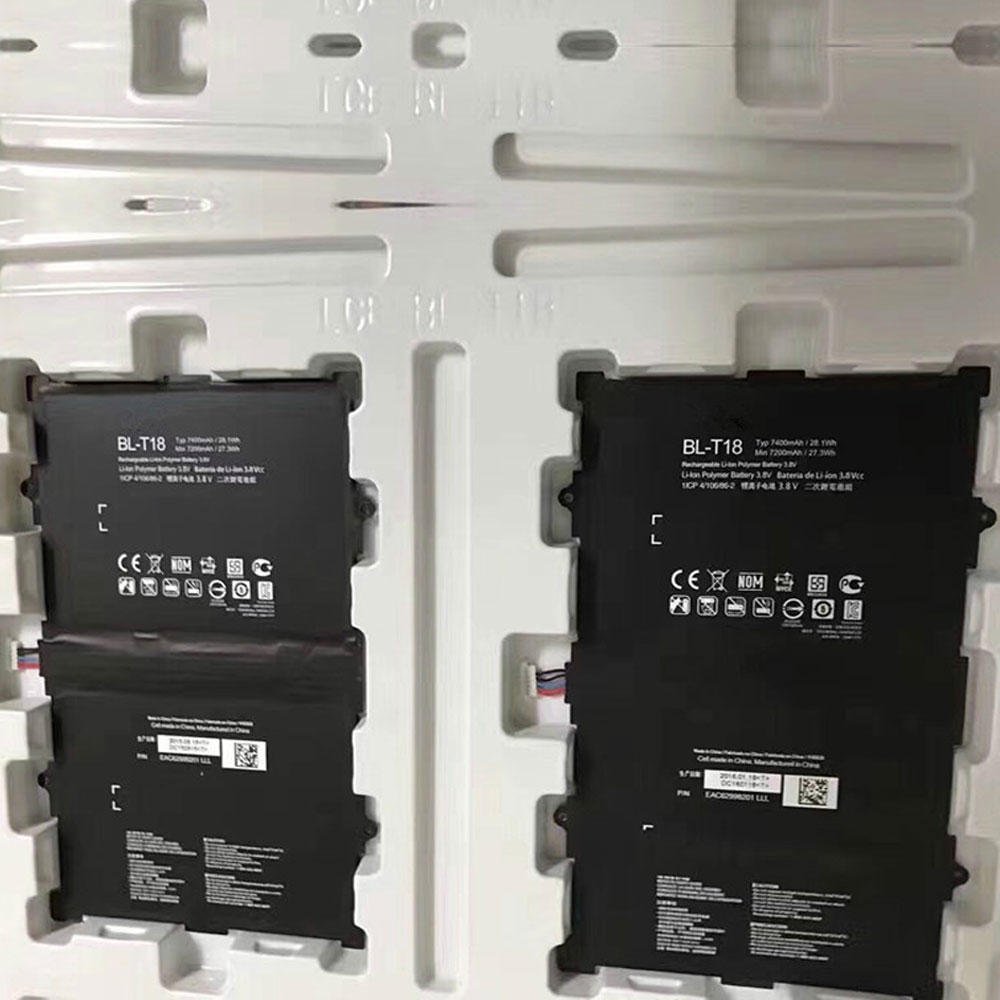
7400mAh /28.1Wh 3.8V/4.35V Lg BL-T18 Li-ion Battery for LG G PAD II PAD X 10.1 V930 V935

7400mAh /28.1Wh 3.8V/4.35V Lg BL-T18 Batteries for LG G PAD II PAD X 10.1 V930 V935, Lg BL-T18 Tablets battery is a brand new,100% Compatible original and replacement Tablets battery,Purchase wholesale and retail BL-T18 with high quality and low price!

Find ou your original model number or part number(P/N), and move your eyes on the tag of battery

BL-T18

Specifications

  • Brand:LG
  • Capacity :7400mAh /28.1Wh
  • Voltage :3.8V/4.35V
  • Type :Li-ion
  • Battery Cell Quality: Grade A
  • Descriptive: Replacement Battery – 1 Year Warranty
  • Description: Brand New, 1 Year Warranty! 30-Days Money Back! Fast Shipping!

How we test this Lg BL-T18 Battery
Step 1: Make sure customer bought the correct battery.
Step 2: Check battery’s appearance and interface.
Step 3: Test battery charger and recharger function.
Step 4: Charger the battery to 100% and recharger to 0% to get real battery capacity
Step 5: Use Ev2300 to check the voltage difference of each goroup cells.
Step 6: Charger battery power more than 30%.
Step 7: Package battery carefully and send out

Compatible Part Numbers:
BL-T18

Compatible Model Numbers:
LG G PAD II PAD X 10.1 V930 V935

How much do you know about how to run laptop well as any place? The follow Tips cut way back on protecting battery life.


1). Please recharge or change your Tablets battery when battery power low.
2). Using Li-Ion Replacement Lg BL-T18 Tablets Battery for your notebook which can work longer time than Non Li-ion one.
3). It is better to defragmentation regularly for your Tablets battery life.
4). In order to reduce the laptop power consumpition, you can use some optical drive spin-down and hard drive in your Tablets .
5). Please keep your laptop in sleep or standby model without long time using, which both save the Replacement Lg BL-T18 Tablets Battery power and extend battery using life.
6). Leave your battery in a dry and cool condition when without using.
7). When you rarely or generally plugged in fixed power using, Please take down your battery to avoid hurting battery life.

Hot Products

4100mAh/62.32Wh GETAC GK5CN-00-13-4S1P-0 for GETAC GK5CN5Z GK5CN6Z GK5CN4Z930mAh/3.4Wh GARMIN 361-00035-01 for GARMIN Nuvi 2595LMT 1250 12556580mAh/25.333WH BLACKVIEW 726280P for Blackview BV6800 pro Phone1350mAh/4.995WH ALCATEL TLI013CA for Alcatel phone3310mAh/50WH FUJITSU FPB0338S for Fujitsu Lifebook E548 E558 T932800mAh/10.36WH INFOCUS P2424 for InFocus P242433Wh HP BV02XL for HP Envy X2 Detachable 13 Serie875mAh DJI HB3 for DJI Osmo Pocket 230.4Wh/4000mAh LG LBG722VH for LG Gram 14Z950 13Z940 13ZD9403575mAh/42WH LENOVO SB10J78991 for Lenovo ThinkPad Yoga 11E 3rd G
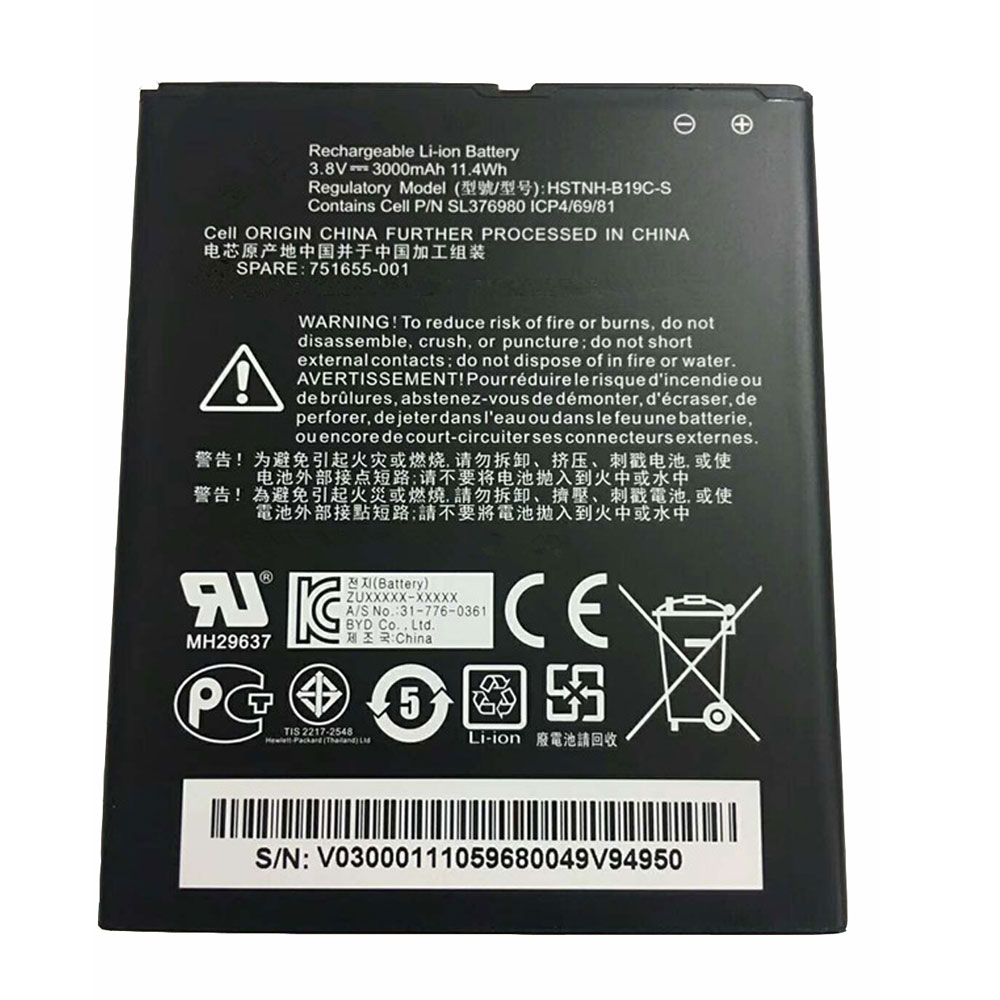
300mAh/11.4WH 3.8V Hp HSTNH-B19C-S Li-ion Battery for HP Slate 6 6301RA Pomegranate Mobile

300mAh/11.4WH 3.8V Hp HSTNH-B19C-S Batteries for HP Slate 6 6301RA Pomegranate Mobile, Hp HSTNH-B19C-S Cell Phone battery is a brand new,100% Compatible original and replacement Phone battery,Purchase wholesale and retail HSTNH-B19C-S with high quality and low price!

Find ou your original model number or part number(P/N), and move your eyes on the tag of battery

HSTNH-B19C-S

Specifications

  • Brand:HP
  • Capacity :300mAh/11.4WH
  • Voltage :3.8V
  • Type :Li-ion
  • Battery Cell Quality: Grade A
  • Descriptive: Replacement Battery – 1 Year Warranty
  • Description: Brand New, 1 Year Warranty! 30-Days Money Back! Fast Shipping!

How we test this Hp HSTNH-B19C-S Battery
Step 1: Make sure customer bought the correct battery.
Step 2: Check battery’s appearance and interface.
Step 3: Test battery charger and recharger function.
Step 4: Charger the battery to 100% and recharger to 0% to get real battery capacity
Step 5: Use Ev2300 to check the voltage difference of each goroup cells.
Step 6: Charger battery power more than 30%.
Step 7: Package battery carefully and send out

Compatible Part Numbers:
HSTNH-B19C-S

Compatible Model Numbers:
HP Slate 6 6301RA Pomegranate Mobile

How much do you know about how to run laptop well as any place? The follow Tips cut way back on protecting battery life.


1). Please recharge or change your Cell Phone battery when battery power low.
2). Using Li-Ion Replacement Hp HSTNH-B19C-S Cell Phone Battery for your notebook which can work longer time than Non Li-ion one.
3). It is better to defragmentation regularly for your Cell Phone battery life.
4). In order to reduce the laptop power consumpition, you can use some optical drive spin-down and hard drive in your Cell Phone .
5). Please keep your laptop in sleep or standby model without long time using, which both save the Replacement Hp HSTNH-B19C-S Cell Phone Battery power and extend battery using life.
6). Leave your battery in a dry and cool condition when without using.
7). When you rarely or generally plugged in fixed power using, Please take down your battery to avoid hurting battery life.

Hot Products

4100mAh/62.32Wh GETAC GK5CN-00-13-4S1P-0 for GETAC GK5CN5Z GK5CN6Z GK5CN4Z930mAh/3.4Wh GARMIN 361-00035-01 for GARMIN Nuvi 2595LMT 1250 12556580mAh/25.333WH BLACKVIEW 726280P for Blackview BV6800 pro Phone1350mAh/4.995WH ALCATEL TLI013CA for Alcatel phone3310mAh/50WH FUJITSU FPB0338S for Fujitsu Lifebook E548 E558 T932800mAh/10.36WH INFOCUS P2424 for InFocus P242433Wh HP BV02XL for HP Envy X2 Detachable 13 Serie875mAh DJI HB3 for DJI Osmo Pocket 230.4Wh/4000mAh LG LBG722VH for LG Gram 14Z950 13Z940 13ZD9403575mAh/42WH LENOVO SB10J78991 for Lenovo ThinkPad Yoga 11E 3rd G
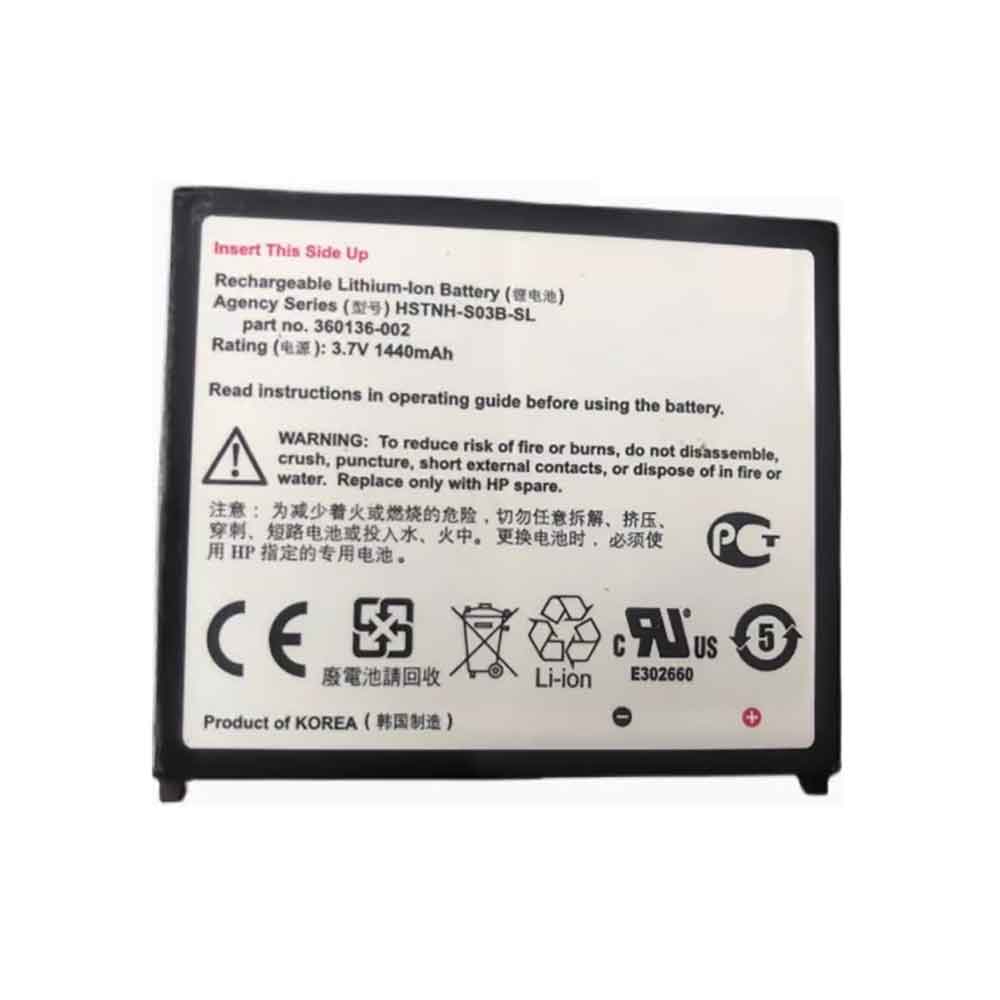
1440mAh 3.7V Hp HSTNH-S03B-SL Li-ion Battery for HP 2410 HX 2190 2790 HP279B HP2490C

1440mAh 3.7V Hp HSTNH-S03B-SL Batteries for HP 2410 HX 2190 2750 2490 2790 HP279B HP2490C, Hp HSTNH-S03B-SL Cell Phone battery is a brand new,100% Compatible original and replacement Phone battery,Purchase wholesale and retail HSTNH-S03B-SL with high quality and low price!

Find ou your original model number or part number(P/N), and move your eyes on the tag of battery

HSTNH-S03B-SL

Specifications

  • Brand:HP
  • Capacity :1440mAh
  • Voltage :3.7V
  • Type :Li-ion
  • Battery Cell Quality: Grade A
  • Descriptive: Replacement Battery – 1 Year Warranty
  • Description: Brand New, 1 Year Warranty! 30-Days Money Back! Fast Shipping!

How we test this Hp HSTNH-S03B-SL Battery
Step 1: Make sure customer bought the correct battery.
Step 2: Check battery’s appearance and interface.
Step 3: Test battery charger and recharger function.
Step 4: Charger the battery to 100% and recharger to 0% to get real battery capacity
Step 5: Use Ev2300 to check the voltage difference of each goroup cells.
Step 6: Charger battery power more than 30%.
Step 7: Package battery carefully and send out

Compatible Part Numbers:
HSTNH-S03B-SL

Compatible Model Numbers:
HP 2410 HX 2190 2750 2490 2790 HP279B HP2490C

How much do you know about how to run laptop well as any place? The follow Tips cut way back on protecting battery life.


1). Please recharge or change your Cell Phone battery when battery power low.
2). Using Li-Ion Replacement Hp HSTNH-S03B-SL Cell Phone Battery for your notebook which can work longer time than Non Li-ion one.
3). It is better to defragmentation regularly for your Cell Phone battery life.
4). In order to reduce the laptop power consumpition, you can use some optical drive spin-down and hard drive in your Cell Phone .
5). Please keep your laptop in sleep or standby model without long time using, which both save the Replacement Hp HSTNH-S03B-SL Cell Phone Battery power and extend battery using life.
6). Leave your battery in a dry and cool condition when without using.
7). When you rarely or generally plugged in fixed power using, Please take down your battery to avoid hurting battery life.

Hot Products

4100mAh/62.32Wh GETAC GK5CN-00-13-4S1P-0 for GETAC GK5CN5Z GK5CN6Z GK5CN4Z930mAh/3.4Wh GARMIN 361-00035-01 for GARMIN Nuvi 2595LMT 1250 12556580mAh/25.333WH BLACKVIEW 726280P for Blackview BV6800 pro Phone1350mAh/4.995WH ALCATEL TLI013CA for Alcatel phone3310mAh/50WH FUJITSU FPB0338S for Fujitsu Lifebook E548 E558 T932800mAh/10.36WH INFOCUS P2424 for InFocus P242433Wh HP BV02XL for HP Envy X2 Detachable 13 Serie875mAh DJI HB3 for DJI Osmo Pocket 230.4Wh/4000mAh LG LBG722VH for LG Gram 14Z950 13Z940 13ZD9403575mAh/42WH LENOVO SB10J78991 for Lenovo ThinkPad Yoga 11E 3rd G
The pros and cons of lithium-ion polymer batteries you need to know

 Lithium polymer batteries are rechargeable and use polymer electrolytes as an alternative to liquid electrolytes. These lithium-ion batteries provide higher energy compared to other types of lithium batteries. In addition, Lipo batteries offer manufacturers a wide range of advantages, so a variety of shapes can be produced. They are used in serious applications requiring weight, including mobile phones, computers and radio-controlled aircraft. Lithium batteries have pros and cons, and there are some features to check before choosing a good battery. Let’s take a look below!

What are the advantages of lithium-ion polymer batteries?

Energy Density

Lithium-ion has twice the energy density of standard batteries. Additionally, the Lipo offers 3.6v, which is three times more than other rechargeable batteries like NiMH and NiCd. As a result, batteries are able to deliver higher currents for critical applications.

lack of memory effect

The memory effect is the process by which repeated charge or discharge cycles cause a battery to decrease in capacity. Li-ion polymers have no memory effect, which is a common effect in Ni-MH and Ni-Cd technologies.

low discharge rate

Lithium-ion batteries have an average discharge rate of about 1.5% to 2% per month. Additionally, they do not contain toxic cadmium; therefore, they are easy to handle.

safe

Many attempts have been made to manufacture rechargeable lithium batteries. This is because lithium metal is not stable during charging. To this end, research has shifted from metallic lithium batteries to non-metallic lithium batteries using lithium ions. Although lithium ion has a lower energy density compared to lithium metal, it is safe. Add safety measures by following precautions when charging or discharging.

low maintenance

Lithium-ion batteries require less maintenance than other batteries. Therefore, they do not need loops to maintain their life cycle.

What are the disadvantages of lithium-ion polymer batteries?

overheat

While lithium-ion technology is superior, it also has drawbacks. Batteries can overheat and therefore be damaged under high pressure. This problem can lead to burning and thermal runaway.

Security Mechanism

Lithium ions require safety mechanisms to reduce internal pressure and voltage. These issues tend to reduce performance and add weight.

fragile

Lithium ions are fragile and require protection circuits for added safe operation. The built-in protection circuit does not allow the battery voltage to drop during discharge. Most battery packs limit the maximum charge current and discharge to 1C and 2C. Eliminate lithium plating by following precautions such as monitoring temperature.

Ageing

Aging is a serious problem, and lithium-ion batteries age. That means the battery could fail within two to three years. However, other technologies also suffer from this problem. For example, nickel metal hydride ages rapidly when exposed to extreme temperatures. Store batteries in a cool, dry place to limit the aging process. The recommended temperature is 15 degrees Celsius. Also, charge the battery to 40% during storage.

transportation

Lithium-ion batteries have massive shipment restrictions and are therefore under control. However, this limitation does not apply to personal batteries. This applies to international and domestic shipments by sea, land and air. Also, the lithium content depends on the number and capacity of cells in each battery pack. Any lithium content above 1.5 to 8 grams per battery is classified as a hazardous material.

expensive to make

Lithium-ion polymer batteries are expensive to manufacture, about 40 percent higher than nickel-cadmium batteries.

How to choose a high-quality lithium-ion polymer battery?

The following characteristics should be considered when selecting a high-quality lithium-ion polymer battery:

capacity

The capacity of the battery is displayed in ampere hours. It can be increased by connecting batteries in parallel. Multiply the voltage by the capacity to get the amount of electricity stored in kilowatt-hours.

size

The correct size of the battery is calculated by calculating the daily consumption and dividing by the current voltage. You can get the minimum power by dividing the result by 0.5.

Voltage

Battery voltage is displayed in volts (V). The normal voltage is 3.6V/cell, and other manufacturers produce 3.70V/cell. For this reason, they gain a market advantage because high voltages add watt-hours.

Lithium-ion batteries have become the most promising and fastest growing batteries on the market. Today, such batteries are gaining acceptance from buyers. It also provides a huge electrochemical potential and gravimetric energy density. It is a safe battery and low maintenance.

>>>>>>>>>>>Battery

Thanks for reading, hope it helps!

Friendly reminder: If you need to replace the battery of your device, this battery store will be a good choice: www.batteryforpc.co.uk