Repair your own iPhone with Apple Self-Service, here’s what you need to know

 Last week, Apple officially launched a self-repair program that allows you to buy parts, rent tools, and download manuals so you can try out monitor replacements, battery replacements, and other fixes. The program is relatively new, so before you commit to fixing your device yourself, you’re likely to run into a lot of issues. For example: is this expensive? Has your phone passed the program? Will it void your warranty? Here’s everything you need to know about Apple‘s new DIY repair program, so check it out!

What is Self Repair?

The Self-Repair Program provides repair manuals and hundreds of genuine parts and tools for Apple devices, such as displays, batteries, and cameras, all of which you can order for a price through an online self-repair shop. After you have received the necessary files and equipment, you can try to repair your own equipment.

Where is the Self Repair Service?

The program is currently only available in the US, but will expand to other countries, including Europe, later in 2022.

Which iPhone models can be repaired?

Currently, the Self Repair Program only offers parts and manuals for the following models:

iPhone 12, iPhone 12 Mini, iPhone 12 Pro, iPhone 12 Pro, iPhone 13, iPhone 13 Mini, iPhone 13 Pro, iPhone 13 Pro, iPhone SE (3rd generation)

How much does it cost to repair my own equipment?

Prices range from 20 cents for a few security screws for the iPhone SE to $312 for a display bundle for the iPhone 13 Pro Max, depending on which iPhone model you have and the repairs you need. Apple also offers a tool rental kit for $49, but you may want to keep the $1,300.

What do you need before using Self Repair?

In addition to having a supported iPhone model, you will also need the product serial number or IMEI to purchase any genuine Apple parts through a self-repair shop. On your iPhone, launch the Settings app and go to General > About to find the IMEI, it should be a 15-digit number.

Is self-repair easy?

Repairing your own equipment isn’t exactly “easy” right now, as you need to read through the manual, analyze equipment problems, buy parts, rent tools, and wait for them to get home. Then you have to take your iPhone apart and get it repaired. If you’re happy with all of these, then DIY repairs are the way to go. However, if you’re in any doubt, it’s best to have your device repaired by Apple or a third party.

How to order parts and tools through a self repair shop

Head to an online self-repair shop to buy parts and rent the tools you need for repairs. You need your IMEI number to successfully make any purchases.

Repair your device

Once you receive your Apple parts and tools, use the repair manual to guide you through the repair process. Additionally, some repairs require a system configuration step, which is a software tool to accomplish the repair. The manual should explain exactly the process and what you need, but it does require contacting the self-repair shop support team to initiate the final step.

What do you do with damaged parts?

You can return any used or damaged parts that were replaced during repair, and Apple will refurbish or recycle them. Customers can also receive a credit for the final cost by returning certain parts to Apple.

Will repairing my own device void the warranty?

Your warranty will not be void as long as you repair your iPhone with parts from the Self-Service Repair Program. However, any potential hardware damage that occurs during the repair will not be covered.

Is self repair only available for iPhone?

Right now, but later this year, the self-service repair program will expand to repairs for any Mac computer with an Apple chip.

Are you saving money by repairing your own equipment?

Currently, this is not fully realized. For example, the parts and tools needed to replace the third-generation iPhone SE display cost about $191. If you want Apple to replace the same iPhone SE display, it costs $179 (without warranty). If you do have a warranty, the cost may be much lower.

If you don’t have insurance and already have the tools you need to replace your iPhone SE display, you might save money, since renting out these tools costs about $50, so if you do the repair yourself, you’ll probably only have to spend $141. However, it all depends on your equipment and the type of repair you’re doing.

>>>>>>>>>>>>Apple battery

Thanks for reading, hope it helps!

Friendly reminder: If you need to replace your phone battery, this battery store will be a good choice: www.batteryforpc.co.uk
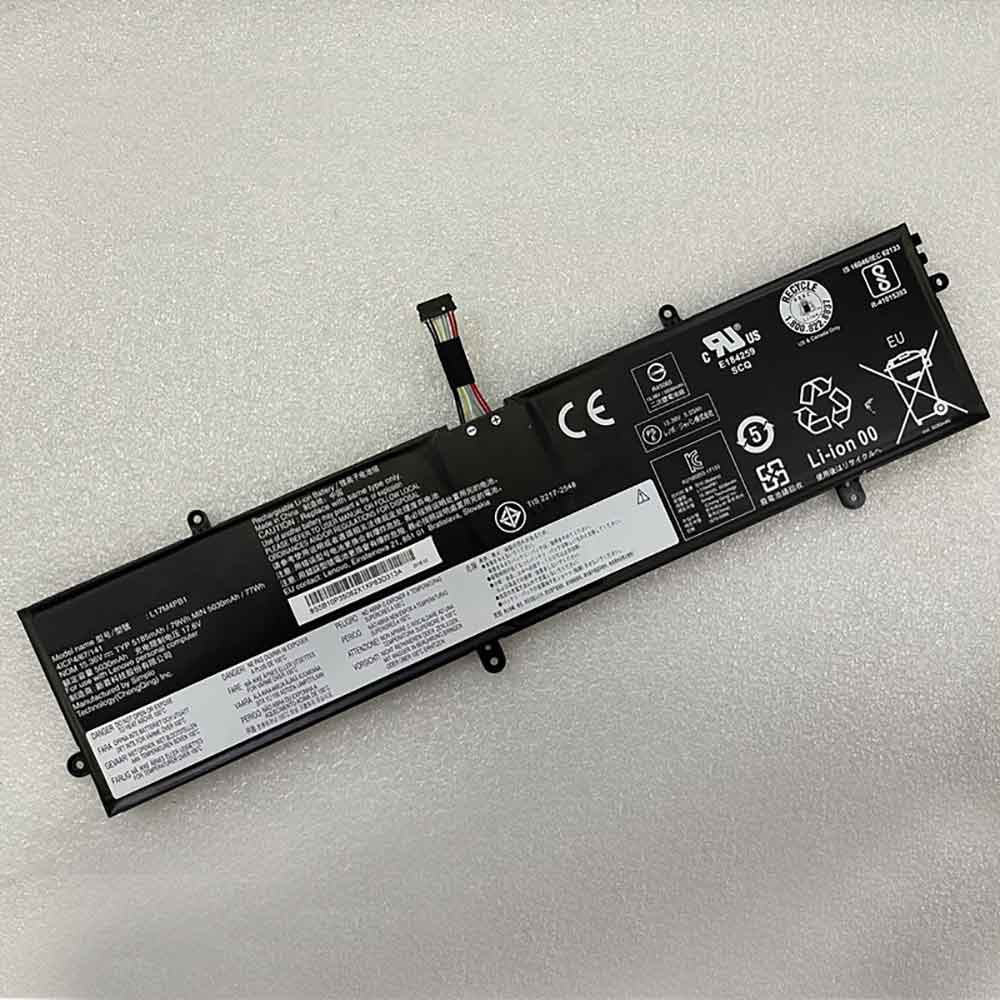
5185mAh 79Wh 15.36V 17.6V Lenovo L17M4PB1 Li-ion Battery for Lenovo IdeaPad Yoga2 PRO 13 720S-15IKB V730-15-ISE

5185mAh 79Wh 15.36V 17.6V Lenovo L17M4PB1 Batteries for Lenovo IdeaPad Yoga2 PRO 13 720S-15IKB V730-15-ISE, Lenovo L17M4PB1 Laptop battery is a brand new,100% Compatible original and replacement Laptop battery,Purchase wholesale and retail L17M4PB1 with high quality and low price!

Find ou your original model number or part number(P/N), and move your eyes on the tag of battery

L17M4PB1

Specifications

  • Brand:Lenovo
  • Capacity :5185mAh 79Wh
  • Voltage :15.36V 17.6V
  • Type :Li-ion
  • Battery Cell Quality: Grade A
  • Descriptive: Replacement Battery – 1 Year Warranty
  • Description: Brand New, 1 Year Warranty! 30-Days Money Back! Fast Shipping!

How we test this Lenovo L17M4PB1 Battery
Step 1: Make sure customer bought the correct battery.
Step 2: Check battery’s appearance and interface.
Step 3: Test battery charger and recharger function.
Step 4: Charger the battery to 100% and recharger to 0% to get real battery capacity
Step 5: Use Ev2300 to check the voltage difference of each goroup cells.
Step 6: Charger battery power more than 30%.
Step 7: Package battery carefully and send out

Compatible Part Numbers:
L17M4PB1
L17C4PB1

Compatible Model Numbers:
Lenovo IdeaPad Yoga2 PRO 13 720S-15IKB V730-15-ISE

How much do you know about how to run laptop well as any place? The follow Tips cut way back on protecting battery life.


1). Please recharge or change your Laptop battery when battery power low.
2). Using Li-Ion Replacement Lenovo L17M4PB1 Laptop Battery for your notebook which can work longer time than Non Li-ion one.
3). It is better to defragmentation regularly for your Laptop battery life.
4). In order to reduce the laptop power consumpition, you can use some optical drive spin-down and hard drive in your Laptop .
5). Please keep your laptop in sleep or standby model without long time using, which both save the Replacement Lenovo L17M4PB1 Laptop Battery power and extend battery using life.
6). Leave your battery in a dry and cool condition when without using.
7). When you rarely or generally plugged in fixed power using, Please take down your battery to avoid hurting battery life.

Hot Products

4100mAh/62.32Wh GETAC GK5CN-00-13-4S1P-0 for GETAC GK5CN5Z GK5CN6Z GK5CN4Z930mAh/3.4Wh GARMIN 361-00035-01 for GARMIN Nuvi 2595LMT 1250 12556580mAh/25.333WH BLACKVIEW 726280P for Blackview BV6800 pro Phone1350mAh/4.995WH ALCATEL TLI013CA for Alcatel phone3310mAh/50WH FUJITSU FPB0338S for Fujitsu Lifebook E548 E558 T932800mAh/10.36WH INFOCUS P2424 for InFocus P242433Wh HP BV02XL for HP Envy X2 Detachable 13 Serie875mAh DJI HB3 for DJI Osmo Pocket 230.4Wh/4000mAh LG LBG722VH for LG Gram 14Z950 13Z940 13ZD9403575mAh/42WH LENOVO SB10J78991 for Lenovo ThinkPad Yoga 11E 3rd G

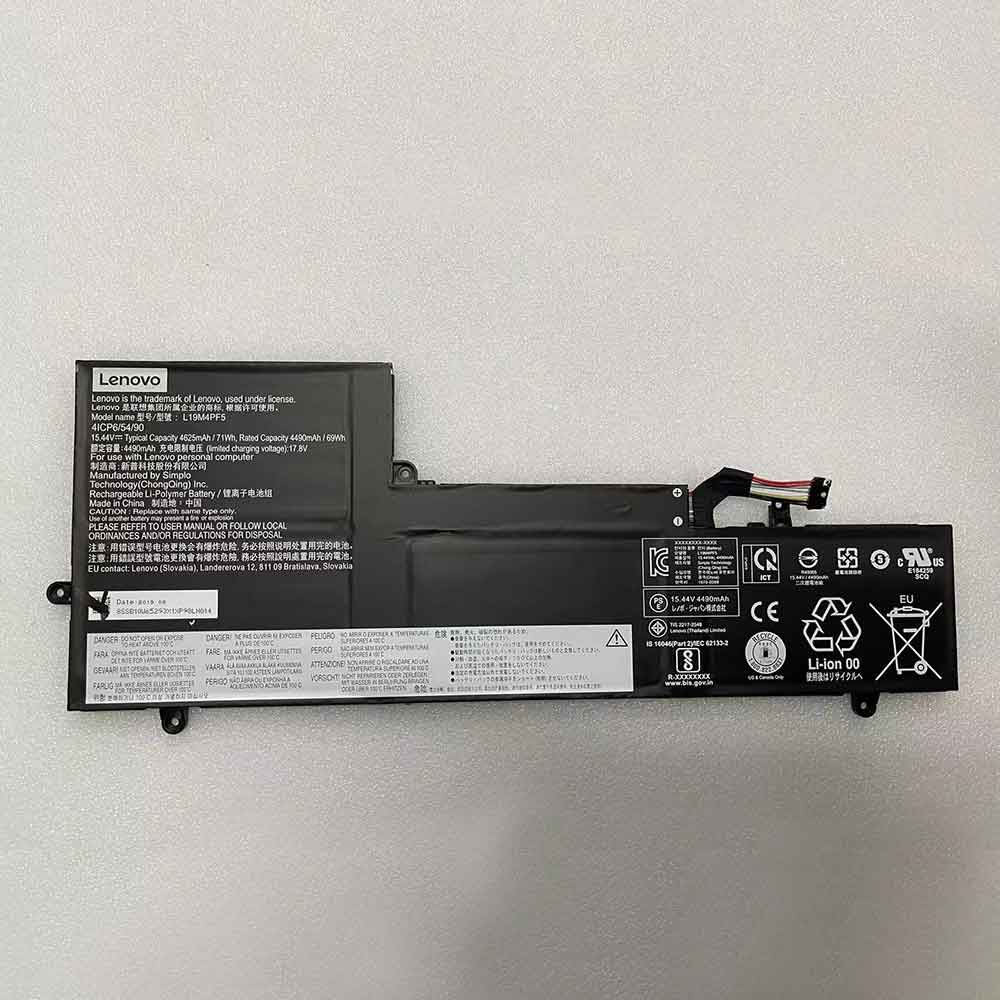
71Wh 4625mAh 15.44V 17.8V Lenovo L19M4PF5 Li-ion Battery for Lenovo Yoga Slim 7-15IIL

71Wh 4625mAh 15.44V 17.8V Lenovo L19M4PF5 Batteries for Lenovo Yoga Slim 7-15IIL, Lenovo L19M4PF5 Laptop battery is a brand new,100% Compatible original and replacement Laptop battery,Purchase wholesale and retail L19M4PF5 with high quality and low price!

Find ou your original model number or part number(P/N), and move your eyes on the tag of battery

L19M4PF5

Specifications

  • Brand:Lenovo
  • Capacity :71Wh 4625mAh
  • Voltage :15.44V 17.8V
  • Type :Li-ion
  • Battery Cell Quality: Grade A
  • Descriptive: Replacement Battery – 1 Year Warranty
  • Description: Brand New, 1 Year Warranty! 30-Days Money Back! Fast Shipping!

How we test this Lenovo L19M4PF5 Battery
Step 1: Make sure customer bought the correct battery.
Step 2: Check battery’s appearance and interface.
Step 3: Test battery charger and recharger function.
Step 4: Charger the battery to 100% and recharger to 0% to get real battery capacity
Step 5: Use Ev2300 to check the voltage difference of each goroup cells.
Step 6: Charger battery power more than 30%.
Step 7: Package battery carefully and send out

Compatible Part Numbers:
L19C4PF5
L19M4PF5

Compatible Model Numbers:
Lenovo Yoga Slim 7-15IIL

How much do you know about how to run laptop well as any place? The follow Tips cut way back on protecting battery life.


1). Please recharge or change your Laptop battery when battery power low.
2). Using Li-Ion Replacement Lenovo L19M4PF5 Laptop Battery for your notebook which can work longer time than Non Li-ion one.
3). It is better to defragmentation regularly for your Laptop battery life.
4). In order to reduce the laptop power consumpition, you can use some optical drive spin-down and hard drive in your Laptop .
5). Please keep your laptop in sleep or standby model without long time using, which both save the Replacement Lenovo L19M4PF5 Laptop Battery power and extend battery using life.
6). Leave your battery in a dry and cool condition when without using.
7). When you rarely or generally plugged in fixed power using, Please take down your battery to avoid hurting battery life.

Hot Products

4100mAh/62.32Wh GETAC GK5CN-00-13-4S1P-0 for GETAC GK5CN5Z GK5CN6Z GK5CN4Z930mAh/3.4Wh GARMIN 361-00035-01 for GARMIN Nuvi 2595LMT 1250 12556580mAh/25.333WH BLACKVIEW 726280P for Blackview BV6800 pro Phone1350mAh/4.995WH ALCATEL TLI013CA for Alcatel phone3310mAh/50WH FUJITSU FPB0338S for Fujitsu Lifebook E548 E558 T932800mAh/10.36WH INFOCUS P2424 for InFocus P242433Wh HP BV02XL for HP Envy X2 Detachable 13 Serie875mAh DJI HB3 for DJI Osmo Pocket 230.4Wh/4000mAh LG LBG722VH for LG Gram 14Z950 13Z940 13ZD9403575mAh/42WH LENOVO SB10J78991 for Lenovo ThinkPad Yoga 11E 3rd G

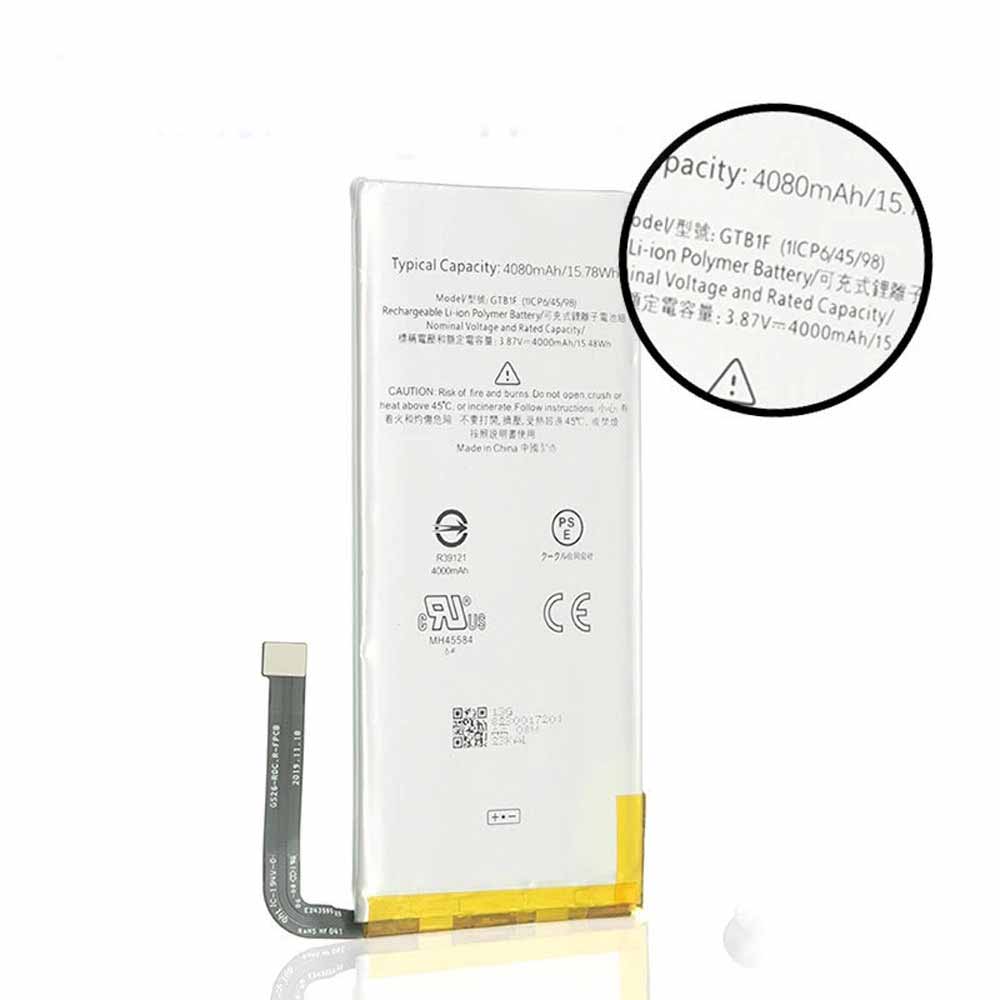
4080mAh/15.78WH 3.87V/4.45V Google GTB1F Li-ion Battery for Google pixel5

4080mAh/15.78WH 3.87V/4.45V Google GTB1F Batteries for Google pixel5, Google GTB1F Cell Phone battery is a brand new,100% Compatible original and replacement Phone battery,Purchase wholesale and retail GTB1F with high quality and low price!

Find ou your original model number or part number(P/N), and move your eyes on the tag of battery

GTB1F

Specifications

  • Brand:Google
  • Capacity :4080mAh/15.78WH
  • Voltage :3.87V/4.45V
  • Type :Li-ion
  • Battery Cell Quality: Grade A
  • Descriptive: Replacement Battery – 1 Year Warranty
  • Description: Brand New, 1 Year Warranty! 30-Days Money Back! Fast Shipping!

How we test this Google GTB1F Battery
Step 1: Make sure customer bought the correct battery.
Step 2: Check battery’s appearance and interface.
Step 3: Test battery charger and recharger function.
Step 4: Charger the battery to 100% and recharger to 0% to get real battery capacity
Step 5: Use Ev2300 to check the voltage difference of each goroup cells.
Step 6: Charger battery power more than 30%.
Step 7: Package battery carefully and send out

Compatible Part Numbers:
GTB1F

Compatible Model Numbers:
Google pixel5

How much do you know about how to run laptop well as any place? The follow Tips cut way back on protecting battery life.


1). Please recharge or change your Cell Phone battery when battery power low.
2). Using Li-Ion Replacement Google GTB1F Cell Phone Battery for your notebook which can work longer time than Non Li-ion one.
3). It is better to defragmentation regularly for your Cell Phone battery life.
4). In order to reduce the laptop power consumpition, you can use some optical drive spin-down and hard drive in your Cell Phone .
5). Please keep your laptop in sleep or standby model without long time using, which both save the Replacement Google GTB1F Cell Phone Battery power and extend battery using life.
6). Leave your battery in a dry and cool condition when without using.
7). When you rarely or generally plugged in fixed power using, Please take down your battery to avoid hurting battery life.

Hot Products

4100mAh/62.32Wh GETAC GK5CN-00-13-4S1P-0 for GETAC GK5CN5Z GK5CN6Z GK5CN4Z930mAh/3.4Wh GARMIN 361-00035-01 for GARMIN Nuvi 2595LMT 1250 12556580mAh/25.333WH BLACKVIEW 726280P for Blackview BV6800 pro Phone1350mAh/4.995WH ALCATEL TLI013CA for Alcatel phone3310mAh/50WH FUJITSU FPB0338S for Fujitsu Lifebook E548 E558 T932800mAh/10.36WH INFOCUS P2424 for InFocus P242433Wh HP BV02XL for HP Envy X2 Detachable 13 Serie875mAh DJI HB3 for DJI Osmo Pocket 230.4Wh/4000mAh LG LBG722VH for LG Gram 14Z950 13Z940 13ZD9403575mAh/42WH LENOVO SB10J78991 for Lenovo ThinkPad Yoga 11E 3rd G

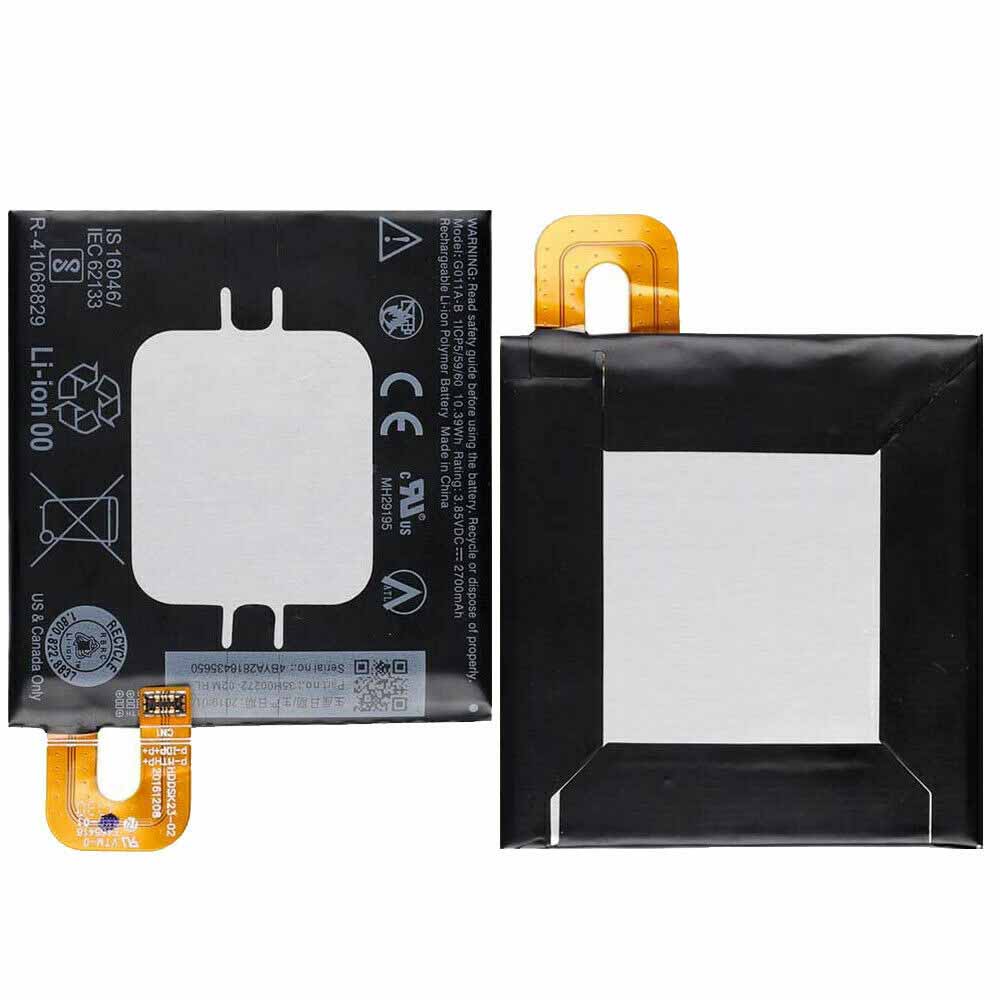
2700mAh/10.39WH 3.85V/4.4V Google G011A-B Li-ion Battery for Google Pixel 2

2700mAh/10.39WH 3.85V/4.4V Google G011A-B Batteries for Google Pixel 2, Google G011A-B Cell Phone battery is a brand new,100% Compatible original and replacement Phone battery,Purchase wholesale and retail G011A-B with high quality and low price!

Find ou your original model number or part number(P/N), and move your eyes on the tag of battery

G011A-B

Specifications

  • Brand:Google
  • Capacity :2700mAh/10.39WH
  • Voltage :3.85V/4.4V
  • Type :Li-ion
  • Battery Cell Quality: Grade A
  • Descriptive: Replacement Battery – 1 Year Warranty
  • Description: Brand New, 1 Year Warranty! 30-Days Money Back! Fast Shipping!

How we test this Google G011A-B Battery
Step 1: Make sure customer bought the correct battery.
Step 2: Check battery’s appearance and interface.
Step 3: Test battery charger and recharger function.
Step 4: Charger the battery to 100% and recharger to 0% to get real battery capacity
Step 5: Use Ev2300 to check the voltage difference of each goroup cells.
Step 6: Charger battery power more than 30%.
Step 7: Package battery carefully and send out

Compatible Part Numbers:
G011A-B

Compatible Model Numbers:
Google Pixel 2

How much do you know about how to run laptop well as any place? The follow Tips cut way back on protecting battery life.


1). Please recharge or change your Cell Phone battery when battery power low.
2). Using Li-Ion Replacement Google G011A-B Cell Phone Battery for your notebook which can work longer time than Non Li-ion one.
3). It is better to defragmentation regularly for your Cell Phone battery life.
4). In order to reduce the laptop power consumpition, you can use some optical drive spin-down and hard drive in your Cell Phone .
5). Please keep your laptop in sleep or standby model without long time using, which both save the Replacement Google G011A-B Cell Phone Battery power and extend battery using life.
6). Leave your battery in a dry and cool condition when without using.
7). When you rarely or generally plugged in fixed power using, Please take down your battery to avoid hurting battery life.

Hot Products

4100mAh/62.32Wh GETAC GK5CN-00-13-4S1P-0 for GETAC GK5CN5Z GK5CN6Z GK5CN4Z930mAh/3.4Wh GARMIN 361-00035-01 for GARMIN Nuvi 2595LMT 1250 12556580mAh/25.333WH BLACKVIEW 726280P for Blackview BV6800 pro Phone1350mAh/4.995WH ALCATEL TLI013CA for Alcatel phone3310mAh/50WH FUJITSU FPB0338S for Fujitsu Lifebook E548 E558 T932800mAh/10.36WH INFOCUS P2424 for InFocus P242433Wh HP BV02XL for HP Envy X2 Detachable 13 Serie875mAh DJI HB3 for DJI Osmo Pocket 230.4Wh/4000mAh LG LBG722VH for LG Gram 14Z950 13Z940 13ZD9403575mAh/42WH LENOVO SB10J78991 for Lenovo ThinkPad Yoga 11E 3rd G

How to Store Li-Ion Batteries

 All these types of batteries are used in different electronic devices and the active material used depends on which portable device it is used for. These batteries have a lifespan of 2 to 3 years, but there are ways to extend their lifespan, as listed below. When you store your batteries for a period of time without using your device, take some simple precautions. Below we’ll show you how to store them, so let’s take a look!

How to store lithium-ion batteries when not in use:

Storing lithium-ion batteries is a very simple but very important process if you want to extend the life of your lithium-ion batteries. If you don’t follow its simple instructions for storage, within 2 to 3 years, your battery will be lost and you’ll have to buy a new one.

First, it is very important that when the device is not in use for a long time, the battery should be removed from the device and stored separately. So the question is: how to store it separately? These two factors should be kept in mind when storing these batteries. One is the temperature at which they are stored. The second is when storing, should it be charged or discharged?

The first question is about the storage temperature, it can’t be too hot or too cold or the battery won’t work when needed. The thermostat will prove to be your best friend in this matter. Also keep in mind that the storage location should not get wet in any way, which will also damage your battery. Avoid storing it in direct sunlight as it can get too hot and could damage your battery or even burst and catch fire. These fires can be serious and can cause serious damage even if a mobile battery catches fire in the wrong place. The ideal temperature for its storage will be up to 60 degrees Fahrenheit.

For the second question, they shouldn’t drain completely when stored. The reason is that lithium-ion batteries leak or degrade on their own when not in use for a period of time, and when the battery dies, it may not be rechargeable.

Should Lithium-Ion Batteries be Stored in the Refrigerator:

As mentioned earlier, a constant temperature is best for battery health when in storage, but it can go up to 60 degrees Fahrenheit. Therefore, storing it in the refrigerator may be the best option, as its normal temperature is between 34 and 38 degrees Fahrenheit. But lithium-ion batteries have to be stored there in a way that they won’t get wet, because the environment there is very humid. Therefore, it is important to store the battery in an airtight plastic bag. It is also very important to charge the battery to at least 40% before storing it in the refrigerator.

Another important thing is how will you use the battery when you take it out? Will you put it directly in the device? You shouldn’t do that. Let it come to room temperature first, then put it in the device and use it. This procedure should also be followed when performing charge and discharge cycles every one or two months.

How long can lithium-ion batteries be stored?

Even on the shelf, lithium-ion batteries have an average lifespan of 2 to 3 years. So if you’re storing it thinking it’ll last longer, you’re probably wrong, so you’d better use them for as long as possible.

Most of the time, the reason is the shelf life of the batter. If it’s been in a warehouse or retailer’s store for about a year or two, it will only last a few months or a year with you. Before you buy a battery, it’s important to check or ask for its manufacturing date so you can get a long-lasting battery.

It is very important that when your battery is in storage, take it out every 2 months, charge it and use it for a while. It will increase its life and prevent it from taking damage.

These are simple things you need to follow when storing your lithium-ion battery, such as where it is stored, its temperature, and the process of charging and using it every month or two.

>>>>>>>>>>>>>Battery

Thanks for reading, hope it helps!

Friendly reminder: If you need to replace the battery of your device, this battery store will be a good choice: www.batteryforpc.co.uk
Taking screenshots on Windows 10 and Windows 11 is easy – how-to

 Whether you’re downloading Windows 11 or using Windows 10 for a long time, you can easily take a screenshot of part or all of your screen. Windows 10 and 11 offer the same built-in tools (Snip & Sketch and Snipping Tool), and several keyboard shortcuts allow you to take screenshots on the fly.

Below we’ll show you how to take screenshots in Windows 10 and Windows 11 using the built-in Windows screenshot tool and other shortcuts, so check it out!

Screenshots and Sketches

The Snip & Sketch tool makes it easier to access, share, and annotate screenshots than the old Snipping Tool. It can now take a screenshot of a window on your desktop, which is a surprising omission.

The easiest way to invoke Snip & Sketch is to use the keyboard shortcut Windows key + Shift + S. You can also find the Snip & Sketch tool in the alphabetical list of apps accessed from the Start button and in the notification panel where it’s listed as Screen snip. Or, if you haven’t committed the keyboard shortcut to memory, you can just search for it.

Either the keyboard shortcut or the notification button will dim your screen and open a small menu at the top of the screen that lets you choose the type of screenshot you want to take. Once the screenshot is taken, it will be saved to the clipboard and displayed as a notification in the bottom right corner of the screen immediately. Click the notification to open the screenshot in the Snip & Sketch app to annotate, save or share.

If you open Snip & Sketch from the Start menu or via search, it will open the Snip & Sketch window instead of the small panel at the top of the screen. From here, you need to click the New button in the upper left corner to initiate a screen capture and open the small panel. Doing it this way is an extra step, but it also lets you delay screenshots. Click the down arrow button next to the New button to delay the clip by 3 or 10 seconds.

screenshot tool

For several years, Windows has been warning that the Snipping Tool is going away, but it’s still around, including in Windows 11. Snipping Tool has been removed from the list of apps in the Start menu, but is easily accessible via the search bar.

Click the New button to start the screenshot process. The default clip type is rectangular clips, but you can also use freeform, full screen, and window clips. The Snipping Tool does not automatically save your screenshots, you need to manually save them in the tool before exiting, it will automatically copy your screenshots to the clipboard.

print screen

To capture the entire screen, tap the Print Screen key. Your screenshot will not be saved as a file, but will be copied to the clipboard. You’ll need to open an image editing tool, paste the screenshot into the editor, and save the file from there.

You can also set up the PrtScn button to open the Snip & Sketch tool by going to Settings > Ease of Access > Keyboard and toggle “Use PrtScn button to open screenshots” under “Print Screen Shortcuts”.

Windows key + print screen

To capture the entire screen and automatically save the screenshot, tap the Windows key + Print Screen key. Your screen will dim briefly to indicate that you have just taken a screenshot and it will be saved to the Pictures > Screenshots folder.

Alt + print screen

To quickly take a screenshot of the active window, use the keyboard shortcut Alt + PrtScn. This will capture your currently active window and copy the screenshot to the clipboard. You need to open the photo in an image editor to save it.

in the game

Whether you’re playing a game or not, you can use the game bar to take screenshots. Press Windows key + G key to bring up the Game bar. From here, you can click the screenshot button in the game bar or use the default keyboard shortcut Windows key + Alt + PrtScn to take a full screen screenshot. To set your own Game bar screenshot keyboard shortcut, go to Settings > Gaming > Game bar. As a little backup, you’ll also need to enable Game Bar from this settings page by making sure you’ve switched to Record Game Clips, Screenshots, and Broadcasts using Game Bar.

Windows logo + volume down

If you’re using a Microsoft Surface device, you can use the physical button to take a screenshot of the entire screen—similar to how you can take a screenshot on any other phone or tablet. To do this, press and hold the Windows logo touch button at the bottom of the Surface screen, then tap the physical volume down button on the side of the tablet. The screen will dim briefly and the screenshot will be automatically saved to the Pictures > Screenshots folder.

>>>>>>>>>>>>>Laptop’s battery

Thanks for reading, hope it helps!

Friendly reminder: If you need to replace the battery of your device, this battery store will be a good choice: www.batteryforpc.co.uk
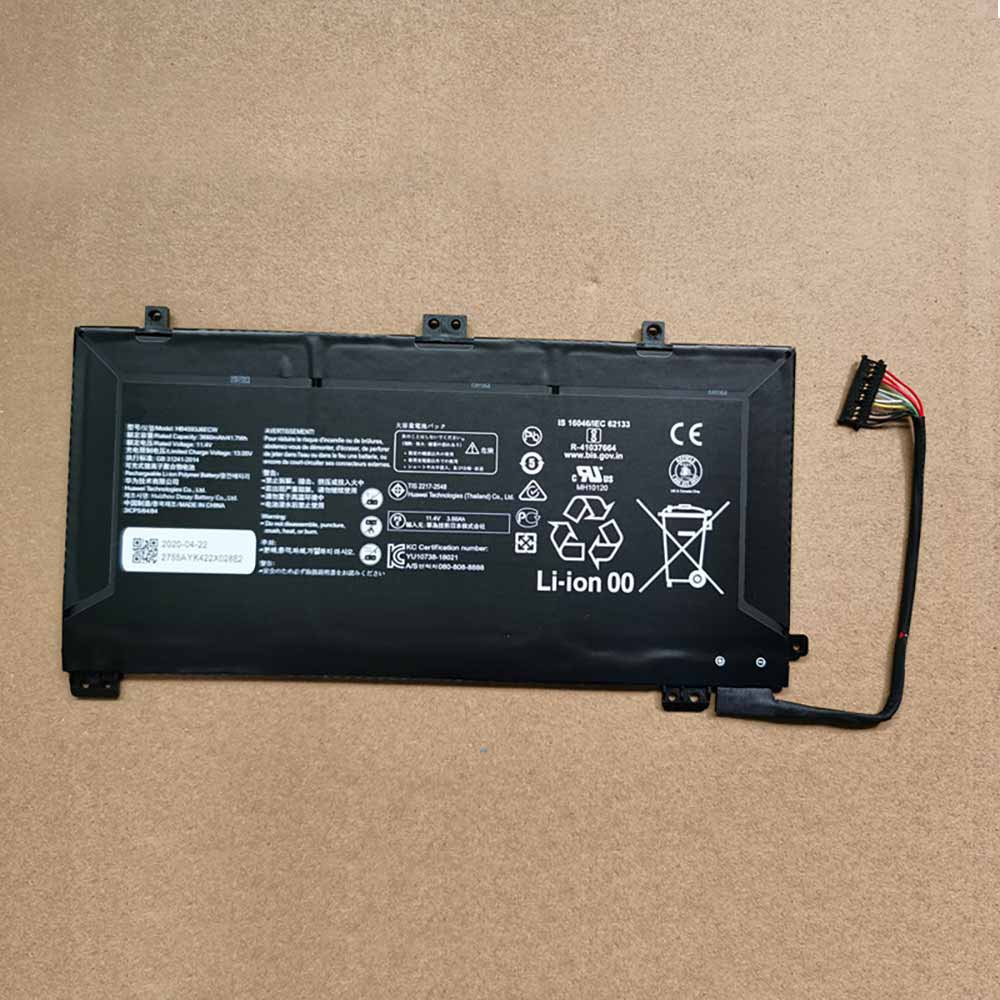
2700mAh/10.3WH 11.4V Huawei HB4593J6ECW Li-ion Battery for Huawei MateBook 13 WRT-W19

2700mAh/10.3WH 11.4V Huawei HB4593J6ECW Batteries for Huawei MateBook 13 WRT-W19, Huawei HB4593J6ECW Laptop battery is a brand new,100% Compatible original and replacement Laptop battery,Purchase wholesale and retail HB4593J6ECW with high quality and low price!

Find ou your original model number or part number(P/N), and move your eyes on the tag of battery

HB4593J6ECW

Specifications

  • Brand:Huawei
  • Capacity :2700mAh/10.3WH
  • Voltage :11.4V
  • Type :Li-ion
  • Battery Cell Quality: Grade A
  • Descriptive: Replacement Battery – 1 Year Warranty
  • Description: Brand New, 1 Year Warranty! 30-Days Money Back! Fast Shipping!

How we test this Huawei HB4593J6ECW Battery
Step 1: Make sure customer bought the correct battery.
Step 2: Check battery’s appearance and interface.
Step 3: Test battery charger and recharger function.
Step 4: Charger the battery to 100% and recharger to 0% to get real battery capacity
Step 5: Use Ev2300 to check the voltage difference of each goroup cells.
Step 6: Charger battery power more than 30%.
Step 7: Package battery carefully and send out

Compatible Part Numbers:
HB4593J6ECW

Compatible Model Numbers:
Huawei MateBook 13 WRT-W19

How much do you know about how to run laptop well as any place? The follow Tips cut way back on protecting battery life.


1). Please recharge or change your Laptop battery when battery power low.
2). Using Li-Ion Replacement Huawei HB4593J6ECW Laptop Battery for your notebook which can work longer time than Non Li-ion one.
3). It is better to defragmentation regularly for your Laptop battery life.
4). In order to reduce the laptop power consumpition, you can use some optical drive spin-down and hard drive in your Laptop .
5). Please keep your laptop in sleep or standby model without long time using, which both save the Replacement Huawei HB4593J6ECW Laptop Battery power and extend battery using life.
6). Leave your battery in a dry and cool condition when without using.
7). When you rarely or generally plugged in fixed power using, Please take down your battery to avoid hurting battery life.

Hot Products

6580mAh/25.333WH BLACKVIEW 726280P for Blackview BV6800 pro Phone1350mAh/4.995WH ALCATEL TLI013CA for Alcatel phone3310mAh/50WH FUJITSU FPB0338S for Fujitsu Lifebook E548 E558 T932800mAh/10.36WH INFOCUS P2424 for InFocus P242433Wh HP BV02XL for HP Envy X2 Detachable 13 Serie875mAh DJI HB3 for DJI Osmo Pocket 230.4Wh/4000mAh LG LBG722VH for LG Gram 14Z950 13Z940 13ZD9403575mAh/42WH LENOVO SB10J78991 for Lenovo ThinkPad Yoga 11E 3rd G5380mAh 20.713WH BLACKVIEW Li486690JLY for Blackview A704220mAh/16.33WH VIVO B-O9 for VIVO X60

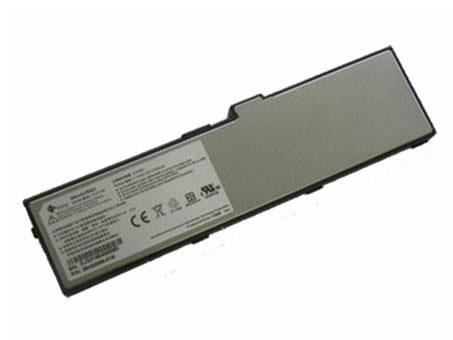
2700mAh 7.4V Htc CLIO160 Li-ion Battery for HTC Shift X9500

2700mAh 7.4V Htc CLIO160 Batteries for HTC Shift X9500, Htc CLIO160 Laptop battery is a brand new,100% Compatible original and replacement Laptop battery,Purchase wholesale and retail CLIO160 with high quality and low price!

Find ou your original model number or part number(P/N), and move your eyes on the tag of battery

CLIO160

Specifications

  • Brand:htc
  • Capacity :2700mAh
  • Voltage :7.4V
  • Color:black
  • Type :Li-ion
  • Battery Cell Quality: Grade A
  • Descriptive: Replacement Battery – 1 Year Warranty
  • Description: Brand New, 1 Year Warranty! 30-Days Money Back! Fast Shipping!

How we test this Htc CLIO160 Battery
Step 1: Make sure customer bought the correct battery.
Step 2: Check battery’s appearance and interface.
Step 3: Test battery charger and recharger function.
Step 4: Charger the battery to 100% and recharger to 0% to get real battery capacity
Step 5: Use Ev2300 to check the voltage difference of each goroup cells.
Step 6: Charger battery power more than 30%.
Step 7: Package battery carefully and send out

Compatible Part Numbers:
CLIO160
KGBX185F000620
35H00098-00M

Compatible Model Numbers:
HTC Shift X9500

How much do you know about how to run laptop well as any place? The follow Tips cut way back on protecting battery life.


1). Please recharge or change your Laptop battery when battery power low.
2). Using Li-Ion Replacement Htc CLIO160 Laptop Battery for your notebook which can work longer time than Non Li-ion one.
3). It is better to defragmentation regularly for your Laptop battery life.
4). In order to reduce the laptop power consumpition, you can use some optical drive spin-down and hard drive in your Laptop .
5). Please keep your laptop in sleep or standby model without long time using, which both save the Replacement Htc CLIO160 Laptop Battery power and extend battery using life.
6). Leave your battery in a dry and cool condition when without using.
7). When you rarely or generally plugged in fixed power using, Please take down your battery to avoid hurting battery life.

Hot Products

6580mAh/25.333WH BLACKVIEW 726280P for Blackview BV6800 pro Phone1350mAh/4.995WH ALCATEL TLI013CA for Alcatel phone3310mAh/50WH FUJITSU FPB0338S for Fujitsu Lifebook E548 E558 T932800mAh/10.36WH INFOCUS P2424 for InFocus P242433Wh HP BV02XL for HP Envy X2 Detachable 13 Serie875mAh DJI HB3 for DJI Osmo Pocket 230.4Wh/4000mAh LG LBG722VH for LG Gram 14Z950 13Z940 13ZD9403575mAh/42WH LENOVO SB10J78991 for Lenovo ThinkPad Yoga 11E 3rd G5380mAh 20.713WH BLACKVIEW Li486690JLY for Blackview A704220mAh/16.33WH VIVO B-O9 for VIVO X60

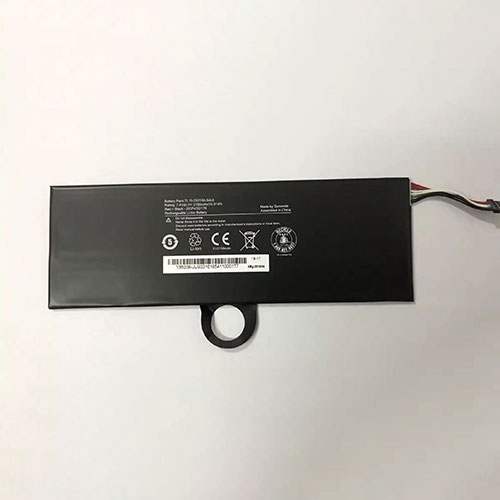
2150mAh/15.91WH 7.4V Huawei TL10-2S2150-S4L8 Li-ion Battery for HONOR 9 TL10IE2

2150mAh/15.91WH 7.4V Huawei TL10-2S2150-S4L8 Batteries for HONOR 9 TL10IE2, Huawei TL10-2S2150-S4L8 Tablets battery is a brand new,100% Compatible original and replacement Tablets battery,Purchase wholesale and retail TL10-2S2150-S4L8 with high quality and low price!

Find ou your original model number or part number(P/N), and move your eyes on the tag of battery

TL10-2S2150-S4L8

Specifications

  • Brand:HUAWEI
  • Capacity :2150mAh/15.91WH
  • Voltage :7.4V
  • Type :Li-ion
  • Battery Cell Quality: Grade A
  • Descriptive: Replacement Battery – 1 Year Warranty
  • Description: Brand New, 1 Year Warranty! 30-Days Money Back! Fast Shipping!

How we test this Huawei TL10-2S2150-S4L8 Battery
Step 1: Make sure customer bought the correct battery.
Step 2: Check battery’s appearance and interface.
Step 3: Test battery charger and recharger function.
Step 4: Charger the battery to 100% and recharger to 0% to get real battery capacity
Step 5: Use Ev2300 to check the voltage difference of each goroup cells.
Step 6: Charger battery power more than 30%.
Step 7: Package battery carefully and send out

Compatible Part Numbers:
TL10-2S2150-S4L8

Compatible Model Numbers:
HONOR 9 TL10IE2

How much do you know about how to run laptop well as any place? The follow Tips cut way back on protecting battery life.


1). Please recharge or change your Tablets battery when battery power low.
2). Using Li-Ion Replacement Huawei TL10-2S2150-S4L8 Tablets Battery for your notebook which can work longer time than Non Li-ion one.
3). It is better to defragmentation regularly for your Tablets battery life.
4). In order to reduce the laptop power consumpition, you can use some optical drive spin-down and hard drive in your Tablets .
5). Please keep your laptop in sleep or standby model without long time using, which both save the Replacement Huawei TL10-2S2150-S4L8 Tablets Battery power and extend battery using life.
6). Leave your battery in a dry and cool condition when without using.
7). When you rarely or generally plugged in fixed power using, Please take down your battery to avoid hurting battery life.

Hot Products

6580mAh/25.333WH BLACKVIEW 726280P for Blackview BV6800 pro Phone1350mAh/4.995WH ALCATEL TLI013CA for Alcatel phone3310mAh/50WH FUJITSU FPB0338S for Fujitsu Lifebook E548 E558 T932800mAh/10.36WH INFOCUS P2424 for InFocus P242433Wh HP BV02XL for HP Envy X2 Detachable 13 Serie875mAh DJI HB3 for DJI Osmo Pocket 230.4Wh/4000mAh LG LBG722VH for LG Gram 14Z950 13Z940 13ZD9403575mAh/42WH LENOVO SB10J78991 for Lenovo ThinkPad Yoga 11E 3rd G5380mAh 20.713WH BLACKVIEW Li486690JLY for Blackview A704220mAh/16.33WH VIVO B-O9 for VIVO X60