These tips will help you extend the life of your phone!

 With the rising cost of new phones, extending the life of your existing smartphone can save you a lot of money in the long run. Some steps are as simple as cleaning your phone regularly, while others require more attention. However, you don’t need to be tech-savvy to take advantage of these tips to extend the life of your phone. They’re all easy to understand, and you can start changing your habits today to extend the life of your phone.

Whether you’ve just upgraded your phone or are thinking about it, we’ll show you how to keep your phone looking like new with some quick and easy tips. Let’s take a look below!

Don’t skip app updates

To keep your phone running as fast and trouble-free as possible, it’s important to update the operating system and third-party applications. These updates don’t take long, and the benefits can be huge: From bug fixes and security fixes to changes that bring new features and improve overall performance, make your device work smoother and faster.

Both Android and iPhone offer automatic app updates and should be enabled by default. You can check your Android phone by opening the Play Store, sliding out the menu from the left side of the screen, tapping Settings and making sure to select the option to automatically update apps. If you have an iPhone, go to Settings > App Store and make sure the App Updates option is on. However, this feature does not work in low power mode.

For system updates on Android phones, you can check for updates by opening the Settings app and searching for software updates. Google releases Android security updates around the first day of every month, so checking your phone mid-month for updates isn’t a bad habit.

For iPhone users, you can choose to have your phone automatically install any new updates. To install updates or turn on automatic updates, go to Settings > General > Software Update. If an update is available, follow the prompts to install it. If not, tap Automatic Updates to turn them on or off.

Deleting apps can help restore a slow phone

Phone storage and memory are limited, which is why it’s important to keep the number of unused apps to a minimum. Removing apps you don’t use from your phone regularly will save storage space and prevent apps from running in the background, using precious resources and making your phone feel slower and closer to its end of life than it really is.

Deleting apps on the iPhone is easy – just long press until the app is selected. You’ll see a drop-down menu from the app icon. Just select Remove App. You can then choose to delete the app from your phone, or just delete it from your home screen. Android users have more options, but a similar approach can be used: long press, select the “i” that appears in the App Info, and select Uninstall.

Keep the screen and ports clean

Even if you’re using a case, take a few minutes occasionally to remove any lint or dirt from the charging port, microphone area, speaker grill, and headphone jack. You can use a toothpick to get in there and coax out anything.

Avoid overwork and phone battery overheating

There are several myths involving cell phone batteries and keeping them healthy. We’ve looked at several battery myths recently and uncovered the truth about each.

Your phone will also last longer if you avoid putting your device in situations where the battery could overheat, such as if you’re sitting outside on a hot day, out of direct sunlight. If it gets too hot, it will shut itself off, but that puts a strain on the battery, which can lead to a shorter overall lifespan.

Replacing a damaged battery instead of a phone

Even if you’ve done everything by the book, you may still find yourself dealing with a battery that refuses to charge over time. Instead of replacing the entire phone, try replacing the battery.

Often this simple and cost-effective maintenance can add months or even years to the life of your phone. It would be easier if most phones were still made with removable batteries as they used to be, but most phones have embedded batteries that can’t be replaced without taking the phone apart. iPhone users can make an appointment at the Apple Store, or Android users can use a certified third-party repair service.

>>>>>>>>>>>>>Phone battery
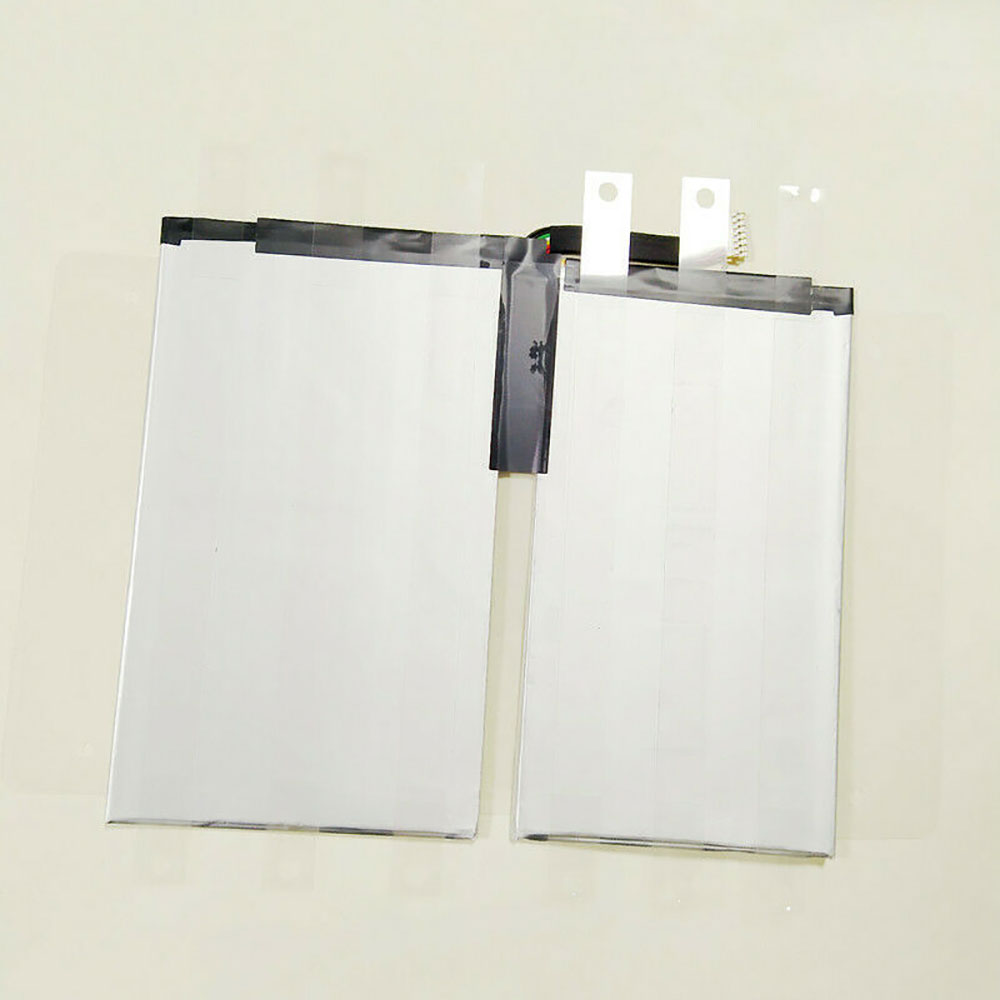
34.2WH/8090MAH 3.8V Google C1552b Li-ion Battery for Google Pixel C

34.2WH/8090MAH 3.8V Google C1552b Batteries for Google Pixel C, Google C1552b Tablets battery is a brand new,100% Compatible original and replacement Tablets battery,Purchase wholesale and retail C1552b with high quality and low price!

Find ou your original model number or part number(P/N), and move your eyes on the tag of battery

C1552b

Specifications

  • Brand:Google
  • Capacity :34.2WH/8090MAH
  • Voltage :3.8V
  • Type :Li-ion
  • Battery Cell Quality: Grade A
  • Descriptive: Replacement Battery – 1 Year Warranty
  • Description: Brand New, 1 Year Warranty! 30-Days Money Back! Fast Shipping!

How we test this Google C1552b Battery
Step 1: Make sure customer bought the correct battery.
Step 2: Check battery’s appearance and interface.
Step 3: Test battery charger and recharger function.
Step 4: Charger the battery to 100% and recharger to 0% to get real battery capacity
Step 5: Use Ev2300 to check the voltage difference of each goroup cells.
Step 6: Charger battery power more than 30%.
Step 7: Package battery carefully and send out

Compatible Part Numbers:
C1552b
1S2P-SP2578E2SE-SP2586E7SE-PCM

Compatible Model Numbers:
Google Pixel C Tablet

How much do you know about how to run laptop well as any place? The follow Tips cut way back on protecting battery life.


1). Please recharge or change your Tablets battery when battery power low.
2). Using Li-Ion Replacement Google C1552b Tablets Battery for your notebook which can work longer time than Non Li-ion one.
3). It is better to defragmentation regularly for your Tablets battery life.
4). In order to reduce the laptop power consumpition, you can use some optical drive spin-down and hard drive in your Tablets .
5). Please keep your laptop in sleep or standby model without long time using, which both save the Replacement Google C1552b Tablets Battery power and extend battery using life.
6). Leave your battery in a dry and cool condition when without using.
7). When you rarely or generally plugged in fixed power using, Please take down your battery to avoid hurting battery life.

Hot Products

3575mAh/42WH LENOVO SB10J78991 for Lenovo ThinkPad Yoga 11E 3rd G5380mAh 20.713WH BLACKVIEW Li486690JLY for Blackview A704220mAh/16.33WH VIVO B-O9 for VIVO X60400mAh APACK APP00169 for Apack APP001694220mAh/16.33WH VIVO B-O9 for VIVO X603000mAh/11.4wh LEAGOO BT-5705 for LEAGOO M9 Pro Mobile Cell phon4680mAh/73WH ASUS C41N1814 for Asus ZenBook 15 UX533FD UX533F4680mAh/73WH ASUS C41N1814 for Asus ZenBook 15 UX533FD UX533F5380mAh 20.713WH BLACKVIEW Li486690JLY for Blackview A703920mAh/15.2WH ASUS C11P1805 for ASUS zenfone max M2 ZB633KL ZB

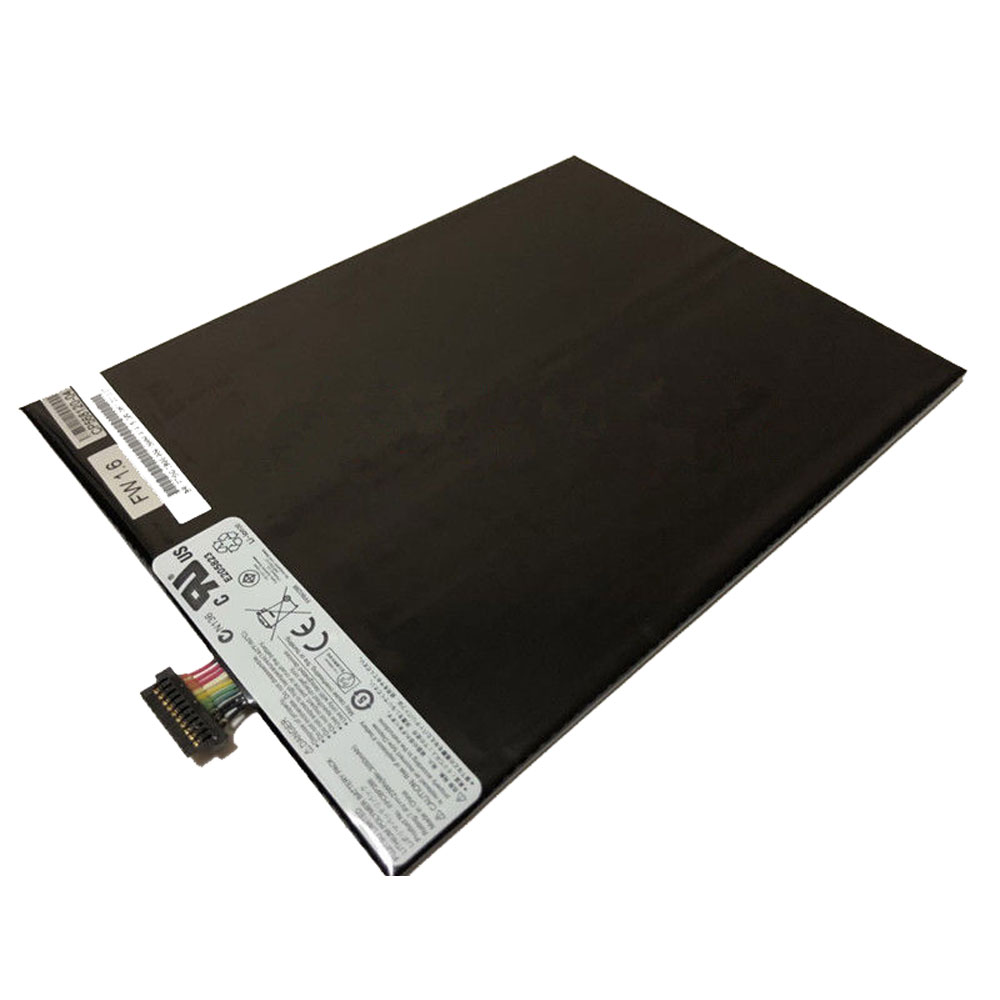
23Wh/3050mAh 7.4V Fujitsu FPCBP388 Li-ion Battery for Fujitsu Stylistic M532 Tablet Series

23Wh/3050mAh 7.4V Fujitsu FPCBP388 Batteries for Fujitsu Stylistic M532 Tablet Series, Fujitsu FPCBP388 Tablets battery is a brand new,100% Compatible original and replacement Tablets battery,Purchase wholesale and retail FPCBP388 with high quality and low price!

Find ou your original model number or part number(P/N), and move your eyes on the tag of battery

FPCBP388

Specifications

  • Brand:Fujitsu
  • Capacity :23Wh/3050mAh
  • Voltage :7.4V
  • Type :Li-ion
  • Battery Cell Quality: Grade A
  • Descriptive: Replacement Battery – 1 Year Warranty
  • Description: Brand New, 1 Year Warranty! 30-Days Money Back! Fast Shipping!

How we test this Fujitsu FPCBP388 Battery
Step 1: Make sure customer bought the correct battery.
Step 2: Check battery’s appearance and interface.
Step 3: Test battery charger and recharger function.
Step 4: Charger the battery to 100% and recharger to 0% to get real battery capacity
Step 5: Use Ev2300 to check the voltage difference of each goroup cells.
Step 6: Charger battery power more than 30%.
Step 7: Package battery carefully and send out

Compatible Part Numbers:
FPCBP388

Compatible Model Numbers:
Fujitsu Stylistic M532 Tablet

How much do you know about how to run laptop well as any place? The follow Tips cut way back on protecting battery life.


1). Please recharge or change your Tablets battery when battery power low.
2). Using Li-Ion Replacement Fujitsu FPCBP388 Tablets Battery for your notebook which can work longer time than Non Li-ion one.
3). It is better to defragmentation regularly for your Tablets battery life.
4). In order to reduce the laptop power consumpition, you can use some optical drive spin-down and hard drive in your Tablets .
5). Please keep your laptop in sleep or standby model without long time using, which both save the Replacement Fujitsu FPCBP388 Tablets Battery power and extend battery using life.
6). Leave your battery in a dry and cool condition when without using.
7). When you rarely or generally plugged in fixed power using, Please take down your battery to avoid hurting battery life.

Hot Products

3575mAh/42WH LENOVO SB10J78991 for Lenovo ThinkPad Yoga 11E 3rd G5380mAh 20.713WH BLACKVIEW Li486690JLY for Blackview A704220mAh/16.33WH VIVO B-O9 for VIVO X60400mAh APACK APP00169 for Apack APP001694220mAh/16.33WH VIVO B-O9 for VIVO X603000mAh/11.4wh LEAGOO BT-5705 for LEAGOO M9 Pro Mobile Cell phon4680mAh/73WH ASUS C41N1814 for Asus ZenBook 15 UX533FD UX533F4680mAh/73WH ASUS C41N1814 for Asus ZenBook 15 UX533FD UX533F5380mAh 20.713WH BLACKVIEW Li486690JLY for Blackview A703920mAh/15.2WH ASUS C11P1805 for ASUS zenfone max M2 ZB633KL ZB

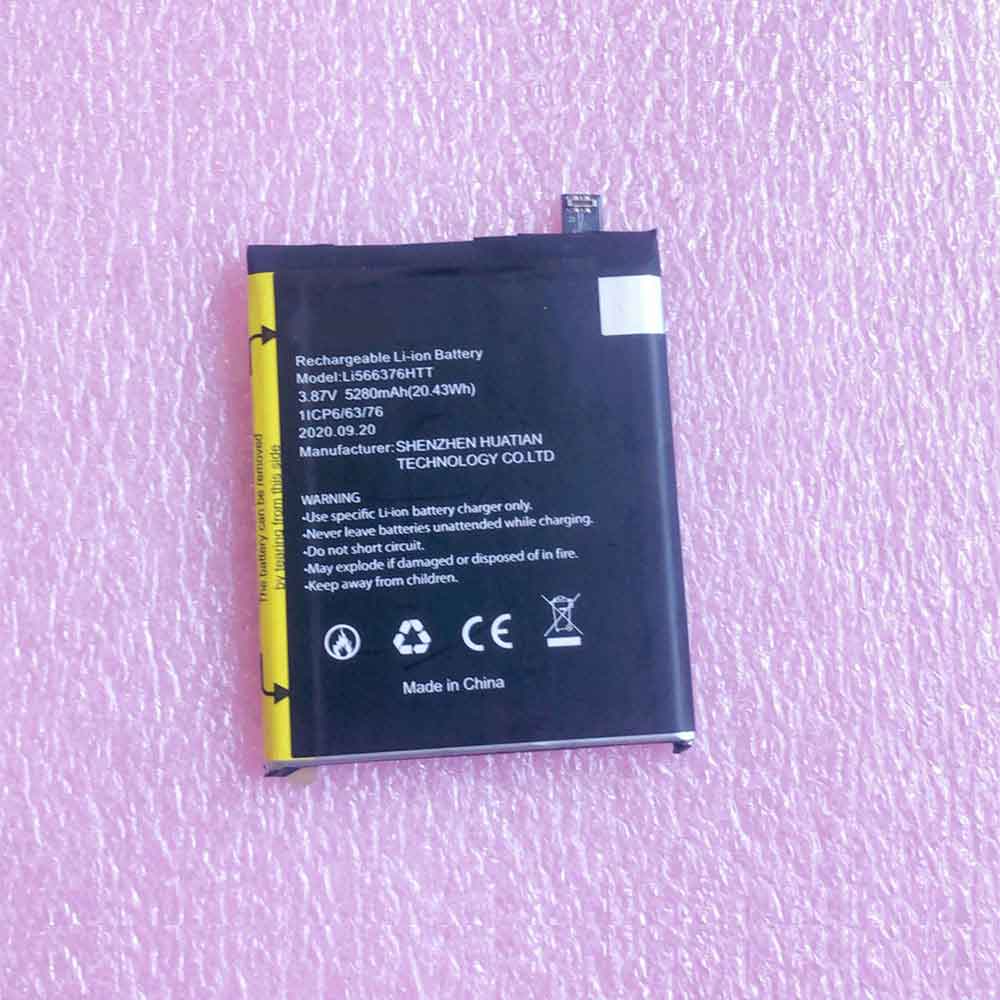
5280mAh 20.43WH 3.87V Blackview Li566376HTT Li-ion Battery for Blackview Bl6000 Pro

5280mAh 20.43WH 3.87V Blackview Li566376HTT Batteries for Blackview Bl6000 Pro, Blackview Li566376HTT Cell Phone battery is a brand new,100% Compatible original and replacement Phone battery,Purchase wholesale and retail Li566376HTT with high quality and low price!

Find ou your original model number or part number(P/N), and move your eyes on the tag of battery

Li566376HTT

Specifications

  • Brand:Blackview
  • Capacity :5280mAh 20.43WH
  • Voltage :3.87V
  • Type :Li-ion
  • Battery Cell Quality: Grade A
  • Descriptive: Replacement Battery – 1 Year Warranty
  • Description: Brand New, 1 Year Warranty! 30-Days Money Back! Fast Shipping!

How we test this Blackview Li566376HTT Battery
Step 1: Make sure customer bought the correct battery.
Step 2: Check battery’s appearance and interface.
Step 3: Test battery charger and recharger function.
Step 4: Charger the battery to 100% and recharger to 0% to get real battery capacity
Step 5: Use Ev2300 to check the voltage difference of each goroup cells.
Step 6: Charger battery power more than 30%.
Step 7: Package battery carefully and send out

Compatible Part Numbers:
Li566376HTT

Compatible Model Numbers:
Blackview Bl6000 Pro

How much do you know about how to run laptop well as any place? The follow Tips cut way back on protecting battery life.


1). Please recharge or change your Cell Phone battery when battery power low.
2). Using Li-Ion Replacement Blackview Li566376HTT Cell Phone Battery for your notebook which can work longer time than Non Li-ion one.
3). It is better to defragmentation regularly for your Cell Phone battery life.
4). In order to reduce the laptop power consumpition, you can use some optical drive spin-down and hard drive in your Cell Phone .
5). Please keep your laptop in sleep or standby model without long time using, which both save the Replacement Blackview Li566376HTT Cell Phone Battery power and extend battery using life.
6). Leave your battery in a dry and cool condition when without using.
7). When you rarely or generally plugged in fixed power using, Please take down your battery to avoid hurting battery life.

Hot Products

3575mAh/42WH LENOVO SB10J78991 for Lenovo ThinkPad Yoga 11E 3rd G5380mAh 20.713WH BLACKVIEW Li486690JLY for Blackview A704220mAh/16.33WH VIVO B-O9 for VIVO X60400mAh APACK APP00169 for Apack APP001694220mAh/16.33WH VIVO B-O9 for VIVO X603000mAh/11.4wh LEAGOO BT-5705 for LEAGOO M9 Pro Mobile Cell phon4680mAh/73WH ASUS C41N1814 for Asus ZenBook 15 UX533FD UX533F4680mAh/73WH ASUS C41N1814 for Asus ZenBook 15 UX533FD UX533F5380mAh 20.713WH BLACKVIEW Li486690JLY for Blackview A703920mAh/15.2WH ASUS C11P1805 for ASUS zenfone max M2 ZB633KL ZB

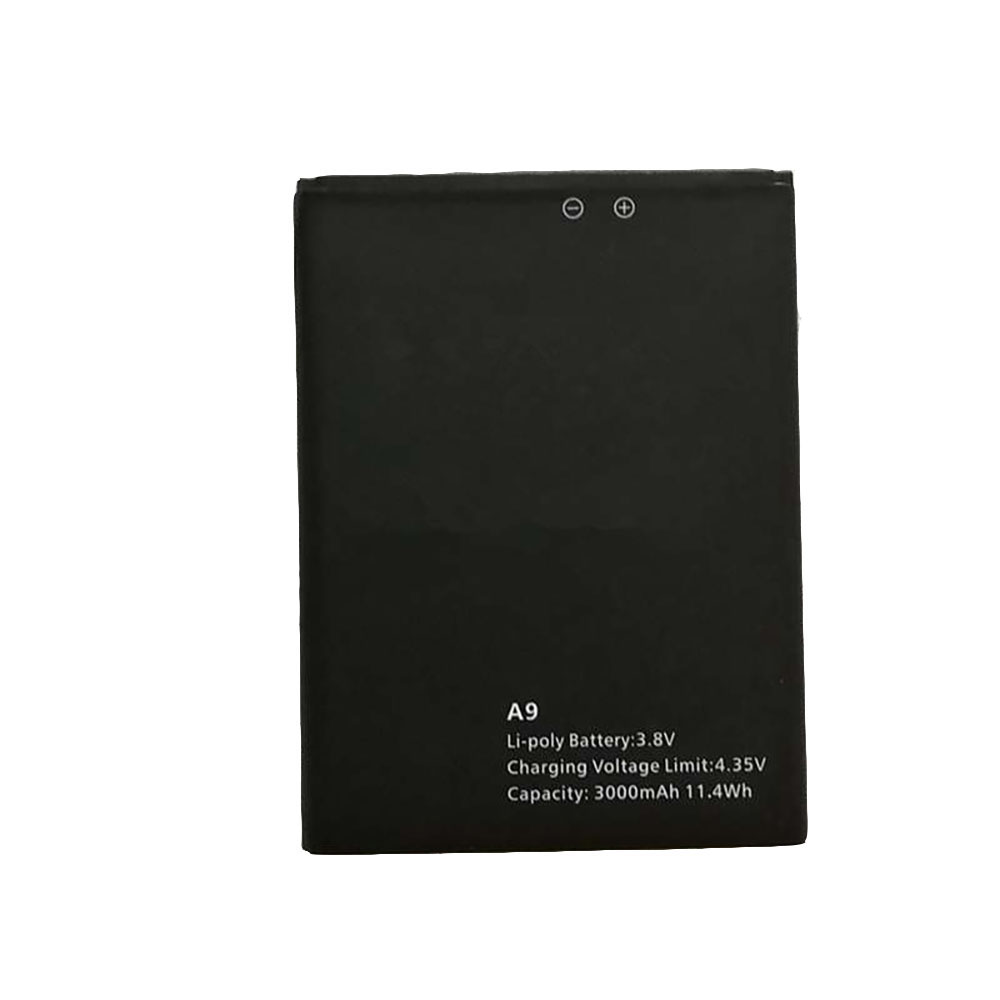
3000mAh 3.7V/4.2V Blackview A9 Li-ion Battery for Blackview A9 /A9 Pro Smartphone

3000mAh 3.7V/4.2V Blackview A9 Batteries for Blackview A9 /A9 Pro Smartphone, Blackview A9 Cell Phone battery is a brand new,100% Compatible original and replacement Phone battery,Purchase wholesale and retail A9 with high quality and low price!

Find ou your original model number or part number(P/N), and move your eyes on the tag of battery

A9

Specifications

  • Brand:Blackview
  • Capacity :3000mAh
  • Voltage :3.7V/4.2V
  • Type :Li-ion Polymer
  • Battery Cell Quality: Grade A
  • Descriptive: Replacement Battery – 1 Year Warranty
  • Description: Brand New, 1 Year Warranty! 30-Days Money Back! Fast Shipping!

How we test this Blackview A9 Battery
Step 1: Make sure customer bought the correct battery.
Step 2: Check battery’s appearance and interface.
Step 3: Test battery charger and recharger function.
Step 4: Charger the battery to 100% and recharger to 0% to get real battery capacity
Step 5: Use Ev2300 to check the voltage difference of each goroup cells.
Step 6: Charger battery power more than 30%.
Step 7: Package battery carefully and send out

Compatible Part Numbers:
A9

Compatible Model Numbers:
Blackview A9 /A9 Pro Smartphone

How much do you know about how to run laptop well as any place? The follow Tips cut way back on protecting battery life.


1). Please recharge or change your Cell Phone battery when battery power low.
2). Using Li-Ion Replacement Blackview A9 Cell Phone Battery for your notebook which can work longer time than Non Li-ion one.
3). It is better to defragmentation regularly for your Cell Phone battery life.
4). In order to reduce the laptop power consumpition, you can use some optical drive spin-down and hard drive in your Cell Phone .
5). Please keep your laptop in sleep or standby model without long time using, which both save the Replacement Blackview A9 Cell Phone Battery power and extend battery using life.
6). Leave your battery in a dry and cool condition when without using.
7). When you rarely or generally plugged in fixed power using, Please take down your battery to avoid hurting battery life.

Hot Products

3575mAh/42WH LENOVO SB10J78991 for Lenovo ThinkPad Yoga 11E 3rd G5380mAh 20.713WH BLACKVIEW Li486690JLY for Blackview A704220mAh/16.33WH VIVO B-O9 for VIVO X60400mAh APACK APP00169 for Apack APP001694220mAh/16.33WH VIVO B-O9 for VIVO X603000mAh/11.4wh LEAGOO BT-5705 for LEAGOO M9 Pro Mobile Cell phon4680mAh/73WH ASUS C41N1814 for Asus ZenBook 15 UX533FD UX533F4680mAh/73WH ASUS C41N1814 for Asus ZenBook 15 UX533FD UX533F5380mAh 20.713WH BLACKVIEW Li486690JLY for Blackview A703920mAh/15.2WH ASUS C11P1805 for ASUS zenfone max M2 ZB633KL ZB

Advantages and Limitations of Lithium-Ion Batteries

 There are different forms of lithium-ion batteries depending on the materials used in the internal and external composition of the battery. These materials determine the performance and capacity of the battery. However, despite the differences, all lithium-ion batteries share characteristics that make these batteries more reliable than other types of rechargeable batteries. From having higher energy density to faster charging rates and longer lifetimes, lithium-ion batteries are considered better and therefore more reliable in commercial applications.

What are the advantages and limitations of lithium-ion batteries?

All types of lithium-ion batteries offer users a variety of advantages and limitations compared to other rechargeable battery types. Let’s take a look below!

Benefits of Lithium Ion Batteries:

Extended service life

The life of a battery is determined by the number of charge and discharge cycles it can handle throughout its service time. Low-end lithium-ion batteries can manage hundreds of charge cycles, while regular variants can hold over 1000 cycles before losing about 30% of their original maximum capacity. The highly advanced version of the Li-Ion battery is capable of handling up to 5000 charge-discharge cycles, allowing it to last longer than other battery types.

faster charging

Li-Ion batteries have been shown to charge faster than Ni-Cd and Ni-MH batteries or rechargeable alkaline batteries; it all depends on the hardware specifications of the device using the battery and the mAh capacity of the Li-Ion battery, a fully charged The effect is about one to two hours.

Improve energy efficiency

Energy efficiency may be the main benefit of using lithium-ion batteries compared to other types of rechargeable batteries. Since the battery has a higher energy density than other batteries, relative to its physical size and low self-discharge rate, energy efficiency is improved.

smaller

Lithium-ion batteries have a higher charge capacity relative to their physical size, so they can store a lot of energy in a small space. This makes them more portable and smaller than other battery types. Portability makes it easy to use in traditional consumer devices such as smartphones and laptops.

Limitations of Li-Ion Batteries:

high manufacturing cost

Lithium-ion batteries tend to be expensive to produce as batteries can cost around 40% more to manufacture than NiMH batteries. Factors such as expensive on-board computer circuits that regulate the voltage within a safe range contribute to this hefty price tag.

Security risks

Over the past few years, lithium-ion batteries have been reported to be a safety hazard because they are prone to overheating. This overheating can lead to thermal runaway, igniting a flame that can further lead to an explosion.

aging defects

Regardless of whether the battery is in use or not, once it leaves the factory, the battery starts to deteriorate, which is called the aging effect.

Is there a better battery than Li-Ion?

In fact, breakthroughs that could replace lithium-ion batteries are already known, but since they haven’t been incorporated into commercial use like this one, we can’t say anything better at the moment. Lithium-ion batteries will continue to be reliable for a while now, and there doesn’t seem to be any rush to leave.

Solid state lithium battery

This type of battery is capable of operating at supercapacitor levels, allowing users to fully charge or discharge the battery in less than 10 minutes. They provide maximum stability, but at the expense of electrolyte transport. This feature makes solid-state lithium-ion batteries suitable for electric vehicles because they are safer and more stable than current batteries. The battery technology can adapt to temperatures as low as -30 degrees Celsius to 100 degrees Celsius. While solid-state batteries have not yet been perfected for commercial use due to problems with electrolytes, they appear to be an excellent opportunity to improve lithium-ion batteries.

foam battery

Prieto Battery Company has outdone itself by inventing a battery that uses a copper foam compound. Due to the use of a flammable electrolyte, the battery is expected to provide the highest safety conditions. They will also offer longer lifetimes and faster charging with faster charging and greater energy density than lithium-ion technology. Compared to current battery technology, foam batteries are expected to be cheaper to manufacture and lighter in weight. However, the battery is not yet perfect, but something will be ready for it in the future.

>>>>>>>>>>>>>>>>Battery

Thanks for reading, hope it helps!

Friendly reminder: If you need to replace the battery, this battery store will be a good choice: www.batteryforpc.co.uk

WatchOS 9: New features coming to your Apple Watch

 The Apple Watch Series 8 is expected to arrive later this year, but you probably don’t need the latest hardware to take advantage of Apple’s latest features. The company usually adds more features through software updates every year. Apple’s WatchOS 8 update introduces new watch faces made from iPhone’s portrait mode photos, a new app called Mindfulness to replace the Breathe app, and better workout detection for cycling.

A preview of Apple’s next major Apple Watch software update is expected at the company’s Worldwide Developers Conference in June. Based on the rumors and reports we’ve seen so far, it sounds like we can expect to see some battery improvements and more health and safety features.

A new low-power mode

Apple hasn’t made any major improvements to the Apple Watch’s battery life recently, but it may soon have a different fix. Apple plans to introduce a new low-power mode in WatchOS 9 that will allow the device to run some apps and features without consuming too much power. It sounds like this is different from the Apple Watch’s current power reserve feature, which only lets you check the time and disable other features to preserve battery life.

This new feature could help make up for the Apple Watch’s relatively short battery life, which typically lasts about a day and a half. This, combined with the faster charging of the Series 7, can significantly extend the battery life of your Apple Watch, which can be important if you’re using it for sleep tracking.

car accident detection

Apple Watch can already assess your walking stability and tell if you have fallen. Next, it might be able to detect car crashes. According to sources, Apple is planning to use sensors in the iPhone and Apple Watch to identify car crashes in real time. New features may roll out this year. It sounds similar to a feature Google already offers on its Pixel phones that automatically calls emergency services and shares your location if it detects you’ve been in a serious car crash.

More health features, including medication reminders

According to reports, the company plans to go a step further in an upcoming software update. Apple is likely to add new tools to the iPhone’s Health app this year, including medication reminders, sleep tracking and new features for women’s health.

While reports indicate that this will be part of the iPhone Health app, it seems likely that these additions could be coming to the Apple Watch in some way, if only through notifications.

New watch faces and workout types

Apple‘s software updates often introduce new watch faces and workout types, and it sounds like WatchOS 9 is no exception. The new watch faces and workout modes will be part of Apple’s upcoming software release, though it didn’t reveal many details.

In recent years, Apple has expanded Apple Watch workout options. It adds Pilates, Tai Chi and improved detection of cycling workouts in WatchOS 8. It also brings support for dance workouts to the 2020 watch.

Compatibility with older Apple Watch models

Apple‘s last two software updates were compatible with watches as old as the Series 3, but that could change in 2022. Series 3 may be retired due to inability to support new versions of WatchOS. This means that WatchOS 9 will likely be compatible with Series 4 and later, although we won’t know for sure until Apple rolls out the software.

September release date

If Apple sticks to its historical release pattern, we can expect to see WatchOS 9 in September. Apple typically releases its new software alongside new watch models, but 2021 is an exception.

Although we may have to wait until September, Apple is expected to detail the new features of WatchOS 9 at its Worldwide Developers Conference in June. Soon thereafter, it may also release a public beta of the software, allowing watch owners to try out unfinished versions of the software before the official release.

>>>>>>>>>>>>>Apple battery

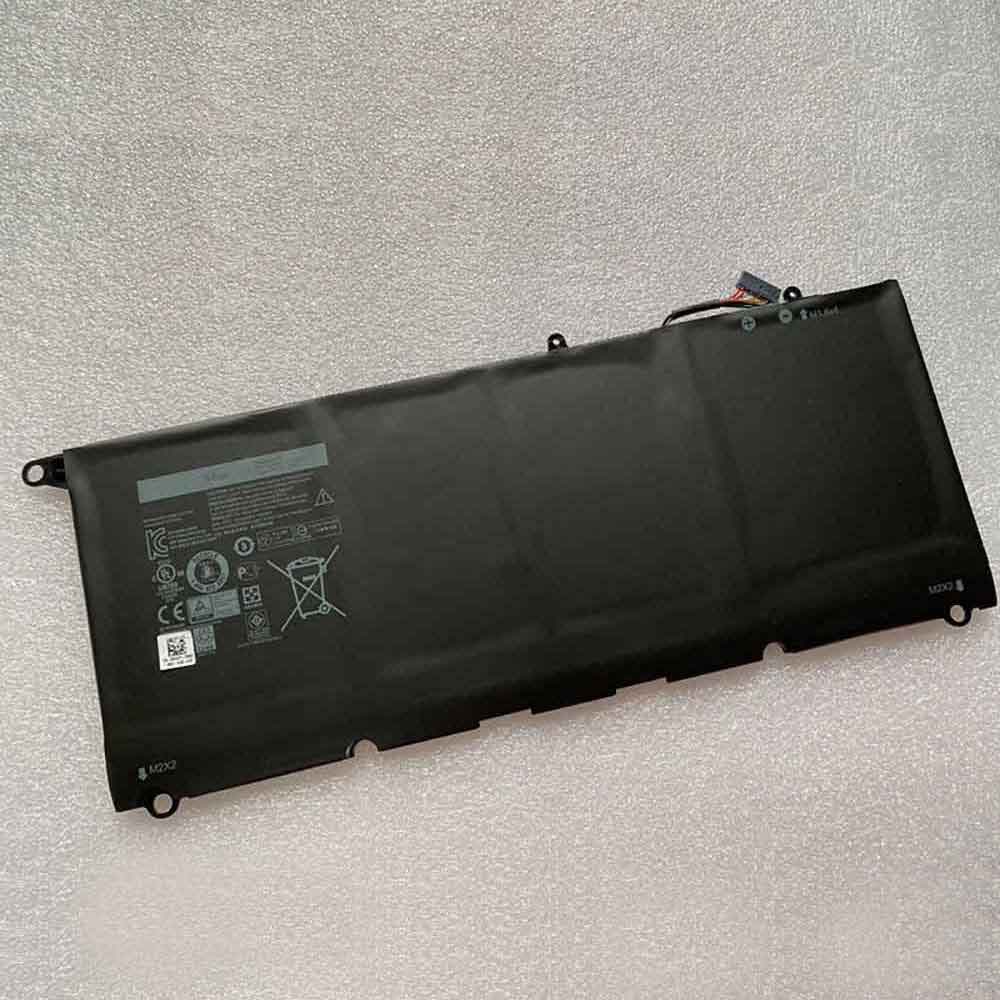
56WH 7.6V Dell 90V7W Dell 90V7W Li-ion Battery for Dell XPS 13 9343 9350 JD25G 5K9CP DIN02

56WH 7.6V Dell 90V7W Batteries for Dell XPS 13 9343 9350 JD25G 5K9CP DIN02, Dell 90V7W Laptop battery is a brand new,100% Compatible original and replacement Laptop battery,Purchase wholesale and retail 90V7W with high quality and low price!

Find ou your original model number or part number(P/N), and move your eyes on the tag of battery

90V7W

Specifications

  • Brand:Dell
  • Capacity :56WH
  • Voltage :7.6V
  • Type :Li-ion
  • Battery Cell Quality: Grade A
  • Descriptive: Replacement Battery – 1 Year Warranty
  • Description: Brand New, 1 Year Warranty! 30-Days Money Back! Fast Shipping!

How we test this Dell 90V7W Battery
Step 1: Make sure customer bought the correct battery.
Step 2: Check battery’s appearance and interface.
Step 3: Test battery charger and recharger function.
Step 4: Charger the battery to 100% and recharger to 0% to get real battery capacity
Step 5: Use Ev2300 to check the voltage difference of each goroup cells.
Step 6: Charger battery power more than 30%.
Step 7: Package battery carefully and send out

Compatible Part Numbers:
90V7W
JD25G
5K9CP
DIN02

Compatible Model Numbers:
Dell XPS 13 9350
Dell XPS 13-9350-D1508/13-9350-D1508G/13-9350-D1608/13-9350-D1608T/13-9350-D1609/13-9350-D1708/13-9350-D1708A/13-9350-D1708G
Dell XPS 13-9350-D1808T/13-9350-D1808TG/13-9350-D2508/13-9350-D2608T/13-9350-D2708/13-9350-D2708A/13-9350-D2808T/13-9350-D2808TG
Dell XPS 13-9350-D3608G/13-9350-D3708/13-9350-D3708G/13-9350-D3808T/13-9350-D3808TG/13-9350-D4505/13-9350-D4508/13-9350-D4708/13-9350-D4708G
Dell XPS 13 9343
Dell XPS 13D-9343/13D-9343-150/13D-9343-1508/13D-9343-160/13D-9343-1608T/13D-9343-170/13D-9343-1708/13D-9343-180 Dell XPS 13D-9343-1808T/13D-9343-350/13D-9343-3508/13D-9343-370/13D-9343-3708/13D-9343-3708A/13D-9343-5508/13D-9343-5708

How much do you know about how to run laptop well as any place? The follow Tips cut way back on protecting battery life.


1). Please recharge or change your Laptop battery when battery power low.
2). Using Li-Ion Replacement Dell 90V7W Laptop Battery for your notebook which can work longer time than Non Li-ion one.
3). It is better to defragmentation regularly for your Laptop battery life.
4). In order to reduce the laptop power consumpition, you can use some optical drive spin-down and hard drive in your Laptop .
5). Please keep your laptop in sleep or standby model without long time using, which both save the Replacement Dell 90V7W Laptop Battery power and extend battery using life.
6). Leave your battery in a dry and cool condition when without using.
7). When you rarely or generally plugged in fixed power using, Please take down your battery to avoid hurting battery life.

Hot Products

5380mAh 20.713WH BLACKVIEW Li486690JLY for Blackview A704220mAh/16.33WH VIVO B-O9 for VIVO X60400mAh APACK APP00169 for Apack APP001694220mAh/16.33WH VIVO B-O9 for VIVO X603000mAh/11.4wh LEAGOO BT-5705 for LEAGOO M9 Pro Mobile Cell phon4680mAh/73WH ASUS C41N1814 for Asus ZenBook 15 UX533FD UX533F4680mAh/73WH ASUS C41N1814 for Asus ZenBook 15 UX533FD UX533F5380mAh 20.713WH BLACKVIEW Li486690JLY for Blackview A703920mAh/15.2WH ASUS C11P1805 for ASUS zenfone max M2 ZB633KL ZB8800mAh TOSHIBA PA3728U for Satellite L515 L630 L635 L640

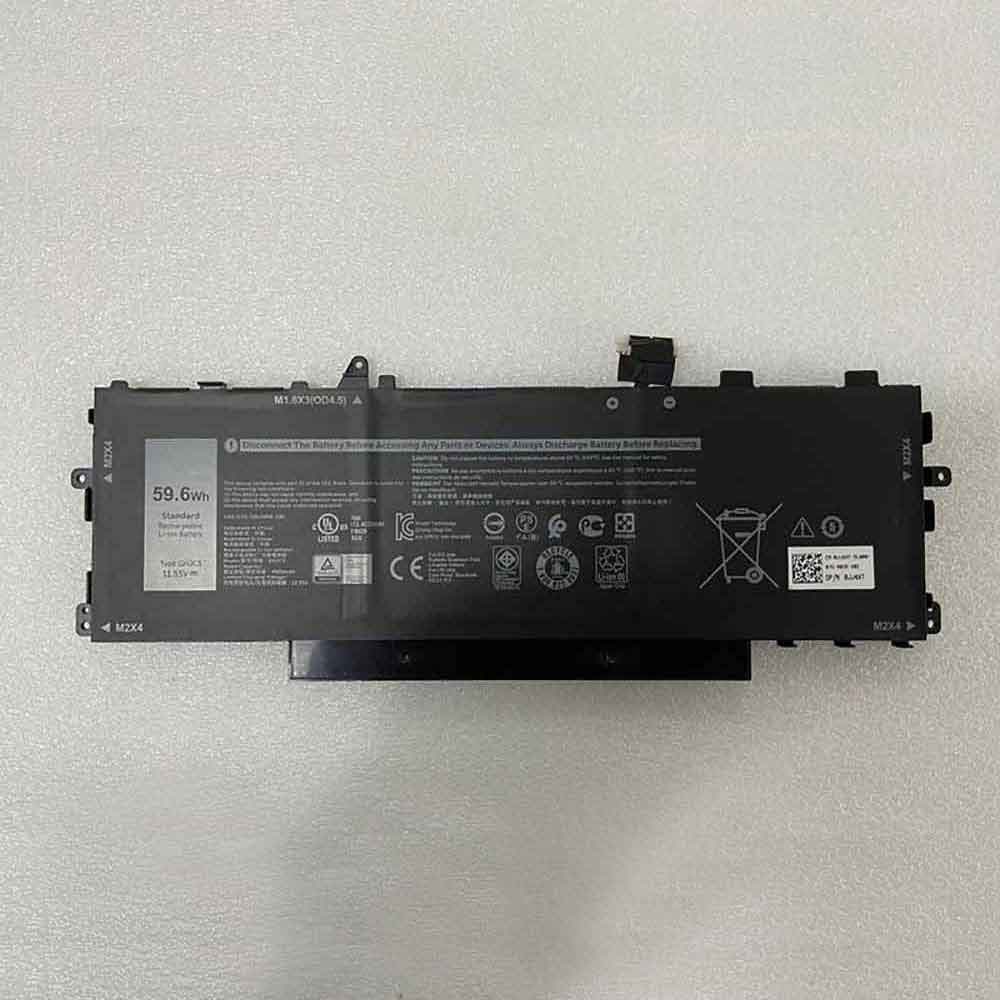
59.6Wh 4900mAh 11.55V 13.35V Dell GHJC5 Li-ion Battery for Dell Latitude 9420 2-in-1

59.6Wh 4900mAh 11.55V 13.35V Dell GHJC5 Batteries for Dell Latitude 9420 2-in-1, Dell GHJC5 Laptop battery is a brand new,100% Compatible original and replacement Laptop battery,Purchase wholesale and retail GHJC5 with high quality and low price!

Find ou your original model number or part number(P/N), and move your eyes on the tag of battery

GHJC5

Specifications

  • Brand:Dell
  • Capacity :59.6Wh 4900mAh
  • Voltage :11.55V 13.35V
  • Type :Li-ion
  • Battery Cell Quality: Grade A
  • Descriptive: Replacement Battery – 1 Year Warranty
  • Description: Brand New, 1 Year Warranty! 30-Days Money Back! Fast Shipping!

How we test this Dell GHJC5 Battery
Step 1: Make sure customer bought the correct battery.
Step 2: Check battery’s appearance and interface.
Step 3: Test battery charger and recharger function.
Step 4: Charger the battery to 100% and recharger to 0% to get real battery capacity
Step 5: Use Ev2300 to check the voltage difference of each goroup cells.
Step 6: Charger battery power more than 30%.
Step 7: Package battery carefully and send out

Compatible Model Numbers:
Dell Latitude 9420 2-in-1

How much do you know about how to run laptop well as any place? The follow Tips cut way back on protecting battery life.


1). Please recharge or change your Laptop battery when battery power low.
2). Using Li-Ion Replacement Dell GHJC5 Laptop Battery for your notebook which can work longer time than Non Li-ion one.
3). It is better to defragmentation regularly for your Laptop battery life.
4). In order to reduce the laptop power consumpition, you can use some optical drive spin-down and hard drive in your Laptop .
5). Please keep your laptop in sleep or standby model without long time using, which both save the Replacement Dell GHJC5 Laptop Battery power and extend battery using life.
6). Leave your battery in a dry and cool condition when without using.
7). When you rarely or generally plugged in fixed power using, Please take down your battery to avoid hurting battery life.

Hot Products

5380mAh 20.713WH BLACKVIEW Li486690JLY for Blackview A704220mAh/16.33WH VIVO B-O9 for VIVO X60400mAh APACK APP00169 for Apack APP001694220mAh/16.33WH VIVO B-O9 for VIVO X603000mAh/11.4wh LEAGOO BT-5705 for LEAGOO M9 Pro Mobile Cell phon4680mAh/73WH ASUS C41N1814 for Asus ZenBook 15 UX533FD UX533F4680mAh/73WH ASUS C41N1814 for Asus ZenBook 15 UX533FD UX533F5380mAh 20.713WH BLACKVIEW Li486690JLY for Blackview A703920mAh/15.2WH ASUS C11P1805 for ASUS zenfone max M2 ZB633KL ZB8800mAh TOSHIBA PA3728U for Satellite L515 L630 L635 L640

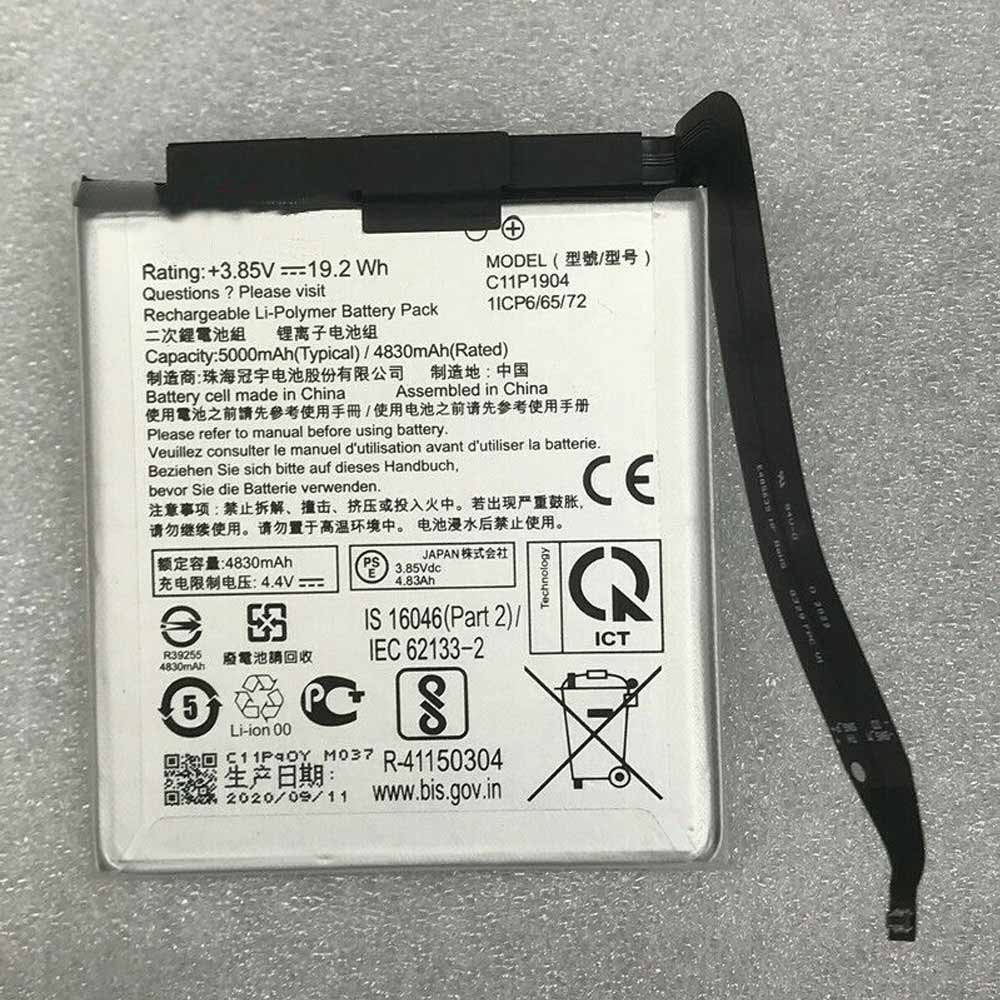
4830mAh/19.2WH 3.85V/4.4V Asus C11P1904 Li-ion Battery for Asus Zenfone 7

4830mAh/19.2WH 3.85V/4.4V Asus C11P1904 Batteries for Asus Zenfone 7, Asus C11P1904 Cell Phone battery is a brand new,100% Compatible original and replacement Phone battery,Purchase wholesale and retail C11P1904 with high quality and low price!

Find ou your original model number or part number(P/N), and move your eyes on the tag of battery

C11P1904

Specifications

  • Brand:Asus
  • Capacity :4830mAh/19.2WH
  • Voltage :3.85V/4.4V
  • Type :Li-ion
  • Battery Cell Quality: Grade A
  • Descriptive: Replacement Battery – 1 Year Warranty
  • Description: Brand New, 1 Year Warranty! 30-Days Money Back! Fast Shipping!

How we test this Asus C11P1904 Battery
Step 1: Make sure customer bought the correct battery.
Step 2: Check battery’s appearance and interface.
Step 3: Test battery charger and recharger function.
Step 4: Charger the battery to 100% and recharger to 0% to get real battery capacity
Step 5: Use Ev2300 to check the voltage difference of each goroup cells.
Step 6: Charger battery power more than 30%.
Step 7: Package battery carefully and send out

Compatible Part Numbers:
C11P1904

Compatible Model Numbers:
Asus Zenfone7

How much do you know about how to run laptop well as any place? The follow Tips cut way back on protecting battery life.


1). Please recharge or change your Cell Phone battery when battery power low.
2). Using Li-Ion Replacement Asus C11P1904 Cell Phone Battery for your notebook which can work longer time than Non Li-ion one.
3). It is better to defragmentation regularly for your Cell Phone battery life.
4). In order to reduce the laptop power consumpition, you can use some optical drive spin-down and hard drive in your Cell Phone .
5). Please keep your laptop in sleep or standby model without long time using, which both save the Replacement Asus C11P1904 Cell Phone Battery power and extend battery using life.
6). Leave your battery in a dry and cool condition when without using.
7). When you rarely or generally plugged in fixed power using, Please take down your battery to avoid hurting battery life.

Hot Products

5380mAh 20.713WH BLACKVIEW Li486690JLY for Blackview A704220mAh/16.33WH VIVO B-O9 for VIVO X60400mAh APACK APP00169 for Apack APP001694220mAh/16.33WH VIVO B-O9 for VIVO X603000mAh/11.4wh LEAGOO BT-5705 for LEAGOO M9 Pro Mobile Cell phon4680mAh/73WH ASUS C41N1814 for Asus ZenBook 15 UX533FD UX533F4680mAh/73WH ASUS C41N1814 for Asus ZenBook 15 UX533FD UX533F5380mAh 20.713WH BLACKVIEW Li486690JLY for Blackview A703920mAh/15.2WH ASUS C11P1805 for ASUS zenfone max M2 ZB633KL ZB8800mAh TOSHIBA PA3728U for Satellite L515 L630 L635 L640