5180mAh 19.68Wh 3.8V/4.35V Acer ZA6025 Li-ion Battery for Acer Iconia One 10 B3-A10 B3-A10-K154/K3BF

5180mAh 19.68Wh 3.8V/4.35V Acer ZA6025 Batteries for Acer Iconia One 10 B3-A10 B3-A10-K154/K3BF, Acer ZA6025 Tablets battery is a brand new,100% Compatible original and replacement Tablets battery,Purchase wholesale and retail ZA6025 with high quality and low price!

Find ou your original model number or part number(P/N), and move your eyes on the tag of battery
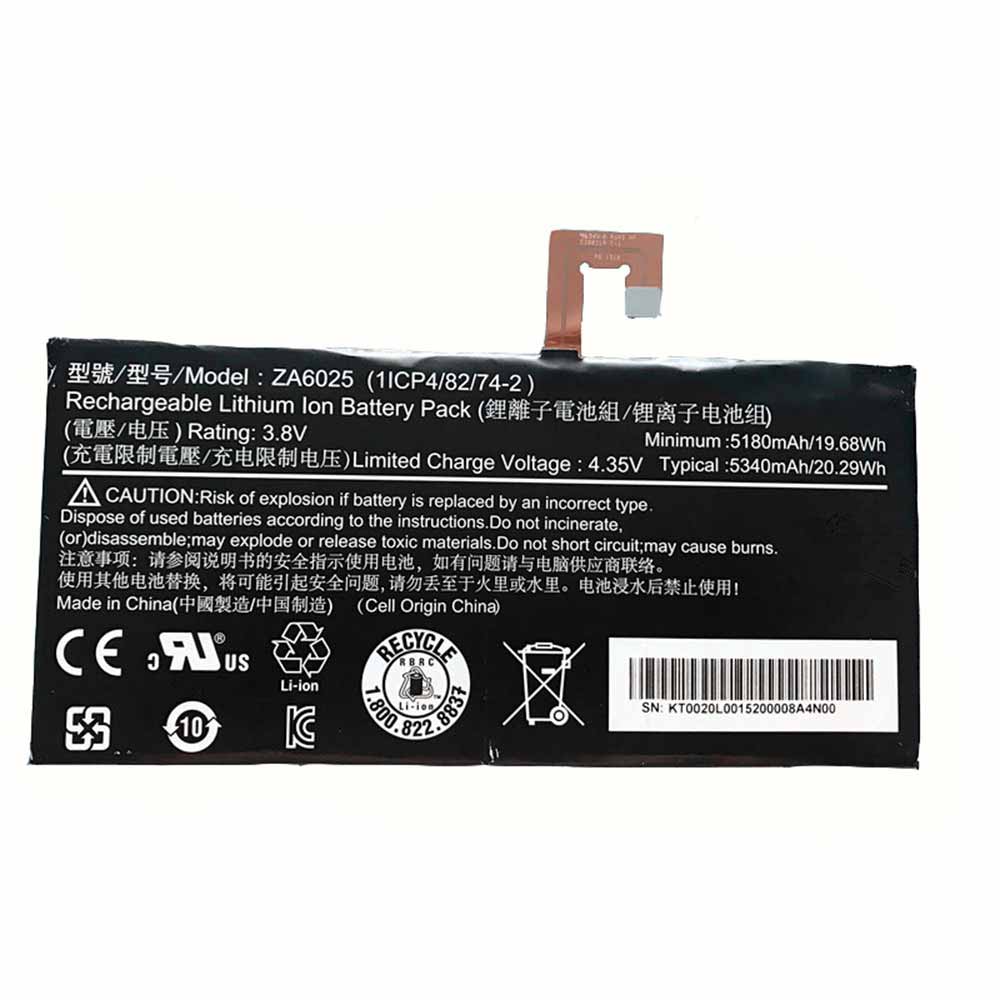
ZA6025

Specifications

  • Brand:Acer
  • Capacity :5180mAh 19.68Wh
  • Voltage :3.8V/4.35V
  • Type :Li-ion
  • Battery Cell Quality: Grade A
  • Descriptive: Replacement Battery – 1 Year Warranty
  • Description: Brand New, 1 Year Warranty! 30-Days Money Back! Fast Shipping!

How we test this Acer ZA6025 Battery
Step 1: Make sure customer bought the correct battery.
Step 2: Check battery’s appearance and interface.
Step 3: Test battery charger and recharger function.
Step 4: Charger the battery to 100% and recharger to 0% to get real battery capacity
Step 5: Use Ev2300 to check the voltage difference of each goroup cells.
Step 6: Charger battery power more than 30%.
Step 7: Package battery carefully and send out

Compatible Part Numbers:
ZA6025

Compatible Model Numbers:
Acer Iconia One 10 B3-A10 B3-A10-K154/K3BF

How much do you know about how to run laptop well as any place? The follow Tips cut way back on protecting battery life.


1). Please recharge or change your Tablets battery when battery power low.
2). Using Li-Ion Replacement Acer ZA6025 Tablets Battery for your notebook which can work longer time than Non Li-ion one.
3). It is better to defragmentation regularly for your Tablets battery life.
4). In order to reduce the laptop power consumpition, you can use some optical drive spin-down and hard drive in your Tablets .
5). Please keep your laptop in sleep or standby model without long time using, which both save the Replacement Acer ZA6025 Tablets Battery power and extend battery using life.
6). Leave your battery in a dry and cool condition when without using.
7). When you rarely or generally plugged in fixed power using, Please take down your battery to avoid hurting battery life.

Hot Products

3000mAh/11.4wh LEAGOO BT-5705 for LEAGOO M9 Pro Mobile Cell phon4680mAh/73WH ASUS C41N1814 for Asus ZenBook 15 UX533FD UX533F4680mAh/73WH ASUS C41N1814 for Asus ZenBook 15 UX533FD UX533F5380mAh 20.713WH BLACKVIEW Li486690JLY for Blackview A703920mAh/15.2WH ASUS C11P1805 for ASUS zenfone max M2 ZB633KL ZB8800mAh TOSHIBA PA3728U for Satellite L515 L630 L635 L6404000mAh/30.4WH RTDPART 3882229C for 7Cable RTDPART 3882229C3400mAh /13.09Wh NOKIA LC-620 for Nokia 7.2 TA-1181 TA-11962900mAh/11.2WH LG BL-T31 for LG G PAD F2 8.0 LK4602900mAh/11.5WH ASUS C11P1511 for ASUS Zenfone3 Ze552kl Z012da Z


Can you improve your iPhone’s battery health? –method

 Everyone knows that iPhones are powerful, and even some features can get you excited. But you will find that your iPhone battery is always less than ideal. And in the process of your use, due to some of your habits, the aging of the iPhone battery is accelerated. Here are three tips to improve the health of your iPhone’s battery, let’s take a look!

You can improve your iPhone’s battery health with these 3 tips:

1. Optimize your settings.

No matter how you use your smartphone, there are two basic ways to preserve battery life: manually adjusting the screen brightness and using a WiFi network.

To extend battery life, dim the screen or turn on auto-brightness.

● To dim, tap Control Center and drag the Brightness slider to the bottom.

●Auto Brightness automatically changes the screen to lighting conditions. To turn it on, go to Settings > General > Accessibility > Display Adjustment, then set Auto Brightness to On.

WiFi links use less power than cellular networks when using your computer to access data, so keep WiFi turned on at all times. To turn on WiFi, go to Settings > WiFi to access WiFi networks.

2. Enable low power mode.

Low Power Mode, introduced with the new iOS, is an easy way to extend battery life when your iPhone is running low, the phone notifies you when the battery is below 20% and 10% and lets you switch to one-touch low power model. Alternatively, you can allow this by going to Settings > Battery. Low power mode reduces display brightness, optimizes screen output, and minimizes machine animations. Apps like email don’t play data in the background, and features like AirDrop, iCloud, and Continuity are turned off.

You’ll also use core functionality such as making and receiving phone calls, email and text messages, accessing the Internet, and more. Low power mode turns off automatically when your phone is charged again.

3. View battery usage information.

With iOS, you can easily control the battery life of your device, and you can see what percentage of the battery each app is using. Go to Settings > Battery to see your power consumption.

Here are the messages you can see in the app below:

A. Background Activities

This means that the app is using battery while it’s running in the background, that is, while you’re using another app.

●You can turn off the option to allow apps to refresh in the background to extend battery life. Go to Settings > General > Background App Refresh and select WiFi, WiFi & Mobile Data, or Off to turn off Background App Refresh completely.

● If the mail application lists background operations, you can retrieve the data manually or increase the retrieval interval. Go to Settings > Accounts & Passwords > Get New Information.

B. Position and Background Position

This means that the application uses location services.

● You can maximize battery life by turning off location services for apps and turning them off using Settings > Privacy > Location Services.

●In Location Services, you can view permission settings for each application. Apps that have recently used location services have an indicator next to the on/off switch.

>>>>>>>>>>>>>Apple battery

Thanks for reading, hope it helps!

Friendly reminder: If you need to replace the battery of your device, this battery store will be a good choice: www.batteryforpc.co.uk

Apple: 8 hidden iOS tricks every iPhone user should know

 Apple’s iOS is a far cry from the beginnings of iPhoneOS, and all the best iPhones are built on the operating system’s original promises. And the platform grows every year, adding new features with every update. With that in mind, we’ve put together a list of useful features you might have missed. Some are accessibility options, some need to be enabled, and some are just waiting to be used. However, all of these will make your iPhone experience better. Let’s take a look below!

1. Use the cursor to select text

If you’ve ever added a wrong word through autocorrect, but didn’t find it until you wrote dozens more words, this tip is for you. Of course, you can put your finger on the text to jump to it, but this sometimes causes whole words or sentences to be highlighted. For finer control, we recommend the following:

1. Place your finger or thumb on the bottom of the screen, below the keyboard.

2. This will grey out the keyboard and turn it into a trackpad until you lift your finger or thumb.

2. Create text snippets

Text snippets are popular among macOS power users, but you can achieve the same results with an iPhone. Even better, it doesn’t require any third-party software.

Text snippets are ideal shortcuts for copying certain phrases that you pre-registered. With text replacement, you can create a block of text to post as you type a phrase.

1. Open Settings, then go to General, then Keyboard.

2. Select text replacements and you will be able to create new replacements, along with the words needed to trigger them.

You can also set emoji to appear as you type, which feels pleasantly nostalgic you won’t get from the emoji picker.

3. Enable Scientific Calculator

The iPad may not have a calculator, but the iPhone does. The problem is that aside from adding, subtracting, multiplying, and dividing, it can feel a bit limiting — at least until you find a new perspective. Turning your iPhone aside with the calculator app open will enable the scientific calculator. This adds parentheses, square roots, cos/sin/tan options, the very handy pi command, and more.

4. Enable extra “buttons”

Although intended as an accessibility feature, the iPhone‘s “back click” button is handy for power users looking for extra input for their device.

1. Go to Settings, then Accessibility, then Touch.

2. Select Back Tap and you will see a lot of options.

You can use it in many ways. There are also double-tap and triple-tap options, which means you can set a variety of functions for it.

5. Use the camera’s “Burst Mode”

Your iPhone’s camera is powerful enough, but you may be missing a trick: burst mode. Burst mode, which means your iPhone can capture a series of action shots.

It’s also easy to access. Just swipe the shutter button to the left in the Camera app. You can also go into Settings, then Camera, and toggle Burst shooting with volume up to allow your volume rocker to trigger burst mode—just press and hold it while capturing an image.

6. Scan documents with your camera

Your iPhone camera can double as a very respectable document scanner, and while Live Text means you can extract text from images, it’s entirely possible to digitize entire documents. However, because it’s hidden in the Notes application, you may not have discovered how to do it.

1. Open Notes, then tap the camera icon, then Scan Document.

2. Highlight your document and it should automatically save. You can also scan manually using the shutter button.

3. After saving the scan, you can also sign it or just share it via any email or messaging app.

7. Use your camera flash as a notification

As an accessibility feature, you can trigger your iPhone’s camera flash to turn off when you receive a notification, giving you a more intuitive way to know that someone is calling or texting.

1. Go to Settings, then Accessibility.

2. In the Audio/Video section, there is an option “LED Flash for Alerts”.

You can also trigger it to only work when your phone is silent, which is ideal if you don’t want your phone to vibrate on a table.

8. Use Shazam to identify any song in Control Center

While Shazam has an app, you can also add it to your iPhone‘s Control Center for easy access.

Open Settings, then go to Control Center and click the plus button next to Music Recognition to add it.

Now, whenever you hear a good song playing, you can pull down from the control center and tap the Shazam icon to find out what’s playing.

>>>>>>>>>>>>>>Apple battery

Thanks for reading, hope it helps!

Friendly reminder: If you need to replace the battery of your device, this battery store will be a good choice: www.batteryforpc.co.uk

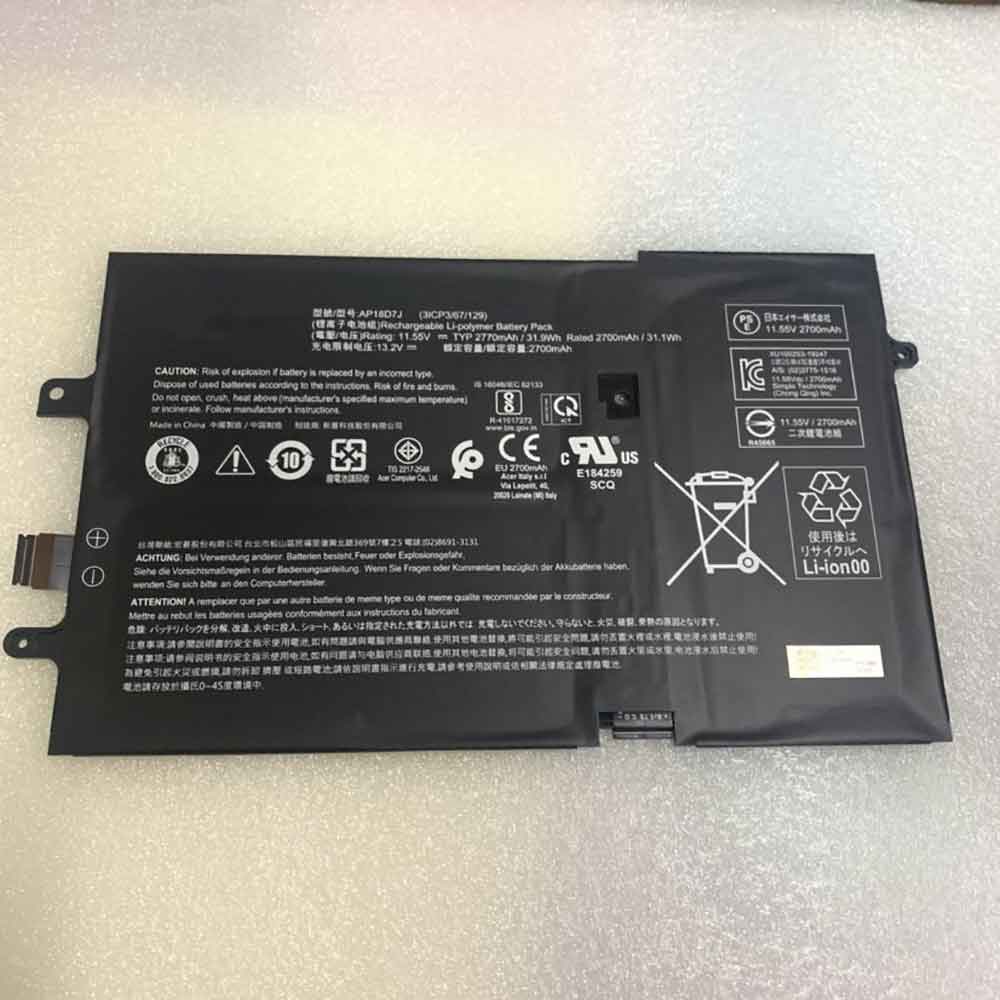
2770mAh /31.9WH 11.55V 13.2V Acer AP18D7J Li-ion Battery for Acer Swift 2019 SF714-52T SF714-52T-71JW SF714-52T-74AT

2770mAh /31.9WH 11.55V 13.2V Acer AP18D7J Batteries for Acer Swift 2019 SF714-52T SF714-52T-71JW SF714-52T-74AT, Acer AP18D7J Laptop battery is a brand new,100% Compatible original and replacement Laptop battery,Purchase wholesale and retail AP18D7J with high quality and low price!

Find ou your original model number or part number(P/N), and move your eyes on the tag of battery

AP18D7J

Specifications

  • Brand:Acer
  • Capacity :2770mAh /31.9WH
  • Voltage :11.55V 13.2V
  • Type :Li-ion
  • Battery Cell Quality: Grade A
  • Descriptive: Replacement Battery – 1 Year Warranty
  • Description: Brand New, 1 Year Warranty! 30-Days Money Back! Fast Shipping!

How we test this Acer AP18D7J Battery
Step 1: Make sure customer bought the correct battery.
Step 2: Check battery’s appearance and interface.
Step 3: Test battery charger and recharger function.
Step 4: Charger the battery to 100% and recharger to 0% to get real battery capacity
Step 5: Use Ev2300 to check the voltage difference of each goroup cells.
Step 6: Charger battery power more than 30%.
Step 7: Package battery carefully and send out

Compatible Part Numbers:
AP18D7J

Compatible Model Numbers:
Acer Swift 2019 SF714-52T SF714-52T-71JW SF714-52T-74AT

How much do you know about how to run laptop well as any place? The follow Tips cut way back on protecting battery life.


1). Please recharge or change your Laptop battery when battery power low.
2). Using Li-Ion Replacement Acer AP18D7J Laptop Battery for your notebook which can work longer time than Non Li-ion one.
3). It is better to defragmentation regularly for your Laptop battery life.
4). In order to reduce the laptop power consumpition, you can use some optical drive spin-down and hard drive in your Laptop .
5). Please keep your laptop in sleep or standby model without long time using, which both save the Replacement Acer AP18D7J Laptop Battery power and extend battery using life.
6). Leave your battery in a dry and cool condition when without using.
7). When you rarely or generally plugged in fixed power using, Please take down your battery to avoid hurting battery life.

Hot Products

3000mAh/11.4wh LEAGOO BT-5705 for LEAGOO M9 Pro Mobile Cell phon4680mAh/73WH ASUS C41N1814 for Asus ZenBook 15 UX533FD UX533F4680mAh/73WH ASUS C41N1814 for Asus ZenBook 15 UX533FD UX533F5380mAh 20.713WH BLACKVIEW Li486690JLY for Blackview A703920mAh/15.2WH ASUS C11P1805 for ASUS zenfone max M2 ZB633KL ZB8800mAh TOSHIBA PA3728U for Satellite L515 L630 L635 L6404000mAh/30.4WH RTDPART 3882229C for 7Cable RTDPART 3882229C3400mAh /13.09Wh NOKIA LC-620 for Nokia 7.2 TA-1181 TA-11962900mAh/11.2WH LG BL-T31 for LG G PAD F2 8.0 LK4602900mAh/11.5WH ASUS C11P1511 for ASUS Zenfone3 Ze552kl Z012da Z
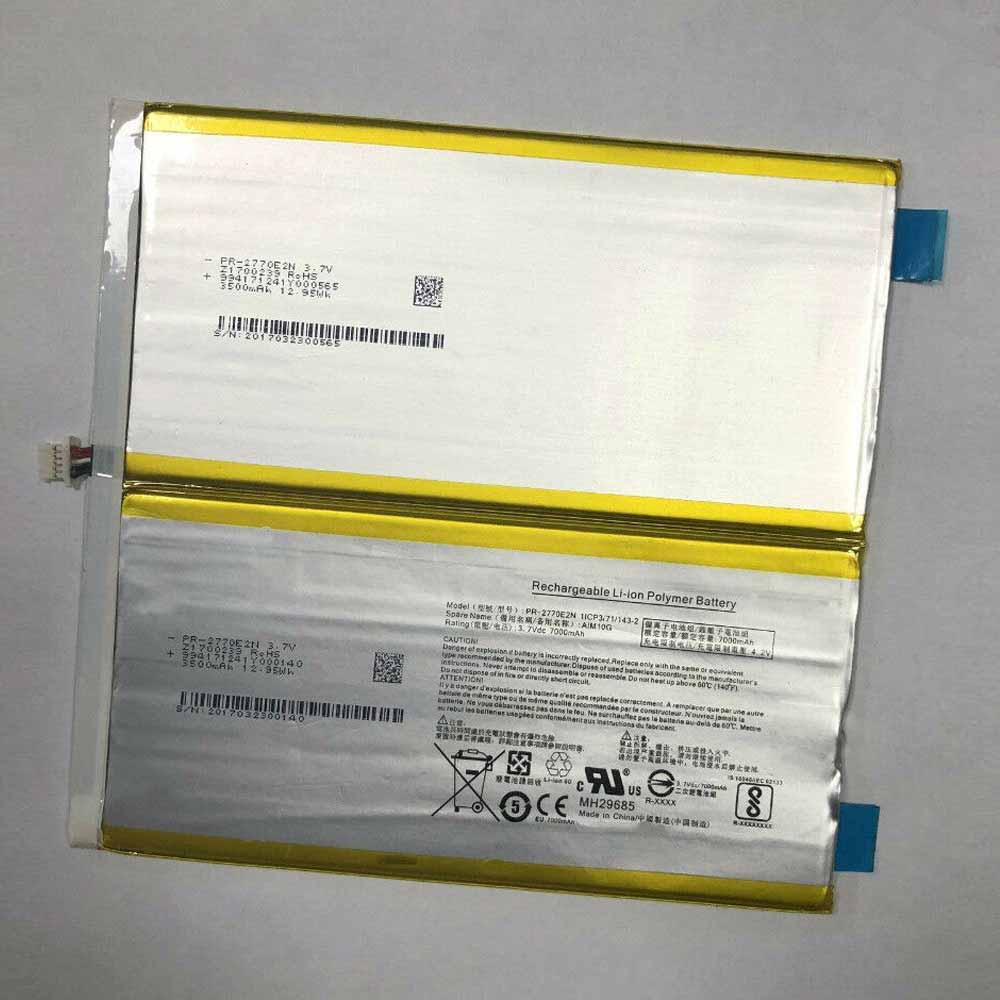
7000mAh 3.7V/4.2V Acer PR-2770E2N Li-ion Battery for Acer AIM10G TI10-1S5200-T1T2

7000mAh 3.7V/4.2V Acer PR-2770E2N Batteries for Acer AIM10G TI10-1S5200-T1T2, Acer PR-2770E2N Laptop battery is a brand new,100% Compatible original and replacement Laptop battery,Purchase wholesale and retail PR-2770E2N with high quality and low price!

Find ou your original model number or part number(P/N), and move your eyes on the tag of battery

PR-2770E2N

Specifications

  • Brand:Acer
  • Capacity :7000mAh
  • Voltage :3.7V/4.2V
  • Type :Li-ion
  • Battery Cell Quality: Grade A
  • Descriptive: Replacement Battery – 1 Year Warranty
  • Description: Brand New, 1 Year Warranty! 30-Days Money Back! Fast Shipping!

How we test this Acer PR-2770E2N Battery
Step 1: Make sure customer bought the correct battery.
Step 2: Check battery’s appearance and interface.
Step 3: Test battery charger and recharger function.
Step 4: Charger the battery to 100% and recharger to 0% to get real battery capacity
Step 5: Use Ev2300 to check the voltage difference of each goroup cells.
Step 6: Charger battery power more than 30%.
Step 7: Package battery carefully and send out

Compatible Part Numbers:
PR-2770E2N

Compatible Model Numbers:
Acer AIM10G TI10-1S5200-T1T2

How much do you know about how to run laptop well as any place? The follow Tips cut way back on protecting battery life.


1). Please recharge or change your Laptop battery when battery power low.
2). Using Li-Ion Replacement Acer PR-2770E2N Laptop Battery for your notebook which can work longer time than Non Li-ion one.
3). It is better to defragmentation regularly for your Laptop battery life.
4). In order to reduce the laptop power consumpition, you can use some optical drive spin-down and hard drive in your Laptop .
5). Please keep your laptop in sleep or standby model without long time using, which both save the Replacement Acer PR-2770E2N Laptop Battery power and extend battery using life.
6). Leave your battery in a dry and cool condition when without using.
7). When you rarely or generally plugged in fixed power using, Please take down your battery to avoid hurting battery life.

Hot Products

3000mAh/11.4wh LEAGOO BT-5705 for LEAGOO M9 Pro Mobile Cell phon4680mAh/73WH ASUS C41N1814 for Asus ZenBook 15 UX533FD UX533F4680mAh/73WH ASUS C41N1814 for Asus ZenBook 15 UX533FD UX533F5380mAh 20.713WH BLACKVIEW Li486690JLY for Blackview A703920mAh/15.2WH ASUS C11P1805 for ASUS zenfone max M2 ZB633KL ZB8800mAh TOSHIBA PA3728U for Satellite L515 L630 L635 L6404000mAh/30.4WH RTDPART 3882229C for 7Cable RTDPART 3882229C3400mAh /13.09Wh NOKIA LC-620 for Nokia 7.2 TA-1181 TA-11962900mAh/11.2WH LG BL-T31 for LG G PAD F2 8.0 LK4602900mAh/11.5WH ASUS C11P1511 for ASUS Zenfone3 Ze552kl Z012da Z
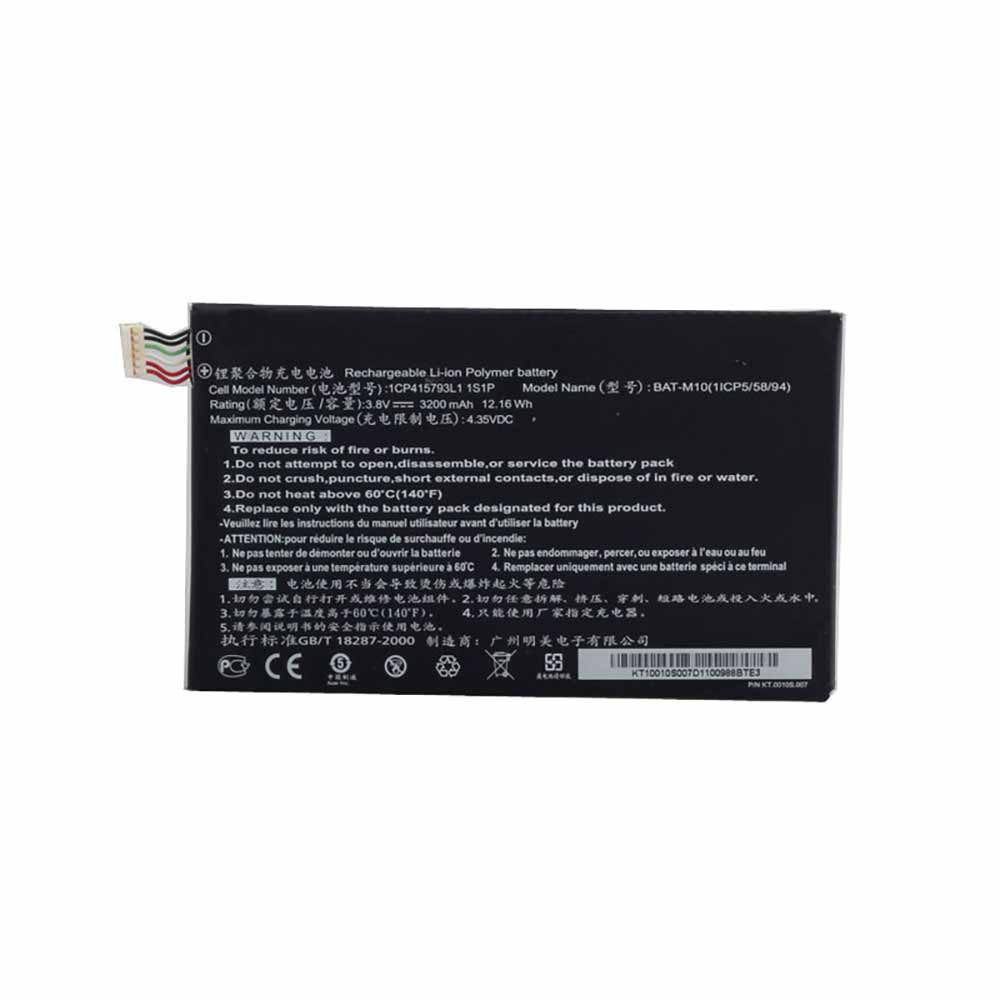
3200mAh/12.16WH 3.8V/4.35V Acer BAT-M10 Li-ion Battery for Acer Liquid S2 S520

3200mAh/12.16WH 3.8V/4.35V Acer BAT-M10 Batteries for Acer Liquid S2 S520, Acer BAT-M10 Cell Phone battery is a brand new,100% Compatible original and replacement Phone battery,Purchase wholesale and retail BAT-M10 with high quality and low price!

Find ou your original model number or part number(P/N), and move your eyes on the tag of battery

BAT-M10

Specifications

  • Brand:Acer
  • Capacity :3200mAh/12.16WH
  • Voltage :3.8V/4.35V
  • Type :Li-ion
  • Battery Cell Quality: Grade A
  • Descriptive: Replacement Battery – 1 Year Warranty
  • Description: Brand New, 1 Year Warranty! 30-Days Money Back! Fast Shipping!

How we test this Acer BAT-M10 Battery
Step 1: Make sure customer bought the correct battery.
Step 2: Check battery’s appearance and interface.
Step 3: Test battery charger and recharger function.
Step 4: Charger the battery to 100% and recharger to 0% to get real battery capacity
Step 5: Use Ev2300 to check the voltage difference of each goroup cells.
Step 6: Charger battery power more than 30%.
Step 7: Package battery carefully and send out

Compatible Part Numbers:
BAT-M10

Compatible Model Numbers:
Acer Liquid S2 S520

How much do you know about how to run laptop well as any place? The follow Tips cut way back on protecting battery life.


1). Please recharge or change your Cell Phone battery when battery power low.
2). Using Li-Ion Replacement Acer BAT-M10 Cell Phone Battery for your notebook which can work longer time than Non Li-ion one.
3). It is better to defragmentation regularly for your Cell Phone battery life.
4). In order to reduce the laptop power consumpition, you can use some optical drive spin-down and hard drive in your Cell Phone .
5). Please keep your laptop in sleep or standby model without long time using, which both save the Replacement Acer BAT-M10 Cell Phone Battery power and extend battery using life.
6). Leave your battery in a dry and cool condition when without using.
7). When you rarely or generally plugged in fixed power using, Please take down your battery to avoid hurting battery life.

Hot Products

3000mAh/11.4wh LEAGOO BT-5705 for LEAGOO M9 Pro Mobile Cell phon4680mAh/73WH ASUS C41N1814 for Asus ZenBook 15 UX533FD UX533F4680mAh/73WH ASUS C41N1814 for Asus ZenBook 15 UX533FD UX533F5380mAh 20.713WH BLACKVIEW Li486690JLY for Blackview A703920mAh/15.2WH ASUS C11P1805 for ASUS zenfone max M2 ZB633KL ZB8800mAh TOSHIBA PA3728U for Satellite L515 L630 L635 L6404000mAh/30.4WH RTDPART 3882229C for 7Cable RTDPART 3882229C3400mAh /13.09Wh NOKIA LC-620 for Nokia 7.2 TA-1181 TA-11962900mAh/11.2WH LG BL-T31 for LG G PAD F2 8.0 LK4602900mAh/11.5WH ASUS C11P1511 for ASUS Zenfone3 Ze552kl Z012da Z
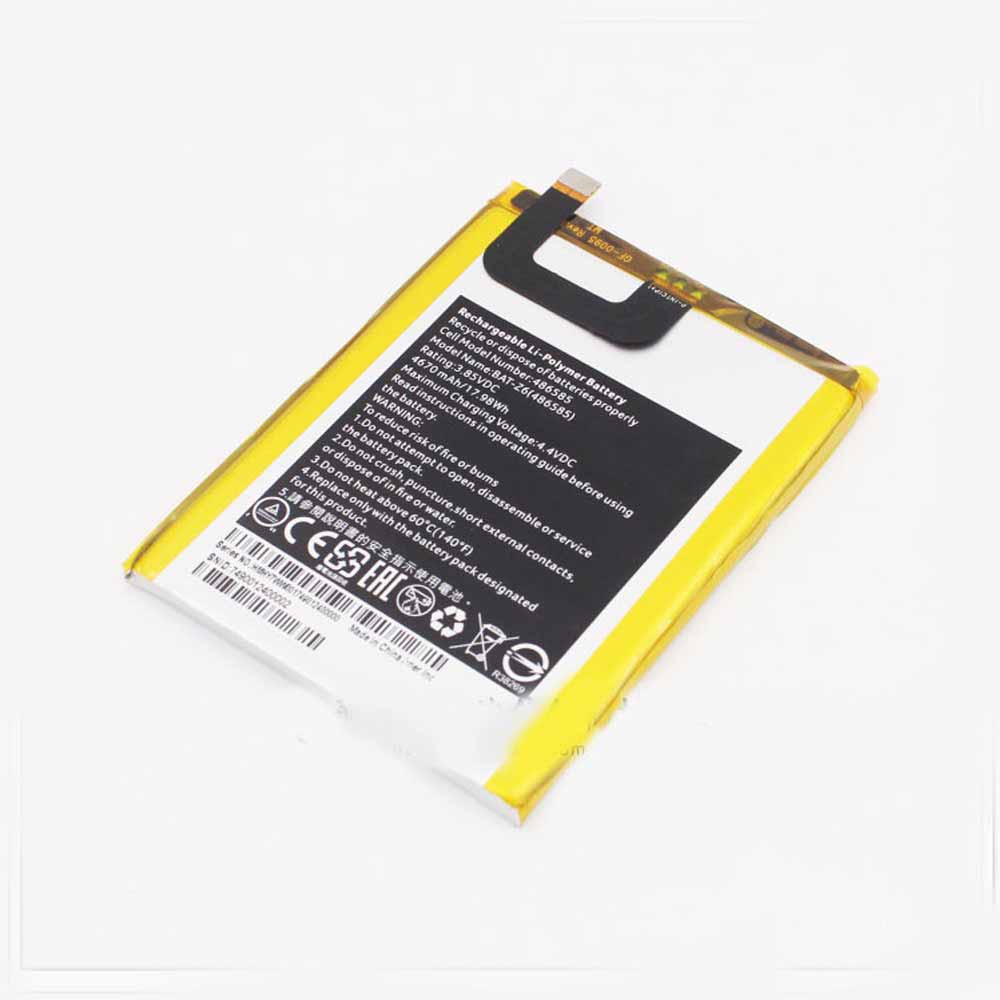
4670mAh/17.98WH 3.85V/4.4V Acer BAT-Z6 Li-ion Battery for Acer 486585

4670mAh/17.98WH 3.85V/4.4V Acer BAT-Z6 Batteries for Acer 486585, Acer BAT-Z6 Cell Phone battery is a brand new,100% Compatible original and replacement Phone battery,Purchase wholesale and retail BAT-Z6 with high quality and low price!

Find ou your original model number or part number(P/N), and move your eyes on the tag of battery

BAT-Z6

Specifications

  • Brand:Acer
  • Capacity :4670mAh/17.98WH
  • Voltage :3.85V/4.4V
  • Type :Li-ion
  • Battery Cell Quality: Grade A
  • Descriptive: Replacement Battery – 1 Year Warranty
  • Description: Brand New, 1 Year Warranty! 30-Days Money Back! Fast Shipping!

How we test this Acer BAT-Z6 Battery
Step 1: Make sure customer bought the correct battery.
Step 2: Check battery’s appearance and interface.
Step 3: Test battery charger and recharger function.
Step 4: Charger the battery to 100% and recharger to 0% to get real battery capacity
Step 5: Use Ev2300 to check the voltage difference of each goroup cells.
Step 6: Charger battery power more than 30%.
Step 7: Package battery carefully and send out

Compatible Part Numbers:
BAT-Z6

Compatible Model Numbers:
Acer 486585

How much do you know about how to run laptop well as any place? The follow Tips cut way back on protecting battery life.


1). Please recharge or change your Cell Phone battery when battery power low.
2). Using Li-Ion Replacement Acer BAT-Z6 Cell Phone Battery for your notebook which can work longer time than Non Li-ion one.
3). It is better to defragmentation regularly for your Cell Phone battery life.
4). In order to reduce the laptop power consumpition, you can use some optical drive spin-down and hard drive in your Cell Phone .
5). Please keep your laptop in sleep or standby model without long time using, which both save the Replacement Acer BAT-Z6 Cell Phone Battery power and extend battery using life.
6). Leave your battery in a dry and cool condition when without using.
7). When you rarely or generally plugged in fixed power using, Please take down your battery to avoid hurting battery life.

Hot Products

3000mAh/11.4wh LEAGOO BT-5705 for LEAGOO M9 Pro Mobile Cell phon4680mAh/73WH ASUS C41N1814 for Asus ZenBook 15 UX533FD UX533F4680mAh/73WH ASUS C41N1814 for Asus ZenBook 15 UX533FD UX533F5380mAh 20.713WH BLACKVIEW Li486690JLY for Blackview A703920mAh/15.2WH ASUS C11P1805 for ASUS zenfone max M2 ZB633KL ZB8800mAh TOSHIBA PA3728U for Satellite L515 L630 L635 L6404000mAh/30.4WH RTDPART 3882229C for 7Cable RTDPART 3882229C3400mAh /13.09Wh NOKIA LC-620 for Nokia 7.2 TA-1181 TA-11962900mAh/11.2WH LG BL-T31 for LG G PAD F2 8.0 LK4602900mAh/11.5WH ASUS C11P1511 for ASUS Zenfone3 Ze552kl Z012da Z
Microsoft: This divisive Windows 11 feature may soon be improved

 The Microsoft Store in Windows 11 may soon let you download third-party widgets — tiny apps that provide at-a-glance information, such as current weather or local traffic. FireCube did some digging recently and found that the widget list has been updated to reference the download widget.

Microsoft‘s text informing users that they can “download new widgets and widget updates in the Microsoft Store” is another evidence that the eventual plan is for developers to put their third-party widgets in the Microsoft Store and have Windows 11 Users download whatever they want.

The Widgets panel will certainly be more useful, with a wider range of options and more room for customization, than the current situation where people can only use Microsoft’s own widgets in the panel.

As pointed out by Windows Central, which discovered this, its own Zac Bowden — a prolific source of Microsoft leaks — has previously stated that the widget panel is expected to get third-party efforts, plus new features, in fact, Developers already have a brief look at the functionality of third-party widgets. Previous leaks have also shown that third-party widgets are also inbound.

Extend the widget panel in multiple ways

With the newly discovered trove of evidence that Microsoft is preparing to implement third-party widgets, it seems likely that they will debut sometime in 2022.

Will this be related to the big update in the second half of 2022 (Sun Valley 2)? Maybe, but given that Microsoft has been adding stuff to Windows 11 so far this year — witnessing major interface changes on top of some recent major feature updates — then the clue now emerging may be that we can get an early update on the OS Install third-party widgets in . As for Microsoft’s other plans for widget panels, in its recent release of Windows 11 we did see a full screen panel; so that might be in the pipeline as well (it would provide more screen real estate to fill third-party widgets).

Of course, the widget panel is a divisive feature, and some people really don’t like it as a rather pointless element in the UI. Its usefulness is certainly limited in its current form, limited to Microsoft services. Opening up the ability to add tons of new widgets from across the store certainly helps make the panel a more compelling feature of Windows 11 and significantly improves the perception of this part of the interface.

>>>>>>>>>>>>>Microsoft Battery

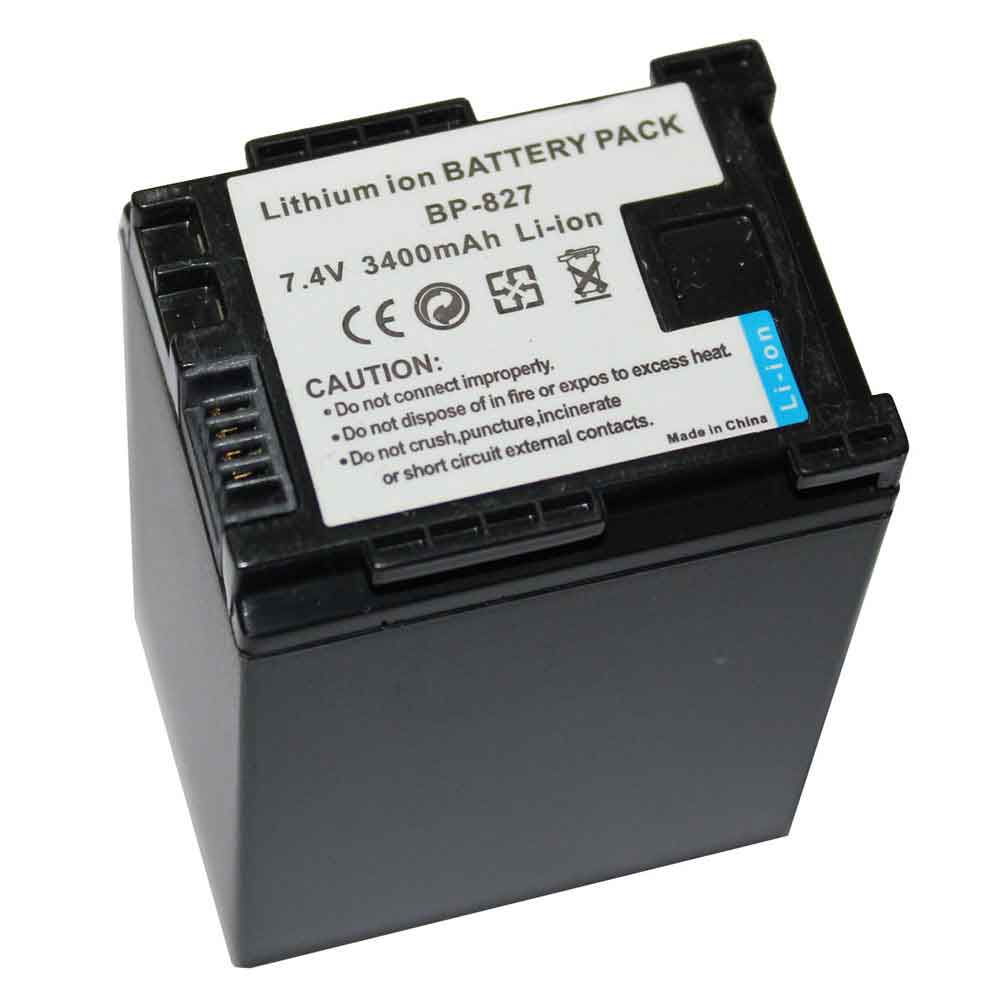
3400mAh 7.4V Canon BP-827 Li-ion Battery for Canon HG20 HG21 FS10 FS11 HF20 HF100 HFS100 HFS10

3400mAh 7.4V Canon BP-827 Batteries for Canon HG20 HG21 FS10 FS11 FS100 FS200 FS21 FS22 HF200 HF20 HF100 HFS100 HFS10, Canon BP-827 Other battery is a brand new,100% Compatible original and replacement battery,Purchase wholesale and retail BP-827 with high quality and low price!

Find ou your original model number or part number(P/N), and move your eyes on the tag of battery

BP-827

Specifications

  • Brand:Canon
  • Capacity :3400mAh
  • Voltage :7.4V
  • Type :Li-ion
  • Battery Cell Quality: Grade A
  • Descriptive: Replacement Battery – 1 Year Warranty
  • Description: Brand New, 1 Year Warranty! 30-Days Money Back! Fast Shipping!

How we test this Canon BP-827 Battery
Step 1: Make sure customer bought the correct battery.
Step 2: Check battery’s appearance and interface.
Step 3: Test battery charger and recharger function.
Step 4: Charger the battery to 100% and recharger to 0% to get real battery capacity
Step 5: Use Ev2300 to check the voltage difference of each goroup cells.
Step 6: Charger battery power more than 30%.
Step 7: Package battery carefully and send out

Compatible Part Numbers:
BP-827

Compatible Model Numbers:
Canon HG20 HG21 FS10 FS11 FS100 FS200 FS21 FS22 HF200 HF20 HF100 HFS100 HFS10

How much do you know about how to run laptop well as any place? The follow Tips cut way back on protecting battery life.


1). Please recharge or change your Other battery when battery power low.
2). Using Li-Ion Replacement Canon BP-827 Other Battery for your notebook which can work longer time than Non Li-ion one.
3). It is better to defragmentation regularly for your Other battery life.
4). In order to reduce the laptop power consumpition, you can use some optical drive spin-down and hard drive in your Other .
5). Please keep your laptop in sleep or standby model without long time using, which both save the Replacement Canon BP-827 Other Battery power and extend battery using life.
6). Leave your battery in a dry and cool condition when without using.
7). When you rarely or generally plugged in fixed power using, Please take down your battery to avoid hurting battery life.

Hot Products

3000mAh/11.4wh LEAGOO BT-5705 for LEAGOO M9 Pro Mobile Cell phon4680mAh/73WH ASUS C41N1814 for Asus ZenBook 15 UX533FD UX533F4680mAh/73WH ASUS C41N1814 for Asus ZenBook 15 UX533FD UX533F5380mAh 20.713WH BLACKVIEW Li486690JLY for Blackview A703920mAh/15.2WH ASUS C11P1805 for ASUS zenfone max M2 ZB633KL ZB8800mAh TOSHIBA PA3728U for Satellite L515 L630 L635 L6404000mAh/30.4WH RTDPART 3882229C for 7Cable RTDPART 3882229C3400mAh /13.09Wh NOKIA LC-620 for Nokia 7.2 TA-1181 TA-11962900mAh/11.2WH LG BL-T31 for LG G PAD F2 8.0 LK4602900mAh/11.5WH ASUS C11P1511 for ASUS Zenfone3 Ze552kl Z012da Z

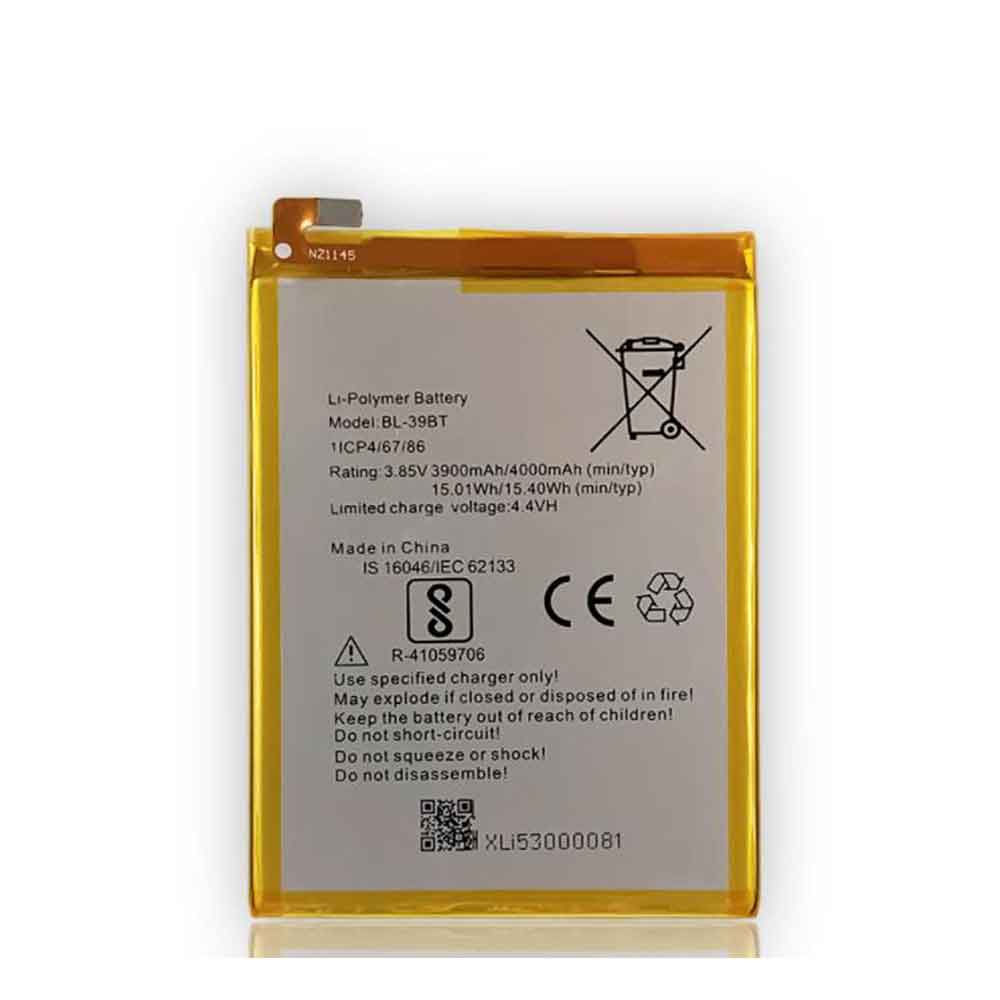
4000mAh/15.40WH 3.85V 4.4V Tecno BL-39BT Li-ion Battery for Tecno i5 Pro

4000mAh/15.40WH 3.85V 4.4V Tecno BL-39BT Batteries for Tecno i5 Pro, Tecno BL-39BT Cell Phone battery is a brand new,100% Compatible original and replacement Phone battery,Purchase wholesale and retail BL-39BT with high quality and low price!

Find ou your original model number or part number(P/N), and move your eyes on the tag of battery

BL-39BT

Specifications

  • Brand:Tecno
  • Capacity :4000mAh/15.40WH
  • Voltage :3.85V 4.4V
  • Type :Li-ion
  • Battery Cell Quality: Grade A
  • Descriptive: Replacement Battery – 1 Year Warranty
  • Description: Brand New, 1 Year Warranty! 30-Days Money Back! Fast Shipping!

How we test this Tecno BL-39BT Battery
Step 1: Make sure customer bought the correct battery.
Step 2: Check battery’s appearance and interface.
Step 3: Test battery charger and recharger function.
Step 4: Charger the battery to 100% and recharger to 0% to get real battery capacity
Step 5: Use Ev2300 to check the voltage difference of each goroup cells.
Step 6: Charger battery power more than 30%.
Step 7: Package battery carefully and send out

Compatible Part Numbers:
BL-39BT

Compatible Model Numbers:
Tecno i5 Pro

How much do you know about how to run laptop well as any place? The follow Tips cut way back on protecting battery life.


1). Please recharge or change your Cell Phone battery when battery power low.
2). Using Li-Ion Replacement Tecno BL-39BT Cell Phone Battery for your notebook which can work longer time than Non Li-ion one.
3). It is better to defragmentation regularly for your Cell Phone battery life.
4). In order to reduce the laptop power consumpition, you can use some optical drive spin-down and hard drive in your Cell Phone .
5). Please keep your laptop in sleep or standby model without long time using, which both save the Replacement Tecno BL-39BT Cell Phone Battery power and extend battery using life.
6). Leave your battery in a dry and cool condition when without using.
7). When you rarely or generally plugged in fixed power using, Please take down your battery to avoid hurting battery life.

Hot Products

3000mAh/11.4wh LEAGOO BT-5705 for LEAGOO M9 Pro Mobile Cell phon4680mAh/73WH ASUS C41N1814 for Asus ZenBook 15 UX533FD UX533F4680mAh/73WH ASUS C41N1814 for Asus ZenBook 15 UX533FD UX533F5380mAh 20.713WH BLACKVIEW Li486690JLY for Blackview A703920mAh/15.2WH ASUS C11P1805 for ASUS zenfone max M2 ZB633KL ZB8800mAh TOSHIBA PA3728U for Satellite L515 L630 L635 L6404000mAh/30.4WH RTDPART 3882229C for 7Cable RTDPART 3882229C3400mAh /13.09Wh NOKIA LC-620 for Nokia 7.2 TA-1181 TA-11962900mAh/11.2WH LG BL-T31 for LG G PAD F2 8.0 LK4602900mAh/11.5WH ASUS C11P1511 for ASUS Zenfone3 Ze552kl Z012da Z