How to Extend Your Phone’s Battery Life — The Way

 Smartphones have evolved into an essential part of our daily lives. However, you are using your phone, and there are a lot of things that can go wrong. One of the key challenges when using the device is the ongoing issue of smartphone batteries. If you don’t know how to extend battery life and how to protect it from damage, don’t worry; here’s how to extend the life of your phone’s battery. Let’s have a look!

How do you prevent your battery from aging?

1. Control battery discharge.

A typical cell phone Li-Ion battery can maintain 80% charge power after 300-500 charge/discharge cycles. However, batteries offer this level of efficiency, with the load storage capacity typically dropping to 80% within 100 cycles.

Fortunately, we can increase the potential battery life by limiting how much the phone battery can discharge. Since most cell phone battery drain occurs during deep discharge/charge cycles, it’s actually easier to reduce battery discharge in any one cycle before charging.

As it happens, our device has a battery management system that reduces damage from overcharging and automatically shuts down when the battery gets too low. However, to optimize battery power in the future, we can avoid the 0% mark on the battery while keeping the battery at least partially charged, if stored longer, to prevent deep discharge.

2. Extend the charging time.

Today’s mobile devices have a fast-charging option that allows users to overload in minutes instead of hours. This is helpful when we are in a hurry, otherwise, we can stop it. Because charging the battery too quickly limits its storage capacity. Physically, the movement of lithium metal and lithium ions between electrodes in lithium-ion batteries is a slow process. Low-speed charging also allows for full shuttle, which increases the charging power of the battery.

For example, charging a phone in a few minutes will reduce the battery capacity by more than 20% during the charge compared to the normal two hours.

3. Keep the temperature just right.

Lithium-ion batteries maintain optimal long-term charge capacity in the range of 0°C to 45°C.

Below 0°C, the amount of charge present in the battery system is limited by the movement of lithium ions inside the electrodes and through the electrolyte. At these temperatures, however, the battery’s degradation is also greatly accelerated, reducing its storage capacity for longer periods of time.

Due to direct sunlight, phones need to be kept away from light for long periods of time, especially in summer, when surface temperatures can rise above 70°C.

How can you compromise your battery life?

●Wi-Fi consumes the same battery life as Bluetooth,

●Unauthorized chargers will burn the phone battery.

●Charging more than 100% will damage the battery.

>>>>>>>>>>>>>>Phone battery

Thanks for reading, hope it helps!

Friendly reminder: If you need to replace the battery, this battery store will be a good choice: www.batteryforpc.co.uk

3 hidden functions of the iPhone SE home button you didn’t know

 The 2022 iPhone SE is a modern phone with the latest A15 chipset and 5G connectivity, but an older design: it has a relatively small screen, thick bezels, a single-camera system, and a physical home button that lets you unlock quickly your screen or go to your home screen. However, you might be surprised to learn that you can do so much more with your thumb.

The Home button on iPhone can also be used to dim the screen and make iPhone easier to use with one hand. So, whether you’re looking to upgrade to the new iPhone SE or have an older iPhone with Touch ID, here are some tips and tricks you should know to master the home button. Let’s have a look!

Turn your iPhone into a magnifying glass

Any smartphone can be used as a magnifying glass: fire up the camera, point it at what you want to take a closer look at, then open out to zoom in. However, if you have an iPhone, there is an easier way to magnify text or objects in the real world – it involves your home button.

With Magnification Assist, you can triple-click the Home button to use your iPhone as a magnifying glass. But first you need to set it up. On iPhone, go to Settings > Accessibility > Accessibility Shortcuts , then tap Magnifying Glass . Now when you triple click the home button, you will be redirected to the magnifying glass function, which not only allows you to zoom in up close, but you can also increase saturation brightness, add filters, turn on the flashlight and take a photo. You can also zoom in. Swipe up from the bottom of the screen to exit accessibility.

Dim the screen than usual

Another accessibility feature that can be attached to your home button is zoom, which not only lets you zoom in on the screen, but also uses settings that make the screen easier to scan. One of those filters is Low Light, which lets you dim the screen instead of simply lowering the regular brightness setting in Control Center.

Again, go to Settings > Accessibility > Accessibility Shortcut, but this time choose Zoom. Now, triple-click the home button and you should see a small button on the screen. Click the button and then click to zoom out as your screen will be enlarged. Click the button again, but this time choose Filter > Low Light. This reduces your brightness, which may be reduced when your regular brightness is also reduced. To disable the feature, triple-click the home button again.

Make your screen easier to use with one hand

While the iPhone SE is currently Apple‘s smallest model, it can be a bit cumbersome to use with one hand if you have short fingers. Using two hands will obviously fix this, but if that’s not an option in your case, you can always use the home button to trigger the reachability feature and pull the top of the screen into reach.

To enable this accessibility feature, go to Settings > Accessibility > Touch and turn on Reachability. With the feature enabled, all you need to do is double-tap the home button lightly (don’t click down). The top half of the screen will drop to the bottom half, making it easier to navigate with one hand. To return to the full view, tap the upper section or double-tap the home button again.

>>>>>>>>>>>>>Apple battery

Thanks for reading, hope it helps!

Friendly reminder: If you need to replace the battery, this battery store will be a good choice: www.batteryforpc.co.uk

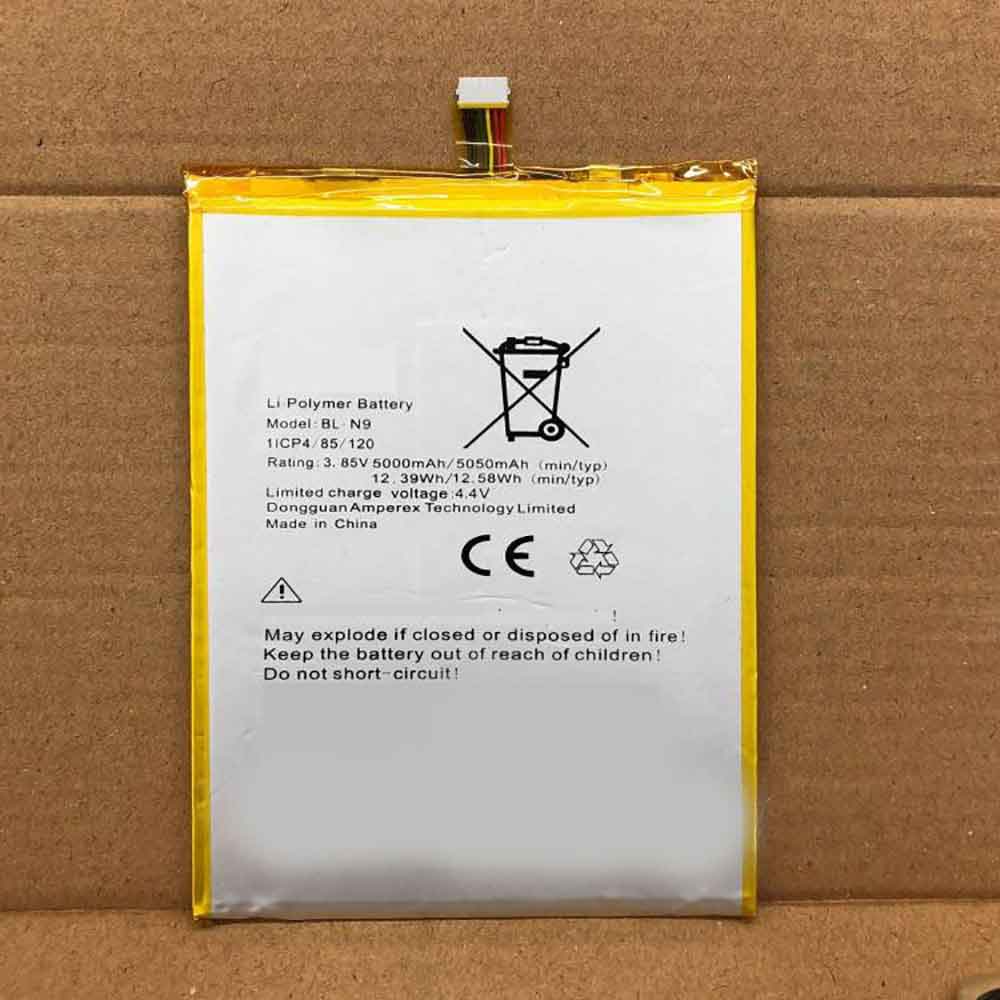
5000mAh/12.39WH 3.85V 4.4V Tecno BL-N9 Li-ion Battery for Tecno BL-N9

5000mAh/12.39WH 3.85V 4.4V Tecno BL-N9 Batteries for Tecno BL-N9, Tecno BL-N9 Cell Phone battery is a brand new,100% Compatible original and replacement Phone battery,Purchase wholesale and retail BL-N9 with high quality and low price!

Find ou your original model number or part number(P/N), and move your eyes on the tag of battery

BL-N9

Specifications

  • Brand:Tecno
  • Capacity :5000mAh/12.39WH
  • Voltage :3.85V 4.4V
  • Type :Li-ion
  • Battery Cell Quality: Grade A
  • Descriptive: Replacement Battery – 1 Year Warranty
  • Description: Brand New, 1 Year Warranty! 30-Days Money Back! Fast Shipping!

How we test this Tecno BL-N9 Battery
Step 1: Make sure customer bought the correct battery.
Step 2: Check battery’s appearance and interface.
Step 3: Test battery charger and recharger function.
Step 4: Charger the battery to 100% and recharger to 0% to get real battery capacity
Step 5: Use Ev2300 to check the voltage difference of each goroup cells.
Step 6: Charger battery power more than 30%.
Step 7: Package battery carefully and send out

Compatible Part Numbers:
BL-N9

Compatible Model Numbers:
Tecno BL-N9

How much do you know about how to run laptop well as any place? The follow Tips cut way back on protecting battery life.


1). Please recharge or change your Cell Phone battery when battery power low.
2). Using Li-Ion Replacement Tecno BL-N9 Cell Phone Battery for your notebook which can work longer time than Non Li-ion one.
3). It is better to defragmentation regularly for your Cell Phone battery life.
4). In order to reduce the laptop power consumpition, you can use some optical drive spin-down and hard drive in your Cell Phone .
5). Please keep your laptop in sleep or standby model without long time using, which both save the Replacement Tecno BL-N9 Cell Phone Battery power and extend battery using life.
6). Leave your battery in a dry and cool condition when without using.
7). When you rarely or generally plugged in fixed power using, Please take down your battery to avoid hurting battery life.

Hot Products

4680mAh/73WH ASUS C41N1814 for Asus ZenBook 15 UX533FD UX533F4680mAh/73WH ASUS C41N1814 for Asus ZenBook 15 UX533FD UX533F5380mAh 20.713WH BLACKVIEW Li486690JLY for Blackview A703920mAh/15.2WH ASUS C11P1805 for ASUS zenfone max M2 ZB633KL ZB8800mAh TOSHIBA PA3728U for Satellite L515 L630 L635 L6404000mAh/30.4WH RTDPART 3882229C for 7Cable RTDPART 3882229C3400mAh /13.09Wh NOKIA LC-620 for Nokia 7.2 TA-1181 TA-11962900mAh/11.2WH LG BL-T31 for LG G PAD F2 8.0 LK4602900mAh/11.5WH ASUS C11P1511 for ASUS Zenfone3 Ze552kl Z012da Z1500mAh/5.6WH HUAWEI HB554666 for Huawei E5330 E5336 EC5373 EC53

4020mAh/15.169WH 3.85V 4.4V Qiku QK-401 Li-ion Battery for Qiku 360vizza N6lite 1711-A01 1713-A01

4020mAh/15.169WH 3.85V 4.4V Qiku QK-401 Batteries for Qiku 360vizza N6lite 1711-A01 1713-A01, Qiku QK-401 Cell Phone battery is a brand new,100% Compatible original and replacement Phone battery,Purchase wholesale and retail QK-401 with high quality and low price!

Find ou your original model number or part number(P/N), and move your eyes on the tag of battery

QK-401

Specifications

  • Brand:Qiku
  • Capacity :4020mAh/15.169WH
  • Voltage :3.85V 4.4V
  • Type :Li-ion
  • Battery Cell Quality: Grade A
  • Descriptive: Replacement Battery – 1 Year Warranty
  • Description: Brand New, 1 Year Warranty! 30-Days Money Back! Fast Shipping!

How we test this Qiku QK-401 Battery
Step 1: Make sure customer bought the correct battery.
Step 2: Check battery’s appearance and interface.
Step 3: Test battery charger and recharger function.
Step 4: Charger the battery to 100% and recharger to 0% to get real battery capacity
Step 5: Use Ev2300 to check the voltage difference of each goroup cells.
Step 6: Charger battery power more than 30%.
Step 7: Package battery carefully and send out

Compatible Part Numbers:
QK-401

Compatible Model Numbers:
Qiku 360vizza N6lite 1711-A01 1713-A01

How much do you know about how to run laptop well as any place? The follow Tips cut way back on protecting battery life.


1). Please recharge or change your Cell Phone battery when battery power low.
2). Using Li-Ion Replacement Qiku QK-401 Cell Phone Battery for your notebook which can work longer time than Non Li-ion one.
3). It is better to defragmentation regularly for your Cell Phone battery life.
4). In order to reduce the laptop power consumpition, you can use some optical drive spin-down and hard drive in your Cell Phone .
5). Please keep your laptop in sleep or standby model without long time using, which both save the Replacement Qiku QK-401 Cell Phone Battery power and extend battery using life.
6). Leave your battery in a dry and cool condition when without using.
7). When you rarely or generally plugged in fixed power using, Please take down your battery to avoid hurting battery life.

Hot Products

4680mAh/73WH ASUS C41N1814 for Asus ZenBook 15 UX533FD UX533F4680mAh/73WH ASUS C41N1814 for Asus ZenBook 15 UX533FD UX533F5380mAh 20.713WH BLACKVIEW Li486690JLY for Blackview A703920mAh/15.2WH ASUS C11P1805 for ASUS zenfone max M2 ZB633KL ZB8800mAh TOSHIBA PA3728U for Satellite L515 L630 L635 L6404000mAh/30.4WH RTDPART 3882229C for 7Cable RTDPART 3882229C3400mAh /13.09Wh NOKIA LC-620 for Nokia 7.2 TA-1181 TA-11962900mAh/11.2WH LG BL-T31 for LG G PAD F2 8.0 LK4602900mAh/11.5WH ASUS C11P1511 for ASUS Zenfone3 Ze552kl Z012da Z1500mAh/5.6WH HUAWEI HB554666 for Huawei E5330 E5336 EC5373 EC53

2200mAh 7.0V Nikon EN-EL15 Li-ion Battery for Nikon D7100 D800E D810 D7200 V1 D7000 D750

2200mAh 7.0V Nikon EN-EL15 Batteries for Nikon D7100 D800E D810 D7200 V1 D7000 D750, Nikon EN-EL15 Other battery is a brand new,100% Compatible original and replacement battery,Purchase wholesale and retail EN-EL15 with high quality and low price!

Find ou your original model number or part number(P/N), and move your eyes on the tag of battery

EN-EL15

Specifications

  • Brand:Nikon
  • Capacity :2200mAh
  • Voltage :7.0V
  • Type :Li-ion
  • Battery Cell Quality: Grade A
  • Descriptive: Replacement Battery – 1 Year Warranty
  • Description: Brand New, 1 Year Warranty! 30-Days Money Back! Fast Shipping!

How we test this Nikon EN-EL15 Battery
Step 1: Make sure customer bought the correct battery.
Step 2: Check battery’s appearance and interface.
Step 3: Test battery charger and recharger function.
Step 4: Charger the battery to 100% and recharger to 0% to get real battery capacity
Step 5: Use Ev2300 to check the voltage difference of each goroup cells.
Step 6: Charger battery power more than 30%.
Step 7: Package battery carefully and send out

Compatible Part Numbers:
EN-EL15

Compatible Model Numbers:
Nikon D7100 D800E D810 D7200 V1 D7000 D750

How much do you know about how to run laptop well as any place? The follow Tips cut way back on protecting battery life.


1). Please recharge or change your Other battery when battery power low.
2). Using Li-Ion Replacement Nikon EN-EL15 Other Battery for your notebook which can work longer time than Non Li-ion one.
3). It is better to defragmentation regularly for your Other battery life.
4). In order to reduce the laptop power consumpition, you can use some optical drive spin-down and hard drive in your Other .
5). Please keep your laptop in sleep or standby model without long time using, which both save the Replacement Nikon EN-EL15 Other Battery power and extend battery using life.
6). Leave your battery in a dry and cool condition when without using.
7). When you rarely or generally plugged in fixed power using, Please take down your battery to avoid hurting battery life.

Hot Products

4680mAh/73WH ASUS C41N1814 for Asus ZenBook 15 UX533FD UX533F4680mAh/73WH ASUS C41N1814 for Asus ZenBook 15 UX533FD UX533F5380mAh 20.713WH BLACKVIEW Li486690JLY for Blackview A703920mAh/15.2WH ASUS C11P1805 for ASUS zenfone max M2 ZB633KL ZB8800mAh TOSHIBA PA3728U for Satellite L515 L630 L635 L6404000mAh/30.4WH RTDPART 3882229C for 7Cable RTDPART 3882229C3400mAh /13.09Wh NOKIA LC-620 for Nokia 7.2 TA-1181 TA-11962900mAh/11.2WH LG BL-T31 for LG G PAD F2 8.0 LK4602900mAh/11.5WH ASUS C11P1511 for ASUS Zenfone3 Ze552kl Z012da Z1500mAh/5.6WH HUAWEI HB554666 for Huawei E5330 E5336 EC5373 EC53

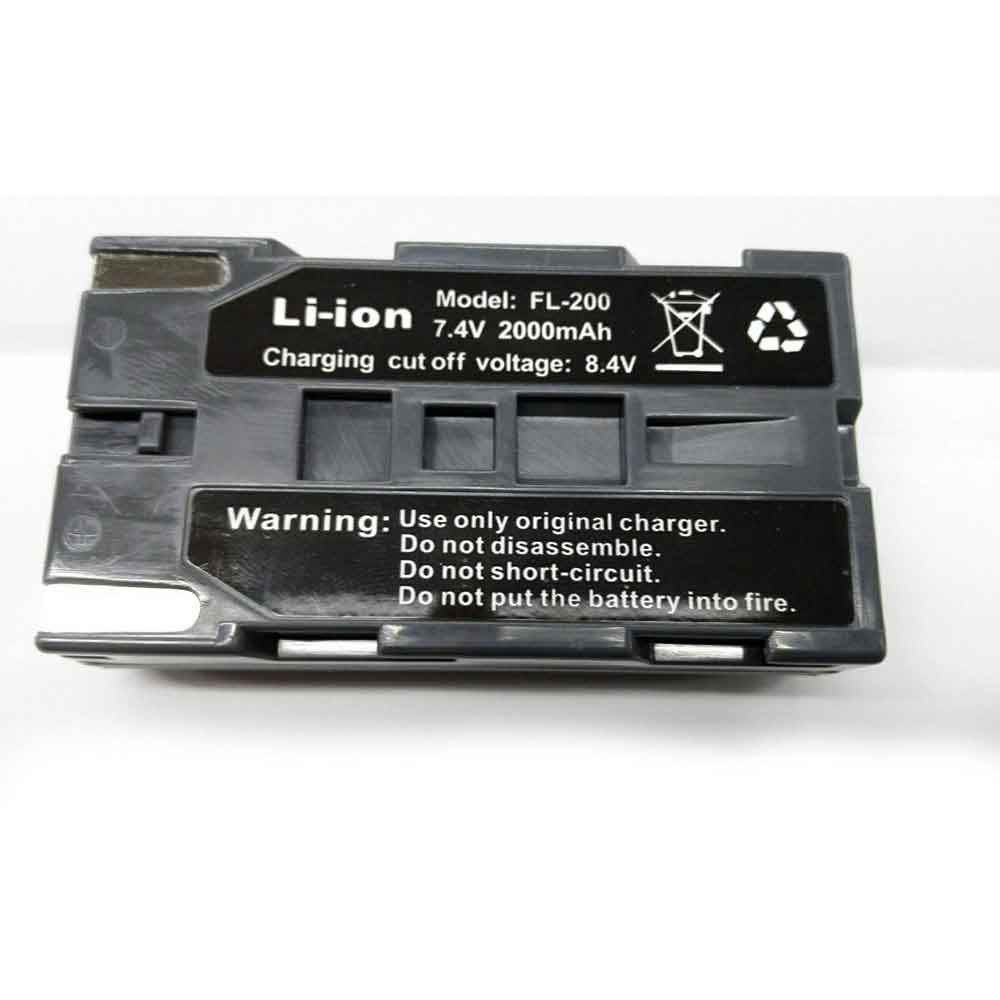
2000mAh 7.4V 8.4V Palmer FL-200 Li-ion Battery for Palmer Wahl Z70

2000mAh 7.4V 8.4V Palmer FL-200 Batteries for Palmer Wahl Z70, Palmer FL-200 Other battery is a brand new,100% Compatible original and replacement battery,Purchase wholesale and retail FL-200 with high quality and low price!

Find ou your original model number or part number(P/N), and move your eyes on the tag of battery

FL-200

Specifications

  • Brand:Palmer
  • Capacity :2000mAh
  • Voltage :7.4V 8.4V
  • Type :Li-ion
  • Battery Cell Quality: Grade A
  • Descriptive: Replacement Battery – 1 Year Warranty
  • Description: Brand New, 1 Year Warranty! 30-Days Money Back! Fast Shipping!

How we test this Palmer FL-200 Battery
Step 1: Make sure customer bought the correct battery.
Step 2: Check battery’s appearance and interface.
Step 3: Test battery charger and recharger function.
Step 4: Charger the battery to 100% and recharger to 0% to get real battery capacity
Step 5: Use Ev2300 to check the voltage difference of each goroup cells.
Step 6: Charger battery power more than 30%.
Step 7: Package battery carefully and send out

Compatible Part Numbers:
FL-200

Compatible Model Numbers:
Palmer Wahl Z70

How much do you know about how to run laptop well as any place? The follow Tips cut way back on protecting battery life.


1). Please recharge or change your Other battery when battery power low.
2). Using Li-Ion Replacement Palmer FL-200 Other Battery for your notebook which can work longer time than Non Li-ion one.
3). It is better to defragmentation regularly for your Other battery life.
4). In order to reduce the laptop power consumpition, you can use some optical drive spin-down and hard drive in your Other .
5). Please keep your laptop in sleep or standby model without long time using, which both save the Replacement Palmer FL-200 Other Battery power and extend battery using life.
6). Leave your battery in a dry and cool condition when without using.
7). When you rarely or generally plugged in fixed power using, Please take down your battery to avoid hurting battery life.

Hot Products

4680mAh/73WH ASUS C41N1814 for Asus ZenBook 15 UX533FD UX533F4680mAh/73WH ASUS C41N1814 for Asus ZenBook 15 UX533FD UX533F5380mAh 20.713WH BLACKVIEW Li486690JLY for Blackview A703920mAh/15.2WH ASUS C11P1805 for ASUS zenfone max M2 ZB633KL ZB8800mAh TOSHIBA PA3728U for Satellite L515 L630 L635 L6404000mAh/30.4WH RTDPART 3882229C for 7Cable RTDPART 3882229C3400mAh /13.09Wh NOKIA LC-620 for Nokia 7.2 TA-1181 TA-11962900mAh/11.2WH LG BL-T31 for LG G PAD F2 8.0 LK4602900mAh/11.5WH ASUS C11P1511 for ASUS Zenfone3 Ze552kl Z012da Z1500mAh/5.6WH HUAWEI HB554666 for Huawei E5330 E5336 EC5373 EC53

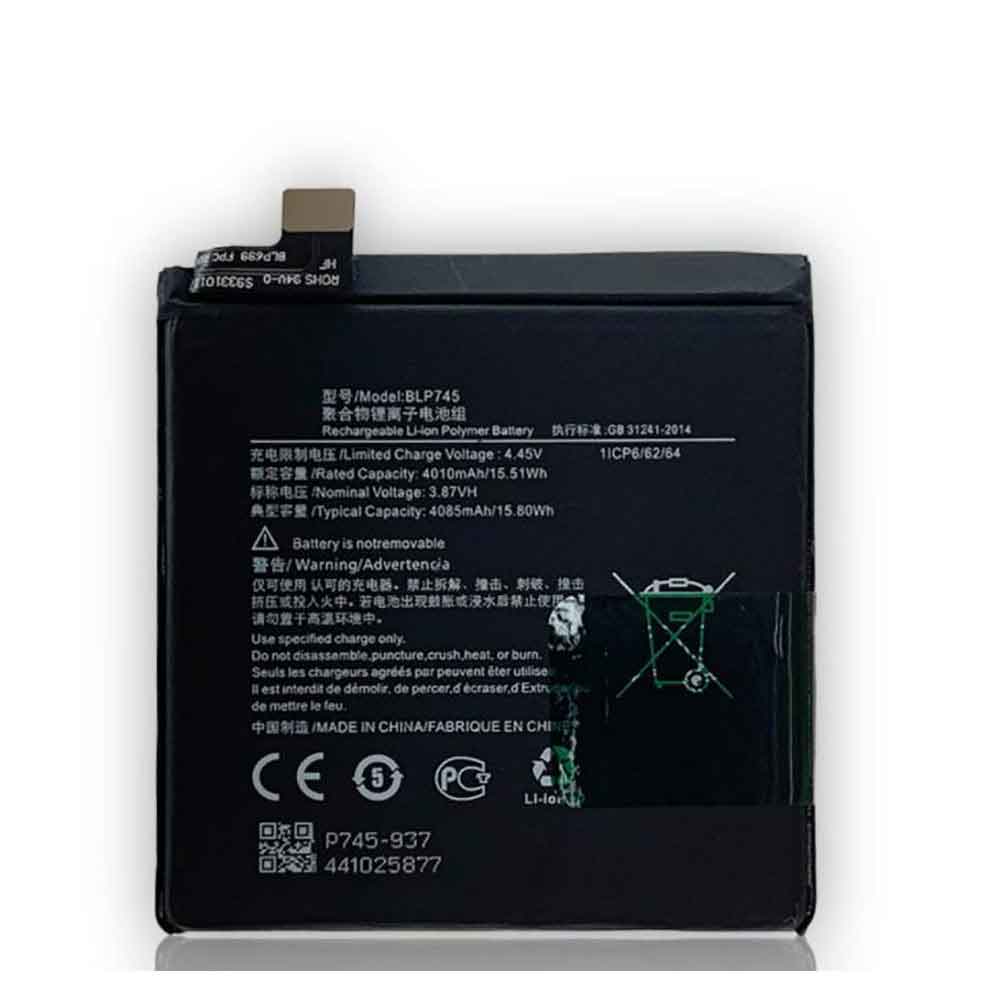
4010mAh/15.51WH 3.87V 4.45V Oppo BLP745 Li-ion Battery for OPPO OnePlus 7T Pro/1+7T Pro

4010mAh/15.51WH 3.87V 4.45V Oppo BLP745 Batteries for OPPO OnePlus 7T Pro/1+7T Pro, Oppo BLP745 Cell Phone battery is a brand new,100% Compatible original and replacement Phone battery,Purchase wholesale and retail BLP745 with high quality and low price!

Find ou your original model number or part number(P/N), and move your eyes on the tag of battery

BLP745

Specifications

  • Brand:OPPO
  • Capacity :4010mAh/15.51WH
  • Voltage :3.87V 4.45V
  • Type :Li-ion
  • Battery Cell Quality: Grade A
  • Descriptive: Replacement Battery – 1 Year Warranty
  • Description: Brand New, 1 Year Warranty! 30-Days Money Back! Fast Shipping!

How we test this Oppo BLP745 Battery
Step 1: Make sure customer bought the correct battery.
Step 2: Check battery’s appearance and interface.
Step 3: Test battery charger and recharger function.
Step 4: Charger the battery to 100% and recharger to 0% to get real battery capacity
Step 5: Use Ev2300 to check the voltage difference of each goroup cells.
Step 6: Charger battery power more than 30%.
Step 7: Package battery carefully and send out

Compatible Part Numbers:
BLP745

Compatible Model Numbers:
OPPO OnePlus 7T Pro/1+7T Pro

How much do you know about how to run laptop well as any place? The follow Tips cut way back on protecting battery life.


1). Please recharge or change your Cell Phone battery when battery power low.
2). Using Li-Ion Replacement Oppo BLP745 Cell Phone Battery for your notebook which can work longer time than Non Li-ion one.
3). It is better to defragmentation regularly for your Cell Phone battery life.
4). In order to reduce the laptop power consumpition, you can use some optical drive spin-down and hard drive in your Cell Phone .
5). Please keep your laptop in sleep or standby model without long time using, which both save the Replacement Oppo BLP745 Cell Phone Battery power and extend battery using life.
6). Leave your battery in a dry and cool condition when without using.
7). When you rarely or generally plugged in fixed power using, Please take down your battery to avoid hurting battery life.

Hot Products

5380mAh 20.713WH BLACKVIEW Li486690JLY for Blackview A703920mAh/15.2WH ASUS C11P1805 for ASUS zenfone max M2 ZB633KL ZB8800mAh TOSHIBA PA3728U for Satellite L515 L630 L635 L6404000mAh/30.4WH RTDPART 3882229C for 7Cable RTDPART 3882229C3400mAh /13.09Wh NOKIA LC-620 for Nokia 7.2 TA-1181 TA-11962900mAh/11.2WH LG BL-T31 for LG G PAD F2 8.0 LK4602900mAh/11.5WH ASUS C11P1511 for ASUS Zenfone3 Ze552kl Z012da Z1500mAh/5.6WH HUAWEI HB554666 for Huawei E5330 E5336 EC5373 EC534080mAh/62WH LENOVO L19M4PD2 for LENOVO IdeaPad S740-14IIL4000mAh 15.2WH COOLPAD CPLD-192 for Coolpad CPLD-192

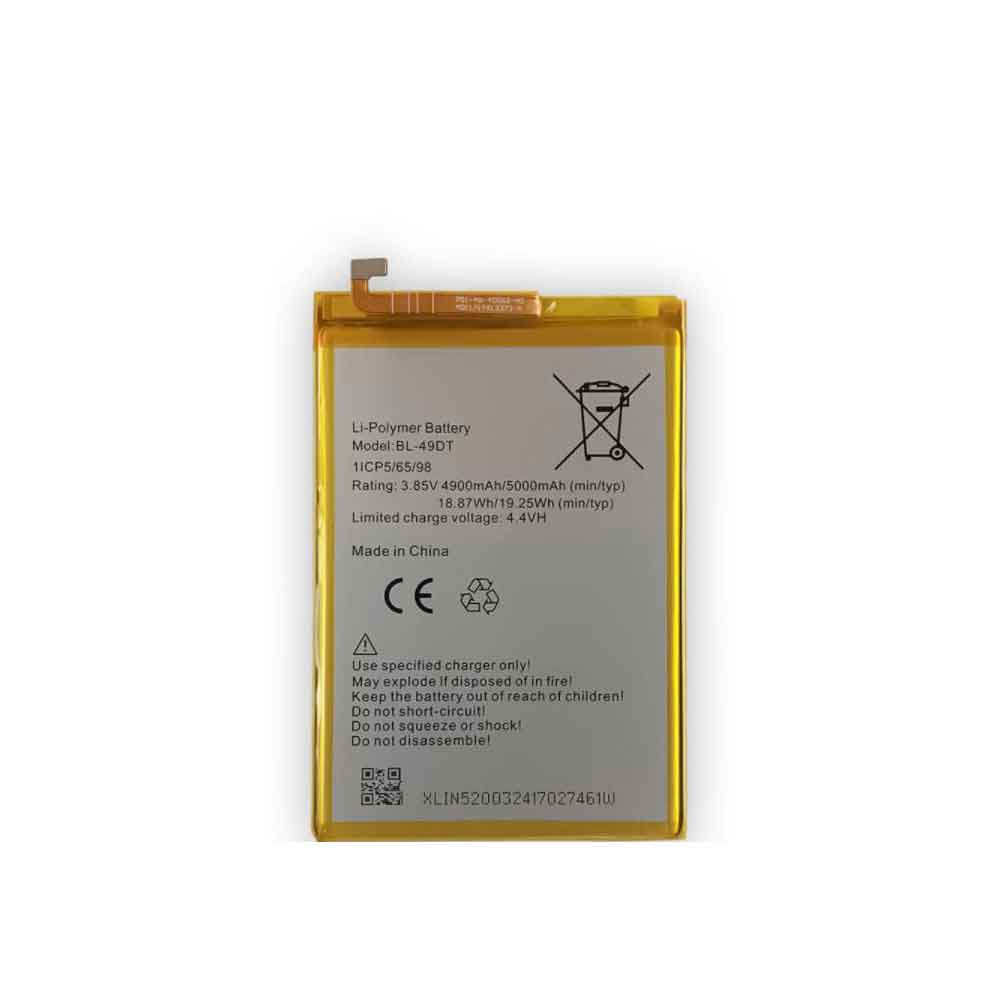
5000mAh/19.25WH 3.85V 4.4V Tecno BL-49DT Li-ion Battery for Tecno BL-49DT

5000mAh/19.25WH 3.85V 4.4V Tecno BL-49DT Batteries for Tecno BL-49DT, Tecno BL-49DT Cell Phone battery is a brand new,100% Compatible original and replacement Phone battery,Purchase wholesale and retail BL-49DT with high quality and low price!

Find ou your original model number or part number(P/N), and move your eyes on the tag of battery

BL-49DT

Specifications

  • Brand:Tecno
  • Capacity :5000mAh/19.25WH
  • Voltage :3.85V 4.4V
  • Type :Li-ion
  • Battery Cell Quality: Grade A
  • Descriptive: Replacement Battery – 1 Year Warranty
  • Description: Brand New, 1 Year Warranty! 30-Days Money Back! Fast Shipping!

How we test this Tecno BL-49DT Battery
Step 1: Make sure customer bought the correct battery.
Step 2: Check battery’s appearance and interface.
Step 3: Test battery charger and recharger function.
Step 4: Charger the battery to 100% and recharger to 0% to get real battery capacity
Step 5: Use Ev2300 to check the voltage difference of each goroup cells.
Step 6: Charger battery power more than 30%.
Step 7: Package battery carefully and send out

Compatible Part Numbers:
BL-49DT

Compatible Model Numbers:
Tecno BL-49DT

How much do you know about how to run laptop well as any place? The follow Tips cut way back on protecting battery life.


1). Please recharge or change your Cell Phone battery when battery power low.
2). Using Li-Ion Replacement Tecno BL-49DT Cell Phone Battery for your notebook which can work longer time than Non Li-ion one.
3). It is better to defragmentation regularly for your Cell Phone battery life.
4). In order to reduce the laptop power consumpition, you can use some optical drive spin-down and hard drive in your Cell Phone .
5). Please keep your laptop in sleep or standby model without long time using, which both save the Replacement Tecno BL-49DT Cell Phone Battery power and extend battery using life.
6). Leave your battery in a dry and cool condition when without using.
7). When you rarely or generally plugged in fixed power using, Please take down your battery to avoid hurting battery life.

Hot Products

5380mAh 20.713WH BLACKVIEW Li486690JLY for Blackview A703920mAh/15.2WH ASUS C11P1805 for ASUS zenfone max M2 ZB633KL ZB8800mAh TOSHIBA PA3728U for Satellite L515 L630 L635 L6404000mAh/30.4WH RTDPART 3882229C for 7Cable RTDPART 3882229C3400mAh /13.09Wh NOKIA LC-620 for Nokia 7.2 TA-1181 TA-11962900mAh/11.2WH LG BL-T31 for LG G PAD F2 8.0 LK4602900mAh/11.5WH ASUS C11P1511 for ASUS Zenfone3 Ze552kl Z012da Z1500mAh/5.6WH HUAWEI HB554666 for Huawei E5330 E5336 EC5373 EC534080mAh/62WH LENOVO L19M4PD2 for LENOVO IdeaPad S740-14IIL4000mAh 15.2WH COOLPAD CPLD-192 for Coolpad CPLD-192

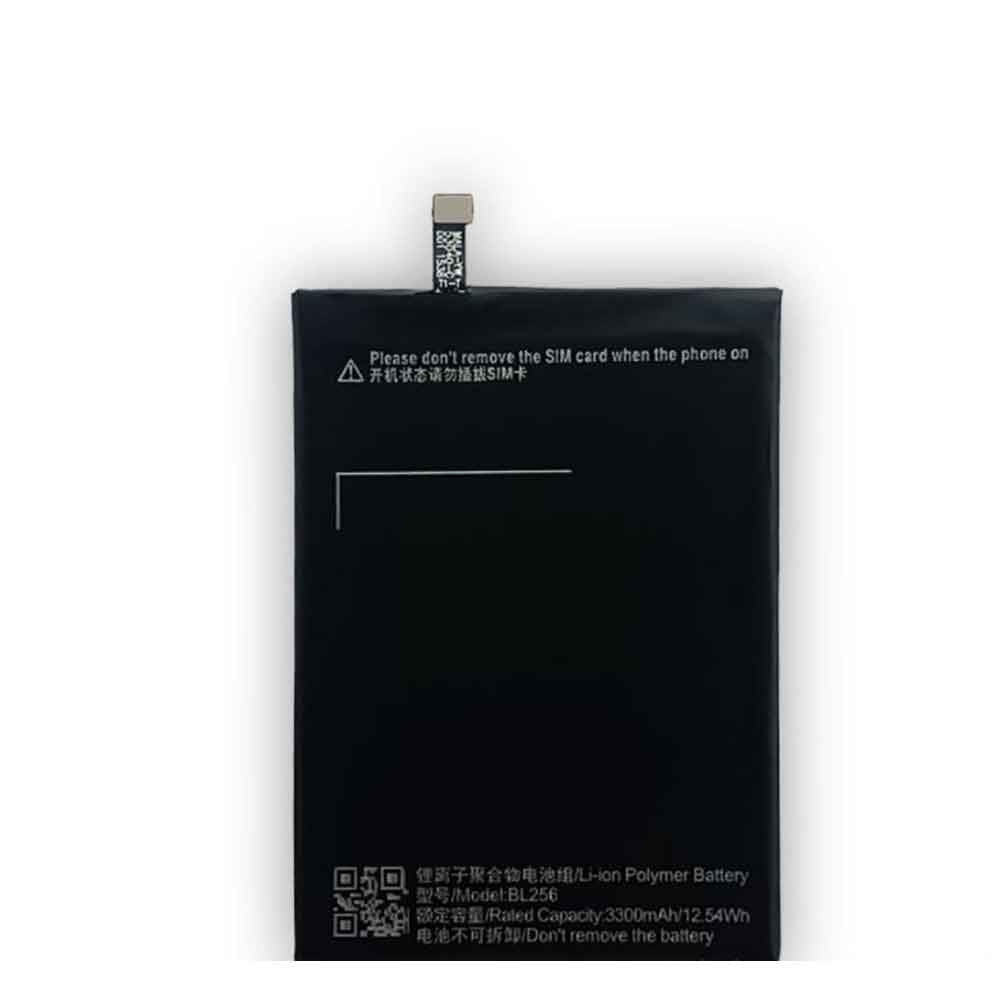
3300mAh/12.54WH Lenovo BL-256 Li-ion Battery for Lenovo X3 Lite

3300mAh/12.54WH Lenovo BL-256 Batteries for Lenovo X3 Lite, Lenovo BL-256 Cell Phone battery is a brand new,100% Compatible original and replacement Phone battery,Purchase wholesale and retail BL-256 with high quality and low price!

Find ou your original model number or part number(P/N), and move your eyes on the tag of battery

BL-256

Specifications

  • Brand:Lenovo
  • Capacity :3300mAh/12.54WH
  • Type :Li-ion
  • Battery Cell Quality: Grade A
  • Descriptive: Replacement Battery – 1 Year Warranty
  • Description: Brand New, 1 Year Warranty! 30-Days Money Back! Fast Shipping!

How we test this Lenovo BL-256 Battery
Step 1: Make sure customer bought the correct battery.
Step 2: Check battery’s appearance and interface.
Step 3: Test battery charger and recharger function.
Step 4: Charger the battery to 100% and recharger to 0% to get real battery capacity
Step 5: Use Ev2300 to check the voltage difference of each goroup cells.
Step 6: Charger battery power more than 30%.
Step 7: Package battery carefully and send out

Compatible Part Numbers:
BL-256

Compatible Model Numbers:
Lenovo X3 Lite

How much do you know about how to run laptop well as any place? The follow Tips cut way back on protecting battery life.


1). Please recharge or change your Cell Phone battery when battery power low.
2). Using Li-Ion Replacement Lenovo BL-256 Cell Phone Battery for your notebook which can work longer time than Non Li-ion one.
3). It is better to defragmentation regularly for your Cell Phone battery life.
4). In order to reduce the laptop power consumpition, you can use some optical drive spin-down and hard drive in your Cell Phone .
5). Please keep your laptop in sleep or standby model without long time using, which both save the Replacement Lenovo BL-256 Cell Phone Battery power and extend battery using life.
6). Leave your battery in a dry and cool condition when without using.
7). When you rarely or generally plugged in fixed power using, Please take down your battery to avoid hurting battery life.

Hot Products

5380mAh 20.713WH BLACKVIEW Li486690JLY for Blackview A703920mAh/15.2WH ASUS C11P1805 for ASUS zenfone max M2 ZB633KL ZB8800mAh TOSHIBA PA3728U for Satellite L515 L630 L635 L6404000mAh/30.4WH RTDPART 3882229C for 7Cable RTDPART 3882229C3400mAh /13.09Wh NOKIA LC-620 for Nokia 7.2 TA-1181 TA-11962900mAh/11.2WH LG BL-T31 for LG G PAD F2 8.0 LK4602900mAh/11.5WH ASUS C11P1511 for ASUS Zenfone3 Ze552kl Z012da Z1500mAh/5.6WH HUAWEI HB554666 for Huawei E5330 E5336 EC5373 EC534080mAh/62WH LENOVO L19M4PD2 for LENOVO IdeaPad S740-14IIL4000mAh 15.2WH COOLPAD CPLD-192 for Coolpad CPLD-192

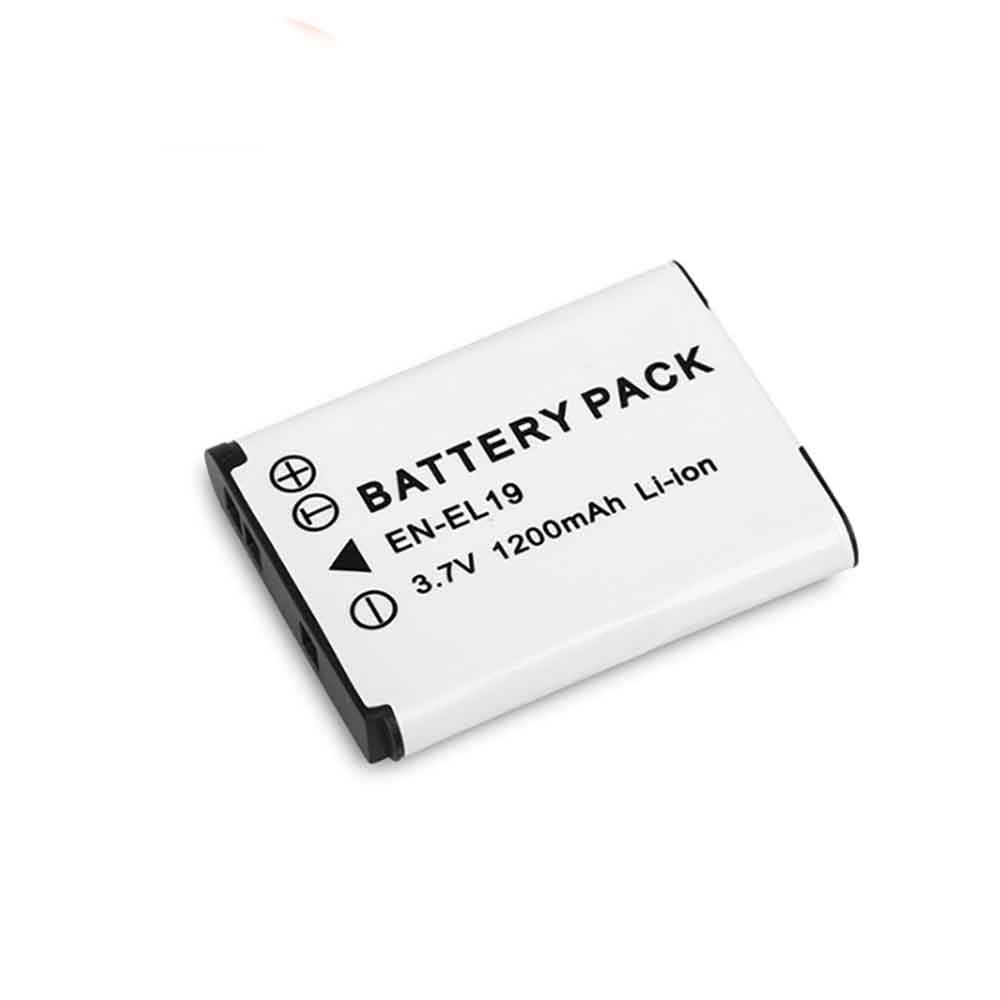
1200mAh 3.7V Nikon EN-EL19 Li-ion Battery for Nikon S6600 S3100 S6600 S7000 S2500 S2600

1200mAh 3.7V Nikon EN-EL19 Batteries for Nikon S6600 S3100 S6600 S7000 S2500 S2600, Nikon EN-EL19 Other battery is a brand new,100% Compatible original and replacement battery,Purchase wholesale and retail EN-EL19 with high quality and low price!

Find ou your original model number or part number(P/N), and move your eyes on the tag of battery

EN-EL19

Specifications

  • Brand:Nikon
  • Capacity :1200mAh
  • Voltage :3.7V
  • Type :Li-ion
  • Battery Cell Quality: Grade A
  • Descriptive: Replacement Battery – 1 Year Warranty
  • Description: Brand New, 1 Year Warranty! 30-Days Money Back! Fast Shipping!

How we test this Nikon EN-EL19 Battery
Step 1: Make sure customer bought the correct battery.
Step 2: Check battery’s appearance and interface.
Step 3: Test battery charger and recharger function.
Step 4: Charger the battery to 100% and recharger to 0% to get real battery capacity
Step 5: Use Ev2300 to check the voltage difference of each goroup cells.
Step 6: Charger battery power more than 30%.
Step 7: Package battery carefully and send out

Compatible Part Numbers:
EN-EL19

Compatible Model Numbers:
Nikon S6600 S3100 S6600 S7000 S2500 S2600

How much do you know about how to run laptop well as any place? The follow Tips cut way back on protecting battery life.


1). Please recharge or change your Other battery when battery power low.
2). Using Li-Ion Replacement Nikon EN-EL19 Other Battery for your notebook which can work longer time than Non Li-ion one.
3). It is better to defragmentation regularly for your Other battery life.
4). In order to reduce the laptop power consumpition, you can use some optical drive spin-down and hard drive in your Other .
5). Please keep your laptop in sleep or standby model without long time using, which both save the Replacement Nikon EN-EL19 Other Battery power and extend battery using life.
6). Leave your battery in a dry and cool condition when without using.
7). When you rarely or generally plugged in fixed power using, Please take down your battery to avoid hurting battery life.

Hot Products

5380mAh 20.713WH BLACKVIEW Li486690JLY for Blackview A703920mAh/15.2WH ASUS C11P1805 for ASUS zenfone max M2 ZB633KL ZB8800mAh TOSHIBA PA3728U for Satellite L515 L630 L635 L6404000mAh/30.4WH RTDPART 3882229C for 7Cable RTDPART 3882229C3400mAh /13.09Wh NOKIA LC-620 for Nokia 7.2 TA-1181 TA-11962900mAh/11.2WH LG BL-T31 for LG G PAD F2 8.0 LK4602900mAh/11.5WH ASUS C11P1511 for ASUS Zenfone3 Ze552kl Z012da Z1500mAh/5.6WH HUAWEI HB554666 for Huawei E5330 E5336 EC5373 EC534080mAh/62WH LENOVO L19M4PD2 for LENOVO IdeaPad S740-14IIL4000mAh 15.2WH COOLPAD CPLD-192 for Coolpad CPLD-192