What are the laptop battery types? Is it a lithium battery?

 Of all these devices we use in our daily life, laptops are one of the most important. These mobile computers have now become the offices of some occupations, they can’t do anything without a laptop, and every file and document they used to be physical has now become a digital file kept in the laptop.

Talking about these laptops now, the thing that runs them for hours so that we can sit and work anywhere we want without any trouble without having to plug a power cord into a power outlet is the battery inside these laptops. These rechargeable batteries make our lives much easier and less busy. How are these batteries able to charge these devices for so long? What are they made of? These are some curious questions, and we’ll reduce their curiosity by answering them here. Let’s have a look!

What is the battery type of the laptop?

The most popular batteries today are lithium-ion batteries. The two older types used are nickel cadmium (NiCad) and nickel metal hydride (NiMH). Both batteries suffer from the dreaded memory effect, which is why they fail in laptops. The dreaded memory effect, also known as the battery effect, causes the battery to hold less charge and the battery seems to remember less of the capacity. However, lithium-ion batteries are known to have no such memory effect at all. However, if they are repeatedly charged after only being partially discharged, they may lose some capacity.

These Li-Ion batteries can be recharged 300-500 times and have the ability to disconnect the charging process when fully charged through their internal circuitry. All of these are paramount for laptop batteries, and lithium is by far the only metal that falls into this category.

Lithium metal was first used in these batteries, but it inherited stability issues, especially during charging. Because of this safety concern rather than lithium metal, lithium ions are now used to make these batteries, which have slightly less energy than lithium ions, but are safer. Lithium-ion is also a low-maintenance battery with a low self-discharge rate compared to their predecessors (i.e. nickel-cadmium and nickel-metal hydride). These qualities make them ideal for modern fuel gauge applications such as laptops and mobile phones.

How to maintain the laptop lithium battery?

Following a few guidelines for proper care of a lithium-ion battery may improve its lifespan and help keep it healthy. The first thing to note is to keep the battery at room temperature. Make sure your laptop isn’t too hot or too cold, which could damage your battery.

If your battery isn’t on the laptop and you want to store it separately, store it in a place that’s always warm, like the refrigerator. Yes, the refrigerator is a great place to store the battery separately from the laptop, on the bottom of the refrigerator, not the top. Wrap the battery so it doesn’t get wet inside. Or place it on a shelf out of direct sunlight where it will touch the battery.

Avoid fully discharging the battery, recharging after partial discharge, time and time again, it will damage your battery, don’t charge it unless the battery is below 30%. By following these simple steps, you can keep your battery safe.

Anyone who uses a laptop must master these basics in order to keep their laptop battery in good condition and healthy. These guidelines will help keep your batteries healthy, store them in a way that won’t hurt them, and keep them in standard condition for a long time.

>>>>>>>>>>>>>Laptop’s battery

Thanks for reading, hope it helps!

Friendly reminder: If you need to replace the battery, this battery store will be a good choice: www.batteryforpc.co.uk

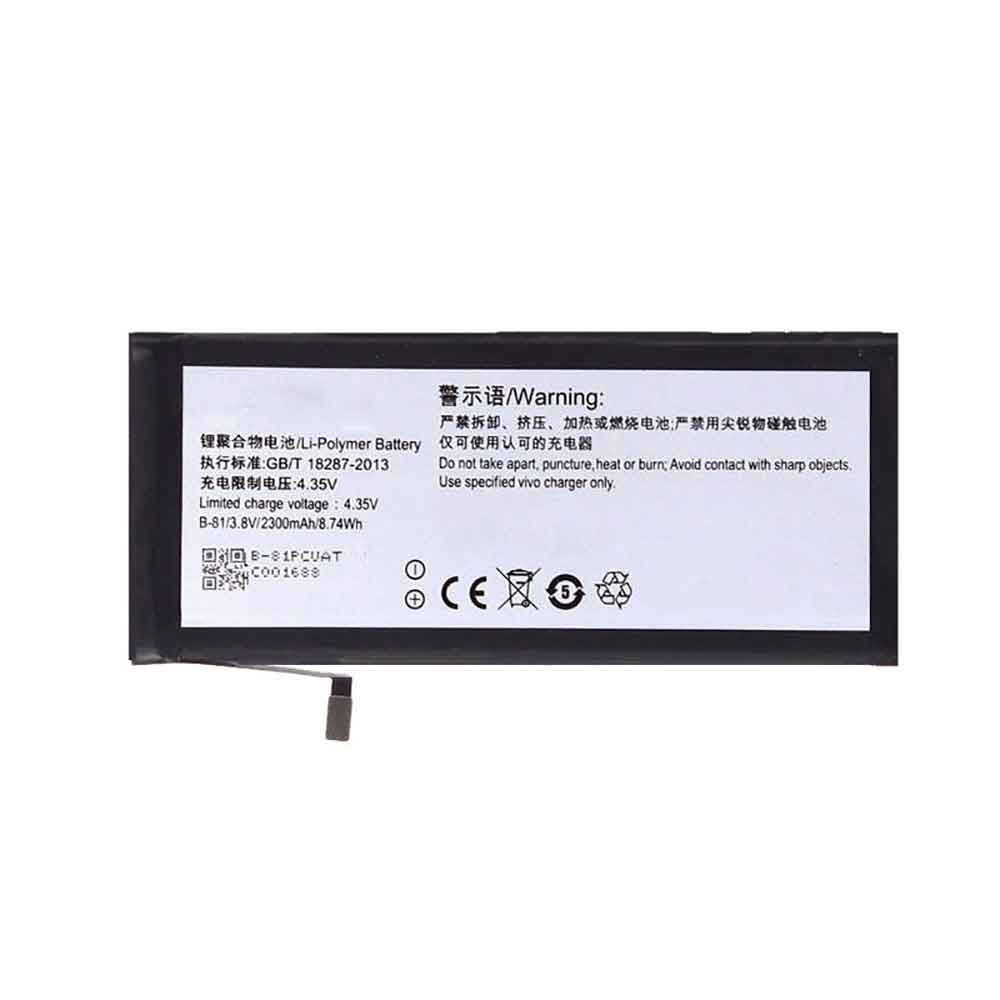
Galaxy Watch 5: Will Samsung give us a battery boost

 Samsung’s Galaxy Watch 4 was lauded for its fitness-tracking capabilities, fast performance and sleek design when it was released last August. It’s even the first smartwatch to feature the new Wear OS software co-developed by Samsung and Google. But if the rumors come true, the Galaxy Watch 5 could address one of our biggest complaints about the Galaxy Watch 4: battery life.

Samsung has yet to reveal its plans for its next-generation smartwatch, although the company typically unveils new wearables in August. Details about Samsung’s partnership with Google on Wear OS did appear at last year’s Google I/O conference, so some software details may be revealed at Google I/O on May 11 this year. There haven’t been many rumors about the next-gen Galaxy Watch, but based on leaks and the company’s previous announcements, here’s our best guess at what Samsung might have planned.

possible august announcement

Only Samsung knows when the next Galaxy Watch will arrive. But the company has a history of launching new wearables in August alongside other new products. Samsung has launched a slew of new products in 2022, from the Galaxy S22 series to the cheaper Galaxy S21 FE, new laptops and tablets. One thing we haven’t heard of yet is a smartwatch, so it’s possible Samsung is saving that for its typical August Unpacked event.

Bigger battery than Galaxy Watch 4

One of the downsides of the Galaxy Watch 4 is its relatively short battery life, which usually lasts a day or two. Galaxy Watch 5 is subject to change. Longer battery life would make the Galaxy Watch 5 a more capable sleep tracker, since you might not have to charge it every night. It will also help Samsung catch up to Fitbit in this regard, as its Sense and Versa 3 watches can last for days on a single charge.

it may be able to measure your temperature

The Galaxy Watch 4 can already monitor metrics like your body composition, blood oxygen levels, and heart rate. Body temperature sensing is not new to wearables. Oura’s eponymous health ring measures the temperature of the finger to help detect possible changes in the body. Fitbit devices like the Sense and Versa 3 can also detect temperature.

If Samsung does add temperature sensing to its next smartwatch, it would be another sign that wearables have become comprehensive health devices. Metrics such as blood oxygen saturation measurements are now relatively common on wearables from Apple, Fitbit, Samsung, and Garmin.

it will probably run Wear OS

Samsung hasn’t released any details about its next-generation smartwatch. But since the Galaxy Watch 4 runs on Wear OS, its successor seems to work too. Google and Samsung partnered on the new Wear OS, which means Samsung is likely to work on using the software in its future smartwatches.

Samsung is the first company to launch a smartwatch that runs on Google’s new Wear OS. But with the new Wear OS expected to appear on watches from other companies, such as TicWatch, Fossil and Google’s Fitbit brand, that could soon become more competitive. We look forward to learning more about what’s next for Wear OS during Google I/O.

>>>>>>>>>>>>>Samsung battery

2300mAh/8.74WH 3.8V 4.35V Vivo B-87 Li-ion Battery for Vivo X5Pro V/ X5Pro D/L/V

2300mAh/8.74WH 3.8V 4.35V Vivo B-87 Batteries for Vivo X5Pro V/ X5Pro D/L/V, Vivo B-87 Cell Phone battery is a brand new,100% Compatible original and replacement Phone battery,Purchase wholesale and retail B-87 with high quality and low price!

Find ou your original model number or part number(P/N), and move your eyes on the tag of battery

B-87

Specifications

  • Brand:Vivo
  • Capacity :2300mAh/8.74WH
  • Voltage :3.8V 4.35V
  • Type :Li-ion
  • Battery Cell Quality: Grade A
  • Descriptive: Replacement Battery – 1 Year Warranty
  • Description: Brand New, 1 Year Warranty! 30-Days Money Back! Fast Shipping!

How we test this Vivo B-87 Battery
Step 1: Make sure customer bought the correct battery.
Step 2: Check battery’s appearance and interface.
Step 3: Test battery charger and recharger function.
Step 4: Charger the battery to 100% and recharger to 0% to get real battery capacity
Step 5: Use Ev2300 to check the voltage difference of each goroup cells.
Step 6: Charger battery power more than 30%.
Step 7: Package battery carefully and send out

Compatible Part Numbers:
B-87

Compatible Model Numbers:
Vivo X5Pro V/ X5Pro D/L/V

How much do you know about how to run laptop well as any place? The follow Tips cut way back on protecting battery life.


1). Please recharge or change your Cell Phone battery when battery power low.
2). Using Li-Ion Replacement Vivo B-87 Cell Phone Battery for your notebook which can work longer time than Non Li-ion one.
3). It is better to defragmentation regularly for your Cell Phone battery life.
4). In order to reduce the laptop power consumpition, you can use some optical drive spin-down and hard drive in your Cell Phone .
5). Please keep your laptop in sleep or standby model without long time using, which both save the Replacement Vivo B-87 Cell Phone Battery power and extend battery using life.
6). Leave your battery in a dry and cool condition when without using.
7). When you rarely or generally plugged in fixed power using, Please take down your battery to avoid hurting battery life.

Hot Products

2900mAh/11.2WH LG BL-T31 for LG G PAD F2 8.0 LK4602900mAh/11.5WH ASUS C11P1511 for ASUS Zenfone3 Ze552kl Z012da Z1500mAh/5.6WH HUAWEI HB554666 for Huawei E5330 E5336 EC5373 EC534080mAh/62WH LENOVO L19M4PD2 for LENOVO IdeaPad S740-14IIL4000mAh 15.2WH COOLPAD CPLD-192 for Coolpad CPLD-1924400 mAh ASUS M3N4S2P for ASUS M3,ASUS M3N,ASUS M3NP,ASU3400mAh/13.2WH LG BL-t44 for LG Q60 X525WA2100mAh LENOVO 01AV493 for Lenovo ThinkPad T570 T580 P51S5.4V HP 633538-001 for HP 1GB FBWC FOR P420 P421 P43062Wh/5500mAh CLEVO PB50BAT-6 for Clevo PB71EF-G PowerSpec 1520

2720mAh/10.47WH 3.85V 4.4V Vivo B-86 Li-ion Battery for Vivo V1 max Y37/A/L

2720mAh/10.47WH 3.85V 4.4V Vivo B-86 Batteries for Vivo V1 max Y37/A/L, Vivo B-86 Cell Phone battery is a brand new,100% Compatible original and replacement Phone battery,Purchase wholesale and retail B-86 with high quality and low price!

Find ou your original model number or part number(P/N), and move your eyes on the tag of battery

B-86

Specifications

  • Brand:Vivo
  • Capacity :2720mAh/10.47WH
  • Voltage :3.85V 4.4V
  • Type :Li-ion
  • Battery Cell Quality: Grade A
  • Descriptive: Replacement Battery – 1 Year Warranty
  • Description: Brand New, 1 Year Warranty! 30-Days Money Back! Fast Shipping!

How we test this Vivo B-86 Battery
Step 1: Make sure customer bought the correct battery.
Step 2: Check battery’s appearance and interface.
Step 3: Test battery charger and recharger function.
Step 4: Charger the battery to 100% and recharger to 0% to get real battery capacity
Step 5: Use Ev2300 to check the voltage difference of each goroup cells.
Step 6: Charger battery power more than 30%.
Step 7: Package battery carefully and send out

Compatible Part Numbers:
B-86

Compatible Model Numbers:
Vivo V1 max Y37/A/L

How much do you know about how to run laptop well as any place? The follow Tips cut way back on protecting battery life.


1). Please recharge or change your Cell Phone battery when battery power low.
2). Using Li-Ion Replacement Vivo B-86 Cell Phone Battery for your notebook which can work longer time than Non Li-ion one.
3). It is better to defragmentation regularly for your Cell Phone battery life.
4). In order to reduce the laptop power consumpition, you can use some optical drive spin-down and hard drive in your Cell Phone .
5). Please keep your laptop in sleep or standby model without long time using, which both save the Replacement Vivo B-86 Cell Phone Battery power and extend battery using life.
6). Leave your battery in a dry and cool condition when without using.
7). When you rarely or generally plugged in fixed power using, Please take down your battery to avoid hurting battery life.

Hot Products

2900mAh/11.2WH LG BL-T31 for LG G PAD F2 8.0 LK4602900mAh/11.5WH ASUS C11P1511 for ASUS Zenfone3 Ze552kl Z012da Z1500mAh/5.6WH HUAWEI HB554666 for Huawei E5330 E5336 EC5373 EC534080mAh/62WH LENOVO L19M4PD2 for LENOVO IdeaPad S740-14IIL4000mAh 15.2WH COOLPAD CPLD-192 for Coolpad CPLD-1924400 mAh ASUS M3N4S2P for ASUS M3,ASUS M3N,ASUS M3NP,ASU3400mAh/13.2WH LG BL-t44 for LG Q60 X525WA2100mAh LENOVO 01AV493 for Lenovo ThinkPad T570 T580 P51S5.4V HP 633538-001 for HP 1GB FBWC FOR P420 P421 P43062Wh/5500mAh CLEVO PB50BAT-6 for Clevo PB71EF-G PowerSpec 1520

2000mAh/7.60WH 3.8V 4.35V Vivo b-79 Li-ion Battery for Vivo Y29L

2000mAh/7.60WH 3.8V 4.35V Vivo b-79 Batteries for Vivo Y29L, Vivo b-79 Cell Phone battery is a brand new,100% Compatible original and replacement Phone battery,Purchase wholesale and retail b-79 with high quality and low price!

Find ou your original model number or part number(P/N), and move your eyes on the tag of battery

b-79

Specifications

  • Brand:Vivo
  • Capacity :2000mAh/7.60WH
  • Voltage :3.8V 4.35V
  • Type :Li-ion
  • Battery Cell Quality: Grade A
  • Descriptive: Replacement Battery – 1 Year Warranty
  • Description: Brand New, 1 Year Warranty! 30-Days Money Back! Fast Shipping!

How we test this Vivo b-79 Battery
Step 1: Make sure customer bought the correct battery.
Step 2: Check battery’s appearance and interface.
Step 3: Test battery charger and recharger function.
Step 4: Charger the battery to 100% and recharger to 0% to get real battery capacity
Step 5: Use Ev2300 to check the voltage difference of each goroup cells.
Step 6: Charger battery power more than 30%.
Step 7: Package battery carefully and send out

Compatible Part Numbers:
b-79

Compatible Model Numbers:
Vivo Y29L

How much do you know about how to run laptop well as any place? The follow Tips cut way back on protecting battery life.


1). Please recharge or change your Cell Phone battery when battery power low.
2). Using Li-Ion Replacement Vivo b-79 Cell Phone Battery for your notebook which can work longer time than Non Li-ion one.
3). It is better to defragmentation regularly for your Cell Phone battery life.
4). In order to reduce the laptop power consumpition, you can use some optical drive spin-down and hard drive in your Cell Phone .
5). Please keep your laptop in sleep or standby model without long time using, which both save the Replacement Vivo b-79 Cell Phone Battery power and extend battery using life.
6). Leave your battery in a dry and cool condition when without using.
7). When you rarely or generally plugged in fixed power using, Please take down your battery to avoid hurting battery life.

Hot Products

2900mAh/11.2WH LG BL-T31 for LG G PAD F2 8.0 LK4602900mAh/11.5WH ASUS C11P1511 for ASUS Zenfone3 Ze552kl Z012da Z1500mAh/5.6WH HUAWEI HB554666 for Huawei E5330 E5336 EC5373 EC534080mAh/62WH LENOVO L19M4PD2 for LENOVO IdeaPad S740-14IIL4000mAh 15.2WH COOLPAD CPLD-192 for Coolpad CPLD-1924400 mAh ASUS M3N4S2P for ASUS M3,ASUS M3N,ASUS M3NP,ASU3400mAh/13.2WH LG BL-t44 for LG Q60 X525WA2100mAh LENOVO 01AV493 for Lenovo ThinkPad T570 T580 P51S5.4V HP 633538-001 for HP 1GB FBWC FOR P420 P421 P43062Wh/5500mAh CLEVO PB50BAT-6 for Clevo PB71EF-G PowerSpec 1520

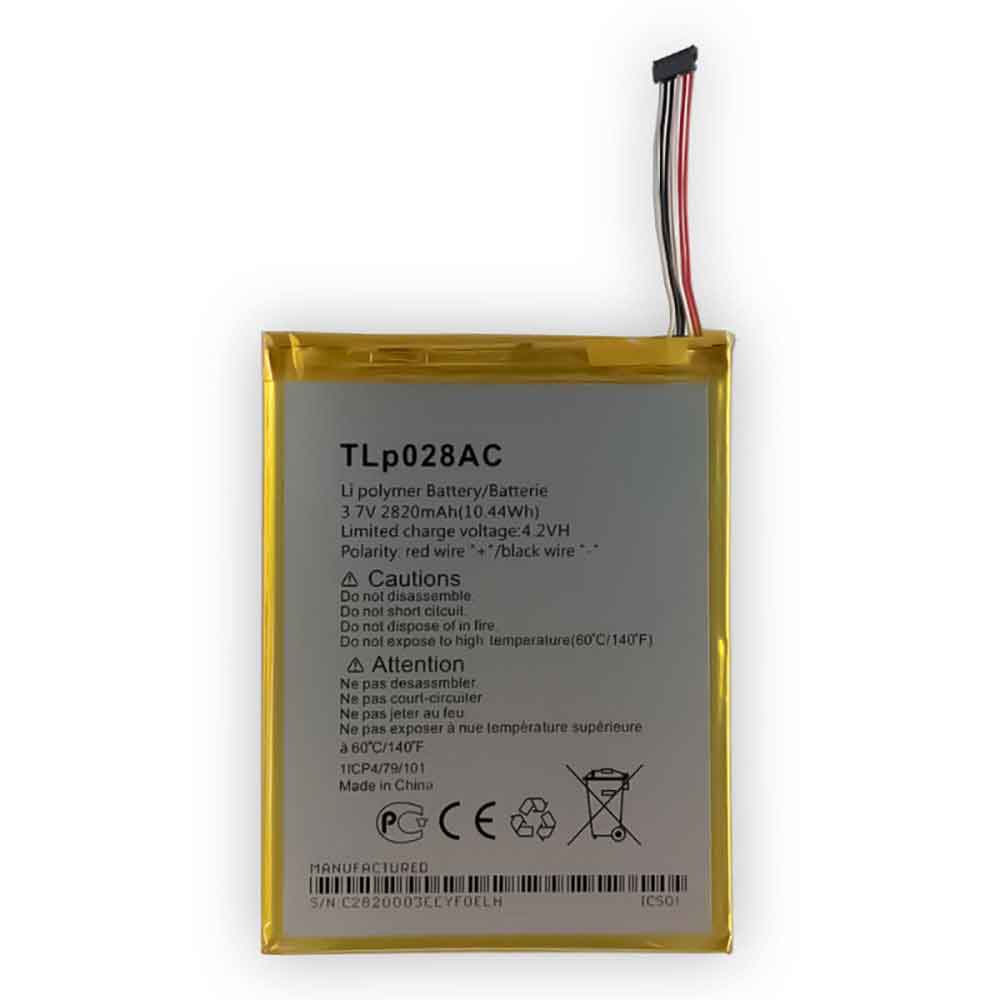
2820mAh/10.44WH 3.7V 4.2V Tcl TLp028AC Li-ion Battery for TCL Alcatel pixi 3 7.0

2820mAh/10.44WH 3.7V 4.2V Tcl TLp028AC Batteries for TCL Alcatel pixi 3 7.0, Tcl TLp028AC Cell Phone battery is a brand new,100% Compatible original and replacement Phone battery,Purchase wholesale and retail TLp028AC with high quality and low price!

Find ou your original model number or part number(P/N), and move your eyes on the tag of battery

TLp028AC

Specifications

  • Brand:TCL
  • Capacity :2820mAh/10.44WH
  • Voltage :3.7V 4.2V
  • Type :Li-ion
  • Battery Cell Quality: Grade A
  • Descriptive: Replacement Battery – 1 Year Warranty
  • Description: Brand New, 1 Year Warranty! 30-Days Money Back! Fast Shipping!

How we test this Tcl TLp028AC Battery
Step 1: Make sure customer bought the correct battery.
Step 2: Check battery’s appearance and interface.
Step 3: Test battery charger and recharger function.
Step 4: Charger the battery to 100% and recharger to 0% to get real battery capacity
Step 5: Use Ev2300 to check the voltage difference of each goroup cells.
Step 6: Charger battery power more than 30%.
Step 7: Package battery carefully and send out

Compatible Part Numbers:
TLp028AC

Compatible Model Numbers:
TCL Alcatel pixi 3 7.0

How much do you know about how to run laptop well as any place? The follow Tips cut way back on protecting battery life.


1). Please recharge or change your Cell Phone battery when battery power low.
2). Using Li-Ion Replacement Tcl TLp028AC Cell Phone Battery for your notebook which can work longer time than Non Li-ion one.
3). It is better to defragmentation regularly for your Cell Phone battery life.
4). In order to reduce the laptop power consumpition, you can use some optical drive spin-down and hard drive in your Cell Phone .
5). Please keep your laptop in sleep or standby model without long time using, which both save the Replacement Tcl TLp028AC Cell Phone Battery power and extend battery using life.
6). Leave your battery in a dry and cool condition when without using.
7). When you rarely or generally plugged in fixed power using, Please take down your battery to avoid hurting battery life.

Hot Products

2900mAh/11.2WH LG BL-T31 for LG G PAD F2 8.0 LK4602900mAh/11.5WH ASUS C11P1511 for ASUS Zenfone3 Ze552kl Z012da Z1500mAh/5.6WH HUAWEI HB554666 for Huawei E5330 E5336 EC5373 EC534080mAh/62WH LENOVO L19M4PD2 for LENOVO IdeaPad S740-14IIL4000mAh 15.2WH COOLPAD CPLD-192 for Coolpad CPLD-1924400 mAh ASUS M3N4S2P for ASUS M3,ASUS M3N,ASUS M3NP,ASU3400mAh/13.2WH LG BL-t44 for LG Q60 X525WA2100mAh LENOVO 01AV493 for Lenovo ThinkPad T570 T580 P51S5.4V HP 633538-001 for HP 1GB FBWC FOR P420 P421 P43062Wh/5500mAh CLEVO PB50BAT-6 for Clevo PB71EF-G PowerSpec 1520

How to calibrate a MacBook battery

 You’re using a MacBook and wondering if it’s possible to calibrate the battery? Most laptop batteries require calibration to help check the battery and understand its condition. You might be using a dying battery, but you didn’t notice it because of the wrong information provided. Your system’s battery reading is often critical to giving you battery usage directions. It is generally recommended that you calibrate the battery twice a month for proper readings.

This article will tell you if and how to calibrate your MacBook battery. Let’s take a look below!

Do you need to calibrate your MacBook Pro battery? The power management system of a notebook battery plays a vital role in the entire battery life. Therefore, after installing a new battery twice a month, the power management system must be calibrated.

Batteries should be calibrated after battery replacement, as it allows the battery to reach its maximum charge capacity, allows the new battery to reach its full useful life, and allows the system to accurately display the battery level. All MacBooks, MacBook Pros, and MacBook Airs use batteries with built-in processors to maximize battery performance. The battery and its processor must go through a calibration procedure to accurately predict the remaining battery charge.

Properly calibrating and maintaining your MacBook battery can improve its performance and delay battery replacement as long as possible. Therefore, obtaining accurate information is more important than maintaining the battery.

How do I calibrate my MacBook Pro battery? The battery calibration process has several well-organized steps. Therefore, use the following steps to calibrate your power management system:

1. Plug in your MacBook.

Plug in your MacBook charger and make sure it’s charging. Chargers and computers usually have an indicator light to indicate that the battery is charging.

2. Fully charge the battery.

You must make sure the battery is fully charged and the computer shows 100%. When fully charged, the light on the power adapter will change from orange (charging) to green (fully charged). To do this, you can flip the laptop over and press a button on the battery. If the battery is fully charged, all lights will turn green.

3. Make sure the battery is fully charged for two hours.

You should keep the adapter plugged in the entire time and make sure the adapter light stays green. Works fine on the computer, but don’t shut down the computer at any given time.

4. Disconnect the power adapter.

After two hours have passed, you can disconnect the adapter from your MacBook. This process will give the power management system time to analyze the battery.

5. Fully discharge the battery.

Keep your computer powered on and in normal use, and once the low battery life warning appears, save your work. When the battery is low, it will automatically go to sleep.

6. Leave the computer for 5 hours.

Do not charge the battery immediately. Give it at least 5 hours to release the last remnants of the battery. It also resets the processor to detect absolute zero power.

7. Charge your MacBook.

Charge the battery after 5 hours as it has been recalibrated. Your MacBook will start showing accurate battery status at all times.

This process takes a lot of time, but it’s good for your battery.

How many times can a Mac battery be cycled? Current Macs (i.e. MacBooks, MacBook Airs, and MacBook Pros) use batteries that have been rated for 1000 battery cycles. That means this battery is good enough for at least three years of normal use.

Older types of Macs have batteries with 300 battery cycles, which means they have a shorter lifespan. Manufacturers use battery cycles to estimate battery life. Knowing your battery’s life cycle and remaining cycles will help you decide when to replace the battery.

To get more information about your MacBook Pro battery and battery cycles, follow these steps:

Press and hold the Option key, then click the Apple menu. Select the System Information option. Under the Hardware section of the System Information window, select Power. You will see the current cycle count listed under the Battery Information section.

>>>>>>>>>>>>>>Apple battery

Thanks for reading, hope it helps!

Friendly reminder: If you need to replace the battery, this battery store will be a good choice: www.batteryforpc.co.uk
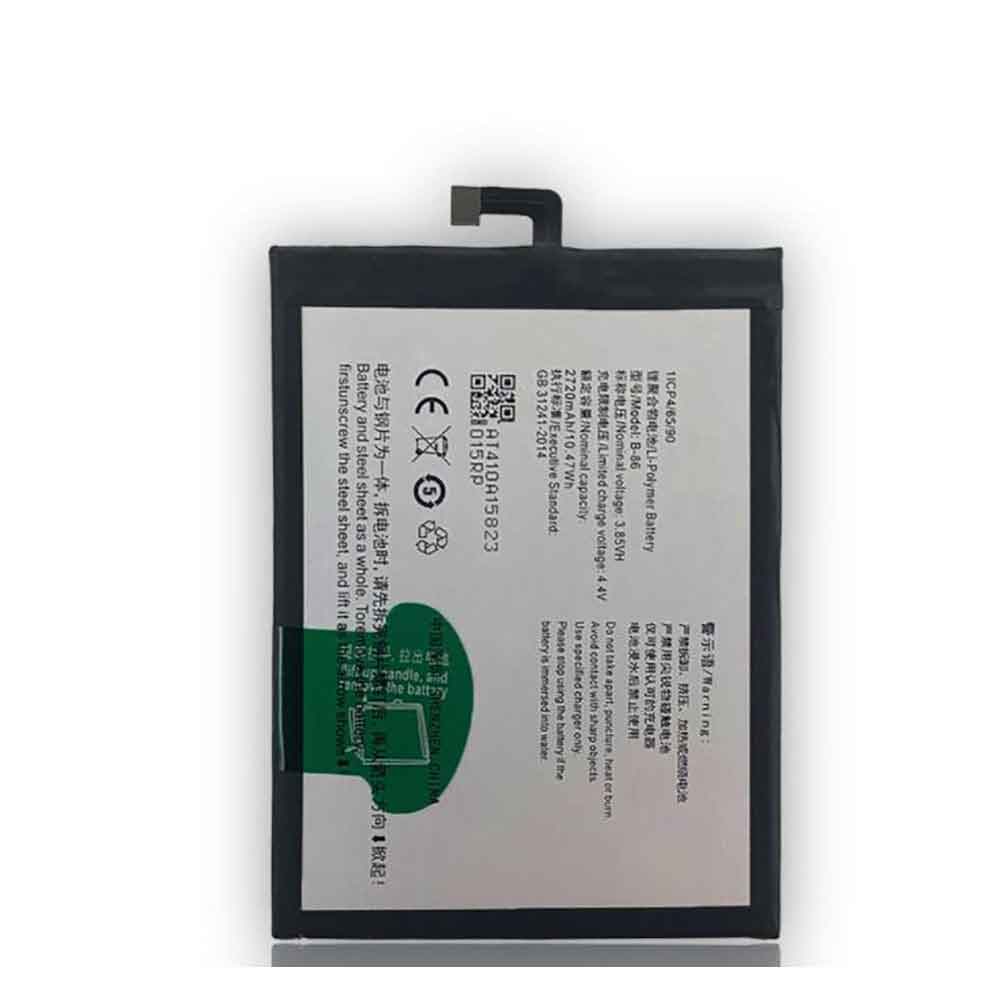
These 6 things can make your iPad last longer

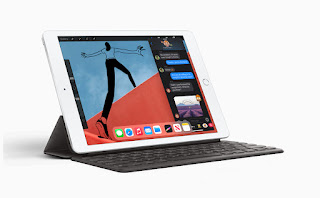
 Your iPad has a limited lifespan. After a few years, you may notice performance degradation in the form of app crashes, unresponsive buttons, low storage space, and poor battery life. No matter what you do, your iPad will eventually succumb to time, but there are a few ways to improve and maximize the life of your tablet. Here are 6 things you can do to help your iPad last longer. Let’s have a look!

Stay informed about software updates

Apple regularly releases software updates to fix bugs and improve overall performance, while introducing new features. Installing these updates will make your iPad operating system faster, smoother, and more secure. You can turn on automatic updates in Settings > General > Software Update > Automatic Updates, then turn on the download and installation options. Whenever Apple releases a new update, your iPad will automatically download and install it overnight.

Clear unused apps on a set schedule

Over time, the amount of space taken up by some unused apps can erode a device’s ability to work at peak performance. Your photo library or music catalog will also take up space. You can create a reminder on your calendar to go through once a month and eliminate all unnecessary bloat.

To see which apps are taking up the most space on your tablet, open Settings and go to General > iPad Storage. You’ll see a list of installed apps and the space they take up. Go through the list and delete apps and content you don’t want. If you download files, iPadOS stores them in your iCloud Drive account, not local storage. However, you can trim downloads by opening the Files app and looking for the Downloads folder.

Add a keyboard and trackpad combo

If your iPad screen cracks or starts to show signs of slowing touch interaction, switch to a keyboard and trackpad. As long as your iPad is running iPadOS 13.5 or later, you can use the trackpad to click things just like you would on a traditional computer.

Even if your iPad’s display doesn’t give you any problems, sometimes adding an accessory that can fundamentally change the way you use the device can make you feel like you have a brand new tablet and convince you that it No need to replace.

Battery problem?

We have a few different tips and tricks, including changing the display brightness, disabling any unnecessary connections, and restricting which apps refresh in the background, you can try. If these don’t work for you, here are some more suggestions.

According to Apple, your iPad’s battery will perform best if you avoid using it in extreme cold or heat. Specifically, any temperature above 95 degrees Fahrenheit can cause long-term damage to the battery. Using it in temperatures below 32 degrees Fahrenheit will significantly reduce battery life.

If you plan to store your iPad for a few weeks or more, don’t fully charge the battery before doing so. Apple says you should charge the iPad’s battery to 50% and turn it off. Then you should charge it to 50% every six months.

give it some TLC

Keeping your iPad clean will not only make you feel better when you use it, but it will definitely affect its long-term performance by ensuring the charging port is clean and charging efficiently and preventing debris from getting into the iPad. button so they continue to work.

Always back up your iPad

The easiest way to keep a backup is to turn on iCloud backup. To do this, open the Settings app, tap your name at the top of the screen, tap iCloud > iCloud Backup and turn it on. As long as your iPad is connected to a Wi-Fi network and charging, it automatically backs up every night. If you’re low on iCloud storage, back it up manually using the Finder on your Mac or iTunes on your PC.

>>>>>>>>>>>>>>Apple battery

Thanks for reading, hope it helps!

Friendly reminder: If you need to replace the battery, this battery store will be a good choice: www.batteryforpc.co.uk
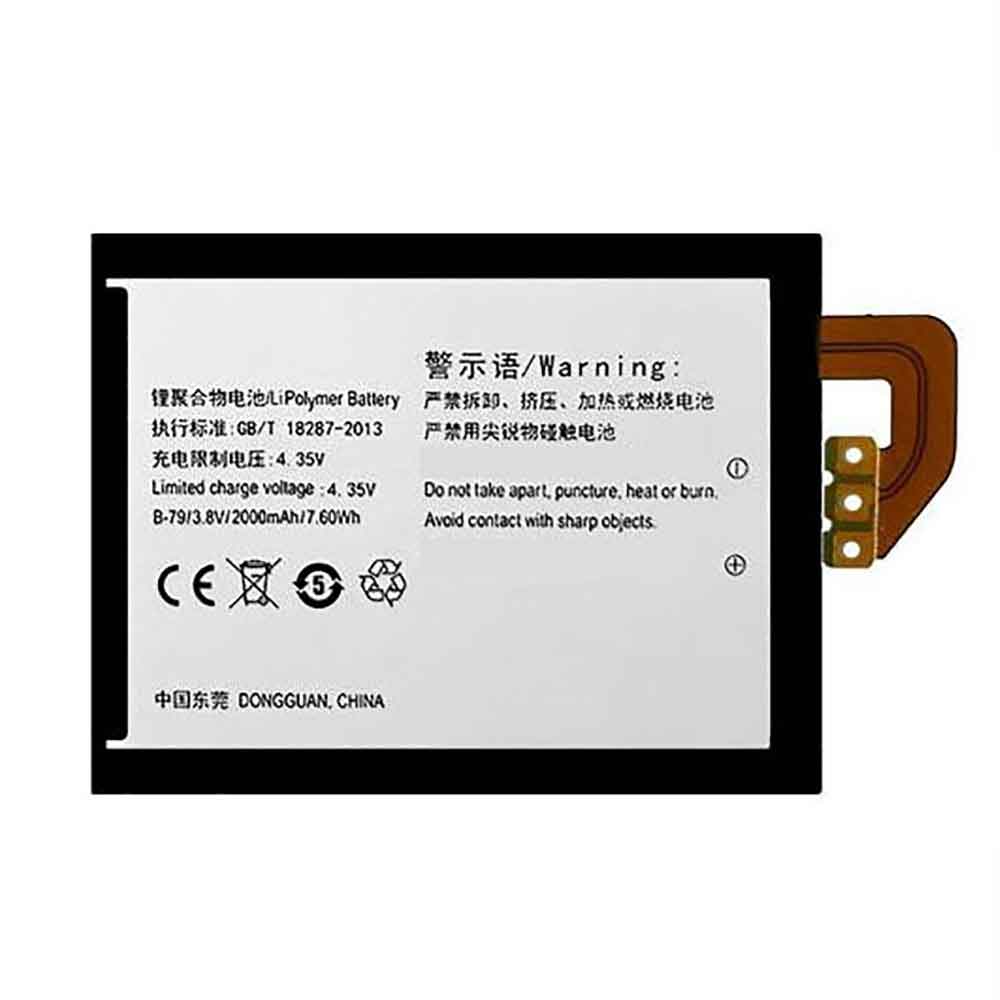
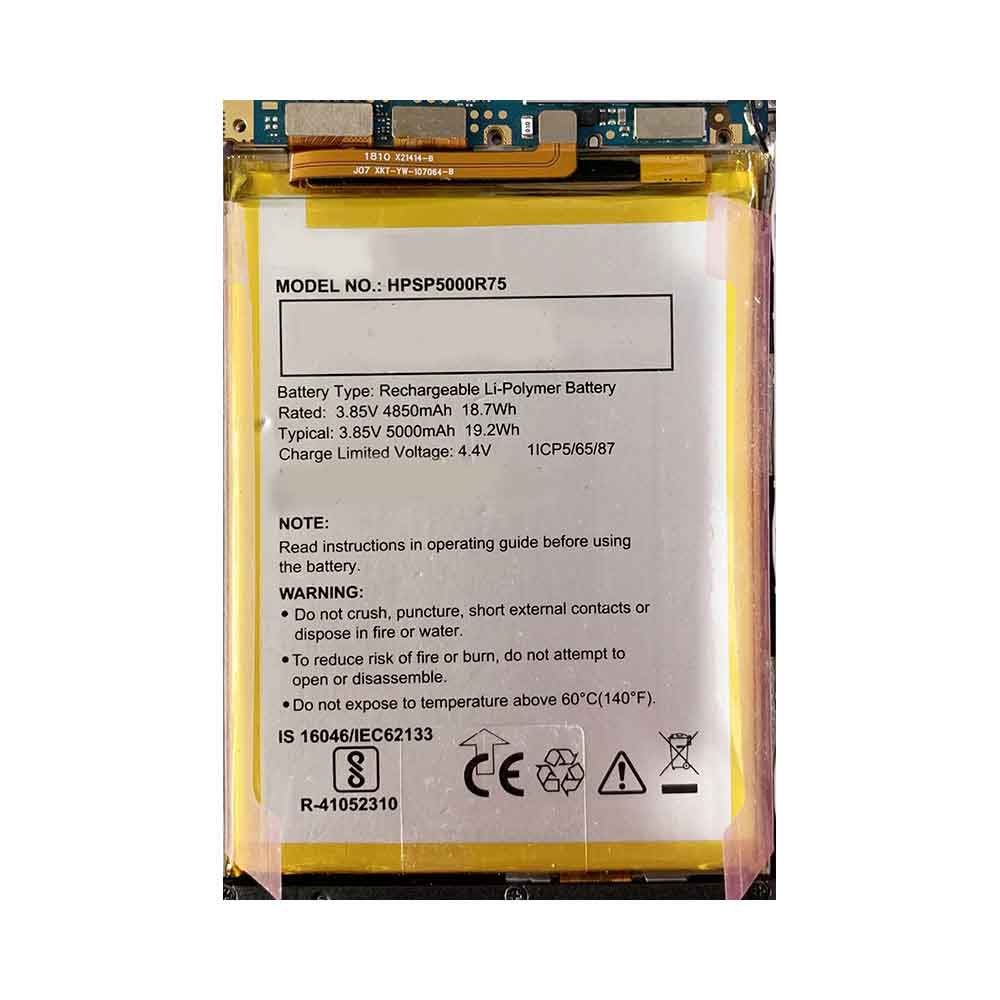
4850mAh 18.7WH 3.85V 4.4V Panasonic HPSP5000R75 Li-ion Battery for Panasonic Eluga Ray 700

4850mAh 18.7WH 3.85V 4.4V Panasonic HPSP5000R75 Batteries for Panasonic Eluga Ray 700, Panasonic HPSP5000R75 Cell Phone battery is a brand new,100% Compatible original and replacement Phone battery,Purchase wholesale and retail HPSP5000R75 with high quality and low price!

Find ou your original model number or part number(P/N), and move your eyes on the tag of battery

HPSP5000R75

Specifications

  • Brand:Panasonic
  • Capacity :4850mAh 18.7WH
  • Voltage :3.85V 4.4V
  • Type :Li-ion
  • Battery Cell Quality: Grade A
  • Descriptive: Replacement Battery – 1 Year Warranty
  • Description: Brand New, 1 Year Warranty! 30-Days Money Back! Fast Shipping!

How we test this Panasonic HPSP5000R75 Battery
Step 1: Make sure customer bought the correct battery.
Step 2: Check battery’s appearance and interface.
Step 3: Test battery charger and recharger function.
Step 4: Charger the battery to 100% and recharger to 0% to get real battery capacity
Step 5: Use Ev2300 to check the voltage difference of each goroup cells.
Step 6: Charger battery power more than 30%.
Step 7: Package battery carefully and send out

Compatible Part Numbers:
HPSP5000R75

Compatible Model Numbers:
Panasonic Eluga Ray 700

How much do you know about how to run laptop well as any place? The follow Tips cut way back on protecting battery life.


1). Please recharge or change your Cell Phone battery when battery power low.
2). Using Li-Ion Replacement Panasonic HPSP5000R75 Cell Phone Battery for your notebook which can work longer time than Non Li-ion one.
3). It is better to defragmentation regularly for your Cell Phone battery life.
4). In order to reduce the laptop power consumpition, you can use some optical drive spin-down and hard drive in your Cell Phone .
5). Please keep your laptop in sleep or standby model without long time using, which both save the Replacement Panasonic HPSP5000R75 Cell Phone Battery power and extend battery using life.
6). Leave your battery in a dry and cool condition when without using.
7). When you rarely or generally plugged in fixed power using, Please take down your battery to avoid hurting battery life.

Hot Products

2900mAh/11.2WH LG BL-T31 for LG G PAD F2 8.0 LK4602900mAh/11.5WH ASUS C11P1511 for ASUS Zenfone3 Ze552kl Z012da Z1500mAh/5.6WH HUAWEI HB554666 for Huawei E5330 E5336 EC5373 EC534080mAh/62WH LENOVO L19M4PD2 for LENOVO IdeaPad S740-14IIL4000mAh 15.2WH COOLPAD CPLD-192 for Coolpad CPLD-1924400 mAh ASUS M3N4S2P for ASUS M3,ASUS M3N,ASUS M3NP,ASU3400mAh/13.2WH LG BL-t44 for LG Q60 X525WA2100mAh LENOVO 01AV493 for Lenovo ThinkPad T570 T580 P51S5.4V HP 633538-001 for HP 1GB FBWC FOR P420 P421 P43062Wh/5500mAh CLEVO PB50BAT-6 for Clevo PB71EF-G PowerSpec 1520

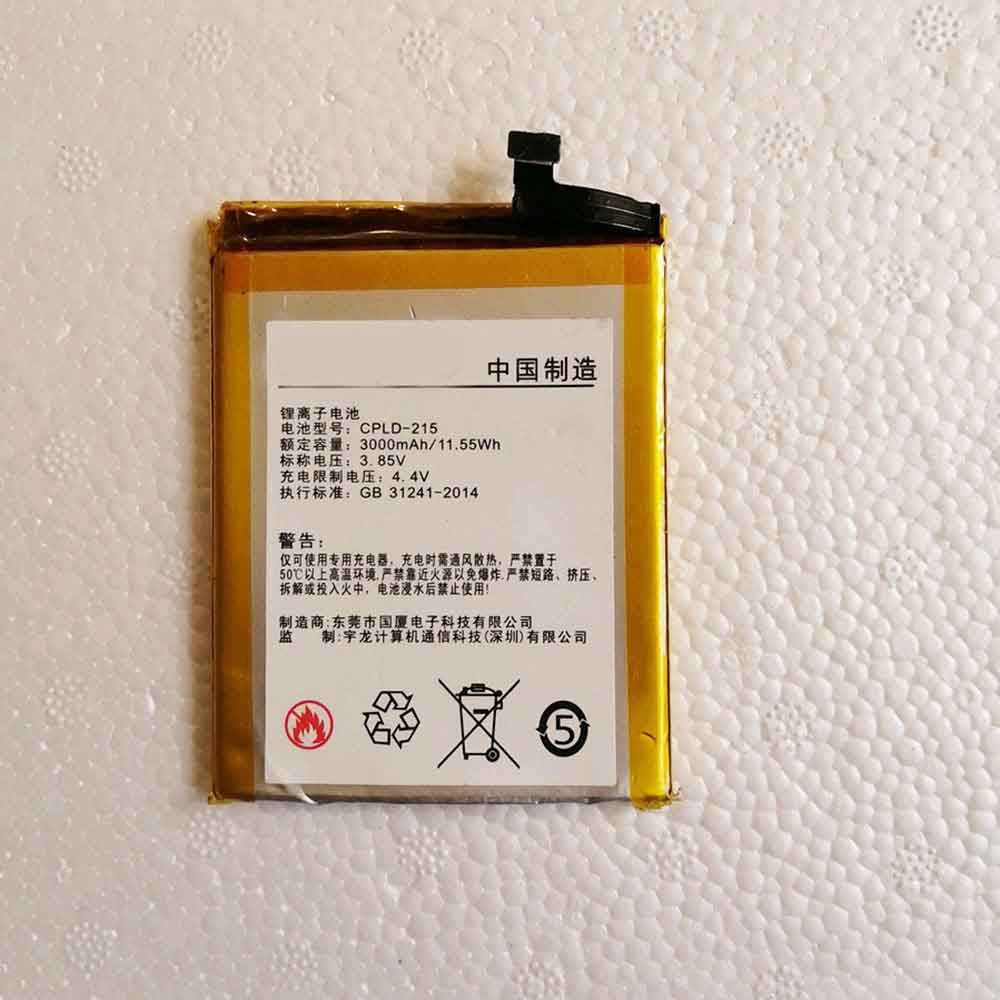
3000mAh 11.55WH 3.85V 4.4V Coolpad CPLD-215 Li-ion Battery for Coolpad Cool 9

3000mAh 11.55WH 3.85V 4.4V Coolpad CPLD-215 Batteries for Coolpad Cool 9, Coolpad CPLD-215 Cell Phone battery is a brand new,100% Compatible original and replacement Phone battery,Purchase wholesale and retail CPLD-215 with high quality and low price!

Find ou your original model number or part number(P/N), and move your eyes on the tag of battery

CPLD-215

Specifications

  • Brand:Coolpad
  • Capacity :3000mAh 11.55WH
  • Voltage :3.85V 4.4V
  • Type :Li-ion
  • Battery Cell Quality: Grade A
  • Descriptive: Replacement Battery – 1 Year Warranty
  • Description: Brand New, 1 Year Warranty! 30-Days Money Back! Fast Shipping!

How we test this Coolpad CPLD-215 Battery
Step 1: Make sure customer bought the correct battery.
Step 2: Check battery’s appearance and interface.
Step 3: Test battery charger and recharger function.
Step 4: Charger the battery to 100% and recharger to 0% to get real battery capacity
Step 5: Use Ev2300 to check the voltage difference of each goroup cells.
Step 6: Charger battery power more than 30%.
Step 7: Package battery carefully and send out

Compatible Part Numbers:
CPLD-215

Compatible Model Numbers:
Coolpad Cool 9

How much do you know about how to run laptop well as any place? The follow Tips cut way back on protecting battery life.


1). Please recharge or change your Cell Phone battery when battery power low.
2). Using Li-Ion Replacement Coolpad CPLD-215 Cell Phone Battery for your notebook which can work longer time than Non Li-ion one.
3). It is better to defragmentation regularly for your Cell Phone battery life.
4). In order to reduce the laptop power consumpition, you can use some optical drive spin-down and hard drive in your Cell Phone .
5). Please keep your laptop in sleep or standby model without long time using, which both save the Replacement Coolpad CPLD-215 Cell Phone Battery power and extend battery using life.
6). Leave your battery in a dry and cool condition when without using.
7). When you rarely or generally plugged in fixed power using, Please take down your battery to avoid hurting battery life.

Hot Products

2900mAh/11.2WH LG BL-T31 for LG G PAD F2 8.0 LK4602900mAh/11.5WH ASUS C11P1511 for ASUS Zenfone3 Ze552kl Z012da Z1500mAh/5.6WH HUAWEI HB554666 for Huawei E5330 E5336 EC5373 EC534080mAh/62WH LENOVO L19M4PD2 for LENOVO IdeaPad S740-14IIL4000mAh 15.2WH COOLPAD CPLD-192 for Coolpad CPLD-1924400 mAh ASUS M3N4S2P for ASUS M3,ASUS M3N,ASUS M3NP,ASU3400mAh/13.2WH LG BL-t44 for LG Q60 X525WA2100mAh LENOVO 01AV493 for Lenovo ThinkPad T570 T580 P51S5.4V HP 633538-001 for HP 1GB FBWC FOR P420 P421 P43062Wh/5500mAh CLEVO PB50BAT-6 for Clevo PB71EF-G PowerSpec 1520