1900mAh/7.03WH 3.7V 4.2V Leomo HE382 Li-ion Battery for Leomo HE382

1900mAh/7.03WH 3.7V 4.2V Leomo HE382 Batteries for Leomo HE382, Leomo HE382 Cell Phone battery is a brand new,100% Compatible original and replacement Phone battery,Purchase wholesale and retail HE382 with high quality and low price!

Find ou your original model number or part number(P/N), and move your eyes on the tag of battery
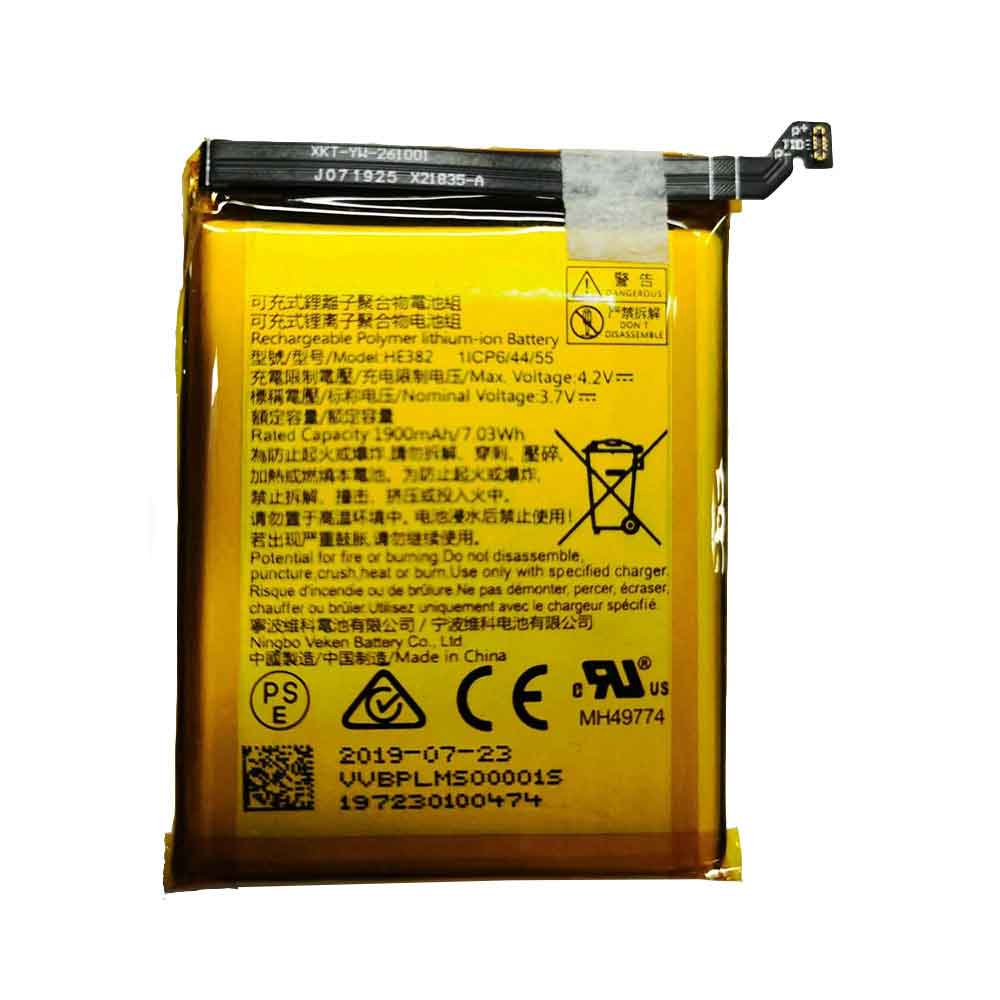
HE382

Specifications

  • Brand:Leomo
  • Capacity :1900mAh/7.03WH
  • Voltage :3.7V 4.2V
  • Type :Li-ion
  • Battery Cell Quality: Grade A
  • Descriptive: Replacement Battery – 1 Year Warranty
  • Description: Brand New, 1 Year Warranty! 30-Days Money Back! Fast Shipping!

How we test this Leomo HE382 Battery
Step 1: Make sure customer bought the correct battery.
Step 2: Check battery’s appearance and interface.
Step 3: Test battery charger and recharger function.
Step 4: Charger the battery to 100% and recharger to 0% to get real battery capacity
Step 5: Use Ev2300 to check the voltage difference of each goroup cells.
Step 6: Charger battery power more than 30%.
Step 7: Package battery carefully and send out

Compatible Part Numbers:
HE382

Compatible Model Numbers:
Leomo HE382

How much do you know about how to run laptop well as any place? The follow Tips cut way back on protecting battery life.


1). Please recharge or change your Cell Phone battery when battery power low.
2). Using Li-Ion Replacement Leomo HE382 Cell Phone Battery for your notebook which can work longer time than Non Li-ion one.
3). It is better to defragmentation regularly for your Cell Phone battery life.
4). In order to reduce the laptop power consumpition, you can use some optical drive spin-down and hard drive in your Cell Phone .
5). Please keep your laptop in sleep or standby model without long time using, which both save the Replacement Leomo HE382 Cell Phone Battery power and extend battery using life.
6). Leave your battery in a dry and cool condition when without using.
7). When you rarely or generally plugged in fixed power using, Please take down your battery to avoid hurting battery life.

Hot Products

4400mah HAIER V30-3S4400-G1L3 for HHAIER C600 C600G serie1800mAh/6.84WH SAMSUNG B105BU for Samsung Galaxy S7275 GT-S7275R41.7Wh /3470mAh HP HW03XL for HP 15-EG0067ST 15-EG0027OD8420mAh/96Wh HP AA06XL for HP ZBook 17 G4-2ZC18ES Z3R03UT73Wh ASUS C42N1630 for ASUS Zenbook Pro UX550 UX550VD3900mAh/15.0WH XIAOMI BN48 for Xiaomi Redmi Note 6 Pro Note64000mAh/31Wh/4 cells SAMSUNG AA-PBUN4AR for Samsung NP940X3L 900X5L NP900X3700mAh/14.2WH XIAOMI BM37 for Xiaomi Mi 5S Mi5s plus4550mAh 51.28Wh THUNDEROBOT SQU-1711 for Thunderobot 911AIR 911ME 911S7.6V DELL 4GVMP for Dell Latitude 5400 5500

How to Manually Charge Your Laptop Battery Without an Adapter

 Laptops are a very important thing in today’s smooth work. However, this mobility can sometimes be a problem because people often forget to carry the charger with them. Charging the battery can sometimes be a challenge in itself, considering that the battery eventually dies. While carrying multiple batteries is a valid option, the fact remains that it is not feasible for all users. To overcome this challenge, all you need to do is learn how to manually charge your laptop battery.

Most high-tech devices are built to eliminate charging ranges without original chargers. However, some technical knowledge can definitely help you charge the battery smoothly. Let’s take a look together!

How to charge laptop battery without adapter?

There are a number of ways to charge a laptop without an adapter, two of which are detailed here.

The first method is to charge the laptop with the help of a USB cable. We all know that laptops have USB ports, but these ports cannot be used to plug in a power source, only to pull it out. It’s worth noting that most laptops have Type B and Type C ports, even though Type A ports are not available. While Type-A ports receive power, Type B ports and Type C ports are innovations introduced to help us. These types of ports also bring power inside, which can help us get rid of the problem of our laptop charging without a charging adapter.

First check if your laptop has a USB port Type C and you are all set to use this alternative.

The second method is that an external battery charger can be an important alternative solution as it also allows you to charge your device without the original charger. This charger doesn’t connect directly to the laptop, so some additional steps are required to continue. To use this as a method requires removing the battery from the port and connecting it to an external charger. This charger, in turn, will be connected to an external power source. Once the battery is fully charged, you can remove the charger and install it on the laptop for smooth work.

Is there any other way to charge the laptop?

Other ways to charge laptop batteries are Ultra Laptop Batteries and Solar Charging Kits.

You can choose to buy a super laptop battery and replace it with a regular battery to extend battery life in severe situations where you don’t have a charger at your disposal. The battery gives you up to 7 hours of backup battery life. This type of battery is useful in certain situations when your standard battery is charged using an external charger.

In addition to this, solar kits are also very popular right now. The device is designed to harness electricity through solar panels and does not rely on bulk power sources. These kits convert the heat of the sun into electricity. Modern solar kits are now designed to be smaller, with greater flexibility and efficiency to keep pace with contemporary times. Portable and foldable, this kit can charge all types of laptop batteries.

>>>>>>>>>>>>Laptop’s battery

Thanks for reading, hope it helps!

Friendly reminder: If you need to replace the battery, this battery store will be a good choice: www.batteryforpc.co.uk

How do you diagnose your laptop’s battery?

 To diagnose your own laptop battery, all you need to do is check through the prescribed software specific to your laptop, and you’ll get a comprehensive guide on the current state of your battery. In addition to that, you’ll also get advice on how to improve battery life. Most laptops have a built-in clock that keeps you informed to check the condition of the battery. This troubleshooting is designed to be very effective at diagnosing and providing a continuous solution to these issues.

There are many ways on the market to accomplish this task. One of the ways is to use a USB cable to charge your laptop. It’s important to note that this method of using your phone as a power source is only suitable for small but important tasks. All you need to do is connect your phone to your laptop using a data cable and the process will start on its own.

Another way is to charge your phone via a universal power adapter. This is the most straightforward, practical and straightforward method you can use to charge your laptop. However, it’s important to keep in mind that this adapter isn’t designed for your laptop; it may have its own drawbacks. This universal adapter is very reasonable and easy to use. Still, given that it wasn’t made for a specific model,

In addition to these two, an external battery charger is another option that allows your battery to be charged externally without direct contact with the laptop.

Such external chargers are readily available in the market at low prices. It can prove beneficial in situations where you allow the charger to be connected to a power outlet. Additionally, the AC adapter connector can charge the battery by connecting a laptop directly to the connector. Make sure to buy a connector from an electronics store to follow this method. Other methods might include ultra-laptop batteries or solar charging kits.

It is recommended that you thoroughly check your battery by running various diagnostic programs to keep your laptop running smoothly. These diagnostics may vary from laptop to laptop, but they do this check as an explicit feature through built-in mechanisms.

>>>>>>>>>>laptop battery

Thanks for reading, hope it helps!

Friendly reminder: If you need to replace the battery of your device, this battery store will be a good choice: www.batteryforpc.co.uk

4 Easy Steps to Factory Reset Your MacBook

 Are you looking to upgrade to a MacBook Pro 14 or 16, or you’re entering desktop territory by pre-ordering the newly released Mac Studio. You can even keep an eye out for the rumored M2 MacBook Pro that may arrive later this year. But before you buy a new MacBook, you can get some money by selling your old Mac to help cover the cost of your new Mac. However, you will need to migrate your data to the new Mac and wipe the old Mac clean first.

Whether you give your Mac to a friend or family member, recycle it, or donate it to an organization, you need to wipe your personal information and files before separating from it.

Here’s how to remove all traces of your data and restore your old Mac to its default factory settings, let’s take a look!

1. Sign out of your account

First, you need to log out of all accounts. Now you have to quit three apps individually – Music, TV and Books. Open any of these applications and go to Account > Authorizations > Deauthorize This Computer. You will need to enter your Apple ID and password, then click the Deauthorize button.

Next, you need to turn off Find My Mac and sign out of iCloud. Go to System Preferences > Apple ID, click iCloud in the left panel, and uncheck Find My Mac. Next, click on Overview in the left panel, then click the Exit button.

Finally, you need to exit Messages. Open the Messages app, go to Messages > Preferences, click the iMessage tab, and then click Sign Out.

2. Bluetooth unpairing

If you’re giving your old Mac to your kids or someone else in the house, it’s a good idea to unpair any of its Bluetooth devices so your mouse or keyboard can control the new Mac without interfering with the old one. Go to System Preferences > Bluetooth, hover over the device you want to unpair, click the X button to the right of its name, then click Remove.

3. Reset NVRAM

NVRAM is the memory your Mac uses to save the settings it needs before loading MacOS: things like screen resolution, time zone, volume, and startup disk selection. Sometimes these files can get corrupted, so give your Mac’s next owner a fresh start by resetting the NVRAM. To do this, turn off your Mac, then turn it on and immediately hold down four keys simultaneously: Option, Command, P, and R. You can release the keys after about 20 seconds. That’s it! Your Mac’s NVRAM has been reset.

4. Factory reset

You will need to put your MacBook into recovery mode to erase all data and reinstall MacOS. To enter Recovery Mode on an Intel-based Mac, restart it and immediately hold Command-R. Once you see the Apple logo, you can release the keys.

Next, you will see the MacOS Utilities window. Select Disk Utility, click Continue and select your startup disk – unless you renamed it, it will most likely be labeled Macintosh HD or something like that. Next, click the Erase button at the top of the Disk Utility window and fill in the following two fields:

Name: Choose a name for the fresh new volume.

Format: Select APFS.

If you’re trying to sell an older Mac with a mechanical hard drive instead of a solid-state drive, choose Mac OS Extended (Journaled) for formatting.

Next, click Erase Volume Group and when Disk Utility finishes, exit Disk Utility. You should return to the MacOS Utilities window. (If not, restart your Mac again, holding down Command-R as it restarts.) From the MacOS Utilities window, select Reinstall MacOS and follow the instructions to install the operating system. After you reinstall MacOS, the Setup Assistant will greet you, and you can log out and shut down your Mac. That’s it!

>>>>>>>>>>>>>Apple battery

Thanks for reading, hope it helps!

Friendly reminder: If you need to replace the battery of your device, this battery store will be a good choice: www.batteryforpc.co.uk

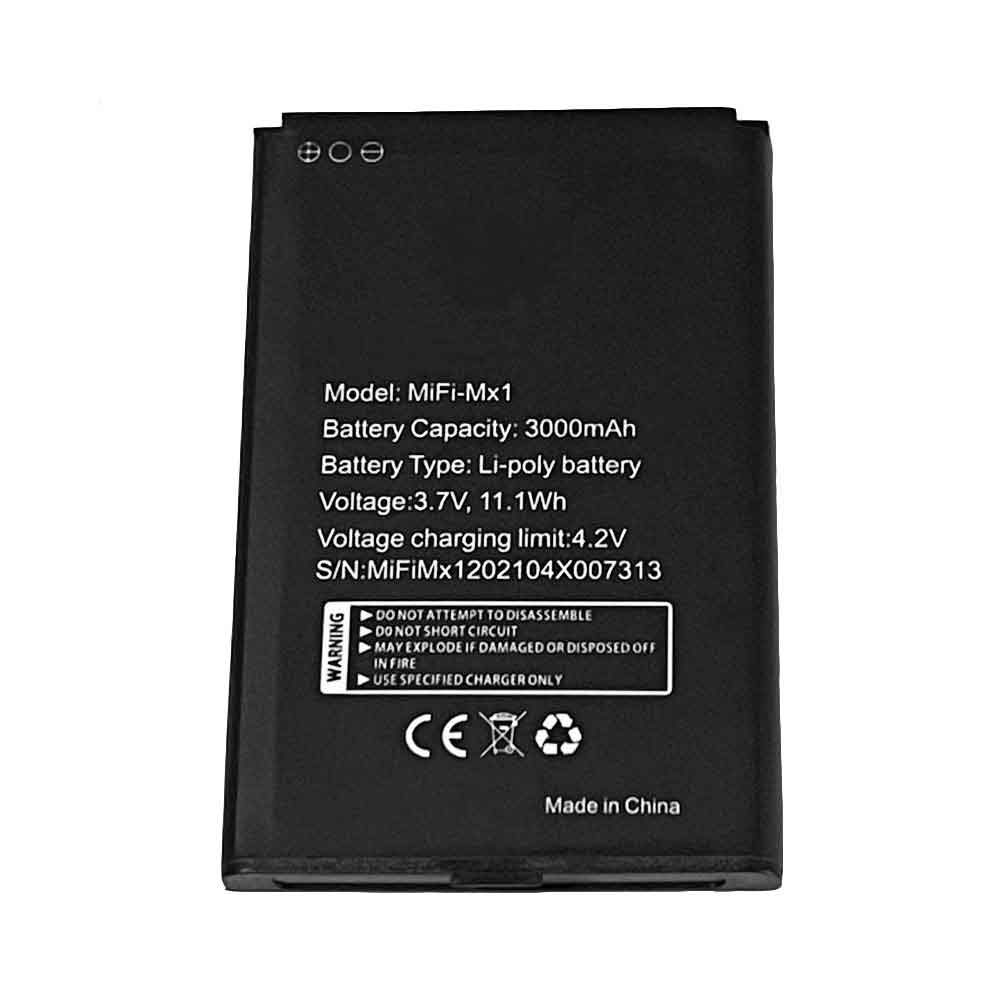
3000mAh/11.1WH 3.7V 4.2V Iku MiFi-Mx1 Li-ion Battery for IKU MiFi-MX1 4G LTE Wireless Router

3000mAh/11.1WH 3.7V 4.2V Iku MiFi-Mx1 Batteries for IKU MiFi-MX1 4G LTE Wireless Router, Iku MiFi-Mx1 Other battery is a brand new,100% Compatible original and replacement battery,Purchase wholesale and retail MiFi-Mx1 with high quality and low price!

Find ou your original model number or part number(P/N), and move your eyes on the tag of battery

MiFi-Mx1

Specifications

  • Brand:IKU
  • Capacity :3000mAh/11.1WH
  • Voltage :3.7V 4.2V
  • Type :Li-ion
  • Battery Cell Quality: Grade A
  • Descriptive: Replacement Battery – 1 Year Warranty
  • Description: Brand New, 1 Year Warranty! 30-Days Money Back! Fast Shipping!

How we test this Iku MiFi-Mx1 Battery
Step 1: Make sure customer bought the correct battery.
Step 2: Check battery’s appearance and interface.
Step 3: Test battery charger and recharger function.
Step 4: Charger the battery to 100% and recharger to 0% to get real battery capacity
Step 5: Use Ev2300 to check the voltage difference of each goroup cells.
Step 6: Charger battery power more than 30%.
Step 7: Package battery carefully and send out

Compatible Part Numbers:
MiFi-Mx1

Compatible Model Numbers:
IKU MiFi-MX1 4G LTE Wireless Router

How much do you know about how to run laptop well as any place? The follow Tips cut way back on protecting battery life.


1). Please recharge or change your Other battery when battery power low.
2). Using Li-Ion Replacement Iku MiFi-Mx1 Other Battery for your notebook which can work longer time than Non Li-ion one.
3). It is better to defragmentation regularly for your Other battery life.
4). In order to reduce the laptop power consumpition, you can use some optical drive spin-down and hard drive in your Other .
5). Please keep your laptop in sleep or standby model without long time using, which both save the Replacement Iku MiFi-Mx1 Other Battery power and extend battery using life.
6). Leave your battery in a dry and cool condition when without using.
7). When you rarely or generally plugged in fixed power using, Please take down your battery to avoid hurting battery life.

Hot Products

1800mAh/6.84WH SAMSUNG B105BU for Samsung Galaxy S7275 GT-S7275R41.7Wh /3470mAh HP HW03XL for HP 15-EG0067ST 15-EG0027OD8420mAh/96Wh HP AA06XL for HP ZBook 17 G4-2ZC18ES Z3R03UT73Wh ASUS C42N1630 for ASUS Zenbook Pro UX550 UX550VD3900mAh/15.0WH XIAOMI BN48 for Xiaomi Redmi Note 6 Pro Note64000mAh/31Wh/4 cells SAMSUNG AA-PBUN4AR for Samsung NP940X3L 900X5L NP900X3700mAh/14.2WH XIAOMI BM37 for Xiaomi Mi 5S Mi5s plus4550mAh 51.28Wh THUNDEROBOT SQU-1711 for Thunderobot 911AIR 911ME 911S7.6V DELL 4GVMP for Dell Latitude 5400 55004900mAh/18.87WH SAMSUNG HQ-50S for Samsung Galaxy A02S

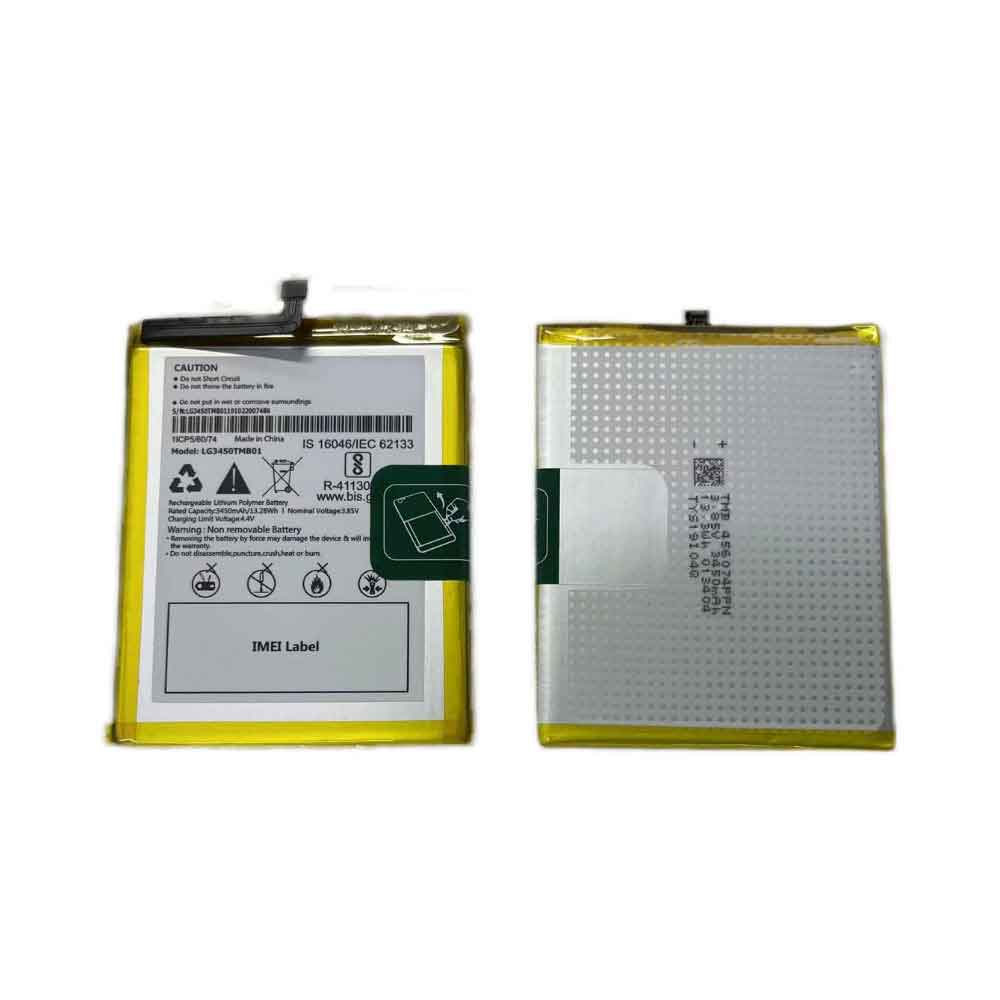
3450mAh/13.28WH 3.85V 4.4V Lg LG3450TMB01 Li-ion Battery for LG LG3450TMB01

3450mAh/13.28WH 3.85V 4.4V Lg LG3450TMB01 Batteries for LG LG3450TMB01, Lg LG3450TMB01 Cell Phone battery is a brand new,100% Compatible original and replacement Phone battery,Purchase wholesale and retail LG3450TMB01 with high quality and low price!

lg LG3450TMB01 Battery Li-ion 3.85Find ou your original model number or part number(P/N), and move your eyes on the tag of batteryV 4.4V 3450mAh/13.28WH

LG3450TMB01

Specifications

  • Brand:LG
  • Capacity :3450mAh/13.28WH
  • Voltage :3.85V 4.4V
  • Type :Li-ion
  • Battery Cell Quality: Grade A
  • Descriptive: Replacement Battery – 1 Year Warranty
  • Description: Brand New, 1 Year Warranty! 30-Days Money Back! Fast Shipping!

How we test this Lg LG3450TMB01 Battery
Step 1: Make sure customer bought the correct battery.
Step 2: Check battery’s appearance and interface.
Step 3: Test battery charger and recharger function.
Step 4: Charger the battery to 100% and recharger to 0% to get real battery capacity
Step 5: Use Ev2300 to check the voltage difference of each goroup cells.
Step 6: Charger battery power more than 30%.
Step 7: Package battery carefully and send out

Compatible Part Numbers:
LG3450TMB01

Compatible Model Numbers:
LG LG3450TMB01

How much do you know about how to run laptop well as any place? The follow Tips cut way back on protecting battery life.


1). Please recharge or change your Cell Phone battery when battery power low.
2). Using Li-Ion Replacement Lg LG3450TMB01 Cell Phone Battery for your notebook which can work longer time than Non Li-ion one.
3). It is better to defragmentation regularly for your Cell Phone battery life.
4). In order to reduce the laptop power consumpition, you can use some optical drive spin-down and hard drive in your Cell Phone .
5). Please keep your laptop in sleep or standby model without long time using, which both save the Replacement Lg LG3450TMB01 Cell Phone Battery power and extend battery using life.
6). Leave your battery in a dry and cool condition when without using.
7). When you rarely or generally plugged in fixed power using, Please take down your battery to avoid hurting battery life.

Hot Products

1800mAh/6.84WH SAMSUNG B105BU for Samsung Galaxy S7275 GT-S7275R41.7Wh /3470mAh HP HW03XL for HP 15-EG0067ST 15-EG0027OD8420mAh/96Wh HP AA06XL for HP ZBook 17 G4-2ZC18ES Z3R03UT73Wh ASUS C42N1630 for ASUS Zenbook Pro UX550 UX550VD3900mAh/15.0WH XIAOMI BN48 for Xiaomi Redmi Note 6 Pro Note64000mAh/31Wh/4 cells SAMSUNG AA-PBUN4AR for Samsung NP940X3L 900X5L NP900X3700mAh/14.2WH XIAOMI BM37 for Xiaomi Mi 5S Mi5s plus4550mAh 51.28Wh THUNDEROBOT SQU-1711 for Thunderobot 911AIR 911ME 911S7.6V DELL 4GVMP for Dell Latitude 5400 55004900mAh/18.87WH SAMSUNG HQ-50S for Samsung Galaxy A02S

500mAh/1.92WH 3.85V 4.4V Nubia LI3905T44P6H332452 Li-ion Battery for Nubia LI3905T44P6H332452

500mAh/1.92WH 3.85V 4.4V Nubia LI3905T44P6H332452 Batteries for Nubia LI3905T44P6H332452, Nubia LI3905T44P6H332452 Cell Phone battery is a brand new,100% Compatible original and replacement Phone battery,Purchase wholesale and retail LI3905T44P6H332452 with high quality and low price!

Find ou your original model number or part number(P/N), and move your eyes on the tag of battery

LI3905T44P6H332452

Specifications

  • Brand:Nubia
  • Capacity :500mAh/1.92WH
  • Voltage :3.85V 4.4V
  • Type :Li-ion
  • Battery Cell Quality: Grade A
  • Descriptive: Replacement Battery – 1 Year Warranty
  • Description: Brand New, 1 Year Warranty! 30-Days Money Back! Fast Shipping!

How we test this Nubia LI3905T44P6H332452 Battery
Step 1: Make sure customer bought the correct battery.
Step 2: Check battery’s appearance and interface.
Step 3: Test battery charger and recharger function.
Step 4: Charger the battery to 100% and recharger to 0% to get real battery capacity
Step 5: Use Ev2300 to check the voltage difference of each goroup cells.
Step 6: Charger battery power more than 30%.
Step 7: Package battery carefully and send out

Compatible Part Numbers:
LI3905T44P6H332452

Compatible Model Numbers:
Nubia LI3905T44P6H332452

How much do you know about how to run laptop well as any place? The follow Tips cut way back on protecting battery life.


1). Please recharge or change your Cell Phone battery when battery power low.
2). Using Li-Ion Replacement Nubia LI3905T44P6H332452 Cell Phone Battery for your notebook which can work longer time than Non Li-ion one.
3). It is better to defragmentation regularly for your Cell Phone battery life.
4). In order to reduce the laptop power consumpition, you can use some optical drive spin-down and hard drive in your Cell Phone .
5). Please keep your laptop in sleep or standby model without long time using, which both save the Replacement Nubia LI3905T44P6H332452 Cell Phone Battery power and extend battery using life.
6). Leave your battery in a dry and cool condition when without using.
7). When you rarely or generally plugged in fixed power using, Please take down your battery to avoid hurting battery life.

Hot Products

1800mAh/6.84WH SAMSUNG B105BU for Samsung Galaxy S7275 GT-S7275R41.7Wh /3470mAh HP HW03XL for HP 15-EG0067ST 15-EG0027OD8420mAh/96Wh HP AA06XL for HP ZBook 17 G4-2ZC18ES Z3R03UT73Wh ASUS C42N1630 for ASUS Zenbook Pro UX550 UX550VD3900mAh/15.0WH XIAOMI BN48 for Xiaomi Redmi Note 6 Pro Note64000mAh/31Wh/4 cells SAMSUNG AA-PBUN4AR for Samsung NP940X3L 900X5L NP900X3700mAh/14.2WH XIAOMI BM37 for Xiaomi Mi 5S Mi5s plus4550mAh 51.28Wh THUNDEROBOT SQU-1711 for Thunderobot 911AIR 911ME 911S7.6V DELL 4GVMP for Dell Latitude 5400 55004900mAh/18.87WH SAMSUNG HQ-50S for Samsung Galaxy A02S

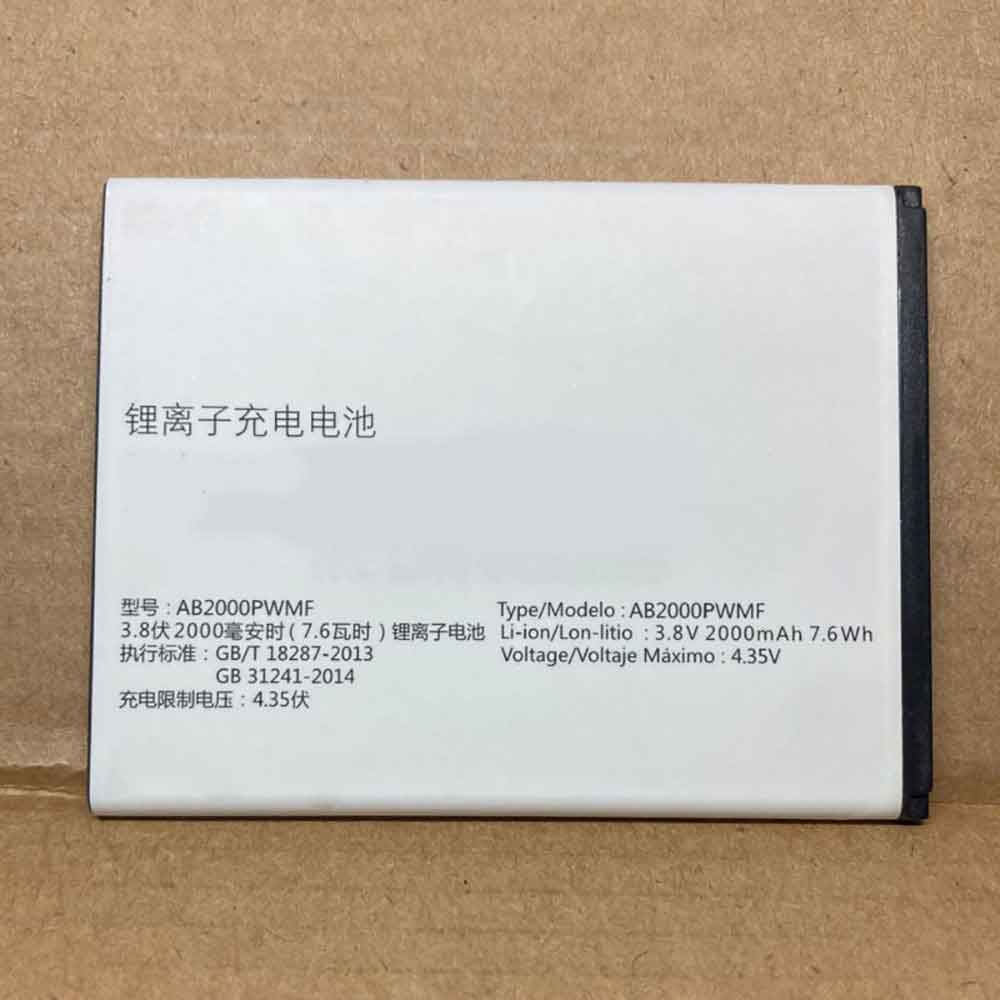
2000mAh/7.6WH 3.8V 4.35V Philips AB2000PWMF Li-ion Battery for Philips AB2000PWMF

2000mAh/7.6WH 3.8V 4.35V Philips AB2000PWMF Batteries for Philips AB2000PWMF, Philips AB2000PWMF Cell Phone battery is a brand new,100% Compatible original and replacement Phone battery,Purchase wholesale and retail AB2000PWMF with high quality and low price!

Find ou your original model number or part number(P/N), and move your eyes on the tag of battery

AB2000PWMF

Specifications

  • Brand:Philips
  • Capacity :2000mAh/7.6WH
  • Voltage :3.8V 4.35V
  • Type :Li-ion
  • Battery Cell Quality: Grade A
  • Descriptive: Replacement Battery – 1 Year Warranty
  • Description: Brand New, 1 Year Warranty! 30-Days Money Back! Fast Shipping!

How we test this Philips AB2000PWMF Battery
Step 1: Make sure customer bought the correct battery.
Step 2: Check battery’s appearance and interface.
Step 3: Test battery charger and recharger function.
Step 4: Charger the battery to 100% and recharger to 0% to get real battery capacity
Step 5: Use Ev2300 to check the voltage difference of each goroup cells.
Step 6: Charger battery power more than 30%.
Step 7: Package battery carefully and send out

Compatible Part Numbers:
AB2000PWMF

Compatible Model Numbers:
Philips AB2000PWMF

How much do you know about how to run laptop well as any place? The follow Tips cut way back on protecting battery life.


1). Please recharge or change your Cell Phone battery when battery power low.
2). Using Li-Ion Replacement Philips AB2000PWMF Cell Phone Battery for your notebook which can work longer time than Non Li-ion one.
3). It is better to defragmentation regularly for your Cell Phone battery life.
4). In order to reduce the laptop power consumpition, you can use some optical drive spin-down and hard drive in your Cell Phone .
5). Please keep your laptop in sleep or standby model without long time using, which both save the Replacement Philips AB2000PWMF Cell Phone Battery power and extend battery using life.
6). Leave your battery in a dry and cool condition when without using.
7). When you rarely or generally plugged in fixed power using, Please take down your battery to avoid hurting battery life.

Hot Products

1800mAh/6.84WH SAMSUNG B105BU for Samsung Galaxy S7275 GT-S7275R41.7Wh /3470mAh HP HW03XL for HP 15-EG0067ST 15-EG0027OD8420mAh/96Wh HP AA06XL for HP ZBook 17 G4-2ZC18ES Z3R03UT73Wh ASUS C42N1630 for ASUS Zenbook Pro UX550 UX550VD3900mAh/15.0WH XIAOMI BN48 for Xiaomi Redmi Note 6 Pro Note64000mAh/31Wh/4 cells SAMSUNG AA-PBUN4AR for Samsung NP940X3L 900X5L NP900X3700mAh/14.2WH XIAOMI BM37 for Xiaomi Mi 5S Mi5s plus4550mAh 51.28Wh THUNDEROBOT SQU-1711 for Thunderobot 911AIR 911ME 911S7.6V DELL 4GVMP for Dell Latitude 5400 55004900mAh/18.87WH SAMSUNG HQ-50S for Samsung Galaxy A02S

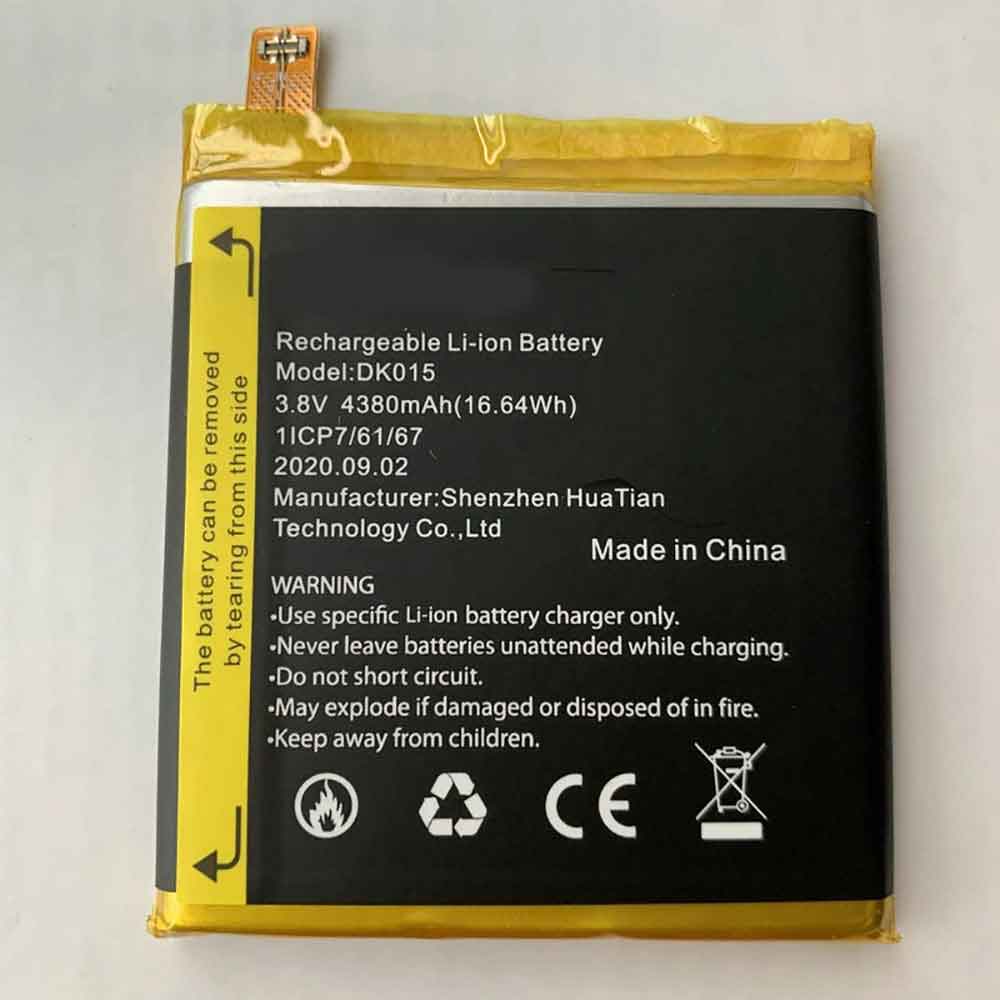
4380mAh/16.64WH 3.85V Blackview DK015 Li-ion Battery for Blackview BV9900/BV9900 Pro

4380mAh/16.64WH 3.85V Blackview DK015 Batteries for Blackview BV9900/BV9900 Pro, Blackview DK015 Cell Phone battery is a brand new,100% Compatible original and replacement Phone battery,Purchase wholesale and retail DK015 with high quality and low price!

Find ou your original model number or part number(P/N), and move your eyes on the tag of battery

DK015

Specifications

  • Brand:Blackview
  • Capacity :4380mAh/16.64WH
  • Voltage :3.85V
  • Type :Li-ion
  • Battery Cell Quality: Grade A
  • Descriptive: Replacement Battery – 1 Year Warranty
  • Description: Brand New, 1 Year Warranty! 30-Days Money Back! Fast Shipping!

How we test this Blackview DK015 Battery
Step 1: Make sure customer bought the correct battery.
Step 2: Check battery’s appearance and interface.
Step 3: Test battery charger and recharger function.
Step 4: Charger the battery to 100% and recharger to 0% to get real battery capacity
Step 5: Use Ev2300 to check the voltage difference of each goroup cells.
Step 6: Charger battery power more than 30%.
Step 7: Package battery carefully and send out

Compatible Part Numbers:
DK015

Compatible Model Numbers:
Blackview BV9900/BV9900 Pro

How much do you know about how to run laptop well as any place? The follow Tips cut way back on protecting battery life.


1). Please recharge or change your Cell Phone battery when battery power low.
2). Using Li-Ion Replacement Blackview DK015 Cell Phone Battery for your notebook which can work longer time than Non Li-ion one.
3). It is better to defragmentation regularly for your Cell Phone battery life.
4). In order to reduce the laptop power consumpition, you can use some optical drive spin-down and hard drive in your Cell Phone .
5). Please keep your laptop in sleep or standby model without long time using, which both save the Replacement Blackview DK015 Cell Phone Battery power and extend battery using life.
6). Leave your battery in a dry and cool condition when without using.
7). When you rarely or generally plugged in fixed power using, Please take down your battery to avoid hurting battery life.

Hot Products

73Wh ASUS C42N1630 for ASUS Zenbook Pro UX550 UX550VD3900mAh/15.0WH XIAOMI BN48 for Xiaomi Redmi Note 6 Pro Note64000mAh/31Wh/4 cells SAMSUNG AA-PBUN4AR for Samsung NP940X3L 900X5L NP900X3700mAh/14.2WH XIAOMI BM37 for Xiaomi Mi 5S Mi5s plus4550mAh 51.28Wh THUNDEROBOT SQU-1711 for Thunderobot 911AIR 911ME 911S7.6V DELL 4GVMP for Dell Latitude 5400 55004900mAh/18.87WH SAMSUNG HQ-50S for Samsung Galaxy A02S4120mAh/45Wh LENOVO L17M3P52 for Lenovo 01AV447 SB10K97608 Seri5280mAh 20.43WH BLACKVIEW Li566376HTT for Blackview Bl6000 Pro1000mAh NOKIA BPS-2 for Nokia 6310i 5130 5110 6210 711

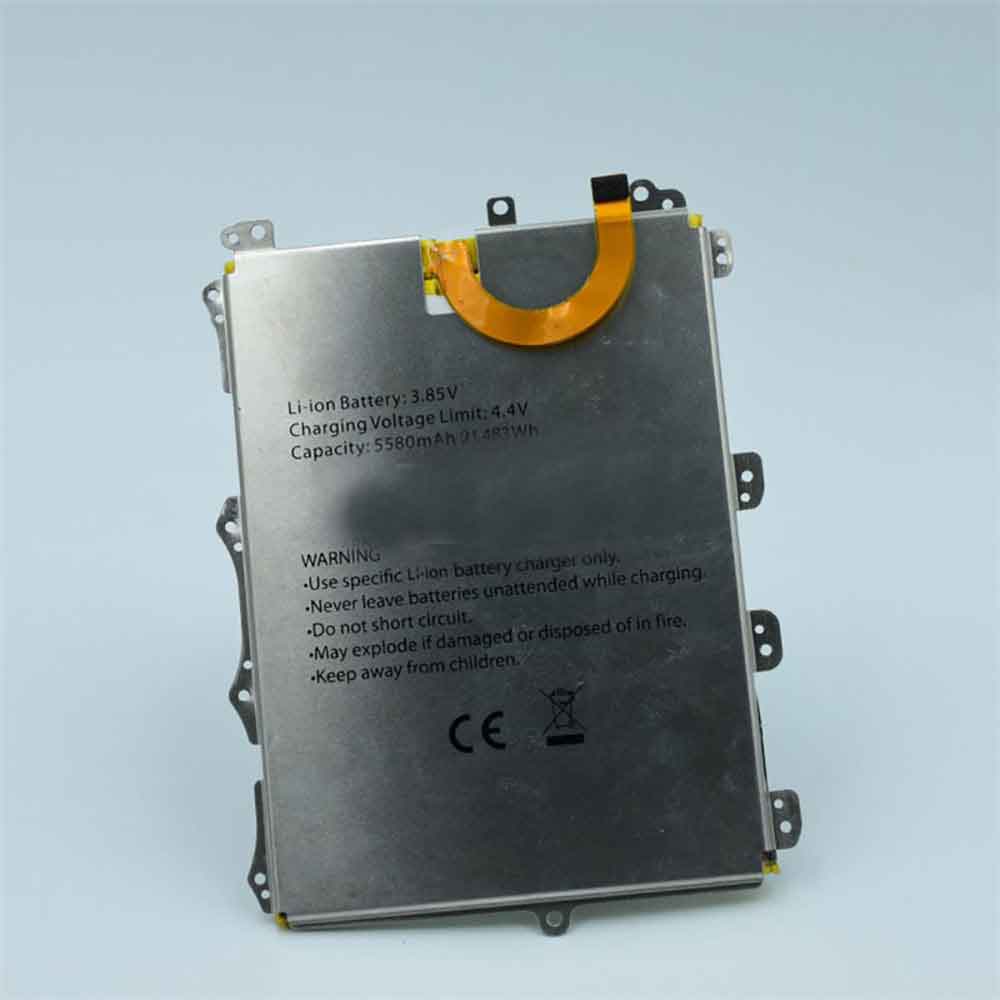
5580mAh/21.483WH 3.85V 4.4V Blackview BV6100 Li-ion Battery for Blackview BV6100

5580mAh/21.483WH 3.85V 4.4V Blackview BV6100 Batteries for Blackview BV6100, Blackview BV6100 Cell Phone battery is a brand new,100% Compatible original and replacement Phone battery,Purchase wholesale and retail BV6100 with high quality and low price!

Find ou your original model number or part number(P/N), and move your eyes on the tag of battery

BV6100

Specifications

  • Brand:Blackview
  • Capacity :5580mAh/21.483WH
  • Voltage :3.85V 4.4V
  • Type :Li-ion
  • Battery Cell Quality: Grade A
  • Descriptive: Replacement Battery – 1 Year Warranty
  • Description: Brand New, 1 Year Warranty! 30-Days Money Back! Fast Shipping!

How we test this Blackview BV6100 Battery
Step 1: Make sure customer bought the correct battery.
Step 2: Check battery’s appearance and interface.
Step 3: Test battery charger and recharger function.
Step 4: Charger the battery to 100% and recharger to 0% to get real battery capacity
Step 5: Use Ev2300 to check the voltage difference of each goroup cells.
Step 6: Charger battery power more than 30%.
Step 7: Package battery carefully and send out

Compatible Part Numbers:
BV6100

Compatible Model Numbers:
Blackview BV6100

How much do you know about how to run laptop well as any place? The follow Tips cut way back on protecting battery life.


1). Please recharge or change your Cell Phone battery when battery power low.
2). Using Li-Ion Replacement Blackview BV6100 Cell Phone Battery for your notebook which can work longer time than Non Li-ion one.
3). It is better to defragmentation regularly for your Cell Phone battery life.
4). In order to reduce the laptop power consumpition, you can use some optical drive spin-down and hard drive in your Cell Phone .
5). Please keep your laptop in sleep or standby model without long time using, which both save the Replacement Blackview BV6100 Cell Phone Battery power and extend battery using life.
6). Leave your battery in a dry and cool condition when without using.
7). When you rarely or generally plugged in fixed power using, Please take down your battery to avoid hurting battery life.

Hot Products

73Wh ASUS C42N1630 for ASUS Zenbook Pro UX550 UX550VD3900mAh/15.0WH XIAOMI BN48 for Xiaomi Redmi Note 6 Pro Note64000mAh/31Wh/4 cells SAMSUNG AA-PBUN4AR for Samsung NP940X3L 900X5L NP900X3700mAh/14.2WH XIAOMI BM37 for Xiaomi Mi 5S Mi5s plus4550mAh 51.28Wh THUNDEROBOT SQU-1711 for Thunderobot 911AIR 911ME 911S7.6V DELL 4GVMP for Dell Latitude 5400 55004900mAh/18.87WH SAMSUNG HQ-50S for Samsung Galaxy A02S4120mAh/45Wh LENOVO L17M3P52 for Lenovo 01AV447 SB10K97608 Seri5280mAh 20.43WH BLACKVIEW Li566376HTT for Blackview Bl6000 Pro1000mAh NOKIA BPS-2 for Nokia 6310i 5130 5110 6210 711