How to Find All Saved Wi-Fi Passwords on Mac and Windows

 When you connect to a Wi-Fi network for the first time, both the name and password are stored on your computer. Usually, you don’t need to know these credentials again, as your computer should automatically connect to the network when you’re nearby, but if you have other devices to connect to the Internet, you’ll need this information. Whether you have a MacBook Pro running MacOS Monterey or an HP Pavilion All-in-One running Windows 11, it’s easy to find passwords for all Wi-Fi networks you’ve ever connected to on MacOS and Windows. Do you want to know? The following will tell you how to check the Wi-Fi password on MacOS and Windows respectively!

How to find Wi-Fi password on MacOS:

Every password you enter and save on your Mac is stored in Keychain Access, MacOS’ password management system. This includes Wi-Fi network passwords.

First, use the search function to open the Keychain Access app and do the following:

1. Click System under System Keychain in the sidebar.

2. Next, click Password at the top of the window.

3. Find the Wi-Fi network for which you want a password and double-click it.

4. Finally, check the box next to Show password and enter your password when prompted.

The blank password field will then display the password you used to log into that Wi-Fi network. You can then double-click the password field to select the password and copy it to the clipboard.

How to Find Wi-Fi Password on Windows

Finding the password for your currently connected Wi-Fi network on Windows is easy, but getting all stored Wi-Fi passwords takes a bit of work, so we’ll discuss both methods below.

To find the password for the Wi-Fi network you are currently connected to on Windows:

1. Click the Start button, then go to Control Panel > Network and Internet > Network and Sharing Center (Windows 11) or Settings > Network and Internet > Status > Network and Sharing Center (Windows 10).

2. Next to Connections, click the Wi-Fi network name highlighted in blue.

3. In the Wi-Fi Status page that opens, click Wireless Properties, and then click the Security tab.

4. Finally, check the box next to Display characters to display your Wi-Fi network password above it.

However, that’s not the only way to find your Wi-Fi network password. The above method will only allow you to see the password of any Wi-Fi network you are currently connected to, but there is a way to find the password of all Wi-Fi networks you have ever connected to on your Windows computer.

To find all Wi-Fi network passwords on Windows:

1. Right-click the Windows icon in the desktop taskbar.

2. Click Windows Terminal (Admin).

3. Type netsh plan show profile and press Enter on your keyboard to see each Wi-Fi network you are connected to.

4. Once you find the Wi-Fi network you want the password for, type netsh wlan show profile “(Wi-Fi network name)” key=clear (for example, netsh wlan show profile “Netgear667” key=clear) and press enter .

Settings for profiles, connectivity, security, and cost will be displayed. The Wi-Fi network password will appear next to the key content under Security Settings. In addition to Windows Terminal, you can also use the Command Prompt application to find your Wi-Fi password by typing the commands listed above.

>>>>>>>>>>laptop battery

Thanks for reading, hope it helps!

Friendly reminder: If you need to replace the battery, this battery store will be a good choice: www.batteryforpc.co.uk
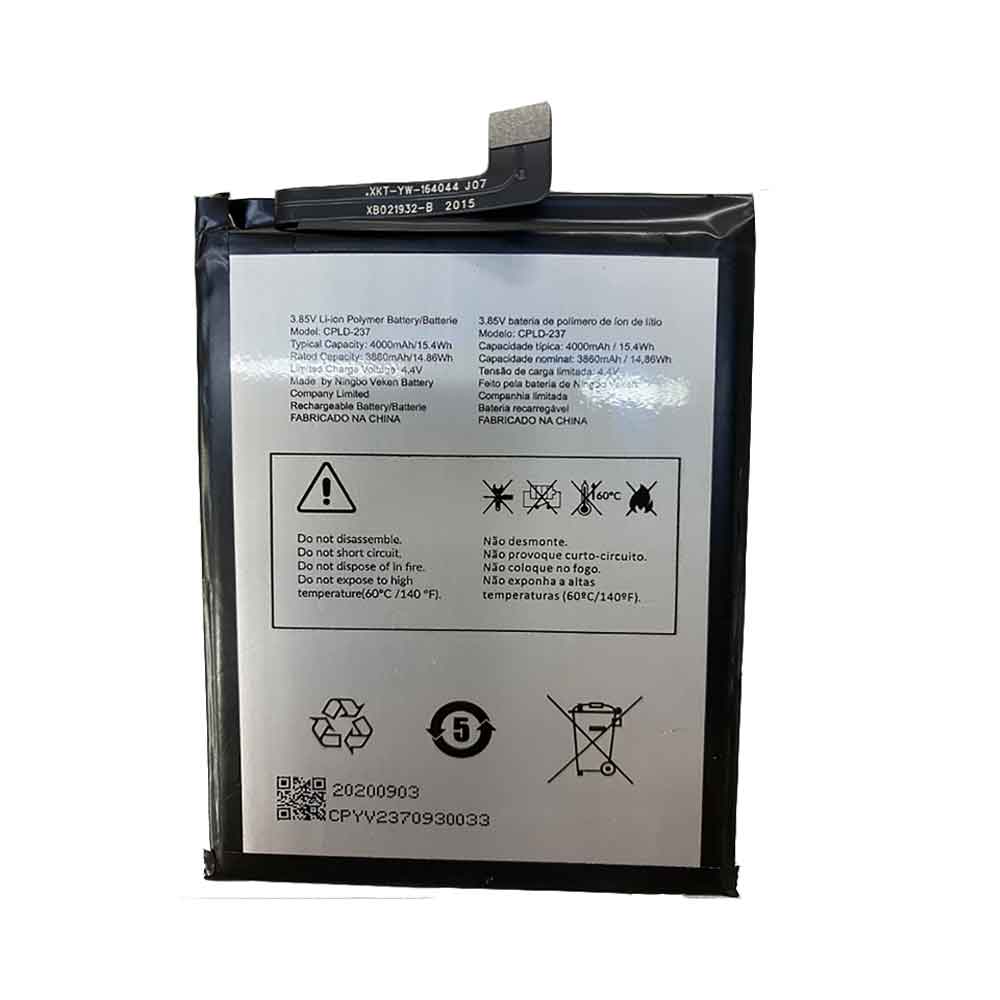
3860mAh 14.86WH 3.85V 4.40V Coolpad CPLD-237 Li-ion Battery Battery for Coolpad CPLD-237

3860mAh 14.86WH 3.85V 4.40V Coolpad CPLD-237 Batteries for Coolpad CPLD-237, Coolpad CPLD-237 Cell Phone battery is a brand new,100% Compatible original and replacement Phone battery,Purchase wholesale and retail CPLD-237 with high quality and low price!

Find ou your original model number or part number(P/N), and move your eyes on the tag of battery

CPLD-237

Specifications

  • Brand:Coolpad
  • Capacity :3860mAh 14.86WH
  • Voltage :3.85V 4.40V
  • Type :Li-ion
  • Battery Cell Quality: Grade A
  • Descriptive: Replacement Battery – 1 Year Warranty
  • Description: Brand New, 1 Year Warranty! 30-Days Money Back! Fast Shipping!

How we test this Coolpad CPLD-237 Battery
Step 1: Make sure customer bought the correct battery.
Step 2: Check battery’s appearance and interface.
Step 3: Test battery charger and recharger function.
Step 4: Charger the battery to 100% and recharger to 0% to get real battery capacity
Step 5: Use Ev2300 to check the voltage difference of each goroup cells.
Step 6: Charger battery power more than 30%.
Step 7: Package battery carefully and send out

Compatible Part Numbers:
CPLD-237

Compatible Model Numbers:
Coolpad CPLD-237

How much do you know about how to run laptop well as any place? The follow Tips cut way back on protecting battery life.


1). Please recharge or change your Cell Phone battery when battery power low.
2). Using Li-Ion Replacement Coolpad CPLD-237 Cell Phone Battery for your notebook which can work longer time than Non Li-ion one.
3). It is better to defragmentation regularly for your Cell Phone battery life.
4). In order to reduce the laptop power consumpition, you can use some optical drive spin-down and hard drive in your Cell Phone .
5). Please keep your laptop in sleep or standby model without long time using, which both save the Replacement Coolpad CPLD-237 Cell Phone Battery power and extend battery using life.
6). Leave your battery in a dry and cool condition when without using.
7). When you rarely or generally plugged in fixed power using, Please take down your battery to avoid hurting battery life.

Hot Products

1000mAh NOKIA BPS-2 for Nokia 6310i 5130 5110 6210 71151Wh/3321mAh LENOVO L18L4P71 for Lenovo ThinkPad X1 Carbon 7th1950mAh APPLE A1672 for Apple Magic Mouse 22800mAh/10.64WH NOKIA V3760T for Nokia Cell Phone4400mAh ADVENT L51-3S4400-C1S5 for Advent 7109B 8111 8115 8215 926600mAh MEDION BP-DRAGON-GT(P) for Medion MAM2100 MIM2300 Akoya E4000mAh ACER TM00741 for Acer Extensa 5620G 5210 5220 52000mAh/7.7WH HTC B0PKX100 for HTC Desire 626 D626W D626T 6264600mAh/34.04Wh TREKSTOR MLP2874170-2S for TREKSTOR PrimeBook P136700 mAh ACER AS10B51 for Acer Aspire 3820T 3820TG 4745G

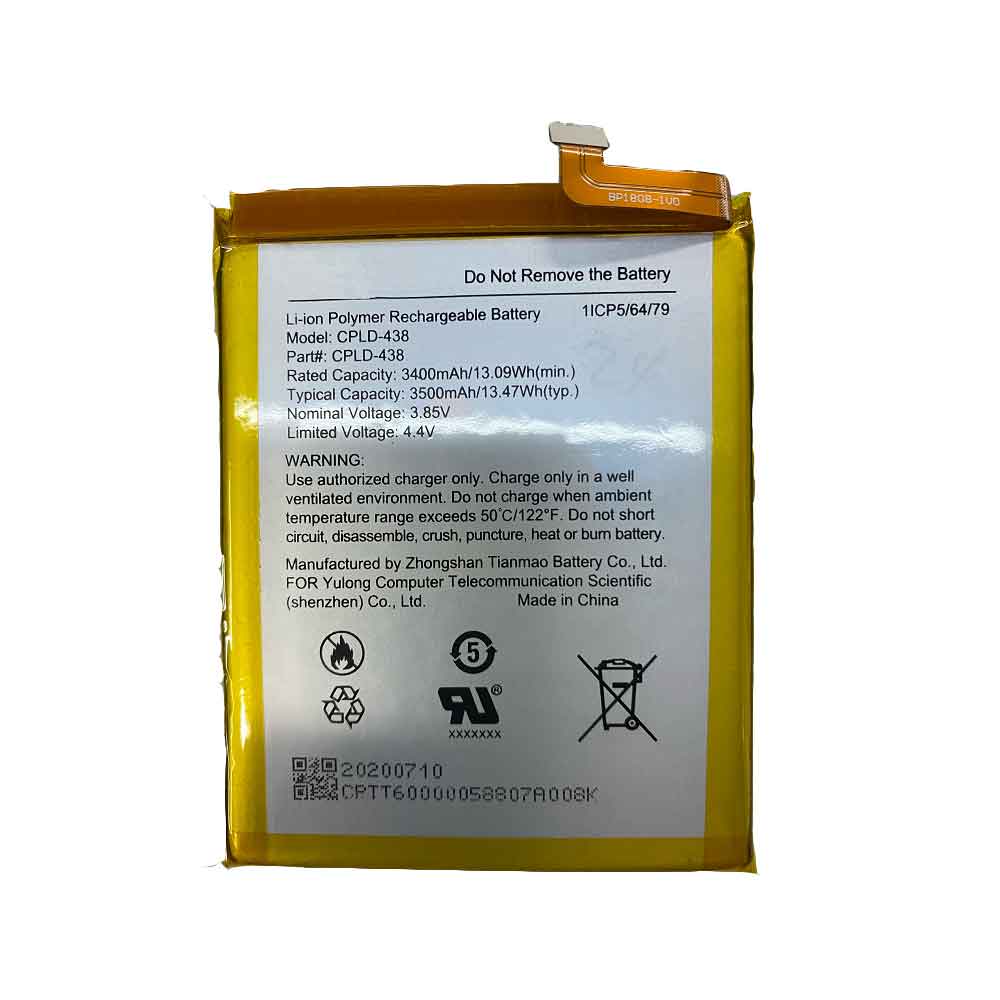
3400mAh 13.09WH 3.85V 4.40V Coolpad CPLD-438 Li-ion Battery for Coolpad CPLD-438

3400mAh 13.09WH 3.85V 4.40V Coolpad CPLD-438 Batteries for Coolpad CPLD-438, Coolpad CPLD-438 Cell Phone battery is a brand new,100% Compatible original and replacement Phone battery,Purchase wholesale and retail CPLD-438 with high quality and low price!

Find ou your original model number or part number(P/N), and move your eyes on the tag of battery

CPLD-438

Specifications

  • Brand:Coolpad
  • Capacity :3400mAh 13.09WH
  • Voltage :3.85V 4.40V
  • Type :Li-ion
  • Battery Cell Quality: Grade A
  • Descriptive: Replacement Battery – 1 Year Warranty
  • Description: Brand New, 1 Year Warranty! 30-Days Money Back! Fast Shipping!

How we test this Coolpad CPLD-438 Battery
Step 1: Make sure customer bought the correct battery.
Step 2: Check battery’s appearance and interface.
Step 3: Test battery charger and recharger function.
Step 4: Charger the battery to 100% and recharger to 0% to get real battery capacity
Step 5: Use Ev2300 to check the voltage difference of each goroup cells.
Step 6: Charger battery power more than 30%.
Step 7: Package battery carefully and send out

Compatible Part Numbers:
CPLD-438

Compatible Model Numbers:
Coolpad CPLD-438

How much do you know about how to run laptop well as any place? The follow Tips cut way back on protecting battery life.


1). Please recharge or change your Cell Phone battery when battery power low.
2). Using Li-Ion Replacement Coolpad CPLD-438 Cell Phone Battery for your notebook which can work longer time than Non Li-ion one.
3). It is better to defragmentation regularly for your Cell Phone battery life.
4). In order to reduce the laptop power consumpition, you can use some optical drive spin-down and hard drive in your Cell Phone .
5). Please keep your laptop in sleep or standby model without long time using, which both save the Replacement Coolpad CPLD-438 Cell Phone Battery power and extend battery using life.
6). Leave your battery in a dry and cool condition when without using.
7). When you rarely or generally plugged in fixed power using, Please take down your battery to avoid hurting battery life.

Hot Products

1000mAh NOKIA BPS-2 for Nokia 6310i 5130 5110 6210 71151Wh/3321mAh LENOVO L18L4P71 for Lenovo ThinkPad X1 Carbon 7th1950mAh APPLE A1672 for Apple Magic Mouse 22800mAh/10.64WH NOKIA V3760T for Nokia Cell Phone4400mAh ADVENT L51-3S4400-C1S5 for Advent 7109B 8111 8115 8215 926600mAh MEDION BP-DRAGON-GT(P) for Medion MAM2100 MIM2300 Akoya E4000mAh ACER TM00741 for Acer Extensa 5620G 5210 5220 52000mAh/7.7WH HTC B0PKX100 for HTC Desire 626 D626W D626T 6264600mAh/34.04Wh TREKSTOR MLP2874170-2S for TREKSTOR PrimeBook P136700 mAh ACER AS10B51 for Acer Aspire 3820T 3820TG 4745G

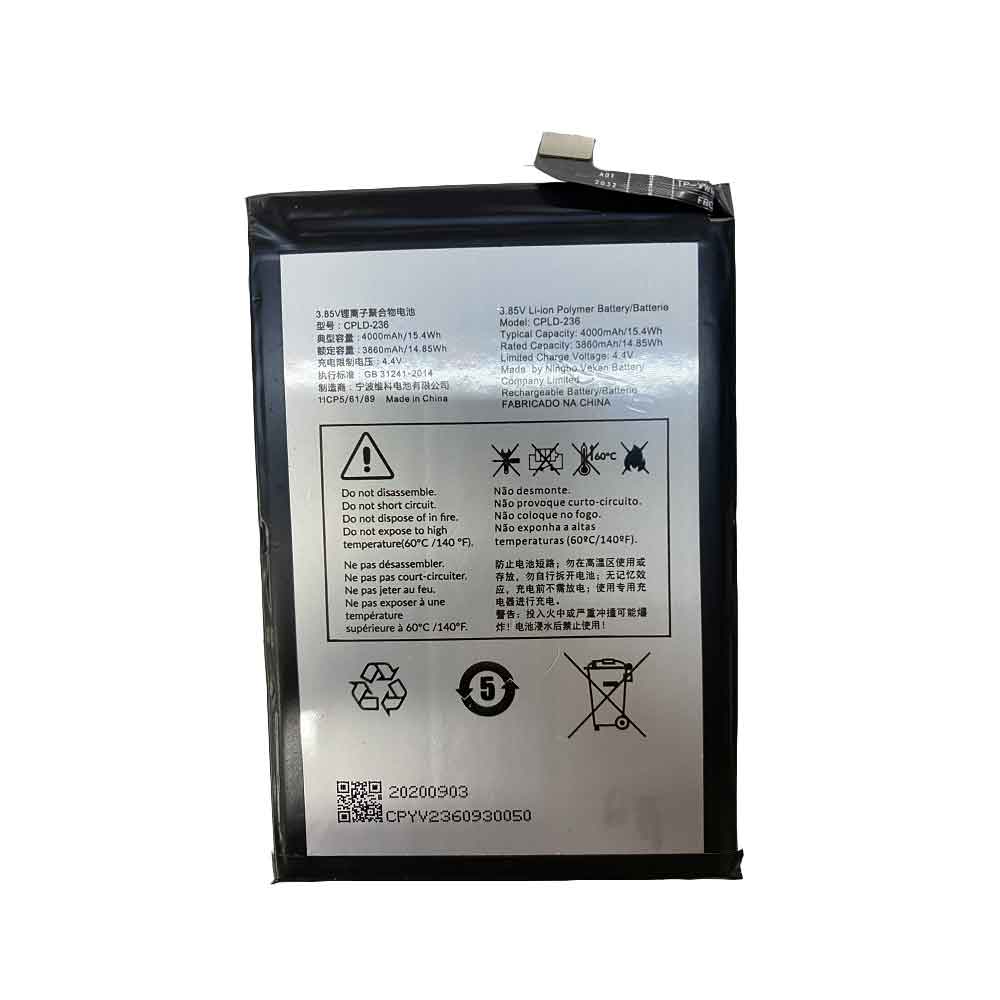
3860mAh 14.85WH 3.85V 4.40V Coolpad CPLD-236 Li-ion Battery for Coolpad CPLD-236

3860mAh 14.85WH 3.85V 4.40V Coolpad CPLD-236 Batteries for Coolpad CPLD-236, Coolpad CPLD-236 Cell Phone battery is a brand new,100% Compatible original and replacement Phone battery,Purchase wholesale and retail CPLD-236 with high quality and low price!

Find ou your original model number or part number(P/N), and move your eyes on the tag of battery

CPLD-236

Specifications

  • Brand:Coolpad
  • Capacity :3860mAh 14.85WH
  • Voltage :3.85V 4.40V
  • Type :Li-ion
  • Battery Cell Quality: Grade A
  • Descriptive: Replacement Battery – 1 Year Warranty
  • Description: Brand New, 1 Year Warranty! 30-Days Money Back! Fast Shipping!

How we test this Coolpad CPLD-236 Battery
Step 1: Make sure customer bought the correct battery.
Step 2: Check battery’s appearance and interface.
Step 3: Test battery charger and recharger function.
Step 4: Charger the battery to 100% and recharger to 0% to get real battery capacity
Step 5: Use Ev2300 to check the voltage difference of each goroup cells.
Step 6: Charger battery power more than 30%.
Step 7: Package battery carefully and send out

Compatible Part Numbers:
CPLD-236

Compatible Model Numbers:
Coolpad CPLD-236

How much do you know about how to run laptop well as any place? The follow Tips cut way back on protecting battery life.


1). Please recharge or change your Cell Phone battery when battery power low.
2). Using Li-Ion Replacement Coolpad CPLD-236 Cell Phone Battery for your notebook which can work longer time than Non Li-ion one.
3). It is better to defragmentation regularly for your Cell Phone battery life.
4). In order to reduce the laptop power consumpition, you can use some optical drive spin-down and hard drive in your Cell Phone .
5). Please keep your laptop in sleep or standby model without long time using, which both save the Replacement Coolpad CPLD-236 Cell Phone Battery power and extend battery using life.
6). Leave your battery in a dry and cool condition when without using.
7). When you rarely or generally plugged in fixed power using, Please take down your battery to avoid hurting battery life.

Hot Products

1000mAh NOKIA BPS-2 for Nokia 6310i 5130 5110 6210 71151Wh/3321mAh LENOVO L18L4P71 for Lenovo ThinkPad X1 Carbon 7th1950mAh APPLE A1672 for Apple Magic Mouse 22800mAh/10.64WH NOKIA V3760T for Nokia Cell Phone4400mAh ADVENT L51-3S4400-C1S5 for Advent 7109B 8111 8115 8215 926600mAh MEDION BP-DRAGON-GT(P) for Medion MAM2100 MIM2300 Akoya E4000mAh ACER TM00741 for Acer Extensa 5620G 5210 5220 52000mAh/7.7WH HTC B0PKX100 for HTC Desire 626 D626W D626T 6264600mAh/34.04Wh TREKSTOR MLP2874170-2S for TREKSTOR PrimeBook P136700 mAh ACER AS10B51 for Acer Aspire 3820T 3820TG 4745G

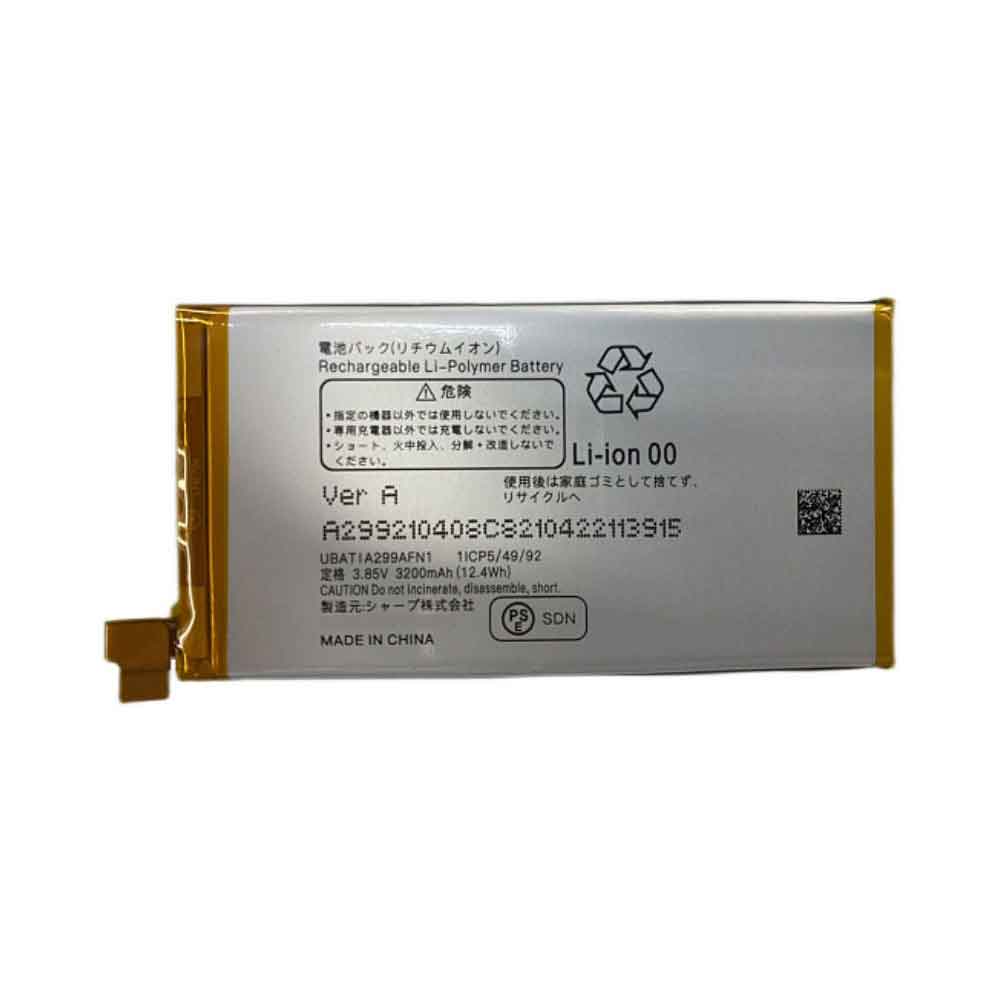
3200mAh 12.4WH 3.85V Sharp UBATIA299AFN1 Li-ion Battery for Sharp UBATIA299AFN1

3200mAh 12.4WH 3.85V Sharp UBATIA299AFN1 Batteries for Sharp UBATIA299AFN1, Sharp UBATIA299AFN1 Cell Phone battery is a brand new,100% Compatible original and replacement Phone battery,Purchase wholesale and retail UBATIA299AFN1 with high quality and low price!

Find ou your original model number or part number(P/N), and move your eyes on the tag of battery

UBATIA299AFN1

Specifications

  • Brand:Sharp
  • Capacity :3200mAh 12.4WH
  • Voltage :3.85V
  • Type :Li-ion
  • Battery Cell Quality: Grade A
  • Descriptive: Replacement Battery – 1 Year Warranty
  • Description: Brand New, 1 Year Warranty! 30-Days Money Back! Fast Shipping!

How we test this Sharp UBATIA299AFN1 Battery
Step 1: Make sure customer bought the correct battery.
Step 2: Check battery’s appearance and interface.
Step 3: Test battery charger and recharger function.
Step 4: Charger the battery to 100% and recharger to 0% to get real battery capacity
Step 5: Use Ev2300 to check the voltage difference of each goroup cells.
Step 6: Charger battery power more than 30%.
Step 7: Package battery carefully and send out

Compatible Part Numbers:
UBATIA299AFN1

Compatible Model Numbers:
Sharp UBATIA299AFN1

How much do you know about how to run laptop well as any place? The follow Tips cut way back on protecting battery life.


1). Please recharge or change your Cell Phone battery when battery power low.
2). Using Li-Ion Replacement Sharp UBATIA299AFN1 Cell Phone Battery for your notebook which can work longer time than Non Li-ion one.
3). It is better to defragmentation regularly for your Cell Phone battery life.
4). In order to reduce the laptop power consumpition, you can use some optical drive spin-down and hard drive in your Cell Phone .
5). Please keep your laptop in sleep or standby model without long time using, which both save the Replacement Sharp UBATIA299AFN1 Cell Phone Battery power and extend battery using life.
6). Leave your battery in a dry and cool condition when without using.
7). When you rarely or generally plugged in fixed power using, Please take down your battery to avoid hurting battery life.

Hot Products

1000mAh NOKIA BPS-2 for Nokia 6310i 5130 5110 6210 71151Wh/3321mAh LENOVO L18L4P71 for Lenovo ThinkPad X1 Carbon 7th1950mAh APPLE A1672 for Apple Magic Mouse 22800mAh/10.64WH NOKIA V3760T for Nokia Cell Phone4400mAh ADVENT L51-3S4400-C1S5 for Advent 7109B 8111 8115 8215 926600mAh MEDION BP-DRAGON-GT(P) for Medion MAM2100 MIM2300 Akoya E4000mAh ACER TM00741 for Acer Extensa 5620G 5210 5220 52000mAh/7.7WH HTC B0PKX100 for HTC Desire 626 D626W D626T 6264600mAh/34.04Wh TREKSTOR MLP2874170-2S for TREKSTOR PrimeBook P136700 mAh ACER AS10B51 for Acer Aspire 3820T 3820TG 4745G

Apple is working on a hybrid of Mac Studio, Mac Mini and Mac Pro

 Apple appears to be working on a new workstation called the Mac Studio, which is reportedly a mix of a Mac Mini and a Mac Pro. According to 9to5Mac, there are two versions of Mac Studio in development. The first will feature the M1 Max chip (also in last year’s 14-inch MacBook Pro and 16-inch MacBook Pro models), while the second will use a more powerful variant of Apple’s silicon chip than the M1 Max.

The internal codename for Mac Studio is said to be J375 and will target the professional market. Backing up this claim is that it matches the Apple Studio Display that is rumored to be in development. If so, Apple might market them together for professional work.

This isn’t the first time Mac Studio has been mentioned, either. Bloomberg’s Mark Gurman has previously said that Apple is working on a smaller Mac Pro that will include an Apple silicon chip with 40 CPU cores and 128 GPU cores.

As with all things Apple, none of this is confirmed. Apple is hosting its March event next week, and we’d like to see the tech giant show off new Mac devices, but a Mac Pro device of any kind is unlikely. WWDC is more likely to be a showcase for professional gear, and since it’s just around the corner, we might see Mac Studio sooner or later.

>>>>>>>>>Apple battery

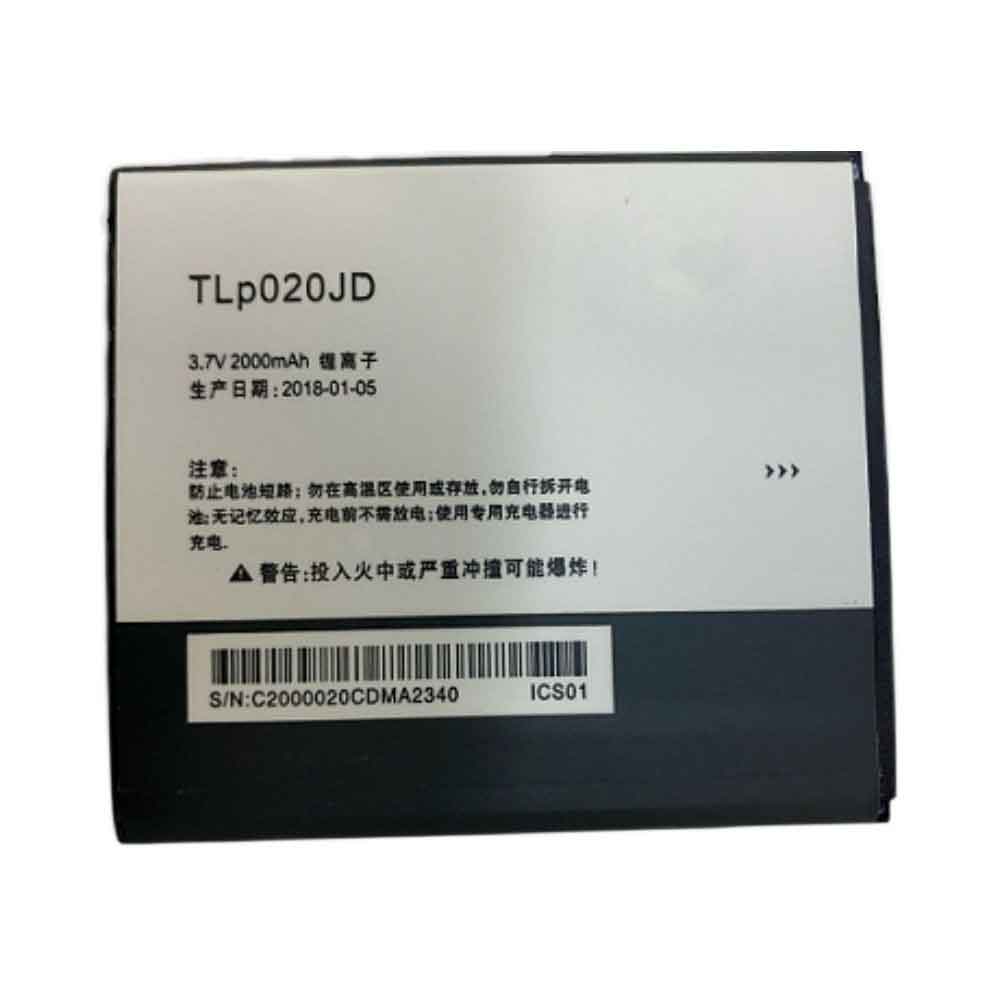
2000mAh 3.7V Tcl TLp020JD Li-ion Battery for TCL P520L P518L

2000mAh 3.7V Tcl TLp020JD Batteries for TCL P520L P518L, Tcl TLp020JD Cell Phone battery is a brand new,100% Compatible original and replacement Phone battery,Purchase wholesale and retail TLp020JD with high quality and low price!

Find ou your original model number or part number(P/N), and move your eyes on the tag of battery

TLp020JD

Specifications

  • Brand:TCL
  • Capacity :2000mAh
  • Voltage :3.7V
  • Type :Li-ion
  • Battery Cell Quality: Grade A
  • Descriptive: Replacement Battery – 1 Year Warranty
  • Description: Brand New, 1 Year Warranty! 30-Days Money Back! Fast Shipping!

How we test this Tcl TLp020JD Battery
Step 1: Make sure customer bought the correct battery.
Step 2: Check battery’s appearance and interface.
Step 3: Test battery charger and recharger function.
Step 4: Charger the battery to 100% and recharger to 0% to get real battery capacity
Step 5: Use Ev2300 to check the voltage difference of each goroup cells.
Step 6: Charger battery power more than 30%.
Step 7: Package battery carefully and send out

Compatible Part Numbers:
TLp020JD

Compatible Model Numbers:
TCL P520L P518L

How much do you know about how to run laptop well as any place? The follow Tips cut way back on protecting battery life.


1). Please recharge or change your Cell Phone battery when battery power low.
2). Using Li-Ion Replacement Tcl TLp020JD Cell Phone Battery for your notebook which can work longer time than Non Li-ion one.
3). It is better to defragmentation regularly for your Cell Phone battery life.
4). In order to reduce the laptop power consumpition, you can use some optical drive spin-down and hard drive in your Cell Phone .
5). Please keep your laptop in sleep or standby model without long time using, which both save the Replacement Tcl TLp020JD Cell Phone Battery power and extend battery using life.
6). Leave your battery in a dry and cool condition when without using.
7). When you rarely or generally plugged in fixed power using, Please take down your battery to avoid hurting battery life.

Hot Products

51Wh/3321mAh LENOVO L18L4P71 for Lenovo ThinkPad X1 Carbon 7th1950mAh APPLE A1672 for Apple Magic Mouse 22800mAh/10.64WH NOKIA V3760T for Nokia Cell Phone4400mAh ADVENT L51-3S4400-C1S5 for Advent 7109B 8111 8115 8215 926600mAh MEDION BP-DRAGON-GT(P) for Medion MAM2100 MIM2300 Akoya E4000mAh ACER TM00741 for Acer Extensa 5620G 5210 5220 52000mAh/7.7WH HTC B0PKX100 for HTC Desire 626 D626W D626T 6264600mAh/34.04Wh TREKSTOR MLP2874170-2S for TREKSTOR PrimeBook P136700 mAh ACER AS10B51 for Acer Aspire 3820T 3820TG 4745G38Wh HP EO04XL for HP EliteBook Folio G1

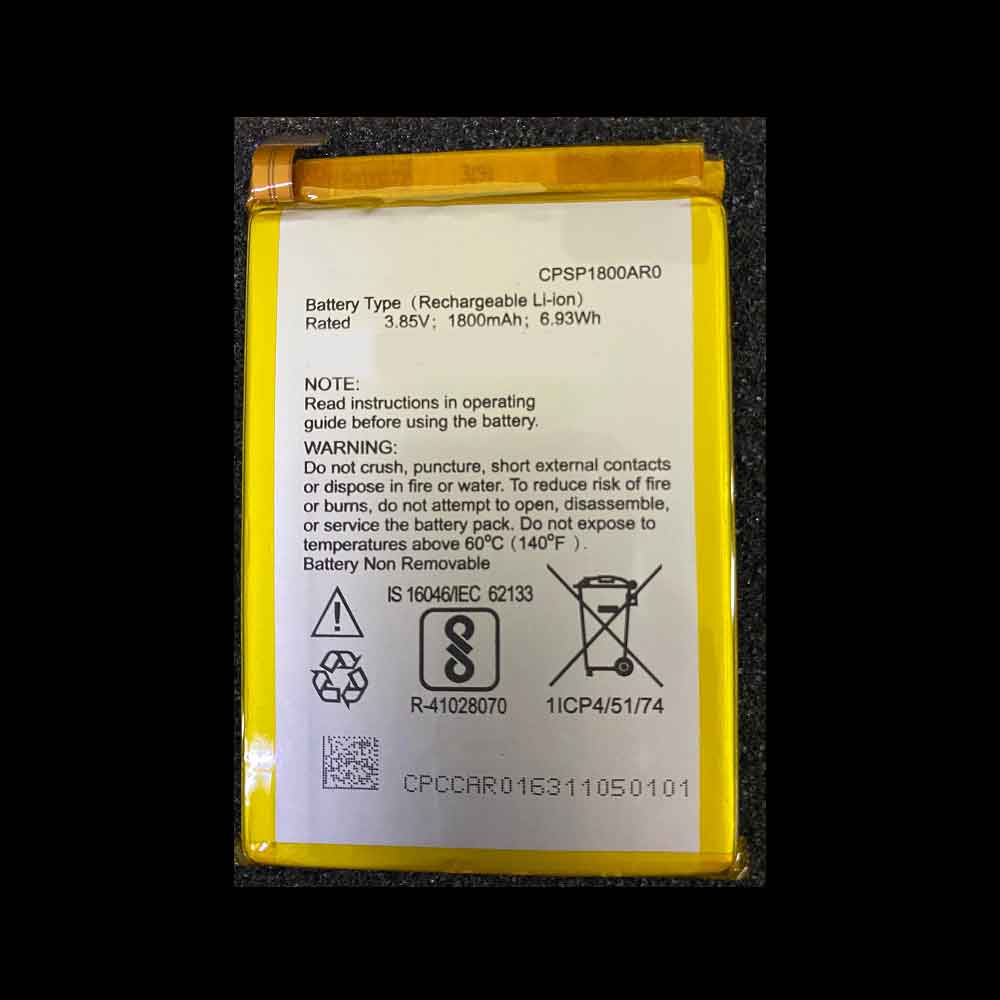
1800mAh 6.93WH 3.85V Panasonic CPSP1800AR0 Li-ion Battery for Panasonic CPSP1800AR0

1800mAh 6.93WH 3.85V Panasonic CPSP1800AR0 Batteries for Panasonic CPSP1800AR0, Panasonic CPSP1800AR0 Cell Phone battery is a brand new,100% Compatible original and replacement Phone battery,Purchase wholesale and retail CPSP1800AR0 with high quality and low price!

Find ou your original model number or part number(P/N), and move your eyes on the tag of battery

CPSP1800AR0

Specifications

  • Brand:Panasonic
  • Capacity :1800mAh 6.93WH
  • Voltage :3.85V
  • Type :Li-ion
  • Battery Cell Quality: Grade A
  • Descriptive: Replacement Battery – 1 Year Warranty
  • Description: Brand New, 1 Year Warranty! 30-Days Money Back! Fast Shipping!

How we test this Panasonic CPSP1800AR0 Battery
Step 1: Make sure customer bought the correct battery.
Step 2: Check battery’s appearance and interface.
Step 3: Test battery charger and recharger function.
Step 4: Charger the battery to 100% and recharger to 0% to get real battery capacity
Step 5: Use Ev2300 to check the voltage difference of each goroup cells.
Step 6: Charger battery power more than 30%.
Step 7: Package battery carefully and send out

Compatible Part Numbers:
CPSP1800AR0

Compatible Model Numbers:
Panasonic CPSP1800AR0

How much do you know about how to run laptop well as any place? The follow Tips cut way back on protecting battery life.


1). Please recharge or change your Cell Phone battery when battery power low.
2). Using Li-Ion Replacement Panasonic CPSP1800AR0 Cell Phone Battery for your notebook which can work longer time than Non Li-ion one.
3). It is better to defragmentation regularly for your Cell Phone battery life.
4). In order to reduce the laptop power consumpition, you can use some optical drive spin-down and hard drive in your Cell Phone .
5). Please keep your laptop in sleep or standby model without long time using, which both save the Replacement Panasonic CPSP1800AR0 Cell Phone Battery power and extend battery using life.
6). Leave your battery in a dry and cool condition when without using.
7). When you rarely or generally plugged in fixed power using, Please take down your battery to avoid hurting battery life.

Hot Products

51Wh/3321mAh LENOVO L18L4P71 for Lenovo ThinkPad X1 Carbon 7th1950mAh APPLE A1672 for Apple Magic Mouse 22800mAh/10.64WH NOKIA V3760T for Nokia Cell Phone4400mAh ADVENT L51-3S4400-C1S5 for Advent 7109B 8111 8115 8215 926600mAh MEDION BP-DRAGON-GT(P) for Medion MAM2100 MIM2300 Akoya E4000mAh ACER TM00741 for Acer Extensa 5620G 5210 5220 52000mAh/7.7WH HTC B0PKX100 for HTC Desire 626 D626W D626T 6264600mAh/34.04Wh TREKSTOR MLP2874170-2S for TREKSTOR PrimeBook P136700 mAh ACER AS10B51 for Acer Aspire 3820T 3820TG 4745G38Wh HP EO04XL for HP EliteBook Folio G1

How do I know if my laptop battery needs to be replaced?

 Nothing affects your laptop experience more than a failed battery. From charging issues to overheating, there are certain signs you can look for when a failing battery is affecting your laptop’s performance. To help you quickly identify the problem, we’ve listed below some common signs that suggest you need to replace your laptop battery:

Short usage time: One of the most common signs that a laptop battery may need to be replaced is whether the battery is draining faster than normal. On average, a full charge should provide about 6 hours of battery power, or more depending on the app being used. If your system is barely usable for a few hours, then this could be a sign that your laptop battery needs to be replaced.

Slow charging: Is your system charging very slowly? A healthy laptop battery is able to charge quickly and maintain its battery charge when not plugged in. If your system charges slowly, even when plugged into an outlet, then you may need to replace it.

Overheating: Every laptop is designed or built to cool itself and remove excess heat during use. If you see your system getting hot to the touch, your battery is probably working very hard and not cooling itself. Additionally, an overheated system can be noisy as the internal fans run overtime to cool the device.

Age: While there are several great options for system enthusiasts, no system lasts forever. If your system is experiencing power issues, it may simply be because of its age.

System reports: In addition to performance issues, most systems are equipped with technology to check their overall health. For Windows, consider getting a battery report to check battery health. For Mac users, receive a battery service warning when service is required. Based on the warning message from the system, you can determine whether replacement is required.

>>>>>>>>>Laptop’s battery

Thanks for reading, hope it helps!

Friendly reminder: If you need to replace the battery, this battery store will be a good choice:www.batteryforpc.co.uk

Detecting Laptop Batteries and How to Test Laptop Batteries

 Before we go further into how to test a laptop battery, let’s take a quick look at why you need to test a laptop battery.

We all rely on our laptops for a lot of things, and if important files are on your laptop, it can be important to determine how to test your laptop battery. Some people rely on it to get their jobs done or advance their careers. Whatever the reason we rely on laptops, it’s clear that they are critical. This means our laptop batteries are also critical. Your laptop is useless without a battery.

The battery is one of the weak points of our laptops. When you are not near an outlet, your ability to use our laptops is completely limited by the available battery power. What’s more: The battery wears out faster than the rest of the laptop’s components, and typically loses performance after two or three years of use. Once the performance gets bad enough, you’ll have to replace the battery. It’s easy to test the health and charge of your laptop battery. This, in turn, helps you avoid unwanted surprises.

How do you test your laptop battery?

There are several ways to test your laptop battery. Here, we will use system diagnostics. Of course, the process will vary, depending on the operating system you’re using. However, follow these steps:

1. Unplug the power cord

2. Turn off your laptop

3. Click the power button to restart your laptop

4. Press the Esc key immediately after the system starts

5. The boot menu will be displayed. Select System Diagnostics

6. A list of components and diagnostic tests should appear. Choose battery test

7. Replug the power cord

8. Click the Start Battery Test option

After the laptop has completed the battery test, you will be able to see a status message such as OK, Weak, Calibrated, Very Weak, No Battery, Replaced, or Unknown. We strongly recommend that you consult your specific model’s owner’s manual to know what to do next based on the status messages you see.

You can also perform the following tricks to test your laptop battery:

Remove your laptop battery; run your system on the AC adapter only; if it starts working perfectly, you know it’s your battery problem, not your system.

>>>>>>>>>>>Laptop’s battery

Thanks for reading, hope it helps!

Friendly reminder: If you need to replace the battery, this battery store will be a good choice:www.batteryforpc.co.uk