1150mAh 4.26Wh 3.7V 4.2V Honeywell BAT-SCN03 Li-ion Battery for Honeywell 8680i 50139400-001

1150mAh 4.26Wh 3.7V 4.2V Honeywell BAT-SCN03 Batteries for Honeywell 8680i 50139400-001, Honeywell BAT-SCN03 Other battery is a brand new,100% Compatible original and replacement battery,Purchase wholesale and retail BAT-SCN03 with high quality and low price!

Find ou your original model number or part number(P/N), and move your eyes on the tag of battery

BAT-SCN03

Specifications

  • Brand:Honeywell
  • Capacity :1150mAh 4.26Wh
  • Voltage :3.7V 4.2V
  • Type :Li-ion
  • Battery Cell Quality: Grade A
  • Descriptive: Replacement Battery – 1 Year Warranty
  • Description: Brand New, 1 Year Warranty! 30-Days Money Back! Fast Shipping!

How we test this Honeywell BAT-SCN03 Battery
Step 1: Make sure customer bought the correct battery.
Step 2: Check battery’s appearance and interface.
Step 3: Test battery charger and recharger function.
Step 4: Charger the battery to 100% and recharger to 0% to get real battery capacity
Step 5: Use Ev2300 to check the voltage difference of each goroup cells.
Step 6: Charger battery power more than 30%.
Step 7: Package battery carefully and send out

Compatible Part Numbers:
BAT-SCN03

Compatible Model Numbers:
Honeywell 8680i 50139400-001

How much do you know about how to run laptop well as any place? The follow Tips cut way back on protecting battery life.


1). Please recharge or change your Other battery when battery power low.
2). Using Li-Ion Replacement Honeywell BAT-SCN03 Other Battery for your notebook which can work longer time than Non Li-ion one.
3). It is better to defragmentation regularly for your Other battery life.
4). In order to reduce the laptop power consumpition, you can use some optical drive spin-down and hard drive in your Other .
5). Please keep your laptop in sleep or standby model without long time using, which both save the Replacement Honeywell BAT-SCN03 Other Battery power and extend battery using life.
6). Leave your battery in a dry and cool condition when without using.
7). When you rarely or generally plugged in fixed power using, Please take down your battery to avoid hurting battery life.

Hot Products

2300MAH/8.6WH SONY LIS1509ERPC for Sony Ericsson Xperia SP M35H C2500mAh/9.5WH ZTE Li3825T43P3h736037 for ZTE V08401500mAh/11WH FUJIFILM NP-150 for Fujifilm S5 S8 Pro/IS Pro3500mAh BLACKVIEW V575868P for Blackview BV7000 Phone4400MAH/16.94WH NOKIA HQ480 for Nokia 8.3 TA-1243 TA-1251 5G340mAh GIBSON U452050 for Gibson U45205033.6Wh FUJITSU FPCBP506 for Fujitsu Stylistic R726 R7274900mAh/36.26Wh JUMPER PT3488127-2S for 8Pin JUMPER AVITA LIBER NS13A3000mAh 11.1WH JBL GSP872693-01 for JBL Flip 41250mAh PANASONIC DMW-BCJ13+ for Panasonic DMC-LX5 D-LUX5 LUX6
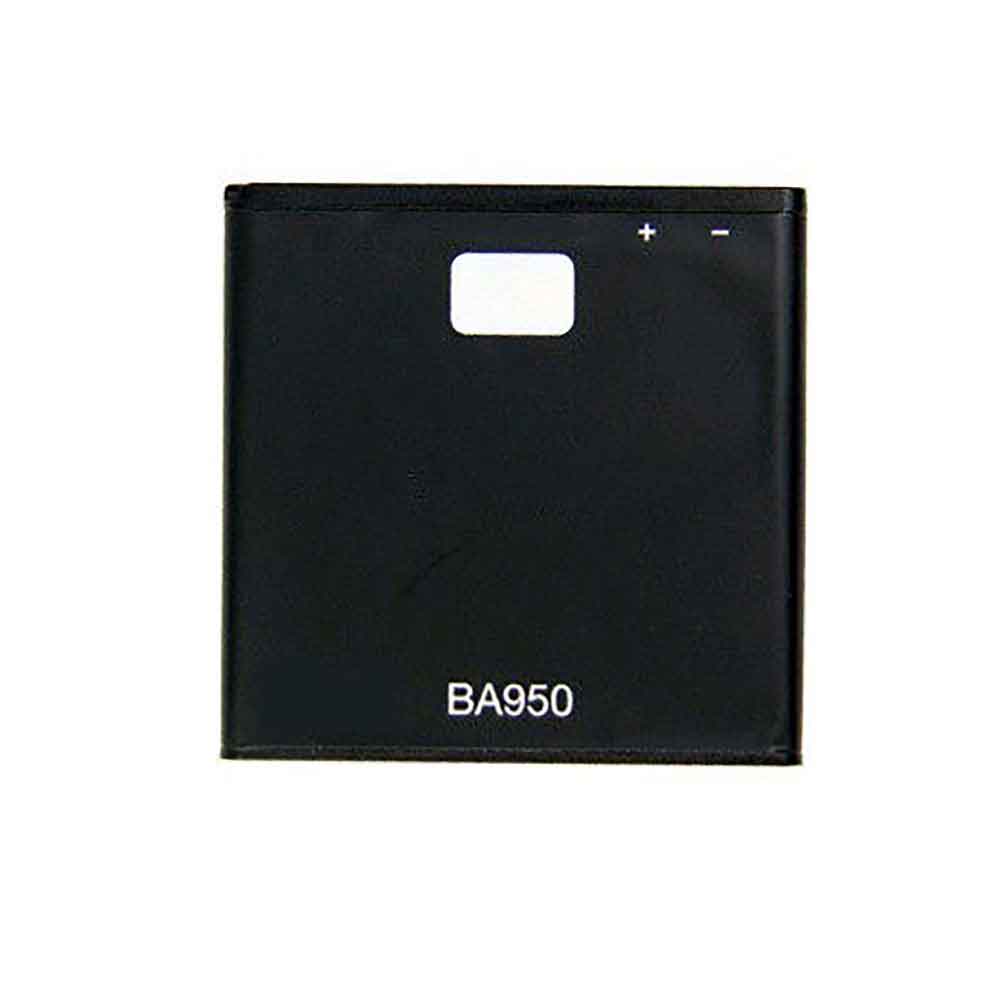
2300mAh/8.6WH 3.7V 4.2V Sony BA950 Li-ion Battery for Sony M36h C5502 C5503

2300mAh/8.6WH 3.7V 4.2V Sony BA950 Batteries for Sony M36h C5502 C5503, Sony BA950 Cell Phone battery is a brand new,100% Compatible original and replacement Phone battery,Purchase wholesale and retail BA950 with high quality and low price!

Find ou your original model number or part number(P/N), and move your eyes on the tag of battery

BA950

Specifications

  • Brand:Sony
  • Capacity :2300mAh/8.6WH
  • Voltage :3.7V 4.2V
  • Type :Li-ion
  • Battery Cell Quality: Grade A
  • Descriptive: Replacement Battery – 1 Year Warranty
  • Description: Brand New, 1 Year Warranty! 30-Days Money Back! Fast Shipping!

How we test this Sony BA950 Battery
Step 1: Make sure customer bought the correct battery.
Step 2: Check battery’s appearance and interface.
Step 3: Test battery charger and recharger function.
Step 4: Charger the battery to 100% and recharger to 0% to get real battery capacity
Step 5: Use Ev2300 to check the voltage difference of each goroup cells.
Step 6: Charger battery power more than 30%.
Step 7: Package battery carefully and send out

Compatible Part Numbers:
BA950

Compatible Model Numbers:
Sony M36h C5502 C5503

How much do you know about how to run laptop well as any place? The follow Tips cut way back on protecting battery life.


1). Please recharge or change your Cell Phone battery when battery power low.
2). Using Li-Ion Replacement Sony BA950 Cell Phone Battery for your notebook which can work longer time than Non Li-ion one.
3). It is better to defragmentation regularly for your Cell Phone battery life.
4). In order to reduce the laptop power consumpition, you can use some optical drive spin-down and hard drive in your Cell Phone .
5). Please keep your laptop in sleep or standby model without long time using, which both save the Replacement Sony BA950 Cell Phone Battery power and extend battery using life.
6). Leave your battery in a dry and cool condition when without using.
7). When you rarely or generally plugged in fixed power using, Please take down your battery to avoid hurting battery life.

Hot Products

2300MAH/8.6WH SONY LIS1509ERPC for Sony Ericsson Xperia SP M35H C2500mAh/9.5WH ZTE Li3825T43P3h736037 for ZTE V08401500mAh/11WH FUJIFILM NP-150 for Fujifilm S5 S8 Pro/IS Pro3500mAh BLACKVIEW V575868P for Blackview BV7000 Phone4400MAH/16.94WH NOKIA HQ480 for Nokia 8.3 TA-1243 TA-1251 5G340mAh GIBSON U452050 for Gibson U45205033.6Wh FUJITSU FPCBP506 for Fujitsu Stylistic R726 R7274900mAh/36.26Wh JUMPER PT3488127-2S for 8Pin JUMPER AVITA LIBER NS13A3000mAh 11.1WH JBL GSP872693-01 for JBL Flip 41250mAh PANASONIC DMW-BCJ13+ for Panasonic DMC-LX5 D-LUX5 LUX6

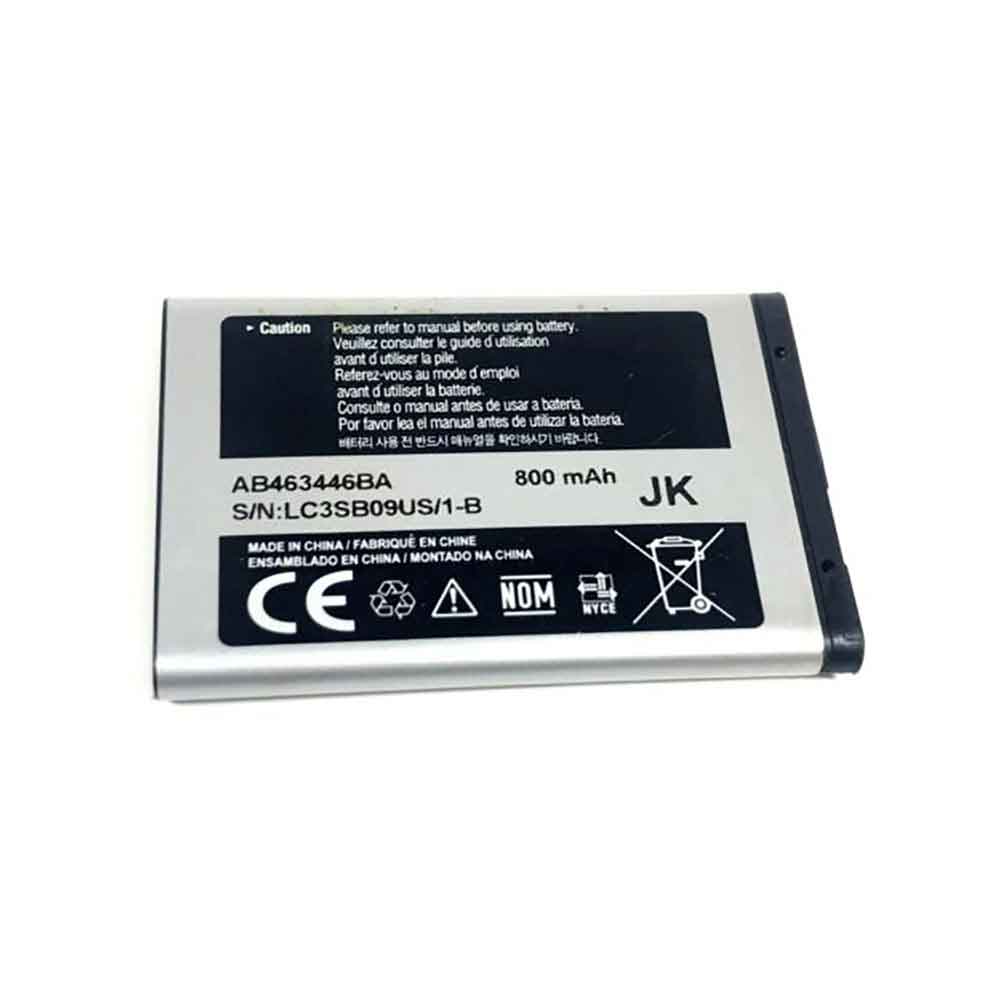
800mAh/2.96WH 3.7V Samsung AB463446BA Li-ion Battery for Samsung R100 A107 A137

800mAh/2.96WH 3.7V Samsung AB463446BA Batteries for Samsung R100 A107 A137, Samsung AB463446BA Cell Phone battery is a brand new,100% Compatible original and replacement Phone battery,Purchase wholesale and retail AB463446BA with high quality and low price!

Find ou your original model number or part number(P/N), and move your eyes on the tag of battery

AB463446BA

Specifications

  • Brand:Samsung
  • Capacity :800mAh/2.96WH
  • Voltage :3.7V
  • Type :Li-ion
  • Battery Cell Quality: Grade A
  • Descriptive: Replacement Battery – 1 Year Warranty
  • Description: Brand New, 1 Year Warranty! 30-Days Money Back! Fast Shipping!

How we test this Samsung AB463446BA Battery
Step 1: Make sure customer bought the correct battery.
Step 2: Check battery’s appearance and interface.
Step 3: Test battery charger and recharger function.
Step 4: Charger the battery to 100% and recharger to 0% to get real battery capacity
Step 5: Use Ev2300 to check the voltage difference of each goroup cells.
Step 6: Charger battery power more than 30%.
Step 7: Package battery carefully and send out

Compatible Part Numbers:
AB463446BA

Compatible Model Numbers:
Samsung R100 A107 A137

How much do you know about how to run laptop well as any place? The follow Tips cut way back on protecting battery life.


1). Please recharge or change your Cell Phone battery when battery power low.
2). Using Li-Ion Replacement Samsung AB463446BA Cell Phone Battery for your notebook which can work longer time than Non Li-ion one.
3). It is better to defragmentation regularly for your Cell Phone battery life.
4). In order to reduce the laptop power consumpition, you can use some optical drive spin-down and hard drive in your Cell Phone .
5). Please keep your laptop in sleep or standby model without long time using, which both save the Replacement Samsung AB463446BA Cell Phone Battery power and extend battery using life.
6). Leave your battery in a dry and cool condition when without using.
7). When you rarely or generally plugged in fixed power using, Please take down your battery to avoid hurting battery life.

Hot Products

2300MAH/8.6WH SONY LIS1509ERPC for Sony Ericsson Xperia SP M35H C2500mAh/9.5WH ZTE Li3825T43P3h736037 for ZTE V08401500mAh/11WH FUJIFILM NP-150 for Fujifilm S5 S8 Pro/IS Pro3500mAh BLACKVIEW V575868P for Blackview BV7000 Phone4400MAH/16.94WH NOKIA HQ480 for Nokia 8.3 TA-1243 TA-1251 5G340mAh GIBSON U452050 for Gibson U45205033.6Wh FUJITSU FPCBP506 for Fujitsu Stylistic R726 R7274900mAh/36.26Wh JUMPER PT3488127-2S for 8Pin JUMPER AVITA LIBER NS13A3000mAh 11.1WH JBL GSP872693-01 for JBL Flip 41250mAh PANASONIC DMW-BCJ13+ for Panasonic DMC-LX5 D-LUX5 LUX6

1700mAh/6.3WH 3.7V 4.2V Sony BA800 Li-ion Battery for Sony LT25i LT25c LT26i

1700mAh/6.3WH 3.7V 4.2V Sony BA800 Batteries for Sony LT25i LT25c LT26i, Sony BA800 Cell Phone battery is a brand new,100% Compatible original and replacement Phone battery,Purchase wholesale and retail BA800 with high quality and low price!

Find ou your original model number or part number(P/N), and move your eyes on the tag of battery

BA800

Specifications

  • Brand:Sony
  • Capacity :1700mAh/6.3WH
  • Voltage :3.7V 4.2V
  • Type :Li-ion
  • Battery Cell Quality: Grade A
  • Descriptive: Replacement Battery – 1 Year Warranty
  • Description: Brand New, 1 Year Warranty! 30-Days Money Back! Fast Shipping!

How we test this Sony BA800 Battery
Step 1: Make sure customer bought the correct battery.
Step 2: Check battery’s appearance and interface.
Step 3: Test battery charger and recharger function.
Step 4: Charger the battery to 100% and recharger to 0% to get real battery capacity
Step 5: Use Ev2300 to check the voltage difference of each goroup cells.
Step 6: Charger battery power more than 30%.
Step 7: Package battery carefully and send out

Compatible Part Numbers:
BA800

Compatible Model Numbers:
Sony LT25i LT25c LT26i

How much do you know about how to run laptop well as any place? The follow Tips cut way back on protecting battery life.


1). Please recharge or change your Cell Phone battery when battery power low.
2). Using Li-Ion Replacement Sony BA800 Cell Phone Battery for your notebook which can work longer time than Non Li-ion one.
3). It is better to defragmentation regularly for your Cell Phone battery life.
4). In order to reduce the laptop power consumpition, you can use some optical drive spin-down and hard drive in your Cell Phone .
5). Please keep your laptop in sleep or standby model without long time using, which both save the Replacement Sony BA800 Cell Phone Battery power and extend battery using life.
6). Leave your battery in a dry and cool condition when without using.
7). When you rarely or generally plugged in fixed power using, Please take down your battery to avoid hurting battery life.

Hot Products

2300MAH/8.6WH SONY LIS1509ERPC for Sony Ericsson Xperia SP M35H C2500mAh/9.5WH ZTE Li3825T43P3h736037 for ZTE V08401500mAh/11WH FUJIFILM NP-150 for Fujifilm S5 S8 Pro/IS Pro3500mAh BLACKVIEW V575868P for Blackview BV7000 Phone4400MAH/16.94WH NOKIA HQ480 for Nokia 8.3 TA-1243 TA-1251 5G340mAh GIBSON U452050 for Gibson U45205033.6Wh FUJITSU FPCBP506 for Fujitsu Stylistic R726 R7274900mAh/36.26Wh JUMPER PT3488127-2S for 8Pin JUMPER AVITA LIBER NS13A3000mAh 11.1WH JBL GSP872693-01 for JBL Flip 41250mAh PANASONIC DMW-BCJ13+ for Panasonic DMC-LX5 D-LUX5 LUX6

Laptop Battery Care Tips to Extend Its Lifespan

 A laptop is a portable computer that allows people to use the same computer anywhere in their home and elsewhere. The battery is an important part of a laptop because it increases the performance level to a great extent. Laptop batteries, on the other hand, require proper maintenance to significantly extend their lifespan. It is necessary to know from various sources how to take care of your laptop battery, which will help extend the life of your laptop battery. Here are some tips on laptop battery maintenance, let’s take a look!

Laptop battery maintenance tips:

1. Prevent hardware accidents

Laptop owners should consider protecting their hardware from accidental damage, which will help achieve the desired results. They can avoid these pitfalls by keeping food and drinks away from the laptop, which will bring major advantages. Also, it is wise to keep the laptop away from water, extreme temperatures, pets, and children so that the laptop can be used under safe conditions.

2. Avoid putting things on your laptop

It is necessary to avoid putting things on top of the laptop when it is closed. This is because they can damage the screen, leading to repairs. One should not keep plates, books, and phones that help reduce unnecessary problems.

3. Use your laptop under ideal conditions

When placing your laptop, you should choose a room free of dust and other issues. Users have to make sure their hands are clean, which paves the way for all kinds of problems. Ventilation is also necessary to effectively prevent vent blockages. In addition to this, computers require a neutral temperature environment for enhanced functionality.

4. Clean your laptop frequently

Laptops require frequent cleaning to prevent dust, dirt, grime, grime, residue, and other problems with the keyboard. However, people should make sure to clean with a good cloth to restore the condition.

5. Cover the notebook

It’s wise to cover the laptop with clothing or the case to prevent dust or other problems. Plus, one can even protect it from damage, reducing maintenance.

6. Gently insert the peripheral

Laptop users should consider inserting peripherals gently to avoid damage. Whether it is headphones, U disks, speakers, adapters, optical drives, or power cords, you should pay more attention.

7. Don’t use your laptop in bed

People should avoid using laptops on pillows, blankets or other uneven surfaces as they can cause overheating problems.

8. Screen saver

Laptop users should consider protecting the screen from smudge issues by cleaning the keyboard with a robust solution. Alternatively, they can put a thin piece of plastic or Styrofoam over the keyboard before closing the lid.

>>>>>>>>>>>>>Laptop’s battery

Thanks for reading, hope it helps!

Friendly reminder: If you need to replace the battery of your device, this battery store will be a good choice: www.batteryforpc.co.uk

How to tell if the battery in your computer is dead

 A dead laptop battery can kill your work in place, shutting down your computer before you have a chance to save. Laptop batteries degrade over time. A failing battery can be a scary problem as it can cause your laptop to shut down abruptly or even prevent it from booting up when it’s not plugged in. Then you know how to judge whether the battery in your computer is dead, and the following will tell you how!

charge it

To determine if your battery is at fault, connect your laptop to external power via the laptop’s power cable. Leave the laptop off overnight to give it enough time to try charging. Once it’s turned on and Windows loads, go into desktop mode and look at the battery icon in the system tray. Mouse over the icon to see status messages and a percentage indicating your battery level. If it says “plugged in, charging”, your battery is working, even though the charging capacity has dropped significantly since you bought the laptop. If the status message says “0% available (plugged in, not charging)”, then your battery isn’t delivering power, which probably means it’s really dead. Alternatively, if the icon shows the battery with a red “X” next to it, Windows cannot detect your battery.

physical cleaning

Before replacing the battery, actually check your current battery by shutting down the computer, unplugging the power cord, and removing the battery. Dust may have gotten between the laptop and the metal contacts of the battery that aid in charging. Gently clean the contacts with a cloth dampened with alcohol, reinsert and check the battery status in the system tray again.

test

There are many computer programs designed to test various aspects of batteries. Using one of these programs can help you diagnose the problem. Programs like Battery Eater, Notebook Hardware Control, and Smarter Battery measure statistics such as the battery’s average charge time, how long it takes to charge, full charge capacity, and how long it takes to use a charge. The manufacturer of your laptop can even develop its own programs to test and diagnose battery problems, such as HP System Diagnostic Tool, Toshiba’s PC Health Monitor, and Dell PC Diagnostics.

Replacement battery

Your battery will inevitably run out at some point. If that time comes, the only thing to do is to replace it. Take it off and check its model number. To buy a new battery, buy it from the computer manufacturer or a third party. Search for new batteries by model and computer model.

>>>>>>>>>>>>>>>Laptop’s battery

Thanks for reading, hope it helps!

Friendly reminder: If you need to replace the battery of your device, this battery store will be a good choice: www.batteryforpc.co.uk

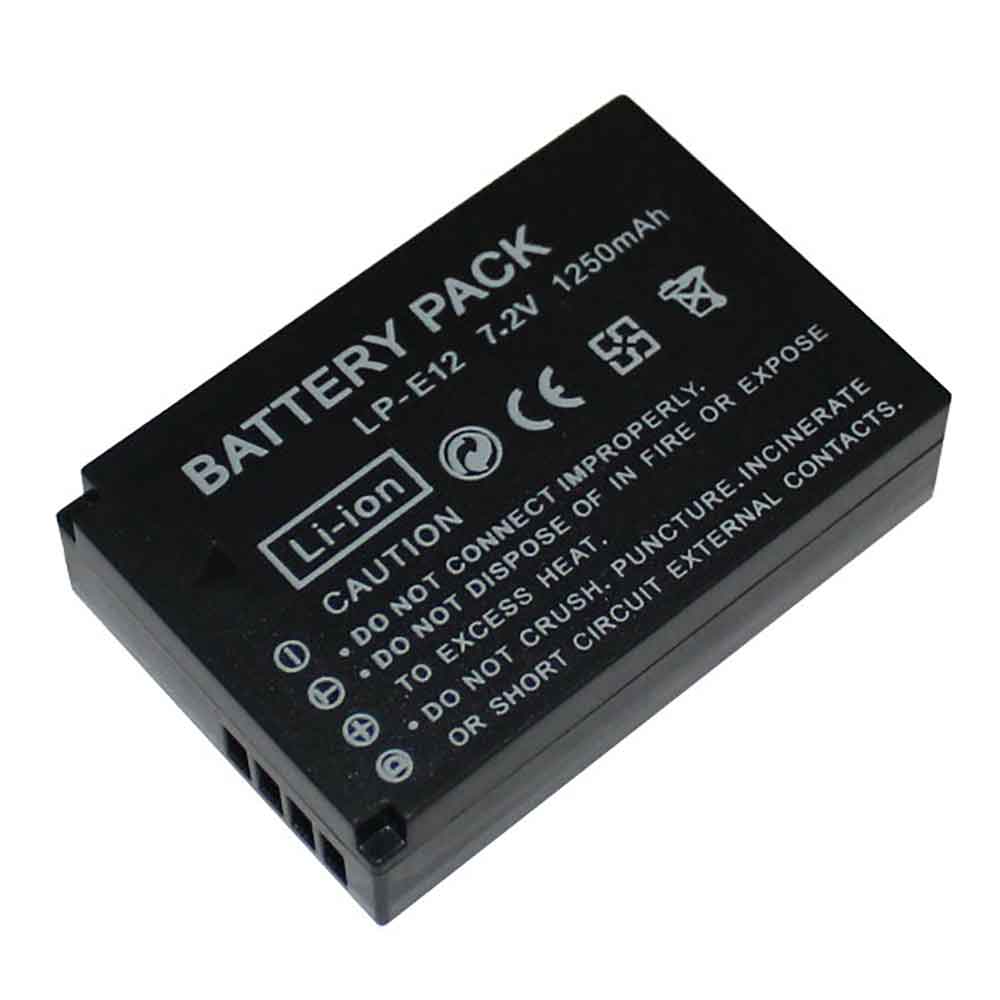
1250mAh 7.2V Canon LP-E12 Li-ion Battery for Canon EOS-M M2 100D EOSM

1250mAh 7.2V Canon LP-E12 Batteries for Canon EOS-M M2 100D EOSM, Canon LP-E12 Other battery is a brand new,100% Compatible original and replacement battery,Purchase wholesale and retail LP-E12 with high quality and low price!

Find ou your original model number or part number(P/N), and move your eyes on the tag of battery

LP-E12

Specifications

  • Brand:Canon
  • Capacity :1250mAh
  • Voltage :7.2V
  • Type :Li-ion
  • Battery Cell Quality: Grade A
  • Descriptive: Replacement Battery – 1 Year Warranty
  • Description: Brand New, 1 Year Warranty! 30-Days Money Back! Fast Shipping!

How we test this Canon LP-E12 Battery
Step 1: Make sure customer bought the correct battery.
Step 2: Check battery’s appearance and interface.
Step 3: Test battery charger and recharger function.
Step 4: Charger the battery to 100% and recharger to 0% to get real battery capacity
Step 5: Use Ev2300 to check the voltage difference of each goroup cells.
Step 6: Charger battery power more than 30%.
Step 7: Package battery carefully and send out

Compatible Part Numbers:
LP-E12

Compatible Model Numbers:
Canon EOS-M M2 100D EOSM

How much do you know about how to run laptop well as any place? The follow Tips cut way back on protecting battery life.


1). Please recharge or change your Other battery when battery power low.
2). Using Li-Ion Replacement Canon LP-E12 Other Battery for your notebook which can work longer time than Non Li-ion one.
3). It is better to defragmentation regularly for your Other battery life.
4). In order to reduce the laptop power consumpition, you can use some optical drive spin-down and hard drive in your Other .
5). Please keep your laptop in sleep or standby model without long time using, which both save the Replacement Canon LP-E12 Other Battery power and extend battery using life.
6). Leave your battery in a dry and cool condition when without using.
7). When you rarely or generally plugged in fixed power using, Please take down your battery to avoid hurting battery life.

Hot Products

2300MAH/8.6WH SONY LIS1509ERPC for Sony Ericsson Xperia SP M35H C2500mAh/9.5WH ZTE Li3825T43P3h736037 for ZTE V08401500mAh/11WH FUJIFILM NP-150 for Fujifilm S5 S8 Pro/IS Pro3500mAh BLACKVIEW V575868P for Blackview BV7000 Phone4400MAH/16.94WH NOKIA HQ480 for Nokia 8.3 TA-1243 TA-1251 5G340mAh GIBSON U452050 for Gibson U45205033.6Wh FUJITSU FPCBP506 for Fujitsu Stylistic R726 R7274900mAh/36.26Wh JUMPER PT3488127-2S for 8Pin JUMPER AVITA LIBER NS13A3000mAh 11.1WH JBL GSP872693-01 for JBL Flip 41250mAh PANASONIC DMW-BCJ13+ for Panasonic DMC-LX5 D-LUX5 LUX6
1200mAh/4.3WH 3.7V Panasonic DMW-BCN10 Li-ion Battery for Panasonic DMC-LF1 DMC-LF1GK

1200mAh/4.3WH 3.7V Panasonic DMW-BCN10 Batteries for Panasonic DMC-LF1 DMC-LF1GK, Panasonic DMW-BCN10 Other battery is a brand new,100% Compatible original and replacement battery,Purchase wholesale and retail DMW-BCN10 with high quality and low price!

Find ou your original model number or part number(P/N), and move your eyes on the tag of battery

DMW-BCN10

Specifications

  • Brand:Panasonic
  • Capacity :1200mAh/4.3WH
  • Voltage :3.7V
  • Type :Li-ion
  • Battery Cell Quality: Grade A
  • Descriptive: Replacement Battery – 1 Year Warranty
  • Description: Brand New, 1 Year Warranty! 30-Days Money Back! Fast Shipping!

How we test this Panasonic DMW-BCN10 Battery
Step 1: Make sure customer bought the correct battery.
Step 2: Check battery’s appearance and interface.
Step 3: Test battery charger and recharger function.
Step 4: Charger the battery to 100% and recharger to 0% to get real battery capacity
Step 5: Use Ev2300 to check the voltage difference of each goroup cells.
Step 6: Charger battery power more than 30%.
Step 7: Package battery carefully and send out

Compatible Part Numbers:
DMW-BCN10

Compatible Model Numbers:
Panasonic DMC-LF1 DMC-LF1GK

How much do you know about how to run laptop well as any place? The follow Tips cut way back on protecting battery life.


1). Please recharge or change your Other battery when battery power low.
2). Using Li-Ion Replacement Panasonic DMW-BCN10 Other Battery for your notebook which can work longer time than Non Li-ion one.
3). It is better to defragmentation regularly for your Other battery life.
4). In order to reduce the laptop power consumpition, you can use some optical drive spin-down and hard drive in your Other .
5). Please keep your laptop in sleep or standby model without long time using, which both save the Replacement Panasonic DMW-BCN10 Other Battery power and extend battery using life.
6). Leave your battery in a dry and cool condition when without using.
7). When you rarely or generally plugged in fixed power using, Please take down your battery to avoid hurting battery life.

Hot Products

2300MAH/8.6WH SONY LIS1509ERPC for Sony Ericsson Xperia SP M35H C2500mAh/9.5WH ZTE Li3825T43P3h736037 for ZTE V08401500mAh/11WH FUJIFILM NP-150 for Fujifilm S5 S8 Pro/IS Pro3500mAh BLACKVIEW V575868P for Blackview BV7000 Phone4400MAH/16.94WH NOKIA HQ480 for Nokia 8.3 TA-1243 TA-1251 5G340mAh GIBSON U452050 for Gibson U45205033.6Wh FUJITSU FPCBP506 for Fujitsu Stylistic R726 R7274900mAh/36.26Wh JUMPER PT3488127-2S for 8Pin JUMPER AVITA LIBER NS13A3000mAh 11.1WH JBL GSP872693-01 for JBL Flip 41250mAh PANASONIC DMW-BCJ13+ for Panasonic DMC-LX5 D-LUX5 LUX6
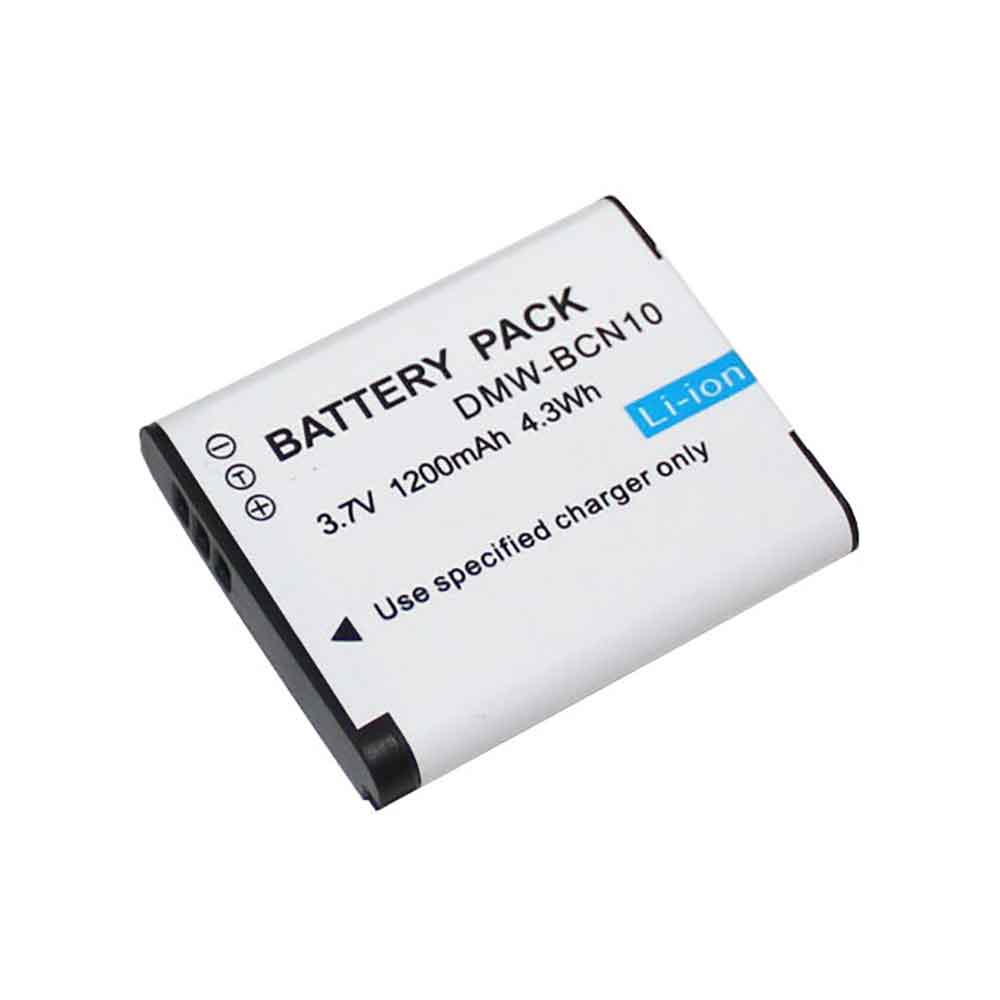
2500mAh/9.5WH 3.8V 4.35V Tecno BL-25FT Li-ion Battery for Tecno W3 W3-H806

2500mAh/9.5WH 3.8V 4.35V Tecno BL-25FT Batteries for Tecno W3 W3-H806, Tecno BL-25FT Cell Phone battery is a brand new,100% Compatible original and replacement Phone battery,Purchase wholesale and retail BL-25FT with high quality and low price!

Find ou your original model number or part number(P/N), and move your eyes on the tag of battery

BL-25FT

Specifications

  • Brand:Tecno
  • Capacity :2500mAh/9.5WH
  • Voltage :3.8V 4.35V
  • Type :Li-ion
  • Battery Cell Quality: Grade A
  • Descriptive: Replacement Battery – 1 Year Warranty
  • Description: Brand New, 1 Year Warranty! 30-Days Money Back! Fast Shipping!

How we test this Tecno BL-25FT Battery
Step 1: Make sure customer bought the correct battery.
Step 2: Check battery’s appearance and interface.
Step 3: Test battery charger and recharger function.
Step 4: Charger the battery to 100% and recharger to 0% to get real battery capacity
Step 5: Use Ev2300 to check the voltage difference of each goroup cells.
Step 6: Charger battery power more than 30%.
Step 7: Package battery carefully and send out

Compatible Part Numbers:
BL-25FT

Compatible Model Numbers:
Tecno W3 W3-H806

How much do you know about how to run laptop well as any place? The follow Tips cut way back on protecting battery life.


1). Please recharge or change your Cell Phone battery when battery power low.
2). Using Li-Ion Replacement Tecno BL-25FT Cell Phone Battery for your notebook which can work longer time than Non Li-ion one.
3). It is better to defragmentation regularly for your Cell Phone battery life.
4). In order to reduce the laptop power consumpition, you can use some optical drive spin-down and hard drive in your Cell Phone .
5). Please keep your laptop in sleep or standby model without long time using, which both save the Replacement Tecno BL-25FT Cell Phone Battery power and extend battery using life.
6). Leave your battery in a dry and cool condition when without using.
7). When you rarely or generally plugged in fixed power using, Please take down your battery to avoid hurting battery life.

Hot Products

2300MAH/8.6WH SONY LIS1509ERPC for Sony Ericsson Xperia SP M35H C2500mAh/9.5WH ZTE Li3825T43P3h736037 for ZTE V08401500mAh/11WH FUJIFILM NP-150 for Fujifilm S5 S8 Pro/IS Pro3500mAh BLACKVIEW V575868P for Blackview BV7000 Phone4400MAH/16.94WH NOKIA HQ480 for Nokia 8.3 TA-1243 TA-1251 5G340mAh GIBSON U452050 for Gibson U45205033.6Wh FUJITSU FPCBP506 for Fujitsu Stylistic R726 R7274900mAh/36.26Wh JUMPER PT3488127-2S for 8Pin JUMPER AVITA LIBER NS13A3000mAh 11.1WH JBL GSP872693-01 for JBL Flip 41250mAh PANASONIC DMW-BCJ13+ for Panasonic DMC-LX5 D-LUX5 LUX6
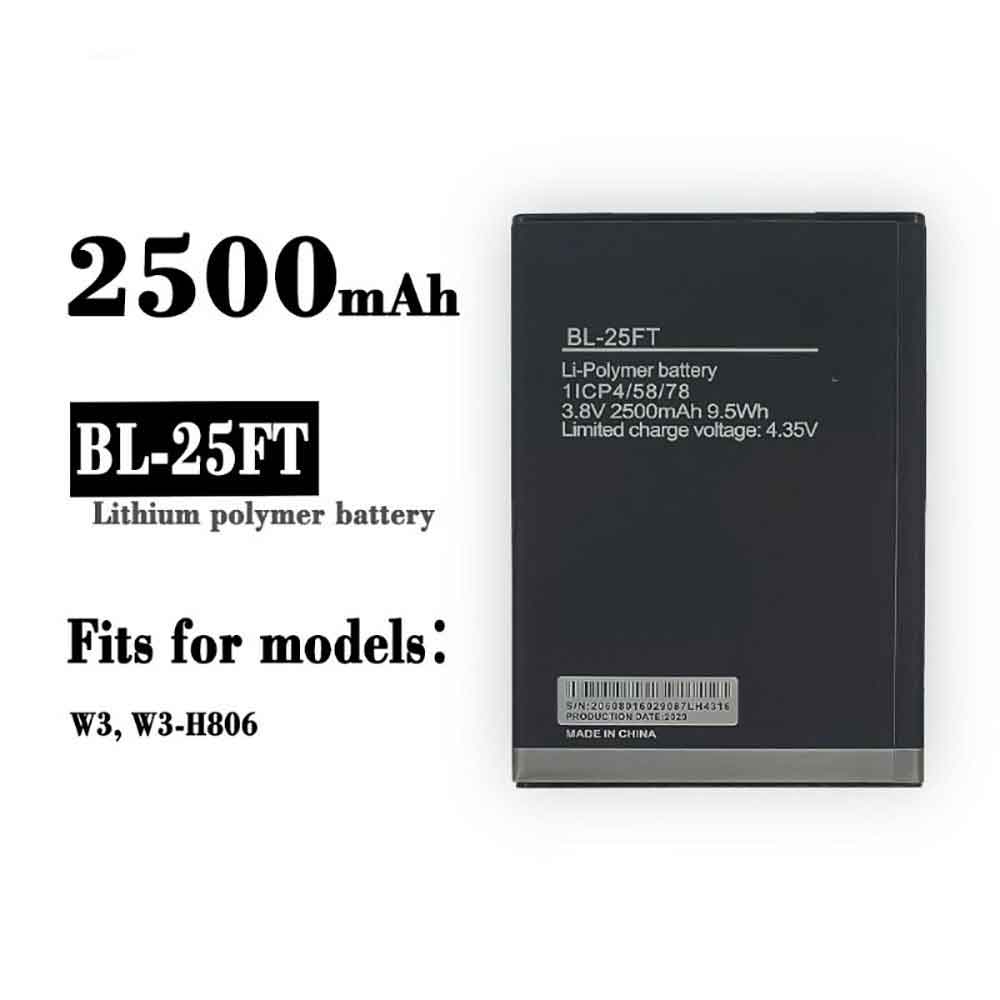
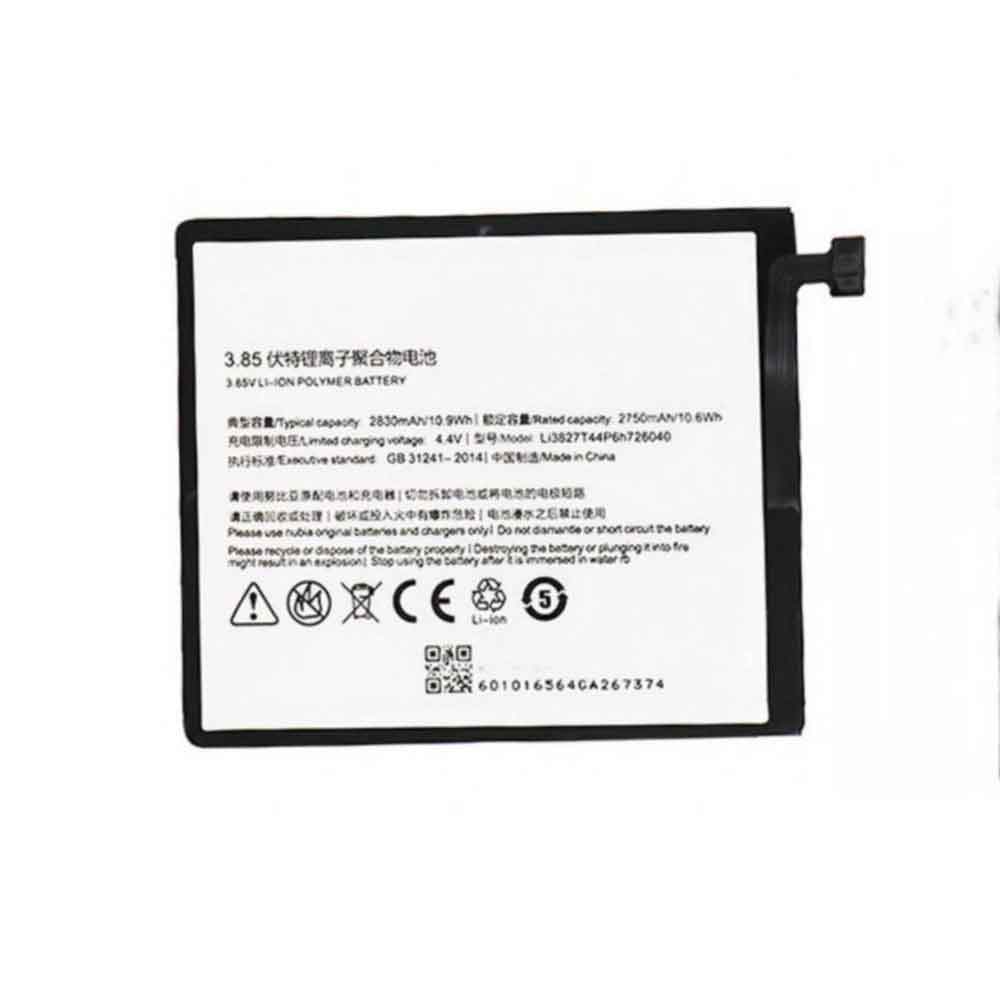
2830mAh/10.9WH 3.85V 4.4V Zte Li3827T44P6h726040 Li-ion Battery for ZTE Nubia Z11 Mini NX529J

2830mAh/10.9WH 3.85V 4.4V Zte Li3827T44P6h726040 Batteries for ZTE Nubia Z11 Mini NX529J, Zte Li3827T44P6h726040 Cell Phone battery is a brand new,100% Compatible original and replacement Phone battery,Purchase wholesale and retail Li3827T44P6h726040 with high quality and low price!

Find ou your original model number or part number(P/N), and move your eyes on the tag of battery

Li3827T44P6h726040

Specifications

  • Brand:ZTE
  • Capacity :2830mAh/10.9WH
  • Voltage :3.85V 4.4V
  • Type :Li-ion
  • Battery Cell Quality: Grade A
  • Descriptive: Replacement Battery – 1 Year Warranty
  • Description: Brand New, 1 Year Warranty! 30-Days Money Back! Fast Shipping!

How we test this Zte Li3827T44P6h726040 Battery
Step 1: Make sure customer bought the correct battery.
Step 2: Check battery’s appearance and interface.
Step 3: Test battery charger and recharger function.
Step 4: Charger the battery to 100% and recharger to 0% to get real battery capacity
Step 5: Use Ev2300 to check the voltage difference of each goroup cells.
Step 6: Charger battery power more than 30%.
Step 7: Package battery carefully and send out

Compatible Part Numbers:
Li3827T44P6h726040

Compatible Model Numbers:
ZTE Nubia Z11 Mini NX529J

How much do you know about how to run laptop well as any place? The follow Tips cut way back on protecting battery life.


1). Please recharge or change your Cell Phone battery when battery power low.
2). Using Li-Ion Replacement Zte Li3827T44P6h726040 Cell Phone Battery for your notebook which can work longer time than Non Li-ion one.
3). It is better to defragmentation regularly for your Cell Phone battery life.
4). In order to reduce the laptop power consumpition, you can use some optical drive spin-down and hard drive in your Cell Phone .
5). Please keep your laptop in sleep or standby model without long time using, which both save the Replacement Zte Li3827T44P6h726040 Cell Phone Battery power and extend battery using life.
6). Leave your battery in a dry and cool condition when without using.
7). When you rarely or generally plugged in fixed power using, Please take down your battery to avoid hurting battery life.

Hot Products

2300MAH/8.6WH SONY LIS1509ERPC for Sony Ericsson Xperia SP M35H C2500mAh/9.5WH ZTE Li3825T43P3h736037 for ZTE V08401500mAh/11WH FUJIFILM NP-150 for Fujifilm S5 S8 Pro/IS Pro3500mAh BLACKVIEW V575868P for Blackview BV7000 Phone4400MAH/16.94WH NOKIA HQ480 for Nokia 8.3 TA-1243 TA-1251 5G340mAh GIBSON U452050 for Gibson U45205033.6Wh FUJITSU FPCBP506 for Fujitsu Stylistic R726 R7274900mAh/36.26Wh JUMPER PT3488127-2S for 8Pin JUMPER AVITA LIBER NS13A3000mAh 11.1WH JBL GSP872693-01 for JBL Flip 41250mAh PANASONIC DMW-BCJ13+ for Panasonic DMC-LX5 D-LUX5 LUX6