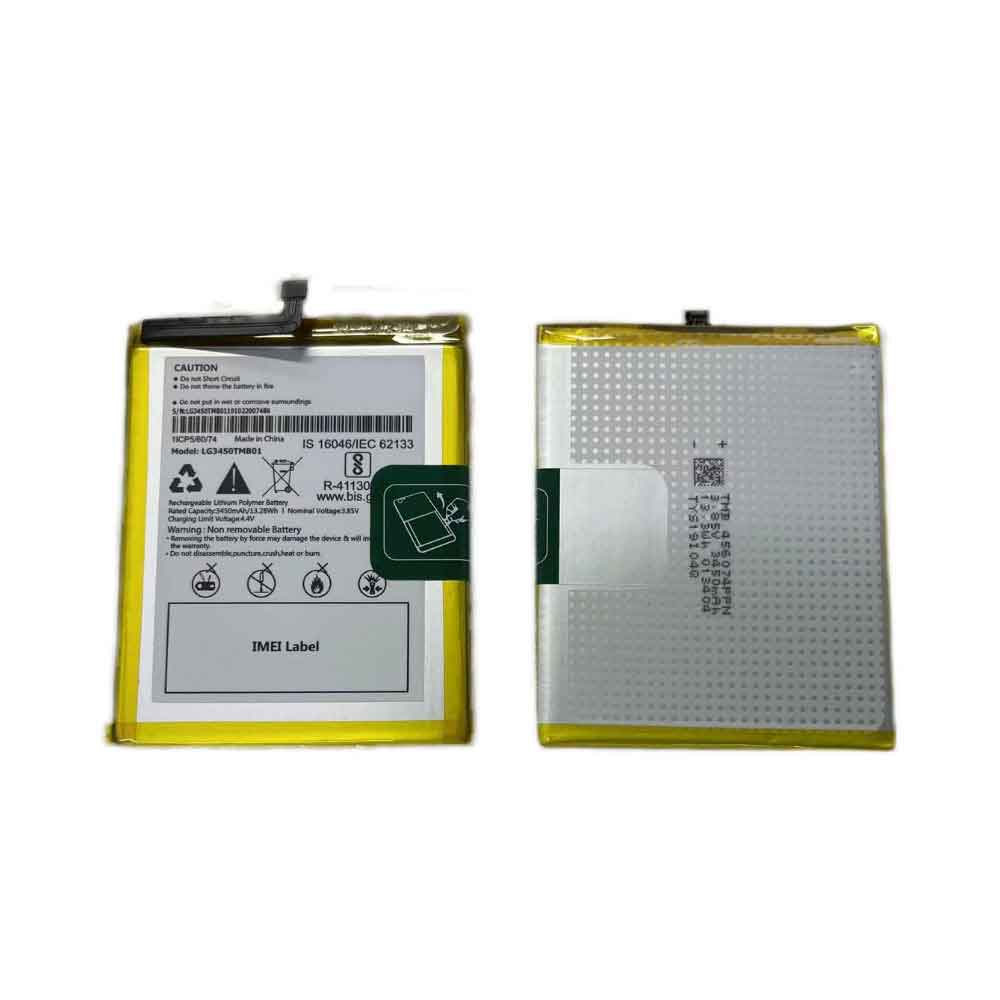
3450mAh/13.28WH 3.85V 4.4V Lg LG3450TMB01 Li-ion Battery for LG LG3450TMB01

3450mAh/13.28WH 3.85V 4.4V Lg LG3450TMB01 Batteries for LG LG3450TMB01, Lg LG3450TMB01 Cell Phone battery is a brand new,100% Compatible original and replacement Phone battery,Purchase wholesale and retail LG3450TMB01 with high quality and low price!

lg LG3450TMB01 Battery Li-ion 3.85Find ou your original model number or part number(P/N), and move your eyes on the tag of batteryV 4.4V 3450mAh/13.28WH
LG3450TMB01

Specifications

  • Brand:LG
  • Capacity :3450mAh/13.28WH
  • Voltage :3.85V 4.4V
  • Type :Li-ion
  • Battery Cell Quality: Grade A
  • Descriptive: Replacement Battery – 1 Year Warranty
  • Description: Brand New, 1 Year Warranty! 30-Days Money Back! Fast Shipping!

How we test this Lg LG3450TMB01 Battery
Step 1: Make sure customer bought the correct battery.
Step 2: Check battery’s appearance and interface.
Step 3: Test battery charger and recharger function.
Step 4: Charger the battery to 100% and recharger to 0% to get real battery capacity
Step 5: Use Ev2300 to check the voltage difference of each goroup cells.
Step 6: Charger battery power more than 30%.
Step 7: Package battery carefully and send out

Compatible Part Numbers:
LG3450TMB01

Compatible Model Numbers:
LG LG3450TMB01

How much do you know about how to run laptop well as any place? The follow Tips cut way back on protecting battery life.


1). Please recharge or change your Cell Phone battery when battery power low.
2). Using Li-Ion Replacement Lg LG3450TMB01 Cell Phone Battery for your notebook which can work longer time than Non Li-ion one.
3). It is better to defragmentation regularly for your Cell Phone battery life.
4). In order to reduce the laptop power consumpition, you can use some optical drive spin-down and hard drive in your Cell Phone .
5). Please keep your laptop in sleep or standby model without long time using, which both save the Replacement Lg LG3450TMB01 Cell Phone Battery power and extend battery using life.
6). Leave your battery in a dry and cool condition when without using.
7). When you rarely or generally plugged in fixed power using, Please take down your battery to avoid hurting battery life.

Hot Products

1800mAh/6.84WH SAMSUNG B105BU for Samsung Galaxy S7275 GT-S7275R41.7Wh /3470mAh HP HW03XL for HP 15-EG0067ST 15-EG0027OD8420mAh/96Wh HP AA06XL for HP ZBook 17 G4-2ZC18ES Z3R03UT73Wh ASUS C42N1630 for ASUS Zenbook Pro UX550 UX550VD3900mAh/15.0WH XIAOMI BN48 for Xiaomi Redmi Note 6 Pro Note64000mAh/31Wh/4 cells SAMSUNG AA-PBUN4AR for Samsung NP940X3L 900X5L NP900X3700mAh/14.2WH XIAOMI BM37 for Xiaomi Mi 5S Mi5s plus4550mAh 51.28Wh THUNDEROBOT SQU-1711 for Thunderobot 911AIR 911ME 911S7.6V DELL 4GVMP for Dell Latitude 5400 55004900mAh/18.87WH SAMSUNG HQ-50S for Samsung Galaxy A02S

500mAh/1.92WH 3.85V 4.4V Nubia LI3905T44P6H332452 Li-ion Battery for Nubia LI3905T44P6H332452

500mAh/1.92WH 3.85V 4.4V Nubia LI3905T44P6H332452 Batteries for Nubia LI3905T44P6H332452, Nubia LI3905T44P6H332452 Cell Phone battery is a brand new,100% Compatible original and replacement Phone battery,Purchase wholesale and retail LI3905T44P6H332452 with high quality and low price!

Find ou your original model number or part number(P/N), and move your eyes on the tag of battery

LI3905T44P6H332452

Specifications

  • Brand:Nubia
  • Capacity :500mAh/1.92WH
  • Voltage :3.85V 4.4V
  • Type :Li-ion
  • Battery Cell Quality: Grade A
  • Descriptive: Replacement Battery – 1 Year Warranty
  • Description: Brand New, 1 Year Warranty! 30-Days Money Back! Fast Shipping!

How we test this Nubia LI3905T44P6H332452 Battery
Step 1: Make sure customer bought the correct battery.
Step 2: Check battery’s appearance and interface.
Step 3: Test battery charger and recharger function.
Step 4: Charger the battery to 100% and recharger to 0% to get real battery capacity
Step 5: Use Ev2300 to check the voltage difference of each goroup cells.
Step 6: Charger battery power more than 30%.
Step 7: Package battery carefully and send out

Compatible Part Numbers:
LI3905T44P6H332452

Compatible Model Numbers:
Nubia LI3905T44P6H332452

How much do you know about how to run laptop well as any place? The follow Tips cut way back on protecting battery life.


1). Please recharge or change your Cell Phone battery when battery power low.
2). Using Li-Ion Replacement Nubia LI3905T44P6H332452 Cell Phone Battery for your notebook which can work longer time than Non Li-ion one.
3). It is better to defragmentation regularly for your Cell Phone battery life.
4). In order to reduce the laptop power consumpition, you can use some optical drive spin-down and hard drive in your Cell Phone .
5). Please keep your laptop in sleep or standby model without long time using, which both save the Replacement Nubia LI3905T44P6H332452 Cell Phone Battery power and extend battery using life.
6). Leave your battery in a dry and cool condition when without using.
7). When you rarely or generally plugged in fixed power using, Please take down your battery to avoid hurting battery life.

Hot Products

1800mAh/6.84WH SAMSUNG B105BU for Samsung Galaxy S7275 GT-S7275R41.7Wh /3470mAh HP HW03XL for HP 15-EG0067ST 15-EG0027OD8420mAh/96Wh HP AA06XL for HP ZBook 17 G4-2ZC18ES Z3R03UT73Wh ASUS C42N1630 for ASUS Zenbook Pro UX550 UX550VD3900mAh/15.0WH XIAOMI BN48 for Xiaomi Redmi Note 6 Pro Note64000mAh/31Wh/4 cells SAMSUNG AA-PBUN4AR for Samsung NP940X3L 900X5L NP900X3700mAh/14.2WH XIAOMI BM37 for Xiaomi Mi 5S Mi5s plus4550mAh 51.28Wh THUNDEROBOT SQU-1711 for Thunderobot 911AIR 911ME 911S7.6V DELL 4GVMP for Dell Latitude 5400 55004900mAh/18.87WH SAMSUNG HQ-50S for Samsung Galaxy A02S
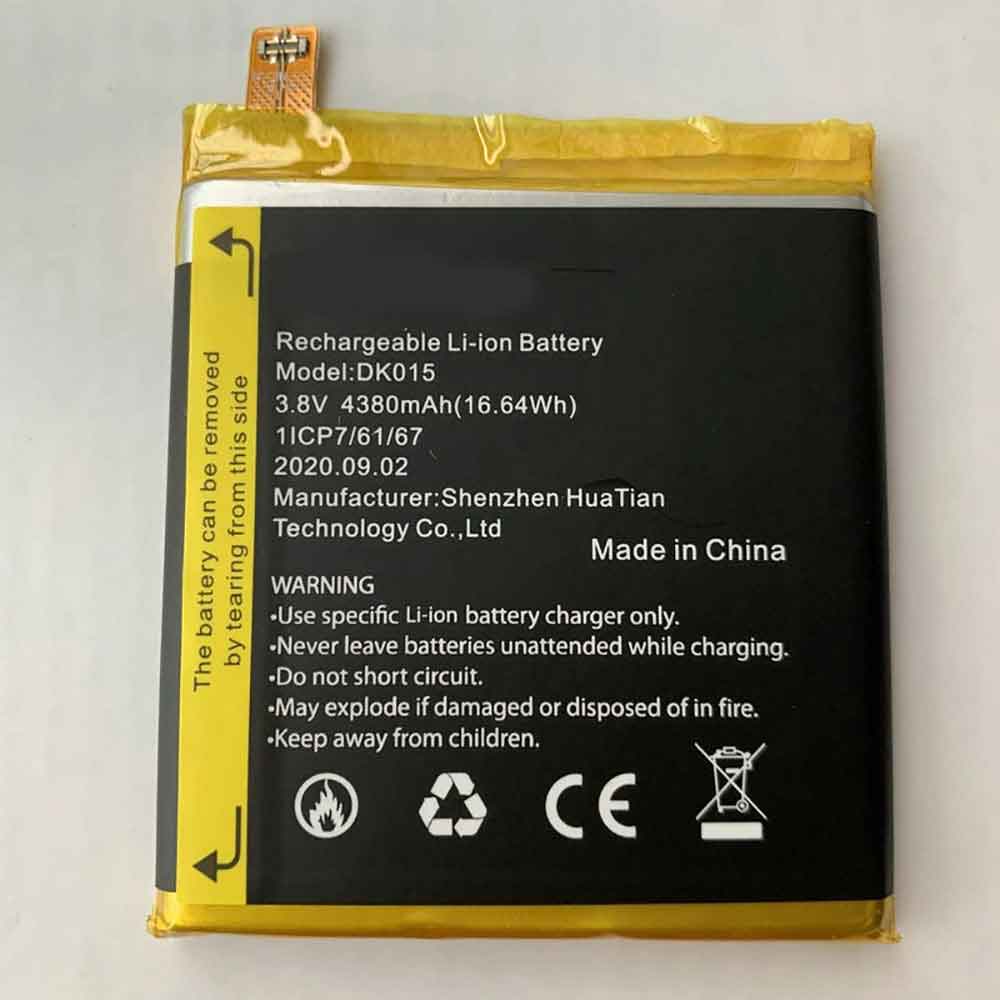
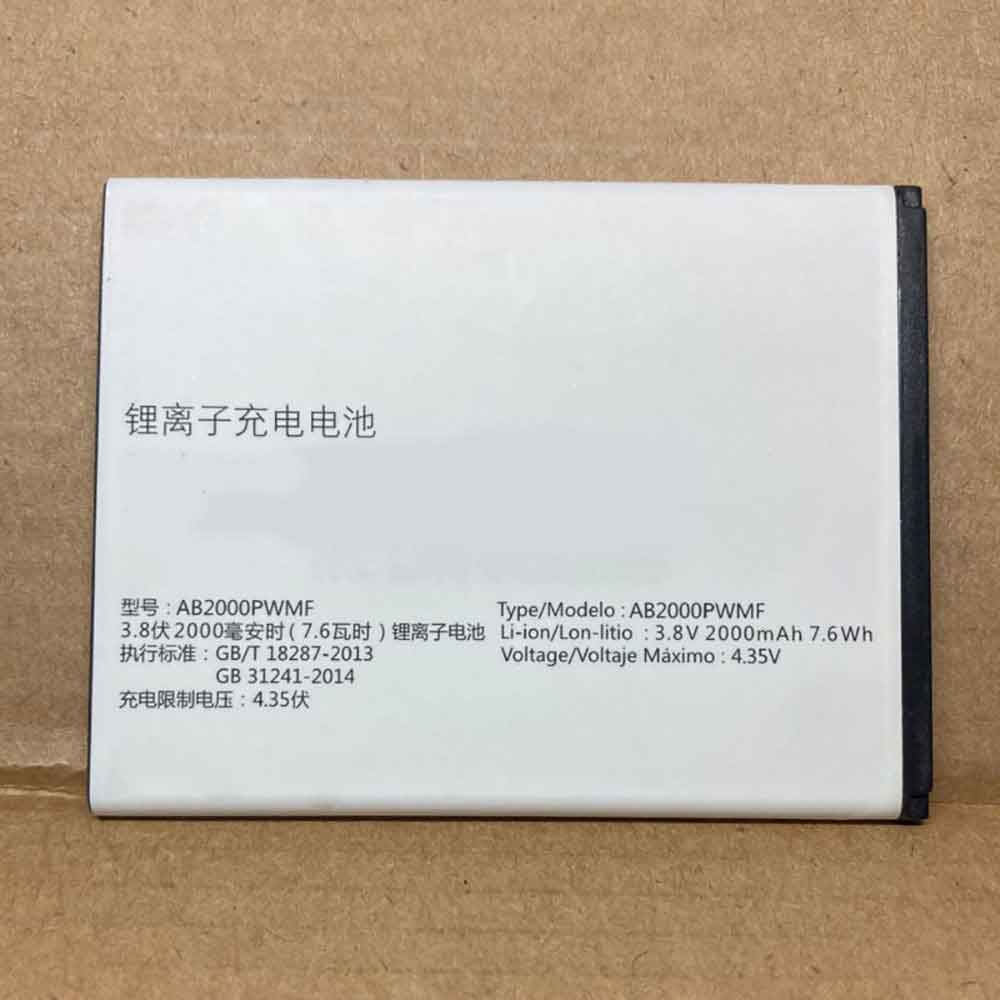
2000mAh/7.6WH 3.8V 4.35V Philips AB2000PWMF Li-ion Battery for Philips AB2000PWMF

2000mAh/7.6WH 3.8V 4.35V Philips AB2000PWMF Batteries for Philips AB2000PWMF, Philips AB2000PWMF Cell Phone battery is a brand new,100% Compatible original and replacement Phone battery,Purchase wholesale and retail AB2000PWMF with high quality and low price!

Find ou your original model number or part number(P/N), and move your eyes on the tag of battery

AB2000PWMF

Specifications

  • Brand:Philips
  • Capacity :2000mAh/7.6WH
  • Voltage :3.8V 4.35V
  • Type :Li-ion
  • Battery Cell Quality: Grade A
  • Descriptive: Replacement Battery – 1 Year Warranty
  • Description: Brand New, 1 Year Warranty! 30-Days Money Back! Fast Shipping!

How we test this Philips AB2000PWMF Battery
Step 1: Make sure customer bought the correct battery.
Step 2: Check battery’s appearance and interface.
Step 3: Test battery charger and recharger function.
Step 4: Charger the battery to 100% and recharger to 0% to get real battery capacity
Step 5: Use Ev2300 to check the voltage difference of each goroup cells.
Step 6: Charger battery power more than 30%.
Step 7: Package battery carefully and send out

Compatible Part Numbers:
AB2000PWMF

Compatible Model Numbers:
Philips AB2000PWMF

How much do you know about how to run laptop well as any place? The follow Tips cut way back on protecting battery life.


1). Please recharge or change your Cell Phone battery when battery power low.
2). Using Li-Ion Replacement Philips AB2000PWMF Cell Phone Battery for your notebook which can work longer time than Non Li-ion one.
3). It is better to defragmentation regularly for your Cell Phone battery life.
4). In order to reduce the laptop power consumpition, you can use some optical drive spin-down and hard drive in your Cell Phone .
5). Please keep your laptop in sleep or standby model without long time using, which both save the Replacement Philips AB2000PWMF Cell Phone Battery power and extend battery using life.
6). Leave your battery in a dry and cool condition when without using.
7). When you rarely or generally plugged in fixed power using, Please take down your battery to avoid hurting battery life.

Hot Products

1800mAh/6.84WH SAMSUNG B105BU for Samsung Galaxy S7275 GT-S7275R41.7Wh /3470mAh HP HW03XL for HP 15-EG0067ST 15-EG0027OD8420mAh/96Wh HP AA06XL for HP ZBook 17 G4-2ZC18ES Z3R03UT73Wh ASUS C42N1630 for ASUS Zenbook Pro UX550 UX550VD3900mAh/15.0WH XIAOMI BN48 for Xiaomi Redmi Note 6 Pro Note64000mAh/31Wh/4 cells SAMSUNG AA-PBUN4AR for Samsung NP940X3L 900X5L NP900X3700mAh/14.2WH XIAOMI BM37 for Xiaomi Mi 5S Mi5s plus4550mAh 51.28Wh THUNDEROBOT SQU-1711 for Thunderobot 911AIR 911ME 911S7.6V DELL 4GVMP for Dell Latitude 5400 55004900mAh/18.87WH SAMSUNG HQ-50S for Samsung Galaxy A02S
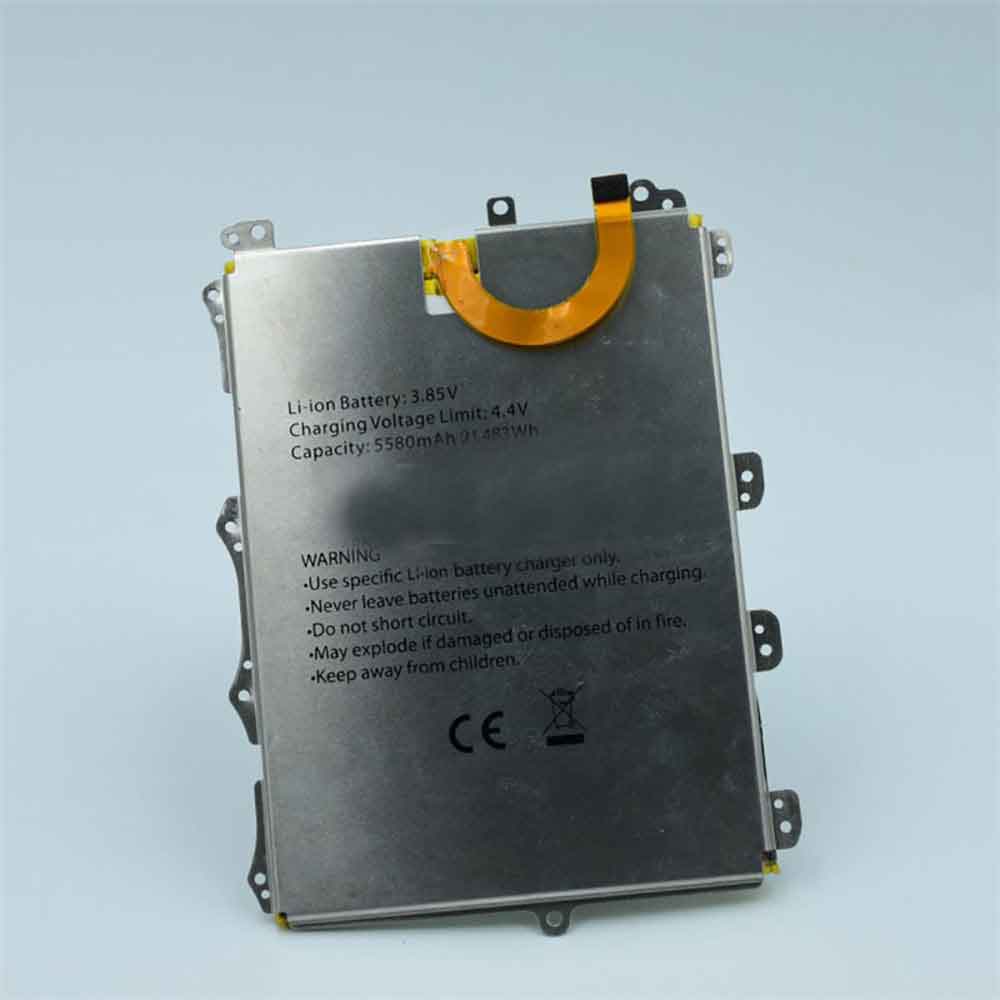
4380mAh/16.64WH 3.85V Blackview DK015 Li-ion Battery for Blackview BV9900/BV9900 Pro

4380mAh/16.64WH 3.85V Blackview DK015 Batteries for Blackview BV9900/BV9900 Pro, Blackview DK015 Cell Phone battery is a brand new,100% Compatible original and replacement Phone battery,Purchase wholesale and retail DK015 with high quality and low price!

Find ou your original model number or part number(P/N), and move your eyes on the tag of battery

DK015

Specifications

  • Brand:Blackview
  • Capacity :4380mAh/16.64WH
  • Voltage :3.85V
  • Type :Li-ion
  • Battery Cell Quality: Grade A
  • Descriptive: Replacement Battery – 1 Year Warranty
  • Description: Brand New, 1 Year Warranty! 30-Days Money Back! Fast Shipping!

How we test this Blackview DK015 Battery
Step 1: Make sure customer bought the correct battery.
Step 2: Check battery’s appearance and interface.
Step 3: Test battery charger and recharger function.
Step 4: Charger the battery to 100% and recharger to 0% to get real battery capacity
Step 5: Use Ev2300 to check the voltage difference of each goroup cells.
Step 6: Charger battery power more than 30%.
Step 7: Package battery carefully and send out

Compatible Part Numbers:
DK015

Compatible Model Numbers:
Blackview BV9900/BV9900 Pro

How much do you know about how to run laptop well as any place? The follow Tips cut way back on protecting battery life.


1). Please recharge or change your Cell Phone battery when battery power low.
2). Using Li-Ion Replacement Blackview DK015 Cell Phone Battery for your notebook which can work longer time than Non Li-ion one.
3). It is better to defragmentation regularly for your Cell Phone battery life.
4). In order to reduce the laptop power consumpition, you can use some optical drive spin-down and hard drive in your Cell Phone .
5). Please keep your laptop in sleep or standby model without long time using, which both save the Replacement Blackview DK015 Cell Phone Battery power and extend battery using life.
6). Leave your battery in a dry and cool condition when without using.
7). When you rarely or generally plugged in fixed power using, Please take down your battery to avoid hurting battery life.

Hot Products

73Wh ASUS C42N1630 for ASUS Zenbook Pro UX550 UX550VD3900mAh/15.0WH XIAOMI BN48 for Xiaomi Redmi Note 6 Pro Note64000mAh/31Wh/4 cells SAMSUNG AA-PBUN4AR for Samsung NP940X3L 900X5L NP900X3700mAh/14.2WH XIAOMI BM37 for Xiaomi Mi 5S Mi5s plus4550mAh 51.28Wh THUNDEROBOT SQU-1711 for Thunderobot 911AIR 911ME 911S7.6V DELL 4GVMP for Dell Latitude 5400 55004900mAh/18.87WH SAMSUNG HQ-50S for Samsung Galaxy A02S4120mAh/45Wh LENOVO L17M3P52 for Lenovo 01AV447 SB10K97608 Seri5280mAh 20.43WH BLACKVIEW Li566376HTT for Blackview Bl6000 Pro1000mAh NOKIA BPS-2 for Nokia 6310i 5130 5110 6210 711

5580mAh/21.483WH 3.85V 4.4V Blackview BV6100 Li-ion Battery for Blackview BV6100

5580mAh/21.483WH 3.85V 4.4V Blackview BV6100 Batteries for Blackview BV6100, Blackview BV6100 Cell Phone battery is a brand new,100% Compatible original and replacement Phone battery,Purchase wholesale and retail BV6100 with high quality and low price!

Find ou your original model number or part number(P/N), and move your eyes on the tag of battery

BV6100

Specifications

  • Brand:Blackview
  • Capacity :5580mAh/21.483WH
  • Voltage :3.85V 4.4V
  • Type :Li-ion
  • Battery Cell Quality: Grade A
  • Descriptive: Replacement Battery – 1 Year Warranty
  • Description: Brand New, 1 Year Warranty! 30-Days Money Back! Fast Shipping!

How we test this Blackview BV6100 Battery
Step 1: Make sure customer bought the correct battery.
Step 2: Check battery’s appearance and interface.
Step 3: Test battery charger and recharger function.
Step 4: Charger the battery to 100% and recharger to 0% to get real battery capacity
Step 5: Use Ev2300 to check the voltage difference of each goroup cells.
Step 6: Charger battery power more than 30%.
Step 7: Package battery carefully and send out

Compatible Part Numbers:
BV6100

Compatible Model Numbers:
Blackview BV6100

How much do you know about how to run laptop well as any place? The follow Tips cut way back on protecting battery life.


1). Please recharge or change your Cell Phone battery when battery power low.
2). Using Li-Ion Replacement Blackview BV6100 Cell Phone Battery for your notebook which can work longer time than Non Li-ion one.
3). It is better to defragmentation regularly for your Cell Phone battery life.
4). In order to reduce the laptop power consumpition, you can use some optical drive spin-down and hard drive in your Cell Phone .
5). Please keep your laptop in sleep or standby model without long time using, which both save the Replacement Blackview BV6100 Cell Phone Battery power and extend battery using life.
6). Leave your battery in a dry and cool condition when without using.
7). When you rarely or generally plugged in fixed power using, Please take down your battery to avoid hurting battery life.

Hot Products

73Wh ASUS C42N1630 for ASUS Zenbook Pro UX550 UX550VD3900mAh/15.0WH XIAOMI BN48 for Xiaomi Redmi Note 6 Pro Note64000mAh/31Wh/4 cells SAMSUNG AA-PBUN4AR for Samsung NP940X3L 900X5L NP900X3700mAh/14.2WH XIAOMI BM37 for Xiaomi Mi 5S Mi5s plus4550mAh 51.28Wh THUNDEROBOT SQU-1711 for Thunderobot 911AIR 911ME 911S7.6V DELL 4GVMP for Dell Latitude 5400 55004900mAh/18.87WH SAMSUNG HQ-50S for Samsung Galaxy A02S4120mAh/45Wh LENOVO L17M3P52 for Lenovo 01AV447 SB10K97608 Seri5280mAh 20.43WH BLACKVIEW Li566376HTT for Blackview Bl6000 Pro1000mAh NOKIA BPS-2 for Nokia 6310i 5130 5110 6210 711

13000mAh/50WH 3.85V 4.4V Blackview BV9100 Li-ion Battery for Blackview BV9100

13000mAh/50WH 3.85V 4.4V Blackview BV9100 Batteries for Blackview BV9100, Blackview BV9100 Cell Phone battery is a brand new,100% Compatible original and replacement Phone battery,Purchase wholesale and retail BV9100 with high quality and low price!

Find ou your original model number or part number(P/N), and move your eyes on the tag of battery

BV9100

Specifications

  • Brand:Blackview
  • Capacity :13000mAh/50WH
  • Voltage :3.85V 4.4V
  • Type :Li-ion
  • Battery Cell Quality: Grade A
  • Descriptive: Replacement Battery – 1 Year Warranty
  • Description: Brand New, 1 Year Warranty! 30-Days Money Back! Fast Shipping!

How we test this Blackview BV9100 Battery
Step 1: Make sure customer bought the correct battery.
Step 2: Check battery’s appearance and interface.
Step 3: Test battery charger and recharger function.
Step 4: Charger the battery to 100% and recharger to 0% to get real battery capacity
Step 5: Use Ev2300 to check the voltage difference of each goroup cells.
Step 6: Charger battery power more than 30%.
Step 7: Package battery carefully and send out

Compatible Part Numbers:
BV9100

Compatible Model Numbers:
Blackview BV9100

How much do you know about how to run laptop well as any place? The follow Tips cut way back on protecting battery life.


1). Please recharge or change your Cell Phone battery when battery power low.
2). Using Li-Ion Replacement Blackview BV9100 Cell Phone Battery for your notebook which can work longer time than Non Li-ion one.
3). It is better to defragmentation regularly for your Cell Phone battery life.
4). In order to reduce the laptop power consumpition, you can use some optical drive spin-down and hard drive in your Cell Phone .
5). Please keep your laptop in sleep or standby model without long time using, which both save the Replacement Blackview BV9100 Cell Phone Battery power and extend battery using life.
6). Leave your battery in a dry and cool condition when without using.
7). When you rarely or generally plugged in fixed power using, Please take down your battery to avoid hurting battery life.

Hot Products

73Wh ASUS C42N1630 for ASUS Zenbook Pro UX550 UX550VD3900mAh/15.0WH XIAOMI BN48 for Xiaomi Redmi Note 6 Pro Note64000mAh/31Wh/4 cells SAMSUNG AA-PBUN4AR for Samsung NP940X3L 900X5L NP900X3700mAh/14.2WH XIAOMI BM37 for Xiaomi Mi 5S Mi5s plus4550mAh 51.28Wh THUNDEROBOT SQU-1711 for Thunderobot 911AIR 911ME 911S7.6V DELL 4GVMP for Dell Latitude 5400 55004900mAh/18.87WH SAMSUNG HQ-50S for Samsung Galaxy A02S4120mAh/45Wh LENOVO L17M3P52 for Lenovo 01AV447 SB10K97608 Seri

5580mAh Blackview BV5900 Li-ion Battery for Blackview BV5900

5580mAh Blackview BV5900 Batteries for Blackview BV5900, Blackview BV5900 Cell Phone battery is a brand new,100% Compatible original and replacement Phone battery,Purchase wholesale and retail BV5900 with high quality and low price!

Find ou your original model number or part number(P/N), and move your eyes on the tag of battery

BV5900

Specifications

  • Brand:Blackview
  • Capacity :5580mAh
  • Type :Li-ion
  • Battery Cell Quality: Grade A
  • Descriptive: Replacement Battery – 1 Year Warranty
  • Description: Brand New, 1 Year Warranty! 30-Days Money Back! Fast Shipping!

How we test this Blackview BV5900 Battery
Step 1: Make sure customer bought the correct battery.
Step 2: Check battery’s appearance and interface.
Step 3: Test battery charger and recharger function.
Step 4: Charger the battery to 100% and recharger to 0% to get real battery capacity
Step 5: Use Ev2300 to check the voltage difference of each goroup cells.
Step 6: Charger battery power more than 30%.
Step 7: Package battery carefully and send out

Compatible Part Numbers:
BV5900

Compatible Model Numbers:
Blackview BV5900

How much do you know about how to run laptop well as any place? The follow Tips cut way back on protecting battery life.


1). Please recharge or change your Cell Phone battery when battery power low.
2). Using Li-Ion Replacement Blackview BV5900 Cell Phone Battery for your notebook which can work longer time than Non Li-ion one.
3). It is better to defragmentation regularly for your Cell Phone battery life.
4). In order to reduce the laptop power consumpition, you can use some optical drive spin-down and hard drive in your Cell Phone .
5). Please keep your laptop in sleep or standby model without long time using, which both save the Replacement Blackview BV5900 Cell Phone Battery power and extend battery using life.
6). Leave your battery in a dry and cool condition when without using.
7). When you rarely or generally plugged in fixed power using, Please take down your battery to avoid hurting battery life.

Hot Products

73Wh ASUS C42N1630 for ASUS Zenbook Pro UX550 UX550VD3900mAh/15.0WH XIAOMI BN48 for Xiaomi Redmi Note 6 Pro Note64000mAh/31Wh/4 cells SAMSUNG AA-PBUN4AR for Samsung NP940X3L 900X5L NP900X3700mAh/14.2WH XIAOMI BM37 for Xiaomi Mi 5S Mi5s plus4550mAh 51.28Wh THUNDEROBOT SQU-1711 for Thunderobot 911AIR 911ME 911S7.6V DELL 4GVMP for Dell Latitude 5400 55004900mAh/18.87WH SAMSUNG HQ-50S for Samsung Galaxy A02S4120mAh/45Wh LENOVO L17M3P52 for Lenovo 01AV447 SB10K97608 Seri5280mAh 20.43WH BLACKVIEW Li566376HTT for Blackview Bl6000 Pro1000mAh NOKIA BPS-2 for Nokia 6310i 5130 5110 6210 711

Google: Want to try Android 13? How to Get the Developer Preview Now

 Google has announced the limited release of Android 13 Developer Preview 1, codenamed Tiramisu with a focus on dessert. This latest version of the Android operating system will introduce several new color themes, enhanced privacy and security features, lock and home screen updates, and more.

As long as you have a compatible phone, you can connect your device to your computer and use Google’s Android Flash tool to easily download and install Android 13 Developer Preview 1. Note: The Android 13 Developer Preview can sometimes be unstable! Here’s how to download and install the Android 13 Developer Preview on your phone, let’s take a look!

Which phones is the Android 13 Developer Preview available for?

Google is expected to release Android 13 this fall. It will then be available on a variety of Android phones, but currently you can only install the Android 13 Developer Preview on many compatible Pixel devices: Pixel 4, Pixel 4 XL, Pixel 4A, Pixel 4A 5G, Pixel 5, Pixel 5A and 5G , Pixel 6, Pixel 6 Pro, if your device isn’t on this list, you’ll have to wait for a later version of Android 13, be it public beta or public release.

Backup your Android device first

By default, your Pixel backs up automatically whenever you’re connected to Wi-Fi and your phone has been idle and charged for 2 hours, but you can also back up manually at any time. To back up your Pixel, go to Settings > Google > Backup and tap Back Up Now .

Now you need to enable USB debugging and OEM unlock

To install Android 13 on your Pixel, you’ll need to connect your phone to your computer via USB, which requires your Pixel to be unlocked and USB debugging enabled. While it’s easy to unlock your phone, to enable USB debugging, you’ll need to unlock the developer options first.

1. To unlock the developer options, go to Settings > About phone and tap Build number seven times. Enter your password when prompted and a new developer options menu will appear in system settings.

2. Now, enable USB debugging. Go to Settings > System > Developer options and turn on USB debugging. In the notification that appears, briefly describe what USB debugging means, click OK.

3. While you are still in developer options, turn on OEM unlocking. This will unlock your device’s bootloader, which is what loads the operating system. Once unlocked, you will be able to choose a different operating system to boot from.

Refresh your device with the Android Flash Tool in Chrome

There are two ways to flash the Android 13 Developer Preview system image on the Pixel using a computer, but for simplicity, we’ll use the Android Flash tool, which only works with some web browsers. Additionally, your computer must have 10GB of free storage to function properly.

If all is well, connect your Pixel to your computer via USB, unlock the device and visit the Android Flash Tool website in Chrome and do the following:

1. First, click Get started at the bottom of the website.

2. Next, click Allow ADB Access in the popup that appears (if any ad blockers are present, turn them off).

3. Now click Add New Device, select your device from the list and click Connect.

4. On your Pixel, check the box next to Always allow from this computer and tap Allow to give the Android Flash Tool access to your phone.

5. Back on your computer, click “Developer Preview 1” under “Popular Versions”.

6. Click Install to build, and then click OK.

The pop-up that appears will warn you that installing Android 13 will factory reset your phone, but that’s not a problem if you have a Pixel backed up. Make sure you don’t touch your phone or disconnect it from your computer during this process, or you could brick your phone. If you get another popup on your computer that mentions accepting the Android 13 version, do the following:

1. Click Start in the pop-up window that appears on your computer.

2. Go back to your Pixel, use the volume keys to select Unlock Bootloader, then tap the side key, which will cause your phone to reboot.

3. The software will start downloading, which may take a few minutes depending on your internet connection.

4. After the installation process is complete, click Start in the pop-up window that appears on your computer.

5. Again, back on your Pixel, use the volume keys to toggle to Lock Bootloader, then tap the side button.

6. Finally, on your computer, click Done and your phone will restart as usual.

If all went well, “Installation Complete” should appear in the Android Flash Tool. This means that the Android 13 Developer Preview is installed and you can safely disconnect your Pixel from your computer. After your Pixel reboots, you’ll see a notification that you’re now running the Android 13 Developer Preview. Click OK and set up your phone like a brand new phone.

>>>>>>>>Google battery

Thanks for reading, hope it helps!

Friendly reminder: If you need to replace the battery, this battery store will be a good choice: www.batteryforpc.co.uk

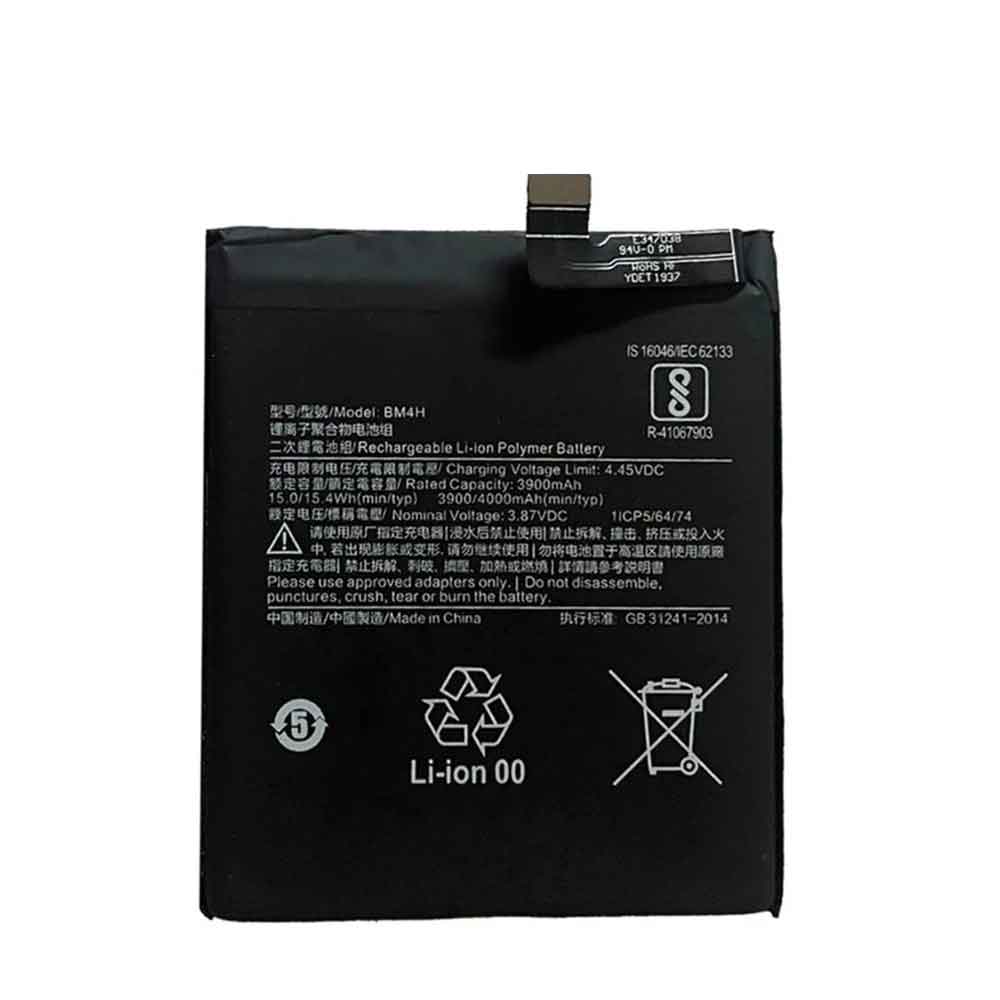
4000mAh/15.4WH 3.87V 4.45V Xiaomi BM4H Li-ion Battery for Xiaomi Mi 9 Pro

4000mAh/15.4WH 3.87V 4.45V Xiaomi BM4H Batteries for Xiaomi Mi 9 Pro, Xiaomi BM4H Cell Phone battery is a brand new,100% Compatible original and replacement Phone battery,Purchase wholesale and retail BM4H with high quality and low price!

Find ou your original model number or part number(P/N), and move your eyes on the tag of battery

BM4H

Specifications

  • Brand:Xiaomi
  • Capacity :4000mAh/15.4WH
  • Voltage :3.87V 4.45V
  • Type :Li-ion
  • Battery Cell Quality: Grade A
  • Descriptive: Replacement Battery – 1 Year Warranty
  • Description: Brand New, 1 Year Warranty! 30-Days Money Back! Fast Shipping!

How we test this Xiaomi BM4H Battery
Step 1: Make sure customer bought the correct battery.
Step 2: Check battery’s appearance and interface.
Step 3: Test battery charger and recharger function.
Step 4: Charger the battery to 100% and recharger to 0% to get real battery capacity
Step 5: Use Ev2300 to check the voltage difference of each goroup cells.
Step 6: Charger battery power more than 30%.
Step 7: Package battery carefully and send out

Compatible Part Numbers:
BM4H

Compatible Model Numbers:
Xiaomi Mi 9 Pro

How much do you know about how to run laptop well as any place? The follow Tips cut way back on protecting battery life.


1). Please recharge or change your Cell Phone battery when battery power low.
2). Using Li-Ion Replacement Xiaomi BM4H Cell Phone Battery for your notebook which can work longer time than Non Li-ion one.
3). It is better to defragmentation regularly for your Cell Phone battery life.
4). In order to reduce the laptop power consumpition, you can use some optical drive spin-down and hard drive in your Cell Phone .
5). Please keep your laptop in sleep or standby model without long time using, which both save the Replacement Xiaomi BM4H Cell Phone Battery power and extend battery using life.
6). Leave your battery in a dry and cool condition when without using.
7). When you rarely or generally plugged in fixed power using, Please take down your battery to avoid hurting battery life.

Hot Products

3700mAh/14.2WH XIAOMI BM37 for Xiaomi Mi 5S Mi5s plus4550mAh 51.28Wh THUNDEROBOT SQU-1711 for Thunderobot 911AIR 911ME 911S7.6V DELL 4GVMP for Dell Latitude 5400 55004900mAh/18.87WH SAMSUNG HQ-50S for Samsung Galaxy A02S4120mAh/45Wh LENOVO L17M3P52 for Lenovo 01AV447 SB10K97608 Seri5280mAh 20.43WH BLACKVIEW Li566376HTT for Blackview Bl6000 Pro1000mAh NOKIA BPS-2 for Nokia 6310i 5130 5110 6210 71151Wh/3321mAh LENOVO L18L4P71 for Lenovo ThinkPad X1 Carbon 7th1950mAh APPLE A1672 for Apple Magic Mouse 22800mAh/10.64WH NOKIA V3760T for Nokia Cell Phone

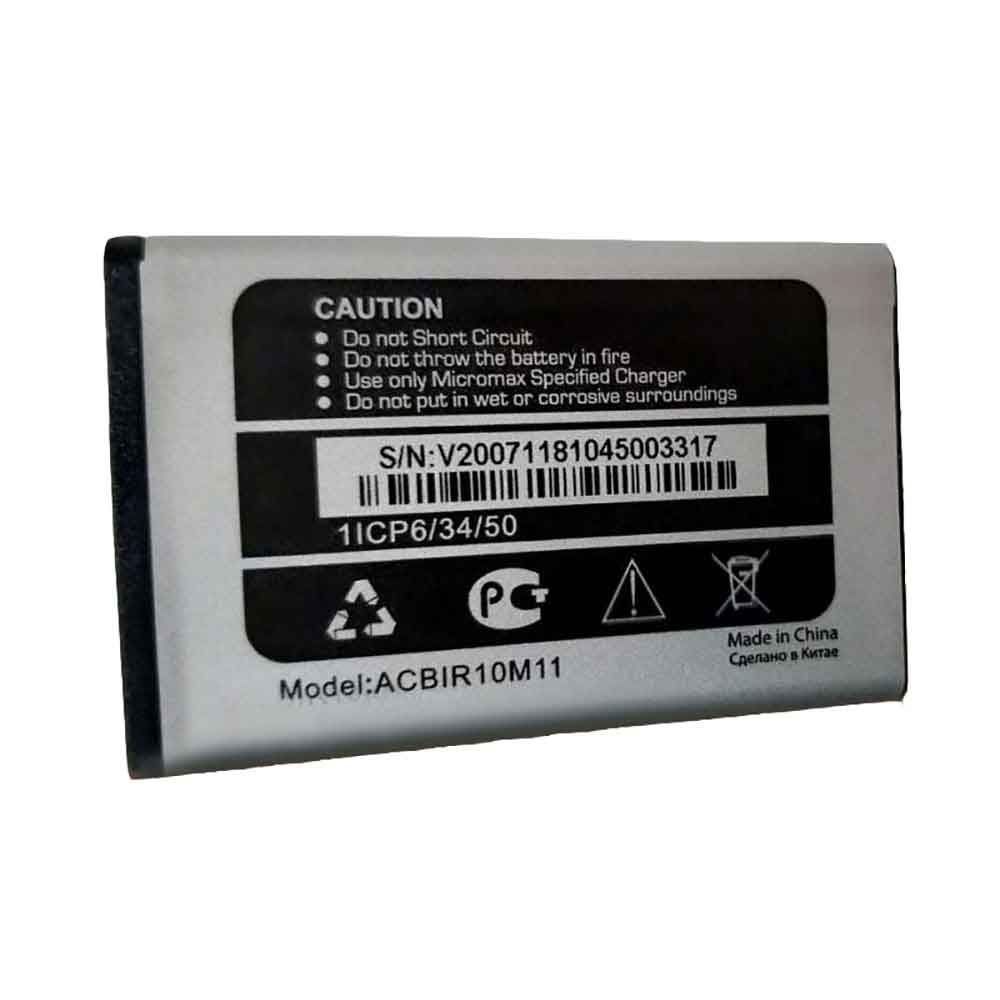
1000mAh/3.7WH 3.7V 4.2V Micromax ACBIR10M11 Li-ion Battery for Micromax ACBIR10M11

1000mAh/3.7WH 3.7V 4.2V Micromax ACBIR10M11 Batteries for Micromax ACBIR10M11, Micromax ACBIR10M11 Cell Phone battery is a brand new,100% Compatible original and replacement Phone battery,Purchase wholesale and retail ACBIR10M11 with high quality and low price!

Find ou your original model number or part number(P/N), and move your eyes on the tag of battery

ACBIR10M11

Specifications

  • Brand:Micromax
  • Capacity :1000mAh/3.7WH
  • Voltage :3.7V 4.2V
  • Type :Li-ion
  • Battery Cell Quality: Grade A
  • Descriptive: Replacement Battery – 1 Year Warranty
  • Description: Brand New, 1 Year Warranty! 30-Days Money Back! Fast Shipping!

How we test this Micromax ACBIR10M11 Battery
Step 1: Make sure customer bought the correct battery.
Step 2: Check battery’s appearance and interface.
Step 3: Test battery charger and recharger function.
Step 4: Charger the battery to 100% and recharger to 0% to get real battery capacity
Step 5: Use Ev2300 to check the voltage difference of each goroup cells.
Step 6: Charger battery power more than 30%.
Step 7: Package battery carefully and send out

Compatible Part Numbers:
ACBIR10M11

Compatible Model Numbers:
Micromax ACBIR10M11

How much do you know about how to run laptop well as any place? The follow Tips cut way back on protecting battery life.


1). Please recharge or change your Cell Phone battery when battery power low.
2). Using Li-Ion Replacement Micromax ACBIR10M11 Cell Phone Battery for your notebook which can work longer time than Non Li-ion one.
3). It is better to defragmentation regularly for your Cell Phone battery life.
4). In order to reduce the laptop power consumpition, you can use some optical drive spin-down and hard drive in your Cell Phone .
5). Please keep your laptop in sleep or standby model without long time using, which both save the Replacement Micromax ACBIR10M11 Cell Phone Battery power and extend battery using life.
6). Leave your battery in a dry and cool condition when without using.
7). When you rarely or generally plugged in fixed power using, Please take down your battery to avoid hurting battery life.

Hot Products

3700mAh/14.2WH XIAOMI BM37 for Xiaomi Mi 5S Mi5s plus4550mAh 51.28Wh THUNDEROBOT SQU-1711 for Thunderobot 911AIR 911ME 911S7.6V DELL 4GVMP for Dell Latitude 5400 55004900mAh/18.87WH SAMSUNG HQ-50S for Samsung Galaxy A02S4120mAh/45Wh LENOVO L17M3P52 for Lenovo 01AV447 SB10K97608 Seri5280mAh 20.43WH BLACKVIEW Li566376HTT for Blackview Bl6000 Pro1000mAh NOKIA BPS-2 for Nokia 6310i 5130 5110 6210 71151Wh/3321mAh LENOVO L18L4P71 for Lenovo ThinkPad X1 Carbon 7th1950mAh APPLE A1672 for Apple Magic Mouse 22800mAh/10.64WH NOKIA V3760T for Nokia Cell Phone