ASRock announces its custom Radeon RX 6800 series graphics cards

ASRock has announced its custom-cooled Radeon RX 6800 series graphics cards. The four cards announced by ASRock are the flagship Radeon RX 6800 XT Taichi X 16G OC, the mid-range Radeon RX 6800 XT and Radeon RX 6800 Phantom Gaming D 16G OC, and the entry-level Radeon RX 6800 Challenger Pro 16G OC.

Featuring AMD RDNA 2 GPU architecture, the new ASRock Radeon RX 6800 series support the DirectX 12 Ultimate standard and hardware-accelerated raytracing. All cards have 16GB of GDDR6 memory and support PCIe 4.0. The cooling solutions of these cards use ASRock’s Striped Axial fan design for improved cooling performance, allowing them to come overclocked out-of-the-box. Additionally, all cards feature Polychrome Sync ARGB LEDs to synchronise with other compatible products.

The Radeon RX 6800 XT Taichi X 16G OC uses a triple-fan design, with the middle-fan featuring a unique ARGB Taichi halo. Besides the halo, the card also has ARGB LEDs on the side and on the metal backplate. This card features a Dual-BIOS button, allowing users to easily change between the OC and Silent mode.

The ASRock Radeon RX 6800 series Phantom Gaming cards also feature a similar triple fan design with a middle RGB fan. Just like the Taichi model, it features a reinforced metal frame and backplate to avoid bending on the PCB. The RGB LEDs of the fan and on the side can be adjusted and synchronised through ASRock Polychrome Sync.

The ASRock Radeon RX 6800 Challenger Pro 16G OC features a low-key design, with side RGB LED lighting, and an all-black design. Just like the other ASRock Radeon RX 6800 series cards, it also has three fans to handle the cooling.

Microsoft releases Windows 10 Build 20262 with lots of welcome fixes

Although Insiders in the Dev Channel do occasionally get to try out upcoming features in Windows 10, more often than not the new builds Microsoft rolls out focus on fixing problems and tweaking settings.

That’s certainly been the case with the previous two flights, and today’s new release, Build 20262 (FE_RELEASE) is no different.

Fixes in this release include:

Fixed an issue resulting in certain apps launching unexpectedly transparent in recent builds, with no content visible.

Fixed an issue where old SleepStudy etls were unexpectedly not being cleaned up.

Fixed an issue resulting in no response the first time a pen was clicked after being paired due to an underlying crash.

Fixed an issue resulting in touchpad scrolling no longer working on the tab in focus after closing a browser tab using CTRL+W while scrolling on a touchpad.

Fixed an issue where the some of the notifications related to block at first sight weren’t being localized.

Fixed an issue where when using Narrator in scan mode, it wasn’t possible to activate the “Sign in with pin or smart card” buttons in the authentication dialog using space or the enter key.

Fixed a recent issue where when both Wi-Fi and cellular were connected, if Wi-Fi disconnected the network flyout would say cellular was still connected, but apps wouldn’t actually be able to use the internet.

Fixed a high hitting DWM crash impacting some Insiders in the last few flights.

Fixed an issue that could result in Settings crashing when navigating to Storage Sense.

Fixed an issue resulting in app registration issues for some of the in-box apps with the previous flight after upgrading.

Known issues are:

Microsoft is looking into reports of the update process hanging for extended periods of time when attempting to install a new build.

Live previews for pinned sites aren’t enabled for all Insiders yet, so you may see a grey window when hovering over the thumbnail in the taskbar. Microsoft is continuing to work on polishing this experience.

Microsoft is working on enabling the new taskbar experience for existing pinned sites. In the meantime, you can unpin the site from the taskbar, remove it from the edge://apps page, and then re-pin the site.

Microsoft is working on a fix for an issue resulting in some users seeing error 0x80070426 when using their Microsoft account to sign into various apps. If you encounter it, rebooting your PC may resolve this.

Microsoft is investigating an issue where, in recent Dev Channel builds, no drives appear under Settings > System > Storage > Manage Disks and Volumes. As a workaround, you can manage your disks in the classic Disk Management tool.

Microsoft is investigating reports that some screens incorrectly have black text on dark backgrounds when dark theme is enabled.

Cheap Mitsubishi ER10280 Li-ion Other battery, Brand New ER10280 replacement battery for 100pcs Mitsubishi FX2NC-32BL ER10/28 3.6V ER10280 PLC Battery with white plug

500mAh 3.6V Mitsubishi ER10280 Batteries for 100pcs Mitsubishi FX2NC-32BL ER10/28 3.6V ER10280 PLC Battery with white plug, Mitsubishi ER10280 Other battery is a brand new,100% Compatible original and replacement Laptop battery,Purchase wholesale and retail ER10280 with high quality and low price!

ER10280 Battery mitsubishi Li-ion 3.6V 500mAh

ER10280

Specifications

  • Brand:Mitsubishi
  • Capacity :500mAh
  • Voltage :3.6V
  • Color:yellow
  • Type :Li-ion
  • Battery Cell Quality: Grade A
  • Descriptive: Replacement Battery – 1 Year Warranty
  • Description: Brand New, 1 Year Warranty! 30-Days Money Back! Fast Shipping!

How we test this Mitsubishi ER10280 Battery Li-ion 3.6V 500mAh

Step 1: Make sure customer bought the correct battery.
Step 2: Check battery’s appearance and interface.
Step 3: Test battery charger and recharger function.
Step 4: Charger the battery to 100% and recharger to 0% to get real battery capacity
Step 5: Use Ev2300 to check the voltage difference of each goroup cells.
Step 6: Charger battery power more than 30%.
Step 7: Package battery carefully and send out

Compatible Part Numbers:

ER10280 FX2NC-32BL

Compatible Model Numbers:

100pcs Mitsubishi FX2NC-32BL ER10/28 3.6V ER10280 PLC Battery with white plug

plug : white Plug(not Compatible other color Plug)

Package Included:100pcs ER10280 batteries

How much do you know about how to run laptop well as any place? The follow Tips cut way back on protecting battery life.


1). Please recharge or change your Other battery when battery power low.
2). Using Li-Ion Replacement Mitsubishi ER10280 Other Battery for your notebook which can work longer time than Non Li-ion one.
3). It is better to defragmentation regularly for your Other battery life.
4). In order to reduce the laptop power consumpition, you can use some optical drive spin-down and hard drive in your Other .
5). Please keep your laptop in sleep or standby model without long time using, which both save the Replacement Mitsubishi ER10280 Other Battery power and extend battery using life.
6). Leave your battery in a dry and cool condition when without using.
7). When you rarely or generally plugged in fixed power using, Please take down your battery to avoid hurting battery life.

Hot Products

16.8V/20V 400mA/2200mAH/32Wh BOSE 300769-003 for Bose Sounddock Portable Digita11.1V/12.4v 2300mah BOSE 404600 for Bose SOUNDLINK I II III15.4V 5209mAh RAZER RC30-0248 for RAZER Blade 15 2018 RZ09-023867.4V 2230mAh/17Wh BOSE 063404 for 0634043.8V 6300mAh/23.94Wh AMAZON 2955C7 for Amazon Kindle Fire HD 10.1 7th3.7V/4.2V 1750MAH/6.5WH AMAZON GP-S10-346392-0100 for AMAZON KINDLE 3 3G WIFI Kindle3.8 V 1300 mAh AMAZON MC-305070 for AMAZON Kindle Voyage7.7V 37Wh/4810mAh ACER AP16M5J for ACER A315-51-51SL N17Q1 SERIES3.8V 2930mAh/11.1Wh NETGEAR W-7 for Netgear AirCard 790S 790SP 8103.85V/4.4V 3080MAH/11.86WH ALCATEL TLp030JC for Alcatel A3 XL 9008j

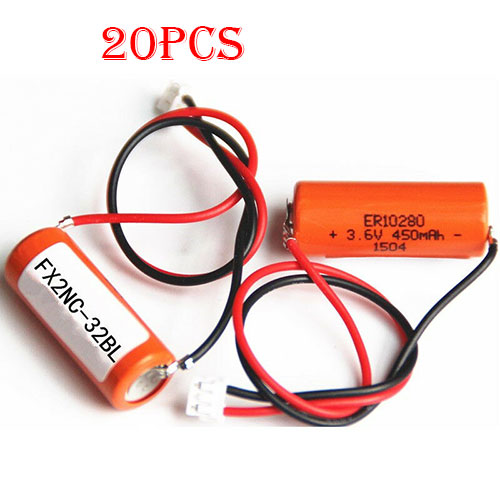
Cheap Mitsubishi ER10280 Li-ion Other battery, Brand New ER10280 replacement battery for 20pcs Mitsubishi FX2NC-32BL ER10/28 3.6V ER10280 PLC Battery with white plug

500mAh 3.6V Mitsubishi ER10280 Batteries for 20pcs Mitsubishi FX2NC-32BL ER10/28 3.6V ER10280 PLC Battery with white plug, Mitsubishi ER10280 Other battery is a brand new,100% Compatible original and replacement Laptop battery,Purchase wholesale and retail ER10280 with high quality and low price!

ER10280 Battery mitsubishi Li-ion 3.6V 500mAh

ER10280

Specifications

  • Brand:Mitsubishi
  • Capacity :500mAh
  • Voltage :3.6V
  • Color:yellow
  • Type :Li-ion
  • Battery Cell Quality: Grade A
  • Descriptive: Replacement Battery – 1 Year Warranty
  • Description: Brand New, 1 Year Warranty! 30-Days Money Back! Fast Shipping!

How we test this Mitsubishi ER10280 Battery Li-ion 3.6V 500mAh

Step 1: Make sure customer bought the correct battery.
Step 2: Check battery’s appearance and interface.
Step 3: Test battery charger and recharger function.
Step 4: Charger the battery to 100% and recharger to 0% to get real battery capacity
Step 5: Use Ev2300 to check the voltage difference of each goroup cells.
Step 6: Charger battery power more than 30%.
Step 7: Package battery carefully and send out

Compatible Part Numbers:

ER10280 FX2NC-32BL

Compatible Model Numbers:

20pcs Mitsubishi FX2NC-32BL ER10/28 3.6V ER10280 PLC Battery with white plug

plug : white Plug(not Compatible other color Plug)

Package Included:20pcs ER10280 batteries

How much do you know about how to run laptop well as any place? The follow Tips cut way back on protecting battery life.


1). Please recharge or change your Other battery when battery power low.
2). Using Li-Ion Replacement Mitsubishi ER10280 Other Battery for your notebook which can work longer time than Non Li-ion one.
3). It is better to defragmentation regularly for your Other battery life.
4). In order to reduce the laptop power consumpition, you can use some optical drive spin-down and hard drive in your Other .
5). Please keep your laptop in sleep or standby model without long time using, which both save the Replacement Mitsubishi ER10280 Other Battery power and extend battery using life.
6). Leave your battery in a dry and cool condition when without using.
7). When you rarely or generally plugged in fixed power using, Please take down your battery to avoid hurting battery life.

Hot Products

16.8V/20V 400mA/2200mAH/32Wh BOSE 300769-003 for Bose Sounddock Portable Digita11.1V/12.4v 2300mah BOSE 404600 for Bose SOUNDLINK I II III15.4V 5209mAh RAZER RC30-0248 for RAZER Blade 15 2018 RZ09-023867.4V 2230mAh/17Wh BOSE 063404 for 0634043.8V 6300mAh/23.94Wh AMAZON 2955C7 for Amazon Kindle Fire HD 10.1 7th3.7V/4.2V 1750MAH/6.5WH AMAZON GP-S10-346392-0100 for AMAZON KINDLE 3 3G WIFI Kindle3.8 V 1300 mAh AMAZON MC-305070 for AMAZON Kindle Voyage7.7V 37Wh/4810mAh ACER AP16M5J for ACER A315-51-51SL N17Q1 SERIES3.8V 2930mAh/11.1Wh NETGEAR W-7 for Netgear AirCard 790S 790SP 8103.85V/4.4V 3080MAH/11.86WH ALCATEL TLp030JC for Alcatel A3 XL 9008j

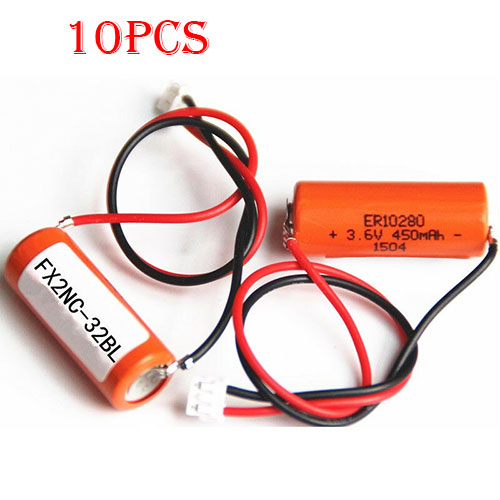
Cheap Mitsubishi ER10280 Li-ion Other battery, Brand New ER10280 replacement battery for 10pcs Mitsubishi FX2NC-32BL ER10/28 3.6V ER10280 PLC Battery with white plug

500mAh 3.6V Mitsubishi ER10280 Batteries for 10pcs Mitsubishi FX2NC-32BL ER10/28 3.6V ER10280 PLC Battery with white plug, Mitsubishi ER10280 Other battery is a brand new,100% Compatible original and replacement Laptop battery,Purchase wholesale and retail ER10280 with high quality and low price!

ER10280 Battery mitsubishi Li-ion 3.6V 500mAh

ER10280

Specifications

  • Brand:Mitsubishi
  • Capacity :500mAh
  • Voltage :3.6V
  • Color:yellow
  • Type :Li-ion
  • Battery Cell Quality: Grade A
  • Descriptive: Replacement Battery – 1 Year Warranty
  • Description: Brand New, 1 Year Warranty! 30-Days Money Back! Fast Shipping!

How we test this Mitsubishi ER10280 Battery Li-ion 3.6V 500mAh

Step 1: Make sure customer bought the correct battery.
Step 2: Check battery’s appearance and interface.
Step 3: Test battery charger and recharger function.
Step 4: Charger the battery to 100% and recharger to 0% to get real battery capacity
Step 5: Use Ev2300 to check the voltage difference of each goroup cells.
Step 6: Charger battery power more than 30%.
Step 7: Package battery carefully and send out

Compatible Part Numbers:

ER10280 FX2NC-32BL

Compatible Model Numbers:

10pcs Mitsubishi FX2NC-32BL ER10/28 3.6V ER10280 PLC Battery with white plug

plug : white Plug(not Compatible other color Plug)

Package Included:10pcs ER10280 batteries

How much do you know about how to run laptop well as any place? The follow Tips cut way back on protecting battery life.


1). Please recharge or change your Other battery when battery power low.
2). Using Li-Ion Replacement Mitsubishi ER10280 Other Battery for your notebook which can work longer time than Non Li-ion one.
3). It is better to defragmentation regularly for your Other battery life.
4). In order to reduce the laptop power consumpition, you can use some optical drive spin-down and hard drive in your Other .
5). Please keep your laptop in sleep or standby model without long time using, which both save the Replacement Mitsubishi ER10280 Other Battery power and extend battery using life.
6). Leave your battery in a dry and cool condition when without using.
7). When you rarely or generally plugged in fixed power using, Please take down your battery to avoid hurting battery life.

Hot Products

16.8V/20V 400mA/2200mAH/32Wh BOSE 300769-003 for Bose Sounddock Portable Digita11.1V/12.4v 2300mah BOSE 404600 for Bose SOUNDLINK I II III15.4V 5209mAh RAZER RC30-0248 for RAZER Blade 15 2018 RZ09-023867.4V 2230mAh/17Wh BOSE 063404 for 0634043.8V 6300mAh/23.94Wh AMAZON 2955C7 for Amazon Kindle Fire HD 10.1 7th3.7V/4.2V 1750MAH/6.5WH AMAZON GP-S10-346392-0100 for AMAZON KINDLE 3 3G WIFI Kindle3.8 V 1300 mAh AMAZON MC-305070 for AMAZON Kindle Voyage7.7V 37Wh/4810mAh ACER AP16M5J for ACER A315-51-51SL N17Q1 SERIES3.8V 2930mAh/11.1Wh NETGEAR W-7 for Netgear AirCard 790S 790SP 8103.85V/4.4V 3080MAH/11.86WH ALCATEL TLp030JC for Alcatel A3 XL 9008j

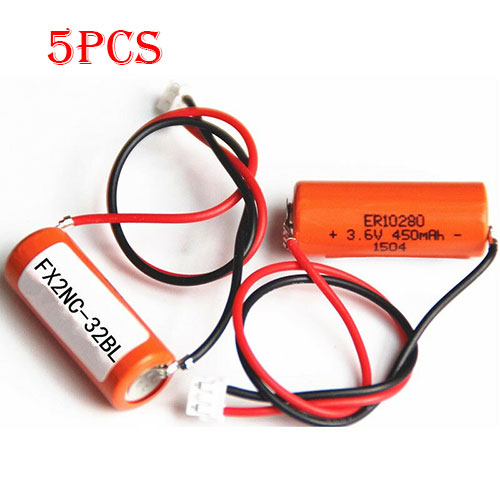
Cheap Mitsubishi ER10280 Li-ion Other battery, Brand New ER10280 replacement battery for 5pcs Mitsubishi FX2NC-32BL ER10/28 3.6V ER10280 PLC Battery with white plug

500mAh 3.6V Mitsubishi ER10280 Batteries for 5pcs Mitsubishi FX2NC-32BL ER10/28 3.6V ER10280 PLC Battery with white plug, Mitsubishi ER10280 Other battery is a brand new,100% Compatible original and replacement Laptop battery,Purchase wholesale and retail ER10280 with high quality and low price!

ER10280 Battery mitsubishi Li-ion 3.6V 500mAh

ER10280

Specifications

  • Brand:Mitsubishi
  • Capacity :500mAh
  • Voltage :3.6V
  • Color:yellow
  • Type :Li-ion
  • Battery Cell Quality: Grade A
  • Descriptive: Replacement Battery – 1 Year Warranty
  • Description: Brand New, 1 Year Warranty! 30-Days Money Back! Fast Shipping!

How we test this Mitsubishi ER10280 Battery Li-ion 3.6V 500mAh

Step 1: Make sure customer bought the correct battery.
Step 2: Check battery’s appearance and interface.
Step 3: Test battery charger and recharger function.
Step 4: Charger the battery to 100% and recharger to 0% to get real battery capacity
Step 5: Use Ev2300 to check the voltage difference of each goroup cells.
Step 6: Charger battery power more than 30%.
Step 7: Package battery carefully and send out

Compatible Part Numbers:

ER10280 FX2NC-32BL

Compatible Model Numbers:

5pcs Mitsubishi FX2NC-32BL ER10/28 3.6V ER10280 PLC Battery with white plug

plug : white Plug(not Compatible other color Plug)

Package Included:5pcs ER10280 batteries

How much do you know about how to run laptop well as any place? The follow Tips cut way back on protecting battery life.


1). Please recharge or change your Other battery when battery power low.
2). Using Li-Ion Replacement Mitsubishi ER10280 Other Battery for your notebook which can work longer time than Non Li-ion one.
3). It is better to defragmentation regularly for your Other battery life.
4). In order to reduce the laptop power consumpition, you can use some optical drive spin-down and hard drive in your Other .
5). Please keep your laptop in sleep or standby model without long time using, which both save the Replacement Mitsubishi ER10280 Other Battery power and extend battery using life.
6). Leave your battery in a dry and cool condition when without using.
7). When you rarely or generally plugged in fixed power using, Please take down your battery to avoid hurting battery life.

Hot Products

16.8V/20V 400mA/2200mAH/32Wh BOSE 300769-003 for Bose Sounddock Portable Digita11.1V/12.4v 2300mah BOSE 404600 for Bose SOUNDLINK I II III15.4V 5209mAh RAZER RC30-0248 for RAZER Blade 15 2018 RZ09-023867.4V 2230mAh/17Wh BOSE 063404 for 0634043.8V 6300mAh/23.94Wh AMAZON 2955C7 for Amazon Kindle Fire HD 10.1 7th3.7V/4.2V 1750MAH/6.5WH AMAZON GP-S10-346392-0100 for AMAZON KINDLE 3 3G WIFI Kindle3.8 V 1300 mAh AMAZON MC-305070 for AMAZON Kindle Voyage7.7V 37Wh/4810mAh ACER AP16M5J for ACER A315-51-51SL N17Q1 SERIES3.8V 2930mAh/11.1Wh NETGEAR W-7 for Netgear AirCard 790S 790SP 8103.85V/4.4V 3080MAH/11.86WH ALCATEL TLp030JC for Alcatel A3 XL 9008j

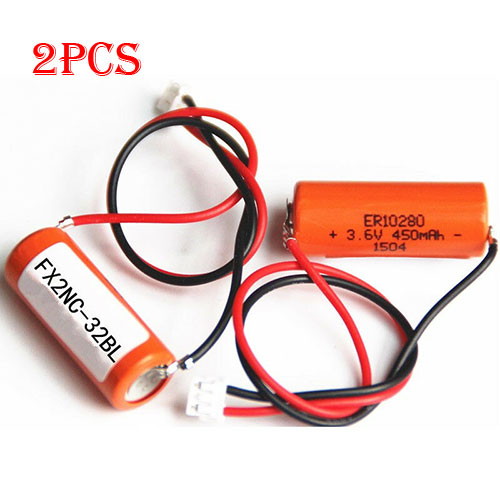
Cheap Mitsubishi ER10280 Li-ion Other battery, Brand New ER10280 replacement battery for 2pcs Mitsubishi FX2NC-32BL ER10/28 3.6V ER10280 PLC Battery with white plug

500mAh 3.6V Mitsubishi ER10280 Batteries for 2pcs Mitsubishi FX2NC-32BL ER10/28 3.6V ER10280 PLC Battery with white plug, Mitsubishi ER10280 Other battery is a brand new,100% Compatible original and replacement Laptop battery,Purchase wholesale and retail ER10280 with high quality and low price!

ER10280 Battery mitsubishi Li-ion 3.6V 500mAh

ER10280

Specifications

  • Brand:Mitsubishi
  • Capacity :500mAh
  • Voltage :3.6V
  • Color:yellow
  • Type :Li-ion
  • Battery Cell Quality: Grade A
  • Descriptive: Replacement Battery – 1 Year Warranty
  • Description: Brand New, 1 Year Warranty! 30-Days Money Back! Fast Shipping!

How we test this Mitsubishi ER10280 Battery Li-ion 3.6V 500mAh

Step 1: Make sure customer bought the correct battery.
Step 2: Check battery’s appearance and interface.
Step 3: Test battery charger and recharger function.
Step 4: Charger the battery to 100% and recharger to 0% to get real battery capacity
Step 5: Use Ev2300 to check the voltage difference of each goroup cells.
Step 6: Charger battery power more than 30%.
Step 7: Package battery carefully and send out

Compatible Part Numbers:

ER10280 FX2NC-32BL

Compatible Model Numbers:

2pcs Mitsubishi FX2NC-32BL ER10/28 3.6V ER10280 PLC Battery with white plug

plug : white Plug(not Compatible other color Plug)

Package Included:2pcs ER10280 batteries

How much do you know about how to run laptop well as any place? The follow Tips cut way back on protecting battery life.


1). Please recharge or change your Other battery when battery power low.
2). Using Li-Ion Replacement Mitsubishi ER10280 Other Battery for your notebook which can work longer time than Non Li-ion one.
3). It is better to defragmentation regularly for your Other battery life.
4). In order to reduce the laptop power consumpition, you can use some optical drive spin-down and hard drive in your Other .
5). Please keep your laptop in sleep or standby model without long time using, which both save the Replacement Mitsubishi ER10280 Other Battery power and extend battery using life.
6). Leave your battery in a dry and cool condition when without using.
7). When you rarely or generally plugged in fixed power using, Please take down your battery to avoid hurting battery life.

Hot Products

16.8V/20V 400mA/2200mAH/32Wh BOSE 300769-003 for Bose Sounddock Portable Digita11.1V/12.4v 2300mah BOSE 404600 for Bose SOUNDLINK I II III15.4V 5209mAh RAZER RC30-0248 for RAZER Blade 15 2018 RZ09-023867.4V 2230mAh/17Wh BOSE 063404 for 0634043.8V 6300mAh/23.94Wh AMAZON 2955C7 for Amazon Kindle Fire HD 10.1 7th3.7V/4.2V 1750MAH/6.5WH AMAZON GP-S10-346392-0100 for AMAZON KINDLE 3 3G WIFI Kindle3.8 V 1300 mAh AMAZON MC-305070 for AMAZON Kindle Voyage7.7V 37Wh/4810mAh ACER AP16M5J for ACER A315-51-51SL N17Q1 SERIES3.8V 2930mAh/11.1Wh NETGEAR W-7 for Netgear AirCard 790S 790SP 8103.85V/4.4V 3080MAH/11.86WH ALCATEL TLp030JC for Alcatel A3 XL 9008j

EVGA drenches Nvidia’s GeForce RTX 3090 and 3080 cards in liquid cooling

EVGA is not letting a little thing like a shortfall of GPUs (compared to demand) stop it from launching more cards around those very GPUs that are proving so elusive. Just the opposite, EVGA has launched a combined eight new liquid cooled GeForce RTX 3090 and 3080 graphics cards, plus a couple of do-it-yourself kits for those who already managed to score certain EVGA models.

Like every other 3090 and 3080 on the planet, these new models are out of stock. So they have launched in the sense that EVGA has unveiled them and erected products pages, with pricing information.

The eight new models are split evenly between Hydro Copper variants that slot into custom liquid cooling loops, and Hybrid series cards that have an all-in-one liquid cooler attached.

Here’s how the pricing shakes out:

GeForce RTX 3090 FTW3 Ultra Hydro Copper—$1,850

GeForce RTX 3090 FTW3 Ultra Hybrid Gaming—$1,800

GeForce RTX 3090 XC3 Ultra Hydro Copper—$1,650

GeForce RTX 3090 XC3 Ultra Hybrid Gaming—$1,620

GeForce RTX 3080 FTW3 Ultra Hydro Copper—$850

GeForce RTX 3080 FTW3 Ultra Hybrid Gaming—$820

GeForce RTX 3080 XC3 Ultra Hydro Copper—$810

GeForce RTX 3080 XC3 Ultra Hybrid Gaming—$780

For reference, the 3090 Founders Edition runs $1,500 and the 3080 Founders Edition costs $700. So for the 3090, you’re looking at a $120+ premium for the Hybrid models and $150+ for the Hydro Copper versions, and $80+ and $110+ for the 3080 in Hybrid and Hydro Copper form, respectively.

That’s not too bad, if you’re interested in liquid cooling. EVGA is also offering a couple of DIY Hybrid kits. One is compatible with both 3090 and 3080 FTW3 cards and costs $120, and the other fits EVGA’s 3090 and 3080 XC3 models, and costs $110.

The Hydro Copper models sport full-coverage water blocks. A nickel-plated copper block makes contact with all the important parts, those being the GPU, memory, and VRM. According to EVGA, the 3090 versions sees a 27 percent reduction in GPU temps compared to a standard air cooler, and a 33 percent reduction in memory temps. And for the Hybrid model, EVGA claims GPU temps improve by 21.6 percent and memory temps drop by 11 percent.

Not that any of this really matters, since Nvidia’s RTX 30 series flies off store shelves just as fast as vendors can stock them. That said, EVGA has adopted a queue-based ordering system. All you have to do is sign up to be notified when a specific card is in stock, which essentially puts you in line. When it’s your turn, you’ll have eight hours to place your order. It’s as fair of a system as I can think of.

REVEALED: The little-known iPhone trick that allows you to take a screenshot without clicking a single button

iPhone users have discovered a ‘mind-blowing’ trick to save time when taking a screenshot.

The little-known hack involves changing the settings to allow screen grabs to be taken quickly by simply double tapping the back of the phone. 

But the setting is only available on iPhone X and above with iOS 14.

The feature was revealed on both Facebook and TikTok where thousands raved about the new find. 

To activate the feature, click on ‘accessibility’ in settings followed by ‘touch’ before turning on the ‘back tap’ button.

Once the double or triple tap has been selected, click on the ‘screenshot’ option to complete the activation.

While the setting may seem beneficial, some iPhone users weren’t convinced. 

‘It’s all fun and games until you accidentally take 50 screenshots in one day,’ one person said on Facebook. 

‘I had it on and it’s that sensitive that it took a screenshot randomly,’ another said. 

iPhone users have also discovered other distinctive features to make the most out of the device, including how to sign documents on the go, how to swipe and delete the last digit in the calculator as well as a built-in tape measure.

iPhone tricks that will enable you to get the most out of your device

Spotlight math: Instead of using the Calculator app, simply swipe down on your screen to open Spotlight and type in the math problem right there

Reachability: If you double touch, (not tap), the home button twice, it brings the entire screen down. By bringing the screen down, it allows your fingers can touch manoeuvre the phone without reaching

Say goodbye to pop-ups: The iPhone allows you to disable in-app pop-ups for ratings and reviews and frustrating feedback requests. It’s as easy as one two three: Settings, iTunes and App Store, turn off In-App Ratings and Reviews – that’s all

Windows 10 users to be plagued with annoying adverts if they refuse to ditch Chrome

Windows 10 users may soon be targeted by a barrage of full-screen adverts unless they ditch Google Chrome and switch to Microsoft’s Edge browser instead. It’s no secret that Microsoft wants more Windows users to move over to its internet-browsing software but this latest drive could be its most aggressive to date.

According to the team at Windows Latest, it appears that Microsoft could be planning to target Chrome users with adverts. That may not sound like anything new except this time, in a bid to make sure you don’t miss it, the message could take over the whole screen.

These adverts are aimed at tempting Chrome fans into changing their default browser to the Redmond firm’s latest version of Edge. Windows Latest says these annoying alerts will pop up when setting up a PC for the first time or after installing major Windows 10 updates.

Once you switch to Edge it seems the adverts then stop filling up your screen.

It’s unclear how successful this new campaign will be but Microsoft’s previous attempts at getting users to switch certainly appears to be working.

The very latest stats from NetMarketShare show that Edge is now being used by 10 percent of all web users across the globe.

That puts Edge firmly in second place with it now beating Mozilla’s Firefox and Apple’s Safari.

Of course, Edge is still far behind Chrome’s 69.25 percent share of the worldwide browser market but storming into second place is a sizeable achievement for a web browser that is less than a year old.

This software has almost doubled its user base since last year and this new campaign could boost those numbers even further.

Edge is now the default option in Windows 10 which will certainly be helping to increase those numbers but another reason people are choosing this software could be due to Microsoft’s decision to switch Edge to a Chromium-based application earlier this year.

For those who haven’t been following the changes to Edge, Microsoft made a huge gamble by transitioning the app onto the same open-source Chromium codebase used by Google for its Chrome browser.

It was clearly a good decision with users liking the clean interface and ease of use and improved battery life.