HP EliteBook x360 1030 G7 Convertible Review: A Spectre Dragonfly Hybrid

The EliteBook x360 1030 G7 is HP’s latest high-end ultra-thin business subnotebook positioned to be above the more affordable EliteBook 830 or ProBook families. It is, in many ways, the gray version of the more visually ravishing HP Elite Dragonfly. Nonetheless, the EliteBook x360 1030 G7 introduces several changes both inside and out to make it better than both the outgoing EliteBook x360 1030 G4 and first generation Dragonfly.

SKUs are plentiful ranging from the 10th gen Core i5-10210U up to the Core i7-10810U CPU with vPro, FHD to 4K UHD AMOLED touchscreen, 8 GB to 32 GB of LPDDR4-2933 RAM, and up to 2 TB of storage with optional Optane 3D Xpoint. All configurations come with Comet Lake-U CPUs, Gorilla Glass, and integrated UHD Graphics 620. Our specific test unit is a mid-range SKU with the Core i7-10810U CPU, FHD display, and 16 GB of RAM for approximately $2400 USD.

Competitors to the EliteBook x360 1030 G7 include the Lenovo ThinkPad X13 Yoga, Dell XPS 13 2-in-1, Asus ZenBook S Flip, and other ultra-thin subnotebooks designed for office use.

Case

If you’ve held an EliteBook in the past, then you already have a good idea of how the EliteBook x360 1030 G7 looks and feels. HP’s design philosophy for the EliteBook series hasn’t changed for a sense of consistency between generations. The aluminum-magnesium skeleton may be getting smaller and lighter, but it still feels rigid with only a bit of flexing and creaking when twisting its sides. Larger and heavier business clamshells like the Dell Latitude 7400 feel sturdier.

The easiest way to distinguish the EliteBook x360 1030 G7 from the x360 1030 G4 is by looking at the rear corners and bottom “chin” bezel. HP has incorporated the “diamond-cut” visual design of the Spectre series while reducing the thickness of the bottom bezel even further to trim down overall volume.

The narrower bottom bezel has cut 11 mm off the length of the chassis. Consequently, the newer system is also lighter by about 100 grams (1.3 kg vs. 1.2 kg). The gen-to-gen changes may sound minor, but they’re certainly tangible especially when traveling or on-the-go where every gram and millimeter counts. Note that thickness hasn’t changed from the last generation model.

Connectivity

Port options and positioning are slightly different from the x360 1030 G4. HP has added a second USB-A port while the DriveLock port is now along the left edge. Note that there is still no SD card reader as HP is encouraging owners to use its QuickDrop software instead. QuickDrop allows a direct Wi-Fi connection between the PC and smartphone for much faster file transfers than Bluetooth, but users who rely on camera SD cards will still be out of luck.

Communication

Built-in wired and wireless communication modules, alternative solutions available (UMTS)?, Irregularities (radio reception)?

Security

This generation introduces HP Presence Aware on top of the usual fingerprint reader, webcam shutter, DriveLock, and HP Client security features. Presence Aware can detect when a user is nearby by up to a few feet in front of the laptop to automatically put the laptop to sleep if nobody is around. Conversely, it can also automatically login when combined with Windows Hello should it detect a nearby user. It is essentially HP’s version of Dell ExpressSign-In as found on sound high-end Latitude systems albeit with a wider field-of-view in front of the laptop (60 degrees vs. 40 degrees)

Maintenance

The bottom panel is secured by six accessible T5 Torx screws for easy servicing. Though RAM and WLAN are soldered, the WWAN module and M.2 SSD are removable.

Accessories and Warranty

The packaging includes a USB-C to USB-A cable and an HP L04729-003 active pen. The pen attaches to the left edge of the laptop magnetically, but we prefer to just put it in our pocket as it feels much more secure that way.

A one-year limited warranty comes standard instead of the three-year timeframe that we’ve come to expect from high-end business systems.

Input Devices

Keyboard

Keyboard size and feedback remain the same as on the EliteBook x360 1030 G4 which is a good thing because we found the laptop to be more comfortable for typing than the softer keys on the Asus ZenBook Flip and most other Ultrabooks. Instead, the bigger changes relate to the secondary functions on the first row of keys. The video conferencing and calendar keys on the last generation model in particular have now been replaced with a camera shutter toggle, airplane mode toggle, and a customizable programmable key. Such functions are arguably more versatile.

Touchpad

Clickpad size has changed ever so slightly from the x360 1030 G4 (11.6 x 6.3 cm vs. 11.1 x 6.5 cm). Its surface is completely smooth and with almost no sticking even if gliding at very slow speeds in contrast to most other laptops. A little bit of sticking would have been preferable for more accurate dragging and dropping, but that is merely a personal taste.

Meanwhile, the integrated mouse clicks are relatively soft in both feedback and clatter with shallow travel overall. Stronger feedback would have made clicking easier and more ergonomic. We definitely miss the TrackPoint and dedicated mouse buttons on traditional business laptops like the EliteBook 840 G5, but we can understand their omission here on a convertible designed for touchscreen use.

Display

Our EliteBook x360 1030 G7 uses a Chi Mei panel as opposed to the InfoVision panel on the older EliteBook x360 1030 G4. However, HWiNFO is unable to identify the exact panel name here other than the Chi Mei CMN13A9 controller. Our specific configuration comes with the base 400-nit 1080p panel which is already better than most subnotebook displays in terms of contrast and sharpness. Response times remain somewhat slow for noticeable ghosting, though this isn’t an issue for most office workloads

Color space covers >95 percent of sRGB while the pricier 4K UHD AMOLED configuration is expected to offer deeper colors covering all of AdobeRGB. We’re just glad to not see any cheap panels even on the entry-level configurations.

X-Rite colorimeter measurements reveal a decently calibrated display out of the box. Gamma, however, could be better as it’s unusually low. Calibrating the panel ourselves would improve colors and grayscale noticeably from average DeltaE values of 4.39 and 3.9 to 1.65 and 1.9, respectively. 

Outdoor visibility is average due to the glossy Gorilla Glass overlay. Luckily, HP offers 1000-nit display options which should improve visibility dramatically albeit at the cost of higher power consumption. All 1000-nit SKUs at the moment come with Sure View meaning you can’t have one without the other. Business subnotebooks from Dell or Lenovo have yet to carry such options. 

Performance

HP is sticking with the 10th gen Intel Comet Lake-U series at the moment due its support for vPro in contrast to the newer 11th gen Tiger Lake options. Users won’t be seeing any Iris Plus or Iris Xe graphics options here as a result. It’s too bad that there is no “EliteBook x360 1035” series with AMD options as that would have boosted graphics performance.

RAM is soldered meaning users must choose their configurations carefully. Our system was set to HP Optimized prior to running any performance benchmarks below.

Processor

CPU performance is faster than expected for short benchmarks while scores are a bit lower for longer benchmarks due to the short-lived Turbo Boost performance of the laptop. CineBench R20 xT, for example, is within 10 percent of the average Core i7-10810U in our database while shorter benchmarks like GeekBench or 7-Zip show favor our HP slightly more. Nonetheless, raw multi-thread performance is only slightly faster than the Core i7-1065G7 and even slower than the cheaper Ryzen 5 4500U in the HP ProBook x360 435 G7.

See our dedicated page on the Core i7-10810U for more technical information and benchmark comparisons.

System Performance

PCMark benchmarks are where we expect them to be relative to other Comet Lake-U systems. Core i7 Ice Lake and Tiger Lake systems like the XPS 13 and ZenBook Flip S are able to edge out the HP likely due to the faster RAM and integrated Iris GPUs.

We experienced no software or hardware issues during our time with the test unit. HP Presence Aware is enabled by default, but this can be easily toggled through the software.

DPC Latency

LatencyMon shows DPC latency issues when opening multiples tabs on our homepage. 4K UHD playback is otherwise smooth and with no dropped frames during our minute-long YouTube test.

Storage Devices

Our configuration comes equipped with the Samsung PM981a which is one of the fastest PCIe 3 NVMe SSDs available for consumers. Drives from Toshiba and Western Digital tend to be cheaper, but they are also slower as well.

See our table of HDDs and SSDs for more benchmark comparisons.

GPU Performance

Graphics performance is the same integrated UHD Graphics 620 that we’ve been familiar with for nearly half a decade. The GPU has become outdated especially in the face of newer Radeon RX or Iris Xe solutions, but this shouldn’t be a huge issue for the target audience of light office users. HP has yet to offer higher graphics options for its EliteBook convertible subnotebooks.

Emissions

System Noise

The fans range from being silent at 28.1 dB(A) up to 31.3 dB(A) when running undemanding loads. Such low levels are essentially inaudible in a typical office or conference room. Higher loads equivalent to gaming will boost fan noise up to 35 or 37 dB(A) which is not uncommon on Ultrabooks with no dedicated graphics. Fan noise is slightly higher-pitched than we would like since the individual fans are so small in diameter.

Temperature

Surface temperatures are never uncomfortable as the hot spot is close to the rear where skin and hands are unlikely to touch. A specific area of the keyboard can become as warm as 37 C when running extreme loads compared to 43 C on the 2020 Lenovo ThinkPad X13 Yoga.

Stress Test

HP EliteBook subnotebooks typically can’t maintain very high clock rates when under stress and our Prime95 stress test proves it. Clock rates and temperature would boost to 3.1 GHz and 100 C, respectively, for just the first few seconds before quickly dropping to the 2.0 to 2.1 GHz range in order to maintain a cooler core temperature of 76 C as shown by our screenshots below.

Running on batteries will impact CPU performance slightly. A 3DMark 11 test on battery power would return Physics and Graphics scores of 8173 and 1893 points, respectively, compared to 8534 and 1942 points when on mains.

Energy Management

Power Consumption

Idling on desktop demands between 1.5 W and 10 W depending on the power profile and brightness setting to be slightly more power efficient than than what we recorded on the older x360 1030 G4 model. We’re able to record a temporary maximum draw of 68.9 W from the small (~8.8 x 5.3 x 2 cm) 65 W CA adapter when running Prime95 which is similar to many other Ultrabooks powered by Ice Lake or Comet Lake-U CPUs. Note that the Tiger Lake-powered Asus ZenBook Flip S is able to offer 150 percent faster GPU performance without necessarily drawing more power.

Battery Life

Though battery capacity hasn’t really changed from the older Whiskey Lake-U-powered EliteBook x360 1030 G4, WLAN runtimes are still about an hour longer on the newer G7 model for a total runtime of almost 10.5 hours. Charging from empty to full capacity takes about 1.5 hours.

Verdict

The HP EliteBook x360 1030 G7 is a tough convertible to beat. It’s got 4G LTE, proximity sensor, and 1000-nit panel options that most competing alternatives don’t offer. Its long list of features is impressive considering the small form factor involved. When compared to the outgoing EliteBook x360 1030 G4, the G7 is a worthy step up.

The main drawbacks to the HP convertible are the limited graphics performance, spongy clickpad, and high starting price. Owners will be stuck with the outdated UHD Graphics 620 while the clickpad is nowhere near as easy to use as the touchpad on the EliteBook 845. Be prepared to pay close to $2000 USD or more even for the least expensive Core i5 configuration. We understand that processor performance has never been a key selling point for any EliteBook convertible, but this is getting tough to ignore when even a Ryzen 5 4500U can outperform the best Comet Lake-U Core i7 option available on this $2000 system.

Where will HP go from here? We predict that future models might make the jump to 16:10, incorporate eSIM, wireless charging, or upgrade to Thunderbolt 4 via Intel’s 11th gen Core platform. But until then, this is easily one of our favorite 13.3-inch convertibles for both office and travel.
Microsoft plans to update your Windows 10 computer whether you like it or not

If you haven’t hit the update button on your Windows 10 PC in a while then you might find Microsoft will soon be doing it for you. It seems the Redmond firm can’t wait any longer for some users to switch to its very latest operating system and that means some users will soon be upgraded whether they like it or not.

Those affected by this automatic upgrade will be anyone who is still using Windows 10 version 1903 on their PCs with this ageing software no longer being supported by Microsoft from next month.

According to Windows Latest, Microsoft has now started informing users of the change and the news that they will be force upgrading computers without need any permissions.

This news shouldn’t come as a shock with Microsoft announcing earlier this year that it would be ending support for Windows 10 version 1903 on December 8 2020.

In a post on its website, the US tech giant said: “Windows 10, version 1903 will reach the end of service on December 8, 2020.”

This applies to the following editions of Windows 10 released in May of 2019:

• Windows 10 Home, version 1903

• Windows 10 Pro, version 1903

• Windows 10 Pro Education, version 1903

• Windows 10 Pro for Workstations, version 1903

• Windows 10 Enterprise, version 1903

• Windows 10 Education, version 1903

• Windows 10 IoT Enterprise, version 1903

“These editions will no longer receive security updates after December 8, 2020,” the firm added.

Although some Windows 10 updates have famously caused issues for users – with some seeing broken printers and the dreaded Blue Screen of Death – it’s still a good idea to keep you PC up to date with all the latest releases from Microsoft.

By regularly hitting the upgrade button your devices should be kept free of any cyber threats and you’ll get the latest features.

As the firm explains, “In Windows 10, you decide when and how to get the latest updates to keep your device running smoothly and securely. When you update, you’ll get the latest fixes and security improvements, helping your device run efficiently and stay protected.”

To stay up to date, select Start > Settings > Update & Security > Windows Update > Windows Update, and then select Check for updates.

If a feature update is available for your device, it will appear separately on the Windows Update page. To install it, select Download and install now.

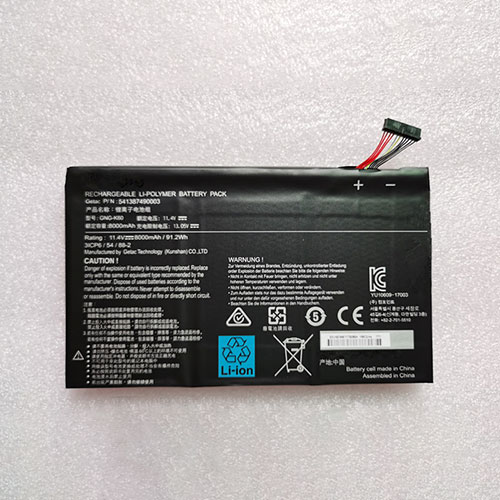
Cheap Gigabyte GNG-K60 Li-ion Laptop battery, Brand New GNG-K60 replacement battery for Gigabyte P56XT P56XTv7-DE022T P56XTv7-DE427T

91.2Wh/8000mAh 11.4V/13.05V Gigabyte GNG-K60 Batteries for Gigabyte P56XT P56XTv7-DE022T P56XTv7-DE427T, Gigabyte GNG-K60 Laptop battery is a brand new,100% Compatible original and replacement Laptop battery,Purchase wholesale and retail GNG-K60 with high quality and low price!

GNG-K60 Battery gigabyte Li-ion 11.4V/13.05V 91.2Wh/8000mAh

GNG-K60

Specifications

  • Brand:Gigabyte
  • Capacity :91.2Wh/8000mAh
  • Voltage :11.4V/13.05V
  • Type :Li-ion
  • Battery Cell Quality: Grade A
  • Descriptive: Replacement Battery – 1 Year Warranty
  • Description: Brand New, 1 Year Warranty! 30-Days Money Back! Fast Shipping!

How we test this Gigabyte GNG-K60 Battery Li-ion 11.4V/13.05V 91.2Wh/8000mAh

Step 1: Make sure customer bought the correct battery.
Step 2: Check battery’s appearance and interface.
Step 3: Test battery charger and recharger function.
Step 4: Charger the battery to 100% and recharger to 0% to get real battery capacity
Step 5: Use Ev2300 to check the voltage difference of each goroup cells.
Step 6: Charger battery power more than 30%.
Step 7: Package battery carefully and send out

Compatible Part Numbers:

GNG-K60

Compatible Model Numbers:

Gigabyte P56XT P56XTv7-DE022T P56XTv7-DE427T

How much do you know about how to run laptop well as any place? The follow Tips cut way back on protecting battery life.


1). Please recharge or change your Laptop battery when battery power low.
2). Using Li-Ion Replacement Gigabyte GNG-K60 Laptop Battery for your notebook which can work longer time than Non Li-ion one.
3). It is better to defragmentation regularly for your Laptop battery life.
4). In order to reduce the laptop power consumpition, you can use some optical drive spin-down and hard drive in your Laptop .
5). Please keep your laptop in sleep or standby model without long time using, which both save the Replacement Gigabyte GNG-K60 Laptop Battery power and extend battery using life.
6). Leave your battery in a dry and cool condition when without using.
7). When you rarely or generally plugged in fixed power using, Please take down your battery to avoid hurting battery life.

Hot Products

16.8V/20V 400mA/2200mAH/32Wh BOSE 300769-003 for Bose Sounddock Portable Digita11.1V/12.4v 2300mah BOSE 404600 for Bose SOUNDLINK I II III15.4V 5209mAh RAZER RC30-0248 for RAZER Blade 15 2018 RZ09-023867.4V 2230mAh/17Wh BOSE 063404 for 0634043.8V 6300mAh/23.94Wh AMAZON 2955C7 for Amazon Kindle Fire HD 10.1 7th3.7V/4.2V 1750MAH/6.5WH AMAZON GP-S10-346392-0100 for AMAZON KINDLE 3 3G WIFI Kindle3.8 V 1300 mAh AMAZON MC-305070 for AMAZON Kindle Voyage7.7V 37Wh/4810mAh ACER AP16M5J for ACER A315-51-51SL N17Q1 SERIES3.8V 2930mAh/11.1Wh NETGEAR W-7 for Netgear AirCard 790S 790SP 8103.85V/4.4V 3080MAH/11.86WH ALCATEL TLp030JC for Alcatel A3 XL 9008j

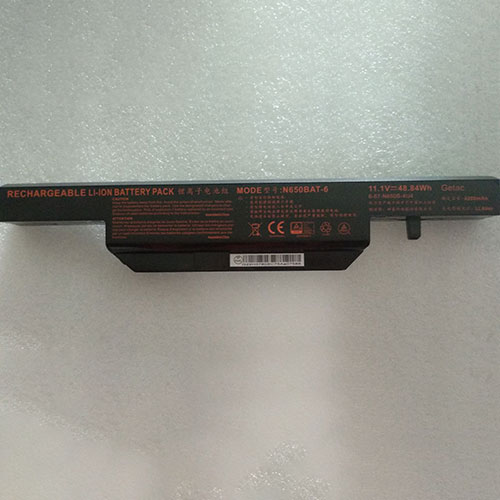
Cheap Clevo N650BAT-6 Li-ion Laptop battery, Brand New N650BAT-6 replacement battery for Clevo K670E-G6D1 K670D-G4D3 CW65S08 K670E-G6H5 CW65S10

48.84Wh 11.1V Clevo N650BAT-6 Batteries for Clevo K670E-G6D1 K670D-G4D3 CW65S08 K670E-G6H5 CW65S10, Clevo N650BAT-6 Laptop battery is a brand new,100% Compatible original and replacement Laptop battery,Purchase wholesale and retail N650BAT-6 with high quality and low price!

N650BAT-6 Battery clevo Li-ion 11.1V 48.84Wh

N650BAT-6

Specifications

  • Brand:Clevo
  • Capacity :48.84Wh
  • Voltage :11.1V
  • Type :Li-ion
  • Battery Cell Quality: Grade A
  • Descriptive: Replacement Battery – 1 Year Warranty
  • Description: Brand New, 1 Year Warranty! 30-Days Money Back! Fast Shipping!

How we test this Clevo N650BAT-6 Battery Li-ion 11.1V 48.84Wh

Step 1: Make sure customer bought the correct battery.
Step 2: Check battery’s appearance and interface.
Step 3: Test battery charger and recharger function.
Step 4: Charger the battery to 100% and recharger to 0% to get real battery capacity
Step 5: Use Ev2300 to check the voltage difference of each goroup cells.
Step 6: Charger battery power more than 30%.
Step 7: Package battery carefully and send out

Compatible Part Numbers:

N650BAT-6

Compatible Model Numbers:

Clevo 6-87-N650S-4UF1 6-87-N650S 6-87-N650S-4U4
Clevo K670E-G6D1 K670D-G4D3 CW65S08 K670E-G6H5 CW65S10

How much do you know about how to run laptop well as any place? The follow Tips cut way back on protecting battery life.


1). Please recharge or change your Laptop battery when battery power low.
2). Using Li-Ion Replacement Clevo N650BAT-6 Laptop Battery for your notebook which can work longer time than Non Li-ion one.
3). It is better to defragmentation regularly for your Laptop battery life.
4). In order to reduce the laptop power consumpition, you can use some optical drive spin-down and hard drive in your Laptop .
5). Please keep your laptop in sleep or standby model without long time using, which both save the Replacement Clevo N650BAT-6 Laptop Battery power and extend battery using life.
6). Leave your battery in a dry and cool condition when without using.
7). When you rarely or generally plugged in fixed power using, Please take down your battery to avoid hurting battery life.

Hot Products

16.8V/20V 400mA/2200mAH/32Wh BOSE 300769-003 for Bose Sounddock Portable Digita11.1V/12.4v 2300mah BOSE 404600 for Bose SOUNDLINK I II III15.4V 5209mAh RAZER RC30-0248 for RAZER Blade 15 2018 RZ09-023867.4V 2230mAh/17Wh BOSE 063404 for 0634043.8V 6300mAh/23.94Wh AMAZON 2955C7 for Amazon Kindle Fire HD 10.1 7th3.7V/4.2V 1750MAH/6.5WH AMAZON GP-S10-346392-0100 for AMAZON KINDLE 3 3G WIFI Kindle3.8 V 1300 mAh AMAZON MC-305070 for AMAZON Kindle Voyage7.7V 37Wh/4810mAh ACER AP16M5J for ACER A315-51-51SL N17Q1 SERIES3.8V 2930mAh/11.1Wh NETGEAR W-7 for Netgear AirCard 790S 790SP 8103.85V/4.4V 3080MAH/11.86WH ALCATEL TLp030JC for Alcatel A3 XL 9008j

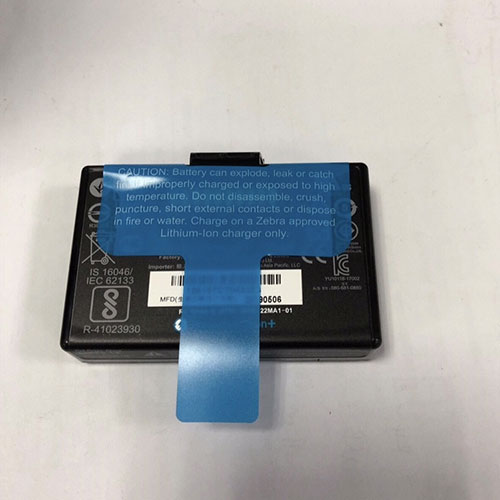
Cheap Zebra E309412 Li-ion Other battery, Brand New E309412 replacement battery for Zebra P1083277-002 BTRY-MPM-22MA1-01

2200mAh 7.2V Zebra E309412 Batteries for Zebra P1083277-002 BTRY-MPM-22MA1-01, Zebra E309412 Other battery is a brand new,100% Compatible original and replacement Laptop battery,Purchase wholesale and retail E309412 with high quality and low price!

E309412 Battery zebra Li-ion 7.2V 2200mAh

E309412

Specifications

  • Brand:Zebra
  • Capacity :2200mAh
  • Voltage :7.2V
  • Type :Li-ion
  • Battery Cell Quality: Grade A
  • Descriptive: Replacement Battery – 1 Year Warranty
  • Description: Brand New, 1 Year Warranty! 30-Days Money Back! Fast Shipping!

How we test this Zebra E309412 Battery Li-ion 7.2V 2200mAh

Step 1: Make sure customer bought the correct battery.
Step 2: Check battery’s appearance and interface.
Step 3: Test battery charger and recharger function.
Step 4: Charger the battery to 100% and recharger to 0% to get real battery capacity
Step 5: Use Ev2300 to check the voltage difference of each goroup cells.
Step 6: Charger battery power more than 30%.
Step 7: Package battery carefully and send out

Compatible Part Numbers:

E309412 P1083277-002 BTRY-MPM-22MA1-01

Compatible Model Numbers:

Zebra P1083277-002 BTRY-MPM-22MA1-01

How much do you know about how to run laptop well as any place? The follow Tips cut way back on protecting battery life.


1). Please recharge or change your Other battery when battery power low.
2). Using Li-Ion Replacement Zebra E309412 Other Battery for your notebook which can work longer time than Non Li-ion one.
3). It is better to defragmentation regularly for your Other battery life.
4). In order to reduce the laptop power consumpition, you can use some optical drive spin-down and hard drive in your Other .
5). Please keep your laptop in sleep or standby model without long time using, which both save the Replacement Zebra E309412 Other Battery power and extend battery using life.
6). Leave your battery in a dry and cool condition when without using.
7). When you rarely or generally plugged in fixed power using, Please take down your battery to avoid hurting battery life.

Hot Products

16.8V/20V 400mA/2200mAH/32Wh BOSE 300769-003 for Bose Sounddock Portable Digita11.1V/12.4v 2300mah BOSE 404600 for Bose SOUNDLINK I II III15.4V 5209mAh RAZER RC30-0248 for RAZER Blade 15 2018 RZ09-023867.4V 2230mAh/17Wh BOSE 063404 for 0634043.8V 6300mAh/23.94Wh AMAZON 2955C7 for Amazon Kindle Fire HD 10.1 7th3.7V/4.2V 1750MAH/6.5WH AMAZON GP-S10-346392-0100 for AMAZON KINDLE 3 3G WIFI Kindle3.8 V 1300 mAh AMAZON MC-305070 for AMAZON Kindle Voyage7.7V 37Wh/4810mAh ACER AP16M5J for ACER A315-51-51SL N17Q1 SERIES3.8V 2930mAh/11.1Wh NETGEAR W-7 for Netgear AirCard 790S 790SP 8103.85V/4.4V 3080MAH/11.86WH ALCATEL TLp030JC for Alcatel A3 XL 9008j

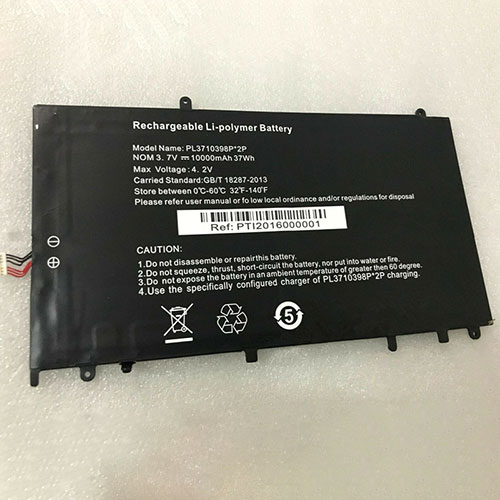
Cheap Haier PL3710398P-2p Li-ion Tablets battery, Brand New PL3710398P-2p replacement battery for Haier VL-40100100-2s N14 NB44 360

10000mAh/37Wh 3.7V/4.2V Haier PL3710398P-2p Batteries for Haier VL-40100100-2s N14 NB44 360, Haier PL3710398P-2p Tablets battery is a brand new,100% Compatible original and replacement Laptop battery,Purchase wholesale and retail PL3710398P-2p with high quality and low price!

PL3710398P-2p Battery haier Li-ion 3.7V/4.2V 10000mAh/37Wh

PL3710398P-2p

Specifications

  • Brand:Haier
  • Capacity :10000mAh/37Wh
  • Voltage :3.7V/4.2V
  • Type :Li-ion
  • Battery Cell Quality: Grade A
  • Descriptive: Replacement Battery – 1 Year Warranty
  • Description: Brand New, 1 Year Warranty! 30-Days Money Back! Fast Shipping!

How we test this Haier PL3710398P-2p Battery Li-ion 3.7V/4.2V 10000mAh/37Wh

Step 1: Make sure customer bought the correct battery.
Step 2: Check battery’s appearance and interface.
Step 3: Test battery charger and recharger function.
Step 4: Charger the battery to 100% and recharger to 0% to get real battery capacity
Step 5: Use Ev2300 to check the voltage difference of each goroup cells.
Step 6: Charger battery power more than 30%.
Step 7: Package battery carefully and send out

Compatible Part Numbers:

PL3710398P*2p NV-3710398-2P

Compatible Model Numbers:

Haier VL-40100100-2s N14 NB44

How much do you know about how to run laptop well as any place? The follow Tips cut way back on protecting battery life.


1). Please recharge or change your Tablets battery when battery power low.
2). Using Li-Ion Replacement Haier PL3710398P-2p Tablets Battery for your notebook which can work longer time than Non Li-ion one.
3). It is better to defragmentation regularly for your Tablets battery life.
4). In order to reduce the laptop power consumpition, you can use some optical drive spin-down and hard drive in your Tablets .
5). Please keep your laptop in sleep or standby model without long time using, which both save the Replacement Haier PL3710398P-2p Tablets Battery power and extend battery using life.
6). Leave your battery in a dry and cool condition when without using.
7). When you rarely or generally plugged in fixed power using, Please take down your battery to avoid hurting battery life.

Hot Products

16.8V/20V 400mA/2200mAH/32Wh BOSE 300769-003 for Bose Sounddock Portable Digita11.1V/12.4v 2300mah BOSE 404600 for Bose SOUNDLINK I II III15.4V 5209mAh RAZER RC30-0248 for RAZER Blade 15 2018 RZ09-023867.4V 2230mAh/17Wh BOSE 063404 for 0634043.8V 6300mAh/23.94Wh AMAZON 2955C7 for Amazon Kindle Fire HD 10.1 7th3.7V/4.2V 1750MAH/6.5WH AMAZON GP-S10-346392-0100 for AMAZON KINDLE 3 3G WIFI Kindle3.8 V 1300 mAh AMAZON MC-305070 for AMAZON Kindle Voyage7.7V 37Wh/4810mAh ACER AP16M5J for ACER A315-51-51SL N17Q1 SERIES3.8V 2930mAh/11.1Wh NETGEAR W-7 for Netgear AirCard 790S 790SP 8103.85V/4.4V 3080MAH/11.86WH ALCATEL TLp030JC for Alcatel A3 XL 9008j

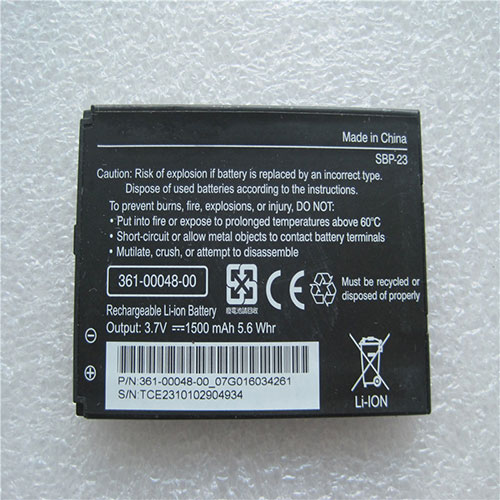
Cheap Garmin SBP-23 Li-ion Cell Phone battery, Brand New SBP-23 replacement battery for Garmin-Asus Nuvifone M10 M10E A10

1500mAh 3.7V/4.2V Garmin SBP-23 Batteries for Garmin-Asus Nuvifone M10 M10E A10, Garmin SBP-23 Cell Phone battery is a brand new,100% Compatible original and replacement Laptop battery,Purchase wholesale and retail SBP-23 with high quality and low price!

SBP-23 Battery garmin Li-ion 3.7V/4.2V 1500mAh

SBP-23

Specifications

  • Brand:Garmin
  • Capacity :1500mAh
  • Voltage :3.7V/4.2V
  • Type :Li-ion
  • Battery Cell Quality: Grade A
  • Descriptive: Replacement Battery – 1 Year Warranty
  • Description: Brand New, 1 Year Warranty! 30-Days Money Back! Fast Shipping!

How we test this Garmin SBP-23 Battery Li-ion 3.7V/4.2V 1500mAh

Step 1: Make sure customer bought the correct battery.
Step 2: Check battery’s appearance and interface.
Step 3: Test battery charger and recharger function.
Step 4: Charger the battery to 100% and recharger to 0% to get real battery capacity
Step 5: Use Ev2300 to check the voltage difference of each goroup cells.
Step 6: Charger battery power more than 30%.
Step 7: Package battery carefully and send out

Compatible Part Numbers:

SBP-23

Compatible Model Numbers:

Garmin-Asus Nuvifone M10 M10E A10

How much do you know about how to run laptop well as any place? The follow Tips cut way back on protecting battery life.


1). Please recharge or change your Cell Phone battery when battery power low.
2). Using Li-Ion Replacement Garmin SBP-23 Cell Phone Battery for your notebook which can work longer time than Non Li-ion one.
3). It is better to defragmentation regularly for your Cell Phone battery life.
4). In order to reduce the laptop power consumpition, you can use some optical drive spin-down and hard drive in your Cell Phone .
5). Please keep your laptop in sleep or standby model without long time using, which both save the Replacement Garmin SBP-23 Cell Phone Battery power and extend battery using life.
6). Leave your battery in a dry and cool condition when without using.
7). When you rarely or generally plugged in fixed power using, Please take down your battery to avoid hurting battery life.

Hot Products

16.8V/20V 400mA/2200mAH/32Wh BOSE 300769-003 for Bose Sounddock Portable Digita11.1V/12.4v 2300mah BOSE 404600 for Bose SOUNDLINK I II III15.4V 5209mAh RAZER RC30-0248 for RAZER Blade 15 2018 RZ09-023867.4V 2230mAh/17Wh BOSE 063404 for 0634043.8V 6300mAh/23.94Wh AMAZON 2955C7 for Amazon Kindle Fire HD 10.1 7th3.7V/4.2V 1750MAH/6.5WH AMAZON GP-S10-346392-0100 for AMAZON KINDLE 3 3G WIFI Kindle3.8 V 1300 mAh AMAZON MC-305070 for AMAZON Kindle Voyage7.7V 37Wh/4810mAh ACER AP16M5J for ACER A315-51-51SL N17Q1 SERIES3.8V 2930mAh/11.1Wh NETGEAR W-7 for Netgear AirCard 790S 790SP 8103.85V/4.4V 3080MAH/11.86WH ALCATEL TLp030JC for Alcatel A3 XL 9008j

Intel begins rollout of the first Wi-Fi 6E adapters for faster connectivity

I haven’t even owned my Wi-Fi 6 router for a full year yet and already there is a (slightly) newer wireless standard that is inching into the marketplace. That would be Wi-Fi 6E and, well, that’s the way it goes—technology never sits still. In this case, Intel is standing ready with its AX210, the first Wi-Fi 6E adapter.

This is not a proper launch (no press release, no big announcement), and there might not be one until early next year. In the meantime, a marketplace seller on Newegg is selling and shipping the adapter from China (via Tom’s Hardware) for $33. Intel has also apparently registered its Wi-Fi 6E adapter with the Eurasian Economic Commission, a popular landing spot for products that are getting ready to launch.

So, what is Wi-Fi 6E? It is sort of an extension of Wi-Fi 6 (802.11ax), as it supports the same features and technologies, including OFDMA, which is what makes it so great for crowded networks. But in addition to serving up connectivity over the 2.4GHz and 5GHz bands, Wi-Fi 6E adds a 6GHz band.

“6GHz addresses Wi-Fi spectrum shortage by providing contiguous spectrum blocks to accommodate 14 additional 80MHz channels and 7 additional 160MHz channels which are needed for high-bandwidth applications that require faster data throughput such as high-definition video streaming and virtual reality. Wi-Fi 6E devices will leverage wider channels and additional capacity to deliver greater network performance and support more Wi-Fi users at once, even in very dense and congested environments,” the Wi-Fi Alliance stated in January.

Incidentally, both Wi-Fi 6 and Wi-Fi 6E have a theoretical maximum throughput of 9.6Gbps across multiple channels, so the latter is not inherently faster. But the advantage of Wi-Fi 6E is the added spectrum. By jettisoning some connections to the 6GHz band, the result is a less crowded network, which in turn could lead to faster speeds for your devices. It’s sort of like adding another lane on the highway, to help with rush hour traffic.

The very big caveat to this is the consumer hardware. As of this moment, there is not a single laptop, smartphone, or other device that supports Wi-Fi 6E. That is where Intel’s new adapter comes into play, as it can be installed in a laptop to support the latest wireless standard.

However, you also need a Wi-Fi 6E router in order to use the 6GHz band. I’m only aware of one existing model at the moment—the Asus ROG Rapture GT-AXE 11000, introduced in September, and which has not been released to retail yet.

Even then, it’s of little benefit right now, because Wi-Fi 6E devices simply do not exist. Your Wi-Fi 6 and Wi-Fi 5 (802.11ac) will still connect to it just fine, but the advantage of the 6GHz band will go unused for the time being.

This is the same caveat that applies to Wi-Fi 6—to take full advantage of the standard, you need a Wi-Fi 6 router and several Wi-Fi 6 devices, which are starting to become more common. So if you just purchased a Wi-Fi 6 router, don’t feel like you made a huge mistake. It will take some time for Wi-Fi 6E to make a dent in the marketplace, by which time you might be ready for a new router anyway.

Vivo X60 and X60 Pro mistaken for the Xiaomi Mi 11 and Mi 11 Pro in hands-on image

The Xiaomi Mi 11 and Mi 11 Pro are already hotly anticipated, but the photo above is not of them. Seemingly first published on Weibo by the likes of DigitalChatStation, outlets like Gizchina asserted that the photo is of Xiaomi’s next flagships, which are reputedly due early next year. To the credit of DigitalChatStation, they did not explicitly state that we were looking at the Mi 11 series.

Instead, they merely hinted that the devices pictured would be announced by the end of the year. As a second photo demonstrates, the devices pictured are running OriginOS, the custom version of Android produced by Vivo. OriginOS is believed to be replacing FuntouchOS and may be coming to older devices like the Neo3 and iQOO Pro 3, among others.

According to another Weibo leaker cited by Sparrows News, the photos are of the Vivo X60 series, which will be Vivo’s next flagship smartphones. It would seem that the X60 and X60 Pro have been pictured, with the latter being the larger of the two devices shown. The X60 Pro is believed to feature Qualcomm’s upcoming Snapdragon 875, although with a 6.65-inch OLED screen that has a 120 Hz display. By contrast, the regular edition will supposedly have an Exynos 1080 instead, for some reason. It is unknown when Vivo will announce the X60 series, but it will be before the end of the year, according to DigitalChatStation.

Samsung’s revolutionary SSD behaves like a (powerful) PC – and you’ll never guess why

The first virtual edition of FMS 2020 (Flash Memory Summit, not Football Manager) is well underway and the first announcements are already trickling through, with Samsung’s intriguing new enterprise SSD snatching the spotlight.

Meet the SmartSSD, which Samsung Semiconductor refers to as a Computational Storage Drive (CSD).

It is designed to “accelerate a variety of applications including database management, video processing, artificial intelligence layers, and virtualization”. In other words, like the coprocessors of yesteryear and the GPU of today, the CPU can offload specific tasks to this very useful sidekick.

Samsung used Xilinx FPGA to achieve what it calls the first adaptable computational storage platform. Xilinx was acquired a few weeks ago by AMD, one of the largest CPU vendors in the world. Ironically, therefore, a surge in demand for CSD’s could potentially have an impact on the sales of AMD EPYC and Intel Xeon processors.

Among the use cases put forward by Samsung are “search-in-storage”, with some processes seeing a 100x improvement in speed, while transparent compression technology enabled one provider to cram up to 10x more bytes into the storage.

Other scenarios include time-to-insight in big data analytics, video file transcoding and data encryption solutions.

The drive itself is a standard 2.5-inch SSD with a 25-watt power envelope and a 4TB native capacity – or up to 12TB using accelerated transparent compression. That’s a 3:1 compression ratio, which is slightly more than the industry standard of 2.5:1 adopted by the Linear Tape Open (LTO) organization.